

Reddit User Sends a Love Letter to his Girlfriend via The Sims 4

This heartwarming story has been brought to you by ferriswheel42!
My girlfriend often plays The Sims at my place when I’m cooking or busy. I thought I’d surprise her with a love note. I made a Sim version of myself, then had him write 3 books. Then he went over to my girlfriends’ most recent household, and hid them. The first book was left in a place she would easily find it.
She found them on Valentines Day, and her reaction was much more excited than when I gave her flowers. She hugged me so hard I lost balance and then said I’d get whatever I wanted all Sunday.


The Sims 4 Custom Content: Beginnings Set

This Set has been brought to you by The Sims Resource member – kardofe!
Living room, decorated with practical and functional furniture, which in turn are comfortable and beautiful.
Click on the picture below to download this Set!
Click Here for more information on how to install Custom Content!
The Sims 4 Get To Work: New Video Coming Tomorrow!

FYI: The Video is coming today (18th of February) for those who might be confused with the time of this post being made.
SimGuruBChick has confirmed that their new Video for Get To Work that’ll show more features related to Doctors, Hospitals and more, will be released tomorrow.
Tip: @Simmer_BN

The Sims 4 Now Available on Mac Computers!

The Sims 4 is now finally available for Mac Computer owners! If you already own The Sims 4 for PC and want to play it on your Mac, you can do so without any additional costs! Also, this marks the release of The Sims 4 Outdoor Retreat Game Pack for Mac.
For more information about The Sims 4 for Mac, visit This Page!
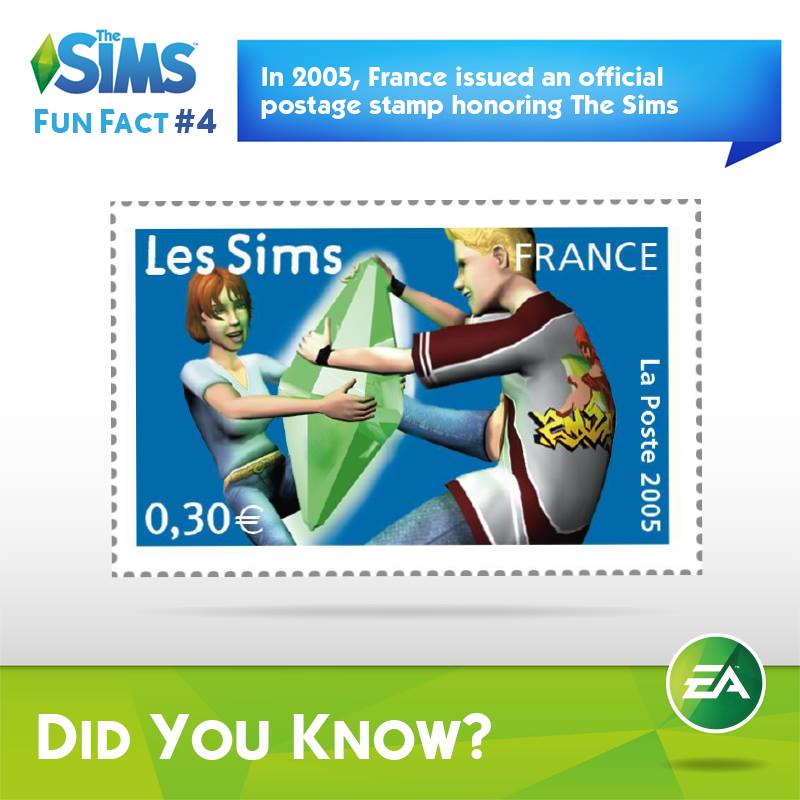
The Sims Franchise: Fun Facts!
To celebrate 15 years of The Sims Franchise, Sims Social Channels have posted some interesting facts about the Franchise that you may or may not have heard about.
The answer to the second picture is the Guinea Pig, while the answer to the sixth pic is the toilet 😉




The Sims 4 for Mac: Frequently Asked Questions
As The Sims 4 is releasing for Mac Computers tomorrow, The Sims Team has decided to answer some of the most frequently asked questions related to the Mac Version.

You can check out our Home Page if you want to know with us to the exact release of The Sims 4 for Mac!
The Sims 4 Mod: SimLotto

This Mod has been brought to you by Mod The Sims member – scumbumbo!
Buy a ticket and make your Sims a millionaire!
This mod allows sims to purchase SimLotto lottey tickets on any of the computers included in the game. The payout rate is higher than a normal lottery to make things a bit more fun, but the odds are fairly balanced and not just a money cheat. Three flavors of the mod are available, normal odds, easier odds and best odds. The number of required matches, range of numbers and payouts are altered in each flavor. A complete list of the payouts may be found below in a spoiler.
Click on the picture below to download this Mod! (Requires MTS registration)
Click Here for more information on how to install Mods and Custom Content!
The Sims 4 Get To Work: Full Release Date!

The Sims Facebook posted a Trailer of The Sims 4 Get To Work featuring a minor change – a full release date of this Expansion Pack!
Their first version of the Announce Trailer shows that The Sims 4 will release in April 2015, but as SimFans has previously found that EA DE leaked a European Release date by accident (April 2nd), this Official Leak is more than just plausible.

The Sims 4 Custom Content: Shabby Chic Bathroom

This Set has been brought to you by The Sims Resource member – TheNumbersWoman!
Shabby is all we need to say. Chic is to make you look. Your Sims can take pleasure in our dumpster diving furniture redone. As always redone by that cheap labor passing the savings to You! We did make sure the toilet seat was sanded so you won’t be sitting where another bottom has been! This set has one extra color option. The fireplace needs the Camping Game Pack to work. Please see specific object instructions in the package file in game.
Click on the picture below to download this Set!
Click Here for more information on how to install Custom Content!
The Sims 4 Custom Content: Valentine Camisole

This Set has been brought to you by The Sims Resource member – altea127!
Sweet camisole with small central bow.
Click on the picture below to download this Set!
Click Here for more information on how to install Custom Content!
The Sims 4 Custom Content: 6 Pastel Goth Sweater Dresses

This CAS Set has been brought to you by Holosprite!

Click Here for more information on how to install Custom Content!
It’s Valentine’s Day!
Happy Valentine’s Day!
To start off we have a special Gallery Spotlight featuring 3 special Lots!
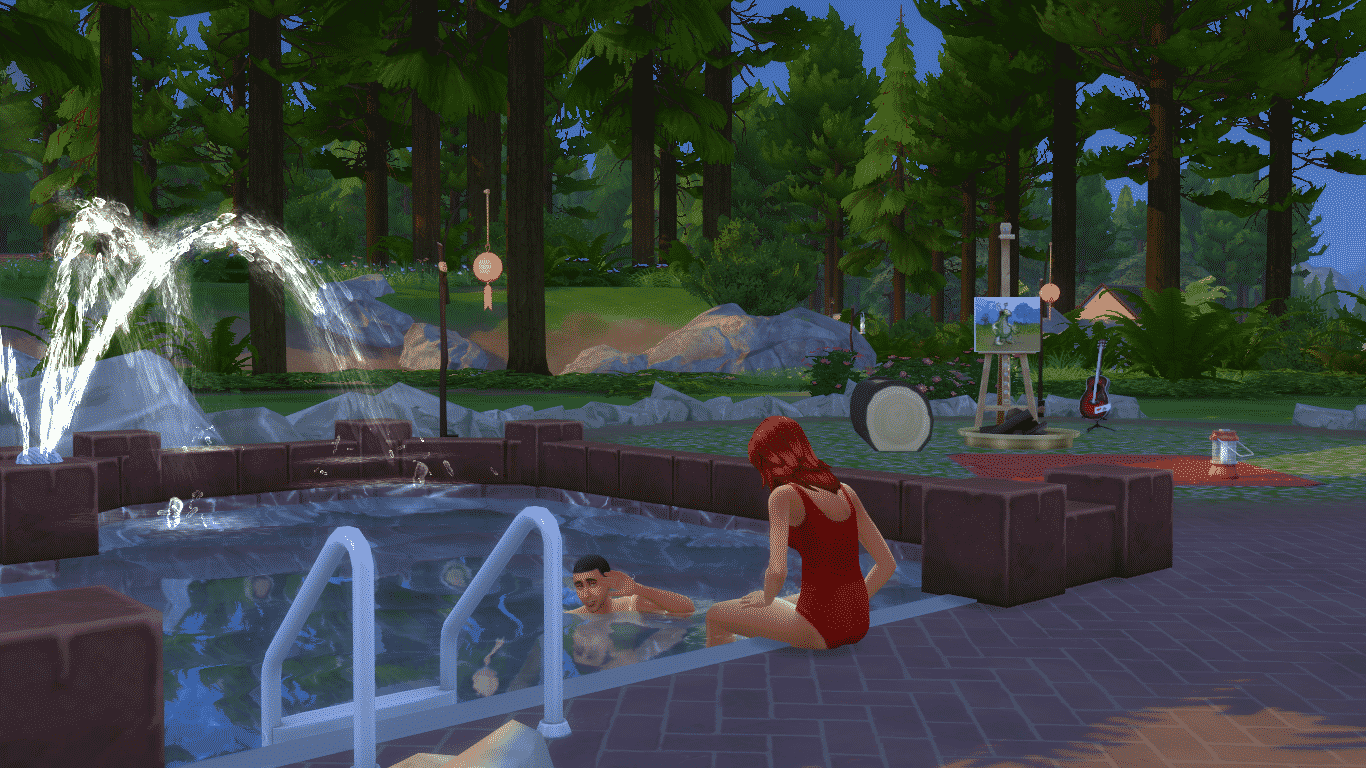
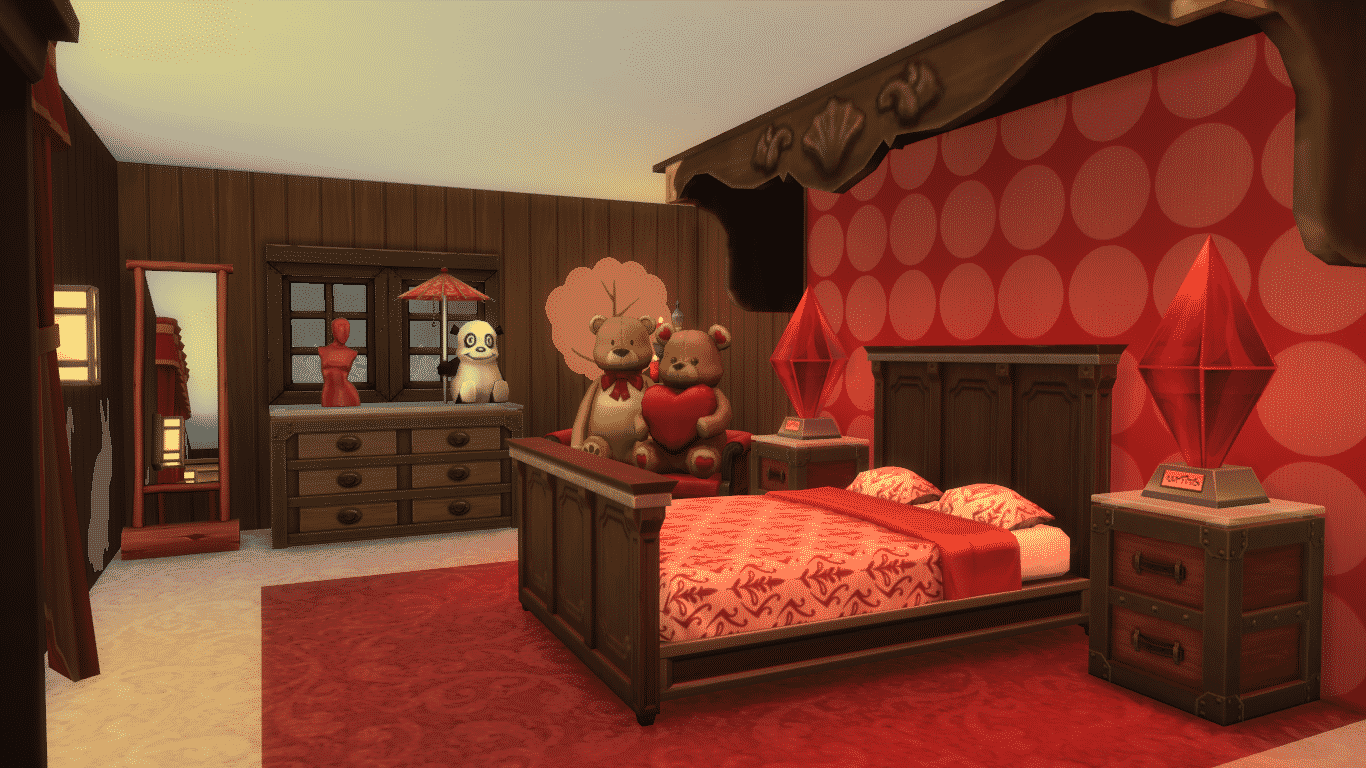
WooHoo Bed Cabin (Download Here)
Spend days and nights in this Cabin with your loved one deep in the woods of Granite Falls. Sims won’t forget this Vacation in a long time!
Spend Valentine’s Day together in this big bed. #WooHoo!
Value: §79,544
Size: 30×20
Lot Type: Residental



Flying Hearts Club (Download Here)
Are u in love? Or do u want to be? Join the Flying Heart tonight!:) Romantic settings for sweet conversation, party area, love tubs for 2
Value: §63,871
Size: 30×20
Lot Type: Nightclub


Love is an open Door (Download Here)
No CC,pls activate MOO,place it on build mode,feel the love on this lovely couple home,everyday feels like Valentine
Value: §231,179
Size: 30×20
Lot Type: Residental


Don’t forget to participate in a brand new, official Weekend Challenge! If we manage to get our Sims to WooHoo over 4 Million times we’ll get a new Gnome, and if Simmers make their Sims WooHoo for over 5 Million times we’ll unlock some brand new Hairstyles next month!
So, what are you waiting for? Find a partner in The Sims 4 and get to work!
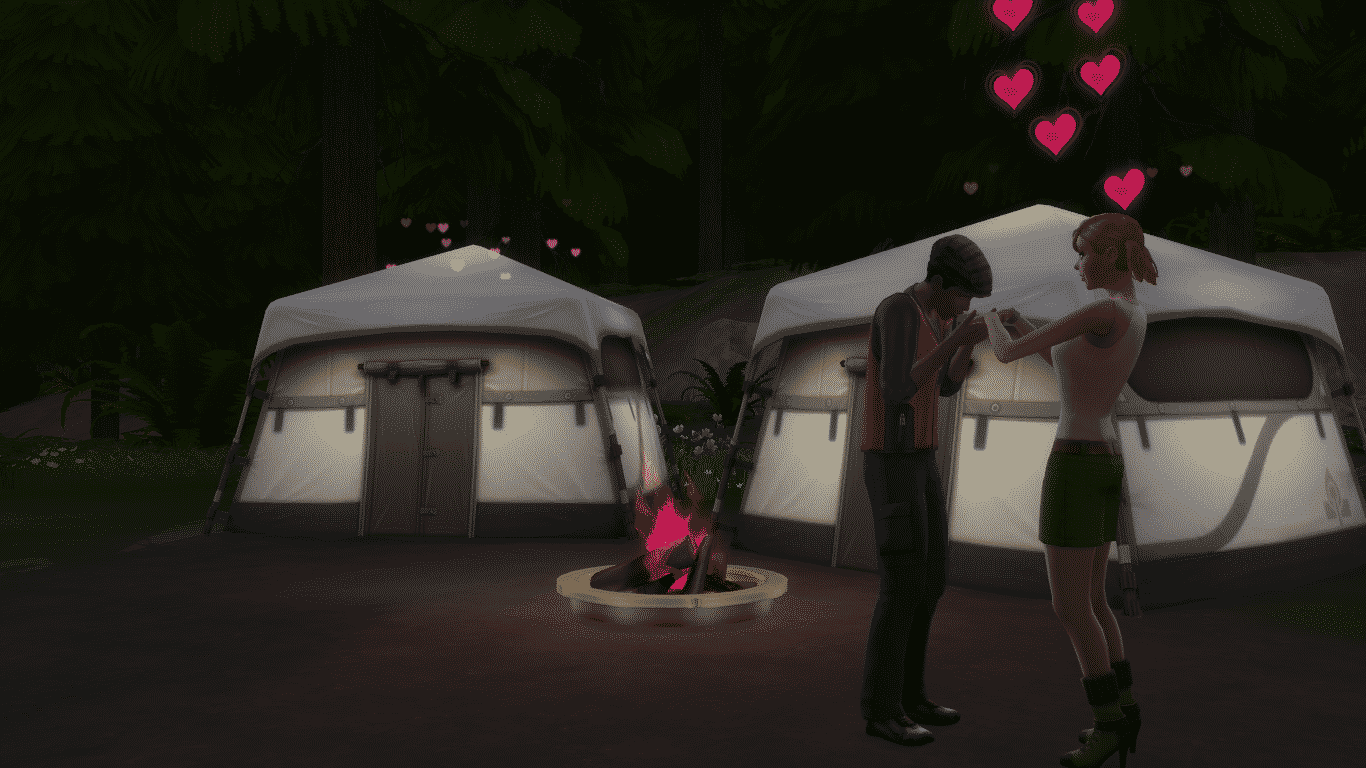
The Sims 4 Custom Content: Alaric Bedroom Set
This Set has been brought to you by The Sims Resource member – spacesims!
A modern and comfortable bedroom made from top quality materials with a decent price. This bedroom is not for poor Sims, but it is easily affordable by Sims with medium to high income. All of the parts of this bedroom were made out of natural materials.
Click on the picture below to download this Set!

Click Here for more information on how to install Custom Content!