Home Blog Page 59

CC Swiper: An Easier Way to Find CC From Your Phone!

Move Over Tinder! Simmers Prefer This Swiping App.

SC CCSWIPER

CC Swiper is here to save you time when searching for the perfect CC. Most of us are familiar with the swipe-app concept. Be it dating apps like Tinder or Hinge, or apps for freeing up space in your photo album. Well, this app integrates with The Sims 4 Mod Manager by GameTimeDev allowing you to choose and install CC straight from your phone. Let’s take a look at the features and a detailed walkthrough on how to set up the app.

An Introduction to The Sims 4 Mod Manager

An image from the Mod Manager wesbite. Two windows of the program overlapped showing a mod library.

As the name suggests, The Sims 4 Mod Manager by GameTimeDev manages your Sims 4 mods folders for you. It gives you an overview of all installed mods and custom content, organises it into categories for you, and will even show you a thumbnail of the item/mod so you don’t have to remember your CC by name or creator! It also features handy tools to help you declutter your folders and batch enable or disable mods when they are outdated.

If your mods are downloaded via Curseforge it will notify you when you are running an outdated version of said mod. For those of you who play on lower settings or a less powerful PC, you can even view the polygon count of CC if you are trying to make your game run smoother. Let’s take a look at some more features!

  • Remove duplicates of CC
  • Check what CC and Mods are used in each save
  • Preview custom content on a Sim mannequin in-app
  • Upload a screenshot of your CC and let the mod manager identify it for you
  • Batch delete unneeded files
  • In-app pack disabler
  • Identify conflicting mods
  • Create your own loading screens from saved images

CC Swiper

Overviw images of CC Swiper

In my opinion, CC Swiper is the best feature of Sims 4 Mod Manager. As previously mentioned, CC swiper allows you to browse CC and Mods from the palm of your hand and remotely download it straight into your game. It can be a bit tricky for first-time users, but don’t worry as I’ve got you covered with a handy tutorial below.

How to install CC Swiper

Text Reading 'Step 1'. An image from the Mod Manager wesbite. Two windows of the program overlapped showing a mod library. A button tha reads 'Download the Mod Manager'.

Step 1: Installing Sims 4 Mod Manager

To install Sims 4 Mod Manager head to the button below, click ‘Download the Mod Manager, and choose your operating system. The program supports both Mac and Windows systems. For ease, choose the default option rather than the alternative setup unless you are running into issues.

Text Reading 'Step 2'.
An image of the mod manager home page with an arrow directing towards the Tools button.

Step 2: Locating Tools

Once installed – hover over the icons in the bottom left to expand the sidebar and click on tools.

Text Reading 'Step 3'.
A menu called Fun Tools with CC-Swiper Listed Below.
There is an image of a QR code and the app icon.

Step 3: Finding CC Swiper

Scroll down to the ‘Fun tools’ category and find CC Swiper. Click ‘Open’ and a new page should open. On your right, you should see the app icon and a QR code. Take your phone and scan the QR code which will take you to a webpage to select your relevant app store. Then download the app! If you’re viewing this article on mobile you can use the buttons below to download the app.

Text Reading 'Step 4'
Below is a screenshot of the device connection page.
Text Reading 'Step 5'
Below this is a screenshot of a power button reading 'server status'.

Step 4 & 5: Establishing a Connection

Go through the simple set-up instructions. Select your language and hit next and you will be able to read the information that follows. You will be given a list that you will need to bear in mind:

  • Both devices (computer & mobile phone/tablet) must be connected to the same home network.
  • The connection can only be established in a local, private network. NOT VIA CELLULAR NETWORKS OR SIMILAR.
  • The CC Swiper Server must be running in the mod manager. (Tools > Fun Tools > CC Swiper)
  • Network permission popup must be accepted (Windows only)
  • Only 2 devices can be connected at a time.

Now you will be met with a similar layout to the images above. On your Sims 4 Mod Manager, you will see your IP address listed next to a green power button. Click the power button, this will enable connections. On your phone tap ‘Add new device’ and type the IP address shown on the Mod Manager. Once connected hit ‘Connect’ and then ‘Let’s Start’

Text Reading 'Step 6'
Overview of the app homepage.
Text Reading 'Step 7'
Below are the mod filters listed.

Step 6 & 7: Finding CC

Now that you’re successfully connected tap the centre icon in the bottom bar and you will be taken to a page with two options. Tap the ‘Curseforge’ (Bottom) button. From here you can search through different filters depending on what you’re looking for. For myself, I have selected Buy Mode. Simply tap ‘Start’ to begin your search.

Text Reading 'Step 8'
The swipe page with a thumb up and a thumb down icon either side.

Step 8: Start Swiping

For those familiar with other apps using the swipe-app concept you will be familiar with the layout. For those who aren’t in-the-know let me break it down for you:

  • Swipe Left – Dislike
  • Swipe Right – Like and add to basket
  • Rewind Arrow – Go back to the previous CC
  • Fast Foward – (This arrow does not seem to have a function for me)

If you want to view more photos you can tap on the right of the image to swipe through the gallery of images uploaded by the creator. If you want more information on the pack simply tap the item’s name and you will be able to see the download count, release date, and last update. You can tap the ‘Categories’ bar to see how this mod is categorised, and the ‘Description’ bar to view the creator-provided description for the CC/Mod.

Text Reading 'Step 9'
The home page of the app
Text Reading 'Step 10'
The users basket is below.

Step 9 & 10: Transferring your chosen CC/Mods

Once you are finished swiping away hit ‘Home’ at the bottom of your screen and you will be taken back to the app’s home page. From here tap the button in the middle that reads ‘CC Bakset’. This will show you how many items you have swiped right on. From the next menu (Step 10 in the image above) you can tap edit and tick any items you have changed your mind on. Once ticked you can select ‘Delete (number) from list’. Once you are happy with your selection tap ‘Transfer Basket to Mod Manager’.

Text Reading 'Step 11'
The downloads page on the Mod Manager PC program.

Step 11 – Downloading Your Basket

Heading back to your PC/Laptop now you will see that a download bar has appeared underneath the Curseforge logo (Anvil with a flame). Click on this and select ‘Downloads’ from the options at the top of the page. From here you can see the status of your downloads.

Text Reading 'Step 12'
The mod folder page on Mod Manager

Step 12: Viewing Your Installed CC and Mods

Once downloaded, hover over the expandable taskbar on the left-hand side of the program and select ‘Overview’. This page will allow you to take a look at all of your CC and Mods you have installed using CC Swiper. Your number of installed content will be listed at the top. Hit the drop-down arrow (if not already expanded) and take a look at your collection. Then simply load up your game and enjoy your new content. You can even launch your game from Sims 4 Mod Manager by clicking the play button on the bottom left-hand side of the screen.

SC Final Image 1

What are your thoughts on CC Swiper and Sims 4 Mod Manager? Tell us below and stay tuned on Sims Community for the latest news for The Sims 4!
WATCH LIVE: The Sims 4 Businesses & Hobbies Livestream

3

Today The Sims 4 developers are taking you through their latest Expansion Pack!

UPDATE #2: The livestream has been scheduled for March 3rd, 2025 at 10AM PT / 7PM CET. There’s a new official livestream link that we’ve included below where you can watch the entire developer livestream. Hopefully no technical challenges this time around!

UPDATE: The livestream has been unfortunately cancelled due to technical difficulties. Leading to the entire Electronic Arts broadcast studio in Redwood City without electricity.

CONVERSATION 2

Hi Simmers, unfortunately our broadcast studio has lost power impacting our Businesses & Hobbies Livestream. Was it Robin Banks?! We’ll be rescheduling our livestream and will share details when they become available.

The Sims Team is doing their official Sims 4 Businesses & Hobbies Livestream today, February 28th!

The Sims 4 Businesses & Hobbies livestream

Some of the developers who got a chance to work on this Expansion Pack will be taking you through all the novelties of this DLC release. Including Create A Sim and Build Mode items catalogue, Nordhaven World overview, as well as the new gameplay features of this Pack.

The Sims 4 Businesses & Hobbies Livestream is best watched on The Sims’ official YouTube Channel. Set to start at 10AM PT / 7PM CET. We’ve linked the official watch page down below where you can click the play button and find out the start time in your area!


The official replay is expected to happen shortly after the livestream ends. We’ll make sure to keep you posted with new facts and info about Sims 4 Businesses & Hobbies right here on Sims Community!

The Sims 1 and The Sims 2 Update: Patch Notes (Feb 27th, 2025)

The fifth Patch for The Sims 1 and The Sims 2 has just arrived!

The Sims Team has no intentions at stopping to make the rerelease experience the smoothest it can be. New The Sims 1 and Sims 2 Update has just been rolled out for Windows PC players on Steam, EA App and Epic Games.

The Sims 1 and Sims 2 Rerelease Update
Downloading the new rerelease patch on EA App

Check out what’s been fixed and improved in the official patch notes down below:

The Sims 1 Update
The Sims 2 Update

Fifth Rerelease Patch

Official Sims 1 and Sims 2 Update Notes

Sims 1 and Sims 2 Rerelease Update

Sul Sul, Simmers! 

Thank you for your support as we continue to improve PC compatibility issues and community reported issues. We appreciate your patience and hope you’ve seen some good improvements over the last few weeks. Please continue to report any issues on the official EA Forums.

– The Sims Team 

February 27, 2025 Patch Notes: 

The Sims 1 Update Notes

Fixed Issues: 

  • General stability and performance improvements
  • Some players had difficulty setting/changing the game language
  • Some players had problems with with their game save directories not being recreated and, in some cases, causing a crash on the Steam platform
  • In some situations the game would not recreate missing UserData folders. The game is now more robust in replacing missing UserData folder in the game save directory
  • The game could sometimes take a very long time to launch
  • A crash would occur when queuing certain events at the Goth house
  • The game would crash on some computers that were waking from sleep
  • Text/caption added to a snapshot would not be saved
  • Family friend counter would sometimes be grey

The Sims General Notes: 

  • Please note that The Sims (TS1) requires a Vulkan compatible GPU. Please check on your GPU manufacturer’s website to see if your GPU is compatible with Vulkan and ensure you are updated to the latest driver version.

The Sims 2 Update Notes

Fixed Issues: 

  • General stability improvements
  • Some players had difficulty setting/changing the game language
  • Several game issues occurred when a University-lot pre-made Sim graduates and relocates to the home neighborhood
  • The game could sometimes take a very long time to launch
  • Restored music tracks from Acceptance and Annie
  • “Wants” go missing after a teen goes to University and game focus is kept on them
  • When a child ages to a teen, quitting without saving would not fully revert the aging process (the teen attributes would now be on a child body)
  • Sims can sometimes become stuck at the hotel when vacationing (“Too many iterations” error on the loading screen)


The Sims 2 General notes: 

  • There are recurring problems being reported on Intel Arc systems. Intel has recently ended direct support for DirectX 9 and is providing support via a transparent mapping layer. It is possible that this solution can have flaws that may impact any programs that rely on DirectX 9. 

There may be issues not listed here that are in the process of being addressed as certain issues require an extended investigation on our end. Even though these fixes may be in active review, it’s not a guarantee that we’ll have an immediate fix for it in an upcoming patch.

Dag Dag,

The Sims Team


Have you downloaded the latest Sims 1 and Sims 2 Updates on your Windows PC yet? Catch up on all the Game Updates right here!

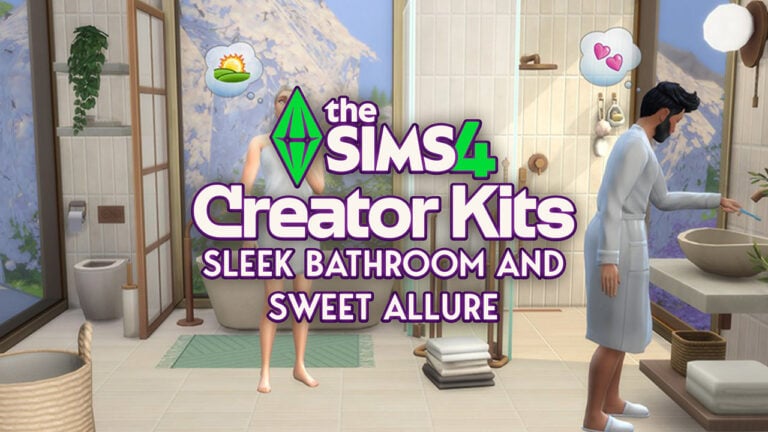
New The Sims 4 Creator Kits Screens

5

We have a brand new look at the upcoming Creator Kits coming this April!

In case you missed out on the news during this eventful week, we’re getting two new The Sims 4 Creator Kits: Sleek Bathroom Build Kit and Sweet Allure CAS Kit. These new Kit releases are expected to launch somewhere around April 2025, with the first description and features already up!

Today, the two creators behind these Sims 4 Creator Kits aharris00britney (CAS Kit) and Syboulette (Build Kit) have shared new photos from their upcoming Kit releases. Showcasing the new items in another light. Plus, we got High Quality versions of the original Kit photos. Let’s take a look.

The Sims 4 Sweet Allure Kit (aharris00britney)

The Sims 4 Creator Kits: Sweet Allure

The Sims 4 Sleek Bathroom Kit (Syboulette)

The Sims 4 Creator Kits: Sleek Bathroom
the sims 4 creator kits april 2025 screen 4

Both The Sims 4 Sweet Allure and Sleek Bathroom Kits will be priced at $4.99USD each – or a price equivalent to your local currency.

Are you interested in getting these new Sims 4 Creator Kits? Let us know in the comments below!

Official Statement on The Sims 4 Body Distortions Glitch

13

EA releases an official statement and workaround for new Sims 4 Glitch.

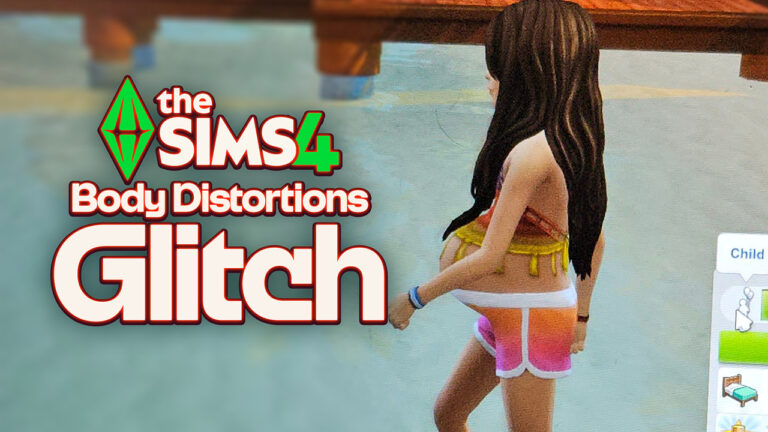
The new Sims 4 Patch that came out on February 25th didn’t just introduce Burglars. As expected with all big game patches, something is almost always bound to break. And this game patch was no exception as multiple players reported a Sims 4 Body Distortions Glitch. Saying that their Children Sims are looking “Pregnant” and having weird face and body distortions.

Thankfully, EA has quickly responded to the fiasco – giving both reassurement that they’re working on a hotfix update and a proper workaround solution!

Player Reports on The Glitches

Over 200 players upvoted the newest Sims 4 Body Distortions forum thread. With the first screenshot coming from Elleuneedislove who reports the following:

I removed my mods and cc to see if that made her normal again but it didn’t she looks like she’s pregnant. It even looks like that in CAS

The Sims 4 Body Distortions Glitch

The following screenshot comes from EA Forum member dimharr, who also reports the same issue with Children in Create A Sim, among other things.

sims 4 body distortions glitch 2

I also have adult neck problems. And the bodies of children are changed in abnormal proportion. Toddler faces have also been changed beyond recognition.

dimharr

sims 4 neck visual glitch

Infants and Toddlers also haven’t been spared of The Sims 4 Body Distortions glitch plaguging everyone’s Sims.

In addition to this bug, I also noticed another one in my game. The eyes of toddlers and infants seemed to have become smaller.

platvichka-a

Official Statement and Workaround

The official EA Forums community manager EA_Cade has released an official statement regarding the Sims 4 body distortions glitch. Saying that The Sims Team is actively working on addressing this bug in the upcoming update. Until that happens, there’s a workaround that will successfully restore all your Sims’ looks until the patch comes out:

CONVERSATION 2

Hey all,

We have identified the cause of an issue with Child Sims experiencing body distortion, and we are working to release an update which will resolve this issue in existing saves. Child Sims in brand new saves will not be affected by this bug. In the meantime, you can manually restore your Sims by using the following workaround:

  1. Open the cheat window with CTRL+SHIFT+C.  Console folks, you can plug in a USB keyboard to do so.
    1. Type in “testingcheats true” and hit enter.
    2. Type in “CAS.fulleditmode” and hit enter.
  2. Shift click on your Child Sim and select “Modify in CAS” from the pie menu.
  3. In the top left of the screen, change the gender of your Child Sim, and then change it back.
  4. The Sim should be back to normal, click the tick button in the bottom right of the screen to return to Live mode.
  5. To remove cheats, open the cheat window with CTRL+SHIFT+C.
    1. Type in “CAS.fulleditmode false” and hit enter.
    2. Type in “testingcheats false” and hit enter.


Have you encountered The Sims 4 body distortions glitch in your game? If so, let us know how the new workaround works for you and stay tuned for latest updates on The Sims 4!

Week 4: The Sims 4 Blast From The Past Live Event

The Sims 4 Blast From The Past Week 4 is the final week of this longoing limited time event. Which started all the way back in January! The last week of this event will let you unlock two exclusive Quest Rewards including the Surprise Birthday Cake and ElectroDance Floor.

Discover what it takes to complete the fourth week of The Sims 4 Blast From The Past:

The Sims 4 Blast From The Past Week 4 Event Screen

Hidden Motives Quest

With the thief caught in the act, Emit has one last order of business — to find out why they stole to begin with. Put the final pieces together so this never happens again.

The Sims 4 Blast From The Past Week 4

Report to Emit on the Experiment (+35 Event Points) – There is a lot to report back to Emit about the time travel experiment and the thief’s email. Select Report on Experiment on Emit.

Emit can be found at Magnolia Blossom Park, or select the Social category on the Phone to Invite Emit Over.

The Sims 4 Blast From The Past Week 4

Send a Time Travelling Email to the Thief (+35 Event Points) – As odd as it may seem, Emit believes that the time travel component infused computer can send an email to the thief, whenever they may be, to get some answers why the theft. Select Send Time Travelling Email on a Computer.

The Sims 4 Blast From The Past Week 4

Retrieve the Thief’s Letter from the Mailbox (+35 Event Points) – The thief’s response is in the mailbox? And it has been waiting all this time – that’s the mystery of time! Select Retrieve Thief’s Letter from a Mailbox.

The Sims 4 Blast From The Past Week 4

Read the Thief’s Letter (+35 Event Points) – The theif has responded to the email with a letter. Select Read Thief’s Letter from the letter in your inventory to find out their motive!

sims 4 blast from the past week 4 reward complete

The Good Thief

The thief had the right intentions but the wrong methods. As a fan of time, they wanted to preserve the treasures of the past into the present and on to the future to keep forever.

the good thief quest

Tell Emit about the Thief’s True Intentions (+35 Event Points) – Find Emit and let him know what you have learned about the thief’s intentions. Select Tell about Thief’s True intentions on Emit.

sims 4 blast from the past week 4 message

Say Goodbye to Emit (+35 Event Points) – The mystery is solved, the thief has been…not caught, but uncovered, sort of…actually who is the thief? Maybe a question for another day…

message week 4

For now, it’s time to say a fond farewell to Emit. Select Say Goodbye on Emit.

week 4 complete

The Sims 4 Blast From The Past Event: Week 4 Rewards

There are seven rewards in The Sims 4 Blast From The Past Week 4. Including five reward items and two exclusive event items, such as:

  • Happy Potion
  • Energized Potion
  • Instant Hygiene
  • 25 Satisfaction Points
  • 500 Simoleons
  • The ElectroDance Floor
  • Surprise Birthday Cake

Reward Overviews

Surprise Birthday Cake

week 4 blast from the past event screen reward items2

The last week of The Sims 4 Blast From The Past Event brings a new cake. Which lets your Sim perform a dance routine as they step down the stairs! Take a look at this video preview:

Video Preview of New Cake Dancing Interaction

The object is multipurpose, meaning that you can entertain the guests, call Sims over for a celebration, or just choose to take a slice!

the sims 4 cake interactions
the sims 4 new gameplay objects screen preview 1

The ElectroDance Floor

week 4 blast from the past event screen reward items1

Celebrate the 25th Anniversary with a new Base Game Dance Floor! You can also choose to turn on / off the lights and light up the surroundings in vibrant colors.

the electrodance floor new gameplay objects

The fourth and final week of The Sims 4 Blast From The Past Events ends on March 18th, 2025 at 10AM Pacific Time. To make things easier for you we’ve included a simple countdown below which marks the end of the latest event across all platforms.

Countdown to Week 2

Countdown to The End of The Sims 4 Blast From The Past Live Event

[janky target_time=”1742317200″ color=”#235c82″]


What do you think about the final week of the latest Sims 4 Event? Let us know in the comments below and stay tuned for more updates on Sims 4 Live Events!

SPECULATION: The Sims 4 Aging Sliders For CAS In Development

New clue in The Sims 4 Game Files hints at the upcoming Create A Sim Feature!

It seems like we’re about to get The Sims 4 aging sliders eventually in Create A Sim!

The latest Game Patch for The Sims 4 has drove the entire modding community deep into datamining. Trying to discover what’s next in development for the game. Besides some of the current Businesses & Hobbies leaks and features that will get removed in the upcoming patch, there’s more waiting to be uncovered deep in the code.

sims 4 aging sliders image

TurboDriver, known best for his big mod hits like WonderfulWhims and WickedWhims, left a comment on our website regarding an unused piece of code.

CONVERSATION 2

The Sims 4 Aging Sliders Discovery

Here’s an unused new addition from the 1.113.277 game patch to consider for future speculation. There are now two new variables for a new type of CAS sliders labeled as “aged”. Perhaps these will be used to make Sims look more aged with special sliders tied to aging, like in a new pack that would have features related to getting old.

image

Currently The Sims 4 only has two sliders in Create A Sim – Body Weight and Muscle Definition. Both being closely related to body customization and looks.

The speculated two new Sims 4 Aging Sliders will bring one new slider for Sim Faces and one for Sim bodies. Letting you manipulate the age of your Sim through a visual slider that will change their looks.


At the moment this is all we know about The Sims 4 Aging Sliders and their assumed functionality. We’ll make sure to keep you posted if anything new surfaces in the meantime!

The Sims 4 Businesses & Hobbies: New Gameplay Facts

11

Doggy Daycares, Shady NPC Reveal and MORE!

Yesterday we reported about the new Sims 4 Businesses & Hobbies leaks hitting the internet. From a look into the new world to a whole preview of the brand new Family Recipe System. The Sims Creators took further liberty to explore the game files from the Expansion Pack build version from August 2024. Revealing new User Interface mechanics, types of small businesses and plenty more!

the sims 4 businesses hobbies gameplay screen HQ 125

Let’s discover all the new gameplay facts for The Sims 4 Businesses & Hobbies:

Types of Preset Small Businesses

The Sims 4 Businesses & Hobbies Expansion packs different types of Small Businesses. Completely compatible with some of the features from The Sims 4 Base Games and previous DLC releases. Here are the types of preset small Businesses that you’ll be able to open immediately:

  • Cafe Bookshop
  • Arts Center
  • Bar
  • Bubble Tea Cafe (High School Years)
  • Cafe (Get Together)
  • Community Garden (Eco Lifestyle)
  • Gym
  • Karaoke Bar (City Living)
  • Library
  • Lounge
  • Makerspace (Eco Lifestyle)
  • Museum
  • Nightclub (Get Together)
  • Onsen Bathouse (Snowy Escape)
  • Park
  • Pool
  • Recreation Center (Growing Together)
  • Relaxation Center (Spa Day)
  • University Commons (Discover University)
  • Pottery Shop (Businesses & Hobbies)
  • Tattoo Shop (Businesses & Hobbies)
The Sims 4 Businesses & Hobbies: New Gameplay Facts

Daycare for Cats, Dogs and Horses!

Daycares that we reported on last week are getting big cross-pack compatibility features with previous Pet Expansion Pack releases. Such as Cats & Dogs and Horse Ranch.

The Sims 4 Businesses & Hobbies: New Gameplay Facts

One creator reported that they’ve discovered in the files that Sims will be able to take care of not just Human Sims like Babies and Elders – but Pets too! This includes Cats, Dogs and Horses. The customization options go so deep that you can select whether or not the caretaker stays or leaves once they’ve arrived with the spawn/dog/cat/horse.

The Sims 4 Businesses & Hobbies: New Gameplay Facts

The information is further visually confirmed by @lunar_britney, who posted a new game screenshot from The Sims 4 Businesses & Hobbies. Confirming extra features between employees and supervised customers that want to leave their Kids at your daycare.

sims 4 businesses hobbies gameplay facts daycare

Visiting Businesses in Live Mode and Loading Screens

The Sims 4 Businesses & Hobbies Expansion brings different perspective gameplay options. Whether you want to play as a Small Business owner or a Small Business visitor.

Sims creator @Simmattically posted a screenshot of the new Visit screen in World Map view. Letting you choose if you’d like to visit a Small Business as a customer or as a household guest instead.

the sims 4 businesses hobbies leak screen new

The creator also confirmed that there are no loading screens when moving between Residental and Small business areas.

Random World Information and Screens

Nordhaven, the new world with The Sims 4 Businesses & Hobbies will have swimmable areas! Check out the image preview:

The Sims 4 Businesses & Hobbies: World Leak
Source

Plus, we now have the full World Map image revealing the entire picturesque view of Nordhaven.

The Sims 4 Businesses & Hobbies: Full World Map
Source

New Cross Pack Features

Werewolf stencils from The Sims 4 Werewolves Game Pack can now be applied as Tattoo Stencils in The Sims 4 Businesses & Hobbies Expansion!

If you have The Sims 4 Get to Work Expansion Pack installed, you’ll be able to find all the retail objects from this Expansion in the new Small Business Build category.

The Sims 4 Businesses & Hobbies: Get to Work

Usability of certain display shelves from Get to Work has also been confirmed. Meaning that some shelves and displays will work when setting up your Small Business!

Look Into The Shady NPC

The Legitimate and Normal Trashley Reelpearson is the official name of the new Shady NPC coming in The Sims 4 Businesses & Hobbies. With new visual clues front and back that this NPC is everything but a normal one!

Without too many gameplay spoilers, see what the Shady NPC looks like in the game:

New Woodworking Table Interaction

Looks like Sims will be able to take turns when using the Woodworking Table from The Sims 4 Base Game. No further information about the gameplay effects though.

The Sims 4 Businesses & Hobbies: New Gameplay Facts
Source

Small Businesses Dilemmas Gameplay Option

The upcoming Sims 4 Expansion Pack lets you toggle Small Business Dilemmas in the Game Option. In case you don’t know, Businesses & Hobbies is introducing Small Business Perks and Dilemmas. Including specific business events like Computer Virus, Tax Audit, Fake Payment and many more.

All of those can be triggered and enabled / disabled in options!

New In-Game Previews

We have some additional looks into The Sims 4 Businesses & Hobbies CAS features thanks to @anadius on X. The first two photos showcase a new Hairstyle on the left. As well as the Custom Tattoo Paint Mode on the right.

And, it seems that the first Custom Tattoos have already been uploaded to the gallery. Anadius seems to have left a mark online permanently!

Gks7E6CWQAAHi6K
Source

What do you think about the new Gameplay Facts from The Sims 4 Businesses & Hobbies Expansion? Let us know in the comments below and stick around for the latest on the upcoming EP release!

The Sims 4 Family Recipe System Explained

6

See how the new Family Recipes will work in The Sims 4 Businesses & Hobbies!

We have an entirely new look at The Sims 4 Family Recipes system coming with the Businesses & Hobbies Expansion Pack. Which is out on March 6th, 2025 across PC, Mac, PS and Xbox platforms!

the sims 4 businesses hobbies gameplay screen HQ 73

The latest preview was brought together by @lunar_britney who created an entire thread from the latest Sims 4 Businesses & Hobbies leak. Visually explaining how the new Family Recipes system will work in the game!

Creating a Sims 4 Family Recipe

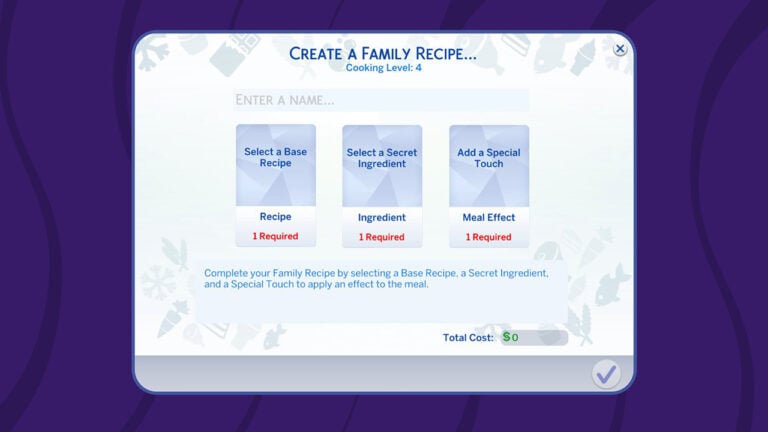
To create a Family Recipe in The Sims 4 Businesses & Hobbies, simply click on the fridge > Family Recipes… From there, you’ll be able to select four different interactions:

  • Create a Family Recipe…
  • Prepare a Family Recipe…
  • Teach Family Recipe….
  • View Family Recipes

The creation of a Sims 4 Family Recipe is quite intuitive. You’ll be able to create unique Family foods using three different components. A Base Recipe, Secret Ingredient and a Special Touch!

All of these can be mixed together into a unique Sims 4 Family Recipe combination that you can name and save to your game. As mentioned above, Family Recipes will be able to get passed down the generations and get taught to other Sims. Making it an excellent way to deliver the unique flavors out to the world!

The Sims 4 Family Recipe System

The Base Recipe is what’s going to define your Sims 4 Family Recipe the most. You’ll also be able to use Fresh Ingredients from your inventory, choosing from various Fruits, Vegetables, Meats, Nonmeats, Dairy and Lactose-Free options. For Secret Ingredients you’ll be able to experiment using The Sims 4 Fuits, Vegetables and flour.

Special Touch is a new Gameplay Effect for your Family Recipe. Letting you control exactly how a Sim is going to feel after eating a specific Sims 4 Family Recipe!

There are also exclusive Family Recipe special touches that you can unlock through The Sims 4 gameplay. Such as the Fertility Unleashed Special Touch.

The Sims 4 Family Recipe System

The Family Recipe System is just one of the new features coming with The Sims 4 Businesses & Hobbies! Stay tuned on Sims Community for more exciting feature coverages.

The Sims 4 Burglars: Everything You Need To Know About These Sneaky Sims

Some very suspicious looking Sims have been released into The Sims 4 today as part of the game’s Motherlode Season. What has been teased with the eyes emoji over the past few weeks now finally makes sense. However, we can finally say as a community that the long awaited introduction of The Sims 4 Burglars is here!

The addition of these crafty non-playable Sims and Police Sims come as part of the 25th Anniversary celebrations as well as the 25th February 2025 free game update. This means you don’t need any extra packs for this feature!

Sims 4 Burglars Gym Machine

The Sims 4 Burglars, Who Are They Really?

These cunning Sims by day would be like any other typical Sim, however in the dead of night they become Robin Banks. A Sim who has planned their mission to come creeping into your household’s home and grab anything of value before hopefully making an escape unnoticed.

How Do I Know if a Burglar Event is happening?

Upon The Sims 4 Burglars event starting, you’ll see the Burglar approach the front of your Sims lot, as well as an orange pop up notification in the top right-hand corner of the screen.

Sims 4 Burglars

Can I Stop Them?

There are a few ways to stop these sneaky The Sims 4 Burglars.

Firstly, install a Burglar alarm by any door that a Burglar could enter through. Secondly, and if your Sim is fast enough, they can call the Police who will come and arrest the Burglar.

However, there is a third way your Sims can take on The Sims 4 Burglars, and that is by dealing with them directly themselves. Of course, more buff Sims will stand a better chance of putting the Burglar in its place.

I Don’t Have an Alarm, Now What?

If you don’t have a Burglar Alarm and a Burglar comes into your home, unless a Sim steps in and confronts them, or they call the police, they will happily take as many objects as they want and can fit into their bag.

Of course, if you don’t confront them or call the police, they will leave the lot with the objects they’ve swiped. You’ll also get a pop-up notification to tell you what they’ve taken.

Sims 4 Burglars Taking The Oven

Just make sure not to call the Police after the event has happened, as they won’t be too happy with you for wasting their time.

Alertz Burglar Alarm

Protecting your home, and deterring these pesky Sims has never been easier thanks to the Alertz Burglar Alarm.

Burglar Alarm

Coming in at $85 Simoleons, this Sims 4 Burglar Alarm comes in three different colours, white, black and grey and is the most effective way to fend of grabbing your Sims attention when trouble strikes.

Now, your Sims can also take it one step further by implementing some upgrades.

  • Police Link Security Upgrade (Requires Level 3 Handiness)
  • Robustify Inner Workings (Requires Level 5 Handiness)
  • Take That! Shock Upgrade (Requires Level 7 Handiness)

Make sure to have plenty of Electronic and Common Upgrade Parts in your Sims’ inventory! These can ordered from your Sims computer or found throughout the worlds.

Upgrading Sims 4 Burglars Alarm

Note: You can also disable the Police Link Security and Take That! Shock Upgrades by selecting the Burglar Alarm again.

Interacting With A Burglar

Now, when the Burglar Sim is on your Lot, you will be able to interact with them. You’ll have three options to choose from.

  • Confront the Burglar
  • Fight
  • Call Police Station (only available if the Police Link Security Upgrade is not applied to the Burglar Alarm)
Sims 4 Burglars and Police

Special Interactions & Reactions

As stated in The Sims 4 Burglars feature post on The Sims official website, the team shared some exciting information. This showcased some of the new interactions and reactions particular Sims would experience when a Burglar event was in progress!

CONVERSATION 2
  • Have a dog? They’ll chase the Burglar right out.  (Requires: The Sims 4 Cats & Dogs Expansion Pack)
  • Werewolves can intimidate the Burglar into leaving. (Requires: The Sims 4 Werewolves Game Pack )
  • Spellcasters? They’ve got everything from confusion spells to full-on transformations. (Requires: The Sims 4 Realm of Magic Game Pack)
  • Servos can zap the Burglar into place with their defense matrix. (Requires: The Sims 4 Discover University Expansion Pack)
  • Scientists can use the Freeze Ray to immobilize them. (Requires: The Sims 4 Get to Work Expansion Pack)
  • Vampires, of course, might take advantage of the situation for a quick warm-blooded snack before commanding the Burglar to leave. (Requires: The Sims 4 Vampires Game Pack)

via The Sims Burglars Feature Post

The Sims Team also went on to explain how Teenage Sims might suddenly stop and attempt to take a selfie with the Burglar before they make their great escape.

Players would also discover that some of the most iconic characters in the game such as Bonehilda and Agnes Crumplebottom are more than ready to fight if needed. Can you imagine being face to face with Agnes’s handbag in a fight?

The Sims 4 Burglars add a total of 50 new unique reactions across the Base Game alone, with an additional 17 found across different packs. That’s not to mention 37 player-initiated interactions too!

Sims 4 Burglars Alarm

How Often Are Burglar Events?

By default, Burglar events are not going to happen, however if you want to have a little more of a chaotic gameplay experience, you can apply the brand new Heist Havoc Lot Challenge!

This new lot challenge will see your Sims have run-ins with Robin Banks much more frequently, but they’ll also be putting your home security to the test.

Can I Turn Off Burglars?

Yes you can!

Simply head to the Game Options menu and then into Gameplay. You’ll then see an option to turn them off on this page, as shown below.

sims 4 burglar game option

What Objects Will They Take?

They’ll focus more so on everyday objects such as sofa’s, televisions, computers, you know, all the things that would inconvenience your Sim on a daily basis. They won’t go for things like windows, doors, outdoor plants, lights etc.

Can you imagine, waking up one day and go your Sim goes to work, and you discover that some stealthy Burglar has taken all your windows!

What Else Can Burglars Do?

Well, you can befriend them and have them join your household. If Robin Banks dies, the game will regenerate a new Robin Banks for you. Much like we’ve seen previously with Father Winter.

Forced Burglar Events

If you have the testingcheats true cheat enabled, you will be able to force a Burglar event to happen when it next hits nightfall.

Simply shift+click on the mailbox to bring up the debug menu to trigger the event.

This image has an empty alt attribute; its file name is Sims-4-Burglars-Cheat.jpg

With that said, this is everything you need to know about these sneaky and pesky The Sims 4 Burglars.

Are you excited to see them back in The Sims 4? Do you feel they are something that will play a part in your storylines? Why not let us know on our social media or down below in the comments.

For now, happy Simming!

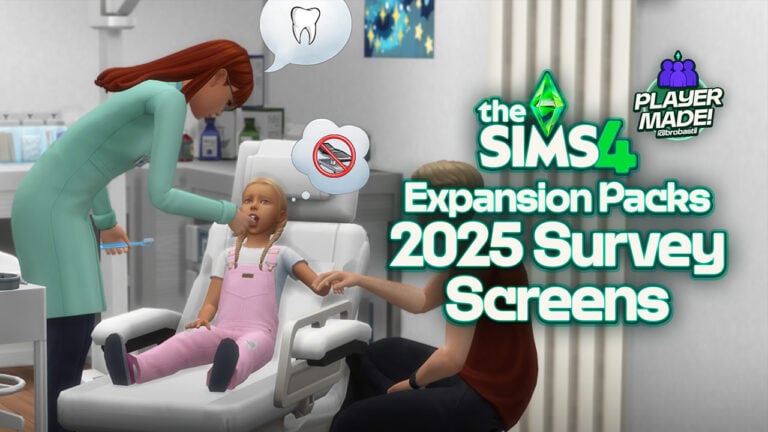
Brought To Life: The Sims 4 Expansion Packs 2025 Survey

The Sims 4 Survey Expansions have come to life yet again!

1 wm

Just a few days ago, we covered the official new Sims 4 Expansion Packs 2025 Survey recently released by The Sims 4 team, asking players for their input and opinions on the future of The Sims 4 Expansion packs. This survey instantly became a hot topic within the Sims 4 Community, as multiple creators and simmers discussed the different offerings and ideas of what could be coming next to the game. These creators and the survey sparkled in-depth discussions as Simmers eagerly shared their ideas, hopes, and predictions of what could be coming next to The Sims 4. From long-requested features to fresh and unexpected themes, players have been vocal about what kind of content they’d love to see in the Sims 4. It’s clear to us that excitement is building (even as we speak!), and many Simmers are looking forward to seeing how The Sims 4 continues to evolve with innovative new gameplay experiences.

You can explore these ideas in the The Sims 4 Expansion Packs 2025 Survey: New Official Themes article.

Visualizing The Future of The Sims 4 Expansion Packs

The Sims 4 Creator and Simmer @BroBastii dedicated countless hours and tons of effort into crafting absolutely stunning screenshots that visually capture the potential future of The Sims 4, which were inspired by the recently survey released by The Sims 4 team. With a clear vision of these concepts could potentially look like, @BroBastii used a combination of in-game assets, custom content (CC), and mods to bring these ideas to life that seriously feel both immersive and authentic to the game itself. By expertly blending these elements, this talented creator was able to give us a tangible glimpse of what the future could hold for The Sims 4, allowing players to imagine the breath of life these expansions might potentially bring to the game,

Down below in this article, you will find an entire gallery of images that showcase images for each specific idea proposed in the survey. These images not only highlight the pack names and ideas but also offer visuals that could represent the themes, features, and aesthetics of each proposed expansion. Many simmers have been excited by this preview, giving the fans a sneak peak into the potential future of The Sims 4.

The Sims 4 Ocean Exploration

Live at the sea shore and breathe in the cool, misty air each morning in your fully-equipped houseboat. Take a long stroll on the beach, seeking small, metallic valuables with your new metal detector. Make crafts with driftwood, sea glass, and other trinkets. Embark on your vessel as a sea captain, hunting for crabs and lobsters, or chartering your boat for sightseeing, whale watching, fishing, and scuba diving trips.

The Sims 4 Community Careers

Welcome to a charming world built around community and neighborhood antics where Sims embrace exciting new active careers!

Tour the local fire station and learn preparedness skills, or become a Firefighter / EMT, tackling neighborhood emergencies like fighting fires, rescuing stranded pets from trees, or freeing a toddler whose head is stuck in a stair railing. Enjoy the comforts of the station with fellow firefighters until a call comes in, then gear up, ride out in a shiny firetruck, and be ready for anything because whether your Sim is braving the career or the one calling for help, there’s never a dull moment when the alarm bells ring!

The Sims 4 Expansion Packs 2025 Survey: Community Careers

When the kids come home with gum in their hair, get out the shears to practice home haircuts before opening a professional salon. Expand offerings with luxury shaves, advanced braids, and custom wigs as the shop goes from a gossip-fueled salon to the cornerstone of sage advice and transformational style.

The Sims 4 Expansion Packs 2025 Survey

Open a dentist office for teeth cleanings, x-rays, and extractions. Level up to specialize in creating perfect smiles from braces to new teeth to a shiny grill. From replacing lost dentures or fixing a cracked tooth from a schoolyard brawl, the dentist always saves the day! Patients leave with a smile and a lollipop to ensure return visits.

With each career, Sims can choose to give back to the neighborhood, build up community skills, and discover the day-to-day lives of the locals, whether on the job or unwinding at the neighborhood barbeque.

The Sims 4 Expansion Packs 2025 Survey: Community Careers

The Sims 4 Car Life

Enter the ultimate pack that weaves cars into the day-to-day stories of your Sims! Start by sparking kids’ love for cars with playful collectible toys and a mini mechanics toolbox. Express imaginations while racing RC cars and playing with epic toy car tracks. Join an afterschool gearhead club, or climb into the racing arcade simulator and go head-to-head against friends.

The Sims 4 Expansion Packs 2025 Survey: Car Life

Send your teens to driving school so they can get their license and gain independence with their first car, with every choice reflecting your Sim’s personality and aspirations. Enjoy a movie at the drive-in theater with friends and family or share intimate moments at a scenic overlook under the stars with your sweetheart.

Send your Sims off to work as gig worker, car salesperson or professional race driver, or take on an active profession as a mechanic working at the local garage. As your Sims grow their income, elevate their status with celebrity limos & luxury cars.

Car Life

Whether they’re pretending to drive the couch or fixing up a broken down jalopy, every Sim can find their dream ride. Get ready to fuel your Sims’ passions with their dreams to drive and explore the world of cars in The Sims like never before!”

The Sims 4 Suburban Living

“In the heart of suburban life, every day is an adventure in work, play, and a greener lawn than your neighbor! Unleash your potential at a trade school, learning to be a cosmetologist, auto mechanic, truck driver or become the ultimate house-spouse with top-notch homemaking expertise. Imagine owning a gas station and mechanics shop where you fix up cars, trucks, and motorcycles with your skills and unique flair. After a bustling day, grab a quick bite from the fast food drive-thru. When the weekend arrives, will you kick your feet up in your plush recliner or tackle that ever-growing to-do list? Teach your teen auto repair in the driveway or share laughs and drinks with neighbors. Maybe you’ll finally mow that wild lawn (or hire the kid next door), much to the delight of the nosy neighbor! Send your teens to work as a fry cook, babysitter, tutor, car washer, or a lifeguard at the community swimming pool.

The Sims 4 Suburban Living

But how well do you really know the neighbors? What’s hiding behind the seemingly idyllic façade of suburbia? Societal pressures may lead to dark secrets, hidden relationships, and even criminal activities. Will you shake the foundation or help maintain appearances in this dynamic suburban playground?”

The Sims 4 Van Life

Embark on a thrilling journey of self discovery and freedom! Jump into your fully-customized dream travel van and explore breathtaking destinations. Experience whimsical adventures as you meet fascinating people, swap stories, jam on new musical instruments, and share crafts and delicious recipes. Whether you’re at truck stops or campgrounds in vibrant national parks, you’ll encounter intriguing folks everywhere—even on the roadside when you pick up a friendly-looking hitchhiker.

1 van
2 van

Embrace the minimalist lifestyle on the road: tackle challenges like refueling, fixing a flat tire, or testing your mechanic skills with a roadside repair. Imagine waking up to a new, stunning location every day, like quiet beaches, perfect for serene paddle boarding and surfing. Whether you’re traveling with your partner, family, friends, or going solo, hitting the road will weave rich, generational tales as you live freely and celebrate your wanderlust.


Lastly, we would like to take a moment and give a huge shoutout and Kudos to @BroBastii, for their hard work dedication, and passion in bringing these ideas and concepts to life. This talented creator creatively used in-game assets, mods, and custom content, he has managed to make each concept full immersive, and feel as realistic as possible, allowing The Sims 4 community to envision how these future expansions could enhance the overall game feel and experience! You can check out the full gallery of 2024 Survey images here.

The Sims 4 Feb 25th Patch Sees A Returning NPC Steal the Show!

Everything New in The Sims 4 Feb 25th Patch!

A new Sims 4 patch has landed! Make sure your doors are locked, burglars have snuck their way into The Sims 4! A long-requested feature is finally making a comeback, alongside a host of new bug fixes and more. Whether you’re excited to see these sneaky troublemakers return or just want to know what else has changed, then I’ve got you covered. Let’s see which new features steal the show in the latest Sims 4 update!

The Sims 4 Patch Render

Sims 4 Patch – February 2025

Today’s patch bought us the return of the beloved burglar NPC – this time in the form of a Sim named Robin Banks. But that’s not all! The new update contains a host of new minor tweaks to the UI, some brand-new swatches, and of course bug fixes.

The Return of Burglars

Fans have long speculated about the return of the much loved (and much feared) Burglar NPC, and today’s update sees them finally added to the game. Over the past month, there have been theories, rumours, and leaks surrounding the re-addition of Burglars and yesterday a teaser was posted on Twitter, however, the wait is finally over. Get ready to meet Robin Banks!

SC Burg1

Naturally, with the addition of burglars comes the return of the alarm system available in the Build-Buy catalogue, as well as a new Lot Challenge that increases the likelihood of burglaries. The Alertz Burglar Alarm can be found under the Electronics tab in Buy Mode.

catalog

This handy alarm can be upgraded by your Sim to reduce the chance of breaking, automatically call the police, and even give the burglar an electric shock! Sims who have a high enough fitness skill will be able to take the burglar on themselves. If you own various packs you will also be able to apprehend the pesky thief in several new ways. If you have The Sims 4 Get To Work your scientist will be able to use the freeze ray to stop the intruder. Dogs can chase burglars away if you own The Sims 4 Cats & Dogs. And for occult lovers, there are plenty of new options including casting confusion spells if you own Realm of Magic Game Pack, and chasing the burglar off Werewolf style! There is cross-pack compatibility with 17 different packs, each with a host of new interactions for you to explore!

Heist Havoc – Lot Challenge

Alongside the addition of Burglars comes a new Lot Challenge to really up the anti! This lot challenge will increase the rate at which Robin will spawn and your Alertz Burglar Alarm will give you frequent false alarms… or might not even work at all!

lot trait

New UI

SC NewUi1

There have been several changes to the in-game UI in the recent patch. Your Sim’s portrait will now appear over the lot they are currently visiting and will also appear next to the icon of the world they are currently in. No more losing where they are!

Occult Clubs + New Activities

SC Clubreq

Players now have the ability to set occult status as a club requirement. This will include any occults from the packs that you own. You can also make your club exclusionary, meaning only non-occult Sims can join.

Alongside the new requirements come new club activities. This includes activities such as drinking tea from the tea set, viewing collectables, drinking nectar, and much more. These will require different packs depending on what you want your club members to do – however, it is nice to have more variety and that the club system is still getting some love 10 years on!

Tattoo Categories

SC NewTattooUI

The Sims 4 Businesses & Hobbies Expansion Pack is set to introduce more tattoo options – however, those without the pack will still be able to choose between new categories displayed above the available tattoos. It seems that layering tattoos is a pack exclusive as of now.

New Swatches

The BlandCo Contemporary Counter and Island Counter have been treated to 4 new wood-topped swatches that will match with the new coffee bar in The Sims 4 Businesses & Hobbies Expansion Pack. This comes not long after the swatch update that introduced over 650 new swatches to Base Game items last September.

Bug Fixes

BUGFIXupdate

A large number of bugs from the laundry list have been quashed!

  • The missing walls at the Willow Creek Gym bathroom have been restored so your Sims can poop in peace.
  • The Bubble Tea barista role is now fixed and have returned to serving your Sims bubble tea.
  • Toddlers are now less likely to cause a mess on the floor unless their responsibility behaviour has decreased.
  • Male Sims with a feminine frame can now wear certain tops without any spine distortion.

You can read the rest of the patch notes here! Unfortunately, it does not look like the weather inside bug has been fixed, however, it is something the team are actively looking into!


If you need a reminder of the long history of burglars in The Sims franchise then check out our recent article. What are you most excited about in today’s update? Let us know in the comments below and stay tuned on Sims Community for the latest news on Burglars, Businesses & Hobbies Expansion Pack, and all future updates!

The Sims 4 Businesses & Hobbies Expansion Leaks Entirely

4

EA accidentally leaks the entire Sims 4 Expansion DLC copy two weeks before release.

It happened. The full release copy of The Sims 4 Businesses & Hobbies leaks appeared on Steam and is now floating the internet. For obvious reasons we won’t be posting any sources related to this leak download, however we do believe that it’s very important to inform the players on what’s currently happening.

The Sims 4 Businesses & Hobbies Welcome Screen
Image source: @Simmattically

We are not responsible for the images and footage posted outside of our website.

Clarification on the Businesses & Hobbies Leak

Anadius replied to us with some insightful knowledge about the current wave of Sims 4 Businesses & Hobbies leaks we’re seeing. Explaining that the version of The Sims 4 EP18 we’re seeing now are still the same as the ones from August 2024. The only thing that’s changed is that players can now play it with the latest Sims 4 Base Game update.

TALKING

Correction: the files leaked *a month* before the release. But this update made them playable. As far as I know there are no new leaked files. Just those from February 6th. (which is a build from August 2024)

It Seems It’s Not The Final Version

The Sims 4 Businesses & Hobbies leak that occured today seems to not be the final version of the Expansion Pack. Looking at the game files, there are still world assets that need to be updated and replaced with WIP shells you crrently see below:

sims 4 businesses and hobbies leak world
Image: @CBXSims

The Sims 4 Businesses & Hobbies Leaks on February 25th

The first full copy of The Sims 4 Businesses & Hobbies that accidentally leaked happened in the beginning of this month. When an in-development build from August 2024 surfaced officially on the Steam listing.

sims 4 businesses hobbies skill classes
Check out the full list of Cross-Pack Skill Classes!

Today, the latest version of The Sims 4 Businesses & Hobbies leaked online. Making the entire Expansion Pack leak fully playable and working with the latest Sims 4 Patch release.

New images of The Sims 4 Businesses & Hobbies come from @lunar_britney on X. Who installed the newest Expansion Pack alongside with their previous Packs catalogue.

The first image shows the new world of Nordhaven fully loaded in World Map. However, it seems some Lots and Builds are missing from the current release:

the sims 4 businesses hobbies leak
Image source: @lunar_britney

Another preview shows the Nordhaven World Icon, including the full description:

This northern coastal city is known for its thriving, independent local businesses and the enchanting beauty of its cold seasons. Take a walk through the historic views of Gammelvik with its cobbled streets, classic architecture, and picturesque canals. Or hop on the train to Iverstad and explore how the locals are reinventing the industrial city center. Whether you seek to make your business flourish or just want to practice your hobbies with a cozy community, you will always find an opportunity here.

the sims 4 businesses hobbies leak 2
Image source: @lunar_britney

The Sims 4 Businesses & Hobbies Expansion Pack is set to release across Desktop and Consoles on March 6th, 2025. Stay tuned on Sims Community for the latest developments on the upcoming pack release!

The Sims 4 Creator Kits Leak: Sleek Bathroom and Sweet Allure

4

Two new Sims 4 Creator Kits have just been revealed!

The latest Game Patch has brought in a new Sims 4 Creator Kits Leak. Including one Build Kit (The Sims 4 Sleek Bathroom) and one CAS Kit (The Sims 4 Sweet Allure). Both The Sims 4 Kits are Creator Kits, meaning that they have been fully developed by the Sims community. The CAS Kit features Aharris00britney, while the Build Kid is done by Syboulette.

Check out the official game covers shared by the creators:

Huge thanks to Sims creator @lunar_britney on X for uncovering the in-game shots! Find out everything new in the official features breakdown below:

The Sims 4 Sleek Bathroom Kit

Created by Syboulette, this Sims 4 Creator Kit features new Build Objects. Focused entirely on the Bathroom catalogue set! Check out the official features and first screen:

sims 4 creator kits leak features

Give your Sims a serene, modern bathroom featuring minimalist design and refined details with The Sims™ 4 Sleek Bathroom kit. This collection brings a soothing vibe with a sophisticated aesthetic.

The combination of clean lines and natural materials strikes a harmonious balance between warmth and elegance. Soft pastel tones blend effortlessly with brushed metal accents, while touches of greenery breathe life into the space, transforming any bathroom into a polished sanctuary. Created by Syboulette.

Kit Features:

Refined plumbing – Let’s bring a balance of style and comfort. A custom glass divider adds style to the walk-in shower, while a simple bathtub creates a high-end feel. The toilet features a streamlined design, paired with a wall-mounted ceramic sink accented with wood. Thoughtful details like towels, clutter, and a draping plant add warmth, while an olive tree and wavy mirrors soften the clean lines, bringing life and flow to the space.

the sims 4 kits leak feb 25 2

Official Screen

the sims 4 kits leak feb 25 1


The Sims 4 Sweet Allure Kit

The other part of the Sims 4 Creator Kits leak is the new Sweet Allure Kit. Created from scratch by aharris00britney. See the full CAS features, description and image:

sims 4 creator kits leak features

Add soft colors and clothing adorned with ribbons and bows to your Sims’ wardrobe with The Sims™ 4 Sweet Allure Kit. With fashion featuring light colors and clothing adorned with ruffles and frills, the clothing and accessories in this kit give off an elegant vibe with their everyday looks. Express a more delicate side to a Sims’ fashion sense, effortlessly giving your sim a casual coquette fashion feel.Created by aharrisOObritney.

Kit Features:

• Soft and Sweet Elegance – Whether for a formal event, a walk in the garden, or a simple brunch, adorn your Sims with pearl necklaces, soft sweaters, and delicate cute skirts for them to live out their coquette fashion fantasies.

the sims 4 kits leak feb 25 3

Official Image

the sims 4 kits leak feb 25 4

Release Date

The Sims Team also revealed in the official Sims 4 Release notes for today that they’ll be releasing the upcoming Sims 4 Creator Kits in April. Totally different from three other Kits coming in May!

The Sims 4 Creator Kits Leak

Both The Sims 4 Creator Kits are expected to be retailed at $4.99USD, or a price equivalent to your local currency.


What do you think about the latest Sims 4 Creator Kits leak? Join the conversation below and stay tuned for more information soon!

The Sims 4 Burglars Free Patch: Official Feature Blog

11

Maxis drops their Official Sims 4 Burglars Feature Blog.

The Sims 4 Burglars Free Update has just been released for Desktop and Consoles. To help introduce the players to a new interesting character, Maxis prepared an official blog post. Explaining the new features and everyday occurances you’ll get to encounter from today!

Read the new information below:

CONVERSATION 2

The Sims 4 Burglars Free Patch: Official Blog

Sul Sul, Simmers :wave:

It’s Xènia here – Designer and longtime Simmer – to talk about why today is a big day for The Sims 4! If you’ve ever missed those suspenseful moments when your Sim’s peaceful night was interrupted by tense music and a sneaky presence, we’ve got great news: the Burglar is back! And the best part? It’s in the base game, so it’s free for everyone with today’s update.

The Burglar is an iconic Sim featured in The SimsThe Sims 2, and The Sims 3 who sneaks into houses, usually at night when Sims are asleep, to steal household items. As a longtime Sims player, I have wanted to bring the Burglar to The Sims 4. You could say I’ve been stealing moments to pitch this idea from the very start! ** Even during my job interview, I asked “What would it take to bring the Burglar back?” Now, The Sims team can proudly say the Burglar is back just in time for our 25th Birthday, shipping alongside The Sims 4 Businesses & Hobbies Expansion Pack. —and trust me, it’s worth the wait.

Everything you need to know about the Burglar

So, how does the Burglar operate in The Sims 4? Here’s what you need to know. The infamous Robin Banks (yep, that’s her name—we couldn’t resist) only strikes at night, sneaking into your Sim’s home while everyone is fast asleep (or even if they are awake!). Before you know it, she’ll be grabbing whatever’s valuable and making her escape.

ts4 burglar dev diary article asset 1

How to foil that midnight mischief

The Burglar can be arrested by the police if one of your Sims calls promptly. For those who want to play it safe, the Burglar Alarm is back too! Place one in your Sim’s home for extra protection because the only way to guarantee the police get to the crime scene in time is by installing a Burglar Alarm. Handy Sims can upgrade the alarm to do all sorts of useful things: automatically call the police, reduce the chance of it breaking, or even zap the Burglar, forcing her to drop the stolen goods.

The Sims 4 Update 2

Prefer to handle the situation yourself? No problem—your Sims can take action whether it’s waking up to call the cops (who may or may not catch the thief) or getting into a one-on-one fight, your Sims have options. Pro tip: Sims who’ve been hitting the gym have a better chance of winning those fights!

Special Sims can unleash new defenses

Stopping the Burglar will feel unique depending on who’s in the household. Special Sims bring even more exciting possibilities.

  • Have a dog? They’ll chase the Burglar right out.  (Requires: The Sims 4 Cats & Dogs Expansion Pack)
  • Werewolves can intimidate the Burglar into leaving. (Requires: The Sims 4 Werewolves Game Pack )
  • Spellcasters? They’ve got everything from confusion spells to full-on transformations. (Requires: The Sims 4 Realm of Magic Game Pack)
  • Servos can zap the Burglar into place with their defense matrix. (Requires: The Sims 4 Discover University Expansion Pack)
  • Scientists can use the Freeze Ray to immobilize them. (Requires: The Sims 4 Get to Work Expansion Pack)
  • Vampires, of course, might take advantage of the situation for a quick warm-blooded snack before commanding the Burglar to leave. (Requires: The Sims 4 Vampires Game Pack)

Even Sims without superpowers have fun reactions. Teenagers might stop to take a selfie with the Burglar before bolting to safety. Talk about stealing the spotlight! 

Iconic characters like Agnes Crumplebottom and Bonehilda won’t run—they’re ready to fight! In total, we’ve included over 50 unique reactions across the base game and 17 different packs, along with 37 player-directed interactions. Who knew a bit of thievery could add so much character to your game? 

Burglar visits are rare because we want those moments to stand out. But for those of you who thrive on chaos, we’ve got you covered with the new Lot Challenge, Heist Havoc. Turn this on, and not only will the Burglar visit more often, but even trusty Alarms might start acting up. You’ve been warned!

We are so thrilled to finally bring the Burglar back into The Sims universe. Sending a special shout out to our full team for making this a reality. Robin Banks isn’t just ready to rob your Sims’ houses—she’s here to steal your hearts too! What better way to celebrate The Sims 25th Birthday than with this nostalgic yet fresh addition? We hope you’re as excited as we are to see what kind of chaos Robin Banks will bring to your households.

Dag Dag,

Xènia

Frequently Asked Questions about Sims 4 Burglars

Do I need to own Business & Hobbies to get the Burglar in-game?

No, the Burglar update will be available to all Simmers as part of today’s base game update!

Is there anything new with how the Burglar works in The Sims 4?

There are quite a few new updates with how the Burglar works in The Sims 4! First, there will be updated music accompanying the Burglar when they spawn on your lot. In addition, there is the new Heist Havoc Lot Challenge that will spawn the Burglar on your lot at a higher rate.

Similar to before, Burglar Alarms can be installed on Sims’ lots to help keep their belongings safe, but now you can upgrade the alarm to reduce the chance of it breaking, automatically call the police, or even zap the Burglar! In addition, you’ll be able to upgrade your Burglar Alarms so they break less often.

In addition, Sims can now take justice into their own hands, and special Sims can unleash their own defenses, as we’ve outlined in our dev diary!

The Sims 4 Burglars Free Patch Official Feature Blog

Are any new items or functionality coming to the base game to support the Burglar? (e.g. Burglar Alarms, Smart Cameras, etc.)

Police Officers will be returning to the game to help tackle those pesky Burglars! You will also be able to install Burglar Alarms on tour Sims’ Residential or Small Business Venue (in the Businesses & Hobbies Expansion Pack) lots to keep their belongings safe.

Is there anything that the Burglar can’t steal?

Most build objects cannot be stolen – such as outdoor plants that are planted directly in the ground, windows, lights, elevators, etc.

Can you befriend Robin Banks?

Yes, you will be able to interact with and befriend Robin Banks! You can even add Robin Banks to your household. If you do this, another Burglar will generate to take Robin’s place, or a Sim that already exists in the world with the right traits who is unplayed can fulfill the role. New burglars will spawn with the same traits but a random appearance and name.

The Sims 4 Burglars Free Patch Official Feature Blog

Can Robin Banks die? If so, will she regenerate? 

Yes, Robin Banks can die, and yes, she will regenerate. Similar to Father Winter there will be a new Burglar with similar traits that will be randomly generated if this happens.


What do you think about the new official feature blog highlighting Burglars? Are you excited to play with the new characters in your game? Join the conversation!