Home Blog Page 58

The Hidden Gem Of Businesses & Hobbies: Sims 4 Family Recipe Guide

The highly anticipated Businesses and Hobbies expansion pack has officially been released! One (of many) exciting new features is The Sims 4 Family Recipe system, which introduces a brand new generational cooking experience. In this guide, we will be taking a full look at how this system works and how it will shape storytelling and gameplay with The Sims 4: Businesses and Hobbies. Additionally, we will be sharing a few family recipe ideas created by us.

The Sims 4 Family Recipe Menu

Now, let’s dive into some really fantastic features for The Sims 4: Businesses and Hobbies regarding the Family Recipe System. We personally can not wait for you to hear about all of the exciting features for The Sims 4: Businesses and Hobbies. Please refer to our Businesses and Hobbies articles for the most up to date information on The Sims’ latest expansion pack!

What is the Family Recipe System?

In The Sims 4 Businesses and Hobbies, the Family recipe is a newly introduced system to the franchise of The Sims. We have not before this game had a family recipe system. This is super exciting!

The Family Recipe system allows sims to be able to pass down special, unique recipes through their families generations, creating a more traditional culinary recipe. Rather than unlocking new dishes by only skill-building, this system encourages sims to preserve, share, and create family recipes, fostering a new sense of nostalgia and connection between different generations.

Key Features of the Family Recipe System:

  • Creating a Family Recipe: If you click onto the new Grammy’s Family Recipes item and select Family Recipes > Create a Family Recipe
  • Teaching a Family Recipe: You can now teach a family recipe to other sims, so that your sim is able to pass down or teach recipes to their friends and family.
familyrecipes 1

Choosing A Base Recipe

When creating a Sims 4 Family Recipe, the first thing that you’ll need to do is choosing a Base Recipe. This includes a list of all already available recipes in The Sims 4, including Base Game and DLC. You can choose to opt in for using prepped ingredients, fresh or both! This will all have an effect on the total cost of your final Family Recipe creation.

The Base Recipe includes Vegetarian, Lactose Free, Meat, Seafood and Sweets options.

sims 4 family recipe base recipe

Picking A Secret Ingredient

There are several Fruits, Vegetables and Herbs available for you to pick from for a Secret Ingredient, including:

Fruits:

  • Apple
  • Avocado
  • Blackberry
  • Blueberry
  • Cherry
  • Chocoberry
  • Coconut
  • Dragon Fruit
  • Elderberry
  • Glow Orb
  • Grape
  • Huckleberry
  • Lemon
  • Pear
  • pineapple
  • Plantain
  • Pomegranate
  • Quill Fruit
  • Raspberry
  • Strawberry
  • Tomato
  • Trash Fruit
  • UFO (Unidentified Fruit Object)

Vegetables

  • Bell Pepper
  • Black Bean
  • Carrot
  • Faux Jerky Cube
  • Faux Meat Cube
  • Garlic
  • Green Bean
  • Green Pea
  • Kava Root
  • Morel Mushroom
  • Mushroom
  • Onion
  • Potato
  • Soy Beans
  • Spinach
  • Taro Root

Herbs

  • Basil
  • Parsley
  • Sage
secret ingredient

All Special Touch Meal Effects and Unlock Requirements

A Special Touch is what makes your Family Recipe truly unique. Each Special Touch includes a different Gameplay Effect, from giving a Moodlet to boosting your Sim’s fertility.

sims 4 family recipe guide screen moodlet booster

Each Special Effect has a unique gameplay element to it. But it also requires a different goal for you to unlock while playing the game. Here are the Special Effects Benefits and Requirements:

  • Academic Ace: Increases the speed that homework is completed at. Unlocked by graduating from Graduating Grade School, High School or University.
  • Mystery Fuel: Rejuvenates Sims with a burst of energy and prevents Elder Sims from experiencing exhaustion. Unlocked by obtaining a Skill Enhancement Perk.
  • Fertility Unleashed: Boosts fertility and increased the likelihood of twins or triplets for sims ages Young Adult and older. Unlocked by giving birth to a newborn.
  • Comfort Food: Reduces the duration of sad and Uncomfortable Moodlets. Unlocked by having a successful chat with the Sadness Hotline through the Social tab on the Phone while feeling Sad.
  • Dream Chaser: Sims earn double satisfaction Points from completing Wants and Aspirations. Unlocked by fulfilling 50 Wants.
  • Heartbreak Healer: Reduces the duration of Heartbroken Moodlets. Unlocked by experiencing a Heartbreak.
  • Home Remedy: Reduces the duration of illnesses. Unlocked by overcoming a common ilness.
  • Low Maintenance: Slows down how quickly the needs decrease for Toddlers and Children. Unlocked when a parent Sim witnesses their child age up.
  • Motive-ating: Pauses the decrease of a random Need. Unlocked by not experiencing a negative moodlet for 3 days.
  • Spontaneous Rage: Increases the chance of success in Mean interactions and boosts performance in physical confrontations against other sims. Unlocked by winning a fight against another Sim.
Add A Special Touch: The Sims 4 Family Recipe Guide

Family Recipe Ideas

  1. Grandma’s Fertility Remedy: Apple pie, sugar, and fertility unleashed.
  2. Dream Chaser Salad: Garden Salad, Apple, and Dream Chaser.
  3. Mystery Bread: Milk Bread, sage, and Motive-ating.
familyrecipes 6

The Impact of Family Recipes on Storytelling

For simmers who enjoy legacy gameplay and generational storytelling, the Family Recipe System adds depth and realism to The Sims 4. Imagine your sim inherits their great-grandparents home remedy, only to use it for their benefit and pass it on for generations. This feature also makes it more expansive for sims who are interested in the culinary career, adding that drive of realism.

the sims 4 family recipe teach menu

Teaching a Family Recipe is only available to Sims who are a part of your family and are old enough to Cook.

View All Family Recipes

All of the Sims 4 Family Recipes that your Sim has created (or was taught) can be found in your Sim’s Notebook under the Recipes panel. The notebook keeps accurate track of information regarding the Recipe ingredients and the Original Creator.

The Sims 4 Family Recipe Menu in Businesses & Hobbies

Final Thoughts

The Family Recipe System in The Sims 4: Businesses and Hobbies introduces a new, meaningful way to create, share, and evolve traditions in-game. With it’s focus on storytelling, cultural preservation, and business potential, this feature it bound to became a favorite among legacy players and food-loving Sims alike. This feature will be vital to story progression within the Sims 4 Legacy style players. Personally, we are very impressed with this family recipe system, and are looking forward to playing with this new mechanic more!

The Family Recipe system is just one of many new features that came with The Sims 4: Businesses and Hobbies! Stay tuned on Sims Community for the latest updates.
Sims 4 Business Ideas – Nine Different Ways to Make your Fortune!

The Possibilities for Businesses are Nearly Endless!

Screenshot 2025 03 08 14 41 56

The Sims 4 Businesses & Hobbies has granted Simmers a wealth of opportunities when it comes to ownable businesses and venues. In the past few days, the gallery has become inundated with builds by Simmers from all over the globe. I’m here to show you some of my favourite (and some of my own) builds and unique business opportunities you may want to try out in your game. A full list of business activities can be found on the official blog post. Let’s take a look!

Pottery Studios – It’s Time to Spin!

potter EXT

Pottery is a new skill and hobby added with The Sims 4 Businesses & Hobbies, so it makes sense that the new world of Nordhaven comes with a pre-built pottery studio. ‘Terra-Potta’ was built by creator Yohannabuilds and features a pottery studio space with a lecture board, a shop front for selling creations, and an apartment above for business owner Jolanda Koopman and her husband Gert to take a break from a hard day of being business owners.

Pottrer desc

The business is pre-set with the ‘Do Pottery’, ‘Browse and Buy Items’, and ‘Attend Classes and Lectures’ activities. These activities will direct customers and influence their actions when visiting. The venue is also set up with an hourly entrance fee which will be automatically charged for visitors and affect the daily cash flow. Lectures cost Sims to attend, while classes are free. However, for Sims to teach they will be required to have a relevant skill. Lucky for us Jolanda is level 10 in pottery when you first play the household.

Screenshot 2025 03 08 14 36 44

Tattoo Parlours – Making Your Mark

Tat EXT

Alongside pottery comes Tattoos. This brand-new feature allows Sims to level up their tattooing skill, create custom designs, and offer a tattooing service to Sims. ‘Spilled Neon’ by creator KELLYHARTX comes pre-built with Nordhaven and is run by Nia Sarpong, who resides above her studio with her daughter Lerato.

tattoo desc

Nia’s studio only has one business activity, and that is ‘Get Tattooed’. This activity means that Sims will arrive, pay an entrance fee (if applicable), and request tattoos from Nia. Sims who run tattoo parlours are also able to offer services directly to Sims. Be careful though, as tattoos can go wrong and customers might not pay up. When the business is closed your Sims can improve their tattooing skill on the digital sketchpad. The sketchpad can also be used to create custom designs that your Sims can apply to other Sims.

Cafe’s – That’s That Me Sim-spresso

Cafe EXT

The third and final pre-made business in Nordhaven is Koffieboon owned by the Loden household. This business combines a cafe, library, and lecture space all in one. Dhalia Loden is an avid writer and uses the non-cafe half of the ground floor to teach writing classes for all those who wish to attend. The new coffee bar is perfect for any Sims who wants to open their own cafe, and the previously seen coffee bar in Get Together is also usable in small business venues.

Cafe DESC

Koffieboon comes preset with the required activities and all income is made from coffee and tea sold, and lectures held. The ‘Drink Tea’ activity will not only direct Sims to coffee bars but also to tea sets available with previous packs such as My Wedding Stories and the Secret Sanctuary Kit.

Daycares – Tiny Tots

Daycare EXT

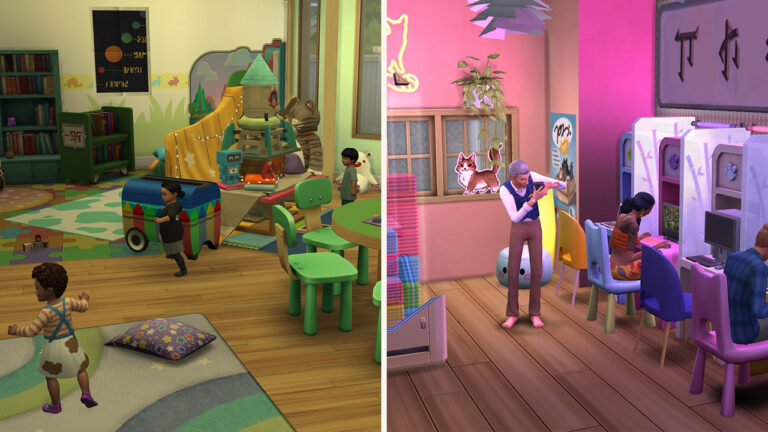
It’s time to toot my own horn a bit. After the reveal of business activities, some Simmers began to theorise on whether or not daycares would be a viable business option – we even covered it here on The Sims Community. In preparation for the release of The Sims 4 Businesses & Hobbies, I decided to create a daycare. This venue comes complete with a classroom, nap room, playground, and a lecture room for teaching parenting skills at the weekend for a bit of extra cash.

daycare desc

In terms of business activities, I chose to choose ones that would direct the toddlers to play with toys and use the playground. The ‘Target Customer’ feature allows me to select toddlers under the ‘Supervised Customer’ tab and uncheck the handy box that reads ‘Caregiver Stays at Business’. This means that when the business opens parents will drop their tots off and leave until the daycare closes for the day. While the daycare system isn’t perfect, It is workable. It is important to keep in mind that daycares are not a focus of the pack. Perhaps one day we will see a daycare system fully implemented into its own pack. The build is available on the gallery under ‘CBXSims‘.

Movie Theatres – See it on the Big Screen!

Harl EXT

I got a bit excited before the release of this pack and created a cinema that is fully ownable and can run as a functioning business. This feature does require The Sims 4 Movie Hangout Stuff Pack, however, the venue also features an entertainment space and a bar.

Cinema desc

As you can see Geoffrey Landgraab has purchased this business – It’s in his name after all. I set the business activities to ‘Watch Movies on TV’ and ‘Eat Popcorn’. Sims will autonomously do these interactions and will seat themselves in one of the three screens to watch a movie. The popcorn machine from Movie Hangout Stuff Pack costs Sims to use so Geoffrey was seeing earrings from that, along with ticket sales at the entrance. If I wanted to have an evening dedicated to live performances I could simply switch out the activities and hire a performer for the microphone or piano on the top floor. The build is available on the gallery under ‘CBXSims‘.

Hotels – Rest & Relaxation

Hotel EXT

Similar to daycares, hotels were not explicitly stated as a feature of Businesses & Hobbies. This didn’t stop Simmers from giving it a go, and that is exactly what content creator lilsimsie has done. This hotel can be purchased as a separate lot or as a residential with a home business as there is a residential apartment on the top floor. It’s about time that the golden sands of Sulani get some tropical resorts for townies to take a break in.

hotel desc

In terms of business activities, I chose ones that would direct Sims to use both the suites and the on-site pool and spa. I decided on an hourly rate payment system as Sims would often spend a few hours sleeping. The spa is fully functional, just make sure to hire employees who are familiar with the wellness skill for the best results and an increase in business renown. The build is available on the gallery under ‘lilsimsie‘.

Laundromats – It’s Time to Spin (Again!)

Laundry EXT

Upon the release of The Sims 4 Businesses & Hobbies, Maxis uploaded this laundromat and arcade combo that fits perfectly in Windenburg’s lake-side. The idea of a laundromat was heavily promoted by Maxis in the lead-up to release as a major cross-pack feature. Sims will come to the venue and wash the laundry that they have in their inventory.

Laundry Desc

For a laundromat to function the only business activity you have to set is ‘Do Laundry’ and Sims will head straight for the washers and dryers. As ‘The Laundry Game’ is a joint arcade I also set the activities appropriately. I found that when Sims are waiting for their laundry to be done they will go and play the arcade games on offer. The build is available on the gallery under ‘Maxis‘.

Internet Cafes – Blast From the Past

Internet EXT

This internet cafe by june1016 is the perfect money maker. Customers will simply use the computers to write or program, and they will not need any supervision from the business owner. Charging Sims by the hour is the perfect money printer. The build comes with a range of vending machines that customers will use autonomously and the cost of the service will be given to the business owner.

Internet cafe desc

Running this business is fairly simple. You will want your business activities to be set to any computer-focused task (this can be seen when hovering over activities) and customers will use the computers you have provided. As there is no lecture board, bar, or stall for your Sims to attend you as a business owner will be free to sit back and relax as the money comes pouring in. The build is available on the gallery under ‘june1016’.

Screenshot 2025 03 08 15 14 07

Dance Studios – And at the Top of the Pyramid…

Dance EXT

The townies of Nordhaven are going to be saying “She’s zooming, dude” when they see your dance studio owners go by. Lectures and classes are a big feature of Businesses & Hobbies and the list of skills available for teaching is huge, you can check out our list of skill classes here! And with such a big list it is no surprise that dancing was not left out. First introduced in The Sims 4 Get Together, the dancing skill has 5 levels and your Sims can unlock new dance movies and group dances as they progress. What better way to profit off of your hobby than to own your very own dance studio?

Dance co desc

The activities I selected for the New Harbor Dance Co are self-explanatory. Once customers have paid the entrance fee I was able to direct my business owner to start a class for all who turned up! The lot I used by rep-13-tv also included a cafe so if you wanted to earn a little extra money you could hire an employee to tend the coffee machines. The build is available on the gallery under ‘rep-13-tv‘!


Have we missed any unique business ideas that you’ve enjoyed playing with in The Sims 4 Businesses & Hobbies? Let us know below, and make sure to stay tuned to The Sims Community for all future announcements and articles!

Countdown to the Early Access Release of InZOI

2

Well, the official Countdown to the Early Access release of InZOI has begun! The upcoming life simulation game from Korean developer Krafton, who created titles like PUBG. Set to enter Early Access on March 28, 2025, inZOI aims to revolutionize the life simulation game genre with it’s hyper-realistic graphics and expansive gameplay features.

A New Contender in Life Simulation

For many years, The Sims series has dominated the life simulation genre, offering players a true sandbox environment to create and control virtual lives. InZOI seeks to elevate this experience by introducing a more immersive and realistic world. Developed using Unreal Engine 5, the game shows to have highly detailed character models and environments, aiming to provide a visual experience that closely mirrors real life.

In addition, InZOI has been described as a game that will allow you to live out your ZOI’s dreams. Controlling everything and in every single aspect of your ZOI’s life in this level of detail has never been seen before in a life simulation game.

InZOI Release

Key Features of InZOI:

InZOI aims to offer a variety of features that are designed to provide players with unprecedented control over their virtual experiences:

  • Advanced Character Customization: New Players can create their ZOI’s with many different options and details, such as customizing their physical attributes, personality traits, and their clothing.
  • Open World: InZOI captivates us with a seamless open world map, which has a variety of different activities that players can participate in.

Early Access and Future Plans

The Early Access version of InZOI will be available starting March 28, 2024 (UTC). Below, we have provided a map of the release windows for this game at your convenience.

Countdown to Early Access InZOI Release: Full Timetable

While the initial release for InZOI is set exclusively to PC, there has been talks to expand to other console in the future, although no specifics dates or further details have been announced at this time.

InZOI has also teased a showcase event later this month (We will provide all of the details!) where they will unveil a roadmap detailing InZOI’s future updates, pricing, and downloadable content (DLC) plans. This transparency is very admirable and indicated Krafton’s commitment to building a community-driven life simulation game that evolved based on it’s player’s input. Expect the full reveal starting March 18th with the latest InZOI News coverage on Sims Community! For now, check out our latest InZOI news article to stay up to date on the latest coverage. We’ve covered subjects such as Early Access details, system requirements, create a ZOI, plus more!

inZOI 3

The Communities Reception and Expectations

The gaming community has been buzzing a lot with lots of anticipation for InZOI. The Early previews of the game has highlighted the potential to challenge other titles in the genre of life simulation. For instance, during Gamescom 2024, attendees praised the game for it’s ambitious scope, in particular it’s character creation tools, and the realistic environment showcased in the previews. However, critics have noted that while the simulation aspects are strong, the overall game is still a work in progress, with certain mechanics in need of refinement to provide a more cohesive experience for the player.

Discussions on platforms such as Reddit has also showcased player excitement. Users have expressed appreciation for the games smooth animations and the great depth of social interactions showcased in InZOI’s developer previews. Many life simulation game fans are eager to find out just how InZOI will stand out in the genre.

Screenshot 6

Countdown to the Early Access Release of InZOI (Early Access)

With just a few weeks to spare until InZOI’s early access release date, InZOI stands out to make a significant impact on the life simulation genre. With it’s blend of hyper-realistic graphics, advances social interactions, and innovative life simulation features that provide players with a fresh and immersive virtual experience, March 28 is approaching quickly to be a very exciting day! Gamers worldwide are eager and thrilled to finally be stepping into the world of inZOI, and explore it’s possibilities.

Early Access Release of InZOI

Countdown to InZOI Release (Early Access) on Steam

Coming to Windows PC first!

[janky target_time=”1743120000″ color=”#235c82″]


You can find more information here about the first minimum and recommended system requirements for the InZOI Early Access release.

Stay tuned on Sims Community for extra updates on InZOI and the upcoming official livestream. Plus, if you’ve been looking for an opportunity to create content for this game, now’s the perfect moment!

The Sims 4 Sohma CC Living Room Set By Peacemaker-IC: Full Review

tumblr 0c3cf8c9fef21278ab6d1bf70e167e9a 8418a2f5 1280

Peacemaker-IC’s simsational designs have done it again with the release of the Sohma Rattan Living Room CC Set. I envision this set being for anyone who enjoys designing stylish and functional living room spaces in the Sims 4 with Custom Content. In my opinion, if you enjoy building with the Sims 4, this set is a MUST! Whether you are looking for a cozy, neutral warm tone, or a boho-inspired CC set, this set has plenty of swatches for everybody. This set is jam-packed with numerous beautiful rattan-furniture pieces and some pretty high-quality details. In this full review, I will be breaking down everything there is to know about this incredible new CC set.

What’s Included

The Sohma CC Living Room Set by Peacemaker-IC features a total of 14 different items and 1 wallpaper, all created in a boho rattan-furniture style for your Sims’ builds. Each item offers about 8-12 different swatches, allowing for a wide variety of color schemes.

This set includes a well-crafted Rattan sofa with cushion seating, which additionally has two pairing sofa’s to go along with the seating. The set also features a small side table, a large coffee table, a circular shelving unit, which can slot decorative pieces onto it.

Decorative items include a hydrangea plant, a magazine stack, and a decorative tray. In addition, there is a functional frame TV, and one wallpaper.

Swatch Overview


My Thoughts

Peacemaker-IC consistently delivers high-quality custom content, and the Sohma CC Living Room Set is no different than the rest of his portfolio. Throughout many years, I’ve downloaded his CC for my game and I am personally always impressed with Peacemaker-IC’s craftmanship on CC. Craftmanship in this set is particularly apparent to me, particularly in the intricate rattan detailing that is absolutely wonderful in the furniture selection.

Each piece throughout this set is thoughtfully designed, and the entire collection flows together seamlessly, making it pretty cohesive and stylish living space for Sims. Whether it is used together or mixed with other sets (CC or not), the items maintain a pretty bohemian/neutral warm tone aesthetic that can be used in most, but not all, interiors. A design such as a dark, modern home, for example: the Casanova Cave kit may not be suitable to be paired with this CC set.

a786f95d1f9d6bb9d63247f474ced9fd8fd98bf1

My personal favorite piece in this set is the functional frame TV. I love me some frame TV’s! The artwork that is displayed on the screen is impressively detailed, with textures that create dimension and depth to the frame, making it look like an actual real life painting instead of a TV display. The level of realism Peacemaker-IC creates in this set is very impressive, and it adds a warm, natural feeling to the room, totally brightening up your Sims’ space.

For me, I will for sure be using this set in my game. The detailed design with cozy vibes will work perfectly in most of my in-game houses, as this set matches up to my personal design preference.

Conclusion

To wrap up this review, the Sohma Living Room set is a must-have for any Simmer who enjoys taking the time to curate stylish and functional living room spaces in The Sims 4. With it’s detailed rattan style, and an impressively large range of swatches, this set is versatile enough to suit most interior designs, from cozy boho-inspired living rooms, to neutral toned spaces. The attention to detail that Peacemaker-IC puts into his work is remarkable, as all of the set’s designs have intricate and realistic characteristics to the textures, making this set come to life.

d96dca071628b2ec56825ebb65eb3b37681449d2

Download The Sims 4 Sohma CC Set

To download the Sohma CC Living Room set, please click the link below!

You can extract the file contents to Electronic Arts > The Sims 4 > Mods folder.

The Sims 4 Businesses & Hobbies: Tattoo Skill Guide

When the Sims 4 base game was released in 2014, the team made sure to include tattoos in CAS but we have been begging for more ever since. Now it’s here! The Sims 4 Tattoo Skill is a new part of the Businesses & Hobbies Expansion Pack, letting your Sims become experts in all things tattooing. Both through gameplay in Live Mode and some rewarding interactions and features through the 10 level skill progress.

The Sims 4 Tattoo Skill

Building the Tattoo Skill

Ready to get started? To unlock and build the Tattoo Skill with the Sims 4 Businesses and Hobbies Expansion Pack, your Sim will need a Tattoo Table and a Digitalistic Sketch Pad.

The Sims 4 Tattoo Skill

Tattoo Skill Level 1

Tend a Tattoo Table to Offer Tattoos or Practice Tattooing & Draw Tattoo Designs

Your Sim can Tend a Tattoo Table, allowing them to Offer Tattoos for a price, Practice Tattooing on a Sim nearby, or even receive Tattoo Requests from other Sims who don’t know or don’t care about your lack of expertise. Unfortunately for them, newbie tattoo artists don’t usually have the softest touch.

Tattoo skill 2

Your Sim can also Draw Tattoo Designs on a Digitalistic Sketchpad (for 50 simoleons, of course) to level up their Tattoo Skill and add to their portfolio. Don’t forget to learn from others by using the Ask for Mentoring social interaction.

Tattoo skill7

Tattoo Skill Level 2

Talk about Tattooing, Fee Increase, & Unlock the Wisp Voidcritter and Key Tattoo Designs

Now that your Sim has learned some more about inking Sims up, they can Talk about Tattooing with other Sims and their service fees increase for the first time. Your Sim also unlocks the Wisp Voidcritter Chest tattoo design and the Key tattoo stamp in custom designs.

Tattoo Skill Level 3

Unlock the Freezer Bunny and Flame Tattoo Designs

At this level, your artsy Sim can now customize tattoos with the Freezer Bunny Right Lower Arm tattoo design and the Flame tattoo stamp.

Tattoo skill 9

Yep, that’s right! Teens, young adults, adults, elders, and even Ghost Sims can get tatted or learn the Tattoo Skill with the Sims 4 Businesses and Hobbies Expansion Pack.

Tattoo Skill Level 4

Offer Tattoo Removal, Fee Increase, & Unlock the Pluero Voidcritter and Calligraphy Tattoo Designs

Your Sim’s skill has really improved at this level, so it’s time to increase service fees again. They can also Offer Tattoo Removal at the Tattoo Table in case any customers have made some…regretful decisions. This level also unlocks the Pleuro Voidcritter Stomach tattoo design and the Calligraphy tattoo stamp tattoo customization options.

Tattoo Skill Level 5

Mentor Other Sims & Unlock the Geometric, Celtic Snake, and Cats Tattoo Designs

After gaining enough knowledge and experience, your Sim is now able to Mentor Other Sims in Tattooing at the Tattoo table. Your Sim also learned the Geometric tattoo stencil, the Celtic Snake Left Upper Arm tattoo design, and the Cats tattoo stamp.

Tattoo skill 4

Tattoo Skill Level 6

Fees Increase & Unlock the Vulpes Voidcritter and Pigeon Tattoo Designs

Practice makes perfect, and your Sim is almost there. This level adds more to your Sim’s custom portfolio by unlocking the Vulpes Voidcritter Left Leg tattoo design and the Pigeon tattoo stamp. So, naturally, fees have increased.

Tattoo Skill Level 7

Offer Tattoo Touch-up & Unlock the Floral and Cute Skull Tattoo Designs

Your Sim is becoming a top-notch tattoo artist, so they can now Offer Tattoo Touch-up at the Tattoo Table. They also unlock the Floral Half Sleeve Right Upper Arm tattoo design and the Cute Skull tattoo stamp customizations.

Tattoo skill 5

Tattoo Skill Level 8

Enthuse about Tattooing & Unlock the Simoleon and Triskelion Tattoo Designs

As a true tattoo enthusiast, your Sim can now Enthuse about Tattooing with other Sims. This level unlocks the Simoleon Upper Back tattoo design and the Triskelion tattoo stamp. Service fees increase as well.

Tattoo Skill Level 9

Unlock the Celtic Chain and Turtle Tattoo Designs

Every tattoo artist needs a solid portfolio, and this level adds to your Sims’ by unlocking the Celtic Chain Right Leg tattoo design and the Turtle tattoo stamp tattoo customizations.

Tattoo skill 8

Tattoo Skill Level 10

Fees Increase & Unlock the Maple Leaf, Floral Crown, and Crystal Heart Tattoo Designs

Once your Sim has become one of the best-of-the-best tattoo artists by mastering the highest Tattoo Skill level, they unlock the Maple Leaf tattoo stencil, Floral Crown Head tattoo design, and the Crystal Heart tattoo stamp. Service fees will also increase. They are sure to become a customer favorite!

Tattoo skill 10

Design Tattoos on the Digitalistic Sketchpad

The Sims 4 Businesses and Hobbies Expansion Pack enhances the Digitalistic Sketchpad originally released for the Style Influencer career, by letting your Sim use it to unlock tattoo designs for as their skill increases such as:

  • Bandito stomach design
  • Occult Snake Right Leg tattoo design
  • Botanical Hairline Head tattoo design
  • Botanical Tailbone Lower Back tattoo design
  • Magpie Upper Back tattoo design
Tattoo skill 11

Tattoo Talk

The Tattoo Skill includes several other interactions like interactions. With it, your Sim can Show Off Tattoos and other Sims may even ask for tattoo care advice. Make sure to tat up your townies with your own custom tattoos, too.

Are your Sims ready to pick up the tattoo pen? Let us know your thoughts on the Sims 4 Businesses and Hobbies Tattoo Skill below! You can also easily progress through the new Sims 4 Tattoo Skill using the latest Businesses & Hobbies Cheats.

EA Reveals Doja Cat Partnership in The Latest Sims 4 Expansion Pack

Doja Cat Tattoos are available in The Sims 4 Businesses & Hobbies!

EA released an official Press release about their collaboration between The Sims 4 and Doja Cat – American rapper, singer and songwriter. The collaboration reveals that three Tattoo pieces inspired by Doja Cat’s own Tattoos have made it into the latest Sims 4 Businesses & Hobbies Expansion Pack.

The New Doja Cat Sim

Along with the new Tattoos is also a new official version of the Doja Cat Sim, which requires the following Pack releases:

  • Businesses & Hobbies
  • Lovestruck
  • Growing Together
  • High School Years
  • Luxury Party Stuff
  • Goth Galore Kit
the sims 4 x doja cat sim

The official Doja Cat Sim can be downloaded under the Maxis EA ID.

For more information about the latest collaboration, check out the official info release:

TALKING

We’re celebrating the launch of our newest Expansion Pack with rapper and singer Doja Cat who inspired three new custom Tattoo stamp designs. Let’s talk tattoo inspiration, creative expression, and experimentation with the new Tattoo tools available in The Sims 4 Businesses & Hobbies Expansion Pack.

TS4 EP18 DOJA SCREENS 01 002A

Collaborating with Doja Cat

As an artist and avid Simmer, Doja Cat is no stranger to expressing herself in real life and in The Sims. Working with The Sims team, Doja Cat chose three Tattoo stamps available in Create a Sim to inspire fellow Simmers. The new Tattoos include an image inspired by Renaissance statues, a striking sword motif and a spider representing femininity and fearlessness for Doja Cat. 

“I have a spider on my wrist, which was my first tattoo,” said Doja Cat. “Spiders represent femininity and I am also terrified of them and so I thought that would be kind of fun to put something on me that I’m scared of cause it feels like I’m kind of owning my fear…facing it.”

TS4 DCxTS INK YOURSELF LIFT 16x9 3 TATTOOS

Doja Cat’s three Tattoo stamps can be customized by size and placement. Players can also download Doja’s Sim now in The Sims 4!

Mastering the Art of Tattoos

Tattoos are a unique form of self-expression, and with the new Tattooing Skill in Businesses & Hobbies, Sims now have an exciting way to showcase their creativity, connect with other Sims and start their very own business. Tattoo artist Sims who are loyal to the coil can design and apply both pre-made or custom Tattoos, allowing them to express themselves through the art of ink. As Sims master the Tattooing Skill, they’ll unlock new tools like stamps, stencils and touch-up techniques, improving their craft and increasing the chances of stunning results. 

With Businesses & Hobbies, the new Tattoo Paint Mode system in Create a Sim allows players to create custom designs, and with a recent base game update, all players can now adjust the Hue, Saturation, Opacity, and Brightness of their Sims’ Tattoos using sliders. 

TS4 EP18 DOJA SCREENS 02 001

Players can then share their creations in the new Gallery category or browse for Tattoos created by other Simmers. Plus, for the first time, Tattoos — including Tattoos from other packs — can be layered, allowing Sims to mix and match multiple Tattoos on the same body part for even greater customization!

For more information on the new Tattoo feature, see the latest Patch Notes here.

Doja Cat x The Sims 0 28 screenshot

What are your thoughts on the latest Doja Cat x The Sims 4 Collaboration? Join the comments below and stay tuned for more updates on Businesses & Hobbies!

The Sims 4 Businesses and Hobbies Cheats List

Cheating is (actually) worth it with this Sims 4 Businesses and Hobbies Cheats List!

Need to quickly alter something in your Sims 4 game? We’ve got you covered with the best list of Sims 4 Businesses & Hobbies Cheats List! We extracted all the essential cheats you’ll need to quickly upgrade both your Sims and their Businesses.

The Sims 4 Businesses and Hobbies Cheats

With over twenty cheats for Skill Mastery Perks and instant hacks to get your Business to Rank Level 5, here’s every cheat for the latest Expansion Pack:

How to Use Cheats

In order to use The Sims 4 Cheats, you’ll first need to pull down the cheats console in the upper left corner. Then, type in your cheat code!

  • PC cheats: Press Ctrl and Shift and C
  • Mac cheats: Press Command and Shift and C
  • PS4 cheats: Press down all four shoulder buttons at the same time
  • Xbox One cheats: Hold down all four shoulder buttons at once

Testing Cheats

One of the most important cheats is Testing Cheats! This cheat unlocks many additional cheats from the cheats console to shift click options.

CheatDescription
testingcheats [on/off or true/false]Turns on Cheats

Business Cheats

Business Rank Cheats

There are quick ways for you to manipulate your Sims’ business rank in an instant. With these five cheats you can automatically apply a Small Business level ranking.

Rank LevelCheat
the sims 4 busineses and hobbies cheats business ranks1stats.set_stat rankedStatistic_SmallBusiness_Rank 200
the sims 4 busineses and hobbies cheats business ranks5stats.set_stat rankedStatistic_SmallBusiness_Rank 600 
the sims 4 busineses and hobbies cheats business ranks4stats.set_stat rankedStatistic_SmallBusiness_Rank 2000 
the sims 4 busineses and hobbies cheats business ranks3stats.set_stat rankedStatistic_SmallBusiness_Rank 4000 
the sims 4 busineses and hobbies cheats business ranks2stats.set_stat rankedStatistic_SmallBusiness_Rank 8500
Huge thanks to LuniverSims for discovering both Reputation and Rank Level cheats!

Business Reputation Cheats

Just like with the Business Rank Levels, you can easily control the Business Reputation too. There are two ends of the Business Reputation – aligning from Virtuous to Nefarious.

The Sims 4 Businesses and Hobbies Cheats

There are 8 stages of Business Alignments. In The Sims 4 Businesses and Hobbies Cheats language, this means that you can manipulate the reputation from maximum points at 999 (for Virtuous Alignment) to -999 (for Nefarious Alignment).

Business AlignmentCheat
sims 4 business reputation icons 2 Virtuous Alignmentstats.set_stat rankedStatistic_SmallBusiness_Reputation 999
sims 4 business reputation icons 1 Nefarious Alignmentstats.set_stat rankedStatistic_SmallBusiness_Reputation -999

Skill Mastery Perk Cheats

The Sims 4 Businesses and Hobbies Cheats: Skill Mastery Perks

To add Sims 4 Skill Mastery Perk cheats, type in the traits.equip_trait cheat then the trait that you want to add. The removal trait is similar. traits.remove_trait followed by the trait will remove the trait from the active Sim.

traits.equip_trait
traits.remove_trait

Example: traits.equip_trait trait_MasteryPerk_AspirationalCreator

DescriptionCheat
Aspirational Creatortrait_MasteryPerk_AspirationalCreator
Aspirational Thinkertrait_MasteryPerk_AspirationalThinker
Active Auratrait_MasteryPerk_AuraActive
Creative Auratrait_MasteryPerk_AuraCreative
Mental Auratrait_MasteryPerk_AuraMental
Disable Aura VFXtrait_MasteryPerk_DisableAuraVFX
Disable Performancetrait_MasteryPerk_DisablePerformance
Empty Perktrait_MasteryPerk_EmptyPerk
Final Touchtrait_MasteryPerk_FinalTouch
In the Zonetrait_MasteryPerk_InTheZone
Mental Exercisetrait_MasteryPerk_MentalExercise
Pigeonholed Activetrait_MasteryPerk_PigeonholedActive
Pigeonholed Creativetrait_MasteryPerk_PigeonholedCreative
Pigeonholed Mentaltrait_MasteryPerk_PigeonholedMental
Pigeonholed Socialtrait_MasteryPerk_PigeonholedSocial
Power Performertrait_MasteryPerk_PowerfulPerformer
Second Windtrait_MasteryPerk_SecondWind
Secret Spicetrait_MasteryPerk_SecretSpice
Skillful Sleeptrait_MasteryPerk_SkillfulSleep
Skillful Sleep Clonetrait_MasteryPerk_SkillfulSleep_Clone
Spacebendertrait_MasteryPerk_Spacebender
Stronger With Agetrait_MasteryPerk_StrongerWithAge

Milestones Cheats

Adding Sims 4 Milestones is easy! Just make sure to turn on testingcheats and install AllCheats by TwistedMexi. All you need to do is select the Milestone that you want to add and then use BOTH parts of the cheat code. Then, make sure to read the instructions at the top of each section for important information.

DescriptionCheat
Gave First TattoolifeMilestone_GaveFirstTattoo
Got First TattoolifeMilestone_GotFirstTattoo
First SimoleonlifeMilestone_SmallBusiness_FirstSimoleon
Register Small BusinesslifeMilestone_SmallBusiness_Register
Sell Small BusinesslifeMilestone_SmallBusiness_Sell

Sim Preferences

To add Sims 4 Sim Preferences cheats, type in the traits.equip_trait cheat then the trait that you want to add. The removal trait is similar. traits.remove_trait followed by the trait will remove the trait from the active Sim.

traits.equip_trait
traits.remove_trait

Example: traits.equip_trait trait_SimPreference_Dislikes_Activities_Pottery

DescriptionCheat
Dislikes Potterytrait_SimPreference_Dislikes_Activities_Pottery
Dislikes Tattooingtrait_SimPreference_Dislikes_Activities_Tattooing
Likes Potterytrait_SimPreference_Likes_Activities_Pottery
Likes Tattooingtrait_SimPreference_Likes_Activities_Tattooing
No Opinion on Potterytrait_SimPreference_NoOpinion_Activities_Pottery
No Opinion on Tattooingtrait_SimPreference_NoOpinion_Activities_Tattooing

Skill Cheats

To add a skill to a sim, you will need to write the following prefix, then type the skill name from below and the level wanted. stats.set_skill_level [Skill Name] X

Important: Not every skill is a 10 level skill.
Example: stats.set_skill_level 10

DescriptionCheat
Pottery SkillMajor_Pottery
Tattooing SkillMajor_Tattooing
the sims 4 businesses hobbies gameplay screen HQ 67

Trait Cheats

To add Sims 4 traits cheats, type in the traits.equip_trait cheat then the trait that you want to add. The removal trait is similar. traits.remove_trait followed by the trait will remove the trait from the active Sim.

traits.equip_trait
traits.remove_trait

Example: traits.equip_trait trait_Idealist

Miscellaneous Traits

DescriptionCheat
Idealist Traittrait_Idealist
Motivating Speaker Traittrait_MotivatingSpeaker
Shady Traittrait_Shady
Shady Trait (NPC)trait_ShadyNPC
Beloved Brand Traittrait_BelovedBrand
Shady NPC Tattoo Recognized Traittrait_Hidden_ShadyNPC_TattooRecognized
the sims 4 businesses hobbies gameplay screen HQ 36

NPC Traits

DescriptionCheat
Bruno HoffmaneP18_Trait_Hidden_NPC_BrunoHoffman
Cannonball ColemanEP18_Trait_Hidden_NPC_CannonBallColeman
Corey NyhrusEP18_Trait_Hidden_NPC_CoreyNyhrus
Crispin BlackEP18_Trait_Hidden_NPC_CrispinBlack
Felix HoffmaneP18_Trait_Hidden_NPC_FelixHoffman
Freya LodeneP18_Trait_Hidden_NPC_FreyaLoden
Gramma HattieEP18_Trait_Hidden_NPC_GrammaHattie
Hoffman Family MemberEP18_Trait_Hidden_NPC_Hoffman
Loden Family MemberEP18_Trait_Hidden_NPC_Loden
Nora LodeneP18_Trait_Hidden_NPC_NoraLoden
Ollie MarkeP18_Trait_Hidden_NPC_OllieMark
Zain KabaeP18_Trait_Hidden_NPC_ZainKaba
the sims 4 businesses hobbies gameplay screen HQ 206

Whim Cheats

Fears

To add Fears, they need to be added like traits. So to add a Fear, you will type traits.equip_trait and then use traits.remove_trait to remove a Fear. These only need testingcheats on enabled to use.

Example: traits.equip_trait trait_Fear_BeingCanceled

DescriptionCheat
trait_Fear_BeingCanceled
sims 4 businesses and hobbies cheats

Wants

In order to add Wants by cheat, you need to install TwistedMexi’s AllCheats mod. This mod enables cheats that are not available in the game without it. To add a Want, you will need to use the prefix whims.give_whim and to remove a Want, you will need to use whims.clear_whim before the Want cheat.

Example: whims.give_whim want_AttendHobbyClass

DescriptionCheat
Attend Hobby Classwant_AttendHobbyClass
Register Small Businesswant_BusinessSystem_Register
Craft Candywant_CandyMaker_CraftCandy
Craft Shocked Candywant_CandyMaker_CraftShockedCandy
Donate to Charitywant_Idealist_DonateToCharity
Dreaming Bigwant_Idealist_DreamingBig
Lead by Examplewant_Idealist_LeadByExample
Make Amendswant_Idealist_MakeAmends
Discuss Potterywant_Pottery_DiscussPottery
Make Ceramicswant_Pottery_MakeCeramic
Mentor in Potterywant_Pottery_Mentor
Sell Potterywant_Pottery_Sell
Pull Off a Heistwant_Shady_Heist
Be a Secret Shopperwant_Shady_SecretShopper
Have a Shady Conversationwant_Shady_ShadyConversion
Undercover Dealwant_Shady_UndercoverDeal
Arsonist Business Perkwant_SmallBusinessPerks_Arsonist
Customer Appreciation Day Perkwant_SmallBusinessPerks_CustomerAppreciationDay
Sway Customer Perkwant_SmallBusinessPerks_CustomerSway
Employee Tip Perkwant_SmallBusinessPerks_EmployeeTip
Fake Bill Paywant_SmallBusinessPerks_FakeBillPay
Inspire with Business Storywant_SmallBusinessPerks_InspirewithBusinessStory
Simo Coinwant_SmallBusinessPerks_SimoCoin
White Collar Robberywant_SmallBusinessPerks_WhiteCollarRobbery
Wutant Addictionwant_SmallBusinessPerks_WutantAddiction
Earn Simoleons from Tattooingwant_Tattooing_EarnSimoleons
Get Tattoowant_Tattooing_GetTattoo
Give Excellent Tattoowant_Tattooing_GiveExcellentTattoo
Give Tattoowant_Tattooing_GiveTattoo
Mentor Tattooingwant_Tattooing_Mentor
Practice Tattoingwant_Tattooing_Practice
Design Tattoowant_Tattooing_SketchDesign
Sketch Excellent Tattoowant_Tattooing_SketchExcellentDesign
Skill Up in Tattooingwant_Tattooing_SkillUp
Talk About Tattooingwant_Tattooing_TalkAbout

Special Thanks to Lot51 for providing a Google Sheet with the Tuning References! Make sure to check out the Lot51 website for great mods and more!

Check out more Cheats Articles!

Our Essential List of Cheats
Ultimate Cheats Library
Sims 4 Life & Death Cheats
Sims 4 Lovestruck Cheats
Sims 4 For Rent Cheats

Welcome to Nordhaven – An Overview of the New World in The Sims 4 Businesses & Hobbies

Välkomna, Tervetuloa, Velkomst and Velkomin to Nordhaven!

Nordhaven square

The Sims 4 goes international once again with its latest world, Nordhaven. In the developer livestream for The Sims 4 Businesses and Hobbies, Art Director Eva revealed that Nordhaven took inspiration from Scandinavian cities such as Stockholm, Copenhagen, and Oslo, along with touches of London and Berlin. But what is there to do and see in this world? Let’s take a look at the two new neighbourhoods and everything they have to offer!

This northern coastal city is known for its thriving, independent local businesses and the enchanting beauty of its cold seasons. Take a walk through the historic views of Gammelvik with its cobbled streets, classic architecture, and picturesque canals. Or hop on the train to Iverstad and explore how the locals are reinventing the industrial city center. Whether you seek to make your business flourish or just want to practice your hobbies with a cozy community, you will always find an opportunity here.

World Description – The Sims 4 Businesses & Hobbies

World Map

Nordhaven Map

Gammelvik – The Old Town

Take a walk down the historic streets of Gammelvik and immerse yourself in the culture of Nordharven’s oldest district. Locals here like to take it slow, travel to work on their vintage bikes, and take long strolls by the old canals at night.

Check out the central square for its Hobby Meetups and markets, or visit a lounge for a warm night of music.

Gammelvik Description – The Sims 4 Businesses & Hobbies

Overview of Gammelvik

Overview Gammelvik

Comfortably Canalside – 20×20

Comfortably Canalside

In the heart of the old residential quarter and well positioned for a good view of the ancient town walls, this lot is perfect for any history buff. Build a new home or business on this canalside lot and add your own chapter to this city’s long-running history.

The Sims 4 Businesses & Hobbies

Fisher’s Horizon – 30×20

Fishers Horizon

Once an old market for Nordhaven’s fishermen, this lot has been repurposed for new developments. Sims who love the morning sea breeze and watching the boats go by will find themselves at home here.

The Sims 4 Businesses & Hobbies

Old Torget House – 20×15

Builder – KELLYHARTX

After years of disuse this old classic building has been recently refurbished and is finally on the market. Facing one of the oldest squares in Gammelvik, it’s a dreamy little house for anyone wishing to immerse themselves in the culture of this historic neighborhood.

The Sims 4 Businesses & Hobbies

Koffieboon – 20×20

Builder – Laireen35

Right in the heart of Gammelvik, this classic four-bedroom building lives at the center of this city’s community and history.

The Sims 4 Businesses & Hobbies

The Rouge Note – 20×20

Builder – Yohannabuilds

The Rouge Note is the go-to place for all the cool cats in Nordhaven to enjoy themselves after a long day of hard work. Savour the smooth music, let the sultry vibes in, dream of what the night could bring.

The Sims 4 Businesses & Hobbies

Konst Modern – 50×40

Builder – Eva Rotky

Following popular community vote, the old museum of Gammelvik was renovated into a state of the art, contemporary facility—with a new modern wing equipped with workstations for the community to learn pottery, painting and woodworking. Hereby presenting, the new Konst Modern.

The Sims 4 Businesses & Hobbies

Iverstad – The Modern Side

Originally the industrial district of the city, Iverstad has recently turned into a natural settling spot for ambitious and stylish Sims. Many of its old factories have been repurposed as living spaces, and extensive terrains have recently been made available for new developments.

Cross the bridge to the central island to check out its Hobby Meetups and meet the young community of this growing neighborhood. just maybe stay clear of that one dark alley –  they say a shady character hangs out there at night…

Iverstad Description – The Sims 4 Businesses & Hobbies

Overview of Iverstad

Overview Iverstad

Lighthouse Lookout – 50×40

Lighthouse Lookout

This lot is perfect for any Sim looking for a stunning garden and a beautiful seaside view…and also doesn’t mind waking up to the bright lamp of Iverstad’s lighthouse.

The Sims 4 Businesses & Hobbies

Inked Inlet – 20×20

Inked Inlet

Nestled right in front of the Iverstad markets, this is a great spot for any Sim looking to expand their social circle and business network. Just be careful to not fall in the canals if you’re riding a bike.

The Sims 4 Businesses & Hobbies

Spilled Neon – 20×20

Builder – KELLYHARTX

With this lot, you can reach for the stars. This beautiful industrial-conversion is perfect for anyone looking for ample space to pursue their hobbies and dreams.

The Sims 4 Businesses & Hobbies

The Old Foundry – 20×15

Builder – Eva Rotky

Back in the day this brick building functioned as a small foundry used to produce metal castings. It’s now been repurposed as a contemporary living space, with an added top floor for a scenic view of the central areas of Iverstad.

The Sims 4 Businesses & Hobbies

Terra-Potta – 30×20

Builder – Yohannabuilds

Surrounded by green open space, this is the ideal island of tranquility to take a break from the brutality of the city’s industrial buildings.

The Sims 4 Businesses & Hobbies

New Harbor Park – 50×40

Builder – Laireen35

There once was a city plan for this green plot to house a new business. Nobody knows exactly what it was going to be—the project fell through, leaving not much more than an empty shell of a building. Yet the locals still hope that an ambitious entrepreneur might one day turn it into something.

The Sims 4 Businesses & Hobbies

New The Sims 4 Update! (March 6th, 2025 Patch Notes)

EA releases a hotfix patch for The Sims 4.

There’s a new The Sims 4 Update across PC, Mac and Console platforms Xbox and Playstation. The latest patch addresses several bugs and issues, including the ones introduced with the previous game patch. Such as the body distortions glitch, which should be fixed in this update according to the recent Sims Direct statement.

Find out what’s been improved and changed in the official patch notes below:

The Sims 4 Update Logo

The Hotfix Update

Installing the Latest Sims 4 Update

You can get the latest The Sims 4 Update on the following official launchers and platforms:

  • PC: EA App, Origin, Steam, Epic Games
  • Mac: Origin, Steam
  • Playstation: PS4 and PS5
  • Xbox: Xbox One and Xbox Series X / S

You can download the latest Sims 4 Update by checking for a Patch through the EA App, Steam or Epic Games launcher for Desktop. If you have Automatic Updates enabled the update will automatically download through your client program. In case your EA App is not working properly ensure you’ve cleared your app cache!

If you play The Sims 4 on Xbox Series X / S and Playstation 4 and 5 you can request a new update by checking for updates under The Sims 4 game in the Main Menu. If you’ve enabled automatic updates the Patch should download right away.

Unlike previous Sims 4 Feature Updates, this one is not expected to automatically disable Mods / CC considering it’s a hotfix without any new features.

The Sims 4 Update

Official Sims 4 Patch Notes

Sul Sul, Simmers! We’re rolling out an update that covers a series of quick fixes for issues reported in the previous update. Thanks for all your reports via the EA Forums! We’ll continue to investigate other reported issues and provide updates when possible.

– The Sims 4 Team

Bug Fixes: Sims 4 Base Game / Multipack

  • Child Sims who were experiencing body deformation have returned to normal proportions.
  • Console players can scroll though Tattoos and open Filter Panels with controllers.
  • Unit Outlines no longer appear in Build Mode for players who do not own The Sims 4 Businesses and Hobbies Expansion Pack. Players who own the For Rent Expansion Pack will still be able to use its appropriate functionality on Residential Rental lots.

Cats & Dogs

  • [EA Forums] Small Dog Breeds no longer appear distorted in Create a Sim.

If you continue to encounter issues, please report them at the link: https://forums.ea.com/category/the-sims-4-en/ideas/the-sims-4-bug-reports-en


What’s your experience been like downloading the latest Sims 4 Update? Join the comments below!

Cross-Pack Features In The Sims 4 Businesses & Hobbies

Find all the Cross Pack Bussiness Activities coming with Businesses & Hobbies!

The Sims 4 Businesses & Hobbies: Cross-Pack Features

Over on the official Blog Post, the full list of cross-pack compatible business activities has been revealed with 131 unique activities from 27 different expansion, game, and stuff packs. You can choose up to five activities to assign to your business, with the total number of combinations totalling 2.2 billion with just the Base Game and Businesses & Hobbies as revealed in Monday’s live stream! The cross-pack features don’t just stop at business activities. Let’s dive in and take a look at what’s coming!

The Sims 4 Businesses & Hobbies: Cross-Pack Features

Business Activities

As previously mentioned there are a total of 131 business activities from several different past packs. The majority of activities are available with just Businesses & Hobbies, so if you are a new player you won’t be missing out. Let’s take a look at every activity in every category available!

Art & Music

ACTIVITYPACK
Do ComedyBase Game
Play ViolinBase Game
View ArtBase Game
DanceBase Game
Listen to MusicBase Game
PaintBase Game
Play an InstrumentBase Game
Play GuitarBase Game
Play PianoBase Game
Watch Live EntertainmentBase Game
View CollectiblesBase Game
DJGet Together
SingCity Living
Acting RoutinesGet Famous
Produce New TrackGet Famous
Cross-stitchCottage Living
Play Pipe OrganVampires
KnittingKnifty Knitting

Food & Drink

ACTIVITYPACK
All Things Grilled CheeseBase Game
CookBase Game
Drink Bar DrinksBase Game
Drink CoffeeBase Game
EatBase Game
GrillBase Game
Mix Bar DrinksBase Game
Drink TeaBase Game
BakeGet To Work
Make NectarHorse Ranch
Drink NectarHorse Ranch
Eat PopcornMovie Hangout

Fun & Games

ACTIVITYPACK
Play CardsBase Game
Play Physical GamesBase Game
Play ChessBase Game
Play DartsBase Game
Play Don’t Wake the LlamaBase Game
Play Pub GamesBase Game
Play Video GamesBase Game
Play Table gamesBase Game
Play Arcade MachineGet Together
Play FoosballGet Together
Play BasketballCity Living
Play SoccerDiscover University
Play Football TossHigh School Years
Play SimblesGrowing Together
Put Puzzles TogetherGrowing Together
Play HopscotchFor Rent
Play Who’s Up Party GameLovestruck
Wear CostumesLovestruck
Play HorseshoesOutdoor Retreat
Use Lawn Water SlideBackyard
Go BowlingBowling Night

Hobbies

ACTIVITYPACK
Rocket ScienceBase Game
ProgramBase Game
ReadBase Game
Use MicroscopeBase Game
Use TelescopeBase Game
WoodworkBase Game
Work OutBase Game
WriteBase Game
Use Science ObjectsGet To Work
Use Bubble BlowerCity Living
Go SkatingSeasons
Flower ArrangingSeasons
Record VideoGet Famous
Build RobotsDiscover University
DebateDiscover University
Do ResearchDiscover University
Fabricate ObjectsEco Lifestyle
CheerleadHigh School Years
Do Spa ActivitiesSpa Day
Do YogaSpa Day
MeditateSpa Day
Use CauldronRealm of Magic
Watch MoviesMovie Hangout
Do GemologyCrystal Creations

Home Activities

ACTIVITYPACK
Try on OutfitsBase Game
Bathe and ShowerBase Game
Browse the WebBase Game
CleanBase Game
Fix ObjectsBase Game
SleepBase Game
Watch TVBase Game
Stay Near Household SimsBase Game
Do LaundryLaundry Day

Kid Activities

ACTIVITYPACK
Play on PlaygroundBase Game
Do HomeworkBase Game
Play with ToysBase Game
Use Science TableBase Game
Use Activity TableBase Game
Play MarblesFor Rent
Battle with VoidcrittersKids Room
Perform Puppet ShowsKids Room

Mischief + Mayhem

ACTIVITYPACK
HackBase Game
Possess ObjectsBase Game
Sabotage ObjectsBase Game
Swipe Objects Base Game
Use Alien PowersGet To Work
PrankHigh School Years
RoarOutdoor Retreat
Drink Plasma Vampires
Use Vampire PowersVampires
Cast SpellsRealm of Magic

Outdoor

ACTIVITYPACK
FishBase Game
Hangout by FireBase Game
Look for FrogsBase Game
SwimBase Game
Tend GardenBase Game
Tend and Harvest GardenBase Game
Use Hot TubBase Game
Use Jump PlatformGet Together
Play with PetsCats & Dogs
Summer ActivitiesSeasons
Winter ActivitiesSeasons
Spring ActivitiesSeasons
Fall ActivitiesSeasons
Use Water VehiclesIsland Living
Conservation ActivitiesIsland Living
Care for AnimalsCottage Living
MoonbatheWerewolves
Play in Park FountainsRomantic Garden

Social

ACTIVITYPACK
HugBase Game
KissBase Game
ScareBase Game
Be FriendlyBase Game
Be FunnyBase Game
Be MeanBase Game
Be MischievousBase Game
Be RomanticBase Game
FightBase Game
Tell JokesBase Game
Give SpeechCity Living

Snow in Nordhaven – Seasons

Twitter user @SimsWorld_IT has shared a thread of cross-pack features present in The Sims 4 Businesses & Hobbies Expansion Pack. This includes seasonal effects in Nordhaven. After last year’s snow debacle over on Twitter, it is nice to see seasonal compatibility make a return as Nordhaven takes most of its inspiration from Scandinavia which is known for its cold climate and shorter daylight hours in the winter.

Business Milestones – Growing Together

Esther milestones

Thanks to our very own Discord administrator Esther, we have tuning references for Businesses & Hobbies. This confirms that there are five new milestones included if you also own The Sims 4 Growing Together. These include:

  • Gave First Tattoo
  • Got First Tattoo
  • First Simoleon
  • Registered a Business
  • Sold a Business

University Classes – Discover University

@lunar_britney has confirmed that there will be two elective classes available for Sims at The University of Britechester and Foxbury University. These include both tattooing and pottery, both of which are new skills included with Businesses & Hobbies.

Hobby Vlogs – Get Famous

lunar_britney has also confirmed above that there are two new vlog types available with the video station and drones featured in The Sims 4 Get Famous. Sims can either vlog about pottery or tattooing and post them online for royalties. This could be an interesting and unique way to earn extra revenue (and fame) while you run your business!

Businesses in Apartments – City Living + Eco Lifestyle

SimsWorld_IT also confirmed via Twitter that you CAN run small businesses from apartments in both San Myshuno and Evergreen Harbour. You can assign spaces within your apartments as public, staff only, or residential as you would a small business lot type. This does not, however, apply to rental units from The Sims 4 For Rent Expansion Pack as those are classed as ownable businesses.

Future Cross-Pack Compatibility

ts3 intothefuture touchscreen1
The Sims 3: Into The Future

Hopefully, the small business system will be updated as new packs are released. Maybe the much rumoured Bands pack will include the ability to have Sims perform on small business lots, however we do not have any concrete evidence on the packs existence yet.


What kind of business are looking forward to playing with the most? Let us know down below and stay tuned on Sims Community to be the first to know when the pack comes out!

Join The Sims Community Team!

0

We’re looking for new people to join our team of authors!

Hey everyone! It’s been a while since we last posted a roll call for joining the Sims Community team. We’re actively working with our new current team on bringing regular content rotation to this website. Whether it’s reports on your favorite Sims games or the competitive life simulation market with InZOI and Paralives. We believe there’s room for regular updates and original content for all dollhouse styled franchises.

sims community team application

At the moment, Sims Community plans to house news and updates for InZOI and Paralives on our main website with appropriate news tags and sections on our website. We’re working hard behind the scenes on bringing proper visual categorization for all articles we push out. Until then, we want to diversify our team with more creators who are looking to cover original content for The Sims, InZOI and Paralives.

Down below I’ve listed all the current available roles that we’re looking in the Sims Community Team Including role descriptions, requirements, benefits and more information. Additional roles and updates will be pushed additionally later this season. Stick around!

All applicants must be over 18 years old for online payment reasons.

sims community team available roles

InZOI Author

As an InZOI author in the Sims Community team, your responsibility is to regularly update our readers on all the latest news and updates on InZOI. This includes developer updates, patch releases and overviews, as well as detailed feature guides and walkthroughs. You’ll be creating content for InZOI both outside and inside the game. Writing regular reports about its community, creations and official DLC and content releases.

Roles and Responsibilities:

  • Cover regular news and updates on InZOI.
  • Create original content and guides based on InZOI game features.
  • Produce community-driven articles for InZOI. Including User Generated Creation (UGC) spotlights and custom content.
  • Cover upcoming InZOI DLC and Content releases. From Announcement to Release day Articles and Guides.

We Expect From You:

  • Knowledge in writing English game content for online platforms.
  • Skills in capturing quality in-game screenshots and footage.
  • A thorough understanding of InZOI and its features.
  • Ability to run InZOI on at least Medium Graphics game settings on your Windows PC.

What’s In It For You?

  • Monthly freelance fee based on the number and length of articles you’ve written (Will be discussed in the second round of applications)
  • A set of tools, documentation, and assistance to create your next InZOI article masterpiece.

Paralives Author

Paralives is another life simulation game that’s been hard in development by the indie Paralives studio for a few years now. And I can say with confidence that this game is looking better with each development update! I want to help spotlight this video game on a more consistent basis here on Sims Community. Sure, we’ll always be Sims fans #1, but the unique art style Alex Massé and his team are creating in Paralives can only help inspire regular Sims players – and vice versa!

Paralives Gameplay Overview 4 15 screenshot

Your role as the Paralives Author is to help spread regulars news and public development updates on this video game. Spearheading new image and info releases as we approach the first Paralives Early Access release later this year. After which your responsibility will be to create original content, guides and tutorials on Paralives and its game features.

Roles and Responsibilities:

  • Cover regular development news and updates on Paralives.
  • Create original content and guides based on Paralives game features after its first Early Access release later this year (TBA).
  • Produce community-driven articles for Paralives, including player experiences, stories and more.
  • Cover upcoming Paralives DLC and Content releases. From Announcement to Release day Articles and Guides.

We Expect From You:

  • Knowledge in writing English game content for online platforms.
  • Skills in capturing quality in-game screenshots and footage.
  • A thorough understanding of Paralives and its features.
  • Ability to run Paralives on at least Medium Graphics game settings on your Windows PC.

What’s In It For You?

  • Monthly freelance fee based on the number and length of articles you’ve written (Will be discussed in the second round of applications)
  • A set of tools, documentation, and assistance to create your next Paralives article masterpiece.

The Sims 4 Official Releases Author

It looks like The Sims Team is speeding up the content production and release cycle of The Sims 4 DLC. With more frequent Expansion Packs, official *and* creator-made Kits, as well as regular Pack releases depending on the Roadmap cycle. Plus, we now also have Sims 4 Live Events which are a permanent thing now. Your role as the Sims 4 Official Releases author is to write original game reviews of Sims 4 DLC releases. Including Expansion, Game and Stuff Packs, as well as Kits and Creator Kits. You’ll be judging each Sims 4 DLC release based on your experience and opinion. Additionally with a Star Review rating system including seperate ratings for each pack segment and the total score.

Additionally, the official Releases Author is expected to also cover regular updates on The Sims 4 Live Events, Sims 4 Update Feature releases and SDX Drops. Covering new Sims 4 game features with in-depth walkthroughs and overviews.

Roles and Responsibilities:

  • Write original Game Reviews on The Sims 4 DLC releases, including Packs and Kits. With your thoughts, game experiences and original screenshots and feature overviews.
  • Create original content for The Sims 4 Live Events, Game Updates and SDX Drops

We Expect From You:

  • Knowledge in writing English game content for online platforms.
  • Skills in capturing quality in-game screenshots and footage.
  • Ownership of at least more than half of the available Sims 4 Packs.
  • Ability to run The Sims 4 on High Graphics game settings.

What’s In It For You?

  • Monthly freelance fee based on the number and length of articles you’ve written (Will be discussed in the second round of applications)
  • A set of tools, documentation, and assistance to create your next Sims article masterpiece.

The Sims 4 Mods & CC Author

The world of mods in the Sims 4 community is getting bigger and more powerful with each day. With modders constantly bringing unique gameplay and feature improvements for the game, we thought it would be a good opportunity to put a bright spotlight on what’s been going on in the modding world. With a regular Sims 4 Mods author in our evergrowing Sims Community team!

Responsibilities for a Sims 4 Mods & CC author include covering detailed article news spotlights on big (and small) mod releases. With detailed guides and feature walkthroughs on staple Sims 4 Mods. As well as writing useful collection posts on past and future The Sims 4 CC set releases.

Roles and Responsibilities:

  • Write original News and Guides on The Sims 4 Mods. Including new Mod releases and extensive walkthroughs on trending Mods.
  • Create original article lists that showcase Sims 4 CC based on a Household, Lot or Story Theme
  • Navigate players to interesting unofficial Mods and CC announcements / projects, with regular spotlights to other Sims Creators

We Expect From You:

  • Knowledge in writing English game content for online platforms.
  • Skills in capturing quality in-game screenshots and footage.
  • Ownership of at least more than half of the available Sims 4 Packs.
  • Ability to run The Sims 4 on High Graphics game settings on your Windows PC.

What’s In It For You?

  • Monthly freelance fee based on the number and length of articles you’ve written (Will be discussed in the second round of applications)
  • A set of tools, documentation, and assistance to create your next Sims article masterpiece.

Is there a Sims Community team role that we may have forgotten about? You can suggest your own in the team application form below!

How To Apply

Down below is the Sims Community Team Application form. Where you can input your name, email and preferred team role that we suggested above. You’ll need to provide an article example of the content you want to create for Sims Community. Here are our tips to get you started:

  1. Choose a Team Role: Select one of the four Sims Community team roles listed above.
  2. Write an Article: Craft a 300 to 500-word article on your chosen team role topic. Ensure it captures the essence of your writing style.
  3. Include Screenshots: Enrich your article with in-game screenshots that complement your content. Screenshots provide a visual context, making your article more engaging and relatable.
  4. Upload the Article Sample as a document file to Google Docs / Microsoft Word online / Dropbox / Weshare / other document sharing solutions. Include the link of your uploaded file in the submission form below!
  5. Write a short introduction message about yourself.
clipboard sc

Sims Community Team Application Form

The entry period is now over. Thank you all for your amazing applications – we’ll get back to everyone who applied properly in the 7 days ahead of March 17th, 2025.


The deadline for sending in your Sims Community team application is on March 15th, 2025 at 10AM Pacific Time. Which is when we’ll be removing the Team Application Form above. If the application form doesn’t work for you, you can send your application directly to our contact@simscommunity.info email with all the required details.

sims inzoi paralives

We’ll make sure to inform all applicants who’ve applied properly using the form above about their status in the week after. Stay tuned on Sims Community for regular updates on current and future team applications!

Countdown To The Sims 4 Businesses & Hobbies Release

Find out when the upcoming Sims 4 Expansion Pack comes out in your area!

We’re just a few quick hours away until the biggest worldwide launch of this year – next to Sims 1 and Sims 2 Rereleases. That’s right, we’re talking about The Sims 4 Businesses & Hobbies Release!

The Sims 4 Businesses & Hobbies Release

The Expansion Pack is set to launch on March 6th, 2025 across Desktop and Console platforms. Retailing at $39.99USD, or a price equivalent to your local currency. In this article we’ll be explaining the Expansion release and show exactly when the Pack unlocks in your area! Let’s begin:

The Sims 4 Businesses & Hobbies Release: Date & Time

The Sims 4 Businesses & Hobbies release is officially slated for March 6th, 2025 at 10AM PT / 7PM CET / 6PM GMT. To make things more simple for you we’ve included a handy countdown below. As soon as the timer hits zero you’ll be able to download and play the Expansion Pack!

Sims 4 Life and Death Release

Countdown to The Sims 4 Businesses & Hobbies Expansion Pack Release

Coming to PC, Mac, Xbox One, S and X, Playstation 4, 5 and Pro Series.

[janky target_time=”1741284000″ color=”#235c82″]


The latest Sims 4 Expansion Pack release is currently available on the following official platforms, including:

What We Know

The Sims 4 Businesses & Hobbies is the 18th Expansion Pack in the game series. Introducing a whole new Small Businesses feature that reintegrates with previous Sims DLC Features. Allowing you to create and monetize existing Base Game hobbies and activities, plus all the activities we’ve gotten from past Sims Packs. There are also two new Hobbies: Tattooing and Pottery. Both which include deep levels of craft options and customization.

sims 4 businesses hobbies release img 2

The new world called Nordhaven features 12 new Lots, scattered across two new Neighborhoods: Gammervik and Iverstad. The developers revealed yesterday the inspiration behind this world – citing Scandinavian cities as Stockholm (Sweden), Copenhagen (Denmark) and Oslo (Norway). Some elements of Amsterdam (The Netherlands) were also incorporated, citing extra inspiration from London (UK) and Berlin (Germany) too.

The Sims 4 Businesses & Hobbies release also features a great length of miscellaneous new Features. Including the Family Recipe System, Shady NPC, Skill Classes and plenty more. We can’t wait to dive deeper into this pack shortly after the release. Stick around to Sims 4 Businesses & Hobbies category for new guides coming soon!

sims 4 businesses hobbies release img 1

Limited Order Bonus

If you purchase the Businesses & Hobbies Expansion Pack from link sources mentioned above, you’ll get the Set Up Shop Digital Content, featuring these three exclusive objects:

  • Practice Makes Perfect Priscilla Statue
  • Beautiful Flaws Lamp
  • Sweetest Treat Display Case
the sims 4 businesses and hobbies5

This exclusive Digital Content set is available for redemption until April 18th, 2025 at 10AM PT.


Are you excited for The Sims 4 Businesses & Hobbies release? Do you plan on getting the Expansion Pack now, are you waiting for a sale or is the theme just not for you? Let us know in our latest community poll below:

[totalpoll id=”159729″]


Developers Share Knowledge On The Sims 4 Businesses & Hobbies!

Businesses & Hobbies – Second Time’s The Charm For The Sims Team’s Deep Dive!

the sims 4 businesses and hobbies1

Last Friday was supposed to be our first in-depth look at The Sims 4 Businesses & Hobbies Expansion Pack in the form of a developer livestream. However, due to a power outage at Maxis’ studio in Redwood City California (Or was it the Landgraab Power Company?) the live stream was rescheduled to today, Monday, March 3rd. Let’s take a look at the developer’s insights into the pack, its creation, and inspiration! If you haven’t already watched it you can find the Livestream below.

Nordhaven – A Scandinavian Business Hub

Nhaven

At the start of February, we were treated to the first look at the new Scandinavian-inspired world coming with Businesses & Hobbies: Nordhaven. Mersea and Scott have helpfully clarified that it is pronounced “Nord-H-aah-ven” with an emphasis on the ‘ahh; sound. However, this is just the local pronunciation so don’t worry content creators if you feel like you may be getting it wrong. Nordhaven is home to 12 new lots – one particular lot has had the community excited since the first reveal, ‘New Harbor Park’ created by Danish creator Laireen35! Check out the build below!

Inspiration

Art Director Eva gave us some insight into the inspiration behind Nordhaven. The world is primarily based on Scandinavian cities such as Stockholm in Sweden, Copenhagen in Denmark, and Oslo in Norway. Eva also went on to say that there are also small elements of London, Berlin, and Amsterdam thrown into the mix. The Scandinavian inspiration does not stop at the world design as Eva went on to explain later in the stream that much of the Build-Buy catalogue, as well as the Create a Sim items, are inspired by the region too!

New Collections

CollectablesinBandH

With a new world comes new collectables. That’s right, there are two new collections with Businesses & Hobbies: Nordhaven Bike Parts and Trashley Certified Art. The latter connects to the new Shady NPC Trashley (Who is definitely not three racoons in a trenchcoat!) More on him in a bit.

Meetups

meetups1

Similar to past worlds, Nordhaven includes its own set of world events called Meetups! These meetups focus on different hobbies ranging from writing to food and painting to exercise. At these meetups you will be able to meet Sims with relevant traits to the hobby, as well as matching skills in those activities. These meetups seem to be the perfect place to find new employees for your business!

Running a Business – Turning Passion Into Cash

BandH Businesses

The senior game designer Scott started the stream by dropping a mind-blowing figure! With every possible business activity available (with just base game and Businesses & Hobbies) the total number of configurations is 2.2 Billion! Yes, that is Billion with a ‘B’! These combinations are made up of 76 different activities, and even more if you own other Expansion, Game, and Stuff packs!

Classes & Lectures

Classes and Lectures are two types of events you can run as a business owner, or attend as a customer. Classes are goal-based, and you can attain bronze, silver, or gold depending on how well your Sim has done in class, or how well you have taught one. Lectures on the other hand are free for Sims to attend and allow your business-minded Sims to pass their skills on to others. These lectures can be held on your home lot for those you know, at your business, or on other community lots.

Visiting Neighbours

visitingbusinesses

If you wish to visit another household that lives on a Small Business Residential lot then you are given a choice. You can choose between visiting the household as you would with a regular residential lot, or visiting their business!

Burglar Integration

Sims 4 Burglars Taking The Oven

Let’s not forget the latest NPC to be added to The Sims 4 via an update: The Burglar! Burglars will visit your Small Business Residential lots as your Sims sleep, similar to how they would a regular Residential lot. Be sure to place the Alertz Burglar Alarm on your business property to catch these sneaky thieves in the act!

Business Earnings

endofdayreport1

At the end of a business day when you close your business you will be given an end-of-day report. This will detail all of your cash flow and your net profit. The Net profit is calculated by adding your ticket sales (if applicable), retail sales, service revenue, and tip jar, and will subtract the business opening fee (§75 for all businesses), and employee wages. You will also be given customer feedback which can give you an insight into what you are doing right, and what you could do to improve your business.

Build-Buy – Move Over Ikea

Art Director Eva gave us an overview of the Build and Buy mod options available with Businesses & Hobbies. She tells us that they wanted to strike a balance between traditional and modern designs that are often found throughout Scandinavia. The Nordic inspiration really shines through with the sleek minimalism blending perfectly with the traditional brick and wood designs.

vlcsnap 2025 03 03 21h29m17s648

There is a wide variety of objects to choose from to decorate your businesses. The team wanted to give players the choice between neutral tones, and colourful patterns with almost every item from curtain to sofa to wardrobe! An addition to Businesses & Hobbies that we have previously seen with packs such as Dine Out and Cats & Dogs is business signage. This can be mixed and matched and includes logos that match the logos you can choose in the business configuration menus. These decals can be placed on a variety of signage to advertise your storefront.

Set Up Shop Digital Content

digitalcontent1

Mersea and Scott also showcased some of the new Digital Content that is available if you purchase The Sims 4 Businesses & Hobbies Expansion Pack before April 16th. This set includes a new statue, a display that can be used to sell crafted goods, and a kintsugi-inspired lamp.

CAS – New Clothes, Hair, and Tattoos!

Lead Designer Xènia gave us a look at some of the new Create-A-Sim options coming with Business & Hobbies. Similarly to the Build-Buy Catalogue, the CAS selection is heavily inspired by Scandinavian fashion, including lots of hats, coats, and warm sweaters to help your Sims survive the cold Northern European climate!

There has been a focus in recent packs to give us both clean and dirty variants of clothing, and Businesses & Hobbies is no different. The team wanted the catalogue to feel lived in and like it is being worn by hard-working potters, candy makers, and crafts people.

Tattoos

With the recent update, all players were given the ability to sort tattoos by location, and Businesses & Hobbies go a step further by allowing you to layer tattoos on top of one another. The new tattoos included have taken inspiration from a variety of backgrounds including Celtic cultures from Ireland and Scotland. The stencil tool can allow you to have a guide when painting tattoos on Sims, or you can go it alone with freehand drawing tools allowing you to pick from a selection of brushes and colours. Mersea mentioned how players with early access have been using the tool to add custom birthmarks and beauty marks to their Sims.


The Sims 4 Business and Hobbies Expansion Pack launches on March 6, 2025, for PC, Mac, and consoles. Follow the Sims Community for more updates on the upcoming Businesses & Hobbies release!

The Sims 4 Main Menu Redesign: Official UI Concept Art

3

Visual Designer shares Concept pieces for The Sims 4’s latest Redesign!

The Sims 4 Main Menu got refurbished back in January 2025, and this weekend we’ve gotten more into what went into the development of this interface update.

John Montenegro, who worked on The Sims 4 Main Menu redesign project shared interesting concept art pieces. Including exploration for The Sims 4 Main Menu UI, Splash Screens, Sims 4 Events and more. Even revealing some interesting character exploration with a Grinch-Like Sim.

The Sims 4 Menu Redesign
Source

Check out all the work for The Sims 4 Main Menu Redesign below:

The Sims 4 Main Menu Exploration

The Sims 4 Main Menu Redesign Concept Art 2025
Source
The Sims 4 Main Menu Redesign Concept Art 2025

The Sims 4 Main Menu Ads Exploration

The Sims 4 Main Menu Redesign Concept Art 2025
sims 4 main menu redesign ui john montenegro 15
sims 4 main menu redesign ui john montenegro 25
sims 4 main menu redesign ui john montenegro 19
sims 4 main menu redesign ui john montenegro 24

The Sims 4 Events UI Concept Exploration

sims 4 main menu redesign ui john montenegro 18
sims 4 main menu redesign ui john montenegro 12

TALKING

Please note: Some of the elements that the concept artist used here have been pulled from Google and various Sims creators. Including fan-made custom Sims 4 World Icon created by Hazza Plumbob and the Rosie Sims 4 CC Sandals.

6sucolxrm4241 Large

sims 4 main menu redesign ui john montenegro 13
sims 4 main menu redesign ui john montenegro 14

The Sims 4 Main Menu Concept Art piece that you see above contains quality versions of paintings that we have in the game. Such as the Cordelia’s Palace Painting.

Princess Cordelia27s Enlarged AI Resize

The Sims 4 Live Event Concept Screens

sims 4 main menu redesign ui john montenegro 2
sims 4 main menu redesign ui john montenegro 4
sims 4 main menu redesign ui john montenegro 3
sims 4 main menu redesign ui john montenegro 6
sims 4 main menu redesign ui john montenegro 7

Miscellaneous

sims 4 main menu redesign ui john montenegro 8
sims 4 main menu redesign ui john montenegro 20
sims 4 main menu redesign ui john montenegro 1
sims 4 main menu redesign ui john montenegro 5
sims 4 main menu redesign ui john montenegro 23

Please note that all images above, including Concept Art pieces within The Sims 4 Main Menu images are all explorative and do not contain any hints or clues for the future of Sims 4 DLC. Everything shared is purely illustrative of the road to the Main menu design we have in the game today.

What are your thoughts on these Concept Art pieces? Let us know in the comments!

Community Reactions: The Sims 4 Businesses and Hobbies Expansion Pack

The first expansion pack of the Motherload season has been announced, and as the season’s roadmap hinted, our Sims will be able to start a side hustle or a small business with the The Sims 4 Businesses and Hobbies Expansion Pack!

the sims 4 businesses hobbies gameplay screen HQ 214

Simoleons for Small Businesses

On February 18th, the Sims 4 team released a Deep Dive that went over what we can look forward to with this new pack, introducing the Tattoo and Pottery skills plus more simoleon-making opportunities like goaled lecture events. This pack brings small business management to the Sims 4 universe, letting your Sim start the candle-making business they’ve always dreamed of out of their own closet if they want! Plus, Simmers got an extra chance over the weekend to watch EA Creators review the pack as the Embargo is officially lifted.

Passion Project or Budding Corporation?

Whether your Sim is an actor yearning to give back to their community through teaching acting classes and mentoring young stars, or a self-made entrepreneur with big dreams of their karaoke bar becoming the next (and most lucrative) hot spot in town, the Sims 4 Businesses and Hobbies Expansion Pack looks like it has everything you need to make it happen.

X/Twitter Reactions

While this new gameplay sounds exciting, will it live up to the hype? We won’t know for sure until the pack is released, but here’s what members of the community on X (formerly Twitter) are saying so far:

A lot of Simmers seem hesitantly hopeful that this pack will bring variety to their business-ownership storylines and to see what else they can uncover:

X reactions BH 1
X Reactions BH 4
X reactions BH 2

But there is also a fair share of, understandable, skepticism about all this pack has to (or doesn’t) offer, leaving many gamers undecided about the Businesses and Hobbies Expansion Pack:

X Reactions BH 3
X Reactions BH 5

Instagram Reactions

Simmers also shared their thoughts on the Businesses and Hobbies Expansion Pack on Instagram and, as you can expect, it was a mixed bag of emotions, reactions, and more in the comments:

Insta reaction BH 1
Insta reaction BH 2

Sims Community Reactions

We took a look through comments on our Sims Community articles for The Sims 4 Business and Hobbies Expansion Pack to see what our readers had to say too:


There are those looking forward to all the new additions that come with this pack, feeling like it really resonates with them:

Community Reaction 1

But there has also been some lively debate, raising questions such as: Is this needed? Is the cost too high? Has the Sims 4 team listened to the community?

Community reactions BH 1

Community Thoughts

The overall community reaction to the new Businesses and Hobbies Expansion Pack seems to be mixed. For those simmers who have been longing for some type of daycares and the ability to create custom tattoos, this is a huge win. To these community members, adding Small Business Perks and business management tools such as the Add Employee Task feature add a deeper level of gameplay that they look forward to. On the other hand, some community members don’t feel this pack is worth the cost and is, instead, an unnecessary sequel to Get to Work.

We want to know what are your thoughts about getting the next Expansion Pack on the release week. Do you plan to get it now, later or never? Let us know in this quick community poll:

[totalpoll id=”159729″]

Do you have any additional thoughts on the Sims 4 Businesses and Hobbies Expansion Pack? Let us know in the comments below!

the sims 4 businesses hobbies gameplay screen HQ 238

Mark Your Calendars

The Sims 4 Business and Hobbies Expansion Pack launches on March 6, 2025, for PC, Mac, and consoles. Follow the Sims Community for more updates on the upcoming Businesses & Hobbies release!