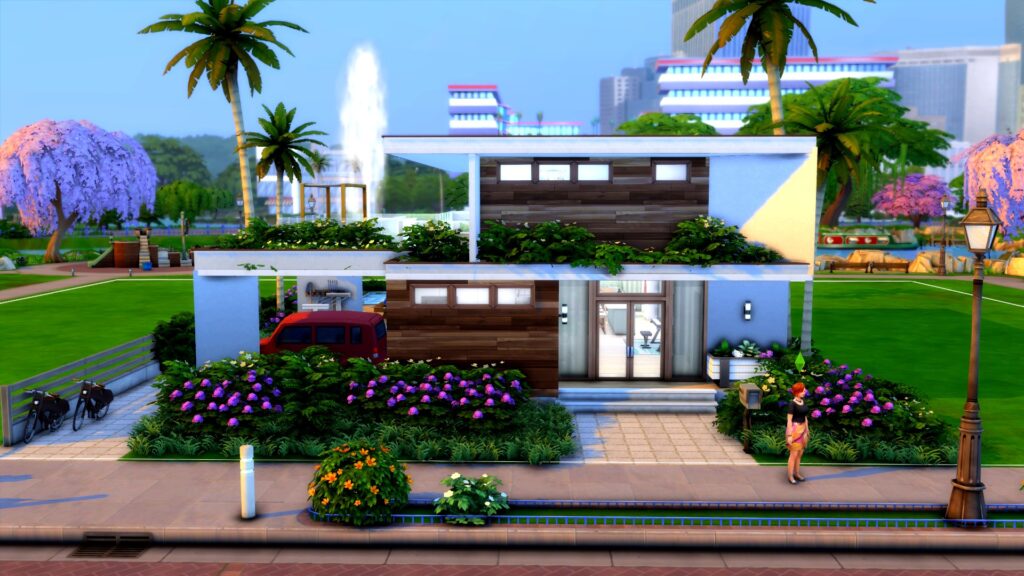
SimGurus have shared plenty of new information and screens for The Sims 4 Growing Together!
Since the release of The Sims 4 Growing Together Gameplay trailer, the SimGurus have been sharing some additional information about the upcoming pack. From small bits of information and sneak peeks, Simmers are starting to get a real feel for the upcoming pack!
Views of San Sequoia
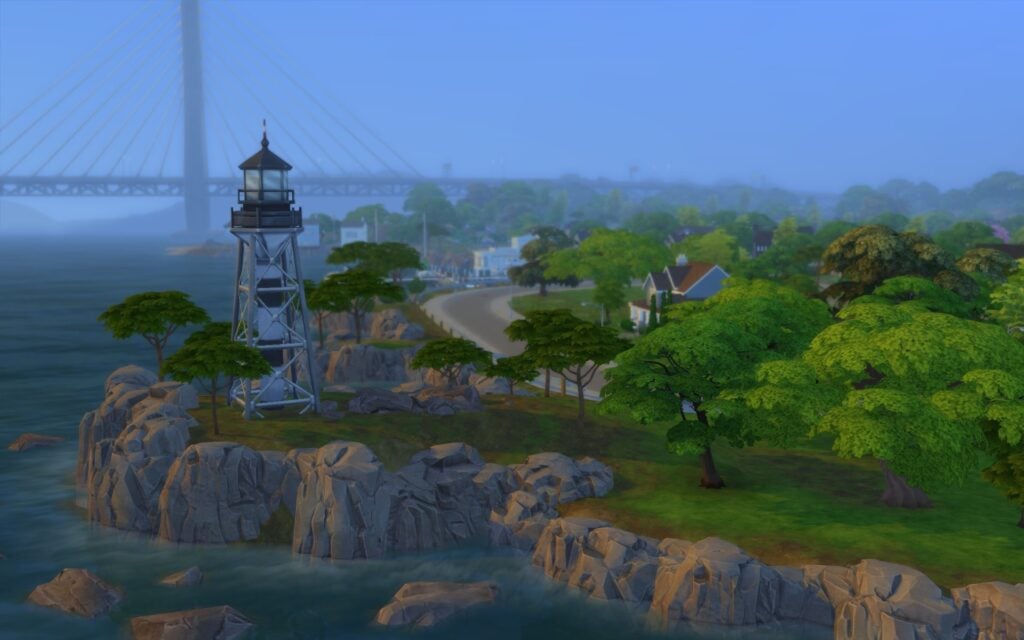
SimGuruNova has been sharing a few images of the upcoming world from Growing Together. Up until now, we hadn’t seen much about what to expect but, this small glimpse does make you excited to find out more!
This snapshot of the new world definitely leaves players wondering what the world will look like overall.
San Sequoia Lot Numbers
Now, through a retweet of SimGuruNova’s original tweet, SimGuruMorgan shared some further details about San Sequoia. The world will in fact include twelve new lots. This breaks down to four lots per neighbourhood in the Growing Together expansion.
12 playable lots! Each neighborhood has four lots. We always determine how many is best for each pack for performance (people with minspec PCs need to play too) and will weigh against gameplay needs. It’s always a series of thoughtful and carefully considered conversations.
As well as some information regarding new lots in the world. SimGuruMorgan additionally shared more images of the new world.
Even within the replies to both SimGurus’ posts, you can see them responding to further comments from players about the upcoming world!
New Pie Menu?
While there are still few details about this, SimGuruNinja has teased about the pie menu receiving a bit of re-organization. However, not much more is known about this or how it will look.
I’m actually lowkey excited for the pie menu re-org coming with the update 😯
Likewise with the reorganization of the pie menu, SimGuruMorgan has also hinted that the child Sims skills have been revamped in the Base Game ahead of The Sims 4 Growing Together coming out. Again, not much more is known about this at this time.
For sure! The way Child skills work hasn’t always been my preference, so I have a mod for that. We did rework that in BG for Growing Together though. It’s different from the mod I use, but cooler imo. I can’t wait to remove the mod and play the updated way when it goes live.
Be sure to check out the full Twitter thread for more GIFs of Kyle’s adventures!
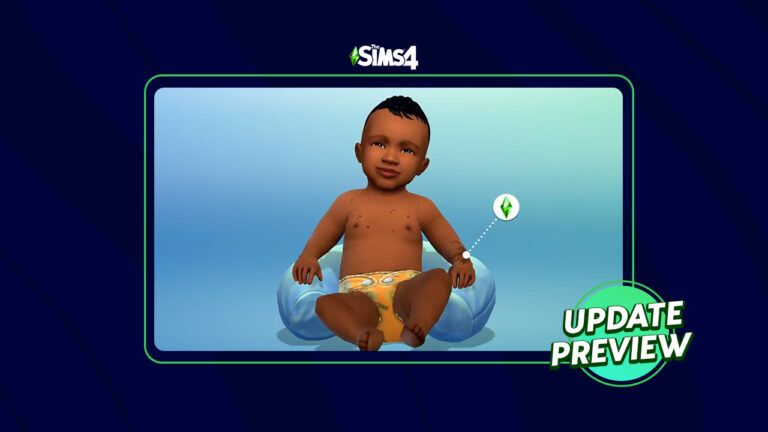
Finally, amongst the screenshots being shared by the other SimGurus, SimGuruNinja managed to sneak an interesting GIF into the mix. The GIF in question features a Servo from Discover University carrying an Infant Sim around!
With the release of the gameplay trailer and additional information from The SimGurus, the community definitely is excited for this next release. The Sims 4 Growing Together is taking shape, and we can’t wait to see more soon!
We also know that even more information will be shared during the upcoming livestream event.
As always, stay tuned to Sims Community for all the latest news and information about The Sims 4 Growing Together!
The Sims 4 Growing Together gameplay trailer dropped this morning and it was full of new information about this upcoming expansion pack. The gameplay trailer expanded upon features introduced in the Sims blog and the reveal trailer, such as milestones and social compatibility. It also introduced us to a new feature called Family Dynamics, which players will be able to control themselves to tell the kinds of family stories they want.
So let’s dive right in and go over everything discussed in today’s gameplay trailer for The Sims 4 Growing Together!
The Sims 4 Growing Together New Features
Hopewell Hills is a new neighbourhood in San Sequoia, the new world shipping with The Sims 4 Growing Together. Indeed, Hopewell Hills is where the Michaelson family lives. The trailer showed off this lush suburban area with plenty of trees.
In-Law Visits
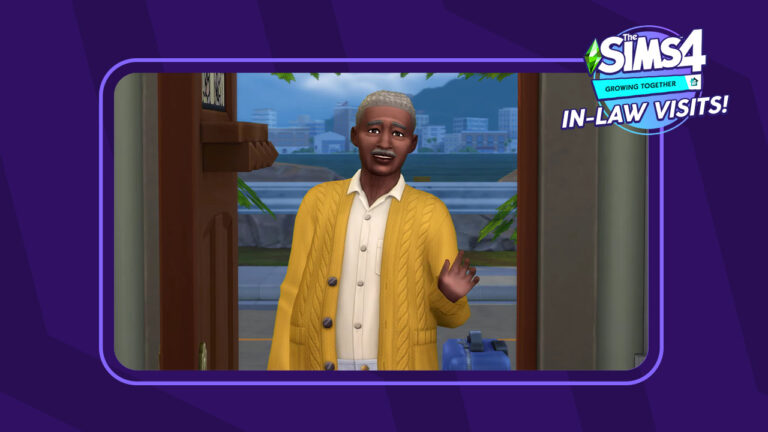
Previous promotional footage from The Sims 4 Growing Together suggested that relatives coming to visit was going to be implemented as a new gameplay feature. Today’s trailer confirmed that. Furthermore, we’re shown a grandfather walking up to the Michaelson house with luggage in tow. he narrator confirms that he is here temporarily as an overnight guest.
Family Dynamics
We’re introduced to something we haven’t seen before in The Sims 4 Growing Together: Family Dynamics! Each member of a household can now have a unique relationship with every other household member set by the player. We saw the married couple in the trailer have a close family dynamic, while their son and daughter have a difficult family dynamic. Moreover, this is going to inform the way those family members interact with each other.
Also, these are probably not all the dynamics in the expansion. These are just the ones we saw in the trailer:
Distant
Jokesters
Difficult
Close
Social Compatibility
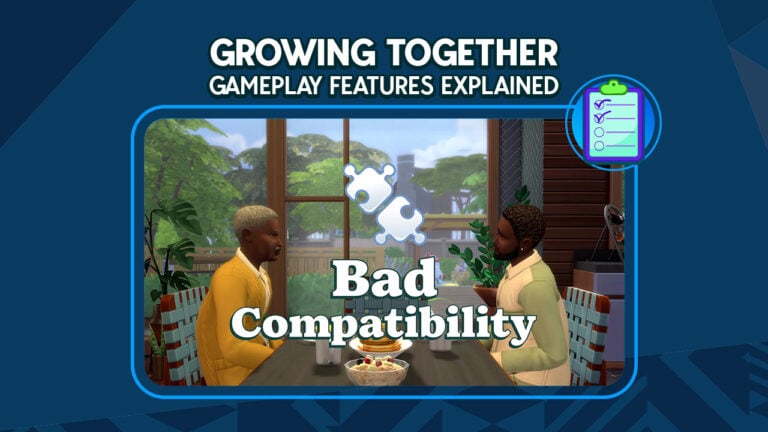
Social compatibility was expanded upon in the gameplay trailer for The Sims 4 Growing Together! Likes and Dislikes came in a base game update shortly prior to the release of The Sims 4 Snowy Escape. The new expansion pack will expand on this feature. Sims who have common interests will have good social compatibility. Sims with opposing interests will have bad social compatibility. This compatibility will also affect how those Sims interact with each other.
We also saw some new likes and dislikes but it was hard to tell exactly what they were. One icon featured the famous thinker statue and another was of a boxing glove coming out of a jack in the box.
Milestones
We know quite a bit about milestones at this point from previous promotional material, but we see some specific milestones in the trailer that we haven’t seen before. Certainly, this may not be an exhaustive list of every milestone in the expansion pack. We’re just listing all the milestones we saw in The Sims 4 Growing Together trailer. Also, keep in mind that these are likely not the literal names of these milestones. The trailer displayed these milestones as unlabeled icons.
Using a chair to pull themselves to a standing position
Learning to roll over
Learning to crawl
Other Details
Also, there were a lot of other small details in The Sims 4 Growing Together and new objects that some Simmers may have already spotted in previous promotional material. Indeed, there’s a treehouse shown in the backyard of the Michaelson home. Moreover, there’s an adorable shot of a child Sim kissing his infant sister on the forehead. We see the upright piano again in a different swatch. Also, there appears to be a new baby bassinet in the background of a shot, and we even see a very tiny adult and child walking together on a sidewalk in the distance. We hope this means Sims will be able to go on walks and hikes around any neighbourhood, not just in Mt. Komorebi.
Also, what are you most excited for in The Sims 4 Growing Together? Did you spot any details that we missed? Tell us in the comments! Indeed, we always love hearing from the Simming community.
Check out the new milestones we saw in the gameplay trailer!
By now, we know for sure that milestones are a new feature coming with The Sims 4 Growing Together. We’ve gotten plenty of information on milestones before. The Sims Blog talked about them extensively. We also saw some references to them in the initial reveal trailer. Today’s gameplay trailer went a step further and showed off some new milestones we haven’t seen before! We got to see a lot of milestones for infants in particular.
So let’s jump right in and take a look at all the new milestones in Growing Together!
The Sims 4 Growing Together Milestones
Obviously, milestones are important moments in a Sim’s life that affect their emotions towards other Sims and shapes future aspects of their lives. Indeed, milestones are for all ages and the gameplay trailer for The Sims 4 Growing Together showed us a few more milestones for different stages of life. Furthermore, keep in mind that these are not all the milestones in the expansion. These are just the ones we saw in the gameplay trailer. Also, these are probably not their official names. We only saw unlabeled icons of each milestone.
New Growing Together milestones for infants include:
Poopy diapers
Baths
Trying new foods
Learning to roll over
Learning to pull themselves up
Learning to crawl
Growing Together Milestones for children include:
Losing baby teeth
Learning to ride a bike
Also, new Growing Together milestones for adults include:
Falling in love
Getting married
Having a baby
Starting a fire
Getting fired from your job
We are very excited for these new milestones in The Sims 4 Growing Together. They feel a lot like memories, but they have more of an impact on our Sim’s lives than memories did in previous Sims games. We absolutely love it when old features get added to the game with big improvements!
Ever since the first reveal trailer dropped for The Sims 4 Growing Together, Simmers have been wondering whether grandparent visits were just movie magic or an actual feature. Today’s gameplay trailer confirmed that in-laws coming to visit is a new feature coming with this expansion pack. You might want to make sure your Sims have a guest room ready for them because they’re bringing luggage!
The narrator confirms in The Sims 4 Growing Together gameplay trailer that the grandfather was staying with the Michaelsons as a temporary guest. We saw him bring his luggage up to the house so we can only assume he intends to stay for a couple nights! The Sims Twitter account also confirmed this feature.
Depending on the family dynamics of the household in The Sims 4 Growing Together, in-law visits can be an exciting or a stressful event! The grandson has a great relationship with his grandfather and is super excited to have him stay for a while. He’s been feeling left out since his sister was born. He’s looking forward to having someone pay attention to him again for once. Meanwhile, the boy’s father does not get along with his father-in-law. They are socially incompatible and having his wife’s father in the house is causing him some stress.
The Growing Together gameplay trailer did a great job showing off how “it’s all relative.” An in-law coming to stay for a while can be exciting for one Sim in the household but stressful for another Sim in the household. Those Sims’ social compatibility and family dynamics will influence this sense of perspective.
The Sims 4 Growing Together: Stay in the Know!
We are super excited to see how these new features mesh together! We loved how subtle and yet powerful all of these new features appear to be. It looks like they’re all going to play off of each other in a way that we haven’t seen before. This is very exciting! More meaningful relationships between Sims is exactly what the community has been asking for!
We’ve got all the important screens right here for you!
A new gameplay trailer for The Sims 4 Growing Together dropped today and it was full of brand new information! The trailer expanded on milestones and compatibility mentioned in previous promotional footage and showed off a new family dynamic feature. We also get quite a few new scenic shots of the new world, San Sequoia.
As always, Sims Community was there to capture all the best screens from the gameplay trailer! We’ve compiled over 95 screenshots from The Sims 4 Growing Together for you (98 to be exact). You can see all the new milestones, compatibility, and family dynamic features for yourself in these screens!
The Sims 4 Growing Together Screens
Check out the screenshots below for a good look at San Sequoia, some of the new Build items and CAS assets coming with this expansion, as well as new meaningful features for families! The gameplay shown off in the trailer was subtle but we think it will have a big impact on the way Sims interact with each other! Growing Together is definitely Generations 2.0, which boasted a similar style; less stuff and more meaningful relationships. We’re here for it!
The Sims 4 Growing Together launches on PC/Mac and consoles on March 16th, 2023. Players who purchase the expansion before April 27th will receive the Outdoor Playtime digital bonus content. The Outdoor Playtime digital bonus content includes a new swing set, a toddler slide, and a wearable infant carrier.
Are you ready for the new expansion next month? Have you done anything to prepare your saves for infants and Growing Together? Tell us all about it in the comments! Indeed, we’d love to hear about your plans for all the new content!
It’s been a couple of weeks since The Sims team revealed the trailer for Infants during the Behind The Sims Community Livestream. Jam packed full of exciting new content, many players have been eager to experience this new life stage in-game.
Even though we don’t know how much Infants and Toddlers will differ, it’s been incredible to see players react to the upcoming content online. There really is a huge buzz surrounding the new additions to The Sims 4. Luckily, there isn’t too much longer to wait!
The reveal trailer did give us a much more detailed look as to what to expect when Infants are added to the game. You can take a look at both the reveal trailer and behind the scenes clip below!
However, do you remember spotting these details during both segments of the livestream?
The Adorable Onesie
The opening scene to the reveal trailer showing us our first look at Infants. There’s no denying that not only does she look incredibly comfortable, but also cute in her onesie as she sleeps.
New Objects for Infants
Even in this image, we get an idea of some of the new Build and Buy Mode objects. From new Decor items to fit all of your Infants needs, wall decor, toys and more!
New Infants Create A Sim Options
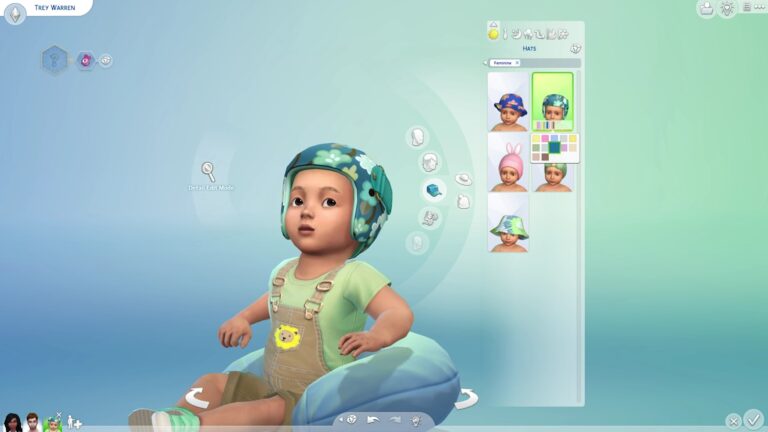
Of course, there will be a range of brand-new clothing for our Infant Sims! From adorable dresses to sweet sleep options, little formal suits, bears and more!
Breastfeeding Infants
Your Sims will be able to breastfeed infant Sims in the new update!
Messy Fun and Food
Experience dinner time with some added mess, or make it fun while your Infant discovers new foods!
Playtime Fun Time
Cute hats, adorable outfits and fun play mats! Take playtime outside with your younger Sims as they learn through playing with different toys and interacting with other Infant Sims.
Infants and other Sims
It looks like not only can other Sims play and interact with Infant Sims, but it also looks like you’ll be able to possibly develop their skills through various interactions.
Infants being Infants
It’s completely normal for Infants to have the odd moment of burping and things like that. After all, they are still young and learning. It appears that Infant Sims will be exactly the same too!
Infant Chaos
A birthday party with Infants, in The Sims 4 what could possibly go wrong?
Everything in this screenshot is relatable for so many people and our Sims, but did you notice the Llama wearing a bow in the background?
Behind The Scenes of The Sims 4 Infants
Even the behind the scenes clip that was shown to us during the Behind The Sims livestream gave us a different perspective to Infants. We even got a glimpse of some more gameplay of the new The Sims 4 Infants in action!
With it being a behind the scenes segment, it’s important to keep in mind that some of what was showcased is subject to change before the release in March.
Playhouse or Dolls House?
The Sims 4 has seen its fair share of dolls houses over the years. However, during the Behind The Scenes segment, we got a quick look at what could potentially be a playhouse for Infant Sims to interact and play with!
A Closer look at Infants in Create A Sim
Additionally, during the behind the scenes segment we got another look at not only how they developed Infants in The Sims 4 to act in Create A Sim but also a closer look at some of the more options coming in too!
Stinky Diapers are still a thing!
Just like in real life, even your Sims will have to get used to changing more stinky diapers with Infant Sims.
Are you excited about the addition of Infants to The Sims 4? Let us know in the comments below and which part of the Infants reveal was your favourite!
Don’t forget that Infants are coming to The Sims 4 on 14th March 2023 across all platforms!
The Sims team have announced the long awaited gameplay trailer for The Sims 4 Growing Together Expansion Pack is dropping tomorrow!
On February 23rd, 2023 at 8am PT/ 4pm GMT / 5pm CET, the community will be able to get a closer glimpse at what’s to come in the upcoming pack!
The Sims 4 Growing Together Gameplay Trailer
You can catch the reveal of the gameplay trailer over on YouTube. Don’t forget to hit the Notify Me button to catch the trailer live when it’s released!
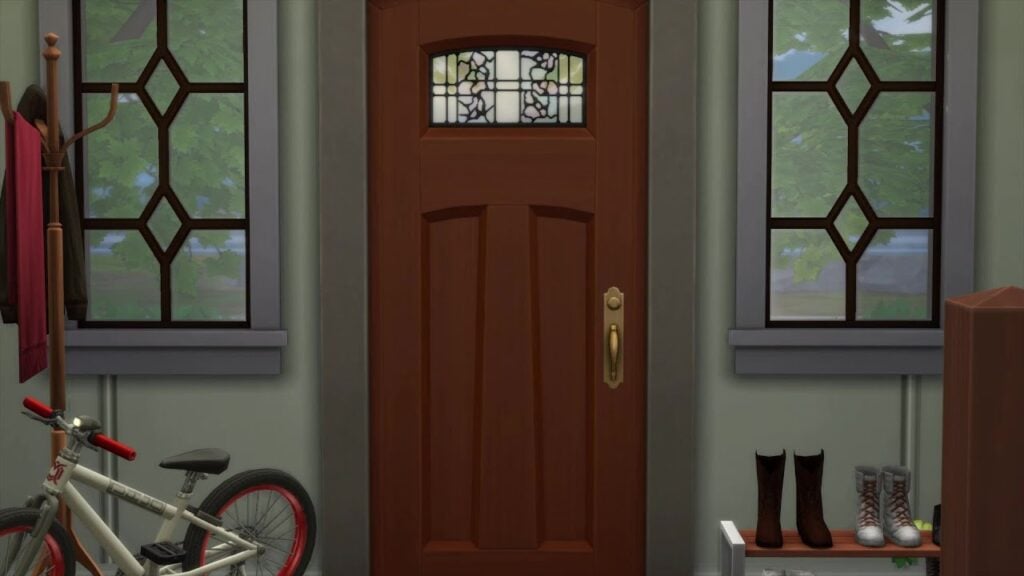
The YouTube Premiere currently focuses on just the front door of the Michaelsons home. A tweet originally shared by The Sims team earlier today also has us thinking as to who this Visitor could be!
Now, with a number of possibilities as to who this visitor could be, we will have to wait until tomorrow to find out more! We wonder who it could be!
The Sims 4 Growing Together is launching on 16th March 2023, shortly after the infants update a few days prior.
There is definitely plenty to come for The Sims 4 and with both the update and expansion. This is definitely going to an expansion to consider if you love telling stories through The Sims 4. Additionally, if you love the family game play experience or even building family homes. This pack has so much to offer, and the gameplay trailer is certainly going to showcase even more when it drops tomorrow!
Let us know what you are looking forward to in the upcoming expansion. Alternatively, what you are hoping to see featured in the gameplay trailer?
Honour your Sims of the past with this funeral home!
With the Growing Together expansion pack launching next month, legacy players are no doubt excited to start playing through generations with more content. One rather sad aspect of legacy saves is that previous generations eventually grow old and pass on, handing the torch down to the next generation. It’s been this way since The Sims 2. Death is a part of life and generational players are going to need somewhere to lay their previous generations to rest. This need inspired us to build a funeral home in The Sims 4!
Welcome to Eternal Rest Funeral Home in The Sims 4
Viewing room
Eternal Rest Funeral Home is not just a funeral home for The Sims 4! It is also a cemetery, a mausoleum, and a morgue. It also sits on a fairly small 30×30 lot. Real estate is tight in The Sims 4 and single function venues just aren’t a smart use of limited space. Your Sims will not only be able to gather here for funerals and viewings, but they will also be able to lay their loved ones to rest. For you storytellers out there, the morgue can be a great backdrop for all kinds of stories.
Morgue
You might be thinking that a 30×30 lot couldn’t possibly fit that many urns and tombstones. It’s true that the outdoor cemetery has just 21 plots; however, enter the mausoleum and you will find four basement levels that can hold up to 135 Sims. In total, you’ll be able to lay up to 156 Sims to rest at this Sims 4 funeral home. This should be plenty of space for a 10 generation legacy challenge but if it’s not, the lower levels can be expanded.
Outdoor cemetery
Why a Funeral Home?
Four basement levels of catacombs to lay Sims to rest
Why have a funeral home at all when we don’t have funerals in The Sims 4 (and it doesn’t look like they are coming in Growing Together, either)? Functionally, having dozens of ghosts on your home lot is a nuisance. You may still want to have Great Grandma Ethel’s spirit around but her nightly activities break everything in the house. Place her urn or tombstone on a different lot and she can stick around without disrupting the whole house every night. For the sentimental Simmers, it’s important to give friends and family an opportunity to say goodbye when a loved one passes. This lot gives them an opportunity to do that.
Download this funeral home by clicking the button below! Or follow SnarkyWitch in the Gallery and look for Eternal Rest Funeral Home!
Open up limitless possibilities with the MoveObjects cheat!
The MoveObjects cheat, sometimes called MOO, is a powerful tool for any Sims 4 builder. This cheat for The Sims 4 build mode will unlock almost endless possibilities for players. Use this cheat to create custom furnishings, unlock the ability to use other build cheats, and place objects in places you ordinarily can’t. Both PC/Mac players and console players can use this cheat. Console players don’t need to worry about disabling their trophies or achievements, either. This cheat does not disable trophies and achievements on console!
Activate the MoveObjects Build Mode Cheat in The Sims 4
PC/Mac
Open the cheat bar by pressing CTRL+SHIFT+C simultaneously.
Type in the cheat bb.moveobjects on
Press Enter. The game will notify you that MoveObjects is now enabled. If it doesn’t, try typing in the cheat again and double check your spelling.
To disable the cheat, open the cheat bar again and type in bb.moveobjects off
Console
Open the cheat bar by pressing all four back triggers simultaneously.
Type in the cheat bb.moveobjects on
Press X (PlayStation) or A (Xbox). The game will notify you that MoveObjects is now enabled. If it doesn’t, try typing in the cheat again and double check your spelling.
To disable the cheat, open the cheat bar again and type in bb.moveobjects off
Using the MoveObjects Build Mode Cheat in The Sims 4
What can you do with this Sims 4 cheat in build mode? Almost anything! The MoveObjects cheat removes the laws of physics when building. Essentially, it allows you to place objects overlapping each other, make objects bigger or smaller, raise objects high up into the air, and place objects in areas you normally wouldn’t be able to! It’s an extremely powerful and versatile cheat!
Here are five ways this build cheat can help you create stunning builds!
Create Custom Furnishings
This custom headboard was created by embedding this bed’s headboard into an accent table. Clutter, shelving, and a painting pull the whole look together and the bed is still functional.
Being able to overlap objects means you can create all kinds of custom furnishings. Embed end tables and countertops into a bed’s headboard to create a custom headboard with item slots. Place a toddler bed right up against a double bed to create a pullout bed. Create beautiful table designs and make larger tables by overlapping tables. Basically, if you can dream it, you can do it!
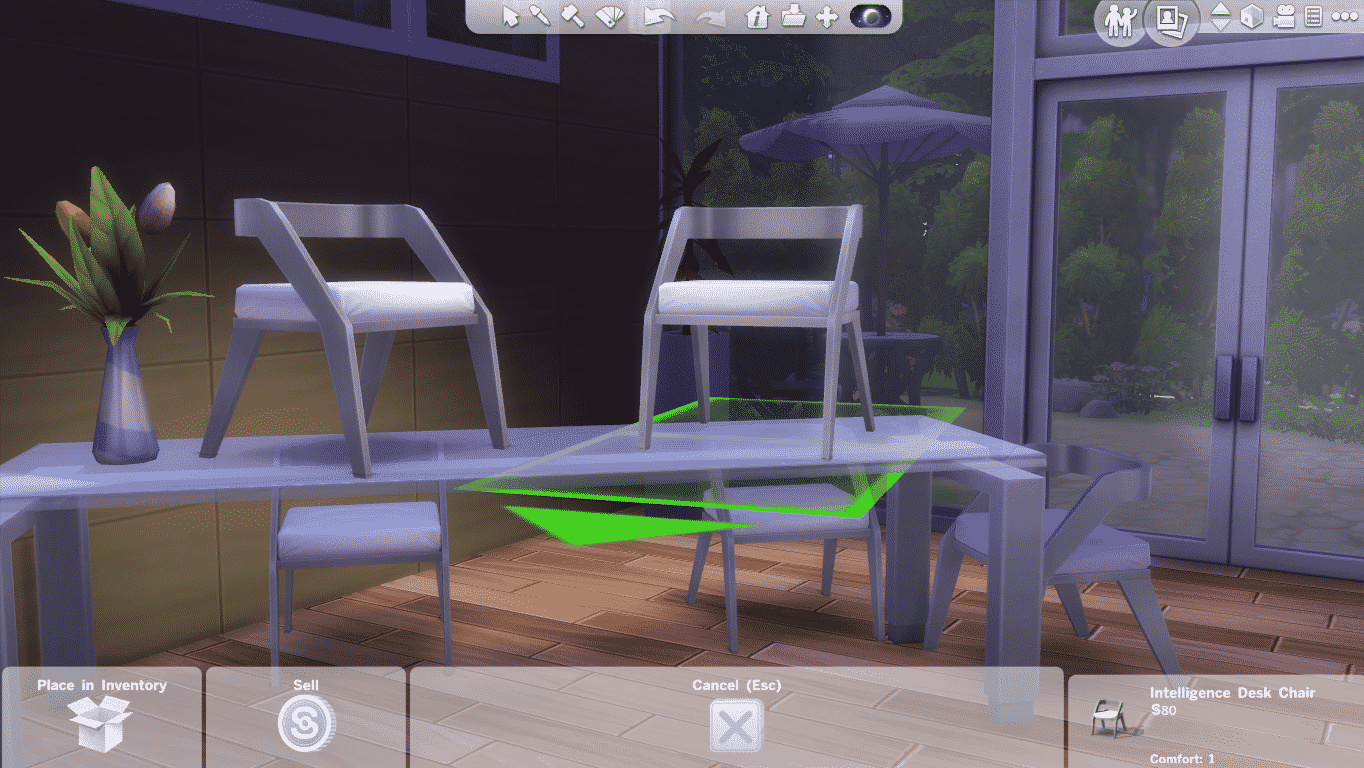
To help with precise item placement, PC/Mac players can hold down the Alt key with an object selected to freely place it outside the grid lines. For console players, toggle between full tile, half tile, quarter tile, and free placement with the L2 (PlayStation) and LT (Xbox) buttons with an object selected.
Clutter Without Limits
Add clutter to the tops of fridges and microwaves to make a home feel more lived in.
In the real world, most people have stuff sitting on top of their microwaves and fridges but in The Sims 4, these objects don’t have item slots to place things on. This isn’t a problem with the MoveObjects build mode cheat! You can place small objects on any surface even if that surface has no item slots!
The MoveObjects cheat opens up the ability to raise objects up or lower them back down to their starting height. On PC/Mac, move an object up with the number 9 key until it is at the height you want. To lower it back down, press the number 0 key. For console players, press L2 + R2 (PlayStation) or both triggers (Xbox) simultaneously with an object selected and use the up and down directional buttons to raise or lower the object as needed.
This also works with wall décor that ordinarily can’t have its height adjusted, such as mirrors!
Infinite Item Slots
1. Clutter up a surface2. Pull items off surface3. Move surface out of the way and place items4. Place surface back underneath items
You can add extra clutter items to any surface with existing item slots, too. The following trick will let you clutter up surfaces without having the items snap to a slot on the surface. This still allows Sims to use the surface and gives you more freedom with placement.
Place whatever objects you want on whatever surface you want and allow it to snap to an item slot. Then pull the items off the surface. They will retain the same height when you do. Temporarily move the surface out of the way and then place all the objects in the empty space where the surface however you would like them to be arranged. Then slide the surface back underneath the objects. You can place as many things as you want on any slottable surface this way.
Resize Objects
This sized down dollhouse is still functional and can now fit in smaller rooms!
Having the MoveObjects build mode cheat activated in The Sims 4 will also let you scale objects to be bigger or smaller! Use this to help you create your custom furnishings or make small decorative objects look bigger and grander in more lavish builds. You can even make those huge dollhouses smaller so they’ll fit in tiny spaces!
On PC/Mac, just use the square bracket keys [ and ] to scale objects up or down. The left bracket makes the object smaller and the right bracket makes the object larger. On console, press L2 + R2 (PlayStation) or both triggers (Xbox) simultaneously with an object selected and use the left and right directional buttons to make the object larger or smaller. Left makes the object smaller. Right makes the object larger.
No Place is Off Limits!
Want to put fountain sprinklers inside a pool? Go ahead! Place columns at the edge of a staircase? Absolutely! Put a giant toilet on the roof of your house? Um… we guess so. Basically, what we’re trying to get at is you can truly place objects anywhere you want with this cheat. We’ve seen Simmers place lounge furniture inside shallow fountains, create stairs in pools, and create ponds with debug objects floating in the waters. Just remember to keep functionality in mind when using this cheat. Depending on where you place an object, Sims may not be able to use it anymore. We recommend playtesting any lots you build with MOO, especially if you plan to share it on the Gallery.
Be Free with the MoveObjects Build Mode Cheat in The Sims 4!
We’ve given you all the building blocks you need to expand your skillset with the MoveObjects cheat in The Sims 4. Whether you’re a PC/Mac or console player, you should have plenty of build ideas now, but the best way to discover all the ways this cheat can be used is by building! Use the cheat and see where your creativity takes you!
Take a first listen at Project Rene / The Sims 5 Sountrack!
Wondering what the sound of the next generation Sims Game is? We have a first look into the current soundtrack of Project Rene, which we also call The Sims 5 for the time being.
Folks who were able to Playtest Project Rene also got a chance to hear the new soundtrack included within.
The Sims 5 / Project Rene Soundtrack
The Playtest of Project Rene featured 3 different music pieces, with a somewhat different sound direction than what we would usually hear in The Sims 4 for example. Some community members have compared the soundtrack to sound similarly to the likes of The Sims 1 and The Sims 3 Soundtrack.
Parts of the soundtrack pieces from Project Rene are now available on YouTube, thanks to TwoSimsLight TV. Take a first listen below!
The soundtrack that you’ve listened above might not be featured in the final release. Project Rene / The Sims 5 is still figuring out some of the core possibilities and routes the game could go. So the soundtrack might get a rework in the meantime.
The Sims 5 – development future ahead
Things are looking ambitious with possibilities for both single-player and multiplayer simmers. The latest episode of Behind The Sims revealed a more clear goal behind mending these two player groups together:
One thing to keep in mind is that Project Rene is not an MMO. It is not this public shared space where everything you do is always with other people. You could play on your own, on your terms. And then again, when you want on your terms, you can invite others to come and play with you. That’s the structure where we’re pursuing. We think it’s really cool and perfect for The Sims.
New Preview of Project Rene shown during Behind The Sims: Episode 1
The next generation Sims Game still has a long way to go. It was revealed in an interview with SimGuruGrant that the final release of Project Rene / The Sims 5 is still years away. However, Maxis and EA are switching things up this time by making the road to the release a more transparent process.
What do you think about the Project Rene Soundtrack? Join the discussion below and stay tuned for more news soon!
SimGurus have shared new teasers for The Sims 4 Growing Together. Check them out!
There are new teasers to cover for The Sims 4 Growing Together. Including a new preview into one of the new gameplay objects!
Puzzle Gameplay Preview
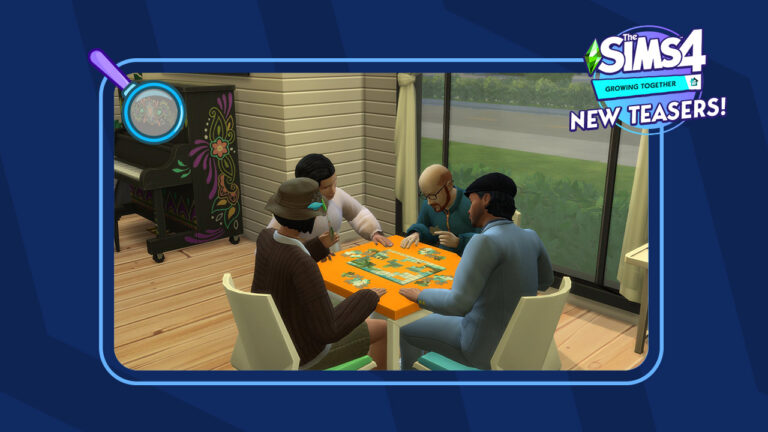
SimGuruNinja is back with another live preview from the world of San Sequoia! In the latest screenshot you can spot 4 Sims trying to solve a Puzzle set piece. Playing Puzzles is a part of the new gameplay features included with the new Activity Table Games.
Check out the new screenshot from Sims 4 Growing Together down below, featuring a colorful new look at the new Piano!
Playing Puzzles – A New Activity Table Game in The Sims 4 Growing Together
Another form of a different Table Game was shown in the reveal trailer for The Sims 4 Growing Together:
Beside the new Activity Table objects coming with The Sims 4 Growing Together, it’s been confirmed that existing Activity Tables in The Sims 4 Base Game will also allow you to play the new games.
The new icons could be related to the upcoming Social Dynamics Feature. Or Milestones. Don’t hold our word for it yet – our guess is as good as yours!
There’s more info to come for Growing Together as we approach March 4th, when The Sims Team will do a new Community Livestream showcasing the Pack and Infants Update. We’ll keep you posted throughout with new updates from The Sims Team!
What do you think about the new Sims 4 Growing Together teasers? Join the discussion below and stay tuned for more updates on the upcoming Expansion Pack!
The Get To Work expansion pack may be the oldest expansion pack for The Sims 4 but it still stands the test of time! With three new active careers, a new occult type, and a fleshed out retail system, there is plenty of content for Simmers to explore and enjoy! Although, you can speed up your progress in this expansion pack with the help of some Sims 4 cheats!
So we’re going to break down all the cheats available in The Sims 4 Get To Work! We’d also like to thank our good friend Carl over at Carl’s Sims 4 Guide for providing some of the info in this article!
Activate Sims 4 Cheats
To use most of the following Sims 4 cheat codes, you will first need to activate cheats! Here’s how to do that on all platforms!
PC/Mac
Open the cheat bar by pressing the CTRL+SHIFT+C keys simultaneously.
Type in testingcheats true
Press Enter to activate the cheat.
Hit CTRL+SHIFT+C again to get rid of the cheat bar.
All cheat codes listed in this article are activated in the same way.
Console
Open the cheat bar by pressing all four back triggers simultaneously
Type in testingcheats true
Confirm that you wish to activate this cheat with X (PlayStation) or A (Xbox). Activating this cheat will permanently disable trophies/achievements on that save, so make sure you are okay with this!
Hit all four back triggers again to get rid of the cheat bar
All cheat codes listed in this article are activated in the same way.
Career Cheats
Get To Work comes with three new careers; Doctor, Scientist, and Detective. Because these are active careers, these jobs do not have differing specialty branches. Of course, there are Sims 4 cheats to speed your way to the top of these careers or go back down a level.
careers.promote adult_active_scientist – Give your Scientist Sim a promotion
careers.demote adult_active_scientist – Give your Scientist Sim a demotion
careers.promote detective – Give your Detective Sim a promotion
careers.demote detective – Give your Detective Sim a demotion
careers.promote doctor – Give your Doctor Sim a promotion
careers.demote doctor – Give your Doctor Sim a demotion
Sims 4 Cheats: Skills
Originally, Get To Work added two new skills to The Sims 4; Baking and Photography. Later, Photography became a base game skill, so technically, Get To Work only comes with the Baking skill now. Don’t worry; we still have the Photography skill Sims 4 cheat for you!
Baking is a major 10-level skill, so replace X with a number between 1-10. Photography is a minor 5-level skill, so replace X with a number between 1-5. The number you specify will set the skill to that level.
stats.set_skill_level major_baking X – Set your Baking skill level (1-10)
stats.set_skill_level minor_photography X – Set your Photography skill level (1-5)
You can also use these Sims 4 cheats to lower your Sim’s skill level if you want to. Just replace X with any number that is lower than your Sim’s current skill level.
Retail Perk Cheats
If you own a retail business in The Sims 4 Get To Work, you’ll want to gain retail perks that will help you run your business more efficiently. Obviously, earning retail perks ordinarily requires a lot of time and effort. Why not cheat your way to success, instead, with the following Sims 4 cheats?
bucks.unlock_perk StorePlacard_1 true – Placard: My First Simoleon
The Sims 4 Get To Work does not come with any new CAS or aspiration traits but it does come with a hidden career reward trait! The Sickness Resistance trait is gained by reaching level 8 in the Doctor career. This trait makes your Sim less likely to get sick and if they do get sick, they recover much faster than other Sims. If you want the trait without having to become a Doctor, there are Sims 4 cheats for it.
Also, for console players, trait cheats can be used without enabling testingcheats. This means these cheats won’t disable your trophies or achievements.
traits.equip_trait Trait_Doctor_SicknessResistant – Gives your Sim the Sickness Resistance trait
traits.remove_trait Trait_Doctor_SicknessResistant – Removes the Sickness Resistance trait from your Sim
Sims 4 Cheats for Aliens
This baby has an alien mother and human father. She is not an alien. She has a human bassinet and human clothes.
If you want your Sim to be abducted by aliens, the base chances are slim. The best way to improve the odds is by joining the Scientist career and discovering inventions that will attract aliens to your lot. Although, if you don’t want to become a Scientist to get abducted, the following Sims 4 cheat will allow you to purchase these inventions from the secret Build/Buy catalogue.
Console players will be happy to know that the following cheat does not require them to enable testingcheats. This means that using this cheat will not disable their trophies or achievements.
bb.showhiddenobjects – Unlocks hidden items in the Build/Buy catalogue
With this Sims 4 cheat active, search Build/Buy for the following objects and place them on your lot:
Out of this World Desktop
Satellite Dish
Obviously, both of these objects increase your odds of abduction each night. Select the Satellite Dish and choose Contact Aliens. The dish will send out a signal to attract aliens to your home lot. The effect only lasts for 24 hours so make sure to keep doing this daily until your Sim gets abducted.
Cheat with Logic!
You can also increase your odds of abduction by using the Search for The Truth interaction on a telescope or observatory. This interaction is only unlocked at level 7 of the Logic skill, so here is the Sims 4 cheat to raise your Logic skill to the required level.
stats.set_skill_level major_Logic 7 – Raises the Logic skill to level 7 which unlocks the Search for the Truth interaction on telescopes and the observatory.
Nevertheless, remember! These cheats only increase your odds of abduction! They do not guarantee it. You could have bad luck and not be abducted for quite a while even while using these methods to increase the odds. Also, even if your Sim does get abducted, there’s no guarantee they will return pregnant with an alien. Only male Sims can return from an abduction pregnant with an alien baby. Moreover, According to Carl, there is only a 25% chance that any abduction of a male Sim will result in an alien pregnancy. So if these Sims 4 cheats aren’t working, just keep trying!
30+ new objects coming next month in The Furniture Showroom Collection!
SixamCC has revealed a brand-new The Sims 4 Custom Content Pack!
This exciting new custom content collection is a compilation of various ideas that didn’t seem to fit into other collections. However, this is where the idea of The Sims 4 Furniture Showroom came from. Multiple small custom content pieces bundled together in this unique compilation.
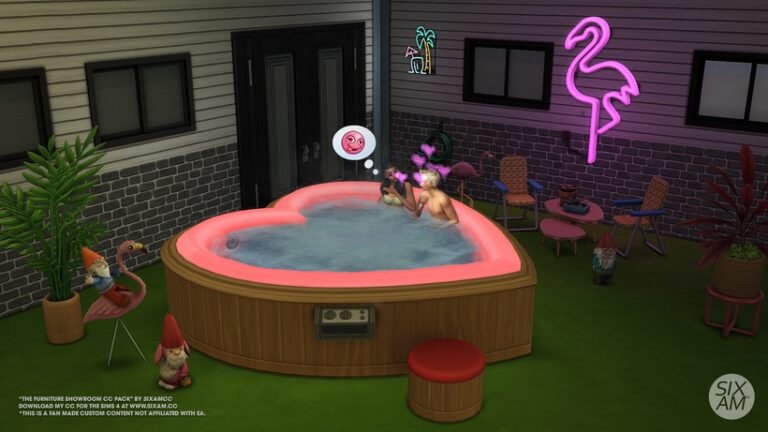
The creator also wanted to recreate the much loved and iconic heart-shaped Bed and Hot Tub from the original The Sims game. Inspired by the nostalgia of the original game, and the Pass The Spark music video from Anitta. The WooHoo Custom Content Collection is perfect for Valentine’s Day!
Alongside the nostalgic new objects, you will find several more mini custom content collections. These include a motel style patio, a sun-room, eclectic reading area, mini study and bathroom. Each of the collections brings its own unique charm to custom content pack overall!
Let’s take a closer look at what comes in this Sims 4 custom content collection!
The Sims 4 Custom Content: Furniture Showroom Preview
38 items, all the custom content is base game compatible.
Comfort: 3 Chairs, Sofa chair, Heart-shaped Bed.
Build: 1 Wallpaper, 3 Carpet Floors.
Decorative: 2 Plants, Painting, Circle Wall Sculpture, Ceiling fan (3 Sizes), Mirror.
Plumbing: Sink, Bath Tub, Heart-shaped Hot Tub (base game and functional).
Storage: Empty Bookcase (functional).
Surface: 2 Dining Table, 3 Coffee Tables, Mini Stand Table.
Image gallery of Sims 4 Furniture Showroom Custom ContentPack
Object Showcase
Objects showcase of the Boho Baby CC Set by SixamCC
This upcoming Custom Content Pack from SixamCC is currently available for Early Access as part of their Tier 1 content on Patreon. The public release for this collection has been set for 28th March 2023.
Stay tuned for an in-depth review of this Sims 4 Custom Content collection here on Sims Community!
These CC-free family homes are perfect to prepare for infants and Growing Together!
With infants coming to The Sims 4 in a free base game update and a new family-themed expansion pack on the horizon, you might find yourself in need of a Sims 4 family house for your growing household! Luckily, the Simming community is full of talented builders and there are no shortage of cozy and elaborate family homes in the Gallery to choose from. We’ve pulled ten of our favourite builds from the Gallery to show off today! Maybe one of them is the perfect home for your Sims family!
[listicle]
The Sims 4 Family House Builds
All the builds in this article are fully furnished and have 3 or more bedrooms. None of these builds have any custom content. There are also several base game only homes to choose from in the list.
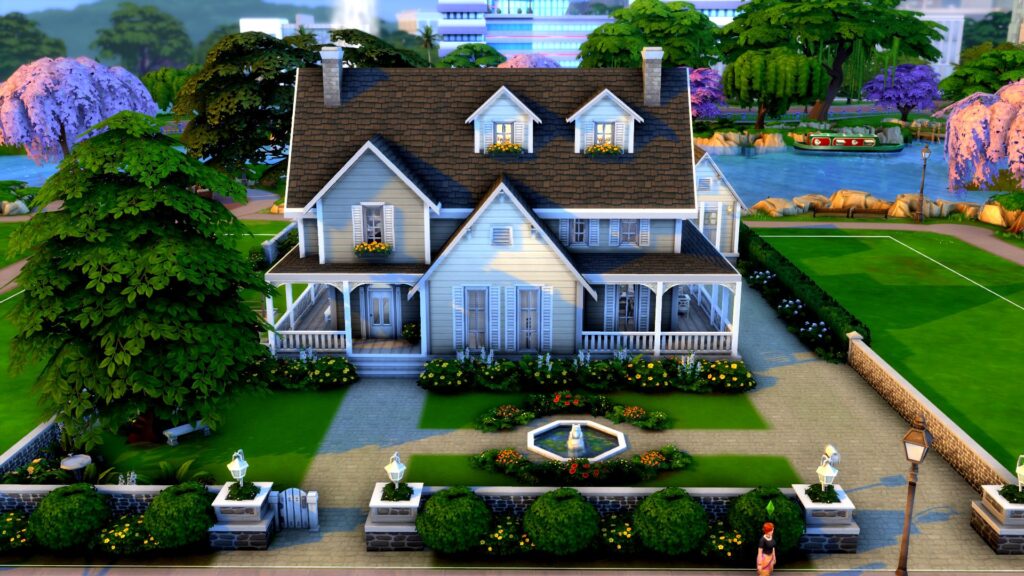
Sims 4 Family House: Brown Riverside Home
Creator: MaggieAnnWig
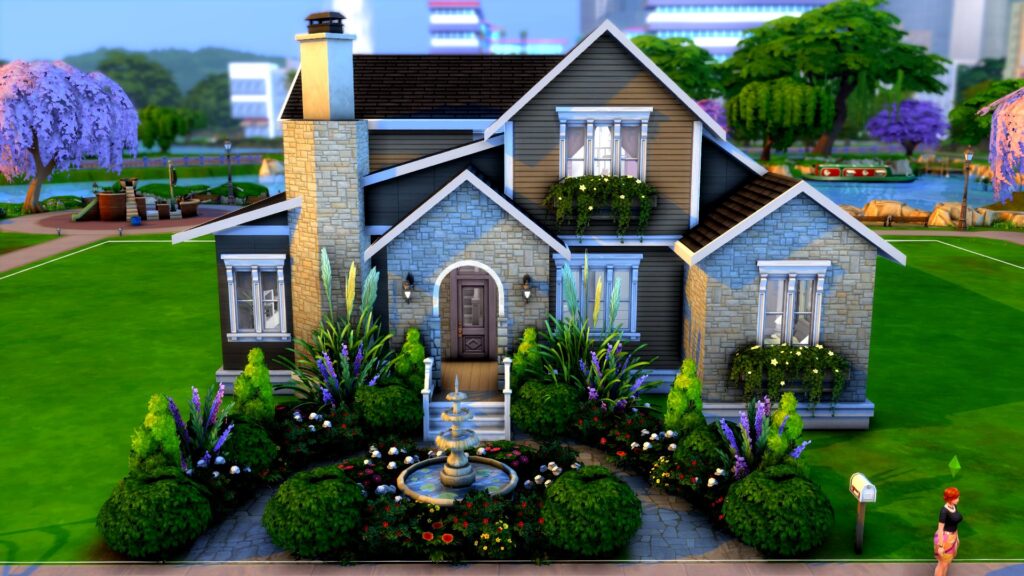
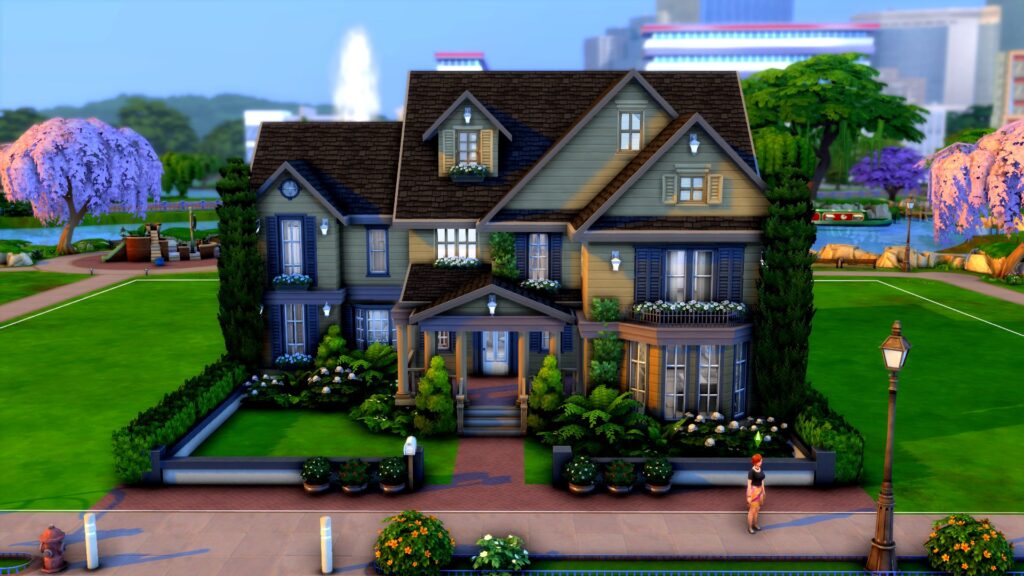
This lovely base game home is perfect for a growing family. There is plenty of space inside in spite of it’s small lot size and we are in love with the gorgeous front gardens. The octagonal chimney, window boxes, and archway entrance adds sophistication and class to an otherwise cozy suburban build.
We just love all the details in this warm, inviting build! The little fountain out front, the fence pillars, the wraparound porch, and the garden shed out back all make us feel like we’re right at home! So when are your Sims moving in? Ours already have the moving truck packed!
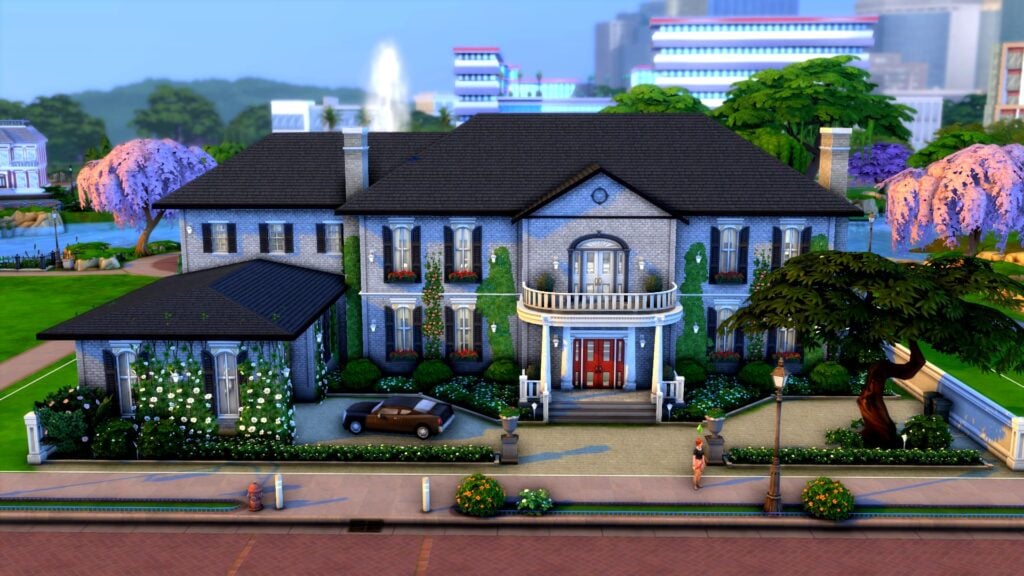
Maybe you envision a more stately home for your prestigious Sims family. Say no more! This regal manor can accommodate a large family of Sims and tells the whole neighbourhood that you’re a family of high social standing! We adore the ivy-covered garage with a classic car out front and the checkered marble floors all throughout the foyer and halls of this lavish build!
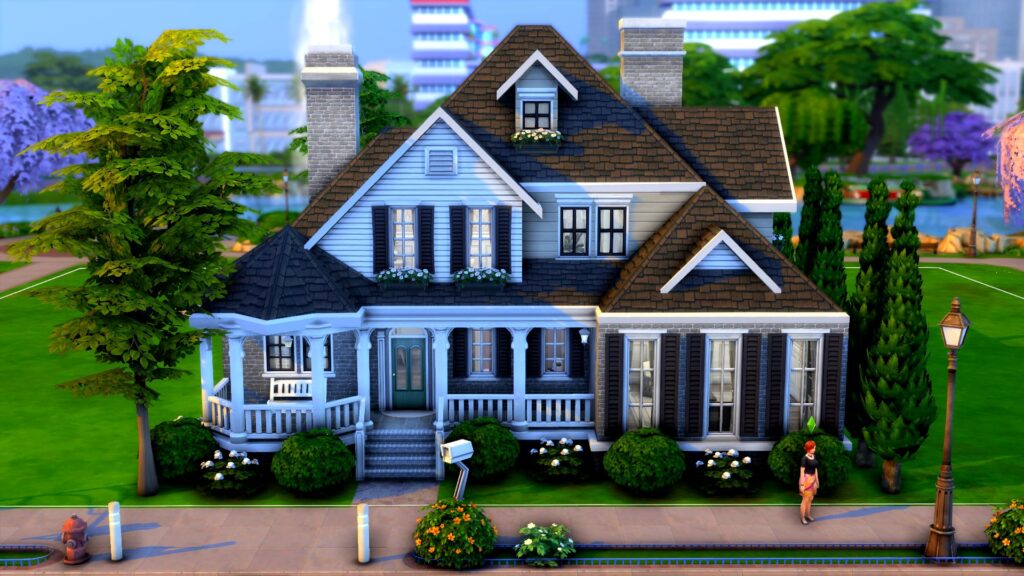
If this house was any cuter, we’d be a puddle of “aww” on the floor! Just look at that adorable octagonal porch section with a cozy bench. The window boxes and shuttered windows add a cozy vibe to the whole home. It’s also a base game home so you don’t need any DLC packs to download it!
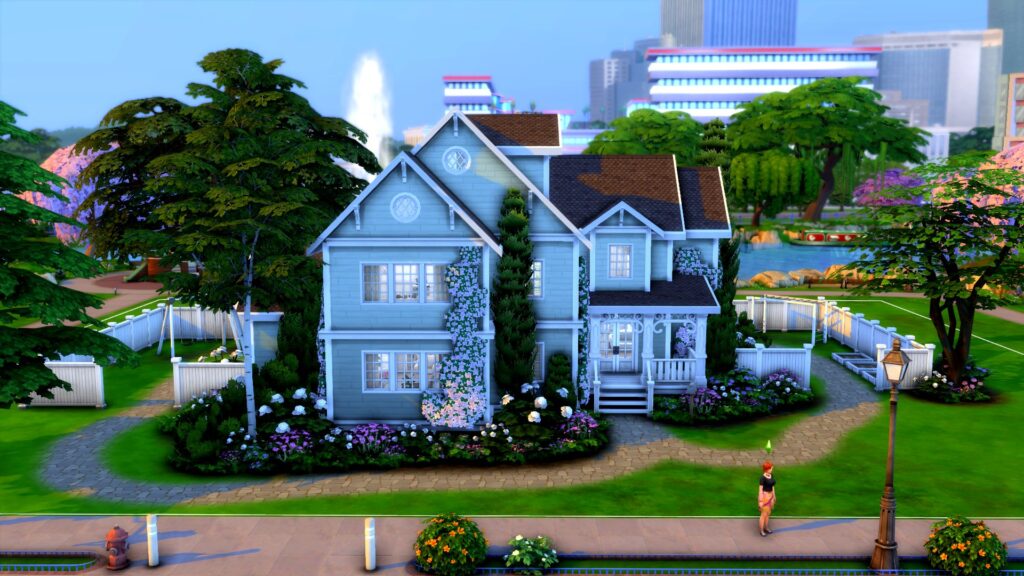
The yard really sold us on this place but the build itself is gorgeous, too. We love the creeping foliage up the front of the home and all of the small architectural details. That huge backyard has plenty of activities to keep your little ones occupied.
Although this house is a bit… haunted, it doesn’t use any DLC pack items so you can still download it as a regular Residential build even if you don’t own the Paranormal Stuff pack. Despite its dark exterior, this home is still stunning in every way. It can accommodate a full household of Sims in style and comfort!
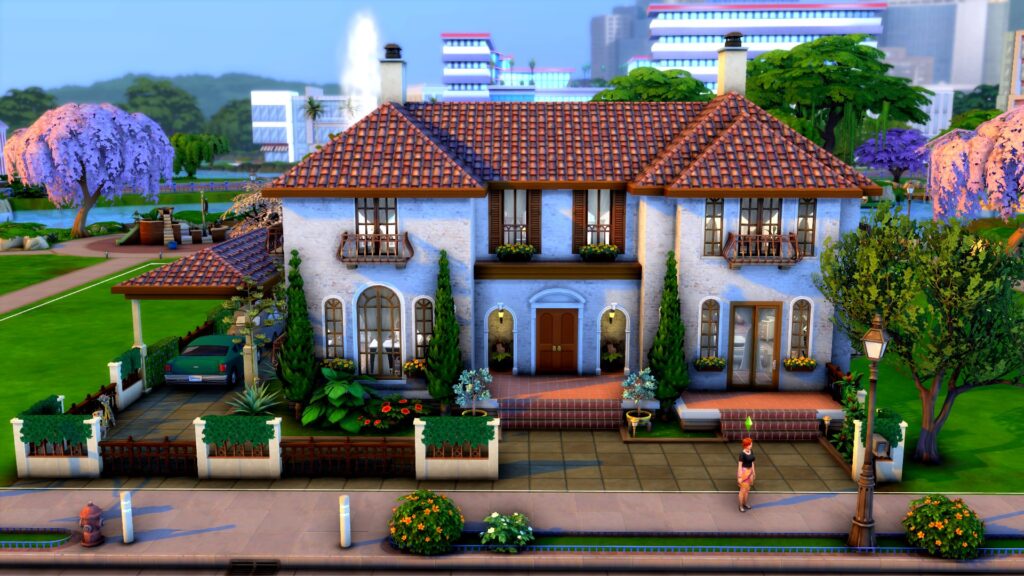
Looking to grow a family in Tartosa? This gorgeous Mediterranean build is perfect for you! Ceramic roof shingles, tiled floors, and warm, inviting colours make this build a beautiful and inviting place to put down roots for many generations to come.
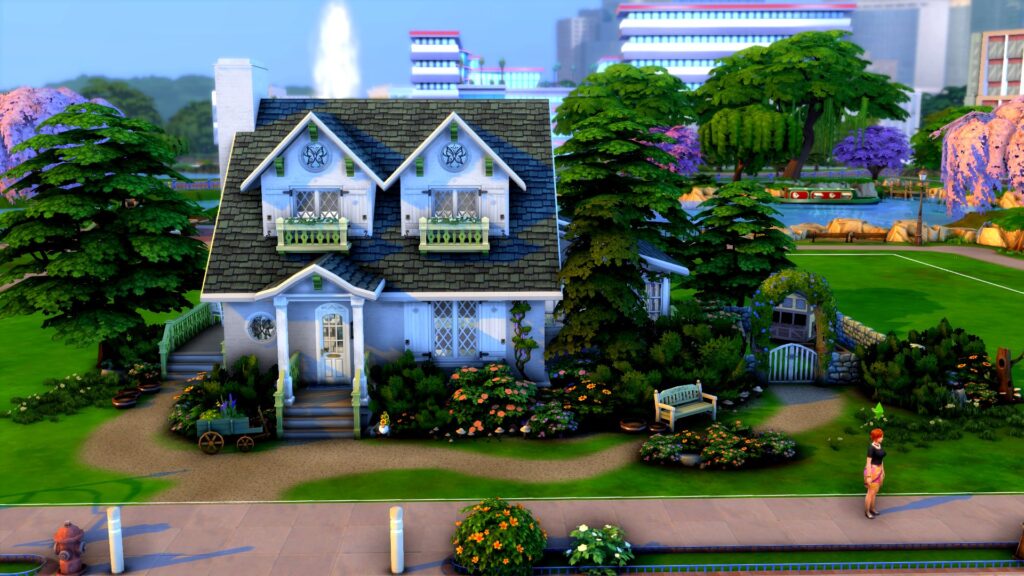
So you’re a humble farmer who needs a big family to help run the farm, huh? No problem! This Henford cottage has everything you need to live off the land while providing for a big family. It’s small and modest, but definitely cozy. What a great place for family bonding!
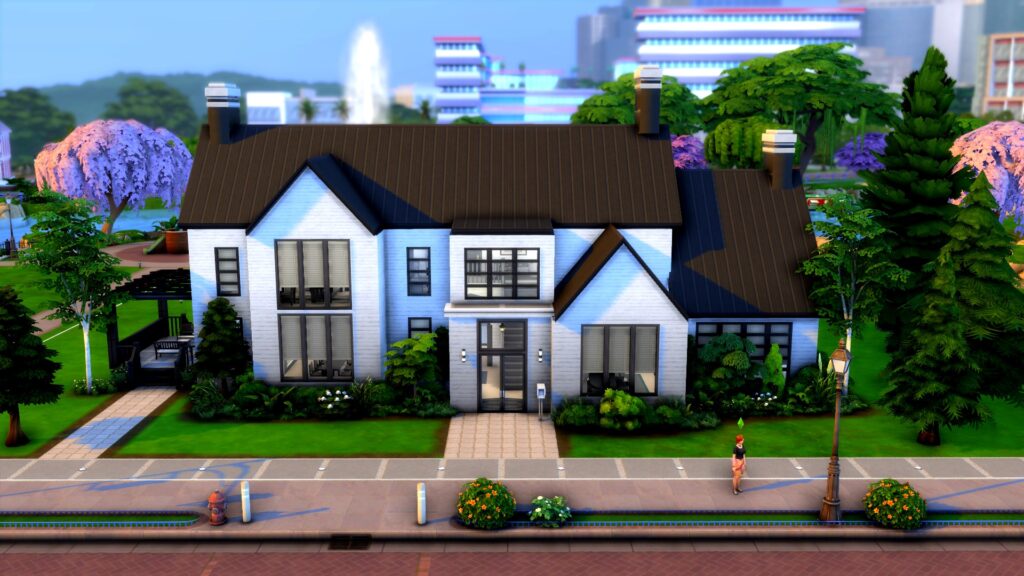
For Simmers with more modern tastes, this build is right up your alley! Clean lines, large windows, and a minimalist black and white design will create harmony and balance in your growing family. If you only own the base game, you’re in luck because this is another base game only home!
Last but certainly not least, we have this gorgeous eco-conscious home for a family concerned about their eco footprint. Green roofing, reclaimed wood, solar panels, and lush foliage will all help your Sims family live in harmony with Mother Nature without sacrificing modern comforts.