

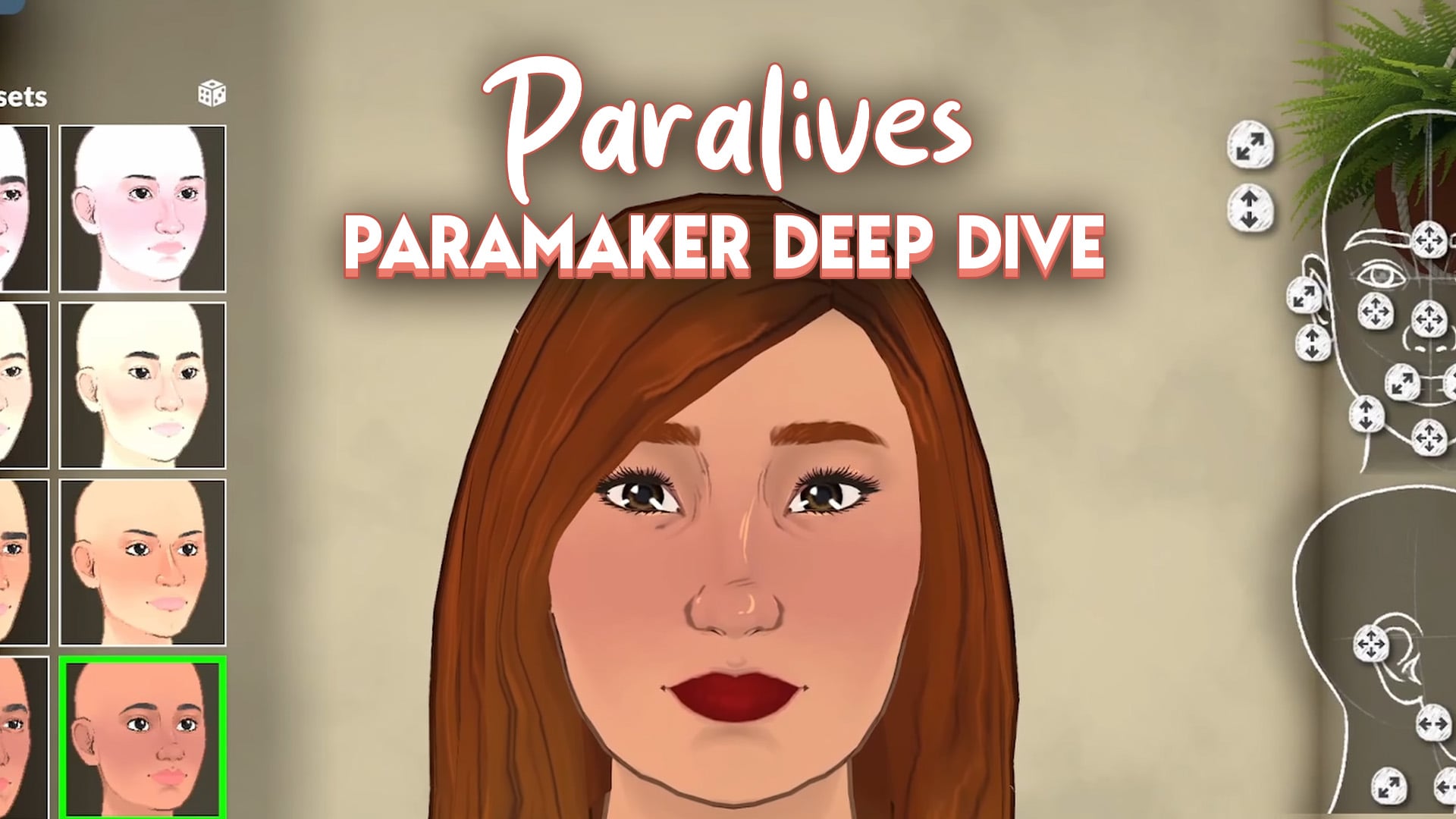
With Paralives getting closer to its early access launch, the developers have shared a detailed hour-long gameplay demo that highlights the Paramaker, the game’s character creation tool.
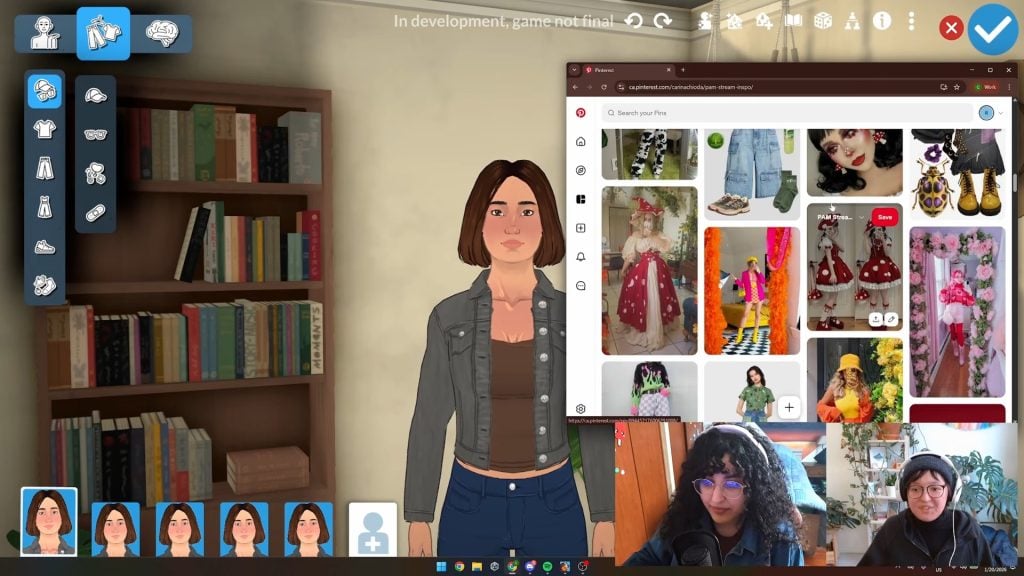
Community Manager Rina and character artist Sonia led the demonstration, using a Pinterest board made by fans to turn one base character, playfully called “Defaultia,” into five different sisters, each with their own unique style.
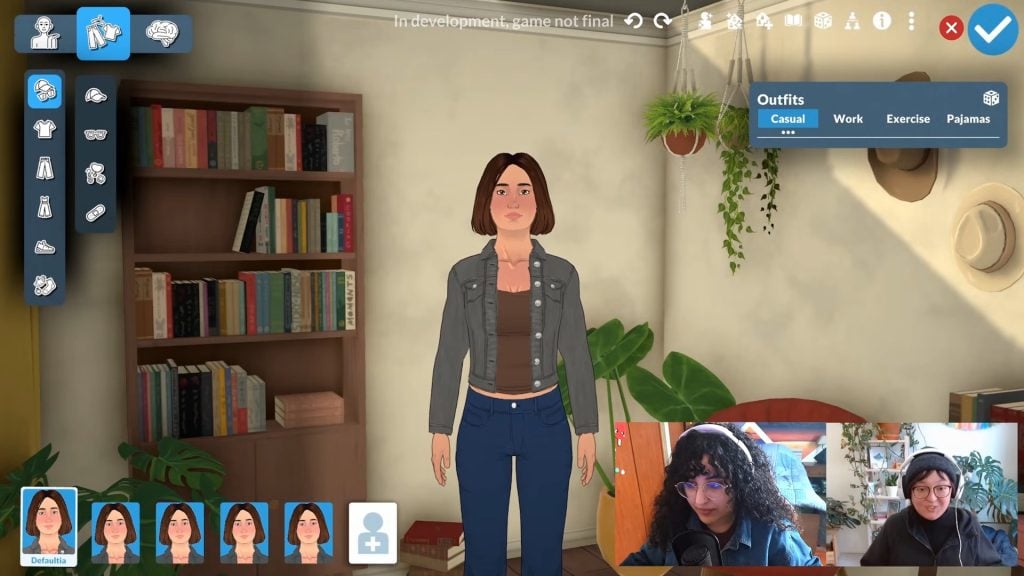
This stream was originally a Patreon exclusive, but has been made public recently.
Everything From The Paramaker Livestream
Inspiration
The team used a Pinterest board filled with submissions from Patreon supporters as the inspiration for the outfits.
Paramaker Functionality
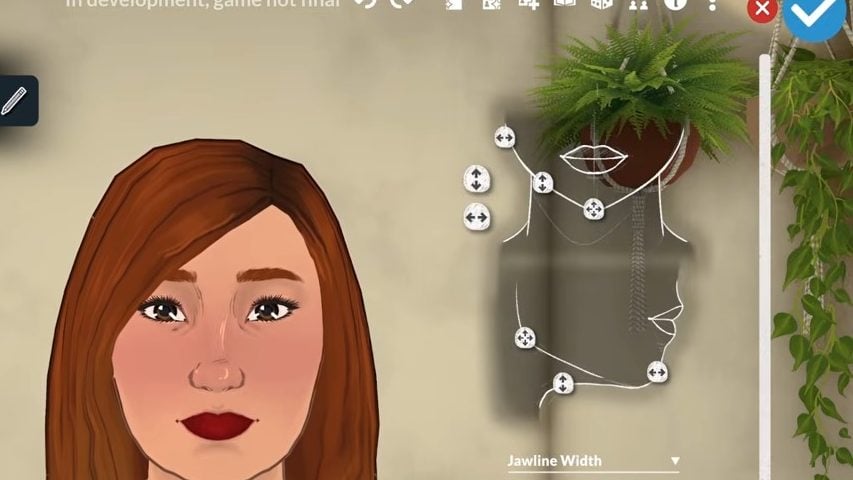
Customising Your Parafolk With Sliders
The Paramaker offers many detailed customisation features for each area of their bodies.
Looking at the eyes and eyeshape customisation, you can see just how much each area can be edited, as well as the range of presets.
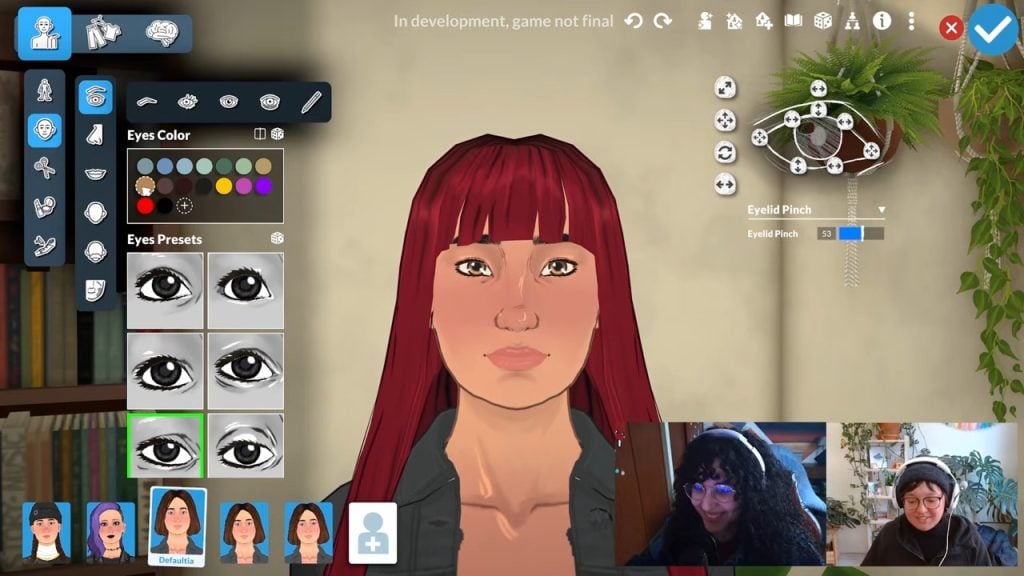
And this is true of all of the different parts of the face and body.
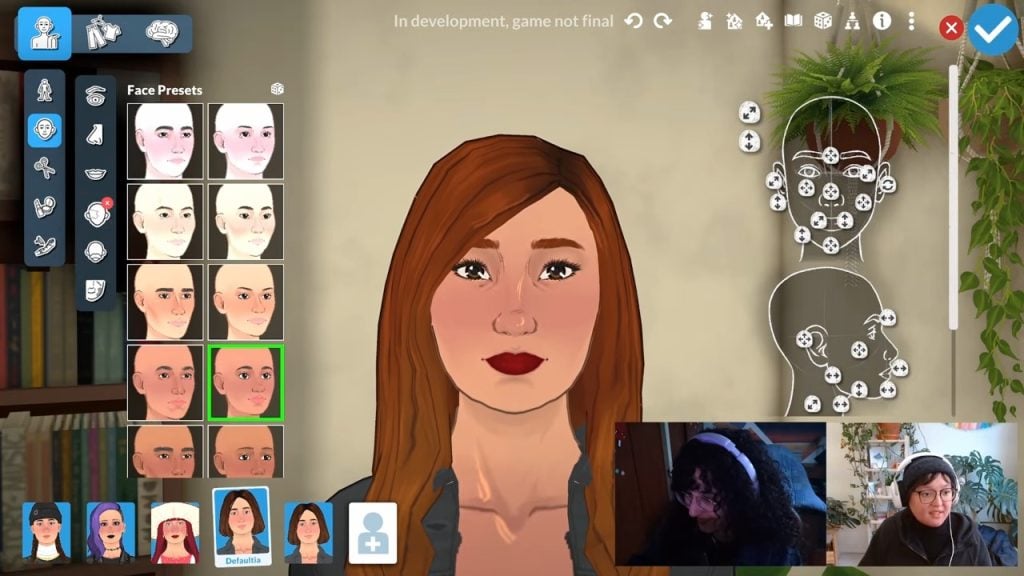
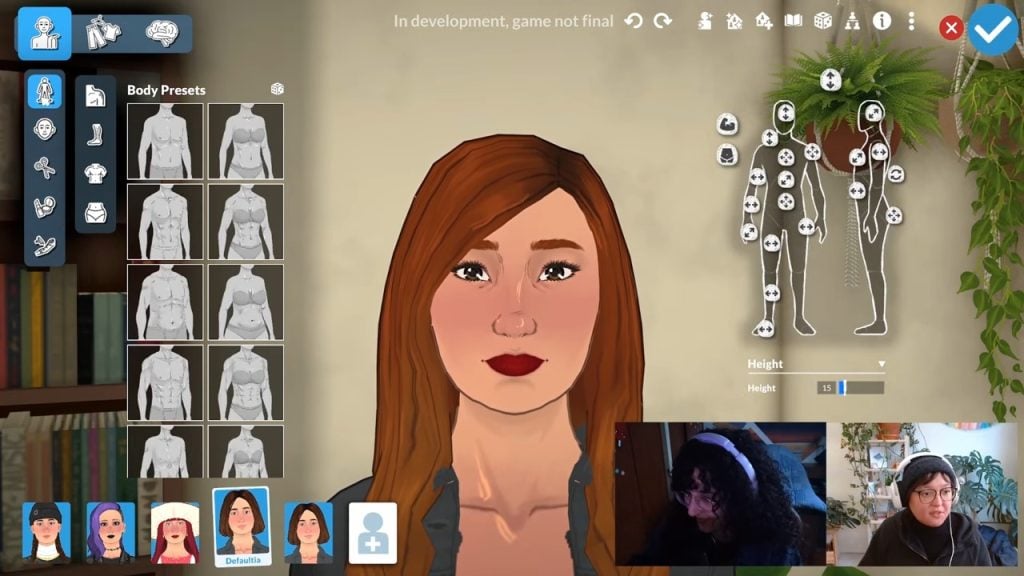
If you don’t want to get this granular with your Parafolk creation, there are also plenty of presets to choose from.
Rotating Paras
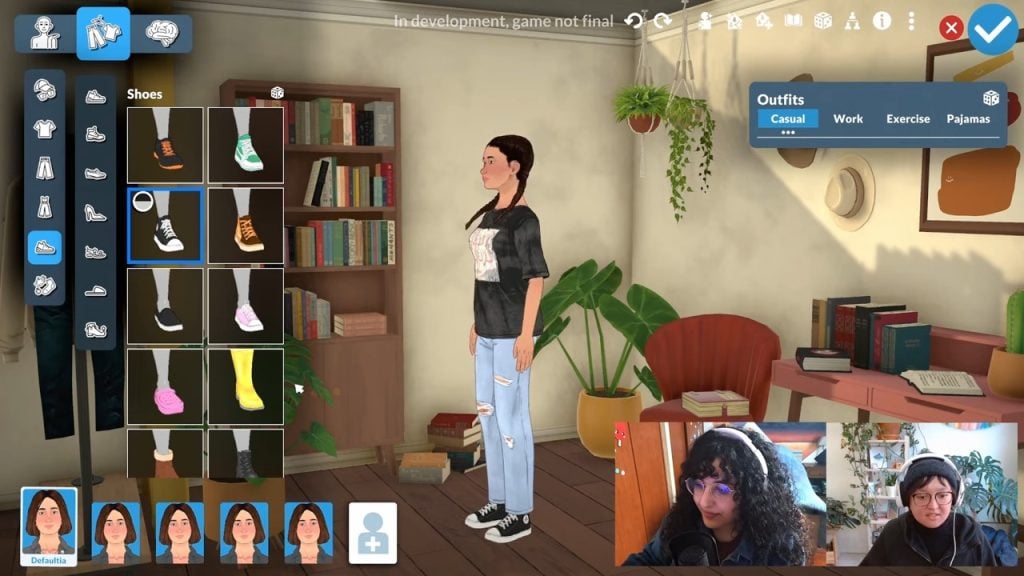
You can click and drag with your mouse button to rotate the Para and see the outfits you’re creating from multiple angles.
Hair
Finding and Categorising Hairstyles
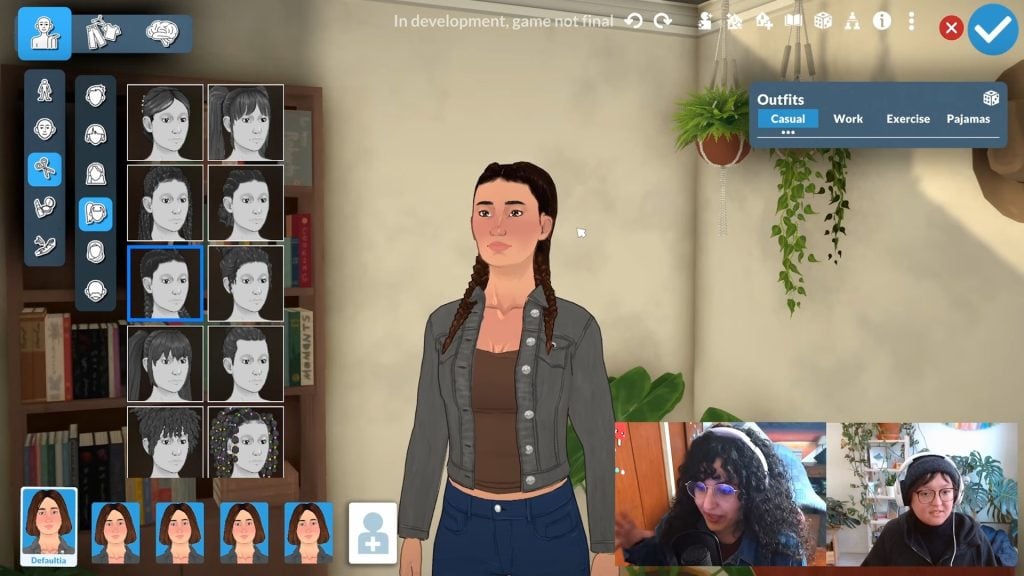
We got to see loads of new hair assets featuring lots of different lengths, textures, and styles. We also got to see how the different styles are filtered in the UI on the left-hand side, using categories such as ‘tied-up hair’.
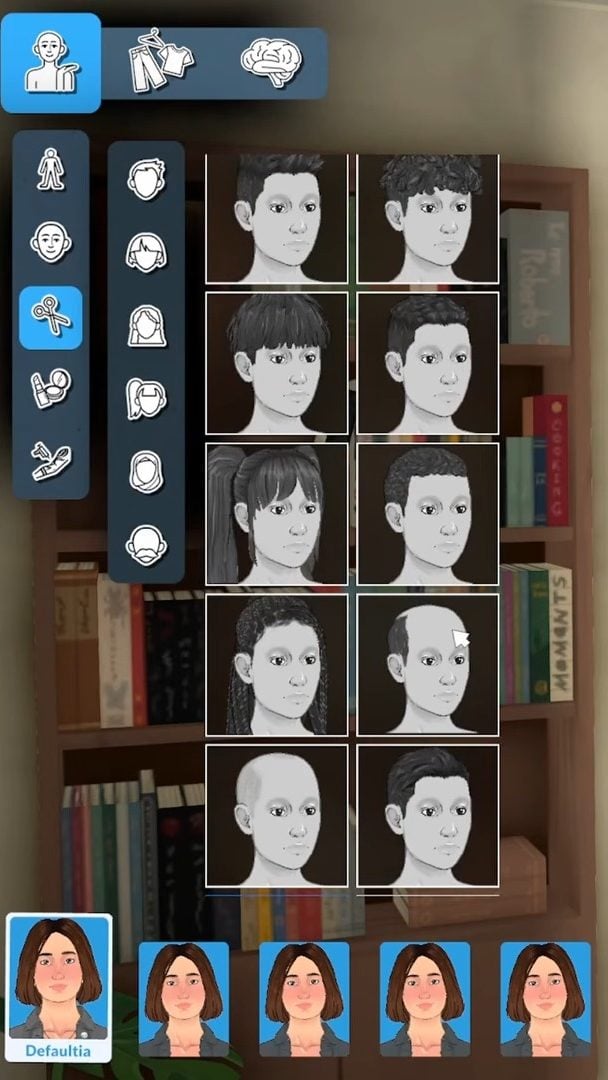
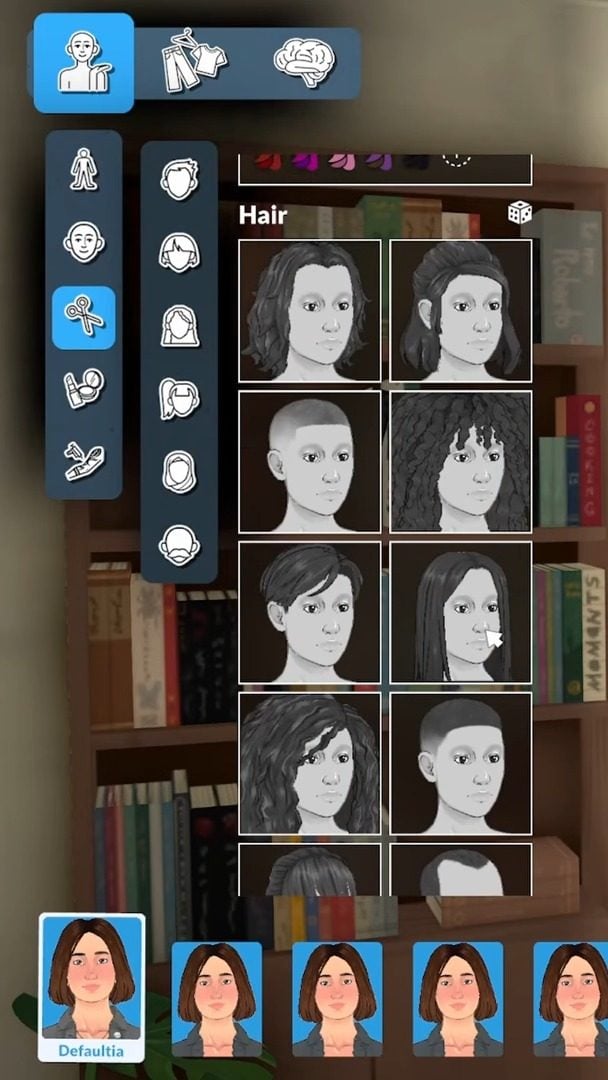
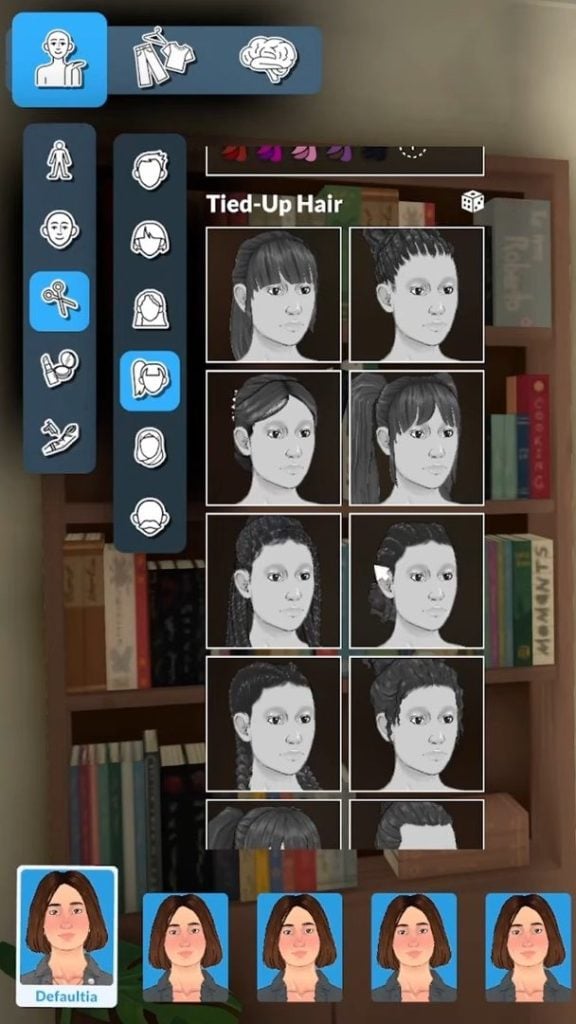
When you change the Para’s haircut or style, they will react to the change, which is a lovely touch.
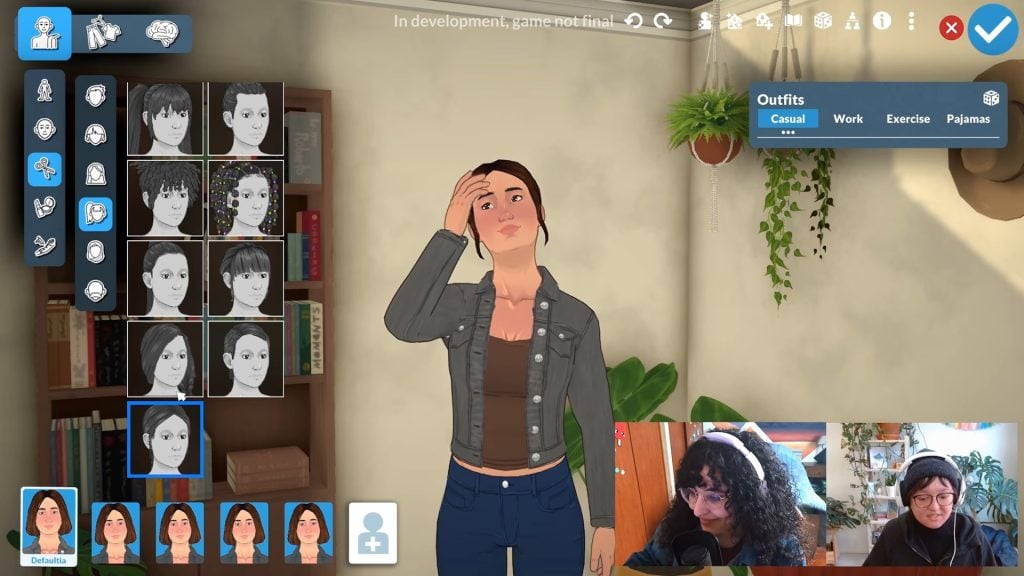
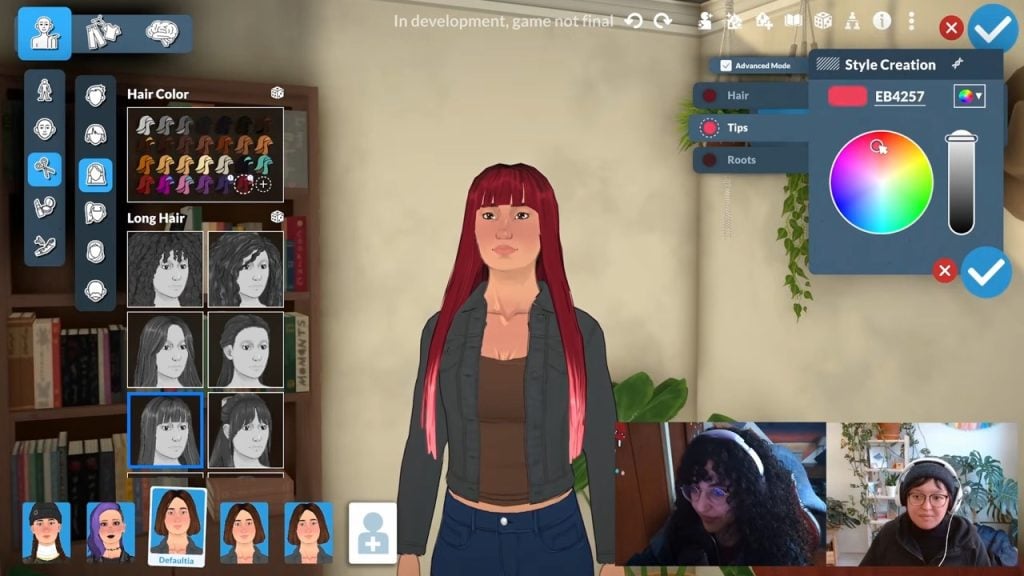
Customising Hair Colour
We got a closer look at the default hair swatches that come with the Paramaker.
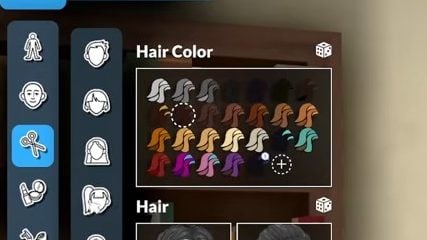
Artist Sonia also confirmed that it is possible to give the Parafolk different colours and tones to their hair.
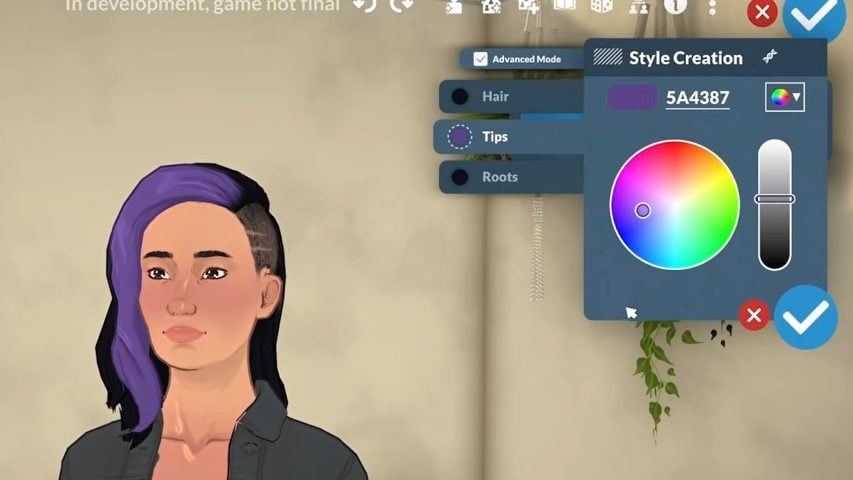
Most hairstyles they have, roots, hair , and tips that are independently recolourable so that you can change the colour.
Paramaker livestream
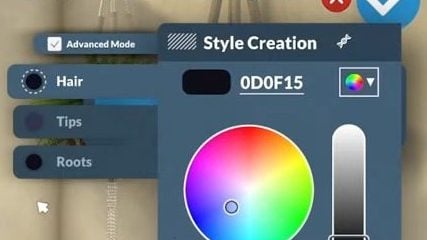
Sonia also addressed questions about hair with highlights, saying that some assets have a lighter or thinner recolour, which could look like highlights, and not all hair will have this or look the same.
We also saw that some of the hair swatches have two built-in colours, and how this can be customised using the style creation colour wheel.
Eyebrows
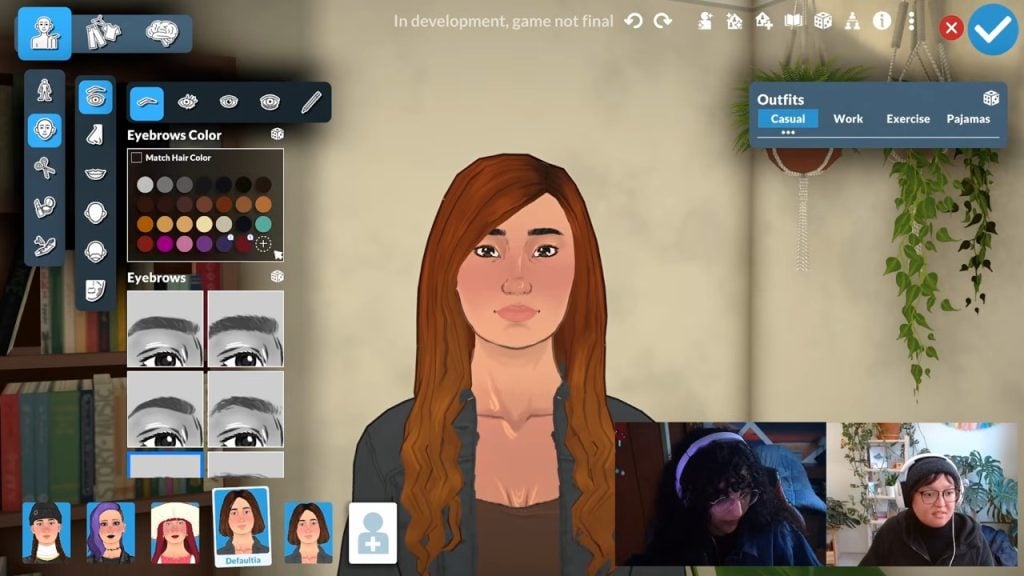
You can also customise the colour and shape of eyebrows in Paramaker, including an option to make them match the hair colour you’ve chosen.
Facial Hair
Unfortunately, the stream did not cover any facial hair options as they were only making female Parafolk.
Hats
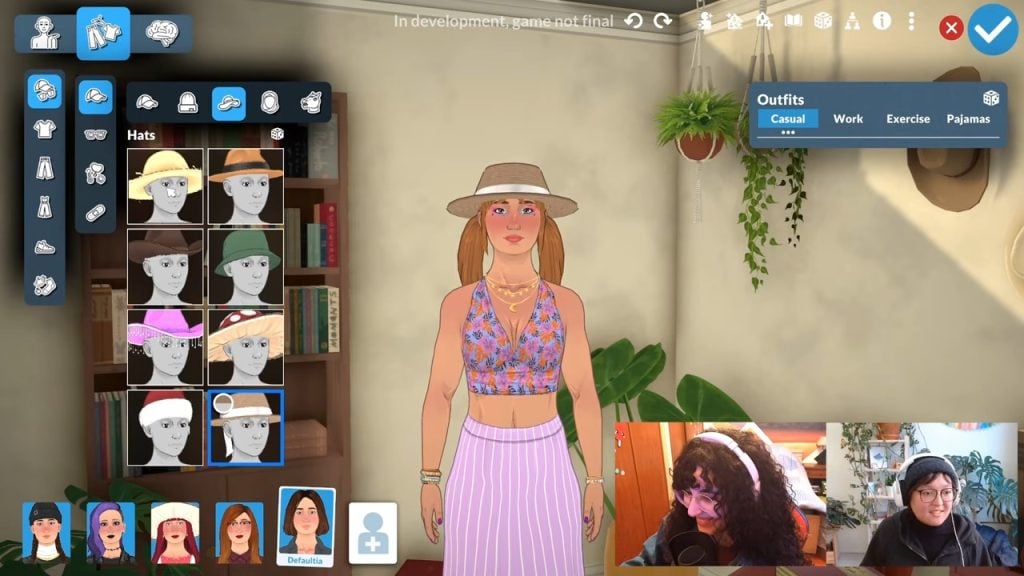
You can also see that hats fit nicely on top of tied-up hairstyles, so you don’t have to compromise.
Outfits and Clothing
Outfit Categories
We can currently choose four different outfits for our Parafolk in the Paramaker. These are ‘Casual’, ‘Work’, Exercise’, and ‘Pyjamas’.
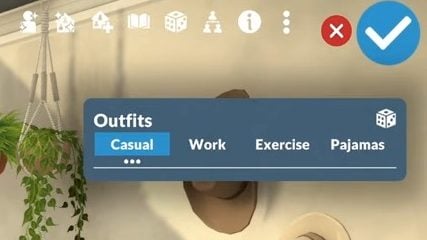
We can also see that there are options for creating outfits from tops and bottoms, and that full-body outfits can be customised through layering.
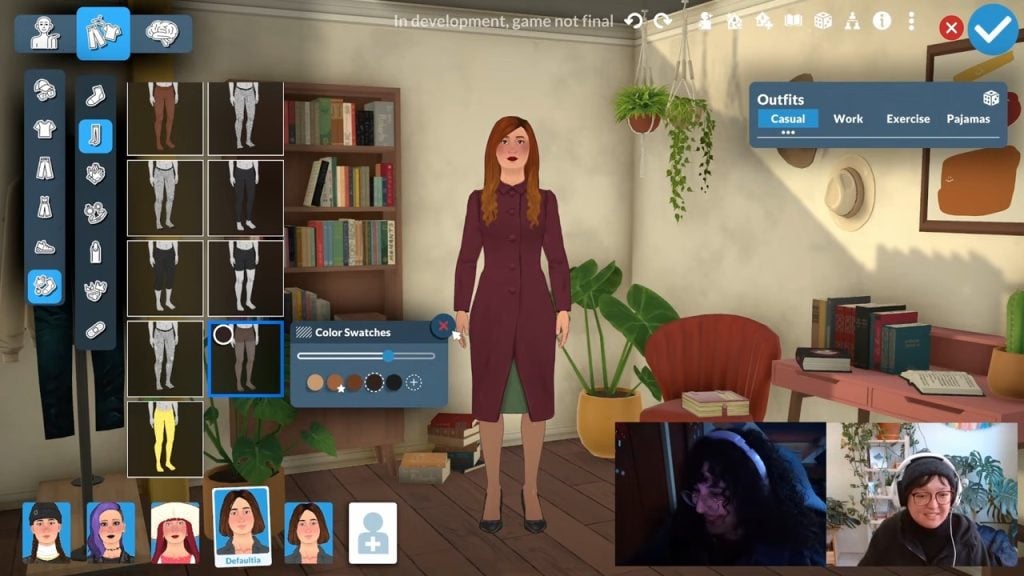
Layering Clothing
This is potentially one of the most exciting things coming with this Paramaker.
To layer clothing, such as adding long shirts under T-shirts, click the shirt you want to add a layer to, then select from the available options.
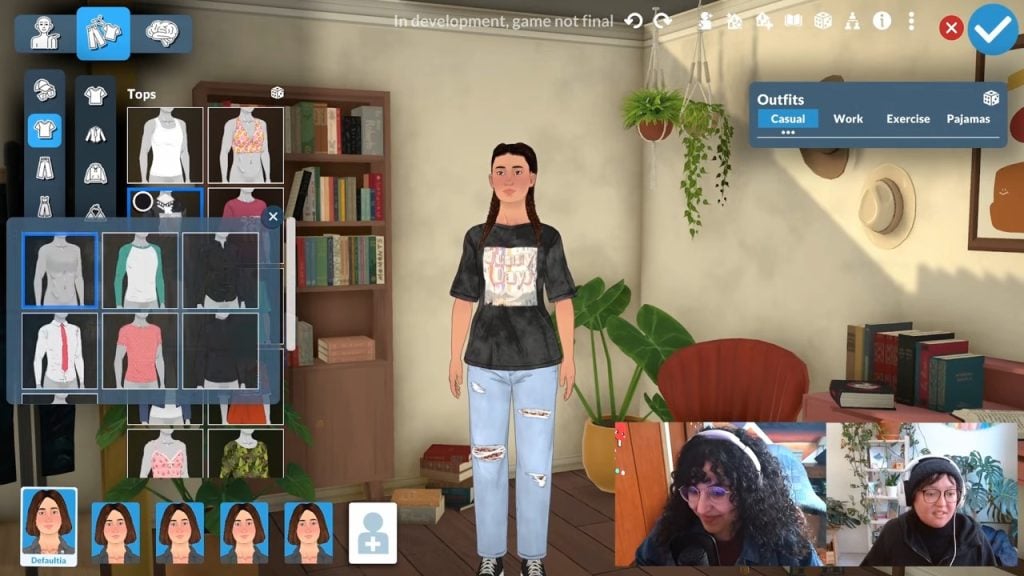
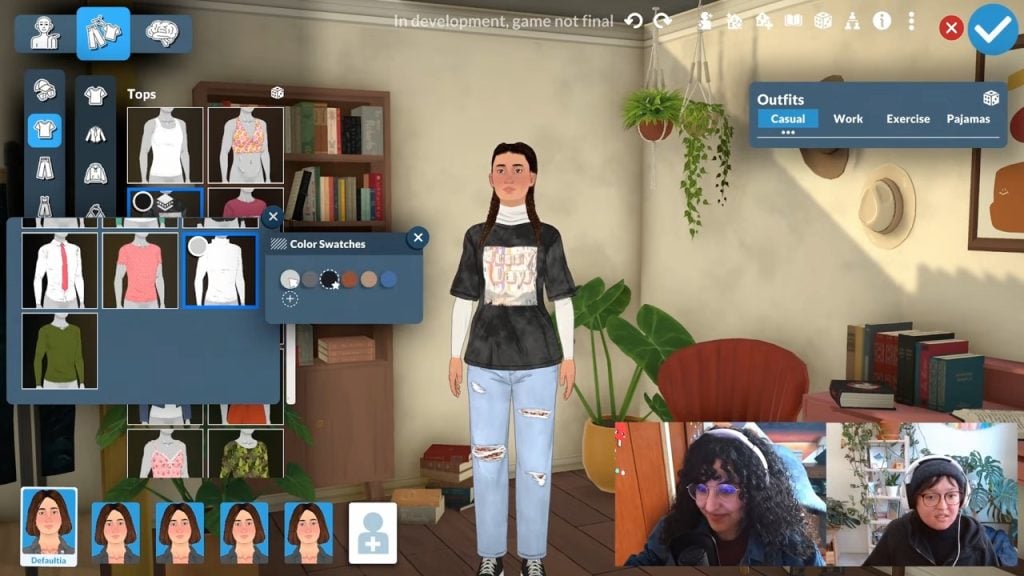
You can also layer tights and leggings under skirt and trouser options.
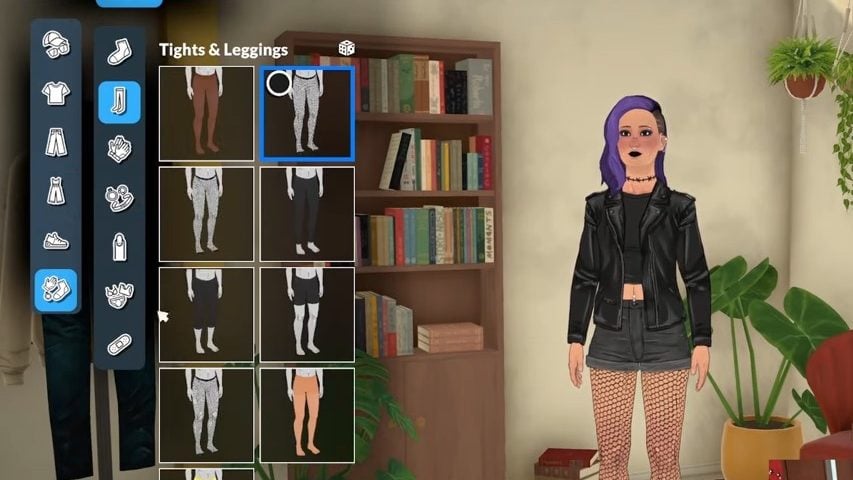
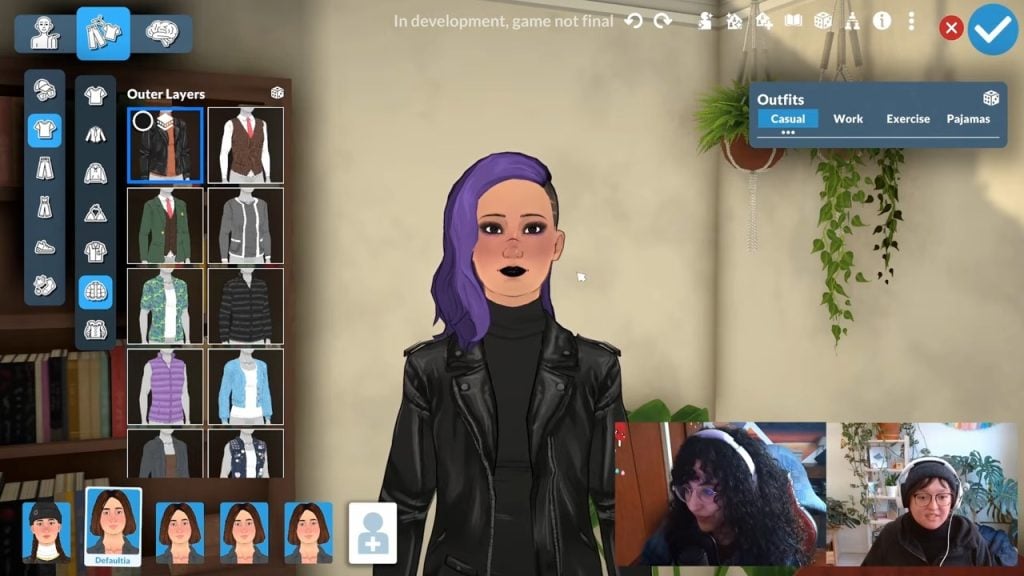
Things like coats are also categorised as ‘Outer Layers’, so it seems like you can add them on top of your existing outfits.
Clothing Colour Swatches
We got a glimpse of how the swatch selector will look in Paramaker, too. Once you click on a shirt or clothing item you want to wear, click the coloured circle, and from there you can pick the swatch you like.
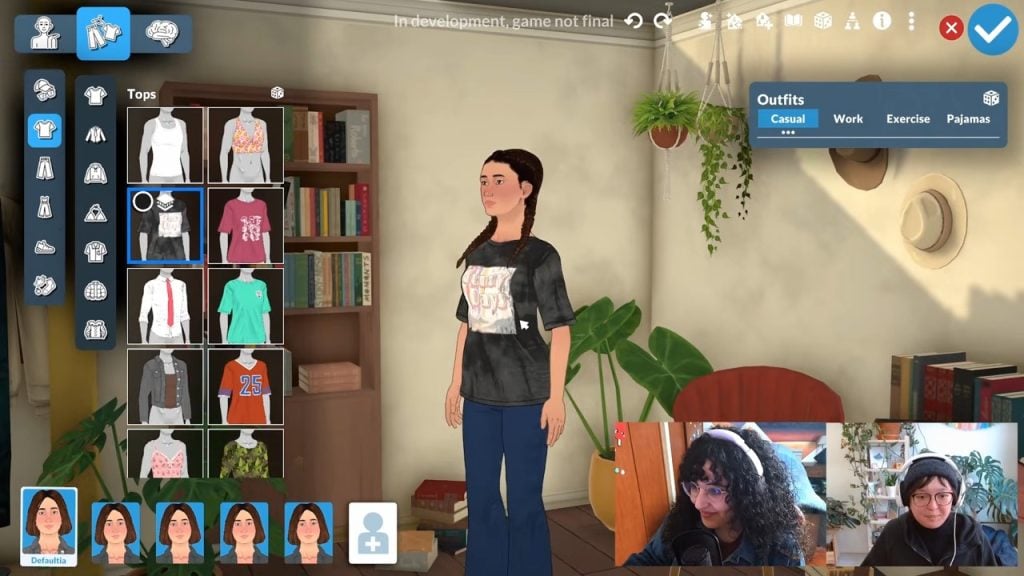
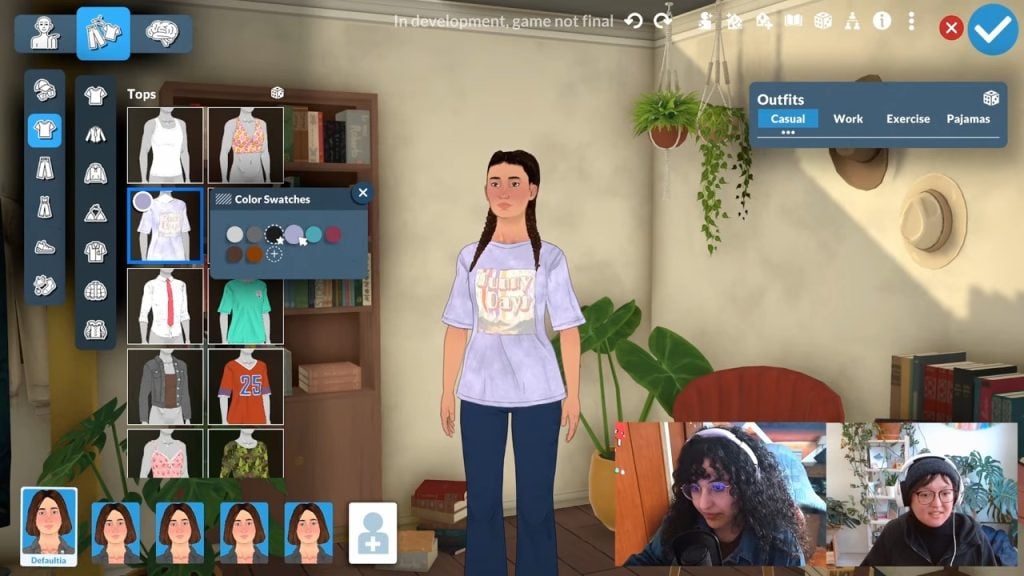
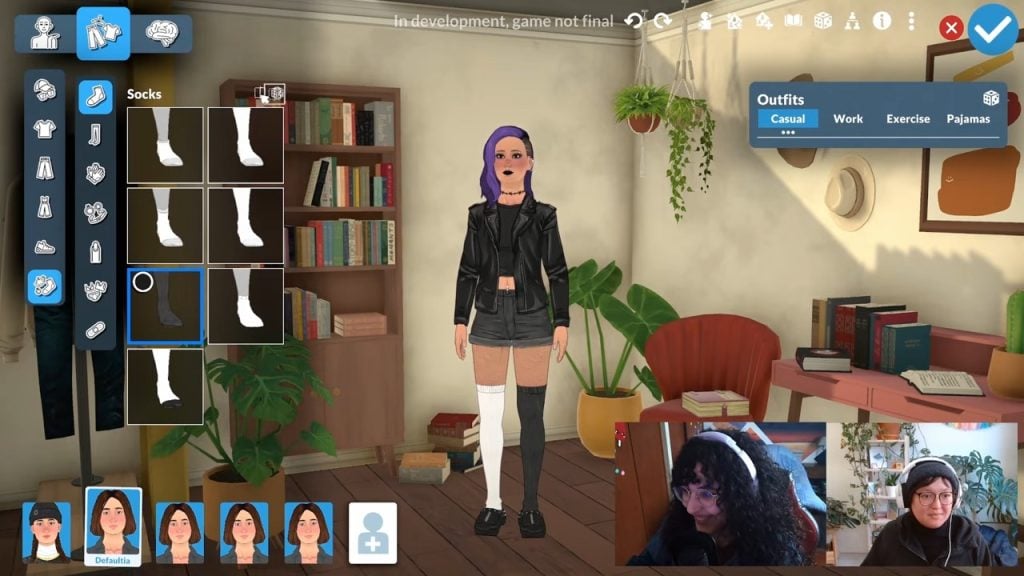
If mismatched socks are your style, you can also change sock colours individually.
Custom Swatches
If you don’t like the colour of a pre-made item, you can change it thanks to the Style Creation menu, featuring a colour wheel and hex code box, so yo can get really detailed with your colour selection.
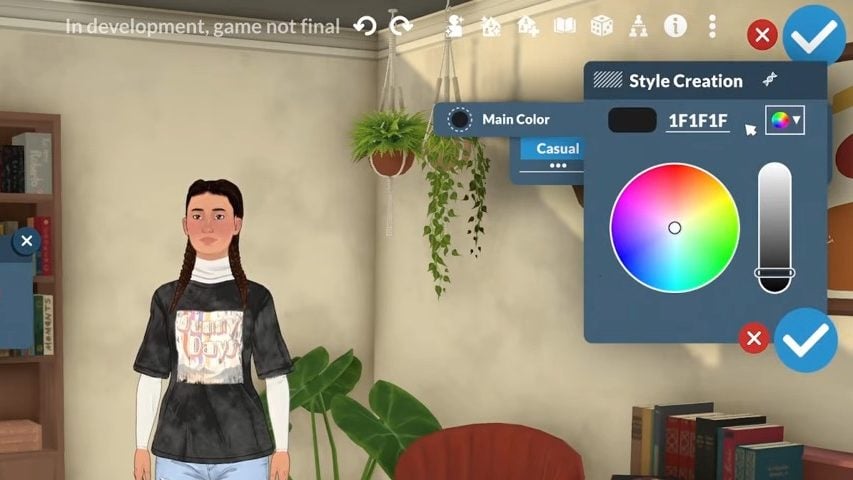
For some assets, you can create your own colour patterns such as stripes, but you can’t do this for all clothing items.
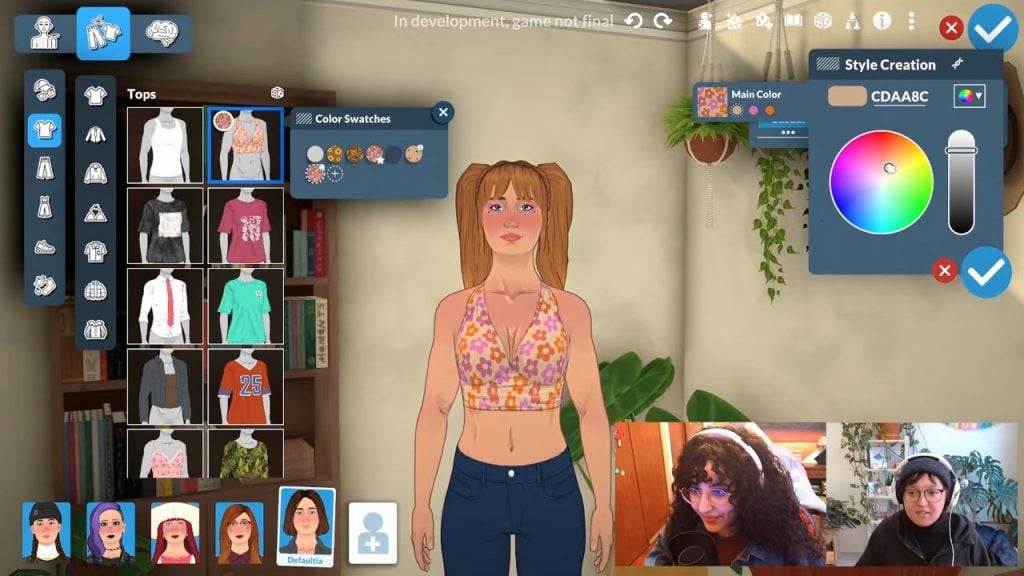
In this example, you can see the developers changing just the main colour on the shirt, but next to this are the other colour swatches for you to select and edit as you see fit.
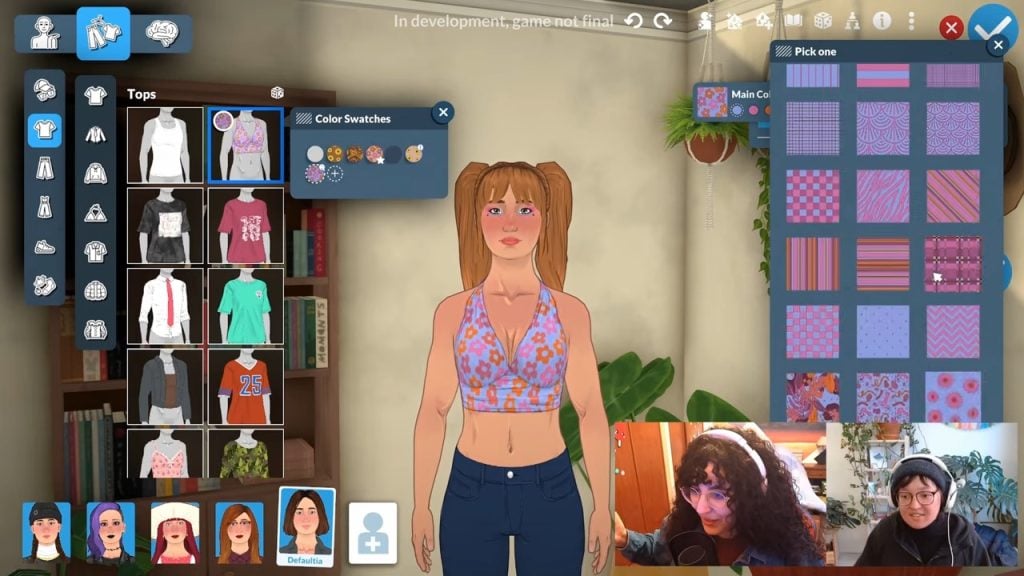
If you also want a completely different pattern, you can just click the square next to the colour options and change it to whatever you want.
Parafolk React to Clothing Options
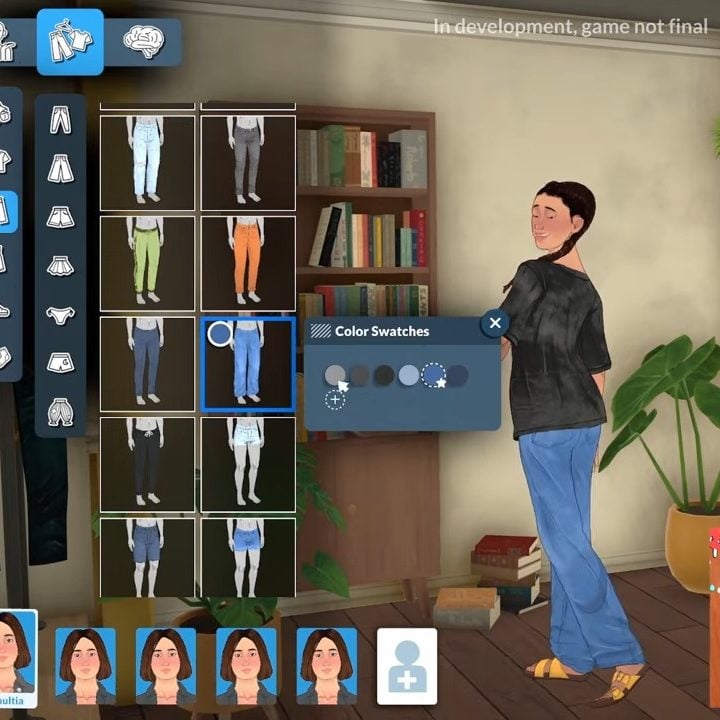
As they do with the hair options, Parafolk will react to the clothing you dress them in.
During the stream, when new clothing options were chosen, the Parafolk would adjust their pose and model the new selection. A nice and realistic touch, and also reminiscent of The Sims 2’s create-a-sim.
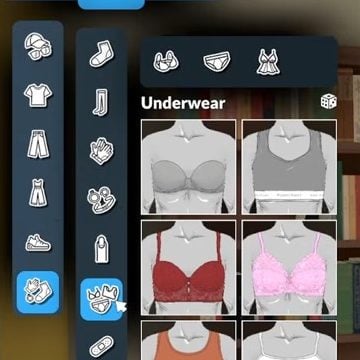
Underwear
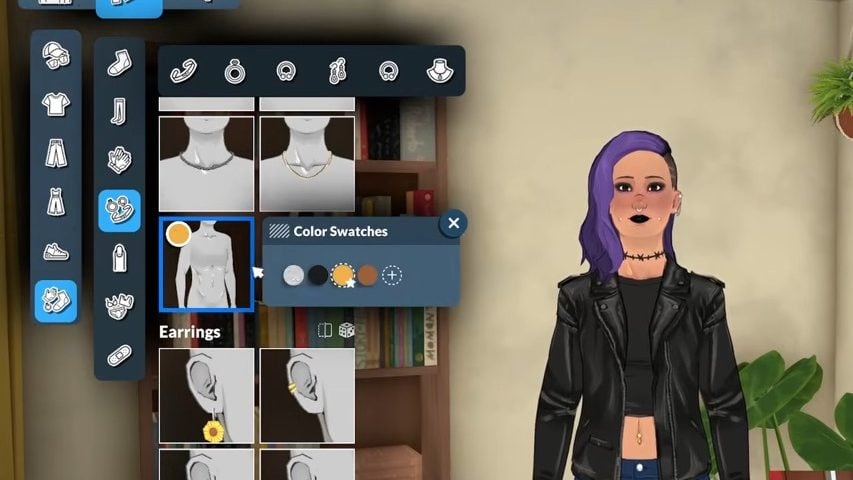
For some reason, underwear appears to be categorised under the accessories menu.
That decision was probably made to make layering easier, or to have different underwear for different outfits, because items like socks and tights are also in the accessories menu rather than clothing.
Accessories
Just like with the hair and clothing options in Paramaker, once you add a new accessory to your Parafolk, they will show their appreciation for it.
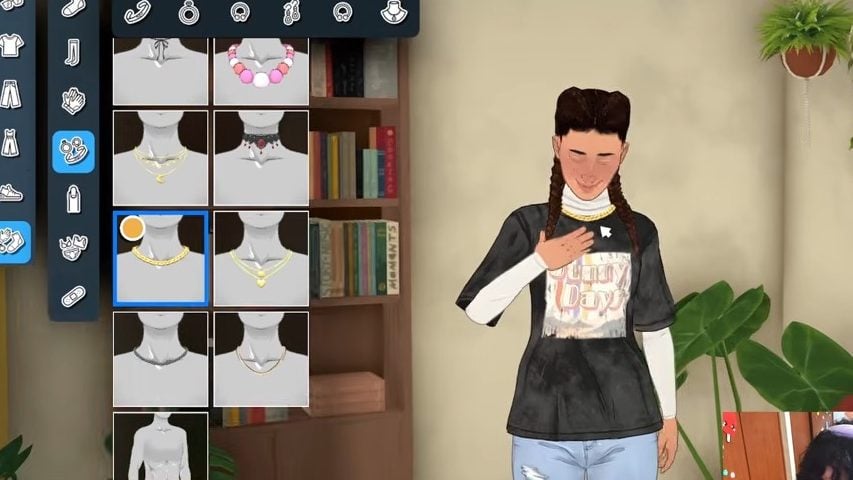
And we also got a closer look at how accessories will be categorised.
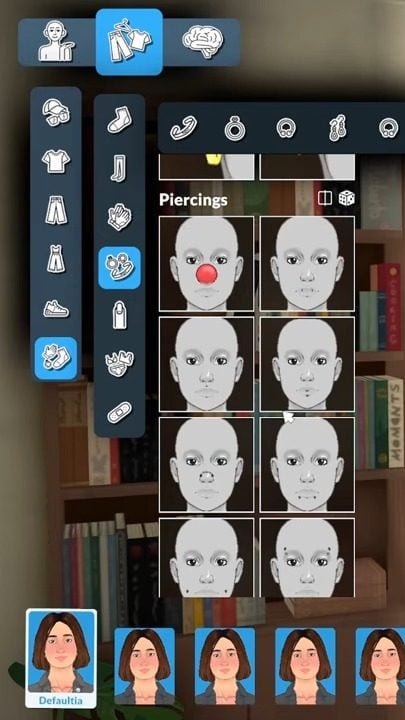
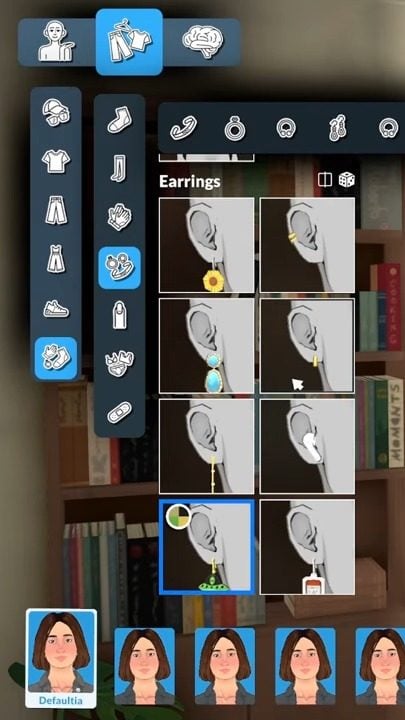
We also saw a variety of piercings, including navel/belly button, eyebrows, nose, cheek, and lip piercings.
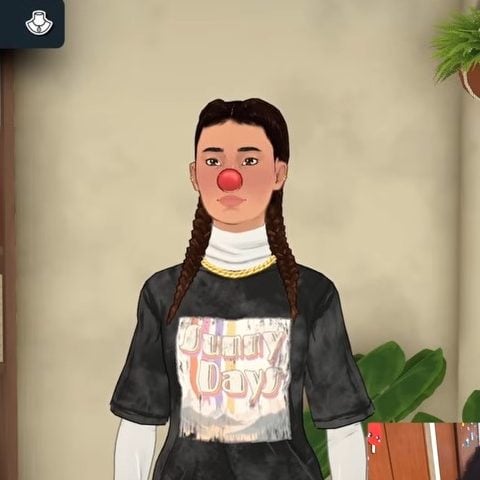
The developers also got to show off a bit of their sense of humour with quirky additions to the accessories, like a clown-nose piercing.
Accessory Placement
Within the Paramaker options for rings, you can select which side you want your Para to wear their jewellery on.
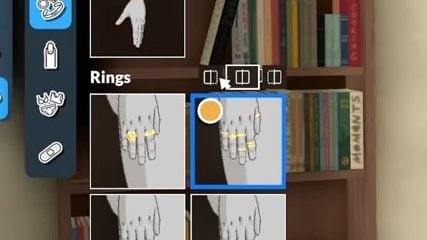
You can have rings on either just the left hand, just the right hand, or both. This gives you more customisation options as you can mix and match your accessories.
Medical Wearables
In the accessories panel, we got to see which medical items have been added to the Paramaker.
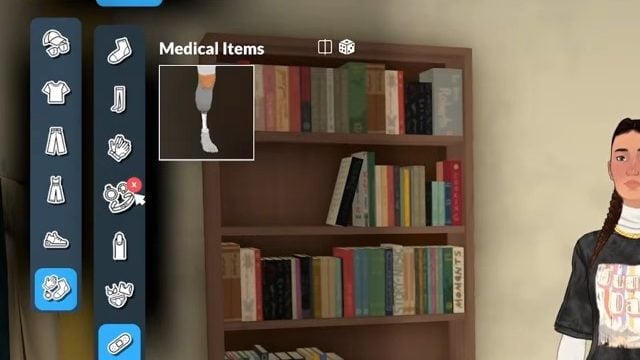
Sonia also added that things like plasters (or band-aids) would be added as development continues.
Medical wearables are seperated by where they are placed on the body. So, for example, hearing aids are in face/head accessories, and prosthetic legs are in body accessories.
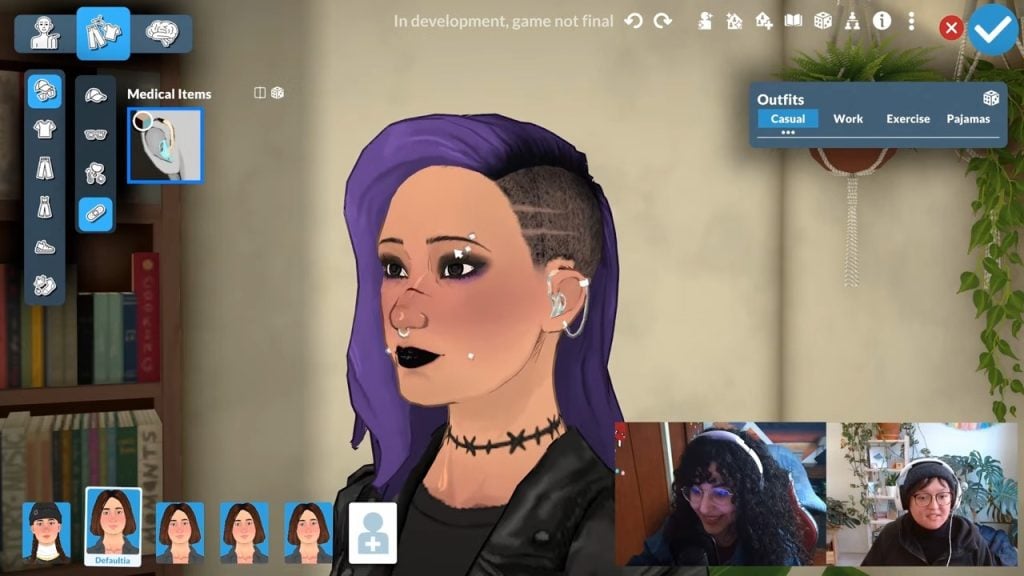
They also work with earrings, so you don’t have to choose between hearing aids and jewellery.
Glasses
Glasses have their own category, and the colours can be customised.
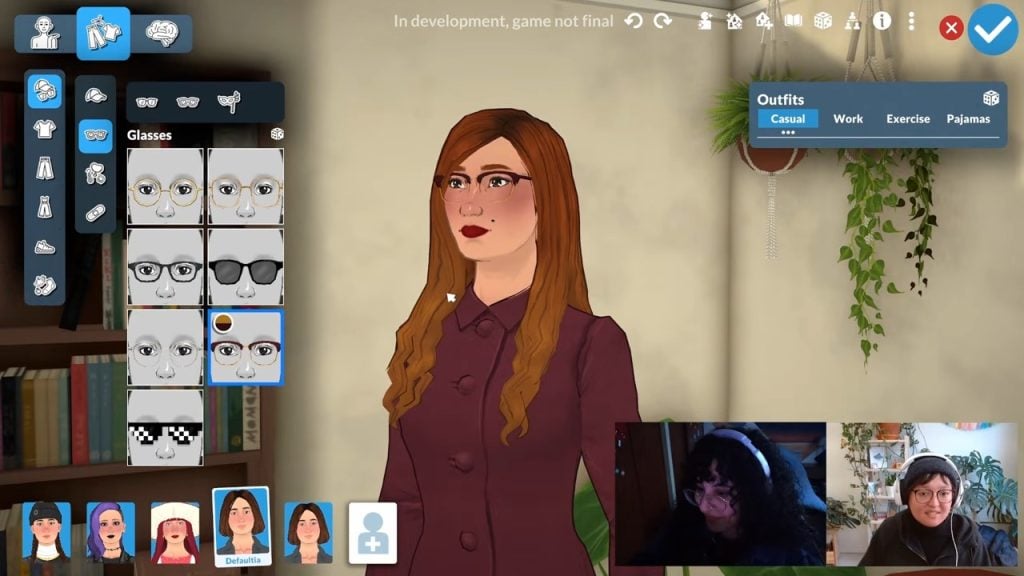
At the moment, there are only a couple to choose from, but looking at the subcategories, it looks like you can categorise them by regular wear, sunglasses, and possibly masks.
There aren’t currently any more glasses planned for launch, Sonia confirmed.
Makeup and Customisation
Makeup options can be layered, so you can wear more than one eyeliner at once, which is a nice touch.
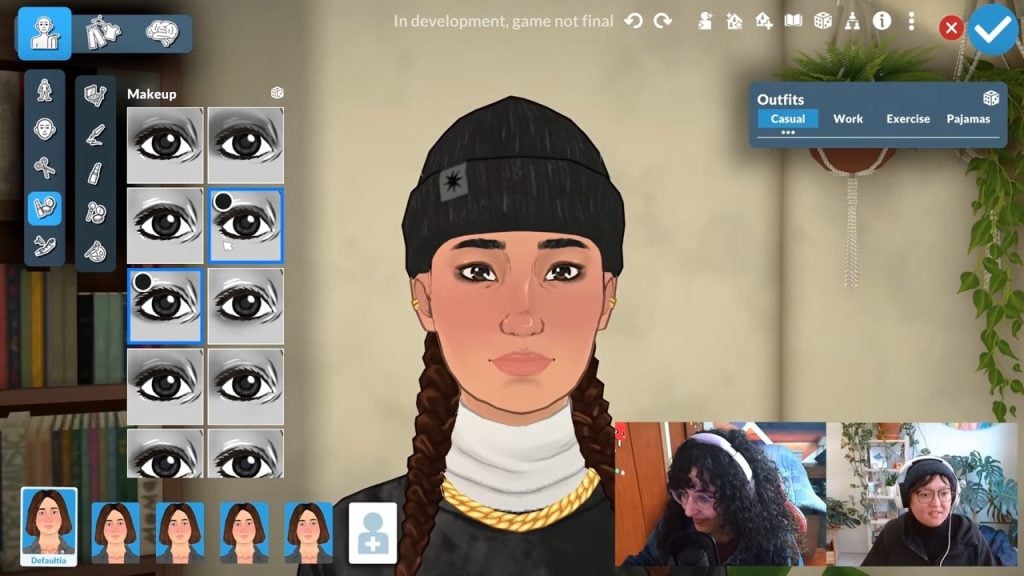
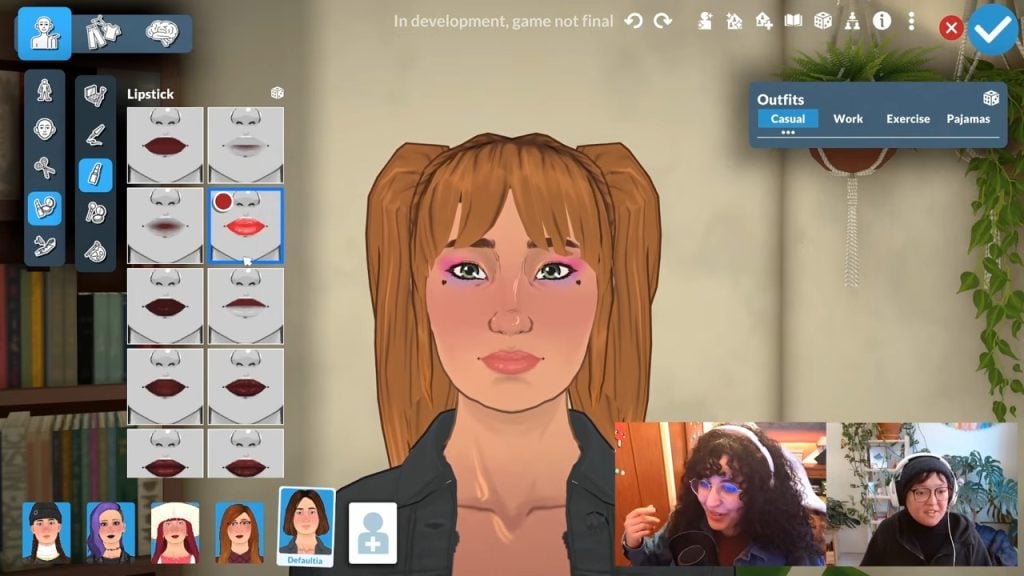
You’re also able to customise the colour and opacity of things like eyeshadows, eyeliners, lipstick, and blush.
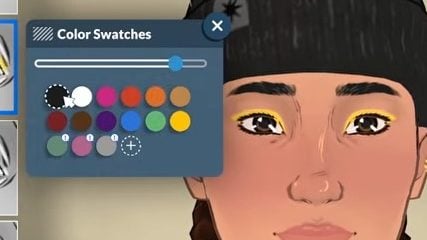
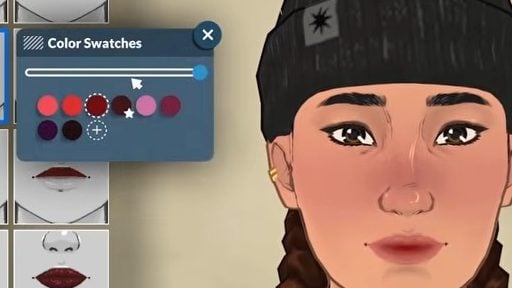
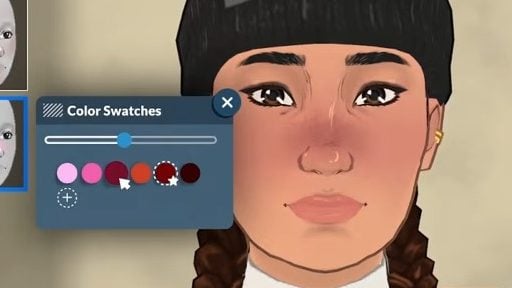
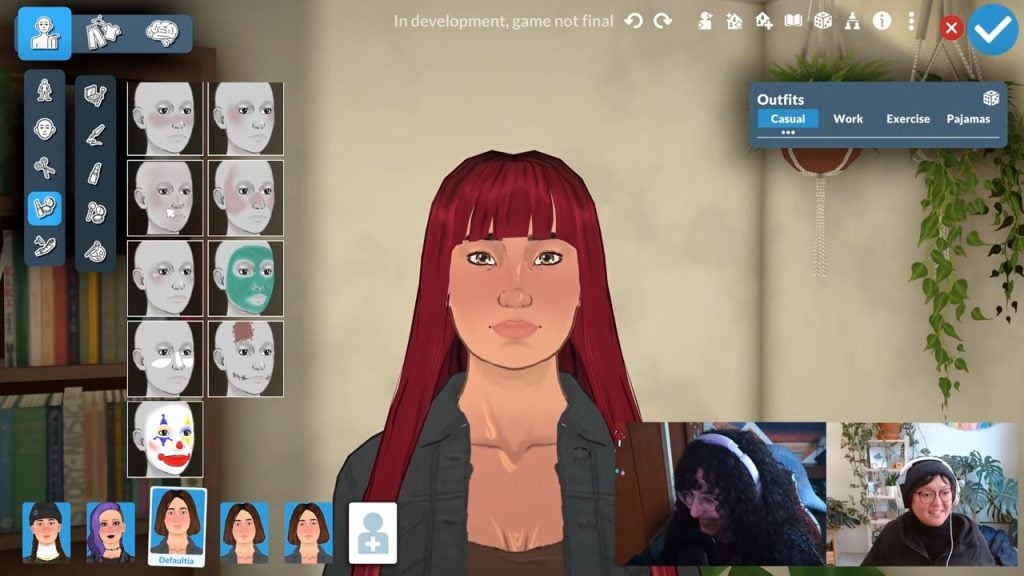
There are also a variety of interesting full-face makeup options.
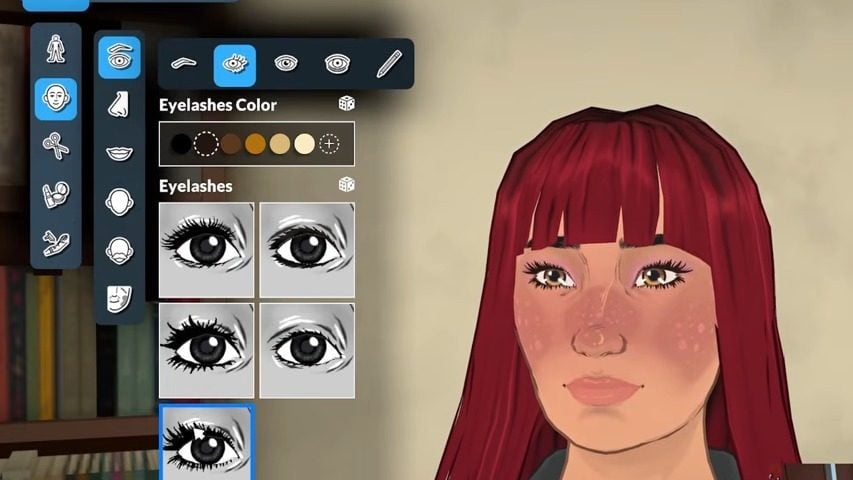
Eyelashes
There are five pre-made eyelash options in Paramaker with customisable colours.
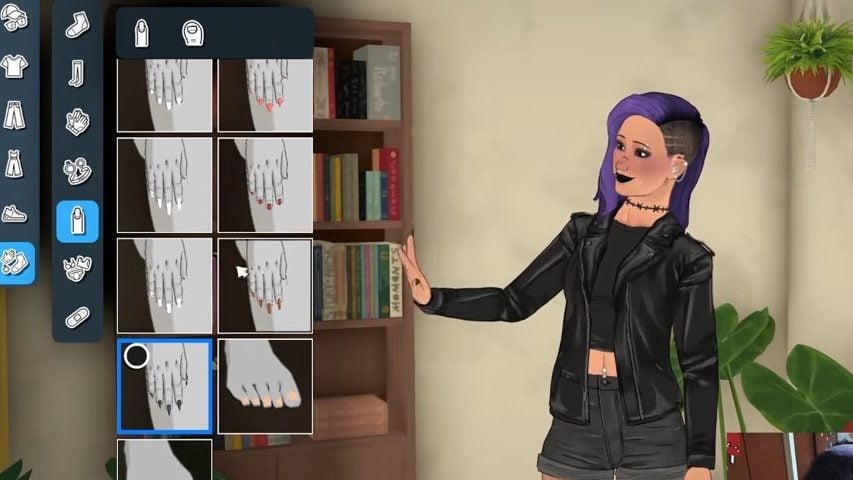
Nails
Customised fingernails and toenails are coming with Paralives and have their own category in the Paramaker.
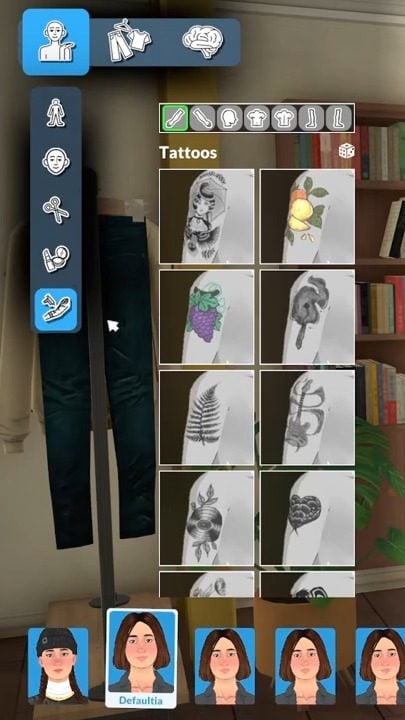
Tattoos
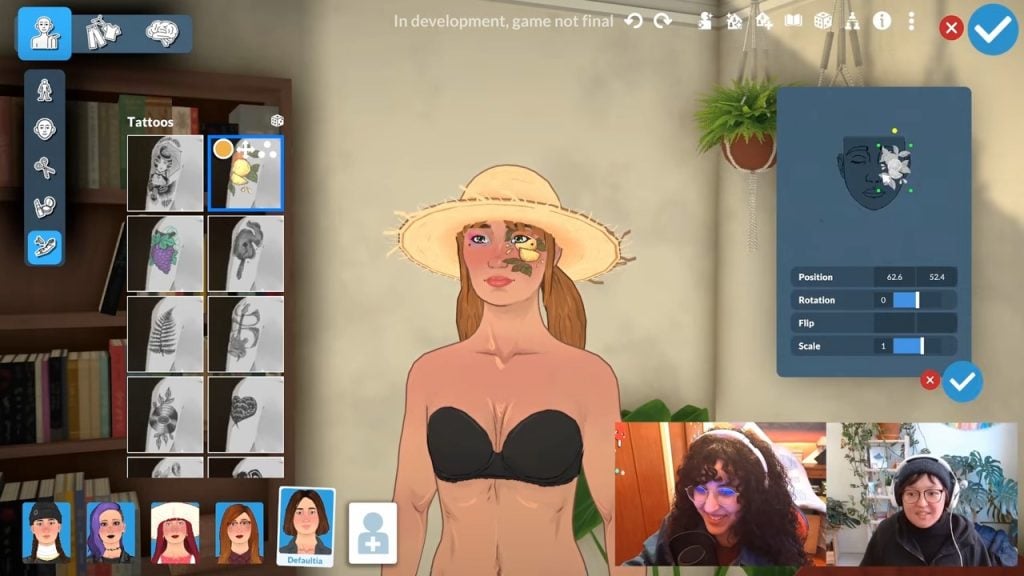
Tattoos come in a variety of styles and placements in the Paramaker, and you can even customise exactly where on your Parafolk’s body you want the tattoo, as well as how big you want it to be.
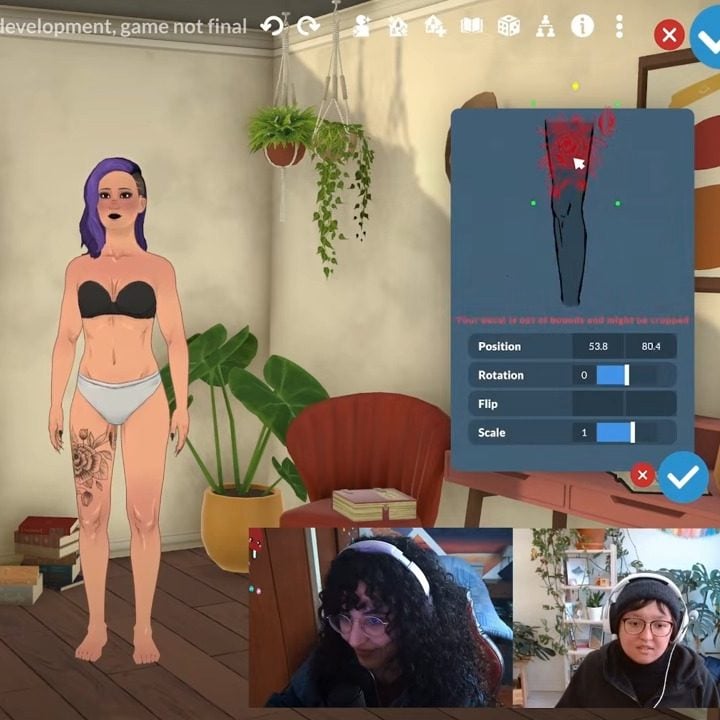
They can also be placed on your Parafolk’s face.
Mole Placement
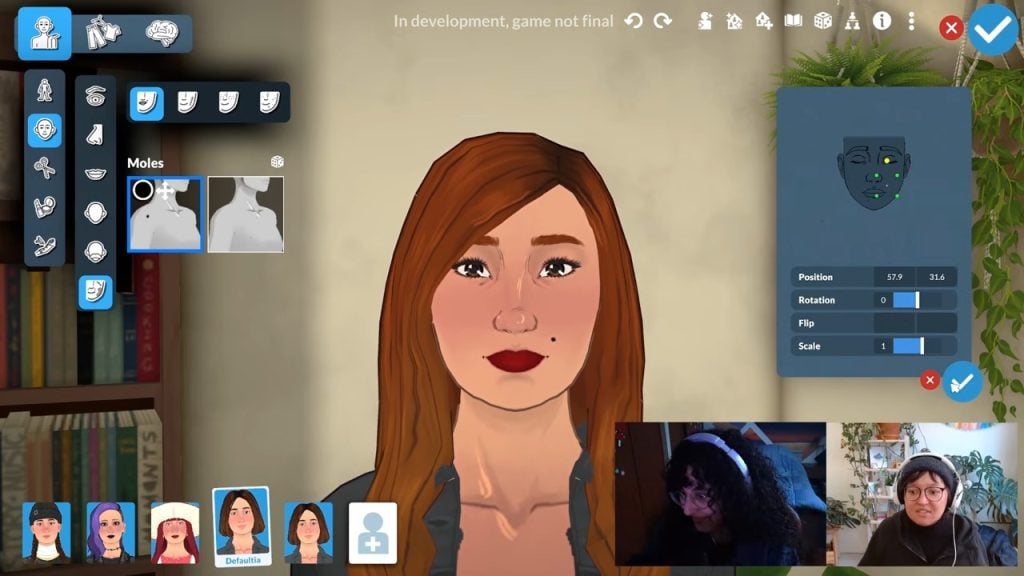
You can also add things like moles to your Parafolk, and these can be custom-placed like tattoos.
Watch The Full Video Here
Hopefully, this breakdown of the Paramaker gives you an idea of what to expect as Paralives enters early access very soon, and some inspiration to start planning your characters now.
What do you think of the Paramaker features? Are you excited to dive into character and outfit customisation? Let us know below or on social media.





They are ugly and disgusting and 2d. That’s all I have to say.