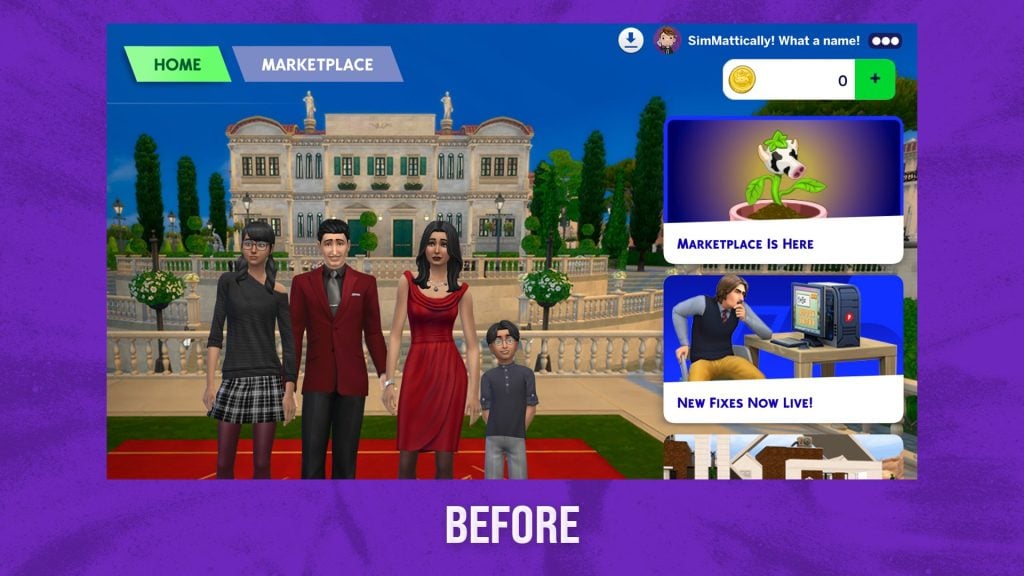
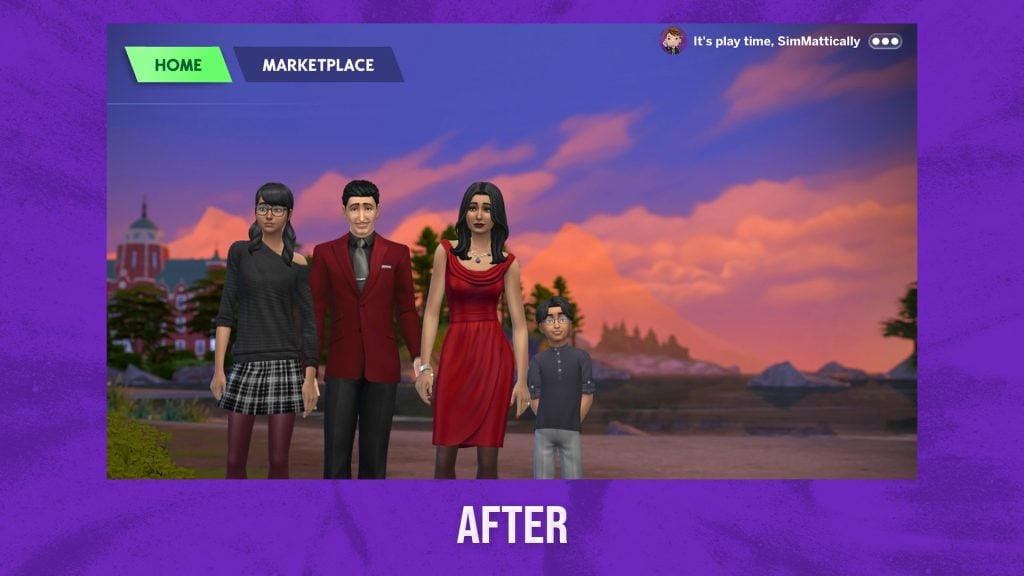
Okay, enough time has passed (2 days). We need to get rid of the Marketplace… at least from our main menu. If you’re tired of constantly seeing your Moola balance or those new UI icons every time you launch the game—especially now that the Marketplace is already starting to shift in small ways—this Sims 4 Main Menu mod might be exactly what you’re looking for.
Designed to clean up the interface, this mod hides Marketplace-related elements—like the Moola wallet and download manager icons—unless you actively open the Marketplace tab. The result is a much cleaner Home screen that feels closer to the classic The Sims 4 experience, without the constant reminder of the game’s new in-game economy.
Table of Contents
Clean your Main Menu and forget The Marketplace
The Refreshed Main Menu 3.1 is a new version of the well-known mod by Simmattically, updated to reflect the recent changes introduced with The Marketplace. Rather than completely redesigning the interface, this version focuses on subtle but impactful adjustments—especially when it comes to decluttering the Home screen.
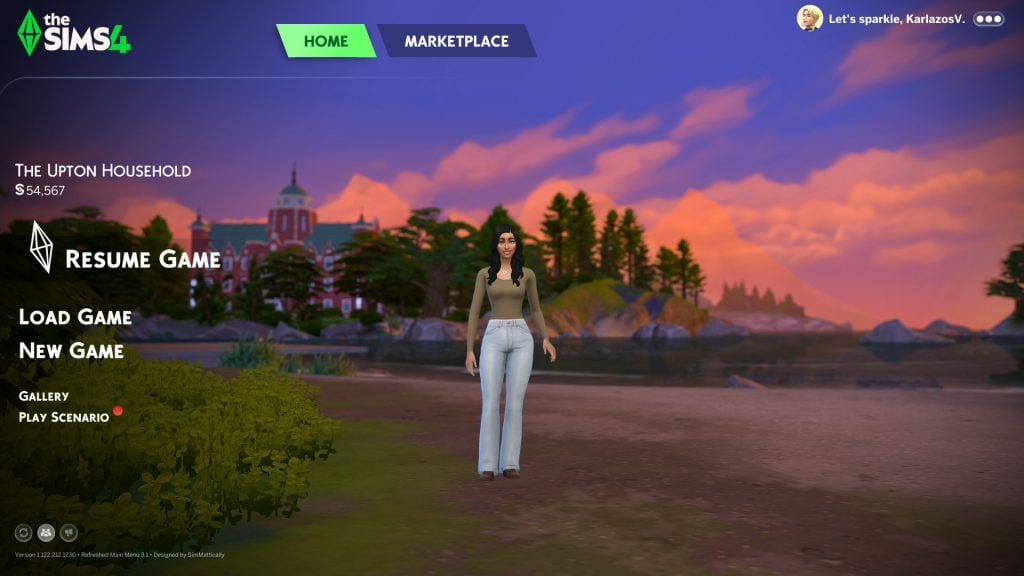
Beyond its Marketplace-focused changes, this Sims 4 Main Menu Mod also includes a variety of quality-of-life improvements that enhance the overall presentation of the game’s interface. Players can customize background images, reroll scenes, adjust or hide their household display, and even remove news panels and notifications for a cleaner experience.
The mod also introduces visual tweaks such as sharper household images, alternative logos, and fixes for UI issues like the blue overlay glitch. Altogether, these additions make the main menu feel more customizable, less cluttered, and far more aligned with how players actually want to experience The Sims 4.
Why do Simmers Need It?
The existence of mods like this also says a lot about how players are reacting to The Marketplace and its integration into The Sims 4 interface. Traditionally, the main menu has been a relatively neutral space, focused on your household, your saves, and the core experience of the game. With the introduction of a persistent wallet balance and new UI elements tied to in-game purchases, that space now feels more connected to a live service environment.
For some players, this shift may not be an issue. But for others, constantly seeing their Moola balance can change how they perceive the game, subtly reinforcing the idea of spending rather than playing.
This is especially relevant in a game like The Sims 4, where a large part of the community has been used to discovering content through free custom content platforms, modding sites, or traditional DLC purchases. The Marketplace introduces a different dynamic, and the way it is visually integrated into the game plays a big role in how it is received.
It’s not surprising to see players turning to mods that simply… remove the noise. Not to reject the system entirely, but to regain control over how and when they interact with it. By hiding these elements from the main menu, mods like this allow players to separate gameplay from monetization—bringing the focus back to what The Sims has always been about: creativity, storytelling, and personal expression.
So, how do you feel about The Marketplace being so visible in The Sims 4? If you want to dive deeper into how this system is evolving, don’t miss our other articles covering recent Marketplace changes and updates.