

The unthinkable upgrade just happened with The Sims 4 For Rent!
Modders have come to the rescue in making The Sims 4 a more deep and rich experience with this year's focus on Quality of Life Updates. Modder tyjokr decided out of the blue to make a huge leap and expand The Sims 4 For Rent by delivering the Open Apartments Mod. Allowing you to quickly stop by into the neighboring apartment through a Social Event without ever having to encounter a loading screen!
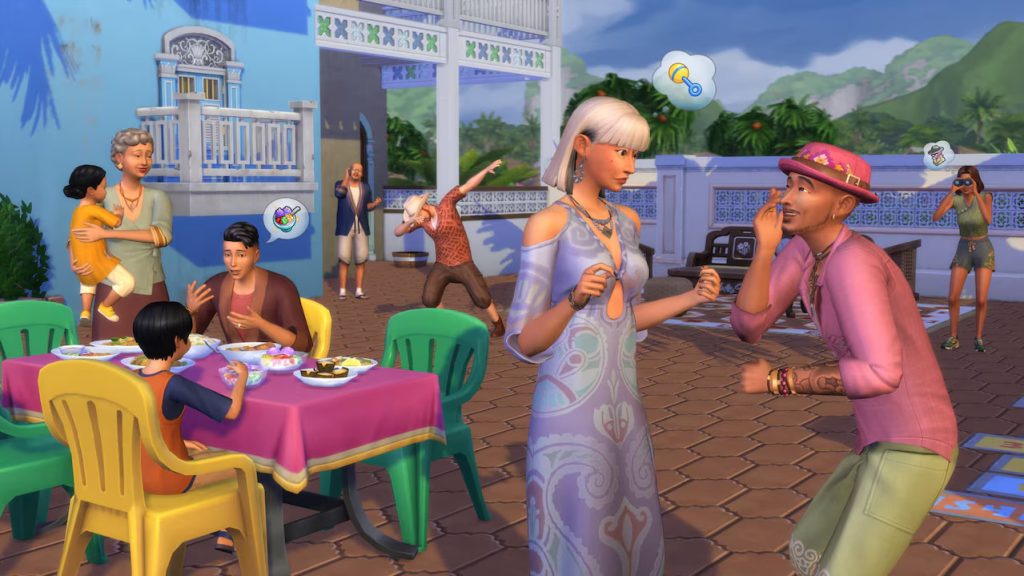
The functionality of this mod is very easy to grasp. With a Drop By interaction you're able to check up what the household next door is doing without encountering a loading screen.
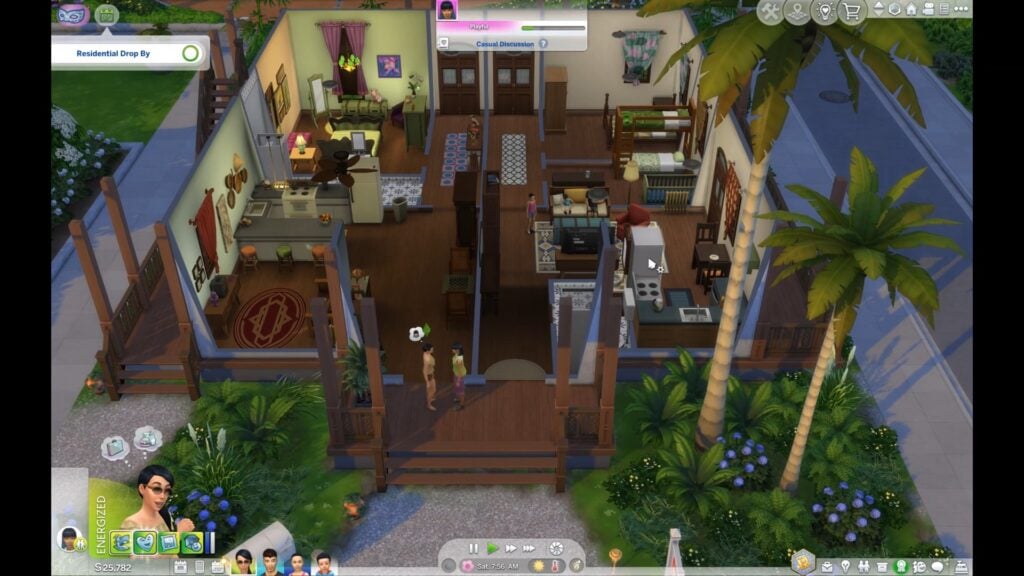
The Sims 4 Open Apartments Mod for the For Rent Expansion Pack is currently in the Early Access phase. The modder describes that some features won't work on release as they're actively expanding the mod with new features.
Table of Contents
Read the full announcement on this grand mod below:

The Sims 4 Open Apartments Mod: Official Introduction
Visit your multi-unit neighbors seamlessly, without a loading screen!
The loading screen standing between you and your neighbors has been DEFEATED. In a Residential Rental, you can now walk your Sim next door, knock, hang out in your neighbor's place, and then head home again, all without a single loading screen!
🕒 Download: Patreon
Requires: For Rent Expansion Pack
Supported Languages: All 🌍
How It Works
As we're all painfully aware, The Sims 4 only allows one lot to load at a time. Open Apartments sidesteps that for Residential Rentals by saving and instancing a neighboring unit's furniture and Sims on demand.
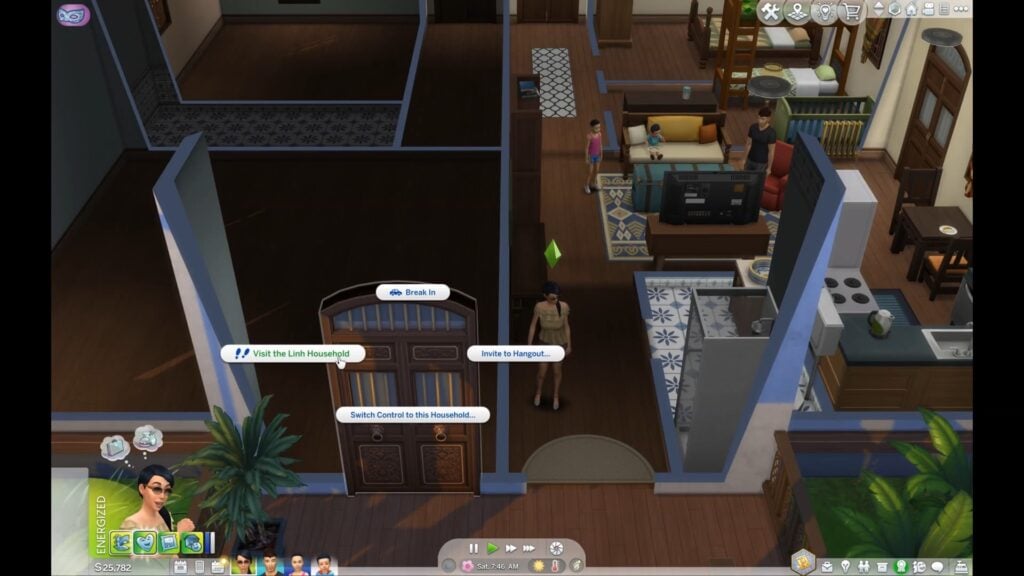
After the initial setup (more on that below), simply click a neighbor's front door or anywhere inside their unit and you'll get a dialog with two options:
- Drop By: the seamless, no-loading-screen visit
- Travel: the normal loading-screen trip
Choose Drop By and your active Sim walks over and knocks. If anyone age Child or older is home, the unit loads, an event starts, and a resident comes to greet you and invite you in. From there, you just play.
See It In Action
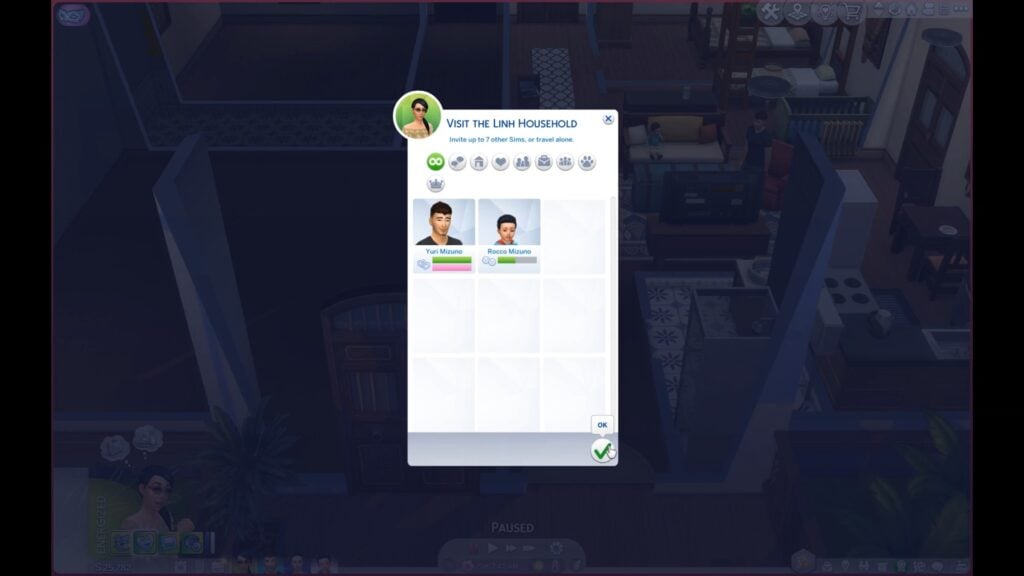
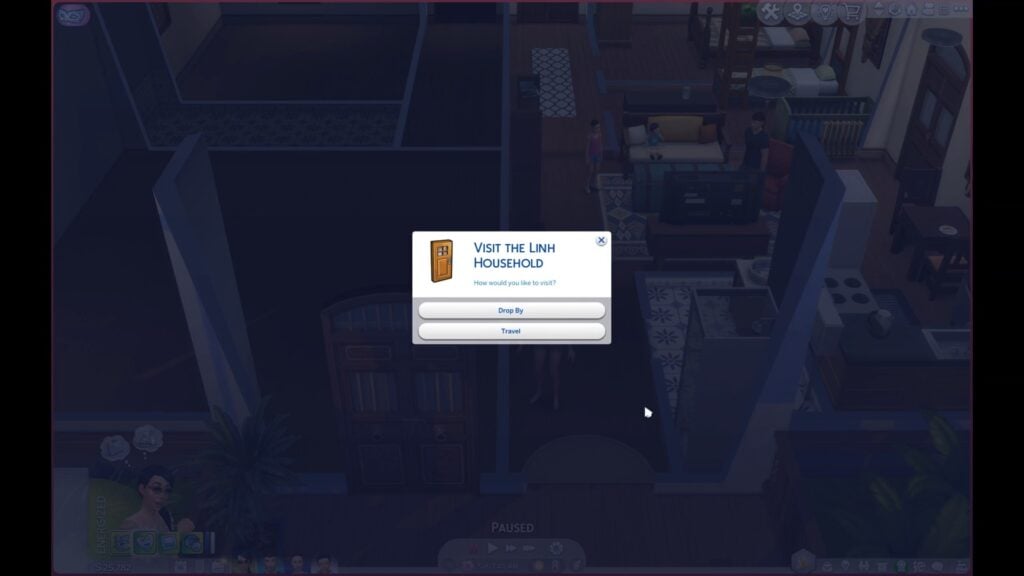
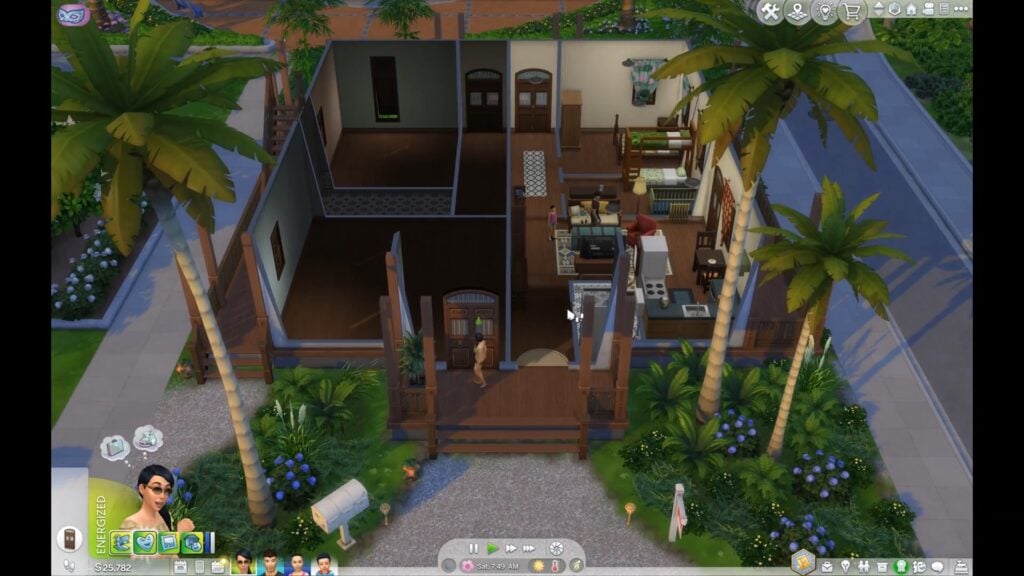
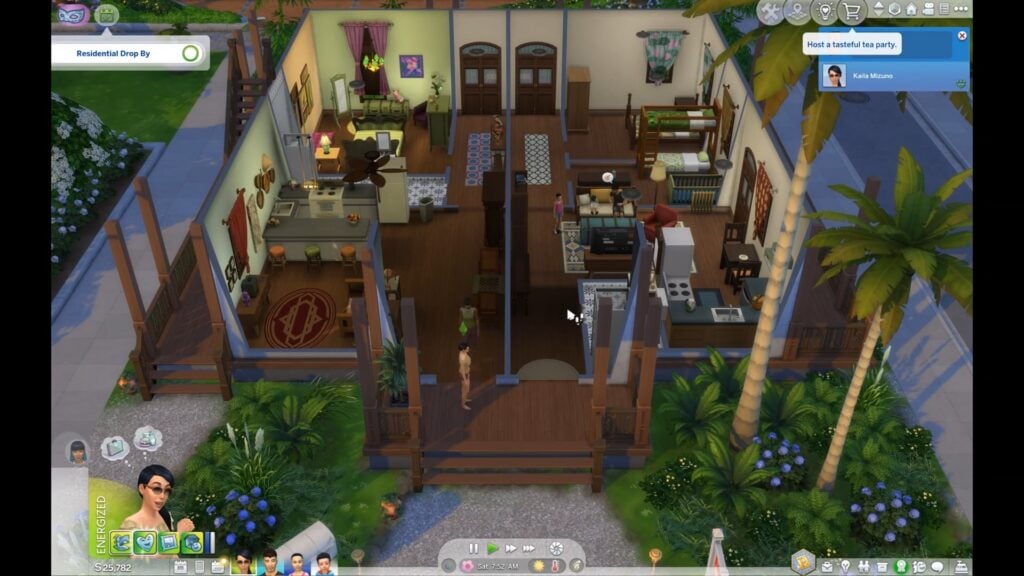
Who's Home
When you drop by, the unit can load with the following household members:
- Sims age Toddler and up
- Infants in their cribs
- Newborns in their bassinets
- Cats and dogs
Some residents won't be there:
- Anyone away at work or school (they'll show up once their shift ends)
The following household members aren't supported yet and will be skipped:
- Horses
- Farm animals
- Small pets
Neighbors settle into their own routines while you visit, and because your Sims are guests in their space, they're treated like visitors, not residents.
ℹ️ By default, only the Sims you originally chose in the picker to Drop By will freely walk into the neighbor's unit. If you want any other Sim in your household to be able to go in autonomously, just direct them into the unit once (or have them interact with something inside it) and then they'll come and go freely.
Managing a Drop By
The Drop By is managed by an event, and only one Drop By can be active at a time. The event lasts either until you end it or until every household resident age Child or older has left for work or school (at which point it wraps up on its own). To end a Drop By, just end the event; the neighbors will route back to their own units.
During an active Drop By you won't be able to enter Build Mode. This is a safety precaution. Build Mode unlocks again a few in-game minutes after the Drop By ends, once everything has been cleaned up.
By default, the Sims you're visiting won't be allowed to wander into your own household's unit. If you'd like to let them in, click your unit's front door and choose: Allow the {Household} to Enter
You can also send them back to their own unit this way without ending the event. Simply choose: Prevent the {Household} from Entering
How to Set Up the Mod
Setup is mostly automatic.
Before the mod can recreate a unit for a Drop By, it first needs to capture what's inside of the unit. A unit's data can be captured in the following ways:
- Automatically, just by being there. Whenever a unit is the one currently loaded (your own home on every save load, for instance), the mod captures it.
- By Traveling there the normal way. Take the loading-screen Travel into a neighbor's unit and it's captured on arrival. From then on, you can use the "Drop By" option.
- By making a Manage Worlds pass. Enter Build Mode on the building from the world map. This loads and captures every unit in the building at once, which is the fastest way to prep a whole building.
Captured data is stored in its own file alongside your save game, so you typically only need to capture a unit once per save file. After that, it'll update on its own whenever you make edits to the lot.
If you don't have data saved for a particular unit you're trying to visit, the mod will let you know and offer to Travel there the normal way, which captures it for next time.
Known Issues
- Some modular furniture instances imperfectly. Corner counters and corner cabinets don't retain their join when instanced during a Drop By.
- Appropriateness feedback is limited. Neighbors will react to your Sim being inappropriate in their unit, but they currently don't keep track of how many times you've been inappropriate or notify you the way they would during a normal visit.
- Only visits are supported. Break-Ins and Eavesdropping aren't supported at this time, and landlord interactions like maintenance requests are untested, so treat them as unsupported too.
- Save from Live Mode when you can. Saving and exiting straight from the Manage Worlds map is safe for your game, but it can skip the mod's data update. Whenever you edit a Residential Rental, return to Live Mode and save there to keep your captures current.
ℹ️ This mod was a huge undertaking, and while I’ve tested it thoroughly, there’s always a chance something slipped through.
Future Plans
There are a lot of ways this mod can be expanded. Here's what's currently on my mind:
- Resolve known issues
- Relationship-aware visits, where neighbors on bad terms can refuse to answer the door, and a Sim who misbehaves can get scolded and eventually shown out
- Explore if this functionality can be expanded to City Living apartments
- Explore if this functionality can be expanded to residential lots within a neighborhood
If you'd like to support this mod and its development, please consider subscribing!
Compatibility & Download
- This mod is compatible with Better Apartment & Rental Behaviors by lunar_britney.
- This mod most likely conflicts with Dimmed Inactive Rentals and Labeled Rental Units by TwistedMexi. Open Apartments dims inactive units and labels units on its own.
- This mod does not directly overwrite any files
- I've taken every precaution to safeguard the mod's functions against other mods, but if for some reason you experience a conflict, please let me know and I'll look into it!
- Mod is in early access and will become public in 2-3 weeks
Another Preview
@lunar_britney, who was one of the Mod testers for The Sims 4 Open Apartments Mod shared a unique video preview of what the mod looks like in action. Check it out!
AHH IT'S IN EARLY ACCESS
— Lunar 🇵🇸 (@lunar_britney) May 23, 2026
I was helping test tyjokr's new Open Apartments mod, which uses some clever tricks to let simmers like me, who despise reloading the game for a fkn visit, just drop by a neighbor's place! pic.twitter.com/M09nxELJCm
What are your thoughts on The Sims 4 Open Apartments Mod from tyjokr? As mentioned above, it's currently available in Early Access and will be available for everyone free to download in the next two to three weeks!
Let us know what you think in the comments below and stay tuned to Sims Community for the latest creator news!


3 Comments
Wow!! Ty is very talented & fixed many issues and improved many systems & features in the game. It’s ashame that Sims 4 devs couldn’t do this. But I wonder if it raise the specs of the game tho …
Reply to Simslishing
Oh, it will absolutely raise the specs of the game. Anytime the game has more objects on screen to load, it raises the specs. Trying to load a mansion full of clutter and living objects is much more computationally heavy than, say, a starter home in a brand new save with limited things inside.
So while the Vanilla For Rent apartments loading more than one at a time shouldn’t be too hard, I’d be wary of too many objects on a lot causing issues when paired with a mod still in testing on FR’s notoriously fragile code. Back up saves often, folks!
Reply to Silver
I tested the mod, and it work just fine.
I’m surprised this mod didn’t made more noise.
Welcome to Sims Community!
Our community is about connecting people through open and thoughtful conversations. We want our readers to share their views and exchange ideas in a safe space.
In order to do so, we've created a simple set of rules that will improve your experience. Simply put, keep it civil.
Your post will/might be rejected if it contains:
User accounts will/might be blocked if we notice:
So, how can you be a power user?
Thanks for reading our community guidelines. Please note that we're aware of certain issues with Sign In / Log In and Create Account / Email Confirmation issues. We're working behind-the-scenes on a new Account Creation process. Thank you for your patience and remember - freedom of speech is not freedom of reach