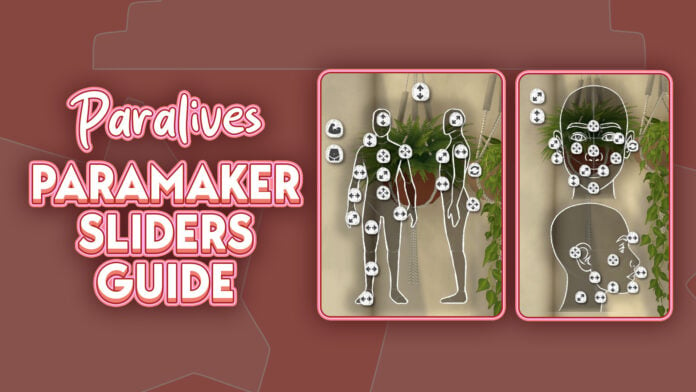
The Paramaker sliders in Paralives offer an impressive level of character customization for players who enjoy fine-tuning every detail of their Parafolk. While many character creators rely mostly on presets and a handful of sliders, Paramaker combines presets, direct manipulation points, side-profile editing, body sculpting, and a full color wheel system into one deeply customizable experience.
After spending time experimenting with the system, it quickly becomes clear just how much freedom the Paramaker gives players. Nearly every region of the face and body can be adjusted using a combination of presets, manipulation points, and advanced sliders, allowing players to create Parafolk with highly personalized facial features, body proportions, and styles.
This guide focuses primarily on Young Adult and Adult Parafolk since they currently provide the largest range of slider options and manipulation points. Different life stages will also be covered briefly through the height system and general body scaling features.
Table of Contents
Understanding Paramaker Sliders in Paralives
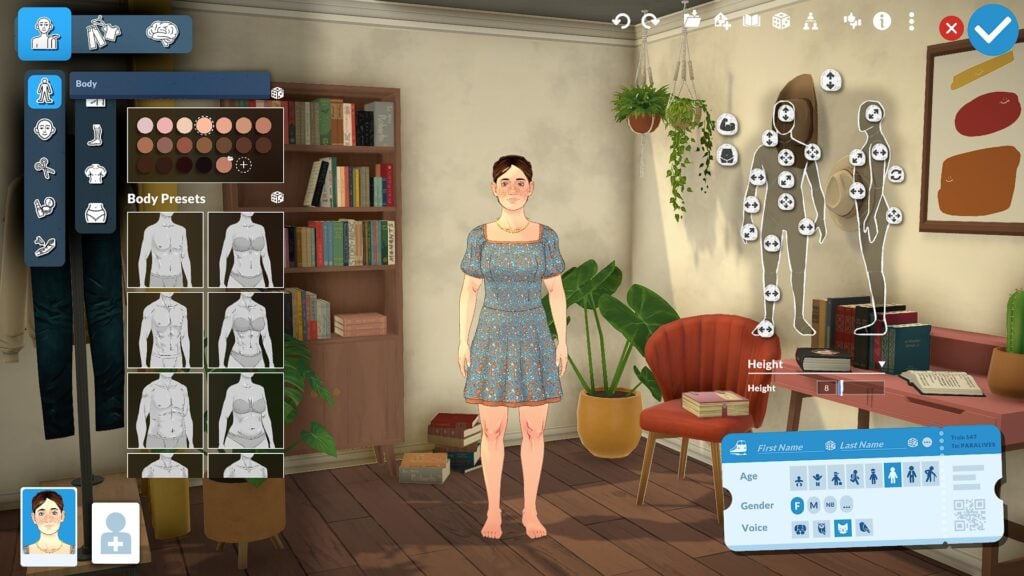
Before diving into specific facial and body features, it helps to understand how Paramaker Sliders in Paralives are organized and how the overall interface works. The system is divided into three primary categories: Appearance, Clothing, and Personality. Most slider customization is found inside the Appearance section, where facial regions are separated into categories including the eyes, nose, mouth, forehead, ears, and facial structure.
Each category combines presets with advanced manipulation points that allow players to directly shape different facial and body features. Players can quickly select presets for faster customization or spend more time fine tuning details through traditional slider bars and direct manipulation. Features can also be adjusted from both front-facing and side-profile views, making the editing process feel much more interactive than many traditional Create-a-Sim systems.
One of the most impressive parts of the Paramaker interface is how approachable the system still feels despite the large number of customization options available. While the amount of sliders and manipulation points may seem overwhelming at first, the category-based layout helps keep customization organized and easy to navigate. After spending time experimenting with the system, the interface begins to feel far more intuitive than it initially appears.
Face Slider Options in Paramaker
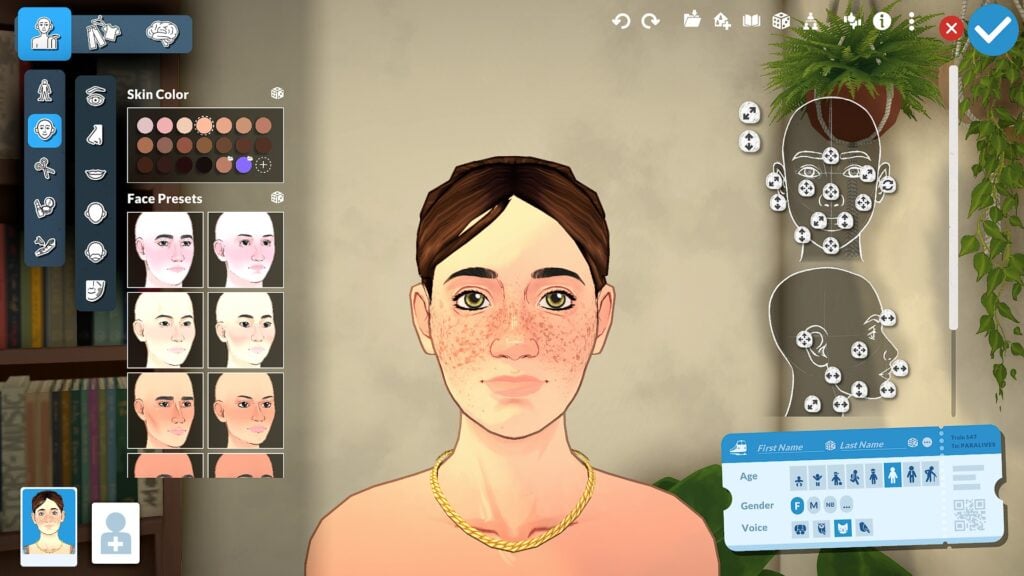
Facial customization is where the Paramaker begins to show just how detailed the system can become. Nearly every area of the face includes its own collection of presets, sliders, and manipulation points, allowing players to shape facial features with a surprising amount of precision.
Eye Sliders and Customization
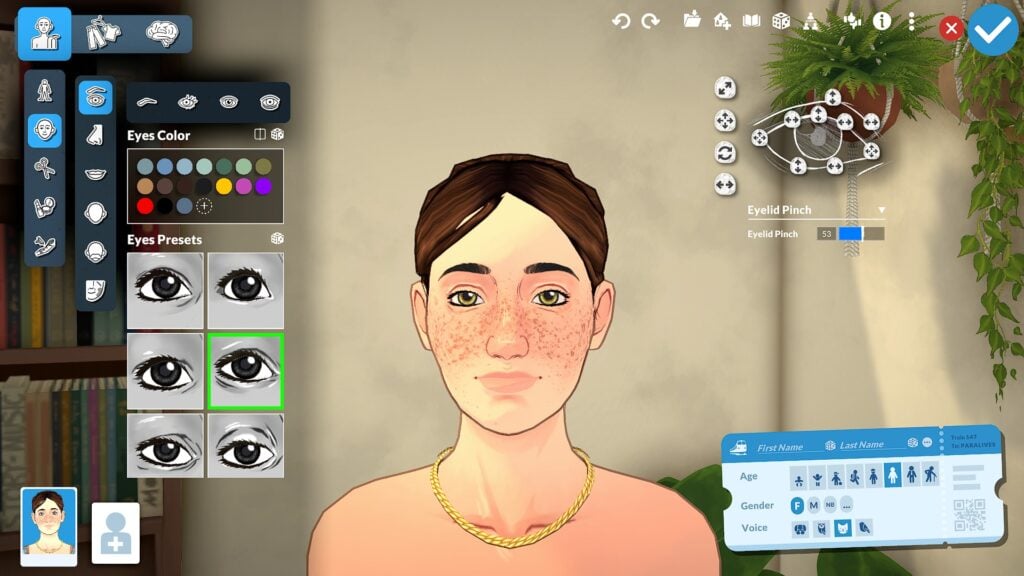
Eye customization includes controls for eye height, depth, width, eyelid shape, rotation, and corner positioning. Players can also customize eyelashes, iris colors, highlights, and dark circles, adding smaller details that help faces feel more expressive and unique. The ability to fine-tune these features from both front-facing and side-profile views makes the editing process feel much more interactive than a traditional Create-a-Sim menu.
Nose Sliders and Presets
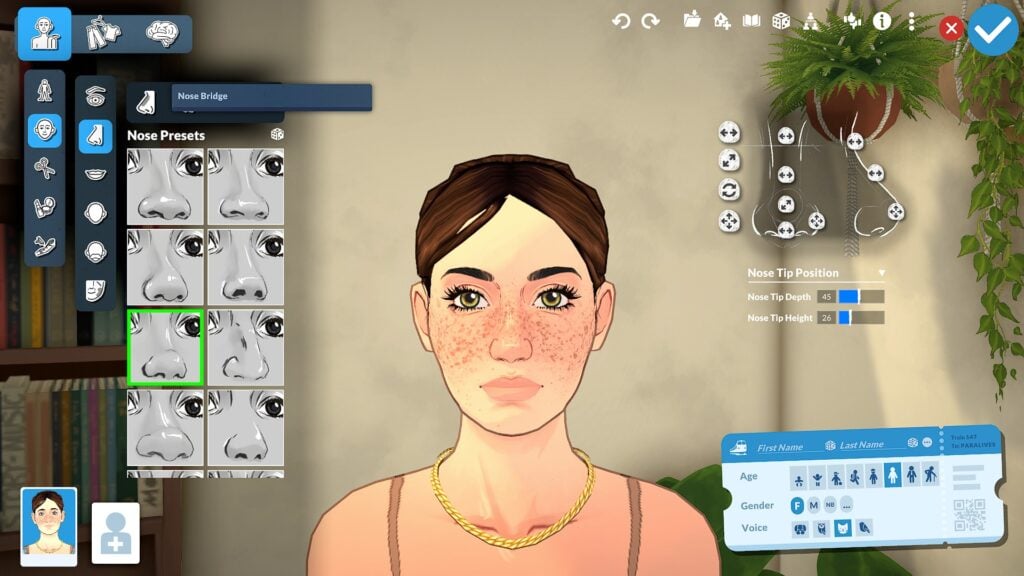
Nose customization also goes far beyond simple presets. Players can adjust bridge width, nostril size, nose depth, tip rotation, and overall profile shape using a combination of sliders and direct manipulation points. Side-profile editing is especially useful here since it allows players to sculpt the overall silhouette of the face more naturally.
Mouth Sliders and Lip Customization
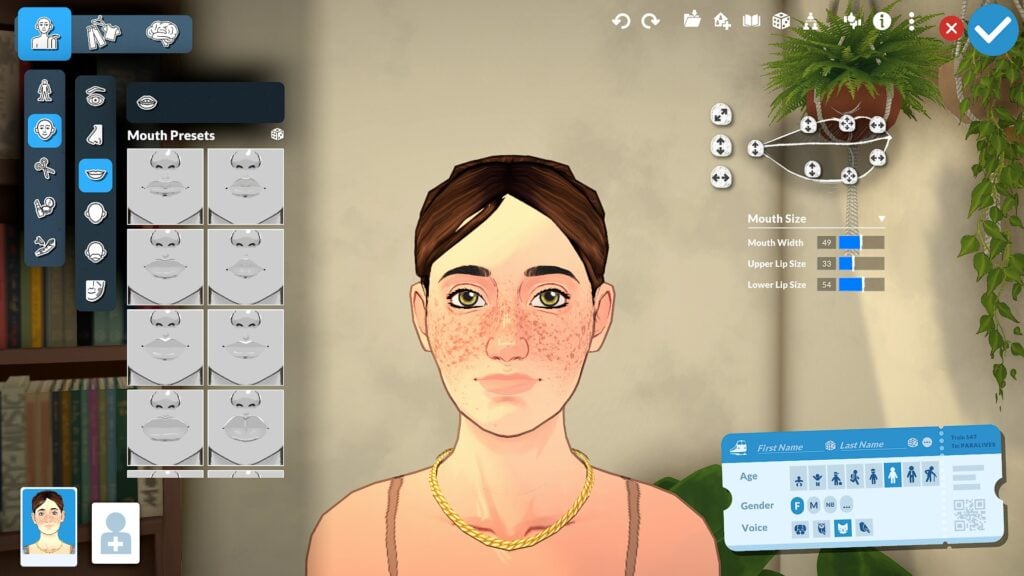
Mouth and lip editing offer similar flexibility. Players can shape upper and lower lips independently while also adjusting mouth width, depth, lip fullness, cupid’s bow shape, and mouth corners. Combined with broader facial structure sliders for the jawline, chin, cheeks, forehead, and ears, the Paramaker allows players to create highly personalized faces with a level of control that already feels surprisingly advanced for a life simulation game.
Facial Structure Sliders
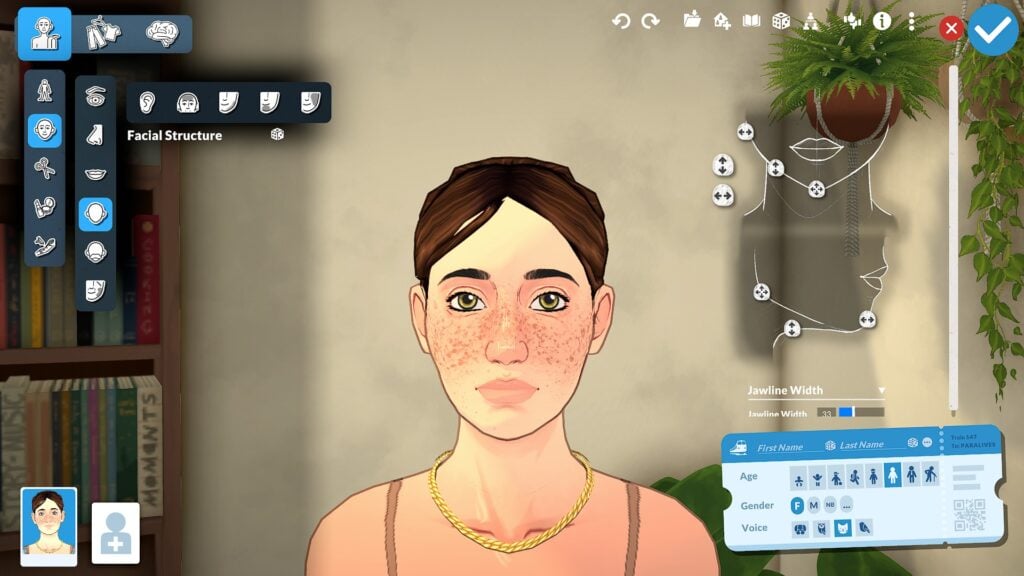
Beyond individual facial features, Paramaker also includes broader facial structure sliders that affect the overall shape and proportions of a Parafolk’s face. Players can adjust areas such as the jawline, chin, cheeks, forehead, and ears using a combination of presets, manipulation points, and detailed sliders. These larger structural changes help create more distinct face shapes while also making smaller adjustments to the eyes, nose, and mouth feel more natural together. The ability to sculpt both subtle and dramatic facial differences gives Paramaker a level of flexibility that feels much more advanced than relying only on preset face templates.
Teeth Customization
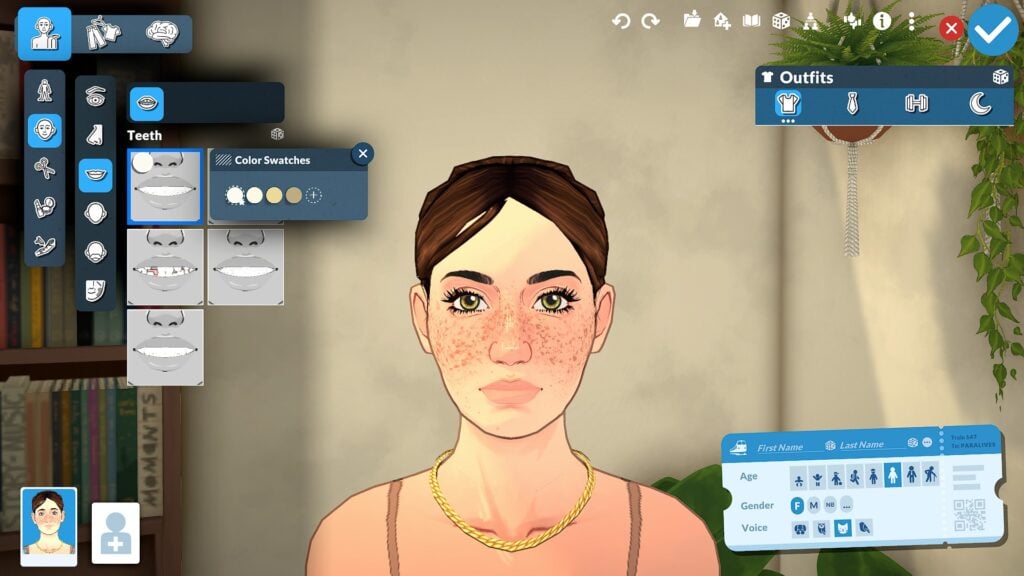
One of the smaller but memorable details is the inclusion of teeth customization, including different preset styles and color swatches. While subtle, these smaller options help reinforce just how much attention Paramaker gives to individual character details.
Body Shape Slider Points
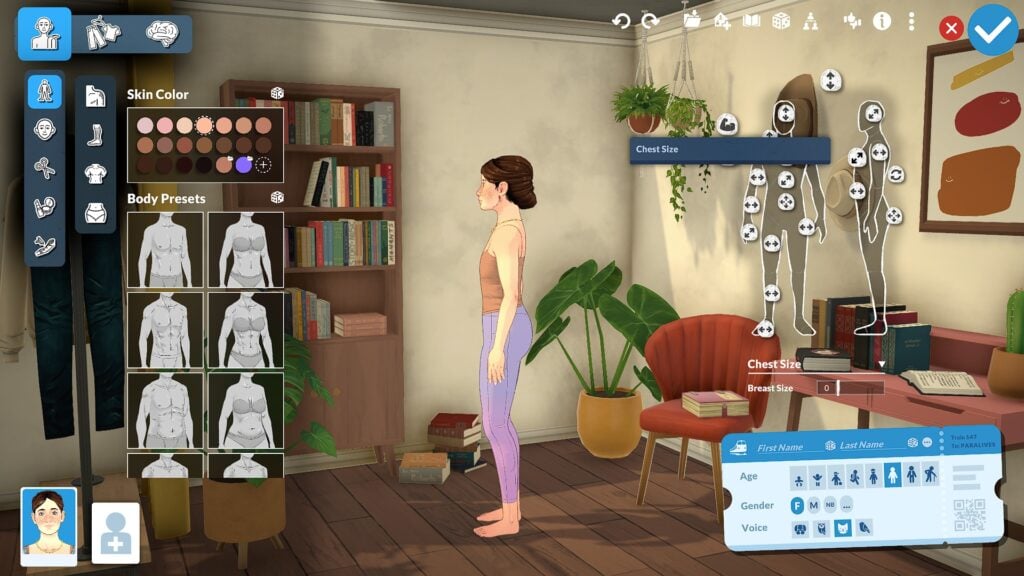
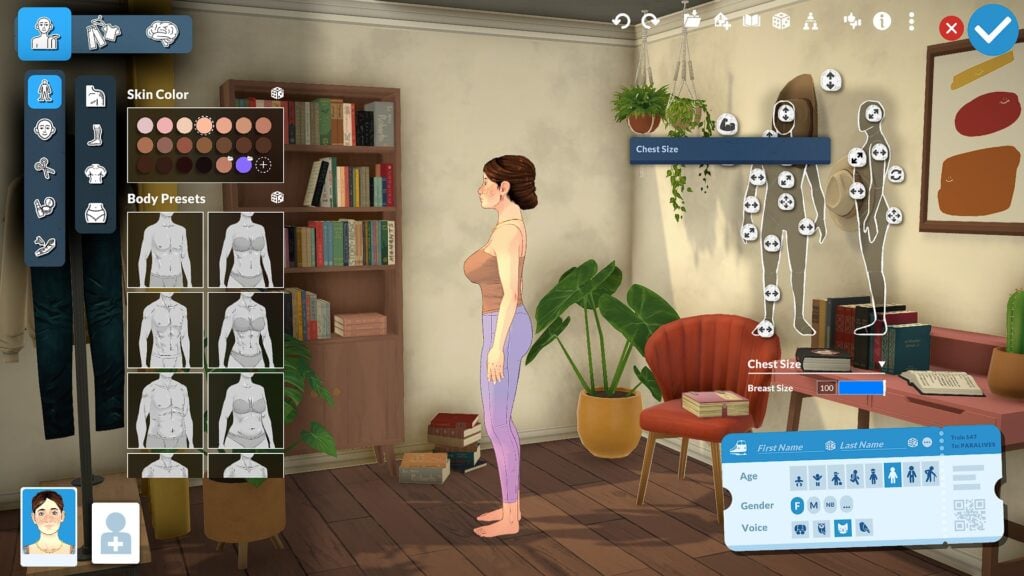
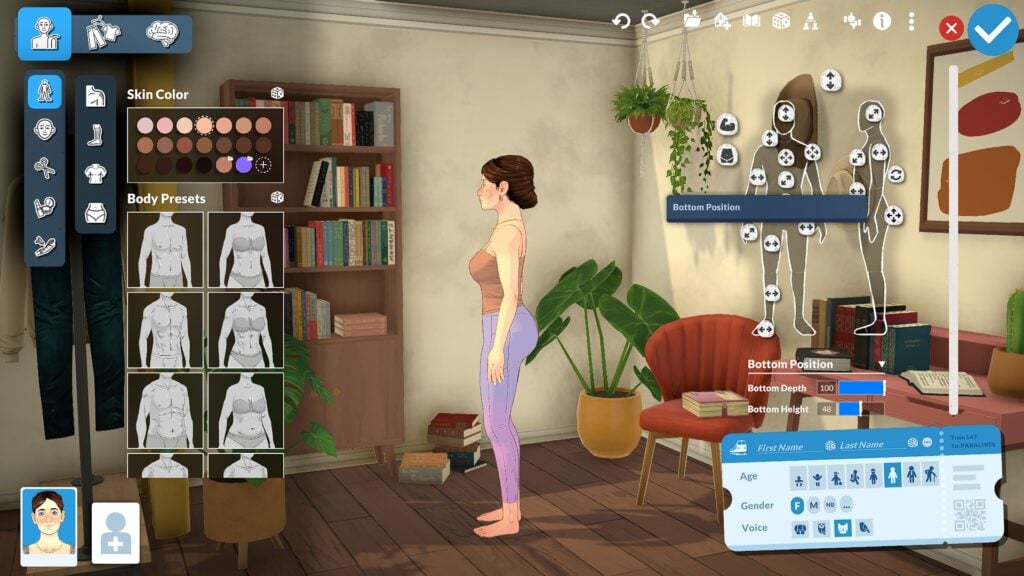
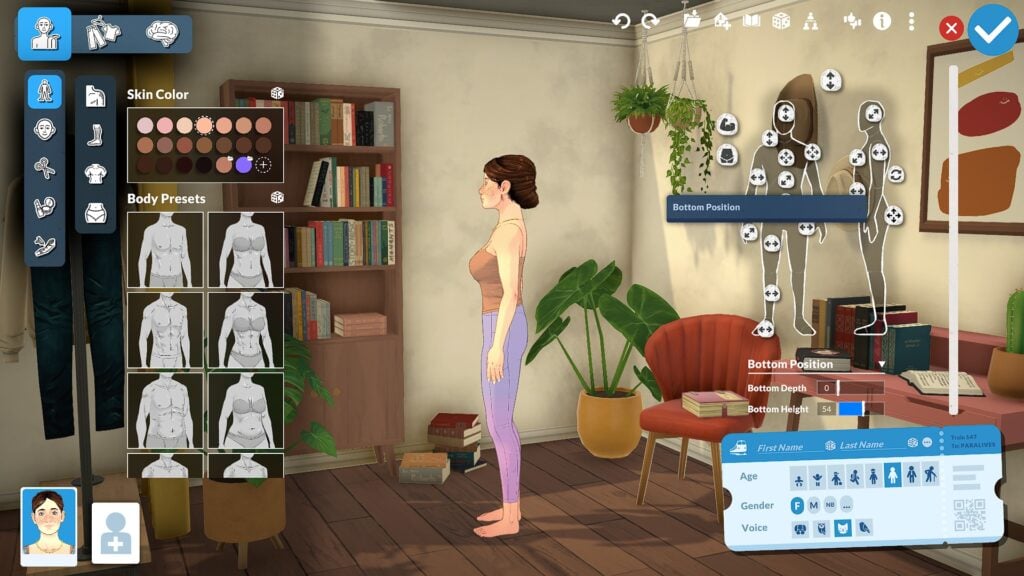
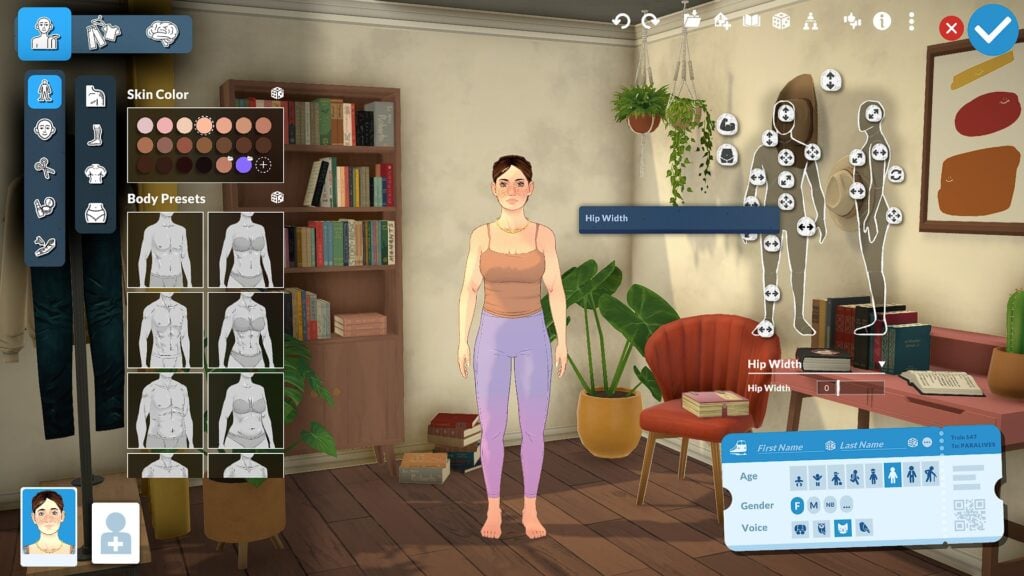
Paramaker also allows players to adjust overall body proportions using both front-facing and side-profile manipulation points. Unlike systems that separate masculine and feminine body types into fixed presets, Paramaker uses a more flexible slider-based body system that encourages greater body diversity and customization. Players can shape areas such as the waist, hips, chest, height, and overall body frame while also adjusting side-profile proportions to create more distinct silhouettes. The result is a character creator that feels much more flexible and personalized, allowing players to create a wide range of body types instead of relying on a limited set of predefined shapes.
Height Sliders and Life Stages
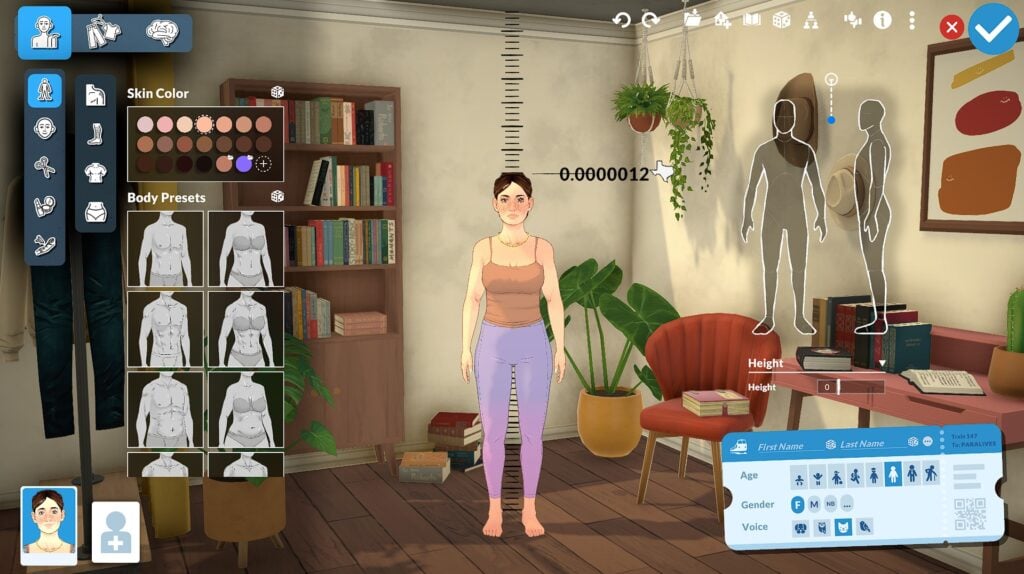
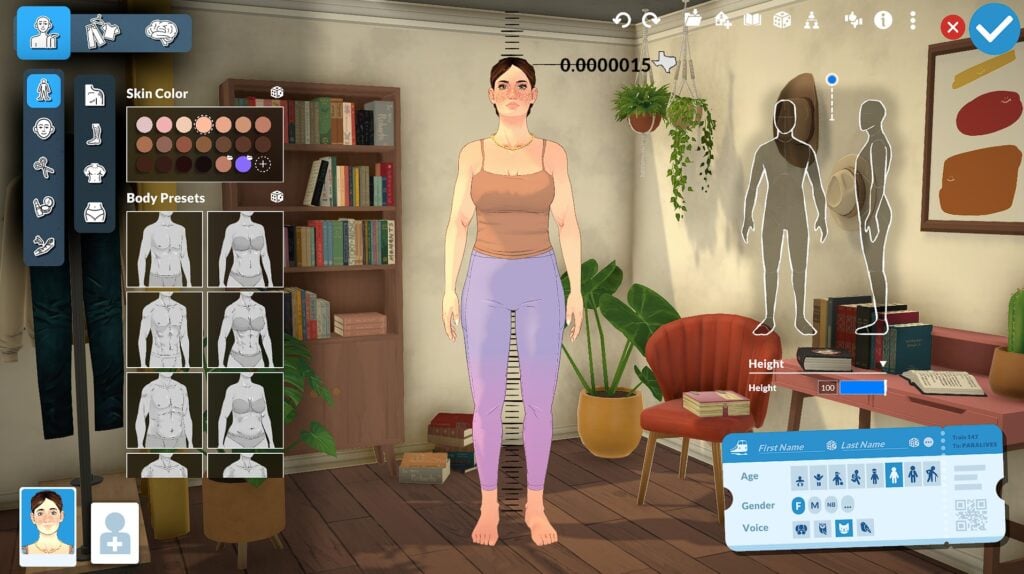
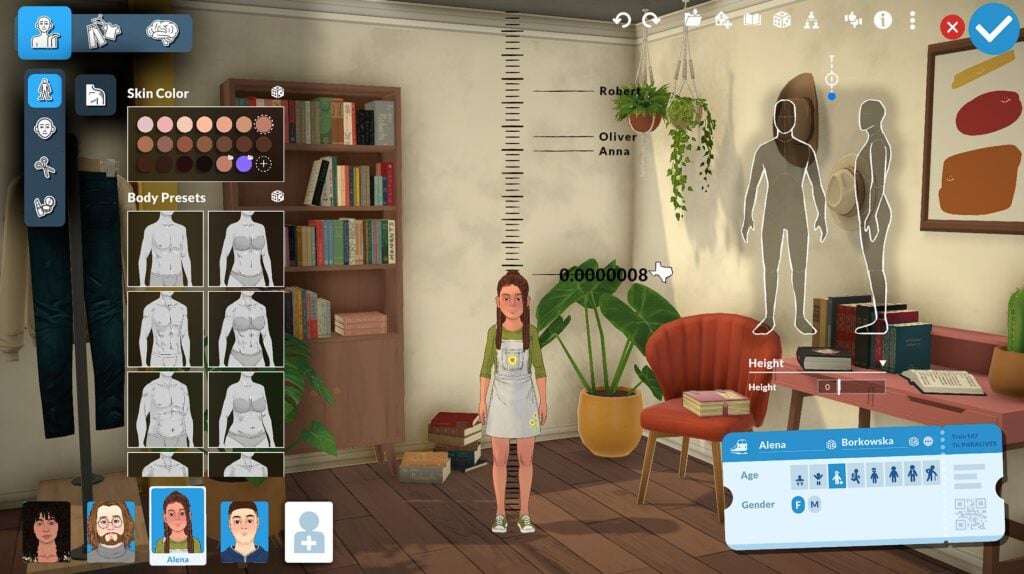
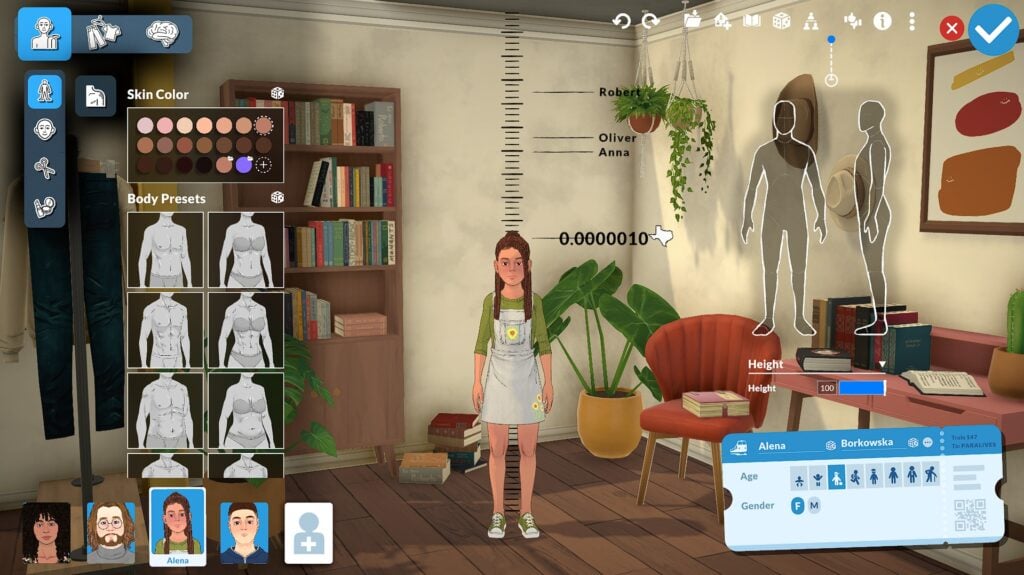
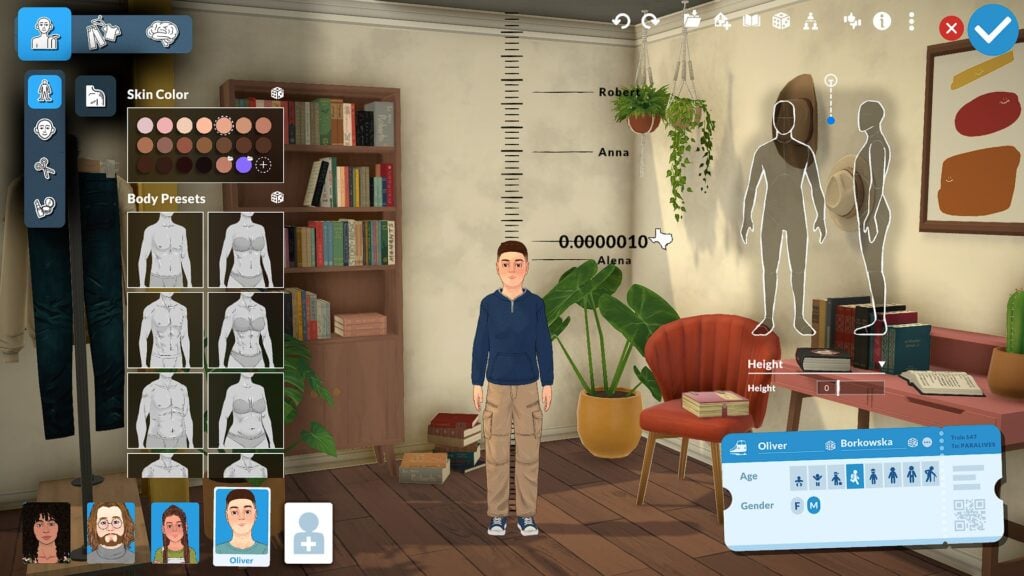
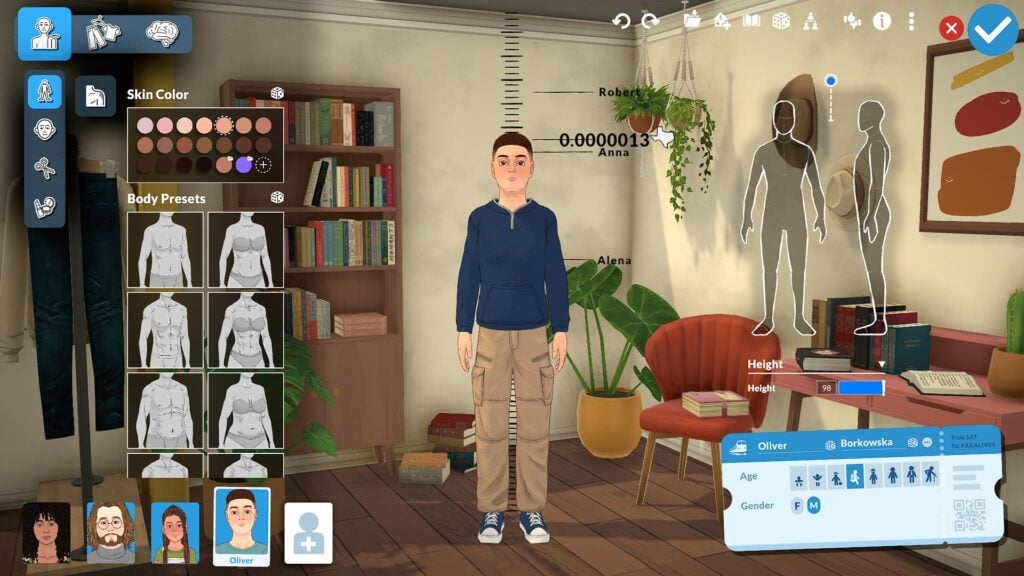
One of the standout features in Paralives is the adjustable height system, which allows players to create meaningful height differences between Parafolk instead of forcing every character into the same height range. Different life stages also scale appropriately, helping characters feel more natural as they progress through life. The currently shown life stages include Baby, Toddler, Child, Preteen, Teenager, Young Adult, Adult, and Elder. Young Adults and Adults currently appear to offer the most extensive slider customization options, making them the primary focus for players interested in deeper facial and body editing.
Color Wheel and Style Creation
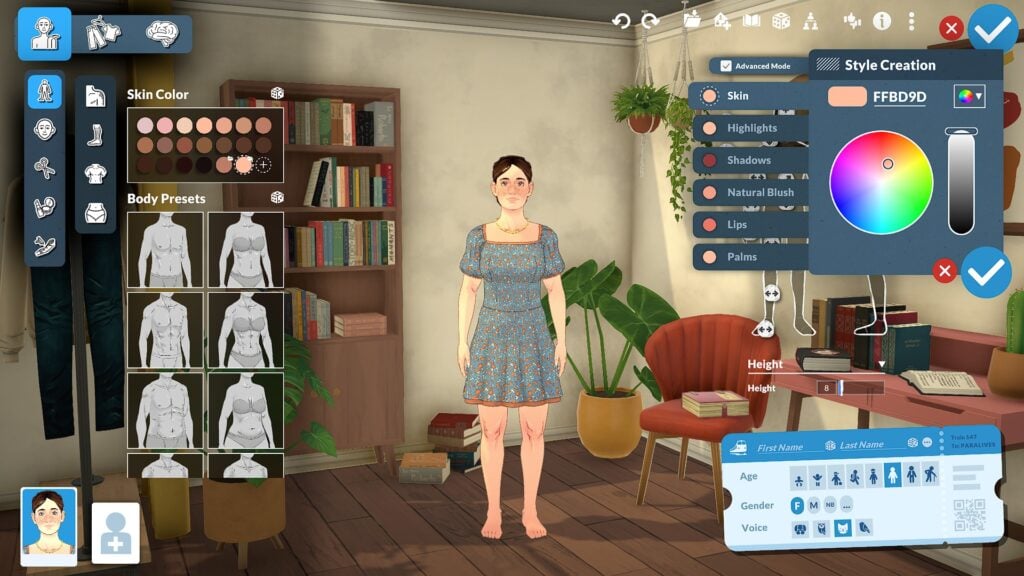
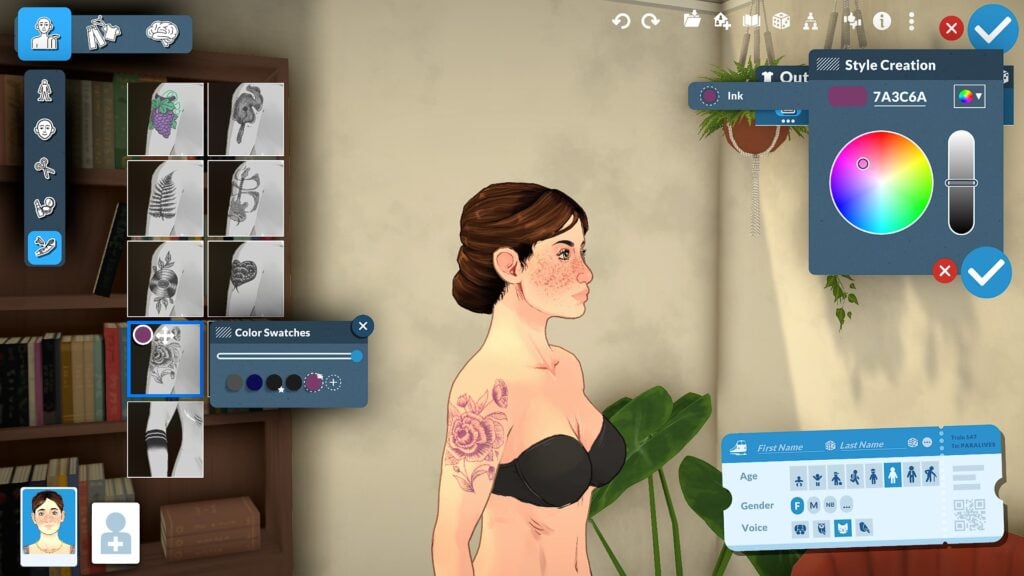
The Paramaker color wheel system extends far beyond simple hair and clothing recolors. Players can customize skin tones, highlights, shadows, blush, hair roots, hair tips, eye colors, makeup, clothing colors, patterns, and accessories using a highly flexible color system that encourages experimentation and personalization. The color wheel also supports hex code entry for more precise customization, allowing players to fine-tune colors instead of relying entirely on preset swatches. Combined with the layered customization system, these tools make it possible to create Parafolk with highly unique styles and appearances.
Personality and Clothing Overview
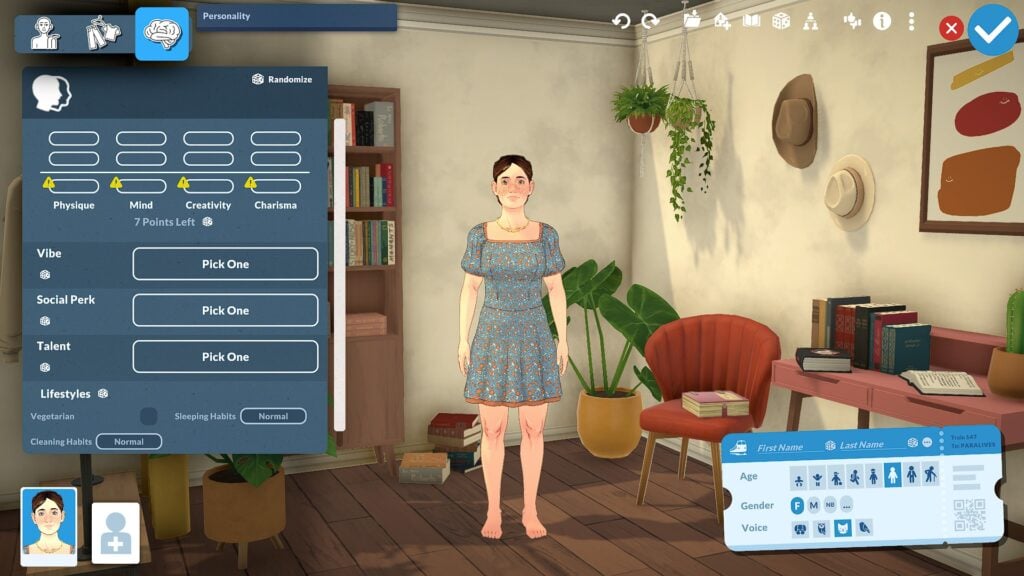
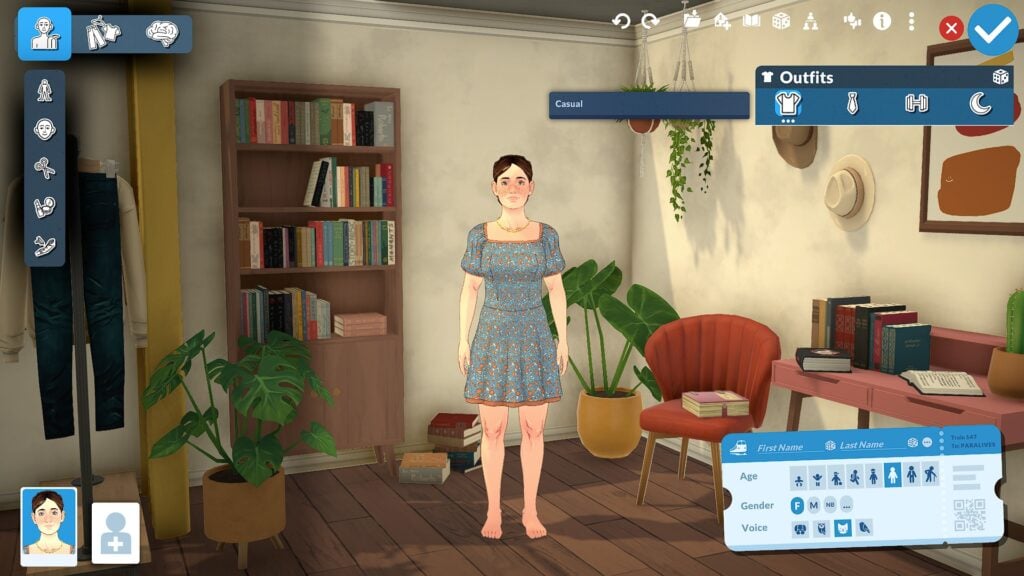
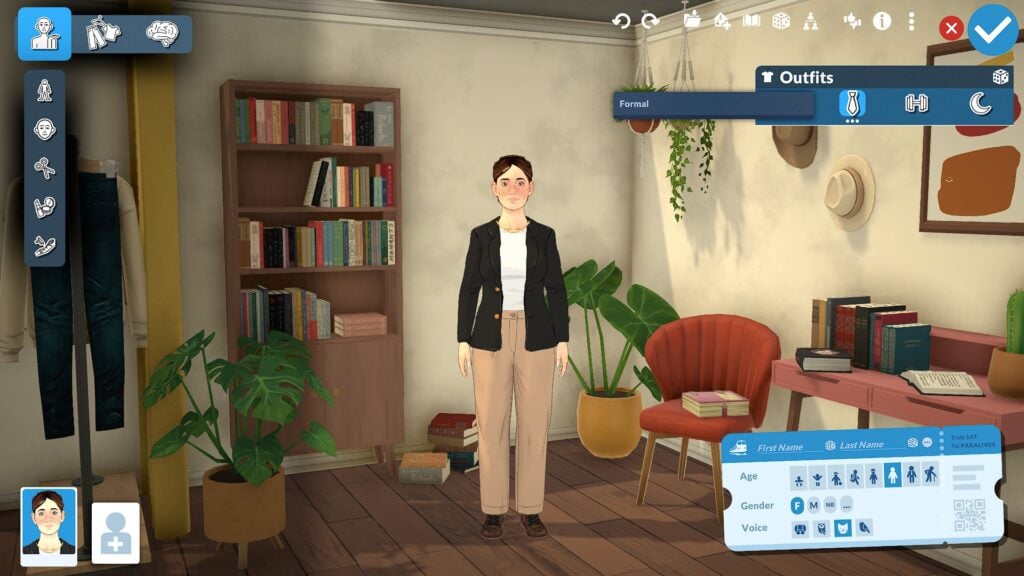
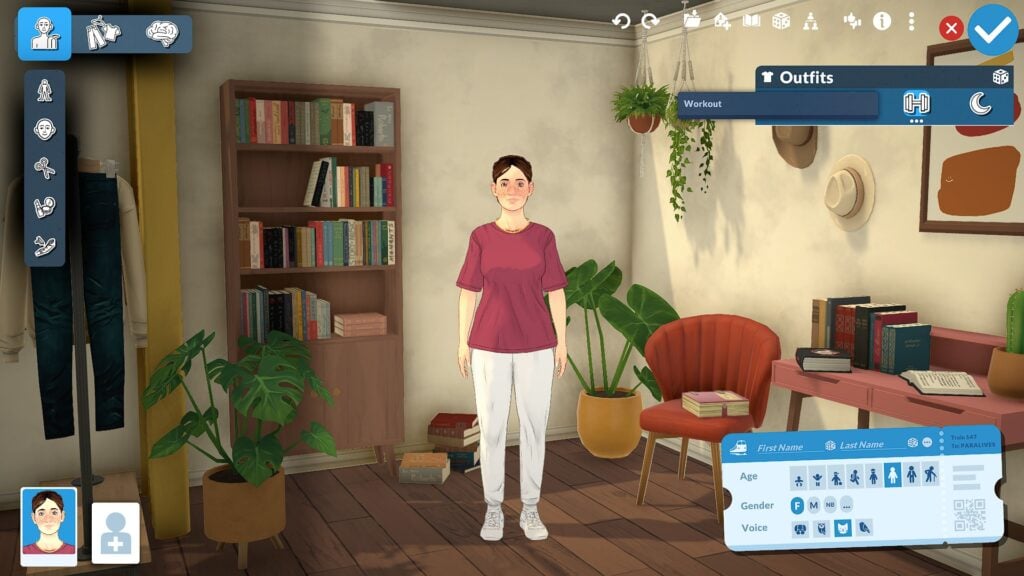
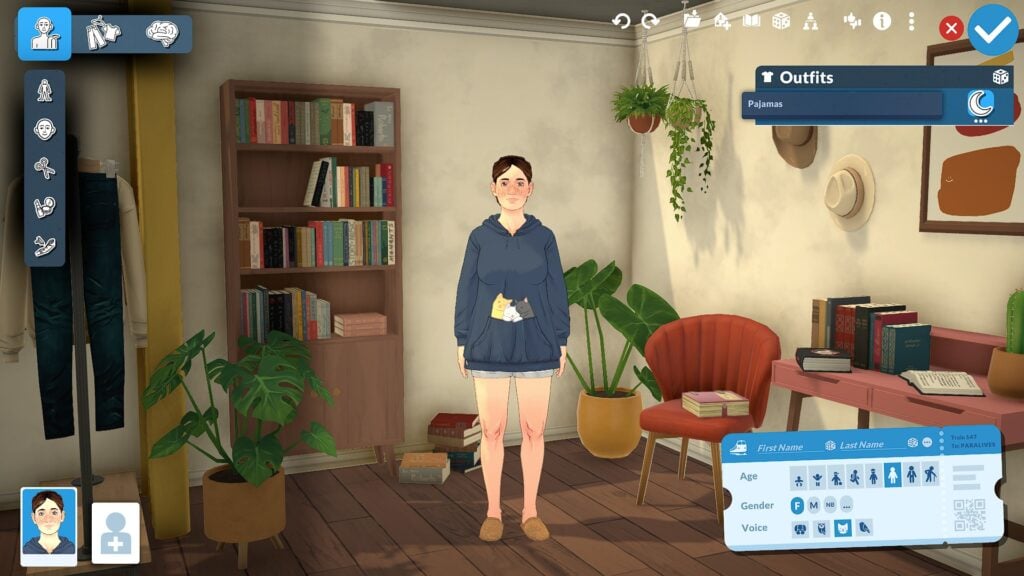
While the main focus of this guide is sliders and body customization, Paramaker also includes clothing and personality systems that help shape each Parafolk beyond physical appearance. Players can create multiple outfits for different situations including everyday, workout, formal, and casual looks while also customizing clothing colors, layering options, and accessories. The Personality section further expands character creation through systems like Vibes, Talents, Social Perks, and Lifestyle traits, helping Parafolk feel more distinct both visually and socially once gameplay begins.
Why Paramaker Feels Different From Traditional Create-a-Sim Systems
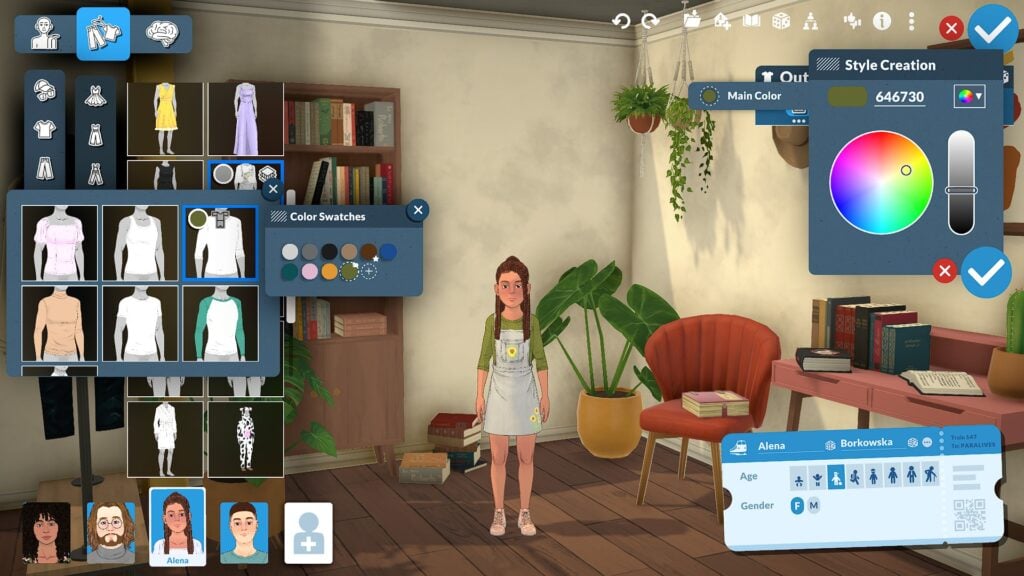
What makes Paramaker feel different from many traditional Create-a-Sim systems is how interactive and flexible the customization process becomes once players begin experimenting with manipulation points, side-profile editing, and advanced facial sculpting. Instead of relying mostly on presets and a small collection of sliders, Paramaker encourages players to directly shape facial features and body proportions from multiple angles, creating a system that feels closer to digital sculpting than a standard character creator. Combined with adjustable heights, layered customization options, detailed body editing, and a full color wheel system for hair, skin, clothing, and accessories, Paramaker offers a level of freedom that makes creating unique Parafolk feel far more personal and expressive.
Even after spending hours experimenting with different sliders and presets, the Paramaker still feels like a system with more features left to discover. Smaller details like facial depth adjustments, layered color customization, and side-profile editing help make the customization process feel much more immersive, encouraging players to spend time experimenting with different looks rather than quickly moving through character creation.
Our Final Thoughts
Paramaker already shows an impressive amount of depth for players who enjoy character customization. Between advanced facial sculpting, detailed body editing, layered clothing systems, and a highly flexible color wheel, the system offers far more control than many players may expect at first glance.
Even after hours of experimentation, there still appear to be additional manipulation points and customization systems to discover. For life simulation fans who love detailed character creation, Paramaker may become one of the most exciting systems in Paralives.
Paralives is currently scheduled to launch into Early Access on Steam on May 25, 2026
For more information about Paralives, upcoming features, and additional Early Access coverage, readers can visit the Sims Community Paralives Section for the latest news and updates.
What feature of the Paramaker are you most excited to experiment with in Paralives? Let us know in the comments below!