Home Blog Page 174

The Sims 4 Fashion Street Kit: Official Assets & Information

1

The Sims Team has released the official assets and information for one of the two upcoming CAS Kits for The Sims 4 – the Fashion Street Kit!

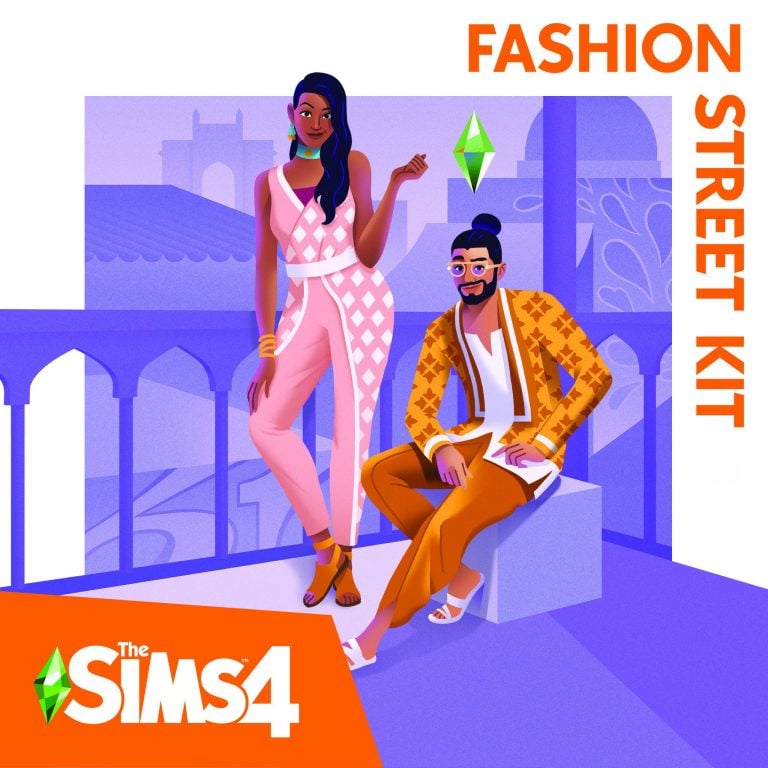
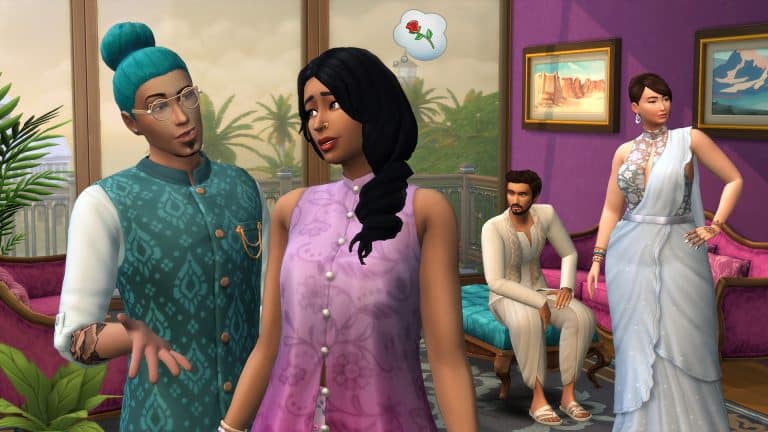
Expand your style with The Sims™ 4 Fashion Street Kit* collection, inspired by the trendsetting designs of Mumbai. Rich colors, iconic silhouettes, and high-contrast patterns bring energy and vibrancy to each item. Show off your individuality by integrating trendy statement pieces with traditional details for a whole new style.

BUILD YOUR WARDROBE

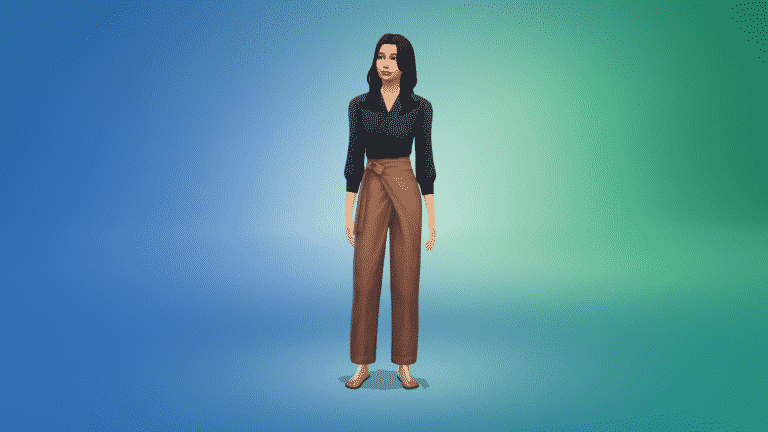
Bright, flowy fabrics and contemporary cuts guarantee stunning streetwear looks for every Sim. From embroidered details to dynamic hues, each piece works alone or integrated into an existing closet for effortless style.

ALL IN THE DETAILS

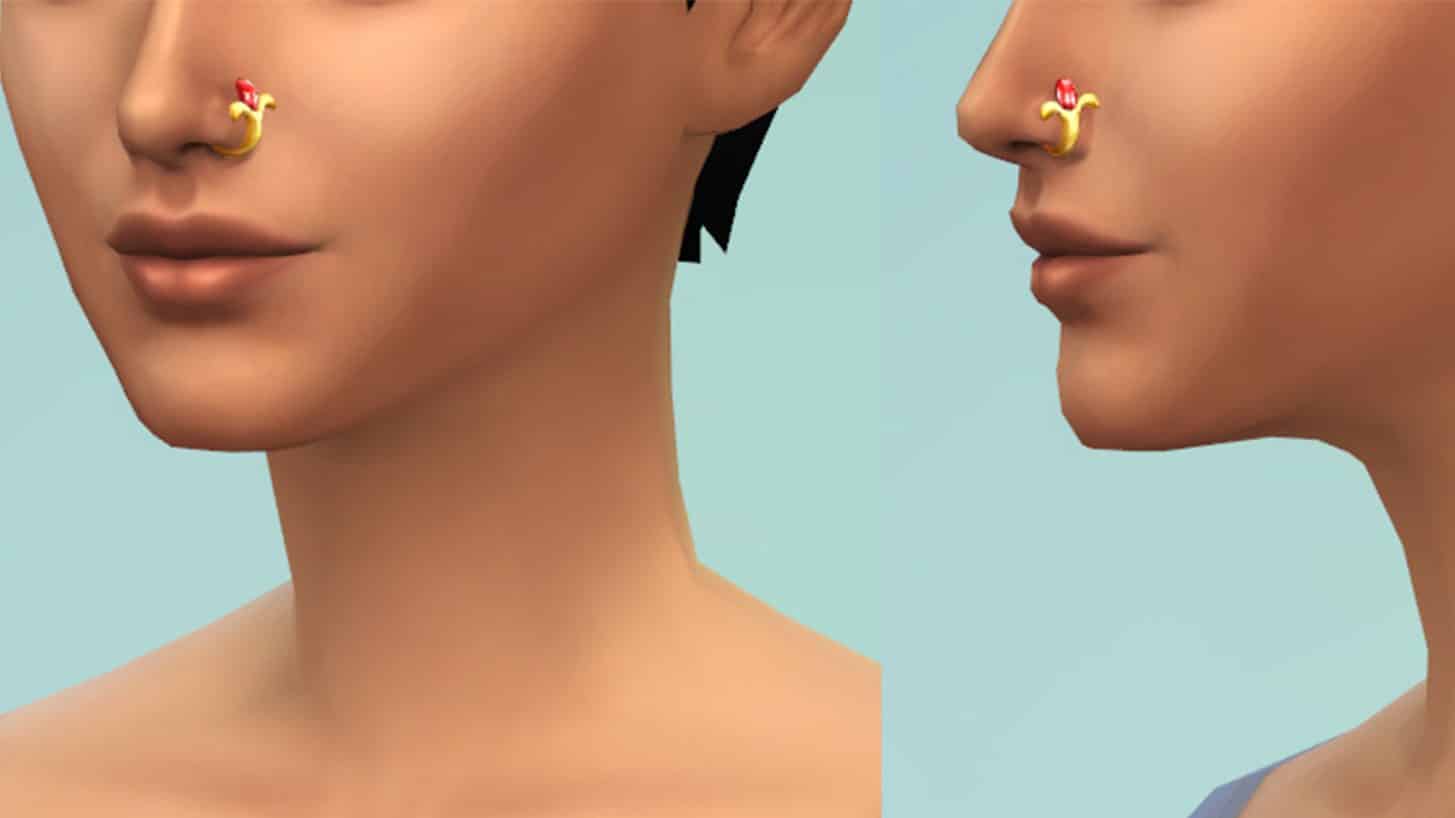
What would an outfit be without accessories? Bangles, sparkling necklaces, and flashy rings catch the eye while sandals finish it off with laid-back flare. Express your style with henna tattoos and fun sunglasses, too.

boxart2

The Sims 4 Fashion Street Kit: Official Assets & InformationThe Sims 4 Fashion Street Kit: Official Assets & Information

Welcome to Fashion Street! Located in the city-center of Mumbai, India, Fashion Street has long been the premier shopping destination in this coastal metropolis, with over 150 vendors selling various wares, from vintage garb, to homemade garments, to designer threads. And it’s not just a hub for all things clothing, it’s also a cultural epicenter where one can enjoy food, music, architecture, the occasional Bollywood celebrity sighting, and the company of friends, family and significant others — we hear it’s quite the place to take a date.

For the latest kit offering, The Sims™ is taking players to this beautiful corner of the world, and unlocking the distinct style one would encounter there. To do so, The Sims has collaborated with its friend and fashion expert Shruti Sitara Singh to co-create a comprehensive and authentic wardrobe of vibrant color, high-contrast patterns, iconic silhouettes and trendy statement pieces that can be integrated into a Sim’s closet.

Born, raised and currently based in Mumbai, Shruti Sitara Singh is an art-meets-fashion curator, creating immersive narratives that intersect art, music, theater, design and culture. She has worked with the Fashion Design Council of India as a curator and manager, led the launch of India’s first-ever digital fashion week, and served as a creative director for Lakmé Fashion Week. Her expertise is undeniable, but it’s her history with Mumbai’s fashion scene, and Fashion Street specifically, that made her the perfect partner for this kit.

“My first shopping experience was when I was in fourth grade,” reminisces Singh. “My mother had taken my sister and I to Fashion Street, and we were like ‘what is going on? There’s something known as shopping?’ That concept didn’t exist to me before that.”

Singh has been visiting Fashion Street ever since. Even though she now rubs shoulders and collaborates with India’s fashion elite, she still enjoys the thrill of the bargain. “I love bargaining. That’s what makes Fashion Street, Fashion Street. It’s a heaven for shopaholics, and it’s a mind-boggling experience. Fashion Street is an experience of its own.”

To be fair to Singh and Mumbai, The Sims 4 Fashion Street Kit is directly inspired by the city’s fashion scene, however one can’t talk Mumbai style without mentioning its vendor-lined walkway. Mumbai itself is often referred to as “The City of Dreams” because it offers a plethora of job opportunities for people all over India and its neighboring countries. As a result, these different cultures and ethnicities converge on Fashion Street.

“The Fashion Street Kit is inspired by a lot of India, and of course Mumbai,” explains Singh. “It’s inspired by the Indian handloom (weaving) industry, which is preserving and rendering a beautiful picture of our age old heritage, known worldwide for its richness and purity of its textiles. Each piece is adorned with lively colors and prints specific to different cultures, because Mumbai, the City of Dreams, is a melting pot.”

The Sims 4 Fashion Street Kit is made up of a bevy of items for all Sims, from nose rings, henna tattoos, and sandals, to flowy wrap skirts and asymmetrical vests, two of Singh’s favorite pieces.

The Sims 4 Fashion Street Kit: Official Assets & Information

“Since our team could not visit Mumbai, we worked virtually with Shruti to deliver designs that are relevant to the latest trends on the streets of Mumbai while incorporating traditional themes throughout the kit,” shares Sophia Lee, Senior Concept Artist for The Sims. “I am personally excited to see the full-body evening gown which brings in-game tasteful modern design elements to a traditional saree.”

The wrap skirt is directly inspired by the women of the Koli fishing community in Mumbai, who have inhabited and worked Mumbai’s coastal waters for hundreds of years. “Fisherwomen usually wear a sari,” explains Singh. “Saris are draped differently with every community and culture; in every state you go, there is a different way it is draped.” The Fashion Street Kit’s wrap skirt is influenced by how the Koli women wear their saris. “It’s easy breezy, it’s more like a skirt because they have to walk a lot and go into the ocean to fish, that’s why it’s above the knee and tucked in, so it doesn’t go into the water. It’s a beautiful silhouette.”

The Sims 4 Fashion Street Kit: Official Assets & Information

“With kits, The Sims is creating an immersive experience where people, places and experiences can be discovered, and our players from around the world can experiment with these distinctly unique mini collections of curated content,” shares Sheila Judkins, Director of Global Brand Management, The Sims. And, Singh offers her vision for players experimenting with The Sims 4 Fashion Street Kit, “I would like players to experience Mumbai, to understand the culture, to understand the clothing, and how comfortable, region-specific and vibrant the prints are; and how colourful the culture is. I want the players to know more about Mumbai, and experience it through their own versions of how they play [with the kit].”

The Sims™ 4 Fashion Street Kit is available beginning October 5, 2021 on PC and Mac via Origin™ and Steam®, PlayStation®5, PlayStation®4, Xbox Series X|S and Xbox One systems.

The Sims 4 Fashion Street Kit: Official Assets & InformationThe Sims 4 Fashion Street Kit: Official Assets & InformationThe Sims 4 Fashion Street Kit: Official Assets & Information

The Sims 4 gets FREE New Content in Create A Sim

6

The Sims Team has left out a very important part of today’s Patch for The Sims 4 on PC and Consoles!

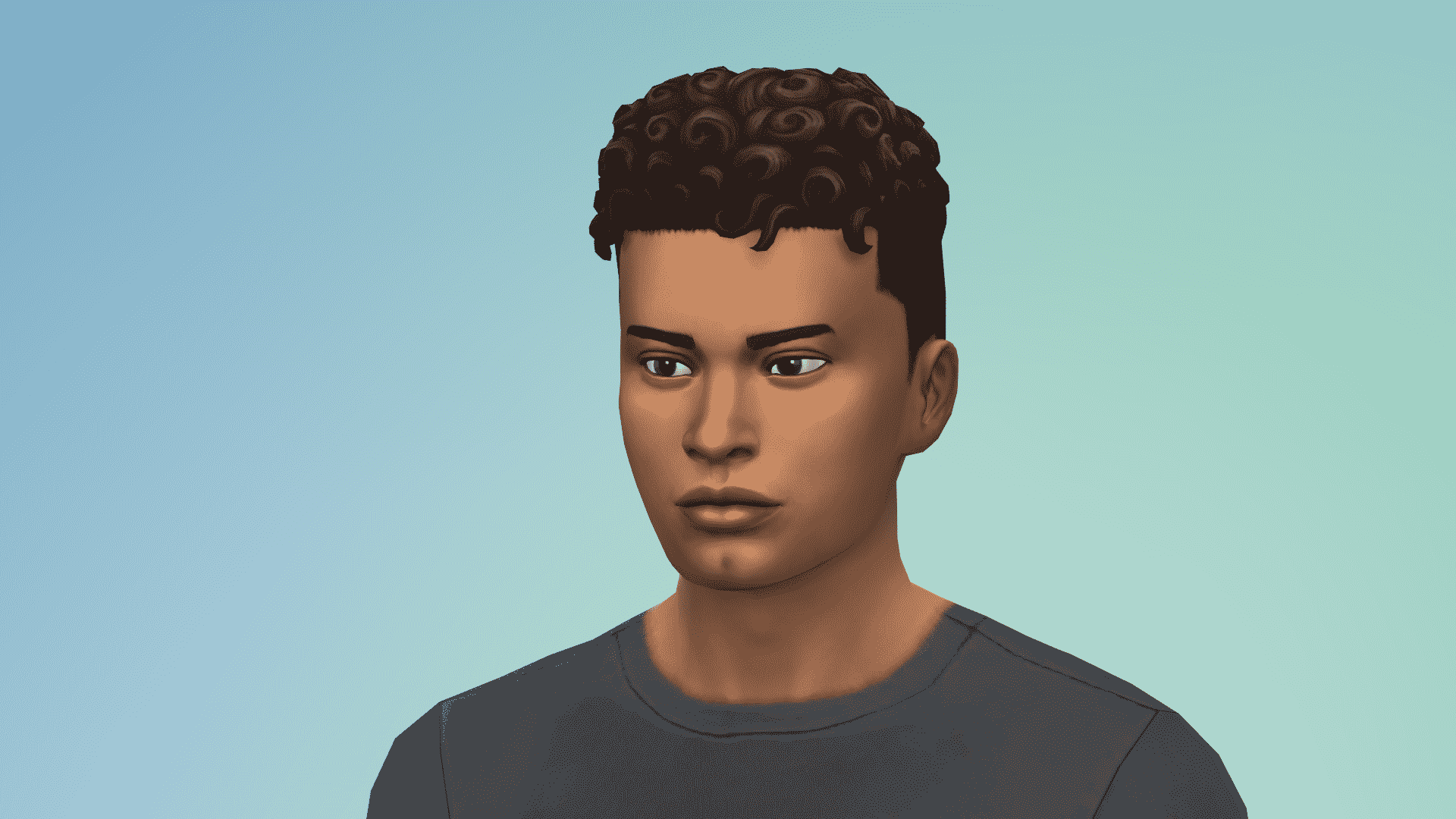
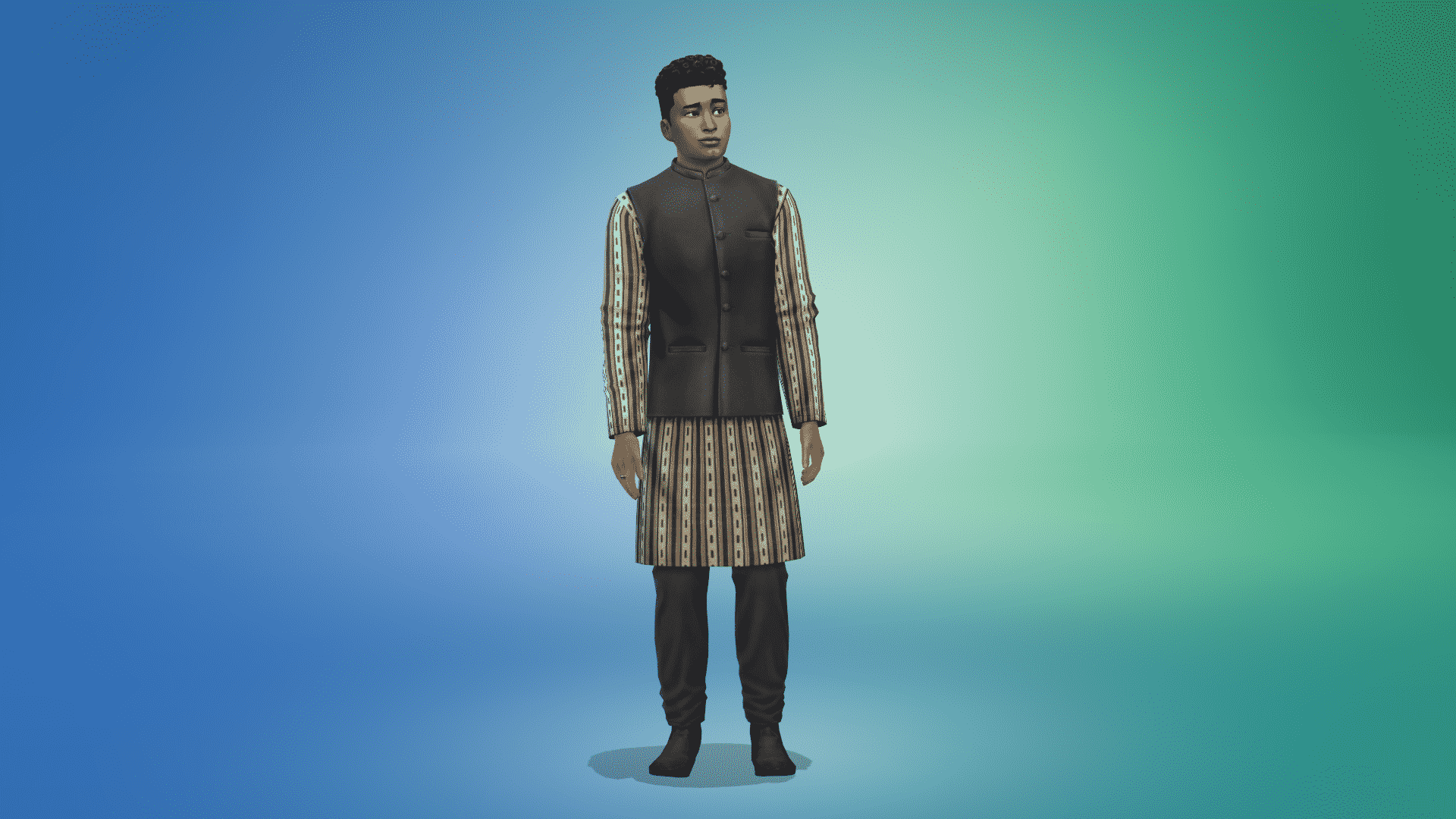
There are new clothing pieces and hairstyles that have been added for both Masculine and Feminine fashion choices. There’s also a brand new Henna Tattoo included as well!

These pieces are inspired and accompany the upcoming two Kits (Fashion Street and Incheon Arrivals).

Worry not as they are free additions to The Sims 4. Check out what’s been added to the game!

Head Accessories

The Sims 4 gets FREE New Content in Create A Sim

Tattoo

The Sims 4 gets FREE New Content in Create A Sim

Hairstyles

The Sims 4 gets FREE New Content in Create A SimThe Sims 4 gets FREE New Content in Create A SimThe Sims 4 gets FREE New Content in Create A Sim

added to Base Game from the Parenthood Game Pack

The Sims 4 gets FREE New Content in Create A Sim

Outfits

The Sims 4 gets FREE New Content in Create A SimThe Sims 4 gets FREE New Content in Create A SimThe Sims 4 gets FREE New Content in Create A SimThe Sims 4 gets FREE New Content in Create A Sim

Bottoms

The Sims 4 gets FREE New Content in Create A Sim

Accessories

The Sims 4 gets FREE New Content in Create A Sim

The Sims 4 Incheon Arrivals Kit: Official Assets & Information

1

The Sims Team has provided us with the official assets and information for one of the two upcoming CAS Kits for The Sims 4 – Incheon Arrivals Kit!

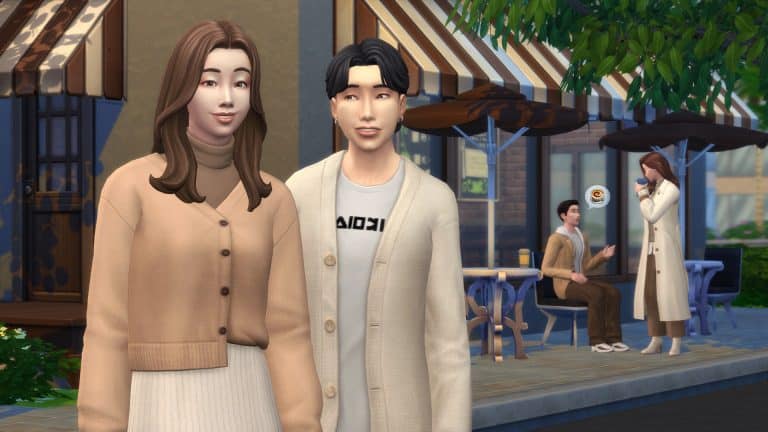
Upgrade your Sim’s wardrobe with The Sims™ 4 Incheon Arrivals Kit*, inspired by iconic Seoul airport fashion. Trendy Korean styles get a modernized twist for clean, minimalist looks in muted colorways.

MIX AND MATCH
Dress for any occasion with both semi-formal and casual pieces. Blazers, coats, jackets, and cardigans pair neatly with loose-fitting skirts, sweatpants, slacks, and pants, topped off with sneakers or heeled boots.

LET IT FLOW

Structured oversize pieces combine with flowy materials for a study in contrasts. Find comfort in baggy silhouettes and understated details like a high waist and half-tucked shirts.

boxart1

The Sims 4 Incheon Arrivals Kit: Official Assets & InformationThe Sims 4 Incheon Arrivals Kit: Official Assets & Information

When visiting Seoul, your first experience with the South Korean metropolis is likely through the Incheon International Airport. Rated as one of the busiest, cleanest, and technologically-advanced airports in the world, Incheon is an incredible introduction to the nation’s rich and vibrant culture. There’s a museum, miniature gardens, art shows, and live performances, in addition to countless shops, a variety of restaurants, a movie theater, an ice rink, putting greens, and more.

Incheon is also a prime destination to experience South Korea’s revered style. Before a traveler’s plane glides down the runway, you may see them catwalking the corridor runways.

In recent years, Seoul has become one of the preeminent fashion capitals of the world, with its bi-annual fashion week presentations rivaling that of Paris, London, Milan, and New York. Seoul doesn’t have 100-year-old fashion houses like the other cities mentioned, but it is able to meld traditional and modern styles unlike most.

The heritage comes in the form of hanbok, Korea’s traditional way of dress, which consists of long and flowy shapes, tight angles, and bright hues.The modernity is a result of South Korea being one of the most digitally-connected countries on Earth, from its high-speed internet, to its production of electronics. The two come together in fashion, where the form and vibrancy of yesteryear are matched with globalized trends unearthed through today’s digitized world.

“Because the world has become more globalized, South Korean people have been able to see trends across the world,” explains Jazzy Cho, TV host, content creator and Miss Korea USA 2016. “Everything was sort of meshing together, and we were able to bring in the western ideas, or global ideas with the already creative DNA of South Koreans. Combined, that created this amazing, stylish, trendy ‘K-fashion.’”

“Airport style is 공항 (gonghang) fashion [meaning airplane fashion],” says Cho. “It stemmed from when the press would greet or welcome back traveling celebrities. It really began to boom with the rise in global popularity of K-pop, the internet, and social media.” Cho continues, “Images of the hottest South Korean stars arriving or departing would be shared across the internet, and if one style that they were wearing goes viral, then that style becomes the trend of the season.”

The Sims 4 Incheon Arrivals Kit: Official Assets & Information

The Sims has collaborated intently with Cho to bring The Sims 4™ Incheon Arrivals Kit to life, and she made sure we stayed true to K-fashion’s trendy foundations. Cho, a Korean-American, grew up as a competitive studio dancer in Southern California. She took a liking to the variety of styles of costumes she performed in, but it also encouraged her to explore her Korean heritage.

“I was one of the first Korean team captains for my high school dance team. As I was looking across my team one day, I was the only Korean-American, and I was like, ‘Wow, I’m representing Korean females,’ even at a young age. It gave me a sense of pride.”

Cho asked her mother if she could join a local pageant, still yearning to learn more about ancestry. “[I wanted to] learn more about how to carry myself as a beautiful Korean woman, and nurture and develop myself in that way. [The pageant was going] to be a stepping stone to diving in and learning more about [Korean] culture.”

Soon after she won the Miss Korea USA 2016 pageant, she began working across South Korea as a part of the Miss Universe Korea pageant. Her constant traveling to and from South Korea, opened her eyes to Seoul’s distinct style, especially through the lens of Incheon Airport. “Incheon Fashion is like [a celebrity’s] own runway before they get on or off the plane.” In describing the type of outfits one would see, Cho says, “When you’re travelling, you need to be comfortable. You wouldn’t see them coming in red carpet attire, but it’s comfortable, stylish fashion.”

The Sims 4 Incheon Arrivals Kit is a full wardrobe for all Sims to dress for any occasion with both semi-formal and casual pieces, from sneakers, sweatpants and hoodies, to structured looks like the women’s long coat, one of Cho’s favorite pieces. “The women’s long coat is what we would typically see on pictured celebrities. Whatever stylish, trending outerwear piece atop a looser fit top and pants. It’s a lot about comfort when it comes to 공항 (gonghang) fashion, comfort and style.”

The Sims 4 Incheon Arrivals Kit: Official Assets & Information

“With kits, The Sims is creating an immersive experience where people, places and experiences can be discovered, and our players from around the world can experiment with these distinctly unique mini collections of curated content,” shares Sheila Judkins, Director of Global Brand Management, The Sims.

“Working with Jazzy, our research was extensive to ensure the concepts reflect trendy outfits in Seoul,” shares Woori Bae, Concept Artist for The Sims. “We also had a lot of fun referencing the latest K-dramas, online shopping sites and celebrities’ everyday outfits for inspiration. I am so excited to see this kit come to life, particularly the wide pants and oversized fit items that add more in-game styling options like never before.”

The Sims 4 Incheon Arrivals Kit: Official Assets & Information

In explaining why she wanted the kit to focus on airport style, Cho said, “I think it’s great that the setting of the kit is at the Incheon Airport because that is the global hub. It’s where people from all over the world embark on their journey to learn about South Korea. I hope everyone is just as excited when they see the kit because when you enter Incheon Airport, the architecture is very modern, the entire ceiling is windows, sunlight pours through – and your heart is filled with warmth! I hope people from all walks of life, wherever they are in the world, have an open, eager and excited mindset and energy towards exploring what Korean fashion is like.”

The Sims™ 4 Incheon Arrivals Kit is available beginning October 5, 2021 on PC and Mac via Origin™ and Steam®, PlayStation®5, PlayStation®4, Xbox Series X|S and Xbox One systems.

The Sims 4 is getting TWO Create A Sim Kits in October!

0

The Sims Team has just announced that they’ll be releasing TWO Create A Sim Kits for The Sims 4!

  • The Sims 4 Incheon Arrivals Kit
  • The Sims 4 Fashion Street Kit

Both Kits will be released on October 5th, 2021, priced at $4.99USD or a currency equivalent to your territory.

Check out the first previews below and stay tuned on our website for more screens, news and features of these two upcoming Kits!

The Sims 4 PC & Console: NEW UPDATE + Patch Notes! (September 21st, 2021)

The Sims 4 PC & Console: NEW UPDATE + Patch Notes! (September 21st, 2021)

The Sims Team has released a brand new update for The Sims 4 on PC, Mac, Xbox One and PS4!

To download the latest version of The Sims 4, simply open your Origin program and if the game doesn’t update automatically, right click on The Sims 4 and select ”Update”.

In case you have Mods or Custom Content, the game will automatically disable them for you after first launching The Sims 4 after the update. To re-enable all your Mods and Custom Content, select the Settings option in the Menu and select Settings. Under the ”Other” section you’ll find the ”Enable Custom Content and Mods” option. Check it and restart your game in order for it to take effect!

Patch Notes

Update 9/21/2021

PC: 1.80.69.1030 / Mac: 1.80.69.1230

Console: Version 1.48

Hello Simmers!

We hope this Game Update finds you well!

As Summer has ended and the Pumpkin Spice season starts (you all know I’m ready for my pumpkin spiced coffee!), our Art Team has a treat for Simmers that love to build. If you are not an expert builder that is quite alright, I’m not either, but I do enjoy trying a few styles and choices so no worries in that regard.

Thanks again for your continued support, we truly appreciate it!

Chaus!

-SimGuruRusskii

What’s New?

149 assets – 1,200 vaaariants

149 assets – 1,200 variants to enjoy so dear

149 assets – 1,200 vaaariants

How do we tell you about these… easily?

In pictures, in writing, in cups of coffee.

In gameplay, in video, in pictures, in laughter.

In 149 items – 1,200 variants – how do you measure this new thing we did with this in hand?

How about you just show? Yes, how about you just show?

Don’t measure at all, just show.

Our art team took over this Game Update and they have added about 1,200 new variants (yes, you read me correctly, about 1,200 variants) to 149 Base Game items in Build Mode. The Art Team’s vision was to complement and enhance these assets so Simmers have more choices and have more use out of them. Also, why not?

I will list the names of the assets, with images, that we have added variants to. Huge props to SimGuruBeth for providing these fabulous screenshots! In these screenshots you will notice some arrows and green dots, those represent the new additions.

Ok – enough of me rambling about, are you all ready? <takes deep breath>

5xst2n1y388k.png

  • Illusion Shades
  • Flaunting Flounces Panels
  • Minimalist Drapes
  • Sooner or Ladder Contemporary Dining Chair
  • Tabula Rasa Coffee Table
  • Tabula Rasa End Table
  • Tabula Rasa Console Table
  • Grand Hall Dining Table
  • Grand Designs Dining Table
  • Simplicity Dining Table
  • Square Meals Dining Table
  • Floored by Symmetry Standing Mirror
  • Carina Dining Hutch
  • Simple Symmetry Bookcase
  • Intellectual Illusion Wall-Mounted Bookshelves
  • Great Wall Mirror
  • Capped Wall Plank
  • Dodecagon Contemporary Clock
  • Honeycomb Bottle Holder
  • On Phantom Wing Framed Art
  • Apple of Your Eye Framed Watercolor
  • Pear Essentials Framed Watercolor

rbmz8e7fqow0.png

  • Terminus Reclaimed Pipe Towel Rack
  • RAW Bookshelf
  • Reclaimed Plank Shelf
  • Wainscott Gardens Dining Cabinet
  • Form & Function Industrial Coffee Table
  • The Barnish Bed
  • Boardwalk Trashcan
  • CONCEPT Coffee Mug Rack
  • Cluttered Mind Box Set
  • GrammyFone Old-Fashioned Music Player
  • In Session Novelty Chalkboard
  • Three Framed Skeleton Keys
  • Ordinary Things Shadowbox Display

vialob2sj2nw.png

  • Cooking-U Pro
  • Crisponix Ultragreat w/ Deluxe Crisper
  • The Omniwaver
  • Café Immodéré
  • London’s Choice
  • The YumCooker
  • The Schmapple Oven
  • The Schmapple Coffee
  • Garbelle Wastebasket
  • Popped Color Curtains – Left
  • Popped Color Curtains – Right
  • Sunny Shades – Left
  • Sunny Shades – Right
  • Junior Wizard Starter Set
  • Mega Couple Of Books
  • The Purple Protector Action Figure
  • The Purple Pursuer Action Figure
  • The Chessmaster
  • Chess under the Stars Patio Table
  • Grand Plans Chess Table
  • Cabin Slats
  • Simplicity Shade
  • Limber Lumber Traditional Hardwoods
  • Rustic Subfloor Slats
  • Eco-Craft Hardwood Flooring
  • ForestFine Wood Flooring
  • Old World Wide Plank Flooring
  • Herringbone Hardwood Flooring

rvppk13my5q2.png

  • VAULT Modular Counter
  • VAULT Modular Island
  • VAULT Wall Cabinets
  • VAULT Pro-Level Bar

dh6vabc4ed3x.png

  • BlandCo Contemporary Counter
  • BlandCo Contemporary Counter Island
  • BlandCo Contemporary Cabinet

wde94zeyphon.png

  • Country Fieldstone
  • Mega Stacked Stone
  • Windowbox of Superiority
  • Neighborly Windowbox
  • Garden Planter Box
  • Garden Pot
  • Bonsai Tree
  • Oopsa Daisies
  • Red, Red Shrub
  • Pink Aster Nots
  • Purple Perennial Flowers
  • Shaggi-luscious
  • Passion’s Kiss
  • Baby’s Bottom Rose Bush
  • Red, Red Rose Bush

mzarzo186wax.png

s5wrsbg5h06j.png

And all 64 windows present in Base Game!

Whew, that was quite the list! And now to our bug fix of this Update.

Bug Fixes

The Sims 4

  • Sims living that career lifestyle but their outfits were… not up to par? Were your Sims’ career wardrobe a bit stale as you moved up that career ladder? Not exactly dressing for success, right? No worries, we have fixed that issue and now all career levels should have appropriate outfits. Go you, good luck!

The Sims Team releases new Roadmap for The Sims 4

9

The Sims team have released a brand-new Roadmap for The Sims 4 which looks to be aimed at the next few months. It appears that players will be switching focus to our Sims selves and that we will be seeing the release of several new Kits as well as more free updates. There is no mention of any Expansion, Game or Stuff Packs in the new roadmap.

Check out the image below for more information!

The Sims Team releases new Roadmap for The Sims 4

We shall keep you updated with all the latest news on upcoming releases as well as everything you need to know for The Sims 4!

The Sims 4 Cottage Living: Making Crumplebottoms Playable

Make the Crumplebottom Household in The Sims 4 a part of your Story!

For players who own the Cottage Living expansion pack, the iconic Agnes Crumplebottom makes a triumphant return to The Sims 4. Along with her cousin, Agatha Crumplebottom.

The Sims 4 Crumplebottom Intro

Both Agnes and Agatha are coded into the game as “special” NPCs. Not only do they fulfill a basic role to run the garden shop stall in Finchwick. They’re also connected to numerous side-missions in the game that require the player to run various errands around town for them. All in order to earn rewards and learn more about their history and the town.

Agnes also has a special NPC interaction that prompts her to hit people with her handbag. Whenever she sees Sims being romantic in public.

Sims 4 Cottage Living - The Crumplebottom Hit

For this reason, Agnes and Agatha aren’t available as playable Sims. They cannot be found in Manage Households even after meeting and befriending them both in-game. Nor can they die of old age or be killed in any way. If the player does manage to make them playable through the use of cheats or mods, they lose their NPC function. After then the game spawns a clone of them to replace them! Before long, you could easily end up with an army of Crumplebottoms running around Henford-on-Bagley!

Experimenting around the Bag

For storytellers like me, this can cramp our style a bit. I needed Agnes to be playable so I could write a story with her. In my story, Agatha was recently deceased and Agnes needed some help from her relatives, the Goths, to keep her farm running in Agatha’s absence. Even if I used cheats to move Agnes into my household and kill off Agatha, I’d still have the problem of seeing their clones running around in the background of my screenshots, ruining the immersion for my readers.

I set out to experiment a little and see if I could “trick” the game into thinking a different Sim was Agnes and Agatha. All so it would not keep spawning clones of them.

Crumplebottom in The Sims 4

First, I used the cheat testingcheats true to enable advanced cheats in the game. Then I travelled to Finchwick where I knew Agnes and Agatha were likely to be. When I found Agnes, I shift-clicked on her to bring up her debug cheat menu and selected the option Add To Family. Agnes was now part of my household and fully playable!

Agnes Crumplebottom working the Stand - Sims 4 Cottage Living

The Clone Issue

Of course, when I did this, the game immediately spawned a clone of Agnes to replace the Agnes I had moved to my household. I had to keep looking around Finchwick for the Agnes clone. When I found her, I had a plan. I used the MCCC mod to modify Agnes in CAS. You can do the same thing without mods by shift-clicking her and selecting Modify in CAS with testingcheats enabled.

Now that I could access the NPC Agnes in CAS, I could put my plan into effect.

Once I was in CAS with Agnes, I clicked the randomize button until I had another elderly Sim that looked nothing like Agnes. To be on the safe side and not muck anything up with the coding, I opted not to change her name. Although it’s possible that changing her name would make no difference, either. In essence, I didn’t change anything about who Agnes was; I only made her look like a different Sim.

When I exited CAS, I was delighted to see that this new Sim still had Agnes’ special NPC role! Since the game still saw her as Agnes, it did not spawn another Agnes clone to replace her! I was delighted! This would work for my story, after all!

Modify in CAS Option

Making Crumplebottoms Fit the Story

Even though Agatha is supposed to be dead in my story, I knew killing her off in the game would be futile, even if I used mods or cheats to remove her immortal status. The game would just make another Agatha. So I did the same thing I did with Agnes; I just went into CAS with Agatha and randomized her until she looked like a completely different person.

Now I had the original Agnes Crumplebottom as a playable character in my household and two “decoy” Sims to act as Agnes and Agatha in their NPC capacity but weren’t physically recognizable as Agnes and Agatha. I could always place a decorative tombstone to pretend Agatha was buried somewhere in Henford-on-Bagley. Everything would now look believable in my story screenshots.

Agatha Crumplebottom in The Sims 4

How will you play?

And there you have it!

Want to play with Agnes and Agatha yourself without running into their clones? All you have to do is add them to your household with cheats and then track down their clones to edit in CAS. Of course so that they look like different people!

This method is great for storytelling and any other scenario.

The Sims 4 Spa Day: Let’s Refresh A Premade Spa

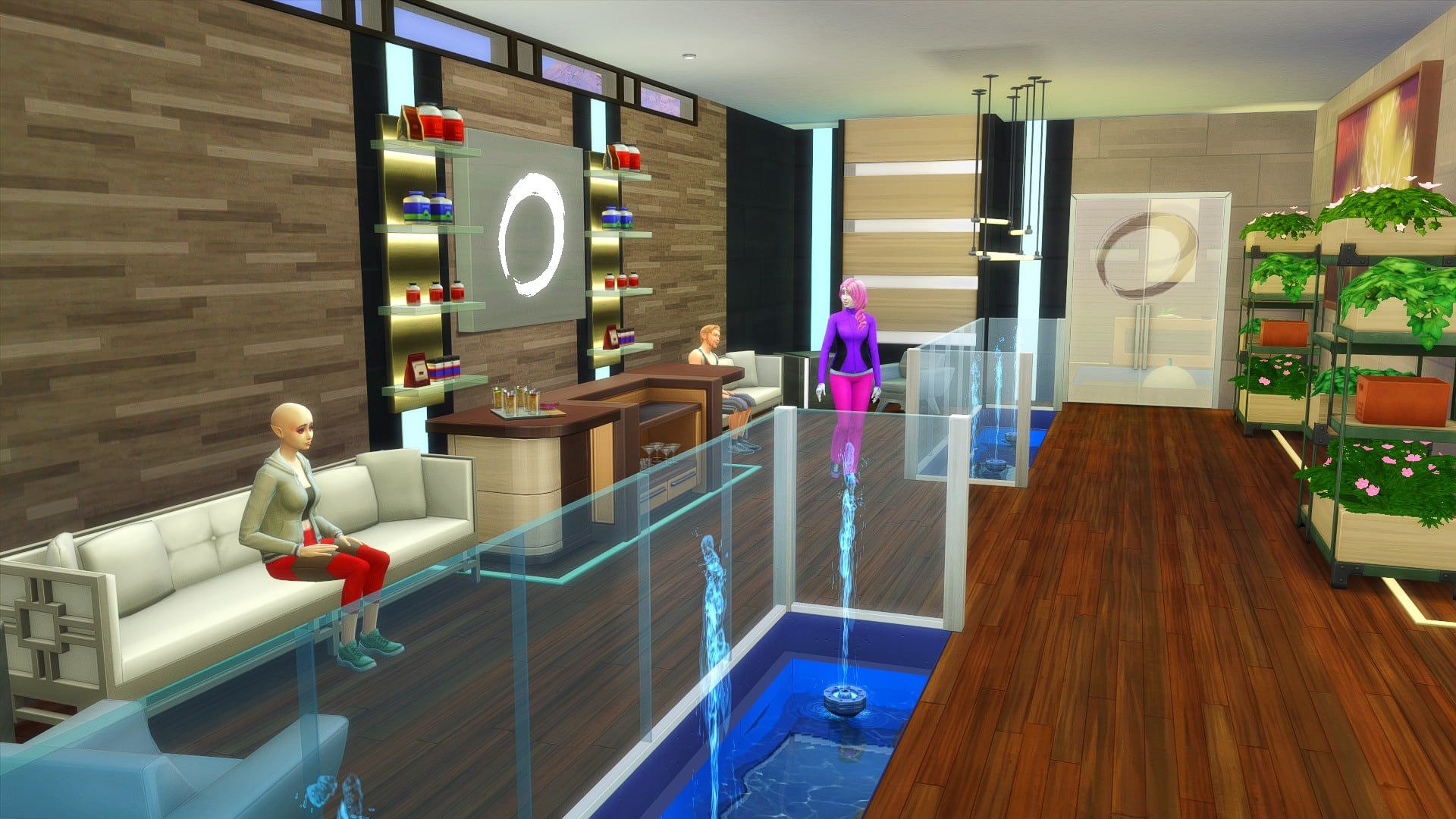
There’s no denying that with the pack refresh for The Sims 4 Spa Day now out, that the previous pre-made Spas need a little updating!

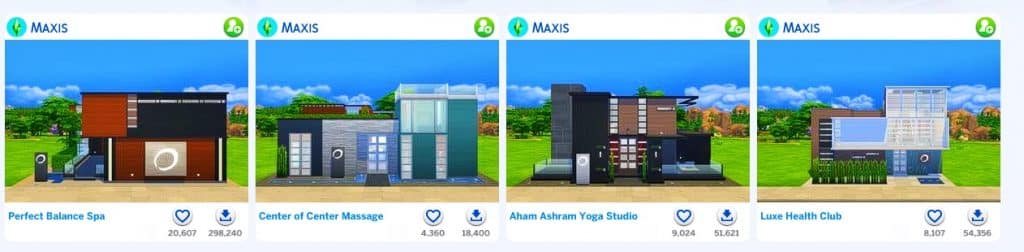
While the pre-made Spa’s should be downloadable from The Gallery by searching for Maxis as the EA ID. You should also be to find them under the My Library tab as well.

The Sims 4 Spa Day: Let’s Refresh A Premade Spa

There are a total of four pre-made Spas, all of which were originally built back in twenty-fifteen and at this point are a little over six years old. Of course, since then, we’ve seen an array of different packs released. So, let’s take one and give it a makeover and bring it up to date!

I decided to go with the Perfect Balance Spa by Maxis as the one I wanted to refresh for my game. Here’s a quick look at what the Spa looked like before.

The Sims 4 Spa Day: Let’s Refresh A Premade Spa

While I still essentially wanted to keep the same kind of layout and features that the Spa already provided, I wanted to bring it a little more up to date and maybe even give it a bit of a unique twist. We’ll see how it goes!

As I was making my way through each area of the Spa, there were a handful of rooms that I decided to leave as they were for the most part. The main reason for this was when I first started giving the Perfect Balance Spa a refresh, I was trying to overcomplicate it and make it feel very messy and chaotic. Usually when I’m building, I try to utilize the space to the best of my ability and love using clutter to my advantage. However, this isn’t a build style I usually go for. This is a spa, a place for Sims to relax for a little while. I decided it was best to keep it simple and after replacing the lot I had an idea of where I wanted to go.

The Spa itself felt quite dark and dreary in places when I first started, and that was one thing I wanted to focus on. While not changing the Spa feeling too much, I added a few extra lights and chose some lighter wall options to make the rooms feel more spacious. I added some more plants in places as well as some better seating options. Slowly but surely it started to come together.

For the most part, most of the changes I made were minimal. I kept the rooms pretty much identical to how they were originally, and opted for some different variants of the original objects that were used. I can definitely say I was a bit too ambitious when I first started this, but after replacing the lot and starting over, making smaller changes rather than bigger ones was the right way to go. There’s still more I could go ahead and change up but for my game and what is happening at the moment this will be perfect!

Have you refreshed one of the pre-made Spa’s recently? Let us know in the comments below!

Need Story Ideas for The Sims? This Plot Generator Tool Can Help!

I see the same question pop up in our Sims Community Facebook group all the time. “HELP! I want to start a new save but I don’t have any ideas for what to do! What are some good story ideas?”

People usually suggest the same handful of things like do this or that challenge, get a spouse then cheat on them, become a black widow, use mods to incorporate R-rated content and all these are fine. If they sound fun to you, then by all means, do that! It’s your game. It should be fun to you first and foremost before anything else.

But if you’re a little bored of these things, I highly recommend this fantastic Plot Generator by Reedsy. It has over 1 million different plot combinations, complete with a protagonist, a secondary character, and a plot twist to shake up your story! Just pick your genre and hit Generate and boom! You have a totally unique story that probably no Simmer has ever done before right in front of you!

Keep in mind this plot generator is designed for writers, not The Sims, so you will probably end up with a lot of suggested plots that aren’t exactly specific to anything in The Sims. This is where your own imagination and creativity comes in. Think about how you can make that story work in The Sims, even if in a more abstract or unconventional way. For example, a Simmer received the following prompt from the generator and asked me how on earth they were supposed to do that in The Sims:

Need Story Ideas for The Sims? This Plot Generator Tool Can Help!

I suggested a mechanical engineer with the self-absorbed trait and a servo. The servo turns up from the future and, in an effort to return them to the future before the opposing galactic empire seizes it, they learn to transportalate as a spellcaster which allows them to travel between timelines as well as locations. When they arrive in the “future,” the engineer is horrified to discover that the future is actually less advanced than their time. The opposing empires clashed and created a new dark age that lasts well into our present day and the servo is one of the last of its kind.

See? You can do anything in The Sims if you stretch your imagination a little. That’s what it’s all about. Thinking outside the given parameters of the game.

The Random Plot Challenge

If you’re looking to take this a step further and turn it into a challenge, I wrote a very simple one with deliberately loose rules to allow you more freedom to tell the stories you’re given.
  • Use the Reedsy Plot Generator and select your desired genre, then hit Generate. You can do this as many times as you like until you get a plot and characters that catch your interest.
  • Once you’ve settled on one of the randomised options, create your protagonist and secondary character in CAS according to the info provided. They don’t have to live in the same household. You don’t have to actively play both of them, but they need to both be part of your story. If your character is a teen or younger, you may create their families as well.
  • You may use cheats only to give the characters a house you think they would reasonably have based on the generated story. You can’t give an elementary school teacher a golden mansion, for example. They would most likely live in a small apartment or modest suburban home. After getting them set up, you cannot use cheats.
  • You must incorporate every aspect of the plot, including the twist, into your gameplay somehow. If something doesn’t fit with The Sims, find a way to make it fit somehow. The Sims is only limited by your imagination so stretch your imagination. You’re telling a story, not just playing the same old “get job, get promoted, buy a nice house, get married, have a kid or two,” obvious trajectory that the game gives you. Treat it like a story, not a video game.

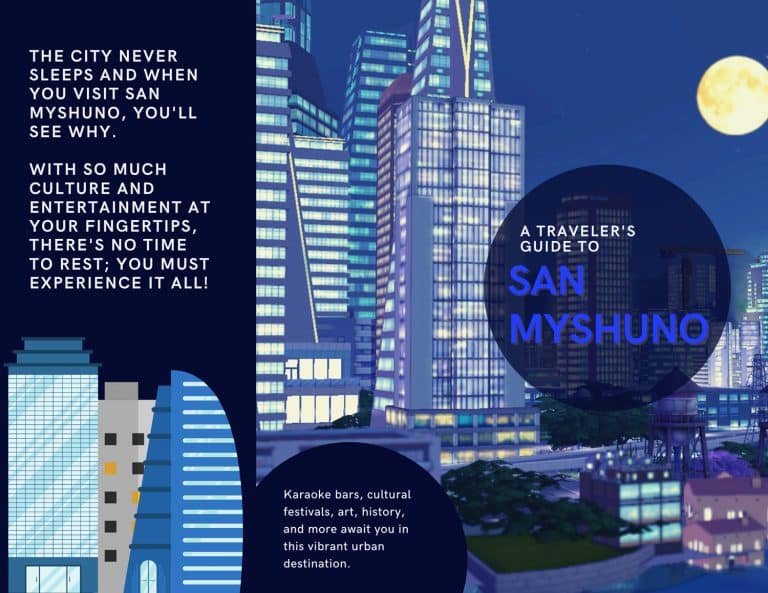
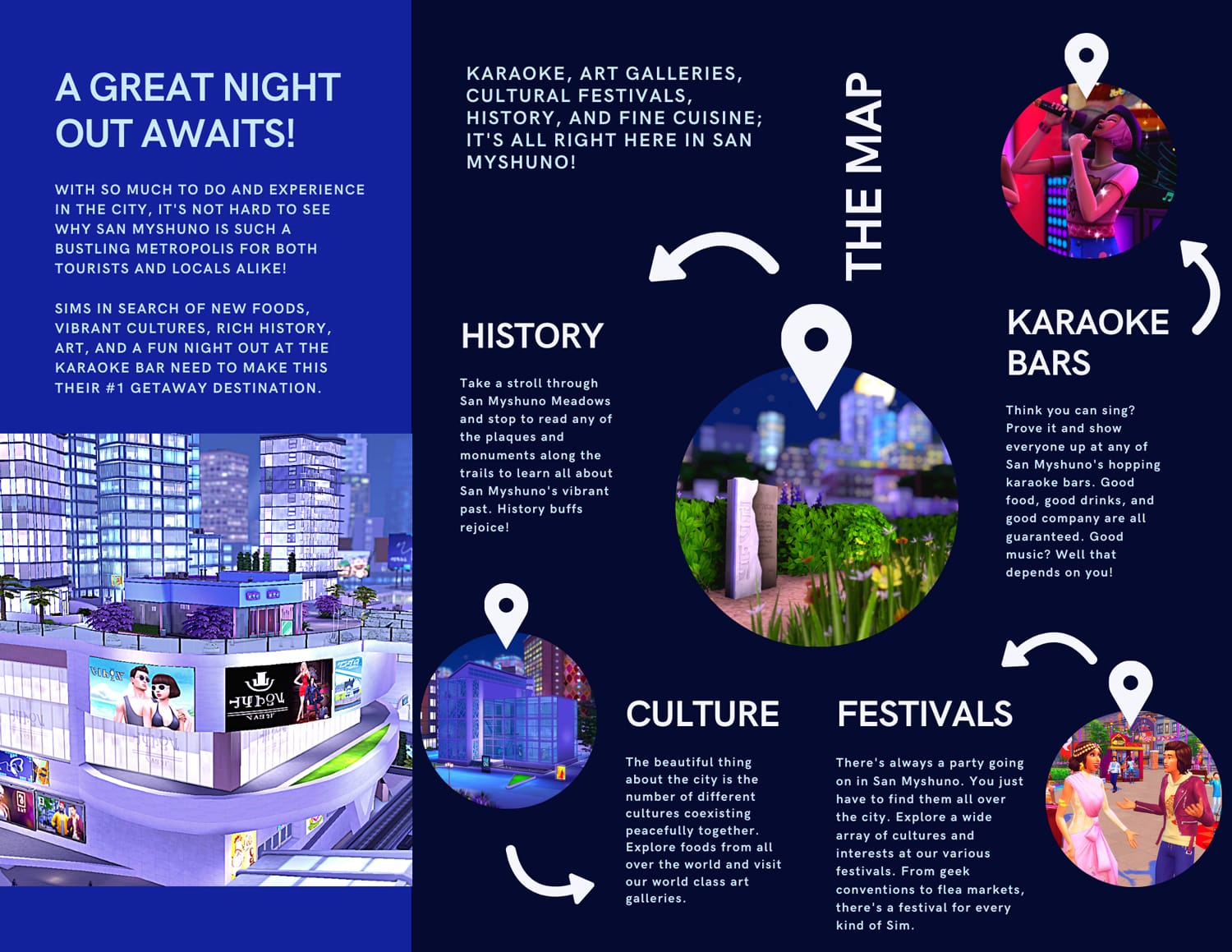
The Sims 4: San Myshuno Travel Brochure

We’re back again with another travel brochure following some amazing feedback on our other ones! This time, let’s explore everything the vibrant, bustling metropolis of San Myshuno has to offer to tourists!

What world would you like to see us create a travel brochure for next? Don’t hesitate to leave your suggestion in the comments or let us know on any of our social media channels! We’d love to hear all about your favourite vacation destinations in The Sims 4!

The Sims 4: San Myshuno Travel Brochure

The Sims 4: San Myshuno Travel Brochure

The Sims 4 Spa Day: Building a Nail Salon on a Budget

As soon as the Spa Day Refresh dropped, the Gallery was flooded with spas and salons built by excited Simmers who couldn’t wait to share their creativity! Not surprisingly, pretty much all of these builds were absolutely stunning; the Simming community is just oozing with talent, we all know that. However, also unsurprisingly, the vast majority of these spas and salons were very large, very elaborate, and very expensive. I had a really hard time finding a cute little salon that my Sim could afford to purchase right out of CAS to launch their new business.

So I built one myself! I thought using Get To Work’s retail system combined with the new spa equipment would be a fantastic idea. My Sims could tend the spa stuff at a business they actually own and sell a few extra things on the side. Win win!

Before I started building, I knew I was going to have an extremely tight budget. The lot could not cost any more than 10,000 simoleons. Sims only start out with 20,000 simoleons and they need to be able to purchase a home as well as this business straight out of CAS. If a Sim was very frugal, it was doable with a 10k budget for the salon.

The Sims 4 Spa Day: Building a Nail Salon on a Budget

I picked the smallest, cheapest lot I could in Newcrest and got to work. This would be a pretty tight space but I didn’t want it to feel tight and cramped, so placement of the furnishings would be key here. Before I even did anything to the walls or floors, I placed the items inside the tiny building, playing around with how everything would be laid out. Once I was satisfied that I had a layout that flowed nicely, I went about making the place pretty.

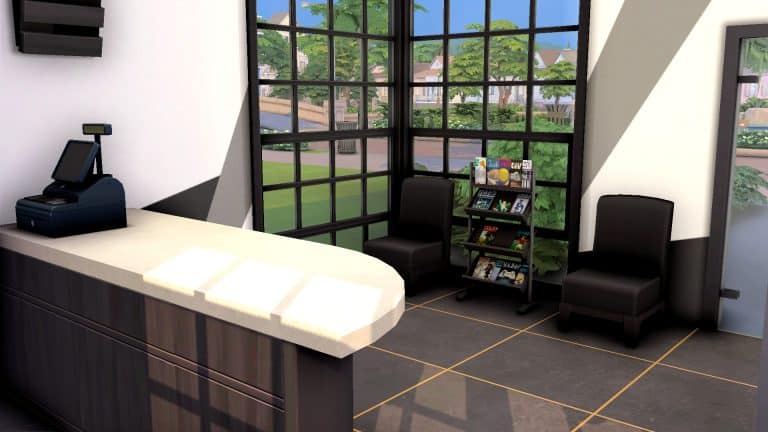
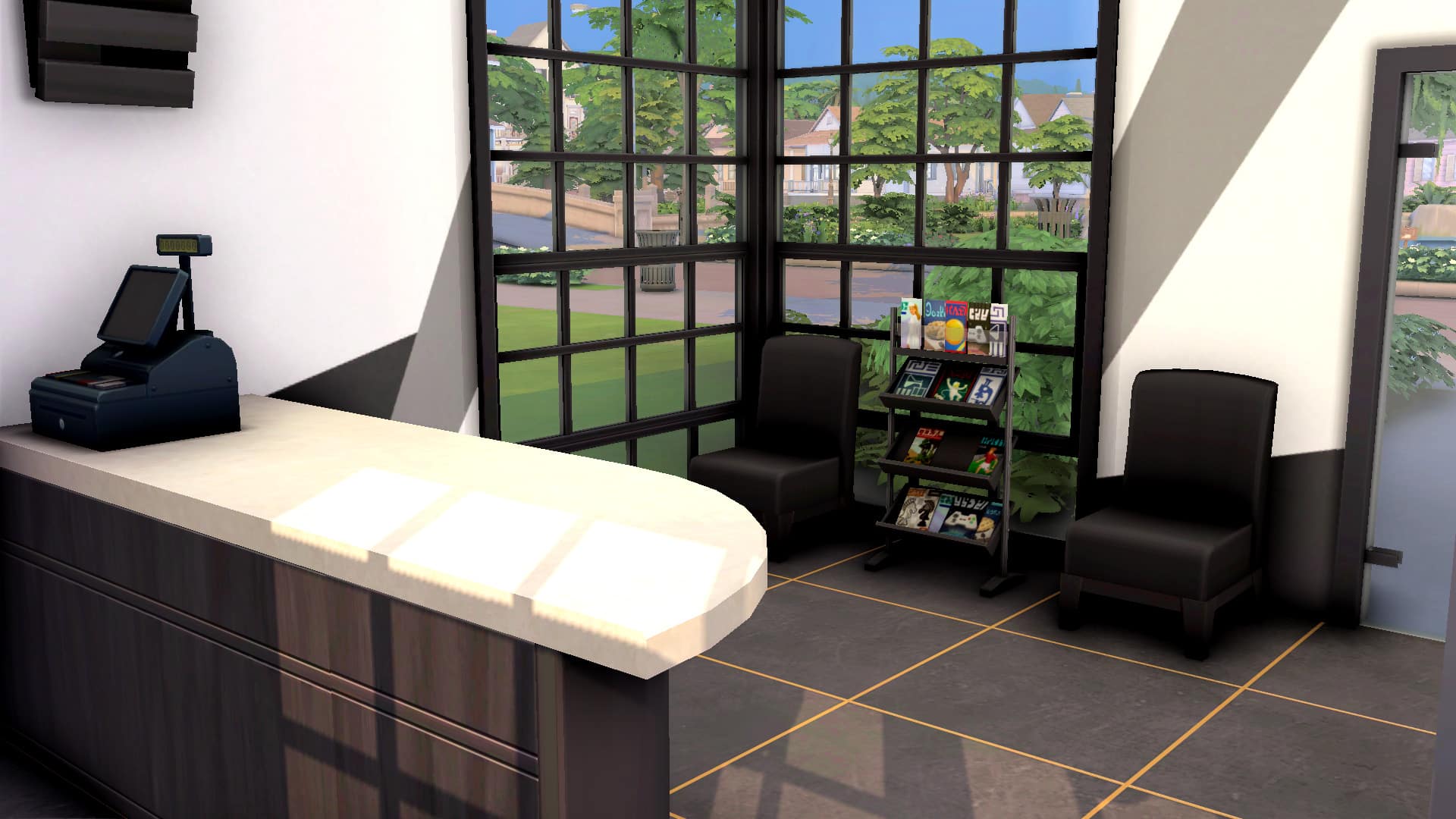
I went with a chic black and white colour scheme, using Moschino Stuff and Parenthood wallpaper to give the place some personality. I paired it with some trendy black and gold floor tiles from Get Famous. Already, the place was starting to look pretty spiffy, but I wasn’t finished, yet. I also added some Moschino Stuff windows to let lots of natural light fill the space.

The Sims 4 Spa Day: Building a Nail Salon on a Budget

By now, I had all the main components of this build. A check-in desk, a small waiting area, some shelves for sellable items, a mini-fridge that sells face masks, a spa chair, and a salon chair from Get Famous, along with some wall cabinets to place supplies on. Now it was time to decorate and really make this place look like a nail salon!


But I was already in danger of going over-budget, so I focused on purchasing things that were actually needed, first; like sellable clutter items to fill up the shelves behind the front desk. If a retail lot doesn’t have anything for sale, it won’t function, so that was very important. Then, I used one of my favourite cheats to help me out a bit with the rest of the decorating: bb.showhiddenobjects. This cheat unlocked so many different beauty products I could place on the cabinets as decoration and all of it was absolutely free! I filled the cabinet in front of the salon chair with makeup brushes, blush applicators, blush palettes, lip balm, eyeliner pencils and other goodies. On the cabinet next to the spa chair, I focused on nail care and placed plenty of nail polish bottles and nail files. Again, all of this was free since I was using hidden debug objects.

Outside, I used the same trick but with another cheat: bb.showliveeditobjects. All of the plants and almost all of the exterior decor cost me nothing to place down because I pulled them from the hidden live edit menu. This allowed me to give the nail salon a bit of curb appeal for almost no simoleons at all.

The Sims 4 Spa Day: Building a Nail Salon on a Budget

Once I had a finished salon, I had a Sim purchase it and set all the shelved items for sale so it would function properly, then uploaded it to the Gallery!

If you’d like to have this budget nail salon in your own game, it’s called Budding Artist Nail Salon and my ID is SnarkyWitch!

The Sims 4 Spa Day: Building a Nail Salon on a Budget

Some things to tweak or be aware of when using this lot:

  • Remove the foot bath and chair behind the counter. I put them in for looks but they can get in the way of using the spa chair and cash register if you’re playing with this lot.
  • It’s a good idea to hire an employee right away to check out customers and restock shelves while your Sim tends the spa chair. Your Sim can’t do these things and tend the spa chair at the same time so it can get annoying hopping back and forth constantly.
  • This lot does not have a washroom. It just wasn’t in the budget. Most neighbourhoods have public washrooms off-lot, though, so that’s an option if your Sims really have to go.
  • The salon chair can be used to give Sims makeovers but sadly, our Sims don’t have the option to charge money for these services. Hopefully one day, the salon chair will get a revamp in a future Get Famous refresh and our Sims will actually be able to earn a living using the salon chair. Hey Sims Team, are you listening? Wink wink!

A Day in the Life of a High Maintenance Sim

The Spa Day Refresh update adds a new trait to the Spa Day game pack. The High Maintenance trait will make your Sims a little… dramatic. They will have meltdowns over small inconveniences and require frequent pampering to stay in a good mood. We could have written a guide for this trait but we thought it would be more fun to walk you through the trait in one of our Day in the Life segments! This trait is so tied into everyday gameplay that it just made sense to show you the trait through gameplay!

A Day in the Life of a High Maintenance Sim

Haleigh Silver just moved to Oasis Springs. She’s not sure what she wants to do with her life but she knows she needs a job that will accommodate her high maintenance lifestyle. She has a spa membership which makes her high-end lifestyle much more affordable. That’s a good thing because Haleigh has very high standards of self-care.

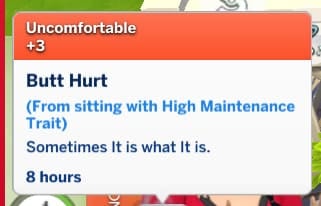
While Haleigh is bumming around her new home, pondering over the direction of her life, she starts to feel uncomfortable while watching her fourth movie in a row. Very uncomfortable. In fact, she’s Butt Hurt. As in, her butt really hurts from sitting down for too long. The only cure for such a devastating ailment is clear to Haleigh; only a nice long massage at the spa can soothe her sore behind.

A Day in the Life of a High Maintenance Sim

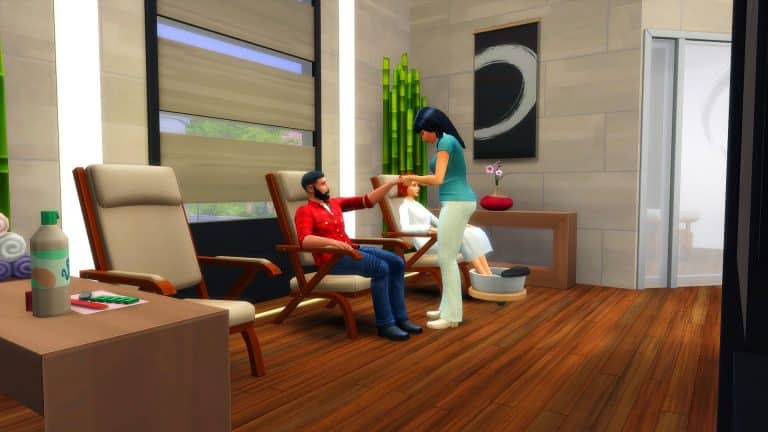
So off to the Perfect Balance Spa she goes! She’s heard the place has new luxurious massage chairs and tables and is looking forward to testing them out, herself. She does like to consider herself somewhat of a self-care connoisseur, after all. If the new massage equipment isn’t up to her standards, the spa staff will hear about it!

A Day in the Life of a High Maintenance Sim

Luckily, the new spa equipment doesn’t disappoint and Haleigh has a long, luxurious aromatherapy massage at the spa. As she’s getting her massage, her negative moodlet from being Butt Hurt is rapidly decreasing in length of time. The original moodlet lasts for 8 hours but by the time Haleigh’s massage is finished, she only has 2 hours of the moodlet left. That’s pretty good but Haleigh isn’t about to leave the spa still feeling uncomfortable. That would be a waste of a spa trip! You should be totally and utterly relaxed by the time you walk out of the spa, d’uh!

Haleigh decides she might as well get a mani-pedi while she’s here! As she sits down in the spa chair to select her shape, colour, and style, she thinks why not? Let’s go with a fancy set of stiletto nails with gems! It’s important to treat yourself to only the best of everything all the time, of course. Once she’s got her beautiful new nails, she lets her feet take a soak while she prepares for her luxurious pedicure. Ahhhh… the stress of sitting for too long is melting away already. What do you mean, she’s sitting down right now? It’s totally different if you’re getting your nails done, obviously! Sheesh!

Finally stress-free after a massage and a mani-pedi, Haleigh heads back home to… ponder some more on what she wants to do with her life. She still has no idea but hey, there’s always the spa to help ease her troubled mind when the burden of indecisiveness becomes too much, right?

That burden rears its ugly head the very next morning. As she sits down on the toilet to relieve herself, it happens. That horrifying PLONK sound, followed by a cold SPLASH on her behind! NOOOOOOOOO! Not the dreaded Poseidon’s Kiss! Day. Officially. RUINED!!!!!

That’s it. She absolutely NEEDS to go to the spa RIGHT NOW! She cannot with this day and she just woke up! Practically in tears over such a devastating tragedy happening to her first thing in the morning, Haleigh rushes back to the spa even though she was just there last night. You can never have too many spa treatments, right?

A Day in the Life of a High Maintenance Sim

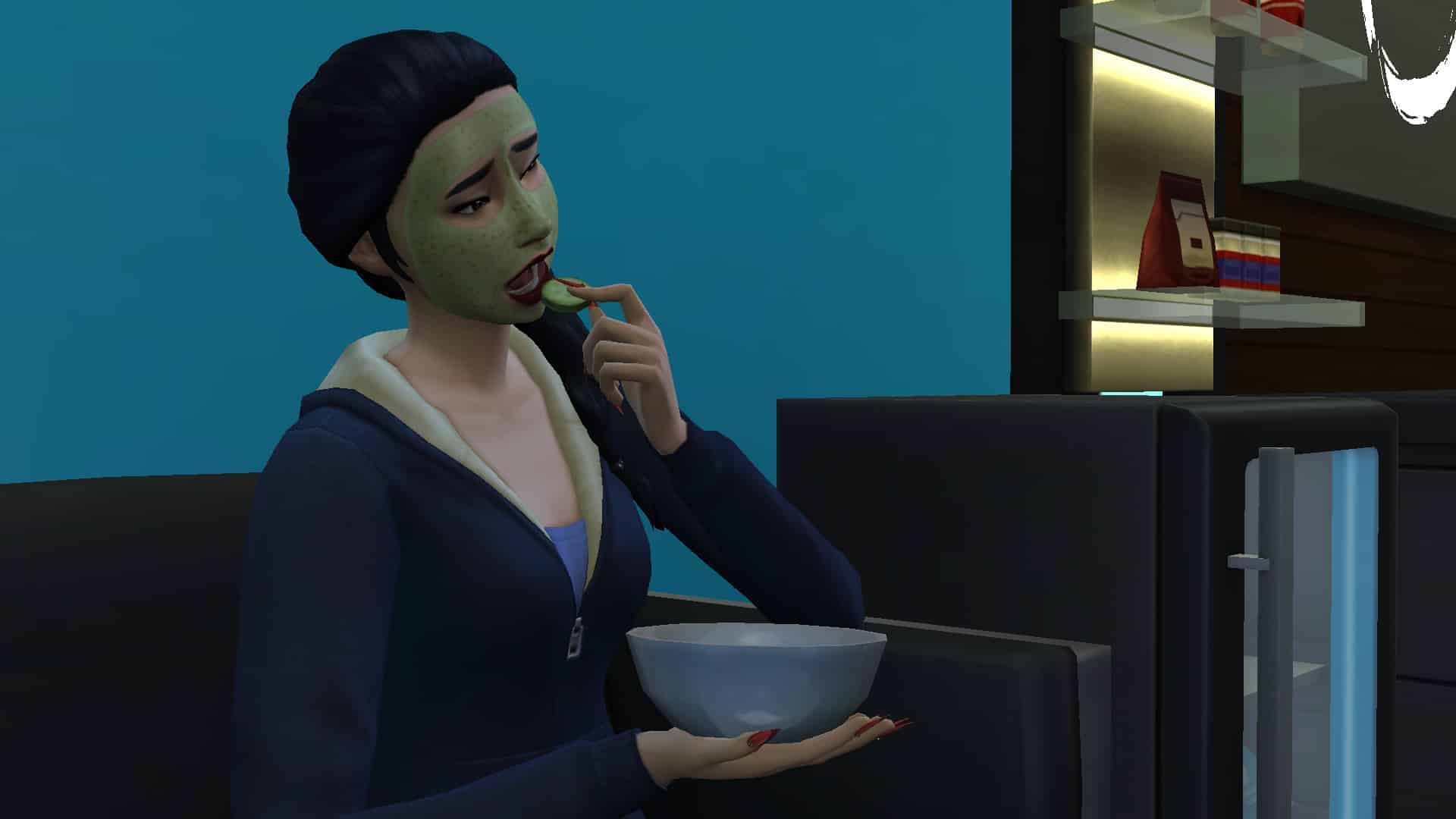
Wrong! Haleigh tries to settle in with a bowl of cucumber slices and a relaxing face mask to ease all her stress away but something in that mask did not agree with her skin. Instead of leaving her skin refreshed and glowing, Haleigh ends up with a rash on her face. Her Irritated Skin moodlet combined with her Poseidon’s Kiss and Worst Day Ever moodlets push her into a Very Uncomfortable emotional state. How could her favourite place in the world betray her like this?! She has a MEMBERSHIP!

A Day in the Life of a High Maintenance Sim

Like any pampered princess would do, Haleigh complains (loudly) about how this spa’s face products almost killed her and that they owe her compensation for their negligence. As an apology to placate one of their valued spa members, they offer the sauna and meditation room, free of charge. Does a sauna and meditation session truly make up for all of Haleigh’s pain and suffering today? Maybe not, but it’s free and who’s going to say no to free spa services?

A Day in the Life of a High Maintenance Sim

Haleigh tries to enjoy herself in the sauna, hoping the steam will help soothe her burning skin but she is so upset from her traumatic experience that the sauna does nothing to ease any of her many negative moodlets. Nope, this isn’t going to work. Maybe some peaceful meditation will help centre her chakras again.

As Haleigh sits in the meditation room, listening to the low, soothing tones of New Age music in front of a bubbling fountain, a sense of peace and clarity washes over her. Her negative moodlets are finally melting away. Even her irritated skin is beginning to clear up! The power of the mind is truly a powerful thing!

A Day in the Life of a High Maintenance Sim

And in this meditative state, Haleigh has an epiphany. She knows exactly what she wants to do with her life now! It’s been obvious all along! She has a passion for self-care and it’s her calling in life to bring the practice of self-care to others! For profit, of course. A girl’s gotta fund her expensive taste, you know.

Good luck on your Spa Specialist journey, Haleigh! May your mani-pedis be plentiful and your Poseidon’s Kisses minimal.

The Sims 4 Eco Lifestyle is on Free Trial Next Week!

2

The Sims Team is continuing with their Expansion Pack Trials!

In the beginning of May EA first offered The Sims 4 City Living for the free extended weekend trial. This time they’re putting out a newer one – The Sims 4 Eco Lifestyle!

As spotted by @SimMattically on Twitter there is a new in-game banner in The Sims 4’s Main Menu that promotes the upcoming Weekend Trial for The Sims 4 Eco Lifestyle.

The Eco Lifestyle Free Trial is set to begin on September 16th, 2021 – presumably at around 10AM Pacific Time.

The Sims 4 Eco Lifestyle is on Free Trial Next Week!

If we look at how The Sims 4 City Living Trial went down – you can expect to have the Free access to Eco Lifestyle up until either Sep 19th or Sep 20th. During that presumed time you’ll be able to create a new save game (or play with an existing one) and explore what the pack has to offer. After the trial ends you’ll have the played Save – that’s been copied as a new one if you used your old save – locked until you purchase The Sims 4 Eco Lifestyle.

Last time there was also a sale during the entire week of the trial, slashing the price of the Trial Expansion by 25% and the price of the Base Game by 75%. We’ll have to wait and see the full announcement for exact details so stay tuned!

The Sims 4 Eco Lifestyle is on Free Trial Next Week!

How to Make Money in The Sims 4 Spa Day

0

There are a number of different ways that your Sims can make money. Whether it is a 9-5 job, freelancing or even selling paintings, there are plenty of ways to earn a little extra. However, in The Sims 4 Spa Day, thanks to the recent pack refresh, your Sims can now make even more Simoleons!

Note: Keep in mind that if your Sim has completed the Self-Care Specialist Aspiration, they are able to earn more Simoleons than a Sim who hasn’t completed the Aspiration. You can read more about the new Spa Day Aspirations here.

Meditation

Sims who have reached Level 2 in the Wellness Skill are able to host both Public and Private Sessions for both Yoga and Meditation.

How to Make Money in The Sims 4 Spa Day

To start a Guided Meditation Session, simply click on a Meditation Stools and select Host Guided Meditation. From here, you will be able to choose either a Public or Private session. You will also be able to see how much you’ll make per Sim who attends. The only difference between the two session types is that you are able to chose which Sims attend a Private session, whereas anyone can attend a public session.

How to Make Money in The Sims 4 Spa Day

Session Prices
  • Without Self Care Specialist Aspiration – $80
  • With Self Care Specialist Aspiration Completed – $240

Session prices are the same for both Public and Private sessions.

Yoga

Much like the Guided Meditation Sessions, Teaching a Yoga Class works similarly. Simply head over to an Instructor’s Yoga Mat, and you’ll then be able to select either a Public or Private Class. However, with the Yoga Classes, you’ll be presented with four different Classes that your Sim can teach. These are Brain Boosting, Energy Centering, Family Friendly and Mind Concentrating. You’ll be able to choose any of these Classes to teach, regardless of if you are teaching a Public or Private Class.

How to Make Money in The Sims 4 Spa Day

Class Prices
  • Without Self Care Specialist Aspiration – $110
  • With Self Care Specialist Aspiration Completed – $330

Class prices are the same for both Public and Private classes.

If you end either a Guided Meditation session or Yoga Class, your Sim will not receive any money.

How to Make Money in The Sims 4 Spa Day

Don’t forget, your Sims can also promote Guided Meditation Sessions and Yoga Classes on Simstagram in return for Fame.

Massages

As well as teaching Yoga and hosting guided Meditation classes, your Sims are also able to earn Simoleons by offering Massages to other Sims. You can do this by having your Sim interact with either the Relaxo Deluxe, Relax-N-Go or Relaxed Chairs as well as the Massage tables that all come with The Sims 4 Spa Day.

Massage Chair

Providing your Sim has at least one level in the Wellness Skill, your Sims can offer other Sims massages. Simply have your Sim Tend one of the available massage chairs, and you’ll be able to Offer Sims either a Hand or Foot Massage.

Massage Chair Pricing
  • Without Self Care Specialist Aspiration – $40
  • With Self Care Specialist Aspiration Completed – $160

How to Make Money in The Sims 4 Spa Day

Massage Tables

Of course, your Sims are also able to offer Massages via the massage tables. Simply have your Sim Tend the massage table and you will then be given the option to Offer massages to other Sims.

How to Make Money in The Sims 4 Spa Day

Your Sims can also offer Aromatherapy Massages too!

How to Make Money in The Sims 4 Spa Day

Massage Table Pricing
  • Standard Massage – $40
  • Aromatherapy Massage -$160

The above prices are for Sims who have not completed the Self-Care Specialist Aspiration.

  • Standard Massage – $240
  • Aromatherapy Massage – $280

The above prices are for Sims who have completed the Self-Care Specialist Aspiration.

How to Make Money in The Sims 4 Spa Day

Manicures & Pedicures

Last, but certainly not least, your Sims are now also able to offer other Sims manicures and pedicures. Your Sim will need to have reached level 6 of the Wellness Skill before they can offer Manicures and Pedicures.

Much like Massage Tables, just have your Sim tend one of the massage chairs. From there you’ll find an option to offer Sims a manicure or pedicure and can then select the Sim of your choice from there.

How to Make Money in The Sims 4 Spa DayManicure & Pedicure Pricing
  • Manicure – $40
  • Pedicure – $40

The above prices are for Sims who have not completed the Self-Care Specialist Aspiration.

  • Manicure – $160
  • Pedicure – $160

The above prices are for Sims who have completed the Self-Care Specialist Aspiration.

How to Make Money in The Sims 4 Spa Day

While I was playing through each of the various ways of making Simoleons with my Sims, I noticed that even though each different option has a set price (varying depending on if your Sim has completed the Self-Care Specialist Aspiration or not) your Sims will sometimes earn a small amount more over the normal set price. Almost like it’s a little tip for your Sims being awesome!

Now, you don’t need to be at a Spa specifically to do this, you can also offer Sims all of these services from the comfort of your own home too!

How to Make Money in The Sims 4 Spa Day

What will you get your Sims to try out first? Let us know in the comments below or over on our social media!

The Sims 4 Spa Day Refresh: Everything Our Little Sims Can (And Can’t) Do

With the Spa Day Refresh update, it looks like The Sims Team has invested a lot of time into opening up Wellness options for both children and toddlers! The lack of inclusion for kids and toddlers in a lot of the game’s activities has been a long-time complaint of Simmers and it seems like The Sims Team heard those complaints because all of the new content being released in recent months has offered family gameplay to engage both kids and toddlers just as much as adults.

The Spa Day Refresh is no exception! Read on to find out everything that’s been added for toddlers and children!

Yoga

The Sims 4 Spa Day Refresh: Everything Our Little Sims Can (And Can’t) Do

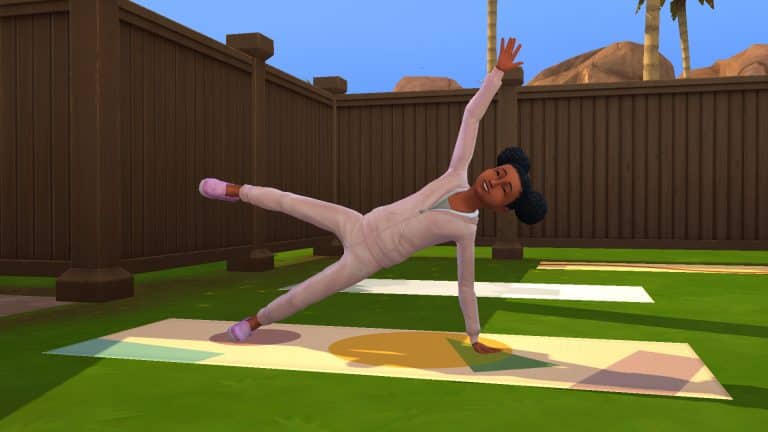
Children can now do yoga! There is a new type of yoga routine called Family Friendly, which children can participate in. They can also practice yoga indefinitely and do some specific poses. Children do not have access to some of the more advanced poses adults can do; those would be pretty dangerous for a kid to attempt, after all, but many of yoga’s basic poses are available to children. Children can even lead yoga classes as an instructor! They don’t get paid for doing this, however.

Doing yoga builds both Mental and Motor skill simultaneously, so it’s a great skill building activity for kids. If Parenthood is installed, it also builds the Emotional Control value. Children can get a lot of adorable moodlets from doing yoga, too.

Toddlers cannot do yoga which makes sense. If you’ve ever tried to get a toddler to focus for longer than two minutes on anything, you’ll know why.

Meditation

The Sims 4 Spa Day Refresh: Everything Our Little Sims Can (And Can’t) Do

Children can meditate now! Just plop down a meditation stool/pillow anywhere you like and have your kiddos practice some meditation and mindfulness. Meditation builds the Mental skill for children. If Parenthood is installed, meditation also builds the Emotional Control value. Children can meditate on their own or lead guided meditations with other Sims if they have level 2 Mental skill. Children cannot make money from leading guided meditations, however.

Toddlers cannot meditate for much the same reasons why they can’t do yoga. Toddlers have limited attention spans and probably would not be able to sit still for very long.

Face Masks

The Sims 4 Spa Day Refresh: Everything Our Little Sims Can (And Can’t) Do

Children and toddlers can both use face masks!

When purchasing face masks from the new mini-fridge that came with the Spa Day Refresh update, there is an Animal Facial Mask available to purchase. This is the only mask that can be worn by children and toddlers. Purchase it, then take it out of the fridge where it’s stored by default and put it in your kid or toddler’s inventory.

In their inventory, select the animal mask. Children have the option to apply the animal mask while toddlers have the option to play with it, but both interactions do the same thing; both kids and toddlers will put the mask on.

The Sims 4 Spa Day Refresh: Everything Our Little Sims Can (And Can’t) Do

The type of animal on the mask is random; both my little Sims got a zebra mask but the child in the developer livestream got a tiger mask. It can be fun to see which animals your little Sims will get.

Just like all the other masks for adults, the animal masks need to be worn for a certain length of time before your little Sims will see any benefit from them. Children and toddlers get all kinds of adorable moodlets unique to them related to wearing the animal mask.

As far as we can tell, there are no negative effects on children and toddlers from overusing the animal masks like there are for adults. The masks can be used many times back-to-back on children and toddlers with no skin irritation occurring.

Nails

The Sims 4 Spa Day Refresh: Everything Our Little Sims Can (And Can’t) Do

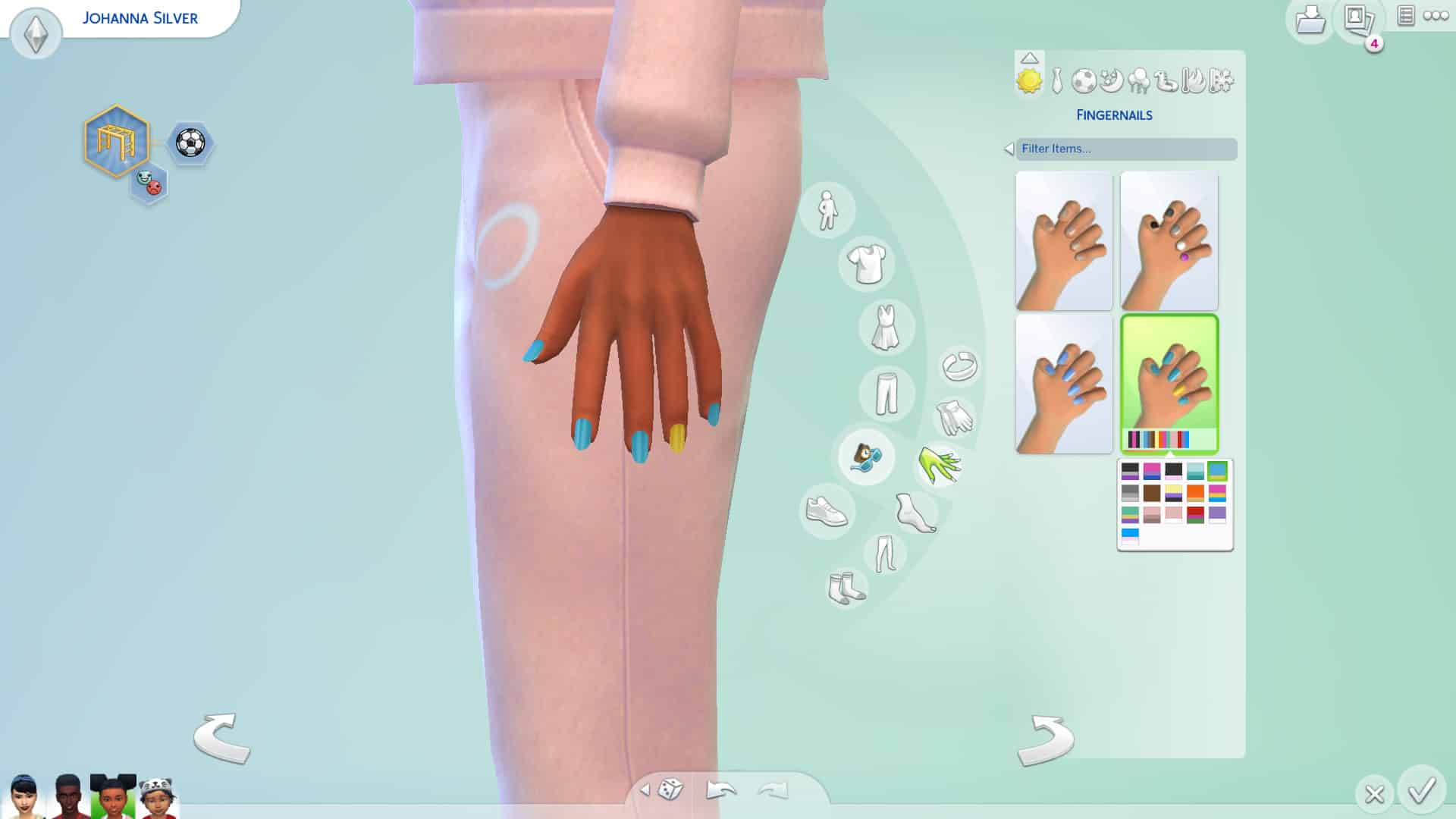
Both children and toddlers were seen with colourful nails in the Spa Day Refresh trailer, so it was a major disappointment to discover that they cannot actually get their nails done in-game via the spa chair. Children and toddlers can only have different nail colours selected for them in CAS, so there is no gameplay attached to them in this respect. It would have been adorable to have our Sims take their little ones to the spa with them to get their nails painted together so we really can’t understand why this would be left out, especially since they spent the time on making nails for kids and toddlers in the first place.

In CAS, children have fingernail and toenail subcategories under the accessories category. You can choose between short and medium-length fingernails for them in various colour combinations. Toenails only have a short option in solid colours.

The Sims 4 Spa Day Refresh: Everything Our Little Sims Can (And Can’t) Do

Toddlers do not have a toenail subcategory and can only have short fingernails in various colour combinations.

Since their nails are only available through CAS, they will never fade or need touch-ups. Again, extremely disappointing and a huge missed opportunity for some heartwarming family gameplay.

Wellness Interest

The Sims 4 Spa Day Refresh: Everything Our Little Sims Can (And Can’t) Do

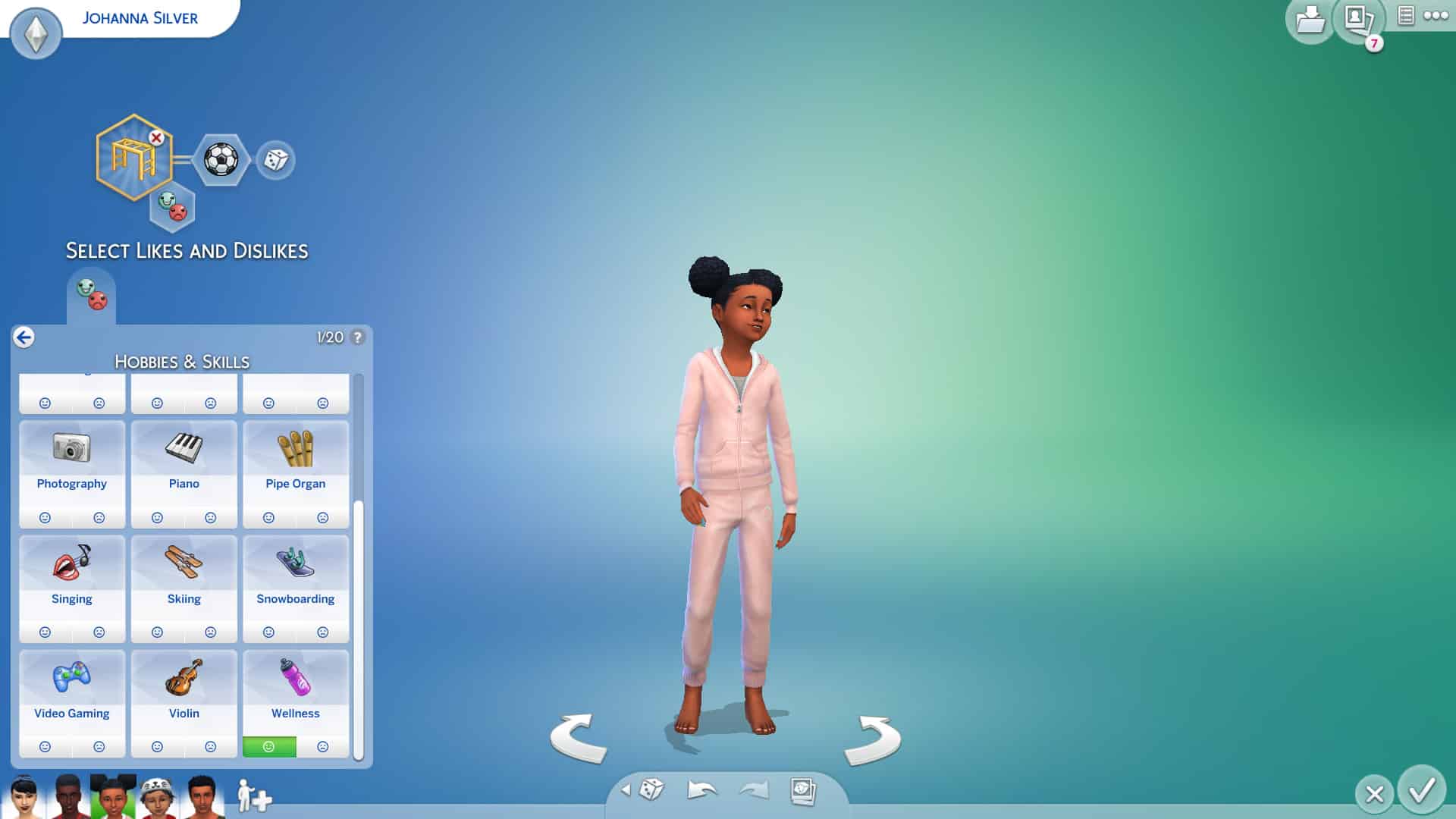
Children can now choose Wellness as a like or a dislike in CAS (or through gameplay) since they can now participate in Wellness activities. This interest was previously only available to teen and older Sims.

Toddlers don’t have this option since they do not have likes or dislikes.


How are your little Sims enjoying the Spa Day Refresh? Let us know in the comments or come chat with us on social media!