Home Blog Page 173

The Sims 4 TUTORIAL: Fixing Group Poses Where Sims Pose in the Wrong Spot

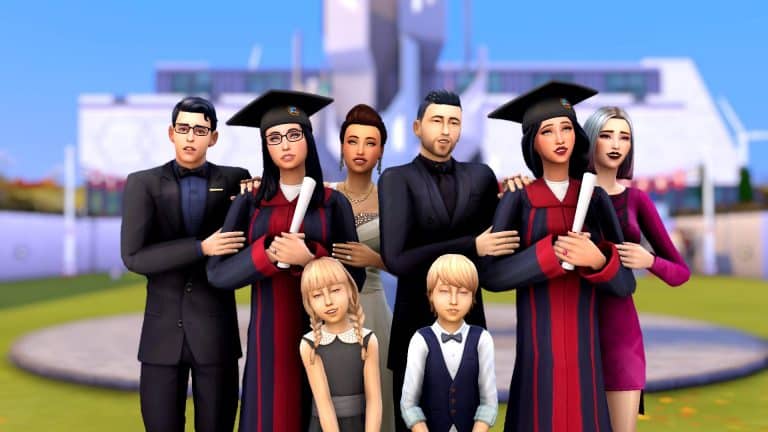
If you’re an avid Sims storyteller or just a big fan of using poses for nice family photos, you might have run into this issue several times before. Like me, you were probably at a loss for what was happening. I realised that this is something that frustrates a lot of pose users and hardly anyone has an answer or solution for it. I couldn’t find an answer for what was happening for a long time and had to figure out what the problem was on my own. I don’t want anyone else to have to go through the trouble I did so I’m going to explain why this issue happens and how to fix it.

The Sims 4 TUTORIAL: Fixing Group Poses Where Sims Pose in the Wrong Spot

The Problem: Even if you use the Sim Teleporter to make your Sims pose in the correct place, they still walk several feet away before posing in the wrong spot.

Cause: Celebrity Sims. If you have a celebrity Sim anywhere on the lot, all the other Sims will walk several feet away to fawn all over the celebrity before they pose, resulting in them posing in the wrong place.

Solutions:

1) Just don’t use poses with celebrity Sims and make sure there are no celebrities nearby when posing your Sims. Easiest solution but not exactly ideal if you like to play with celebrities.

2) Temporarily remove your Sims’ celebrity status with mods or cheats before posing, then give them back their fame once finished. A decent solution but if you use poses a lot, it can become very time consuming to do this and reset all your Sims’ fame perks every single time you want to pose them.

3) Use the TOOL mod to nudge any stray Sims back to their proper places while they’re in their pose. This is my preferred method. It does require you to know the basics of the TOOL mod but I still find it easier and faster than the other two solutions. I’m also going to link you to TwistedMexi’s tutorial that will show you exactly how to use the three features you need for this. They are all quite easy to use.

3a) First, you will need to use the TOOL mod to select your Sim as an active object, as shown at 12:19 of the tutorial.

3b) Next, you will need to nudge your Sim back into place using the gravity pull feature, as shown at 16:15 of the tutorial.

3c) Sometimes, you may need to rotate your posed Sim as well to get them back into place properly. That is covered at 3:25 of the tutorial.

The Sims 4 TUTORIAL: Fixing Group Poses Where Sims Pose in the Wrong Spot

Using those three simple features of TOOL will allow you to fix any group poses that have gone awry due to a celebrity distracting all of your Sims.

I hope this helps you pose lots of Sims together easier!

Need StrangerVille Inspo? Try My StrangerVille World Setup!

As a long-time fan of StrangerVille, it always pained me how little effort went into the lots there. Every building is painfully bare-bones and even though the exterior architecture of the Shady Acres homes are beautiful, the inside is a completely different story. Big open rooms with one or two pieces of furniture plopped down wherever really kills the enjoyment of living in StrangerVille and actually investigating the neighbours.

Obviously, I had to fix this. I went about replacing or renovating every lot in StrangerVille to suit my play style and make the place feel like people actually live there. Today, I’m sharing how I have the world of StrangerVille set up with you. Since I did not build two of the lots, I cannot in good conscience upload the save, but I can show you a map of my StrangerVille and give you all the info needed to place the lots in your own world if you want to!

There is no CC anywhere in this world but I do own every pack and kit and like to use them. If you don’t own all packs and kits, you might need to replace some things here and there.

The World Map

Need StrangerVille Inspo? Try My StrangerVille World Setup!

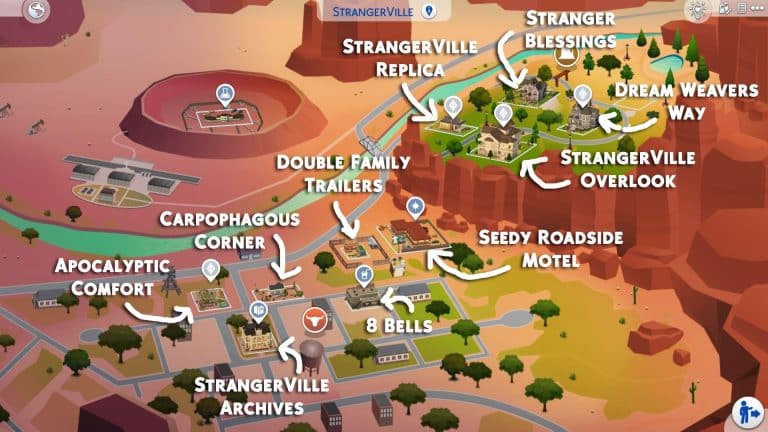
Here’s a world map of my StrangerVille so you can see where I’ve placed all my lots. I’ve done some shuffling around for the premade families and tweaked their bios a bit to fit with their moves but more info on that later on. All credits and lot info will be provided below.

StrangerVille Archives

Need StrangerVille Inspo? Try My StrangerVille World Setup!

Creator: thetideschanging

This lot replaces the default information centre in the heart of town and I absolutely love it. It looks exactly like what I would expect an old historic community building in the heart of a western American town would look. The inside is just as pretty as the outside and yes, it’s fully functional as both a library and as the scientist hangout spot for the StrangerVille Mystery plot.

8 Bells

Need StrangerVille Inspo? Try My StrangerVille World Setup!

Creator: Allisasims

I initially downloaded this adorable lot for the bar but the military office upstairs ended up being a perfect setting for a story I was writing, too! I really fell in love with this place. The bar is a really welcoming spot to hang out, with pool tables and darts and all kinds of fun pub-like activities to enjoy and the military office upstairs adds a touch of realism. After all, the bar is where the military hangs out in StrangerVille. There is also a cute little bookstore attached as well. I just love this place so much.

Double Family Trailers

Need StrangerVille Inspo? Try My StrangerVille World Setup!

Creator: SnarkyWitch (that’s me!)

I love these trailers for the trailer park in StrangerVille. Suitable for a family (or two) to live in. I’ve taken away some things in my base save to make it under 20k so a single Sim can start out in it but the version in the Gallery is a little nicer and priced just under 30k. I just really like the idea of having two trailers on this lot to potentially have more Sims living in StrangerVille. A single Sim can also rent out the second trailer to some roommates for some extra cash, so this lot is really versatile.

Apocalyptic Comfort 2

Need StrangerVille Inspo? Try My StrangerVille World Setup!

Creator: SnarkyWitch

I originally built this for the trailer park so you’ll have some empty space at the back to fill if you place it where I have. This is a tier 3 tiny home made out of two stacked shipping containers.

I needed the plane crash site for my motel, so I have George Cahill living here. His story goes that city council wanted to rebuild the abandoned motel (seen in the background of this shot) to revive the dying tourist industry in StrangerVille but needed George’s land. The only way he’d agree to go is if he was given a new plot of land with the rights to build whatever he wanted on it and a piece of Old Penelope had to be preserved and given to him. George was given some land in the suburbs where he built the apocalypse container home of his dreams, the city built their motel, and the nose and engine of Old Penelope are now popular tourist attractions in George’s backyard!

Carpophagous Corner

Need StrangerVille Inspo? Try My StrangerVille World Setup!

Creator: SnarkyWitch

This was a remodel of the original starter lot in this spot. I turned it into a tier 2 tiny home and it is still a starter. It’s perfect for either a single Sim or a couple. This home is one of the more “normal” ones in StrangerVille so it’s great for a Sim who’s just moved to this town, oblivious to the strange nature of the place.

Seedy Roadside Motel

Need StrangerVille Inspo? Try My StrangerVille World Setup!

Creator: SnarkyWitch

This is a replica of the abandoned motel shell as set dressing in StrangerVille. Perfect to use as a rental and a great place to tell the story of a passing traveler who finds themselves involved with the craziness of StrangerVille. The rooms are in varying stages of grunginess so you can choose between a pretty normal room or some truly horrifying ones. There may or may not be a crime scene in one of the rooms. Just saying…

Alternatively, if you’d rather have a cute little western ranch here than a sketchy motel, I also have a lot called The Ol’ Homestead you can place here. It’s a 100 Baby Challenge home but shouldn’t be too hard to rearrange the layout a little to suit a “normal” family.

StrangerVille Replica

Need StrangerVille Inspo? Try My StrangerVille World Setup!

Creator: SnarkyWitch

This is a replica of the cute little yellow house shell as set dressing in StrangerVille. I designed it for the Sigworths and moved them up to Shady Acres since I needed their original lot to move George into.

Their story goes that Jess rose in the ranks of the military quickly after moving to StrangerVille and after a few promotions, they were able to move to the nicer neighbourhood of Shady Acres. Dylan was hoping the move to a better area would be a fresh start but the odd behaviour Jess started exhibiting when they moved to StrangerVille has followed them up the canyon…

Stranger Blessings

Need StrangerVille Inspo? Try My StrangerVille World Setup!

Creator: SnarkyWitch

This is one of my first builds from when I was really starting to come into my own as a builder. It’s a 100 Baby Challenge house but it shouldn’t be too hard to rearrange the upstairs layout a little to suit a “normal” family if you so desire.

StrangerVille Overlook

Need StrangerVille Inspo? Try My StrangerVille World Setup!

Creator: SnarkyWitch

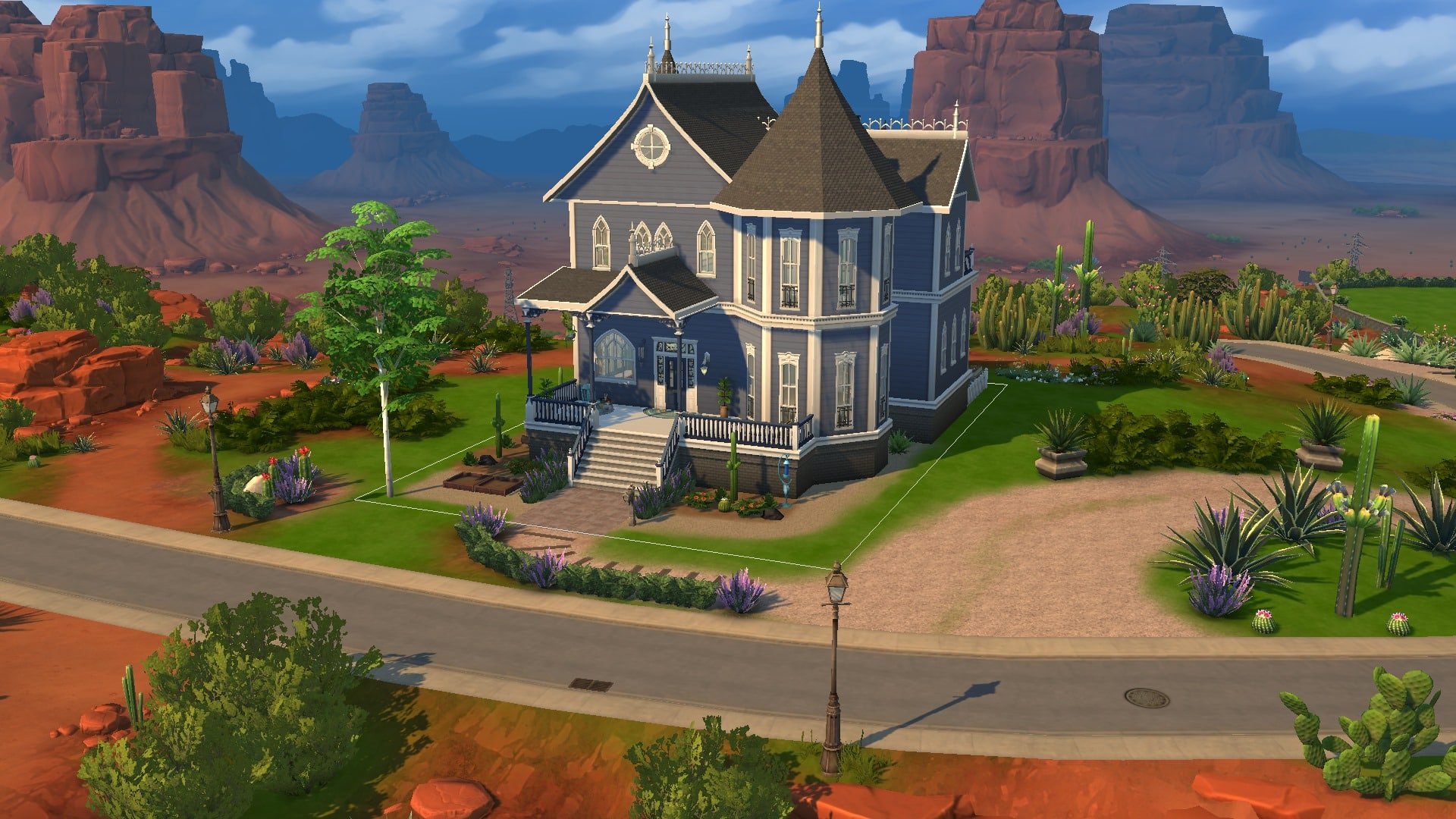
This is a remodeled version of the Roswells’ original home. It got a paint job and the interior’s completely redecorated from top to bottom. I even turned those useless inaccessible attic spaces into usable rooms. I didn’t see any reason to do major exterior construction because the structure itself is beautiful. It just needed a fresh coat of paint, some detailing, and a LOT of work on the inside so that’s what I did. I hope Ted and Meredith like the major interior design upgrade.

Dream Weavers Way

Need StrangerVille Inspo? Try My StrangerVille World Setup!

Creator: SnarkyWitch

This is my remodel of the Eclectic Arts roomies’ original home. It got a paint job, some new windows and trim, and the interior’s been redecorated to suit a group of young artsy hipsters with too much money. Like the Roswell home, I didn’t see any need for major construction on the outside; it was already lovely. I did do some interior construction to add a third bedroom so all the roomies actually have somewhere to sleep and I opened up the living area/foyer a bit by knocking out a wall.

And that’s my StrangerVille! I left one lot blank in Shady Acres in case I feel like building something from the ground up or starting some kind of rags to riches playthrough but all other lots have been rebuilt, replaced, or remodeled. I loved playing in StrangerVille before but it’s a lot more fun living there now that the town doesn’t look abandoned and empty.

Feel free to download all these lots and place them where I have, or take this as inspiration to do your own thing with StrangerVille; it’s entirely up to you!

The Sims 4: Creating A Style Influencer Apartment For My Sim

5

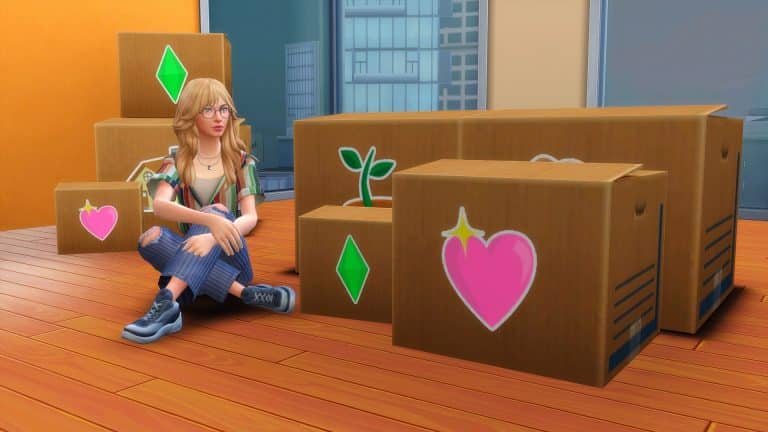
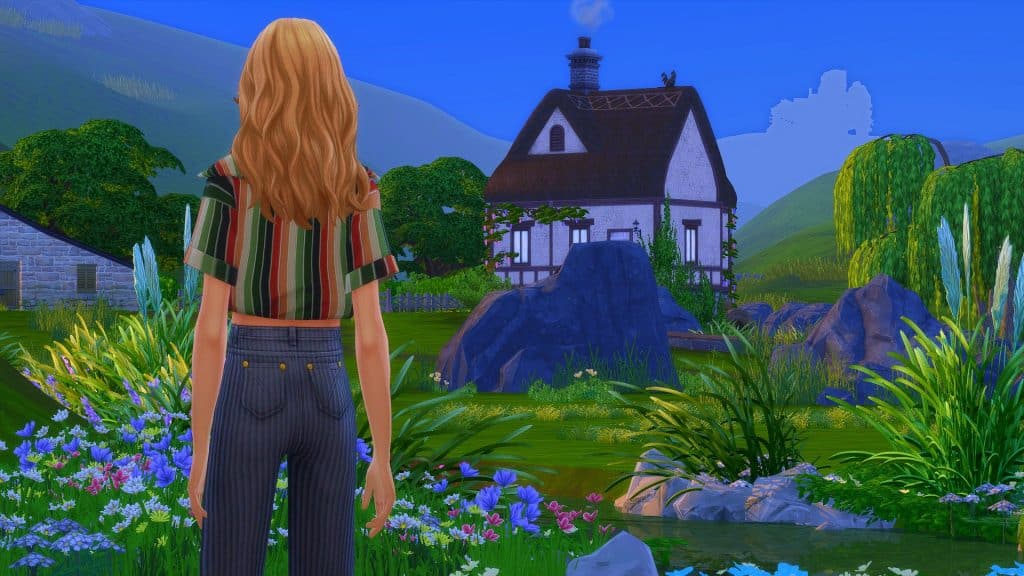
After having my Sim live in the beautiful world of Henford-on-Bagley since the release of The Sims 4 Cottage Living, I decided it was time for a new adventure. It was time to swap from the quiet countryside to busy city. Of course, with my Sim now heading for San Myshuno it was time for a bit of a career change! A few ideas ran through my mind but with the two upcoming Create-A-Sim Kits, the Incheon Arrivals and Fashion Street Kits, I decided it was time for my Sim to take on the Fashion World as a Style Influencer.

First things first when moving to San Myshuno is choosing which District my Sim is going to live in? Living in the Fashion District makes sense, however is slightly expensive to a degree to rent in. The Spice District is appealing, but isn’t quite what my Sim is looking for at the moment, and the apartments in the Arts District and Uptown are definitely out of budget for the time being.

After some consideration, I settled on moving into one of the apartments in 21 Chic Street in the Fashion District.

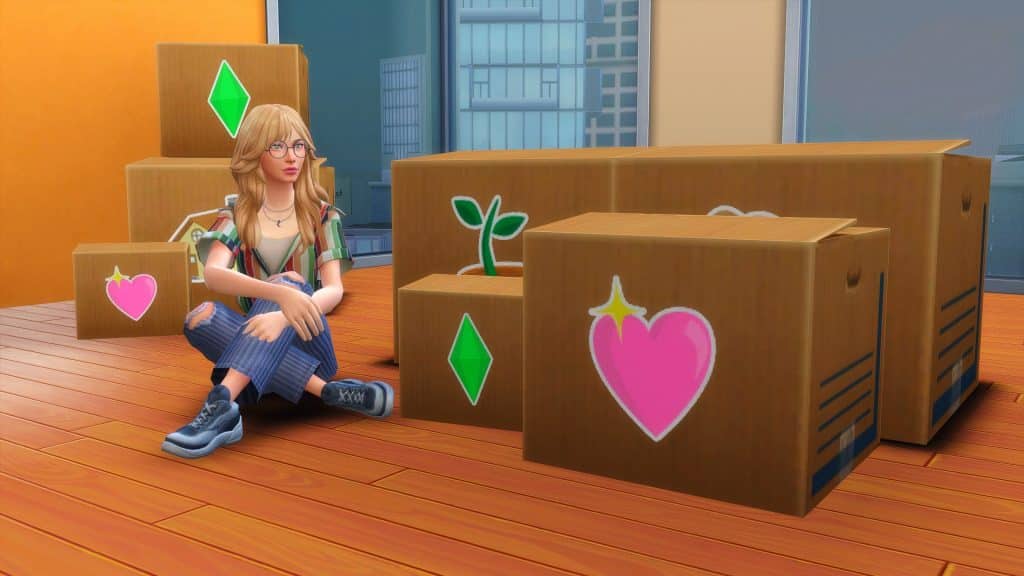
So it’s goodbye for now, Henford-on-Bagley and hello San Myshuno!

The Sims 4: Creating A Style Influencer Apartment For My Sim

After selling the furniture from my Sims previous home as well, it left my Sim with quite a sizeable amount of money. I say sizeable, it was enough to renovate her new apartment nicely and still have some left over while she makes a start in San Myshuno.

While the apartment I chose isn’t the biggest available in San Myshuno, for the weekly rent it was spacious enough for my Sim. For those who have played The Sims 4 City Living and know the pack well, the apartment I have chosen is the one where you would usually find Penny Pizzazz.

The Sims 4: Creating A Style Influencer Apartment For My Sim

The original layout of the apartment used the main space as a big open-plan living room, office and bedroom, while I wanted to keep the similar idea I was trying to think of ways I could keep this while making each area its own. Not only that, I was wondering what kind of theme I wanted to go for. Did I want something colourful, an industrial feel, or maybe just having something minimalistic?

Here are a couple of screenshots of how the apartment looked before I started renovating the apartment. Plenty of space to work with. The only thing I didn’t screenshot was the bathroom, which is just to the right and out of shot of the first screenshot below.

After setting about renovating the apartment, I initially decided to go with a minimalistic theme. I soon found that it just wasn’t working out how I had imagined it to. After quickly deleting what I had done, I ended up going with a mix of modern and industrial, with pops of colour throughout. As I continued to place each of the items, I found that overall it turned into a mash-up of different themes in the end, but I was loving how it was all coming together. Of course, I couldn’t forget about adding clutter throughout as well, where I could.

I also added a platform into the open sleep/living area, and even though it was just something really simple, I felt helped break the room up a little more. I’ve not really used platforms at all since they were added into the game as I found they would glitch easily, and while I still have the odd problem here and there it worked perfectly on this build.

Now for the after screenshots!

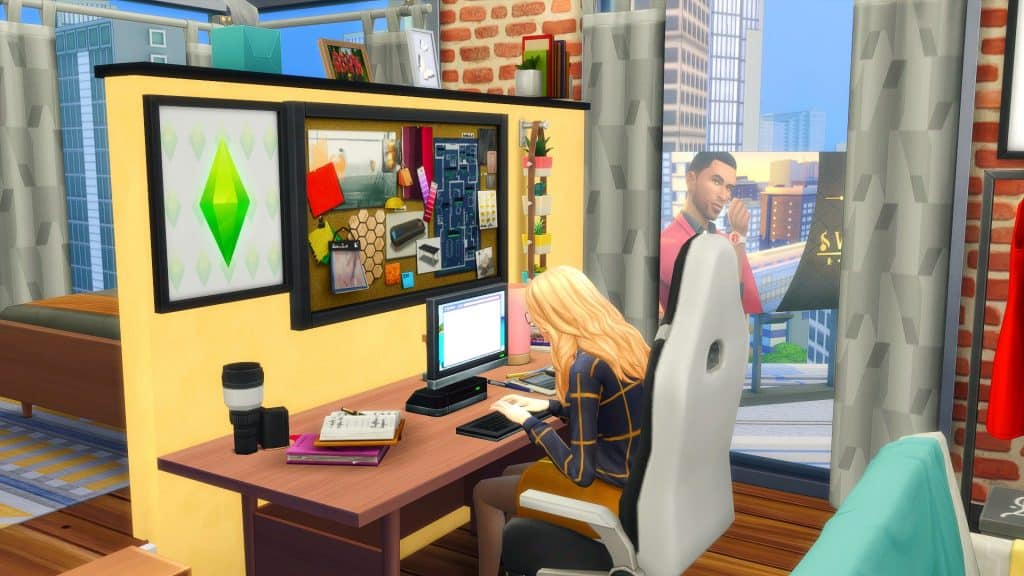
First up is the entrance to the apartment and main living area, followed by the office space. While I did want to try and create a better working area for my Sim for when she is working from home, it did prove difficult with the amount of space I had. Even though it didn’t work out as planned, I did like how it turned out.

The Sims 4: Creating A Style Influencer Apartment For My Sim

The bedroom space I wanted to keep nice and simple, with not too much clutter about. I did add the Trend Board in the bedroom as it was the only place that I could find enough space to place it while there still being enough space for my Sim to move around.

And lastly, the kitchen and dining space. I usually start with the kitchen regardless of what I’m building, but this time around it was actually the last room I renovated. I found it hard to find the right colour scheme that worked but adding the little pop of yellow really helped in the end.

Before anyone mentions that I have forgotten the bathroom, I did renovate it, but it’s so tiny that I just place the bare essentials that my Sim would need in there. While I did try to take screenshots to show what I had done, it was so difficult to get one that would show everything.

I really loved how this came together. There were plenty of challenges along the way, as well as trying to figure out which packs and objects worked well with one another. There are one or two areas that I’m considering changing, but overall I’m loving it. The perfect apartment for an up and coming Style Influence. I honestly can’t remember the last time I played in San Myshuno, but I’m excited to jump back into my main game and see what happens with my Sim as she starts her first steps as a Rag Reviewer!

Look out San Myshuno, the next big thing in the fashion world is coming!

Want to get the hairstyle from the Sim in the screenshots? It’s a part of the “so casual” CC Maxis Match collection by arethabee, and you can get it HERE!

My Experience Revisiting The Sims 3

24

In keeping with my recent itch to scratch the surface of some older Sims games, I found myself booting up The Sims 3 again. Now, I feel obligated to admit that The Sims 3 is easily my least favourite game of the franchise. The graphics are terrifying, the Sims look like freaky deformed potatoes, the animations are robotic and clunky, and much-loved features like the open world and create-a-style only made the game an unstable mess. Not to mention I find a lot of the gameplay people praise it for is actually quite one-dimensional and shallow.

My Experience Revisiting The Sims 3

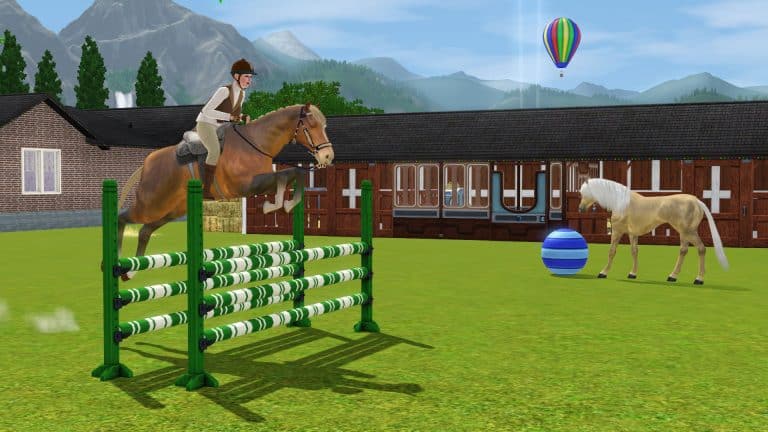
Now, with that out of the way, we can get to what’s good about it and what made me decide to play it again after all these years. I love The Sims 4 Cottage Living but it made me miss horses all that much more. Horses are, perhaps, the only thing The Sims 3 did really well and I wanted to experience that again. So after jumping through a million hoops to make sure the game would even run at all on my new high-end gaming laptop, I could get it to run… okay. It’s mostly pretty smooth but the open world does still cause it to lag up a bit here and there.

My Experience Revisiting The Sims 3

I made my Simself and started a “legacy” on the largest lot in Sunset Valley, beginning my new life in a tiny shack. My Lifetime Wish was to be an Animal Rescuer so I quickly acquired quite a lot of pets from the shelter. I also started working on my riding skill in order to start adopting wild horses and maybe even tame a unicorn one day. In the process of bringing my equestrian dreams to life, I met a Sim named Gage Briody, fell in love, and married him. His Lifetime Wish was to become a Creature-Robot Cross Breeder… whatever that is. Apparently, it’s the top of the Science career track so he got a job at the lab.

My Experience Revisiting The Sims 3

Soon after, we unexpectedly found out we were having a baby… make that two babies, actually. Yup. Twins. I hadn’t planned on continuing my legacy until much later in life but now I had two daughters. Okay then. Somehow, we managed to raise two kids in our little shack with a bunch of animals and pursue our careers at the same time. Gage gained promotions quickly and I finally adopted my first wild horse and started entering show jumping competitions with him. We sunk most of our money into partnering with local businesses so our daughters wouldn’t need to worry about money in the future.

My Experience Revisiting The Sims 3

Another horse, a cat, two dogs, and a unicorn later, and Gage was a level 8 scientist and I was a level 8 horsewoman. Our twins were teenagers and we decided to pull them out of Smuggsworth Prep School so they could have a normal teenage experience, like prom. We worked hard during the week but made time every Thursday (which was the seasonal holiday) to do something together as a family, like attend the seasonal festivals at the park or have a family beach day. Sometimes we’d catch a movie and then pick out a tasty treat at the Deliciously Indulgent Bakery, a disgustingly overpriced Store venue that I bought anyway because I hate having money, I guess.

So what are my final thoughts on The Sims 3 after spending so much time playing it again? Well it’s definitely a more enjoyable experience if you have the hardware for it and if you’re tech-savvy enough to know how to tweak the game files to allocate more RAM to the game and to make it recognise your graphics card. When the game runs the way it’s supposed to, it can be pretty fun but when it comes down to it, I shouldn’t need 2021 hardware and advanced computer knowledge to be able to run a game from 2009. That alone still pegs The Sims 3 as the worst in the series for me. However, since I do happen to have the hardware and computer know-how to run it, I probably will still continue to play it every now and then when I’m feeling nostalgic.

And I must admit, I’m excited to see where my daughters take their lives when they’re all grown up. I wouldn’t mind seeing a few features of Generations added to The Sims 4, like proms, more after-school activities, and a boarding school system. I do all these in The Sims 4 anyway using some creativity and imagination but integrated gameplay would be pretty nice.

The Sims 4 teases the Third Kit of This Season

9

A few days ago The Sims Team has announced a “Season of Selves”, announcing 4 Kits and multiple Free Content Updates for The Sims 4!

So far we’ve gotten a free update for The Sims 4 with 1200 new color swatches and new CAS items, as well as the announcement of two Fashion Kits – Incheon Arrivals and Fashion Street.

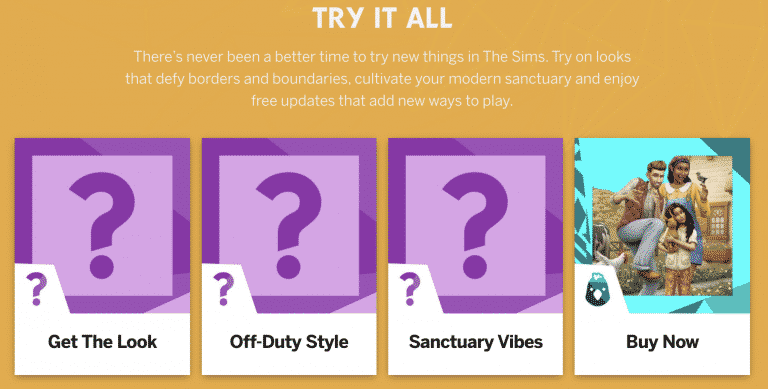
As you can see from the graph below, there are two more Kits left to be announced – one that’s a part of the CAS Kit section and one that’s a Build Kit, which will let you “cultivate your modern sanctuary”.

The Sims 4 teases the Third Kit of This Season

TheSims.com has updated their website with 3 Kit Boxes, featuring “Get The Look”, “Off-Duty Style” and “Sanctuary Vibes”.

With this we can assume that the reveal for the 3rd, “Sanctuary Vibes” Kit is just around the corner after the release of Incheon Arrivals and Fashion Street.

What do you think the Build Kit is specifically about? Let us know in the comments!

The Sims 4 teases the Third Kit of This Season

The Sims 4 Kits: My Personal Opinion

While I was working on another recent piece of content about The Sims 4 Kits, I got thinking about the future of  The Sims 4 and Kits in general. There’s no denying that these Kits are here to stay for the time being, and personally, I’m still incredibly torn on if I love them or hate them.

There are three kinds of Kits for The Sims 4 those that add gameplay, those that add new Create-A-Sim options and those that are aimed at Build Buy mode. I think that is pretty much expected. They are after all the three main features of any The Sims game, after all. While each of the five current Kits have all had their own themes, I was sat here wondering what kind of Kits I’d like to see in the future.

Now, before I talk about the ideas that I have, one thing I would love to see happen is The Sims team to collaborate with content creators on Kits. There are so many amazing and talented custom content creators out there that it would be the perfect opportunity for a collaboration. While The Sims team have worked with custom content creators earlier this year in the exclusive birthday patch, working with creators again would be brilliant! While I would suggest brand collaborations, they are probably better for larger packs like we saw with The Sims 4 Moschino Stuff instead.

The Sims 4 Kits: My Personal Opinion

Create A Sim

There are a few different ways that this could be done. You could have a pack similar to the Throwback Fit Kit, focused around all clothing and a few accessories. Find a theme that doesn’t quite work as a bigger pack, and follow that pattern. On the other hand, you could have a Kit that focuses more on a mixture of different CAS options other than just clothing alone like hairs, make-up, tattoos etc. Somewhat similar to what we see in the likes of Expansion, Game and Stuff Packs. Just more variety, really. Maybe it could include things that might not necessarily fit in a bigger expansion, or maybe something that didn’t quite reach the cut for a pack or work as intend.

Of course, since I originally wrote this post, it has been revealed that we will be getting two more Create-A-Sim Kits in early October. These being the Incheon Arrivals and Fashion Street Kits. It’s been interesting reading the blog posts from The Sims team about how the Kits came together. At a first glance, from the information that is out for these Kits they look promising and have improved from the first Create A Sim Kit, the Throwback Fit Kit. I’ll be interested to see how these look in game once they have been released.

Build Buy Mode

As someone who mainly builds in The Sims 4 most of my time is obviously spent in Build Buy mode. While I’ve liked the Country Kitchen, Oasis Courtyard and Industrial Loft Kits, I feel that many of the items belong in packs that we already have. I’d love to see Kits that are focused around Build Buy mode, maybe explore more niche concepts that maybe wouldn’t work as a larger pack but still would work as a Kit.

While this idea might not be everyone’s cup of tea, and this is something I’ve seen mentioned by a few people in the community, but possibly Kits that added some clutter in general or for a particular room type. Maybe plants or more decor items. There’s a few possibilities. As someone who loves adding clutter to their builds, I would love a clutter orientated pack.

Gameplay

This is more of a tricky one. We all know that Bust the Dust didn’t have the greatest launch due to a few issues and while for the most part those issues have improved now, I do feel a little at a loss when it comes to gameplay Kits. There are things I’d love to see added into the game, they are ideas that are more fitting for either an expansion, game or stuff pack. I don’t really have any ideas for gameplay based Kits.

One thing I would like to see is World Kits. Now I’ll be honest, I don’t really know how they would work or if it would be a new world and maybe a few objects or even some lots and townies to get you started. I’m not sure. I would guess there’s a few different ways to go about it and some research needed too. It would be nice to have worlds inspired by countries The Sims hasn’t visited before.

The Sims 4 Kits: My Personal Opinion

I guess one of the most notable topics that I see about The Sims 4 Kits is the pricing. I could go into a whole other discussion about this, but I want to keep this bit short and sweet.

Do I feel that the price of the Kits truly reflects the content we get in Kits? It’s hard to say. While part of me says yes, there’s a part of me that says no, which again feeds into why I feel so torn about Kits overall. It also then raises the question of how much content should we expect to see in a Kit that costs £4.99? Surely that would lead onto similar questions regarding the other pack types to? Then you have the individual pricing of the Kits around the world, and that is a discussion for another day too.

Overall, I’m still pretty much in the middle on how I feel about The Sims 4 Kits. I like the idea of them, I hope they cover more niche themes going forward, and I do see the potential in them providing they are done in the right way. I do like how, unlike other pack types, Kits feel more flexible to choose from and aren’t necessarily majorly missed if you didn’t have them in your game.

As for concerns, I do have a few as well as concerns about the pricing of Kits, but my biggest one right now is geared more towards what kind of Kits are released. Rather than several that focus on Build Buy Mode released closely together, switch it up and vary it with either a Create-A-Sim or Gameplay based Kit next.

Even though we are only just over six months into having Kits as a pack type for The Sims 4, I’m optimistic that as more Kits release, we’ll see them improve and cover and explore more themes that we haven’t seen in The Sims 4 before.

Let me know what your thoughts are on The Sims 4 Kits in the comments below!

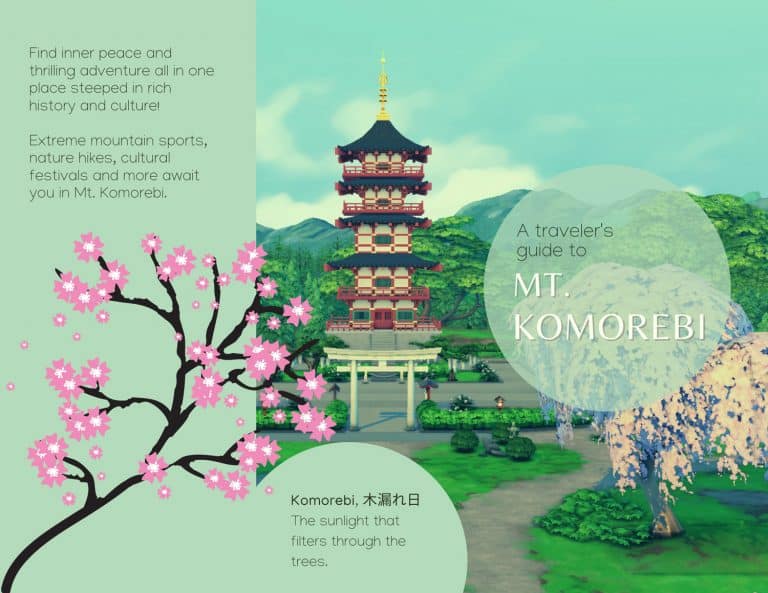
The Sims 4: Your Travel Guide to Mt. Komorebi!

We’re back with another Sims-inspired travel brochure in our Sims Community travel series! We received requests for a Mt. Komorebi travel brochure and we agree that Mt. Komorebi is a great candidate for a brochure! Not only does it already come with rental lots in the world to vacation to, but it’s also home to a wide variety of exciting activities, natural beauty, and cultural celebrations making this Japanese-inspired world truly a must-visit destination.

What world would you like to see next in this travel brochure series? We want to know, so give us your suggestions here in the comments or come chat with us on social media!

You can also check out currently published Travel Brochures here!

The Sims 4: Your Travel Guide to Mt. Komorebi!

The Sims 4: Your Travel Guide to Mt. Komorebi!

A Modder Has Discovered How to Add Create-A-Style to The Sims 4

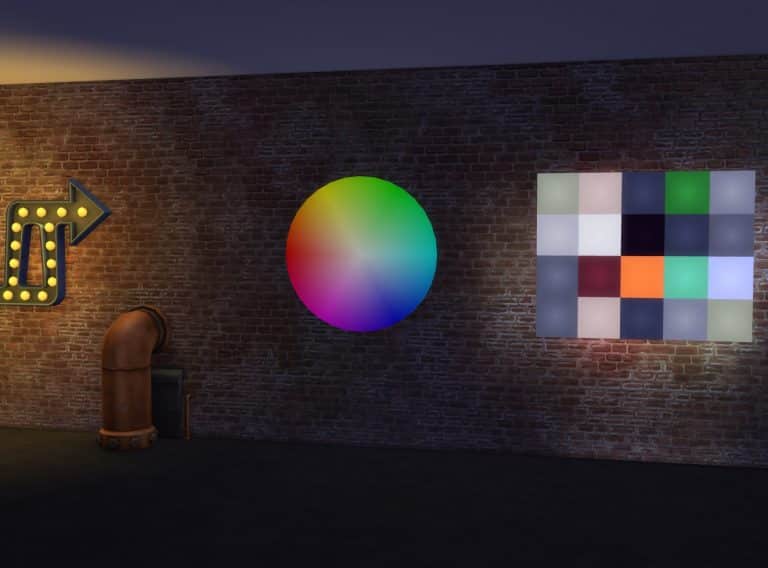
A well-respected modder in the Simming community by the name of Arnie has announced that he just may have finally cracked the code that has puzzled players and modders alike for years; how to bring the colour wheel and Create-A-Style to The Sims 4!

He has shared a video on his Patreon demonstrating an accidental discovery he made while working on a different mod. The video appears to show him being able to transfer the colours and textures from one object to another by dragging different paintings onto a coffee table. The coffee table then takes on the colour and pattern of the painting that was dragged onto it. There are a few other videos as well showing potential colour wheel functionality.

From Arnie:

Hey friends!

I just wanted to let you know that, while I was working on Plumfruit Part 2 (searching for a way to change wallpapers on the computer), I discovered a cool function in the code that allowed me to code and create some kind of Create-A-Style feature (sims 3 players, if you know, you know😜)

This allows you to create and modify your own objects and textures inside the game! How cool is that?

I would like to turn this into a mod, where you and your sims can create their own custom objects, either for their home or to sell it at their custom furniture shop!

I have so many ideas and will probably keep working on this project to make it a full mod pack of its own one day! I have no release date yet, and as you know I have so much work to do already (revamping mods, betas, etc.) But I just wanted to share with you these features and experiments I’m working on! Hope you like it!

Arnie does caution that this discovery is still very new to him and he hasn’t yet had a chance to do more research into it but he theorizes that it may be possible to use this loophole to his advantage and create a fully-functioning colour wheel and Create-A-Style feature for The Sims 4.

Arnie is no stranger to accomplishing the impossible; he is known for many groundbreaking mods like his Farmland mod, as well as the Brookheights mod, both which add entirely new worlds to the game along with game-changing gameplay, so we’re pretty hopeful about his next planned project! In the meantime, you can follow Arnie on Patreon (or Twitter!) to continue receiving updates about this exciting project. We will also be keeping you updated on any big developments!

A Modder Has Discovered How to Add Create-A-Style to The Sims 4

The Sims 4: Let’s Build a Spa in Mt. Komorebi!

One thing I’ve always wanted in Mt. Komorebi was a spa. With the world’s focus on finding your inner zen, a spa just seemed like a perfect fit for this world. Not only would it be appreciated by all those hard-working salarypeople living in Mt. Komorebi, but it would also be a fun and relaxing activity to enjoy while vacationing in Mt. Komorebi, too.

When Spa Day got a much-needed refresh, I decided now was the perfect time to build one for my Sims. For an added challenge, I decided the only two packs I would use would be Snowy Escape and Spa Day. I also went with a more modern design since I planned to build this in the Wakaba District, on the lot where the lounge is.

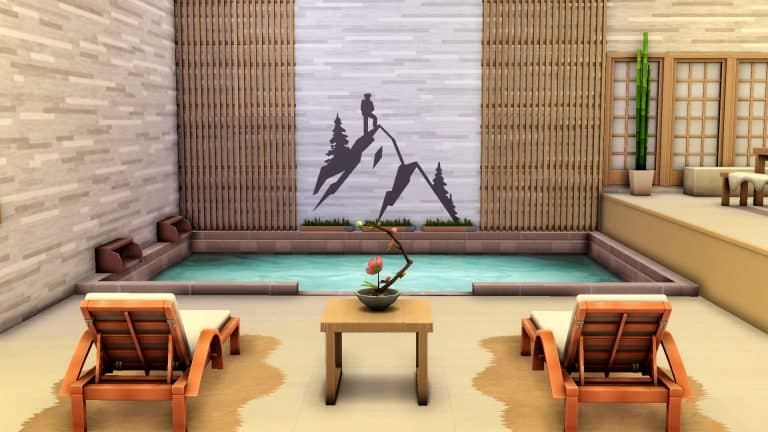
Since this is a spa in Mt. Komorebi which is famous for its hot springs, I knew I needed to have a hot spring in my spa as the main focal point and attraction. I dedicated the entire first floor to the lobby, changerooms, and the hot spring. Since going to the onsen is very much a communal, social activity, I added a lot of cozy seating in a large area around the hot spring for people to relax or have a quiet chat with friends.

Upstairs is where the rest of the spa activities would be. Massages, manicures, pedicures, meditation, yoga, sauna, soak baths, it was all going to be here on the second floor. I had my work cut out for me because that’s a lot to cram into one floor while still maintaining a light, airy atmosphere that feels soothing. I took advantage of platforms and wide open doors to keep the space feeling big and open while still allowing for some privacy in the massage rooms and baths.

When I was finished, I had a meditation area as the focal point of this floor using platforms, with a yoga studio, sauna, massage rooms, and baths in smaller rooms around it. The circular pathway around the meditation area that leads to the rest of the spa amenities gives what could have been a very cramped space a soothing sense of flow.

For the exterior, I used shoji windows to bathe the inside of the building in soft light while still offering privacy to people relaxing inside the spa. A lot of clean lines, neutral colour tones, and a zen garden out front all give the spa the modern yet calming feel I was aiming for.

The Sims 4: Let’s Build a Spa in Mt. Komorebi!

In the end, I was quite proud of myself for having built this. Japanese architecture is very far outside my comfort zone and I had to double check a lot of details with people more knowledgeable on the subject than me but I finally have the Mt. Komorebi spa of my dreams!

And so can you! If you love this lot and would like it in your own game, you can find it in the Gallery! It’s called Shizukesa Onsen & Spa and my ID is SnarkyWitch. It has no CC and only requires Snowy Escape and Spa Day.
Maxis’ Upcoming Simulation Game is apparently called “Lost Astral”

Back in July 2021 we first reported the first details on Maxis’ new IP (Intellectual Property), which we can also call a new Franchise considering it’s a standalone, different game.

We got the information that the upcoming Simulation Game from Maxis’ is, well in fact, a Simulation HD title, with the following bits of information:

  • It’s a Simulation HD Game (PC / Consoles)
  • Developed / Prototyped in Unreal Engine 4
  • The game features a “3D Menu Navigation”
  • Includes “Super Abilities”
  • Comes with “Co-Op Player vs Environment” Events

We also have gotten the first look of what the game might be about thanks to the surfaced splash Maxis screen that you can see down below. It features a purple sky with stars, possibly hinting that the new Simulation is space-related…

Maxis’ Upcoming Simulation Game is apparently called “Lost Astral”

A few days ago there’s been a huge leak from Nvidia Geforce NOW’s streaming service, which allows you to stream games directly without downloading from their platform.

Inside of the leak some players were able to uncover a list of over 18 thousand video games, including some of the ones that have yet to be released.

In that list is also an unnanounced game from EA and Maxis called Lost Astral. If we match the potential name leak with the splash screen that was leaked a few months ago we have almost a confirmed title from EA / Maxis that’s yet to be officially announced. Note that the name Lost Astral could also be a project name and not a final name for this upcoming Simulation.

A list of games that may be in development or have been developed that may be integrated into NVIDIA’s GeForce NOW streaming service has been leaked through their API1. Though to be taken with some scepticism, the leak has been condensed into a GitHub repository2. Looking through the games, I noticed a game titled ‘Lost Astral’ by the developer EA Maxis.

– u/Koriyo

Maxis’ Upcoming Simulation Game is apparently called “Lost Astral”

To remind you again, there are multiple development studios inside EA/Maxis working on different titles, including:

So, when will EA / Maxis officially announce Lost Astral? We honestly have no clue. However, we’ll definitely keep you posted as new information surface!

Tip: @PattonKieran

The Sims 4: List of Updated Objects (and their Swatches!)

0

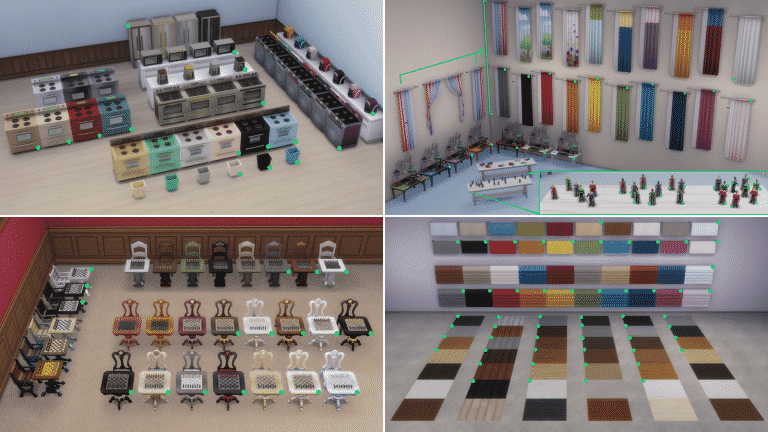
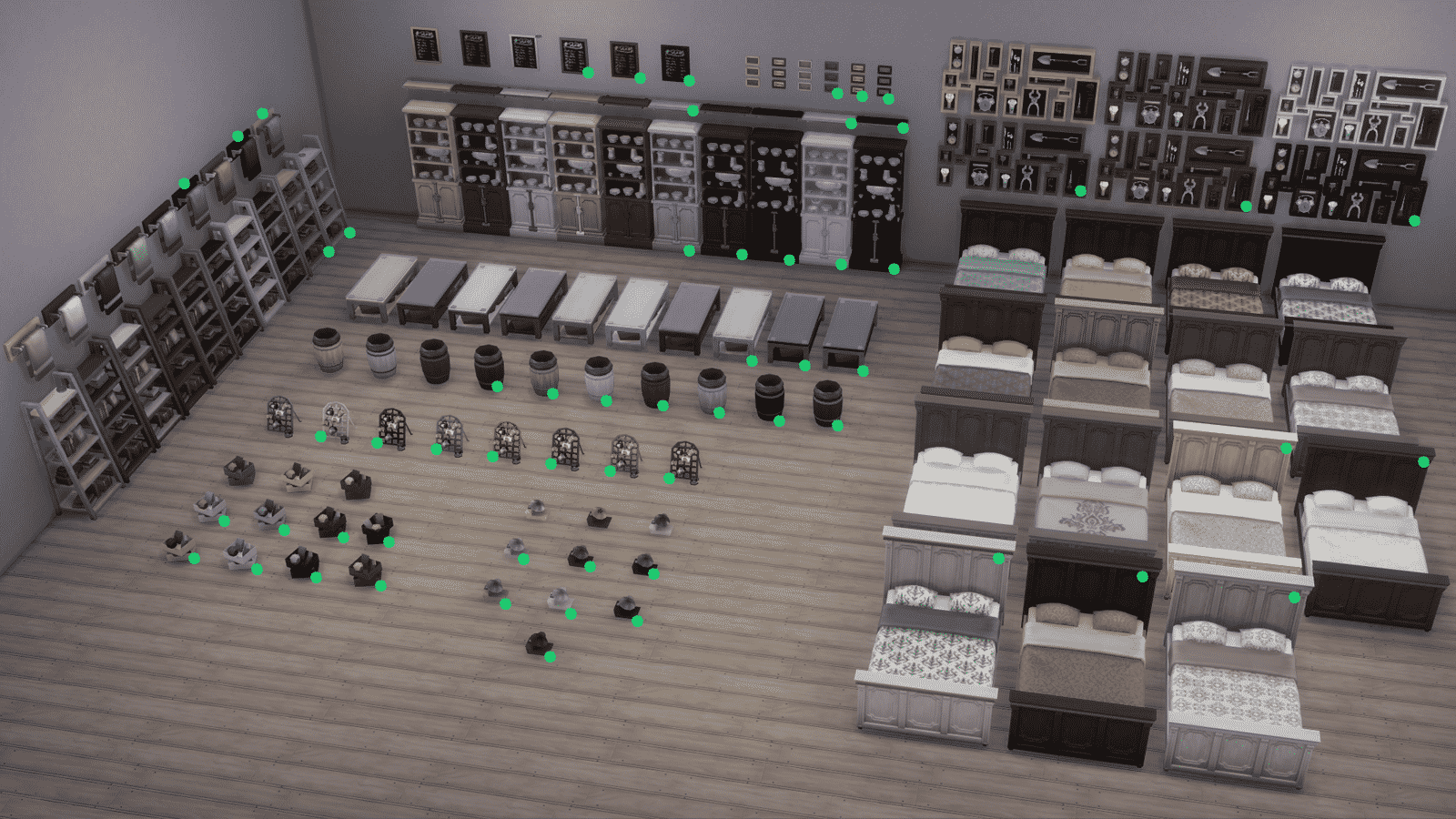
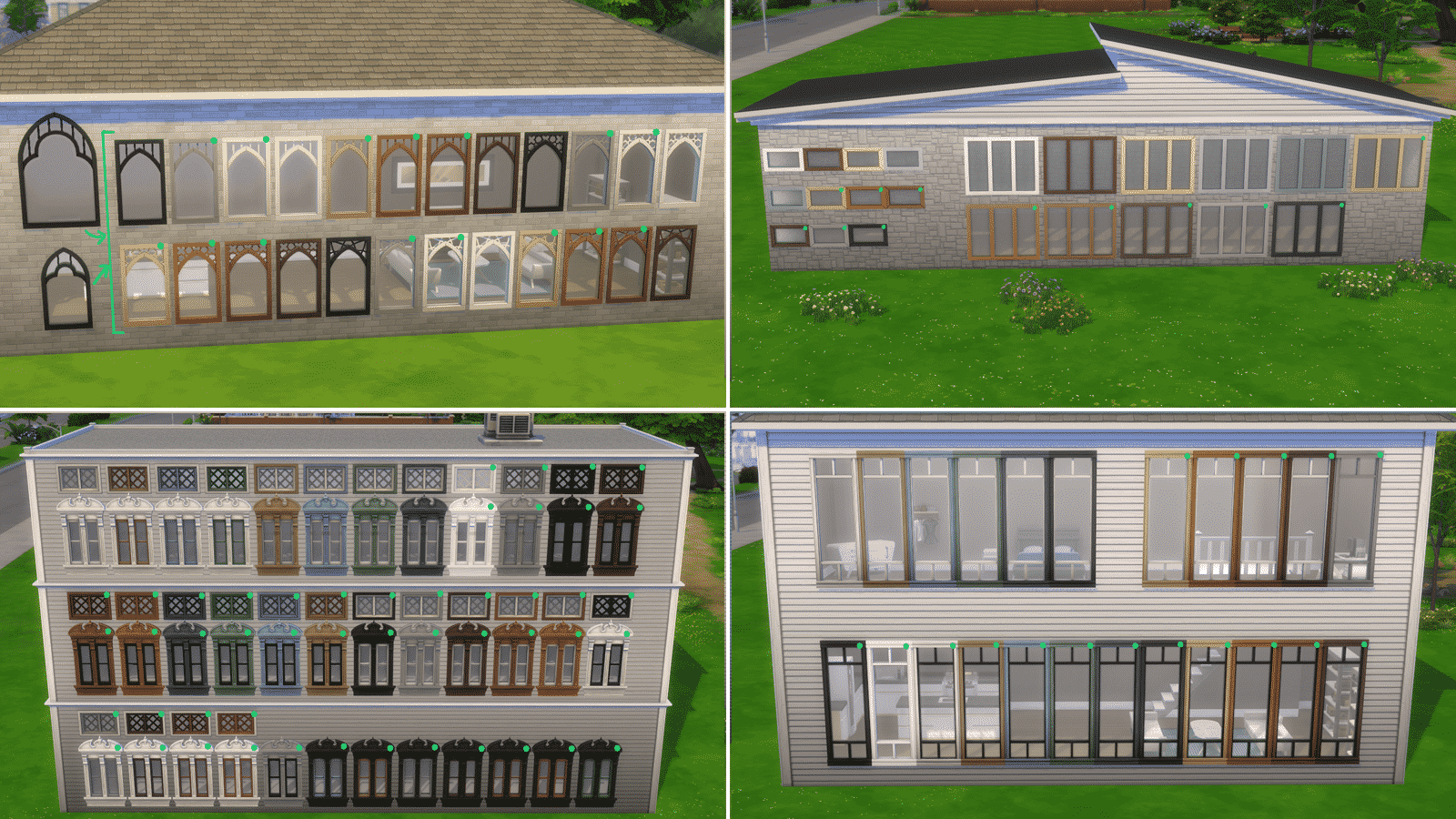
Yesterday’s update for The Sims 4 on PC/Mac has added TONS of new swatches to existing Base Game objects! 1200 Swatches across 149 objects to be more precise.

The list of updated objects includes a wide variety of everyday home objects, object sets such as counters and islands, wallpapers, floorings, 64 WINDOWS and so much more!

We’ve downloaded high quality photos of each of the updated objects. Simply select an image and zoom in to see every new swatch added to The Sims 4! The new variants are marked with a green circle.

The Sims 4: List of Updated Objects (and their Swatches!)

The Sims 4: List of Updated Objects (and their Swatches!)

The Sims 4: List of Updated Objects (and their Swatches!)

The Sims 4: List of Updated Objects (and their Swatches!)

The Sims 4: List of Updated Objects (and their Swatches!)

The Sims 4: List of Updated Objects (and their Swatches!)

The Sims 4: List of Updated Objects (and their Swatches!)

List of Updated Objects

  • Illusion Shades
  • Flaunting Flounces Panels
  • Minimalist Drapes
  • Sooner or Ladder Contemporary Dining Chair
  • Tabula Rasa Coffee Table
  • Tabula Rasa End Table
  • Tabula Rasa Console Table
  • Grand Hall Dining Table
  • Grand Designs Dining Table
  • Simplicity Dining Table
  • Square Meals Dining Table
  • Floored by Symmetry Standing Mirror
  • Carina Dining Hutch
  • Simple Symmetry Bookcase
  • Intellectual Illusion Wall-Mounted Bookshelves
  • Great Wall Mirror
  • Capped Wall Plank
  • Dodecagon Contemporary Clock
  • Honeycomb Bottle Holder
  • On Phantom Wing Framed Art
  • Apple of Your Eye Framed Watercolor
  • Pear Essentials Framed Watercolor
  • Terminus Reclaimed Pipe Towel Rack
  • RAW Bookshelf
  • Reclaimed Plank Shelf
  • Wainscott Gardens Dining Cabinet
  • Form & Function Industrial Coffee Table
  • The Barnish Bed
  • Boardwalk Trashcan
  • CONCEPT Coffee Mug Rack
  • Cluttered Mind Box Set
  • GrammyFone Old-Fashioned Music Player
  • In Session Novelty Chalkboard
  • Three Framed Skeleton Keys
  • Ordinary Things Shadowbox Display
  • Cooking-U Pro
  • Crisponix Ultragreat w/ Deluxe Crisper
  • The Omniwaver
  • Café Immodéré
  • London’s Choice
  • The YumCooker
  • The Schmapple Oven
  • The Schmapple Coffee
  • Garbelle Wastebasket
  • Popped Color Curtains – Left
  • Popped Color Curtains – Right
  • Sunny Shades – Left
  • Sunny Shades – Right
  • Junior Wizard Starter Set
  • Mega Couple Of Books
  • The Purple Protector Action Figure
  • The Purple Pursuer Action Figure
  • The Chessmaster
  • Chess under the Stars Patio Table
  • Grand Plans Chess Table
  • Cabin Slats
  • Simplicity Shade
  • Limber Lumber Traditional Hardwoods
  • Rustic Subfloor Slats
  • Eco-Craft Hardwood Flooring
  • ForestFine Wood Flooring
  • Old World Wide Plank Flooring
  • Herringbone Hardwood Flooring
  • VAULT Modular Counter
  • VAULT Modular Island
  • VAULT Wall Cabinets
  • VAULT Pro-Level Bar
  • BlandCo Contemporary Counter
  • BlandCo Contemporary Counter Island
  • BlandCo Contemporary Cabinet
  • Country Fieldstone
  • Mega Stacked Stone
  • Windowbox of Superiority
  • Neighborly Windowbox
  • Garden Planter Box
  • Garden Pot
  • Bonsai Tree
  • Oopsa Daisies
  • Red, Red Shrub
  • Pink Aster Nots
  • Purple Perennial Flowers
  • Shaggi-luscious
  • Passion’s Kiss
  • Baby’s Bottom Rose Bush
  • Red, Red Rose Bush
  • 64 Windows

The Sims 4: The Orjánic Country Living Custom Content Collection

The Orjánic Country Living Collection is Available Now!

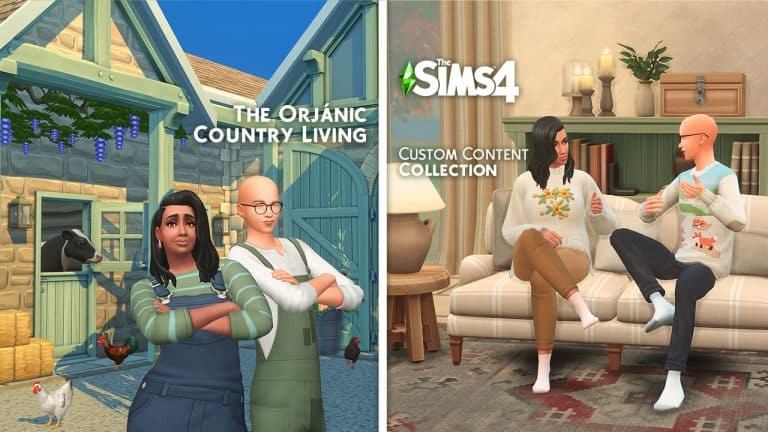
Love building in Henford in Bagley, but looking for more variety in your builds? Felixandre & Harrie have you covered with their latest release, Orjánic. It’s a 129 piece country living collection that will bring your dream barn life to reality. The set is divided into 2 parts; the first release of 78 items focuses on the foundations of building your barn in the country. Including: walls, floors, windows, doors, spandrels, columns and so much more!  

The Sims 4: The Orjánic Country Living Custom Content Collection

Highlights of the set include: the new functional spandrels and columns that allow you to achieve peak beam status, all the barn doors for the interior and exterior, plus the suite of modern timber frame windows that include slanted windows so you can build up into your roofs! Of course all the wood tones match previous sets, but there is also a new oak wood tone to round out the collection. 

The Sims 4: The Orjánic Country Living Custom Content Collection

All items are base game compatible.

The Part 1 of this Custom Collection Set is now in public access! You can download the set by clicking the Download button below, which will direct you to the download page. You can choose between Merged and Unmered .package files, which you can paste into your Electronic Arts > The Sims 4 > Mods folder. Make sure you have Mods / CC enabled in your Game Options!

[mks_button size=”large” title=”DOWNLOAD!” style=”squared” url=”https://www.houseofharlix.com/orjanic” target=”_blank” bg_color=”#1e73be” txt_color=”#FFFFFF” icon=”fa-arrow-down” icon_type=”fa” nofollow=”0″]

Part 2, which is currently in early access on their Patreon pages (public release 6th October) has 51 items that focuses on interior furnishings; including items for your entryways, living and dining areas. 

The Sims 4: The Orjánic Country Living Custom Content Collection

Highlights of the set include: a brand new matching sectional sofa & chaise with a whopping 24 plain and patterned swatches and a bench dining table, that finally allows you to combine bench seating and chairs around your dining table!

The Sims 4: The Orjánic Country Living Custom Content Collection

All items are base game compatible, with the exception of the chaise which requires the Dream Home Decorator GP. 

You can find all of their previous collabs and more details about Orjánic over on their website houseofharlix.com

A full overview video showcasing all the items included is also available over on Harrie’s Youtube channel:

A Modder is Adding a Create A World Tool to The Sims 4

Lately, we have been blown away by The Sims 4 modding community and the incredible surprises just keep on coming! Just days after modder Arnie announced he was working on a colour wheel tool for The Sims 4, another modder has revealed yet another exciting new feature.

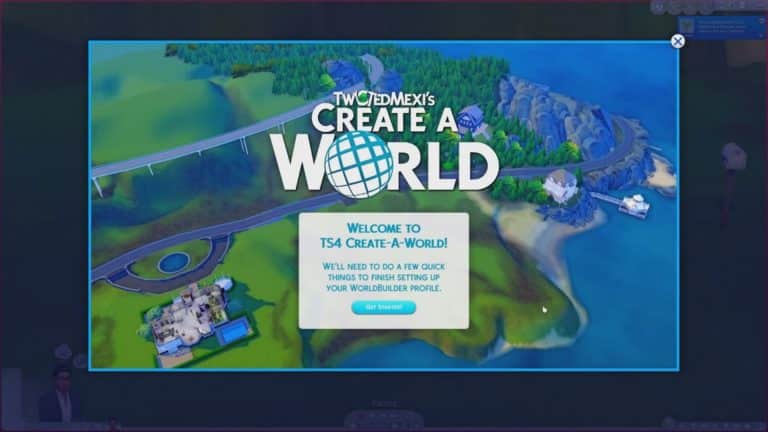
TwistedMexi, famous for his T.O.O.L mod, as well as other mods like Better Exceptions and Better Build/Buy, has just released a reveal trailer on YouTube for a Create A World tool! Create A World was a much-loved (if not a bit complex) tool for The Sims 3 that gave players the ability to create and share their own custom worlds for the game. It’s been a highly requested feature ever since The Sims 4 launched seven years ago.

You can watch the full reveal trailer below!

Going by what we can see in the trailer, it appears as though TwistedMexi was able to greatly expand on his existing mods to bring us a fully functioning Create-A-World tool. The UI shows that these custom worlds will not override existing Maxis worlds. We were able to see the world of Newcrest be completely cleared out to create a blank terrain template, which players can then customize to their heart’s desire in great detail!

From the trailer, it does not appear like we will be able to change lot placement or use our own custom templates. It seems like we will only be able to take existing world templates and completely redesign the common space around the lots; however, we are not modders and this is only speculation based on what we’ve seen in the trailer. It’s entirely possible there is much more to the mod than what is shown here.

In any case, we are very excited to get our hands on this amazing mod!

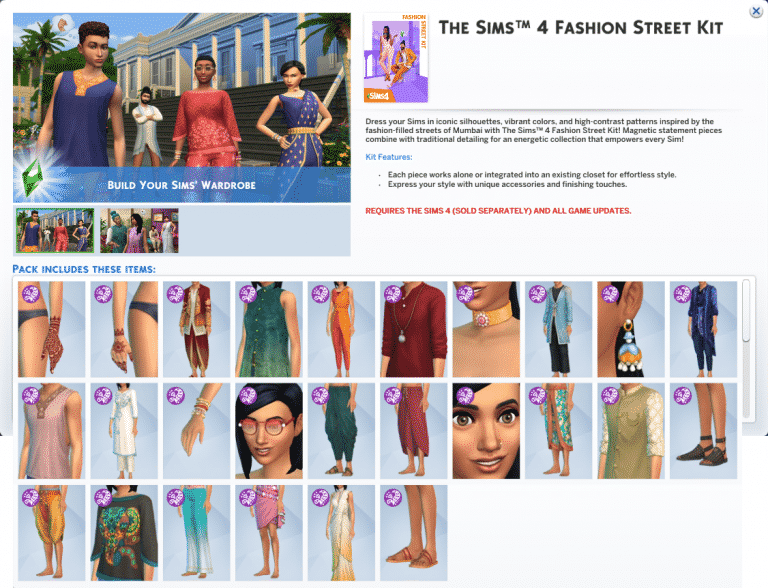
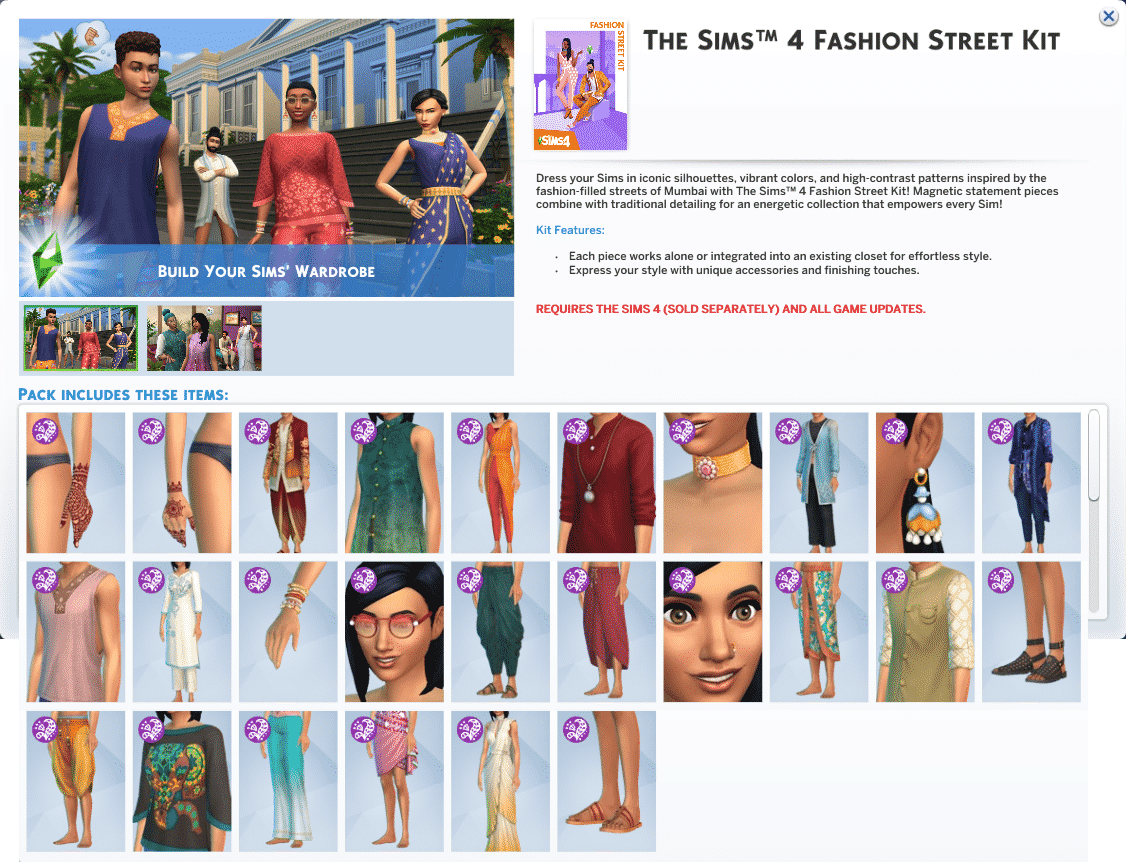
The Sims 4 Incheon Arrivals & Fashion Street Kits: Full List of CAS Items

5

The Sims 4’s latest Update has prepared the game for the upcoming two Kit releases for The Sims 4 – Incheon Arrivals and Fashion Street Kit.

Our reader anadius has provided us with the screenshots of the full list of new Create A Sim items that come with these two kits.

Check out the previews below!

The Sims 4 Incheon Arrivals Kit

The Sims 4 Incheon Arrivals & Fashion Street Kits: Full List of CAS Items

The Sims 4 Fashion Street Kit

The Sims 4 Incheon Arrivals & Fashion Street Kits: Full List of CAS Items

The Sims 4 Incheon Arrivals & Fashion Street Kits: Full List of CAS ItemsThe Sims 4 Incheon Arrivals & Fashion Street Kits: Full List of CAS Items

The Sims Community Challenge: September

It’s that time again! It’s time to reveal the September edition of The Sims Community Challenge!

As a quick recap, the August challenge focused on Mrs Crumplebottom’s Secret Life. We had so many amazing entries, and we were blown away with just how creative the community is.

You can check out the August Showcase here and don’t forget you can check out the challenge hashtag on the gallery to see all the creations.

The Sims Community Challenge: September

Now, onto September’s challenge.

This month’s theme is all about taking your building skills to the next level, and we want to see you to truly explore your creative side. This month will see you have more freedom to do what you want. We want you to build the most creative and extravagant lot you can in line with the challenge rules below. Don’t be afraid to try something different or to think outside the box!

Challenge Rules

  • You must use a 30×20 lot.
  • You have a budget of $100,000.
  • No Custom Content.
  • No T.O.O.L mod.
  • You can use the DEBUG items.
  • No pack restrictions – you can use any of the packs you own.
  • Use the hashtag #SCCreative in The Gallery Description.
  • One entry per person. Additional entries will not be included.

Once you have finished your build. Upload it to The Gallery and make sure you use the tag #SCCreative in the description! Feel free to tell us a little about your creations too.

Closing date for entries: Tuesday 5th October 2021 at 10am PST/6pm BST/ 7PM CET. The Spotlight post will be released a few days after entries have closed.

If you have any questions, feel free to ask them in the comments below, or head over to our The Sims Community Challenge channel on our Discord server! If you aren’t a member of our Discord Server, you can click here to join.

Good luck, have fun, and we can’t wait to see your creations!