Home Blog Page 177

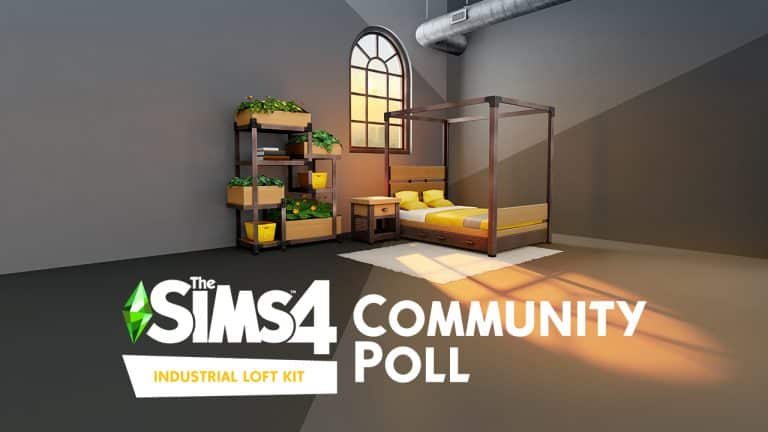
COMMUNITY POLL: What are Your Thoughts on the Industrial Loft Kit?

1

On Thursday, The Sims 4 got a brand new kit, called the Industrial Loft Kit; a collection of 20 or so Build/Buy items inspired by the converted warehouse lofts of Brooklyn, New York. Kits have been a contentious topic in the fandom ever since their debut but Industrial Loft had a particularly rocky launch.

For starters, the kit accidentally leaked on the Steam Store several days ahead of schedule. Some players even managed to buy the kit early before it was taken down roughly two hours later. It was then discovered that a window that was featured prominently in the kit’s marketing adverts is not actually included in the kit. While The Sims Team promised to add it to the kit in a free patch, this promise was only made after public backlash to the false advertising. Players have also noticed other small discrepancies with the items in the pack, like the expensive double bed being listed with an energy rating of 1. Lilsimsie has since shown on her YouTube channel that the bed’s energy rating is simply a typo and that the bed seems to recover the same amount of energy as a bed with an energy rating of 4-5.

Some players were very forgiving of the hiccoughs with the release; others were pretty outraged. We want to know how you feel not only about the issues with the kit’s launch but about the content of the kit itself. It’s time to share your opinion and contribute your voice to the discussion in our latest community poll!

Please remember this is a community poll and is not endorsed by or affiliated with EA or Maxis.

[totalpoll id=”101040″]

The Sims 4: Taking the Industrial Loft Kit to the Beach

1

In keeping with my personal mission to take the Industrial Loft Kit as far away from the “grody old warehouse” vibe as possible, I came up with an idea so crazy, I couldn’t say no to it once I had thought of it. Had anyone tried to combine industrial warehouse with beachside living before? I wasn’t sure but maybe I could be the first.

The idea came to me while watching Motel Makeover on Netflix. It’s a new series that follows the journey of two middle-aged women entrepreneurs to turn a dilapidated motel in Sauble Beach, Ontario into a trendy beachside getaway that takes full advantage of Canada’s short summer season. While watching these two nauseatingly bubbly ladies cover every inch of this motel in patterned wallpaper, plastic plants, and tacky neon signs, I thought “What if I could transform this dark, dingy kit into something bright and cheerful?”

Challenge accepted.

The Sims 4: Taking the Industrial Loft Kit to the Beach

I got to work playing around with a layout. My one rule was that I had to use everything from the Industrial Loft Kit at least once. There would be no getting away with designing an Island Living home with one plant from the Industrial Loft Kit and calling it a day. This build actually had to make use of everything in the kit.

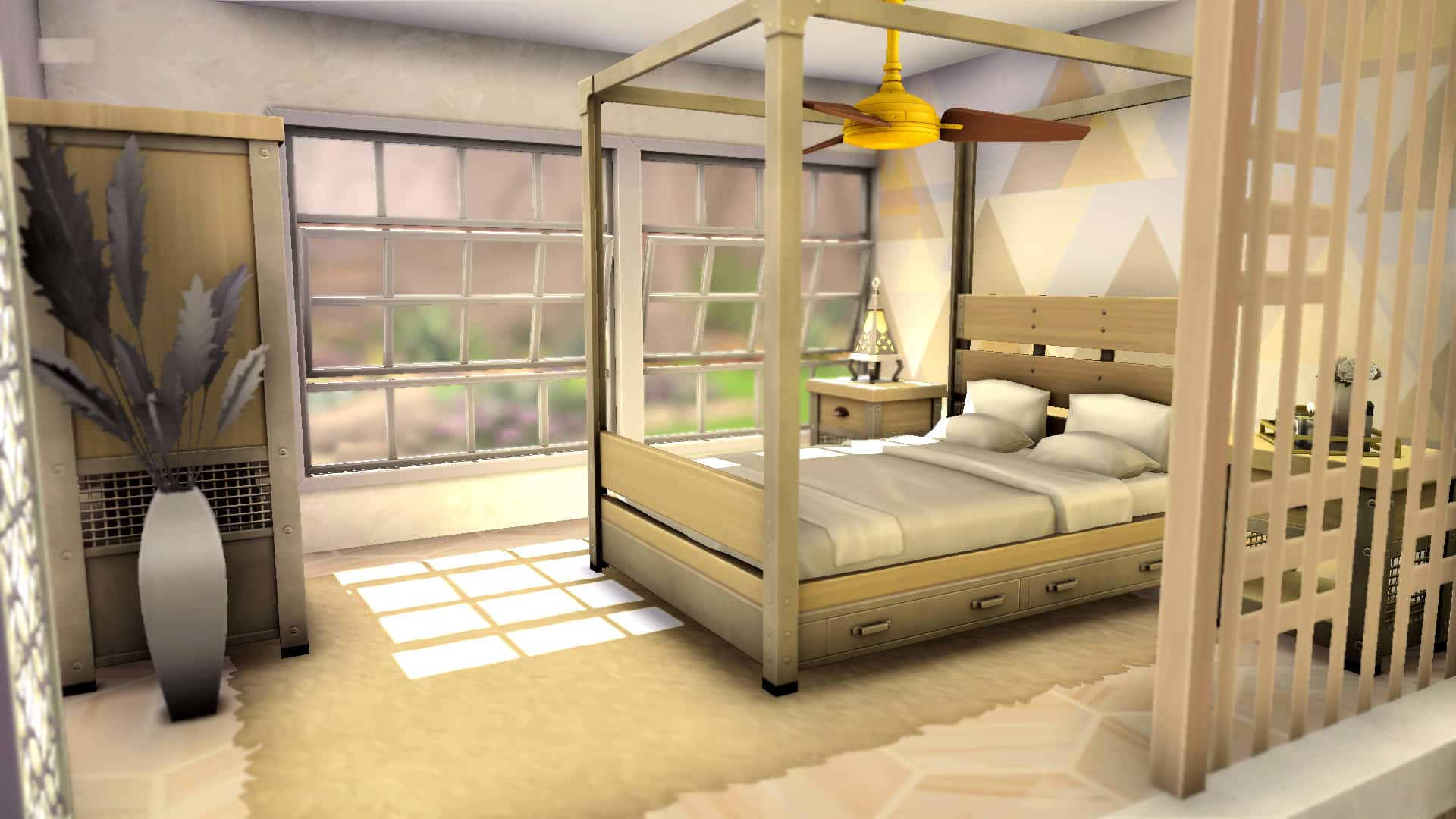
I decided to go with a large loft-style room that combined a bedroom, kitchen, living area, and patio into one compact but still roomy space. I did not design a bathroom as it was not part of that semi-combined space and the kit doesn’t really come with any items for a bathroom, anyway. I started with the bedroom, raising it up on a platform with more platform steps leading up to it. A partition wall behind the bed and a decorative fence along the side offered privacy without making the space feel too closed in. Large loft windows bathed the area in plenty of bright, natural sunlight and made the small bedroom area feel much larger than it really was.

The Sims 4: Taking the Industrial Loft Kit to the Beach

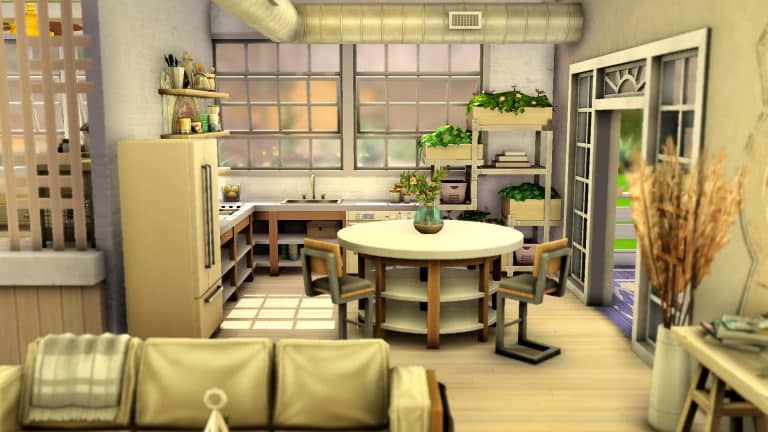
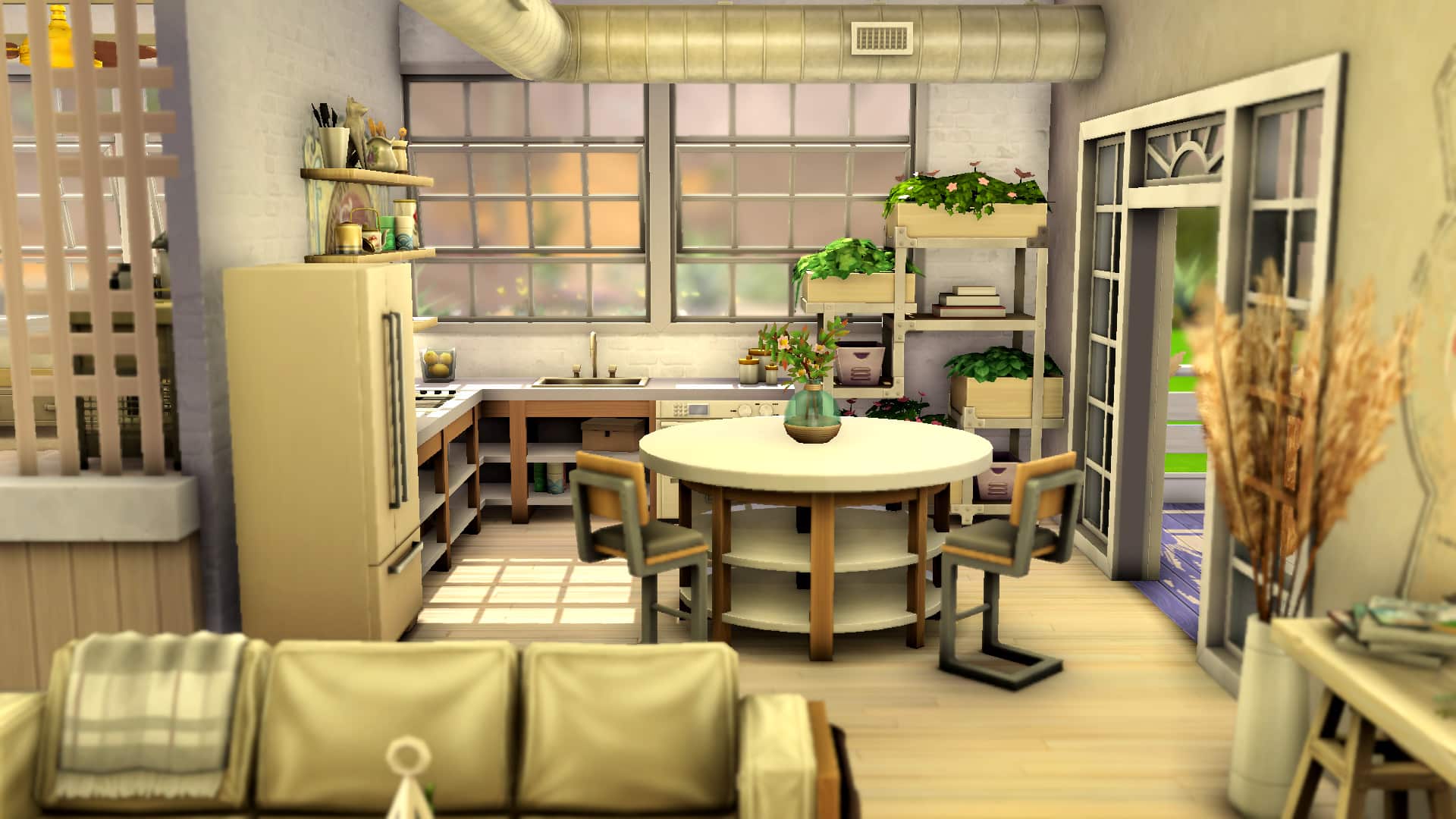
Then I moved on to the kitchen, directly to the right of the raised bedroom platform. I used the Snowy Escape counters with the open shelving to keep the space feeling open. Light and airy is what a beach should feel like and I find open shelving instead of boxy cabinets and counters help achieve that open, airy feeling you get at the beach. I also opted for open shelving above the counters along the wall instead of bulky cabinets.

The Sims 4: Taking the Industrial Loft Kit to the Beach

To give the space a more realistic, lived-in feel, I decorated the shelves on both the wall and the counters with various kitchen knick-knacks and clutter pieces. To bring in the Industrial Loft feel a bit more, I placed the distressed wall decal behind the shelving unit and ran the ceiling pipes overhead. I also used the open double French doors to lead to the patio and placed the planter shelving in the corner for some greenery. The industrial pendant lamps act as a statement piece above the island.

The Sims 4: Taking the Industrial Loft Kit to the Beach

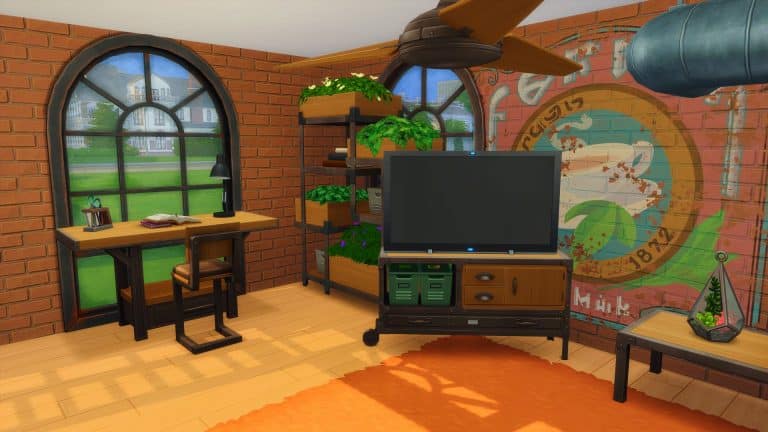
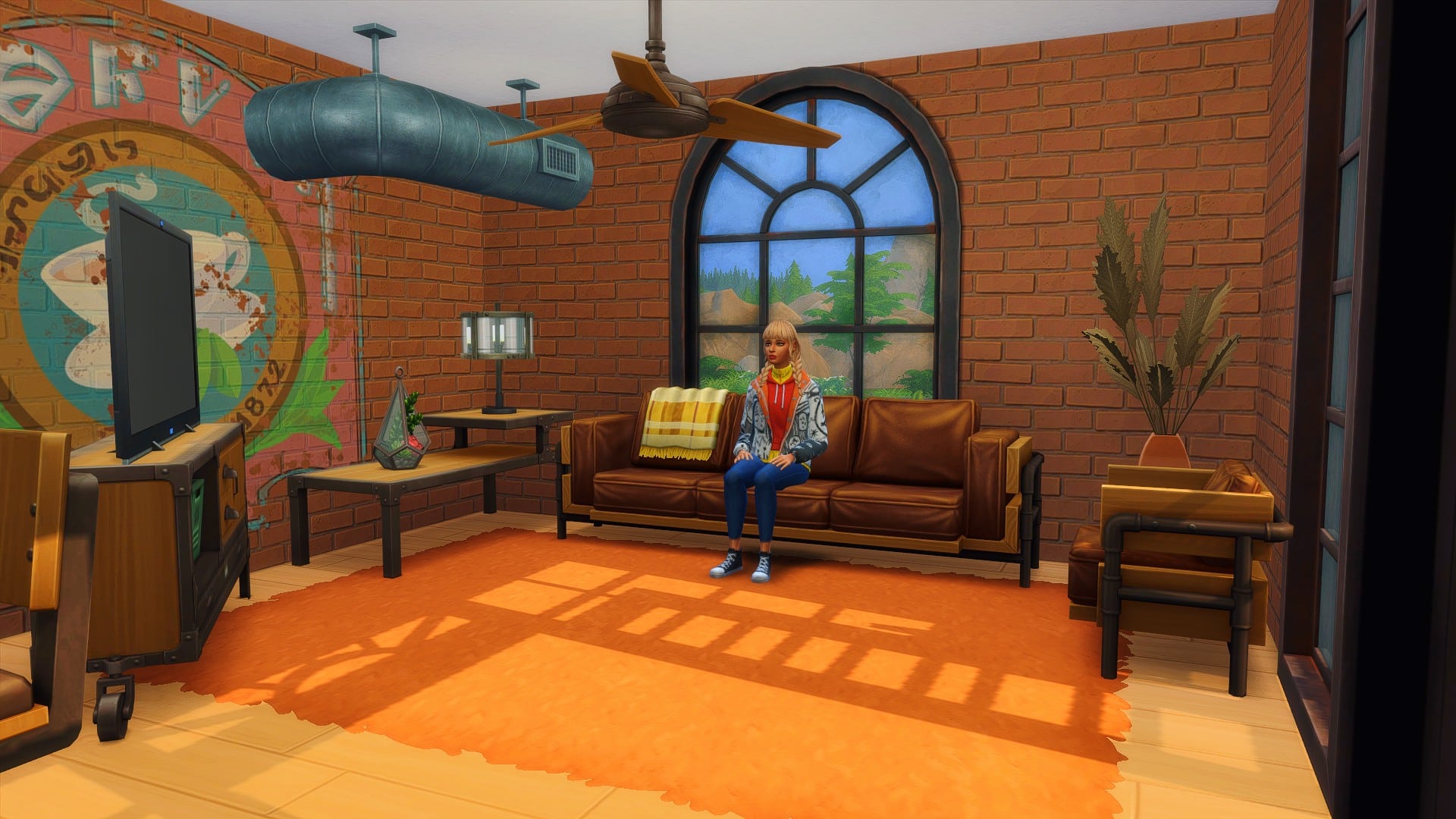
For the living space, I really tried to use as many Industrial Loft pieces as I could. The bulk of this kit suits a living room setting. I used the couch, armchair, coffee table, table plant, floor plant, floor pipe, barn doors, rug, window, pendant lamps, and distressed wall decal in this space. The challenge here was making sure the space wasn’t all beachy or all industrial; it needed to balance both styles in equal measure. To achieve this, I used lighter colours for the Industrial Loft furnishings and accented with light-coloured pieces to keep the room feeling bright and cheerful. For a touch of industrial in the light beachy setting, a light brick underneath the wall decal helped give the space that slightly rough around the edges vibe.

The Sims 4: Taking the Industrial Loft Kit to the Beach

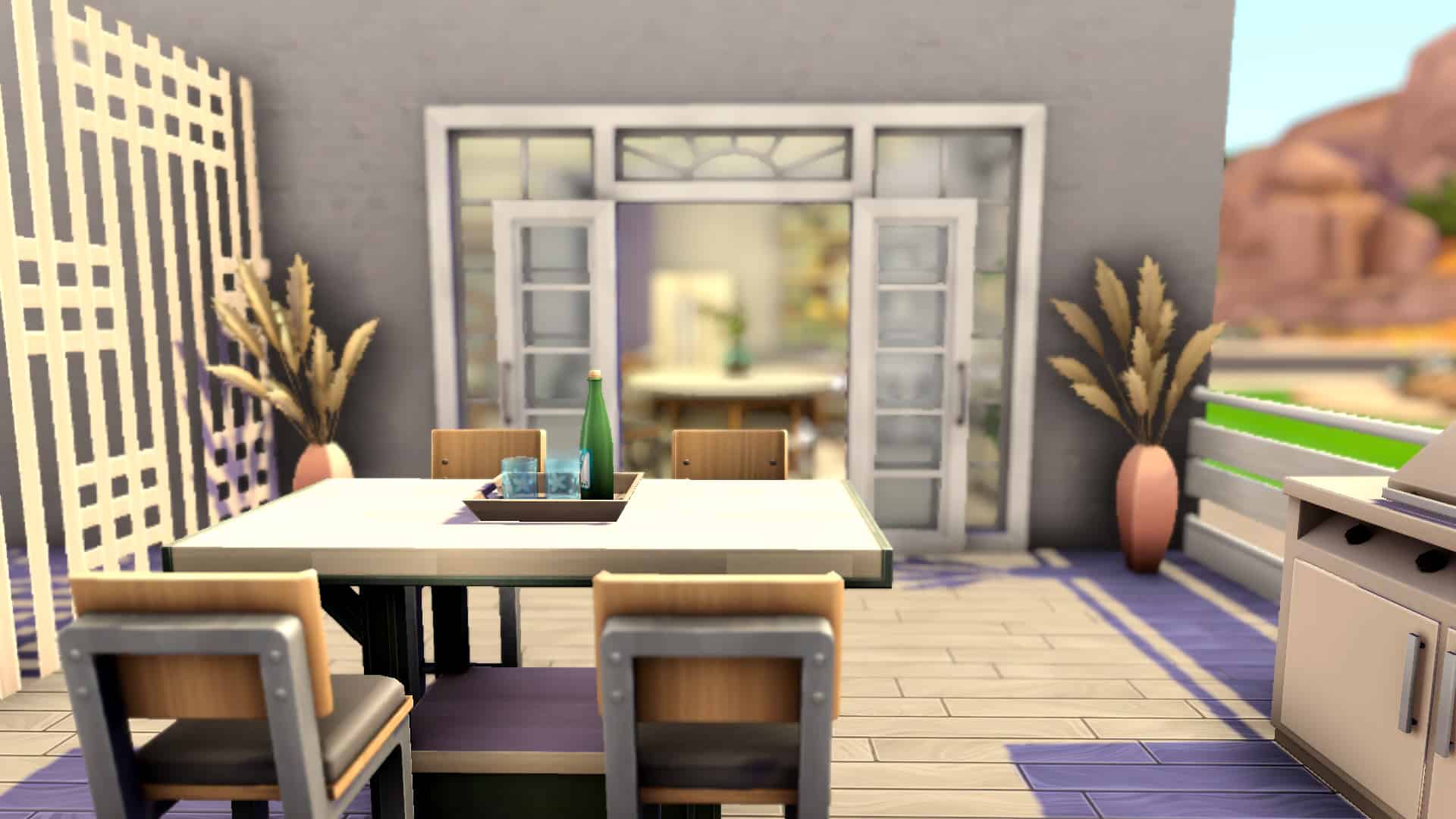
I kept the patio pretty simple. It was a small space and too many items would have made it feel cramped and cluttered. I stuck to the Industrial Loft table with matching seating and the floor plants in this space with a large BBQ and fenced it off with the same fence used in the bedroom area along one side with a more modern fence around the rest of it.

In the end, I had something that I surprisingly really loved, in spite of my lack of love for this kit. It was rustic and a bit industrial but still light, open, and inviting like the beach. I could see my Sims staying in a place like this on a Sulani vacation for sure. So can an industrial loft beach house really be done? I guess so!

If you want to download this build, it’s available as a room in the Gallery under the ID SnarkyWitch!

The Sims 4: Building a Converted Barn with the Industrial Loft Kit

I am really not a fan of industrial-themed anything so my first thought when I heard about the new Industrial Loft Kit was “How can I use these items outside of an industrial setting?” The first thing that came to mind was a converted barn! It seemed like a natural source of inspiration for me, seeing as country cottage stuff and eclectic antiques are my favourite build styles ever.

Luckily, this kit did happen to have a set of large sliding double doors that resembled a barn door so I took that as my initial inspiration and went from there.

I started with what I knew would be the most difficult part of this build; the loft. I wanted the bedroom to be accessible via a ladder that went up to the gap between the first floor ceiling and the roof. It’s doable but a tad tricky because you need to account for head clearance. If you place furniture too close to the slant of the roof, Sims won’t be able to use it.

The Sims 4: Building a Converted Barn with the Industrial Loft Kit

I placed the new double bed directly in the centre of this “attic space.” The tall frame would have looked strange clipping through the roof and there needed to be enough head clearance on both sides of the bed for Sims to get in and out of it. Some more decor, a wardrobe, and a couple build tricks later, I had a finished loft space that didn’t look too shabby.

Then I moved on to the easier portion; the lower level. I knew I wanted the space to be mostly open-concept. I envisioned an old barn that had been completely gutted and reconstructed with new walls, which is reflected in the wall coverings. The original structure uses traditional stone while the newly added walls use an industrial brick. I separated the kitchen and dining area and the living area with a partition wall and tried to keep things airy by using open shelving instead of boxy cabinets.

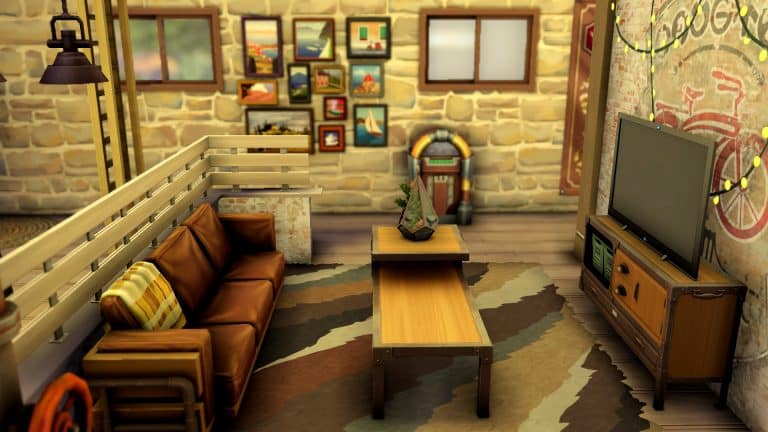
For the living space, a smaller half wall helped separate the lounge area from the entryway without making the space feel claustrophobic and closed off. Small decorative touches of plants, distressed wall decals, and string lights help make an otherwise grungy place feel cozy and warm.

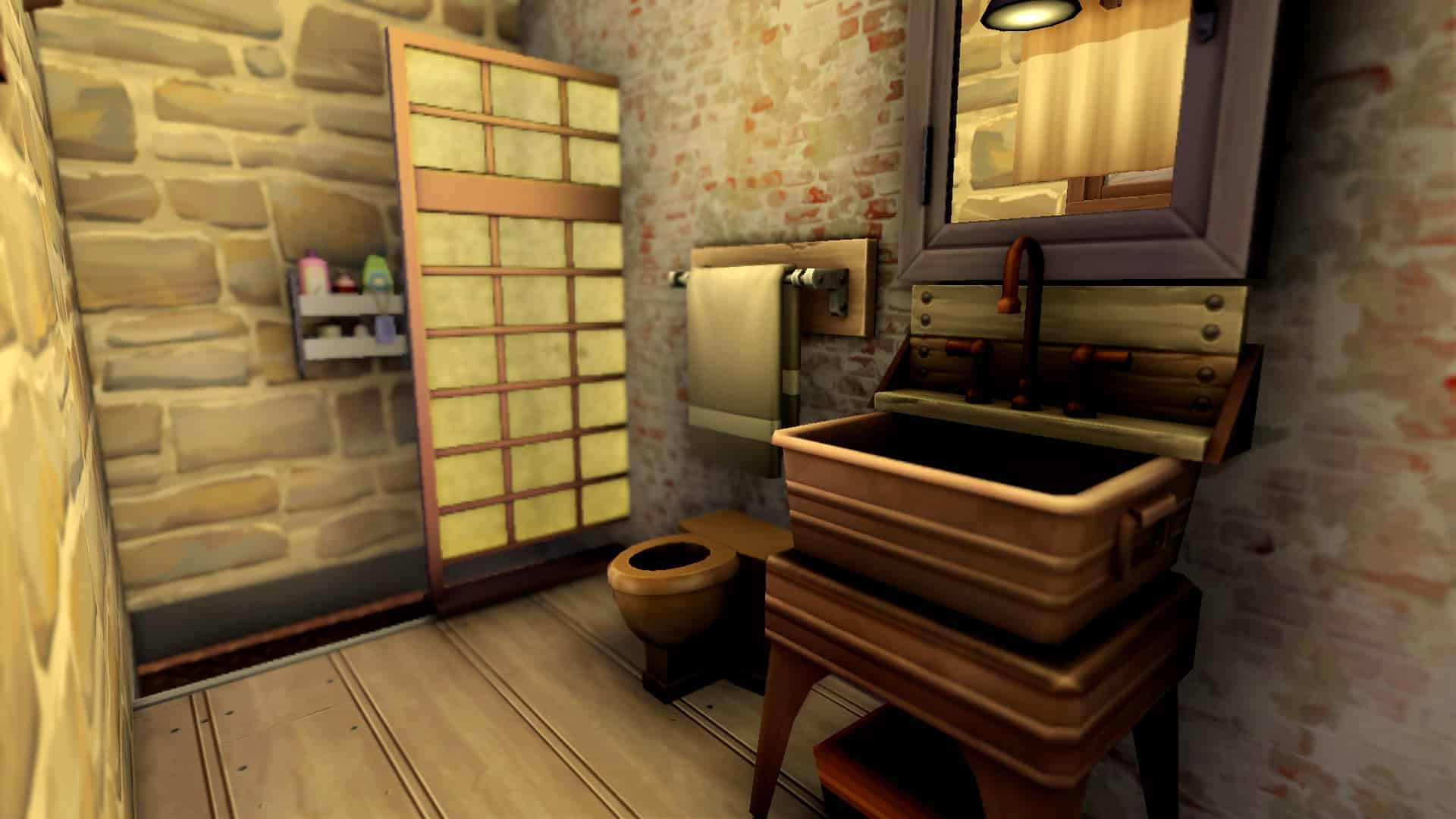
A small bathroom not only offers a touch of class with a lowered walk-in shower but also helps to provide a space for clothing and shoe storage on its outside wall facing the entryway.

The Sims 4: Building a Converted Barn with the Industrial Loft Kit

All in all, I’d consider my first attempt at decorating with the new kit a modest success. While I’m not in love with this grungy, gritty style, I like the backstory I gave the space of a barn being renovated into a hip, trendy home. That backstory helped me turn the space into what I envisioned.

What have you done with the new kit so far? Tell us in the comments or come chat with us on social media!

The Sims 4 Industrial Loft Kit: Build/Buy Overview

The latest kit for The Sims 4 is here! The Sims 4 Industrial Loft is everything you need to create that perfect loft space or apartment! With over 20 new items coming in a variety of different swatches as well as one new styled room.

You can check out the full kit contents below!

Styled Room

Iron Heights Living ($7,873)

Build Mode

Buy Mode

The Sims 4 Marketing Team falsely advertised their latest Kit

15

STORY UPDATE: The Sims Team acknowledged the mistake and promised to deliver the window from the promotional graphic in the “upcoming patch update”.

Usually when a company does artwork and promotional material for a video game you’d expect that the objects and surroundings promoted in said graphics are included in the Game / DLC. This is especially noticeable when the DLC is small – in this example it’s the $4.99 Industrial Loft Kit for The Sims 4 – where every object matters for the value of the Kit.

Unfortunately The Sims 4’s Marketing Team missed the mark and falsely advertised the Industrial Loft Kit. Their announcement of The Sims 4 Industrial Loft Kit featured a 10-second animated graphic highlighting some of the main objects coming with the Kit.

The Sims 4 Marketing Team falsely advertised their latest Kit

You’d expect that the new window they placed in the center of the promotional graphic would mean that the said window would also come with the $5 Kit. Unfortunately, that is not the case at all.

I got a copy of the Industrial Loft Kit from the EA Game Changers Program to test it out. After checking out the catalogue of all the windows that come with this Kit it turns out that only one window comes with this Kit – the Phoenix Ironworks Window – which isn’t even close to the open-window concept that was teased with the window in the promotional graphic.

08 26 21 82045 PM

To make the case even worse – it seems that The Sims 4 Marketing Team was promoting an edited combination of three different windows – that come from a whole different $9.99 Stuff Pack – The Sims 4 Moschino Stuff.

08 26 21 82845 PM

Since we’re talking about an official Kit for The Sims 4 it’s important to note once again that every object matters in making a decision when getting a kit. Many fans were excited to get the window with the Industrial Loft Kit – that was literally promoted by The Sims Team, only to be left disappointed after purchasing the Kit and noticing that the window they promoted isn’t there at all.

I was lucky enough to get a code from EA to test out the Kit and we’ll definitely bring you a full overview of the Kit very soon. However, I thought it was important to let our readers know that what was officially promoted for Industrial Loft Kit unfortunately just doesn’t come with the Kit.

The Sims 4 Industrial Loft Kit Now Available!

0

The Sims Team has just released their latest Kit for The Sims 4 – the Industrial Loft Kit!

The Kit is available on PC, Mac, Xbox and Playstation Platforms on their official online stores for $4.99 – or a price equivalent to your local currency.

Down below you can check out all of the platforms where this Kit is available, including:

The Sims 4 Industrial Loft Kit Now Available!

The Sims 4 Custom Content: Charming Chalet CC Pack

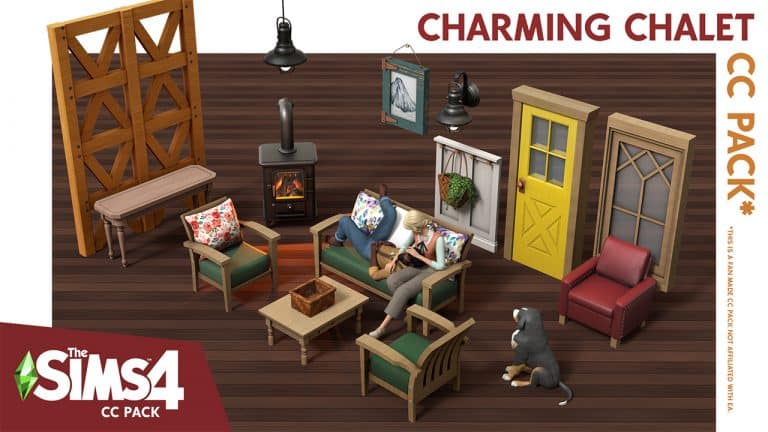
SixamCC is back with another brilliant custom content pack for The Sims 4! The Charming Chalet CC Pack features a variety of rustic themed objects you can use throughout your Sims homes by creating some cosy and charming rooms or to create some cute outdoor areas.

The base game compatible fan made pack features over thirty new items including new windows, doors, walls and floors as well as a brand-new fireplace, sofas, Ottomans and more!

You can check out SixamCC’s Tumblr here!

After spending some time building with the Charming Chalet pack in my game, I found that not only does it work well with Cottage Living but a number of other packs including Laundry Day and Cats & Dogs. It’s definitely a pack I’ll be using regularly from now on in my builds!

Each item within the pack comes in a variety of different swatches ranging from neutral to colourful as well as some patterned ones too. Take a look at the gallery below for a closer at the items that come with Charming Chalet!

The Sims 4 Charming Chalet CC Pack is available now to download on Sixam’s Patreon for Early Access. The pack will be released publicly on 27th August 2021.

To install this custom content pack, simply extract all the .package files to Electronic Arts > The Sims 4 > Mods folder. Make sure you have Mods / CC enabled in your game options!

To download this Custom Content Pack, you can head over to SixamCC’s Patreon.

You can also find more of SixamCC’s creations via the links below!

TUTORIAL: Making CC Graphic Tees in The Sims 4 for Complete Beginners!

I and other CC creators get requests for graphic tees all the time. Graphic tees for very specific fandoms, funny sayings, just about anything you can put on a t-shirt, I’ve been asked to make it. I’m not always too interested in making all these graphic tees myself but the good news is, making graphic tees is one of the easiest pieces of CC you could possibly make. Seriously, anyone can do it and I’m going to teach you how.

This tutorial should be easy to follow for players who have never made any CC for The Sims 4 before but you will need to have some basic knowledge of how to navigate your computer and spend a bit of time familiarizing yourself with an image editing program of your choice. I will not be teaching you how to use your image editing program.

What You Will Need

  • The Sims 4 base game
  • Sims 4 Studio (create a free account on the forum to download the program)
  • An image editor of your choice (I use Photoshop but Paint.NET is a great free alternative)
  • A high-quality image of what you want to put on your graphic tee.

Extracting Your Texture

TUTORIAL: Making CC Graphic Tees in The Sims 4 for Complete Beginners!

When you’re making a graphic tee, you’re making a recolour. Most of the time, you’ll want to make a standalone recolour so it’s easier to find in the CAS catalogue. So open up Sims 4 Studio and enter your creator name, then under the CAS tab, select Create CAS Standalone. Then hit the CAS button above it.

We’ll be making a graphic tee for adult females today so use the filters at the top to select the following: Human, Female, Adult, Clothing Top. Then type “tee” into the search field. All the female t-shirts in the game will pop up. Select one of the base game shirts in a light colour, preferably white. White bases are easier to edit. I chose the white v-neck tee pictured below.

TUTORIAL: Making CC Graphic Tees in The Sims 4 for Complete Beginners!

Select your shirt and click Next. Then name your package file and save it to Documents > Electronic Arts > The Sims 4 > Mods. Name it something recognizable. Start with your creator name, then whatever the item is. For example, I named mine SWSailorMoonGraphicTee. Avoid special characters and spaces, as these can slow down the game on some low-end computers.

TUTORIAL: Making CC Graphic Tees in The Sims 4 for Complete Beginners!

Once you’ve named your package file, the shirt will open in Sims 4 Studio. Click the Export button and give the texture file a name. I recommend something similar to your package name.

Editing Your T-Shirt

Leave Sims 4 Studio open in the background and switch over to your photo editing program. Remember, I am using Photoshop CS6 but you can use a free alternative, like Paint.NET.

Open the texture file you just exported in your image editing program along with the image you want to put on the t-shirt. It’s very important that the image you select is high quality. There is always going to be some loss of quality in the game so the higher quality your image is, the nicer it’s going to look in the game. A blurry, pixelated image is going to look awful in the game so get a really crisp, clear image that’s a decent size. It doesn’t need to be massive but it shouldn’t be a tiny thumbnail, either.

TUTORIAL: Making CC Graphic Tees in The Sims 4 for Complete Beginners!

Copy the image and paste it onto a new layer over the t-shirt texture. It’s very important that the image be on a new layer. This will allow you to move and resize the image as needed without touching the t-shirt texture beneath it.

Resize and move the image around until it fits nicely in the centre of the t-shirt. You can also change the colour of the shirt if you like but this isn’t necessary. Once you’re happy with the placement of the image, save it as a .png file and name it something you can easily find.

Importing Your Edited Texture

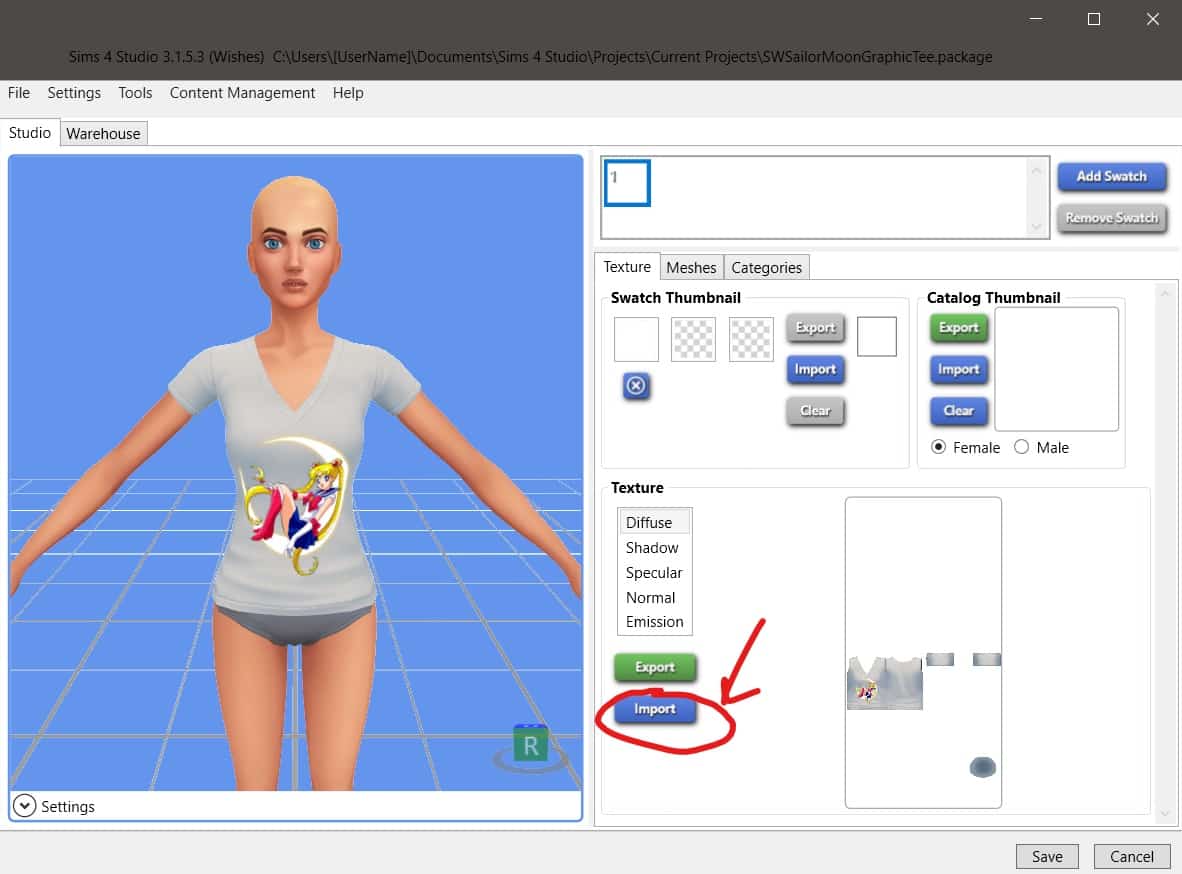
Switch back to Sims 4 Studio, select Import, then select the edited texture you just made. Voila! You now have a graphic tee! If you’re happy with how it looks, save it. If you want to adjust the placement or quality, just keep editing the texture file until you’re satisfied with it.

TUTORIAL: Making CC Graphic Tees in The Sims 4 for Complete Beginners!

Remember, there is always going to be some loss of quality. If you zoom in very close, it will most likely look a bit pixelated no matter what you do, so don’t pull your hair out trying to get it to look as crystal clear as the original image. As long as it looks nice at a reasonable zoom level, you’ve done a good job.

Test Your New Tee

TUTORIAL: Making CC Graphic Tees in The Sims 4 for Complete Beginners!

Load up the game and go into CAS with a Sim, then scroll through the top catalogue until you find the tee you made. Ta-Da! A brand new graphic tee for your Sims that you made all by yourself! Be proud!


Questions about this tutorial? Leave them here in the comments! I’ll do my best to help but keep in mind I won’t be answering questions about how to use your image editing program. There are lots of helpful tutorials for every image editing program out there that will be much more useful to you.

GeoGuessr – but it’s for The Sims 4

You’ve probably heard of the game GeoGuessr. You may have even played it yourself or watched someone else play it, but, have you ever wondered what would happen if you mixed GeoGuessr with The Sims? Well, fear not, as James Turner (previously known as TheSimsSupply) has you covered!

If you don’t know what GeoGuesser is, it is a web based game where you have to guess the location from the Google Street View image you are given. The aim is to get as close to the location as possible.

James’s version features a number of different locations from the worlds of Willow Creek and Oasis Springs. Simply try and guess as close to the correct location as possible to score points! The closer you are, the more points you can score.

Click the button below to play SimsGuessr!

[mks_button size=”large” title=”Play SimsGuessr!” style=”squared” url=”https://jamesturner.yt/simsguessr” target=”_blank” bg_color=”#1e73be” txt_color=”#FFFFFF” icon=”fa-arrow-down” icon_type=”fa” nofollow=”0″]

You can also check out James’s video all about SimsGuessr below!


Cottage Living Inspired Custom Content You Should Download!

Have you been looking for some more custom content to add to your game now that The Sims 4 Cottage Living has been released? Have no fear, we’ve got you covered with some of our favourite custom content pieces!

All the Custom Content mentioned in this post is Base Game Compatible too!

Create A Sim

Cottage Living Add Ons by Aharris00britney

This custom content pack features a new hair, bottoms  and new tops which come in two variants too. Each item comes in a variety of different colours and helps complete any look from every day to more formal looks!


Click here to download.

Cottagecore Living by Peachyfaerie

The Cottagecore Living Pack features new eyebrows, skin details and makeup options for your Sims all of which are Base Game compatible and create a number of cute cottagecore looks!

peachyfaeriecottagecorelivingoverview

Click here to download.

Cottage Living Adds Ons by SimCelebrity00

This Cottage Living Add Ons pack adds a new a cute hairstyle, skirt and two new tops for your Sims to chose from. Honestly, how cute does this Sim look in these tops?


Click here to download.

Build Buy Mode

Charming Chalet CC Pack

The Charming Chalet CC Pack and Love For Barn Doors Kit are lovely additions to help bring your Sims’ Henford-on-Bagley homes alive! The pack features over thirty new items including windows, doors, walls, floors and much more!

Cottage Living Inspired Custom Content You Should Download!

Click here to download.

Let us know what your favourite The Sims 4 Cottage Living inspired custom content is below in the comments.

Additional Notes:  The following Katverse pose packs were used in this post – Pose Pack 16 & Pose Pack 27.

The Sims 4 Packs That Desperately Need a Refresh

With the recent announcement that The Sims Team will be focusing on improving existing content in the game, I started thinking about which Sims 4 packs need the most attention in this regard. All signs point to Spa Day being the first pack on their list to improve and Spa Day could definitely use some updating… but what other packs still feel rather lackluster after all these years?

Here’s my top 5 list of some older Sims 4 packs that, in my opinion, need a refresh the most.

Dine Out

The Sims 4 Packs That Desperately Need a Refresh

Dine Out has been a broken mess since the day it came out and up until now, The Sims Team showed little interest in ever revisiting it or patching up some of the oversights and bugs it introduced. It’s so bad that I refuse to even manage a restaurant at all anymore and that’s the meat of the pack. The only reason I’ll still visit as a customer is thanks to mods that fix all the problems with food not being served in a timely manner and Sims not staying seated where they’re supposed to.

If this game pack were to be updated, I’d want The Sims Team to revisit the management side of things and adjust the cost vs. profit ratio. I don’t want managing a restaurant to become laughably easy but there is no reason why a five star restaurant with every single restaurant perk, the highest quality ingredients, great atmosphere, and highly trained staff should be losing money after every shift. The meal prices just aren’t enough to cover the costs of ingredients and staff. I would also want them to speed up the cooking time for ordered meals and tweak where and when Sims sit down so I don’t need mods to do those things for me when eating out as a customer.

Outdoor Retreat

The Sims 4 Packs That Desperately Need a Refresh

Outdoor Retreat was the very first game pack released for The Sims 4 so I can forgive it for being a bit bare bones. They were still exploring the concept of game packs back then and trying to figure out what kind of content this type of DLC would entail. That said, since we are refreshing old packs and it’s been many years since Outdoor Retreat was released, it’s time to update this one.

I love Granite Falls and I love going camping with my Sims. Hanging out by the fire, sleeping under the stars, crafting herbal remedies, and collecting insects are all fun things to do… but that’s all there is to do in Granite Falls. The pack could use some new outdoorsy activities, like nature hikes, guided tours, and maybe even some more survivalist gameplay with a central focus on the hermit in the woods. Outside of befriending the hermit for the aspiration, the hermit doesn’t serve much of a purpose. It’d be nice if the hermit could become some sort of survivalist mentor to your Sims for a bigger challenge.

Get To Work

The Sims 4 Packs That Desperately Need a Refresh

Get To Work is a very underappreciated expansion; however, that doesn’t mean it couldn’t use a few improvements. While I love the new active careers and running a retail business, there are still a few oversights that bother me about Get To Work to this very day.

If we have a new illness system and a hospital lot and a doctor career, why can’t our Sims go see the doctor when they’re sick?! If we have a police station with jail cells, equipment for booking criminals, and a detective career, why does crime not happen anywhere outside of the career?! These seem like very strange oversights for an expansion with such a large focus on medicine and law enforcement. Why not take the careers and expand them into our Sims’ everyday lives? I’d also like a small neighbourhood added to Magnolia Promenade with all the career lots visible, just to make it easier to access them for creative purposes.

And while I’m pretty happy with the retail side of things, new features like being able to properly live at your business and customers sitting down to eat when they purchase food items at a business would be very welcomed additions to this expansion.

Parenthood

The Sims 4 Packs That Desperately Need a Refresh

I. Love. Parenthood. So. Much. It is, to this day, one of the best game packs released for The Sims 4.

However, as a family player, I always want more content for families. I love what was added in Parenthood. I just want more of it, especially for teenagers. Mood swings, groundings, school projects, and diaries that must be hidden from nosy siblings are all fantastic additions to the teen life stage but they share a lot of these features with children, so it doesn’t really make teens stand out as teens.

Teens have a lot of memorable life moments, like prom, learning to drive, getting their first romantic partner and even their first WooHoo (or Messing Around as it’s nicknamed in the game for teens). It would be nice if prom and school dances could be implemented. While I can live without cars, maybe embellish things like getting a first kiss, partner, and WooHoo for teens a little more to make it seem like a bigger deal to them than it would be to an adult who’s already experienced those things before.

Or… dare I say it? Maybe even update the babies. #FreeTheBabies

Get Together

The Sims 4 Packs That Desperately Need a Refresh

Apart from the objectively amazing world of Windenburg, Get Together is easily my least favourite expansion. Why? Well there isn’t much to it. It adds clubs, DJing, dancing, cafes, and walk-in closets. That’s mostly the entire pack. Our Sims could already dance and drink coffee before this expansion came out, it’s just been beefed up a bit with this expansion and that’s… fine, but Get Together is still a very empty expansion pack. It was empty back then and it’s even emptier now in comparison with more recent packs.

Get Together’s greatest strength is the highly versatile and fully customizable club feature but even that has slowly become neglected over the years. Adding new activities for club gatherings that are integrated with new packs seems to be more and more of a last minute thought as time goes by. Once your Sims have purchased every club reward for their club, all those unused club points just pile up with no way to spend or use them for anything.

This expansion could be vastly improved just by adding more club activities and giving us a way to continue to use our club points for rewards after purchasing all the club perks. New rewards or an exchange system where we could trade in our club points for simoleons or other valuables would add longevity to the clubs. Dancing also deserved to be a full 10-level skill with a lot more dance move animations. I understand the reasoning behind making Dancing a 5 level skill and DJing a 10 level skill; DJing has less complicated animations than dancing and is therefore easier to make. Still, I’m sure most players agree that it’s a lot more fun to watch our Sims dance than it is to watch them press buttons and bob their head at a DJ booth.


What packs would you pick to be refreshed and why? Let us know in the comments or come chat with us on social media!

The Sims 4 Industrial Loft Kit: New In-Game Screens

3

Asheefee and SimGuruNinja have shared some new screenshots featuring the upcoming Kit for The Sims 4 – Industrial Loft!

Check out the previews of the new objects coming with the kit in the screens below:

The Sims 4 Industrial Loft Kit: New In-Game ScreensThe Sims 4 Industrial Loft Kit: New In-Game ScreensThe Sims 4 Industrial Loft Kit: New In-Game ScreensThe Sims 4 Industrial Loft Kit: New In-Game ScreensThe Sims 4 Industrial Loft Kit: New In-Game ScreensThe Sims 4 Industrial Loft Kit: New In-Game ScreensThe Sims 4 Industrial Loft Kit: New In-Game Screens

The Sims 4 Industrial Loft Kit: Preview of New Objects

6

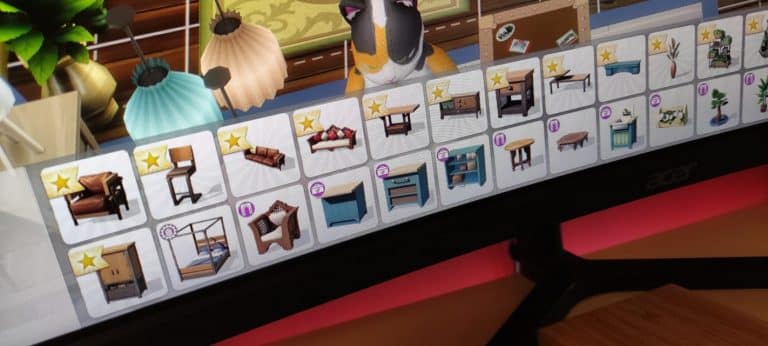
The Sims 4 Industrial Loft Kit has been announced and will come out this Thursday. Until then we have a special preview of almost all of the objects coming with this Kit from The Sims 4’s Main Menu.

Please note that some items that might come with the Kit in Build category are not included in these DLC previews for objects.

Big thanks to anadius for sending in the screens!

The Sims 4 Industrial Loft Kit: Preview of New ObjectsThe Sims 4 Industrial Loft Kit: Preview of New Objects

The Sims 4 Industrial Loft Kit got leaked on Steam for a few hours

1

Woops. The Steam Store seems to have forgotten the memo and check the release date.

Shortly after the announcement of The Sims 4 Industrial Loft Kit that’s coming out on August 26th (in just two days) the Steam Store released The Sims 4 Industrial Loft Kit for purchase.

The Kit seems to have been up on the Store for about 2 hours before it got pulled down by either EA / Steam Store backend devs. One of the players reports that they were able to snag the Kit from Steam and already jump in and play with it.

The Sims 4 Industrial Loft Kit got leaked on Steam for a few hours

As you can see in the Steam Product History for The Sims 4 Industrial Loft Kit, the DLC was up for purchase before it got taken down and removed the *wrong* release date, which was set for today.

Screenshot 2021 08 24 at 20.41.16

The very few lucky people get to enjoy the Industrial Loft Kit right now if they jumped right in during this time frame. The rest are unfortunately going to have to wait for two more days!

Tip: DotSim

The Sims 4 Industrial Loft Kit: Official Announcement & Assets

12

The Sims Team has announced The Sims 4 Industrial Loft Kit – a new Kit coming to The Sims 4 this Thursday!

Down below you can check out the official description and assets of this Kit. Just like previous Kits this one will be retailed at $4.99 – or a price equivalent to your country’s currency.

The Sims 4 Industrial Loft Kit: Official Announcement & Assets

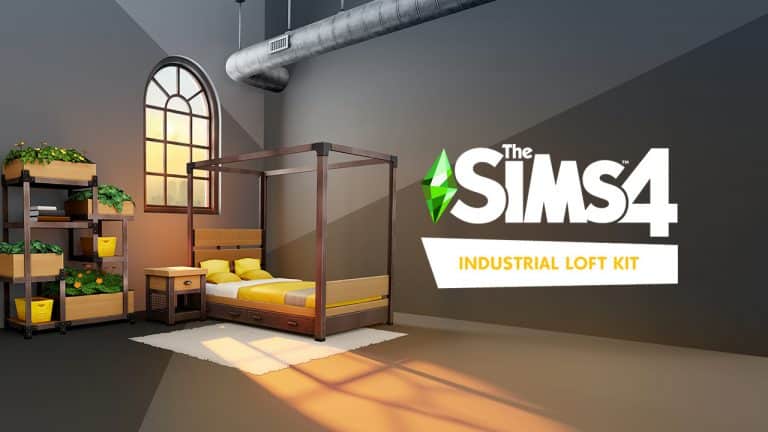
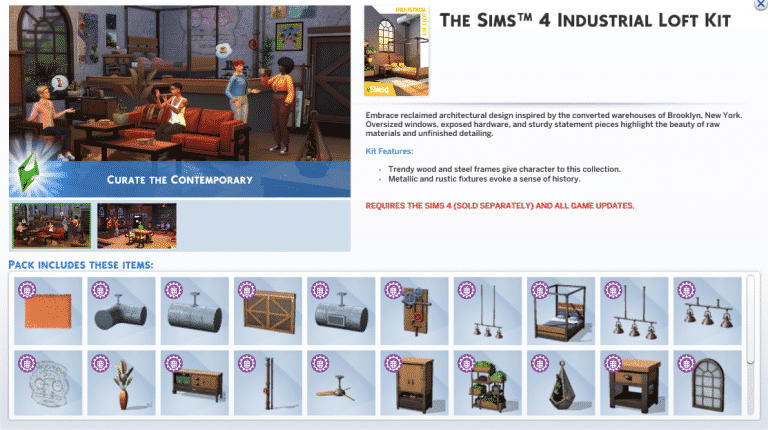
Embrace reclaimed architectural design with The Sims™ 4 Industrial Loft Kit*, inspired by the converted warehouses of Brooklyn, New York. Oversized windows, exposed hardware, and sturdy statement pieces highlight the beauty of raw materials and unfinished detailing.

CURATE THE CONTEMPORARY – Trendy wood and steel frames give weight and character to this furniture collection for a comforting, warm aesthetic. Smaller features like sharp angles, wheels, and mesh mix and match neatly.

EXPOSE THE ELEMENTS – Metallic vents, piping, and lighting fixtures evoke a sense of history that melds with modernity. Make the most of the space with sliding double doors and large windows that fill it with light.

The Sims 4 Industrial Loft Kit: Official Announcement & Assets

The Sims 4 Industrial Loft Kit: Official Announcement & AssetsThe Sims 4 Industrial Loft Kit: Official Announcement & Assets