Home Blog Page 257

The Sims 4 Pufferhead Fanmade Custom Stuff Pack Now Available!

A few days ago we wrote about the announcement from a talented custom content creator MLys who decided to create a fully fledged Custom Stuff Pack for The Sims 4. Well, we finally have the good news – this Custom Stuff Pack is now available for download and yes, just like all other custom content that properly follow The Sims 4’s Terms Of Service, it’s completely FREE!

This Custom Stuff Pack is fully Maxis Match, meaning that the CAS and Build Items inside of this pack completely match The Sims 4’s unique art style. There are a dozen of items that you’re able to download in one .zip file and you also have an option to download items from this pack individually.

Installing this pack is really easy. Simply extract the .zip file of this Custom Stuff Pack (or the individual .package item that you’ve decided to download) inside the Electronic Arts > The Sims 4 > Mods folder. Make sure you’ve enabled Custom Content / Mods in your Game Options!

This pack has been tested and is fully compatible with The Sims 4’s latest version. Considering that it doesn’t bring any new gameplay elements and only objects there’s a really small chance of these items being broken with new updates.

Are you ready to introduce your Sims to the world of magic fandom? Click the download button below!

[mks_button size=”large” title=”DOWNLOAD!” style=”rounded” url=”https://mlysmakescc.weebly.com/pufferhead.html” target=”_blank” bg_color=”#1e73be” txt_color=”#FFFFFF” icon=”fa-arrow-down” icon_type=”fa” nofollow=”0″]

The Sims 4 Pufferhead Fanmade Custom Stuff Pack Now Available!

The Sims 4 PC/Mac: New Update + Patch Notes (19th April, 2019)

The Sims team have just released a small patch that addresses some issues found in this week’s earlier patch for PC & Mac players.

To download the latest version of The Sims 4, simply open your Origin program and if the game doesn’t update automatically, right click on The Sims 4 and select ”Update”.

In case you have Mods or Custom Content, the game will automatically disable them for you after first launching The Sims 4 after the update. To re-enable all your Mods and Custom Content, select the Settings option in the Menu and select Settings. Under the” Other” section you’ll find the ”Enable Custom Content and Mods” option. Check it and restart your game in order for it to take effect!

UPDATE: 4/19/19 – PC 1.51.77.1020 / Mac 1.51.77.1220

Hi Simmers,

We wanted to swiftly address some unintentional issues that popped up following the 4/16 game update.

  • Fixed an issue where custom text was not always displaying properly in-game.
  • Fixed an issue where NPC invites to festivals or to residences were sending Sims to an incorrect destination.
    • There is still a lingering issue regarding invites to events in Get Famous, such as the talent showcase, and celebrity sightings. We are continuing to investigate those for a future update.
  • Fixed an issue where Mac players on certain older versions of OS X were unable to launch the game. As a result, we rolled back a fix that was done for Mac players on 64-bit systems that eliminated a false error message which said, “The Sims 4 is not optimized for your Mac and needs to be updated.

-SimGuruGraham

The Sims 4: SimGuruLyndsay teases a new Black Color Swatch for Doors

4

You may have heard of the Plain White Shelf. Now get ready for the simple Black Doors!

SimGuruLyndsay has shared a tweet on her profile showcasing the new black color swatch for one of the doors that we have in The Sims 4 Base Game. It’s not known when we’ll be getting this swatch (or maybe some new ones as well) in the future but it’s good to know they’re making new swatch additions for items we already have!

The Sims 4: SimGuruLyndsay teases a new Black Color Swatch for Doors

The Sims 4 Spa Day Out Now on Xbox One and PS4

The Sims 4 Spa Day Game Pack has finally been released for Xbox One and PS4 players!

Down below we’ve listed the official store links where you’ll be able to get the pack from:

The Sims 4 Spa Day Out Now on Xbox One and PS4

SimGuruFrost Steps into Community Manager Role for The Sims 4

Earlier today, @SimGuruLyndsay announced on Twitter that The Sims Team has a new Community Manager. @SimGuruFrost, who previously worked on The Sims Mobile prior to Firemonkeys Studio’s acquisition of the title, will be stepping into the role of Community Manager for The Sims 4. @SimGuruLyndsay also mentioned in her tweet that @SimGuruFrost will be working with the Game Changers program.

The tweet was met with a warm welcome for @SimGuruFrost from the Simming community, but also some concern over what @SimGuruKate‘s position is within The Sims Team now. @SimGuruLyndsay assured Simmers that @SimGuruKate is still with The Sims Team and will be working behind the scenes, focusing primarily on bringing new announcements and Maxis Monthly content to the fanbase.

We wish both @SimGuruFrost and @SimGuruKate all the best in their new roles on The Sims Team!

The Sims 4: Custom Content Text Strings to be Fixed in the next Update

Ever since The Sims 4’s latest update for PC / Mac many Custom Content users have reported seeing broken text and missing interactions on Custom Content items and custom interactions added with Mods / CC.

Thankfully SimGuruGraham has issued a statement on The Sims Forums saying that they’ll be fixing this issue in the upcoming update. Until then he also provided a temporary workaround for Custom Content creators that don’t want to wait until the next update arrives:

Hi all,

Those of you who play with mods or custom content may have noticed that some custom text (names, descriptions, etc) that is part of a mod/CC have either gone blank, or switched to displaying “**DEBUG**” (on game version PC 1.51.75.1020 / Mac 1.51.75.1220). This was an unintentional side effect of the 4/16 update. The Sims 4 team is planning on releasing another update in the near future specifically to address this issue, which will restore the text as it was displayed previously.

Technical info:

The issue we’ve identified is that any user-generated content authored using strings in string tables with non-zero group ids will show up in-game as blank. Changing string tables to use 0x00000000 for group id can be used as a temporary workaround for creators who do not want to wait until the next update. The next update will not cause conflicts with this workaround. Long term, we do recommend that mod/cc creators have the top bit set to avoid conflicts with Maxis created content.

Thanks!

-SimGuruGraham

The Sims 4: All About the Freelancer Career

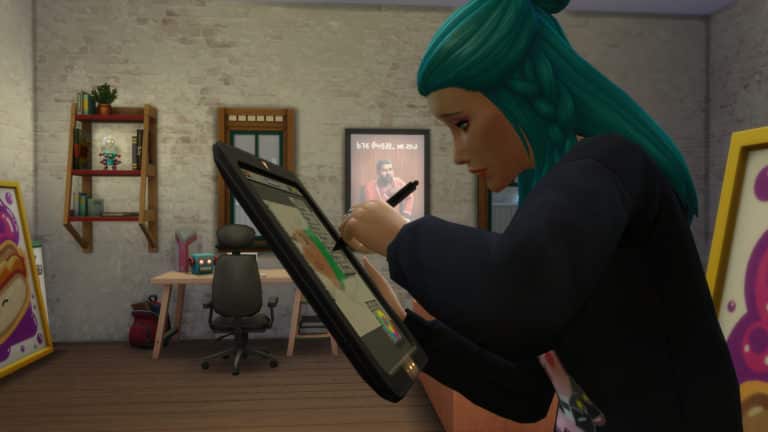
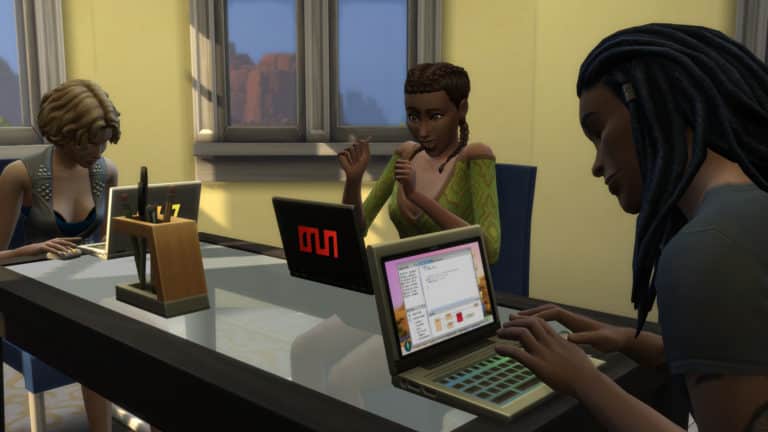
The latest patch for The Sims 4 on PC & Mac saw the addition of the brand new Freelancer Career added to the Base Game. The self-employed career allows your Sims to follow one of three pathways including Digital Artist, Programmer and Writer.

Getting started as a Freelancer is easy. Simply get your Sim to join the career like they would any other via a computer or by your Sims cell phone.

The Sims 4: All About the Freelancer Career

Once you have selected the Freelancer Career you will then be asked to choose a particular Agency. This is where you will decide whether your Sim is a Freelance Programmer, Freelance Artist or Freelance Writer.

The Sims 4: All About the Freelancer Career

Don’t worry! If you decide you want to change the kind of Freelancer that your Sim is, simply go to your Sims cell phone and under the work tab you will find an option to “Change Freelancer Trade.”

But how do you get work as a Freelancer?

If you have played The Sims 4 Get Famous expansion pack, it is exactly the same way. If not you simply just have to check for Gigs. This can be done by going to the Career panel and selecting the clipboard or again via the work panel on your Sims cell phone.

The Sims 4: All About the Freelancer Career

With each of the three Freelancer Trades, the kinds and types of Gigs your Sim has available to them all depends on their skill level. This is displayed at the bottom of each Gig. Those that are highlighted are currently available to your Sim. Those that are greyed out are currently unavailable to your Sim as they do not have a high enough skill needed for that gig. The higher the required skill the higher the payout will be for that Gig.

Agencies & Gigs

Each agency offers your Sim a variety of Gigs all tailored to your Sims chose Freelance Trade and skill level. Paywise, Gigs can range from a hundred Simoleans to a few thousand Simoleans. New Gigs are added at 9 am every Sim day so there is always plenty to choose from.

Here are a few examples from each agency to some of the different kinds of Gigs that are included in the new Freelance Career.

Computer Experts (Freelance Programmer)

[table id=62 /]

Fighting Words (Freelance Writer)

[table id=61 /]

Electrified Artists (Freelance Painter)

[table id=60 /]

Completing Gigs & Tasks

Once you have selected a Gig, all the information that you need will be under the Career panel of the user interface. It will tell you when the Gig is due by as well as specific tasks your Sim needs to carry out in order to complete the Gig. Your Sims is usually given around four to five days to complete a gig.

If you get stuck on how to complete a task you can hover over the task and it will let you know what you need to do.

The Sims 4: All About the Freelancer Career

Remember, your Sim does not need to wait until the due day/time to hand it in. Keep in mind that a client could reject your Sims work or even want you to make edits to the work your Sim has done. If this happens simply start the task(s) again and then hand in the Gig again.

If your Sim has work is rejected, simply use the Sketchpad to edit Paintings or the computer to edit books and then resubmit the work. As a Freelance Programmer, you may find that certain tasks will fail or files could corrupt and you just need to get your Sim to complete that particular task again until they are successful.

The Sims 4: All About the Freelancer Career

However, if your Sim fails to complete a Gig on time not only can it have an effect on your Sims overall performance but will also leave your Sim with an angry client and of course they won’t have been paid.

On the other hand, if your Sim gets ahead, completes the Gig early and their work is of a high standard, there is a chance that they may get a small bonus alongside their payment for the Gig.

There are no restrictions as to how often your Sim has to pick up Gigs. It really is up to you when and how often they work. There will always be Gigs available for your Sims to choose from.

Career Rewards

Of course, no career within The Sims would be complete without a few new Career Rewards!

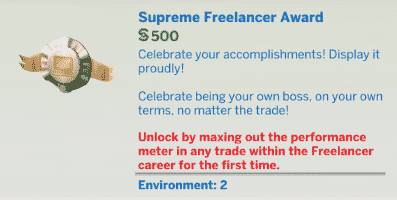
Supreme Freelancer Award ($500) – Unlocked by maxing out the performance meter in any trade within the Freelancer career for the first time.

FreeRoad Portable Computing Device ($1650) – Unlocked by maxing out the performance meter in the Freelancer career as a Freelance Writer for the first time.

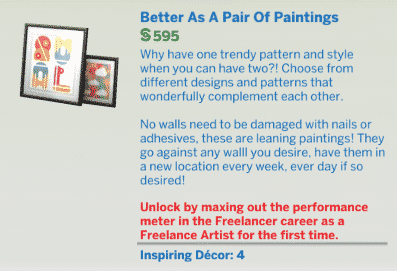
Better As A Pair Of Painting ($595) – Unlocked by maxing out the performance meter in the Freelancer career as a Freelance Artist for the first time.


The Sims 4: All About the Freelancer Career

The Freelance career is definitely a welcomed addition to the selection of careers that we already have in The Sims 4. There really is so much to explore in each of the three different Freelance Trades. Not only that, the new career adds even more variety and flexibility to your Sims everyday lives without having to leave their house.

Let us know what you think of the new Freelance Career and even what trades you would love to see hopefully added to the career in the future.

The Sims 4 Console: Mouse + Keyboard Update Video Overview

2

The Sims 4 for Xbox One and PS4 has received a long-awaited update, adding Mouse + Keyboard Support, the Lunar New Year Content and some other things to the table.

Check out our video overview for the full rundown!

Everything added in today’s The Sims 4 Content Update (April 16th, 2019)

The Sims 4 for PC / Mac received a pretty big update today with new clothing, objects, a brand new career and some other minor additions so let’s get started!

Create A Sim

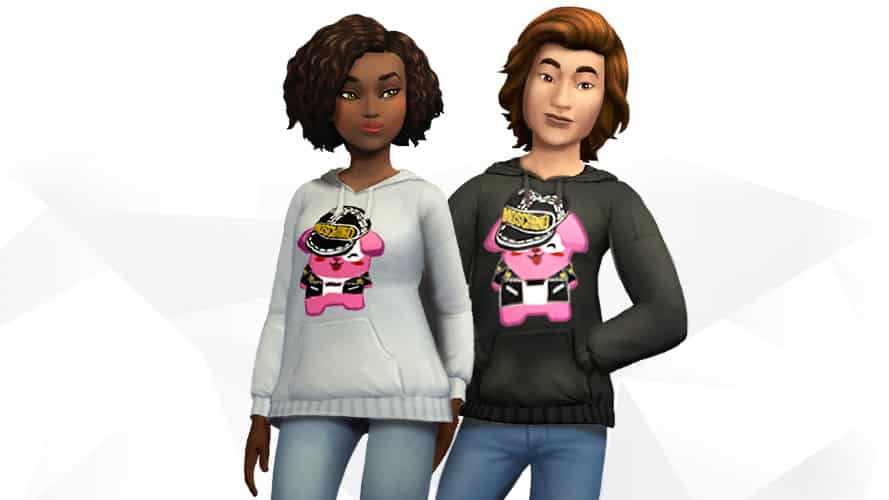
There are 9 new clothing pieces added in Create A Sim, with 8 more focused towards a Freelance vibe while the 9th addition is the Moschino Freezer Bunny Hoodie Top for both Feminine and Masculine Sims.

Here are all of the new CAS items:

Feminine

Masculine

Build Mode

Build Mode has been upgraded with 11 new objects that will make any freelancer help focus more easily on their work behind the monitor / sketch pad.

Laptops

Laptops are no longer exclusive to The Sims 4 StrangerVille Game Pack. All you have to do is max out the performance meter in the Freelancer career as a Writer for the first time and you’ll be able to unlock the FreeRoam Portable Laptop from Build Mode!

Everything added in today’s The Sims 4 Content Update (April 16th, 2019)

Freelancer Career

Probably the biggest addition with this update, the Freelancer Career comes with 3 different trades / branches that you’ll be able to pick immediately after choosing the Career: Digital Artist, Programmer and Writer.

As a Freelancer you’ll get to perform various Gigs that have a certain set of tasks and a due date. However, completing each gig successfully will give you a set amount of Simoleons!

We’ll be doing an in-depth look of the Freelancer Career very soon. Stay tuned!

Everything added in today’s The Sims 4 Content Update (April 16th, 2019)

StrangerVille World Objects Unlocked

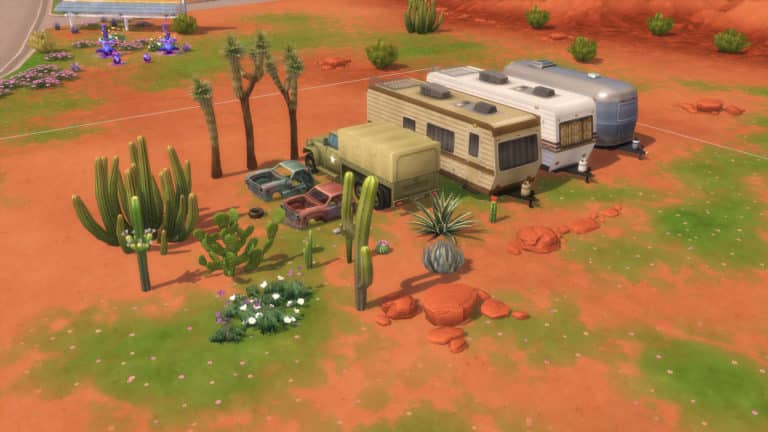
If you own The Sims 4 StrangerVille Game Pack you’re now able to place down cacti, flowers, shrubbery, vehicles and more that have been featured in the world of StrangerVille!

Everything added in today’s The Sims 4 Content Update (April 16th, 2019)

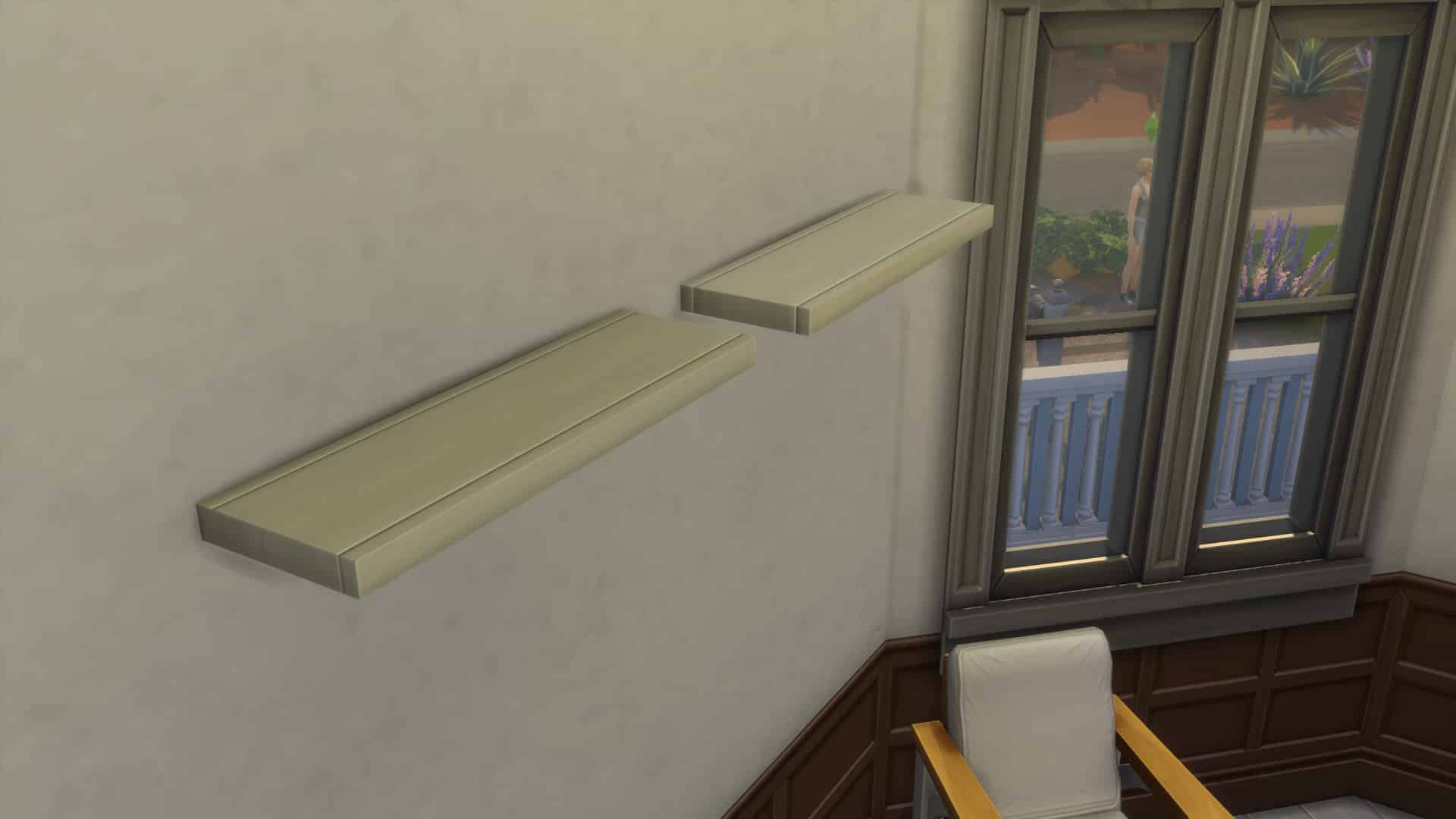
The Immaculate Shelf White Preset

The Immaculate Shelf, a Sims 4 Base Game object that’s been present in the game for 5 years now has FINALLY received a white preset. Hooray!

Everything added in today’s The Sims 4 Content Update (April 16th, 2019)

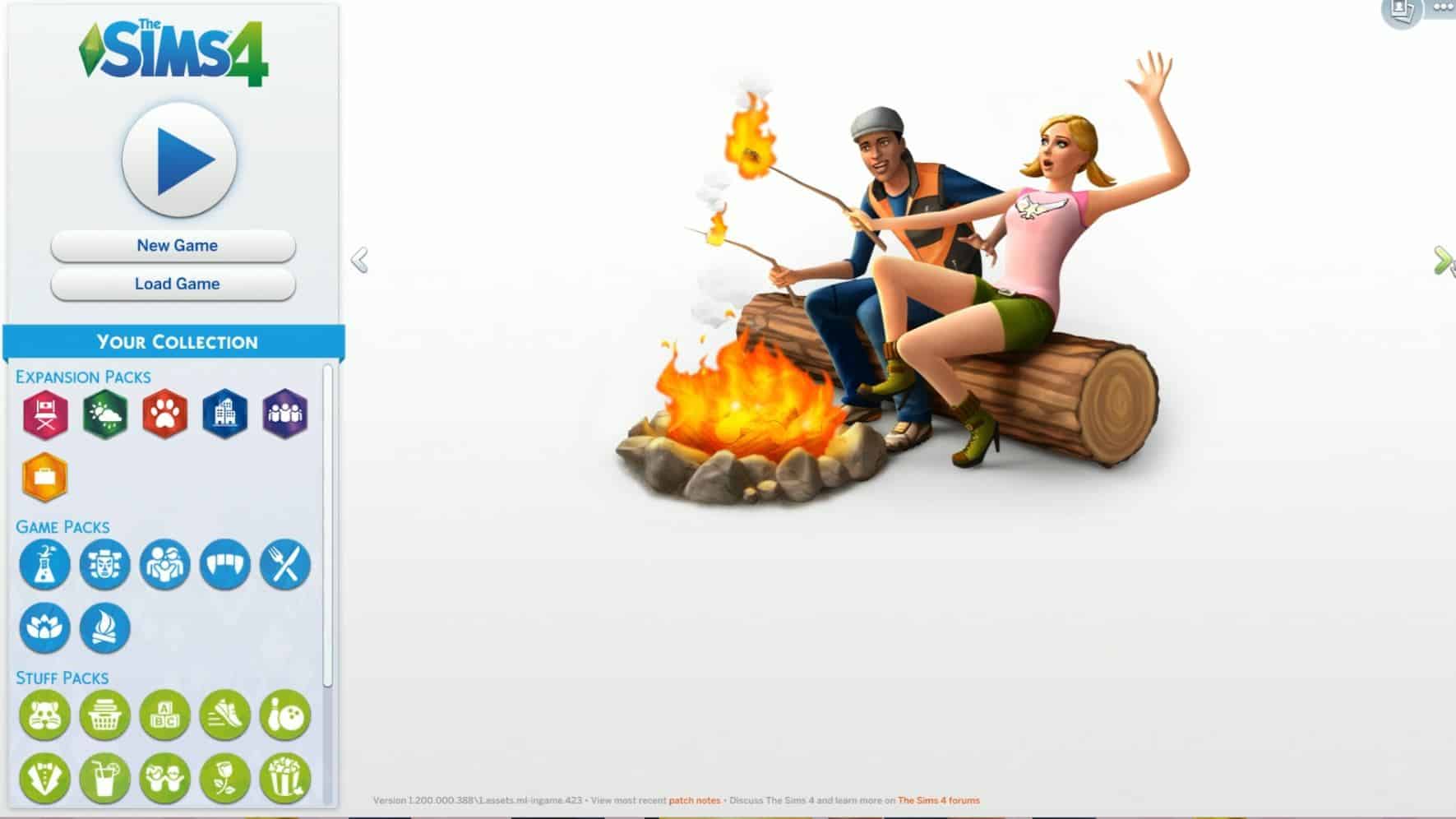
Main Menu Render Picker

The Sims 4 Main Menu Render now lets you pick which render you want to be displayed on the Menu. You’re able to choose from Expansion Packs, Game Packs and the Base Game that you own and have installed.

Everything added in today’s The Sims 4 Content Update (April 16th, 2019)

Video Overview

Want to check out all of these new things in action? Check out our video overview:

Moschino Hoodie added to The Sims Mobile

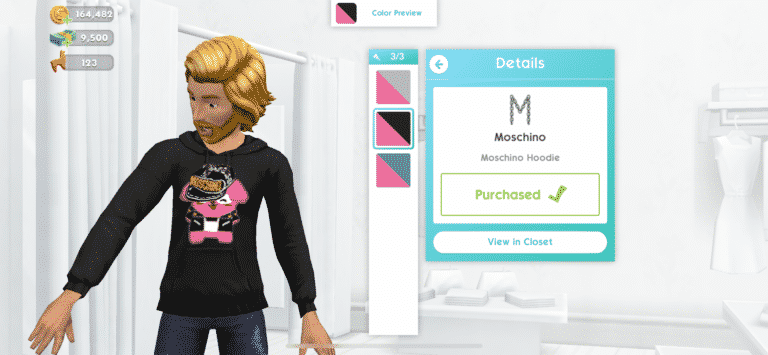
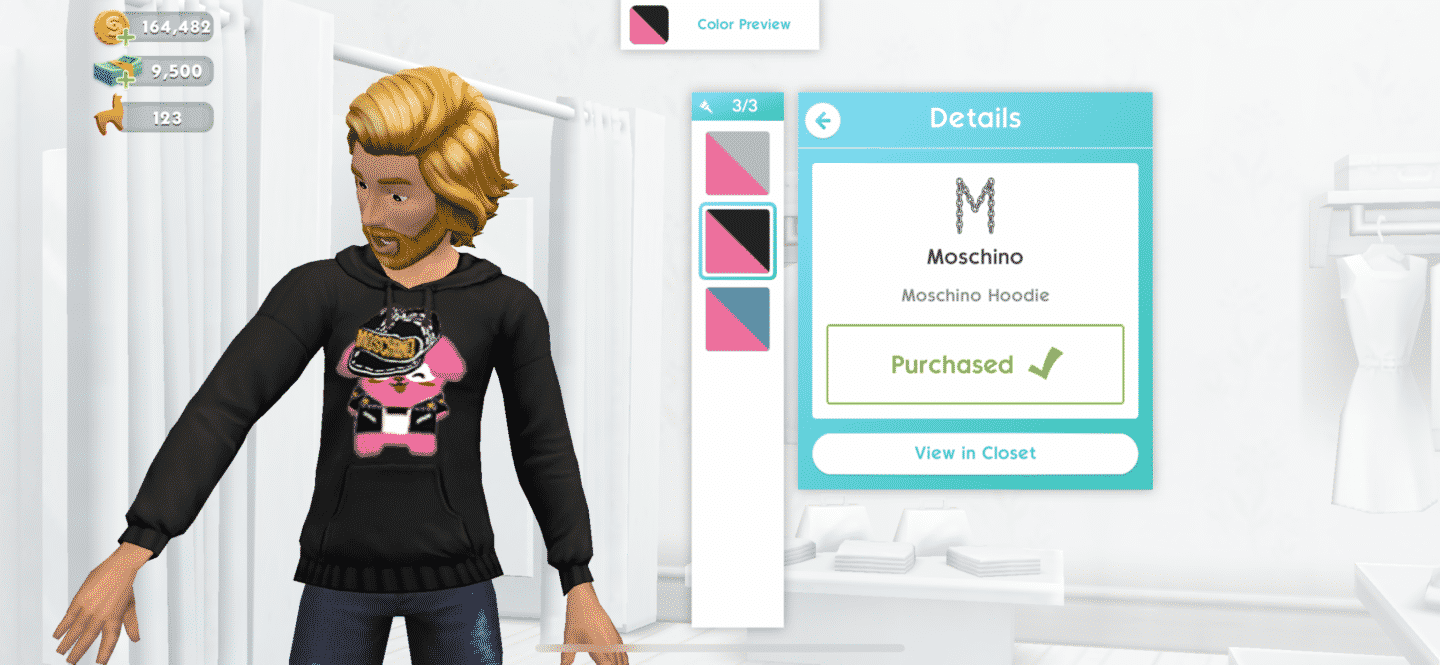
Today The Sims Team has added a brand new Moschino hoodie for both The Sims 4 and The Sims Mobile.

Simply fire up The Sims Mobile and you’ll be downloading a small, 20-something MB update for the game that will add the Freezer Bunny Moschino Hoodie into your game.

You’ll be able to find the hoodie easily by going into your Closet / Shop and finding it under the Moschino brand.

IMG 5932

The hoodie can be found in 3 different presents – Black, White and Blue with all of the presets automatically being added into your closet.

IMG 5933

MC Command Center has been updated for the latest version of The Sims 4

4

MC Command Center – I use it, you probably use it, the entire community basically uses it and today’s The Sims 4 update has broken it.

Luckily Deaderpool, the creator of this Mod has issued a hot fix update of MC Command Center!

The only thing we’ve noticed so far that was broken by today’s Sims 4 update is that EA changed something in their translation process that was ignoring strings defined by mods under certain circumstances.  So, both the mc_cmd_center.package and the mc_woohoo.package files have been updated to make them work with the update today.  That will fix the issue we were having with blank buttons everywhere.


You can get the hot fix update of his mod right now by clicking the button below!

[mks_button size=”large” title=”DOWNLOAD!” style=”rounded” url=”https://www.patreon.com/posts/mccc-and-todays-26152019″ target=”_blank” bg_color=”#1e73be” txt_color=”#FFFFFF” icon=”fa-arrow-down” icon_type=”fa” nofollow=”0″]

MC Command Center has been updated for the latest version of The Sims 4

The Sims 4: April 2019 Content Update Video Overview

1

Want to get a full deep dive into all the content that’s been added with the latest update for The Sims 4 for PC and Mac? Check out our latest video!

And before you mention it – yes, we’re also working on detailed article overview as well 🙂

The Sims 4’s Latest Update Unlocks 24 World Items for StrangerVille

10

Ever since The Sims 4 StrangerVille Game Pack has released many have been left wondering why some of the new cacti, plants, other floral details and decorative vehicles have been locked away and left exclusively for the world of StrangerVille.
Well, players should no longer worry! The Sims 4’s latest PC / Mac Update has unlocked 24 StrangerVille World Items, including the following:

  • 10 different cacti
  • 3 different Joshua trees
  • 3 different RVs
  • 2 clusters of rocks
  • 2 junked cars
  • A group of desert flowers
  • A military truck
  • A tire
  • A parking stop

You can find these items exclusively by enabling debug objects. You can do so by pressing CTRL + Shift + C and entering the bb.showhiddenobjects cheat.
The Sims 4’s Latest Update Unlocks 24 World Items for StrangerVille

The Sims Blog: Introducing Moschino X The Sims

TheSims.com has published a new blog post talking more about the free new Moschino hoodies that they’ve added to The Sims 4 and The Sims Mobile (with plans to release them to The Sims FreePlay as well). They’ve also talked more about the new Freelancer Career which is now available for The Sims 4 on PC and Mac!

Moschino Madness

Simmers, have you heard the news? The Sims™ has collaborated with the one and only Moschino! With creative director Jeremy Scott at the helm, this fashion house is famous for its tongue-in-cheek designs and unapologetic aesthetic. And, with the brand’s affinity for pop culture, The Sims provides a fabulous source of inspiration for a new collection. Yes, the Moschino x The Sims capsule collection is in select Moschino stores now!

Want to get your Sims in on the fun, too? Well, look no further. You can now dress your Sims in a Moschino-branded Freezer Bunny hoodie! This includes The Sims 4*, The Sims Mobile, and on April 30, 2019, The Sims FreePlay. So, no matter how you play The Sims, they can rock the latest style.

The Gig is Up

But, that’s not all! Have your Sims ever wanted a different kind of career? One that doesn’t require them to be stuck at a workplace for eight or more hours? Well, we’d like to introduce the Freelancer career for The Sims 4 on PC! Your Sim can now have the freedom to create their own work schedule while exploring other ways to express themselves.

Here’s how it works: First, choose a freelancing agency to help your Sim land gigs. Then, they’ll work from home, complete tasks, get paid, and receive performance boosts.

So, what will your Sim do with their free time? They’ll finally have flexibility to figure that out! Check out the Freelancer career, and your Sim will be on their way to a well-rounded lifestyle.

The Sims 4 Console: New Update + Patch Notes! (April 16th, 2019)

The Sims 4 Console: New Update + Patch Notes! (April 16th, 2019)

The Sims Team has released a brand new Update for The Sims 4 for Console devices – Xbox One and PS4!

Patch Notes

Update: 04/16/2019 – v1.14

Great news for console Simmers!

Finally, we get to answer the often asked question, When is mouse & keyboard support coming to PlayStation 4 and Xbox One? The answer… right now!

What’s New?

  • Mouse & Keyboard support is available to all console players of The Sims 4. Simply connect your mouse & keyboard of choice and away you go.
    • You may be wondering how to adjust the mouse sensitivity or switch to left handed play. PlayStation 4 and Xbox One handle these settings for you. Just head to the following locations on your console to make changes:
      • PlayStation 4 – Settings > Devices> Mouse
      • Xbox One – Settings > Kinect & devices > Mouse
    • Lunar New Year came a little late to console but now you can extend the celebrations with
      • New Recipes
        • Vegetable Dumplings – Requires Level 1 Cooking Skill
        • Mud Carp – Requires Level 7 Cooking Skill
      • New Objects
        • Shadow of the Moon Table – A six seat round dining table — perfect for family meals!
        • Moon-Gazing Dining Chair
        • Fiery Moon Gift Centerpiece
        • Wealth of the Moon Envelopes
        • Lucky Citrus Tree of the Moon
        • Paper Lantern of the Wiseacre Moon
        • Symbols of the Watery Moon
        • Sycee of the Prosperous Moon
        • Moon Panda Toy
        • Year of the Pig Statuette
      • New Clothing & Accessories
        • Adults
          • Women
            • 2 dresses
            • 1 pair of fan earrings
            • 1 jade necklace
          • Men
            • 1 jacket
          • Children
            • Girls
              • 1 dress
            • Boys
              • 1 jacket
            • Unisex
              • 1 yin and yang necklace
            • Toddlers
              • Girls
                • 1 dress
              • Unisex
                • 1 hairstyle
                • 1 shirt

General Issues

  • Sims will no longer be able to lie about employing each other in order to avoid marriage.
  • Fixed an issue where the Audio for the tutorial references skill levels for career progression.
  • Fixed an issue where terrain manipulation might crash the game when players were manipulating to close to the edge…
  • Fixed an issue where clicking various spots with terrain tools would cause an error.
  • The scroll bar in text messages will no longer reset the text field back to the top.
  • Fixed an error that would happen when adding an extended roof to the top of an object.
  • Corrected texture issues for the solid blue pants.
  • Corrected texture issues for rolled jean pants.
  • Corrected shadows that were being added to clothes from a few necklaces.
  • Fixed and error when players would switch between children that were created through genetics.
  • Fixed a few instances where terrain paint would not correct clear when using the bulldoze option in Build.
  • Fixed an error when trying to place a Nightclub on a lot that is smaller than the lot that is provided.
  • The Millie Bobby Brown Sim didn’t know what to wear to attend parties, so we helped her pick out a new outfit.
  • Fixed an error when trying to exit the pool in First Person Camera.
  • Thanks to all the feedback, we have added more ways to customize controls while in 1st Person Mode which you can find under Game Options > Game Camera.
  • 1st Person Mode should no longer terrify you with Sims that have missing heads.
  • Playing basketball on the Skye Fitness lot while in 1st Person Mode won’t require you to restart The Sims 4, so no more excuses for missing that 3 pointer.
  • Adjusting light intensity on items near the top of the lot will not cause the panel to display off screen.

Get Together

  • Listening to music on the Lin-Z Smart Speaker will now count towards the Listen to Music club rule.

Seasons

  • Leaf Piles should no longer become stuck in neighborhoods; they should automatically get cleaned up at the start of each winter season.
  • Fixed a clipping issue that occurred when wearing the toddler’s rain boots with certain pairs of pants.
  • Fixed two toddler hats which were causing unintended shadows to appear on the toddler’s eyes.

Get Famous

  • Fixed a text issue in the 24 hour live stream buff. Please excuse any technical difficulties the stream will be back up shortly.
  • Your Sims acting agent will no longer give you false pay information when completing a gig. Those agents are always trying to skim a little off the top.
  • Fixed a texture issue with the SciFi Helmet and Straight Skirt.
  • Corrected placeholder text on the Celebrity Home lot Moodlet.
  • Fixed an issue that prevented Sims from staying longer on a gig to practice their acting skills.
  • Corrected text issue in the Charity Stream Moodlet.
  • Fixed floating Sims while wearing one of the high skirts.
  • Corrected Text issue in the Tiresome Energies buff from the Crystal Healing Helmet
  • Fixed an error when placing Luminary’s Exotic Water Garden on a bulldozed lot.

Outdoor Retreat

  • Your Sims can now pester… er… visit, any campers of their choosing in Granite Falls.
  • Fixed an error where Sims would get stuck in the Forest Hideaway lot in Granite Falls.

Vampires

  • Corrected texture issue on Buttoned Pants.

Of course, we have added a whole lot of community creations into My Library as well as brought over some familiar faces from past Sims titles like The Newbie Family and The Grunt Family.

Now, where did I put that mouse and keyboard…

– SimGuruLegacy