Home Blog Page 345

The Sims 4 Cats & Dogs: Create A Pet Developer Information from Sims Camp

Sponsored by EA!

During Sims Camp 2017 we had an opportunity to listen to the presentation by some of the producers who work on The Sims 4 Cats & Dogs Expansion Pack. For the Create A Pet presentation we listened to a presentation by SimGuruRomeo and SimGuruJM which was rich with new information! Here’s all the interesting details about Create A Pet that we wrote down:

  • Breed option panel – There are presets for each breed with different colors and shape variations. Unique fur pieces and fur textures.
  • There are also small dogs, a boston terrier. There are animations based on their traits. Dogs will come with pre-suggested traits. You can go in and change any of the traits and add new ones. There are traits each for Cats and Dogs.
  • You can search for breeds  – type in “bull” and you’ll find bull terrier, bull mastiff, french bulldog, pit bull, staffordshire bull terrier.
  • The body paint or the pre-paint – you can start off with a typical color and give other pet’s patterns. You can search for a german shephard and apply the pelts that you can put on your dog. You can change colors for certain pre-set areas which speeds up the entire process.
  • In 20 clicks you can create your own pet without the paint tools. They wanted to make it quick and seamless so you can create your pet in only a few quicks.
  • There’s a patchwork pattern and even a robot, skeleton.
  • There’s a breed mixer where you can pick two breeds and mix them creating a unique mix of breeds. You can even randomize the mix breeds option so you can find multimple presets for the breeds.
  • There are face modifiers. You can move the ears up and downand then there are presets where dogs can have one ear down and one up giving you more options.
  • You can turn the ears.
  • You can make the pets crosseyed.
  • There’s heterochromia which lets you change your pet’s single eye color. There are around 9 eye color presets.
  • You can make them frown or smile and make goofy looking dogs.
  • There are color swatches for the nose. You have the ability to paint the nose. There are a lot of sets of basics that you can later continue in the paint mode.
  • There are 5 tail presets. Curly up, curly down, short tairs for boxers and corgis. There are fur patterns with plenty of presets for the patters.
  • There are plenty of combinations and you can customize every part of the body just like with Create A Sim.
  • There’s pet clothing.
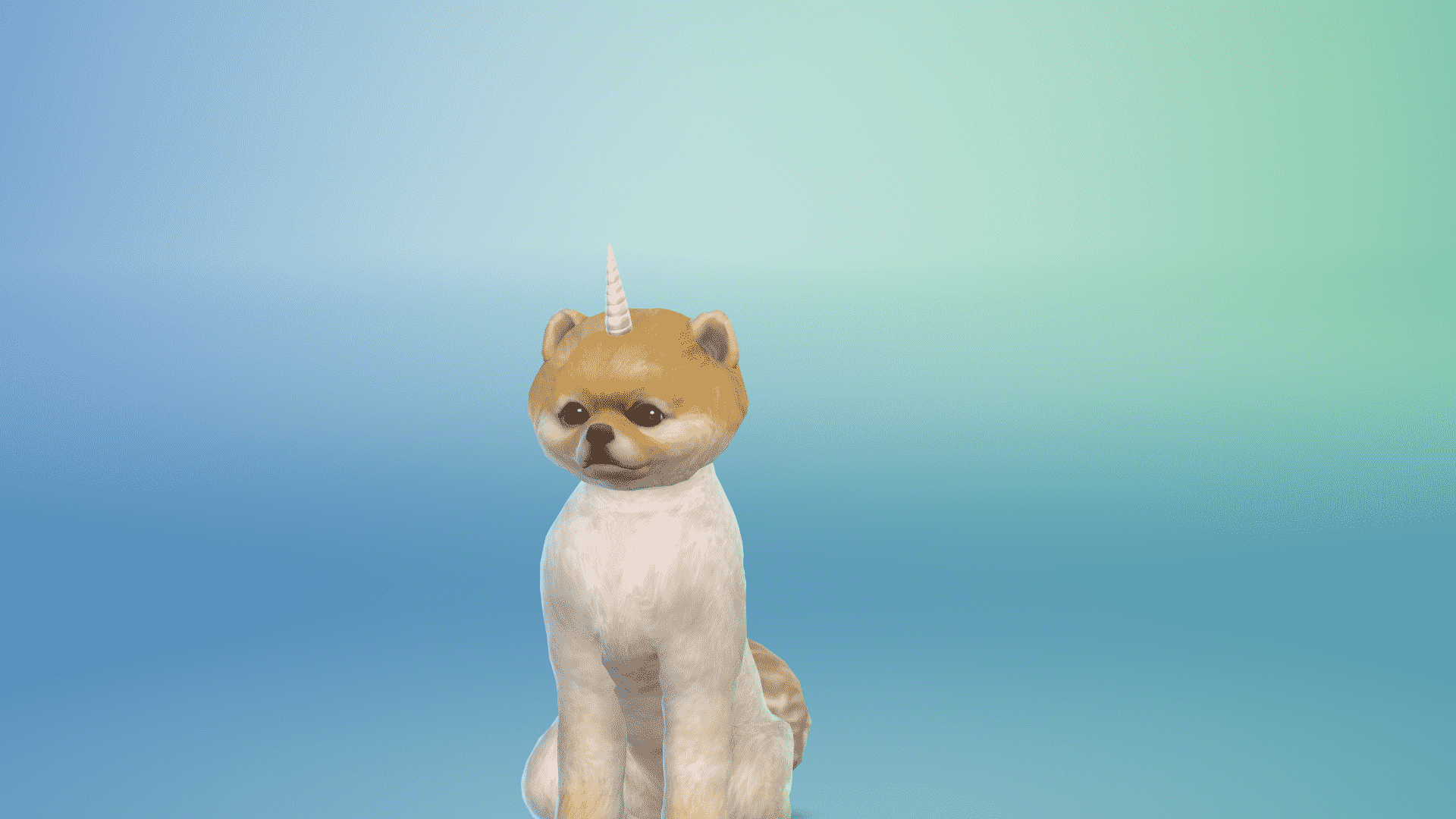
  • There are bows, grilled cheese pijamas, the dino, the unicorn hat, a fancy tupe, the shark, the hot dog and so on. A lot of stuff is still in production so some swatches and objects are still not present in the game.were still not present in the game – this is from a presentation back in September 2017.
  • The paint mode has a lot of options. There are plenty of basic brushes where you can change the color and the brushes can be mirrored or not. You can make spots and paint any part of the body. There are spots that you can add all over the body and the brush options are numerous.
  • There’s a color wheel in paint mode which functions similarly to optuons you get in photoshop.
  • There are stamp sections like flowers. They won’t overlap. There’s also a ghost, freezer bunny, a plumbob, sun, poop, raindrops and plenty more including the cactus.
  • There’s also the stencil mode. You can paint certain parts all you want so it won’t go over the lines. You can go detailed without manually painting.
  • You can use the fill bucket as well which fits the stencils. Ther are zombie patch dogs, zebra patterns and more. You can really go crazy with it.
  • You can also change the poses which will help you paint certain areas of your pet.
  • There’s an eyedrop tool and an eraser. You can go into detail paint mode where you can paint smaller details like the nose.You can paint the paws.
  • There’s a special dog breed – Foxes, with a unique Fox voice.
  • For special cat breeds there’s the Raccoon – it was a late addition but The Sims Team eventually added it.
  • There are new clothing for cats. There’s samurai armor, a bobble headed dragon, there’s a hoodie, a sushi and the taco cat, there’s a jacket. There are lion bands where they pretend like they have fur. There’s even a sharkhead.
  • You can have and create kittens and puppies in CAP.
    • There are special presets for kittens and puppies as well.
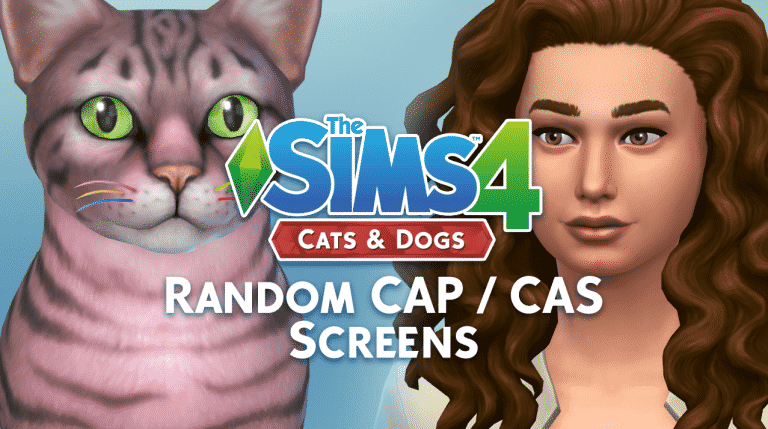
The Sims 4 Cats & Dogs: Create A Pet / Sim Random Screens

2

Sponsored by EA!

Before we continue with this article please note that this is NOT the final software of the game.

For this article I just wanted to provide you with some of the random screenshots that I’ve made in The Sims 4 Cats & Dogs’ Create A Pet and Create A Sim. You can see some of the interesting pet poses, as well as outfits, accessories and new CAS items for Sims.

Hope you enjoy these!

The Sims 4 Cats & Dogs: Cat and Dog Traits

Sponsored by EA!

Before we continue with this article please note that this is NOT the final software of the game.

The Sims 4 Cats & Dogs Expansion Pack offers a different set of traits for both cats and dogs. Below you’ll see a list of all the traits available for cats and dogs in Create A Pet tool.

Interesting thing about traits: each breed preset comes with different traits that usually fit nicely with the breed.

Cat Traits

  • Affectionate
  • Aloof
  • Clever
  • Curious
  • Fluffy
  • Free Spirit
  • Friendly
  • Frisky
  • Glutton
  • Lazy
  • Mischievous
  • Playful
  • Prowler
  • Skittish
  • Spoiled
  • Talkative
  • Territorial

The Sims 4 Cats & Dogs: Cat and Dog TraitsDog Traits

  • Active
  • Adventurous
  • Aggressive
  • Couch Potato
  • Friendly
  • Glutton
  • Hairy
  • Hunter
  • Independent
  • Jumpy
  • Loyal
  • Playful
  • Sleuth
  • Smart
  • Stubborn
  • Troublemaker
  • Vocal

The Sims 4 Cats & Dogs: Cat and Dog Traits

Sponsored by EA!

The Sims 4 Cats & Dogs: ALL Breeds and Filters

Sponsored by EA!

Before we continue with this article please note that this is NOT the final software of the game.

The Sims 4 Cats & Dogs offers plenty of preset breeds that you can choose in Create A Pet. There are different breeds for Small Dogs, Big Dogs and Cats.

Before we dig into all the breeds that are available in the game, let’s take a look at some of the filters that will help you find the perfect breed! Using filters you’re able to find a breed that you want without needing to know the name of a certain breed. Here are all the filters that were available in this build:

Dog Filters

  • Dog Size
    • Small Dog
    • Large Dog
  • Breed Group
    • Herding
    • Hound
    • Sporting
    • Terrier
    • Toy
    • Working
    • Non Sporting

Cat Filters

  • Colors
    • Red
    • Brown
    • Gray
    • Black
    • Orange
    • White
  • Coat Markings
    • Solid
    • Spotted
    • Striped
    • Bicolor
    • Tipped
    • Colorpoint
  • Fur Length
    • Short Hair
    • Long Hair
    • Hairless

Here are ALL the breeds that are available in the game. If you can’t find a breed that you like don’t worry – there are enough customization features that’ll let you create any breed you want!

In case you’re wondering what the black dots below each breed are – they are breed presets – meaning that some breeds will come in different shapes and colors. They’re currently black because the game is still in development.

Small Dog Breeds

The Sims 4 Cats & Dogs: ALL Breeds and Filters

Large Dog Breeds

The Sims 4 Cats & Dogs: ALL Breeds and Filters

Cat Breeds

The Sims 4 Cats & Dogs: ALL Breeds and Filters

This article is sponsored by EA!

The Sims 4 Cats & Dogs: 30+ MINUTES of Create A Pet Gameplay

0

Want to see everything that The Sims 4 Cats & Dogs’ Create A Pet feature has to offer? Check out this HUGE gameplay video that’s over 30 minutes long, showing off all the things that you can do and customize in Create A Pet.

The Sims 4 Cats & Dogs: Exclusive Create A Pet Walkthroughs by SimsCampers

0

Sims Camp 2017 trip has been sponsored by EA!

During Sims Camp 2017 we were able to capture exclusive footage of The Sims 4 Cats & Dogs. This embargo lets us give you ALL the details about the Create A Pet tool.

Down below you’ll see a list of articles and videos published by other SimsCampers (including us) that you can watch and read.

After each event atendee adds new footage we’ll update this post so make sure you have this post bookmarked for new footage and info!

Articles

Videos

Tweets

A Messy News Recap: Create A Pet Embargo, New Screens and More!

2

I decided to give a small twist to the content I create by focusing on our YouTube audience as well. We have a lot of simmers on YouTube who might want to tune in to some news, thoughts and opinions from us and this was a good opportunity to do so considering we’re expecting plenty of new information about The Sims 4 Cats & Dogs.

Hope you enjoy the video and let me know if you have any feedback!

SimGuruDrake is looking for new creators!

6

SimGuruDrake, the global community manager for The Sims Franchise is currently looking for new people who love to create content that revolve around The Sims who would love to join new opportunities for The Sims 4 Console, The Sims 4 Cats & Dogs and The Sims Mobile.

She’s looking for following creators:

  • Fansites
  • Streamers
  • YouTubers
  • Builders
  • Story Bloggers
  • Modders
  • CC Creators

If you don’t fall under these categories but still have some sort of an outlet that helps you express your Sims creativity make sure you apply to this limited-time opportunity.

Amanda is looking for creators all over the world meaning that your content doesn’t have to be exclusively in English. Also, please note that numbers / statistics of your outlet don’t count – your dedication does! 🙂

You can apply by sending SimGuruDrake a DM on Twitter.

SimGuruDrake is looking for new creators!

Multiple Livestreams for The Sims 4 Cats & Dogs Confirmed

1

October is going to be pawtastic! SimGuruDrake has confirmed that during the next few weeks we’ll be treated with not just one but multiple livestreams for The Sims 4 Cats & Dogs Expansion Pack.

There are going to be a couple of livestreams for this pack and each livestream will have a different theme, similar to what we had with The Sims 4 City Living where each big aspect of the game was covered seperately (Festivals, Apartments..).

This also probably means that we should expect new trailers and official gameplay footage to come out over the next few weeks.

The Sims 4: Teen Style Custom Stuff Pack Teaser

Have you ever wanted more for your Teen Sims in The Sims 4?

Well very soon you will be able to as custom content creators LuumiaSims and SynthSims are well underway working on a pack which will fill that gap!

Click the image to go to the teaser trailer!

The Sims 4: Teen Style Custom Stuff Pack Teaser

If you are wondering what the song is in the video, it is called Kicks and is taken from the new album Skin & Earth by LIGHTS

Fun Fact: LIGHTS is also featured in The Sims 4 Get To Work expansion pack with her song Up We Go!

Countdown to The Sims 4 Cats & Dogs Release

14

We’re only a month away from the release of The Sims 4 Cats & Dogs Expansion Pack and we wanted to build up the hype by adding a countdown on our website!

Unlike with previous Expansion Pack releasements this one is going to be available on the same day around the world.

You can join the countdown on this post and on our The Sims 4 Cats & Dogs Game Page.

Countdown to worldwide release

[ult_countdown count_style=”ult-cd-s2″ datetime=”2017/11/10 00:00:00″ countdown_opts=”sday,shr,smin,ssec” br_style=”solid” br_size=”5″ br_color=”#a6312b” br_radius=”5″ timer_bg_color=”#a6312b” br_time_space=”5″ tick_col=”#ffffff” tick_sep_col=”#a6312b” tick_style=”font-weight:bold;” tick_size=”desktop:42px;” tick_line_height=”desktop:42px;” tick_unit_style=”font-weight:bold;” tick_sep_size=”desktop:18px;” tick_sep_line_height=”desktop:18px;”]

Countdown to The Sims 4 Cats & Dogs Release

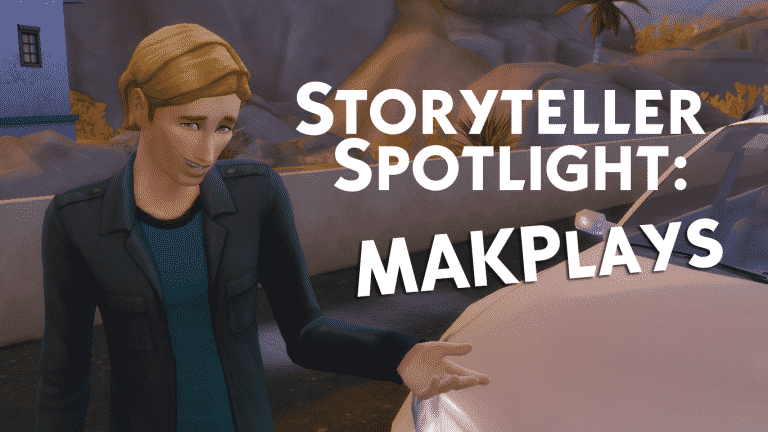
Storyteller Spotlight: MAKPlays

You probably already know that the Simming community is just brimming with creativity. From YouTube videos to incredible builds to mods and custom content, there is no shortage of talent among Simmers. Did you know that the talent doesn’t end there? The Simming community has a large and vibrant subcommunity of endlessly talented storytellers.

What the heck is a storyteller, you ask?

A storyteller is a Simmer who uses screenshots and their own imagination to tell a story in the written form. Think of it like an illustrated book. Storytellers typically host their Sims stories on blogging platforms like Tumblr and WordPress. They have a wide variety of writing styles, from quick dialogue captions to elaborate tales that read like a published novel, so there’s something for everyone to enjoy. Bookworms rejoice! Many storytellers also edit their screenshots to add a splash of individuality to the visuals.

Sims storytelling is one of the most time-consuming creative endeavours and it deserves some recognition, so I’m here today spotlighting one of the many talented storytellers in our community, MAKPlays!

Introducing MAKPlays

Storyteller Spotlight: MAKPlays

MAKPlays hosts their stories on their WordPress blog, which is a great fit for their writing style. MAKPlays’ stories are written like an illustrated novel with depth and detail. Their screenshots aren’t over-edited and feel like a natural glimpse into the lives of their Sims while they’re playing. I’m a personal fan of the diversity in the Sims MAKPlays tells their stories with. There are Sims of different backgrounds and sexualities, which make their stories feel more true to life.
Because MAKPlays bases their stories on what happens in their game, you just never know what might happen next. Every chapter is a potential surprise! Every Simmer knows that just about anything can happen when you allow your Sims to follow their own free wills and MAKPlays is a pro at using this kind of unpredictability to add excitement to their stories.

Storyteller Spotlight: MAKPlays

Q & A With MAKPlays

I had the pleasure of interviewing MAKPlays about their work. Here’s what they had to say:

Q: What do you draw your inspiration from for your stories?

A: What happens in the game as I’m playing is the main basis. Other than that, events from real life and other books and movies have sometimes inspired me.

Q: How long have you been writing Sims stories?

A: I started in March of 2015, so about two and a half years.

Q: Is there any advice you would give Simmers who are new to storytelling?

A: Tell stories for yourself first– when you’re not enjoying yourself, it really shows in your writing. Eventually, readers will come.

Follow MAKPlays

To read MAKPlays’ stories and follow their blog, pay them a visit on their Website.

MAKPlays’ blog is rated TM. Their stories range from Teen to Mature. This blog also makes use of trigger warnings.


The views and opinions expressed in the stories featured in this article are those of the story’s author and do not necessarily reflect the official policy or position of Sims Community or EA.

The ratings given for the stories featured in this article are chosen by the story’s author. Sims Community does not take responsibility for any inaccurate or misleading ratings.

The Sims 4 Cats & Dogs: Ghost Dog Screenshot

4

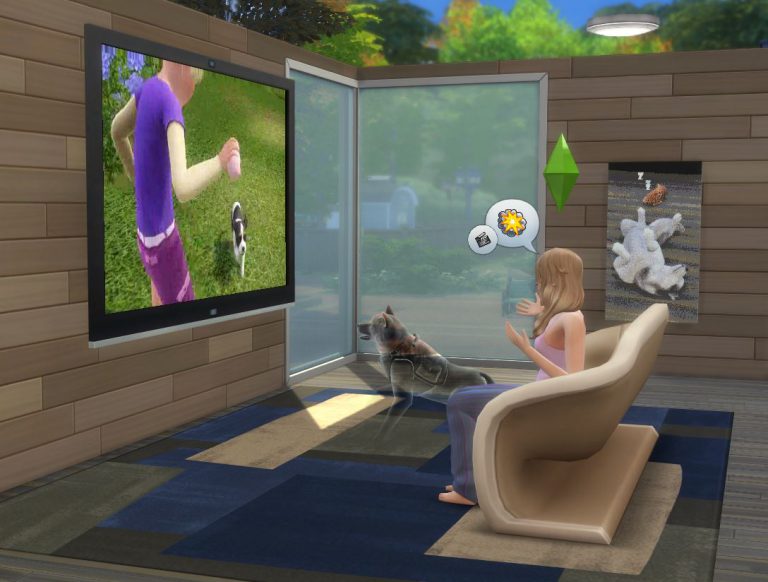
SimGuruRomeo has shared a new screenshot of The Sims 4 Cats & Dogs Expansion Pack, featuring a ghost dog watching a TV.

The Sims 4 Cats & Dogs: Ghost Dog Screenshot

The Sims Twitter Takeover with Jessica Williams

1

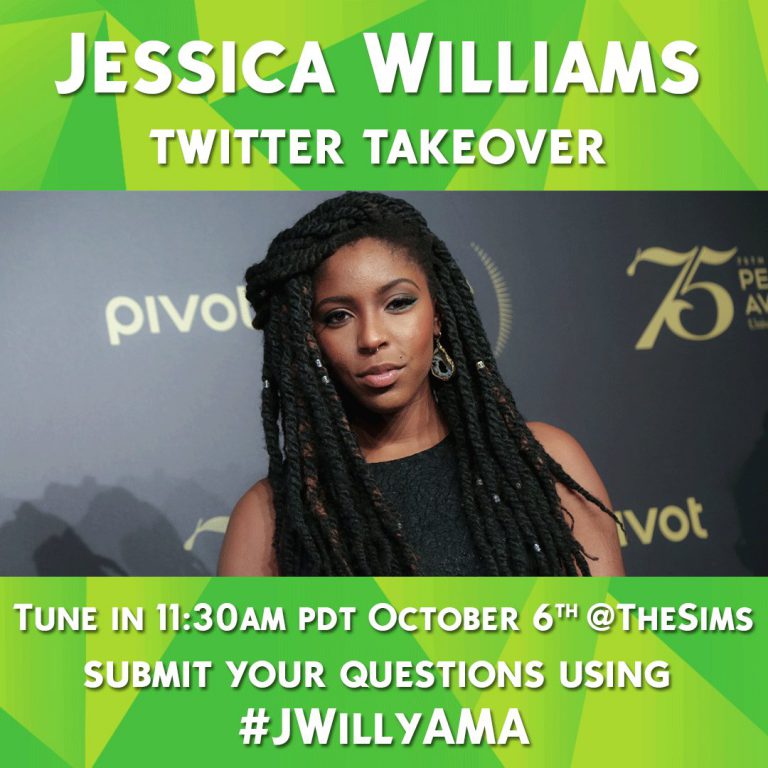
Jessica Williams, an American actress and comedian will be taking over The Sims Twitter account at 11:30 PDT for about 30 minutes to answer some of your questions about her career and her love for The Sims.

You can submit your questions by tweeting the #JWillyAMA hashtag on twitter along with your question.

Down below you can see all the answers that will be written by Jessica Williams herself.

The Sims Twitter Takeover with Jessica Williams

The Sims 4 Laundry Day Stuff: Drier / Laundry Machine Color Presets GIF

0

SimGuruGraham shared a GIF of some of the color swatches for driers and laundry machines in The Sims 4 Laundry Day Stuff Pack!