

The Sims 4 City Living Expansion Pack is currently available on Amazon for only $24.50. Make sure you take advantage of this offer while it still lasts!
Click below to check out this offer!

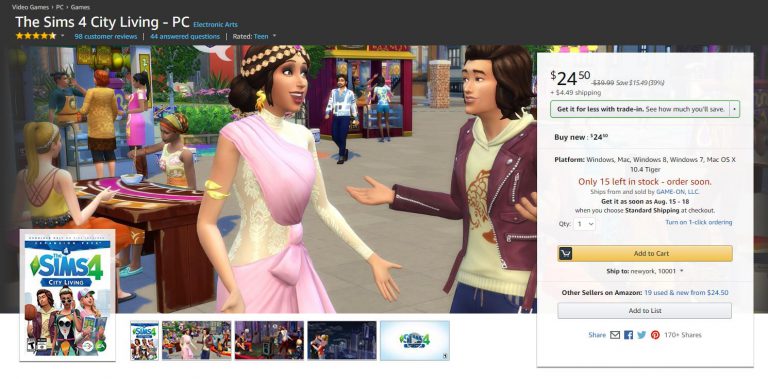
The Sims 4 City Living Expansion Pack is currently available on Amazon for only $24.50. Make sure you take advantage of this offer while it still lasts!
Click below to check out this offer!
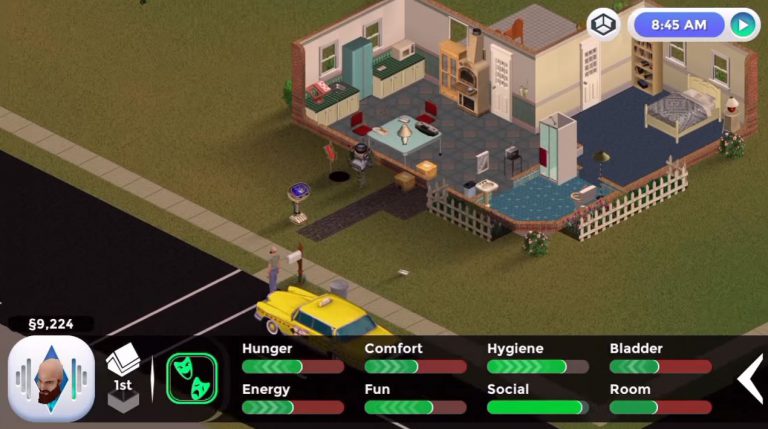
Several weeks after announcing that they’re working on a fanmade mobile version of The Sims 1, people behind this project (who also work on FreeSO) have announced today that they’re no longer working on it due to EA asking to cease all efforts to bring the game to mobile or any other devices.
Luckily the FreeSO PC project which lets you play the revived version of The Sims Online is still allowed to be further developed and supported.
Here’s the official announcement by FreeSO as well as video of what The Sims 1 for mobile could’ve been:
In the last news update, I announced an attempt at using the FreeSO engine to bring TS1 to mobile platforms. For the foreseeable future, these efforts have been stopped.
A few months ago we were contacted by EA regarding how the TSO IP should be handled. At that time, you may have noticed a change in logo to avoid the house motif, the addition of multiple disclaimers to our websites, and further insistence on taking no donations for server costs (really, no change). Given even just its relevance to me, The Sims’ IP is clearly something that is worth EA protecting from any potential damage, so I complied with these terms immediately out of respect.
A few days ago, some time after our last blog post, I received further correspondence from EA, regarding my plans to bring TS1 to mobile devices, as well as potentially FreeSO. To protect their IP, they asked that I cease and desist any efforts to bring either of these games to mobile or any other plaforms. While both projects are entirely legal (copyrighted content and references to “The Sims” provided by the user, not the replacement engines themselves), I do not want to step on EA’s toes, and will obviously comply with their requests rather than starting some kind of expensive legal battle.
Seeing it first hand, I could completely understand how damaging a third party releasing a mobile client could be to The Sims brand. The mobile market had never seen a full The Sims game with no micro-transactions, and even though it might be hard to install and transfer the game from a computer (especially on iOS), the disruption could have had a notable impact.
Granted, only a few weeks were spent on the project, but it’s unfortunate that after seeing it work so well, it may never see the public in a complete fashion. I enjoyed working on the project, and it taught me a lot about mobile development with Xamarin & MonoGame, multi-touch interfaces and more about The Sims (and how it differs from TSO).
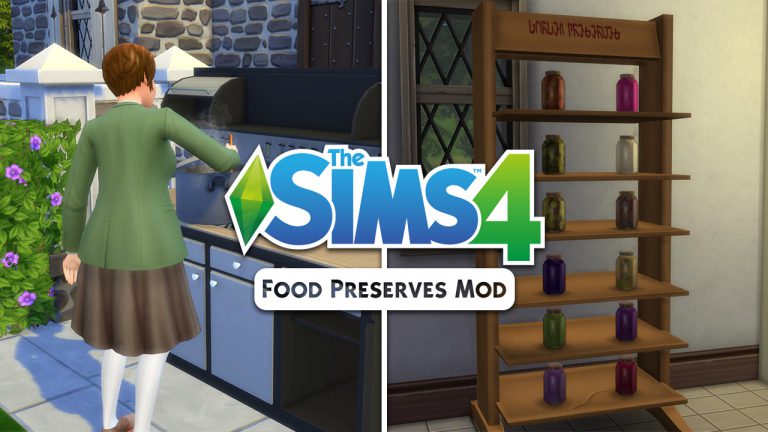
If you’re disappointed that the “Food Preserves” didn’t make the cut for the upcoming Eco Living Stuff Pack then we have some awesome news for you. Icemunmun has brough another detailed mod to the world which lets you create food preserves using the canning station. This mod is packed with a new skill, new gameplay object, new skill books, plenty of moodlets and so much more!
I’m going to show you all the possibilities with this mod with this playthrough so let’s dive in!
You can find the canning station in the “stoves” section of the kitchen build category for 2000 Simoleons. The art style of this canning station really fits in nicely with the game and there are a few swatches you can choose – including the one which makes the canning station look really rusty!


There are 3 interactions that you can use on this station: Make Jam, Make Pickles (yup, new pickle recipes with this mod) and Make Spread. With level 1 Canning Skill you can only make an apple jam.
You’ll notice that, unlike with preparing food which makes certain ingridients completely optional, you’ll have to actually have these ingridients for canning station preserves or otherwise you won’t be able to make them.


Apple Jam requires 6 apples. After I managed to get these apples I was finally able to make Apple Jam. Sim who finishes making a food preserve will place it automatically in the fridge.


Finishing a food preserve will give you a +1 inspired “That’s My Jam!” moodlet.
All jams come with the following interactions:

To unlock more canning station recipes you’ll need to level up your Canning Skill! You can purchase Canning Skill books using any bookshelf.


Here’s what each skill level will unlock:
If you’re too lazy to make all these by yourself you can go to build mode and just buy them:

Some jams, pickles and spreads require custom recipes that are also created by icemunmun that you can find below:
1. Vampire GP – Plasma Fruit
2. Harvestable Olive
3. Harvestable Peach
4. Harvestable Blueberry
5. Harvestable Raspberry
6. Harvestable Garlic
7. Harvestable Parsnip
8. Harvestable Cucumber
9. Harvestable Corn
10. Harvestable Green Chili
11. Harvestable Vanilla Bean
12. Harvestable Pistachio
13. Harvestable ChickPea
As you can see above there is one recipe which requires a pack and that’s The Sims 4 Vampires with which you can make Plasma Jam. If you don’t have these custom recipes or packs you can make them without ingredient requirements.
There are more than 15 buffs that you can get for making preserves, eating them and more.
You can even put these preserves on a shelf which you also get with this mod. If you have The Sims 4 Get to Work you can sell your own preserves that you’ve made in retail stores!

The creator of this mod really thought of everything and even made “Make Preserves” a club activity (which requires The Sims 4 Get Together).

Installing this mod is easy. Just extract the .zip files that you’ve downloaded to Electronic Arts > The Sims 4 > Mods folder. Make sure you have enabled Mods / CC in your game options.
Are you excited to make your own food preserves? Click the download button down below!
[mks_button size=”large” title=”DOWNLOAD!” style=”rounded” url=”http://www.modthesims.info/download.php?&t=598557″ target=”_blank” bg_color=”#1e73be” txt_color=”#FFFFFF” icon=”fa-arrow-down” icon_type=”fa” nofollow=”0″]
Looking for new gameplay for your Sims 4 toddlers? There are already plenty of new objects that you can download. Here are some of my favorites:
Necrodog came up with a brilliant object which comes with new gameplay and animations. Although there isn’t proper swimwear for toddlers that they can wear in the pool, your toddlers will still enjoy it. The toddler pool will satisfy your toddler’s Fun need as well as help them raise their Thinking skill.

Another great object created by Necrodog. The animations on this object are weird when they run after they’re done with sliding. However, it’s still nice to have a new toddler object in your game which they can enjoy playing with. Toddlers who use this slide will get a +4 Happy moodlet.

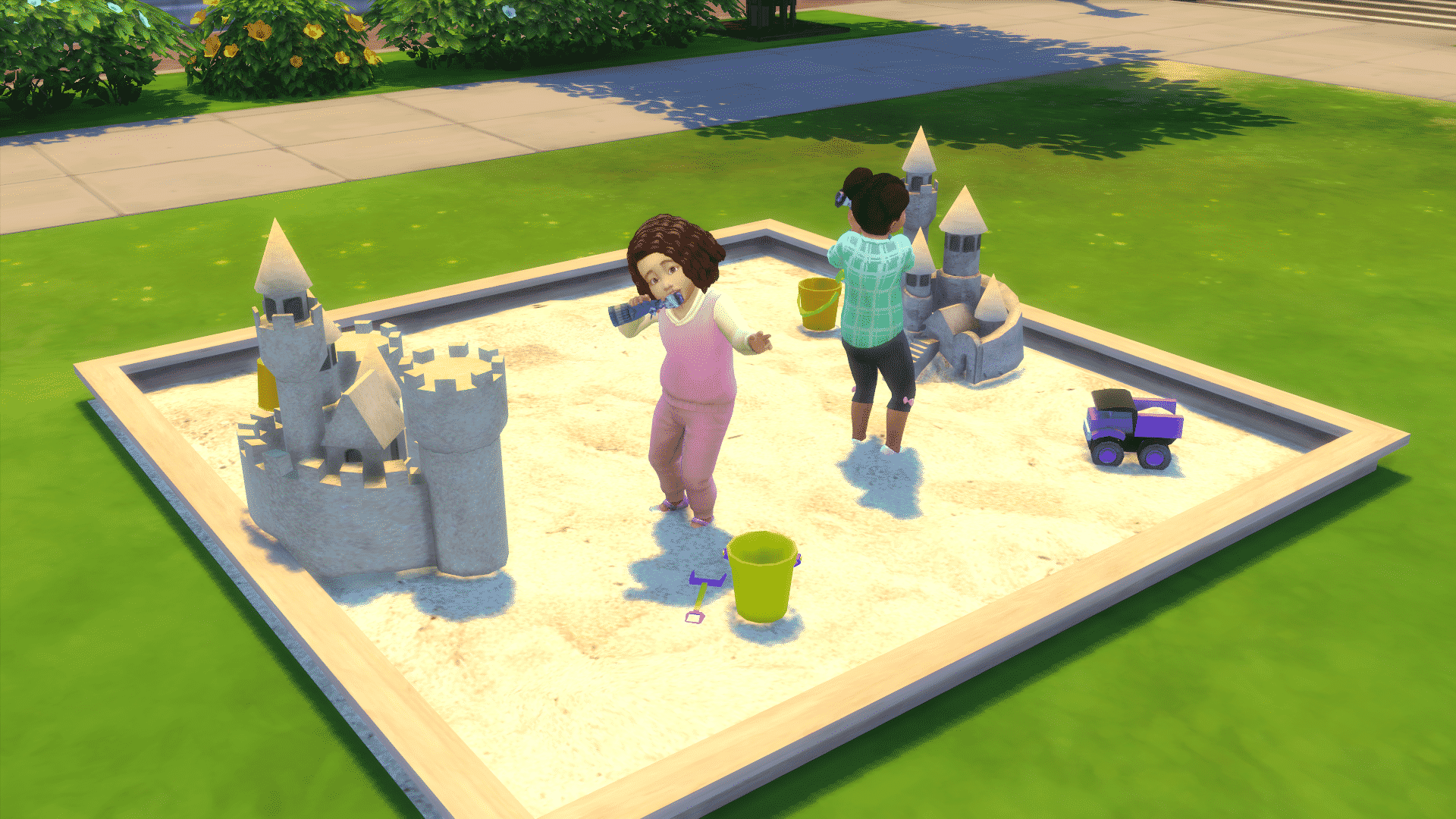
This object is basically the toy box for toddlers turned into a sandcastle. Toddlers will play with small toys after you select the “Play Dolls” option on the sandcastle. The entire download by Severinka comes with a few other items such as sand buckets, shovels, toy trucks and more.
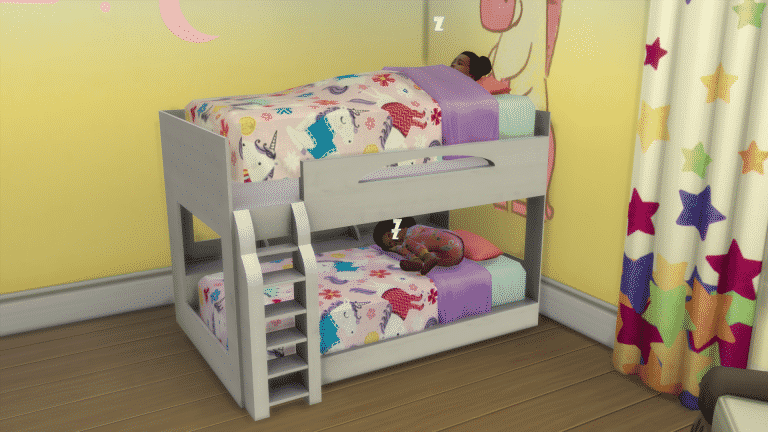
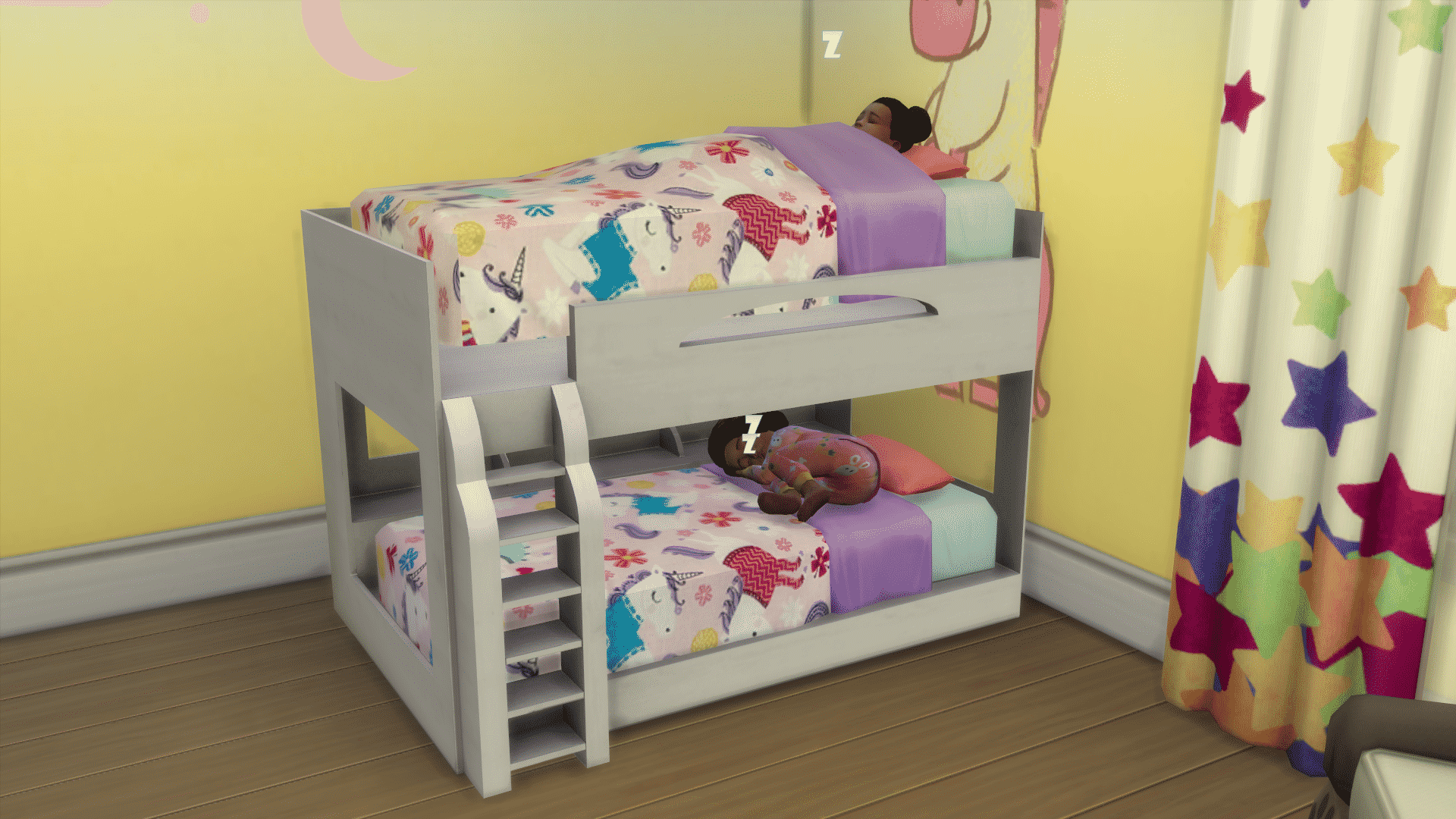
This object by PixelDreamworld comes in 2 pieces: the bed frame and matress. Placing the first matress on the bottom of the bed frame is easy. To place the bed frame on the second floor of this bunk bed you’ll have to use the testingcheat true + bb.moveobjects cheat. Then, press number 9 or 0 to raise or lower the bunk bed until it fits perfectly in the bed frame.
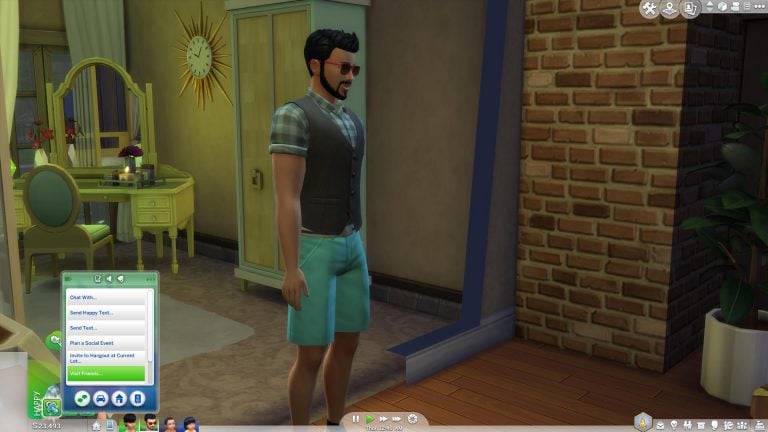
Ever wanted to send your Sims to their friends and family without having to control them? This mod lets you do just that.
You can access the new “Visit Friends / Visit Family” option by clicking on your phone and selecting one of those 2 options. The visit friends option is available if you have acquintances. With this option your Sim will be absent for between 120-180 minutes. You can only choose to visit people of your own age. For example: children visiting children, adults visiting adults. This option will raise your Sim’s Social and Fun needs, raise relationship points and if your child Sim has a homework that has yet to be done they can do them while visiting a friend!
The Visit Family option is for Sims who have relatives that live on different lots. With this option you can visit family members of any age.

Installing this mod is really simple! Just extract the .zipped content to Electronic Arts > The Sims 4 > Mods. Make sure you have Mods / CC enabled in your game options.
This mod, brought to you by LittleMsSam, can be downloaded here!
This completely confirms that anything in The Sims 4 can now be taken as a hint for Pets Expansion Pack…and we love it!
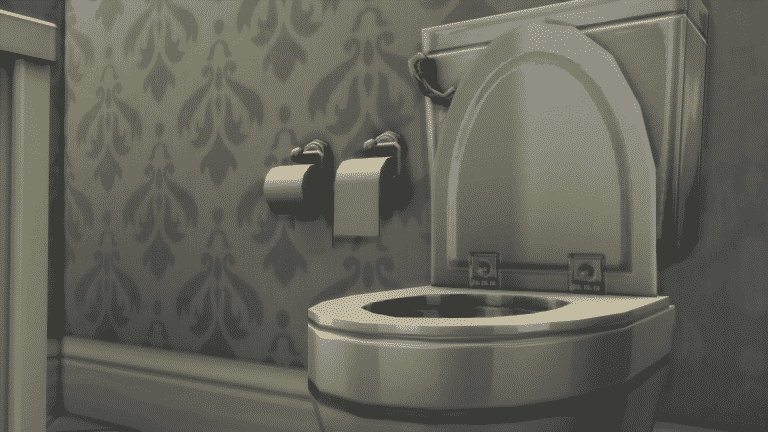
The Sims Forum member Izzeh96 pointed out that there’s a brand new swatch (3 new swatches to be exact) for a toilet paper holder object in The Sims 4 Base Game. In case you didn’t know, The Sims 4 had a toilet paper holder object since its release. However, these 3 new swatches seem to be added just recently to the game. People are reporting that they haven’t seen the “under roll” version of the toilet paper until recently.
Down below you can see the 2 versions of the toilet paper: toilet paper placed over and under.


Now, how does the abomination that is toilet paper placed under has anything to do with Pets? Well, people who own pets (especially cats) place the toilet paper under so that cats and/or dogs can’t unroll the toilet paper so easily.

Whether or not the “under roll” version of the toilet paper is hinting at pets or just joking about the great toilet paper roll debate I’m going to use the quote by The Sims Forum member OEII1001: The under roll is a crime against humanity.
In case you didn’t know, information about The Sims 4 Pets has been leaking for quite some time. So far we know about the possible release date and their possible appearance in the game. You can find all of information about it HERE!
Youtuber lilsimsie managed to redo every single world in The Sims 4 in form of a save file. This means that there are new households and lots that have either been improved or completely redone. Existing households and their lots remain untouched while lots that are empty have been filled with new lots, households and venues.
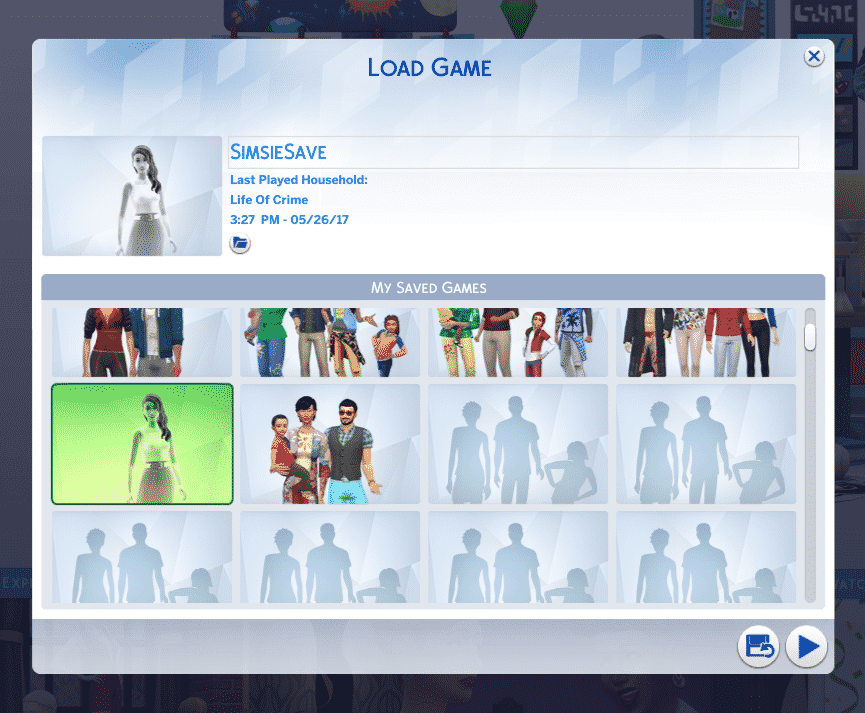
Installing lilsimsie’s custom save is easy but please make sure you have made a backup of your save files just in case. After downloading lilsimsie’s save file, go to Electronic Arts > The Sims 4 > saves folder and extract the content there.
NOTE: If you have plenty of save files in your game then make sure you rename the numbers of lilsimsie’s save file. For this article I had to rename the last 2 digits on lilsimsie’s save from Slot_00000065 to Slot_00000080.

Now, load up your game. You should see a thumbnail of a ghost Sim with the “SimsieSave” save file name.
Venues and lots have all been updated with lot traits!

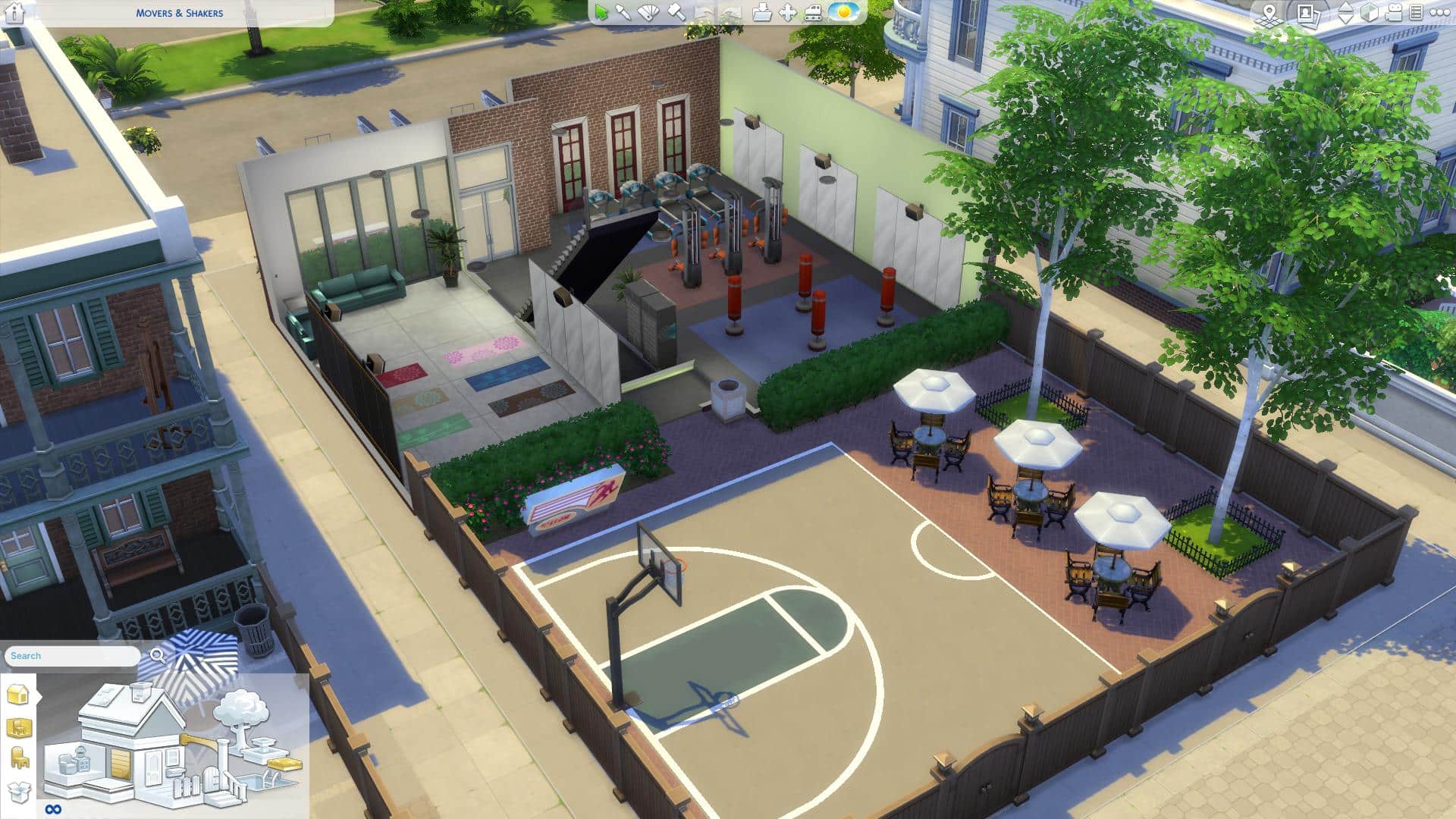
Venues and households now include content from previously released Packs. For example, the Movers & Shakers Gym in Willow Creek now has a basketball court outside (from City Living) and Yoga mats inside (from Spa Day).
Oasis Springs, along with new households and remade venues now has a Bowling Alley!


Among plenty of new households there’s an Oakes Household who are crazy for bowling. These new Sims all have their backstories, skills, relationships, careers and yes, even clubs from Get Together.

You don’t have to worry about repopulating and rebuilding Newcrest from scratch – it’s now full of life!


Worlds from Expansion and Game Packs are not left out:


This save file includes content that’s been released over the last 3 years (both paid and free). You’re going to need all Sims 4 Packs released prior May 27th, 2017 in order for this save file to work properly. In case you’re missing out on a few packs content from those packs simply won’t appear in game or will be replaced with a base game item.
Are you ready to explore new households and venues and continue the stories that lilsimsie has started off? Press the download button below to get this save file!
[mks_button size=”large” title=”DOWNLOAD!” style=”rounded” url=”http://lilsimsie.tumblr.com/post/161135681100/simsies-starter-save-file-download-i-went-in-and” target=”_blank” bg_color=”#1e73be” txt_color=”#FFFFFF” icon=”” icon_type=”” nofollow=”0″]
Make sure you check out lilsimsie’s 30-minute video tour of her save file for insight and behind the scenes scoop!
We’re all eager to learn more about how The Sims 4 will look on Xbox One and PS4. However, it seems we might have to wait some time before we get to see how things will function on consoles.
SimGuruDrake confirmed that, although The Sims 4 will be playable on Gamescom, attendees won’t be able to record any footage of the gameplay. So if there are any impression articles or videos about The Sims 4 Console after Gamescom they’re going to be just explanatory.
She reassured that we’ll be getting console gameplay footage at a later date.
ppl will get hands on with it on the show floor and our business lounge but there is no content capture happening for it.
— Drake (@SimGuruDrake) August 3, 2017
there will be gameplay footage at a later date 😊
— Drake (@SimGuruDrake) August 3, 2017
as far as I am aware they won’t be able to take photos of screens on the show floor or business lounge.
— Drake (@SimGuruDrake) August 3, 2017
but I’m not attending Gamescom so I can’t say whether the decision on photos is final or not.
— Drake (@SimGuruDrake) August 3, 2017
we will be showing gameplay well before release so don’t worry too much. There’s plenty of time. 😊
— Drake (@SimGuruDrake) August 3, 2017

Via TheSims.com!
It’s an exciting time to be a simmer, and an even more exciting time to be a SimGuru! With the announcement of The Sims™ 4 on XBOX One and PlayStation® 4 we just had to sit down with our newest SimGuru, SimGuruDuke!
Can you give us a brief introduction to yourself?
Hey everybody, I’m super excited to join the Gurus. I have worked at Maxis for the past 11 years. I started as a Gameplay engineer on The Sims 3, when we were still designing the game. I then worked as a Development Director on The Sims 4, in charge of both the Gameplay Engineering and Design Teams. In my free time, I enjoy running, gaming, and traveling.What do you do on The Sims 4 now?
I’m currently the Senior Producer on The Sims 4 for Xbox and PS4. We are working hard to make sure this is the best console game we have ever released for The Sims, and I’m thrilled to help bring the game I love and worked on for years to console players. I personally prefer to play on console, and I can’t wait to do so this Fall – even though I already get to (the perks of working at Maxis).What made you interested in becoming a SimGuru?
I really wanted to share with the community more about the console project. You guys have been asking for this for ages, and I want to hear what can make it great and also share our progress with all of you. Also, this community has always been so unique, it is unlike any other gaming community I know of.What do you love most about The Sims franchise?
All the creative choices, and none of the judgment. I love that I can tell any story I want from one day to another. I love that there is no right way to play the game. There is just the way I want to play today. That freedom creates the perfect escape. I also love that even if I have a story in mind, the game always has a couple twists in store for me. That surprise really keeps it interesting.What’s your favorite ice cream flavor?
Peanut Butter Cup
There are so many custom traits for The Sims 4 that you can find all over the internet so I came to an idea to compile some of the most useful traits that you can find. These traits function almost like every other trait: some give certain benefits for skills, careers etc, some disadvantages and they’ll determine the whims of your Sims.
Installing these custom traits is pretty easy. After downloading a .package file trait just place it in the Electronic Arts > The Sims 4 > Mods folder. Make sure you’ve enabled Mods / CC in your game!
Traits shown below are listed in alphabetical order. We’re not responsible in case these traits get removed or abandoned by their creators!
Make sure you keep track of custom traits on Mod The Sims because you can expect new ones to pop out every now and then.
You can share your own Custom Traits on Sims Community Social and we’ll make sure to add them here!

The Sims Team has released a pre-order trailer for The Sims 4 on Xbox One and PS4. By pre-ordering any of 2 editions for The Sims 4 for Consoles, you receive The Sims 4 Perfect Patio Stuff Pack completely free!
You can pre-order the game on Amazon:

Girls Who Code, a non-profit organization with a mission to close the gender gap in technology and video gaming industry, had a chance to visit Electronic Arts at Redwood Shores. More specifically – they had a chance to spend their day at the Maxis studio and see what goes in the development of The Sims 4.
The tour revolved around the game development circuit, which consists of:
They also had a chance to pitch some of their own ideas to the team and design an Expansion Pack for The Sims 4. In the video above you can also see two developers: Manu Sharma and Megan Ginter (also known as SimGuruMegs on Twitter) explaining their role in The Sims Studio.
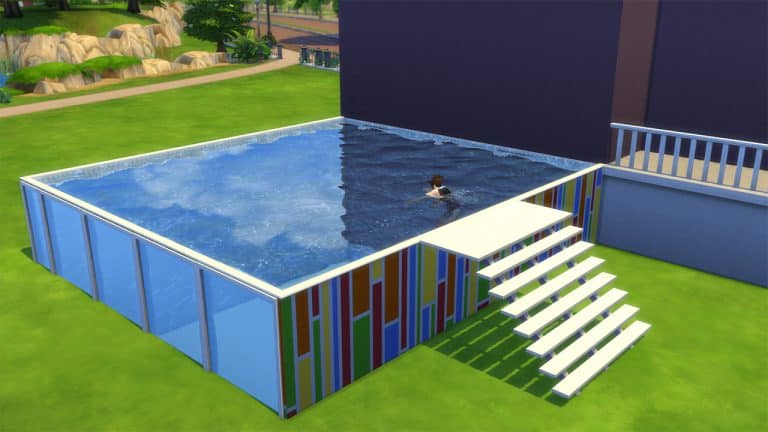
In this tutorial you’ll be learning how to create an above ground pool with windows in The Sims 4! Before we continue please note that you’ll need The Sims 4 City Living Expansion Pack in order to create this type of pool.
You can already place pools on foundations. However, what you can’t do is place windows on the sides of each foundation and add wallpapers (and not foundation textures) to it.
Follow these simple steps in order to create a customizable above ground pool in The Sims 4:
Step 1: Build a pool shaped deck with foundation at max height:
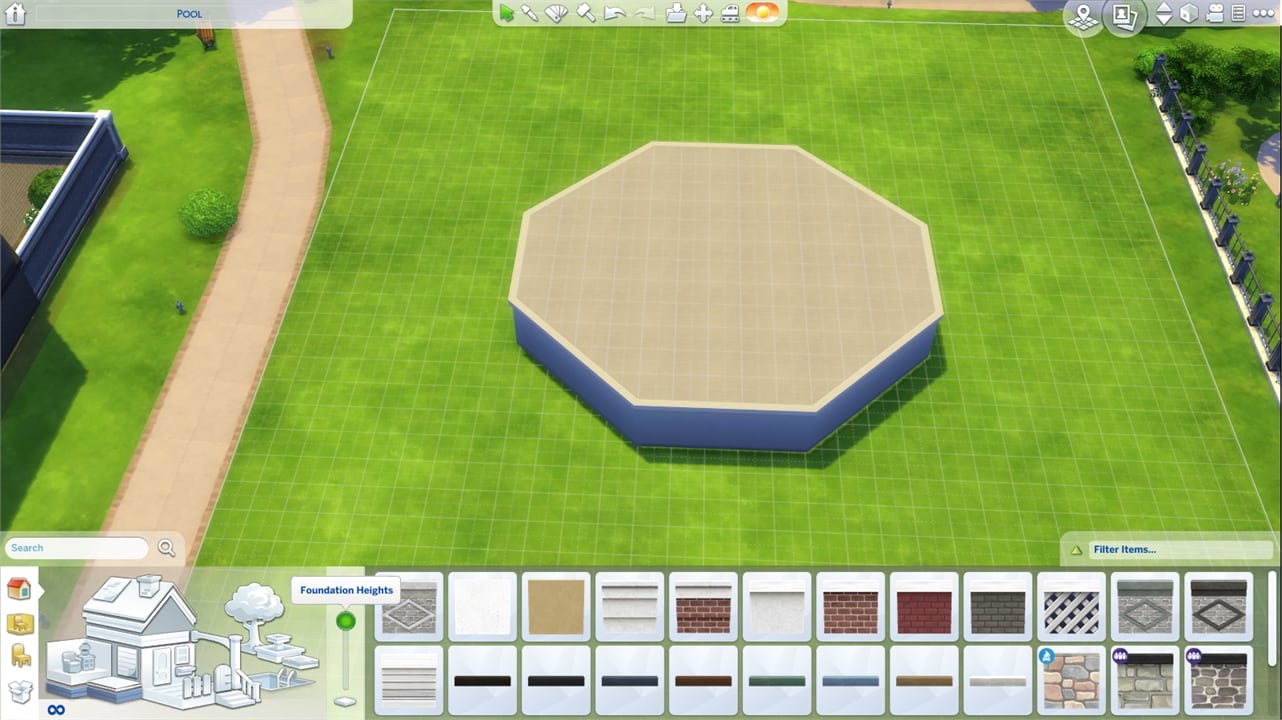
Step 2: Draw a pool to cover the entire deck!

Step 3: Open the Cheat Console by pressing CTRL+SHIFT+C. Input the cheat code testingcheats true, then type bb.showhiddenobjects to show debug items and press enter. Select this foundation from City Living:

Step 4: Drop down to the basement level and select a wallpaper for the exterior of the pool and apply.

Step 5: Select a wallpaper for the pool interior!

Step 6: Select a tile for the pool floor.

Step 7: Move back to ground level and add a ladder of your choice. You can even add windows if you’d like!


If you want to add a deck, draw a deck that matches the side of the pool, but keep it one space away. You then can select that deck and move it into place next to the pool:


Here’s the end result:

Huge thanks to Steve Storm who found out about this neat little trick. You can find some of his builds HERE!
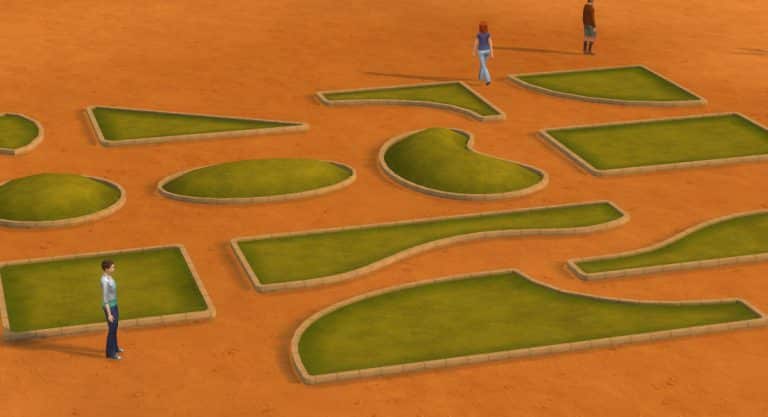
There are plenty of items in The Sims 4 that you’re not able to use in Build Mode such as objects, fences and plants that you can find in certain neighborhoods. Modder plasticbox released a couple of mod releases which “liberates” these objects and lets you use them in build mode.
Here’s a full list of liberated items that you can get on Mod The Sims:
Considering these objects require a mod to be unlocked, each liberated object is treated as a mod in game, meaning that it’s going to have a “Mod” tag if you plan to use these liberated objects for your build and share it to The Gallery.
Plasticbox also has a couple of other mods / build objects which are either redesigns or new creations for build mode. Diagonal fireplaces, maxis match fences and stone walls, windows, doors and more! Make sure you check out his full catalog of objects HERE!

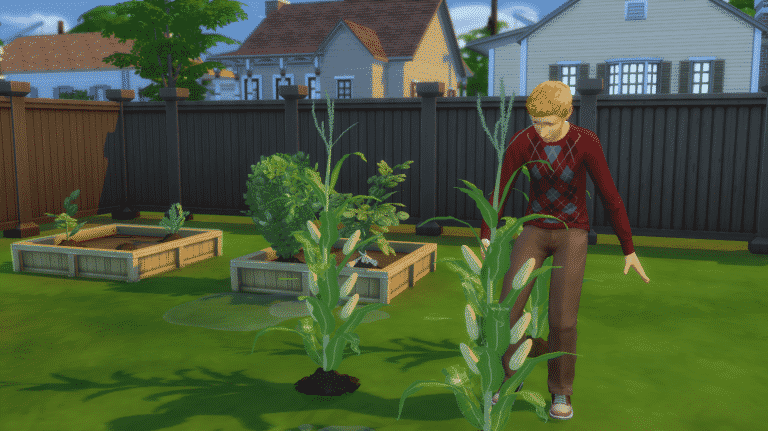
Feel like The Sims 4 is missing out on some harvestable plants that you’d love for your Sims to grow and nurture? Simmers icemunmun and plasticbox took the matter in their own hands and created custom harvestables for The Sims 4!
The great thing about these harvestables is that they completely match with The Sims 4’s art style. You’ll feel like they’re a part of your game!
Here are all the custom harvestables by icemunmun and plasticbox that you can get:
icemunmun:
plasticbox:
You can only find them using Custom Content filter in build mode.

Place the produces/seeds on planter boxes in order to plant them. Harvestables that already appear grown in thumbnails in build mode can only be grown on free land. Want to grow a corn stalk? Just place it on grass and nurture it like every other plant!
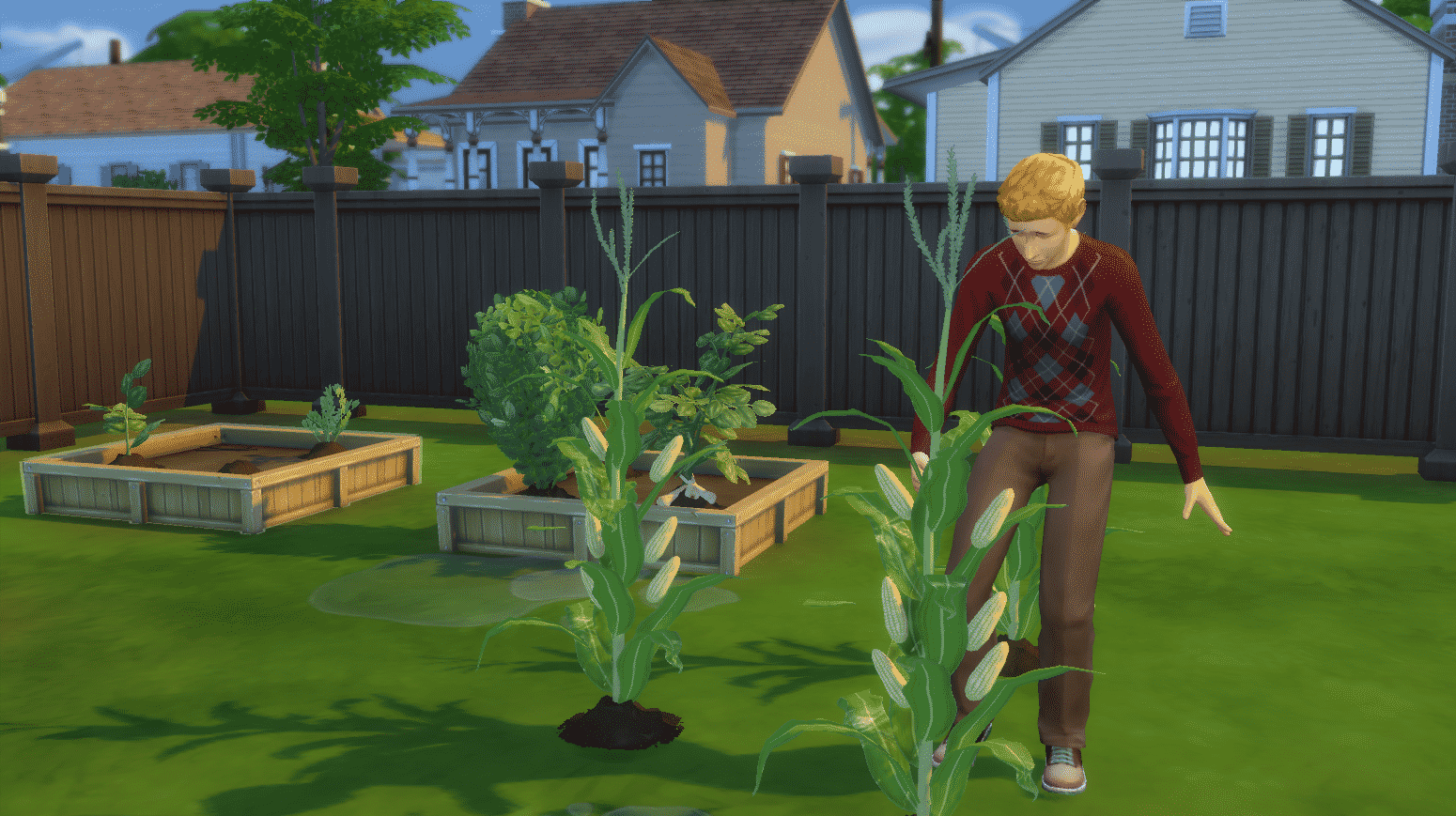
Some plants have integrated gameplay into them. You can use corn in your inventory for making popcorns with the popcorn maker from Movie Hangout Stuff. The cocoa bean is involved in various recipes which involve chocolate and so on.
