Home Blog Page 369

The Sims 4 Fitness Stuff: Build Items Overview

4

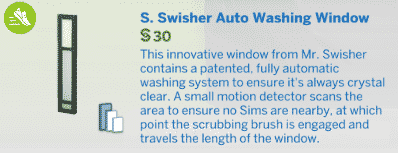
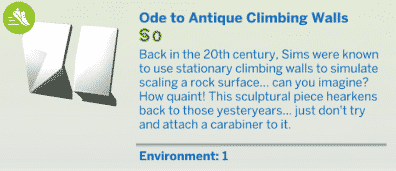
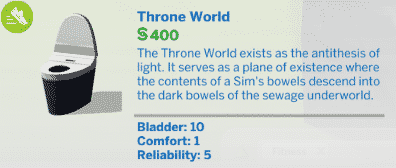
The Sims 4 Fitness Stuff Pack comes with more than 30 new items including new objects and wallpapers!

Down below you’ll see a full list of new objects and even more down below you can check out the new styled rooms that come with this pack. You can enlarge any image by simply clicking on it!

New Items

Styled Looks

The Sims 4: Shape-Shifter Challenge

2

Have you been looking for a brand new challenge to play in The Sims 4? Well look no further than the new Shape-Shifter Challenge by Simgridz.

What excatly is the Shape-Shifter challenge?

A long time ago – longer than you can even remember, you were abducted by the aliens of Sixam, a planet still unknown by your species, and it organisation SSO (Sixam Secret Operations). This malicious group’s aim is to dominate the entire Sim world and all of the Sims that live in it. But to do that, they need your help – or better said, your appearance.

After being involuntarily induced to a comma for two-hundred years, you wake up in a strange house, alone and far from everything and everyone you once knew. Next to you there’s a letter written by Gwog T’Vozeh. In it, he explains that you have become a spy for the SSO, and commands you to fulfill a mission which, in case of proving unsuccessful, could destroy you.

Furthermore, you realize that – not only you’ve woken up with a horrible headache but also you have the power to change your appearance at will. This is the tool that you will use to fulfill your missions, going through each and every Sim world, oberying Gwog’s and the SSO’s orders so maybe, one day, you will get your freedom back.


There are seven missions in total to complete in the challenge. Each mission has a Shape-Shifter description, location and a set of task that have to be completed in order to move onto the next mission. You complete the whole challenge once you arrive at Sixam.

To read more about the challenge in full check out the Shape-Shifter Simblr here. There is also a full FAQ section if you have any other questions about the challenge.

Let us know what you think of the challenge and share any screenshots over on SC Social or Twitter!

Happy Simming!

The Sims 4 Fitness Stuff: Create A Sim Overview

0

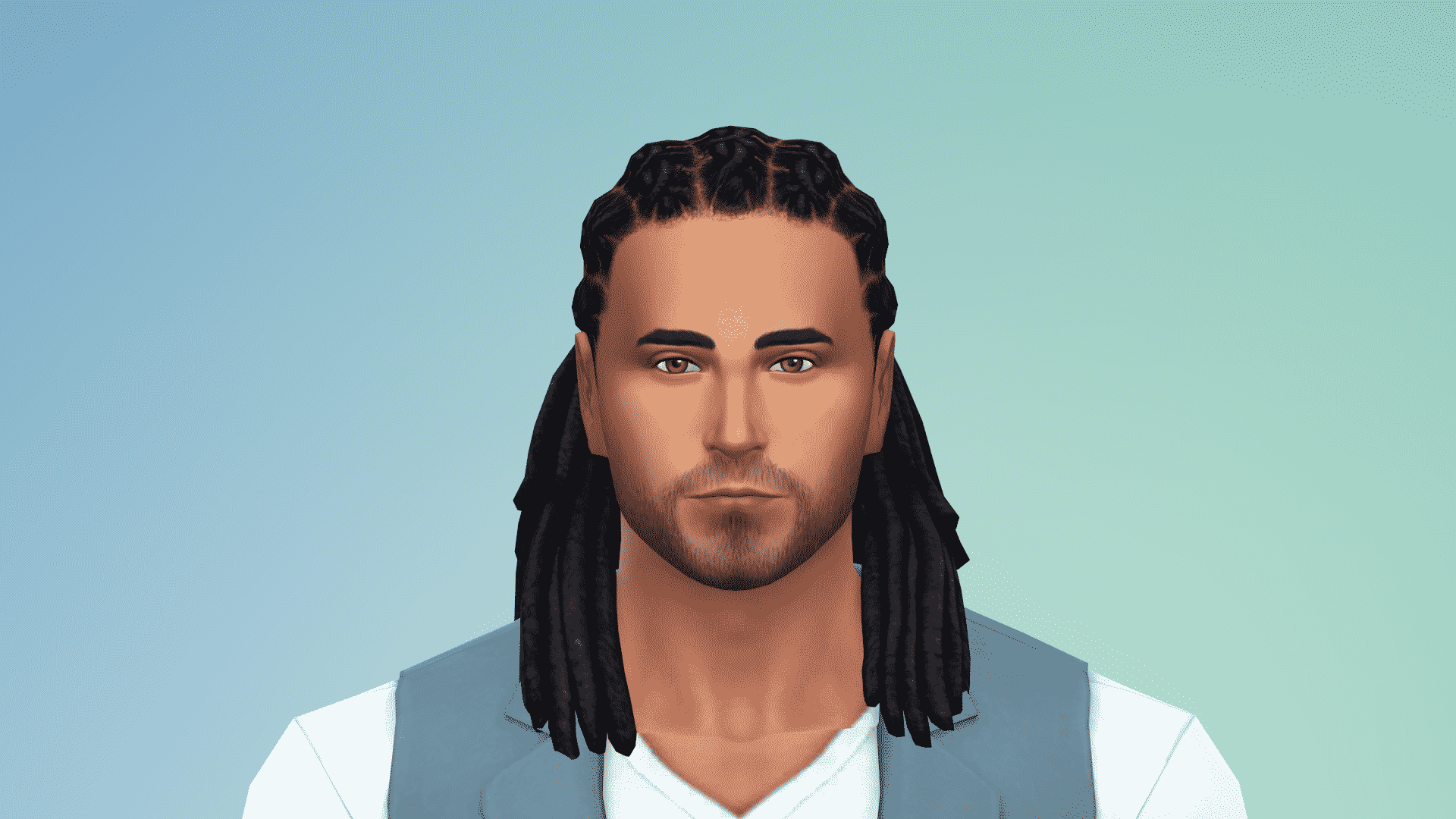
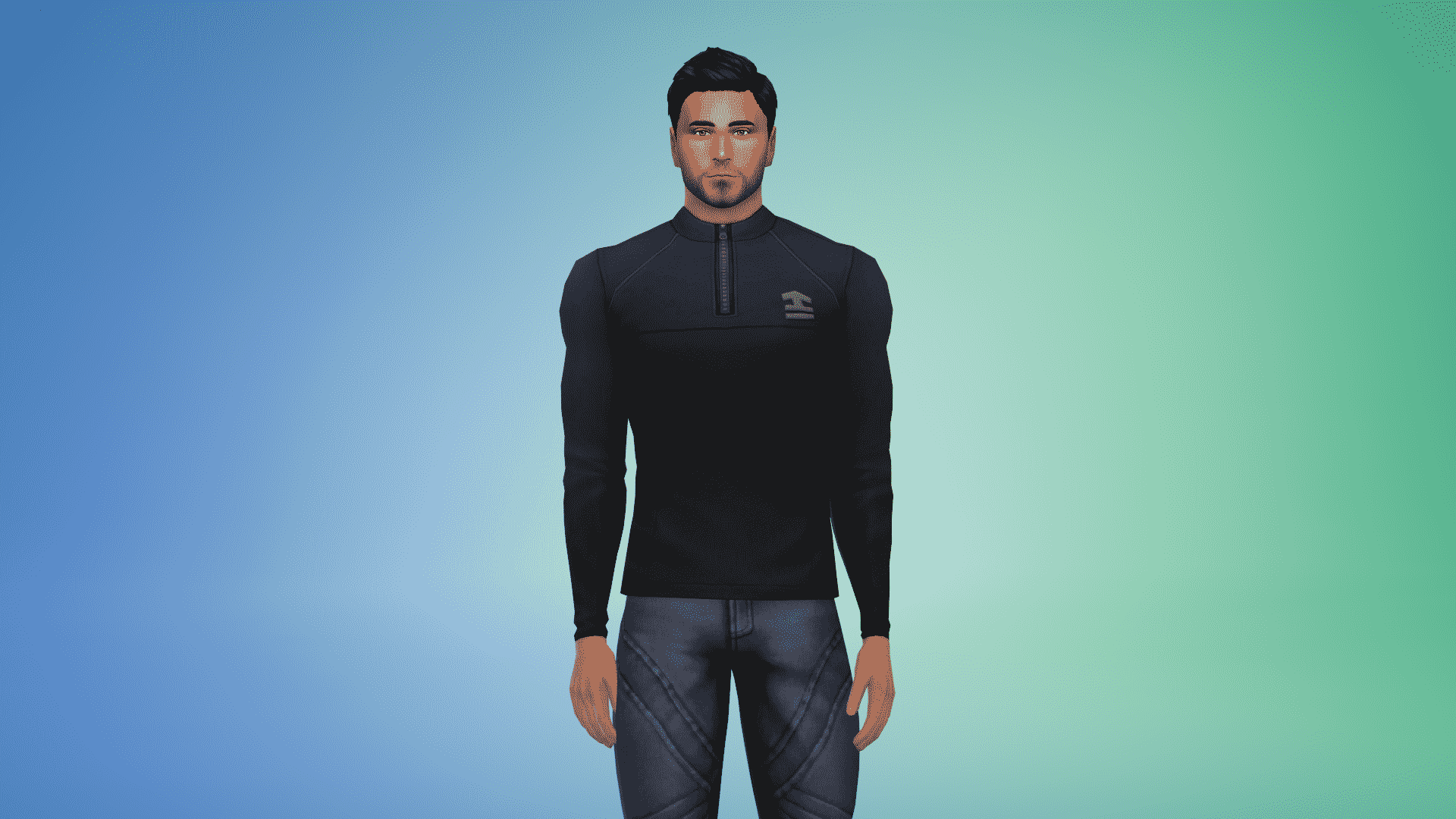
The Sims 4 Fitness Stuff comes with enough items to give your Sim a sporty look you’ve always wanted. There are no new items for kids but there are plenty of new CAS assets for teens, adults and elders. There are 23 new items overall.

Adult – Masculine

Hairstyles (1)

The Sims 4 Fitness Stuff: Create A Sim Overview

Tops (4)

The Sims 4 Fitness Stuff: Create A Sim Overview The Sims 4 Fitness Stuff: Create A Sim Overview The Sims 4 Fitness Stuff: Create A Sim Overview The Sims 4 Fitness Stuff: Create A Sim Overview

Bottoms (2)

The Sims 4 Fitness Stuff: Create A Sim Overview The Sims 4 Fitness Stuff: Create A Sim Overview

Accessories (2)

The Sims 4 Fitness Stuff: Create A Sim Overview

Shoes (1)

The Sims 4 Fitness Stuff: Create A Sim Overview

Styled Looks (3)

The Sims 4 Fitness Stuff: Create A Sim Overview The Sims 4 Fitness Stuff: Create A Sim Overview The Sims 4 Fitness Stuff: Create A Sim Overview

Adult – Feminine

Hairstyles (4)

The Sims 4 Fitness Stuff: Create A Sim Overview The Sims 4 Fitness Stuff: Create A Sim Overview The Sims 4 Fitness Stuff: Create A Sim Overview The Sims 4 Fitness Stuff: Create A Sim Overview

Tops (5)

The Sims 4 Fitness Stuff: Create A Sim Overview The Sims 4 Fitness Stuff: Create A Sim Overview The Sims 4 Fitness Stuff: Create A Sim Overview The Sims 4 Fitness Stuff: Create A Sim Overview The Sims 4 Fitness Stuff: Create A Sim Overview

Bottoms (2)

The Sims 4 Fitness Stuff: Create A Sim Overview The Sims 4 Fitness Stuff: Create A Sim Overview

Accessories (2)

The Sims 4 Fitness Stuff: Create A Sim Overview The Sims 4 Fitness Stuff: Create A Sim Overview

Shoes (1)

The Sims 4 Fitness Stuff: Create A Sim Overview

Styled Looks (2)

The Sims 4 Fitness Stuff: Create A Sim Overview The Sims 4 Fitness Stuff: Create A Sim Overview

The Sims 4: Let’s Play Livestream with The Sims Team on June 26th

4

SimGuruDrake has confirmed on The Sims 4 Fitness Stuff Livestream that The Sims Team will be doing a let’s play of The Sims 4 on June 26th. In 10 days you’ll be able to see SimGuruJM and SimGuruMegs doing the 7 Toddlers Challenge so make sure you stay tuned!

Drake mentioned that this is going to be a kick-off of upcoming bi-weekly let’s plays so expect more in the future!

The Sims 4: Let’s Play Livestream with The Sims Team on June 26th

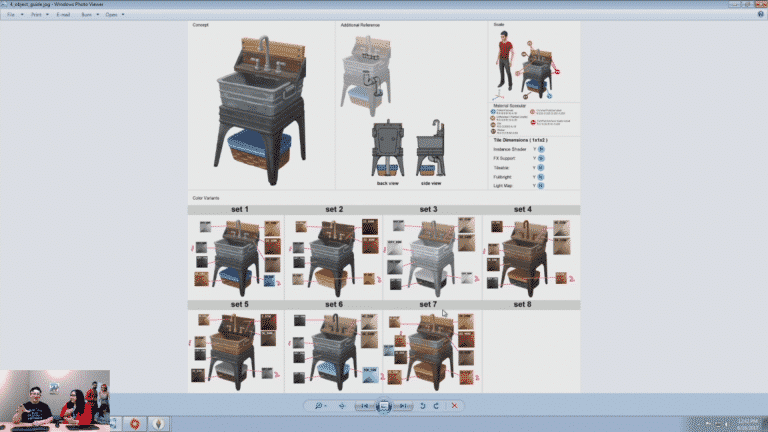
The Sims 4 Eco Living Stuff: First Look at the New Sink

0

SimGuruGraham has just shared a new preview on The Sims 4 Fitness Livestream of the sink that’s coming in The Sims 4 Eco Living Stuff.

The Sims 4 Fitness Stuff Livestream (REPLAY)

4

UPDATE: The livestream has ended. You can watch the replay down below!

The Sims Team will be livestreaming The Sims 4 Fitness Stuff Pack and will answer some of your questions related to the pack. The stream starts on June 16th at 12PM PDT / 3PM EDT / 8PM BST. We’ll update this post with a replay once it’s over!

TBT: Networking Tip for The Sims 2

It’s Throwback Thursday and what better way to honour this weekly occasion than taking a trip down memory lane? I’ve got a little-known secret to share with you about our old-school favourite, The Sims 2, today.

If you own The Sims 2: Apartment Life, you probably know about networking. When your Sim befriends a townie, there is a chance that townie might present your Sim with a special benefit thanks to your social connections. This benefit could be anything from an instant promotion to a brand new job starting at a higher level.

One of my favourite benefits from social networking is getting a discount on everything in the catalog. I love decorating my Sims’ houses. I want their homes to be the perfect reflections of their lifestyles and personalities, but there’s another reason why getting a catalog discount is one of the best networking perks. There’s another, lesser-known benefit that comes with a nice catalog discount.

TBT: Networking Tip for The Sims 2

Did you know you can sell items in Buy mode for more than what you paid for them?

This means that you can actually make money from just buying and reselling items that you purchased while in Buy mode! Just purchase an item, then immediately sell it again to pocket a few extra simoleans. This method works the best with large purchases (like the most expensive shower or the grand piano, for example). You’ll pocket more simoleans than you would with a cheap item. Make sure you don’t exit Buy mode while you’re doing this or the item will depreciate in value and you’ll lose the profit.

If you’re furnishing your Sims’ house and find you’re running low on simoleans, give this a try if one of your Sims has the catalog discount. I just did this myself last night and I was able to furnish the perfect little farmhouse for my Sims. The best part? No cheats!

… What? It’s not cheating! It’s just using a loophole to your advantage.

Do you have any nifty tricks of your own for The Sims 2? Share them in the comments!

The Sims 4 Fitness Stuff: New Twitter Trailer

2

Ahead of next weeks Fitness Stuff Pack release The Sims team has released a new twenty-two second trailer over on Twitter showcasing the new pack!

The Sims 4: New Update + Patch Notes! (June 15th, 2017)

ts4e3logo

The Sims Team has released a brand new Update for The Sims 4!

To download the latest version of The Sims 4, simply open your Origin program and if the game doesn’t update automatically, right click on The Sims 4 and select ”Update”.

In case you have Mods or Custom Content, the game will automatically disable them for you after first launching The Sims 4 after the update. To re-enable all your Mods and Custom Content, select the Settings option in the Menu and select Settings. Under the”Other” section you’ll find the ”Enable Custom Content and Mods” option. Check it and restart your game in order for it to take effect!

Patch Notes

Update: 06/15/2017 – PC Version 1.31.37.1020 / Max Version 1.31.37.1220

Hey Fitness-Simmers!

Fitness Stuff is just around the corner, and assuming it’s not currently leg day for you, it’s time to Pump *clap* you up!

*begin the motivational music… maybe something that sounds good while running up stairs in Philadelphia*

*queue the motivational slogans…*

  • Let’s get physical!
  • You can’t fall if you don’t climb!
    • Is that motivational?
  • You’re better sore, than sorry!
  • Feel the burn!
    • Climb a little every day, keeps the fire at bay.
  • Fitness is the most underrated of all the -nesses!
  • If you’re running with me, be prepared to walk.

Yo, Adrian, are you feeling motivated? Also, Bob, that one person that likes to go by just Meg, and everyone else… are you feeling motivated?! Alright!

Um… I only finished the intro class on motivation… I guess you can just hang out on the couch now. Probably grab a snack. Play a game… like The Sims™ or, you know, watch some videos… about The Sims™ or whatever. Oh… we have some issues that were addressed in this release, you could read about those too.

General Issues

  • A Sim can now sit upon the Executron Executive Desk Throne at a desk.
    • Sims sacrificing comfort, desks and chairs working together… mass hysteria!
  • We addressed an issue where Sims were getting a bit too much hot tub in their beverage… Sims will no longer dip their drink into the waters of the hot tub.
  • Male Sims wearing leggings will no longer wear them under underwear, but will now wear them over underwear.

Vintage Glamour Stuff

  • Children will no longer play with makeup autonomously.

Bowling Night Stuff

  • Sims will no longer attempt to bowl at inaccessible bowling lanes.
  • We addressed an issue that could cause the screen to flicker when switching floors while bowling.

Get off the couch, clap your hands, and feel good – you just did half a jumping jack! Until next time,
-SimGuruGnome

[posted on behalf of SimGuruGnome who got a little overzealous with the workout motivation and pulled a muscle.]

Introducing SnarkyWitch to the Staff

Hey guys!

I’m SnarkyWitch, a brand new staff member here on Sims Community. My main focus will be providing you with tutorials and tips and tricks to make your Simming experience the best it can be. I’ll also be spotlighting talented Sims storytellers in the community. Just think of me as a talent scout/advice guru. I’m very excited to be sharing some great content with you all and thought I’d start out by introducing myself. I’d like for you to get to know me.

I’m a 26-year-old author based in Canada. I have one published novel called The Heaven Corporation. I’m working on my second novel, which is the sequel to The Heaven Corporation. I love cats and coffee. My favourite thing to do while I’m writing a novel is curl up with a good latte and my feline furbabies. They make the perfect writing companions. Naturally, I love to read. I tear through books on Goodreads like there’s no tomorrow. I enjoy rating and reviewing all my favourite books. You could definitely say I have the Bookworm trait.

I also have the Geek trait! Not only do I love writing and reading books, but I’m a big fan of Netflix binges and video games. Of course, my favourite series of all time is The Sims, but I’m also an avid player of Pokemon, Crusader Kings IIDragon Age, and Harvest Moon/Story of Seasons. My current Netflix obsessions are Once Upon a Time and Riverdale, but I’m a big fan of Supernatural, Sherlock, Merlin, Doctor Who, and Stranger Things, too. Let’s not forget all the amazing superhero shows and movies, like Supergirl, The Flash, Batman vs. Superman, and Wonder Woman.

And that’s me! I can’t wait to start sharing great Sims content with you! If you’d like to get to know me better as an author, you can visit any of my social media pages or my author website through my staff bio.

Sul sul!

Introducing SnarkyWitch to the Staff

The Sims 4 Parenthood Gallery Spotlight: Rooms

The Sims 4 Parenthood Gallery Spotlight: Rooms

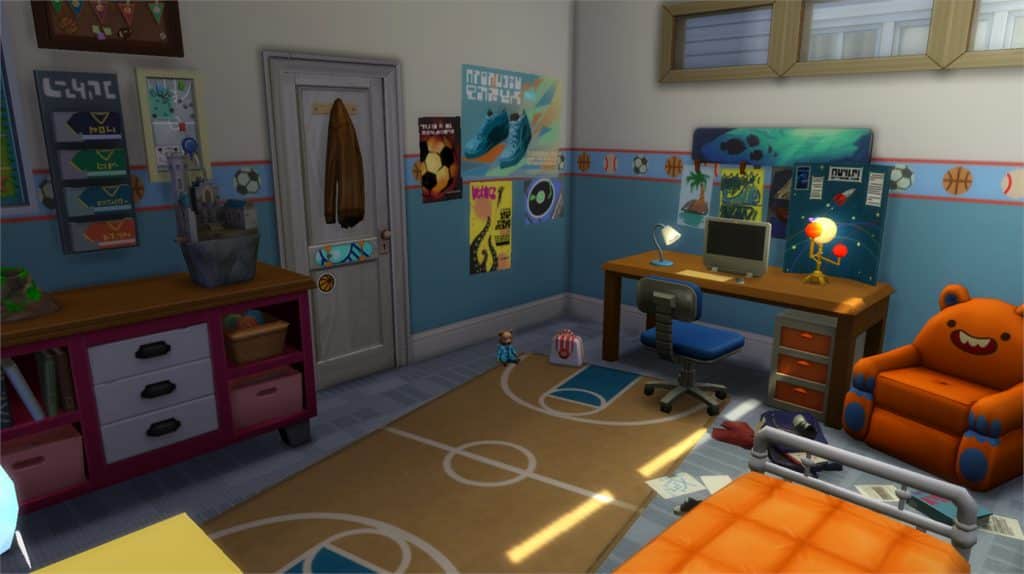
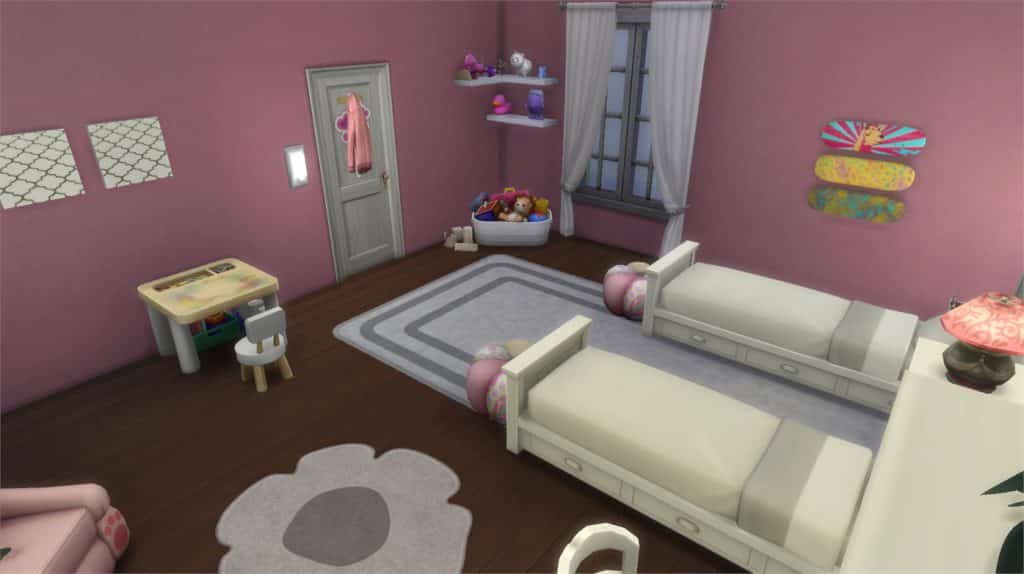
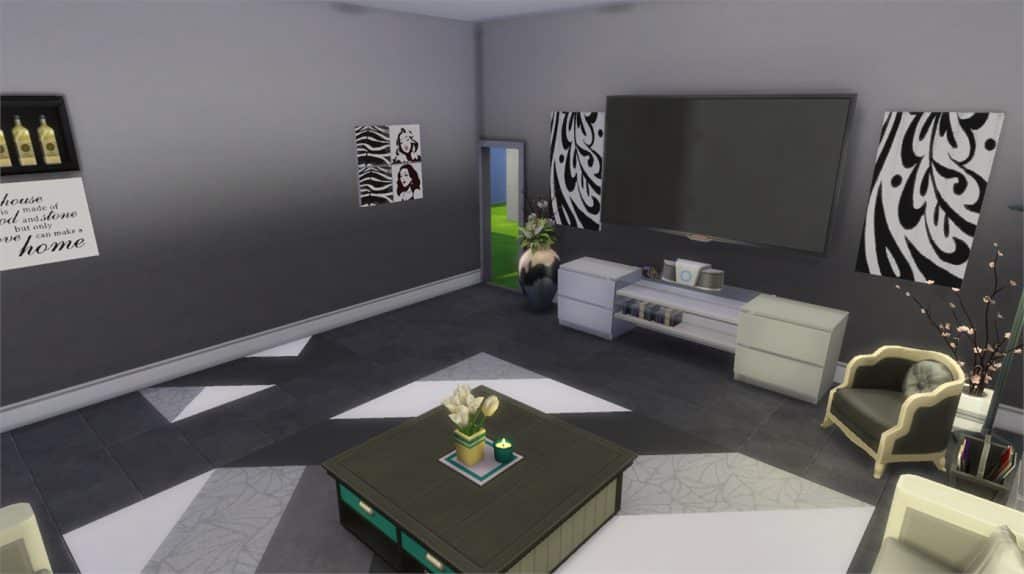
In this Spotlight, we’re featuring rooms that have been built using The Sims 4 Parenthood Game Pack (and some other packs as well).

Hover over the pulsing plumbobs to see screenshots of marked areas. Pulsing plumbob that’s on the left bottom corner contains all the info (and download link) of the lot.

To see more of our previous Gallery Spotlights, CLICK HERE!

[ult_hotspot main_img=”id^61902|url^https://simscommunity.info/wp-content/uploads/2017/06/06-14-17_9-04-28-PM.jpg|caption^null|alt^null|title^06-14-17_9-04-28 PM|description^null”][ult_hotspot_items icon_type=”custom” icon_img=”id^39525|url^https://simscommunity.info/wp-content/uploads/2015/09/plumbob2.png|caption^null|alt^null|title^plumbob2|description^null” img_width=”38″ tooltip_custom_color=”” tooltip_custom_bg_color=”rgba(255,255,255,0.01)” tooltip_width=”400″ tooltip_position=”right” enable_bubble_arrow=”off” tooltip_continuous_animation=”on” hotspot_position=”6.501639802294173,57.31288792896856″]
The Sims 4 Parenthood Gallery Spotlight: Rooms

[/ult_hotspot_items][ult_hotspot_items icon_type=”custom” icon_img=”id^39525|url^https://simscommunity.info/wp-content/uploads/2015/09/plumbob2.png|caption^null|alt^null|title^plumbob2|description^null” img_width=”52″ tooltip_custom_color=”#1e73be” tooltip_custom_bg_color=”#ffffff” tooltip_width=”450″ tooltip_position=”right” tooltip_continuous_animation=”on” hotspot_position=”89.61858624454149,3.190184049079755″ tooltip_custom_border_size=”border-style:solid;|border-width:2px;border-radius:5px;|border-color:#81d742;”]

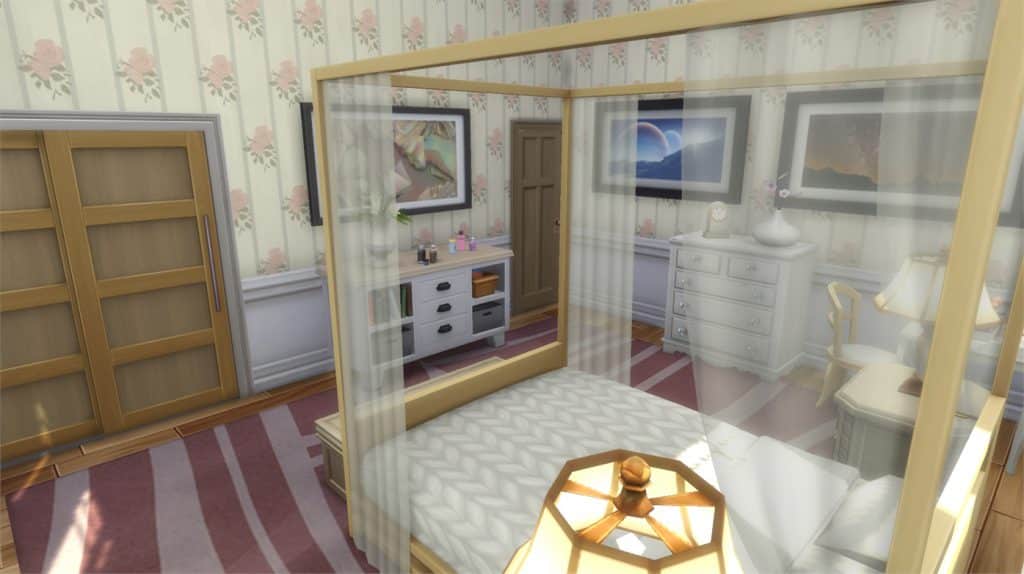
Parents Bedroom (Download Here)

by MrsLepine

Value: §18,621
Size: 5×6
Room Type: Bedroom[/ult_hotspot_items][/ult_hotspot][ult_hotspot main_img=”id^61904|url^https://simscommunity.info/wp-content/uploads/2017/06/06-14-17_9-04-45-PM.jpg|caption^null|alt^null|title^06-14-17_9-04-45 PM|description^null”][ult_hotspot_items icon_type=”custom” icon_img=”id^39525|url^https://simscommunity.info/wp-content/uploads/2015/09/plumbob2.png|caption^null|alt^null|title^plumbob2|description^null” img_width=”38″ tooltip_custom_color=”” tooltip_custom_bg_color=”rgba(255,255,255,0.01)” tooltip_width=”400″ tooltip_position=”right” enable_bubble_arrow=”off” tooltip_continuous_animation=”on” hotspot_position=”16.050326224229007,65.04755499904141″]
The Sims 4 Parenthood Gallery Spotlight: Rooms

[/ult_hotspot_items][ult_hotspot_items icon_type=”custom” icon_img=”id^39525|url^https://simscommunity.info/wp-content/uploads/2015/09/plumbob2.png|caption^null|alt^null|title^plumbob2|description^null” img_width=”52″ tooltip_custom_color=”#1e73be” tooltip_custom_bg_color=”#ffffff” tooltip_width=”450″ tooltip_position=”right” tooltip_continuous_animation=”on” hotspot_position=”89.61858624454149,3.190184049079755″ tooltip_custom_border_size=”border-style:solid;|border-width:2px;border-radius:5px;|border-color:#81d742;”]

Boy Room (Download Here)

by katrinesofus

Value: §15,047
Size: 5×4
Room Type: Kids’ Room[/ult_hotspot_items][/ult_hotspot][ult_hotspot main_img=”id^61906|url^https://simscommunity.info/wp-content/uploads/2017/06/06-14-17_9-05-18-PM.jpg|caption^null|alt^null|title^06-14-17_9-05-18 PM|description^null”][ult_hotspot_items icon_type=”custom” icon_img=”id^39525|url^https://simscommunity.info/wp-content/uploads/2015/09/plumbob2.png|caption^null|alt^null|title^plumbob2|description^null” img_width=”38″ tooltip_custom_color=”” tooltip_custom_bg_color=”rgba(255,255,255,0.01)” tooltip_width=”400″ tooltip_position=”right” enable_bubble_arrow=”off” tooltip_continuous_animation=”on” hotspot_position=”9.220462189722374,65.41257518932132″]
The Sims 4 Parenthood Gallery Spotlight: Rooms

[/ult_hotspot_items][ult_hotspot_items icon_type=”custom” icon_img=”id^39525|url^https://simscommunity.info/wp-content/uploads/2015/09/plumbob2.png|caption^null|alt^null|title^plumbob2|description^null” img_width=”52″ tooltip_custom_color=”#1e73be” tooltip_custom_bg_color=”#ffffff” tooltip_width=”450″ tooltip_position=”right” tooltip_continuous_animation=”on” hotspot_position=”89.61858624454149,3.190184049079755″ tooltip_custom_border_size=”border-style:solid;|border-width:2px;border-radius:5px;|border-color:#81d742;”]

Pink Little Girls Room (Download Here)

by Mandykay77

Value: §11,112
Size: 5×6
Room Type: Kids’ Room[/ult_hotspot_items][/ult_hotspot][ult_hotspot main_img=”id^61908|url^https://simscommunity.info/wp-content/uploads/2017/06/06-14-17_9-05-36-PM.jpg|caption^null|alt^null|title^06-14-17_9-05-36 PM|description^null”][ult_hotspot_items icon_type=”custom” icon_img=”id^39525|url^https://simscommunity.info/wp-content/uploads/2015/09/plumbob2.png|caption^null|alt^null|title^plumbob2|description^null” img_width=”38″ tooltip_custom_color=”” tooltip_custom_bg_color=”rgba(255,255,255,0.01)” tooltip_width=”400″ tooltip_position=”right” enable_bubble_arrow=”off” tooltip_continuous_animation=”on” hotspot_position=”20.533368467502054,58.9064447133819″]
The Sims 4 Parenthood Gallery Spotlight: Rooms

[/ult_hotspot_items][ult_hotspot_items icon_type=”custom” icon_img=”id^39525|url^https://simscommunity.info/wp-content/uploads/2015/09/plumbob2.png|caption^null|alt^null|title^plumbob2|description^null” img_width=”52″ tooltip_custom_color=”#1e73be” tooltip_custom_bg_color=”#ffffff” tooltip_width=”450″ tooltip_position=”right” tooltip_continuous_animation=”on” hotspot_position=”89.61858624454149,3.190184049079755″ tooltip_custom_border_size=”border-style:solid;|border-width:2px;border-radius:5px;|border-color:#81d742;”]

Modern Black & White (Download Here)

by Mandykay77

Value: §23,631
Size: 7×7
Room Type: Living Room[/ult_hotspot_items][/ult_hotspot]

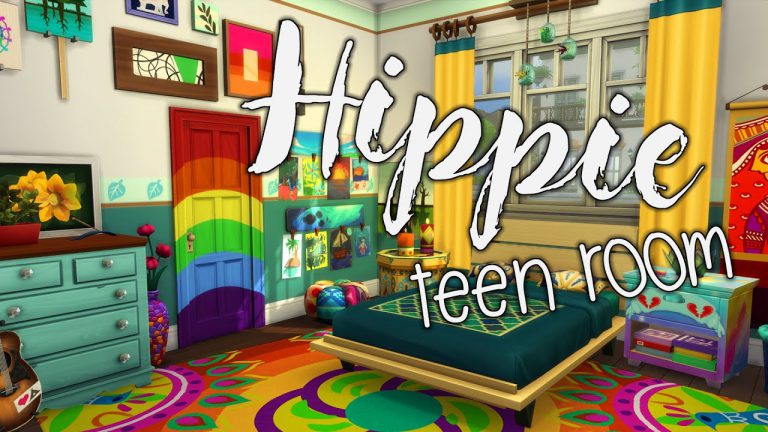
Parenthood: Hippie Teen Room Speed Build by Penapple

0

Penapple is a YouTuber who I’ve been watching for awhile now. There is just something about her builds and lets plays that keep me coming back and watching more and more of her videos (even if that means watching the same video several times.) Most recently I’ve been watching Penapple’s Parenthood Teen Room Builds series. Each room has it’s own characteristics and are full of detail, colour and to be totally honest just amazing!

Take a look at Penapple’s Hippie Teen Room speed build above. Why not also check out the Sporty, Messy and Angsty room builds from the mini series as well?

If you loved this video and the others from the series you can check out Penapple’s other builds and lets plays on her channel here and you can also follow Penapple on Twitter too!

The Sims 4 Fitness Stuff: Livestream coming this Friday!

2

The Sims Team has confirmed that they’ll be doing a livestream for The Sims 4 Fitness Stuff Pack on June 16th at 12PM PT / 9PM CET / 8PM BT. They also mentioned the fact that this stream will be accompanied by Rory Plays The Sims, a twitch streamer whose work you can check out HERE!

We’ll make sure to keep you updated where and exactly how long until the broadcast begins so stay tuned on our Fitness News Category!

The Sims 4 Fitness Stuff: Livestream coming this Friday!

The Sims 4: Parenthood Custom Content Showcase

The highly popular The Sims 4: Parenthood Game Pack has been out for a couple of weeks now and and has added some brilliant new build, buy and Create-A-Sim objects. Custom Content creators have already been showcasing their amazing skills by uploading their creations for all to use in their game! Check out some of our favourites below!

Build/Buy Mode

Parenthood Counter Recolours by Noodlescc


Parenthood Curtain Recolours by Flamedeyes

The Sims 4: Parenthood Custom Content Showcase

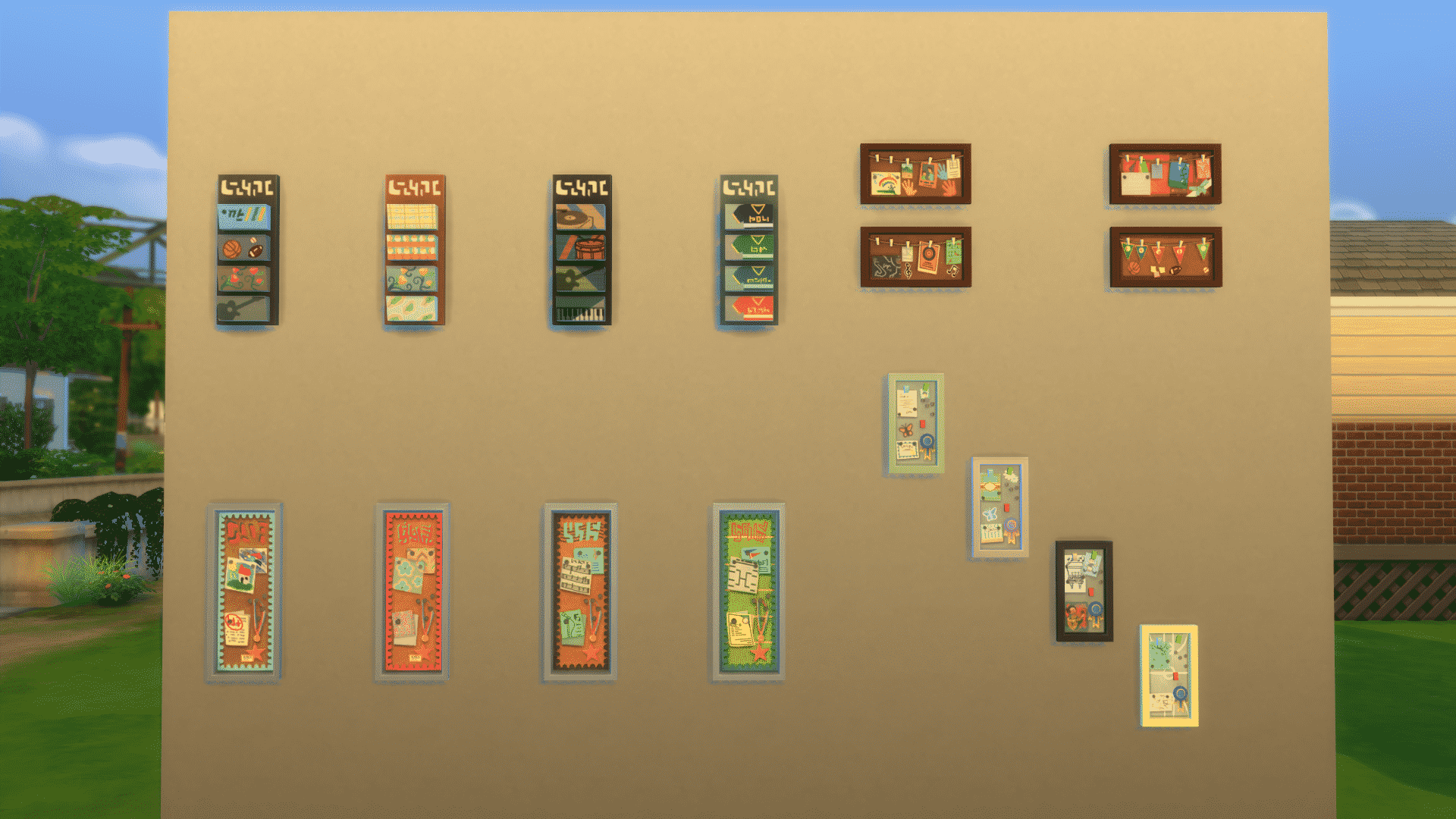
Seperated Hobby Boards by JohnnyZest

The Sims 4: Parenthood Custom Content Showcase

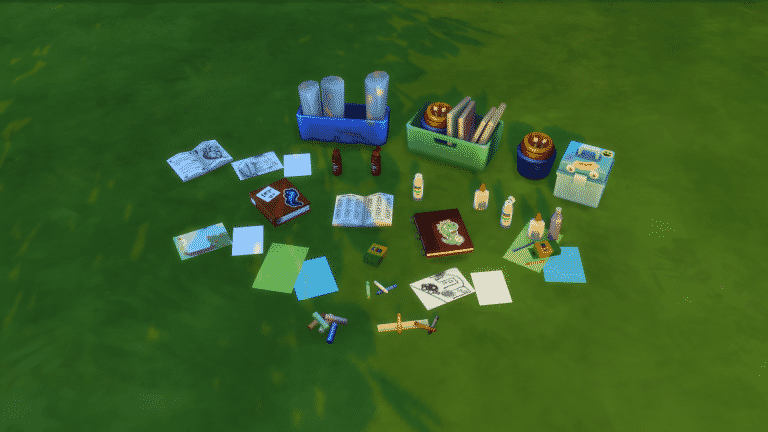
Kids Arts & Crafts Clutter by BrazenLotus

The Sims 4: Parenthood Custom Content Showcase

Create-A-Sim

Floral Skinnies by Nixieplum

Parenthood Hair Recolours

Their are two different sets of Parenthood hair recolours featured above. One from Noodlescc and the other from Simsrocuted. Both feature a range of brighter colours as well as more netural colours. Both sets are suitable for Child Sims to Elder Sims and include facial hairs as well.

Click here for Noodlescc hair recolours and here for Simsrocuted hair recolours.

To find more Parenthood themed Custom Content you can check out Lana’s Sims 4 Find blog alternatively you can check out some other great sources via our list here.

Debunked: Routable Water in The Sims 4!

UPDATE: It’s been confirmed by one of our readers that the depth of water puddles was present since at least the Get Together patch came out!


The search for hints, clues and newly inserted pieces of code with each patch is part of the “sport” of playing the Sims for many people. Here, is one more clue. The Sims 4 now has navigable water outside of pools, baths and hot tubs. On the streets of the Willow Creek neighborhood that is home to Goths, there have long been puddles. Indicative of maybe a bout of rain before your sim arrived or perhaps a sprinkler system. While they have always provided a cosmetic bit of realism, these puddles now provide depth in addition. There is now routable water in the Sims 4!

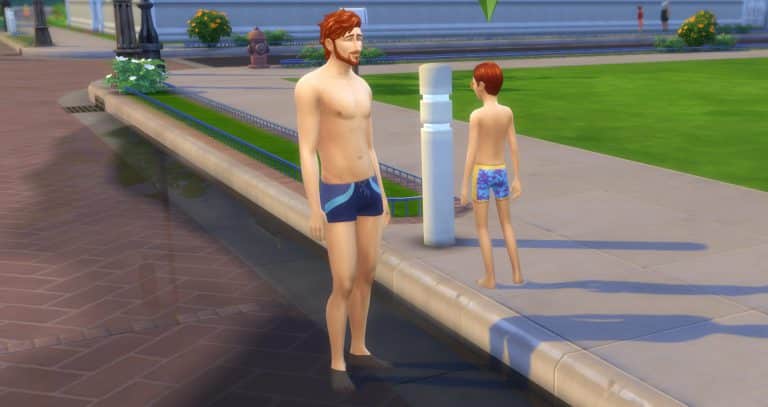
I sent my sim Reg and his son Max out to play in the puddles. As you can see in the pictures below the water is approximately ankle deep near the curb. While the second picture also shows a graphical illusion of the water growing more swallow as it spreads outward from there.

Debunked: Routable Water in The Sims 4!

Debunked: Routable Water in The Sims 4!

So, what do you think? Is this indicative of anything? Swimming in lakes and rivers, Seasons, Pets, Cars, Toddlers? Oh wait scratch that last one. I forgot to update my auto list of rumored additions-lol! Whatever it may ultimately tie into, it’s one more indication that the Sims 4 is still fluxing and growing even when it’s not officially announced. And even when it takes us a bit of time to notice it. Comment below with what you think this means. Then go in game to check it out for yourself! Also, keep watching the Sims Community for more news. As promised by the Maxis team, it has been an exciting year and we still have the second half to go. Thanks for reading!

Tip: DotSim