Home Blog Page 388

The Sims 4 Vampires: Mods Spotlight

It’s been more than a week since The Sims 4 Vampires Game Pack release and the modding community has been hard at work to provide you with new content, features and modifications to the already-existing gameplay. Here are some of the mods that I tested out and would recommend to any Sims player who got the Vampires Game Pack!

Before continuing, please note the following:

  • EA does not pre-screen Custom Content /Mods and players should always exercise caution when adding Custom Content to their game files.
  • Make sure your mods are up to date!
  • After each The Sims 4 Update your game will automatically disable Mods and Custom Content. You can re-enable them by going to Game Options > Other > Enable Custom Content and Mods.

[ultimate_carousel slide_to_scroll=”single” title_text_typography=”” slides_on_desk=”1″ slides_on_tabs=”1″ slides_on_mob=”1″ autoplay=”off” arrow_style=”circle-bg” arrow_color=”#1e73be” arrow_size=”48″ dots_color=”#1e73be” adaptive_height=”on” item_space=”0″]

Supernatural Set

Adds a new trait and a new aspiration for children!

The Sims 4 Vampires: Mods Spotlight

Functional Radiator

Gives functionallity to the new radiator object.

The Sims 4 Vampires: Mods Spotlight

Vampire Gated Community

Mortal Sims will no longer walk around Forgotten Hollow thanks to this mod.

The Sims 4 Vampires: Mods Spotlight

Vampires Mega Mod

Several mods that alter the vampire gameplay to your taste.

The Sims 4 Vampires: Mods Spotlight

Neighborhood Protection – No More Vampires!

Prevents Vampires from appearing in other neighborhoods.

The Sims 4 Vampires: Mods Spotlight

Chat and Invite for Vampires Fix

Lets you chat and invite vampire Sims during the night.

The Sims 4 Vampires: Mods Spotlight

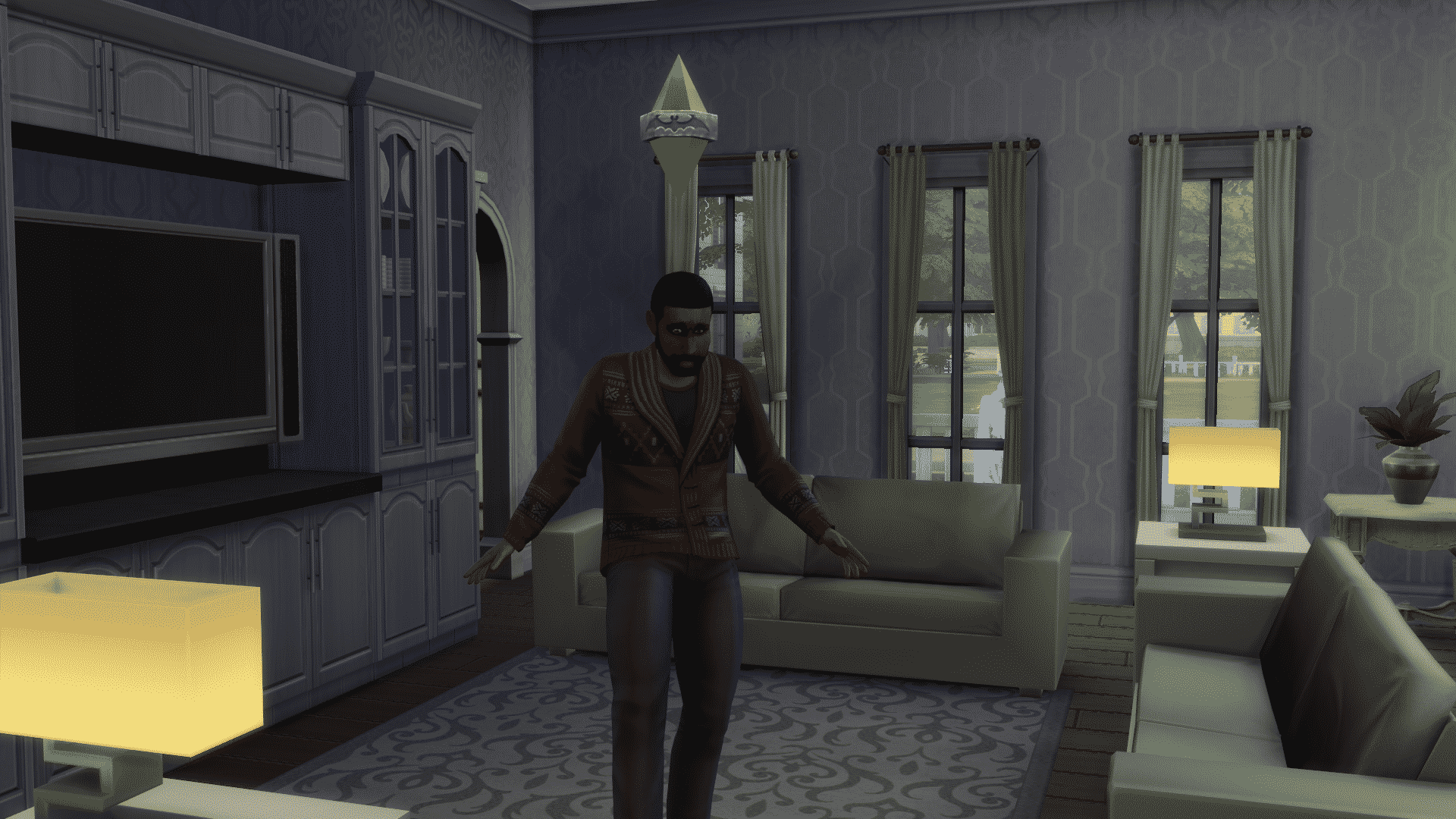
Weakness Point Gains Removed / Reduced

This mod lets you reduce the amount of required weakness gains or removes them completely.

The Sims 4 Vampires: Mods Spotlight

Drink, Drain and Turn without restrictions

You can drink, drain and turn other Sims without any restrictions thanks to this mod.

The Sims 4 Vampires: Mods Spotlight

Dark Meditation Modifications

Changes the time and results of dark meditation. There are 3 choices to choose from!

The Sims 4 Vampires: Mods Spotlight

[/ultimate_carousel]

Have a Mod suggestion? Post it here!

The Sims 4 Vampires Gallery Spotlight: Lots

The Sims 4 Vampires Gallery Spotlight: Lots

In this Spotlight, we’re featuring lots that have been built using The Sims 4 Vampires Game Pack (and some other packs as well).

Hover over the pulsing plumbobs to see screenshots of marked areas. Pulsing plumbob that’s on the left bottom corner contains all the info (and download link) of the lot.

To see more of our previous Gallery Spotlights, CLICK HERE!

[ult_hotspot main_img=”id^58142|url^https://simscommunity.info/wp-content/uploads/2017/01/01-31-17_4-57-40-PM.jpg|caption^null|alt^null|title^01-31-17_4-57-40 PM|description^null”][ult_hotspot_items icon_type=”custom” icon_img=”id^39525|url^https://simscommunity.info/wp-content/uploads/2015/09/plumbob2.png|caption^null|alt^null|title^plumbob2|description^null” img_width=”38″ tooltip_custom_color=”” tooltip_custom_bg_color=”rgba(255,255,255,0.01)” tooltip_width=”400″ tooltip_position=”right” enable_bubble_arrow=”off” tooltip_continuous_animation=”on” hotspot_position=”75.76078056768559,49.079754601226995″]

The Sims 4 Vampires Gallery Spotlight: Lots

[/ult_hotspot_items][ult_hotspot_items icon_type=”custom” icon_img=”id^39525|url^https://simscommunity.info/wp-content/uploads/2015/09/plumbob2.png|caption^null|alt^null|title^plumbob2|description^null” img_width=”38″ tooltip_custom_color=”” tooltip_custom_bg_color=”rgba(255,255,255,0.01)” tooltip_width=”400″ tooltip_position=”right” enable_bubble_arrow=”off” tooltip_continuous_animation=”on” hotspot_position=”59.03725436681223,39.75460122699386″]
The Sims 4 Vampires Gallery Spotlight: Lots

[/ult_hotspot_items][ult_hotspot_items icon_type=”custom” icon_img=”id^39525|url^https://simscommunity.info/wp-content/uploads/2015/09/plumbob2.png|caption^null|alt^null|title^plumbob2|description^null” img_width=”52″ tooltip_custom_color=”#1e73be” tooltip_custom_bg_color=”#ffffff” tooltip_width=”450″ tooltip_position=”right” tooltip_continuous_animation=”on” hotspot_position=”89.61858624454149,3.190184049079755″ tooltip_custom_border_size=”border-style:solid;|border-width:2px;border-radius:5px;|border-color:#81d742;”]

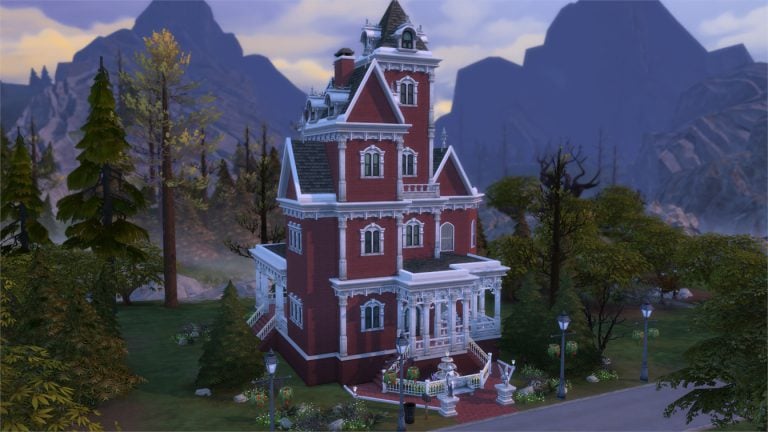
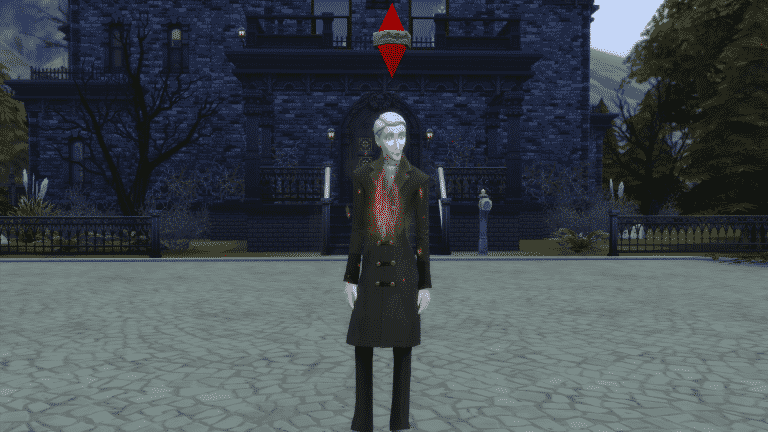
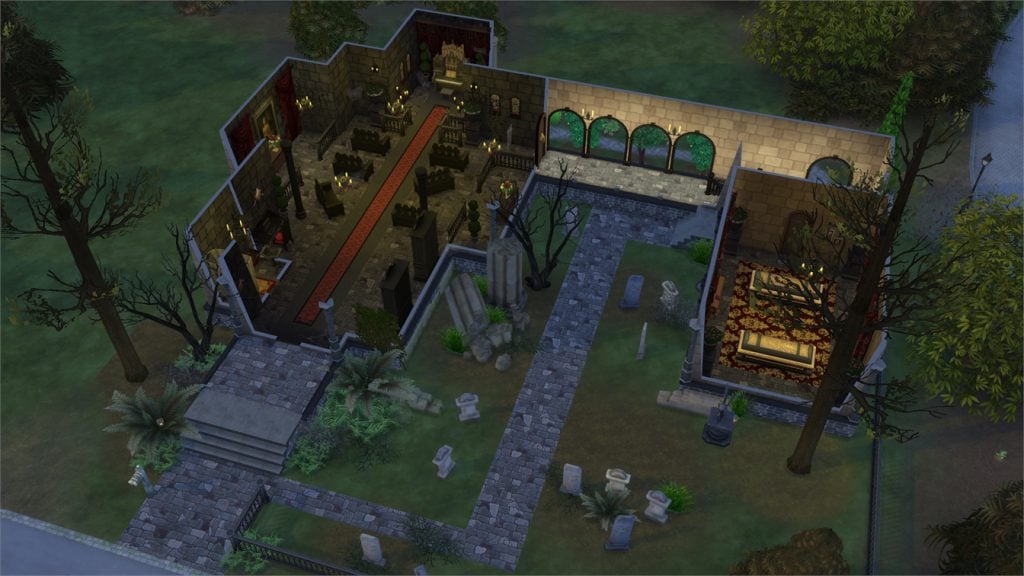
Ravenscroft (Download Here)

by Ruthless_kk

Value: §200,103
Size: 30×30
Lot Type: Residental Lot[/ult_hotspot_items][/ult_hotspot][ult_hotspot main_img=”id^58145|url^https://simscommunity.info/wp-content/uploads/2017/01/01-31-17_5-01-23-PM.jpg|caption^null|alt^null|title^01-31-17_5-01-23 PM|description^null”][ult_hotspot_items icon_type=”custom” icon_img=”id^39525|url^https://simscommunity.info/wp-content/uploads/2015/09/plumbob2.png|caption^null|alt^null|title^plumbob2|description^null” img_width=”38″ tooltip_custom_color=”” tooltip_custom_bg_color=”rgba(255,255,255,0.01)” tooltip_width=”400″ tooltip_position=”right” enable_bubble_arrow=”off” tooltip_continuous_animation=”on” hotspot_position=”66.96574781659389,56.93251533742332″]

The Sims 4 Vampires Gallery Spotlight: Lots

[/ult_hotspot_items][ult_hotspot_items icon_type=”custom” icon_img=”id^39525|url^https://simscommunity.info/wp-content/uploads/2015/09/plumbob2.png|caption^null|alt^null|title^plumbob2|description^null” img_width=”38″ tooltip_custom_color=”” tooltip_custom_bg_color=”rgba(255,255,255,0.01)” tooltip_width=”400″ tooltip_position=”right” enable_bubble_arrow=”off” tooltip_continuous_animation=”on” hotspot_position=”53.24440502183406,56.80981595092025″]

The Sims 4 Vampires Gallery Spotlight: Lots

[/ult_hotspot_items][ult_hotspot_items icon_type=”custom” icon_img=”id^39525|url^https://simscommunity.info/wp-content/uploads/2015/09/plumbob2.png|caption^null|alt^null|title^plumbob2|description^null” img_width=”52″ tooltip_custom_color=”#1e73be” tooltip_custom_bg_color=”#ffffff” tooltip_width=”450″ tooltip_position=”right” tooltip_continuous_animation=”on” hotspot_position=”89.61858624454149,3.190184049079755″ tooltip_custom_border_size=”border-style:solid;|border-width:2px;border-radius:5px;|border-color:#81d742;”]

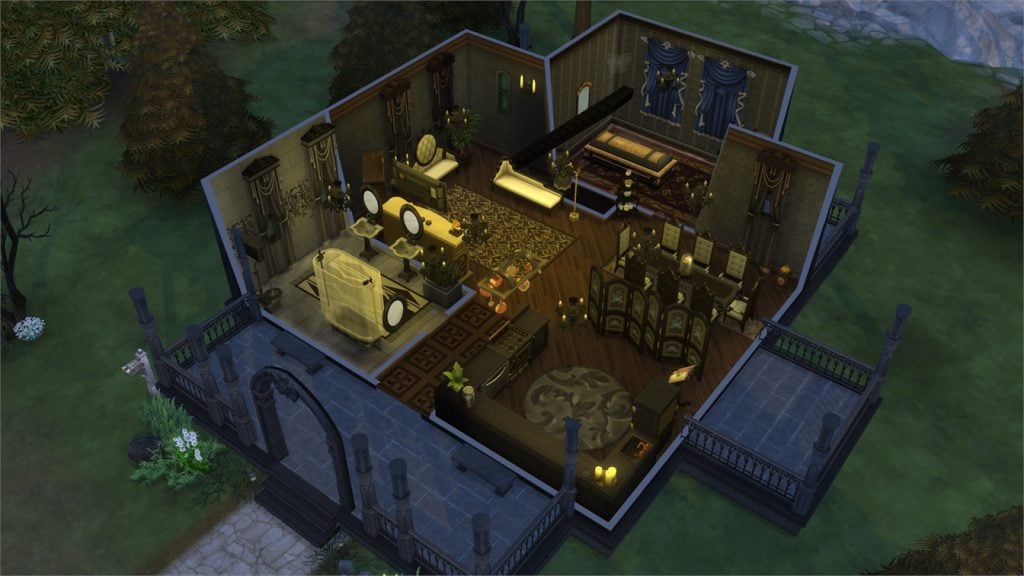
Vampire Cathedral (Download Here)

by kaibellvert

Value: §140,518
Size: 40×30
Lot Type: Residental Lot[/ult_hotspot_items][/ult_hotspot][ult_hotspot main_img=”id^58148|url^https://simscommunity.info/wp-content/uploads/2017/01/01-31-17_5-03-47-PM.jpg|caption^null|alt^null|title^01-31-17_5-03-47 PM|description^null”][ult_hotspot_items icon_type=”custom” icon_img=”id^39525|url^https://simscommunity.info/wp-content/uploads/2015/09/plumbob2.png|caption^null|alt^null|title^plumbob2|description^null” img_width=”38″ tooltip_custom_color=”” tooltip_custom_bg_color=”rgba(255,255,255,0.01)” tooltip_width=”400″ tooltip_position=”right” enable_bubble_arrow=”off” tooltip_continuous_animation=”on” hotspot_position=”61.85521288209607,61.22699386503068″]
The Sims 4 Vampires Gallery Spotlight: Lots

[/ult_hotspot_items][ult_hotspot_items icon_type=”custom” icon_img=”id^39525|url^https://simscommunity.info/wp-content/uploads/2015/09/plumbob2.png|caption^null|alt^null|title^plumbob2|description^null” img_width=”38″ tooltip_custom_color=”” tooltip_custom_bg_color=”rgba(255,255,255,0.01)” tooltip_width=”400″ tooltip_position=”right” enable_bubble_arrow=”off” tooltip_continuous_animation=”on” hotspot_position=”41.300491266375545,61.59509202453988″]

The Sims 4 Vampires Gallery Spotlight: Lots

[/ult_hotspot_items][ult_hotspot_items icon_type=”custom” icon_img=”id^39525|url^https://simscommunity.info/wp-content/uploads/2015/09/plumbob2.png|caption^null|alt^null|title^plumbob2|description^null” img_width=”52″ tooltip_custom_color=”#1e73be” tooltip_custom_bg_color=”#ffffff” tooltip_width=”450″ tooltip_position=”right” tooltip_continuous_animation=”on” hotspot_position=”89.61858624454149,3.190184049079755″ tooltip_custom_border_size=”border-style:solid;|border-width:2px;border-radius:5px;|border-color:#81d742;”]

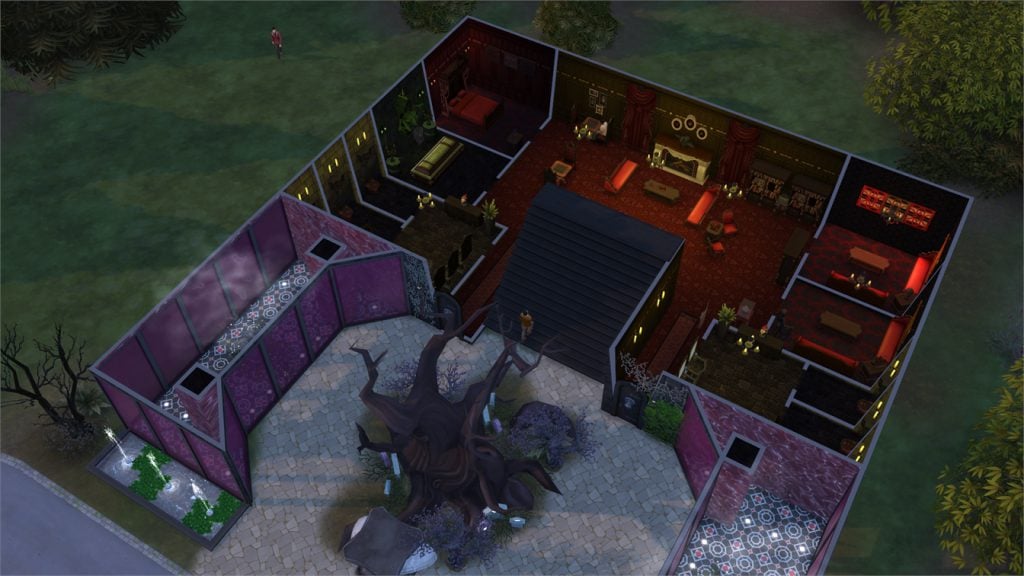
Vampire Residence (Download Here)

by SimmerKittenYT

Value: §95,779
Size: 30×30
Lot Type: Residental Lot[/ult_hotspot_items][/ult_hotspot][ult_hotspot main_img=”id^58151|url^https://simscommunity.info/wp-content/uploads/2017/01/01-31-17_5-05-46-PM.jpg|caption^null|alt^null|title^01-31-17_5-05-46 PM|description^null”][ult_hotspot_items icon_type=”custom” icon_img=”id^39525|url^https://simscommunity.info/wp-content/uploads/2015/09/plumbob2.png|caption^null|alt^null|title^plumbob2|description^null” img_width=”38″ tooltip_custom_color=”” tooltip_custom_bg_color=”rgba(255,255,255,0.01)” tooltip_width=”400″ tooltip_position=”right” enable_bubble_arrow=”off” tooltip_continuous_animation=”on” hotspot_position=”60.476937772925766,61.84049079754601″]
The Sims 4 Vampires Gallery Spotlight: Lots

[/ult_hotspot_items][ult_hotspot_items icon_type=”custom” icon_img=”id^39525|url^https://simscommunity.info/wp-content/uploads/2015/09/plumbob2.png|caption^null|alt^null|title^plumbob2|description^null” img_width=”38″ tooltip_custom_color=”” tooltip_custom_bg_color=”rgba(255,255,255,0.01)” tooltip_width=”400″ tooltip_position=”right” enable_bubble_arrow=”off” tooltip_continuous_animation=”on” hotspot_position=”41.863400655021834,61.47239263803681″]
The Sims 4 Vampires Gallery Spotlight: Lots

[/ult_hotspot_items][ult_hotspot_items icon_type=”custom” icon_img=”id^39525|url^https://simscommunity.info/wp-content/uploads/2015/09/plumbob2.png|caption^null|alt^null|title^plumbob2|description^null” img_width=”52″ tooltip_custom_color=”#1e73be” tooltip_custom_bg_color=”#ffffff” tooltip_width=”450″ tooltip_position=”right” tooltip_continuous_animation=”on” hotspot_position=”89.61858624454149,3.190184049079755″ tooltip_custom_border_size=”border-style:solid;|border-width:2px;border-radius:5px;|border-color:#81d742;”]

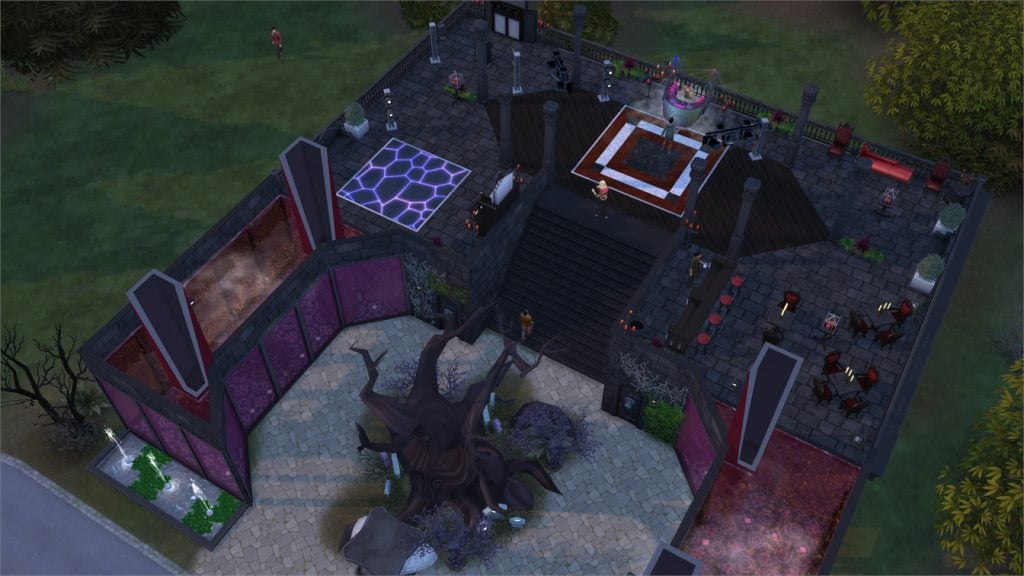
Bloodlust Lounge (Download Here)

by Julyvee94

Value: §163,164
Size: 30×30
Lot Type: Nightclub[/ult_hotspot_items][/ult_hotspot]

Buzzfeed: Former Sims Players Play The Sims 4

0

Buzzfeed published a new video where former Sims Players try out The Sims 4 for the very first time. Check it out!

The Sims Blog: The Sims Celebrates 17 Years of Simming!

12

Via TheSims.com!

The Sims™ turns 17 this week, and we want to take this time to celebrate all the Simmers that helped us to hit this huge milestone. Without our amazing community, we never would have gotten to where we are now – so the whole week is going to be totally dedicated to you!

In your honor, we’ve got a few fun things planned, including:

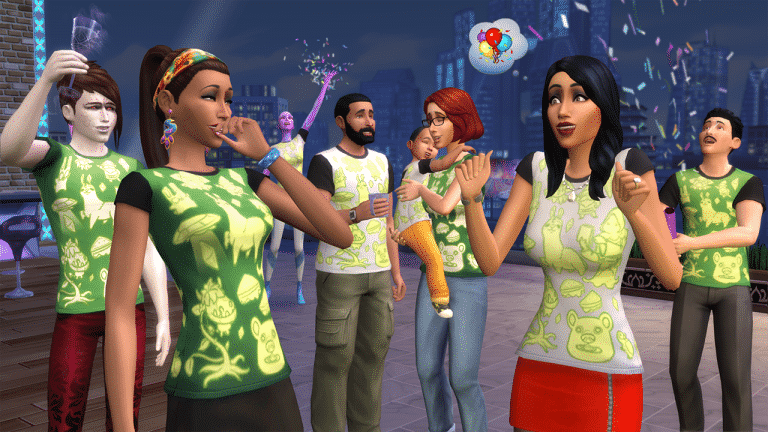
  • We’re launching a free in-game update* for The Sims 4 on Thursday, which will bring some changes to the main menu as well as a 17th Anniversary celebratory shirt for Sims of all sizes!
  • Daily The Sims 4 code giveaways on Twitter, offering prizes that span from base game to the latest EP;
  • A series of new Simmer Spotlights on TheSims.com, highlighting some of our great Simmers from all over the world;

An Origin Sale for The Sims 4 titles, Twitch Streams from our amazing community, and a couple of fun (and delicious looking) videos!

The Sims Blog: The Sims Celebrates 17 Years of Simming!

Are you ready to celebrate 17 years of The Sims? We think you’ll agree, it should be a pretty fun and exciting week!

The Sims 4: New Content Coming for 17th Anniversary of The Sims

12

The Sims Spain posted the picture we added down below, with the caption ”this week we’re celebrating the 17th anniversary of The Sims”. Although it’s not known what we’re getting for the anniversary just yet, we do know that the shirts down below are new! Stay tuned for more information.

The Sims 4: New Content Coming for 17th Anniversary of The Sims

The Sims 4 Vampires: Setting up your Saves to Control Vampires

Hey guys!

I posted this on my simblr a few days ago and wanted to share it with those who don’t use tumblr.

You guys know that we did some extensive testing on how to KEEP THE VAMPIRES OUT OF YOUR HOMES.  Please note that none of these methods will stop the spawning of vampires.  It is a vampire GP.  There will be vampires.  This is just a way to have the GP and have saves where vampires disappear into the background like aliens and ghosts.  This method does use game cheats but it is intended for those who do not want to use mods.

Anyways……this is what I did, if anybody wants to follow suit.

1) I deleted all the EA premade vampires and made my own vampire family.

2) I used the vampire cheats here to make the YA male a Grand Master Vampire.  The other vampires (teen to adult) all have the Master Vampire ranks.

3) The Grand Master Vampire is the only one who can turn sims (give this vampire that reward using the cheat).  They all were given the sun resistant vampire reward (using the cheats).  This reward can only be given to master vampires on up.  I saw too many posts of NPC vampires dying in the sun, lol.  I don’t want my carefully created townie vampires dying!  None of them got the “eternally welcome” reward so they can’t enter homes.

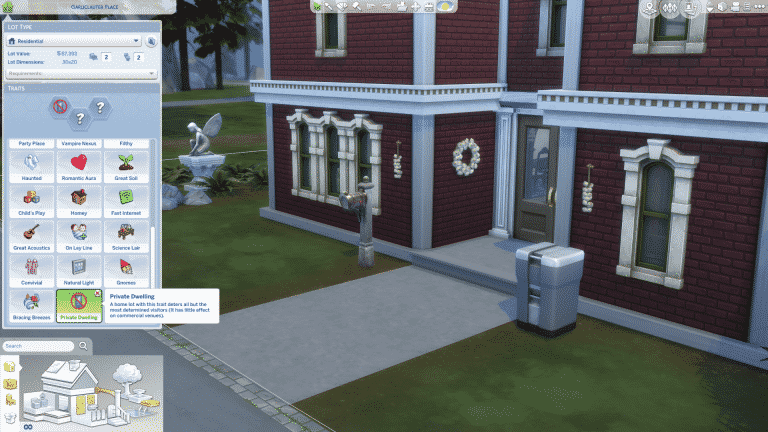
4) I used the debug cheat in the buy menu and placed a garlic bulb in each of my sims inventories.  Then I hung garlic from their doors.  I also added the “private” lot trait.

The Sims 4 Vampires: Setting up your Saves to Control Vampires

All this was done so that I have control of my story!  I don’t like when EA dictates to me how I should play my game.  This gave me control of the vampires back.

It is important to note that vampires MAY BITE YOUR SIMS (but won’t turn them) out in the town.  So….stick that garlic in their inventories and they will be left alone.

As usual, not all games are the same.  Depending on what mods you are using and how you set up your game, you may find different results.

Hope this helps somebody so they can enjoy the GP and have control of those vampires.

The Sims 4 Vampires: Regaining Control of Vampires without using Mods

Hey guys!

I recently posted this on my simblr and thought it might be of use for those who don’t use tumblr.   After seeing reports on the official forum that vampires were taking over saves, we decided to do some testing.  We wanted to determine if this was true and what measures we could take to control it without using mods.  It was our goal to find something for simmers who like mod free games and want the Vampire GP but would like some saves where the vampires faded into the background like aliens and ghosts do.

Thank you so much @babydollsimmer @questforsims @mdianasanders for your help with testing.

What we determined is that Vlad is the trigger to EA’s vampire story.  He even has dialogue that will pop up and everything.  I suggest going through it in at least one of your saves just to enjoy it.

OK so what about those saves where you don’t want this story to happen and you don’t want Vlad to show up and bite your sims in the night?  This is easily controlled by deleting Vlad and the other EA pre-made vampires.  You can keep Caleb and Lillith since Vlad is the trigger but this is more for simmers who would rather have randomly generated vampires who are basically “baby” vampires and therefore harmless.

The Sims 4 Vampires: Regaining Control of Vampires without using Mods

So what happens after you delete Vlad?  Does this stop vampires from being generated?

Absolutely, not.  This is a vampire GP.  Vampires will spawn, the same way aliens spawn, homeless weirdos and raccoons spawn. This method just stops the vampire intrusion into your home.

Your sim will still have that initial nighttime visit by a vampire.  It happens in a new sim house that first night.  However, you can either ignore the vampire or greet them.  It doesn’t change a thing whichever you decide to do.

Vampires don’t return to your sims home.  Vlad is the key to this and with him not in the save, the story never starts.

Of course there are always exceptions but four of us have tested this now and it’s worked.  Delete Vlad and you can have the GP without the vampires bothering your sim in their homes (they will still spawn, it is a vampire GP but at least they won’t enter your sims home uninvited).  Also depending on which mods you are using and how you have configured your game, you may not have any vampires spawn.   None of us were able to replicate the vampire invasions that were reported on the forums, the game does generate fake poser vampires but they’re just wannabe vampire humans.

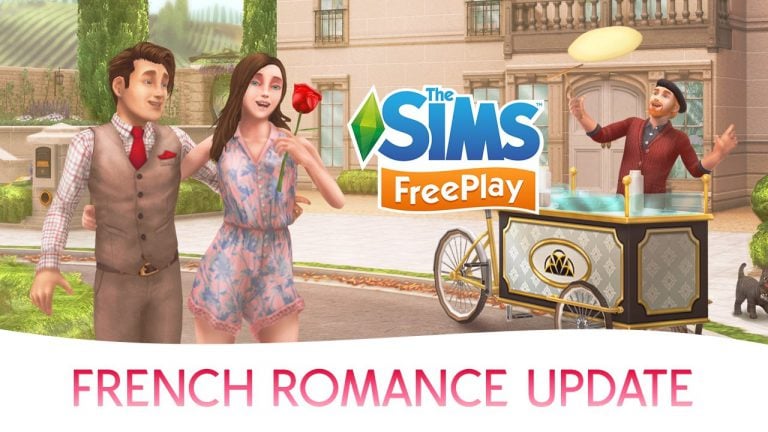
The Sims FreePlay: French Romance Update Trailer

2

The Sims FreePlay team released a trailer for a new update called French Romance that’s hitting the App Store and Google Play store in the next few hours. Check out the trailer!

Turn your Sim into a Vampire with a single cheat!

You’re probably impatient to wait for a few days to start the process of turning your mortal sim into a vampire. There’s a quick little cheat to fix that and immediately turn your sim into a vampire:

  • Open up the cheat console by pressing CTRL + Shift + C
  • Enter the traits.equip_trait trait_OccultVampire cheat

Turn your Sim into a Vampire with a single cheat!

Make sure you change your Vampire’s dark form by clicking the wardrobe and selecting ”Change Sim” as clothes and vampire face details will be randomly assigned to your sim.

Turn your Sim into a Vampire with a single cheat!

You can easily cure your vampire sim from vampirism by entering the traits.remove_trait trait_OccultVampire cheat.

James’ Sims 2 Thoughts: The Sims 2 Freetime

Your Sims now have a lot to do. They can go on vacations, own businesses, have pets and so much more. They really don’t get too much time to themselves… well, that changed February 22, 2008 when the Sims 2: Freetime was released

Freetime allows your sims to take up hobbies. Theses hobbies can be arts and crafts, drafting, tinkering, science and much more. I have been really exploring this pack inside and out, so I can give you my honest and true thoughts about the pack.  I didn’t have this pack while the Sims 2 was popular almost 10 years ago, but the pack is so much fun, even to this day

It comes with a new neighborhood! Desiderata Valley! Its a small town where sims of all ages can explore their own hobbies that make all of them unique.

I love how your sims can have enthusiasm. This is assumed by how much your sims do certain activities. If your sim watches a sporting event for the first time, you will start to build enthusiasm. Its the same as building skills, pretty much

freetime 1

With building skills, when you max out a skill or a hobby, you have a chance of being “In the Zone”. In the Zone allows your sim to have a white glow around them and they are performing the hobby perfectly. It’s very cool to see your sim get really involved in the hobby or skill when they max it out.

Another cool thing that Freetime gave was secret lots. I loved this part of the pack. When your sim gets high enough enthusiasm about a particular hobby, you are granted access to a lot which has a venue solely dedicated to that hobby. For example, a high enthusiasm in cooking gives you access to “Sue’s Secret Kitchen” where you can meet other foodies and even enter a food contest!. This lot is my favorite, and I love making all my friends at these secret lots, due to the fact that the other sims share the same interests as your sims do.

freetime 2

Children can also build enthusiasm with hobbies as well. Music and Dance is something I like getting my kid sims involved with. When they get to teen and eventually adults, they can compete and perform for tips at local community lots.

Freetime was something that was a very relaxing pack, both for myself as well as for your sims. Its always fun to max out enthusiasm in different hobbies and see what your sims can do!

Next time, I will be talking about the last expansion pack in The Sims 2, Apartment life!

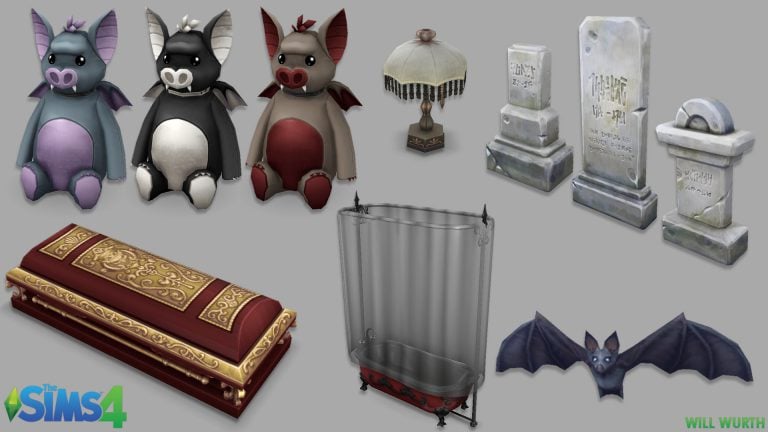
The Sims 4: Object Models from Various Packs by Will Wurth

0

Will Wurth published some of the 3D object models he worked on for various The Sims 4 Expansion, Game and Stuff Packs. Check them out!

The Sims 4: Animations by Tiffany Cheung

0

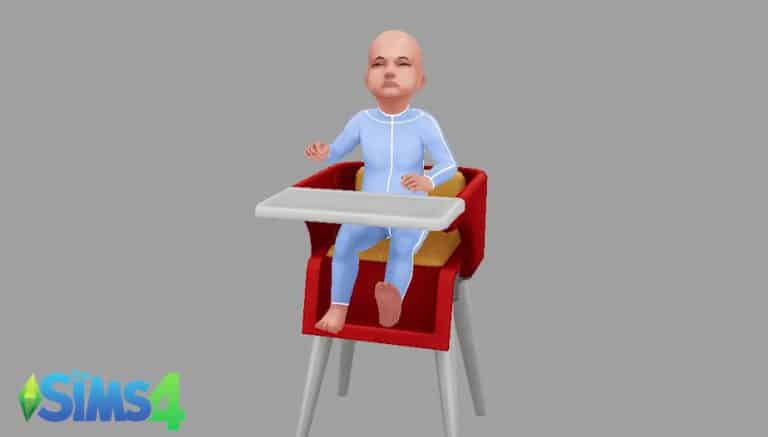
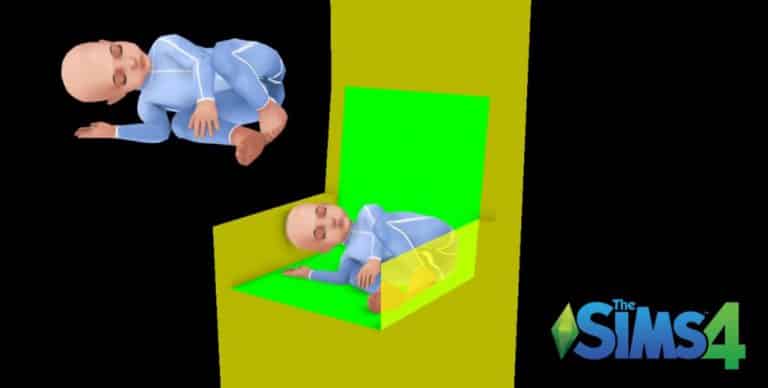
Check out some of the animations made for The Sims 4 Vampires GP and Toddlers Update done by Tiffany Cheung!

The Sims 4: Animations by Tommy Mann

0

Check out some of the animations created by Tommy Mann for The Sims 4, including animations from Vampires Game Pack and Toddlers Update!

The Sims 4 Bundle Pack 4 coming February 16h!

0

It’s official!

EA DE has revealed that The Sims Team will be releasing The Sims 4 Bundle Pack 4 on February 16th! This bundle will include The Sims 4 Vampires Game Pack, The Sims 4 Kids Room Stuff and The Sims 4 Backyard Stuff.

You’ll be able to purchase this bundle in various retail stores, as well as Amazon, Gamestop and other online stores.

The Sims 4 Bundle Pack 4 coming February 16h!

The Sims 4: New Base Game Promotional Trailer

2

The Sims Team released a brand new base game trailer for The Sims 4 featuring the new toddlers update!