Home Blog Page 437

The Sims 4 Maxis Match CC: Autumn at Your Doorstep!

Hello everyone! Here is another Sims 4 Maxis Match CC post, it is rather late so I decided to include stuff from September, October and November. There are lots of Create A Sim items to show you, and I hope you see something you like!


Clothes


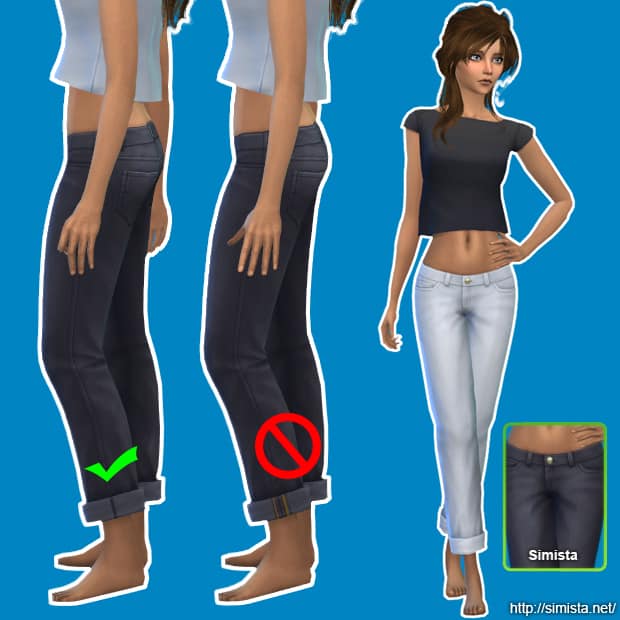
Simista | Boyfriend Jeans Recolours

  • Non-default and standalone
  • Mesh by EA
  • Comes in 22 colours
  • Found in Everyday and Retail categories
  • Custom thumbnail included

simista_boyfriendjeans

simista_jeanscomparison

downloadbutton


Amylet | Centuries Dress

  • Inspired by a real dress
  • Enabled for everyday, formal and party wear
  • Comes in 15 colours
  • Standalone item

“The mesh is a slightly edited version of a Luxury Party Stuff mesh (I mostly edited the UV map because there was some weird stuff going with the straps of the original dress), but I used Jennisims’ extracted mesh to make sure it was BG compatible”

amylet_centuriesdress

downloadbutton


Manueapinny | Autumn Cropped Knit Sweaters

  • Teen to Elder
  • Comes in 15 Colours
  • Standalone item
  • Custom thumbnail
  • EA mesh edit – All LODs

manueapinny_autumncropsweaters

manueapinny_autumncropsweaters_2

downloadbutton


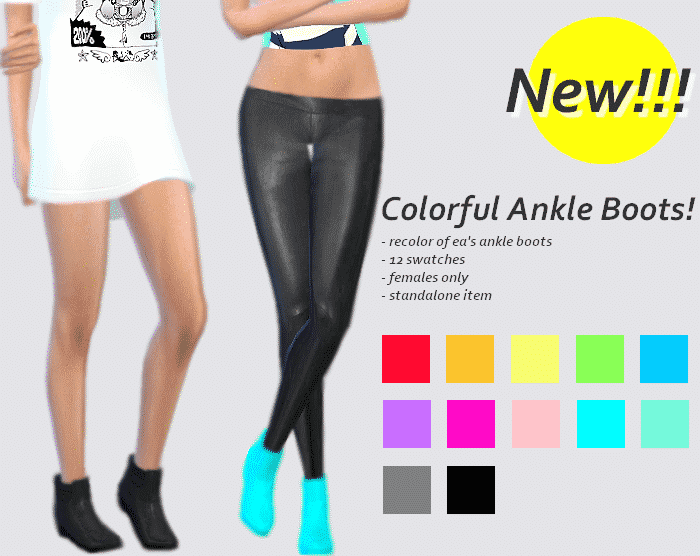
SulSulSims | Colourful Ankle Boots

  • EA recolour
  • Standalone item
  • Comes in 12 Colours

” These are my favorite boots by EA in the game, I just never liked the color swatches, so I decided to make these the other day. This item has a custom thumbnail and it won’t override the original ankle boots.”

sulsulsims_colorfulankleboots

downloadbutton


Ubichobolita | Fancy Wool Coat

  • Comes in 12 colours
  • For female children
  • Standalone item

unbichobolita fancy wool coat

downloadbutton


Usedtoplaygames | Sweater Recolour

“I really love this sweater from the base game but I’ve always wanted some nice recolors of it. So for first clothing recolor I chose it. I used a pattern from Squid Fingers for the sweater & colors from Eversims.”

usedtoplaygames_basegamesweaterrecolours

downloadbutton


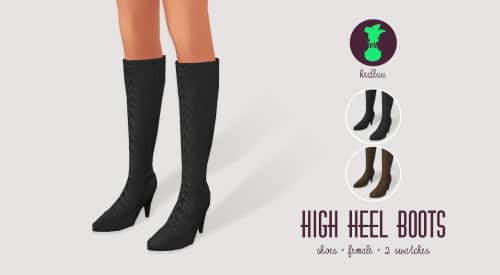
Kedluu | 5 Part Gift Set

“As a big thank you [for 1000 followers] I bring you a set of 5 items: A raincoat, a dress, thigh-highs, lace stockings and some high heel boots.”

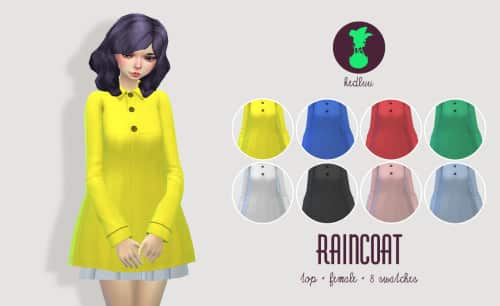
kedluu_raincoat

  • Vinyl raincoat for female Sims – classified as top – you can wear anything underneath (some clipping might occur during some animations though)
  • New Mesh
  • Comes in 8 colours – 4 bright, 4 neutral

kedluu_skaterdress

  • Simple cotton dress -skater skirt – button detail on the back
  • New Mesh
  • Comes in 6 colours – Muted jewel tones

kedluu_sockcs

  • Comes in  8 neutral colours
  • EA Mesh

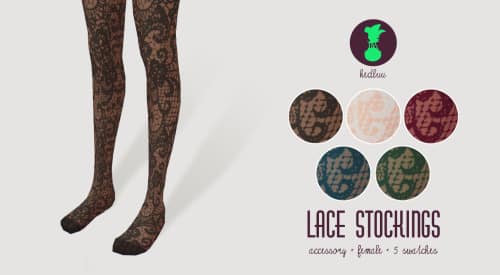
kedluu_lacestockings

  • Comes in 5 colours

kedluu_heelboots

  • New Mesh – please note that these can’t be worn with some pants due to the fact that they are so tight. They work well with skirts, dresses, skin tight pants, tights and baggy pants that cover them completely.
  • Comes in 2 colours

downloadbutton


xdeadgirlwalking | Rumanzovia Dress

  • Comes in 39 colours – including some patterns, versions with white skirts and versions with black skirts
  • Standalone item

xdeadgirlwalking_rumanzoviadress

downloadbutton


Hairstyles


Tamo | Nicey-Nice Bob

  • Standalone item
  • New mesh
  • All EA colours
  • For women and children
  • Hat compatible

tamo_TS4_HairNNB

tamo_TS4_HairNNB_CFtamo_TS4_HairNNB_AF


downloadbutton


FarrellHawkins | Half Moon

“This “Half Moon” hair is my first attempt at frankenmeshing, so there might be some imperfections here and there, but all in all, it looks pretty solid and ok. It’s a combination of the spiky hair that came with Luxury Party Stuff and my Not-So-Tidy hairstyle that you can get here.”

  • Standalone item
  • All EA colours
  • Teen to elder males
  • Hat compatible

farrellhawkins_halfmoonhair

farrellhawkins_halfmoonhair2

downloadbutton


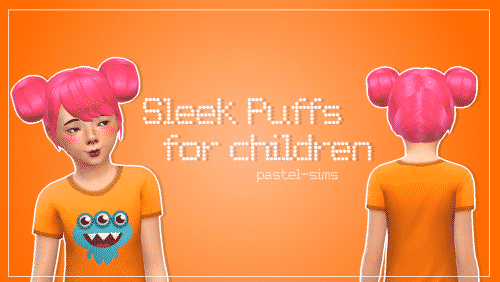
Pastel-Sims | Sleek Puffs for Children

  • Disabled for random
  • Comes in the same colors as the adult version.
  • Male & Female Child
  • Not hat compatible

pastel-sims_sleek puffs for children

downloadbutton


Pastel-Sims | Glued

  • Male Teen – Elder
  • Base Game colours
  • Not hat compatible

pastel-sims_gluedhair

downloadbutton


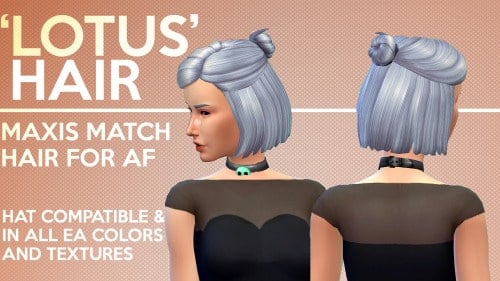
Gohliad (Formerly ImTater) | Lotus

  • Standalone item
  • New mesh – All LODs
  • Comes in all EA colours and textures
  • Hat compatible

gohliad.imtater lotus hair

downloadbutton


I hope you found something that you like here, I know I did. Let us know what you think and feel free to share your favourite custom content over on our forums! Thanks for reading, guys!

The Sims Video Spotlight: #10

0

scplaylogo

Hello again and welcome to another week of The Sims Video Spotlight, featuring awesome video content from our community!

The Sims 4 | House Build: Edge

By The Sim Supply

Our first video today is this small modern house build, one bedroom one bathroom. I really love the idea that everything is on the top floor, it’s definitely a little quirky and a tight space but great!


The Sims 4 | Room By Room: House #1 – Part 1

By Emvy Sims

Next here is a build series in which a different section of a house is built each time. This is another modern feeling home with, in my opinion, a very slight industrial twist while being cozy at the same time.

https://www.youtube.com/watch?v=bF6Smz8cnWc


The Sims 4 | Create a Sim: Autumn

By GamingMermaid

Our Create A Sim video this week is this beautiful lady inspired by Autumn! The custom content unfortunately isn’t listed in the description but GamingMermaid’s CC Finds Tumblr page is, so feel free to go and have a look!


The Sims | Throwback Thursday: PETS!

By XUrbanSimsX

Here is something a little different, I don’t know about you but I loved playing The Sims (1) and this gives me so much nostalgia as well as being really entertaining. It’s one of my favourite things to watch recently!


Let’s Play The Sims 3 | Montoya Family (Part 1)

By Thetideschanging

If Let’s Plays are your thing, here you go! I love all of The Sims’ games but The Sims 3 is my favourite to watch other people play as there is so much to it. This is based around the Island Paradise expansion pack and has an interesting backstory that I really recommend listening to. I included this as it’s different to other Let’s Plays I have seen. There aren’t many people playing single fathers out there!


The Sims 4 | CC Shopping #1

By LifeSimmer

Lastly today is a very relaxed custom content video, in which LifeSimmer scrolls the internet to find content that she likes. It’s a great way to introduce people to things they may not have otherwise found.

That’s all this week, I hope you found something you like, thanks for reading guys and as always go ahead and leave the content creators a like if you enjoy their videos!


12 reasons to join Sims Community Social

0

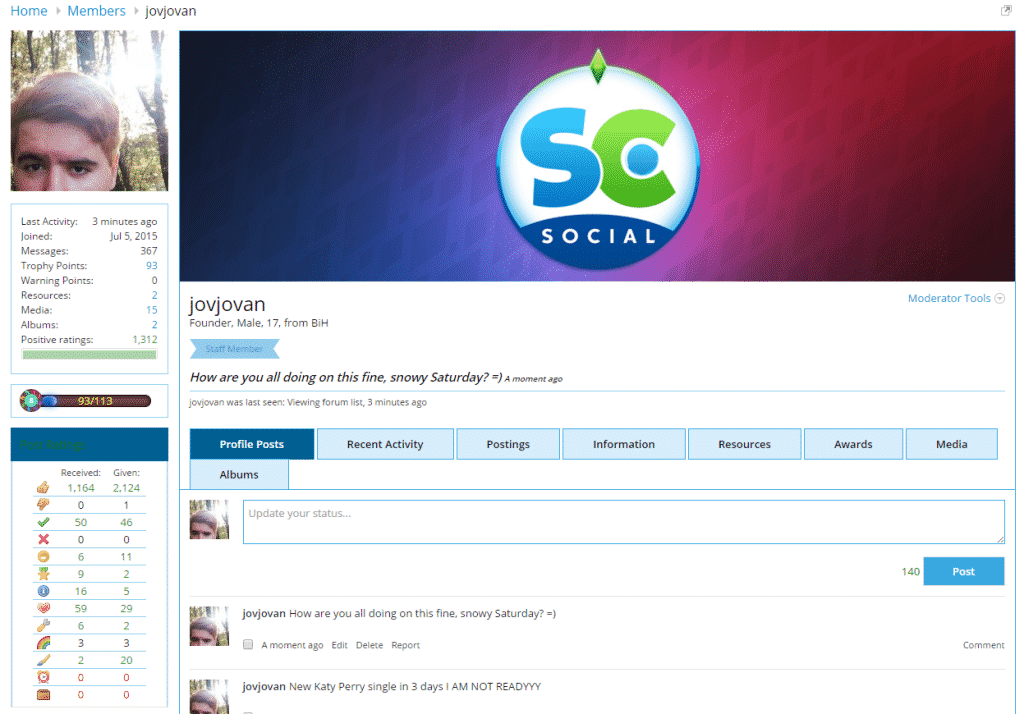
Sims Community Social launched in July 2015 and ever since then we give our best to give you the ultimate Social Network experience! Since our announcement, we made lots of changes and upgrades, so let’s run down what’s new (and old) on Sims Community Social and why you should join one of the biggest Social Networks designed specifically for simmers!

1. You can customize your profile!

scsocial1

2. There are over 45 different Forum Categories!

scsocial2

3. You can upload your own Images and create your own Albums!

scsocial3

4. You can upload and/or link your Custom Content, Mods and Wallpapers!

scsocial4

5. Keep up with the latest updates from Simmers all around the World!

scsocial6

6. You can get all sorts of Trophies for being active!

scsocial5

7. You can unlock new Memberships with more benefits!

scsocial7

8. Get emotional with over 25 emotions describing how you feel!

scsocial8

9. Compete with your fellow Simmers and top the leaderboards!

scsocial9

10. Promote your content and discover other Simmers!

scsocial10

11. Share your Simming stories!

scsocial11

12. The biggest event of the year starts this December!

giftgivingfestival

So what are you waiting for?

Join Sims Community Social Now!

The Sims 4: ‘The Hunger Games’ Movie Render

0

Going to the movies this weekend? We salute you!

The Sims

CUTOAzuWcAAAZJY

Starting A Youtube Channel Part 2: Editing & Recording

5

Editing & Recording

In the last edition we looked at what tech you will need to start your Youtube channel, now its time for phase two! Editing and Recording. So as you will have guessed, in order to actually create your videos you will need first something to record your game play and once that is done you will need to do some editing to make it pleasant to watch for your viewers!

Screen Capture Software

There are so many programs out there that enable you to record your game, some are very basic and others are extremely detailed and have very in depth settings. I have used a few different ones in my time but by far my favorite and the one I am currently using is called DXtory. Although it isn’t free, it has very high capabilities and lots of options to suit your computers ability. The settings are very complicated but there are a lot of videos and guides out there to help you get everything set up! I used this one. As with any, it does have its downsides. I have noticed after a standard 25 minute recording my files sizes can be quite large taking up a lot of storage on my PC, however compared to other programs this is a minor defect.

Fraps is another popular program that people use to record their game play. I have used Fraps, but I think personally compared with DXtory it is not worth the £25.00 it costs. Also, the file size with Fraps is insanely large, I could only fit about 5 recordings before it maxed out the space on my computer! There are no settings to tweak screen resolution which is extremely important. If you are not recording at at least 720p your footage will not fit the Youtube screen in which the videos are played and you will experience black panels like this!

panels

Furthermore, there are not options to alter your voice-over volume, and if you are like me and choose to record your voice and game sound together this will cause problems when editing as you wont be able to make your voice louder/quieter if need be. DXtory allows you to include your microphone sound when recording and separates them into two files so you have the ability to adjust them accordingly as well as giving you the option to change it in the actual settings themselves. Here is an image showing the two different sound files, all using DXtory but still separate. This saves having to record on Audacity for example and then having to spend hours syncing your voice to your game play!

gret

There are free options out there if you don’t want to pay for your software. Open Broadcaster Software (OBS) is a free recording program that also has very impressive streaming capabilities. Again you may need help setting it up as there are lots of settings, but this is good as it enables you to get the right settings for your computer. Once you are all set up, much like DXtory you can adjust your microphone volume and such which is a very valued feature. However it isn’t as helpful in terms of actually splitting them for you. When you go to record, you will need to have your sound levels perfect beforehand because you wont be able to change them separately once you have filmed. Unlike Fraps & Dxtory the file sizes for OBS are tiny and you wont ever have to worry about taking up too much space with video files.

Top Tips:

Always make sure you are recording in the correct screen resolution. Make sure your video is full screen (1280 x 720p) or 1080p if you have good enough specs to support that. (Personally, I can never tell the difference between the two but there you go!) Also a frame rate of at least 30 FPS is recommended to avoid laggy footage. Again, if your computer is capable you can increase this to 60 FPS. Always make sure your audio levels are listenable. You dont want to be too loud and overbearing or so quiet people are struggling to hear. This is just as important as your screen resolution. People will not want to sit through a 25 minute let’s play if it isn’t to a good standard, its just not pleasant. 

So, you’ve filmed your first video and you want to know what you should use to edit! This is very much dependent on what you want to do, if you want to include fancy transitions, text animations, panning options and such then Windows Movie Maker is an awesome free program to get you started. Yes it is simple, but it has enough for you to put your own unique stamp on your videos. If you would like something more complex Sony Vegas Pro is excellent! I use this and I have found it very useful for many different things. Not only does it include everything that Movie Maker does, but a LOT more! For instance, if for some reason you accidentally recorded a video in the wrong resolution and you get this pesky black bars down the side of your footage you have the ability to remove them using Sony Vegas (awesome right!) There are also many more options for editing such as the ‘Chroma Keyer’ which you can use to remove backgrounds from your videos and all kinds of fancy video editing effects for you to create lots of amazing content for your viewers!

So that is your tech and your editing and recording software, check! Next time I will be going over actual game play and how you can maintain an engaging and entertaining let’s play to get those subs rolling in!

Simmers Syndicate – The First YouTube Network for Simmers!

0

We interviewed the awesome Rachybop about her latest project – Simmers Syndicate! Take it away Rachael 😀

Hello Sims Community readers! Rachybop here to talk to you about a fab and relatively new network called Simmers Syndicate for all of you creators who like to share your content on YouTube.

logo (1)

1) What is Simmers Syndicate?

Simmers Syndicate is a YouTube network exclusively for simmers! You don’t have to only create Sims content but it must be a part of what you do on your YouTube channel and you must have the intent of uploading more to be eligable to join. This includes all The Sims games, SimCity and The Sims Freeplay!

2) What inspired you to create it?

I have seen other communities create networks within their niche and I felt like ours was really missing out. There are so many networks now and all of them are aimed at different types of people, which is great, but none were great for simmers in my opinion. Even gaming channel networks are directed towards helping creators who make content with shooter games and other games closer to that kind of genre.

3) How many people have joined so far?

We’ve had a great response so far and new applicants are joining daily which is so awesim.

4) What are the benefits of joining Simmers Syndicate?

Firstly you’ll be joining a community in which people are just like you. We all want to grow our channels and learn tips along the way. Apart from learning from other creators you meet who are also part of Simmers Syndicate we will also promote your videos on social media and, in the future, we’ll be offering some great perks! Plus, there’s no lock-in so you can leave the network anytime you like.

5) What are the plans for the future of Simmers Syndicate?

We’re still relatively small so growth is a definate plan and that will be shaped by feedback from our creators and the sponsorships we can get. We have some great contacts so we hope to be able to offer our members some amazing opportunities pretty soon. Our main aim is to provide value and support to people who create Sims related content on YouTube.

Thank you so much to Jovan for inviting me to share info about the network. It’s great to be able to get the word out and to be supported by so many lovely simmy people. If you are interested in joining Simmers Syndicate please head over to www.simmers-syndicate.com to learn more and apply. Much love and happy simming!

– Rachybop <>

The Sims 4 Get Together: Music Spotlight – The Vamps

0

British Pop Band ”The Vamps” made a Simlish version of their song ”Wake Up” in Simlish for The Sims 4 Get Together. Check it out!

The Sims 4: Automatic Disabling of Mods and CC when updating (coming in December)

2

ts4e3logo

You no longer have to worry about leaving your Mods and/or Custom Content in the Mods folder when updating The Sims 4 to the latest version. With the latest 64bit version that’s coming in December, The Sims Team will also be introducing Automatic Disabling of Mods and CC when updating your The Sims 4 Game.

The SimsTM 4 version 1.13 (released December 2015) adds a new feature that will disable all Mods when the game is updated via Origin. On first launch after the Update is applied you will be shown a dialog at the main menu indicating that Mods have been disabled.

Let’s start by defining some terminology:

  • “Custom Content”: This is the addition of player-made clothing or objects to the game. Sometimes just referred to in The Sims community as “CC”. For example: new hair, new clothing, new furniture, etc.
  • “Game Mods”: These are Mods that add features or change functionality of the game. These Mods may include script code, but not always. For example: a new trait, new console cheats, objects with new functionally, new UI functionality, etc.
  • “Mods”: A blanket term referring to any player-made content for the game – this includes both Custom Content and Game Mods.

Maxis Policy on Mods

Maxis strives to support the creativity of our community. We know that, for many of you, Mods are an important part of your game experience.  For that reason, we support a framework in The Sims 4 that makes it easier for you to install and use Mods.  Maxis doesn’t pre-screen, endorse or specifically support any particular Mod.  You should use Mods with caution and understand there may be risk.

Why does The Sims 4 disable Mods after an update?

Because Maxis cannot screen or otherwise support any particular Mod, Mods that previously caused no issues for users may cause problems after an Update, especially a significant Update that corresponds with an Expansion Pack or Game Pack. By disabling Mods when we update, we hope to limit any disruption or problems with your game play and provide you with the opportunity to decide whether to reinstall those Mods.

How to re-enable Mods after an update.

You may re-enable Mods that were disabled during an Update via the options menu, however you should use caution and understand there may be risk.  You may wish to consider performing the following steps, after the Update, to help determine if your Mods conflict or will cause problems with The Sims 4Update:

  1. Run The Sims 4 with Mods disabled and load into gameplay to make sure everything is working correctly. Important Note: if you have installed Custom Content, it has been disabled and if you save your game before re-enabling the Custom Content, content may be removed from your saved game. However, you can verify that the game is functioning correctly without saving so that your Custom Content returns once Mods are re-enabled.
  2. Before re-enabling any Mod, but particularly Game Mods, we recommend that you visit the Mod creator’s site to verify that the Mod works with The Sims 4 Update or to see if there is an updated version of the Mod.
  3. Once you verify the game is running correctly, re-enable Mods via the options panel. The setting can be found in “Options | Other | Enable Custom Content and Mods”. Once you re-enable Mods, you will need to restart the game.
  4. Once The Sims 4 is restarted with Mods re-enabled, enter gameplay and verify that the game is working correctly – see the “How to tell if Mods are causing problems” section below. If it is not working correctly, see the “How to find Mods that are causing problems” section below to identify the Mods that are creating issues.
  5. Once you have identified the Mods causing problems, remove those Mods and visit the Mod creators’ site to see if there is an updated version that works with new version of the game. As a member of The Sims Community, you may also wish to contact the Mod creator to let them know their Mod is causing issues. Note that your current game version number can be seen on the lower left hand side of the Main Menu.

How to tell if Mods are causing problems

Mods can cause issues and conflict with The Sims 4 game in many different ways, so there is no single way to determine if problems exist. The best way is to just play the game. There may be very obvious problems, such as the game fails to boot or save games fail to load. But the problems may be more subtle. If using Custom Content, review that content to make sure it looks to be working correctly. If using Game Mods, verify the functionality they provide is still working.

How to find problematic Mods

Once you have identified that one or more of your Mods is creating issues, you then need to determine which Mods are the problem. Since you could potentially have many Mods in your Mods folder, this can be a time consuming process. Here are some tips to speed things up:

  • Remove all your Mods from the “Mods” folder and add them back in batches. After adding each batch, run the game to see if the problem persists. Once you determine that a particular batch contains a problematic Mod, remove half of that batch and see if the problem still exists. If it does then remove another half of the batch and try again. If it does not then add back in half of the removed Mods and try again. Repeat this process until the problem Mod is identified. This type of searching is sometimes referred to in The Sims community as the “50% method”.

  • Since Game Mods are more likely to cause conflicts, start by just removing those Mods (if you have them) to narrow down your search.

Source: EA Help

Tip: Crinrict

The Sims 4 is getting its 64bit Update next month!

2

ts4e3logo

The Sims Team and EA have just announced that The Sims 4 will be getting it’s 64bit version next month! This means that if you have more than 4GB of RAM, you’ll be able to run the game faster and more stabile!

Here’s how EA Help fully explained it:

What is 64-bit?

  • All modern versions of Windows are available in two flavors: 32-bit and 64-bit.  Most users on Windows 7, Windows 8 and Windows 10 are using the 64-bit version.
  • 32-bit Windows can only run 32-bit applications.
  • 64-bit Windows can run both 32-bit and 64-bit applications.
  • 32-bit applications are restricted to 4 GB of memory usage, regardless of how much physical memory your computer has.  If a 32-bit application uses more than 4 GB it will crash.
  • 64-bit applications do not have this limitation, so can make better use of your hardware.

How does this impact The Sims™ 4?

  • Prior to version 1.13, The Sims 4 was only a 32-bit application.
  • As of version 1.13 (released December 2015), The Sims 4 can be run either as a 32-bit application or as a 64-bit application.
  • For most players, Origin will automatically choose the correct version to run and this is not something you need to worry about.

What is better about the 64-bit version of The Sims 4?

  • Short answer: The Sims 4 will be more stable when running the 64-bit version.
  • Long answer:
    • The Sims 4 is designed to use less than 4GB of memory, so in most cases there is no difference between the 32-bit and 64-bit versions.
    • However there are scenarios where the game may take more than 4GB memory.
      • For instance, if you are playing on large heavily populated lots.
    • With the 64-bit version of The Sims 4, the game will no longer crash when these scenarios are encountered.

Can I use the 64-bit version of The Sims 4?

  • If you are on a 64-bit version of Windows, then you can run the 64-bit version of The Sims 4 and by default Origin will automatically launch it for you.
  • However, we do not recommend running the 64-bit version of The Sims 4 if you have less than 4 GB of memory, or if you are running Windows Vista.
  • 64-bit is not supported on Window XP.

I received the following dialog when starting the game, what does it mean?

sims4error

  • It means you have less than 4 GB of memory or you are on Windows Vista.  In these configurations we recommend manually switching back to the 32-bit version of The Sims 4.

How do I run the 32-bit version of The Sims 4?

  • If you are on a 64-bit version of Windows and would like to run the 32-bit version of The Sims 4, do the following:
    • Right click on The Sims 4 tile in Origin.
    • Select “Game Properties
    • Change the “When launching this Game” setting to “The Sims 4 32-bit

What about Mac?

  • The Mac version of The Sims 4 is 64-bit only.

Tip: Crinrict

The Sims 4: Wellness Skill Guide

Find inner peace with the Wellness skill!

These days, a lot of time and effort goes into maintaining the wellness of our minds, bodies, and souls. Of course, our Sims are no exception! With the release of the Spa Day Game Pack came a new skill. The Sims 4 Wellness skill will help your Sims find their inner peace!

There are a number of ways that your Sims can begin their road to wellness. Firstly, in build/buy mode you can purchase a Yoga mat or meditation stool and place those items directly into your home, or you can visit a spa. The Game Pack came with several pre-made Spa venues, or you can download one off the Gallery and plop it into your game.

The Sims 4 Wellness Skill

Personally, I find it useful to have both a meditation stool and a yoga mat on the lots I play. For starters, both items can be placed in your Sim’s inventory to be used anywhere you like. What’s more peaceful than doing Yoga outdoors while listening to nature?

Yoga

The Sims 4 Wellness Skill

As with most Skills, there are 10 levels that can be achieved with the Wellness skill.

  • Wellness Level 1 – Can perform various yoga poses, meditate, and give a massage.
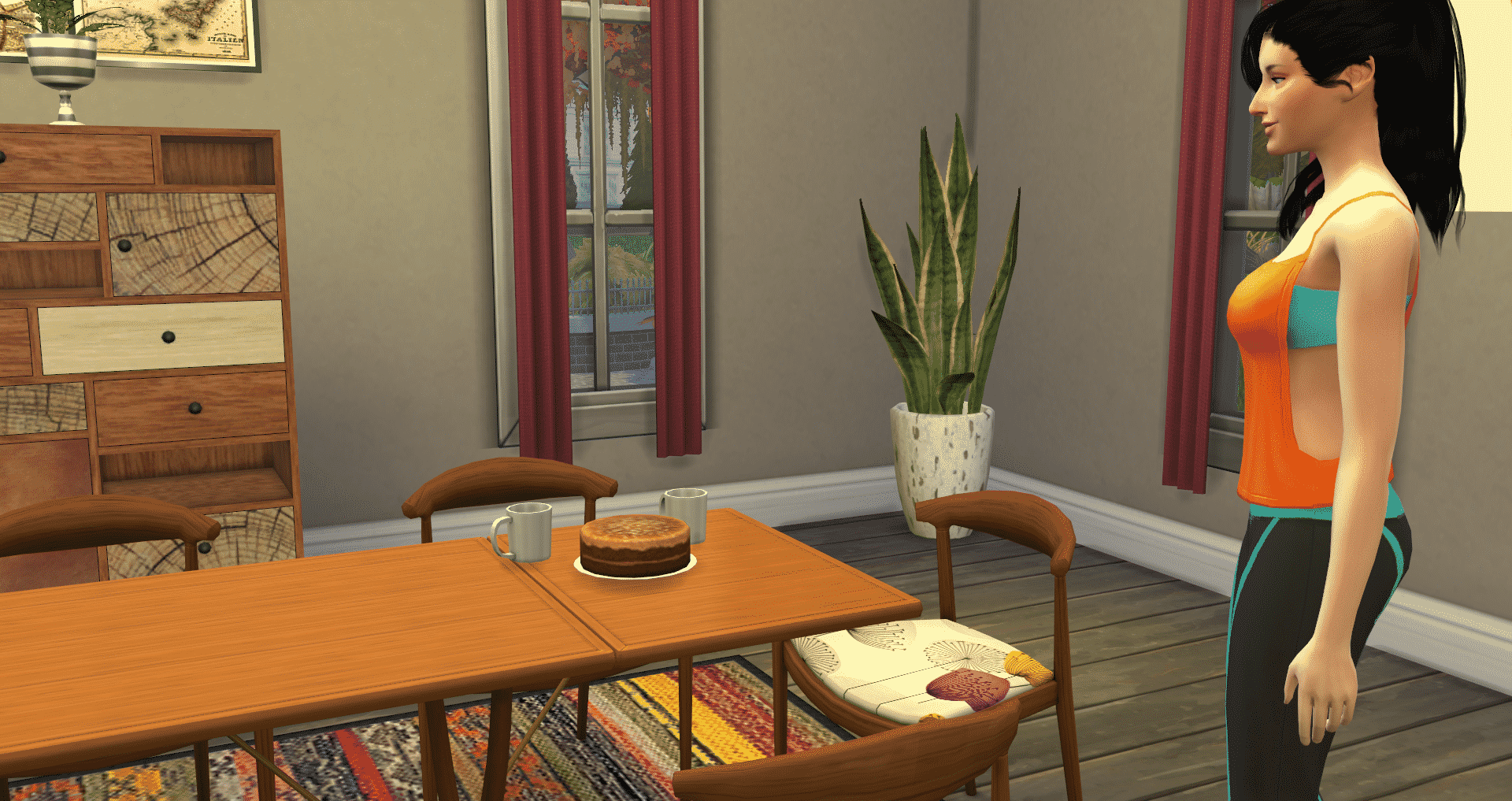
  • Wellness Level 2 – Can perform the Boat Pose in Yoga, discuss cognitive focusing methods, and bake sugar free carob coconut cake.
  • Wellness Level 3 – Can give aromatherapy massages and perform the Triangle Pose in Yoga.
  • Wellness Level 4 – May offer mental relaxation tips and perform the Tree Pose in Yoga.
  • Wellness Level 5 – May now give Deep Tissue Massage, perform the Warrior Pose in Yoga and can now levitate while meditating.
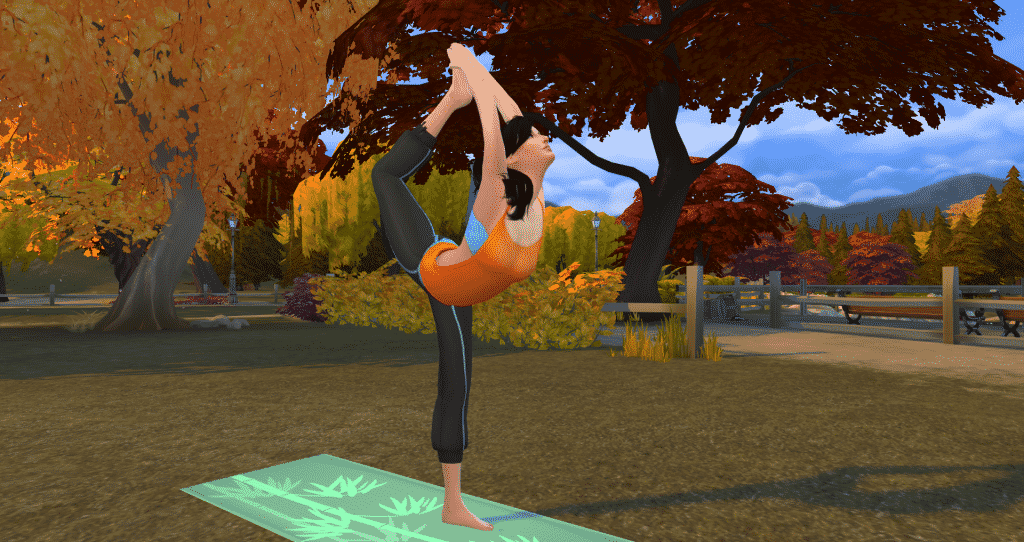
  • Wellness Level 6 – Your Sim can give a Sports Massage, suggest visualization techniques, and can perform the Lord of the Dance Pose in Yoga.
  • Wellness Level 7 – Can now teleport when levitating, make Super Food Salad, and perform the Bridge Pose in Yoga.
  • Wellness Level 8 – Can give a Stone Massage, recommend self esteem exercises and perform a Handstand in Yoga.
  • Wellness Level 9 – Can give a Fertility Massage.
  • Wellness Level 10 – Can brew Lemon Honey Ginger Detox Tea and share detox secrets.

Wow, that’s a lot of stuff! As you can see, that’s 4 different ways to improve the wellness of your Sims! Let’s look at each of those areas a little closer.

Yoga

I think it’s safe to say we were all pretty excited about the return of Yoga to the lives of our Sims. This time, Yoga is better than ever with ultra-smooth animations and a plethora of poses to perform.

The yoga poses available at level 1 are the Greeting Pose , Corpse Pose, Downward Facing Dog, Half Moon, and Side Plank.

The Sims 4 Wellness Skill

The more advanced you get in the wellness skill, the more poses you unlock including the Lord of the Dance Pose shown below.

Yoga

The most advanced pose is the Handstand, which is a beautiful, graceful pose (when performed correctly).

The Sims 4 Wellness Skill

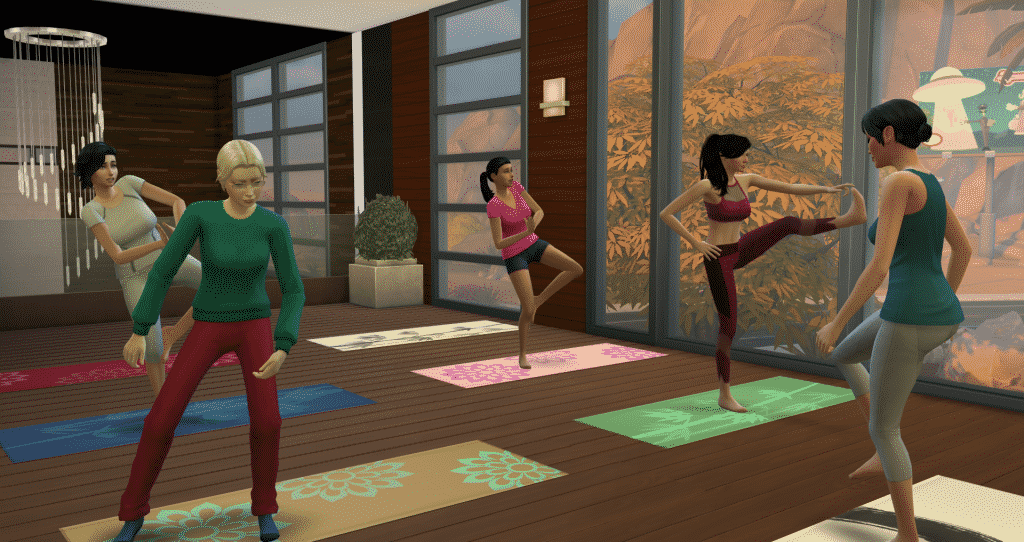
As I mentioned earlier, you can also advance your Wellness skill by attending Yoga classes at your local spa. When you arrive at the spa, there will be a Sim that arrives wearing a tank top bearing the official Spa logo and a symbol above his or her head. You should receive a notification saying that a Yoga Class will be beginning in 30 minutes and to let the instructor know if you’d like to join the class.  If you choose to join, simply click on the instructor and select to join the class.

Yoga Classes at the Spa

There are 3 different classes that are offered at 110 Simoleans a piece. Additionally, each of the classes gives a different buff after completing the class.

  • Mind Concentrating Class – Focused +2 buff
  • Brain Boosting Class – Inspired +2 buff
  • Energy Centering Class – Energized +1 buff

Massages

Also, who doesn’t enjoy a relaxing massage? Obviously, our Sims love receiving, and giving, massages with The Sims 4 Wellness Skill. With Spa Day, there are two different objects with which massages can be given (or received). Of course, there’s your standard massage table, and there is the hand and foot massage chair. Additionally, there are several different kinds of massages and each of them gives a different buff.

The following massages can be performed on the table:

  • Aromatherapy Massage
    • Lotus Blossom – Confident +1 for 12 hours
    • Mint and Rosemary – Energized +1 for 12 hours
    • Lavender – Focused +1 for 12 hours
    • Ylang Ylang Scent – Inspired +1 for 12 hours
  • Swedish Massage – Happy +1 for 12 hours
  • Deep Tissue Massage – Happy +1 for 24 hours
  • Sports Massage – Energized +1 for 12 hours
  • Stone Massage – Happy +1 for 24 hours
  • Fertility Massage – Increases probability of conception. I’ve used it once and my Sim got pregnant on the first try. I’m too scared to try it repeatedly to determine if there’s an increased probability of multiples. It’s also worth noting that this massage can only be performed on female Sims.
The Sims 4 Wellness Skill

Hand and foot massages can be given in the chair. During my game play I’ve gotten various buffs for these ranging from pretty rotten to pretty great.

  • Foot Massage – Happy +3 for 6 hours
  • Hand Massage – Happy +3 for 6 hours

Sometimes your Sim may get a lousy massage, leaving them with an uncomfortable buff, so be careful who you chose!

Meditation

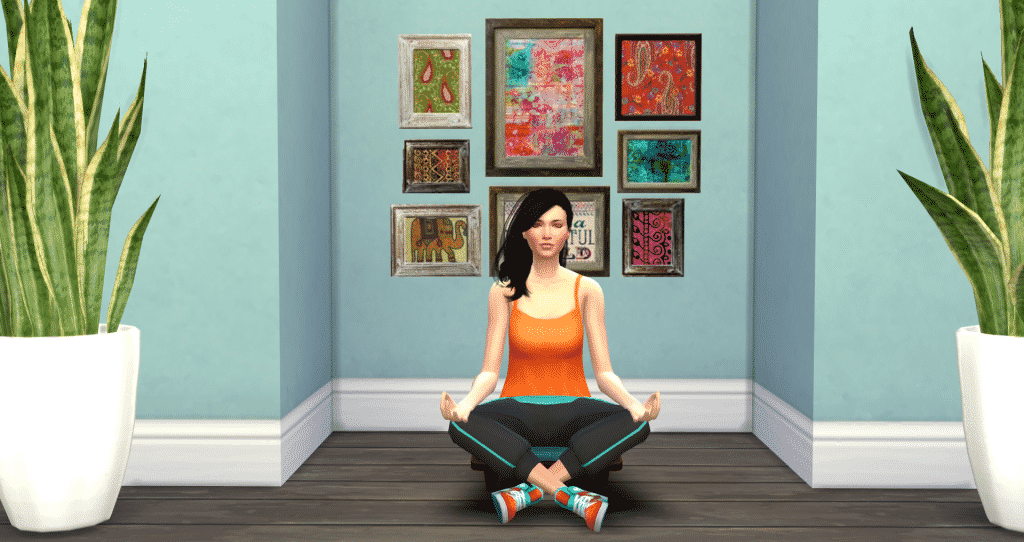
Naturally, when life gets to be too much, sometimes it’s best to take a few minutes, relax, and find your center. With the meditation stool, your Sims can now find inner peace with The Sims 4 Wellness Skill.

There are a couple of pretty neat things that meditating does. Firstly, meditation reduces negative buffs. So if your Sim is in a negative emotional state, they can meditate to put themselves in a good mood again. The time left on their negative buffs will slowly decrease while meditating until it eventually disappears.

Meditation

At level 5 of the Wellness skill, your Sims can levitate while meditating.

The Sims 4 Wellness Skill

At level 7, they can teleport anywhere in the neighborhood! Also, Sims with that high of skill in Wellness don’t even need the stool to meditate and teleport – they can do it right where they’re standing.

Eating Clean with The Sims 4 Wellness Skill

Moreover, no heath-centric Sim is complete without introducing super-healthy foods into their diet.  Building the Wellness skill unlocks two new recipes.

  • Sugar Free Carob Coconut Cake. This costs 15 Simoleans to cook and gives a Happy +1 buff for 4 hours.
New Spa Day Recipes
  • Super Food Salad. Pomegranate is the special ingredient, but it is optional. It costs 48 Simoleans without the Pomegranate.
  • Also, at level 10, you can brew Lemon Honey Ginger Detox tea which gives a Focused +2 buff for 4 hours and costs 15 Simoleans.
The Sims 4 Wellness Skill

Also, If all those buffs aren’t enough, you can always light some incense for the cost of 20 Simoleans. Each scent also has its own unique buff.

  • Evocative Lemon – Inspired +1
  • Sharpening Saffron – Focused +1
  • Soothing Sage – Happy +1
  • Romantic Sandalwood – Flirty +1
  • Peaceful Patchouli – Happy +1
  • Invigorating Cinnamon – Energized +1

Of course, now it’s time to get out there, grab your Yoga mat, and get your Sims happy and healthy with The Sims 4 Wellness Skill!


Additionally, looking for more information on Spa Day? Check out all of our articles on this game pack, including everything you need to know about the exciting Spa Day refresh!

This article was edited by SnarkyWitch!

Get Together: Explore New Venues, Special Locations, and more in Windenburg

0

Via The Sims Blog

Explore the New World

The Sims 4 Get Together Expansion Pack* is coming out next month, and it’s all about new ways to get together and go out with groups of Sims. So naturally, they need all sorts of fantastic new locations to go out to! That’s why we built the new World of Windenburg, a visually-striking European-inspired location that looks like nothing you’ve ever seen before in The Sims 4.
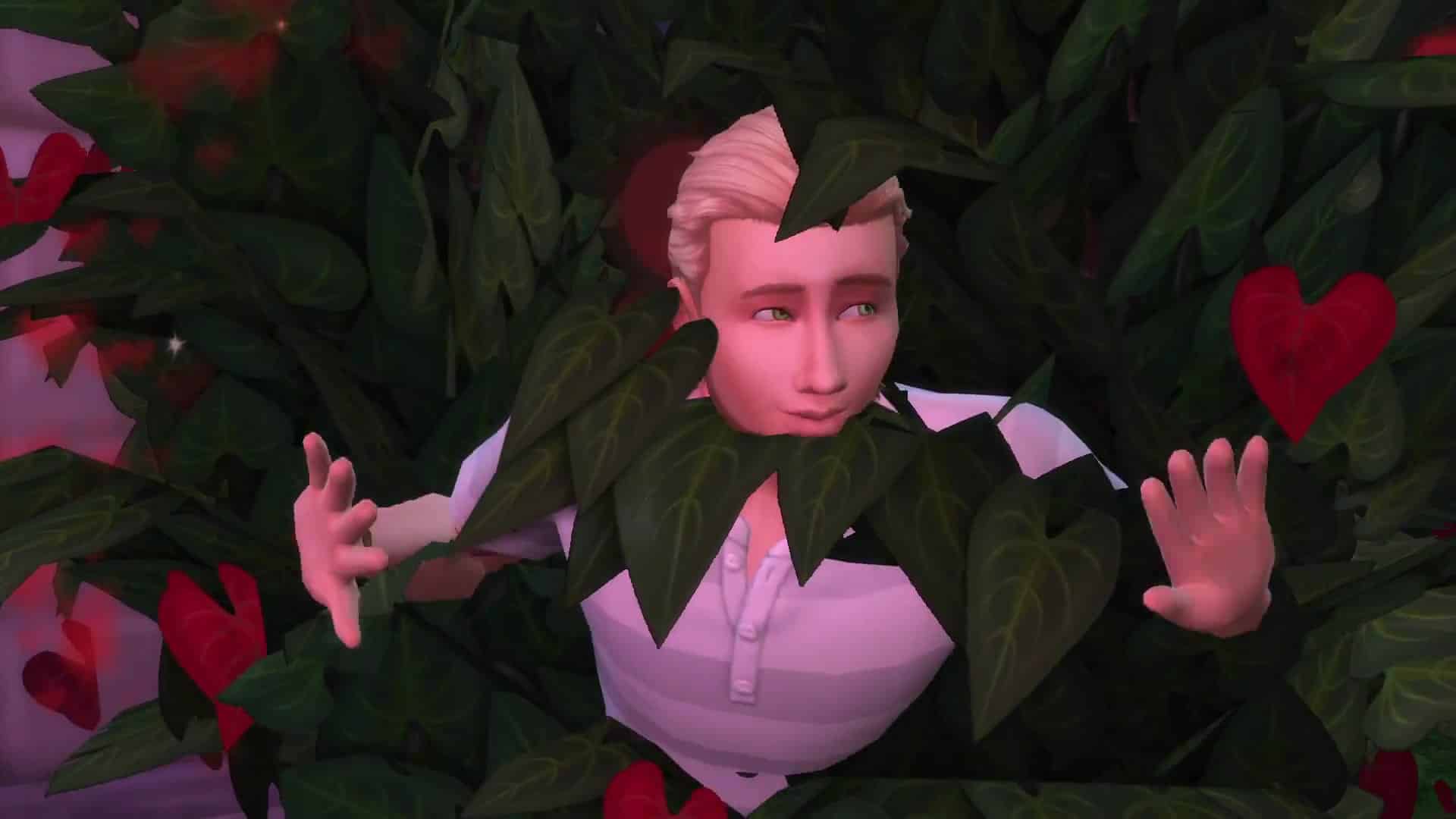
Windenburg is jam-packed with things to do and places to see, including three Special Venues, two new Venue types, and some changes to Nightclubs and Bars. Here’s a look at the places your Sims will be able to explore in December.

paragons-selfie

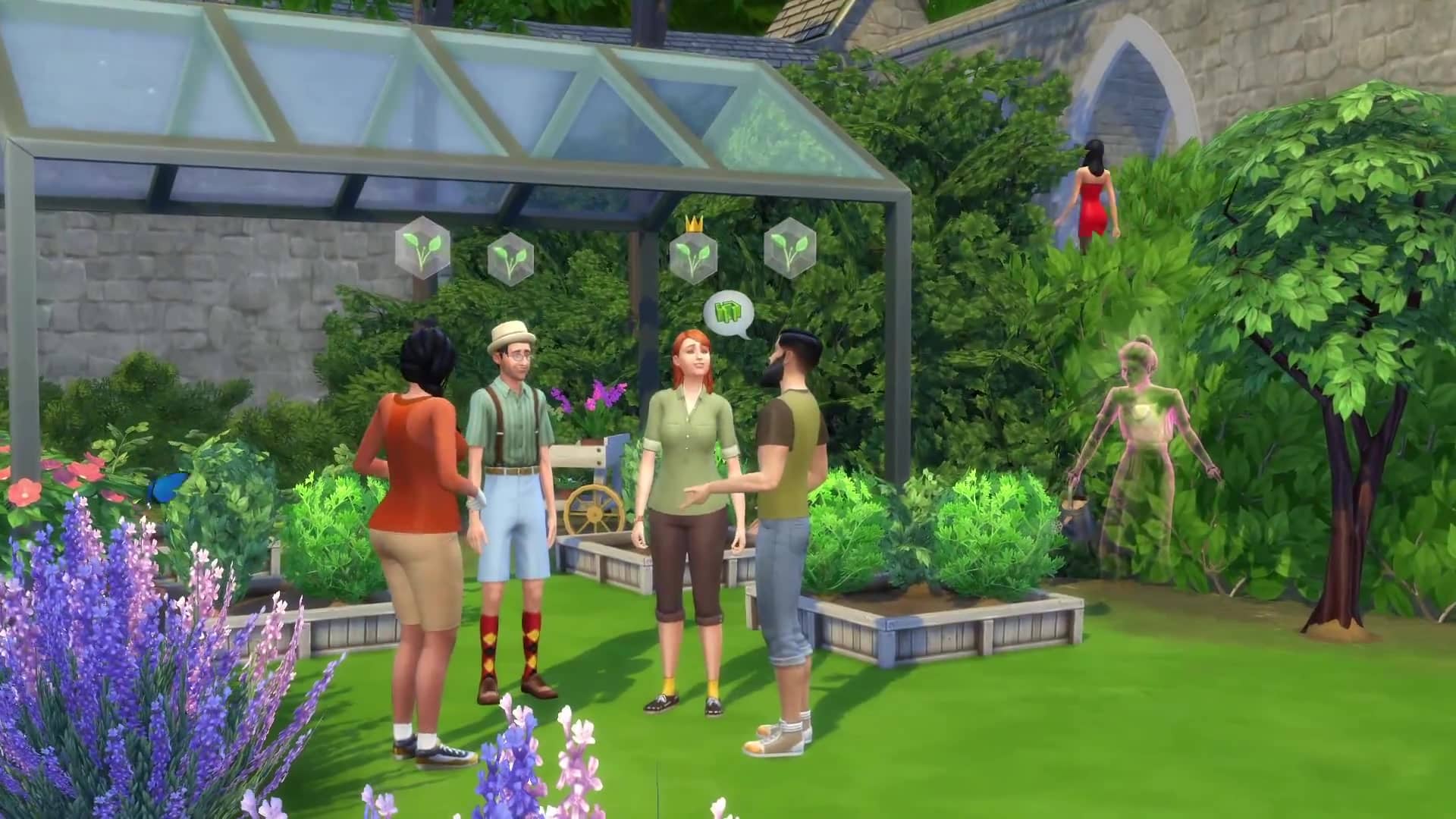
The Von Haunt Estate. Windenburg’s prized Von Haunt Estate is a historic and enchanted garden property that’s been up kept as a famous museum and tourist attraction. Its most notable landmark is the enormous and perfectly pruned hedge maze where Sims can get lost for hours. Oh, and don’t be surprised if you run into the former Lord and Lady who used to inhabit the location before its new owners took over – even after 100 years of being deceased, they’re still around to entertain and terrify their guests.

The Bluffs. This secluded island is a picturesque and forgotten location that’s perfect for a group of Sims to get away to with no interruption. Facing the gorgeous Windenburg lake view is the bonfire where your Sims can cozy up or compare their best fire dance moves. There’s also a natural pool for swimming (or skinny dipping), and if you’re really patient, you just might catch a glimpse of Windenburg’s elusive sea monster.

TS4_553_EP02_GROUP_ACTIVITIES_02_002

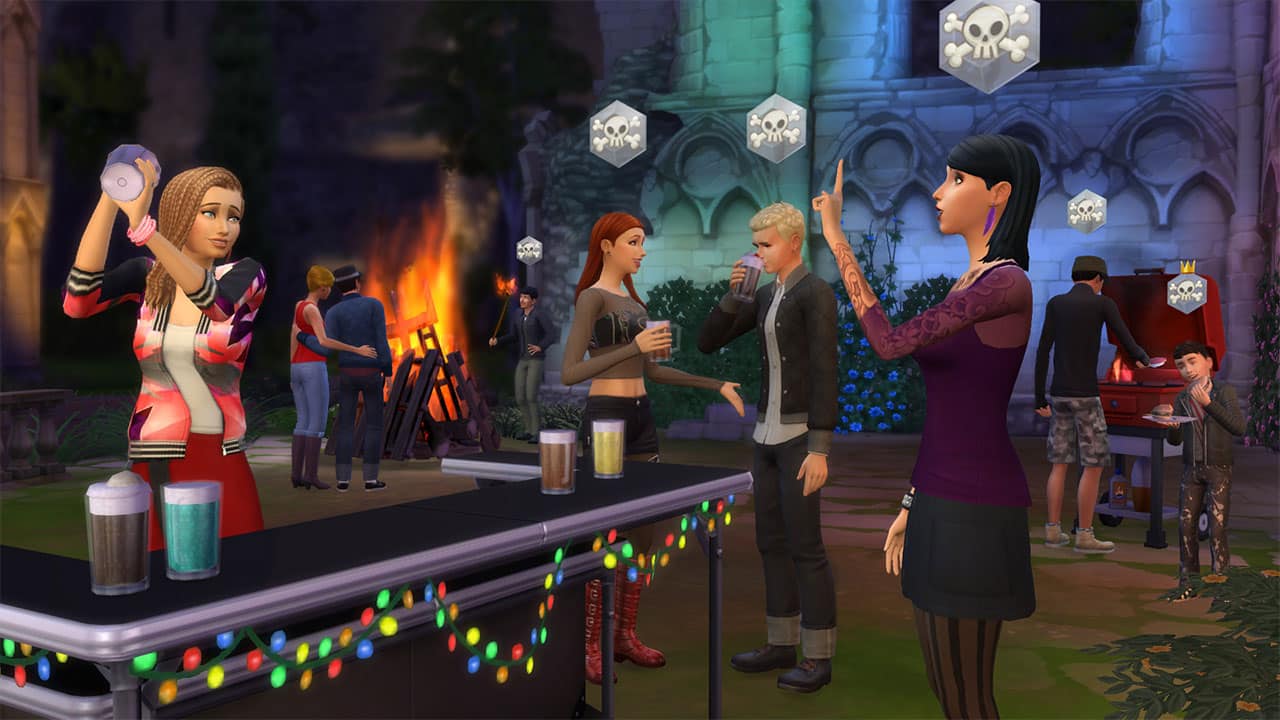
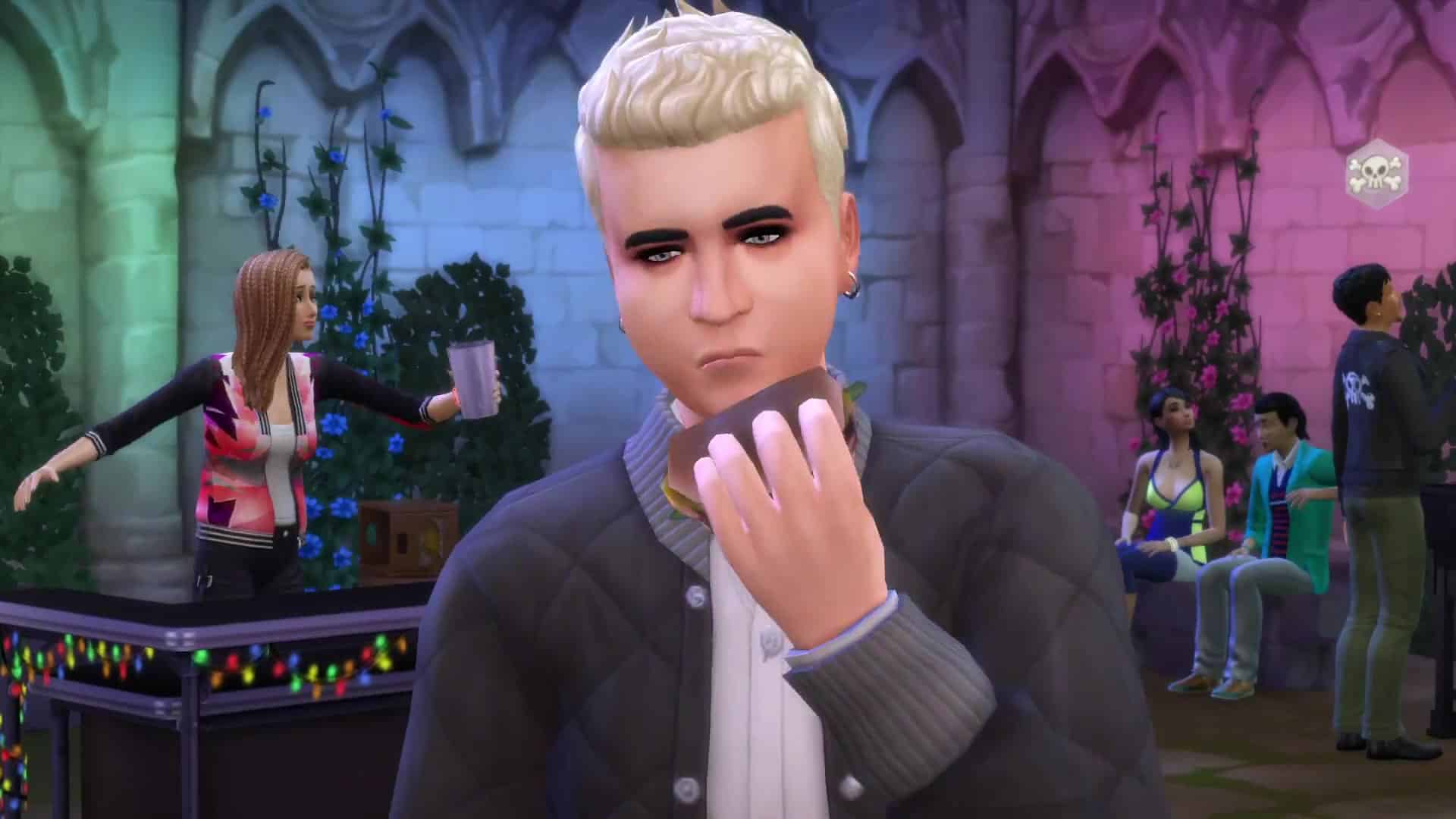
The Ancient Ruins. This is by far the best spot for a private Dance Party. By day, it’s a serene and preserved area for the locals to take in, appreciate, and explore. But at night, the huge ruins walls are the perfect backdrop for DIY stage lights, fog, and laser beams that emit from the DJ booth. It’s got a small buildable lot by the party area in case you want to supplement your gathering with any other helpful or fun objects.

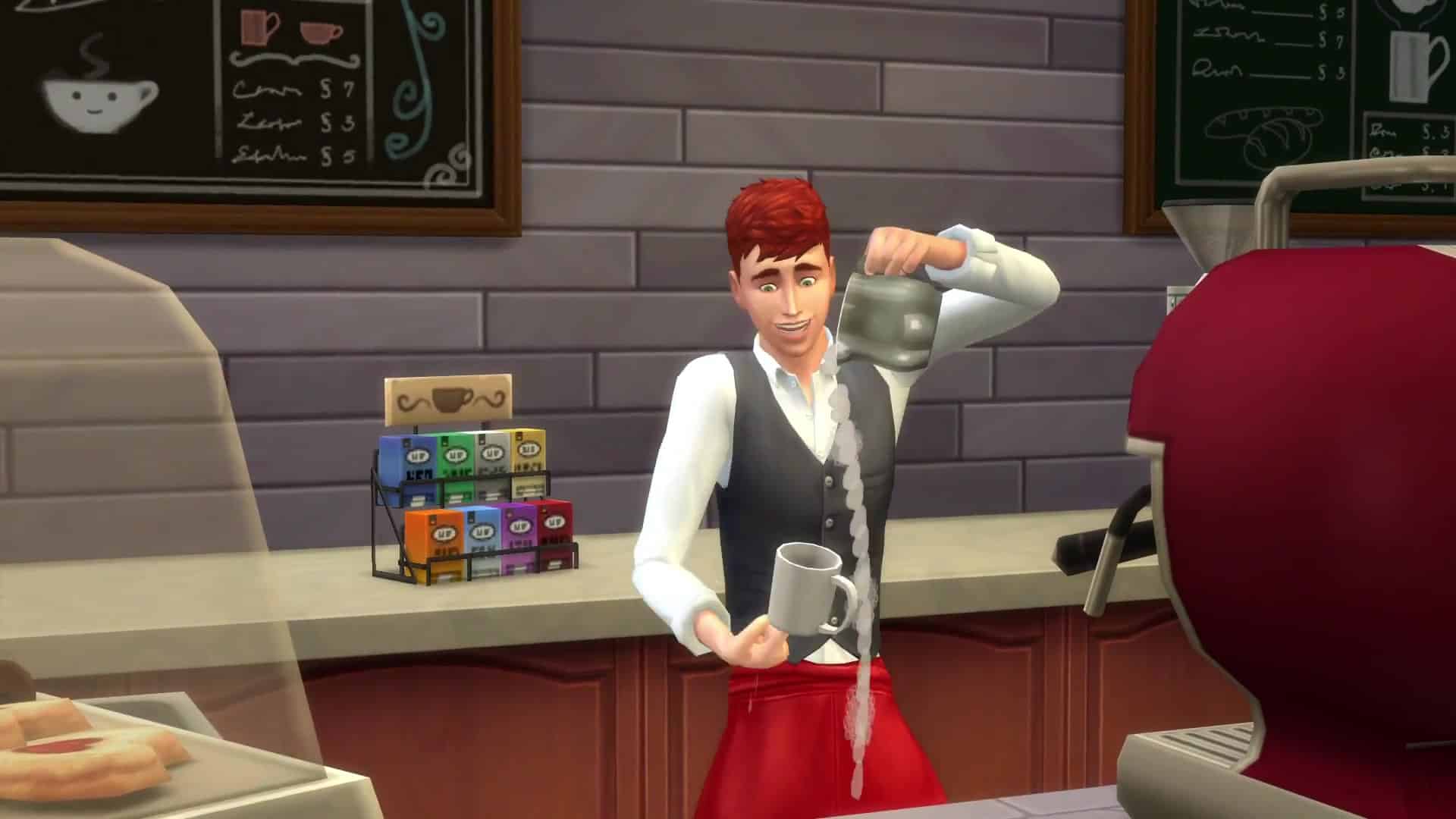
The Café Venue. Latte, anyone? At the new Café Venue, your group can order their drinks for here or to go. The new Barista NPC and Espresso Machine are at your service to serve up your favorite frothy beverage and flaky pastry. You can order a pre-work shot that puts you in the perfect emotion to go to work in.

TS4_553_EP02_GROUP_ACTIVITIES_03_002

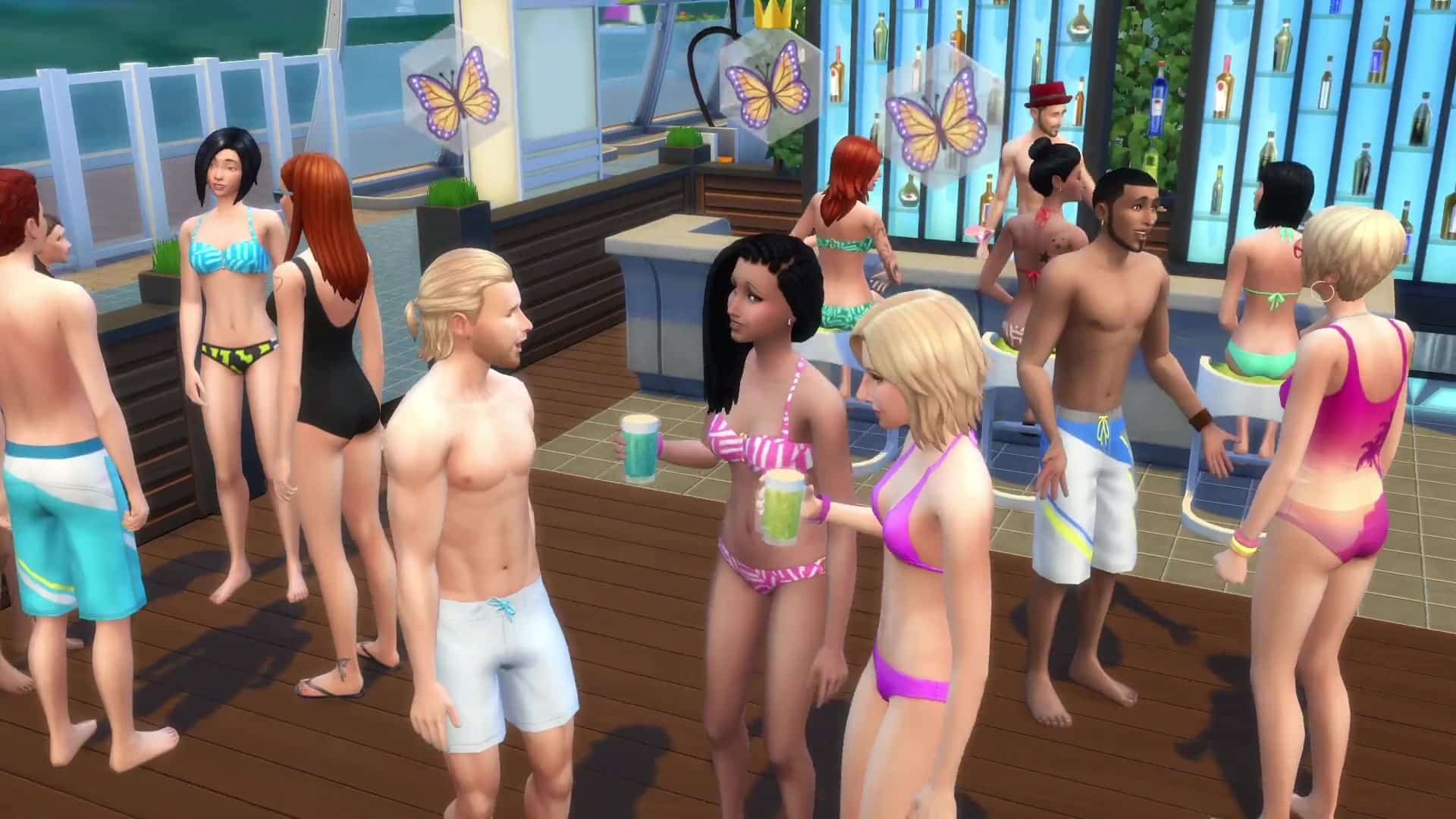
Community Pool Venue. Cannonball!!! While the new Pool Venue type itself will be available for everyone when The Sims 4 Get Together releases, it really shines best with the fun new objects we made specific to this pack. We added a slew of cool new community and natural pool decorations, like pool lanes, new pool trims, and a handful of different pool water colors so you can jazz it up. The most exciting new pool object specific to The Sims 4 Get Together is the Jumping Platform: this object gives your Sims the elevation they need to impress their friends with a flawless backflip or endure a humiliating belly flop.

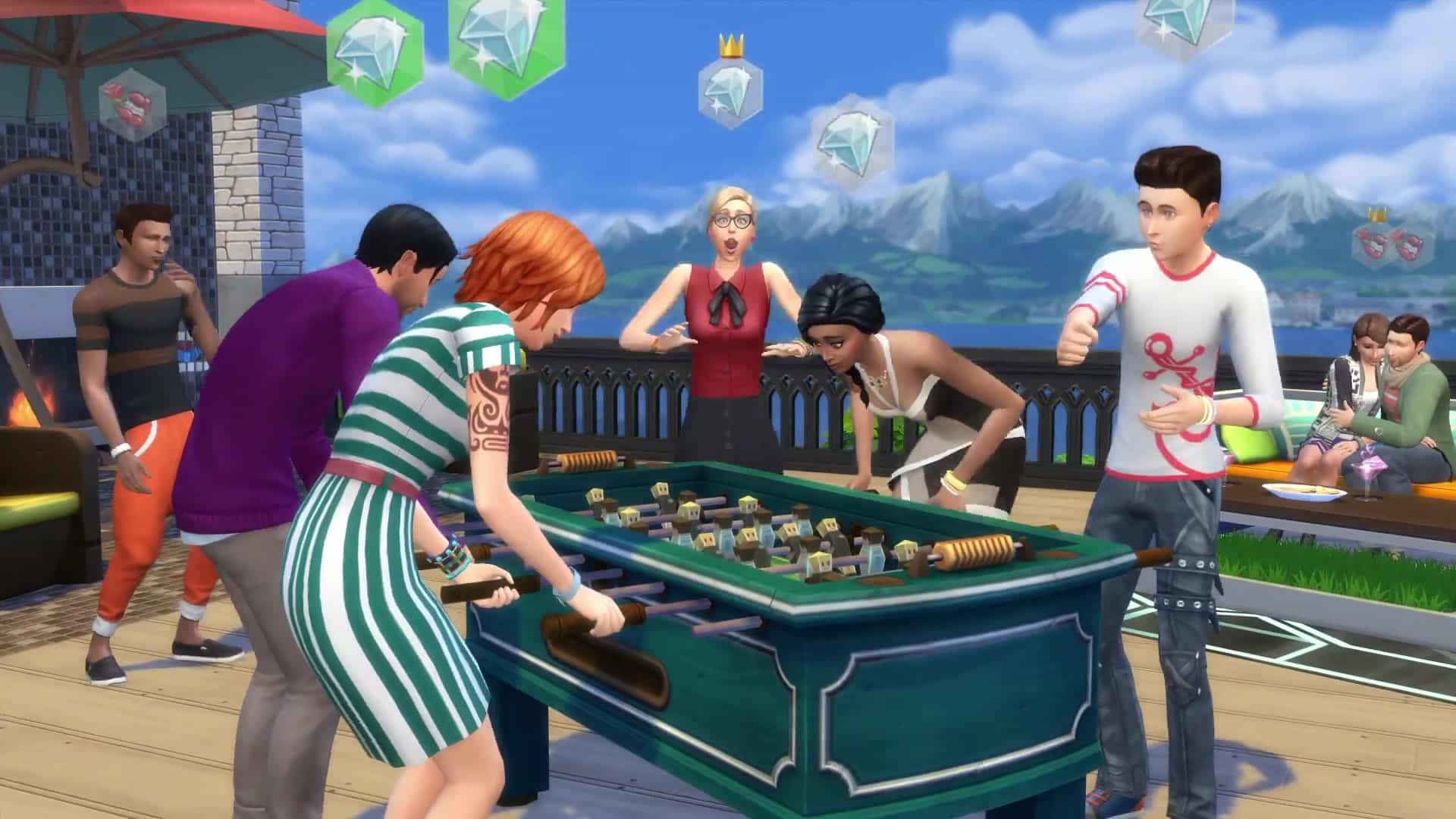
Nightclub and Bar Changes. To make Windenburg feel really unique, we made some changes to two of the pre-existing Venue types: Nightclubs and Bars. Now, you can visit European-inspired Discotheques and quaint Pubs. We’ve added a number of fun pub games like Darts, Foosball, and Don’t Wake the Llama to bolster the community vibe and keep your Sims hooting it up. There are even special themed nights almost every day of the week, so your Sim and their friends might find themselves in the midst of Ladies’ Night (or Knight Night).

Even more exciting than the things we put into the new World are the things you will build in it, something we think will be made even cooler thanks to the inclusion of two massive 64×64 lots in Windenburg. These are the biggest lots we’ve had in The Sims 4 to date, and we can’t wait to see what you do with them – and the rest of the World – when The Sims 4 Get Together comes out this December.

The Sims 4 Get Together: Leaked Image of the Windenburg Map

0

Image of Get Together’s Windenburg World surfaced on Twitter, after it shortly got deleted. Luckily, our member TheAlexer was fast enough to caputre this screen!

Originally posted by DirectSims – Discuss on SC Social!

CUGFfWFWsAAYZVU

The Sims 4: New Map Layout confirmed! (Kinda)

1

Today SimGuruDaniel teasingly responded with what appears to be a confirmation that Sims 4 will soon be getting a new map view.

tweet2

This information was first leaked by a photo of a screen taken during the Sims 4 Get Together fan event in Cologne.  That post can be found here.

12256894_892635534159479_1544760346_n

So what do you guys think the new maps in The Sims 4 will look like?

The Sims 4 Get Together: New Windenburg Screen

0

TheSims.com published a brand new Screen from The Sims 4 Get Together, featuring a high-wealth neighborhood in Windenburg!

TS4_553_EP02_GROUP_ACTIVITIES_01_001

The Sims 4 Get Together: 104 Screens from the Windenburg Trailer

1

Click on the arrows left and right to navigate. The original Trailer can be seen HERE!