Home Blog Page 446

Playing with poses in The Sims 4

Start posing!

The Sims 4 comes with a wide variety of animations and poses that immerse you more deeply into the gameplay and the life itself. For simmers who like to tell stories and share unique photos, it’s hard to catch the perfect moment that they were expecting from their Sims, but luckily there’s a solution for that!

Andrew over at Sims4Studio created an awesome tool called The Sims 4 Pose Player that lets you play with over 12,000 animations/poses!

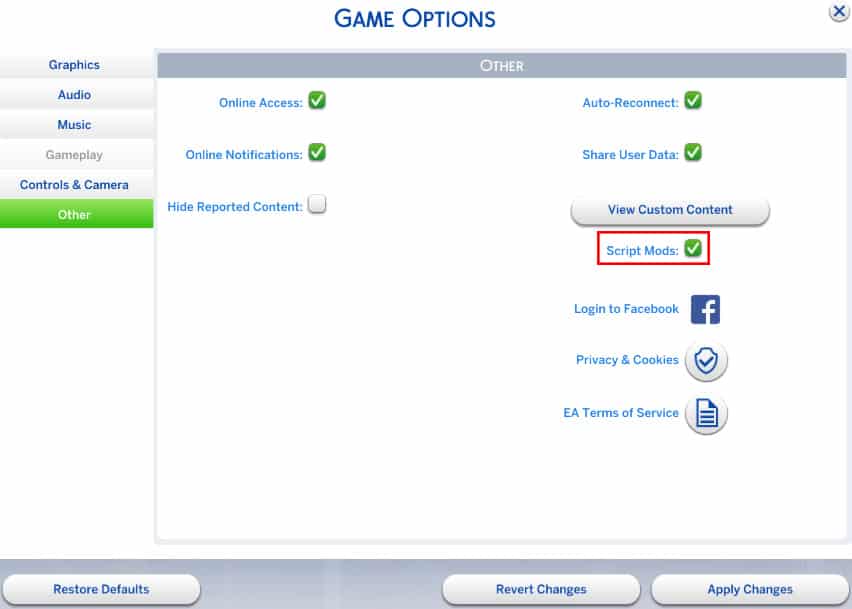
To get started, you’ll need to enable Script Mods from The Sims 4’s settings. If you haven’t enabled Script Mods before, you’ll need to restart The Sims 4 after enabling them.

scriptmods

Then, download the Pose Player mod from Sims4Studio HERE! (download button can be found on the bottom of the first post).

Extract the .zip file in Electronic Arts > The Sims 4 > Mods.

posetutor

Now you’re ready to start! Load up your household (or start a new one, doesn’t really matter) and make sure the Sim you want to test poses on is standing. Click on a Sim of your choice and select ”Pose by Name’‘. Now, download the full list of all animation/pose codes for The Sims 4 from HERE!

Now:

  • Select the animation/pose code of your choice
  • Press CTRL + C
  • Pop up The Sims 4 game window
  • Press CTRL + V  + check button

animationstutorial

To see this procedure in action, check out the video below!

[vc_video link=’https://www.youtube.com/watch?v=K2ERRM7Xgw8′]

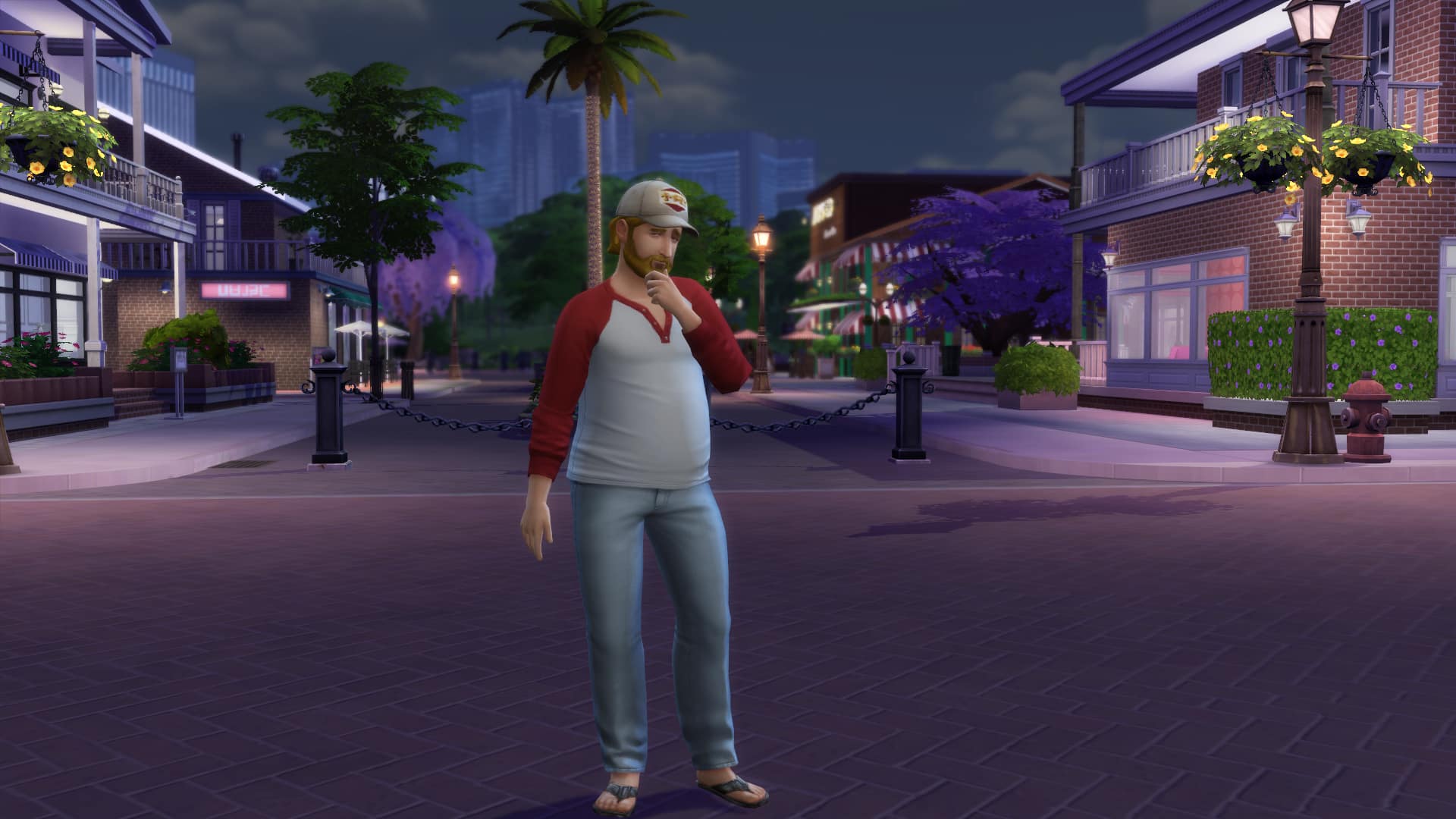
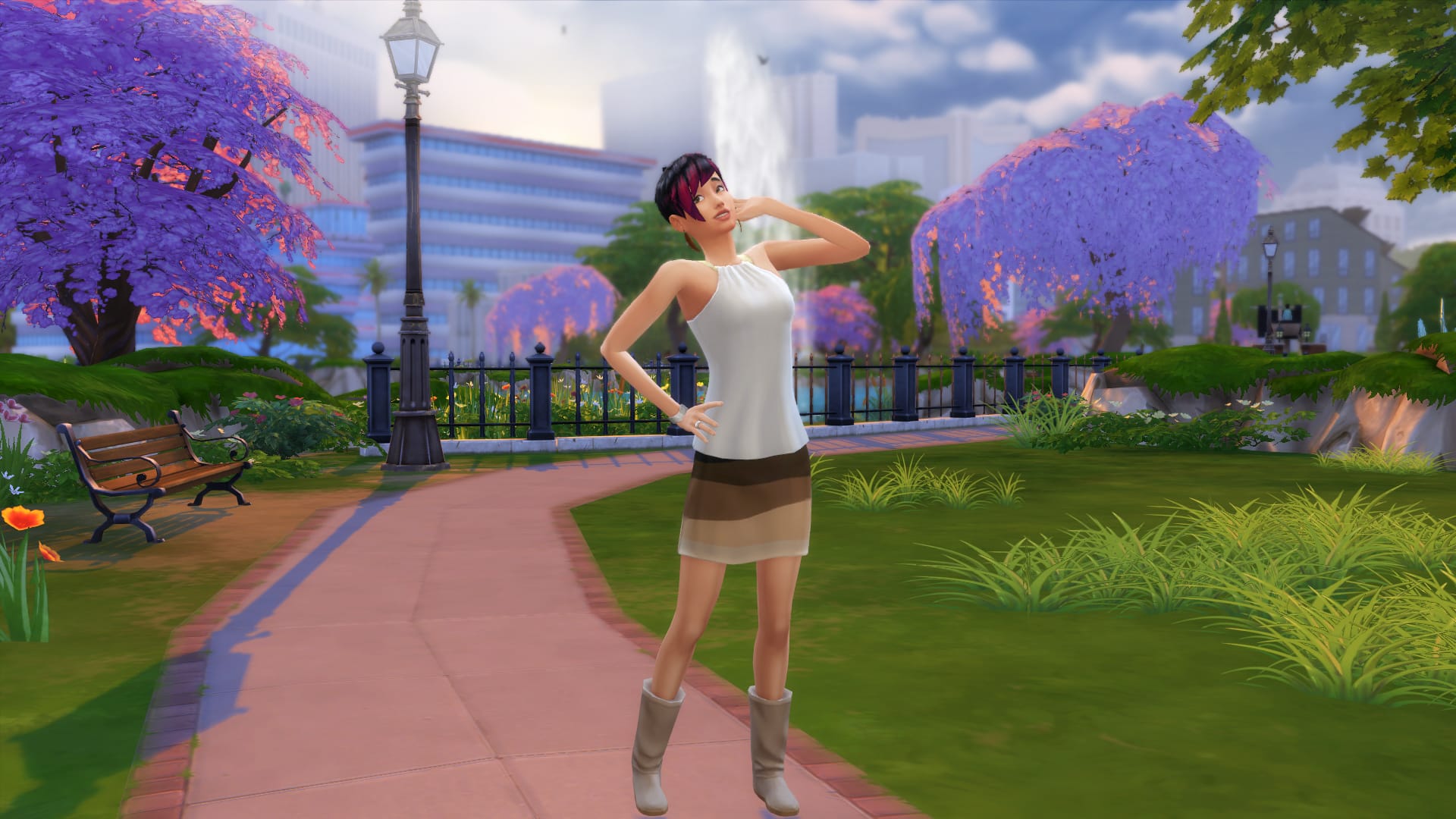
You can create some beautiful screenshots using this mod. Here are some that I’ve taken:

pose4 pose2pose3 pose5

And now, we want to see your screenshots of your Sims doing all sorts of poses! (we accept both beautiful and funny pics). Click on the Sims Community Social logo below to start submitting your screenshots!

sociallogotransparent

The Sims 4 Mod: Animated Grandfather’s Clock

0

Andrew over at Sims4Studio managed to create a cute little mod that adds animation to Grandfather’s Clock pendulum!

downloadbutton

[vc_video link=’https://www.youtube.com/watch?v=rNCe8QlPmvA&’]

The Sims 4: Living in Granite Falls

Move into Granite Falls today!

Requires Outdoor Retreat Game Pack

If you’re not a fan of Destination World features but still would love to move your Sims in Granite Falls, Zerbu’s got a solution for you! The Destination to Residental World Mod lets Granite Falls be treated like any other World we have to this date, allowing your Sims to move in, visit neighborhoods and never leave the world again!

To start your endless Granite Falls adventure, download Zerbu’s Destination to Residental Granite Falls Mod HERE!

The .zip file that you have downloaded needs to be extracted in Electronic Arts > The Sims 4 > Mods.

When you launch up your game and either start a new game or load up your old save, you’ll notice that Granite Falls has been immediately added to Residental Worlds section. From there you can choose the Granite Falls World and move all 5 households to the Neighborhood.

TS4 2015-09-19 01-26-45-90 TS4 2015-09-19 01-32-51-35

Visiting your neighbors works flawlessly as well!

TS4 2015-09-19 01-35-17-75

You’ll notice that Households that you move into Granite Falls will slowly start wearing outdoor-appropriate clothing. Park rangers and Sims in bear costumes will still appear, and overall, the entire world will still remain active like it was before you installed the mod.

09-19-15_1-49 AM-2 09-19-15_1-49 AM

All interactions also remain the same except the hiking interaction, which probably only sticks to Destination type worlds.

TS4 2015-09-19 01-48-41-07

In conclusion, this Mod may have some ups and downs depending on the stability of your game and other mods you have installed, but it’s certainly a really neat extension for all the storytellers out there!

The Sims Video Spotlight: #1

0

scplaylogo

Welcome to the first week of a new Sims video spotlight, featuring some great content from our wonderful community!

I’ll be bringing you some of the best Let’s Plays, Challenge videos and more – whether they’re a little older or brand new. Our community is full of amazingly creative people who work so hard to keep us entertained doing what they love, so these posts will be a great way to spread the word and even bring new YouTube simmers into the light!

Let’s Play: The Sims 2

By RoseSimmer

Let’s begin with possibly one of the most entertaining Sim series’ I’ve seen. Natalie (RoseSimmer) keeps everything lively by just being so funny and easy to listen to. This Let’s Play follows sim Brooklyn Foster through her life in The Sims 2, which is wonderfully nostalgic to watch. As this is a general Let’s Play, it includes a whole lot of different events and experiences, for example being in University, and is definitely deserving of some more views. There aren’t that many Sims 2 Let’s Plays out there anymore, so this is a great find for those who miss it!

[vc_video link=’https://www.youtube.com/watch?v=wzLUG31Fs3s&list=PLA9dmc0kbhDcOpz2Ce-K54nd_JjJJFPP4′]

The Legacy Challenge (Damico Legacy)

By KatieGalaxyPlays

If you’re looking for a new Sims 4 Let’s Play to watch, this one is worth the shot. Katie recently held a super generous giveaway for hitting 100 subscribers, and I think she deserves continuous support as her videos are rather entertaining. This is her Legacy Challenge with sim, Jane Damico. She may even feature your sims, households or lots if you upload them to the Gallery with the tag #DamicoLegacy.

For those of you who may not know what the legacy challenge is, it’s a challenge that has the player try to play through 10 generations with a family, starting with one adult sim. In every generation there is supposed to be an heir to keep the legacy going.

This Let’s Play has been a joy to watch and follow along with so far, and I sincerely hope this runs for a while. If challenges are your thing, definitely consider watching this one!

[vc_video link=’https://www.youtube.com/watch?v=mH8Oe8kEJfE’]

 The Sims 4: Hidden Child Challenge

By LFSimmer

The next Let’s Play/Challenge video featured this week is the Hidden Child Challenge. This involves having a family unit with existing children, and making the mother have an affair resulting in pregnancy. The mother has the father believe it is his child, and later tells him she had a miscarriage or something to that effect. I’m not sure why, but it’s interesting nonetheless!

The child produced from the affair is then not to be seen by the husband at all, and can not communicate with the other children. If either of these things happen, the challenge is lost. This a great one to watch or get involved in if you like to mess with your sims and stir things up a bit. LFSimmer releases these episodes every Friday, so if you want a few laughs or something a bit different, check it out!

[vc_video link=’https://www.youtube.com/watch?v=iCHk7ym0vkQ’]

 100 Baby Challenge: Final Hope

By Sims3Symbiote

And last but not least, this last little gem is a tweaked version of The 100 Baby Challenge, Sims3Symbiote and xSimSugar’s incredible backstory gives this Let’s Play a rather different, darker tone. It’s very well thought out and such an interesting take on the challenge. Here are a few brief notes from the story:

  • In 2021 an aggressive virus, Influenza S, nearly wiped out all of Sim kind in 43 hours.
  • Of the few remaining Sims, a temporary governing body was formed along with the sub-committee “Final Hope”
  • This was designed to plan to re-populate the world, with certain criteria. All chosen sims were moved to special compounds, and any sim who wasn’t chosen was sterilized and released into lawless, suburban regions.
  • Women who produced the healthiest, most fertile and most adaptable children received the best care and resources.

Sims3Symbiote definitely explains this fantastic story in more detail, and I highly recommend you check this Sims 3 Let’s Play out – it’s an impressive 3 seasons long too, and still going!

[vc_video link=’https://www.youtube.com/watch?list=PLSoS7JY5bOzXaEOPcMntK827o26Xf2QG9&v=NBXggHtyPm8′]

That’s all for this weeks spotlight. To all you wonderful Simmers out there, thank you for your creativity and please keep on sharing! I hope this post brought you something new to enjoy and maybe introduced you to some new Simmers, have a great day!

The Sims 4 Tutorial: Travelling to Career Lots

Requires Get to Work Expansion Pack

If you ever wanted to visit the Hospital, Police Station or Science Lab without having to join one of the 3 active careers, you’re in luck! Zerbu created a mod that allows you to visit such lots and roam around the Get to Work neighborhoods whenever you want!

First and foremost, you need to download Zerbu’s Travel to Special Lots Mod from HERE!

The .zip file that you have downloaded needs to be extracted in Electronic Arts > The Sims 4 > Mods. As this is a Script Mod, you’ll need to enable Script Mods from The Sims 4’s settings. If you haven’t enabled Script Mods before, you’ll need to restart The Sims 4 after enabling them.

scriptmods

Now that you have successfully installed the mod, load up your save game and click the phone UI icon. Under the Travel section you’ll find 3 new options:

  • Travel: Hospital
  • Travel: Police Station
  • Travel: Science Lab

Each option will take you to the lot you’ve chosen.

travellotpic

Just like any other Lot, you can enter the Hospital, Police Station and Science Lab. Although the lots are empty, the Career Neighborhoods are often active! You’re free to use Lot objects that don’t require active career promotions and all of the Neighborhood usable objects are, well, usable!

09-18-15_9-13 PM-3 09-18-15_9-13 PM-2 09-18-15_9-11 PM 09-18-15_9-10 PM-2

The Sims 4 Mod: Change World Type

Ever wanted to make Oasis Springs a Destination World and have your Sims enjoy themselves at a top-notch resort? Or perhaps you want your Sim to live permanently at the peaceful land of Granite Falls. Now you can change any Residential World into a Destination World, or turn Granite Falls into a Residential World!

You can get the mods here: http://zerbu.tumblr.com/post/129304670162/the-sims-4-mods-world-type-changes – pick out whichever ones you want!

Granite Falls Residential Oasis Springs Destination

The Sims Plumbob Dress designed by Leyre Valiente!

0

Ever wondered what would it look like if The Sims’ iconic Plumbob became a dress? Well, now you know!

During the MB Fashion Week in Madrid (Spain), Spanish Designer Leyre Valiente was able to show off her skills with her Sims Plumbob dress!

The Sims 4 Challenge: 31 Days of Halloween

With Halloween just around the corner, people are eager to get into the celebration of these festivities, and so I am pleased to present the 31 Days of Halloween challenge! Originally created by simmer Illustrasims, this challenge puts your photography skills to test, much like the #SimsSummer mini challenges. The rules are simple, take one photo for every day of October. Each day will have a different theme, but of course, you can mix the days around if you wish! For the full list of themes, go to this post by Illustrasims.

Examples

Want to add a sense of autumn spirit to your game? Check out this mod by dani-paradise to turn your trees into beautiful shades of red and gold. Happy Halloween!

The Sims 4 meets Until Dawn!

0

With the release of many games after The Sims 4, simmers are bound to expand their interests to other games. Usually, from what this simmer has seen, crossovers only ever happen with TV shows, not with other games. Especially not horror. But Tumblr user berrysweetboutique, who usually specializes in berry sims, has surprised everyone and decided to cross The Sims 4 and the newly released horror game Until Dawn, making the characters from the Triple A horror game come to life in the Sims.

Below is a picture that’s been slightly edited to combine the pictures to save space. Under that, there are links directly to the individual photos.

UNTILDAWNmeetsTS4 sims edit

picture 1   /   picture 2   /   picture 3   /   picture 4

The Sims 4 is on Origin Game Time! Try it for free for 48 hours!

Just announced! Origin have placed The Sims 4 in their Game Time selection, this means you can play the full version of the game for free whilst it’s available on Origin Game Time! So if you haven’t yet tried The Sims 4 yet then now is the perfect opportunity to have 48 hours of simming bliss!

The Sims gametime Origin

If you fancy taking The Sims 4 for a test drive then just head over to this link: https://goo.gl/hoSbC2

Hope you have fun guys!

Simmers Q&A: Five Minutes with Tamarliel

0

Welcome back to another simsational simmer Q&A where each week I take time to get to know another awesome simmer from the community and ask them all about their sims journey, today we are talking to the lovely Tamara owner of the gaming channel Tamarliel where she hosts all of her sims adventures, CAS, reviews and challenges. I wanted to get to know more about Tamara and how her sim story began:

Hello! First things first we have to know how you got started with The Sims and how long have you been playing?

Hello there! Well it all started one day when my father came home from work and he brought me this game, I wasn’t sure what it was but he said that I would like it and he was right! I loved playing with families and playing with “life” and from the start I felt the game was truly amazing. I played with the Goth family for a long time and then I decided to make my simself in The Sims. I have been playing the game ever since my father brought it to me in the year 2000. I was only 6 at the time and have been playing The Sims since the very start.

That’s what we like to hear! So we have been taking a look at your YouTube channel where you have a fantastic range of sims videos which include challenges, reviews, CAS and much more! Tell me which videos do you like to produce the most and why?
A
I have created lots of videos on my channel and now have a variety of playlists, The Sims 4 is my main game and my favorite series is currently The Brook Household Let’s Play. I just love making up stories and sharing them with the world. I also love playing with aliens, they were an amazing addition to our game and they look great and add so much variety to the game! I also enjoy building houses and rooms, however I don’t build that often because I am relatively indecisive and knowing me the video would be 2 hours long, even if I increased the speed a little bit haha! I am also starting a Sims 2 LP very soon, I have been working on installing all of my sim games as I love to play and it’s a good way to remember the old times.
A
07-09-15_1-24 PM
A
Sounds fantastic! Now the next big release from The Sims 4 is the Get Together expansion pack and we have been asking simmers if they are looking forward to it! So are you excited and will you be buying it when it’s available in November?
A
I am really looking forward to that! It’s just November seems so far away, but I have pre-ordered the game. Now I am just waiting to download it. I am mostly looking forward to seeing all the new clothes and hairstyles! I loved The Sims 4 Get Together announcement and trailer and think the hairstyles showcased in the video look so beautiful! I can’t wait to get creative in CAS and see what new stories I can create.
A
We can’t wait to see what you create too! So The Sims 4 has just celebrated its one year anniversary and I would like to know what you feel  has been your most favorite addition or release so far and why?
A
I cannot believe that The Sims 4 anniversary has already passed, it seems like I have been playing the game for years! My favorite addition so far has to be the Get to Work expansion pack, mainly because of the scientist career, it has to be my absolute favorite out of all the careers available. I have really enjoyed playing with it and have selected it quite a few times for my sims. I also love The Cool Kitchen Stuff pack, I am using a lot of objects that came with this pack and I personally think that The Sims team did a great job with creating these additions and interactions to add an extra element of fun to the game.
A
A
We love those too, especially Cool Kitchen and it’s tasty Ice Cream treats! Finally, we have to ask if you could have any expansion for The Sims 4 what would it be and do you have a favorite from any of the previous generations?
A
I would really love to see Pets, Seasons and Generations expansion packs brought into this game as I really liked them in The Sims 3 and they could all work well in TS4. I mostly miss toddlers, snow, cats, dogs and parrots. My absolute favorites for The Sims 3 expansions were Seasons  and Pets and from The Sims 2 my favorite has to be The Sims 2 University.
A

WATCH – A TASTER VIDEO FROM TAMARLIEL’S CHANNEL

Tamariel’s Quick Fire Questions
Tea or Coffee – Tea
Book or Movie – Movie
Morning or Night – Night
Flowers or Chocolates – Chocolates
Autumn or Spring – Autumn
If you would like to be the next simmer to take part in the Simmers Q&A be sure to get in touch with me using the comment box below or you can catch me on Twitter HERE

The Sims 4 Challenge: Bufugly Sims

Breeding Out The Ugly Legacy Challenge Guide

Created by pyratus

Tichery’s Take

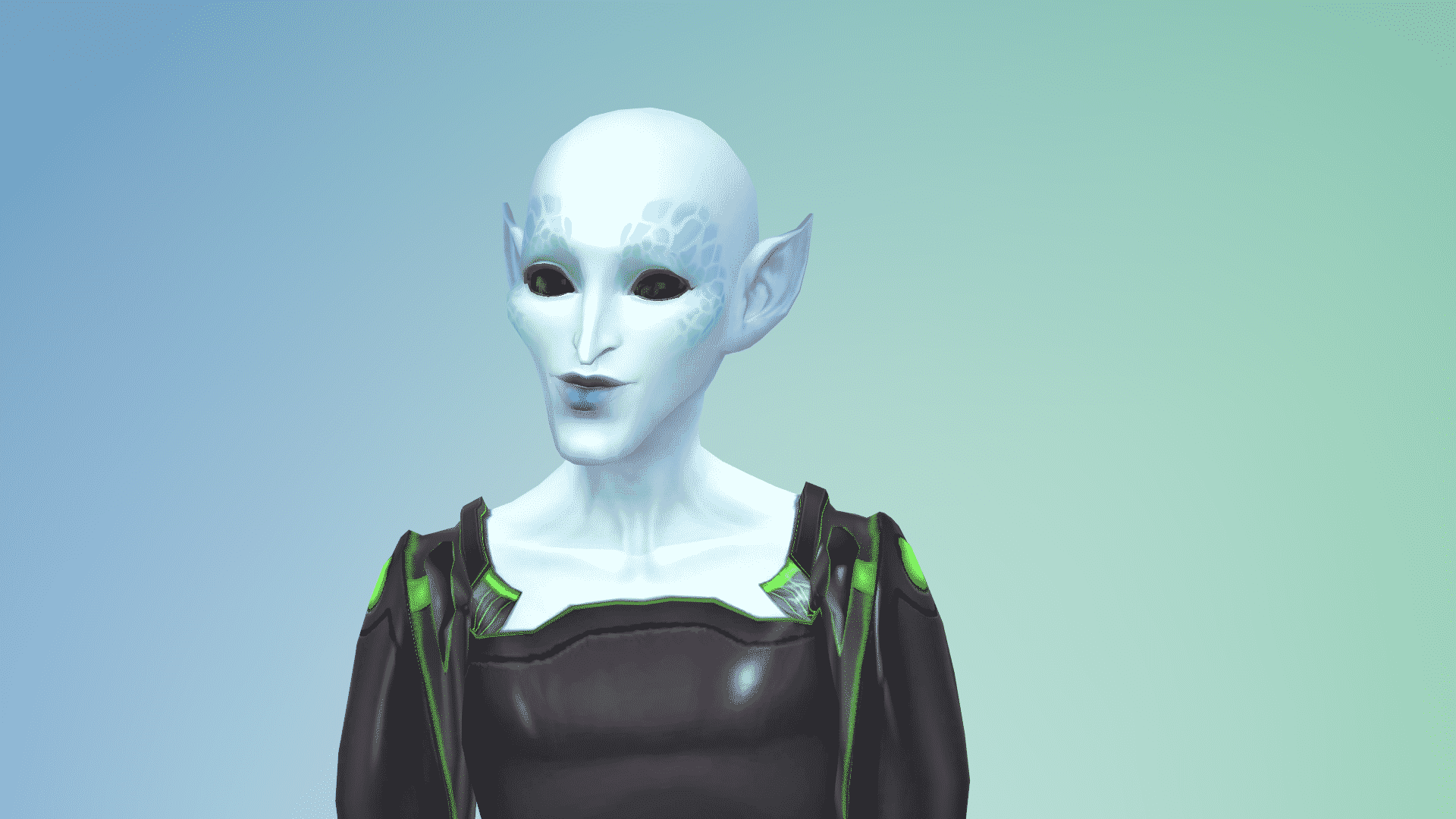
This challenge is a fun one to experiment with the Create-A-Sim (CAS) interface with all the unique and detailed ways of creating your Sims features. Once you’re in CAS you will be able to go wild with the detailing of your Sims “beauty”. The idea here is to pull, pinch, stretch and create the most unattractive Sim you can. Reshape the face, make the head large or skinny, make your eyes big or small, just have fun here. Is your idea of unattractiveness being skinny? Give them a unibrow, give them freckles, moles etc.  Maybe find some custom content for skin textures, give them a unique walk, most importantly have fun. This will teach you the mechanics of the CAS details. Maybe make an Alien if you have the Get to Work Expansion. Here is a picture of my Sims, I decided to call her Penelope BuFuglies and his name is Xulton Klipnick. Now normally you would follow the regular Legacy challenge rules, but I have modified this challenge. Because I stream it live on Twitch.tv, I have condensed it to take a much shorter time. This is not how the original challenge was written.

09-08-15_6-53 PM-2 09-08-15_6-53 PM 09-08-15_6-53 PM-6 09-08-15_6-53 PM-7

Setup

First create your most unattractive Sim possible, remember beauty is in the eye of the beholder everyone will have a different idea of what is unattractive. I usually add a trait that will make it a little more challenging and fun. Like for example make your Sim a clumsy, snob, that is insane. Give them the goofy walk or make them very self-assured with a sexy walk. Be sure to save your Sim to your library.  Then add them to a lot. The great thing about modifying the rules here is I buy whatever house I want. I use the freerealestate on cheat to buy a lot that will accommodate several Sims.  This is actually about who we can breed with to create pretty Sims, so I play this as kind of speed run of a Legacy Challenge. The main idea is you begin with an ugly Sim and after 10 Generations see if you can breed out the ugly gene. What a great way to see the genetic mechanics work in the game. There is no scoring system for this challenge.

09-08-15_6-53 PM-4 09-08-15_6-53 PM-5

RULES

You cannot cheat to adjust how the Sim heirs look. You cannot make custom Sims for your Bufuglies to marry. I ask my viewers to make me Sims as I will not have any say in the traits or how they look.  When I place the “pretty” Sims I simply place them in the library and then allow the game to randomly choose who will show up.  Make sure you have the fill empty houses feature on so Sims will randomly generate and live in your world. Once you have your Sims in their houses and ready to get into the dating scene go for it. Spouses can bring in money and you don’t need to reduce the amount of Simoleons in the household, with the modified rules. In my version of this challenge you do not need to be married to the Sim you are having a child by.  You will want to move the baby mamma’s into the home until the baby is born then move her out. If you have female heirs it’s up to you if the baby daddy moves in.

Aging

I rarely can wait for the babies and kids to grow up so as a Speed Run Challenge I usually age them up after I have at least two Sims heirs to choose from. I also age up the parents as I age up the kids. This way it’s a little more realistic, after all the kids can’t be older than their parents. I usually give them the Soul Mate aspiration and one trait as romantic. The other traits I decide as I go or use one from the parents. Then I decide who still needs the ugly gene bred out of them and move the other sibling(s) out. In my streams my viewers vote on this as a fun interactive part of the challenge. I don’t change how the Sims appear except for a few clothing choices, hairstyles and other funny things remain on the Sims, they tend to wear hats. As you can see below Star Klipnick still needs some “breeding out.” Full face she looks pretty but, her profile shows her chin is a little small and juts forward for a prominent underbite.

09-12-15_12-30 PM-2 09-12-15_12-30 PM

Variation

As a fun variation on this particular challenge you might breed two “Uglies” and see how long that takes to get a “pretty” Sim. Or another variation would be to take a beautiful Sim and breed them with less attractive but not ugly Sims and see if you can get an ugly Sim. Have fun with this it can be very interesting to see how the genetics play out. When you decide who will continue the breeding you move the others out through manage worlds. From the screenshot of Penelope’s heir below, you can see this may take a while, anyway Happy Simming…let me know how you like this challenge guide.

09-12-15_9-03 PM

The Sims 4 Blog: Tips on creating an Amazing Kitchen by Ruthless_KK!

0

Via TheSims.com!

If you’ve opened up the Gallery, you’ve likely seen some amazing creations, from absurd mansions to mind-bending homes. And we often see the same question: how do they do that?! That’s what inspired us to invite members of the community to teach you how they build the amazing things you can find on the Gallery.

Today, we wanted to show off ways to upgrade and improve your Sim’s kitchen! We invited popular builder Ruthless_KK to write up some tips on creating an amazing kitchen in The Sims 4. Below is her guide*.

Whether your Sims are preparing a quick midnight snack or a lavish dinner party, the build catalog has all of the elements you need to whip up a fun and functional kitchen.

image1

While everyone has their own recipe for what makes a perfect kitchen, here are some of my own favorite ingredients:

image2

Step one: Make sure you have plenty of space. There is a lot happening in a typical family kitchen and Sims tend to gather there. Be sure that there is plenty of room for everyone to move around. I try to place the most used objects (prep area, stove and sink) at opposite points around the room to keep traffic jams at a minimum. 2 squares of open space in front of these objects and between an island and the counters seem to make it easier for Sims to move freely.

image3

Step two: Mix things up a little by using different counter and island shapes. Make sure the automatic counter tool is turned off to see all of the shapes and sizes available, including triangular and rounded sections. Clicking on the image will give you a preview of how each section will appear in game. Don’t forget to check out the upper cabinet options as well! There are many different selections including solid front or glass front cabinets with dishes or other objects showing through.

image-4

Step three: Add a dash of visual interest with a mix of textures. An accent wall of brick or a gleam of metal can really spice things up and keep your look from being flat or boring. Don’t be afraid to use exterior wall textures or concrete inside your room. I like to use a couple of different wall textures together to create a focal point or a new wall pattern.

image4A

Step four: Heat things up with a bold color choice…or two….or more! Choose a contrasting color for your walls to make sure those cabinets pop. Multiple shades can lend a festive feeling to your room, while a cool, monochromatic color scheme adds a touch of calm sophistication.

image5

Step five: Plan a place for your Sims to sit down and enjoy their meal. When you are running short on room, a couple of stools placed at a kitchen island can easily take the place of a table. If you are planning to have a formal dining room, try to have it close by and easily accessible to keep Sims from spending too much time walking around. For a more casual and realistic look, consider an open concept floor plan.

A handy tip: To give your kitchen a lived in look, don’t forget to get creative with the clutter. Just don’t go overboard: Sims still need empty counter space to prepare and serve meals.

And there you have it, a perfectly functional and fashionable kitchen! You can find some of these kitchens along with all my creations in the Gallery under ID: ruthless_kk. Happy Simming!

Metro Interview with Rachel Franklin: The future of The Sims 4

4

SIMS4_Logo_Final_rgb

Metro: So what are your medium and short term priorities for The Sims 4 at the moment? I was trying to check last night, and you still don’t have toddlers?

Rachel: No.

Metro: Is that something that’s going to come later, in maybe the next expansion? Since that is one of the main things fans are still asking for.

Rachel: You know, our fans ask for a lot of things! [laughs] And here’s the thing, we look at a lot of different factors. We look absolutely at things that are being said in public forums. We also have groups of fans coming in, but we also have telemetry to tell us what people are actually playing with and using.

Metro: It almost reminds me of a Kickstarter project, where you have all these ideas and demands coming in and you have to push back against some of them.

Rachel: I think it gets factored in. I would say it’s less of a push back and more of a,’How are we taking that into account and weighing it against all the other influences?’

Metro: So you’re satisfied that not having toddlers was the right choice?

Rachel: That’s the decision that we made based on all of the information that we had at the time. So absolutely, I feel like it’s the best decision for the game to date. I’m not talking about future stuff. But I do think it’s important to know, that players play in very different ways. We see all kinds of different play styles and family players are very passionate, so are players that play other ways.

And I want to make sure that all of those voices are considered when people are thinking about whether or not we’ve included the right things. Because we do, we take it very seriously about whether or not we’re approaching all of those different play styles. We take it just as seriously as the players do that are asking for the things that they want.

Read More