Home Blog Page 515

The Sims 4 – Preview by PlatinumSimmers!

1

08-12-14_3-26-AM-792x445

When you start up the game, you begin in the world overview. Here you can either pick an existing family or you can click on an empty lot and chose to create a new family. That is what I did. I chose a lot in Oasis Spring (I could choose between Willow Creek or Oasis Spring on the upper left corner) and then I created a family. The Kessler family! With elder dad Davin, young adult mom Latisha, teenage daughter Skyla and child son Jarrod. And guess what! The elder dad could actually be the dad for the kids! Was so happy about that. I thought they family would move into the house right away but it didn’t. So I had to go to my library to select my newly created family and select moved them into a house they could afford. Later I found out I could have done this all way easier by clicking on ‘create a new household’ before going to the game, but I just excitedly pressed the ‘play’ button.

Next up I started building them a house. So when moving in I chose to bulldoze the lot. But as I wanted to get as much gameplay in as I could. I didn’t focus on making a beautiful home, but rather show some new features. So bear with my design!

Read More

The Sims 4 Let’s Play by EnglishSimmer!

1

Less than 16 days until The Sims 4’s release and people are already releasing Let’s Plays!

EnglishSimmer managed to get her hands on The Sims 4 during Creators Camp and EU Preview Event and have some fun with the game. Here’s an adventure she experienced (and filmed) during that time..

The Sims 4 – 24 Gameplay Videos by Rachybop!

0

Think you’ve seen everything about The Sims 4? Think again!

Rachybop posted 24 Gameplay Videos of The Sims 4 Exclusive Gameplay. Some of them are really short, while some of them have up to 9 minutes of Gameplay footage! Make sure you grab a drink or a quick snack and enjoy these awesome videos that Rachybop has prepared.  😀

The Sims 4 – Pancake Bob’s Tour in United States!

0

10498158_751778158194590_8386377618633596262_o

Electronic Arts is hosting an awesome tour in United States of America; they’ll be travelling around the state to deliver a free pancake breakfast along with some coffee. If you have possibilities to go to this awesome The Sims 4 Promotion, make sure you go and send us some pictures!

Everybody needs a holiday!
…even Pancake Bob!

We’re happy to announce Pancake Bob is hitting the road in search of his personal Holy Grail: 
The most delicious stack of flapjacks the world has ever known.

Seeing as a road trip is hardly as fun by your lonesome, Pancake Bob is inviting YOU along for the ride. Join him in one of five destination cities, as he travels from the East Coast to the West.

He’ll be taking over diners in several major cities, so stop by and say hello!

If you take a photo with Bob and share it via social media (Facebook, Twitter and/or Instagram), the lovable sap will treat you a fluffy tower of gooey goodness:

A FREE PANCAKE BREAKFAST, complete with a cup of coffee.*

See you there!

Click Here for more details about this tour!


Origin: 25% off on SimCity Games!

0

Origin just added SimCity and 3 of it’s editions on a 25% discount. This offer does not apply on Cities of Tomorrow expansion pack and other DLC Packs (although you can purchase the SimCity Plus Edition – SimCity + Cities of Tomorrow for 25% off).

This offer ends on 19th of August!

Click on the picture below to check out these offers!

Capture

Forbes: How Does The Sims 4 Handle Gender And Racism?

5

sims4_1

Simulation games are sold on the accuracy of their representations, but it’s as much the parts they fake that define them. Few games try to simulate more than The Sims games, which recreate every progressive euphemism we have about love, work, and family. And few games feel as self-consciously fake either. The Sims 4 is an extension of the beloved fantasy about life in America, a fandango of shopping, working, defecating, and making woohoo in a suburban utopia where Simolians and skill points make the block go round. In The Sims world even being sad is a source of happiness, with abjection transformed into a slapstick pantomime.

At a demo of the much-anticipated sequel, I asked Maxis ’s PR Manager, Charlie Sinhaseni, about how the studio determines what’s appropriate for inclusion in the game. “We’re not really looking for realism, we’re looking more for believability,” he told me. “It’s kind of a model of life with things like death and aging, but we don’t do things like broken bones and bleeding. It’s just not the kind of thing our game demands.”

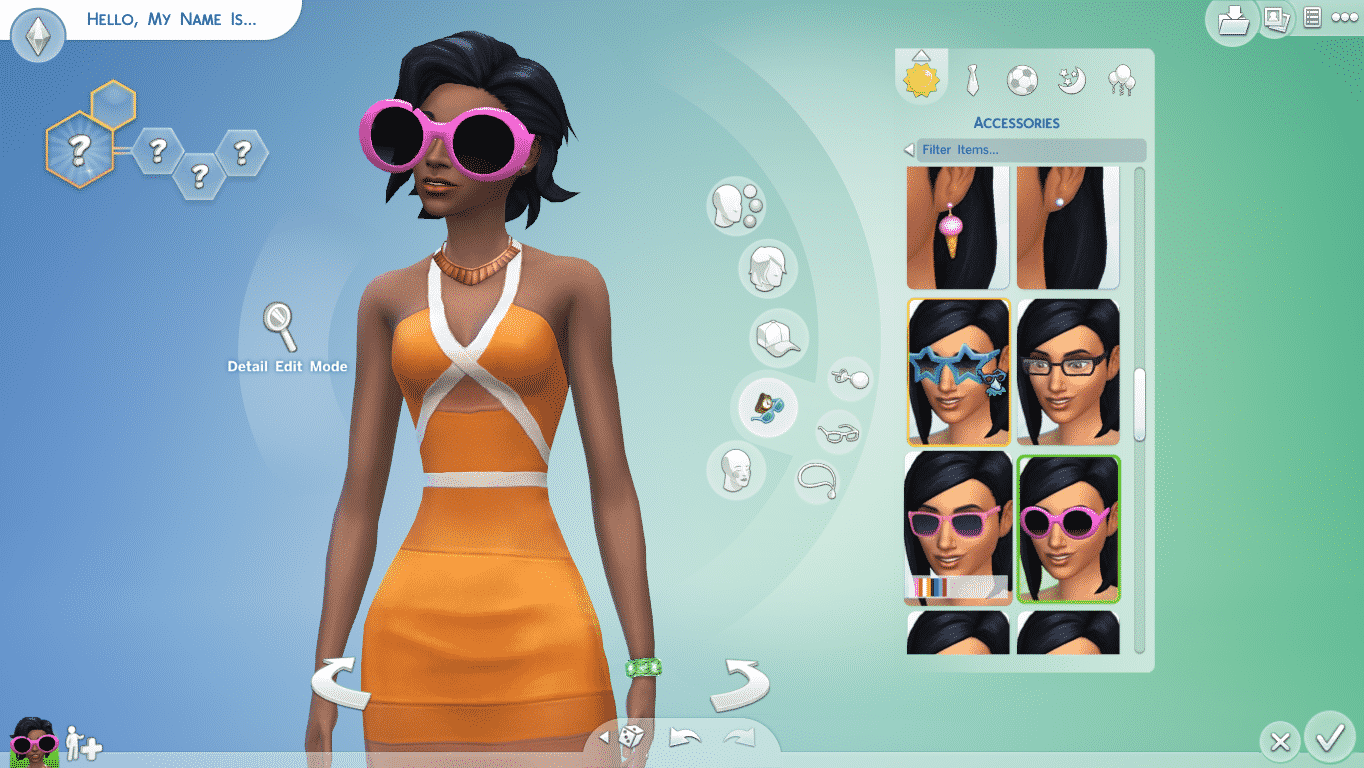
One of the special areas of focus in The Sims 4 is improving the Create-A-Sim feature, adding more details to alter the appearance of a Sim with a less stereotypical ways of representing different ethnicities. As he showed me the tool, creating an Asian character that does indeed appear less cartoonish, I wondered if there’d ever been discussions on coding racial awareness into the game systems themselves. Has racism or ethnic group identification ever been something the team has considered building into the game, I ask.

“It gets to the point where it crosses a line,” Sinhaseni told me. “Our game is kind of a caricature of life. We don’t really have a message—there’s no racism message, there’s no tolerance message. We have same-sex marriage in our game. Our Sims will not discriminate based on gender preference whatsoever. But there’s a line where it becomes too real. The only manner of hatred we have in the game is between incompatible Sims, something that’s driven by the traits of the Sim—a hotheaded Sim, or a Sim who hates children.“

Read More


Metro: Should you make the move over to The Sims 4?

0

sims1

Has the chance to create your very own twisted Sim in The Sims 4 create a Sim demo piqued your interest?

The Sims 4 will be in stores in only a few weeks, but reception to the new game has been mixed, largely down to what players feel they will be missing out on.

The Sims 3 has been around for long enough to gather an absolute mass of additional content from the likes of Expansions, Stuff Packs and DLC. The result is that serious Sims players have almost no limits in how they play with the life simulator game.

Making the move over to The Sims 4 will mean losing much of that limitless entertainment. The most highly publicized loss is that of Toddlers and Swimming Pools, which EA have confirmed will not be in the game at launch, but have not ruled out making an appearance down the line, possibly in an expansion or update.

The launch of the Create-A-Sim Demo on Origin is the first chance that many players will have to check out the new, more emotional Sims from The Sims 4, and decide whether or not to spend their money on the game when it launches.

The create a Sim demo is very limited in its scope, allowing the player only to create young adult Sims. There are a nice selection of traits and aspirations available, along with a moderately stocked wardrobe.

Read More

The Sims 4 Preview: Multitasking

3

Multitasking is a brand new feature in The Sims 4 that lets you do multiple interactions at once. The thing I noticed about Multitasking is that when Sims decide to add another interaction to their interaction queue, they won’t stop the thing they did in the first place.

For example; my Sim was reading Handiness Skill book, but his Bladder bar really lowered down, so he decided to go to the toilet. He didn’t put the book he was reading in his inventory. As he rushed to the bathroom, the book was in his hands this whole time. Once he sat on the toilet, he was doing his thing + read the Handiness Skill book at the same time, which means his bladder need bar got higher + his Handiness skill was leveling up as well.

3

Another great example of multitasking I encoutered was my Sim working out in the gym while watching the TV. He wasn’t watching any TV channel though; it was the Cooking Channel, which means his Fitness and Cooking skill was leveling up altogether!

Multitasking isn’t all about focusing on multiple objects though; you can also hang out with multiple Sims and use a certain object at the same time.

So, my Sim decided to play a Computer game. His roomates showed up in his room and decided to chat. I loved seeing how he was throwing a word or two into their conversation every now and then. His relationship with his friends was leveling up, but his Fun Need bar was raising as well!

10

The multitasking feature is really fun and it’s always a pleasure seeing your Sims finding new combinations with that feature.

EA Gamescom 2014 Press Conference Official Replay!

0

The Sims 4 Presentation starts at 24:30

Video Link

The Sims 4 Preview: Emotions & Needs

1

I’m sure you’ve heard this bazillion times, but Emotions do play a big role in The Sims 4! These Emotions are connected and everything you say, do (and don’t do as well when it comes to Needs), your Sim will be affected. Although, the Emotional State won’t change immediately. If your Sim is happy and gets an insult from another Sim, his/her Emotional State will remain untouched if that Sim has high buffs/points for the Happy Emotion.

Here’s what happened in my game; I started a Household with 2 Sims: one that’s good and the other one who’s mischievous (and also has commitment issues).  Both of them started socializing thanks to Free Will being turned on, but I wanted to add a twist in this story. I made the mischevious Sim insult her Husband’s WooHoo abilities. His face and Emotional state quickly changed to Sad, since both of them had the Fine Emotion. When someone has a Fine emotion, that means they’re easily susceptible to changing their Emotional State. I wanted to push the limits a bit further, so I made her use the Joy Buzzer while shaking hands with him. That still didn’t make him Angry since he has a Good trait, but how far will he let his wife do such things to him?

2 1

I knew he had to break at one point, so I made her to insult him. That didn’t work, so I had to do it again, again and again. At that point, he finally realized what was going on and got an Angry Emotion. That’s when things really became spicy; he wanted to get her back by insulting her too, only this time you could see him expressing his Anger loud and clear, unlike the mischevious Sim in red outfit who just followed my commands. Everything became quiet for the next 3-4 Seconds and then suddenly both of them got an Embarrassed Emotion, except there was a small difference: The good husband just got an ”Embarrassed” Emotion, because, he did yell and insult his wife, but he had a perfectly good reason for it, while the mischevious Sim got a ”Very Embarrassed” Emotion. Why though? I assume she had no reason to insult him (since that was my command) and the insults you get from an Angry Sim are much more worse than just regular insults. Both of them ran upstairs all depressed and covered themselves together behind the bed sheets.

20

It was really a funny moment I encountered in the game, but I had to resolve this issue. Normally, Sims who get in a fight will avoid each other for quite some time, but I needed to get them back together quickly. Both of them finally pulled the sheets from their head and then I decided that they should sit down. I started with the ”Flirt” approach but obviously none of them were in the mood for that. I had to get rid of that Embarrassed Emotional state so I made them talk, a lot! After 1 Sim hour of talking, I made the mischevious Sim apologize to her husband for what she did. The husband accepted her apology and both of them got rid of the Embarrassed Emotion. That was a perfect moment to kick in some romance!

19

During this mini-show I didn’t focus at all on their needs, and it was clear they were hungry by looking at their Plumbob and also by the Need UI bar. I sent both of them to eat something, and what was interesting is that her husband, who also Loves Art, picked a plate and decided to outside and look at the painting he made the other day. He was eating and looking at that painting at the same time, and after a couple of seconds he was inspired and got an Inspired Emotion.

It’s really fun how you don’t always have to focus on your Sim’s needs – if you have Free Will turned on, they will find the easiest way to fulfill their needs. They decay much slower, but depending on your Sim’s emotional state, they might also fill slower.

18

The Sims 4 Preview: Cheat List & Functions

6

To open up a cheat console, press CTRL+SHIFT+C. Input the following cheat codes you want and press enter!

  • ”Help” – Lists all available commands into the comand console. This will only list cheats available to the players.
  • ”resetSim {FirstName} {LastName}” – Resets the Sim.
  • ”fullscreen” – toggles full screen on or off
  • ”headlineeffects {on/off}” – Hides all headline efects including the plumbob, thought balloons, etc.
  • ”Death.toggle” – Disables Death so that Sims don’t die.
  • ”FreeRealEstate [on|off]” – Can be entered at neighborhood/world. If on, all homes are free while the cheat is active.
  • ”motherlode” – provides 50000 Simoleons
  • ”kaching” – provides 1000 Simoleons
  • ”rosebud” provides 1000 Simoleons”
  • Pressing ”Shift + ]” increases the size of objects
  • ”testingcheats {true/false}” – Enables the use of further cheats
    • Entering ”testingcheats true”, then entering ”cas.fulleditmode” allows all CAS abilities.
    • ”Interaction Cheats are available by Shift+Clicking on objects and Sims once the player types in ”testingcheats true” in the command console.
    • Shift Clicking on Sims –
      • ”Reset Object” which will reset the sim.
      • ”Add to Family” which adds the Sim to the current family.
      • ”Cheat Motive > Make Happy” which sets all motives to full and set mood to Happy.
      • ”Cheat Motive > Disable Motive Decay” which allows all motives to remain static.
      • ”Cheat Motive > Enable Motive Decay” which allows all motives to change.
    • Shift Clicking on objects
      • ”Reset Object”, which will reset the object.
    • Shift Clicking on dirtyable objects
      • ”Make Dirty”, which will make the object dirty.
    • Shift Clicking on already dirty objects
      • ”Make Clean”, which will make the object clean.
    • Shift Clicking on the mailbox
      • ”Reset Object”, which will reset the object.
    • Shift Clicking on the ground
      • ”Teleport Me Here”, which Teleports the selected Sim (make sure you selected the ground, not the carpet!)


Confirmed: No family trees in The Sims 4!

17

The-Sims-4_-Build-Mode-Official-Gameplay-Trailer1-398

Update: This has nothing to do with relationships between Sims in the game. There will still be Brothers, Cousins, Grandfathers etc. (See the Full List). The thing that we won’t have is the Family Tree User Interface that shows all the Sims that are currently living (and who are dead) who belong and/or are a part of that family.

Pic from The Sims 3 Forum

Tyler

Crinrict, SimTimes & @Renssies confirmed that during The Sims 4 Presentation in Germany, SimGuruLyndsay told them that there are NO Family Trees in The Sims 4! Kinda a let down, don’t you think? :/

Capture

The Sims 4 – 15 New Screenshots!

0

Via Everyeye.it! (Thanks TheSims4.it for the find!)

the-sims-4_PC_8129 the-sims-4_PC_7635 the-sims-4_PC_7536 the-sims-4_PC_5259 the-sims-4_PC_4476 the-sims-4_PC_4376 the-sims-4_PC_3629 the-sims-4_PC_3281 the-sims-4_PC_2897 the-sims-4_PC_2162 the-sims-4_PC_1665 the-sims-4_PC_1003 the-sims-4_PC_663 the-sims-4_PC_586  the-sims-4_PC_9170

The Sims 4 Preview: Children, Teens & Parents!

4

Children in The Sims 4 are very…childish. They act like real-life children: they play a lot, get bored easily, love to socialize and are always seeking for attention!

There was a funny scenario that happened in my game; I sent mum and dad by the river to have some private time. They talked about their recent events (you can see that thanks to Sims’ speech bubbles). A child Sim that they had, had a Fine Emotion. Now, this emotion by the looks is neutral, but for children, that emotion means ”Do something ASAP!!!” and so the Sim wanted to check what are her parents doing. She suddenly looked at her father with the ”Why did you leave me for…her” face. She started to talking to him and mum tried to break into this conversation as well.

14

Do you know what the Child did? Absolutely nothing! She ignored her mother who was standing right behind her for 2 whole minutes. What was interesting is that she didn’t even try to re-form the group so that everyone can see each other. This caused her mother to be surprised since she couldn’t talk in the group anymore (really rude from the kid  😐 )

13

I felt really bad for her mother so I sent them all home. I made the Child play the Piano and made her parents sit down and listen. I knew this will be an interesting situation since the Child didn’t have any piano skills. The moment she started playing, her father (who she also had better relationship with) couldn’t stand her piano ”skills” at all. He started looking all furious and got an ”uncomfortable” Emotion. Her mother, who she ignored, seemed to be okay with her playing the piano. I didn’t check her traits but I assume she really likes children!

It was time to check on the Goth family. I sent Mortimer and Alexander Goth to the nearby park and made Alexander play on the Pirate Ship.

16

I started looking around the park and I switched back to Mortimer. He decided to amuse himself and his Child a bit more, so he played as a Sea Monster. He put his hands up and was making a funny ”monster” face. Overall, both of them had a great time and their Happy emotion got boosted.


I didn’t explore Teens and their possibilites that much, but I do know that Cassandra Goth was being a tad mean to her little brother Alexander by scaring him. Sometimes, Sims don’t get scared and laugh together (tends to happen more if Sims are happy), but in this case, since Alexander was just ”Fine”, he got scared and got a bit down. I wondered what will happen next so I sent them down to sit on a park bench. They talked a bit and his bigger sister decided to give him an advice.

7

Even though she was mean to him, she still decided to step up and act as a big sister with responsibilities to her little brother!