Home Blog Page 71

Charge Ahead with Crystal Effects in The Sims 4 Crystal Creations

0

New information has been revealed about the in-game effects Crystals will have in The Sims 4 Crystal Creations.

Earlier today, The Sims Team took to X (formerly Twitter) with a post showcasing all of the crystals in-game as well as the new and exclusive Moonstone, Jade and Amber crystals that are coming as part of the new Stuff Pack. The team asked the community to respond to the post with their favourite crystal and they would reveal what types of effects they would have in the game.

sims 4 crystal creations trailer screen 245

The Sims Social Media Takes Charge

With a simple question to the community, The Sims Team wanted to know which crystal will charge you.

Replying to the original post, the team began to reply to users with more information about each of the crystals and their in-game effects.

Naturally, the community responded quickly to the request and users were soon responded to with the new information.

Let’s take a closer look at the crystals that players will be able to discover in The Sims 4 Crystal Creations.

Sims 4 Crystal Creations x The Sims Social Media Post
via The Sims

Turquoise

Truth Seeking & Communication

ooo in-game turquoise will bring your Sim higher charisma gains

The Sims

Amethyst

Inner Peace & Relaxation

having Amethyst in-game will allow you to charge your energy 1.25x faster while sleeping! Your Sim will feel the most refreshed!

The Sims

Hematite

Grounding & Focus

it will also give your Sim immortality in game

The Sims

Ruby

Passion & Courage

Embarrassed moodlets banish faster AND no bad woohoo outcomes for your Sim with Ruby!!

The Sims

Sapphire

Wisdom, Intuition & Clarity

Good choice! In-game Sapphire will level up Focused Skills 1.25x faster

The Sims

sims 4 crystal creations trailer screen 377

Jade*

Luck, Abundance & Protection

Jade will bring your Sim good luck as it increases their chances of finding other crystals! Moonstone in game has lots of effects on occults & helps banish the bored moodlet faster

The Sims

Moonstone*

Creativity & Balance

Moonstone has tons of benefits in-game! Bored mood lets vanish x10 faster, Werewolves Fury 2x decay & Rampage 5x decay, Mages 0x failure if uncharged + 0.5x failure if overcharged. Also! Vampires have slower thirst decay

The Sims

Amber*

Bright Energy

Amber will bring sunny weather & good vibes!

The Sims

Note: Jade, Moonstone and Amber are the three new crystals coming in The Sims 4 Crystal Creations Stuff Pack

sims 4 crystal creations trailer screen 275

The Sims 4 Crystal Creations Dazzles Players!

What do you think of the new information about the in-game effects crystals will have? Do you think we will be able to combine different crystals to obtain different effects? Which crystal are you excited to work with first?

The new information already has players thinking about how they can incorporate the different effects of each crystal into their own gameplay once the Stuff Pack is released. We will definitely be excited to check out the three new crystals that come with the pack, especially how they work with occults based on the new information.

However, what about the Crandestine and Nitelite crystals from The Sims 4 Get to Work or the Amazonite and Alexandrite crystals from Jungle Adventure? How will these work with the Sims 4 Crystal Creations Stuff Pack? Will they be usable when crafting jewellery and decor? We will have to wait and see!

Get Crystal Collecting

While we wait for the new Stuff Pack to release, why not get your Sims collecting what crystals they can from around the world? There’s no harm in gathering resources ahead of time so that your Sims can dive straight in when the pack launches on Thursday 29th February 2024!


Let us know in the comments section below which crystal effects you are excited to discover first! We will also keep you up to date with everything you need to know about The Sims 4 Crystal Creations so make sure you stay tuned to Sims Community!
The Sims 4 Crystal Creations Brings ArethaBee’s Sparkling Designs!

The Sims 4 Crystal Creations is the latest stuff pack on the horizon for The Sims 4. It boasts a new Gemology skill and a new type of crafting which will allow Sims to use the crystals and metals they collect to create stunning pieces of jewellery. To bring players something truly exquisite, they teamed up with legendary custom content creator, ArethaBee, to design the jewellery pieces in the pack!

sims 4 crystal creations trailer screen 526

ArethaBee adds a touch of shine to The Sims 4 Crystal Creations!

ArethaBee is well known in the Simming community for her stunning custom fashion designs, specializing in beautifully detailed accessories to help our Sims sparkle! Now her designs will make their way to The Sims 4 in the form of official content, meaning all players will now have access to some of the best jewellery designs in the custom content world… even console players!

The Sims 4 Crystal Creations x ArethaBee

sims 4 crystal creations trailer screen 498

News of the collab comes from The Sims Official Blog. Get an inside look at ArethaBee’s inspiration and thought process for her designs in this short but sweet interview:

Our players make The Sims every day. They play to express their individualities, interests, and aspirations. They inspire us to keep innovating and improving. They’re creators in every sense of the word and we’re thrilled to share a detailed look at our latest collaboration with Sims player, ArethaBee

ArethaBee is a renowned Simmer known for her the exquisitely detailed custom content she creates for The Sims. Her creations boast gorgeous hairstyles, fashion-forward pieces, and luxurious jewelry all meant to enrich her fellow Simmers’ gameplay. 

Her journey with the life simulation game started at the age of 10, dissatisfied with the limitations of online dress up games, she craved a platform that would allow her to dive deeper into storytelling and playing out characters’ lives. When a friend brought over a copy of The Sims for her to play, she was hooked, “it was actually my dream game! I instantly fell in love. I made my first piece of custom content years ago for The Sims 2 and I was amazed by how much I could customize the game with my own imagination, I think it’s one of the features that makes The Sims so special to me”. 

The Sims™ 4 Crystal Creations Stuff Pack, features a collaboration with ArethaBee that brings three unique jewelry pieces to Create-A-Sim, a necklace, earrings, and a ring. We sat down with the creator to dive into the creative process. 

sims 4 crystal creations arethabee collab

What is your favorite The Sims 4 pack?

It is very hard to pick just one as my gameplay tends to change around different packs. Currently, it might be The Sims 4 Cottage Living or The Sims 4 Horse Ranch expansion packs as I really enjoy playing with loads of cute animals and farming.

What is the most chaotic thing you’ve ever made your Sim do?

One day I realized my game had been too peaceful, revolving around mundane friendships. I became inspired and had to try doing the opposite. I made an evil Sim that was basically going around, fighting and pranking other townies. Even then, it didn’t seem like enough chaos, so I ended up sending her to the Realm of Magic to become a witch, master many spells (especially the mischief and untamed spells) only to make whoever she didn’t get along with miserable. I still play with her sometimes and I have to say that Sims in her town are almost always in a bad mood.

Describe the jewelry pieces that you made.

I’ve created three pieces of jewelry for this pack. A necklace, earrings and ring that can be used as a set or worn as separate pieces. The necklace is made of a metal snake chain and colorful beads featuring a bright gemstone. The earrings have multiple hoops, as I just love stacked jewelry! I am really happy with the versatility of the ring as it matches the other accessories I made but could also be worn on its own or as a wedding ring.

Where did you draw inspiration from? Do you have designs, pieces, or experiences that you drew from?

My inspiration was definitely the jewelry designs I love and wear in real life. I wanted them to add variety to what we already had in the game while reflecting my style. Personally, I prefer simple accessories combined together that work for all sorts of different looks. That’s also why I wanted to add color with the beads and gemstones.

Can you explain the design process for making these jewelry pieces?

I started by looking for references that were similar to what I wanted to make for each piece of jewelry. This was probably the longest step in the whole process. Once I was certain about the styles I wanted to go for, I created 3D models of the concepts, playing around with the ideas and references I had. The last step was to pick color combinations that would be both fun and simple for everyday use. It was amazing getting feedback and encouragement from the Sims team during this process.

What are you most excited about for The Sims 4 Crystal Creations Stuff Pack?

I LOVE styling jewelry and am so excited to explore the new features that come along with this Stuff Pack that allows our Sims to create their own jewelry. Of course, seeing my work in the official gameplay after making my own custom content for a long time is another level of excitement for me. The 10 year old me that fell in love with this game wouldn’t believe it.

How do you envision players styling these jewelry pieces in their gameplay?

I think while these jewelry pieces can be used for casual/daily looks, they can also be styled into colorful, fun or formal looks with the different swatch options. I hope that other Simmers enjoy using them for different kinds of occasions, I cannot wait to see the looks they will create with them.

EA.com
sims 4 crystal creations trailer screen 448

We were already excited about the possibilities of over 1,000 different jewellery combinations but knowing that ArethaBee designed many of these pieces just makes us look forward to the release of The Sims 4 Crystal Creations that much more!

The Sims 4 Crystal Creations is out on Thursday, February 29th, 2024 for PC/Mac, PlayStation 4, and Xbox One.

Crystal Creations: Every Dazzling Thing We Noticed in The Reveal

There’s a new stuff pack shimmering in the distance! The Sims 4 Crystal Creations promises Sims the ability to turn the crystals and metals they collect into sparkling works of art in the form of jewellery! These wearable pieces come with a variety of gameplay effects and Sims can build the new Gemology skill by crafting them.

Take a magnifying glass to this bejeweled reveal trailer!

The reveal trailer did a great job getting us excited for the new pack, but we wanted to take a closer look to see if there were any small details that could be easily missed if you weren’t paying close attention. It’s time to take a magnifying glass to this sparkling reveal and see the true value of what’s inside!

Everything We Noticed in the Crystal Creations Reveal

Let’s take a closer look at the reveal trailer and see if we can spot any interesting details that aren’t so obvious at first glance!

Gameplay Effects

Sims 4 Crystal Creations

Now, gameplay effects were shown pretty prominently in the Crystal Creations trailer; however, the info menus zoomed by pretty quickly so a lot of players may have missed some important details about specific gameplay effects. It’s definitely worth pausing the video whenever the UI is shown so you can read more about what gameplay effects these pieces of jewellery can have. For example, in the above image, we can see that this piece of jewellery made with gold and a ruby will cause embarrassed moodlets to fade faster and prevent Sims from having awkward WooHoo or unpleasant romantic interactions!

Charging Crystals

sims 4 crystal creations trailer screen 362

Continuing on from the last detail we pointed out, it looks like these jewellery pieces will only have an effect on gameplay if they are charged on this crystal pedestal. This is actually a really great feature, mechanics-wise, because we’re sure there will be lots of Simmers who just want to dress their Sims in jewellery that looks pretty but don’t necessarily want the effects that come along with them. This option to charge jewellery offers players the choice between whether they want to craft jewellery for function, beauty, or both!

Crystal Cuts

sims 4 crystal creations trailer screen 460
Source: Official Trailer

It might actually have been easy to miss the fact that crystals can be cut into lovely shapes now but there are a few instances throughout the Crystal Creations trailer where we see crystals cut into various shapes like a heart, plumbob (of course), and a star. They seem to serve some kind of purpose since they are shown on the charging platform alongside a necklace but they are also just beautiful pieces to display by themselves.

Layered Jewellery

sims 4 crystal creations trailer screen 448

One exciting thing in the Crystal Creations reveal that could have possibly been glossed over by some is layered jewellery! We have seen a few pieces like these in certain packs such as Werewolves, but there’s not exactly a huge selection of layered jewellery pieces like what we see in Crystal Creations. We love the overlapping bracelets and multiple rings on each finger that was shown in the reveal! It might be too much to hope for to be able to customise them individually but either way, it’s definitely a welcomed addition to the accessories catalogue.

Jewellery as Display Pieces

sims 4 crystal creations trailer screen 413

This really caught my eye in the reveal because I love running businesses and good businesses always need some good displays to draw in customers. Sadly, The Sims 4 is lacking in décor that could realistically work in a retail setting. I was excited to see that Crystal Creations allows us to keep the jewellery our Sims craft as display pieces; they don’t necessarily need to be added to the CAS catalogue and worn. I could picture a fancy jewelers shop with these necklaces, rings, bracelets, and earrings on display in glass cases. I really hope these items can be set for sale using Get To Work and sold, too.

Inspired by Real World Witchcraft

sims 4 crystal creations trailer screen 514

As a witch myself, it was impossible for me not to notice the overall inspiration for this stuff pack. Influences taken from real-world witchcraft and Paganism are laced all throughout virtually everything in Crystal Creations, from the décor and fashion to the practice of charging crystals to bring about positive effects in our everyday lives. Whenever witches are featured in The Sims, it’s usually a more Hollywood interpretation. I’m certainly not offended by packs like Realm of Magic and Paranormal Stuff; both of those packs are very fun to play with and are among my favourites, but it’s still really cool to see something that represents me in a more authentic way.

Custom Engagement Rings

sims 4 crystal creations trailer screen 438

Okay, this was obvious. There was no way anyone could miss it but it was just so cool, it’d be a crime not to talk about it! CUSTOM ENGAGEMENT RINGS! I feel like this is a small detail that feels really big to players because picking out an engagement ring is such an important moment in life. People planning to propose to the person they love put so much thought into finding a ring that represents their forever together. Crystal Creations finally allows Sims to not only choose the engagement ring they want to propose with, but also craft it themselves, which is really meaningful.


What else did you spot that we might have missed? Want to see the reveal trailer for yourself? You can catch it right here!

Spot Hidden Gems in The Sims 4 Crystal Creations Trailer

0

If you missed the announcement, allow us to be the first to tell you the exciting news: a new stuff pack called The Sims 4 Crystal Creations is on the horizon, set to release on February 29th, 2024! We already have lots of great information about this stuff pack thanks to the reveal trailer and blog post, but let’s take an even closer look, shall we?

Sims 4 Crystal Creations Stuff Pack

Spot the hidden gems in these Crystal Creations trailer screens!

Can you spot anything interesting that we missed in these screenshots taken from the reveal trailer? Get ready to put on your detective hat, grab your magnifying glass and play Sherlock Holmes with these still frames!

Crystal Creations Stuff Pack Trailer Screens

Are you ready? We’ve got plenty of screenshots from the trailer for you to browse through right here. Go through each one and be sure to tell us everything you find, both obvious and not-so-obvious!

To take a closer look at any of the gallery images below, simply click on them to bring up the fullscreen view! You’ll want those fullscreen images to see as much detail as possible.

Our Favourite Part of the Reveal

To be perfectly honest, we’re pretty excited about the entire pack concept. Jewellery making is something new to the series and we love when The Sims Team gives us brand new, fresh content we’ve never seen before in The Sims rather than recycling old concepts over and over again. Crystal Creations looks like it’s going to bring something unique to the game and we love that it offers a new way to utilize old materials.

If we have to pick a favourite part of the trailer, it would probably be the ability to plant a gem tree. Gardening is a long-time staple of The Sims series and anytime we get new things to garden, especially beautifully bizarre, shiny things, it’s exciting. We also love the concept of being able to keep ol’ Grimmie at bay by wearing a crafted amulet. Oh, and being able to propose with a custom engagement ring you crafted yourself. So cool!


What was your favourite part of the trailer? Need to see the full trailer to get a better feel for the pack? No problem! You can watch it right here!

The Sims 4 Crystal Creations: Official Blog

0

It’s a big day for the Simming community! A new stuff pack has been announced; The Sims 4 Crystal Creations! This stuff pack will have your Sims building a new skill and crafting jewellery to grant the wearer powerful gameplay effects.

The Sims 4 Crystal Creations

Harness the power of fashion with Crystal Creations!

The reveal trailer already has us excited with a brief glimpse of what we can expect with this new stuff pack, but The Sims has also released their official blog post with more detailed information about everything The Sims 4 Crystal Creations entails. Let’s take a closer look at this upcoming pack!

Official Blog Post: The Sims 4 Crystal Creations

Check out what The Sims Team has to say about the upcoming stuff pack below!

sims 4 crystal creations trailer screen 275

We cannot get enough of crystals! In The Sims 4 Crystal Creations Stuff Pack, players can unlock a new Gemology Skill that will have your Sim collecting an assortment of colorful Crystals and Metals to customize stellar creations that can affect Sims’ moods, relationships, careers and lives! Display new beautifully cut crystals around the house, use them for crafting stunning pieces of jewelry, and charge your crystals in the moonlight to uncover new unique properties!

From designing beloved treasures like hand-crafted engagement rings or custom jewelry to producing unique collectibles that can be sold for Simoleons, any Sim can cultivate their own style that will be seen by all. 

Get ready to create the jewelry of your dreams in this Stuff Pack that is sure to help you reach all of your crafty goals! 

sims 4 crystal creations official screen 1

Collecting & Crafting

Nothing is more special than the pieces you hand-craft with love. With Crystal Creations, a Sim can create over 1,000 different permutations of bejeweled items, choosing to make a fashion statement, declaration of love or a sparkly gift for a friend.

To create these dazzling items, Sims can develop the Gemology Skill. This shiny new skill can be learned through practice as your Sim crafts at the new Gemology Table. Craft jewelry and cut gemstones in stunning new designs. As your Sim’s skill improves, so will the quality of their creations. At the Gemology Table, Sims can cut gemstones and make stunning designs with the Crystals they collect and fashion them into engagement rings and other jewelry, including assorted rings, bracelets, necklaces and earrings. 

From selecting your favorite Crystal variant to choosing which metals suit a Crystal best, like Silver, Gold or Rose Gold, your Sim will feel like a master crafter once surrounded by their colorful jewelry. You can also use any of the 22 metals found with The Sims 4 worlds including Baconite, Death Metal and Romantium. Send a message of love or friendship by selecting the perfect shape of a Gemstone, choose from 10 different cuts including a Heart, Plumbob or Gnome shape.

The Gemology Skill can be boosted when a Sim reads the Gemology Skill book and when a Sim continues to craft Crystal Creations at the Gemology Table. A Sim can sell, collect and gift their crafted creations to other Sims.

sims 4 crystal creations stuff pack 2

Connect with Crystal Energy

Don’t you just love a little moonlight? We sure do! We’re excited to share that Crystal Creations utilizes the Base Game Lunar Cycle. This means that in Crystal Creations, Sims can search out Crystals on their computer or pluck them off a Crystal Tree, and once the Crystal is cut into a Gemstone, the jewelry and Gemstones can be charged with the Crystal determining the effect. 

The objects must be placed on the Crystal Charging Grid. Once charged, Sims can wear or display their pieces, experiencing the effects of the Crystal to positively or negatively impact relationships, emotions and in-game progress. Depending on the Crystal the effects of the charging may wane over time and your Sims will need to recharge to feel the full effect once again.

With the introduction of 3 new crystals, Amber, Jade and Moonstone, there are currently 27 total crystals across all packs for Sims to discover. Sims can find Crystals anywhere! Locate Common, Uncommon and Rare Crystals in dig spots and rocks on any world or lot, while Uncommon Crystals can also be purchased from the computer or at the Gemology Table and Rare Crystals can only be found in different worlds or grown on a Crystal Tree. 

Find all different varieties of Crystals around The Sims 4 worlds including:

  • The Sims 4 Base Game Crystals: (Common) Emerald, Citrine, Quartz, Alabaster, Rose Quartz, Peach Quartz, Ruby, Orange Topaz, Sapphire, Turquoise, (Uncommon) Simanite, Shinolite, Amethyst, Hematite, Diamond, Fire Opal, (Rare) Jonquilyst, Plumbite, Rainborz, Jet 
  • The Sims 4 Get To Work Expansion Pack: (Common) Nitelite, Crandestine
  • The Sims 4 Jungle Adventure Game Pack: (Uncommon) Amazonite, (Rare) Alexandrite
  • The Sims 4 Crystal Creations Stuff Pack: (Common) Jade, (Uncommon) Moonstone, (Rare) Amber  
sims 4 crystal creations 3

Dark and Dreamy

The ultimate crystal adventure isn’t complete without the right dash of mystery and intrigue. When it’s time to collect your colorful Crystals and slip into colorful crystal slippers, bejeweled leather boots and artisan clothing, including button down vests and shirts and floral tops with puffed sleeves. To add even more sparkle, check out the new hairs with fierce metallic hoops or delicate jeweled pins. 

After a long day of cutting, collecting, crafting and selling Crystals and jewelry, relax in a cozy humble abode equipped with soft velvety sofas, stare into mirrors embedded with Crystals and spend many starry nights at your Gemology Table learning the tricks of the trade. 

The Sims 4 collaborated with Simmer Arethabee to develop a dreamy set of jewelry available in Create-A-Sim, featuring a necklace, a ring and earrings.  Her designs are delicate and sophisticated and a perfect addition to this sparkling pack. We love working with our community of creators and cannot wait to see what you make with these dazzling new designs. 

You can learn more about The Sims 4 Crystal Creations Stuff Pack during the Gameplay Developer Walkthrough on Wednesday, February 28, 2024 at 11am PDT on The Sims Official Twitch and YouTube channels.

The Sims 4 Crystal Creations Stuff Pack will launch on February 29, 2024 on PC via EA app™, Mac® via Origin, and Steam®, PlayStation®5, PlayStation®4, Xbox Series X|S and Xbox One systems. The Sims 4 has officially launched on the Epic Games Store as well, another download destination for this Stuff Pack.

The Sims 4 Crystal Creations Stuff Pack requires The Sims 4 base game, available free to download & all game updates. See minimum system requirements for the pack.

via The Sims

Our Thoughts About The Sims 4 Crystal Creations

sims 4 crystal creations trailer screen 89

The Sims 4 Crystal Creations is a great example of how The Sims Team is using the revival of stuff packs to bring players new gameplay concepts that we haven’t seen before in the series. The Sims 4 Crystal Creations is something unique that we think players will really enjoy because it’s something fresh that offers us the ability to use old items in new ways.

Collectors will have another reason to hunt down crystals and metals now that these things can be made into jewellery. And the new collectibles and skill coming with this pack gives completionist players more to discover and accomplish with their Sims.

sims 4 crystal creations trailer screen 149

Overall, we really love the direction of these revived stuff packs. Home Chef Hustle was a strong start, bringing back a few old favourite concepts and combining them with completely new concepts when it comes to cooking. It looks like The Sims 4 Crystal Creations is operating along the same wavelength; taking something familiar to players like the crystal and metal collections and turning them into something totally new we haven’t seen before. If these two stuff packs are the new standard, the future of stuff packs looks bright.


Want to know everything about The Sims 4 Crystal Creations? Keep an eye on our category for this pack so you don’t miss out on any details!

The Sims 4 Crystal Creations Stuff Pack Reveal is Live!

The wait is over to see what the next stuff pack for The Sims 4 has in store for players. The reveal trailer for The Sims 4 Crystal Creations has launched today and we have to say, it looks like the team is doing a stellar job with the revival of stuff packs so far, leaning more into unique gameplay players haven’t really experienced in depth in The Sims series up until now.

Craft your own jewellery with Crystal Creations!

With the Crystal Creations Stuff Pack, your Sims will be able to use crystals they collect out in the world to craft their own jewellery and fashion! This is something we haven’t seen before in this kind of depth in The Sims series so it’s an exciting reveal, to be sure!

The Sims 4 Crystal Creations Stuff Pack Trailer

It’s a short trailer but there’s a lot to see packed into it. Main features of this stuff pack seem to include a new way to use the crystals and metals our Sims collect from rock deposits. They can use the new crafting table to combine these metals and crystals and make different types of jewellery. The jewellery Sims craft is not just for appearances, either!

We can see in the trailer that using certain combinations of metals and crystals can give the crafted jewellery gameplay effects that benefit Sims, such as causing Embarrassed moodlets to go away much faster, preventing Sims from ever having awkward romantic encounters and WooHoo, and even stopping the Grim Reaper from collecting Sims’ souls! That’s some pretty powerful jewellery!

When Can We Buy Crystal Creations?

Simmers can expect to purchase the Crystal Creations stuff pack on February 29th, 2024. There is no early purchase incentive for stuff packs so players need not worry about not being able to purchase Crystal Creations in time in order to get bonus DLC.

What do you think about what we’ve seen so far of The Sims 4 Crystal Creations? Let us know in the comments, and stay up to date with our News category for more information about new content releases for The Sims 4!

The Sims 4 Crystal Creations: Official Screens and Assets

EA has just announced the Crystal Creations Stuff Pack. Coming February 29th!

It’s a big day for The Sims players! EA and Maxis have just announced The Sims 4 Crystal Creations Stuff Pack, coming next week on February 29th, 2024. Players will be able to design their own jewelry and enjoy new gameplay elements that come with new types of crystals.

In this post we’ll be exploring the official assets and images shared by EA. Take a first look at this Pack!

Official Boxart

sims 4 crystal creations official cover

Official Screens


That’s all the official assets we have from the EA Press Room! We’ll make sure to update this post if new official assets surface.

You can stay up to date on all the latest news about The Sims 4 Crystal Creations right here! We’ll keep you in the loop on all of the latest updates.

Live Premiere: New The Sims 4 Stuff Pack Announcement

0

EA is set to announce a new Sims 4 Stuff Pack on February 20th, 2024.

It’s been a long time coming!

f you remember the first Roadmap for The Sims 4 that’s been revealed at the beginning of this year, you probably have been anticipating the reveal of the next Stuff Pack for the game. Teased as a “Sparkling Stuff Pack”, the next SP seems to be focusing on new crystal items and jewelry.

Take a look at the preview below:

Sims 4 Stuff Pack

Today, EA has published the premiere page on YouTube, possibly hyping up the announcement for this Pack. Here’s what you can expect from this premiere!

New Sims 4 Stuff Pack Announcement

Maxis is set to announce their new Stuff Pack for The Sims 4 on February 20th, 2024 at 8AM PT / 5PM CET / 4PM PT.

On the official social media video teaser, the team has showcased a Crystal collectible during day and night time. See it below:

The full reveal trailer for this Stuff Pack is set to premiere on YouTube. You can watch it right here from the premiere video linked below:


What do you think the new Sims 4 Stuff Pack is all about? Let us know your guesses in the comments section down below.

Stay tuned on Sims Community to be the first to know what the Pack and its contents are all about!

The Sims 4 Laundry List: February 14th, 2024

0

The Sims Team has just published a brand new Sims 4 Laundry List for Wednesday 14th February 2024!

If you are new to The Sims or don’t know what The Sims 4 Laundry List is, it is a list of fixes The Sims Team share with players as to what to expect in the upcoming game update for The Sims 4.

Here’s a list of fixes you should expect in the upcoming game patch! The patch is currently planned to land across all platforms on February 27th, 2024.

Sims 4 Laundry List

The Sims 4 Laundry List: February 2024

At a glance, this Sims 4 Laundry List tackles some of the top concerns in the community including not being able to fish in Winter, the Goth Galore hoodie making Sims eyes appear bigger, a Console fix for players unable to toggle wall tile placement and more!

As detailed in the Sims 4 Laundry List, these topics currently have fixes and those not listed still have fixes worked on.

Have a closer look at the February 14th, 2024 Laundry List!

Sul Sul Simmers!

Welcome to this month’s Laundry List, where we share a list of the top community concerns we’re currently investigating and hope to resolve in an upcoming patch.

This is only a list of topics from AnswersHQ with upcoming fixes; there are more topics reported by players that are not listed and are still being worked on. This list is based on reports by players on Answers HQ and helps us continue our work on improving the user experience on a regular basis.

Please note that some topics can be tricky and may require an extended investigation on our end, so even though we are actively reviewing, it’s not a guarantee that we’ll have an immediate fix in the upcoming patch.

Here’s the list of the community concerns we’re investigating and aiming to resolve in the next patch:

Thank you for all your patience and valuable help in reporting! Please continue sharing with us any issues you’re experiencing on Answers HQ.

We’ll continue to check in, and together we can make this game the best it can be.

Happy Simming!

via EA/The Sims

Keep reading to find out more about when to expect the next The Sims 4 Update and how to report any bugs/issues you may be experiencing!

This is the first Laundry List we have received as a community since the start of the new year. This follows on from the most recent roadmap that was revealed a few weeks ago. Already, we have seen two new Kits released, Goth Galore and Castle Estate Kits as well as the exciting Sims Delivery Express (SDX) collaboration with Winnie Harlow.

When is the next The Sims 4 Update?

Based upon the information given to us by The Sims Direct X (formerly Twitter) account, players can expect the next update on February 27th, 2024.

While this is just under two weeks away, the upcoming patch will tackle several issues as mentioned earlier in this article. We will have to wait until we see the full patch notes for this Base Game update to see everything that has been fixed.

Could this patch be preparing us for upcoming new content based on the current roadmap, we will have to wait and see.

ts4updatefenew

How to Report a Bug?

Have you spotted a potential bug in the game and are wondering how to report it? Well, it’s easy. Just follow these easy steps to let The Sims Team know!

  • Head over to the EA Answers HQ for The Sims 4 (choosing the correct platform)
  • Check to see if there is a thread for the issue you are experiencing and select Me Too within the original message
  • If you do not see your issue listed, start your own thread with as much detail as possible so that The Sims Team can investigate further.

Let us know your thoughts!

We want to hear your thoughts and opinions on this latest The Sims 4 Laundry List. Leave us a comment below this post!

You can keep up to date with everything happening in The Sims 4 right here on Sims Community!

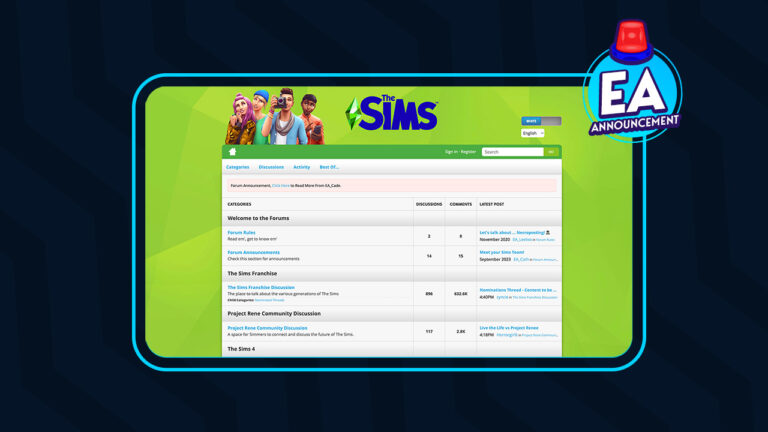
The Sims Forums: Important Information Regarding Upcoming Closure

0

The Sims Forums have been integral to the community for many years. It has always been the place to go for storytelling, mods and custom content updates, information on the latest The Sims patches, and so much more.

However, later this year, The Sims Forums as we currently know them will close and will be moving to a new forums site, the EA Forums. This new forum platform will be launching in July 2024. More detailed information will be shared nearer the time.

Did you know that It has been over fourteen years since the forums first launched?

The Sims Forums

A Message from EA_Cade

EA_Cade, a community manager for Electronic Arts, broke the news to The Sims Forum on February 12th, 2024. The announcement detailed everything players and community members need to know regarding the move.

Read the full announcement from EA_Cade below:

Sul Sul Simmers,

We have an important announcement to share regarding the future of The Sims Forums. Over the past 14 years we’ve been lucky enough to share this forum destination with you as a place to discuss The Sims across various titles, share your screenshots, feedback, guides, and most importantly, tell your stories.

These forums are showing their age, and are no longer representative of the community experience we wish to share with you. After careful consideration, we have decided to close The Sims Forums by July 2024 and replace it with a new forums site – to be called EA forums – going live this July.

Rest assured, select content from The Sims Forums will be carried over to this new site and the migration criteria for the content can be found below. This move aims to provide you with a more seamless and engaging environment to connect, share, and collaborate with fellow players, and the EA Community team. I speak for the team when I share that we all look forward to continuing our relationship together on our new site in July.

Please read more below about timing and next steps to take when posting to the forums.

@EA_Cade

What’s Happening Next

The Sims Forums will remain open to you until July 2024 when EA forums launches.

Please make note of the following dates and instructions from now until we’re live on the new site:

  • Any content posted on The Sims Forums after March 12, 2024 will NOT be migrated over to the new EA forums.
  • We’ll migrate content posted between October 18, 2022 and March 12, 2024 in addition to select content from the nominations thread mentioned below. We will make every effort to ensure that data will port over.
  • If you’ve posted on The Sims Forums and you want to ensure your content is available on the new EA forums site, please follow the steps below.
  • If you have an AHQ account, you will be able to use it on EA forums when the new site goes live.
  • All badges and ranks from The Sims Forums will not be ported over to the new forum site. Participants with an AHQ account will continue to retain AHQ stats. We will however be looking to implement ways to highlight your contributions from The Sims Forums.
  • In July 2024, The Sims Forums will be permanently closed and will no longer be accessible. Anyone trying to access The Sims Forums using the original URL will be redirected to The Sims section on the new EA forums site.

Also, we’d love to invite you to join our recently created Discord community, where we host monthly events, shell challenges, support multiple languages, and host plenty of Sims discussions. Join here: www.discord.gg/TheSims.

The Migration of Threads from The Sims Forums to the New EA forums

To preserve the legacy of The Sims Forums, we will be automatically migrating threads that feature activity and were created after The Sims 4 base game went free to play on October 18, 2022 up until March 12, 2024.

  • If there’s a thread created before Oct. 18, 2022 you’d like to nominate for migration, please nominate it here.
  • If the author of any thread does not have their original post migrated, none of the replies to that post will migrate either.
  • Additionally, any uploaded images, videos, or GIFs will not be migrated over.
  • If you linked something via URL, that URL will be migrated over.
  • Any content that’s important to you can be manually copied and pasted to the AHQ Sims forums
  • If you do not wish to have your content migrated to the new EA forums, or for any questions or concerns related to forum privacy, please see our privacy policy here.

How to Ensure Your Content from The Sims Forums Will Be Migrated Over

  1. Please check the email address(s) associated with your The Sims Forums account. Is this the same email address on your EA account?
    • If no, please proceed to step 2
    • If yes, please jump ahead to step 3
  2. If the email on your The Sims Forums account does not match the email on your EA account OR if you do not have an EA account, please modify the email addresses to ensure they are matching on both accounts OR please create an EA account with a matching email address.
  3. Please ensure you have an account on Answers HQ. You can do so by signing in or registering on Answers HQ with your EA account. Your account on Answers HQ will be carried over to the new EA forums site.
  4. Once this is complete and you’ve ensured your The Sims Forums and EA accounts have matching email addresses AND that you’ve signed into Answers HQ with your EA account, then your The Sims Forums content will be migrated over onto the new forums site whenever it goes live and the content will be associated with your forums account.

Please complete these steps before March 7 to ensure your forum content is migrated.

via EA_Cade on The Sims Forums

You can read the full forum post as well as all the replies here.

Important Dates for The Sims Forums Closure

Several notable dates are mentioned within the announcement that The Sims Forums users need to remember and keep in mind ahead of the July move.

  • July 2024 (specific date to be announced) is when the The Sims Forums will close and move to the EA Forums
  • After March 12th 2024, any new posts will not be migrated over to the EA Forums.
  • Posts created between 18th October 2022 and 12th March 2024 will be migrated over. Posts that fall before the October 2022 date can be nominated to possibly be migrated.
  • 7th March 2024 is the last day The Sims Forums members can ensure their account information is up to date ahead of the migration in July.

Community Reactions

Naturally, there are some concerns from the community with this latest news for The Sims Forums. Not only is it the end of an era for many Simmers, but there are concerns that this might be a repeat of when players began to move from Origin to the EA App. As the saying somewhat goes, if it’s not broken, why change or try to fix it?

Additionally, there were some questions raised by forum users which EA_Cade has gone on to answer Some of the questions relate to future forum formatting and whether images will be carried over. The Community Manager has been proactive in responding to the questions from forum members with full response breakdowns in the latter part of the thread.

The Future of The Sims Forums

Even though it is sad to see The Sims Forums close after all these years, we here at Sims Community, like many others have our fingers crossed for a smooth transition. However, despite The Sims Forums being one of the most active EA game-related forums, it does make you wonder if there is more to this migration than just moving it all to a new EA Forum. Only time will tell we guess!

Let us know your thoughts on the news of The Sims Forums closing down and moving to a new platform in the comments section below!

The Sims 4 SDX February 2024 Overview

A brand new SDX drop is here and it brings vitiligo skin details to the base game! The Sims 4 SDX February 2024 adds a bunch of vitiligo skin details for infants to elder Sims. The skin details are for both the body and face and many come in multiple pattern swatches.

Bring the beauty of vitiligo to your Sims!

Now all players will be able to better customise their Sims for free with just the base game using the new vitiligo skin details. We love to see more inclusion and representation for all people in The Sims, especially when it comes in the form of free updates and SDX drops.

Sims 4 SDX February 2024 Overview

To get this brand new content in your game, all you need to do is run your Sims 4 game! When you see a popup telling you that new SDX content has been added, simply restart the game to load the new content. Easy peasy!

Once you have the latest SDX update installed, you can find the new skin details in CAS, under Face Skin Details and Body Skin Details.

Body Skin Details

Below you can view all the new skin details in every available swatch for teen to elder Sims. The swatches appear to be different patterns rather than different colours. You can view any image in the gallery below in fullscreen by clicking on the thumbnail image.

Face Skin Details

Below you can view all the different face skin details that came in today’s SDX drop. You can view any image in the gallery below in fullscreen by clicking on the thumbnail image.

Infants, Toddlers, & Children

Infants, toddlers, and children also have the same skin detail options as teen-elder Sims. We have examples of the new skin details on each of these life stages to give you an idea of what they look like on younger Sims. You can view any image in the gallery below in fullscreen by clicking on the thumbnail image.


Curious about what previous SDX drops have added to the base game? Check out our last SDX overview covering a new hairstyle!

The Sims 4 Mods: Important Information and Keeping Safe

0

The Sims 4 has a modding and custom content community that is highly talented and creative and covers various themes and topics in their creations. With hundreds and thousands of different Sims 4 mods aimed at improving and expanding a player’s gameplay experience, there’s no end of possibilities.

However, if you have been keeping up with The Sims 4 community happenings on either Discord or social media over the past few days, you may have seen that there has been some slight cause for caution.

Keep reading to find out more about what happened, how to stay safe and how to keep up to date!

Sims 4 Update, Sims 4 Mods

What Happened with The Sims 4 Mods?

It has come to the attention of Sims 4 Mod users that some mods have suddenly begun to contain malware within them. While this is not pleasant at all for either the creators or players wanting to download the mods, it’s important to be knowledgeable about the situation.

It’s important to keep in mind, that this situation is only impacting a very small number of The Sims 4 Mods and this is due to creators having their account either hacked or impersonated by some rather unpleasant people.

While the community has been working hard to share and update one another during this time, it appears that Mac and Linux-based systems are not impacted by the malware due to the file type used by the malware.

What Mods Have Been Impacted?

Currently, a very small number of mods have been identified as being impacted by this situation. It is only affecting Scrpit-based mods and no custom content.

As shared by both Scarlet’s Realm and the Deaderpool Discord, these are currently the impacted mods containing malware.

  • Cult Mod v2 uploaded to ModTheSims by PimpMySims (this is a fake account)
  • Social Events – Unlimited Time uploaded to CurseForge by MySims4
  • Weather and Forecast Cheat Menu uploaded to The Sims Resource by MSQSIMS (hacked account)
  • Seasons Cheats Menu uploaded to The Sims Resource by MSQSIMS (hacked account)
  • Motherlode Menu uploaded to The Sims Resource by MSQSIMS (hacked account)
  • Mood Cheat Menu uploaded to The Sims Resource by MSQSIMS (hacked account)
  • Mouth Preset N16 uploaded to The Sims Resource by PlayersWonderland (hacked account with a script file added to the download that shouldn’t have been there)
  • Cult Sex Mod V1 uploaded by UNKNOWN (this mod was previously removed by the original creator (LoversLab 18+) in January)

What Do I Do If I Have Downloaded These Mods?

If you have downloaded any of these mods recently, fear not as there are some steps you can take to check.

  • Firstly delete the mod(s) from your mods folder immediately
  • Use the Curesforge/Overwolf Sims Virus Cleaner Tool which will look at your mods and custom content and remove any files with issues.
  • Use TwistedMexi’s ModGuard: Mod Malware Protection which will alert you to any issues.
  • Run a virus/malware scan on your computer/laptop regularly. If you find any impacted files, run a scan immediately.
  • Update all passwords on your computer/laptop immediately
  • Uninstall Discord and any crypto wallet software you may have installed and only reinstall once there is no trace of any potential malware on your system.

If you have been affected by one of these mods, it’s very important to take this seriously. There is a high risk that your personal data, passwords and information relating to your device will have been impacted. It is strongly advised that you do everything you can to take action, update, and secure any/all accounts you have as soon as you can after the discovery.

Staying Safe

First and foremost, when downloading any Sims 4 mods or custom content, only download it from the creator’s official download locations. This could be via a Patreon for example or their website. However, there are a few more ways you can keep safe when downloading The Sims 4 mods.

Impacted Platforms and What They Have Done

The following locations are where the impacted mods have been found previously and while they have all removed those impacted, this is the action they have taken.

The Sims Resource

Removed all impacted mods and have shared an additional statement regarding their next steps. They also announced that a temporary ban has been put in place for any uploads containing .ts4script files at the moment.

Read the full statement below:

Sims 4 Mods TSR Statement Feb 24
via The Sims Resource on X

CurseForge

Removed all impacted mods and released the Sims Virus Cleaner tool that will clean any affected mods. They have since shared that they have taken additional measures to ensure something like this doesn’t happen again.

CF Sims 4 Mods Statement via Scarlet Feb 24
via Scarlet on X

Mod The Sims & LoversLab

Both sites have removed the mods in question but have given no further statement regarding the situation at this moment in time.

Moving Forward

Even if you haven’t been impacted by any of the above-mentioned Sims 4 Mods, you can still take steps to ensure you are running a healthy and happy game. This could be by running regular virus/malware scans on your device and ensuring all your mods are up to date via the creator’s official platforms.

You can find out more about how to ensure a healthy and happy game here.

Also, ensure you utilise the Sims Virus Cleaner Tool on CurseForge alongside TwistedMexi’s ModGuard: Mod Malware Protection Mod. You can download TwistedMexi’s mod here and be sure to read all information regarding the mod first.

Staying Safe

The best way to stay safe during this time is to check for updates from Sims 4 Mods creators directly or via the Deaderpool Discord and Scarelt’s Realm. All three of these methods are highly effective and will give you all the information you need to keep safe and Play with Life!

Thank You

Before we round off this post, we’d like to say thank you to those in the community who have taken the time to share and update other players with information regarding this situation. Your hard work doesn’t go unnoticed and we’re sure, like many are thankful for what you do!


For more about The Sims 4 Mods and Custom Content as well as all the latest news and information from The Sims franchise, stay tuned to Sims Community!

Credits: Deaderpool Discord Server, The Sims Resource & Scarlet’s Realm

EA teases a free new Sims 4 Content Drop!

0

The first teaser for The Sims 4’s upcoming SDX Drop is here!

We all know about The Sims 4’s current Roadmap by now. Right?

If you’re not in the loop, EA and Maxis have stated that they’ve prepared a new Sims 4 SDX Update drop for this season. Thanks to the latest official teaser, we now also know the date of this SDX Content Drop – February 13th, 2024!

sims 4 roadmap 2024 6

Learn more in the teaser breakdown below:

The Sims 4 Content Drop Teaser

The short but interesting teaser posted on The Sims’ official social accounts features a Sim walking down a room. At first, it doesn’t look like there’s much teased, until the Sim starts strutting down the room.

There seems to be a new pair of Heels added, with potentially new objects and swatches coming their way as well.

Sims 4 Content Drop Teaser

I don’t want to go too deep into analysis, but the latest Sims 4 Content Drop Teaser could also hint at something outside of the room in the teaser.

Sims 4 SDX Update

Either way, it’s going to be an interesting Sims 4 SDX Drop to cover here on Sims Community!


What are you hoping to see in tomorrow’s Sims 4 Content Drop release? Let us know in the comments below and stay tuned on our website for the latest info about this SDX Drop!

The Sims 4 Content Drop Teaser

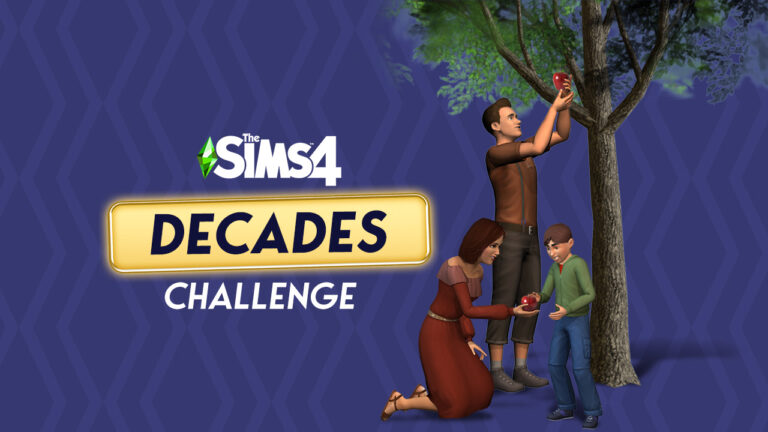
The Sims 4 Decades Challenge: Discover History in a New Way!

Are you a history buff? Do you love The Sims? In that case, you’ll want to check out The Sims 4 Decades Challenge! This fanmade challenge will take you and your Sims on a journey through time as each new generation of your Sims family progress farther into the future.

The Sims 4 Decades Challenge

Become a time traveller in The Sims 4 Decades Challenge!

We’ll walk you through the basics of this challenge and show you where to find the official rules so you can get started with this unique challenge! While using mods and custom content aren’t strictly required for this challenge, they can help improve historical immersion, so we’ll also point you to some sources where you can find historical mods and custom content.

Getting Started with The Sims 4 Decades Challenge

decades disco
The 1970s

You might be wondering, what the heck is The Sims 4 Decades Challenge?! Don’t worry; we’ll break it down for you so you can get started without having to figure things out on your own.

What is The Sims 4 Decades Challenge?

The most recent version of The Sims 4 Decades Challenge has been written and updated by CuteCoffeeGal, but the original rules are by ZombieCleo. You can also opt to play with alternate rules by kakeru_naruse. We’ll be focusing on CuteCoffeeGal’s rules for this article because it is the most frequently updated and comes with a handy PDF version of the rules, but feel free to play your own way and explore other rule sets.

The Decades Challenge is a new spin on the traditional legacy challenge by Pinstar and ImaginingMystic. The basic premise is the same; play through many generations of the same Sims family, but that’s where the similarities end. In the Decades Challenge, you are not following all the same rules as the Legacy Challenge. For one thing, you are playing through up to 14 generations rather than the traditional 10 generations. For another, you’ll be keeping track of your Sims’ ages to determine when to start a new decade, starting with the 1890s. Your main focus is adhering as closely as you can to the time period your Sims are currently in.

A New Generation, A New Decade?

decades workout
The 1980s

The easiest way to play the Decades Challenge is to start a new decade with each new generation. Play on your preferred life span and when the chosen heir becomes a young adult, a new decade begins. You can certainly play the Decades Challenge that way if you’re not big on doing math, but if you want to go the extra mile and be as accurate as possible, CuteCoffeeGal has outlined how to manually keep track of your Sims’ ages.

Basically, each Sim day spans 6 months of real time, so two Sim days amount to one year. This means that every 20 Sim days, the decade changes.

To keep your Sims aging accurately according to this model, CuteCoffeeGal outlines when to age up your Sims. She recommends playing on Long life span so your Sims don’t accidentally age up too soon. Due to average life spans being drastically shorter in earlier decades, there are two aging systems; one for Sims born before 1950 and one for Sims born after 1950.

There are additional rules for how to accommodate university and holidays if you play with Discover University or Seasons, so be sure to read over those as well.

Again, if this is all too much for you, it’s fine to just play on whichever life span you enjoy the most and treat each new generation like a new decade. It’s not as realistic but it will work perfectly if that method is more fun for you.

How to Start The Sims 4 Decades Challenge

decades grunge
The 1990s

The good thing about The Decades Challenge is it offers you a little more leeway when creating your starting Sim(s) than the traditional Legacy Challenge. Rather than being restricted to making only one Young Adult to start the challenge with, you are allowed to start with a married couple and a set of parents for your starting Sim.

Once you have your starting family created, you may move them into your world. There are a variety of restrictions here so make sure you read the rules about where your Sims can settle down. For example, Del Sol Valley is off limits until the 1950s and only single Sims may live in apartments. Once they marry, they must move into a house.

There are also rules about what technology you can start with. Since the challenge is intended to be played without mods or custom content, there are certain exceptions allowed. Cell phones can be used as early as 1890 but only because it’s the only way to access certain portions of the game. The cell phone can’t be used for socialization and entertainment purposes, however. Players may pretend that a computer is a typewriter for the purposes of writing books, for example, but can’t be used for any other purpose.

And don’t forget! There are wars happening during many of these time periods so you will be sending your Sims off to fight… and possibly die. This is simulated by using a die and a Cowplant. Good luck!

Journey Through the Decades

ts3 dragonvalley town

Once you are all set up, it’s time to start playing The Sims 4 Decades Challenge! We know this might seem daunting at first; what exactly are you supposed to do in each decade? What’s allowed? What’s not allowed? The good news is CuteCoffeeGal has done an excellent job of breaking down each individual decade for you.

Each decade has their own succession rules and rules surrounding who your Sims can marry. It’s important to note here that these early decade marriage and gender restrictions are meant to be as historically accurate as possible. They do not condone these restrictions as morally right in any way. If there are restrictions you don’t like and don’t want to play with, you are absolutely free to adjust these rules as you see fit. It’s your game and you should enjoy it the way you want to.

Each decade is also very detailed about which objects are allowed and how those objects are allowed to be used. You really don’t need to be a 19th and 20th century history expert at all in order to play this challenge. All the rules are clearly laid out for you.

Your ultimate goal for The Sims 4 Decades Challenge is a simple one; all you need to do to complete the challenge is play up to the present day with a single family while adhering to the rules of each decade. However, if you’re a hardcore player and a completionist, you might be interested in logging your progress on the scorecard for this challenge.

Helpful Mods and CC

The Sims 4 Decades Challenge does not need to be played with third party content. In fact, the rules are written with the assumption that you are not playing with any mods and CC. However, if you do enjoy playing with mods and CC, you might find some of these resources helpful for making your Sims and homes look more authentic to the time period.

Official Decades Challenge Rules

Now that you have a good idea of what this challenge is and how to play, you probably want to know where to find the official rule book. We’ve only given an overview summary of the challenge but you’ll need to have the full set of rules to play.

The rules for this challenge are hosted on CuteCoffeeGal’s blog. Just click the button below to be taken right to her page with the challenge rules! Have fun and Happy Simming!


If you loved this article on The Sims 4 Decades Challenge, try another unique challenge! Replay the classic PS2 Sims story mode in The Sims 4 with our Get A Life Challenge!

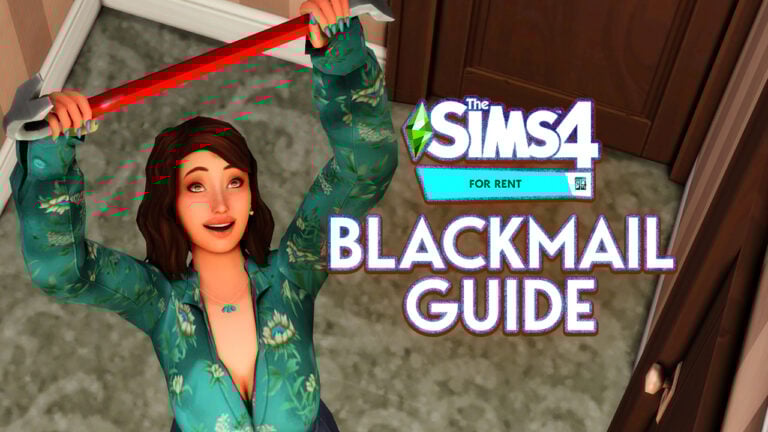
The Ultimate Sims 4 Secrets, Blackmail, and More Guide!

In the For Rent expansion pack, you can discover Sims 4 secrets about your neighbours and use them to your advantage. Discover secrets by eavesdropping, snooping, and even breaking into their homes and rummaging through their stuff to uncover all the dirt on them, then confront them with what you know and either keep the secret without strings attached or blackmail the Sim for simoleons!

Sims 4 Secrets

Snoop on your neighbours to uncover (and exploit) all their juicy secrets!

In this guide, we’ll show you all the ways your Sims can uncover secrets about their neighbours and what they can do with those secrets once they discover them. This aspect of For Rent is absolutely perfect for players who enjoy more mischievous gameplay and want to wreak havoc in their save files!

Discover and Exploit Sims 4 Secrets

Before you can go around blackmailing all your neighbours, you’ll need to know what secrets are and how to discover them. You can’t blackmail a Sim if your Sim isn’t aware of any of their secrets. Read on to learn how to uncover secrets and exploit them for profit!

What are Sims 4 Secrets?

Grim Jealousy

Just like real people, all Sims have secrets. Now, Sims 4 secrets can be discovered and viewed on a Sim’s profile, but only if your Sims discover them, first. Secrets are like info tooltips that can be viewed on a Sim’s profile once discovered. There is a new section for secrets on every Sim’s profile. If your Sim has discovered a secret about a Sim, that secret will show up in this section of their profile. Hovering over the secret will bring up a detailed description of the secret.

Not so Merry

In typical Sims fashion, secrets are not particularly dark or sinister. Most of them are either funny or embarrassing (or both), but they are still things that a Sim might not want other people to know about them. Secrets don’t serve any functional purpose beyond being able to blackmail Sims; they’re mostly just fun tidbits of information to add some storytelling, lore, and personality depth to your Sims.

How to Eavesdrop in The Sims 4

One fairly low-risk way of discovering Sims 4 secrets is by eavesdropping on conversations. You can do this just about anywhere as long as there are two Sims having a conversation somewhere in the area. You can also travel to someone’s home and listen through the front door if there are at least two Sims having a conversation inside. You can do this on any residential lot, including apartments, haunted houses, and rental units.

Eavesdrop

When out and about, click on Sims who are involved in conversations to eavesdrop on them. Your Sim will pull out a pair of binoculars and try to spy on the conversation. If your Sim’s spying is fruitful, they’ll uncover a secret about one of the Sims in the conversation, which they can view by opening the Sim’s profile in the relationship panel.

You can also eavesdrop on Sims by going to their home and clicking the Eavesdrop option on the front door. The Eavesdrop option won’t always be available. More than one Sim needs to be at home and engaging in conversation inside. Since you can’t really see inside a home you haven’t been invited into, this is a bit of a trial and error situation. Our advice? If you can’t Eavesdrop, wait around for an in-game hour or two and keep clicking on the door periodically to see if the option becomes available. If it doesn’t, just move on to the next house. You might have better luck spying on someone else.

How to Break Into Houses in The Sims 4

Another way to acquire Sims 4 secrets is by breaking and entering. Of course, this is much riskier as there’s a higher chance of getting caught. If the Sims return home to find you snooping through their stuff, they aren’t going to be very happy with you at all. But the thrill might be worth it for some.

Breaking In

You can break into any residential lot, including apartments, haunted houses, and rental units. Just travel to the home/apartment/unit you wish to break into, click on the front door and select Start a Break In. This will reload the lot without the homeowners or renters at home so you can carry out a Sims 4 break in without being seen.

When the lot reloads, a Breaking and Entering event will start with a timer. You must get inside the home, snoop around, and get out before the timer runs out. If you’re still in the home when the timer ends, the Sims who live there will return home and be pretty angry with your Sim for violating their privacy.

Naturally, you don’t have a lot of time to snoop around someone’s home and the timer starts as soon as the lot loads, before you’ve even broken in. You’ll have to actually break open the front door to gain access to the inside of the home, which can eat up precious time if you don’t succeed in getting in on the first try.

Discover Secrets

When breaking in, look for objects that are likely to contain Sims 4 secrets. Objects like mailboxes, trash cans, dressers, computers, bookshelves, and beds are prime locations for hunting down Sims 4 secrets. Click these objects and select Snoop to try and find a secret. If you don’t want to risk eating up most of your limited time just trying to get in the front door, it’s a good idea to start with things that might be outside already, like the mailbox and trash bins. You might get a secret from these objects without ever having to get inside the home.

Snoop Around

Once you are possession of a secret, you’ll want to get out of there as fast as possible. You don’t want to be inside the home when the timer runs out and be confronted by the Sims who live there. Sometimes, you may not uncover any Sims 4 secrets in time and have to leave empty-handed.

To Blackmail or Not to Blackmail?

So what do you do once you have some Sims 4 secrets? Well, that’s up to you and what kind of Sim you want to play. If your Sim is just one of those nosey types who likes to observe drama but not be an active part in it, you might want to just hang onto the secrets they discover. Just knowing all the dirt about their neighbours is enough to satisfy them.

Keep a Secret

But more malicious Sims might be inclined to exploit those secrets for personal gain. When you’ve discovered a secret about a Sim, you can then confront the Sim about the secret. The Confront About Secret social is located under Friendly > Gossip in the social pie menu. Once you’ve confronted a Sim about a secret, you can choose to keep the secret for the Sim or blackmail them for simoleons. Keep Secret is located under Friendly > Gossip. Blackmail is located under Mean > Malicious.

Blackmail Sims About Secrets

You don’t gain any rewards for keeping a secret but the Sim in question will be relieved that you chose to do the right thing. If you blackmail a Sim, they’ll pay you $100 in exchange for your silence but they won’t be very happy about it.


Loved our guide to uncovering Sims 4 secrets? Check out how to earn satisfaction points for being a nosey neighbour with our Aspirations Guide!