Home Blog Page 84

Free Sims 4 Stuff Pack: Claim My First Pet on PC / Mac

Get it now and it’s yours to keep forever!

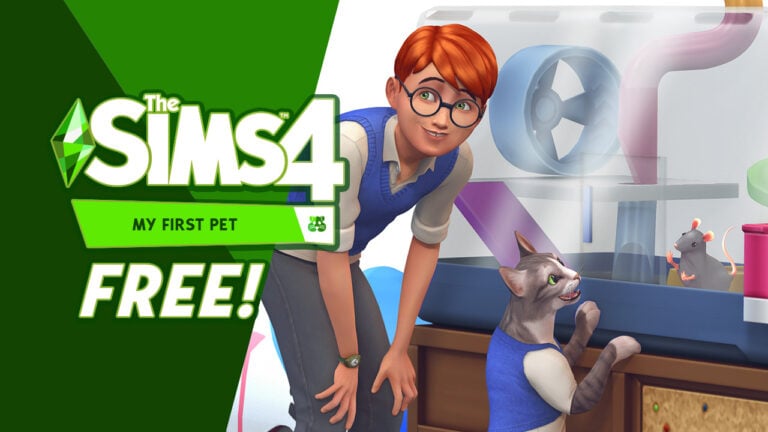
The Black Friday Deals are well underway for The Sims Games, but that doesn’t stop EA and Maxis from doing more surprises for their fans. In a surprise reveal The Sims Team has announced that they’re giving away a Free Sims 4 Stuff Pack for PC and Mac players. Specifically the My First Pet Stuff Pack!

That’s right, Sims fans now have a limited time to go and claim this special Stuff Pack and make it their forever addition to the packs collection. In this article we’ll show you how you can claim your copy!

Free Sims 4 Stuff Pack

Pack Info & Offer Context

The Sims 4 My First Pet Stuff Pack was first released in March 2018 on PC, and two years later on Xbox and Playstation Consoles. It’s the first and only Pack in The Sims Franchise that has content and items for another DLC addition. Making it one of the more controversial Packs in the Sims community.

If you own The Sims 4 Cats & Dogs Expansion Pack, you’ll be able to unlock extra outfits for both types of pets.

The Pack was available for Purchase for $9.99 and would often get cut for 30% off on various EA sales. However, today changes things as EA sets the Stuff Pack free of charge for a duration of almost two months.

You’ll be able to claim The Sims 4 My First Pet Stuff Pack only for platforms that support The Sims 4 on PC Windows and Mac. I haven’t been able to find the offer on the Playstation and Microsoft Stores as of yet. If there are any updates I’ll be updating this post! However, I have my doubts considering how complex this Pack is to distribute (and update) on online retail stores outside of EA’s touch.

Sims 4 My First Pet Stuff Screen

Claim Sims 4 My First Pet Stuff on PC / Mac

Sims 4 Players on PC and Mac are able to claim The Sims 4 My First Pet Stuff Pack for FREE for a limited time. EA App and Steam now let you claim the Pack for free and have it yours to keep!

This offer is available for a limited time until January 9th, 2024th at 10AM PT. It’s expected that the Stuff Pack will be priced again after this set date.

EA App (Windows) and Origin (Mac)

Claim the copy of The Sims 4 My First Pet Stuff Pack straight from the official game page. From there you can add the copy of the Stuff Pack to your EA Account and have it downloaded to your EA App / Origin launcher.

Free Sims 4 Stuff Pack: My First Pet on EA App

Steam

If you keep a track of your Sims 4 Collection on Steam, you’ll also be able to get this free Sims 4 Stuff Pack on this platform too.

Simply click this link to be directed to The Sims 4 My First Pet Stuff Pack Page on Steam.
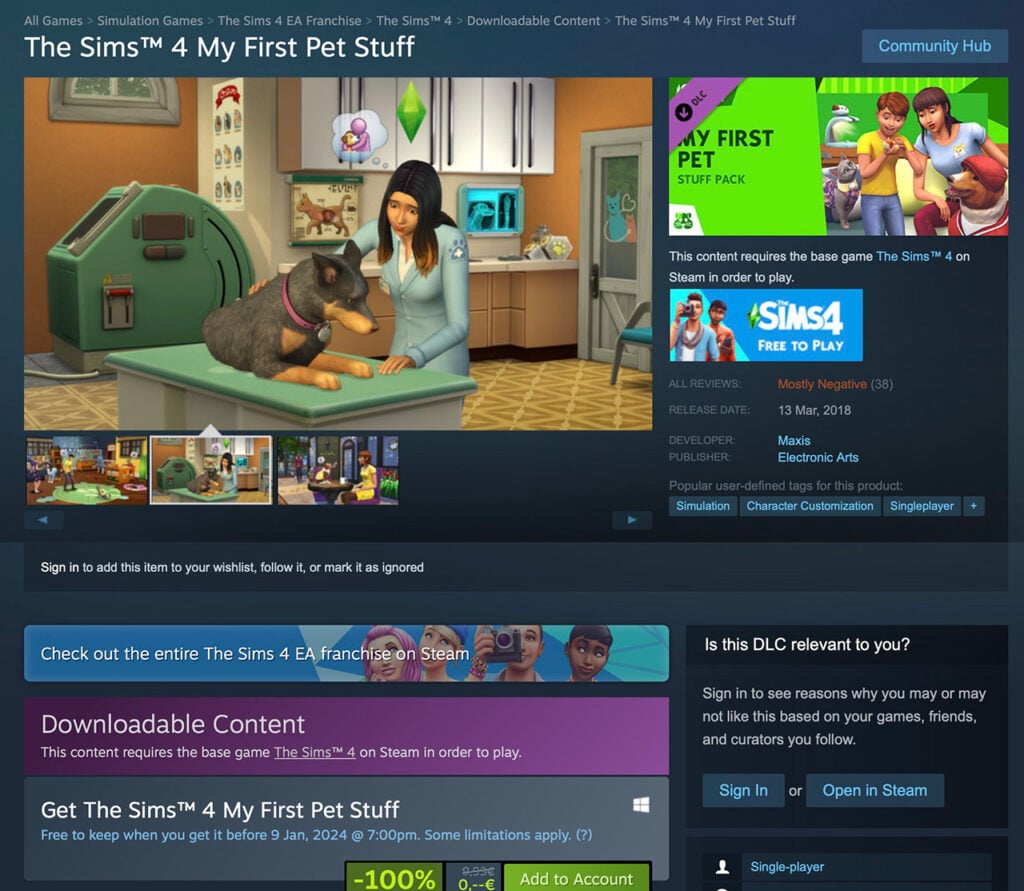
Sims 4 My First Pet Stuff Free on Steam

Free Sims 4 Stuff Pack: Frequently Asked Questions

A couple of questions have surfaced with the recent Sims 4 Free Pack promotion. I thought I’d answer a couple of them below so you can know what to expect from this offer and what to keep in mind:

Sims 4 Free Pack FAQ

When does the offer end?

Over the last few hours we’ve been getting mixed information from The Sims Team about the length of this offer. Still, it seems we’ve finally found the final answer.

The Sims 4 My First Pet Stuff Pack promo is now set to end on January 9th, 2024 at 10AM PT.

EA App Promo for The Sims 4 My First Pet Stuff
Official promo banner on the EA App

In the beginning of it the set date was January 6th across Steam and EA App. However, players have quickly noticed a date change. Both game launchers now let you claim this pack for free until Jan 9.

Can I claim My First Pet Stuff for free on Console?

As of now, the answer is unfortunately no. Playstation and Microsoft Stores, which distribute the pack digitally on Playstation and Xbox are still charging $9.99USD for the pack.

It appears that this offer is exclusive to PC / Mac, but we’ll keep you updated in case that changes.

Do I need Cats & Dogs Expansion to get this Pack?

Nope! The Sims 4 My First Pet Stuff Pack is a standalone pack in the series. However, a larger chunk of Create A Sim content in t his Stuff Pack contain items for Cats and Dogs. You can only access this content if you have The Sims 4 Cats & Dogs EP installed!

For Sims CAS items, Build furniture and hamsters gameplay you’ll have full access with just The Sims 4 Base Game.


There’s less than two months left to claim your free Sims 4 Stuff Pack!

For more information about The Sims 4 My First Pet Stuff Pack, check out our post category. Including information about Pack contents, new death and CAS and Build items.

Free Sims 4 Stuff Pack Preview

inZOI Life Sim: Could it be the Next Big Challenger for The Sims?

0

A new life simulator has become a hot topic after making waves recently. The inZOI Life Sim is currently in development by Krafton with a potential release during 2024. The South Korean company behind the game is also home to the likes of Player Unknown’s Battlegrounds and Tera.

However, how have we, as a gaming community not heard of inZOI until recently? Keep reading to find out more about the upcoming life simulation game!

13 inZOI Gameplay Demo KRAFTON G STAR 2023 inZOI KRAFTON 13

inZOI Life Sim, What Do We Know?

We’ve gone from not knowing anything about the inZOI life sim to so much just in the past few days.

The creators behind inZOI recently shared a gameplay demo video that showcased not just a first glimpse at general gameplay but also a look at interactions, character creation, building and so much more!

Now, let’s break down the gameplay demo for the inZOI life sim!

Characters and Day-to-Day Life

The gameplay demo starts with viewers following various characters exploring what looks to be a relatively open-world, world. From walking the streets of the neighbourhood, to work or to school, the short section of the video gives a glimpse into how characters act and react to the world around them.

Next, we move on to following the characters into work and assisting them with their daily tasks while there. It really gives you an idea of just how hands-on interactions and tasks with the characters can be. Even the characters’ cell phones are packed with a lot of detail too!

The inZOI life sim gameplay demo also gives us a look at the family schedule. A way that you can keep track of what each member is doing when and where. We also get a glimpse at more in-depth details about family members.

13 inZOI Gameplay Demo KRAFTON G STAR 2023 inZOI KRAFTON 4
A first look at the family schedule from inZOI

From this first look, there looks to be a lot of options to be able to truly customize schedules and characters in the game.

You will find that your characters will be able to build their skills through the likes of cooking, cleaning, singing, fitness, painting and learning instruments to name a few. It even looks like there could be an odd mishap if your character isn’t at a high enough skill level just yet.

Even from just this first look at the gameplay demo, there is so much depth and scope to everything that is showcased. It appears that you can really get hands-on with characters day to day-to-day lives and really follow them to and from different activities, errands and more!

Character Creation

If you are looking for depth, detail and a lot of customization options then make sure you pay attention to the character creation for inZOI.

13 inZOI Gameplay Demo KRAFTON G STAR 2023 inZOI KRAFTON 5
Character Creation screen from inZOI

From the get-go, you’ll be able to truly create the most unique characters or even a version of yourself in the game. With so many detailed options to go through and experiment with, it would appear that no two characters would be the same.

However, that’s not all!

13 inZOI Gameplay Demo KRAFTON G STAR 2023 inZOI KRAFTON 6
Create your own looks with more style features!

You can even go all out on style and create your own unique looks with what appears to be a “create a style” feature. From patterns to colours and different images on your clothing or maybe even being inspired by characters from books, movies and more, create looks that will have heads turning!

Build Mode

Forget everything you know about building life simulation games and check out inZOI’s building mechanics! From the gameplay demo, the building tools look straightforward to use. There appears to be a lot of freedom as to the placement of things such as walls, windows, doors and floors as well as creating outdoor spaces.

13 inZOI Gameplay Demo KRAFTON G STAR 2023 inZOI KRAFTON 7

Adding in objects seems to be just as straightforward as well as being able to essentially drag and drop them into the areas you want.

While this is only a demo, it looks like you can create some truly realistic homes with the objects included. Maybe you want to finally make your dream home in the game instead? It looks like inZOI will allow you to do just that!

13 inZOI Gameplay Demo KRAFTON G STAR 2023 inZOI KRAFTON 9
One of the many builds you can create in inZOI

As for styles of homes you can make, at this stage, and while still unconfirmed, it looks as though you can make standalone homes or apartments. It will be nice to find out exactly what kinds of builds you can create as development progresses!

Directors Mode and Filters

Players can use Directors Mode to control features such as the weather, schedules and the city in which they live!

13 inZOI Gameplay Demo KRAFTON G STAR 2023 inZOI KRAFTON 11
A first look at the Director’s Mode from inZOI

Filters on the other hand will allow you to take your screenshots to the next level and capture all those important moments and memories of your inZOI characters.

13 inZOI Gameplay Demo KRAFTON G STAR 2023 inZOI KRAFTON 12
Level up your screenshots with in-game filters!

Relationships

From Baby, Child, Teen, Young Adult and more, build your character’s relationships in several different ways. Whether it is a positive relationship or negative, you’ll discover a range of different emotions, interactions and events along the way.

inZOI life sim
Children pulling silly faces at each other in the playground

Community Views

Now, a number of Simmers from the community were given the opportunity to get hands-on with the inZOI life sim demo recently. This gave players a real sense as to what to expect from the game and just an overall feel as to what the game really is about.

From initial thoughts and feelings about the game to more in-depth analysis of certain aspects of the upcoming game features.

Rachel Pedd was one Simmer who was given the opportunity to take a look at inZOI and share their thoughts with the community. You can also take a deep dive with Rachel with additional videos covering the character creation in-depth too!

You can also check out A Cotton Sock’s three-hour walkthrough of their inZOI save file as well as The English Simmer who talked us through aspects of her experience with the upcoming life simulation game.

Keep Up To Date

Want to keep up with the latest in inZOI development? Be sure to follow Krafton on YouTube and also on the Krafton official website.

In the meantime, why not watch the latest development video from the inZOI life sim team that may answer some of those burning questions you may have here?

What Do You Think?

Could Krafton’s new life simulation game become a new challenger for The Sims 4 as well as the upcoming Project Rene/The Sims 5? The hyper-realistic game, even at this stage with the gameplay demo and content we’ve seen is incredibly promising as well as having the potential to have even more features and opportunities added going forward!

Let us know what you think about the inZOI life sim in the comments below and if you’d like to see us cover more about the upcoming game going forward here on Sims Community.

How loading works in The Sims 4 For Rent

0

Developers share technical aspects of the new Expansion Pack.

EA has announced a new Expansion Pack – The Sims 4 For Rent, in the beginning of November. With the main feature allowing players to build seperate units for multiple households. All within one lot space!

Sims 4 For Rent Preview

Fans speculated on how management and playing of multiple Units and Households within could function. The first trailer for this Pack has shown little without displaying the User Interface. Thankfully that was changed with yesterday’s trailer, explaining how outlining seperate units will function.

The Build Experience

With The Sims 4 For Rent, Simmers can choose each room individually and assign to which unit it belongs. Players can do so for each room built on the lot – regardless if the room is apart of the house shell or not.

You’ll also be able to create Shared Room Spaces such as hallways, as shown below:

All in all, the Build Experience of this Expansion is very detailed and provides the player more than enough tools to customize residental spaces.

However, we bear sad news that the playing experience won’t differ that much from what you’re used to already. At least when it comes to loading screens from The Sims 4 City Living.

Loading and Playing in Sims 4 For Rent

The Live Mode Experience isn’t as hands on in The Sims 4 For Rent Expansion.

The Sims Team has released an official statement explaining how loading Residental Rental Lots works. Confirming that yes – there will be loading screens between each unit on the new Lot Type.

CONVERSATION 2

To optimize this pack’s performance for all our players & in line with the current technology seen in The Sims 4 City Living, you’ll be able to see shared spaces & your own unit, however there is a small load time as you travel to enter the homes of other units.

The Sims Team on Twitter

Similar has been confirmed by the developer SimGuruNinja, saying that the experience is very much like in City Living Expansion.

Sims 4 For Rent Statement

What is the City Living Experience, you might ask? It’s very much this:

Upon each Rental Unit visit, you’ll have to go through a Loading Screen.

In this case, The Sims 4 For Rent will only load one Rental Unit of your selection and the Shared Space assigned in Build Mode.

Settings Preview

SimGuruNinja gave an insightful screen preview into Rental Lot Settings coming with The Sims 4 For Rent.

Players will be able to see how well the Unit is rated, set and see set Unit Rules as well as get an overview of all the tenants within the building.

sims 4 for rent options

If you have The Sims 4 Cats & Dogs installed you’ll also be able to set strict pet rules!


What are your thoughts on the rental system coming with The Sims 4 For Rent? Let us know your thoughts down below and stay tuned for the latest updates on this Expansion. Releasing December 7th, 2023 on PC and Consoles.

The Best Sims 4 Apartment Builds in the Gallery!

Looking for some Sims 4 apartment builds to get ready for the new For Rent expansion in December? Not to worry! Talented builders are already uploading the most beautiful multi-family dwellings to the Gallery so we can prepare our save files for when the expansion launches! We’ve gathered 10 of our favourite apartment builds from the Gallery for you right here!

Prepare for For Rent with these incredible apartment builds in the Gallery!

And if you’re worried about putting so much effort into prepping your save just to be disappointed that none of the lots you downloaded can be converted into the new Residential Rental lot type, there’s no need to fear! The SimGurus have confirmed that existing lots can be converted into Residential Rentals easily! So build and download away!

The Best Sims 4 Apartment Builds

Here are 10 of our personal favourite apartment builds in the Gallery so you can get a head start on populating your save with plenty of rental opportunities! Most of these lots come unfurnished or lightly furnished so all you decorators out there can put your own personal touch on every unit!

Bright Apartment House by SarahAmina

sims 4 apartment builds

This bright and cheerful stucco apartment complex with palm trees is absolutely perfect for a world like Del Sol Valley. We can totally see us playing out a storyline where a Sim with big dreams from a small town moves to Del Sol Valley to start their acting career and this could be the perfect first home for them to settle into. These units are amazing Sims 4 apartment builds!

Mt. Komorebi Apartments by axiisims

axiisims

Mt. Komorebi is a beautiful world so it makes perfect sense to want to maximize your living space there so more of your Sims can enjoy being immersed in this world’s incredible culture. These Sims 4 apartment builds are perfect for Mt. Komorebi and even feature a back alley with some sheds which handy Sims will find incredibly useful!

Perfect Apartments by Deligracy

deligracy

Deligracy is a well-known name in the Simming community and for good reason! Just look at these trendy and modern townhomes! Simmers looking for some Sims 4 apartment builds that are more contemporary in style will no doubt love the straight lines and clean angles of this lot. We particularly love the brick; it gives the buildings more curb appeal and adds texture to balance out the smooth wall coverings.

Townhouses by FarmGirlGamer

farmgirlgamer

For players who prefer a more traditional style of townhomes, these Sims 4 apartment builds feature a charming little row of three attached homes that will fit right into any historic or downtown neighbourhood in many different urban worlds. We are so in love with the patio embedded into the roof of the white townhome. When can we move in?!

PaintedLadies by JamesTurnerYT

jamesturneryt

We couldn’t do an apartment Gallery showcase without including some of James Turner’s incredible builds! His Painted Ladies build is gorgeous and totally gives us The Sims 2 Apartment Life vibes. There’s space for 4 families to live on this cute little row of homes and we love the sloping driveways leading to the garage. It looks very realistic to real urban townhomes.

Modern Townhouse Shell by Miss Daywalker

missdaywalker

Townhomes seem to be very popular in the Gallery and it’s not hard to see why! Townhouses and row houses offer the privacy of owning your own home while still being in close proximity to your neighbours and also usually closer to all the action of the city as well. These modern townhouses are a trendy statement and would fit right into a city like Evergreen Harbour.

Calloway Lux Apartments by snowdaysims

snowdaysims

For players who want a more traditional apartment complex, these Sims 4 apartment builds are a great option! The best part about this building is the semi-covered rooftop pool and bar which all building residents can enjoy, making this building a great place for young socialites to live and meet new people.

Gated Community by MoonKittyLuna

moonkittyluna

For families with young children, safety is always a huge concern when looking for a place to live, especially when living in close quarters with the neighbours. A gated community can provide peace of mind. This gated community is perfect for families with a small playground, park, and community pool. Sims can let their kids play freely outside without worrying about any shifty folks getting in who don’t belong.

7 Home Apartment by Jigowatt85

jigowatt85

These Sims 4 apartment builds are absolutely beautiful and the perfect place for avid gardeners who still want a taste of urban life to settle. Why? Because this building boasts a covered rooftop garden that’s accessible to all residents! Each unit is also nice and spacious with several bedrooms so there’s space for everyone.

Eco Twin Houses by Eldircora

eldircora

Eco-conscious Sims will find the perfect place to call home with these Sims 4 apartment builds. This pair of eco homes are fully detached so you have your privacy and is well equipped for modern sustainable living without sacrificing any of the comforts we’ve grown used to. They’ll look perfect in Evergreen Harbour!

Loved these Sims 4 apartment builds? These diverse households can help you populate them with interesting characters!

As a Landlord in The Sims 4 For Rent, You Can Provide Free Housing!

1

In case you missed it, the gameplay trailer for The Sims 4 For Rent dropped today and for the first time, we actually got to see how rental units will function in terms of gameplay and management. The concept of being a property manager in The Sims 4 is exciting but Simmers understandably want more details about what property management will entail.

As a landlord, you set the rent your tenants will pay… make it free if you want!

The gameplay trailer gave us an in-depth look at everything that goes into owning and managing a rental property, from setting rent, tenant rules, and reviewing tenant applications, to the not-so-nice stuff, like evicting troublesome tenants. Let’s get into everything the gameplay trailer covered right now!

The Sims 4 For Rent: Rental Residential Properties

As a property manager, there are a lot of decisions you’ll have to make. Like how many units will your building have? What rules will tenants be expected to follow while living in your building? And how much rent should you charge them? Luckily, the gameplay trailer walks us through what all of this is like.

Build and Designate Separate Living Units

the sims 4 for rent

When designing your building, you’ll have to think about how you’re going to divide up the space to accommodate multiple families living on one lot. In previous Sims games with customizable apartments, units were separated by a special apartment door. That door marked the entrance to that unit, but this had problems and limitations. For example, you couldn’t have multiple entries into a unit with this method.

In The Sims 4 For Rent, you can designate cells (rooms) as being part of a unit. Anything within that room will be a part of the unit you selected. This is a much more intuitive way of separating units and allows for more freedom in how you want to lay out that unit.

Designate Shared Spaces

shared living spaces

But what about shared spaces in The Sims 4 For Rent? Don’t worry! You’ll be able to designate shared spaces in a rental building the same way you would designate a room as being part of a private unit. Just select the room you want all the tenants to have access to and set it as a Shared space. This way, you’re free to build shared amenities all of your tenants can enjoy, like a gym, laundry facilities, or a pool.

You can also use this feature to designate certain rooms in a multi-generational home as shared by the whole family, like the living room and kitchen, while keeping bedrooms and bathrooms private for certain branches of a large family.

Set Tenant Rules and Check Your Rating

tenant agreement

You’ll be able to maintain your building as a whole in The Sims 4 For Rent via a For Lease sign. This is where you set the rules for your tenants, the rent for the whole building, and check up on how your building is faring when it comes to desirability and cleanliness.

The nicer you make the units and the better job you do of maintaining the building when things go wrong, the higher your rating will be. Buildings with high rating are more desirable to potential tenants, resulting in more tenant applications when you’re trying to fill vacancies.

When it comes to rental rules, we saw No Social Events, No Loud Noises, Maximum Occupancy, No Trash Overload, and No Ghosts as options. It’s possible there may be more rules depending on what DLC packs you own, but no confirmation has been given about that yet.

Review Tenant Applications

tenant applications

Speaking of applications, another aspect of The Sims 4 For Rent is reviewing tenant applications to fill your vacancies. You’ll be able to see your potential tenants’ age, how many beds they want, and their rent budget, along with some other info. Being able to review this in advance will help you pick tenants that are more likely to behave.

How do you get more tenant applications? By creating a nice living space for your tenants and maintaining the building in order to increase your rating. If you have a high rating, more people will be interested in moving into your building.

Set the Rent for All Units or Individual Units

set rent payments for each unit

Okay, so we covered setting the rent for a whole building in The Sims 4 For Rent, but what if you want different rates for each unit? Maybe you have some units that are worth a higher rent price than others, or maybe you have family members living in some of your units and you don’t want to charge them rent at all.

That’s not a problem in The Sims 4 For Rent! You can set the rent on individual units so that luxury suite will come at a higher price than the simple bachelor pad. And dear old grandma? She never has to worry about affording housing again! She gets to live in your building free of charge!

Maintain Your Building

building maintenance

Buildings aren’t indestructible. They require maintenance and in The Sims 4 For Rent, it’s your responsibility to handle any problems in a rental building you own. Insect infestations, electrical problems, mould, broken appliances, you’ll have to stay on top of all of that in order to keep your tenants happy and maintain your rating.

Repossess Tenants’ Belongings to Cover Late Rent

repossess tenants' belongings to cover late rent

Of course, being a property manager isn’t always sunshine and roses in The Sims 4 For Rent. Sometimes you have to make some tough decisions. What do you do when a tenant is late on rent payments?

You could send them a rent demand. This gives them some time to get the funds together.. but if they still can’t pay? Well, it may not be legal in the real world, but in the world of The Sims 4 For Rent, you have the right to take their belongings as payment! Yup. Harsh.

Evict Disruptive Tenants… Or Help Them Out!

evict troublesome tenants

The only thing harsher than robbing your tenants of their belongings? Throwing them out on the streets to fend for themselves. If you’ve given a tenant many chances to cough up the rent and they still haven’t paid up, eviction may be your only option. You can also evict tenants who trash the unit and don’t follow the tenant rules you’ve laid out.

Then again, some people just need a helping hand and a second chance. You don’t have to be so ruthless. You might find that helping your tenant get their life back in order is all they needed to become a good tenant who pays their rent on time again.


How do you plan to incorporate The Sims 4 For Rent into your gameplay? Let us know in the comments and if you missed the gameplay trailer, don’t worry! You can watch it right here!

The potential of Sims 5 Multiplayer: Interview with Lyndsay Pearson

0

A new Podcast with Vice President of Maxis reveals early Sims 5 Multiplayer goals.

The Sims 5, which is codenamed by EA and Maxis as Project Rene is still years from being fully released. However as confirmed last year, the development team wants to be transparent in terms of feature development and Open Beta testing of the next generation Sims game.

As we await for more feature previews, an interview with Maxis’ Vice President reveals early on what’s to come for The Sims 5 Multiplayer.

In a new podcast interview with RadioTimes, Lyndsay Pearson talks about her ambition and goal towards The Sims 5 Multiplayer Features. The podcast reveals some of the co-operative games the team is planning for the game, as well as some of their current inspirational multiplayer games.

The full One More Life podcast can be listened to right here. We’ve prepared a transcript for Project Rene and its talks about Multiplayer down below:

Sims 5 Multiplayer Interview

Audio Source: RadioTimes.com

Podcast Host Rob Leane: Where does the Project Rene codename come from?

Lyndsay Pearson: The name we chose is reminiscent of words like rebirth and renewal. We really wanted a code name [for The Sims 5]. That sort of reflected the fact that we’re really keeping the heart of The Sims intact, but trying to think of new ways to bring it to players, as well as offer things you haven’t seen before in The Sims.

That’s that’s kind of where the codename came from. How do we how do we really rethink some of the core foundation of what it means to play The Sims?

The Sims 5 Multiplayer: Interview with Lyndsay Pearson
Lyndsay Pearson revealing Project Rene last year

The future of Sims 5 Multiplayer

Host: Very cool. And am I right in saying one of the things that has kind of been teased about it. Will it have a social multiplayer element to it? Or am I just saying things that I have not seen?

Lyndsay: We definitely want to introduce Sims 5 Multiplayer. And not multiplayer in the scary jump in a world full of strangers kind of way. But literally, how do you and your friends want to do some some play together? And there’s a lot of different flavors that could take.

We’re exploring a lot of different spaces there because playing together can look like so many different things, right?

Sims 5 Multiplayer Preview

Even in our conversations now, we’ve talked about trivia games to fighting games to racing games. Playing together and social features can mean so many things.

We’re having a lot of fun exploring all those different opportunities, particularly within the context of The Sims. Because it is still about these little characters, their little lives and you helping guide them.

So what does that mean if you and I do that together [in The Sims 5]? And how do we figure out how to how to make a little bit of that chaos, a little bit of fun, and a little bit of that positivity all come together in a way that feels Sims-y.


Games that inspire Multi Play

Interviewer: That kind of sparked my mind. Animal Crossing is a good example of how you can have half your own world and do all your own thing, but also you can invite people and have different experiences together, right?

Animal Crossing reference to Project Rene

And the other one very different thought was going back to what we were saying about, you know, people torturing their Sims for whatever reason they’ve justified themselves for.

You could almost have like an asymmetrical kind of horror. Some person’s trying to kill off that Sim or the other person’s like, trying to rescue them or something.

Lyndsay: Well, yeah, I think that’s that’s exactly the kinds of conversations that we’re having, which is super cool.

And we talk about Animal Crossing all the time because it is such a good example of my little space, my little island. But – I can invite you over.

We’ve seen throughout the last few years of Animal Crossing people inventing ways to play together. Even that the game doesn’t specifically support. But they’ve made up scavenger hunts and similar, which is amazing.

Get a first look into The Sims 5 Prototypes!

We actually look at a lot of games that are doing multiplayer in clever ways. Like Among Us even, which is this sort of mystery thing that you have to talk about it and solve it.

But what is the Simsy version of that? What is the reason that I could be trying to do something, trying to make my Sim do something and you might be able to come in and mess it up somehow? Or help out, right?

The Sims 5 Multiplayer prospects
Karma Powers in The Sims 3 Consoles


That’s exactly the kind of stuff we’re exploring. What if this would feel fun and Simsy and how do we make it still feel like your characters and your space and your stories are still yours, but you want to share it with a friend or let them come in and help somehow.

So yeah, we’ll definitely have more to talk about in future announcements.

The full 40-minute podcast linked above also talks about Lyndsay’s experience with working at EA, possibilities of upcoming Sims 4 content and more. You can also find the latest One More Life Podcast Episode on Spotify.


Let us know your thoughts about the latest Sims 5 Multiplayer interview in the comments section down below. You can catch up on the full recap of all The Sims 5 News right here.

As always, don’t miss out on Project Rene updates right here on Sims Community!

The Sims Apartments: A History Spanning Over 15 Years

0

Apartments in The Sims franchise have been a feature we’ve seen in earlier iterations of The Sims games. Specifically, we first saw The Sims apartments make an appearance back in The Sims 2 era. Now, with The Sims 4 For Rent expansion, we are going to be able to create apartments in ways we’ve not been able to do in the past.

So join us while we take a look at the history of The Sims Apartments as well as what we can expect from The Sims 4 For Rent expansion pack.

The Sims

The original The Sims game didn’t include apartments, just a selection of residential and commercial lots. While the features of the game, compared to later instalments, could be considered more basic, that didn’t stop players from letting their imagination run free when building.

It does leave you wondering what The Sims apartments could have looked like had they been a feature in the original game.

ts1logo
The Sims logo

The Sims 2

This is the era where we saw The Sims apartments added for the very first time. Specifically in the highly popular expansion, The Sims 2 Apartment Life. Additionally, during The Sims 2’s lifetime, we saw the addition of partially communal residential lots through expansions such as The Sims 2 University with Dormitories and The Sims 2 Bon Voyage with hotels.

Apartment Life was the final expansion pack released for The Sims 2. Initially released in August 2008, the expansion pack added a wide variety of features to The Sims 2.

The expansion introduced us to the world of Belladonna Cove, a real mix of a world featuring varying apartment buildings in different styles. It allowed us to have up to four households living in the same apartment block.

Via The Sims on YouTube

While your Sims couldn’t purchase an apartment to own, your Sims’ could rent their apartment for a weekly cost. Every Monday, like clockwork, the Landlord NPC would visit to collect rent. Rent would vary depending on the size as well as interior and exterior factors.

The addition of apartments was a game-changer for the game! Opening up more gameplay possibilities and storytelling ideas!

While technically you couldn’t build an apartment, you could get around this by using console cheats.

However, this The Sims Apartments expansion also added more than just apartments. We saw the addition of roommates, butlers and witches added to the game. That’s not to mention the likes of social class, reputation and social group Townies too. Build mode expanded with the addition of ceilings. the measuring tape tool and advanced wall decoration.

The Sims 2 on Nintendo DS

It’s important to remember that The Sims 2 Apartment Life was also featured on Nintendo DS. This instalment was titled The Sims 2 Apartment Pets and was the follow-on from The Sims 2 Pets on Nintendo DS. The combination of the two, accompanied by a storyline and, released alongside The Sims 2 Apartment Life on PC.

The Sims 3

The Sims apartments worked slightly differently in The Sims 3 as opposed to The Sims 2.

Late Night Expansion

Launched in October 2010, The Sims 3 Late Night introduced us to penthouses-style apartments. While these weren’t actually apartments per se, they were still located in an apartment-style building. You only had control over one household. Interactions from the outside world were usually from randomly selected townie Sims as opposed to neighbouring Sim households.

Via The Sims on YouTube

This expansion also introduced us to the world of Bridgeport which was perfect for these penthouse-style apartment buildings. We also saw the return of Vampires as well as a number of NPCs including Butlers, celebrities and paparazzi to name a few.

On the other hand, The Sims 3 University Life which was released in March 2013, added apartment options and were very similar to dormitories.

Again, Sims could only rent and not buy these apartments and would feature NPC-style roommates. Rent was collected weekly and varied depending on the value of the lot.

University Life Expansion

Unlike The Sims 3 Late Night, University Life added the Sims University World which was essentially just a university town featuring various residential areas as well as communal lots and of course the university campus. Players could also have their Sims host and attend various parties, enjoy the benefits of attending university as well as getting a chance to network through new features such as blogging and streaming.

TS3 UniversityLife Origin Exclusive
The Sims 3 University Life Expansion

While these were both great additions to The Sims 3, they worked differently from those in The Sims 2. This time, while these were a mix of communal and residential lots, your Sims essentially lived in an almost rabbit hole of a building with pre-determined roommates.

Even though these The Sims apartments were not as in-depth as players had seen in The Sims 2, it still gave the option of being able to have that apartment-style living to a point.

The Sims 4

Two years after the release of The Sims 4, players were excited to see The Sims apartments making a return to the most recent instalment of the franchise.

The Sims 4 City Living

Released in November 2016 and a year later on console, the San Myshuno world added the option to live in apartments and penthouses.

While the exterior walls of these new apartments could not be edited, players could freely design and change the interior however they wanted. The buildings themself were essential a shell however, depending on which building you lived in, could be a small communal area featuring other apartments alongside your own. This is where players would also find the community noticeboard detailing upcoming events, for example, mailboxes and garbage chutes.

Rent again was weekly and would vary depending on the value of the apartment.

The Sims 4 City Living Official Apartments Trailer 082
The Sims 4 City Living Apartment as featured in the City Living Trailer

As for neighbours, these would be other pre-made households or households the player has created. Players could also play as the other neighbouring apartments if they wished but would not be able to control multiple households at the same time.

Penthouses on the other hand could be freely created with no restrictions other than the lot size.

In addition to having the freedom to customize the interior of their chosen apartment, players could also add certain lot traits which could have either a positive or negative effect on the player.

The Sims 4 Eco Lifestyle

In June 2020, we saw The Sims 4 Eco Lifestyle released and again, this expansion pack added two more apartment buildings where players could live in an apartment building. Much the same as the City Living expansion pack, these The Sims apartments acted in the same way.

The Sims Apartments
Stonestreet Apartments #3 from The Sims 4 Eco Lifestyle Expansion

However, even with apartments/penthouses appearing in two expansion packs, players have still be unable to truly create their own apartment buildings in the game.

The Sims 4 For Rent

The upcoming third expansion for The Sims 4 this year, is For Rent. It’s already shaping up to be an expansion filled with lots of exciting new features. More so, the new apartment options and building possibilities.

Currently, there is still a lot of information we don’t know, however, between the reveal trailer and what the SimGuru’s have shared we are slowly getting an idea as to what we can expect.

For Rent 6 Units maximum

What we do know is that we will be able to have up to six units on any one lot. This means a full eight-Sim household can live in each unit. That’s a whopping forty-eight Sims in one lot!

We also know that we will be able to build apartment buildings in any lot in any world! This really gives Build Newcrest a new meaning as well as building in general going forward!

Lastly, we know that it will be easy to convert to the new Residential Rental lot type, as confirmed by SimGuruNova.

There’s still a lot to discover when it comes to The Sims apartments in the upcoming expansion, however, based on what we know so far. Stay tuned to Sims Community as we will be keeping you up to date with all the latest information and news from the upcoming expansion.


The Sims apartments have certainly come a long way since they were first introduced to the game. While each instalment has had some variations, each has come with its own unique charms along the way.

Let us know what you think about The Sims apartments in the comment section below as well as what you are looking forward to in the upcoming expansion pack!

The Sims 4 For Rent Gameplay Trailer is Arriving Soon!

0

The Sims team have announced the eagerly awaited gameplay trailer for The Sims 4 For Rent Expansion Pack is dropping tomorrow!

On November 16th, 2023 at 10 am PT/6 pm GMT / 5 pm CET, the community will be able to get a closer glimpse at what’s to come in the upcoming pack!

The Sims 4 For Rent Gameplay Trailer

You can catch the reveal of the gameplay trailer over on YouTube. Don’t forget to hit the Notify Me button to catch the trailer live when it’s released!

The YouTube Premiere currently shows us two Sims from the reveal trailer enjoying an evening out in what appears to be the new Night Market area of Tomarang. However, it doesn’t really reveal anything else that we can expect to see in The Sims 4 For Rent gameplay trailer overall.

With the announcement of the trailer coming soon, The Sims Team posted across social media a short four-second video showcasing a speed build of a new apartment complex.

What We Know So Far

From what we know so far, there is going to be a lot featured in this upcoming expansion pack!

Based on what we spotted during the reveal trailer players can choose between being a property manager or a tenant. Get the latest gossip from your neighbours, take a trip down memory lane with hopscotch and marbles or even bustin’ out some new dance moves!

There also looks to be new communal mail areas, temple offerings, tea, rice cookers, new recipes, smaller stuffed animals, eavesdropping on your neighbours and possibly a way for your Sims to channel their inner Kleptomanic in new ways. You can also find new pool floaties, a new style of toilet, building maintenance for landlords and even a new death type.

That’s not all! Level up your building skills with new ways to build. Players will be able to create lots which can feature up to six, yes six separate units for Sims to live in. Better still, each unit can become home to an eight Sim household too. Can you just imagine six units, all with eight Sims (or pets) all residing on one lot? It would be chaos!

Of course, hopefully, all of this and more will be confirmed for us tomorrow when The Sims 4 For Rent Gameplay trailer drops!

Pre-Order The Expansion Now

Do you already like the sound of The Sims 4 For Rent expansion pack? Then you’re in luck!

You can now pre-order the expansion pack from your relevant platform store! If you pre-order or even purchase before January 18th 2024, you’ll receive the Street Eats Digital Content!

Sims 4 For Rent Gameplay

Tune In To Find Out More

So, make sure you tune into The Sims YouTube to find out everything you need to know about the brand new expansion in The Sims 4 For Rent gameplay trailer!

As a reminder, The Sims 4 For Rent gameplay trailer airs November 16th 2023 at 10 am PT / 5 pm CET / 6 pm GMT.


The Sims 4 For Rent launches on all platforms on Thursday 7th December 2023!

Let us know what you are looking forward to in the upcoming expansion. Alternatively, what you are hoping to see featured in the gameplay trailer?

Stay tuned on Sims Community for the latest news from The Sims franchise and the upcoming The Sims 4 For Rent expansion pack!

The Sims 4 Merch Store is New and Improved! Mark Your Calendars!

0

In the last Behind The Sims episode, we were told about an upcoming Sims 4 merch store that would launch sometime during the holiday season. Now we finally have a release date! The merch store will be arriving in plenty of time for Christmas so be sure to remember to put it on your Christmas wish list this year! Or maybe pick up a few things for that Sims-obsessed friend or relative of yours.

We have an official launch date for The Sims 4 Merch Store!

So when can we expect to see the new merch store in action? What kind of stuff will the merch store have for sale? And which countries will the merch store ship to? Here’s everything we know so far about The Sims 4 merch store!

Everything You Need to Know about The Sims 4 Merch Store

sims merch

While we don’t know a lot about what the merch store will contain just yet, we do have solid information on when we can expect its arrival. Read on to find out exactly when the merch store is dropping into our laps!

When is the merch store launching?

The official merch store will launch on November 21st, 2023 at 10AM PT / 1PM ET. So Simmers will have plenty of time to do their Christmas shopping. Here’s hoping the shipping time isn’t too bad, especially near the holidays!

What kind of merch will the store have?

We don’t currently have a lot of details about what the merch store will have available for purchase; however, The Sims did release a few teaser images on their social media to get Simmers excited.

Of course, since the images are teasers and not full previews, none of the merch is shown in full. All of it is partially obscured or cleverly cropped to keep people guessing as to what exactly it is. What we do know for sure is that there will be t-shirts available, but that’s kind of a no-brainer. What merch store doesn’t sell t-shirts, after all?

If you’re feeling like a detective today and want to examine the teaser pics for yourself, we have them right here for you, along with our best guesses as to what the image is actually featuring.

sims 4 merch store

From this teaser image, we can surmise that this is a water bottle from The Sims 4 merch store, since it is splashing water all over some artwork. Speaking of artwork, there also appears to be a pen in the image, along with scissors and a stapler. Since these items have no Sims-specific branding visible on them in the photo, they might just be props but the overall vibe of this photo tells us that there will likely be art and/or office supplies available in the merch store. Just… keep them away from your water bottle.

Also, there’s a glimpse of some of the Simlish Japanese writing seen in Mt. Komorebi with some mountains. Is it a postcard? It would be pretty cool if we could buy real-life versions of the in-game postcard collection.

t-shirt and freezer bunny

This model is struggling to pull on her t-shirt, likely as a clever way to obscure the design on the front of the shirt. Whatever the design on the shirt may be, we know for sure the merch store has t-shirts for sale. Also, notice the adorable plush Freezer Bunny next to her, almost out of frame! If the merch store has plushies, just take all my money okay?

shirt with snacks

Is The Sims 4 merch store selling… snack food?! We suppose it’d be neat to be able to eat famous snacks from The Sims world, although the logistics of shipping food across borders is kind of a nightmare. We’re not sure if The Sims would go that route. What we do know is there is a t-shirt with a clear plumbob on it in the photo in the same colours as the loading screen.

possible makeup palette

We doubt The Sims will be selling furniture and tanning reflectors but what does catch our eye in this teaser is The Sims logo on the clothes she’s wearing. So once again, clothing is confirmed for the merch store. That’s not the most exciting detail here, though. It might be hard to see under the sunburn, but this model is definitely wearing bright green eyeshadow! This makes us super hopeful for a makeup palette! If The Sims 4 merch store has a makeup palette for sale, it is going in my cart immediately! I really need new makeup…

Can I get any of this merch in my country?

The Sims has been weirdly vague about which countries the merch store will ship to but we do somewhat have an idea of the countries The Sims 4 merch store might ship to. If you visit the official store page at, you can sign up to receive alerts and updates from the store. When you do so, they ask you to select your country from a drop down list and it’s a required field in order to sign up for updates.

There’s no guarantee that every country listed in this drop down menu will be included in shipping, but this is the only clue we have so far as to where the store might ship to. Here’s every country and/or region that can be selected on the shop website.

  • Australia
  • Belgium
  • Brazil
  • Bulgaria
  • Canada
  • Croatia
  • Cyprus
  • Czech Republic
  • Denmark
  • Estonia
  • Finland
  • France
  • Germany
  • Greece
  • Hong Kong
  • Hungary
  • Ireland
  • Italy
  • Japan
  • Latvia
  • Lithuania
  • Luxembourg
  • Malta
  • Netherlands
  • Norway
  • Poland
  • Portugal
  • Rest of EU
  • Romania
  • Slovakia
  • Slovenia
  • South Africa
  • South Korea
  • Spain
  • Sweden
  • Switzerland
  • United Kingdom
  • United States

Any country not included in this list falls under the general category of “Other” on the dropdown list. Again, this is no guarantee that all countries on this list will be able to order from The Sims 4 merch store or that all countries not on the list won’t be able to. This is just what little information is available to us so far. We will continue to update Simmers as we learn more.

How do I get to the merch store?

Even though The Sims 4 merch store hasn’t launched yet, you can still access the website at shopthesims.com where you can sign up to receive email updates. If you don’t want The Sims spamming your inbox with store offers all the time, you can also just bookmark the page so you can return to it on November 21st when the store officially launches.


The Sims 4 merch store isn’t the only thing on the horizon! Check out newly released details about the upcoming For Rent expansion pack!

The Sims 4 SDX: New Drop! (Nov 14th, 2023)

0

There’s a new Sims 4 Delivery Express at your door. Here’s what’s new!

The Sims Team has released a new Sims 4 SDX Drop today across PC, Mac, Xbox and PlayStation Platforms. If you open up The Sims 4 you’ll see a new notification in the Main Menu prompting you to download the SDX drop and restart the game.

Screenshot 3960 1 edited

The new Sims 4 SDX Drop features a new curly hairstyle for both masculine and feminine Sims:

Did someone say new hairdo?! 💇 A new Sims Delivery Express is available tomorrow, 11/14, with a new curly hair perfect for any Sim 😉

Head in-game tomorrow and try it out on your Sim!

The Sims on FB

How to download and install the latest Sims 4 SDX

With Sims 4 SDX (Sims Delivery Express) you are able to download new Create A Sim Content, Build Mode Content and small bug fixes and improvements into your game. All straight through The Sims 4! Simply open up The Sims 4 and your game should automatically check for new content.

If not, go into Game Options > Sims Delivery and Check for new Content. This method of bringing new Sims 4 SDX content into your game works both on PC and Consoles! Note that you will have to restart your game in order to obtain new content. You can select “Yes, Restart Now” for the game to restart automatically for you.

Sims 4 SDX Drop - How to Install

Sims 4 SDX Overview – November 14th, 2023 Drop

You’ll find most of the new additions from the latest drop waiting for you in Build Mode. That’s right, all The Sims 4 Base Game players will be able to see new swatch upgrades and gameplay changes that have been made with the new release.

BOOK PATTERN

New Curly Hairstyle!

2023 11 14 13 06 01 225 ellanora by ellcrze

Today’s Sims 4 SDX drop features a brand new shoulder-length curly hairstyle, one with an ombre colouring and one in solid hair colours. The new hairstyle can be found in CAS under two different catalogue entries (ombre and solid) and is available for masculine and feminine Sims from the child life stage and up.

Here’s a peek at what the new hair looks like on children:

11 14 23 1 07 47 PM

Ombre Colour Previews

Of course, this hairstyle is available in all of The Sims 4’s current hair colour options as well. Here’s a detailed look at each and every colour variant for this curly shoulder-length ombre hair.

Solid Colour Previews

As for the solid tone variant of this hairstyle, here is what it looks like in every available solid colour:


That’s all that we’ve found in the latest SDX drop for the Sims 4!

What are your thoughts on the new content? Join the discussion below and stay tuned for more updates in the future. Right here on Sims Community!

The Sims 4 For Rent Allows an Impressive 6 Units Per Lot!

In case you missed it, The Sims 4 For Rent is the next expansion pack launching for the game on December 7th, 2023 for PC/Mac, PlayStation, and Xbox systems. Ever since the reveal trailer, The Sims has been providing us with sneak peeks at various aspects of the new expansion.

Build rental properties with up to 6 units in any residential world!

The Sims 4 For Rent

We already know that in the new expansion, Simmers will be able to custom build their own apartment buildings, duplexes, and other types of multi-family dwellings and have their Sims own and rent them out to become a real estate tycoon. Naturally, Simmers are eager to know more details, like how many units exactly can we have on a single lot? And where can we build these lots?

The Sims 4 For Rent: More Units, More Livable Space!

2 unit duplex

Of course, a long-time complaint of Simmers about The Sims 4 is that the worlds are too small and don’t have enough lots. This has only become more and more true over time as we’ve gotten more and more lot types and new worlds have stuck to the same 5-12 lots per world. It’s just not enough space to have both a booming population and a nice variety of community lots for that population to enjoy.

Could this new expansion pack solve the housing crisis issue players have been suffering from in The Sims 4 since 2014? Let’s take a closer look!

How Many Units Can Be Built on One Lot?

In the latest teaser video The Sims has posted to social media, we see many different types of residential dwellings being built, from duplexes, to condominiums, to townhomes! Each type of dwelling is labeled with how many living spaces it accommodates, going from 2 units all the way up to 6 units.

two townhomes with 2 units each, making 4 units total on one lot

This means that the minimum number of units for this new multi-family dwelling lot type will likely be 2, with the maximum being 6. Considering that up to 8 Sims can live in any household, this means that a 6 unit lot could potentially have up to 48 Sims living there together comfortably! Having the ability to house nearly 50 Sims on a single lot would certainly free up a lot of space in the world for other lot types, which is pretty exciting to think about!

You can see more screenshots of each type of dwelling pictured below.

Where Can We Build Multi-Family Dwellings?

Although new packs typically only show content from the base game and that pack, The Sims 4 For Rent shows multi-family dwellings being built in other pack worlds, like san Sequoia from Growing Together and Britechester from Discover University. This is to show off how versatile the new lot type is. The Sims 4 For Rent will allow players to build multi-family dwellings in any residential world!

Build multi-family dwellings in any residential world

Being able to build these multi-family homes in places like Britechester means that The Sims 4 For Rent can even help players build their own student housing from the ground up instead of being confined by the limitations of the campus housing.

More Exciting News from The Sims 4 Developers!

A recent tweet from Sims 4 developer SimGuruNova brings more good news: “Ok, last thing. And this, I think, is an important thing to share asap: feel free to start pre-building 💕 Converting to a Residential Rental is easy peasy.” This indicates that players can start building their rental properties immediately in anticipation of the expansion and converting these properties into Residential Rentals will be easy.

https://twitter.com/SimGuruNova/status/1722729508166684867

Even if the idea of having money-hungry landlords in your perfect utopia of a Sims game doesn’t sound appealing to you, the new lot type The Sims 4 For Rent offers can have many uses beyond just playing landlord simulator, so that’s certainly something to think about if you’re on the fence about purchasing the new expansion.


Need to populate your worlds with some multi-unit lots to prepare for The Sims 4 For Rent? Check out these community-built university dorms!

PlayStation Twitter Integration: In a Bold Move, Sony Axes X

If you play The Sims 4 on a PlayStation 4 or PlayStation 5 console, you might want to figure out alternative methods of sharing your screenshots to social media and soon. Why? Because Sony is officially ending Playstation Twitter integration this month.

No more sharing screenshots from PS4 & PS5 consoles to X (formerly Twitter)

PlayStation Twitter Integration

In a bold, but possibly unsurprising move, given gaming companies’ growing discontent with the way Elon Musk has been running the social platform X (formerly known as Twitter), Sony has announced that it is ending PlayStation Twitter integration on PS4 and PS5 consoles. What does this have to do with The Sims, you ask? Well, it will affect your ability to share your Sims 4 screenshots to Twitter. This is bad news for avid Twitter users who use this function to share their gameplay on the social media platform.

PlayStation Twitter Integration: What You Need to Know

Here’s everything you need to know about the end of PlayStation Twitter integration on PS4 and PS5 consoles.

Full Statement

PlayStation released an official statement on their website, detailing the announcement. It states that starting on November 13th, 2023, PlayStation 4 and 5 consoles will no longer support Twitter integration.

F RjcaTWYAAMQE3

The full statement reads:

As of November 13, 2023, integration with X (formerly known as Twitter) will no longer function on PlayStation 5 and PlayStation 4 consoles. This includes the ability to view any content published on X on PS5/PS4, and the ability to post and view content, trophies, and other gameplay-related activities on X directly from PS5/PS4 (or link an X account to do so). For details on how to share game captures from PS5, click here, and for PS4, click here.

PlayStation

Essentially, this means the end of sharing screenshots and video from your PlayStation 4/5 console to Twitter, as well as the end of being able to look at content, trophies, and any other gameplay on Twitter from your console.

Why the Change?

PlayStation hasn’t specified the reason for the change but given that Twitter announced in February that it was going to start charging companies $100 a month to have access to Twitter’s API, it seems likely that this was at least in part a motivating factor behind the decision to cancel PlayStation Twitter integration.

Elon later elaborated that this decision was an effort to curb bot scammers and “opinion manipulators.” While abuse by bots is an ongoing issue for the social media platform, many aren’t so certain that instating large fees for access to the API is a good idea in the long run. The basic tier is $100 which is a drop in the bucket for large corporations, but according to Wired.com, Twitter is charging large companies up to $500,000 a year for access to just 0.3% of the company’s tweets. Half a million dollars is a lot of money to pay for such little return, even for a huge corporation like Sony. It’s no wonder Sony is ending PlayStation Twitter integration.

Alternative Sharing Methods

Without the ability to share screenshots and video to X (Twitter), players will certainly be left scrambling to find an alternative solution. Luckily, there is a workaround for this PlayStation Twitter integration problem. PlayStation users can still share their screenshots and videos to Twitter through the PlayStation App.

  1. To save a screenshot or video to the PlayStation App, first make sure you are signed in to your PlayStation account both on the app and on your console and link the app to your console. You’ll be prompted to do this when you sign in on the app if you haven’t already.
  2. Then, while in game, press the Share button on your controller to capture the moment in either a screenshot or video clip. Captured screenshots and videos will be sent to the PlayStation App for sharing and stored there for 14 days before being deleted.
  3. In the PlayStation App, navigate to Games and Captures. It’s the grid icon with a controller along the bottom of your device screen. Tap on Captures to see your recently saved screenshots and videos.
  4. Tap on the screenshot or video you want to share and tap the download icon to download it to your device.
  5. Now you can log into Twitter and upload your screenshot and video from your mobile device like any other image or video clip!

Hopefully this easy workaround will help PlayStation Simmers continue to share their content on Twitter despite the end of PlayStation Twitter integration.


Want to learn how to beef up your screenshot game in The Sims 4 on console? Check out our guide on how to take screenshots in FreeCam mode!

The Sims 4 How to Age Up Your Sims: A Complete Guide

0

As we all know, The Sims 4 has several different life stages that players can play through. In addition to that, you can also change the length of each life stage or turn it off completely.

Now, there will be times when you want to age up your Sim and not have to wait for them to just age up. So we are going to guide you through all the ways that you can age up your Sims!

Sims 4 How To Age Up

The Sims 4 How To Age Up Your Sims

Before we jump into all the different ways you can age up your Sims, let’s look at the game’s current life stages and lifespans.

Current Life Stages

There are currently eight different life stages that you can experience in The Sims 4. Each of these comes in different lengths that you can play through them.

  • Baby
  • Infant
  • Toddler
  • Child
  • Teenager
  • Young Adult
  • Adult
  • Elder

Setting Lifespans

There are several options when it comes to playing each of the previously mentioned life stages too. Players have four options to choose from.

  • Short
  • Normal
  • Long

You can also choose to turn auto ageing off for both played and unplayed households. These settings can be found in:

Game Options > Gameplay > Auto Age (Played Households) / Auto Age (Unplayed Households) / Sim Lifespan

Wondering where to find out how many days your Sim has left before they age up? Simply head over to your Simology Panel. Above where your Sims’ name is, you can hover over it and it will display how many days remain until they age up next. The number of days will vary depending on what life span you have chosen.

simology

How Long Does Each Lifespan Last?

When the Infants were added to The Sims 4 Base Game earlier in the year, the length of each life stage. While the changes weren’t huge, all of the lengths of each life stage had some slight updates.

Here is a closer look at how long each life stage lasts in days depending on if you are playing on short, normal or long lifespans.

[table id=109 /]

New Update Life Span for Sims in The Sims 4 shown in Sim DaysInformation by Kimbasprite.

Ageing Up Your Sims

Now that we have taken a brief look at the different life stages and life spans, it is time to find out how to age up your Sims. Here are all the options you have in The Sims 4 on How To Age Up.

Automatically

Providing you are playing with ageing in some form, you can just let your Sims age up automatically. Once they hit the end of that current live stage, your Sim will age up automatically. Just keep your eyes peeled on your notification panel for when it is about to happen!

Upon ageing up, you’ll be presented with a pop-up informing you of your Sim ageing up. Depending on the age of your Sim, you’ll be able to select additional traits/aspirations.

Age up pop up

Birthday Cake

Cake! Everybody or every Sim loves cake! Regardless of the flavour, you can age up your Sims by using the Birthday Cake. Simply, get your Sim to either Make A Wish or Blow Out Candles for them to age up!

Just don’t forget to cook the cake and add the candles first!

TS4 x64 milkeeme milkbeam 2023 11 01 15 57 41
You can ask older Sims to help younger Sims blow out their birthday candles

Host a Birthday Party

Although a Birthday Party doesn’t essentially age up your Sim, it’s still fun to host a birthday party with cake and celebrate the occasion.

You can host either a goaled or non-goaled Birthday Party and receive prompts for tasks that need to be completed during the party.

birthdaypartyeventscreen

To host a birthday party, follow these easy steps:

  • Head to your phone and select Plan a Social Event or select the Calendar and add an event
  • Select Birthday Party from the list of available events
  • Choose your Birthday Sim, Guests, Cater, Mixologist and Entertainer
  • Select your Birthday Party Location and start time
  • Get ready to party!
TS4 x64 milkeeme milkbeam 2023 11 01 15 00 44
All Ready for a Birthday Celebration!

More Ways to Age Up (or Down) Your Sims

These methods are not the only way you can age up your Sims. There are a few more ways you can do so. While most are relatively harmless, there is one particular method to be careful with if you gift it to an Elder Sim!

Babies & Bassinets

While Sims can age up in a variety of ways, we all know that Babies in The Sims 4 can be a little difficult. To age up a Sim Baby, simply click on the bassinet and select Age Up!

Flower Arrangements

If your Sim is into flower arrangements, they can gift other Sims a particular bouquet which will cause your Sim to age up. Now you might be asking how. Well, this particular arrangement features the death flower. Just, be careful who you give it to!

TS4 x64 milkeeme milkbeam 2023 11 06 14 07 59
Just be careful who you gift the bouquet to.

Potions

Potions can be purchased via the Rewards Store. This can be found in the Aspirations Panel for your Sim. Using your Satisfaction Points you can purchase the following potion.

  • Potion of Youth – Drink this to turn the clock back on your Sims’ current age. Costs 1,500 Satisfaction Points

It’s important to note that drinking this potion will only take your Sim back to the start of their current life stage and not change it.

  • Essence of Life – Essentially the same result as the potion of youth however, a Sim must be eaten by a Cow Plant to obtain this potion.
TS4 x64 milkeeme milkbeam 2023 11 06 13 51 47
A Scientist Sim Hard At Work at FutureSims Lab

Scientist Career

For players who own The Sims 4 Get To Work, the Scientist Career may well come in handy for you. Once you reach level 10 as a Scientist, you’ll be able to create the Age-away Serum. Much like the Potion of Youth and Essence of Life, it will take your Sim back to day 1 of that particular life stage.

Fun Fact: The cloning machine is a great way to make duplicates of potions and ingredients!

Cheats

Don’t want to host a birthday cake or search for a potion? Then you can always cheat your Sims age.

Firstly, make sure you have testingcheats enabled and you can then use the following cheats

  • sims.age_up – Ages the Sim down to the next life stage. Will kill Elder Sims. May require a Sim ID. We don’t recommend using this. It’s easier and less buggy to use cas.fulleditmode and age a Sim up in CAS.
  • sims.age_down – Ages the Sim down to the previous life stage. May require a Sim ID. We don’t recommend using this. It’s easier and less buggy to use cas.fulleditmode and age a Sim down in CAS.
  • cas.fulleditmode – Allows you to change physical features, traits, and gender settings of pre-existing Sims in CAS. This cheat must be used before entering CAS.

Fun Facts

Did you know that if your Sims become stressed, it can make them age faster? Also, did you know that pregnant Sims do not age?

That is everything you need to know about how to age up (or down) your Sims in The Sims 4!


Are you looking for more of the latest news, information and original content from The Sims 4? Click here!

The Sims 4 For Rent: Exciting New Traits and CAS Previews Revealed!

0

The Sims 4 For Rent is the latest expansion pack for the game, releasing on December 7th, 2023. So far, we’ve seen an official reveal trailer and read a summary of what this pack is about in an official blog post. Today brings some new sneak peeks at the upcoming expansion with a social media post from the official The Sims account.

Check out new traits and CAS assets for The Sims 4 For Rent!

It’s just a short teaser, but it contains a lot of sneak peeks at both new traits and new CAS items. We captured screens of all the new outfits for all ages (yes, infants too) shown in the teaser, as well as some images of the new trait icons!

The Sims 4 For Rent Teaser

Check out all the images below for an early look at some of the new CAS items coming with the new expansion and get a sneak peek at some of the new traits as well.

CAS Items

There are a lot of new outfits shown in the teaser. The clip cycled through them so fast that you might not have gotten a good look at everything but worry not! That’s what screenshots are for! We captured every frame that showed a new outfit so you can take your sweet time and soak in every little detail for as long as you want!

Notable things in the CAS catalogue include a full upper back tiger tattoo, lots of flashy new jewellery, and a couple of new outfits shown off for infants and toddlers. Since the CAS catalogue for infants is still so sparse, we’re always happy to get new clothes for them in new packs.

Traits

Unfortunately, we didn’t get to see a look at any of the traits in action so we still don’t know exactly how they will function in-game but we did get to see the new trait icons and CAS animations for those traits! There were 5 traits shown in the video; Cringe, Generous, Nosy, Wise, and Child of the Village.

The Sims blog post revealed that Wise is an elder-specific trait. Younger Sims cannot select this trait. While this might be disappointing to some, no doubt others will love that Elders are getting more meaningful content that’s geared specifically towards them alone. We also see a child with the Child of the Village trait but no word yet on whether this is an exclusive trait for children or if this is a trait that Sims can have from the child life stage onwards. T

The child with the Child of the Village trait in the teaser video is seen sending off a paper lantern as their CAS animation for this trait. In the reveal trailer, an adult Sim is seen sending off one of these lanterns as well in Live Mode. This leads us to think that Child of the Village is a trait can both children and older Sims can have if using the paper lanterns is a trait-specific action. That’s just our best guess, though, so don’t take it as fact just yet. Only time will tell!

Lots to Look Forward To!

Clearly, there’s lots to look forward to with The Sims 4 For Rent expansion coming in December! We can’t wait to learn more throughout the month of November and, as always, you’ll be the first to know about any breaking news regarding The Sims 4 For Rent right here on Sims Community. Make sure to bookmark us so you don’t miss out!

While we eagerly await more news about The Sims 4 For Rent, check out all the details we noticed in the official reveal trailer! You might be surprised by a few of the not-so-obvious things we spotted!

Discover Helpful Sims 4 Discovery Quests: Skillful Sims

0

The Sims 4 Discovery Quests are a new tutorial feature added to the game with the October 31st, 2023 free game update. They are quick and easy interactive tutorials designed to help players find their footing in the game and learn the basic mechanics. While veteran players probably won’t learn anything new from these quests, the free rewards may still make them worth your while to do.

Learn how to complete the Skillful Sims discovery quest for potion rewards!

While playing a new game, you may be offered the opportunity to do the Skillful Sims discovery quest. This quest will walk you through all the main ways you can build your Sim’s skills to unlock new interactions and gameplay perks related to those skills. It’s very straight forward and quick to complete and the rewards are worth the minute or so of effort, in our opinion.

The Sims 4 Discovery Quests: Skillful Sims Walkthrough

Read on for a quick and a detailed breakdown of how to complete the Skillful Sims discovery quest in The Sims 4!

Quick Guide

Sims 4 discovery quests

If you just want to know what the goals and rewards are for the Skillful Sims Sims 4 Discovery Quests, you can get the quick and easy breakdown right below. Good luck on your quest!

Quest Goals

  • Open the Skills panel
  • Learn or Level Up a Life Skill
  • Learn or Level Up a Social Skill

Quest Rewards

  • Focused Potion x1
  • Inspired Potion x1
  • Confident Potion x1

Detailed Guide

Need more instruction? Perhaps you’re a new player still learning the ropes. Not to worry! We’ll walk you through every step so you too can complete this quest and enjoy some sweet rewards.

Starting the Quest

Skillful Sims

If you don’t have the Skillful Sims discovery quest currently, you’ll have to trigger it through gameplay. Since discovery quests are new, we’re still figuring out the finer details about how to trigger them but after running a few tests, it seems like you have a good chance of triggering a discovery quest if you do things related to that discovery quest. For Skillful Sims, that means trying out some skills. In our case, we received an offer to start this quest when our Sim was socializing with their neighbour.

Discovery quest offers will come in the form of a phone notification in the bottom left of your screen. You can choose to reject the quest, accept it, or save it for a later time.

Completing the Quest Goals

Life Skills

Once you’ve accepted this quest, you’ll have a series of goals to complete in the top left corner of your screen. You can complete these as quickly or as leisurely as you want, it’s up to you. If you’re speeding your way through it, you can expect to be finished in 2-3 real world minutes, tops. The goals are very quick and easy to complete.

You can complete the goals in any order you want; however, only up to 3 goals will be displayed at a time. Since the Skillful Sims quest only has three goals, you’ll be finished the quest once you complete them.

Social Skills
  • Open the Skills panel: You’ll find the Skills panel in the bottom left sidebar of your screen while in Live Mode. Each Sim has their own Skills panel. It’s the icon of a light bulb. Click it to pull it up and you’ll get a breakdown of all the skills your Sim has learned so far. You’ll also complete this quest goal as soon as you click on the Skills panel.
  • Learn or Level Up a Life Skill: If you’re not sure what counts as a “Life Skill,” you can hover over the goal with your cursor to get a tooltip with a more detailed description. According to the tooltip, Life skills are skills that help your Sim function on a day to day basis. Skills like Cooking, Handiness, Gardening, and Fishing skills are considered Life Skills. To complete this goal, just start working on any one of those skills. For the Cooking skill, we recommend making some garden salads if your Sim doesn’t already have any Cooking skill. It’s a level one recipe that won’t burn your house down. You can build the Gardening skill by purchasing a planter box in the Outdoor section of Build/Buy and placing it on your lot. Then click the planter box to purchase some starter seeds. Click the seed packet in your Sim’s inventory to open them and drag the produce from the inventory to the planter. Then tell your Sim to go over there and plant and water them. To build the Fishing skill, find any body of water in the neighbourhood with a little fishing sign at the shore and cast your line there. Every neighbourhood in the base game world of Willow Creek has a fishing spot. And for the Handiness skill, you can fix any broken appliance on your lot or purchase a woodworking bench from the Activities and Skills section of Build/Buy and start carving stuff.
  • Learn or Level Up a Social Skill: If you’re not sure what counts as a “Social Skill,” you can hover over the goal with your cursor to get a tooltip with a more detailed description. According to the tooltip, Social skills are skills that can help your Sims make friends (or enemies). The Charisma, Comedy, and Mischief skills are all Social skills. All of these skills can be built by socializing with other Sims. Use Friendly socials to build Charisma skill. Use Funny socials to build Comedy skill. And use Mischief socials to build the Mischief skill. If Sims to talk to are in short supply, you can also Psych Yourself Up at a mirror to become Confident and then Practice Speech in a mirror to build your Charisma skill. Being in the Confident emotion will build the Charisma skill faster.

Reap Your Rewards!

Discovery Quest Reward

Congrats on completing the Skillful Sims Sims 4 Discovery Quests! For your efforts, your Sim will receive some potions in their inventory that will help them get into specific emotions. Being in the right emotion for a skill can help you build that skill faster. Your Sim will have a total of 3 potions in their inventory: a Focused Potion, a Confident Potion, and an Inspired Potion. Drink these to get into the right emotion for skill building. Being Focused helps with Logic, Programming, Handiness, Gardening, Video Gaming, and Rocket Science skills. Being Inspired helps with Cooking, Gourmet Cooking, Mixology, Photography, Writing, Painting, Guitar, Violin, and Piano skills. Being Confident helps with Charisma skill.

Considering that each of these potions costs 100 satisfaction points in the rewards store, getting three for free isn’t a bad reward for the minimal effort it takes to complete this discovery quest.


If you’d like some extra help managing your Sim’s emotions to optimize their skill building, check out our Guide to Emotions!