

Alongside new fixes, the new patch brings more bugs, this time including the roofs on your houses.
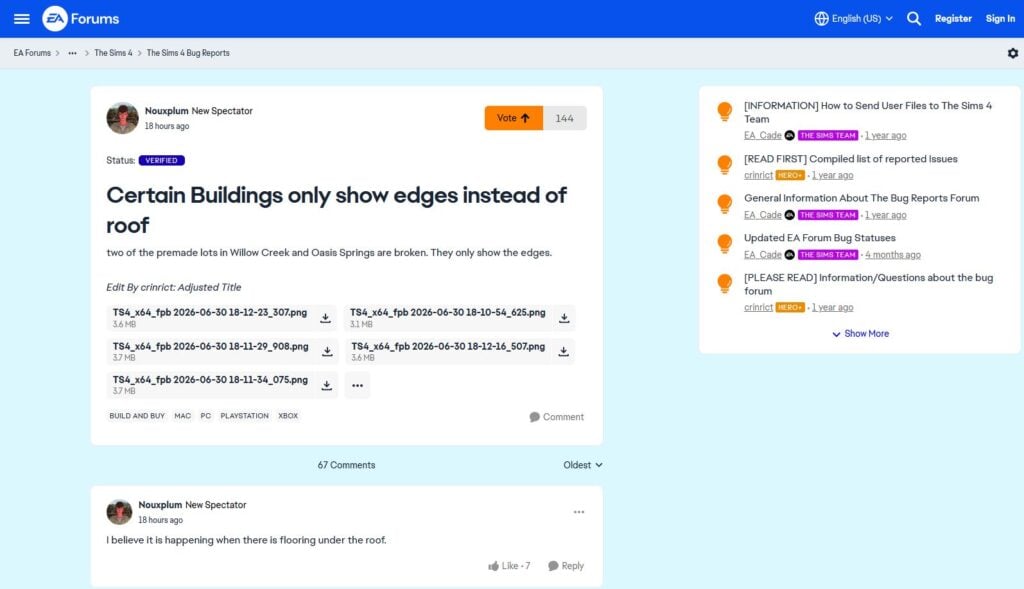
The new patch brought in top community voted fixes, yet once players opened their game, they noticed a visual glitch on some of the roofs on some of their houses. It even happens on pre-made houses like Garden Essence in Willow Creek or Sultry Springside in Oasis Springs. This was reported on The Sims Forums on the day of the patch.
Table of Contents
Patch Coming July 21st
ARTICLE UPDATE: The Sims Team issued a new statement, letting players know that The Sims 4 Roof Bug should be resolved in a new game patch coming on July 21st, 2026.
The fix is confirmed and pending further testing, we're hoping to roll this out on July 21st. We also don't anticipate any builds to be impacted once the fix has shipped, but are still testing all the different scenarios.
In the meantime, please try removing any flooring or platforms you have directly underneath your roofs. Once the flooring or platforms are removed, your roofs should appear normally for you again.
Source: The Sims Direct Team
Statement from The Sims Team
The Sims Direct Team has issued a new statement regarding the latest Sims 4 Roof Bug. Sharing to fans that they're currently investigating the issue and should have it resolved in a new July game patch.
Simmers, We're investigating the missing roofs issue reported after yesterday's Base Game update. We're testing a fix targeting our July update, and pending testing, we'll share another update in the thread here as soon as we have more to report.
Source: The Sims Direct Team
What's Happening and What's the Cause?
In The Sims 4, if you build a walled room inside a roof, it will hide the sections of the roofs that intersect with the room it is in. This behavior is intended with the rooms that are completely walled in by full walls for better attic builds.
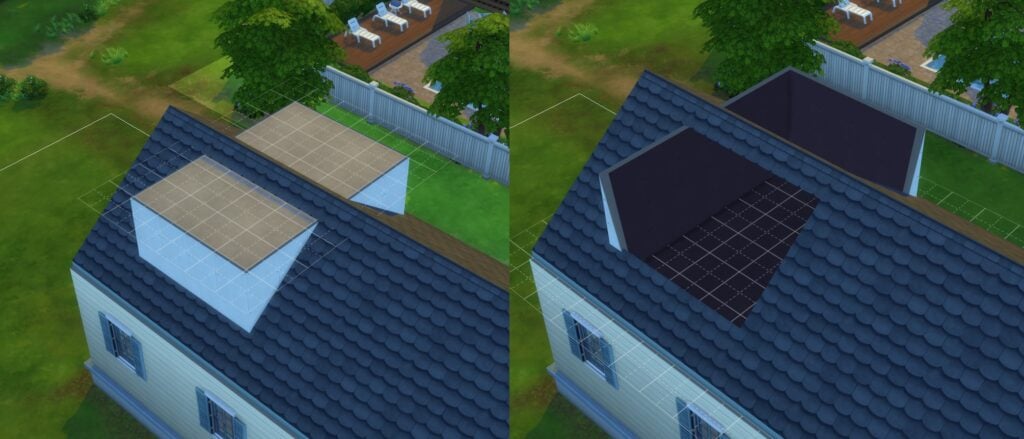
However, the latest patch breaks something that causes every area, walled or not, to hide the roofs, causing the invisible roof effect in places it shouldn't be in.
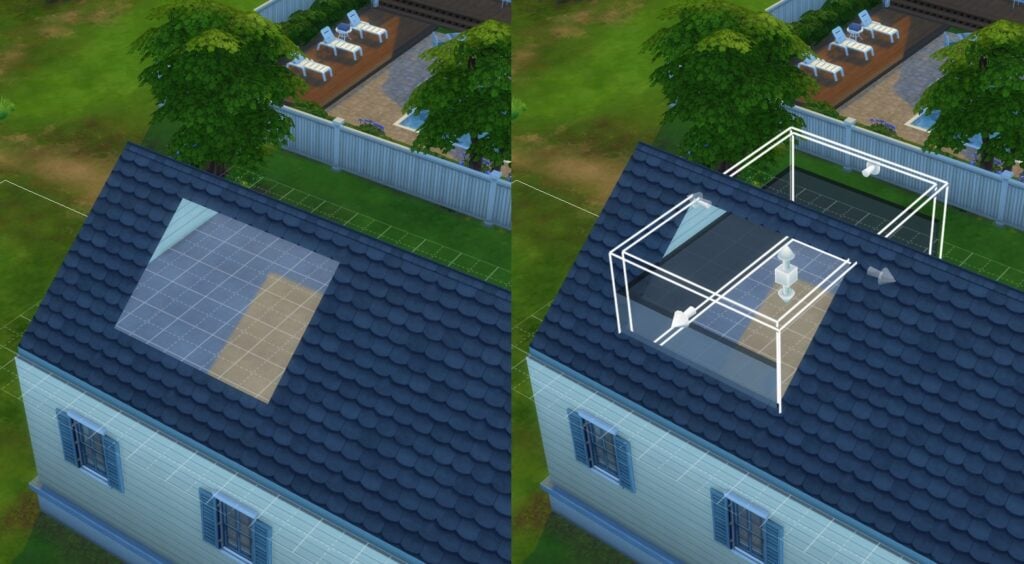
What Can Be Done For Now?
If you use EA Forums, be sure to vote on the bug report made on it. The more votes it gets, the higher the likelyhood it gets focused on for the next patch, or even gets a separate hotpatch to fix it.
To remove the visual glitch, the following can be done in-game:
- Click on the area under the roof to delete it. You may refloor it with the same flooring it used later.
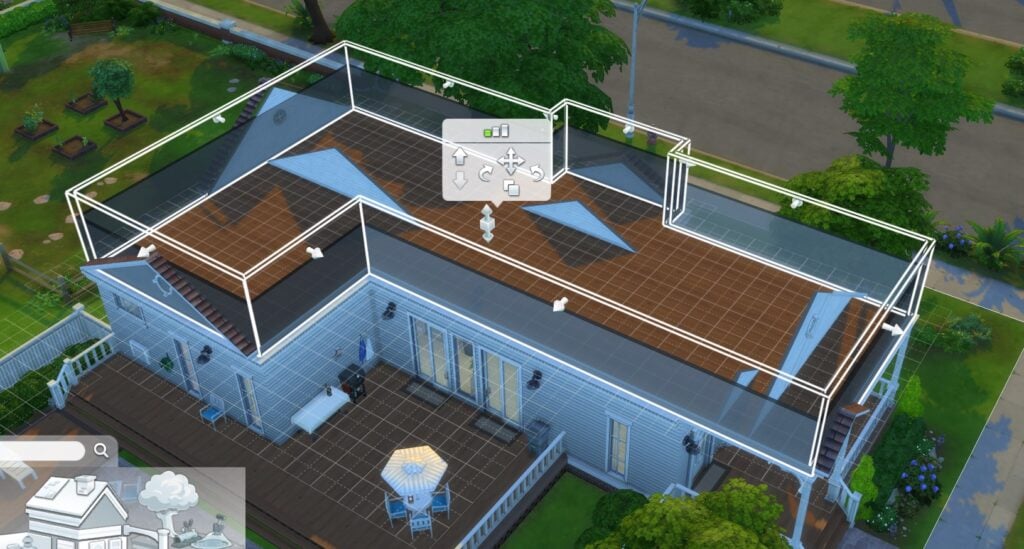
- If there are areas that will be left without a floor, click on a room below it, click on the yellow area, and choose 'Build Ceiling'. Be sure to be on a higher floor than the room to do this.
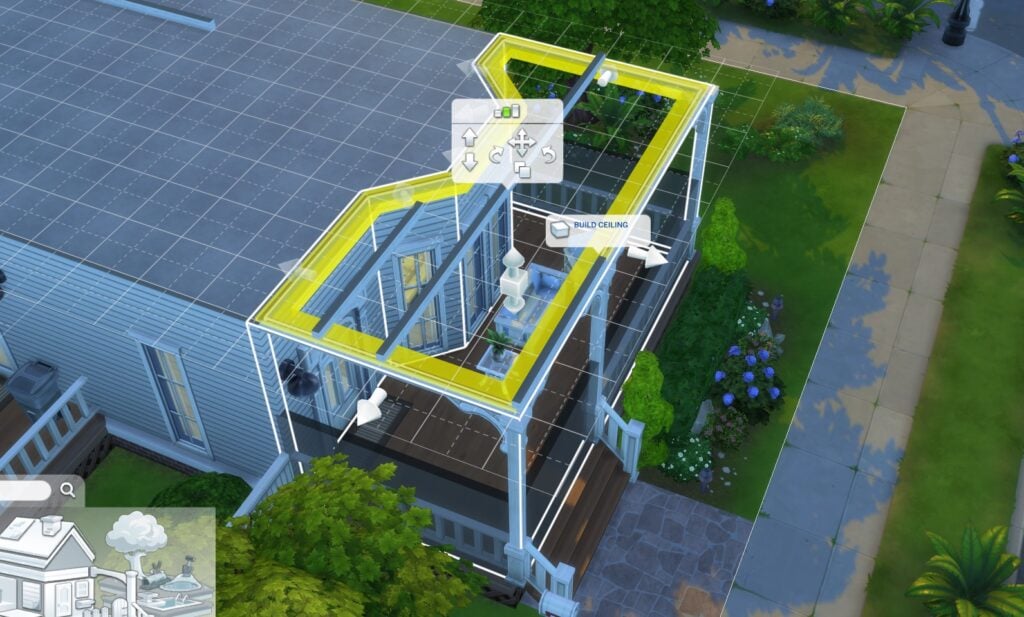
Removing the floor in an unwalled area will remove the ceiling, so there is no method to try to rebuild it for overhanging roofs.
So, what do you think? Any build tips to share to counteract the bug for now? Feel free to share them in the comments below!




8 Comments
I think someone on the forums said if you delete the floor and hit undo that fixes it, at least temporarily.
Reply to CrazySimmer
Went tried it out myself on Garden Essence and Daisy Hovel lots. Didn’t work for me unfortunately. Perhaps it works for some, but it is temporary still.
Fortunately it seems like it’s their first priority fix from their statement. Here’s hoping it’ll be fast!
Reply to EgonVM
Unfortunately it doesn’t sound like a priority. They said a fix would arrive during the July patch. If it really was a priority, it would be in an emergency patch. Genuinely I am on my last nerve with these bugs. Do they not playtest anything?
Reply to >:(
Yeah, that is true… Really makes me wonder how they playtest stuff now, because it’s even more glaring than issues such as aging bar moving forward while in CAS and club points and perks resetting.
This is something that you can see in the base game neighborhoods.
Apparently asking about it on the official discord is “jumping down the devs throats” according to a comment I saw there.
while I was playing after the update and I saw the roof was glitching I don’t know that would be fixed ?
Do they even play the game? It’s not like they have to “investigate”. Look at literally any roof: any tile, any style, it’s there. Also, you can no longer remove the floor from just one room, it will remove floors from the entire level. This is so frustrating. The door “fix” was no big bug, you could just click on it in buildmode to reset. This is so frustrating, you can no longer build anything.
Twenty years.
I’ve been playing The Sims since The Sims 1, and I have never been more disappointed in this franchise than I am today.
I am beyond frustrated. I’m angry.
Every single time I finally get my game working, another update comes along and destroys it. This time I specifically launched the game intending to play offline because I wanted to avoid updating. Instead, I was forced to update anyway, and once again my game was broken.
Why?
Why am I forced to update a game I wanted to play offline?
Why do I spend more time fixing The Sims than actually playing The Sims?
That is completely unacceptable.
I’ve invested years of my life into this franchise. I’ve spent hundreds upon hundreds of dollars supporting this game because I genuinely loved it. Instead of being rewarded for that loyalty, I’m constantly punished with broken updates, hours of troubleshooting, and the fear that every patch is going to ruin everything all over again.
It’s honestly embarrassing that one of the biggest publishers in the gaming industry continues to deliver an experience like this. Smaller studios with a fraction of EA’s budget manage to release stable games, communicate with their communities, and build trust. Yet somehow every major Sims update feels like a gamble.
The Sims community shouldn’t dread updates.
We shouldn’t have to wonder what you’ve broken this time.
We shouldn’t have to spend hours searching forums, repairing mods, removing content, clearing caches, and trying to get back to where we were before your latest patch.
We should be playing the game.
Instead, we’re unpaid testers cleaning up after every update.
After more than twenty years with this franchise, I’m at the point where I’m seriously considering deleting The Sims for good and taking my support elsewhere. Not because I stopped loving The Sims, but because I’m exhausted by the constant cycle of disappointment.
This community has shown incredible loyalty to this franchise for decades. We’ve bought expansion packs, game packs, stuff packs, kits, and supported this game through its highs and lows.
What have we received in return?
Forced updates.
Recurring bugs.
Hours of troubleshooting.
The feeling that our time and loyalty are worth less than pushing out the next release.
I’m tired of feeling ignored.
I’m tired of feeling like the community is expected to accept this as normal.
Most of all, I’m tired of watching a franchise I grew up loving become something I barely recognize because every update feels like another step backward.
Do better.
Respect your players.
Respect the time we’ve invested.
Respect the money we’ve spent.
And start treating the people who’ve kept this franchise alive for over twenty years like they actually matter.
Welcome to Sims Community!
Our community is about connecting people through open and thoughtful conversations. We want our readers to share their views and exchange ideas in a safe space.
In order to do so, we've created a simple set of rules that will improve your experience. Simply put, keep it civil.
Your post will/might be rejected if it contains:
User accounts will/might be blocked if we notice:
So, how can you be a power user?
Thanks for reading our community guidelines. Please note that we're aware of certain issues with Sign In / Log In and Create Account / Email Confirmation issues. We're working behind-the-scenes on a new Account Creation process. Thank you for your patience and remember - freedom of speech is not freedom of reach