The Sims Team has announced today across media that they'll be doing a new The Sims 4 Update release tomorrow - August 25th, 2026 across Computers and Consoles.
Here's what EA_Cade shared on Discord about the upcoming Sims 4 Update:
Sul Sul, Mod creators! Our next Base Game update arrives tomorrow, please find the TDESC for the update attached below to allow you to update your mods.
Mod & Custom Content Information - This update is expected to have an impact on mods and we recommend you back up your saves and manage your mods/CC carefully.
Extra info from EA_Cade: No LL for this one as it isn't a Quality of Life update. You can expect some new content, some new content, 5 new contents, some new content and a couple of crash fixes tho
As stated, there won't be a Sims 4 Laundry List for this update. The patch won't be a Quality of Life Update, which you should expect sometime in September. Bringing Sim Autonomy improvements, Family Tree improvements and more.
What to Expect in this Update
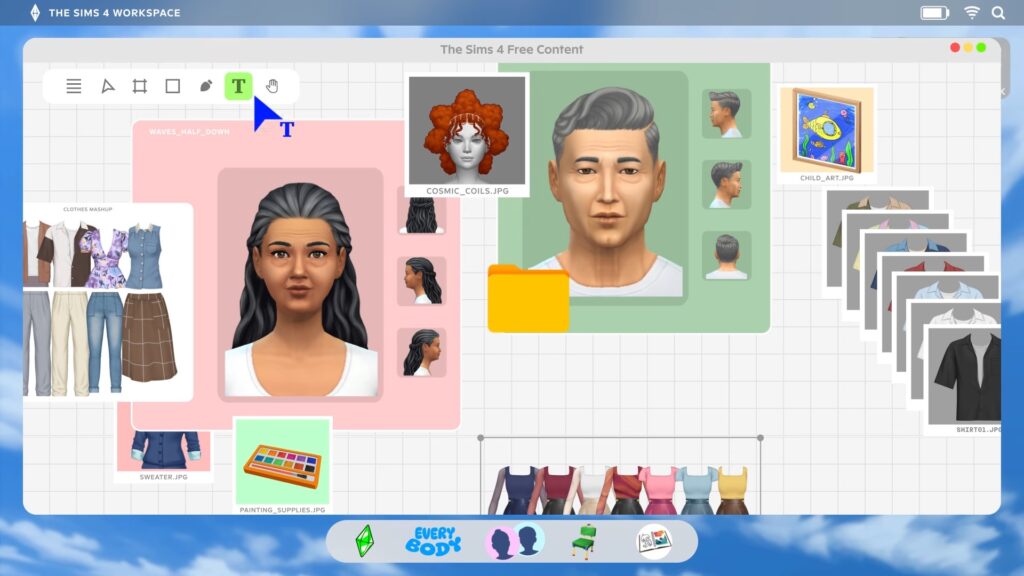
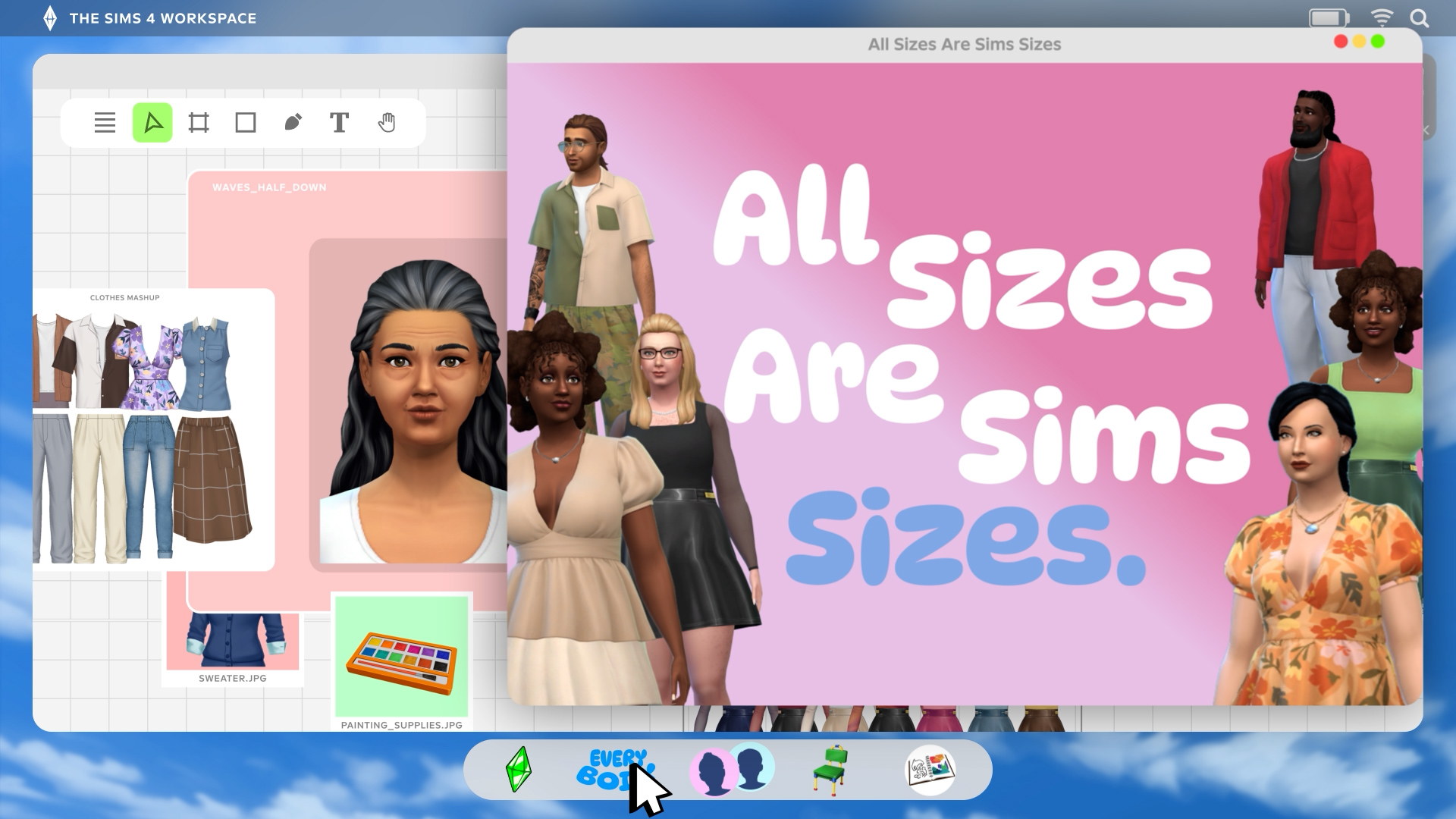
The first rollout begins later this month with the addition of plus size clothing and star hair. "the rest of the items will remain later this year"
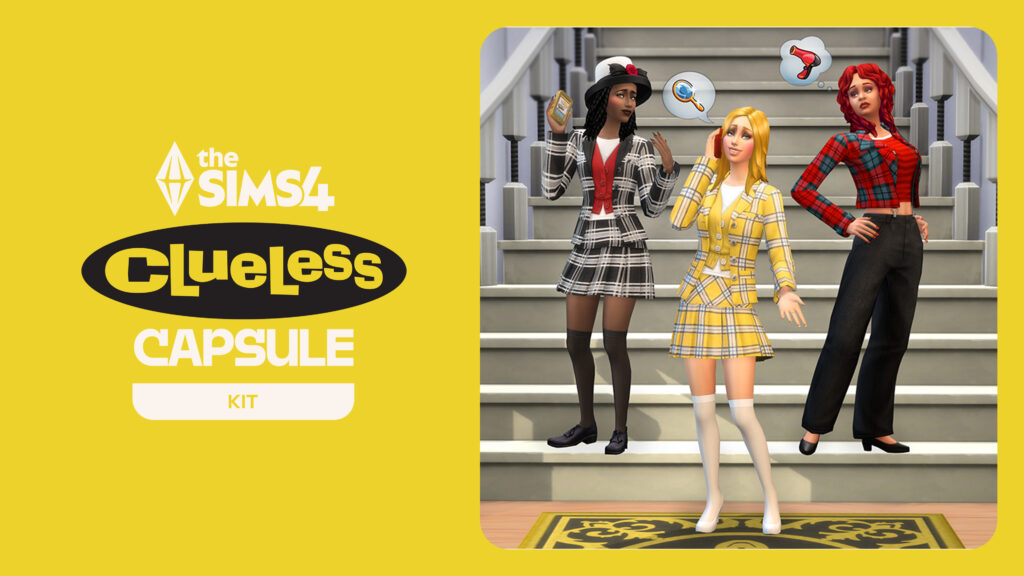
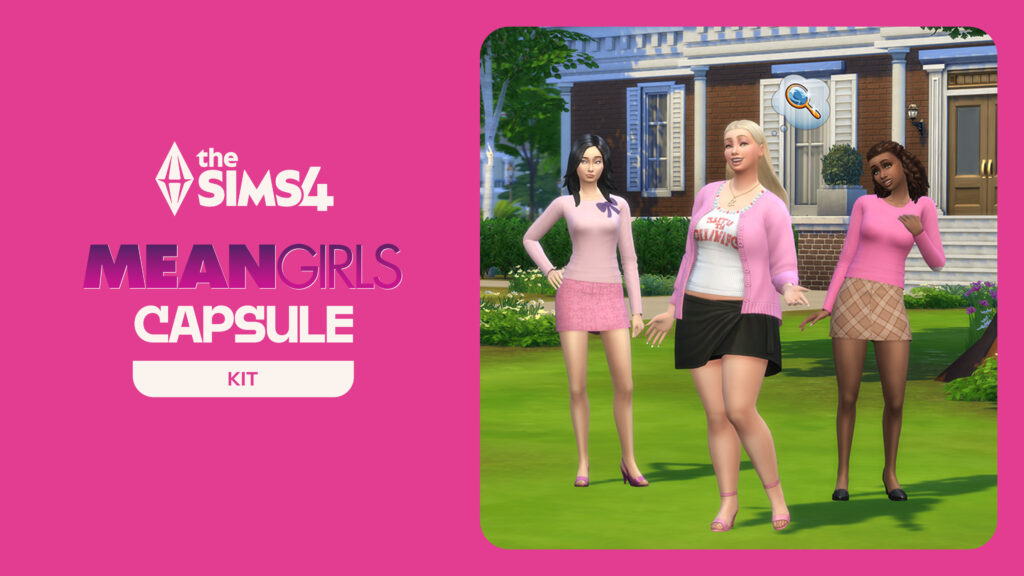
Here's a look from the teasers on mentioned items that you should expect to see in tomorrow's Sims 4 Update:
Here's the usual guide brought together by our author nooboofever to preparing your game for the next Sims 4 Update, especially those that can affect Mods and CC:
Preparing for the Update
Saving your Save Files!
Especially if you are a Mods & Custom Content user and/or you play long-term save files like legacies, challenges, forever saves, etc., an important part of save file health and keeping them safe and playable is to back them up prior to updates.
This is primarily important for those who play with mods and custom content, as mods being disabled after previously being active in a save or mods being broken while active in a save can cause corruption and other issues.
Although creating back ups of files can sound a bit daunting if you're unfamiliar with the concept, it is fairly easy and painless.
Here are the steps for backing up saves:
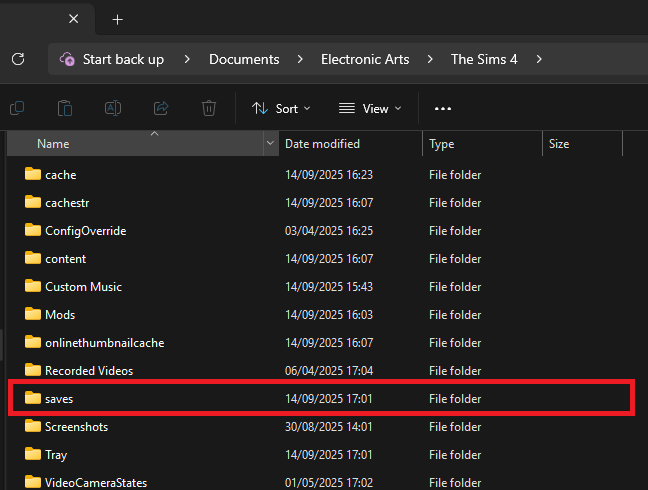
Go to your save files folder. This will vary depending on your operating system.
For Windows PC: C:\Users\[USERNAME]\Documents\Electronic Arts\The Sims 4\saves
For MacOS: Macintosh HD/Users/User/Documents/Electronic Arts/The Sims 4/saves
Copy any save files you want to back up for safe keeping. These will just be numbers so finding them may be slightly difficult, but anything recently played will automatically be at the top. You can also choose to sort files by the date they were last edited, and anything recently saved over should be at the top.
If you’re not sure, a good practice is to just copy all your saves to a backup folder.
This can also be done with Your Sims 4 tray files, which are the files that contain the data for anything saved in your library through the Sims 4 Gallery.
For Windows PC: C:\Users\[USERNAME]\Documents\Electronic Arts\The Sims 4\tray
For MacOS: Macintosh HD/Users/User/Documents/Electronic Arts/The Sims 4/tray
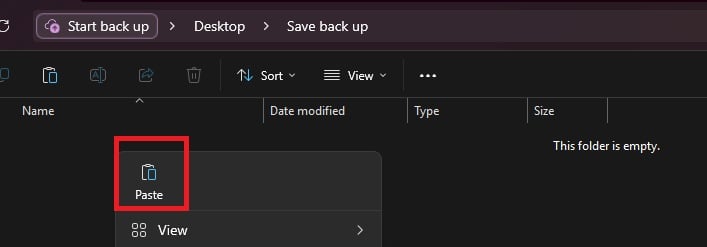
To back up your files, save them to separate locations. These can be folders on your computer (Like on your desktop or in a separate section of your documents folder), but it is recommended to use separate storage in case of hardware issues. These can include a USB flash drive, external hard drive, a cloud program, etc.
A good tip is to place them in a folder with the date of the back ups as the folder name.
If a save needs to be restored to a previous version, you can just copy paste from the folder back into your main Sims 4 Saves folder directly.
Another good rule of thumb is that, if playing with mods or custom content, do not attempt to play save files you care about until creators have posted about the update and the status of their mods. Most major creators post fairly quickly, but be patient!
Mods Folders & The 50/50 Method
Like most other updates, mods have a chance of breaking, especially if they change a feature that has been adjusted in the update. Custom content is often completely fine, but files can always corrupt or go wrong in some way. This means that, while it may seem tedious, the 50/50 method is the best way to find any issues that have popped up in your game that are stemming from broken or corrupted mods and custom content.
The 50/50 method is a way of organizing and testing mods and custom content to track down a specific file or files that are causing a bug or error in your game, or are causing it to not load or crash. Make sure to back up your saves, mods, and tray folders prior to this!
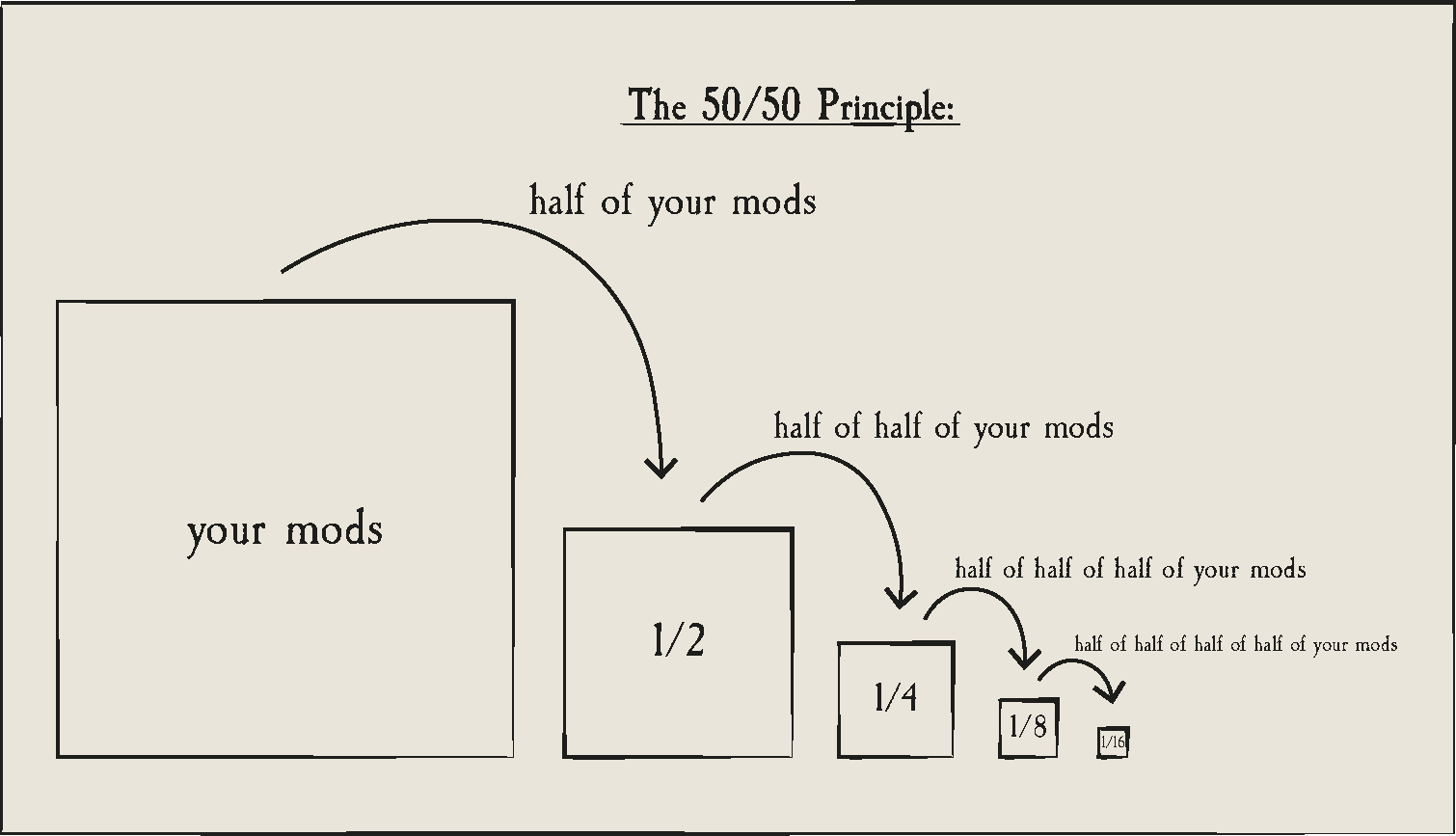
For a more in-depth guide to the 50/50 method, ThatSimsLady has broken it down previously and provided a guide that walks you through it, but here’s a general diagram from Sims After Dark.
Basically, the 50/50 method is when you split your mods folder down the middle, testing each half (Say, Half A and Half B) individually to rule out issues. For example, if the error or bug in questions persists in Half A but not Half B, then you know that the issue is held in Half A. You can safely sort away Half B and then split Half A and test either half, and so on and so forth.
This should help you track down problematic files fairly easily. And I will say that nobody likes doing the 50/50 method since it can take a long time, especially if you play with loads of mods and custom content, but is a very good way to make sure your game is in healthy condition and none of your saves are at risk.
In most cases, mods that break during updates are UI Mods and Gameplay Mods.
Gameplay Mods generally add or change features in The Sims 4, and many contain two files; .package and .ts4script files. While not always, these mods are prone to breaking with updates and should be removed and separately tested, or only updated/added back in once the creator has said it is safe.
UI Mods are any mods that change the user interface, like the menus surrounding your screen in Live mode and Build mode, or your columns in Create-A-Sim. The most commonly used UI mods include UI Cheats, More Columns in CAS, and any User Interface Replacement mods. While it is not inherent that they will break, they are usually the first to break during any update.
Also, always delete your thumbcache file. It regenerates every time the game launches, and should always be deleted while changing your mods folder in any way, especially if you're doing the 50/50 method.
It is also recommended to test mods with new updates in a completely fresh save file, to avoid corruption but also since certain updates only work with newer saves.
Other Points of Note for Mod Organization & The 50/50 Method
A good rule of thumb is to keep all mods separate from custom content. Custom content can break, but it is very unlikely since they often don't change anything about the games functions or features, and instead just add new assets.
You cannot separate mods from their extra files. If you have two files for a mod, like "MODNAME.package" and "MODNAME.ts4script", those two files must always be in the same folder to function.
Mod dependencies are larger mods that don't do much on their own, but are required for others to function. Many smaller mods require things like Lot51's Core File, the XML injector, Lumpinou's Mood Pack, and many others that must be tested alongside mods that require them.
These may also need to be updated on their own.
Some easy ways to organize your custom content and mods include...
NOTE: Script mods can only be one folder deep, while custom content can go around five folders deep.
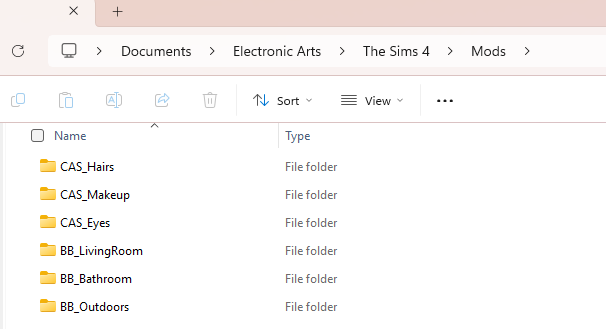
By Type: You can organize by the type of asset, area of the game, etc., and it really just depends on how detailed you want to go.
Ex: Placing hairs in a folder called "Hairs", "CAS_Hairs", "CAS", or even more detailed folders like "Hairs_Infant_Fem" or any variant.
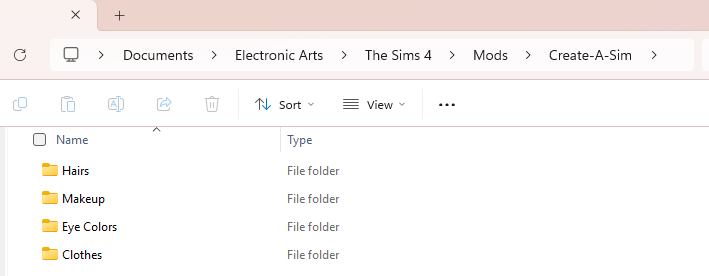
You can also make an overall "Create-A-Sim" folder, and then add individual folders for things like hair, makeup, etc.
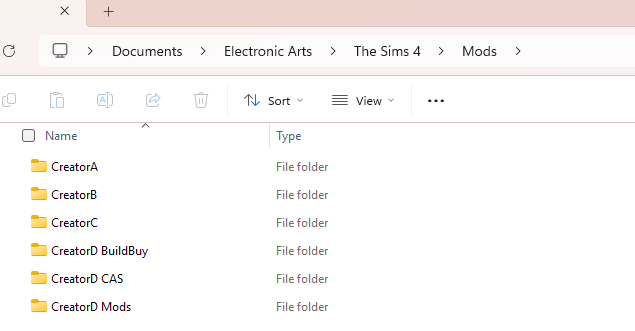
By Creator: While this can get semi-tricky when creators have collaborations, it can be easier to avoid duplicate mod files by sorting by creator, especially if you have lots of items from a select few.
Ex: "Creator1", "Creator2", "Creator3".
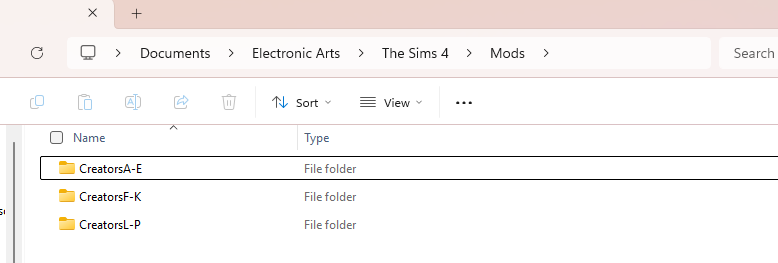
If you only have a handful of items from a certain creator, you can also alphabetically sort. Like "A-D", and include all creators with names starting with that range of letters.
The biggest point is that your organization method makes sense to you, and you alone! As long as you can find where you put things and troubleshoot your folder, that is all that matters!
Countdown to The Sims 4 Update
The next Sims 4 Update is set to release August 25th, 2026 across supported platforms. The usual release time is set for 7PM CEST / 10AM PST / 6PM BST.
As soon as the counter below turns zero you should be able to download the latest Sims 4 Update:
Countdown to The Sims 4 Update Release
00Days
:
00Hours
:
00Min
:
00Sec
Are you excited for the first free items coming with the next Sims 4 Update? Let us know in the comments below and stay tuned to Sims Community for the latest updates on Game Updates!
14 Comments
nigel
“You can expect some new content, some new content, 5 new contents, some new content and a couple of crash fixes tho”… what does that sentence even mean? did he have a stroke or something?
Nerdy
Reply to nigel
I think it’s meant to be a joke,
Like instead of saying “you can expect a new hair, a new necklace, five new shorts, etc.”
CrazzySimmer
Reply to nigel
No, that’s his humor. Always has been.
nigel
Reply to CrazzySimmer
well, it seems their new content is one hairstyle and also new content is a new bug, this time with main menu
CrazzySimmer
I was given the impression the update was tomorrow. But the countdown says it’s in less than an hour. Is that an error?
No thanks, just got this game to work after not updating since Feb! Always something!
Lorna Spradley
Ugh another update but no fixing other issues.
Jesse Notkin
Great. I’m currently redownloading everything back into my game and you have another freakin update. Thanks a lot.
Lisa Flack
I think updates are good in general but now they come so often. Once a month or more. And that is really excessive I think. I play with mods and I can only play once or twice a week and every update make something breake in my mods folder. So I always start with a new save after an update and play with it until I have tested all my mods. Then I go back to my regular saves where I play legacies and then I play once or twice and then there is another update so it starts over.
CrazzySimmer
Reply to Lisa Flack
I play a horse game that updates every week.
pen
Reply to Lisa Flack
you can go online and still play with mods most current(in your folder) without issue if you dont want to update immediately with the patxh
blubh
I shouldn’t complain about FREE UPDATES and FIXES, especially not when mods are optional, but man… Apart from game-breaking stuff, I’d rather they do this less often and save it for much bigger batches, so I don’t have to disable and check everything 5000 times a year. Most of the time I don’t even notice or care.
Again, I know this is a selfish stance, and I can’t really complain, but it’s just one of the many small things that make me take more and longer breaks than I’d like to.
Richter
Reply to blubh
In that case, at least give players an option to opt out of auto updates.
CrazzySimmer
Reply to Richter
You can but you gotta play offline
Welcome to Sims Community!
Our community is about connecting people through open and thoughtful conversations. We
want our readers to share their views and exchange ideas in a safe space.
In order to do so, we've created a simple set of rules that will improve your experience.
Simply put, keep it civil.
Your post will/might be rejected if it contains:
Spam
Insults, profanity, incoherent, obscene or inflammatory language and threats of any kind
Attacks on the identity of other commenters or the article's author
User accounts will/might be blocked if we notice:
Continuous attempts to re-post comments that have been previously moderated/rejected
Racist, sexist, or homophobic comments
Attempts or tactics that put the site security at risk
So, how can you be a power user?
Stay on topic and share your passion. Feel free to elaborate to get your point across.
'Like' or 'Dislike' when you are filled with emotions!
Protect your community. Use the report tool to alert us when someone breaks the rules.
Thanks for reading our community guidelines. Please note that we're aware of certain
issues with Sign In / Log In and Create Account / Email Confirmation issues. We're working
behind-the-scenes on a new Account Creation process. Thank you for your patience and
remember - freedom of speech is not freedom of reach
The latest public The Sims 4 Survey is all about cosmetic CAS and Build additions. The Sims Team has just published a brand new The Sims 4 Survey. Unlike the previous private Sims 4 Maker Packs survey in the beginning of this month, this one is completely public. Letting you parttake in selecting different CAS…
Everything shared by the developers during the Quality of Life Q&A for September 2026! The Sims Team hosted a virtual Q&A session over on Discord regarding the upcoming Sims 4 Quality of Life Update that’s arriving September 22nd. The team answered burning questions from community members and shared some sneak peeks and previews of what…
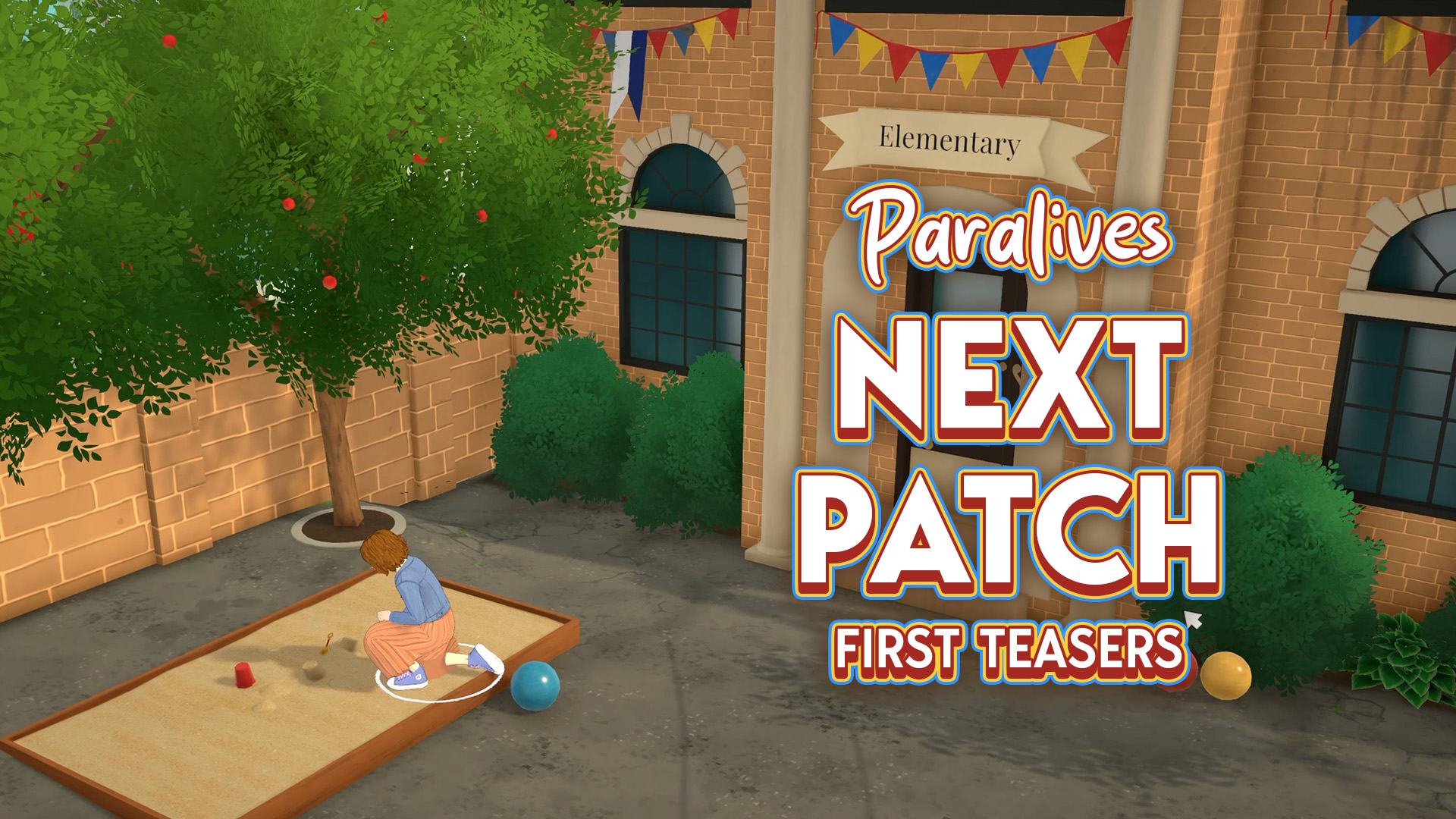
Extra classes for kids and…a crime scene? The Paralives Team is already teasing what’s coming in the next game update. Not to be confused with the Big Content Update / Expansion that’s set for later this year! First Teaser The first teaser that the team has shared was in the beginning of this month, revealing…
The official list of upcoming bug fixes is now out! The Sims Team has just released the latest Sims 4 Laundry List, covering bug fixes and game improvements that we should expect in the next Sims 4 Update. In this case, the next game update should be expected for September 22nd, 2026, with improvements to…
If you wanted to save money on The Sims 4 DLC and Legacy games, now’s your chance in this The Sims 4 Sale! For September, EA decided to run a new sale on The Sims 4. As was in the August Sale, all Expansion Packs, Game Packs, and Stuff Packs are up to 50% off,…
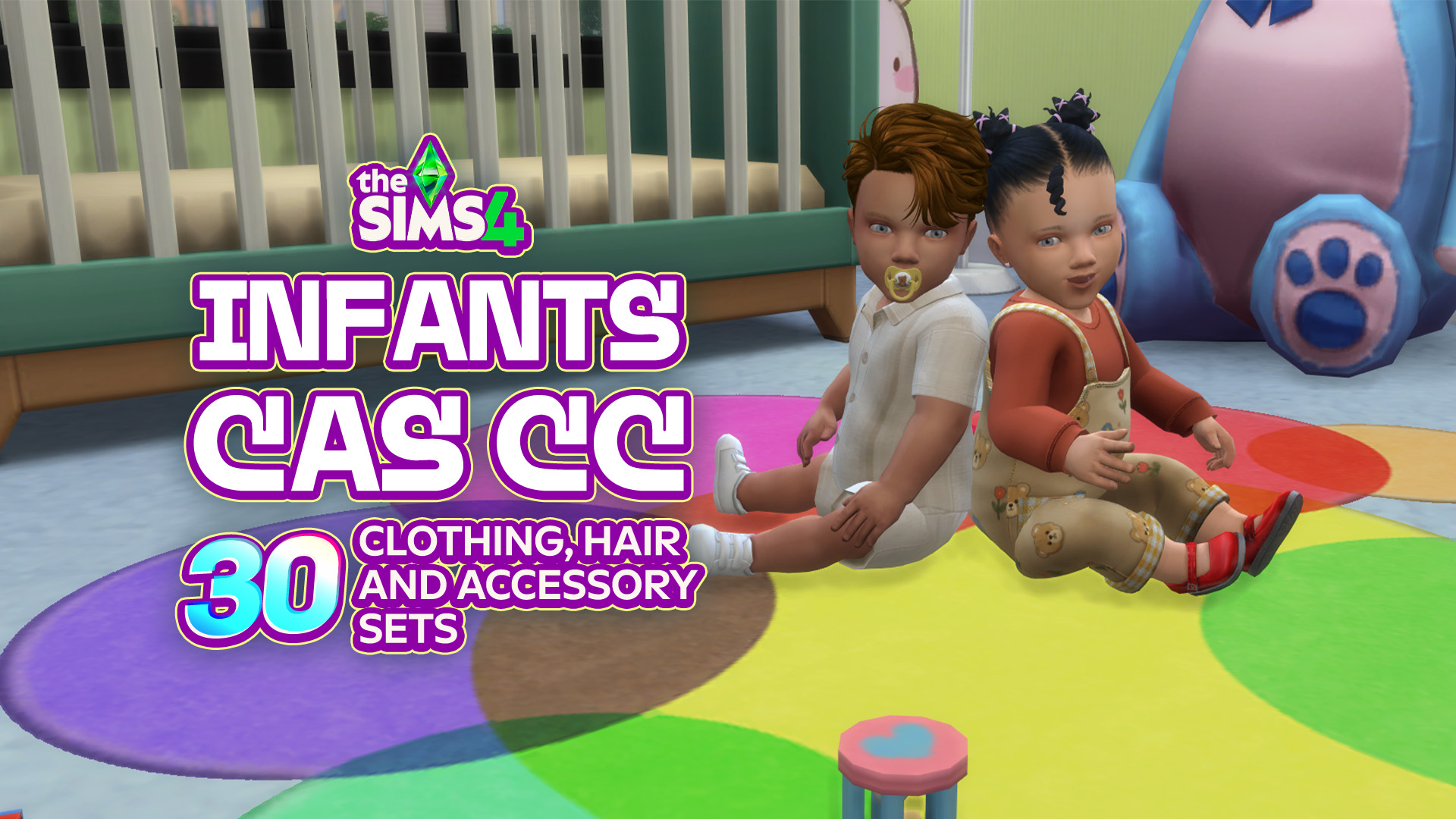
Infants in The Sims 4 are already adorable, but the right CC can make them even cuter! Whether you’re looking for new onesies, cozy outfits, or tiny accessories to complete those precious looks, there is plenty of Sims 4 Infant CC to make your baby even more stylish! From everyday essentials to outfits you will…
On November 14th 2025, Producer & Director Hyungjun ‘Kjun’ Kim first brought out the concept of Canvastown and asked for feedback. Since then, a small team has been working on this feature. Today, Kjun shared the first peek into the development to InZOI Canvastown, alongside the multiplayer feature coming with it. Wednesday September 2nd Catch-Up…
The EA Buyout was completed for $55 billion in August 2026, led by Saudi Arabia’s Public Investment Fund (PIF), and there’s talk of another change behind the scenes. In a recent report, Bloomberg claims that the PIF is considering folding EA into Savvy Games Group, another company it owns, to create a single mega publisher…
Three more Sims 4 Maker Packs have landed on the Marketplace, joining last week’s trio and the two released earlier this week. This round comes from Mechtasims, Kerriganhouse, and SolunaRae, adding everything from Stanley cups to new desks and even a giant dice block. You can take a closer look at what each creator has…
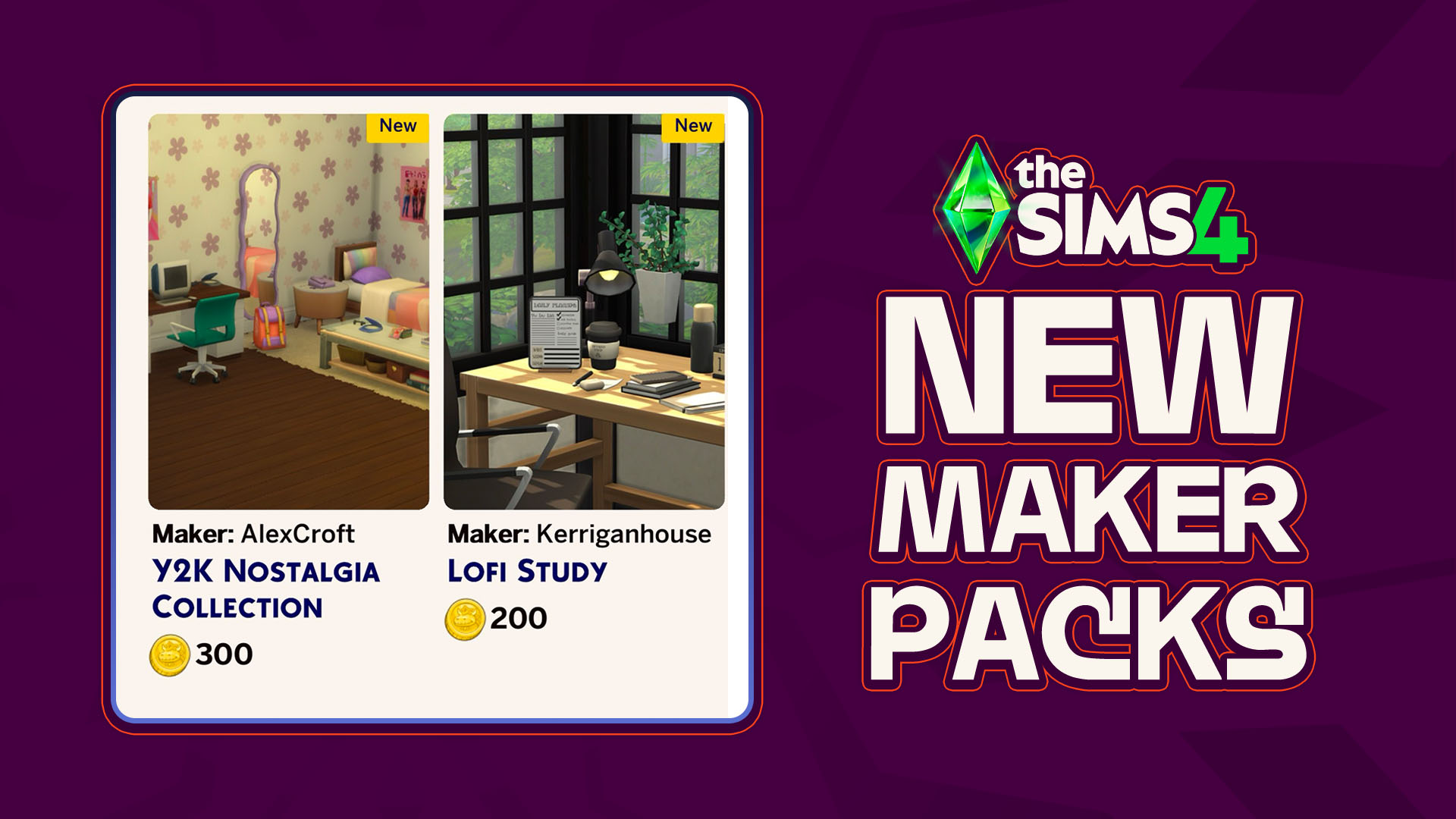
As though there has been any shortage of activity coming out of the marketplace and the Sims 4 Maker Packs that it produces, another two maker packs have hit the front page of the Sims 4 Marketplace; A new Y2K-themed bedroom collection by maker AlexCroft and a simple desk clutter collection by maker Kerriganhouse are…









14 Comments
“You can expect some new content, some new content, 5 new contents, some new content and a couple of crash fixes tho”… what does that sentence even mean? did he have a stroke or something?
Reply to nigel
I think it’s meant to be a joke,
Like instead of saying “you can expect a new hair, a new necklace, five new shorts, etc.”
Reply to nigel
No, that’s his humor. Always has been.
Reply to CrazzySimmer
well, it seems their new content is one hairstyle and also new content is a new bug, this time with main menu
I was given the impression the update was tomorrow. But the countdown says it’s in less than an hour. Is that an error?
No thanks, just got this game to work after not updating since Feb! Always something!
Ugh another update but no fixing other issues.
Great. I’m currently redownloading everything back into my game and you have another freakin update. Thanks a lot.
I think updates are good in general but now they come so often. Once a month or more. And that is really excessive I think. I play with mods and I can only play once or twice a week and every update make something breake in my mods folder. So I always start with a new save after an update and play with it until I have tested all my mods. Then I go back to my regular saves where I play legacies and then I play once or twice and then there is another update so it starts over.
Reply to Lisa Flack
I play a horse game that updates every week.
Reply to Lisa Flack
you can go online and still play with mods most current(in your folder) without issue if you dont want to update immediately with the patxh
I shouldn’t complain about FREE UPDATES and FIXES, especially not when mods are optional, but man… Apart from game-breaking stuff, I’d rather they do this less often and save it for much bigger batches, so I don’t have to disable and check everything 5000 times a year. Most of the time I don’t even notice or care.
Again, I know this is a selfish stance, and I can’t really complain, but it’s just one of the many small things that make me take more and longer breaks than I’d like to.
Reply to blubh
In that case, at least give players an option to opt out of auto updates.
Reply to Richter
You can but you gotta play offline
Welcome to Sims Community!
Our community is about connecting people through open and thoughtful conversations. We want our readers to share their views and exchange ideas in a safe space.
In order to do so, we've created a simple set of rules that will improve your experience. Simply put, keep it civil.
Your post will/might be rejected if it contains:
User accounts will/might be blocked if we notice:
So, how can you be a power user?
Thanks for reading our community guidelines. Please note that we're aware of certain issues with Sign In / Log In and Create Account / Email Confirmation issues. We're working behind-the-scenes on a new Account Creation process. Thank you for your patience and remember - freedom of speech is not freedom of reach