


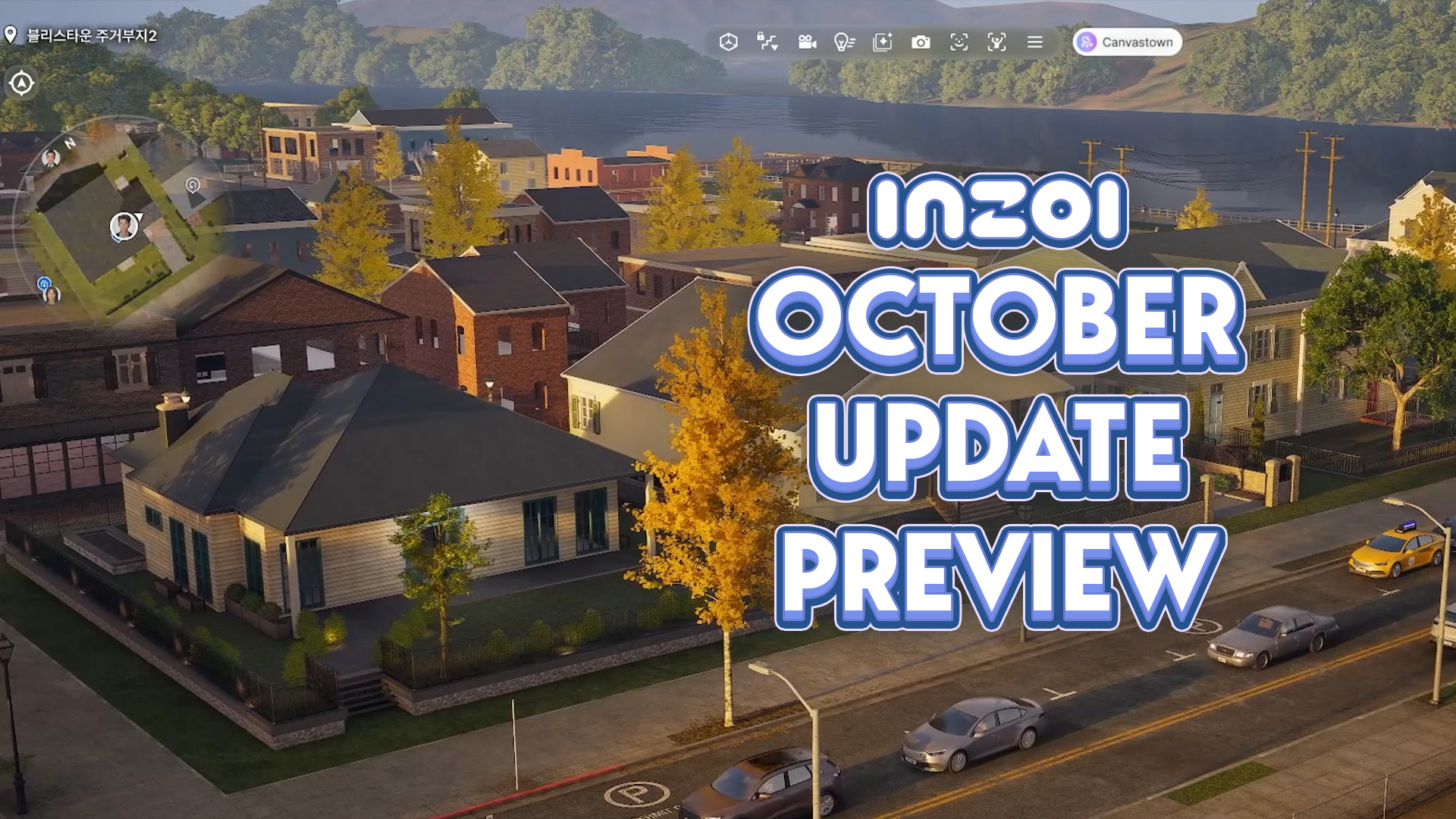
New features have arrived with in the latest InZOI Update!
The KRAFTON team has just released a new InZOI Update on Steam and Mac App Stores worldwide. This September Update adds both quality of life improvements as well as new features, including ability to vacation in any world, expanded interactions, an entire Dine Out experience and much more.
Find all the official changes and improvements in the full patch notes and bug fixes listed below:
Table of Contents

[v0.10.0] InZOI Update: Official Patch Notes
◆ Update Information
◽️ Patch Date: September 3, 2026
◽️ Build Version:
- Windows PC Steam: 20260902.14983.W
- Mac Steam: 20260902.14985.M
- Mac App Store: 5.4.72 (0.296.95) /20260902.14984.M
<inZOI v0.10.0 Update>
■ Gameplay
[Vacation]
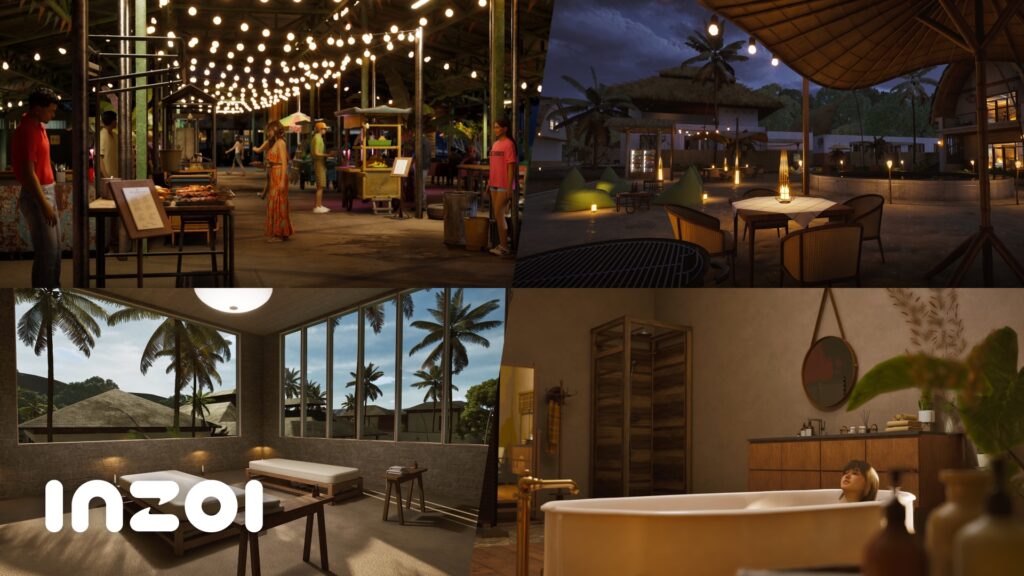
- Zois can go on a vacation to different cities by selecting who to travel with, which accommodation to stay in, and how long the vacation will be.
- Upon check-in, door permission of the room is exclusive to the Zois who made the reservation, and deliveries can be ordered to the accommodation.
- After checking in, Zois can extend, modify, or shorten their stay, and check-out is at 12:00 PM.
- Zois can enjoy various activities as recommended by the resort, such as the private spa, barbecue party, and private beachside dining, depending on which resort they stay in.
- The central market in Cahaya has been improved and offers a new ‘night market’ social event.
- While on a vacation, a new save file will be created to not restrict access to the previous save in the Zoi’s original city.
[Water Activity]
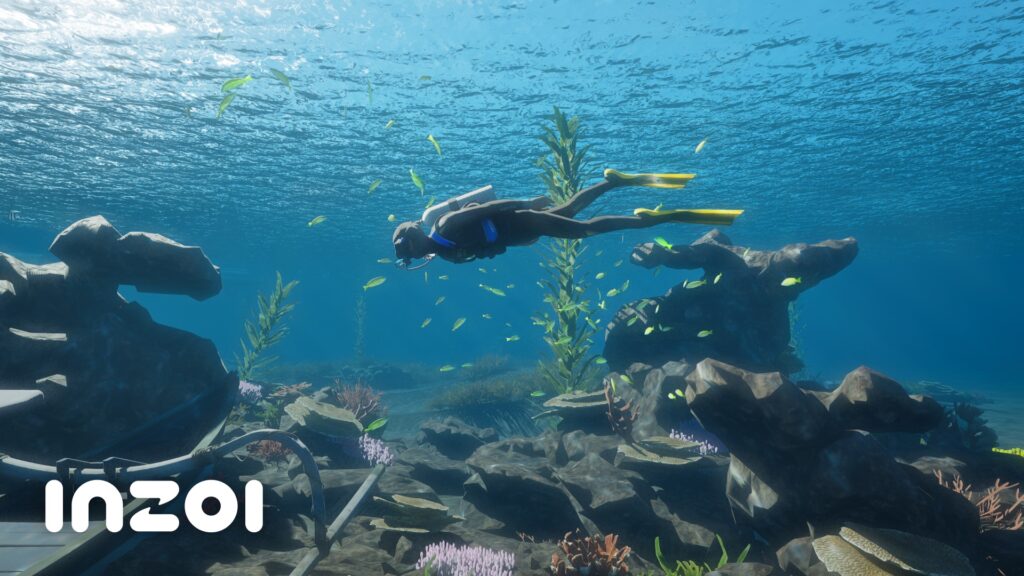
- A dedicated diving suit can be rented or purchased to enable scuba diving, which moves the Zoi underwater to be freely controllable.
- Exclusive resources and treasures can be acquired underwater and added to the collections.
- Having low energy, hunger or sleep level disallows the Zoi from scuba diving.
- Surfboards can be purchased from the surf shop and stored in the inventory to start surfing in the ocean.
- Use the self-interaction ‘ride the surfboard’ when in a swimming position to get on the surfboard.
- Use the self-interaction ‘go surfing’ at a deeper part of the ocean to start a mini-game where the Zoi has to stay in balance by using the direction keys.
[Restaurant]
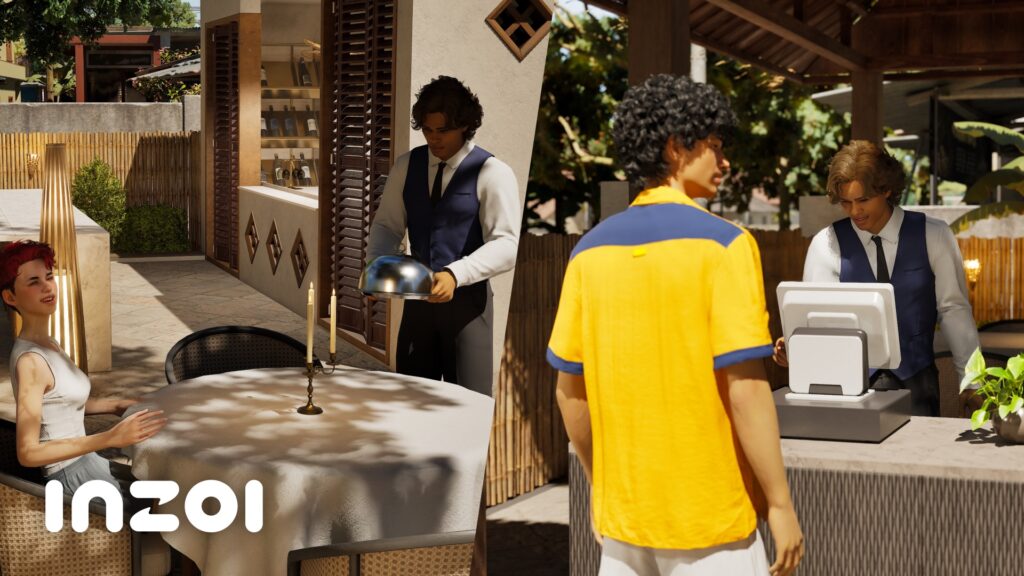
- A full dining experience has been added to restaurants.
- Enter a restaurant together with a group, and they will be guided to their table, to which the Zois can order their menu.
- The ordered items will be cooked by the chef and will be brought to the table by the waiter.
- The Zois pay for their meal once they have finished their meal, then exit the restaurant.
- This new system can be operated for a Zoi’s owned restaurant business.
[School]
- School uniforms can be edited to any designated outfit by interacting with mannequins placed in the school building.
- The classes can be customized to include any students that are available from the list.
- A student can apply for a transfer to another school.
- Friday homeworks can be completed over the weekend and turned in on Monday.
- A note can be sent only to the locker of the Zoi whom they have a romantic interest in.
- If a request to go to prom with a Zoi who already has a prom partner becomes successful, the previous partner will be notified of this via text message.
[Business]
- The title of a business owner can be edited.
- Zois with no prior relationship with the owner can also be hired to work.
- Hire candidates are displayed in a descending order of their required skill level.
- Work schedule and role presets can be applied to employees after hiring.
- Part-time employees are each assigned a half of the business’s operation hours.
- If required pieces of furniture are not placed when operation begins, the owner will be notified.
- For luxury restaurants, operation cannot begin until all required furniture has been placed.
- Recipe selection screen displays recipes organized by categories.
- The business owner can ask a customer to leave their building, prohibiting their entry for a period of time.
[Event]
- Social events for regional holidays in Cahaya have been added to the calendar and are notified with notifications and messages.
- Indicators with description have been added for holiday icons on the calendar.
- All event missions can be viewed from a combined interface screen.
[Other Features]
- Pictures taken with photo mode will automatically be made into a photo album and be placed in the inventory.
- This feature can be toggled on and off in photo mode.
- The control guide and mini-map can be closed and reopened directly from the screen.
- Markers removed from the mini-map will also disappear from the city.
- If certain furniture required to fulfill a Zoi’s needs is not placed in the house, a notification will appear.
■ Simulation
[Food]
- Using a higher quality range cooks food faster and can produce higher quality results.
- Leaving a cooking scene unattended can result in a fire.
- Using cooking appliances lowers its durability over time, making it more prone to break.
- A new food item is not prepared if there is already a food item nearby.
- Food and drinks can be freely consumed when in their owned property.
- A food item partially eaten by another Zoi does not get moved to the inventory.
[Baby]
- Babies enter the baby steps phase as a part of their growth process.
- Self-interactions for newborns are categorized for easier navigation.
- Babies can sleep on their dedicated beds.
- A pillow and blanket covers a sleeping newborn.
- If a Zoi turns off the TV while the baby is watching, the baby reacts based on their traits.
- Adult interactions with babies have the adults lowering their body position to meet the baby at eye level.
- Reaching the next age group succeeds previously obtained skills and developmental characteristics.
[Smart Zoi]
- Smart Zois have been improved to use various contexts, including current location, group activity, or social event to its job or owned business to decide its interactions.
- Interactions selected by a Smart Zoi are indicated with a dedicated symbol.
- Names appearing on the speech bubble are localized to the set game language.
[Interaction]
- Zois can knock on the door of another person’s home.
- At home, Zois can ask another Zoi to run an errand.
- Interactions exclusively to the swimming pool and the beach have been added.
- Zois’ profile pictures are displayed on the interaction queue.
- When an interaction is not possible, the reasoning is displayed on the interaction queue.
- The relationship interface has been visually reorganized.
- Identical interactions can be set to automatically repeat to applicable targets nearby.
- Watching the television while sitting on a bean bag or a bed is possible.
[Group Activity]
- Zois can ask another Zoi with whom they have a high relationship score (friendship, romance, or business) to spend the night at their house.
- If the Zoi accepts the offer, they will sleep over and leave the next morning.
- Zois in a group move together to a set destination.
- If a Zoi is too far from the other members, they will travel independently to the same location.
- The indicator above a Zoi’s head now displays if the Zoi is participating in a group activity.
[Autonomy]
- The quality of autonomy behavior has been significantly improved based on the three factors of time, place, and occasion.
- Different automation behaviors can be toggled on and off for individual Zois, household members, and all Zois in the city.
- A bed is assigned for each member of the household after moving to a new house or other significant life events.
- The rate at which a house becomes dirty has been adjusted so that Zois clean the house once every two to three days.
- The obituary text message displays the cause of death.
[Mentality]
- Video game has been added as a new skill.
- Children can select ambitions to gain objectives.
- New traits can now be obtained by completing Ambitions.
■ Control
[Active Mode]
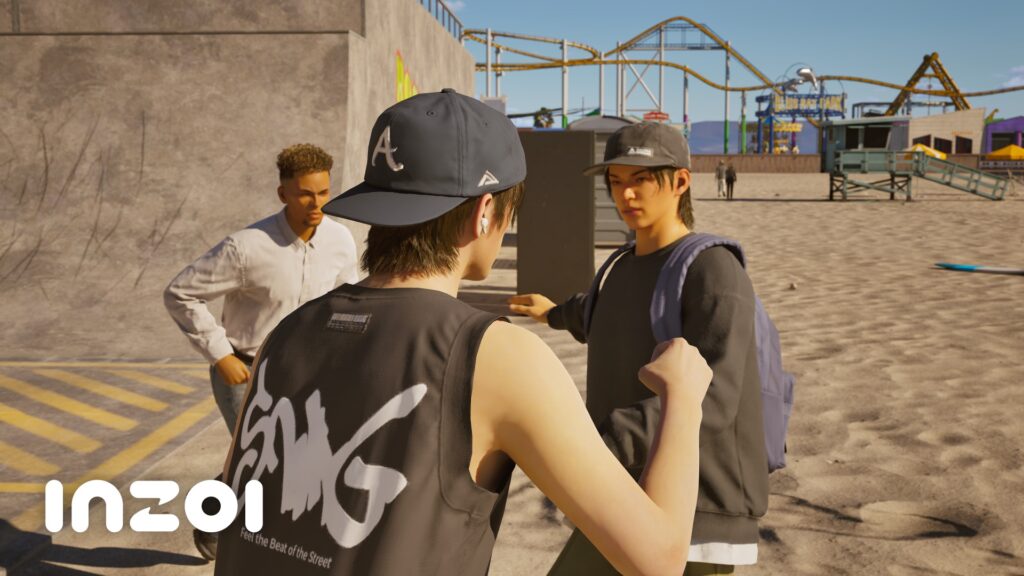
- The following keys can be pressed to directly interact with Zois and objects.
- E: Punch/kick
- Kick is performed only if there is a kickable object nearby.
- Landing a hit on a Zoi knocks them back or down to the ground as well as reduces their health.
- If a Zoi’s health is fully depleted, they will be moved to a nearby hospital.
- Q: Pick up/throw object
- After picking up an object by pressing Q, Q can be pressed again to throw that object.
- E: Punch/kick
- Throwing objects at another Zoi does not start a fight, but punching a Zoi can make them angry and want to start a fight.
- Active mode controls cannot target a household member.
- Punching and throwing objects consumes energy, and having insufficient energy disallows the Zoi from performing these actions.
[Other Features]
- Continuously holding the W key transitions walk to a running motion.
- This feature can be toggled on or off.
- Realistic physics have been applied to some balls to make them more fun to interact with.
- Objects placed on the ground can be rolled or pushed.
- Advanced driving mode options have been moved to [Game Options > Gameplay].
- Sound effects have been applied to advanced driving mode.
■ Create a Zoi
[Improvements]
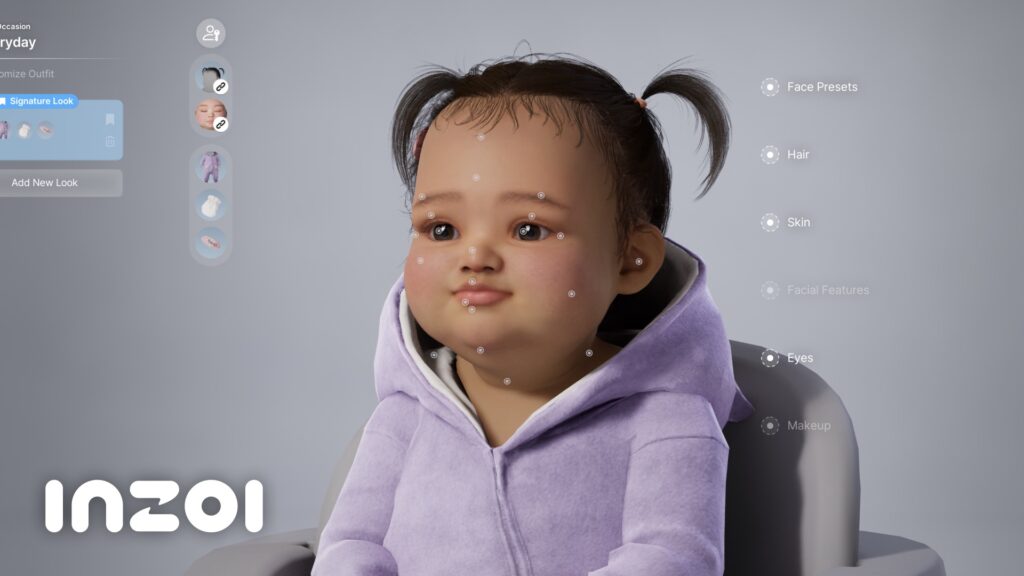
- Baby age groups have been added to Create a Zoi.
- The genetics system has been added to Create a Zoi.
- Directly create an offspring by using genes from one or both parents.
- When selecting one parent, an unknown parent’s DNA will be applied to create an offspring.
- Members can be added or removed directly from within the customization screen.
- After a household is created, this feature can be accessed from the Zoi Card.
- Relationships of each household member can be adjusted using the family tree.
- Once a household has been created, the family photo can be changed to other random variants of poses by different household members.
- The MetaHuman system has been updated from 5.0 to 5.6.
[New Items]
- Custom voices (pitch-adjustable): 6
- Newborn babies inherit the voice genetics of their parents.
- Hairstyles: 4
- Tops: 4
- Sets: 1
- Shoes: 2
- Underwear:
- Top: 3, Bottom: 3
- Masks: 2
■ Build Mode
[Improvements]
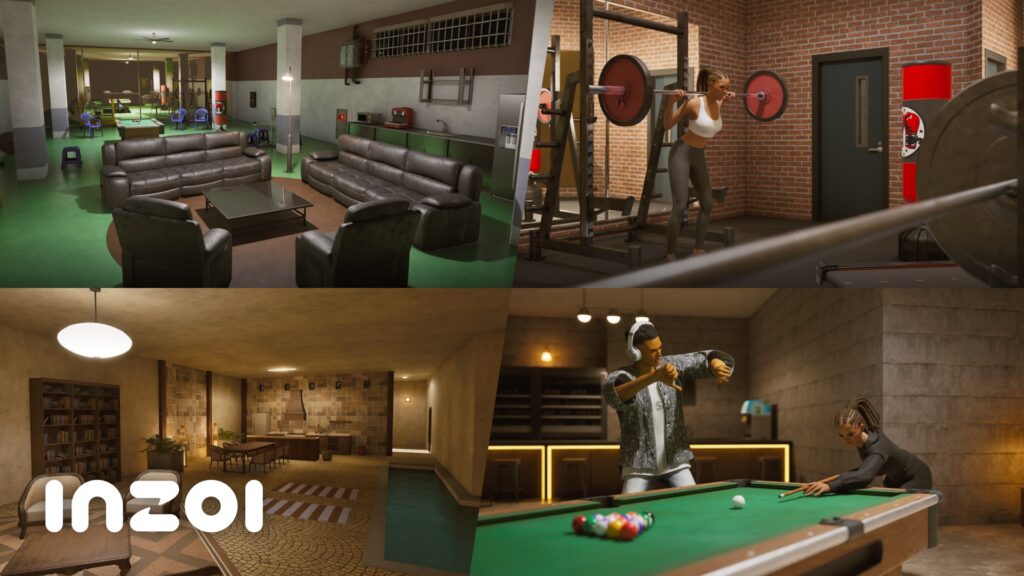
- Basement construction for up to three basement floors has been added for private residential properties.
- Furniture categories have been added to the right of the item list.
- The maximum number of floors allowed for public properties have been increased to 29.
- Some properties are exempt from this application.
- The color of flowers and leaves on Build Mode’s flower trees can be edited.
- AI build has been removed.
[New Items]
- Lodges: 5
- Dream Stay, Grand Haven (Dowon), Sunset Backpackers, Golden Coast (Bliss Bay), Sri Lestari Hostel (Cahaya)
- Restaurants: 3
- Restaurant Sodam (Dowon), Ora Oro (Bliss Bay), Nana Goreng (Cahaya)
- Basement floors: 3
- Mugunghwa Villa (Dowon), 1011 Willowtree Lane (Bliss Bay), Bumi Indah House (Cahaya)
- Presets: 2
- Watervilla Welcome House, Garden Villa Lounge
- Interaction objects:
- Build Mode: 17, Public: 60
- Textures: 85
■ System
- When the game is first opened after an update, a new PSO cache needs to be created, which causes the one-time long wait time.
- In-game rendering has been improved to look more aesthetically pleasing, with much emphasis placed on various lighting conditions.
- The local directory of a save file can be opened from the save or load screen.
- In-game mouse cursor has been changed to a Psycat design.
■ Canvas
- Newborn and toddler age groups have been added.
- The grey default profile picture has been changed to blue.
■ Mods
[In-Game]
- The browse mods page has been revamped to allow for easier navigation.
- The mods menu can be accessed while playing from the in-game menu.
- The local folder for mods can be opened from the manage mods page.
- After the game is updated, official mods that have been verified to work are no longer automatically deactivated.
Mods that are outdated or obtained from unsupported sources will continue to be automatically disabled after a game update.
[ModKit]
- Vehicle modding and its dedicated wizard have been added.
- The following sample assets have been added.
- 30 accessories
- 4 high heels
- 1 object set
- 1 sink
- 1 sofa
- In the outfit wizard, adding an outfit to a mesh or a deformed mesh, cloth LOD will be automatically set (previously set data will be applied).
- Package Mod… quick menu has been added to the editor toolbar.
- Pressing the ModKit Home button in the UGC panel changes the Home button to a go back button.
- Progress indicators have been added for each step when setting up Face with MetaHuman:
- To-do: Step not yet started (pending)
- Check: Step partially completed or requiring attention
- Done: Completed step
- Optional: Optional step
- A blue border now highlights the step that currently requires attention. Once completed, the UI automatically moves to the next step.
- Function description tooltips have been added to each button in the Face tab and are displayed on mouse hover.
- Labels and separator lines have been added to distinguish between skinned mesh and attached mesh.
- A new accessory sample has been added.
- A furniture FBX file is now provided.
- Items for the data editor can now be edited by double-clicking.
- Tab open/active states are now saved and restored for each mod, allowing previous workspace to be resumed when reopening it.
[In-Game CLI]
- Post-process ABP can now be used to override individual bone transforms without replacing the main animation, while preserving morph targets and body shape.
- pose.set_bone — Layers a bone transform override onto the body post-process instance.
- pose.clear — Removes an override from a specific bone or clears all overrides. Additive bones are preserved.
- pose.get — Returns the currently applied bone overrides as JSON.
- pose.list_bones — Returns a list of skeleton bone names.
- The concept of enum (allowed values) has been added to CLI parameters and applied to major commands such as bio.set_gender, data.patch, luamod.reload, and zoi_group.create.
- Enums are now exposed through the game runtime MCP and reflected in cli.help output and the tools/list inputSchema (JSON Schema enum).
- example_result (example response) is now automatically generated in the catalog.
- modkit_list_uimod_cli_categories has been added to the ModKit MCP to retrieve the list of CLI categories.
- CLI command search has been improved with case-insensitive matching, relevance-based sorting, and expanded search coverage across IDs, display names, aliases, parameter enum values, and descriptions.
- The descriptions for appearance.set_gender and bio.set_gender now specify whether side effects (visual/simulation) are synchronized and clarify the fire-and-forget behavior.
- pregnancy_and_birth.get_baby_with now returns specific failure reasons, such as no partner, no spouse, not a female Zoi, already pregnant, or conditions not met.
- entity.get_character_info now exposes the bio_gender field, as visual gender and simulation gender may differ.
■ Bug Fixes
Gameplay
- Fixed an issue where toddlers intermittently repeated only certain interactions when Smart Zoi was enabled
- Fixed an issue where children intermittently failed to satisfy their Hunger need
- Fixed an issue where Zois did not react to fires in certain save files
- Fixed an issue where City Travel was unavailable due to a fire even after the fire had been extinguished in certain save files
- Fixed an issue where Zois intermittently stopped without performing autonomous actions
- Fixed an issue where the probabilities of positive and negative dialogue were unnatural
- Fixed an issue where newly created Teen Zois could not enroll in Active School in certain save files
- Fixed an issue where programming started at a location different from the laptop
- Fixed an issue where cooperative actions did not proceed during Social Event scenarios when needs were low
- Fixed an issue where toddlers could spawn in the hallway when adopted from Dowon Villa
- Fixed an issue where Zois intermittently did not satisfy their highest-priority needs first
- Fixed an issue where the text message received when enrolling in Active School while attending Rabbit Hole School was unnatural
- Fixed an issue where Zois could enter a salon outside of business hours when continuing a game
- Fixed an issue where a toddler’s position changed after returning to the game following a screen transition while the toddler was seated in a toddler dining chair
- Improved some systems so that Zois perform autonomous actions appropriate to the situation
- Fixed an issue where abnormal textures appeared in the parking lot of Dowon Ullim Temple
- Fixed an issue where footsteps could not be heard on floors above the first floor
Interaction
- Fixed an issue where the purchase function did not proceed after performing the purchase interaction at a kiosk
- Fixed an issue where the flow after a refrigerator broke during certain refrigerator interactions was unnatural
- Fixed an issue where the 3D Printer object could not be interacted with
- Fixed an issue where the “Suggest Having a Baby” dialogue did not proceed normally for non-active Zois
- Fixed an issue where Zois washed dishes while facing the opposite direction when performing the Wash Dishes interaction while holding a toddler
- Fixed an issue where the animation for the Kiss on Desk interaction was misaligned
CAZ
- [Mac] Fixed an issue where lens color could not be changed
- Fixed an issue where a visible line and mismatched skin tones appeared between the head and upper body
- Fixed an issue where unlocked clothing became locked again when leaving a club without entering CAZ after joining the club
Build Mode
- Fixed an issue where the ceiling was obscured when visiting certain apartment lots
- Fixed an issue where objects could not be clicked when reverting a lot in Build Mode
- Fixed an issue where Zois could pass through the Harangnaru-ro 64 in Dowon
UX & UI
- Fixed an issue where the “Follow” interaction icon was not displayed
- Fixed an issue where the “Off” setting for the minimap UI display was not saved
- Fixed an issue where school violence warning messages were repeatedly received even on days when the Zoi had not attended school
- Fixed an issue where focus disappeared when entering the radial menu with a controller
- Fixed an issue where the focus of the action list was unnatural when editing the radial menu with a controller
- Fixed an issue where unavailable functions were not dimmed while in Ghost state
Canvas
- Fixed an issue where the Canvas icons in the lobby overlapped
Mod
- [In-Game Mod] Fixed an issue where loading intermittently stopped when entering CurseForge, preventing access
- [Canvas] [ModKit In-Game] Fixed an issue where mods were not applied when using a preset containing installed mod clothing on the start screen
- [In-Game Mod] Fixed an issue where mods created by duplicating DLC data did not function properly
What's your experience so far with downloading the latest InZOI Update? Let us know in the comments below and stay tuned for a full Patch Features overview on Sims Community!
1 Comment
I feel like the inzoi don’t talk as much. Idk. I need them to interact more
Welcome to Sims Community!
Our community is about connecting people through open and thoughtful conversations. We want our readers to share their views and exchange ideas in a safe space.
In order to do so, we've created a simple set of rules that will improve your experience. Simply put, keep it civil.
Your post will/might be rejected if it contains:
User accounts will/might be blocked if we notice:
So, how can you be a power user?
Thanks for reading our community guidelines. Please note that we're aware of certain issues with Sign In / Log In and Create Account / Email Confirmation issues. We're working behind-the-scenes on a new Account Creation process. Thank you for your patience and remember - freedom of speech is not freedom of reach