Home Blog Page 148

Guide to Rotational Play in The Sims 4

4

Try a brand new play of playing with Sims 4 Rotational Play!

Have you been looking for a different way to play The Sims 4? Have you ever found yourself scratching your head about what you want to do with the kids of your Sims when they grow up and leave the nest? Do you want to play with multiple families in the same save but you’re worried about the Sims you’re not playing with growing old and dying while you’re playing with another household?

If you answered yes to any of these questions, rotational gameplay might be for you!

What is Rotational Play in Sims 4?

Wishing Well in The Sims 4

Rotational play is a style of gameplay where you play multiple households for a scheduled length of time so that all Sims are aging and progressing in life at the same pace. The length of time spent in each household varies according to the player’s preference but it’s usually either one week or one season. Rotational play is ideal for generational players who want to be able to play multiple branches of the same family as it expands. It’s also a good option for people who want to create an MCU-style universe with many different Sims and households that are all interconnected with each other.

Rotational play has been around for a very long time. In fact, rotational play was the only way you could play The Sims 1 and The Sims 2 back during their hey days. It wasn’t until The Sims 3 that the gameplay shifted more towards playing a single family while the Sims around them went about their lives on their own. The good thing about The Sims 4 is that it’s perfect for playing either way. You can play with just one family forever or you can rotate between multiple families. It’s very versatile in this way.

Setting Up Your Game for Rotational Play

The Sims 4 can be played rotationally very easily but in order to maintain control over so many households, you will have to make some changes in the game settings. Keep in mind that I will be showing you how to set up your game for rotational play in a way that I feel works best. This means we will be setting the game up to work very similarly to The Sims 2, where Sims will not age or progress while you are not playing them. If you don’t agree with my recommendations, by all means set the game up to your own preference! There’s no right or wrong way to play rotationally as long as you are having fun. I just find I have more fun when things are organized in a particular fashion.

Before beginning this new style of play, open up the Game Options while loaded into your save and open up the Gameplay tab.

Guide to Rotational Play in The Sims 4

The most important setting in this tab is the Auto Age (Played Sims) setting. This determines whether or not your played Sims will continue to age while you are not playing in their household. If you are playing rotationally, it is best to set this to Only Active Household. This means that only the household you are currently playing with will age.

The next setting you will want to pay attention to is the Auto Age (Unplayed Sims) setting. This determines whether Sims in unplayed households will age or not. This is entirely up to you. If you only want to rotate between a handful of households and leave everyone else to their own devices, you should check this box. If you do not want any Sims in your world aging up without you at all, ever, uncheck this box.

Next, select your lifespan. This is also completely up to your own personal preference. If you disable aging completely, you don’t even need to worry about the previous two options at all. Just set aging to off and go. If you want Sims to age, the previous two options become important. Select the lifespan you want to play with and the game will take into account the auto-aging options you’ve just set.

Everything else on this page is optional so just do up the rest of the settings however you like. The only really important thing is to make sure that if aging is enabled, that you have your Played Sims set to Only Active Household.

Guide to Rotational Play in The Sims 4

Next, you’ll want to make sure that the right households are set as played/unplayed. Go into Household Management under Manage Worlds and find all the households you want to play with on rotation. Move them into the My Households tab if they aren’t already. Look at the plumbob icon in the top left corner of their thumbnail. If it is solid green, that household is a played household. If it is greyed out, that household is an unplayed household.

You want all your rotation households you plan to cycle through to be played so they won’t age while you’re not playing with them. Quickly go into all their households in Live Mode to mark them as played.

Guide to Rotational Play in The Sims 4

If you have households that are marked as played but you do not plan to play with that household in your rotation cycle, click on that household and click the plumbob icon to mark them as unplayed. Then move them into the Other Households tab so you don’t get them confused with your played households.

And now your game is all set up for rotational play!

Tips for Rotational Play

Keep to a Schedule

Guide to Rotational Play in The Sims 4

Chances are, you’ll want to play an even length of time in each of your households so that everyone is aging at the same pace. Remember, we disabled aging for inactive households to give us a chance to play everyone without them growing old and dying on us. It’s easiest to remember the schedule if you’re playing one week or one season in each household but pick whatever length of time works best for you. Just make sure you remember it and stick to it. If you don’t, you may end up with grown kids who are older than their parents and other odd things like that.

Keep Your Households in Order

Guide to Rotational Play in The Sims 4

Before you start playing your rotations, come up with an order for your households. It’s okay if you have to change the order as kids start moving out into their own households but make sure you are keeping the households in a specific order. It will make it easier for you to know who to play next. I also find it’s helpful for forcing you to play those households you don’t find as interesting as your current favourite. You can use any way that’s easiest for you to keep track of the order; a notebook, a word document, a spreadsheet.

I like to put a little tag at the end of the household bio in game that tells me which rotation and round I’m on. Rotation is the current household in the order I’m playing. Round is how many complete cycles I’ve done through all my households. [RT 1* | RD 0] means this is the first household in my rotation order and I have not yet completed a full cycle through all my households. The asterisk tells me this was my last played household so at the end of their rotational period, I should move on to the household marked RT 2.

Of course, that is just my personal way of doing it. If that makes absolutely no sense to you, disregard it. It’s important that it makes sense to you so any method you come up with for keeping track of your household order and your last played household is what you should use.

Pick a “Dead” Time to Switch Households

Guide to Rotational Play in The Sims 4

One issue with The Sims 4 is that if you switch households in the middle of a Sim’s work shift, all the Sims will be at home and they’ll lose work performance. To avoid this, pick a time to switch households when Sims are not likely to be at work. I find 3am or 4am is best because even the night jobs in the game usually end their shifts before this time. Just something to keep in mind.

Try to Time Your Pregnancies

Guide to Rotational Play in The Sims 4

Even though your Sims are not aging while you’re playing them, any pregnancies in progress will continue. So if your Sim gets pregnant on a Saturday and you switch over to a new household on Sunday, that pregnant Sim will give birth on Tuesday while you’re playing in a different household. When this happens, you don’t get to go to the hospital with your Sim if you own Get To Work, which means you won’t get a birth certificate for the baby. It also means you won’t get to name the baby. The game names the baby for you. To avoid this, make sure you plan your pregnancies for closer to the beginning or middle of the week. That way, all babies will be born while you’re in the household.

Don’t Let Uni Get You Down

Guide to Rotational Play in The Sims 4

A lot of rotational players were annoyed with Discover University when it came out because it greatly complicates their rotational play style. It doesn’t have to be complicated, though!

The thing you have to remember about university is that semesters don’t pause when you leave the household. This means when you come back, your uni students will be on academic probation or expelled because they weren’t completing their finals and homework or attending their exams while you weren’t playing with them. The only way to successfully play a Sim all the way through university is to only play that household from the first semester all the way through until graduation.

But what happens to all your other households while you’re busy getting your Sims through university? And what if you have multiple Sims you want to send to university at the same time? Here’s how I deal with this problem:

When I send my Sims to university, I make sure I don’t have more than one household in university at a time. I will either have multiple Sims as roommates in the same household if I have more than one Sim going to university at the same time, or I will stagger the order of households going to uni. One Sim goes to uni with their siblings and graduates, then the next household, etc. Of course, this also creates the problem of having ages wildly out of whack between your households because your uni Sims will be much older than everyone else by the time they graduate. So I pull somewhat of a Sims 2 move here; I temporarily disable aging for everyone while I am playing a Sim at university.

When the Sim returns home, they will be the same age they were when they left and so will everyone else. Your Sims will have their degrees and you won’t have any weird age skewing going on. Just remember to turn aging back on once they leave university if you do play with aging on normally.

Why All This Effort?

Guide to Rotational Play in The Sims 4

You might think rotational play is too complicated and you have a point; it can be a bit complicated, especially for new players who aren’t used to The Sims 2 and The Sims 1 but for us oldies, it’s the classic way to play. It’s the way we played growing up by default. Now we just have more options to customize that experience to our liking with The Sims 4.

So to answer the question of why all this effort, it can bring back pleasant feelings of nostalgia for many of us. It can also be a fun way to keep your game fresh and exciting even after many generations. You’re always moving on to the next household so you don’t get bored with day-to-day monotony that never really changes. Rotational play can also keep you invested in not just your main family but their entire extended family and all their friends as well. It’s a way for you to create a whole universe within the game and widen your bubble. And of course, it’s great for control freaks who cannot leave a single thing to chance and people who enjoy obsessively documenting and cataloguing their entire playing experience.

So give rotational play a try sometime if you ever feel like doing something different!

The Sims 4 teases 3 Upcoming Releases

3

And yes – it seems we’re definitely getting a Wedding Game Pack!

Just a few days ago The Sims Team published their roadmap for The Sims 4 releases from January to March. The roadmap gave a few vague teases of what we’re getting, including a new Game Pack and two Kit releases.

Today TheSims.com got updated with teasers for each paid release:

The Sims 4 teases 3 Upcoming Releases

It’s now certain that the upcoming Game Pack for The Sims 4 is themed around Weddings thanks to the teaser. We know that the “Party Everyday” Kit is probably the Carnaval Streetwear Kit that got leaked a couple of days ago. All that’s left is to find out what the “Extra to The Max” teaser is about.

Until then stay tuned on our website for all the latest updates on the releases of this Simthing to Celebrate season!

The Sims 4: Building With Modern Teen Room CC Pack

I’ve recently been inspired to create some new rooms which would perfect for any teen or tween Sim. It’s actually been a little while since I’ve sat down and done some room builds, and this seemed like the perfect opportunity to do so. Of course, for these room builds, I’ll be using Sixam’s latest Custom Content Pack, Modern Teen Room.

The Sims 4 Modern Teen Room Custom Content Pack is the latest creation from SixamCC. With over forty new items including new neon lights, beds and frames, two new computers, plenty of clutter and more, there are plenty of ways to create the perfect space for Teen Sims!

The CC Pack is currently set to Early Release on Patreon. Public Release is expected later this month.

The Sims 4: Building With Modern Teen Room CC Pack

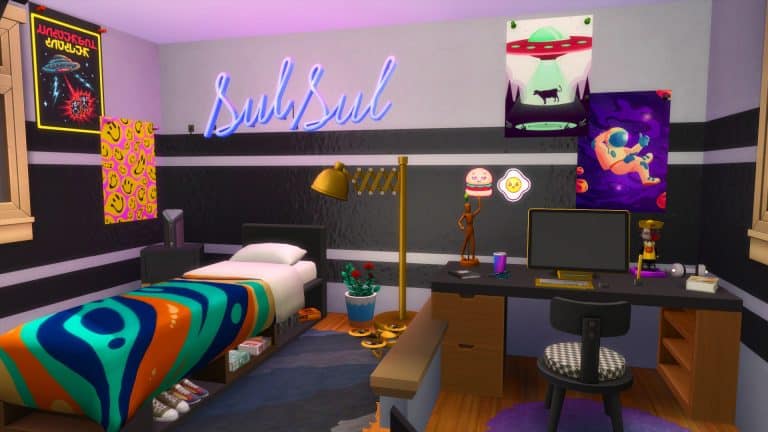
The first room that I decided to create was for my Teen Sim, Spencer. A lover of sports and technology, this was bound to be pretty easy to create.

The Sims 4: Building With Modern Teen Room CC Pack

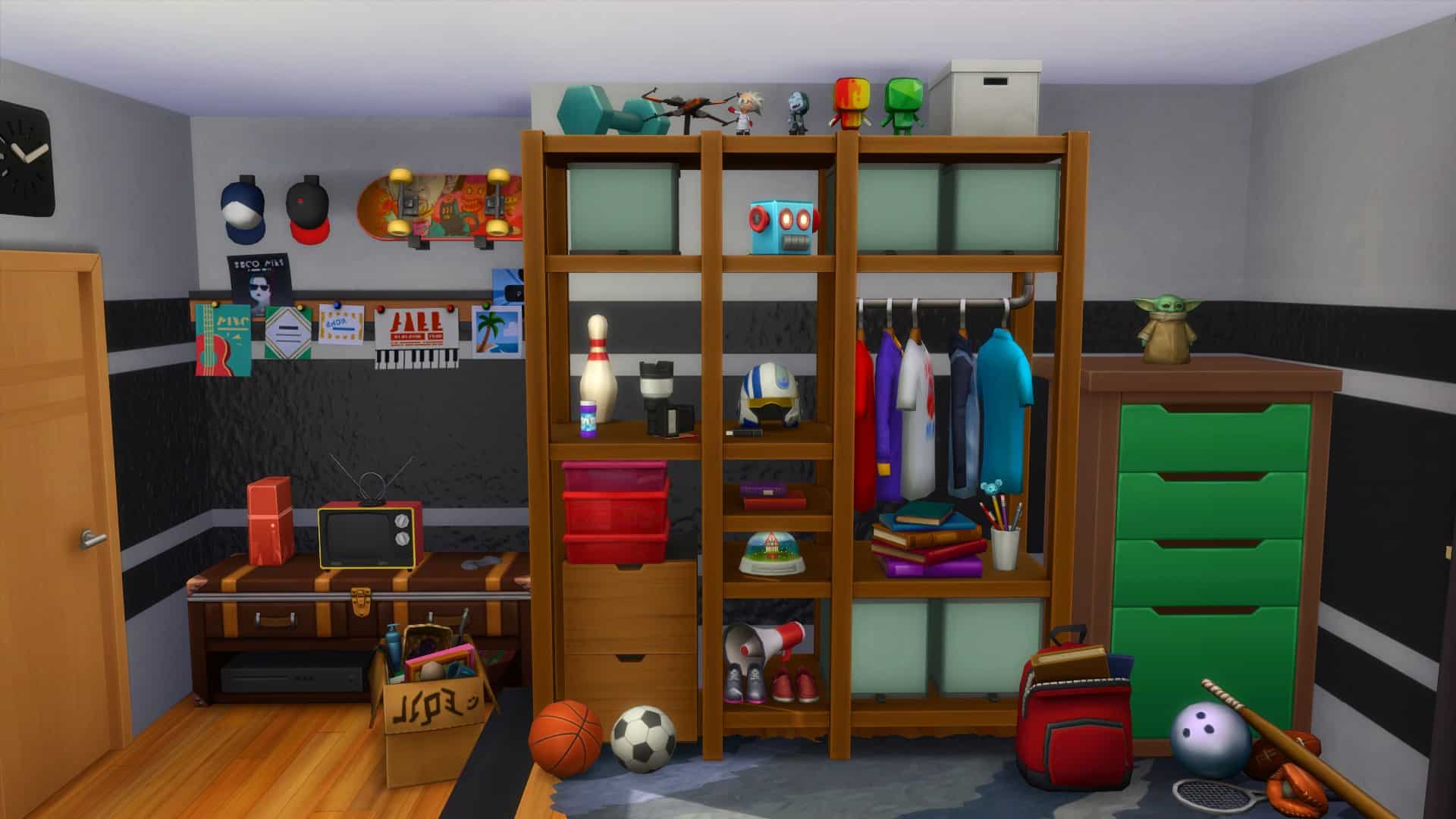
I wanted to use a lot of the new furniture from the Modern Teen Room Custom Content Pack to bring this room alive. The shelving unit actually worked really well on the platform, as not only does it double as a storage space for clothes, it also allowed me to fill it up with different items that you would typically find in a bedroom. The lower part of the bedroom focused more on the technology side of things, with a computer area and then a small television and games console area.  I really enjoyed using clutter to bring this half of the room together, and the MySims statues worked well to fill a few empty spaces.

The second room that I created was for Spencer’s sister Gina. She is creative and a quick learner, but also a lover of pink and a good book.


I had a lot of fun making this second room. I started off with creating a closet area, but after it didn’t work out as planned, I swapped over to using the modular items from Dream Home Decorator. Thankfully, that idea worked out perfectly, and it helped me shape the rest of the room. Having kept the platform, it gave a nice divide between the two areas of the room. With a little reading area, a shelf full of everything a girl needs as well as a space for a desk and computer, mirror and lots of plants. I really loved how this came together overall.

Altogether, I loved creating these rooms for my Sims and have ideas for more rooms to add into future builds soon. I loved exploring Sixam’s Modern Teen Room Custom Content pack and using a number of the items from the pack in these room builds. My favourite items would have to be the Plumbob and SulSul  neon lights, but overall all the items are brilliant and work well alongside the existing in game content.

You can find out more about the Modern Teen Room Custom Content Pack here but be sure to check out more of Sixam’s creations here.

EA might bring Cinematic Storytelling to The Sims

4

The Sims is working on adding significant new Cinematic Story aspects!

Now, before we begin with this post let me state the obvious – nothing is officially confirmed and it could take some time before we see the development of these features come to life.

The official EA Careers website has published a new Career Opportunity for the Maxis Studio. The latest published opportunity is looking for a Storyboard Artist who will help visualize everyday life moments into a video game. We of course presume it’s for The Sims considering that described scenarios that they’re looking for fit perfectly into gameplay and features that you would expect from The Sims.

The initial description of this job opportunity requires for a Storyboard Artist to visualize body language, relationship dynamics and timing and spacing between important characters.

Check out the full description below:

We’re looking for a gifted visual storyteller to help us visualize our designs, gameplay experiences, and technology solutions through animatics and storytelling. Maxis creates life simulations that tell stories through characters in every-day or extravagant situations. As such, we need someone who can help us explore body language, visualize relationship dynamics and play with timing and spacing between characters.

We’re interested to know:

  • How do a couple watch a romantic movie together when one is upset with the other?
  • How does a husband engage in a conversation with his wife, while he almost breaks a new record on his favorite video game?
  • How does a family cook together in the same kitchen while carrying out a conversation?

Our ideal candidate is someone who is thrilled to contribute visually and share ideas, in a collaborative environment with several disciplines, and who loves telling stories about every-day life.

The responsibilities for this opportunity share more about the potential Story-driven features for The Sims. The Storyboard Artist will have to bring to life characters with emotion, humor and dynamic actions and gestures for each character. Check out the full list of responsibilities below:

Responsibilities:

  • Creatively tackle challenges in story and explore ways in which to bring characters to life, visualize game dynamics and support story expectations.
  • Brainstorm and create storyboard panels against a specified vision or problem space.
  • Produce illustrations and sketches evoking the project’s style and aesthetic.
  • Apply emotion and humor to characters.
  • Apply dynamic action and exaggerated gestures.
  • Work within staging and composition of the scene.
  • Emulate character designs, from our character team, within boards.
  • Bring life to each character and emphasize on their personas.
  • Translate storyboards into Animatic sequences that highlight and bring the characters to life.
  • Edit and refine the timing of Animatic sequences to maximize emotional impact and convey appropriate audience response.
  • Partner with peers from different disciplines to understand challenges and suggest improvements.
  • Team up with creative supervisors on deliverable goals within the limitations of the story/script.

The Storyboard Artist will also have to bring in some examples and sketches of given scenarios, including:

Qualifications:

  • Excellent foundation in art production, and experienced in developing drawings and sketches that demonstrate:
  • Characters that portray emotion, humor, and appeal.
  • Clear storytelling with action, mechanics, and interaction.
  • Expert sense of camera, staging, perspective, and composition skills.
  • Expert sense of anatomy, dynamic motion posing and exaggerated gestures.
  • A high level of experience with digital editing software
  • Experience in hands-on timing and editing of focused animatics to create lively and dynamic story sequences that inspire gameplay implementation. For example:
  • A conversation between multiple characters
  • A dinner sequence involving an extended family
  • A lively sidewalk scene outside a store

So, what does this all mean for The Sims?

Last year in March we published an article how EA is planning Story-driven and Narrative Features for The Sims. Their job opportunity looking for a Senior Narrative Designer described that The Sims project that they’re working on is going to have a “narrative” aspect.

It’s been a while since this job opportunity was published and Maxis now finally has its Senior Narrative Designer, considering they now want to visualize and bring these Story-Driven aspects of the game to life.

This part is purely speculative as we don’t have any official information or confirmation yet – but all this preparation and development hints to features and game modes that we could expect from the next Generation Sims Game. Or as we call it (at least for now) – The Sims 5.

The Sims 4 already has its Scenarios which, compared to what EA is working on here, is nothing alike. Of course keep in mind that there are multiple studios within EA and Maxis working on multiple projects. The Sims 4 still has years of content planned out!

We’ve published plenty of news findings and reports on the next Generation Sims Game, including an official confirmation from EA’s CEO that the game is in the works. For more information catch up on all The Sims 5 News!

The Sims 4: Stepping Into The New Year Lookbook

Okay, maybe New Year’s Eve has come and gone but that doesn’t mean our Sims can’t still ring in the new year in their best party attire! Kick off 2022 with some of these ultra-fabulous party looks that will make sure your Sims greet the new year in style!

As usual, all our looks for this lookbook are CC-free and only use the base game and two other packs.

Happy New Year! Or, as they say in Simlish, SHASHOOBIE!

Making My Way Downtown

The Sims 4: Stepping Into The New Year Lookbook

Heading out to the club to dance the night away and ring in the new year with a glass of expensive champagne? You’ll turn heads with this stunning black dress accented with gold jewellery. Nothing says New Year’s Eve like black and gold and little black dresses so when you hit up the club, make sure all eyes are on you as the clock strikes midnight.

Hair: Side Part Afro (Base Game)

Body: Layered Mini Dress (Moschino Stuff)

Shoes: Strappy Heels (Luxury Party Stuff)

Accessories: Necklace (Luxury Party Stuff) / Earrings (Moschino Stuff) / Nails (Base Game)

Makeup: Eyeshadow & Eyeliner (Luxury Party Stuff) / Lips, Contour, & Highlight (Base Game)

It’s Called Fashion, Look It Up

The Sims 4: Stepping Into The New Year Lookbook

Is he trying too hard or is it high fashion? Who cares? It’s New Year’s Eve! Whether the stares you get in this flashy outfit are impressed or perplexed, there’s no doubt everyone will be looking at you at this year’s big bash.  And remember, it’s not what you’re wearing. It’s how you wear it. So strut into that New Year’s Eve party with confidence in all your shiny sequined glory.

Hair: Swept Back Volume (Get Famous)

Top: Shiny Sequined Suit Jacket (Get Famous – CAS Unlock)

Bottom: Shiny Sequined Suit Pants (Get Famous – CAS Unlock)

Shoes: Gold-Studded High Tops (Get Famous)

Accessories: Glasses (Seasons) / Necklace (Base Game – CAS Unlock) / Nails & Socks (Base Game)

All Grown Up

The Sims 4: Stepping Into The New Year Lookbook

Picture It: It’s your very first New Year’s Eve party. Your parents are finally letting you stay up until midnight and hang out with all the grown ups downstairs. You want to feel just as grown up as them, right? Your space cat tee and paint-splattered jeans just aren’t going to cut it for a milestone as important as this. Those grown ups won’t take you seriously at the party unless you look the part, so impress your parents and all their friends in this sophisticated black and white party attire.

Hair: Layered Comb Over (Vintage Glamour Stuff)

Top: Layered Suit Jacket over Vest and Tee (Vintage Glamour Stuff)

Bottom: Straight-Leg Slacks (Get To Work)

Shoes: White Sneakers (Get To Work)

Accessories: Glasses & Nails (Base Game)

Midnight Nap

The Sims 4: Stepping Into The New Year Lookbook

This poor lil munchkin wanted to stay up until midnight like her big siblings but her parents knew she’d never be able to make it to midnight without falling asleep so they put her in her comfy new PJs she just got for Winterfest and let her run around the party until she tired herself out. Sure enough, she rung in the new year napping on the couch. Oh well, maybe next year, little one!

Hair: Top Bun with Fringe (Snowy Escape)

Body: Winter Patterned Onesie (My First Pet Stuff)

Shoes: Slippers (Base Game)

Accessories: Nails & Socks (Base Game)


Credits

Don’t forget to show us your New Year looks over on social media!

LEAK: The Sims 4 Carnaval Streetwear Kit

13

This is the second time a Kit has leaked this way!

@Alumia_Italia, a reliable source who reported first on the leak for The Sims 4 Blooming Rooms Kit is back with another leak from the Microsoft Store database.

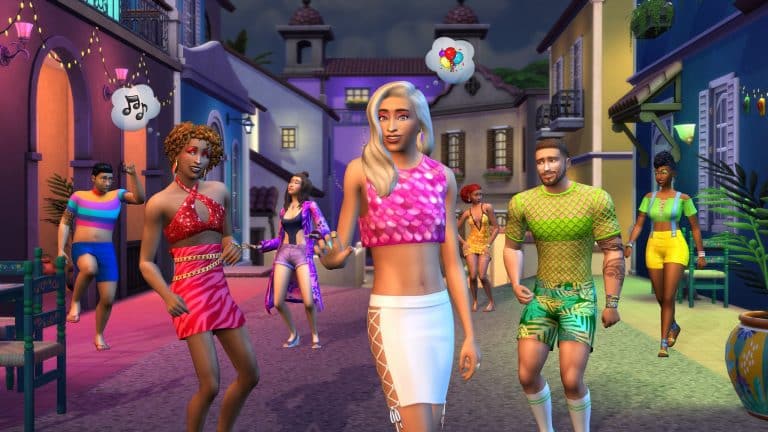
This time around it’s for the upcoming Kit titled The Sims 4 Carnaval Streetwear Kit!

According to the source the Carnaval Streetwear Kit is releasing on February 3rd, 2022. Check out the leaked screenshot down below featuring new Create A Sim items:

LEAK: The Sims 4 Carnaval Streetwear Kit

Shortly after we reported on the leak the tweet has since been deleted. When a twitter user asked if they know anything else regarding upcoming releases, they replied with this:

The leak fits perfectly with the official description from The Sims Team for their current roadmap, calling the next two Kits “Vibrant that Celebrate Fierce Design”.

What is the other Kit all about? We’ll just have to wait and see.

Until then stay tuned on our website for all the latest news and updates on future releases!

The Sims 4: Encanto Community Showcase

There is no denying the Disney’s latest animated movie, Encanto is everywhere! Even if you haven’t watched it, you have probably seen someone talk about it, posts online or possibly heard snippets of the incredibly catchy songs! After recently watching the movie myself, I can see why everyone loves it and why many players have been inspired to create content in The Sims 4 based around the movie!

Here is a selection of Encanto inspired content from the community!

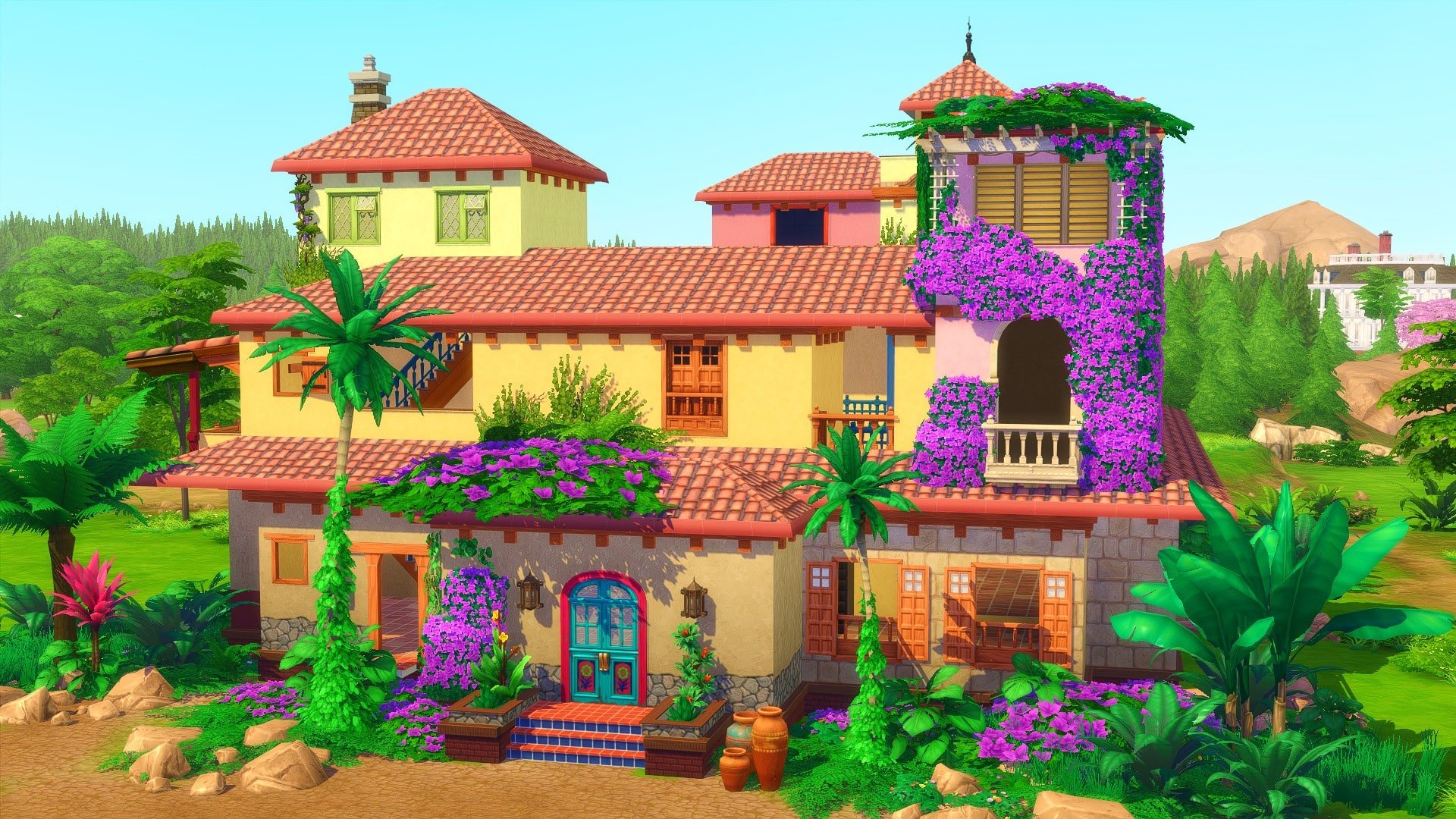
Inspired by the promotional posters for Encanto, PlumbobKingdom has recreated a beautiful fully furnished versions of Casa Madrigal!

The Sims 4: Encanto Community Showcase


Click here to view on The Gallery

Another fabulous recreation of the Madrigal’s home comes from PlaySimsWithDee! Not only have they created this beautiful shell of the Madrigal’s home that you can furnish, they has also created a number of the characters from the movie too!

The Sims 4: Encanto Community Showcase
Casita Encanto Shell


You can find all of PlaySimsWithDee’s creations on The Gallery here.

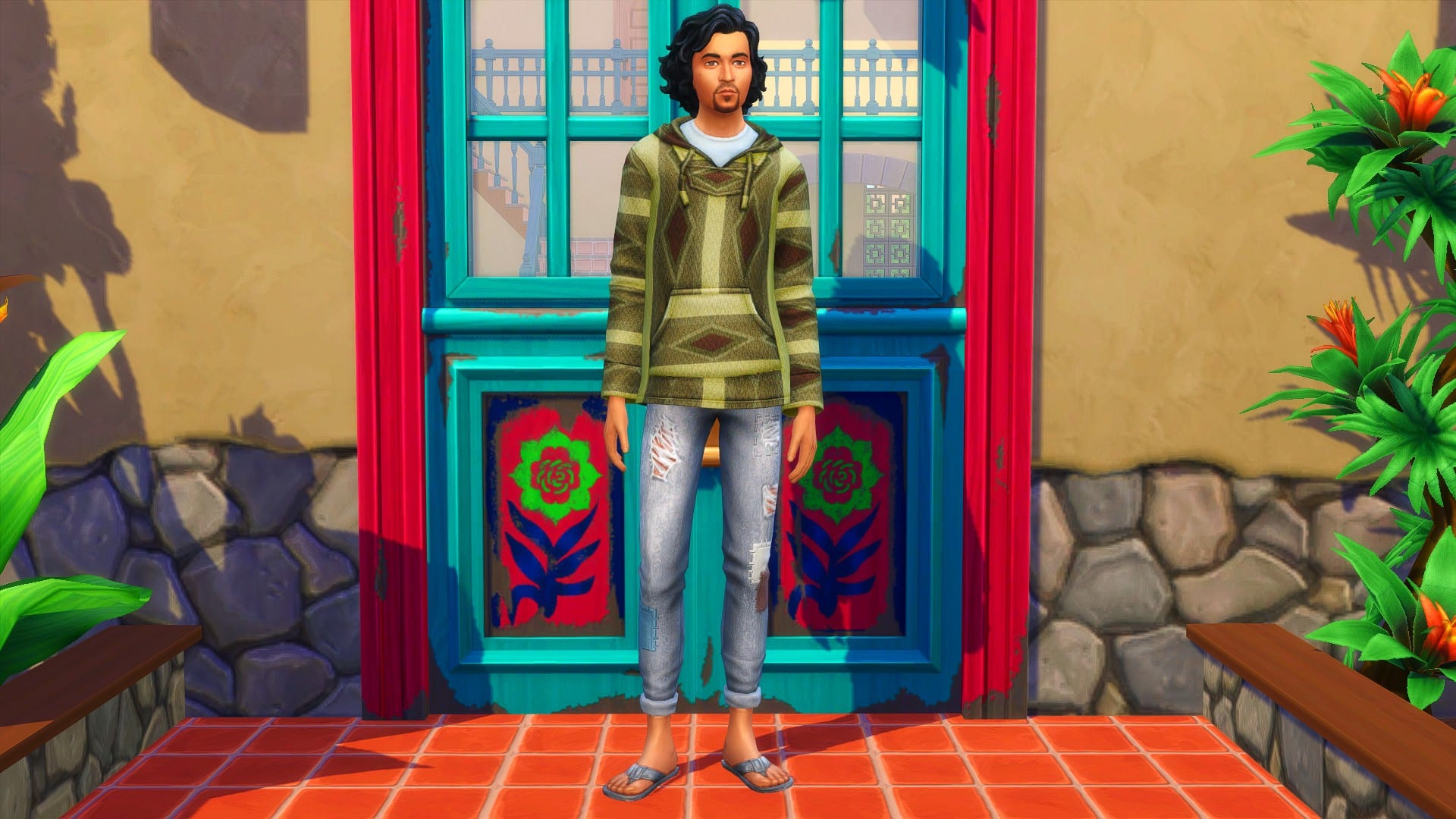
While we might not talk about Bruno, you can also find him on The Gallery!

Don’t see your favourite character here? Don’t worry! You’ll find all of your favourite characters from Encanto on The Gallery.

While many players have been uploading their creations to The Gallery, many were also sharing their creations on social media.

Are you looking for some Encanto inspired gameplay instead? Why not take a look at these gameplay challenges!

Have you created either the characters from Encanto or even the Madrigal’s home from the movie? Let us know in the comments below or over on social media.

The Sims 2 Revisited: 5 Things I Liked (And 5 I Didn’t)

9

Even though my first love is The Sims 4, I sometimes find myself wanting to revisit a simpler time in The Sims’ history. Maybe it’s the nostalgia of remembering what life was like back in 2004. Maybe it’s because The Sims 2 is still a solid game that holds up remarkably well even nearly two decades later. In reality, it’s probably both those factors combined.

I decided to put away The Sims 4 for a little bit and start a legacy in The Sims 2. I’ve been having a blast playing The Sims 2 again and wanted to share all my favourite parts of it with you guys. However, The Sims 2 is also… well, a product of its time. There are a multitude of little annoyances that drive me so far up the wall, I went on a mod hunt to fix them. I’ll be sharing some of those with you as well to hopefully help other lovers of The Sims 2 improve their experience.

Things I Love

Real Babies!

The Sims 2 Revisited: 5 Things I Liked (And 5 I Didn’t)

It seems downright ridiculous that I would be praising an 18-year-old life simulation game for having real babies in it while the newest installment of the series relegates babies to being objects, but here we are. Yes, babies in The Sims 2 are easily the best in the series. They have limbs, they can be carried around, be bathed in the kitchen sink, and they have plenty of objects to make this life stage fun. The Sims 2 Store had a baby bouncy swing and a baby play mat that can now be downloaded as free CC since the Store is no longer running. Adults can play with the dangly toys with the baby on the play mat, too. Babies and toddlers both also have real, proper cribs and changing tables! Whoah, so revolutionary! (cc link)

Milestone Events Camera

The Sims 2 Revisited: 5 Things I Liked (And 5 I Didn’t)

To be honest, I both love and hate this feature but the only reason I hate it is because I’m a storyteller and the events camera renders me unable to take nice shots of important moments in my Sims’ lives. However, from a general gameplay perspective, the events camera is fantastic. Whenever an important moment happens in your Sim’s life, like a first kiss, first woohoo, proposal, wedding, or the birth of a child, a cinematic cutscene plays. This makes all those important milestones feel that much more special.

Family Albums

The Sims 2 Revisited: 5 Things I Liked (And 5 I Didn’t)

This is a feature that my little storyteller heart loves! Every household in your neighbourhood has their own family album. Take a picture with the C key and then go to the family album to organize and sort through your photos. Add pictures to the album with captions. This lets you document your Sims’ entire lives directly in the game! I am obsessed with this feature. I only wish we could write longer captions to really let my imagination run wild with storytelling. While The Sims 4 attempted to reintroduce this with the Screenshot Manager, it’s really just a shallow copy of The Sims 2’s album system and doesn’t have the same kind of functionality.

Individual Bios

The Sims 2 Revisited: 5 Things I Liked (And 5 I Didn’t)

The Sims 1, 2, 3, and 4 all have family bios you can write in the household descriptions which is great, but The Sims 4 seems to have forgotten about individual bios. This was something I really enjoyed in previous games, including The Sims 2 so I felt its absence strongly in The Sims 4. Having the ability to write both a household description and a Sim description allows players to write more nuanced stories for their Sims. Instead of having to lump each household member together in a vague family bio, you can summarize everything in the family bio and then go into more detail with each individual Sim.

Attention to Detail

The Sims 2 Revisited: 5 Things I Liked (And 5 I Didn’t)

When I went back to The Sims 2 from The Sims 4, I felt like there wasn’t as much gameplay in terms of number of things to do but I did notice that there was a lot more detail in what was there. That kind of detail counts for a lot because in spite of not having as many things to do, I was still completely enchanted with this game and drawn into their world. Kids jumping on the bed, sliding down banisters, playing make-believe in the bathtub, teens giving their younger siblings noogies, I could go on and on. All of these little things that the Sims do plays a large part in the emotional connection you make with them. That’s something that I think later Sims games have really lost sight of.

Things I Don’t Love

Smelly Baby Bottles

The Sims 2 Revisited: 5 Things I Liked (And 5 I Didn’t)

I downloaded a mod to stop this nonsense SO fast. What sane human being proceeds to chuck an empty baby bottle on the floor after feeding their infant? I’m a family player, too, so my Sims’ houses would just be littered with these smelly baby bottles all over the floor. It may be a small thing to nitpick at, but if you’ve experienced this yourself, you’ll know what a massive annoyance it can be. I have a mod that causes the bottles to self-destruct after a few moments of being on the floor. (mod link)

Route Failures on the Stairs

The Sims 2 Revisited: 5 Things I Liked (And 5 I Didn’t)

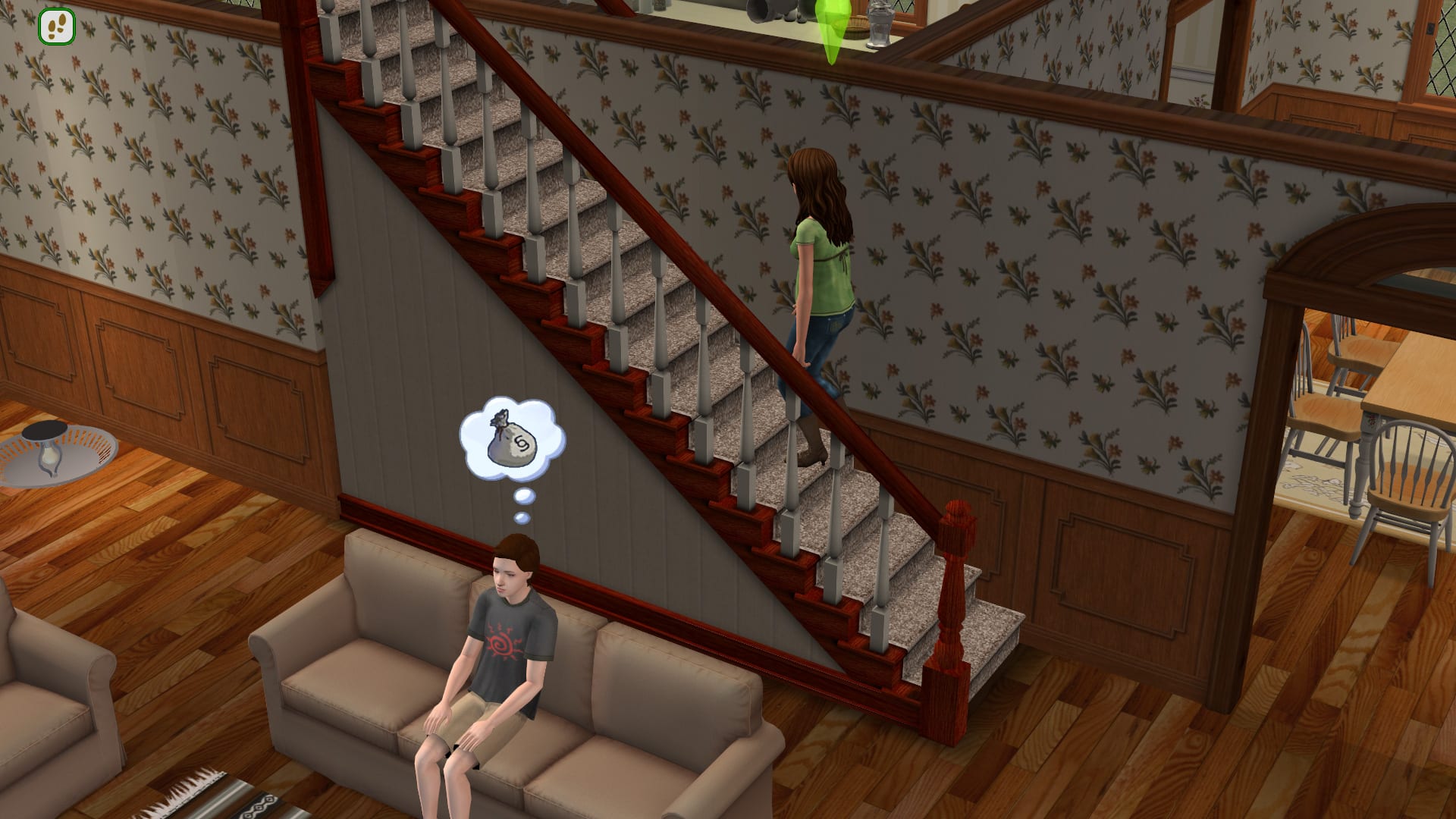
My current legacy family has 8 Sims, all child-aged and older so everyone inevitably needs to use the stairs at the same time to go downstairs in the morning when they wake up. This resulted in an absolute nightmare for me every day. While two Sims can use the stairs at the same time when going in opposite directions, only one Sim can be going up or down the stairs at a time. Everyone else trying to go up or down the stairs the same way has a route fail tantrum. Imagine this happening 8 times every single day. It makes no sense that you can’t just follow someone up or down the stairs and it made me angry enough to quit playing the game… until I found a mod to fix this. Now all my Sims can follow each other down the stairs each morning with no tantrums or issues. (mod link)

Less Travel Freedom

The Sims 2 Revisited: 5 Things I Liked (And 5 I Didn’t)

Some people might disagree with me on this one and I get it; it comes down to realism versus convenience. In The Sims 2, you can’t just travel to anyone’s house that you want. In fact, you can’t go to anyone’s house at all as a visitor. If there’s another Sim in town you want your Sims to meet, you have to hope they live close enough to you to show up during the welcome wagon or be lucky enough to run into them at random somewhere on a community lot. I’ll admit this is a more realistic way of meeting new people; you wouldn’t be likely to just knock on the door of a random house and be like “Hi stranger! Wanna be friends?” You’re far more likely to meet a new neighbour when you first move in or run into someone while out somewhere. Still, I kind of prefer the convenience of just being able to do what I want when it comes to this.

Lots Feel Confined

The Sims 2 Revisited: 5 Things I Liked (And 5 I Didn’t)

The Sims 2 and The Sims 4 both have loading screens in between lots but what really sets these games apart in this area is The Sims 4 also has neighbourhood space around the lot that loads. The Sims 2 does not. My Sims in The Sims 4 can take a jog around the neighbourhood, fish in the pond behind their house, or enjoy an afternoon playing at the nearby playground, all from their home lot. This makes the lots feel more open and I find myself forgetting that it’s a closed world since there is ample space to explore around every lot. In The Sims 2, the only thing you can access apart from the confines of your home lot is the sidewalk and the road directly in front of the lot. This creates a very confined, closed-in feeling and I’m constantly reminded that I’m trapped on this square of land unless I want to go through another load screen.

Clunky Sim Customization

The Sims 2 Revisited: 5 Things I Liked (And 5 I Didn’t)

This may be another instance of realism versus convenience and I guess I prefer convenience. I hated having to go to the store to buy new clothes for my Sims so much that I downloaded a modded coat rack that lets me “purchase” the entire clothing catalogue for free. I’m very big on customizing my Sims exactly to my liking and The Sims 2 makes it very difficult to do that. Without mods, I can’t dress my Sim how I want if they aren’t wealthy enough to afford the clothes. I can’t easily pop into CAS whenever I want to make all of my changes at once; I have to awkwardly queue up Plan Outfit interactions for every clothing category. Then I have to go to the mirror to edit their hair and makeup separately. It’s a whole ordeal I would just rather not deal with. I also can’t edit NPCs until they’ve moved into my house which means my Sims are stuck dating some ridiculous-looking townies. I’ve been spoiled with the convenience of having all of this stuff at my fingertips in The Sims 4. (mod link)


So what’s the final takeaway here? Do I love The Sims 2 or hate it? Well, in spite of its somewhat awkward and clunky mechanics and lack of things to do in comparison with later titles, The Sims 2’s charm and attention to detail really keep this game relevant almost 20 years later and that’s a difficult feat for a video game to accomplish. I’m nearing my 2nd generation in my current playthrough and I don’t intend to stop playing anytime soon. I say there isn’t as much gameplay as there is in later titles but that doesn’t mean there isn’t enough to still be fun and enjoyable. I still have plenty I want to do in the game. And truth be told, The Sims 2’s greatest strength is its ability to make you fall in love with your Sims without even trying. Those small everyday moments between Sims that happen spontaneously without you having to dictate every single interaction are what make The Sims 2 the most authentic life simulation experience even to this day.

The Sims 4 might be my #1 game now but I always have and always will love The Sims 2 with all my heart. It’s just… special.

The Sims 4 Scenario Playthrough: New Year New Hustle

With a new year comes a brand new scenario to play through! The New Year New Hustle scenario lets you choose between career success or having a successful hustle business of your own. It’s a timed scenario that ends on February 2nd, 2022 so if you want a chance to play this one, make sure you start it before then. You can continue to play timed scenarios that are already in progress after they expire so there’s no rush to finish once you’ve started as long as you start the scenario before February 2nd.

Getting Started

The Sims 4 Scenario Playthrough: New Year New Hustle

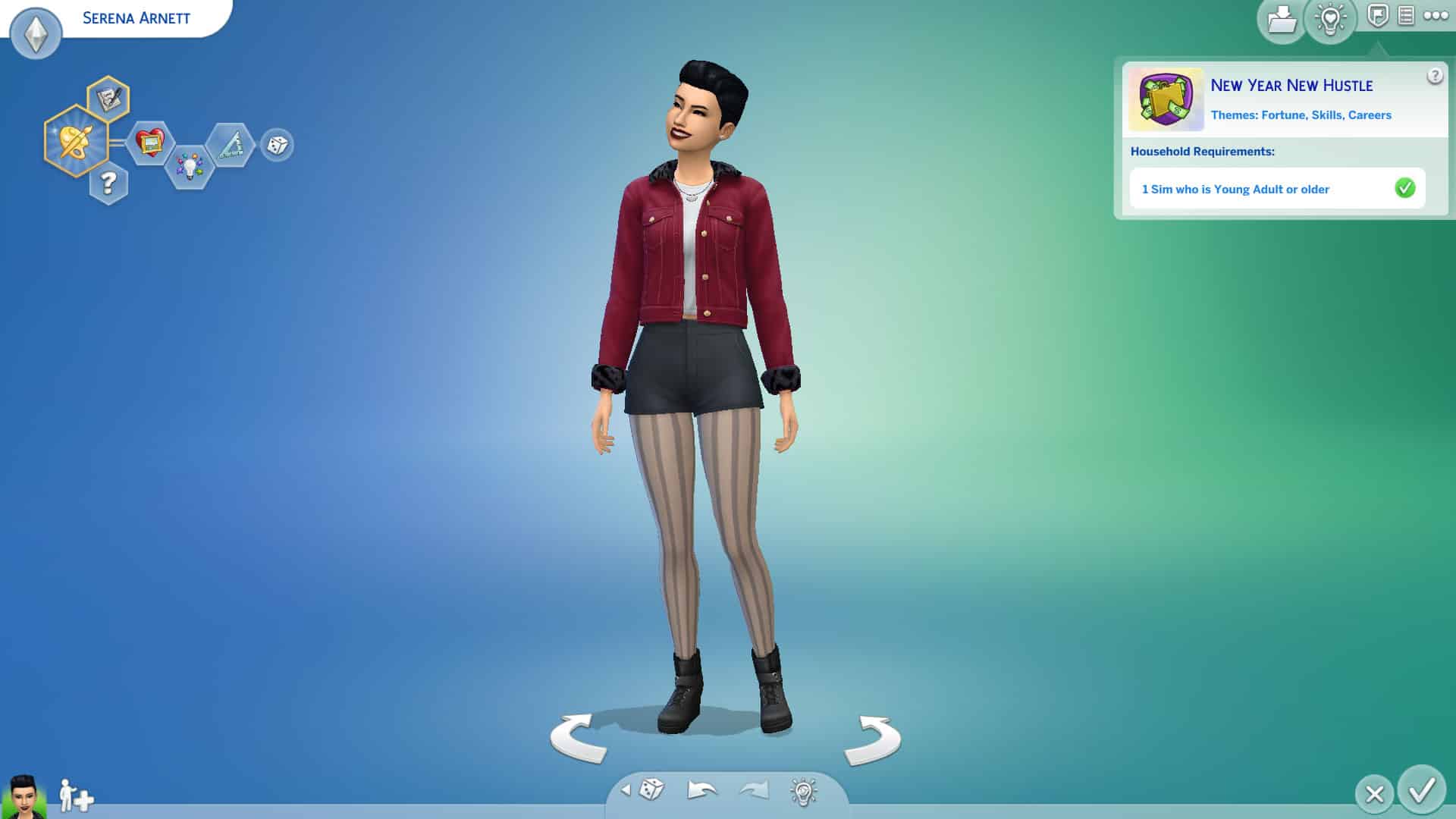
As usual, start from the main menu and select New Scenario to get this show on the road. Select the New Year New Hustle scenario from the list and jump into CAS to make your household of 1 Young Adult or older Sim.

I went with the default Sim the game spit out at me and decided to go down the Painter route with her so I gave her the Painter Extraordinaire aspiration and the Art Lover, Creative, and Perfectionist traits to help with her painting skill and the quality of her paintings.

The Sims 4 Scenario Playthrough: New Year New Hustle

Don’t do what I did and misread the scenario summary! My silly self obviously did not have enough caffeine this morning and misread the outcomes. There are two potential outcomes for this scenario; your Sim can reach level 3 in any career, or they can make $25,000 and reach level 5 of any skill. It’s one or the other, so you’re basically deciding whether you want your Sim to pursue a career or a full-time hustle. For some reason, I thought we had to complete all three tasks. Don’t ask. I don’t know, either.

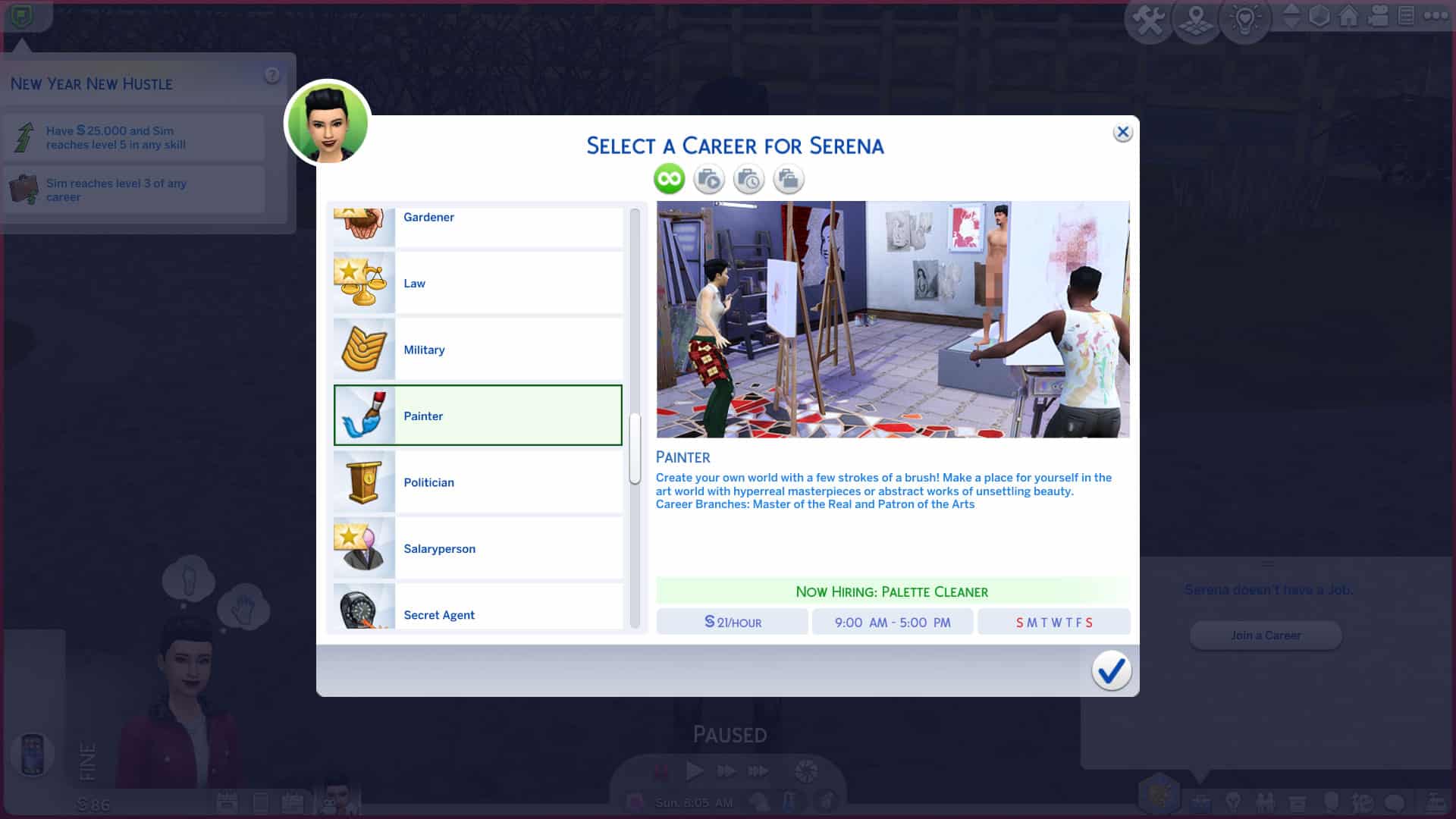
Anyway, I moved my new Sim, Serena, into the starter home in Mt. Komorebi. I thought Mt. Komorebi was a suitably inspiring place for a creative, artistic person. I bought her an easel with her leftover funds and then immediately had her join the Painter career. Then I sent her inside to paint.

Making Those Simoleons

The Sims 4 Scenario Playthrough: New Year New Hustle

Since we were simultaneously working towards both outcomes even though we didn’t have to, I had Serena painting every moment of every day to try and make that $25,000 and to build her Painting skill up to level 5. She reached level 5 of the skill the same day she moved in thanks to Snowy Escape’s Surge Emotions feature. After painting for a certain length of time, Serena became Emotionally Mindful, which allowed her to put herself into the Very Inspired emotional state for the next 12 hours. This helped her build the Painting skill very fast and also helped her produce better paintings that sold for more simoleons.

The Sims 4 Scenario Playthrough: New Year New Hustle

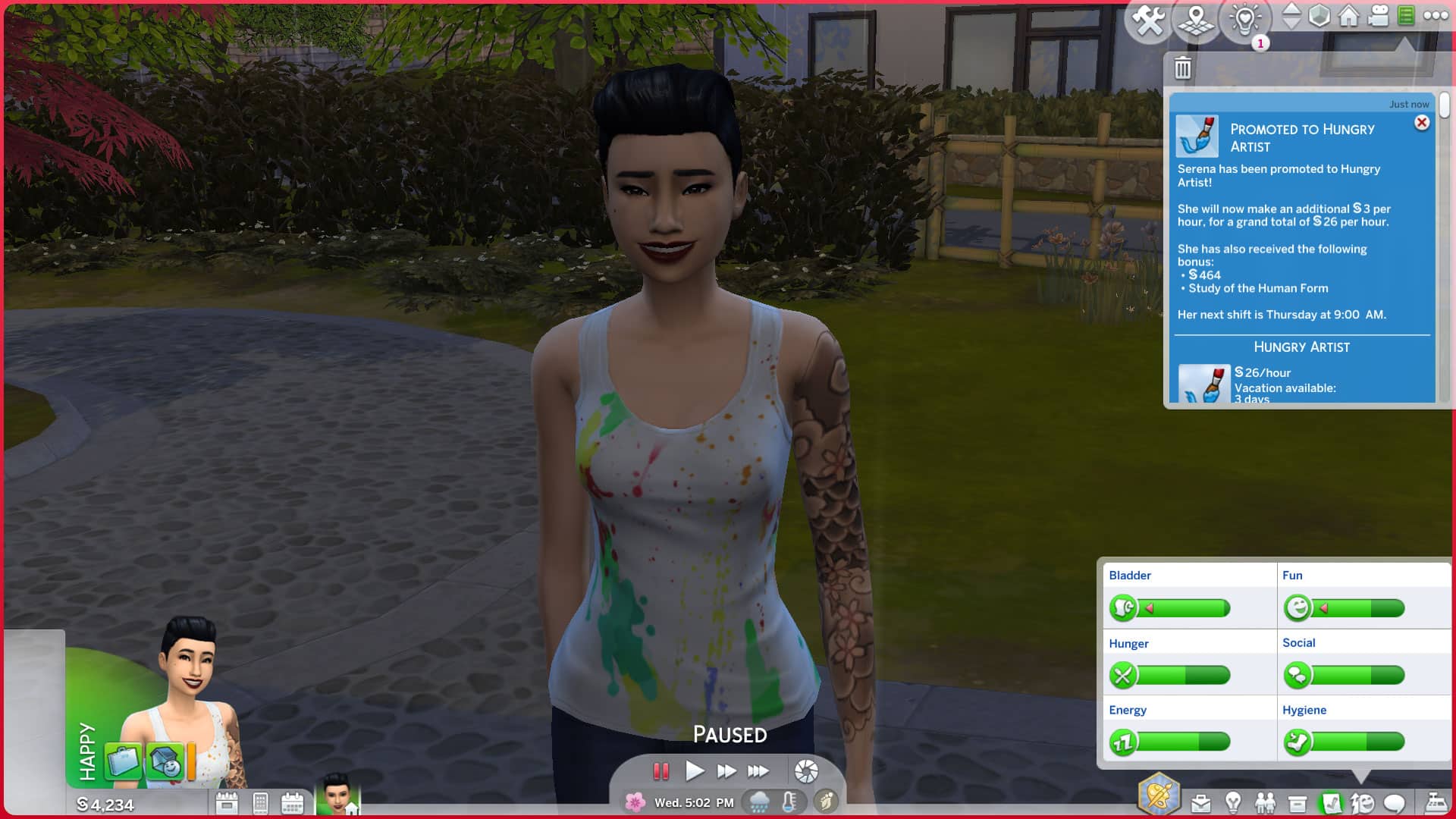
While in the process of making money and improving her Painting skill, Serena was also going to work. She got her first promotion on her very first day with very little effort, although I did choose the Work Hard option for her while she was there. It was helpful that her job tasks were just to complete paintings and build the Painting skill which she was already doing, anyway. It meant I didn’t have to go out of my way to focus on her career too much.

A Plot Twist

The Sims 4 Scenario Playthrough: New Year New Hustle

Just a couple days into this playthrough, Serena got that random inheritance call. I meant to click the Under What Conditions option to just get some quick cash but I accidentally clicked the Money Money Money option so all of a sudden, Serena now had to marry someone within 7 days to get the payout. This scenario just got a lot more interesting. Or so I thought.

The only people Serena knew were her neighbours, the Itos. I was too lazy to invest much time into meeting a new single day so I sent her over to her neighbours’ house to be a homewrecker. The plan was to seduce Naoki and convince him to divorce his wife so he could marry Serena but neither Naoki nor Megumi were home. Just their kids, Kiyoshi and Nanami. I thought I’d wait around for their parents to return so Serena had a nap while Nanami watched TV. Yeah, not weird at all for a stranger to walk into your house while you’re not home and sleep on your couch. Totally normal.

The Sims 4 Scenario Playthrough: New Year New Hustle

By the time Serena left, I had come to the conclusion that Naoki and Megumi were terrible parents because Serena stayed there all night and they never returned home. Kiyoshi never even bothered to check on his little sister once the whole night. He stayed in his room playing video games while Nanami had her face practically glued to the TV until 3 in the morning on a school night.

Oh well. Not my problem. I sent Serena home to paint some more before her next work shift. I could always invite Naoki over after work.

Oh… That’s It?

The Sims 4 Scenario Playthrough: New Year New Hustle

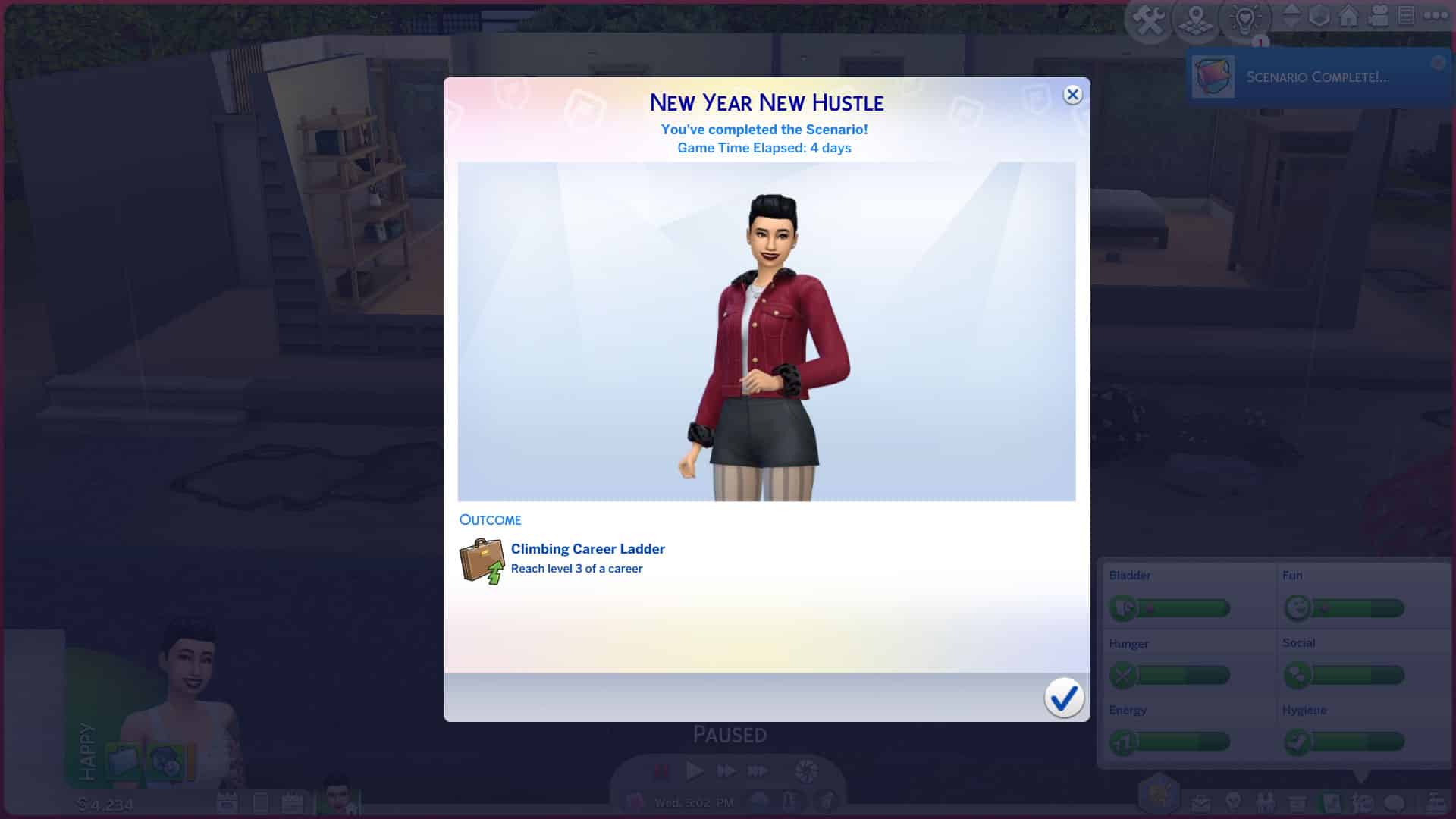
Or that was the plan but Serena got promoted to level 3 that day which completed the scenario. That was when I realized my blunder in misreading the outcomes. It was a very anti-climactic moment because I’d been expecting to continue to sell paintings and break up a marriage for money in order to earn the $25,000 and all of a sudden, the scenario was over just like that. Totally my fault for not reading the scenario properly but I can’t help but think this outcome is a little bit of a cop-out. It’s incredibly easy to get promoted twice in 3-4 days. You don’t even really have to try. You could go out of your way to do the bare minimum at work and still get promoted in The Sims 4.

The Sims 4 Scenario Playthrough: New Year New Hustle

Had I read the scenario properly, I wouldn’t have chosen a career. It’s laughably easy even for newbie players. I would have just focused on the Painting skill and earning money through that. I’m also disappointed I never got to play out all that drama with the Itos. Oh well. Live and learn.

Bottom line: if you’re looking for a longer, more interesting scenario playthrough, don’t join a career. Go for the first potential outcome and focus on making simoleons through a skill. If you just want to rack up an easy 5,000 satisfaction points in a couple days with almost no effort whatsoever, go for the career option with this scenario.

The Sims Community Challenge: January

Welcome to the first The Sims Community Challenge for 2022!

Continuing on from our December theme, this will be another build challenge. However, this time we want you to get creative with the outdoor space with the shell we’ve created. If you’re a part of our Discord, you may have also seen me share a few sneaky teasers for this challenge recently, too!

The Challenge

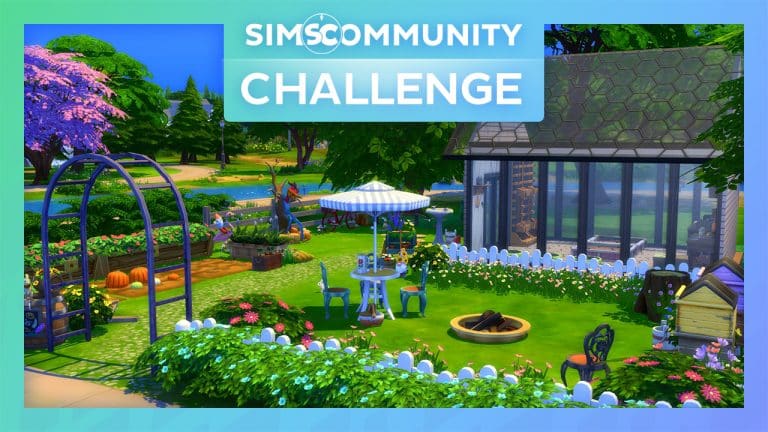
It’s time to get your gardening Sims ready, as we want you to furnish our greenhouse and create a beautiful outdoor space. While there are two aspects to essentially work on, your main focus will be the outdoor space. Utilize the space to the best of your ability and pay attention to the smaller details that you would normally find in a garden environment.

The Sims Community Challenge: January

Challenge Rules

  • You must use a 20×15 lot
  • You have a total budget of $20,000 (this includes the lot value)
  • No Custom Content
  • You can use DEBUG items and T.O.O.L
  • The pond can not be removed
  • The roof must be one of the six Glass Roof Swatches that come with the Base Game
  • You are allowed to change the windows, doors, wall paint and flooring
  • You must not move the greenhouse from where it is placed or change the greenhouse shape or size
  • Have fun and be creative!

As always, the shell is Base Game friendly, and you are allowed to use any packs that you own.

Shell Overview

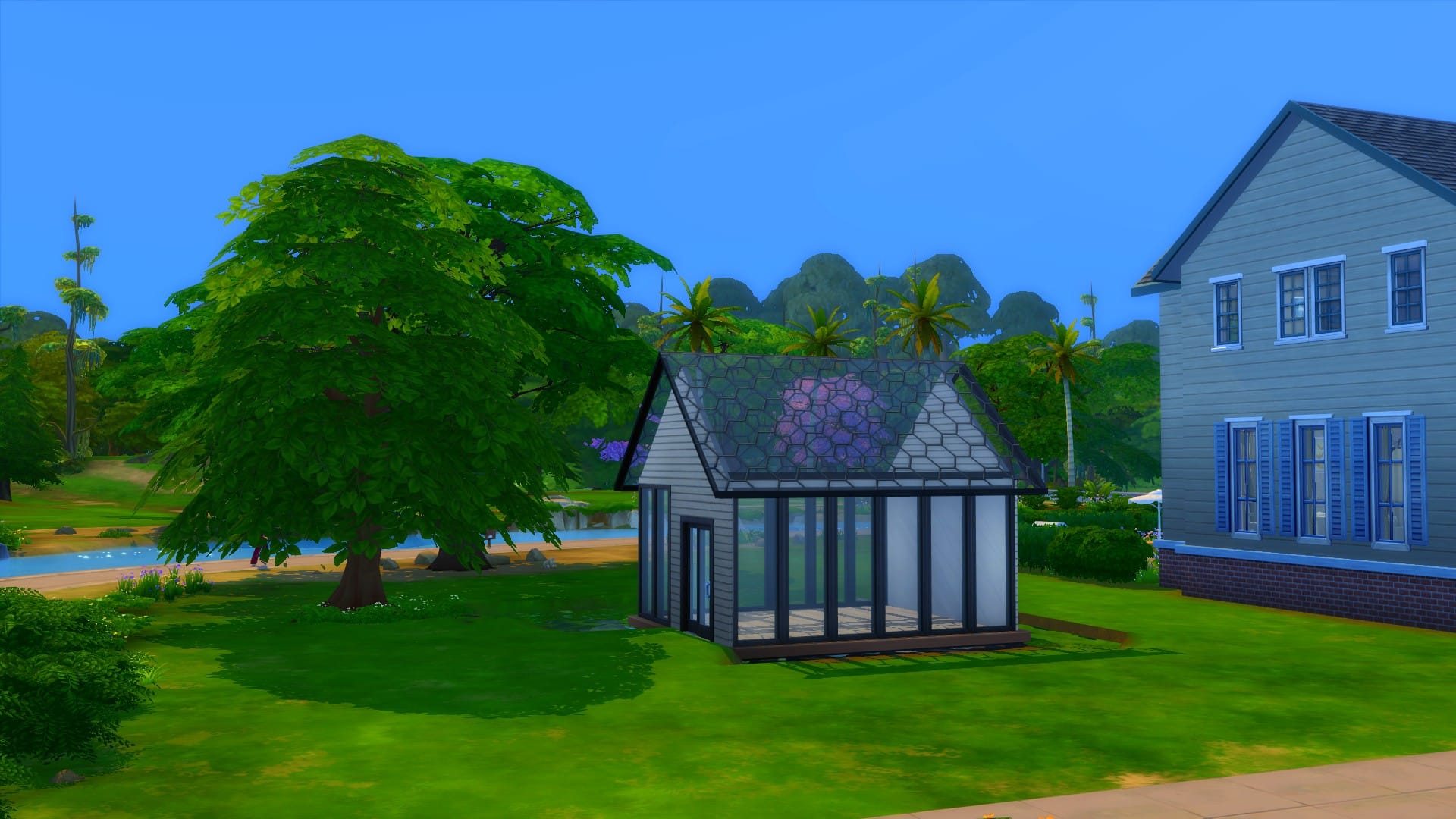
The lot comes with the Greenhouse shell ready to furnish, a pond and a tree with a few flowers surrounding its base. The rest of the lot is empty and up to you how you fill it. The lot itself is listed as a Generic Lot, so you will not have any lot specific criteria to fill. Before furnishing, make sure to read the challenge rules carefully.

The Sims Community Challenge: January

The shell itself is simple and straight forward. As we mentioned earlier in this post, there are two aspects to this build challenge. Firstly, you will be furnishing the Greenhouse itself. Secondly, the outdoor space. You can be as creative as you want with the outdoor space, just make sure you stay within the $20,000 budget. Ultimately, have fun creating this outdoor space for your Sims!

The Sims Community Challenge: JanuaryDownloading The Shell

You will need to head over to The Gallery and use the information below to find the challenge shell and add it into your game.

  • Lot Name: SC Greenhouse Challenge
  • Gallery ID: LeeksEverywhere

Uploading your Entry

  • All entries will need to be uploaded to The Gallery and include the hashtag #SCGarden in the description.
  • One entry per person. Additional entries will not be included.

Closing date for entries: Sunday 23rd January 2022 at 10am PST/6pm GMT/ 7PM CET. The Spotlight post will be released a few days after entries have closed. 

If you have any questions, feel free to ask them in the comments below, or head over to our The Sims Community Challenge channel on our Discord server! If you aren’t a member of our Discord Server, you can click here to join.

Click the button below to join The Sims Community Discord 

[mks_button size=”large” title=”Sims Community Discord” style=”squared” url=”https://discord.gg/6kRVv4h2je” target=”_blank” bg_color=”#4e62ac” txt_color=”#FFFFFF” icon=”” icon_type=”” nofollow=”0″]

Good luck, have fun, and we can’t wait to see your builds soon!

New Scenario Now Available for a Limited Time in The Sims 4

4

New Year, New Scenario!

The Sims Team has just dropped a brand new Scenario in The Sims 4 with the latest SDX!

This limited-time Scenario is titled New Year New Hustle and can be played right now in The Sims 4 for both PC and Consoles.

The Scenario is somewhat rather similar to the previous ones we’ve had with a focus on upping your Sim’s Career Level / Skill.

It’s never too late to start a new hustle. After moving to a new place and making a New Year’s resolution to focus on building marketable skills, can your Sim channel that momentum and keep making big changes for a more prosperous future?

New Year, New Hustle will be playable from January 10, 2022 10AM PT to February 2, 2022 10AM PT.

New Scenario Now Available for a Limited Time in The Sims 4

The Sims 4 Sims Delivery Express: NEW DELIVERY! (January 10th, 2022)

7

The Sims Team has just dropped a brand new Delivery into The Sims 4 Base Game – featuring new Create A Sim content!

Through Sims Delivery Express you are able to download new Create A Sim Content, Build Mode Content and small bug fixes and improvements into your game straight through The Sims 4. Simply open up The Sims 4 and your game should automatically check for new content.

If not, go into Game Options > Sims Delivery and Check for new Content. This method of bringing new content into your game works both on PC and Consoles! Note that you will have to restart your game in order to obtain new content. You can select “Yes, Restart Now” for the game to restart automatically for you.

The Sims 4 Sims Delivery Express: NEW DELIVERY! (January 10th, 2022)

Sims Delivery Express – January 10th, 2022 Content

There’s new Create A Sim content waiting for you with the new SDX. Check out the preview of the new cultural outfits down below. There’s something new both for Masculine and Feminine Sims!

The Sims 4 Sims Delivery Express: NEW DELIVERY! (January 10th, 2022)

For the full breakdown, the new SDX comes with the following:

  • 1 Feminine Adult Hairstyle
  • 1 Masculine Head Accessory
  • 1 Feminine and 1 Masculine Full Body Outfit

The Sims 4 Kids Room: Did You Know These Facts About Voidcritters?

Do you know about voidcritters? Collectible trading cards featuring a variety of cute little creatures in The Sims 4 Kids Room Stuff pack. Many players might have heard of them; after all, they’re referenced in numerous other packs for The Sims 4 but recently, I was surprised to find out how many people have yet to unlock the full potential of voidcritters. They’re far more than just collectible décor! In fact, they have a lot of lore, gameplay, and mechanics attached to them!

Let’s see how much you really know about the Pokémon of The Sims world!

There are two versions of each voidcritter

The Sims 4 Kids Room: Did You Know These Facts About Voidcritters?

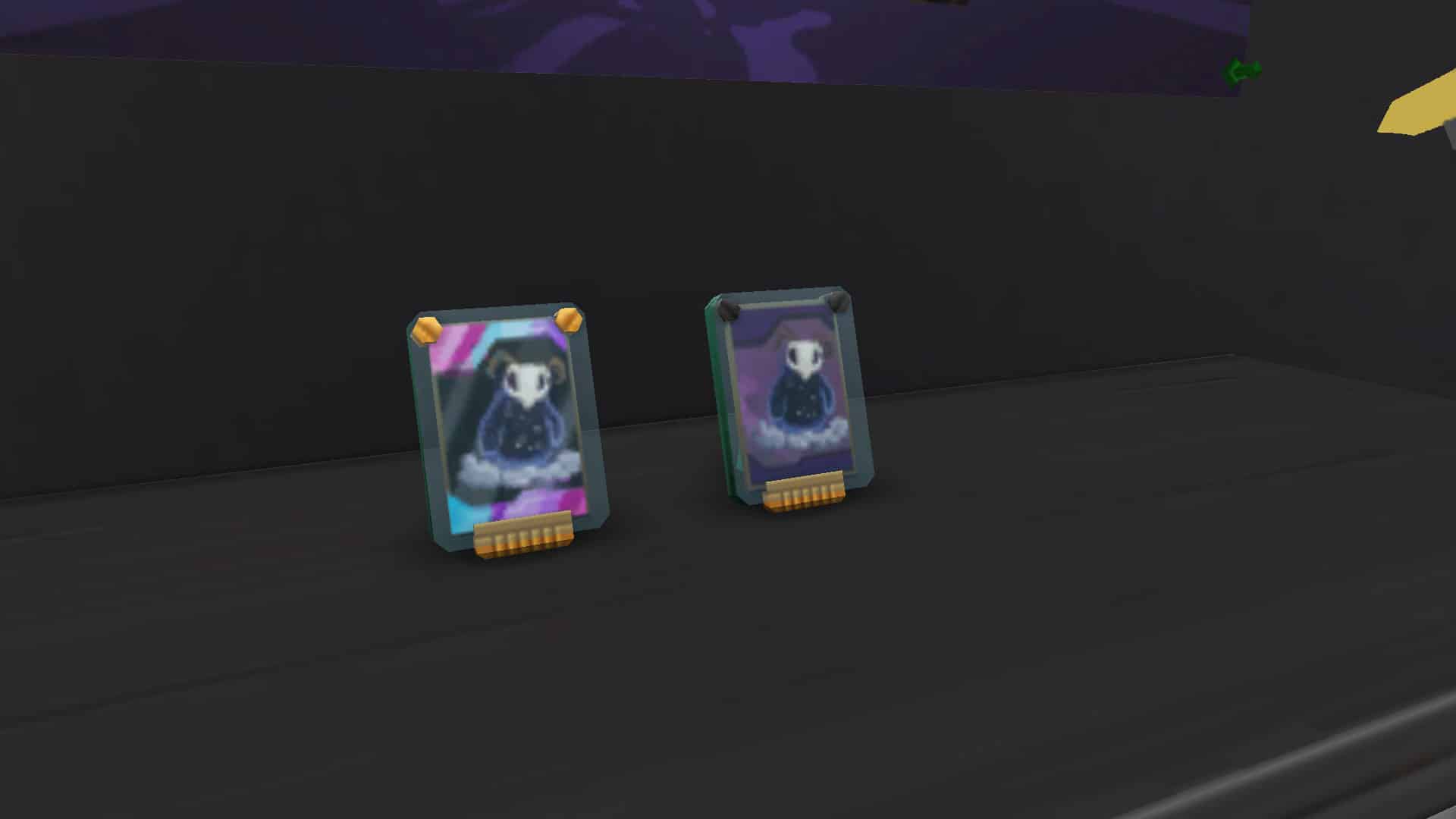
If you open the collection panel from your Sim’s inventory, you’ll see 20 slots for 20 different voidcritter cards. But there are actually a total of 40 different cards to collect. Each voidcritter has a standard version and a Limited Edition Foil version. The foil versions are more valuable and they have a cool prismatic sheen to them when displayed. Have you collected all 40 cards?

Voidcritters have different elemental alignments

The Sims 4 Kids Room: Did You Know These Facts About Voidcritters?

No two voidcritters are the same. Each voidcritter has an alignment and within those alignments, some voidcritters are stronger than others. The common voidcritters are less powerful than the uncommon and rare voidcritters. There are a total of 5 different alignments; earth, air, fire, water, and the void. Every voidcritter falls under one of these alignments. Why do the alignments matter? Well, just like Pokémon, some alignments are weak or strong against other alignments so there’s some strategy involved when you’re battling them. Fire is strong against earth, earth is strong against air, air is strong against void, void is strong against water, and water is strong against fire. Keep that in mind the next time you take your voidcritters into battle.

Children can battle with their voidcritters

The Sims 4 Kids Room: Did You Know These Facts About Voidcritters?

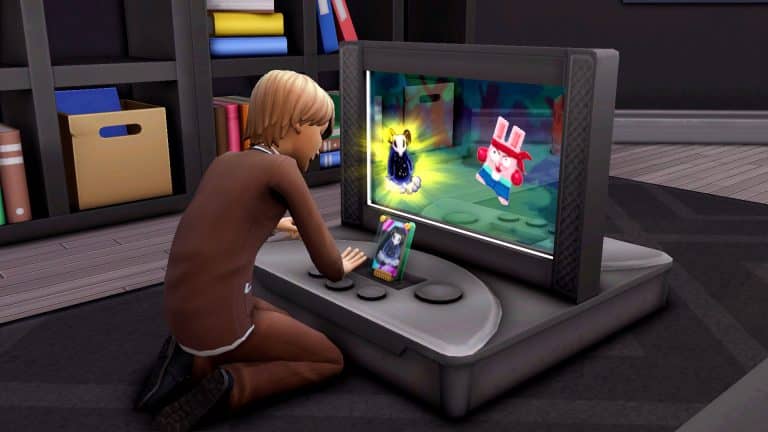
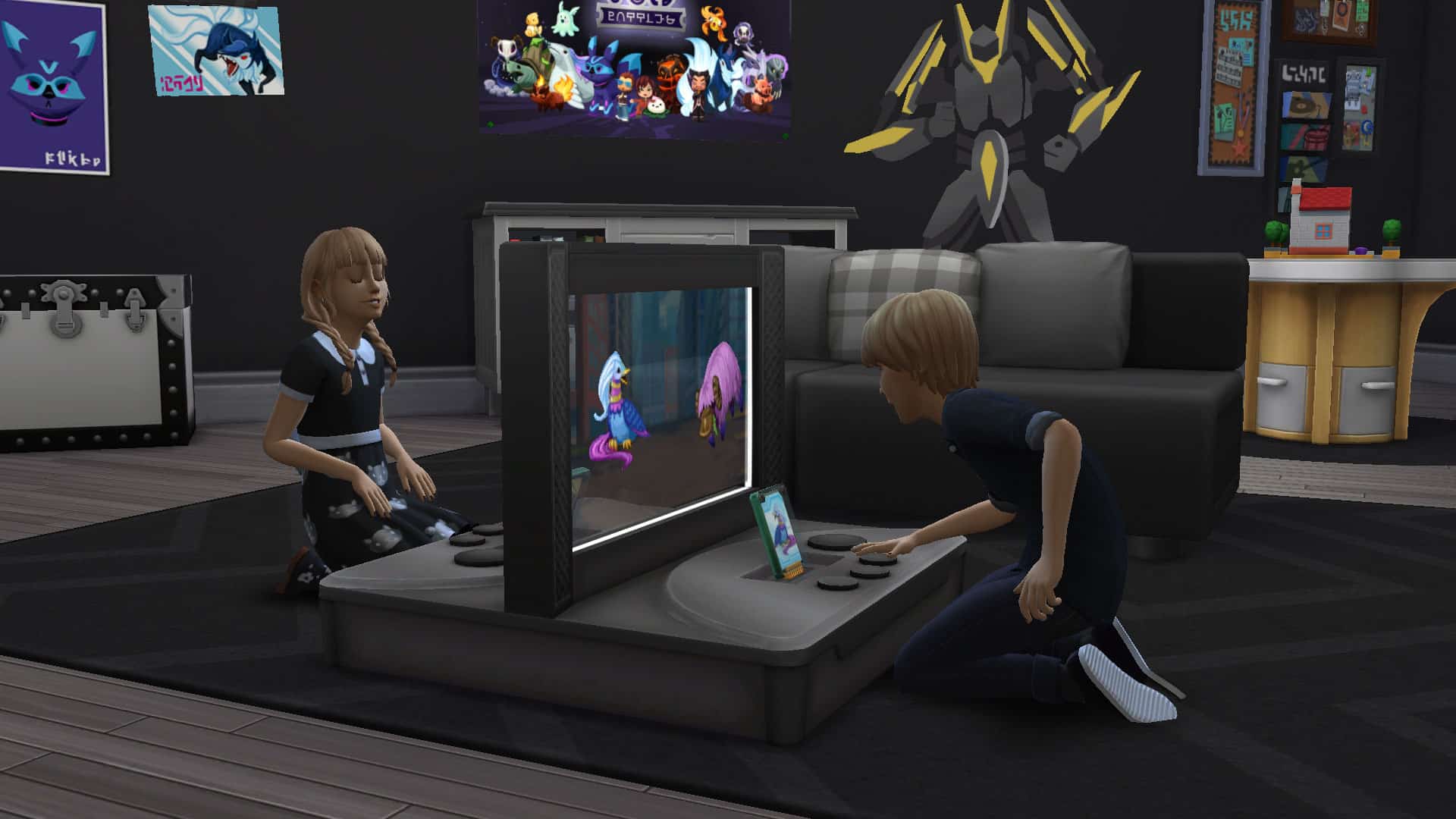
On that note, did you also know you can play with your voidcritters? That’s right, they aren’t just decorations to display on shelves! Purchase a voidcritter battle station from Build/Buy in the Toys section under Kids. Then, with a voidcritter card in a child’s inventory, click the battle station to battle with your voidcritter. Only children can use the battle station and there must be another child on the lot to battle against. The outcome of the battle is determined by a combination of factors; the voidcritter’s rarity, alignment, and power level.

Voidcritters have a power level and can be trained

The Sims 4 Kids Room: Did You Know These Facts About Voidcritters?

Power level, you ask? That’s right. In addition to alignments, voidcritters also have a power level. All voidcritters start out with a power level of 0 but kids can train their voidcritters on the battle station to increase their voidcritter’s power level. The maximum power level for a voidcritter is 10. Training your voidcritters can be a good way to give them an upper hand in a battle they might otherwise be at a disadvantage in. For example, Arcticorn is a rare water type and Yorier is a common fire type. This puts Yorier at a huge disadvantage. Not only is fire weak against water but Arcticorn is higher in rarity and therefore stronger. Arcticorn is sure to win that battle… unless Yorier has a much higher power level. If the Arcitcorn’s power level is 0 but Yorier’s power level is 10, Yorier has a much better chance of defeating Arcticorn in spite of its other disadvantages.

Voidcritters can be traded between children

Do you keep finding duplicate voidcritters? Why not try trading them with your friends to see if you can get a new one? Children can ask other children to trade voidcritter cards if they have at least one voidcritter card in their inventory. The other child doesn’t need to have a voidcritter card; the game will generate one for them. Only your active child Sim needs to have a voidcritter in their inventory. If the other child wants to trade, select the voidcritter you’d like to trade and see what the other child trades you back. You can’t pick and choose which voidcritter you get from a trade but you will usually receive another voidcritter of a similar rarity to the one you traded. If you’re looking for a rare voidcritter, try trading some other rare voidcritters you have duplicates of.

Each voidcritter has detailed lore

The Sims 4 Kids Room: Did You Know These Facts About Voidcritters?

Click on any voidcritter card to read it. This will bring up a notification with more information about your voidcritter. Each voidcritter has its own personality and history associated with it and every card references a specific episode of the Voidcritter TV show that your Sims can watch on the BeTween TV channel! Take some time to read all your voidcritter cards and learn all about the amazing facts and history of the Voidcritters universe!


How many of these voidcritter facts did you know about? Did you learn something new about voidcritters? Let us know in the comments or come chat with us on social media!

We Ranked Every Sims 4 Garden Gnome. For Science.

Wow, the Sims 4 Gnomes! This may be the most important article I’ve ever written for Sims Community. I am fully aware that my choices today may change the course of the universe as we know it forever. I am honoured to carry such a heavy burden for the betterment of this community. This is not a duty I take lightly; these were some long and difficult decisions I had to make but they were decisions that had to be made. Anyway, let’s rank some garden gnomes.

16. There’s No Place Like Gnome

There's No Place Like Gnome

Coming in dead last at #16, we have the No Place Like Gnome variety of the Sims 4 gnomes. There’s not much to say about him. He’s a gnome. He hangs out in a garden. That’s about it. There’s nothing particularly interesting or exciting about him. If he was a shade of paint, he would be beige. Just look at that resigned expression on his face. He knows he’s the guy at the party no one remembers was there.

15. Happy Gnome Garden Pal

Happy Gnome Garden Pal

This Sims 4 Gnomes rating is slightly higher than his vanilla pal. Happy Gnome Garden Pal at least has some personality going for him. He’s in a playful sitting pose, fluffing up his luxurious beard  with a little twinkle in his eye and an “Oh, I know I’m fine,” expression. Unfortunately, he may have a little too much confidence considering he still looks exactly like his nondescript buddy, No Place Like Gnome.

14. Gnome Matter What, I’m Still Your Baby

Gnome Matter What, I'm Still Your Baby

We have to give this guy credit. After all, he has a very lively posture with those little arms stretched out wide for a hug. There’s no denying he has a big personality but he also kind of gives me “that weird uncle at Thanksgiving who’s always trying to get you to pull his finger” vibes. Seriously, Uncle Joe. I’m in college now and that gag stopped being funny when I was five. Maybe it’s the eyes. Those eyes… They can see into my soul and I don’t like it.

13. Upside Down Gnome Decor

Upside Down Gnome Decor

This cheery little fellow might look as nondescript as the previous Sims 4 gnomes buddies but he’s got one thing going for him that the others don’t; he’s helpful! The Upside Down Gnome dutifully holds up a wooden tray that can hold a variety of small items. Like cookies. Who doesn’t want a gnome serving them delicious cookies? It’s like having a miniature butler you don’t have to pay because he’s… a chunk of ceramic. Also, look at those adorable big blue eyes! They are much more pleasant to look at than the soulless abyss of Creepy Uncle Gnome.

* Jar of cookies sold separately. Terms and conditions apply.

12. Strictly Business Gnome

Sims 4 Strictly Business Gnome

Coming in at #12, Business Gnome rates higher on the list for the simple fact that he has an original outfit. We can respect a gnome in a hurry to make those simoleons even if his suit does look like it came straight out of the 80s. Maybe he’s running to the nearest Men’s Wearhouse to spend all those simoleons in that briefcase on a better suit. Make that money. Buy that suit. Live your dreams, Business Gnome.

11. Bearly Gnome

Sims 4 Bearly Gnome

I mean what can we say? Out of all the Sims 4 gnomes, this one is in a bear suit! How is that not awesome? And he looks like he’s doing the Thriller dance, too. Everything about the Bearly Gnome is a vibe. I too, wish I could throw away the trappings of modern life to do the Thriller dance in a bear suit somewhere deep in the woods. Looking at this gnome reminds me that I think about weird things.

10. The Ghastly Ghostly Gnome

The Ghastly Ghostly Gnome

Just barely making the top ten list of the Sims 4 gnomes is The Ghastly Ghostly Gnome! His eyes are just as terrifying as Creepy Uncle Gnome but at least it’s working for his vibe as a disembodied spirit. I’m getting a very strong “If it wasn’t for those darn kids” Scooby Doo energy here and I can respect that. Plus, it’s really cool that he’s semi-transparent. Is he made of glass? A hologram? The tormented soul of an actual garden gnome? The mystery is all part of the excitement!
9. Happy Gnomiversary!

Happy Gnomiversary gnome

Unlike Bland Bob at #16, this is the dude you want at your next party. Just look at him. Look at his dapper suit and bowtie. Look at his festive party hat. Look at that upbeat energy he’s serving with that obnoxious little party noise maker. And he brought cake! This positive-vibes-only gnome is more than welcome at my next big bash… in The Sims because I don’t talk to people in the real world, ew.

8. Guardian of the Gnomelaxy

Guardian of the Gnomelaxy

I gotta be real with this one. I was stumped on where to rank him. On the one hand, I’m not a Marvel fan and if I had to rank the Marvel movies, Guardians of the Galaxy would rate pretty low on an already underwhelming list. His name is also a really lame pun. On the other hand, he’s a pretty cool looking gnome! I decided to put my personal bias aside in this incredibly important, life or death mission and put him at #8. His outfit is unique, his beard is unique, he’s got a funky green skin tone and a cone shaped head instead of a traditional gnome hat, he’s expressive, and his pose looks like the cover of a cool sci-fi movie poster. He really deserves to be on the list for Sims 4 gnomes!

7. Poolside Gnome

Poolside Gnome

We stan a body positive queen and just look at this adorably chunky pool gnome! Not only is she an example of self-love and confidence in her cute little swimsuit and pool floatie but she’s also the only female gnome out of all the Sims 4 gnomes! May we humbly ask The Sims Team… why???? Just look how cute she is! That smile oozing of quiet confidence, those sweet pigtail braids and that teeny tiny adorable curl at her temple. I am LIVING. More adorable girl gnomes, please!

6. Herb the Posy Protector

Herb the Posy Protector

You know Herb. We all know Herb. Herb was that guy in the back of homeroom with the shaggy shoulder-length hair who dressed like a 70’s rock star. Herb didn’t talk much but he liked to play Wonderwall on his acoustic guitar at the picnic tables during lunch hour. Herb always had the best mushroom mash. If ya know what I mean. Yeah. That Herb. What a totally chill dude. Just like Herb the Posey Protector. Rock on, Herb.

5. Mr. Floppy the Gnome

Mr. Floppy the Gnome

What do you get when Merlin has a mid-century crisis and decides to take a year off to work as an Easter Bunny for kids’ parties? This guy! He makes it into the top 5 Sims 4 gnomes just for being cute in the derpiest way possible, honestly. The way he looks slightly off to the side with those innocent beady little eyes swinging his basket of eggs around just makes me feel some type of way, okay? Have I mentioned how cute those downturned ears are squished beneath his gnome hat?

4. High Rider Gnome

High Rider Gnome

You can bet your last simoleon that a garden gnome riding a lawn flamingo like its a bucking bronco is going to rank high on this Sims 4 gnomes list. I mean do I really have to explain it? It’s a GNOME! On a FLAMINGO! I rest my case, Your Honour!

3. “Onward” The Adventurous Gnome

Sims 4 Onward The Adventurous Gnome

Just when I thought nothing could be better than a gnome riding a flamingo, we transcend into a higher state of being with a gnome riding a chicken. This baby is also limited edition; it was an early purchase bonus for the Cottage Living expansion pack so if you have this guy, you’re one of the lucky ones! What a time to be alive!

2. Don’t Fear the Reagnomper

Don't Fear the Reagnomper gnome

Mr. Reaper was SO close to snagging that coveted #1 spot on this Sims 4 gnomes list. Grimmie is a Sims icon. He’s got a super cool scythe, spoopy robes, his little red gnome cap is pulled forward like a hood and did I mention his eyes glow in the dark? Well, they do. Indeed, it seemed as if no one could beat such a legend. That would be like some other townie beating Bella Goth! And yet…

1. Bare Essentials Gnome

SIms 4 Bare Essentials Gnome

Our #1 pick goes to this downright indecent Bare Essentials Gnome! Definitely the strongest out of all the Sims 4 gnomes. First of all, that’s the best pun out of every single gnome. I couldn’t even pronounce Don’t Fear The Reagnowerdcvcfrcbbfcf-huh??? Secondly, nothing, and I mean NOTHING, is more iconic to The Sims series than that block of pixelated squares protecting our Sims’ modesty every time they shower or use the bathroom. It’s been a staple of the series in every single Sims game, spinoffs included. This gnome is classic but naughty and I can’t get enough of his cheeky little wink. My only question is this: If Sims can’t see the censor blur… are they really looking at a naked gnome?

Honourable Mention: Yarny

Yarny Sims gnome

But wait! There’s more!

As much as my Unravel-loving heart would have loved to crown Yarny at the top of this ranking, it wouldn’t have been fair. Since he’s you know… not actually a gnome. But Yarny still deserves an honourable mention because he functions like a gnome! Yes, Yarny will make it a habit of disappearing and reappearing in random spots around your home. He’s an adventurous little yarn creature. So while he might not be a gnome in appearance, he’s a gnome in spirit.


Insulted by my rankings? Drag me in the comments and let me know what your top pick would have been in this super important, life-changing rankings list!

  • Special thank you to Ravasheen for her backdrop resources!

The Sims 4: Community Wishlist for 2022

A few days ago, I reached out to the community and asked what players would want to see this year in the form of new content! So many of you replied to the tweet and shared your thoughts on what you would like to see released this year.

If you haven’t seen the tweet already, take a look at it below.


Of course, since that tweet went out, we’ve had a small reveal from The Sims team in the form of the first roadmap for 2022!

The Sims 4: Community Wishlist for 2022

While the above roadmap is giving us an idea of what we are going to see over the next three or four months, that still leaves a good portion of the year open to possibilities.

Throughout the replies to the Tweet, there was a clear view of what many players would like to see, with many echoing the same responses.

Before we go into the main replies that focus more on new packs, many people shared their thoughts about how they would like to see more done to address current bugs and issues within the game. While we do see a number of issues addressed when they are shared in the monthly Laundry Lists and patches, there are still many that players have found haven’t been addressed or have been partially fixed. With the new year now here, hopefully we will get our first Laundry List of the year and an update addressing some of the current issues soon.

As for new content, there were a variety of replies which could see new features, experiences and ideas be delivered through the likes of Expansion, Game and Stuff Packs, Kits, Sims Delivery Express, game patches with additional content for the Base Game and even pack refreshes.

You can read all the replies to the original Tweet here.

The Sims 4: Community Wishlist for 2022

While these are just some of the many ideas voiced in response to the Tweet, there were a number of other ideas shared as well. These included:

  • Bands and more variety of instruments
  • Hotels Pack
  • High School Pack
  • Horses
  • More Occults
  • New Careers – Singing, Dancer, Hairdressing
  • New methods of transport ranging from cars, scooters, skateboards and more!
  • Zodiacs
  • Generations and Family Game Play
  • More relationship options (cousins, grandparents, step-parents)
  • Expanding on Skills such as Creative and Sports based Skills.
  • New Worlds which explore different locations and cultures yet to be seen in The Sims 4
  • New Aspirations
  • More pack refreshes
  • Improvements to current Base Game features
  • Improvement to the Likes and Dislikes

With many players sharing similar ideas, it will be interesting to see how many of these actually make their way into the game over the next twelve months.

Of course, with many positive and exciting ideas being shared, there will always be some negatives. However, in this case there wasn’t many and the main one came in the form of Kits. We have seen our fair share of Kits over the last several months, and many players are hoping to see more packs this year instead. Kits are still a relatively new and still a form of content that was first launched last year and have received mixed opinions since. We do know that in the first roadmap for this year, we will see two new Kits but as yet, there is no further information about them.

Another reply that popped up a few times was The Sims 5. While we are aware that a next-generation The Sims game is in the works, nothing has officially been revealed. There could well be a chance we see official confirmation that it is coming, but we will have to wait and see.

As always, we will keep you up to date with the latest news and information for The Sims 4 so make sure to follow us here and over on our social media accounts!

Let us know what you would like to see this year in The Sims 4 below in the comments.