For the first time in a while a Pack for The Sims 4 is going on a limited-time offer that lets you keep the pack!
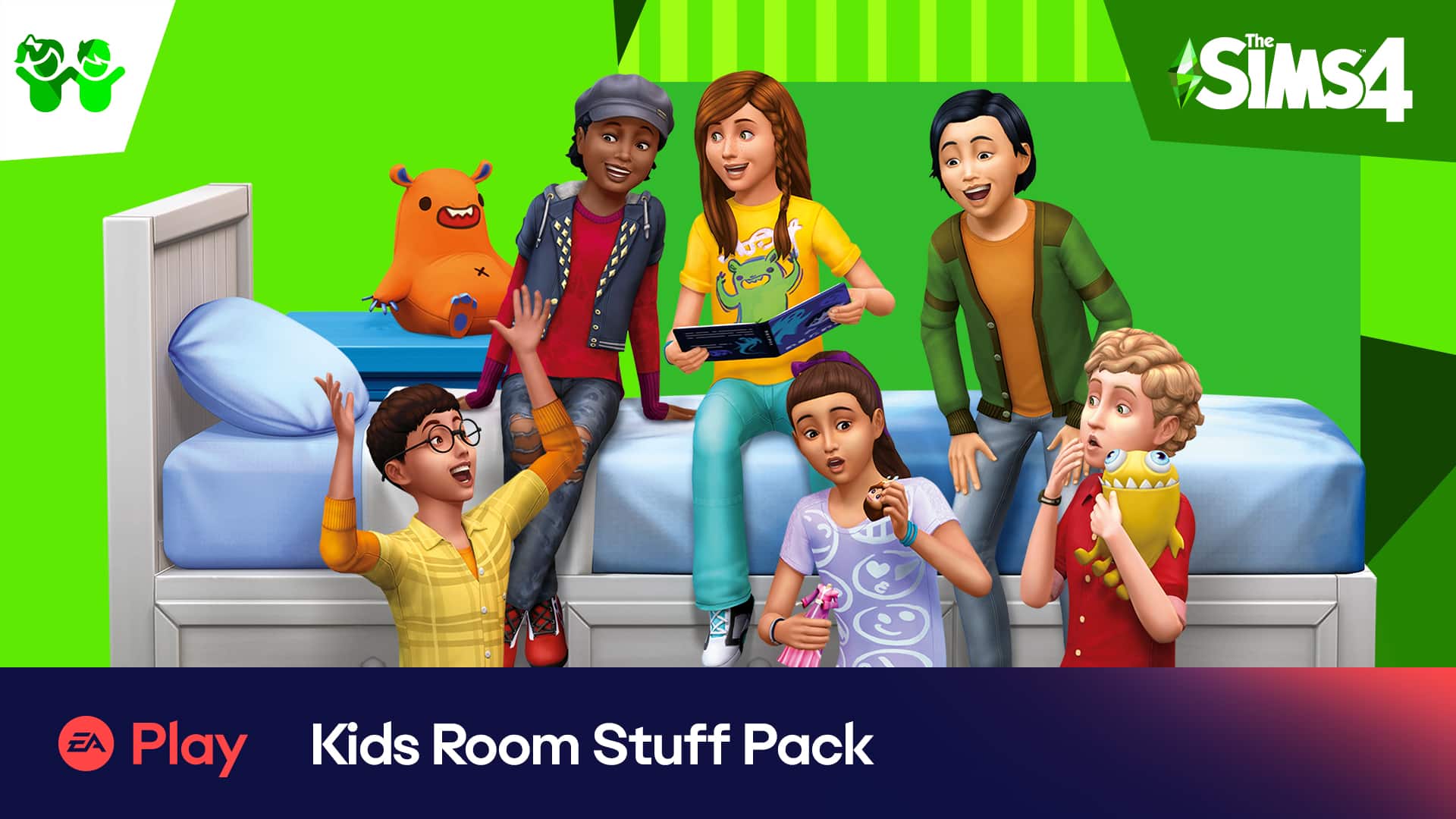
Members of the EA Play gaming subscription service are now able to claim The Sims 4 Kids Room Stuff Pack without any additional charge.
The time frame for claiming this Stuff Pack started on August 17th and will last until September 14th. If you’re a member of EA Play on Playstation 4 you’ll be able to claim the pack starting August 20th until September 14th.
This limited time offer is exclusively available for EA Play Members. For Origin users you’ll have to have the EA Play Pro membership in order to claim the game, which is $14.99 a month. Steam members can join through the regular EA Play membership for $3.99. If you play on Xbox you’ll be able to claim the pack through Xbox Game Pass Ultimate (which includes all EA Play benefits). Heads up that the Xbox Game Pass Ultimate is on a 93% discount – meaning that you can join for only $1!
Sul Sul EA Play Simmers! Spark the imagination of Sims with fun items to personalize kids’ bedrooms in #TheSims4 Kids Room Stuff Pack, now available to EA Play members!
You can claim in-game between Aug. 17 to Sept. 14! (Note: For PlayStation, it will become available Aug. 20!) pic.twitter.com/7vpZIx9J3r
The Sims 4 is having a huge Origin sale right now! The base game and a variety of expansion packs, game packs, and stuff packs are currently discounted in price. See the savings below!
The Sims 4 Base Game – up to 75% off
Expansion Packs – 50% off – Does not include Cottage Living!
Game Packs – 25% off
Stuff Packs – 20% off
The Sims 4 Kits are not included in this sale.
The sale will be running for a limited time! You have until August 31st, 2021 to take advantage of this sale. It ends at exactly 10AM PT on this date.
Earlier, The Sims Team alluded to the possibility of existing packs for The Sims 4 getting improvements and updates. Today, the official The Sims Twitter account confirmed this.
The tweet promises some updates to an existing game pack as well as a new kit before the end of the summer. So far, the game pack getting the update hasn’t been officially revealed but we have strong suspicions that it will be Spa Day, based on some key phrases like “refreshing” and “relaxing” being used to describe this pack update.
Keep checking back with Sims Community for all the latest Sims news as it happens!
Note: This guide is based upon installing The Sims 2 Ultimate Collection via Origin.
Even now, in twenty-twenty one, The Sims 2 is still hugely popular within The Sims community and a question that gets asked often is “how do I install The Sims 2 on Windows 10?”
Firstly, you’ll need to locate The Sims 2 Ultimate Collection in your Origin Game Library. Once you have found it, click on the game box art and then hit download.
You’ll then be presented with a series of pop-up boxes. These will ask you to check which language you wish the game to install in and where on your PC/Mac you would like the game to install.
Once you’ve gone through the pop-ups, you’re game will start to download and install.
Now that your game is installed, there’s a few things to keep in mind. The Sims 2 was not designed to run on current generation technology, so it requires a few quick and easy tweaks to help fix and improve the graphics as well as the overall experience of the game.
A video that you will find handy to walk you through the different fixes is one from XUbranSimsX. In this video, Jenn talks about the different fixes that helped fix her game, as well as many players within the community. This is also the same guide that I used myself when reinstalling The Sims 2 Ultimate Collection recently, and my game works brilliantly.
Jenn also has a Fix Checklist that has all the links that you need and use alongside her video. You can find the Fix Checklisthere.
While there is a chance you could run into a few glitches or technical issues once you have installed the game, the Fix Checklists will take you through how to troubleshoot different issues, including issues where the game will present you with purple/pink flashes and texture issues as well as how to get The Sims 2 working on modern hardware and Windows 10. Again, you can check the guide out here.
If you are still having problems with improving your graphics or the random black shadow boxes, you can check out our handy guide here.
Another helpful guide by Captain Nikki on Tumblr as has references to a selection of mods for The Sims 2 and cheat codes for the game. You can find Captain Nikki’s guide here.
Again, this guide is based on The Sims 2 Ultimate Collection that was released as a limited time promotion via Origin. The promotion ended in late 2018 which you can read more about it here. This article will also be useful if you are reinstalling the game by using the physical disks.
Lately, I’ve been feeling nostalgic for some older gems in The Sims series and have once again fallen down the rabbit hole of The Sims Medieval. In my personal opinion, The Sims Medieval is the best Sims spinoff ever made (yes, including Castaway and Bustin’ Out). It was a work of art and did not receive the admiration it deserved. I was very sad that such a promising game led such a short life.
I’m not the only one who’s been rediscovering their love of this game, either. There have been a lot of The Sims Medieval posts circulating around the community which makes my heart happy. Of course with new players comes new challenges; I’ve seen a lot of people saying they have a hard time figuring out the mechanics of The Sims Medieval. They can’t keep their Heroes’ focus high enough to do well in quests.
I’m here to help with that! I’ve spent probably hundreds if not thousands of hours playing this game over the years. I pretty much know all the little hacks and things that add up to make the game easier. I’ll be outlining some tips that help me finish every single quest at Platinum level, no matter which Hero I’m playing.
Focus, Focus, Focus!
Unlike your Sims’ moods in The Sims 3, focus in The Sims Medieval is essential for success. Everything depends on having a high focus. High focus will boost quest performance and make your Heroes more likely to succeed at their jobs and quest steps. Low focus will tank quest performance and can even get your Heroes killed if they attempt to do something dangerous with low focus (like hunting or fighting).
Always always always maintain your Heroes’ focus. You always want it in the green, but the higher, the better.
Easy Ways to Boost Focus
Stay well rested and full. Simple enough. Energy and Hunger are the only two motives your Sims need to take care of, so it’s not hard to keep these motives satisfied.
DON’T TOUCH THAT GRUEL! Sims can cook gruel without needing any ingredients but it slaps them with a negative focus buff. Eating literally anything else will provide a positive focus buff, instead. The more complex meals requiring lots of rare ingredients provide the best focus buffs but your Sims don’t always have time to cook such an elaborate spread. Instead, hit up the local merchant’s stalls, or head to the Village Shoppe to purchase some basic cooking ingredients. Pigeon, turnips, and onions are all cheap ingredients that can be used in the easiest recipes. Your focus meter will thank you for not eating gruel.
A little TLC goes a long way. While your Sims don’t have a Hygiene or Bladder motive, taking baths, using the chamber pot, and washing up in the wash basin still give your Heroes positive buffs that increase focus. Warming your hands at a cooking fire and gussying up in a mirror also provide small focus boosts. Don’t overlook these little tasks when your Heroes get up in the morning. They all add up!
Don’t neglect your responsibilities. Finishing your daily responsibilities is the easiest way to give your Heroes a huge focus boost. Finishing both responsibilities will add +40 focus. Add that with all the tips mentioned above and your Heroes will have maxed out focus meters for most of the day with little trouble. Neglecting Responsibilities will saddle your Heroes with big negative focus penalties which you want to avoid at all costs.
Don’t be afraid to stray off the quest path sometimes. Things like making friends, courting a new love, getting married, and having children provide Heroes with massive focus boosts! Just having a baby will add +80 to your focus alone. It pays to take a break from questing now and then to live a little.
Play to your Heroes’ strengths. Every Hero has two traits and a fatal flaw. This means every Hero is different and excels in different areas. If you have an Unkempt Hero, keep them away from wash basins and baths. The more disgusting they smell, the happier they are which will boost their focus. If your Sim is Solitary or a Misanthrope, try to have them avoid other people as much as possible. They’re only happy and focused when being left alone. If your Hero is a Drunkard, consider stocking up on barley as well as cheap food ingredients. They’ll have to drink a lot to stay focused, so they might as well get an extra positive buff from drinking barley ale instead of the musty basic ale that requires no ingredients.
Match up professions and traits. A Merchant probably shouldn’t have the Misanthrope fatal flaw because they’ll need to be around people constantly to sell their merchandise. A knight shouldn’t have the Puny or Weak Constitution fatal flaws, either. Make sure you’re setting your Heroes up for success by giving them the right traits for their profession.
Getting Platinum Every Time
There’s really only one trick to this and it might be shocking to hear because it sounds counter-intuitive, but… finish your quests as slowly as you possibly can.
No, I’m not kidding.
When you plough your way through quests really fast, the performance meter has less time to fill up, which means you’ll miss out on the chance to finish a quest at platinum. Yes, there is a penalty for falling behind on your quests and you don’t want that, either. It’s a balancing act. Here’s how I platinum every quest:
When you first start a quest, ignore it. Instead, work on building and maintaining high focus. This strategy only works if your focus meter is high enough to keep your quest performance improving. Ideally, you want to be at gold level before you start the quest at all, but that might not always be possible.
Keep an eye on your buffs. When you get the Falling Behind on Quest buff with an icon of a trophy and one X, that’s when you need to start the quest. Do one quest step to get rid of that buff.
Then derp around maintaining your focus and ignoring the quest until you see that same buff again, then do another quest step.
Repeat this process of doing just enough quest steps to get rid of the Falling Behind on Quest buff, then ignoring the quest in favour of focus-boosting activities until you see the buff again.
Keep up this cycle until you hit Platinum. Once you’re at Platinum, then you can rush through the rest of the quest as fast as possible. You want to finish it fast before the quest performance has a chance to degrade if your focus drops for whatever reason.
Ta-da! Platinum level quest completion!
Profession-Specific Tips
Each Hero’s profession provides them with their own set of perks/drawbacks. It’s beneficial to know how to make the most of each Hero’s profession. I won’t be going over every profession here, as some are more straight forward to play than others, but here are a few handy tips I’ve picked up for some of the professions:
Your Physician will often get the Responsibility to craft and deliver Citrus Infusions and Rum Tonics. These require ingredients from the Village Shoppe. It can be really time consuming having to run to the village every day to get these ingredients on a time crunch. It’s a good idea to visit the Village Shoppe once a day even when you don’t have to so you can stock up on citrus fruit, honey, and apples. That way, you’ll have them on-hand when you actually need them to craft your tonics. If you have a Merchant Hero in your kingdom, check there first. It’s not as long a walk and the Merchant sometimes has those ingredients for cheaper.
The Merchant has some of the most time-consuming Responsibilities out of all the professions. They often have to travel to foreign lands with cargo to trade. This can easily take up an entire day. They also need to investigate the day’s hot items at the Village Shoppe, buy them, then sell them at a higher price in their own market stall. To save time, buy barley and mushrooms in bulk. Crafthole trades wood for mushrooms, and Tredony trades gems for barley. It’ll save you a trip to the Village Shoppe when you need to sail abroad. On days when you need to buy and resell hot items, don’t go overboard. Buy only 1 or 2 of the most expensive hot item and a maximum of 3-5 of the cheaper items. You need to resell your stock that day to make a good profit, so don’t buy more than what you’re confident you can sell that same day.
Wondering why the Wizard doesn’t have a bed in their tower? The Wizard doesn’t need to sleep! They meditate to recover energy, instead! Just click on your Wizard and select Meditate whenever they need a rest.
Peteran Priests and Jacoban Priests get focus boosts from Praying and Reflecting on the Watcher! It’s an easy way to keep your Priest’s focus meter in the green when you’re strapped for time. All professions that can harvest from plants get small focus boosts from successfully gathering herbs/plants as well.
And that’s it for now! Go forth and get medieval!
If you’re wondering where you can get The Sims Medieval, you can purchase it on Origin for $19.99 USD! This bundle includes the Pirates & Nobles expansion pack! Happy medieval Simming!
In front of me is an empty 50×50 lot. The challenge is to build a farm. Should be pretty straight forward, right?
Well, for me this will be a challenge. I want to push myself to build out of my comfort zone and use build mode tools that I usually try and avoid. Usually I lean towards smaller builds on smaller lots in game. I’ve always loved making cute, cosy and modern style homes for my Sims. I’ve never been able to build on a larger lot and be happy with it. There always seems to be something missing, but I never know what that is.
I’ve had an idea of what I want the finish build to look like in my mind. If the actual thing will look anything like that, I don’t know at this point. What I do know is that I want to use terrain manipulation (that I’m terrible with) and also use the new water tool to help bring this farm to life.
I’m going to use this post to share my journey in creating this build, as well as sharing my building process. I also want to use it as a bit of a reflection on how I think it went.
With an empty lot ahead. It’s time to begin
The first step was to play around with terrain manipulation and create an area where the farm house was going to be. After toying around with different ideas. I did get completely side tracked, at one point, but after messing around for a little I finally settled on what I felt was good and would work.
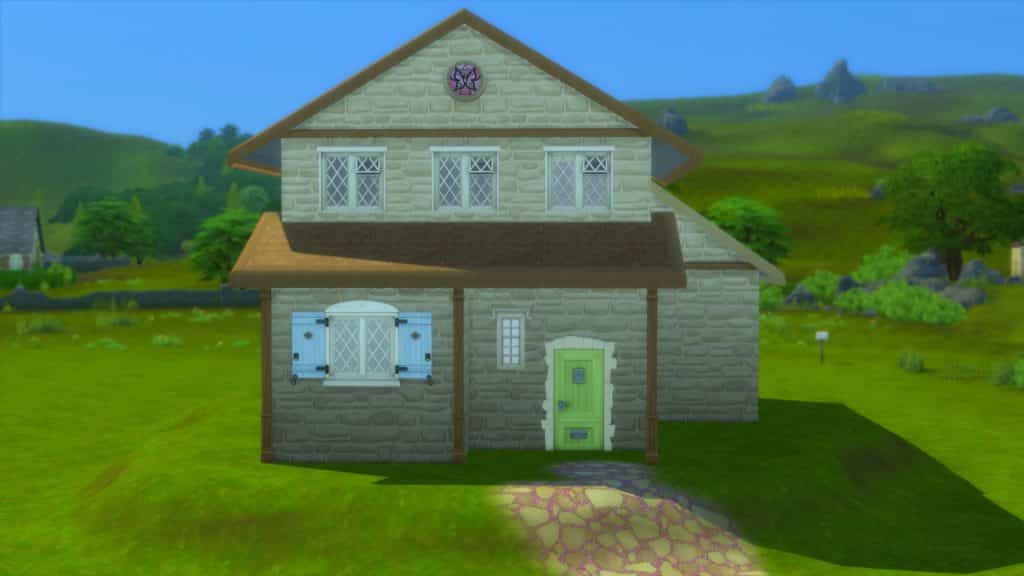
I then moved onto the shell of the farm house itself. I found this kind of hard, as I knew what I had in mind, but trying to replicate that in game just wasn’t happening. After some trial and error, I finally had a shell I was happy with. Not too big, but not too small. Perfect for a small family.
It’s nowhere near finished, but it’s a step in the right direction. The next step was to lay out some of the outdoor objects, as well as starting the pond. I wanted to save furnishing the farm house for a later on.
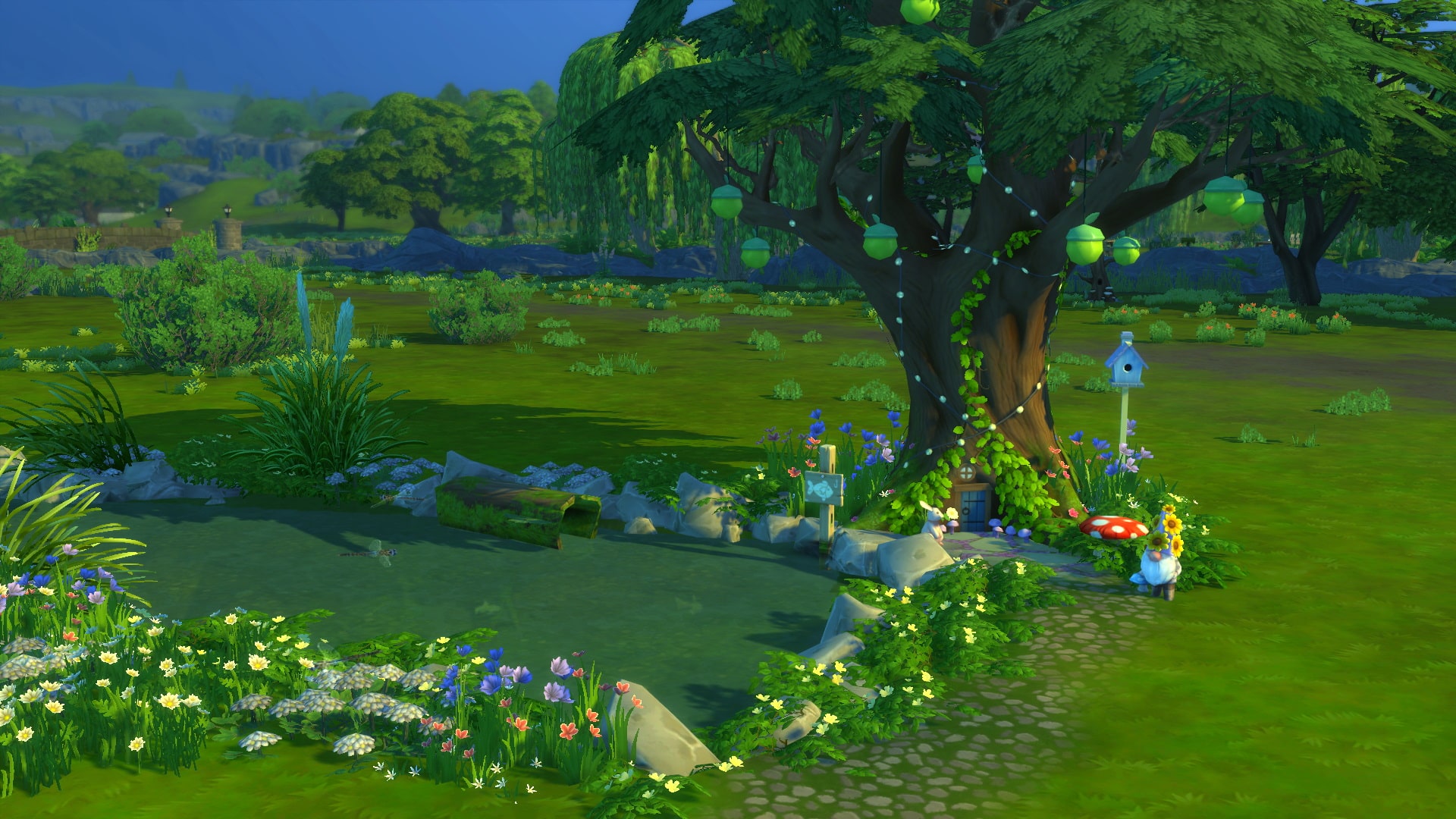
Despite my worries about creating a pond and how I wanted to look, it slowly started to come together. I have to admit, I love the little area by the tree. It’s just so adorable. I also couldn’t resist adding the toadstool seat for Sims to sit on.
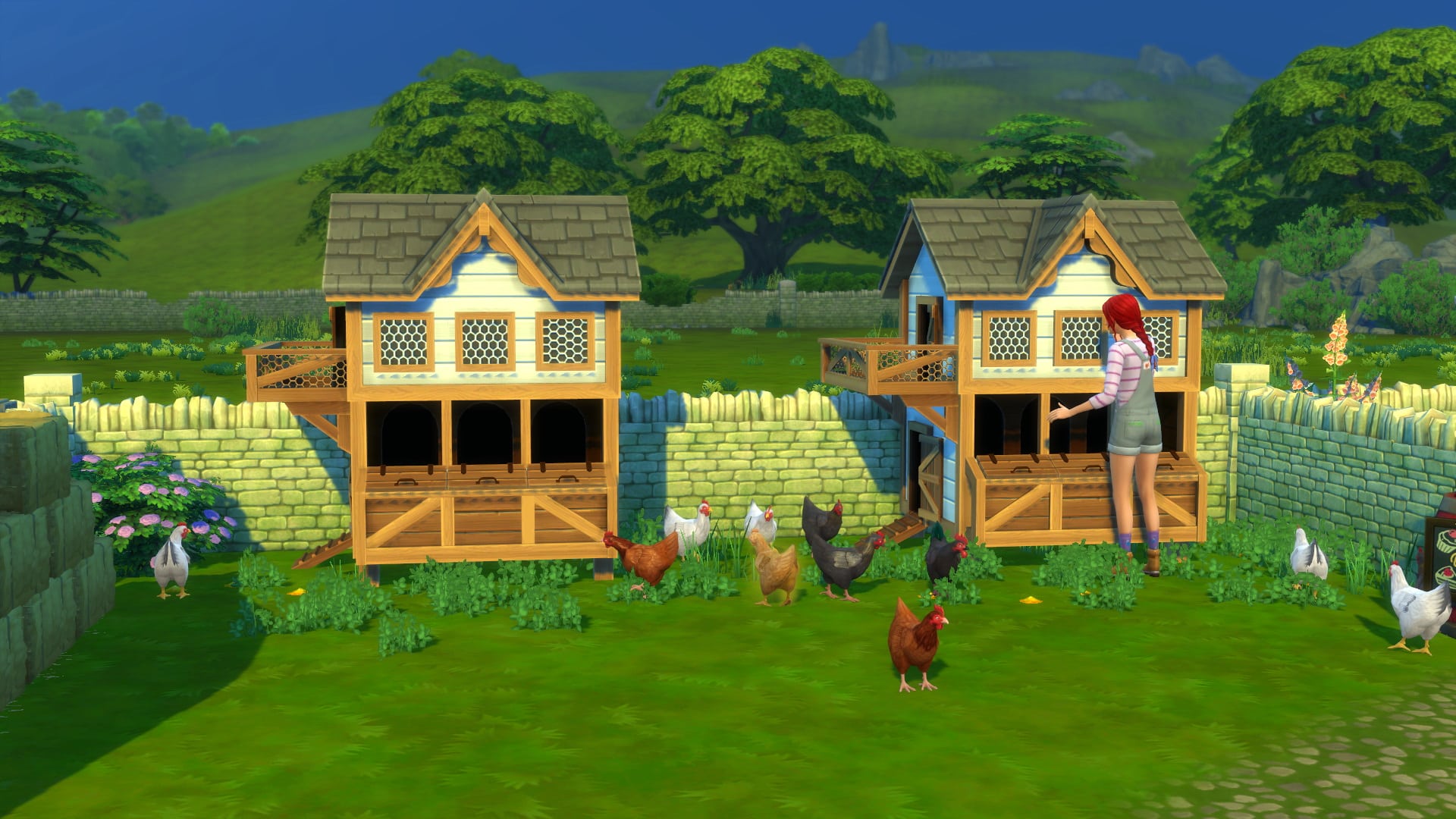
After experimenting with decorating the pond. I started to layout where I wanted the Animal Sheds and Chicken Coops. At this point, I felt somewhat overwhelmed with the sheer amount of space I still had left to fill. While I had ideas as to how to fill them, at this point it felt like it was going to be a lot more challenging than I initially anticipated.
With the rough layout of part of the outdoor space done, I turned my attention to the farm house its self.
One thing that I absolutely hate about building is placing windows. No matter what I do, they never look right, or I feel that there’s just far too many. This has been something that’s been a challenge for me in every The Sims game, although I eventually find something that works out for each build.
On to the layout. This was in fact the easiest past of this build so far. Everything just clicked together perfectly. After the initial placement of all the walls, I made a few small tweaks to ensure that each room had adequate space.
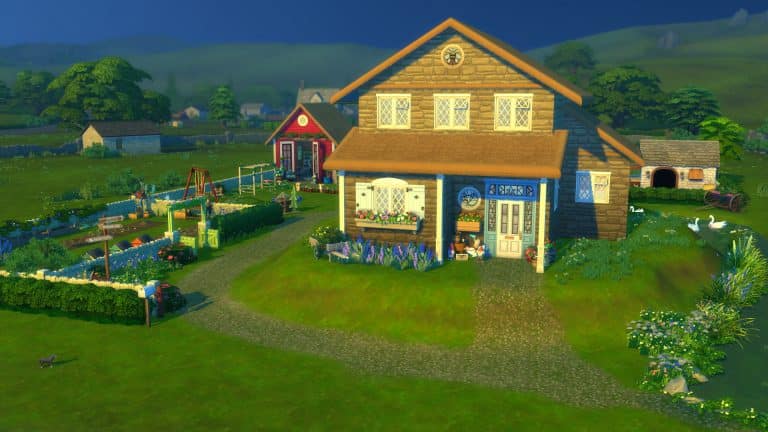
With the layout now complete. It was time to start furnishing the farm house. My aim was to use items from Cottage Living, Cats & Dogs, Country Kitchen and Laundry Day to help keep the rustic feel as much as possible.
I took a moment to look at how much the build cost, and I was sat at just under $25,000. Slightly better than I thought, but this is where the real fun begins!
Furnishing the build was pretty straight forward and lots of fun to start with. I used a lot of items from the DEBUG menu as well for more variety and to find more unique objects to use to create the perfect outdoor space. As for the inside of the house, it was also coming together nicely. I was able to keep the rustic theme I was going for running throughout the house. That was until I had a random game crash.
Even though all was not lost, I lost a lot of the progress I had made with furnishing the house its self. I was a little disappointed with myself for not saving as often, but the lesson was learnt. Make sure you save your game often!
I managed to refurnish the downstairs part of the house to almost how it was prior to the crash, which has just left me with the two upstairs bedrooms and bath left to do.
08 01 21 5 45 23 PM
08 01 21 5 51 56 PM
08 01 21 5 53 31 PM
08 01 21 6 21 50 PM
08 01 21 6 32 15 PM
08 01 21 5 46 46 PM
08 01 21 5 51 10 PM
08 01 21 5 48 02 PM
08 01 21 5 48 37 PM
08 01 21 5 49 12 PM
08 01 21 5 49 47 PM
08 01 21 5 50 50 PM
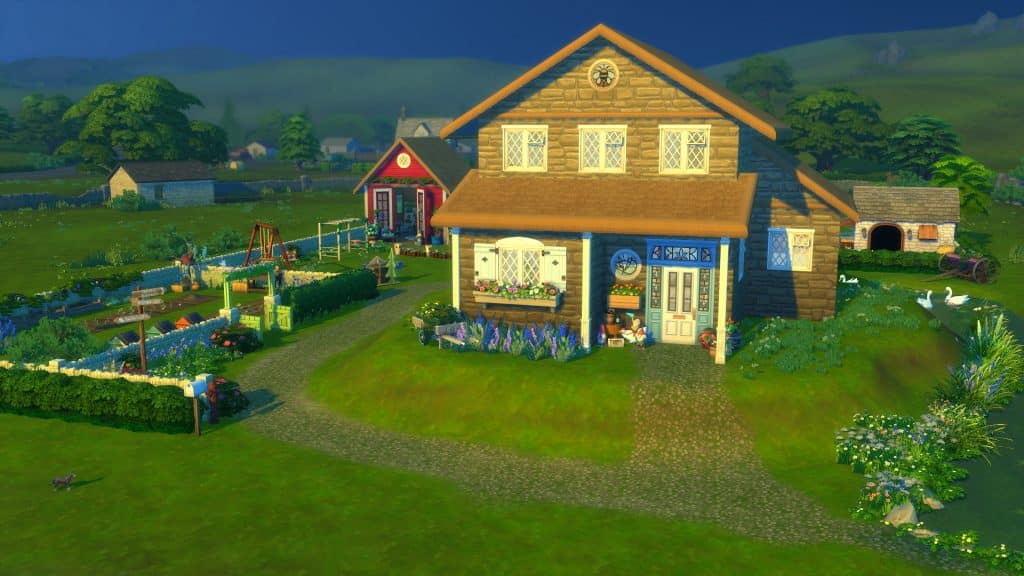
Now that the build was pretty much complete, except for a few small tweaks here and there, I have to say I’m really happy with how it turned out. I really pushed myself to try something different, and it worked. I don’t think I would always be able to build on larger lots. It felt a bit overwhelming and chaotic at times, but I guess that’s all part of the fun.
My favourite part of this build has to be the little gardening area at the front of the lot. I used a lot of DEBUG items to help bring that area to life instead of it feeling pretty empty. As for my least favourite, I would have to say the pond area, simply because I found it hard to decorate it after first starting it and I kept running into a weird clipping issue as well as the odd floating ducks and swans along the way too. I guess you could say I quit while I was ahead while building the pond.
Overall, challenging myself to build something out of my comfort zone was incredibly fun, and it was definitely a challenge. There are one or two areas I would like to improve a little more or approach differently, but once I’ve tweaked a few smaller bits, I’ll be ready to move my Family in and start their own adventure in Henford-on-Bagley.
The Gallery Information
To download this lot in your game, simply search LeeksEverywhere and download the Henford Manor Farm. The lot uses items from across the majority of packs, as well as many Debug items.
If you do download this lot, share your screenshots with us, and don’t forget to tag Sims Community and LeeksPlays on Twitter!
I love to play legacies in The Sims 4 and one question I get asked a lot is “How do you stay interested in one family for so long?” In part, I think some people are just naturally more inclined to sticking with long projects than others but I do think there are a few tricks to maintaining interest in that project that a lot of people may not consider. Some things will immediately kill the enjoyment of a save file and other things are crucial to keeping your enthusiasm for one family going.
Here are my top tips for playing one single family for many generations!
NO CHEATING!
I’m dead serious. Cheats are the #1 enjoyment killer of The Sims. Even if you think they enhance your enjoyment, they probably don’t. Still don’t believe me? Picture this: You create a brand new Sim in CAS, move them into an empty lot and before even unpausing the game, you type in the money cheat to give yourself 9,999,999 simoleons and download an amazing mansion off the Gallery and you still have millions left over. Then you cheat your way to the top of your career and max out all your skills. Then you cheat yourself a spouse and go into CAS and make the perfect children for them. Okay cool. Now what? What do you do? Nothing. You’ve done what was meant to take multiple generations to achieve in five minutes and now you’re bored. The same is true if you don’t cheat everything immediately but are constantly using cheats as you play whenever you come across an obstacle, like cheating up motives all the time or giving yourself 1,000 simoleons when you’re short on funds to buy something you want.
So if you are a hardcore cheater, I’m not judging you! It is a sandbox game, after all, so there’s no harm in cheating, but maybe try avoiding cheats and doing things the hard way if a legacy is something you aspire to but have trouble sticking with. A legacy is only as enjoyable as the effort you put into it. Besides, you’ll find it’s laughably easy to get rich and successful in the game without any cheats, anyway.
Set Goals
Just like in real life, setting goals for your projects will help you maintain interest in them in the long term. If you’re starting out with a single Sim on a big empty plot of land with no money, perhaps the goal for your first generation should be to reach the top of a lucrative career or become very skilled at a lucrative hobby and build a nice family home that future generations can expand on. You’ll find that by the time you reach generation 3 or 4, your legacy family will be quite wealthy with a very nice home and that’s when people start to get bored. Instead of quitting, switch your focus. Find a new goal to work on. Maybe your 4th generation heir should become a Global Superstar or maybe try embarking on a retail business venture. Whenever you feel like you’ve accomplished what you set out to do, pick something new to work towards. It will keep every generation fresh and exciting.
Go With the Flow
I won’t lie; it drives me a little batty when I see people complain that nothing interesting ever happens in their game, then whenever something unexpected does happen, they panic and restart the game without saving to undo it. Get out of the habit of doing this because it’s going to kill your interest in a save really fast. While it might be gut wrenching to have your favourite Sim die of hysteria unexpectedly or to get fired from a job you had almost reached the top of, letting these things happen and dealing with the fallout will add depth and interest to your game because you won’t be bored with the predictability of everything.
The same goes for those random events and popups that most of us always hit Cancel or Ignore on without even reading. I’m guilty of this one, too, but I find when I try to take part in as many of those random things as I can, I enjoy the game a lot more. I might meet the love of my Sim’s life at the Romance Festival or meet a new friend on the ski slopes. If nothing else, I did something a little different for the day which broke up the monotony of my daily routine.
Create Stories
I tell this to everyone who asks me how I stay with my legacy families for so long. If you aren’t emotionally attached to your Sims, you won’t last more than a generation or two. Don’t think of your Sims as little puppets to do your bidding. Think of them as real, living, breathing people with their own dreams, goals, and personalities. As you’re making goals for your Sims to accomplish, come up with a story about why they want to achieve those goals. Everything that happens to your Sims, turn it into a story that affects them going forward.
My 5th generation heir watched his parents go through a very ugly and highly publicized divorce due to his mother being a celebrity. Then he lost his father unexpectedly at a young age. He grew up with some issues because of those things and all of his actions he took during his life were motivated by his troubled childhood. While he achieved success and loved his own family fiercely, he lacked empathy for others outside of his own inner circle and became somewhat of a mob boss within the business world he worked in.
Always have a story in mind about why something has happened to your Sims or why they take the actions that they do. Make sure whatever’s happened to them in the past informs the actions they take in the future. This will bring your Sims to life in a way that will make you want to keep playing with them.
Push Through the Dull Periods
In every legacy, no matter how good you are at setting goals, telling stories, and not cheating, there is always going to be points where things slow down and become kind of dull. This usually happens in between generations; when your current heir is either nearing elderhood or has become an elder and they’ve achieved everything they set out to do in life but your next heir is still a teenager and can’t take over the family, yet.
There isn’t a whole lot you can do about this except push through it. Just remind yourself that this is a temporary dead zone and that things will get interesting again when your next heir becomes a young adult and can start their own family and tell the story of their generation.
And that’s it for now! I hope you enjoyed these tips and tricks and please don’t take any of these too personally! If you’re guilty of doing some of these things I caution against, just know that I also have been guilty of these things at times which is how I’ve learned what works for generational play and what doesn’t. It was very much trial and error over the years on my part.
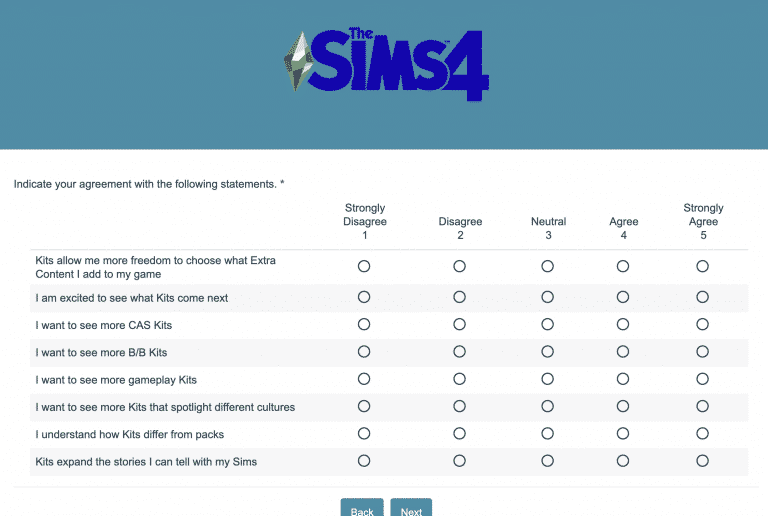
The Sims Team has released a new official survey for The Sims 4 Courtyard Oasis Kit, as well as Kits in general.
The Survey asks you how did you find out about Courtyard Oasis, what aspects of the Kit do you Like / Dislike as well as what do you want to see more from Kits in general.
The Kits survey is open for all players and can be taken by clicking the button below!
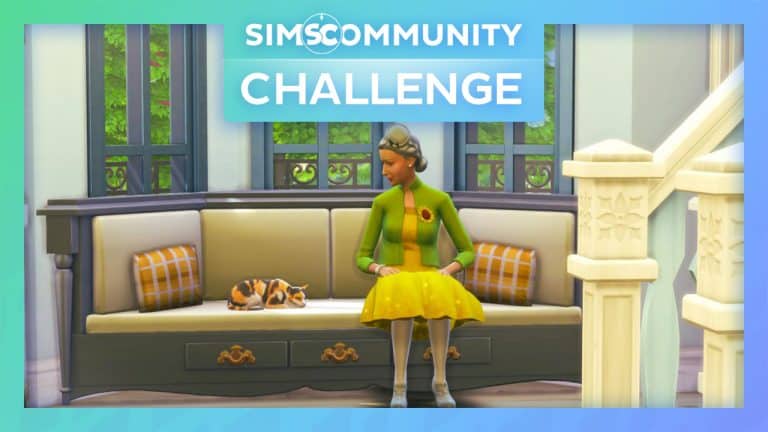
Firstly, I’d like to say a huge thank you to everyone who took part and got involved in our first ever The Sims Community Challenge last month. The team and I were blown away by how well it was received and how many people entered. You can check out the June & July showcase here.
Have you ever wondered what makes Mrs Crumplebottom seem so angry all the time? No matter what, she always seems to be ready for a fight. Maybe it’s her neighbour’s keeping her up all night, or she is fed up with things that have been going on in Henford-on-Bagley. However, what if there was another reason? What if Mrs Crumplebottom actually had a secret life and being angry all the time was just a cover-up?
TS4 x64 2021 08 08 16 04 29
TS4 x64 2021 08 08 16 11 02
TS4 x64 2021 08 08 16 03 25
For this month’s challenge, I’ve teamed up with fellow staff member Jazzy for this challenge, and we can’t wait to see your challenge entries! The theme for this month, is all about Mrs Agnes Crumplebottom’s secret life! Your challenge is to furnish Mrs Crumplebottom’s house and write a small backstory as to what her secret life is! You can keep it simple or make it as crazy and out of this world as you want. Just keep in mind that the shell you will be furnishing needs to reflect the backstory you create.
Did we mention we are also giving away a code for The Sims 4 Cottage Living on your chosen platform? All you have to do is take part in the challenge, and we will be selecting one entry from our top five as our overall challenge winner. Like last month, we will also be doing a showcase featuring some of our favourite entries too!
Example Entry
Backstory: You see her walking around town, carrying her infamous handbag, but always wondering why Mrs Crumplebottom always so angry. However, what you don’t know is that she is actually a very kind and caring person who spends her time at home caring for a variety of chickens, cows, llamas and other wildlife that come to visit and stay with her. When she isn’t tending to the animals needs, you will find her nestled away in a corner working on her next knitting or cross-stitch project.
Challenge Rules
Create a fully furnished version of Challenge Shell. You are not allowed to edit the exterior walls from the original and it must be placed on a 30×20 lot.
You may add one basement but no additional levels above ground.
In The Gallery description, ensure you provide a backstory as to what Mrs Crumplebottom’s Secret Life is all about.
You can use all packs EXCEPT for Cottage Living.
No Custom Content.
No T.O.O.L mod
Unlimited Budget
You can use the DEBUG items.
One entry per person. Additional entries will not be included.
Downloading The Challenge Shell
You must use the shell that Jazzy has created for this challenge.
Search JazzyRoseee on The Gallery
Download the SC Shell Challenge lot.
Once you have completed your entry, upload it to The Gallery and include the hashtag #SCCrumplebottom so that we can find your creations.
Closing date for entries: Friday 27th August 2021 at 10am PST/6pm BST/ 7PM CET. The Spotlight post will be released a few days after entries have closed.
If you have any questions, feel free to ask them in the comments below, or head over to our The Sims Community Challenge channel on our Discord server! If you aren’t a member of our Discord Server, you can click here to join.
Good luck, have fun, and we can’t wait to see your creations!
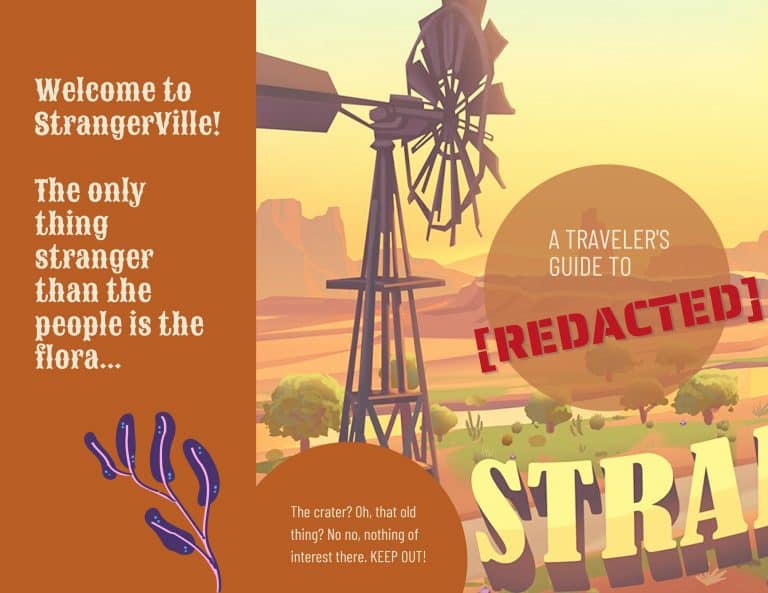
I love taking my Sims on vacation to places that wouldn’t typically be considered a vacation destination. There’s more to The Sims 4 than Sulani, Selvadorada, and Granite Falls, after all! Each world offers its own unique activities to enjoy and sights to see. One world that too often gets overlooked is StrangerVille. Sure, it’s not the sandy beaches of Sulani or the exciting jungle of Selvadorada, but for Sims who enjoy a more offbeat vacation experience, StrangerVille has it all, from scenic desert views to a conspiracy to unravel!
So here’s your StrangerVille travel brochure to help you get the most out of everything this desert town has to offer!
Recently, I grabbed Planet Zoo while it was 55% off on Steam and have been obsessed with it ever since. I seriously can’t stop playing this game. It’s a problem. What’s a Simmer to do when they need to come up with new content but can’t stop playing a different game? Mash the two interests together, of course! Coming up with ways to incorporate all my other interests into The Sims is one of my favourite things to do so I decided to build my own zoo in The Sims 4!
The catch? I wanted it to be at least somewhat functional without any mods required. That wasn’t the easiest task but I did manage it in the end.
In addition to being functional, I wanted to make sure that the habitats were nice, inviting spaces for the animals that lived there. I took Planet Zoo’s animal welfare principles to heart while designing my zoo’s habitats. I tried my best to give all the animals as much space as possible given the 50×50 dimensions of the lot I chose and that each habitat was nicely suited to that animal’s natural habitat in the wild.
Before I started, I picked out seven incredible animals from PugOwned’s catalogue in the Gallery. She makes the most amazing, life-like exotic animals out of regular cats and dogs! I ended up with an otter, badger, deer, goat, tiger, cheetah, and a koala from her selection. These would be the animals I’d design my habitats around. I’m not an expert in these animals but I had a basic idea of the kind of environments they would enjoy and worked with what knowledge I had.
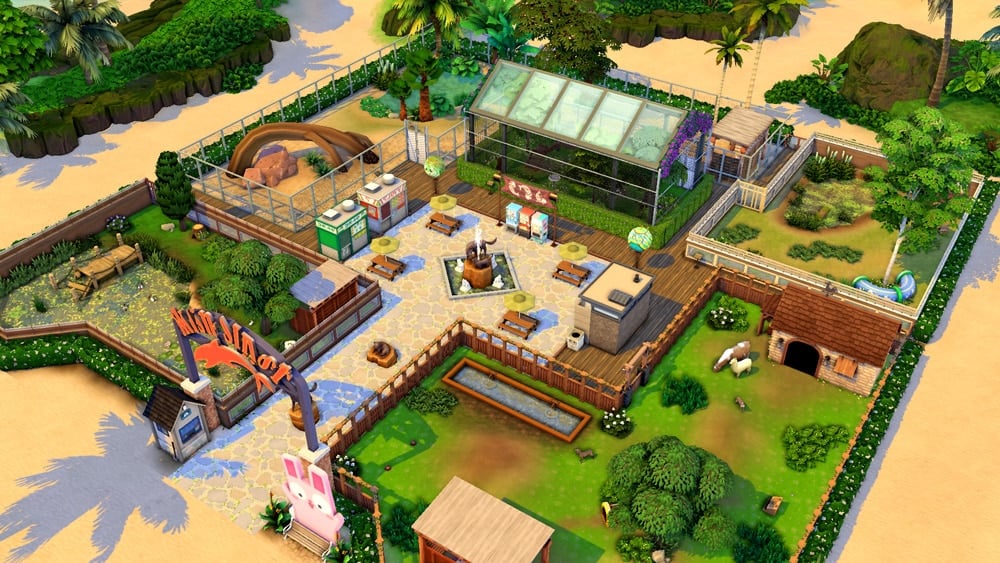
Of course, I also had to think about the guests who would be visiting. No one wants to spend all day at a zoo where there’s nowhere to sit, no washrooms, and nowhere to purchase food and drinks. I created a small courtyard space in the centre of the zoo with picnic tables, washrooms, and a food and drink stand to help keep our Sims’ needs met while they’re exploring the zoo. It also had a great view of some of the habitats!
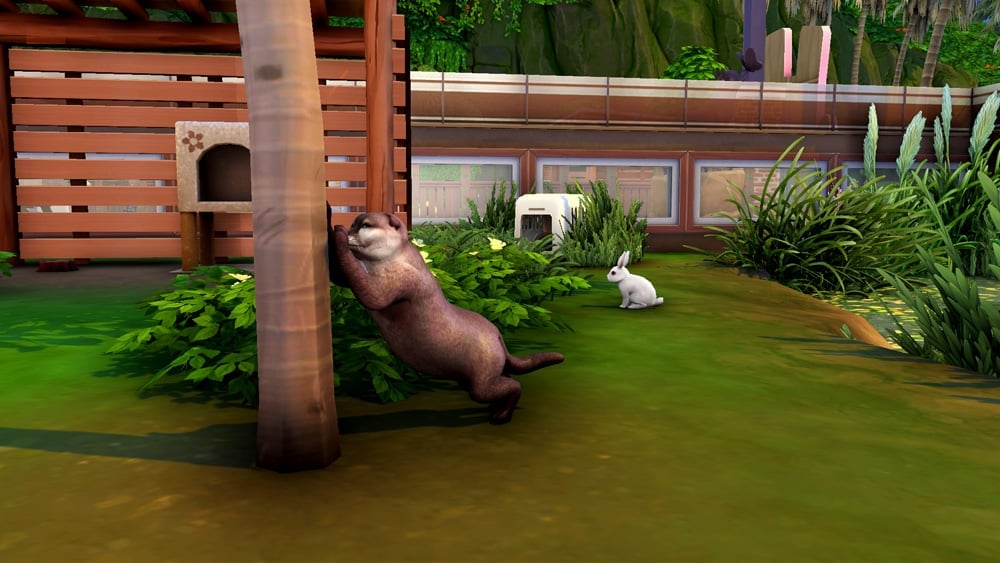
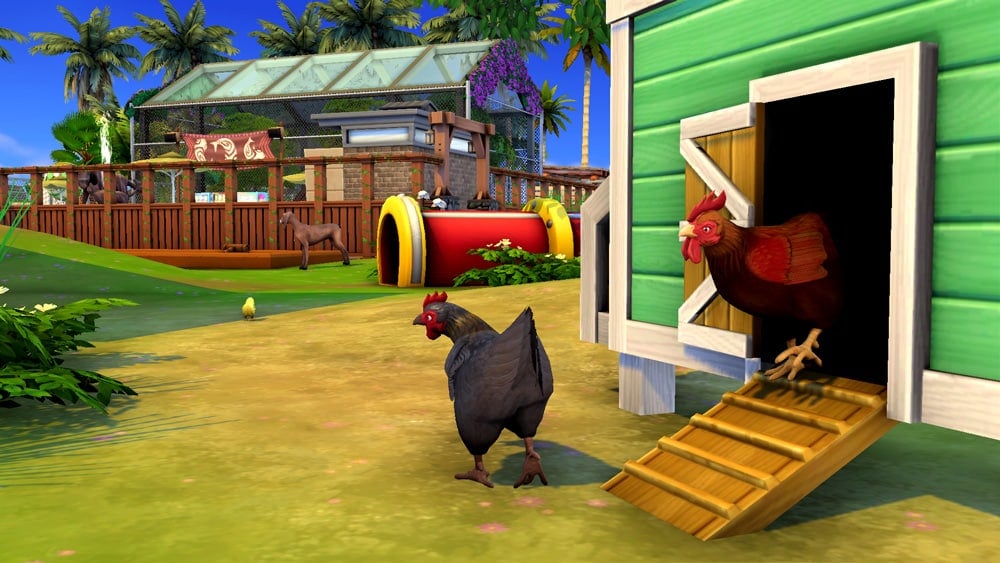
In the end, I had 5 habitats to house all the animals I had, pairing up similar species in some of the habitats. I also added some Cottage Living animals to the habitats to help diversify the selection and bring the habitats to life! My otter shares its habitat with bunnies and my koala shares its habitat with birds, for example. I also housed a llama, a cow, and chickens with my deer and goat.
TS4 x64 2021 08 05 12 20 43
TS4 x64 2021 08 05 12 18 50
TS4 x64 2021 08 05 12 22 44
TS4 x64 2021 08 05 12 19 50
Now for the tricky part; making the zoo functional. The solution I came up with isn’t perfect but it does seem to work okay for the most part. To make the zoo functional, I had to put all the pets in a household with a Sim to act as the zookeeper. I set the zoo lot type to Residential and moved the zookeeper and the animals in. Then I went about corralling the animals into their proper pens. I made sure to click on the gate to each habitat and select Lock for All Pets so they’ll stay inside their enclosures. All the animals had everything they needed to be happy (beds, food dishes, scratching posts, litter boxes, toys) so they’d be content living in their new spaces. I also purchased a cow, llama, and some chickens for the zoo.
TS4 x64 2021 08 05 12 21 22
TS4 x64 2021 08 05 12 21 54
Once I was finished setting everything up, I left the household and switched to another family. I waited a few hours to see if the pets would escape their pens while they weren’t being played with, then I paid a visit to the zoo. I was happy to discover all the animals still inside their habitats! My Sims could stay almost as long as they wanted. My zookeeper would probably kick them out of the “house” at around 1-2am but most zoos would close long before then, anyway, if this was the real world.
All in all, I was pleased with the results and I think I’ll be sending more Sims to have a fun day at the zoo now that I know it’s doable.
Links and Credits
If you’d like to download my zoo, search for Palm Conservation Centre (use the Canadian spelling for the word ‘centre’) in the Gallery. My ID is SnarkyWitch. Make sure you filter for CC or the lot will not show up. I did not use any CC at all but the Gallery decided to block my lot with a giant palm leaf covering everything in the preview image, so I had to manually change the preview pic which flags the lot as modded.
All the wonderful animals pictured in this article were created by the talented PugOwned! Go check her out in the Gallery and download them for yourself! They are all CC-free and only require Cats & Dogs.
For players who would like to use mods to enhance their zoo experience, here are some good ones that I think you’ll find helpful:
LittleMsSam’s More Buyable Venues and Live In Business mods. These might allow you to set the zoo as a different lot type to add more functionality to it.
AOM’s Playable Pets mod. This will make it easier to send the animals to their correct habitats.
Deaderpool’s MCCC mod. This will allow you to flag your zookeeper and pets to never age, so you don’t need to worry about them dying and having to replace them if you’re playing a generational save. It will also allow you to flag the household to never move from that lot, as well as flag the zookeeper to never marry or have kids.
The Sims 4 Cottage Living Expansion Pack hit the shelves exactly 2 weeks ago. You’ve either gotten a chance to play the pack already or see all the Cottage Living Coverage to judge the pack for yourself.
If you managed to dive deeper and play (or read about) all of the new Animals and Critters as well as check out the Pack entirely then this Community Poll is just for you!
Down below we’ve listed questions regarding your thoughts on the Expansion paCK and its certain aspects and features. There are questions regarding your satisfaction with CAS, Build, Gameplay, favorite Animals, the world as well as your overall opinion on the pack.
Feel free to continue the discussion about the pack in the comments after voting on the poll!
Please note that this is a community poll and has no relations with EA’s feedback surveys.
The Sims Team has, during yesterday official Inside Maxis Livestream, shared details about the upcoming 24 hour feedback discussion on The Sims Forums.
This discussion, also known as Sims 411 will be open starting 6AM PST on August 19th, 2021. During this period you’ll be able to provide feedback on The Sims 4’s difficulty, challenge and depth and what you want to see improved and changed in those areas.
Here’s what they’ve stated:
We’ve heard from the community that you guys want a higher level of challenge and depth in the Base Game. Here’s the thing – we’d love to hear more about this. We want to know what you want to hear on a higher level of challenge and depth in the Base Game. What would that look like for you? What would you expect from it, how will this change your current experience in The Sims?
On August 19th starting at 6AM PST we’ll be welcoming your comments again during the 24 hours AMA on The Sims Forums. Closer to the date we’re gonna share a link to the forum we’re going to create. We hope you follow the guidelines and give us a lot of feedback.
We appreciate that you understand – this is not a whishlist for the content request; this is not a guarantee that we’ll create any of this. We’re looking for feedback so we can start ideating on this.
When my coworker, Krista, showed me a brand new graphics rules overhaul file released by Simp4Sims, I knew I had to try it out for myself. I’m a big screenshot enthusiast and am always looking for the next big thing to make my pictures pop. I loved what I saw on Simp4Sims’ Patreon and decided to give the overhaul a whirl in my game.
After reading the install directions carefully (always read the install directions, folks!), I popped the file into my Config Override folder and booted up the game. I didn’t really know what I was expecting. I had never used an overhaul like this before so I was pretty much going in blind and ready to experience whatever I was about to experience. What I didn’t expect was to be so utterly blown away from the second I loaded into my current household.
I literally shouted WHOAH! as soon as my save loaded. My cat was concerned for me but it was a good shout. Even though it was the middle of the night in gloomy Henford-on-Bagley in my game, everything was beautiful! I’m sure there were lots and lots of tweaks in many different areas to achieve the look that impressed me so much but the number one thing I noticed was the colours! All of the colours popped in a way I used to only be able to achieve with reshade presets. Everything felt so warm and vibrant without being too much. I couldn’t believe this was just how my game looked now, no mods necessary.
I wanted to see how this new override looked at different times of the day as well. Being in Henford-on-Bagley where it’s dreary and overcast most of the time, I thought it wouldn’t make much difference but I was very wrong. Even in a grey, overcast lighting, this override made the world feel a bit warmer and cozier without completely changing the look of the weather. It was still grey and overcast but somehow the world still felt livelier than it did before in this weather.
As the day wore on and the sun rose higher in the sky, the world really came to life and that’s when I noticed how much sharper everything looked, too. I didn’t even have edge smoothing enabled because I like to use reshade presets and Simp4Sims warned that we would not see any benefit in this area if we had that disabled. Somehow, the game still looked crisper to me, anyway.
Which brings me to my final talking point. Would this override work with reshade? I am a big reshade enthusiast and simply cannot live without my favourite reshade preset for all of my stories and pictures. No matter how lovely this override made my game look, if it didn’t play nicely with my reshade preset, that would be a deal breaker for me. I’d have to remove the override immediately.
Well… not only does it work with reshade but it even improved my existing preset drastically! It’s the same reshade preset I’ve used and loved for years just with the colours, vibrancy, and sharpness fine-tuned even more perfectly than before.
TS4 x64 2021 08 02 14 51 29
TS4 x64 2021 08 02 15 01 54
A new graphics override that’s easy to install, doesn’t need constant updates, makes my default game look gorgeous with no extra mods needed and also improves my favourite reshade presets? Consider me a fan for life! I am never taking this override out of my game and neither should you!



 The Sims 4 is having a huge