Home Blog Page 149

The Sims 4: NEW UPDATE + Patch Notes! (March 31st, 2022)

The Sims 4: NEW UPDATE + Patch Notes! (March 31st, 2022)

The My Wedding Stories Update

The Sims Team has released a brand new update for The Sims 4 on PC, Mac, Xbox One and PS4!

To download the latest version of The Sims 4, simply open your Origin program and if the game doesn’t update automatically, right click on The Sims 4 and select ”Update”.

In case you have Mods or Custom Content, the game will automatically disable them for you after first launching The Sims 4 after the update. To re-enable all your Mods and Custom Content, select the Settings option in the Menu and select Settings. Under the ”Other” section you’ll find the ”Enable Custom Content and Mods” option. Check it and restart your game in order for it to take effect!

Patch Notes

Update 3/31/2022
PC: 1.86.157.1030 / Mac: 1.86.157.1230
Console: Version 1.56.20

Sul Sul, Simmers –

Since the release of the My Wedding Stories Game Pack, our team has been working on a patch update to address the issues you have raised. We are grateful for the feedback and have worked to get these improvements to you as soon as possible.

Our focus has been improving the gameplay surrounding wedding ceremonies. Some of the behavioral systems we’re working through in this pack are quite complex across platforms, and we know that your Sims don’t always behave the way you expect them to. This is part of what makes The Sims special, but we understand it can also be frustrating.

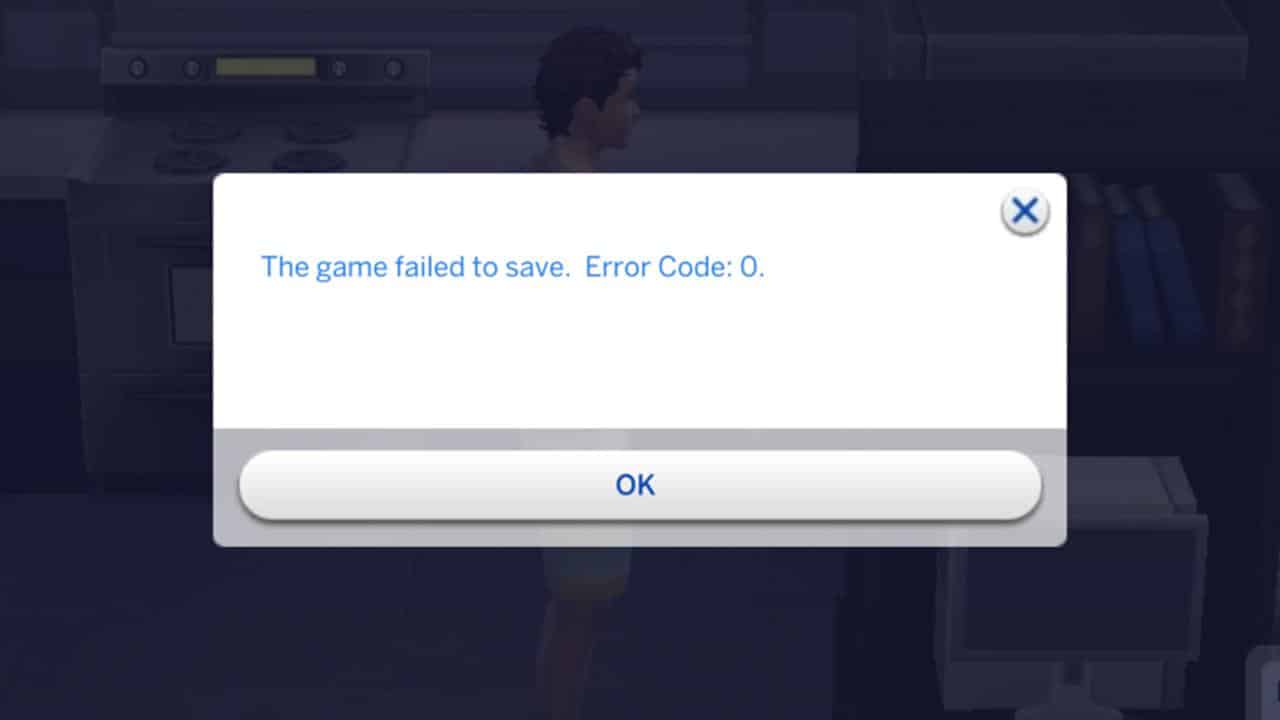
We are aware of the Error 0 Save Bug, are actively investigating and we will provide an update in the coming weeks. Please continue to report issues you might be experiencing via AnswersHQ.

Simmers deserve the best and it’s our goal to provide you with experiences you love from the moment you start the game. We continue to evaluate and improve on the best way we can deliver those experiences to the quality you expect.

We value your passion for this game and want to thank you for your continued support.

Stay safe and healthy,

The Sims Team

What’s New?

Nothing new in this update, just fixes.

Bug Fixes

My Wedding Stories

  • We fixed some issues with Ceremony Activities not working properly during Vow Renewal, Reception & Wedding Ceremony parties.
  • Sims will be able to go up and down short, medium and long aisles now during the Gather at Aisle interaction.
  • Partners will show up for wedding events now.
  • Center park – Myshuno Meadows is listed among the venues in the wedding event planner now besides other additional venues.
  • Sims will no longer set their bouquet aside before walking down the aisle.
  • Ring Bearers and Flower Pals will no longer refuse to walk down the aisle after running any interaction from the “Ceremony activities.”
  • We adjusted our recipe for wedding cakes so they should last much longer. And we made them Vegetarian-safe!
  • Everyone will be excited for Cake and Dessert at Wedding Ceremonies now.
  • Wedding Guests and Officiants will “Gather at the aisle” properly now.
  • The “Cut Cake with <Sim>” interaction is no longer available on cakes that were already cut.
  • Officiants will not just stand there any longer, but will actually do their officiant job.
  • Sims who bend to their spouse when performing a “Spousal kiss” will no longer rub their ear into the other Sims face, but will use their lips to kiss their spouse instead.
  • Some curtains have been updated to cast a slightly less dramatic shadow when placed indoors.
  • Sims will react more appropriately when running romantic socials while Slow Dancing going forward.
  • We added some clarity to the tooltip of Wedding Cakes by including further details about eligible spots for wedding cakes to be placed in.
  • Sims will receive the “Not selected as a sim of honor” or “Wasn’t invited to wedding” sentiments only when appropriate moving forward.
  • “Let’s Get Drinks” is no longer available for Child and Teen Sims on Bars during Rehearsal Dinner, Family Gathering, or Engagement Dinner parties.
  • Engaged couples will no longer be able to perform Wedding related actions on Wedding Cakes they do not own.
  • Sims will cut their wedding cakes even if it has a cake topper; Sims will simply remove the topper from the cake and place it in their inventory before cutting the cake with their couple Sim.
  • We also fixed an issue with Cake Toppers floating above Cakes after Sims “Take a Piece.”
  • When selecting guests in the Wedding Event Planner it will show all the sims that are related to both individuals of the couple now. So guests should no longer get uninvited after editing the guest list with a Sim who was not the original host for the event – both couple Sims will be considered the host now.
  • Guests attire Dress Code and Color will no longer reset after editing a Wedding event.
  • Simmers will be able to choose which aisle Sims should gather at and Sims “Gathering For Recessional” will be able to go up and down the aisles without issues now.
  • We taught Sims some manners so they will pay proper attention to Toasts now and will stop chattering.
    • We know it’s a big day and everyone’s excited, but that’s no reason to be rude.
  • Sims with a larger backside will no longer experience their derriere to clip through ymTop_GP11Casual.
  • When Engaged Sims perform the “Exchange vows and Kiss” or the “Exchange Vows with Officiant and Kiss” Ceremony event, Sims will complete both interactions now and will no longer forget about the Spousal Kiss.
  • We made some tweaks so you can expect more sunshine in Tartosa moving forward.
  • Officiant Sims will now give the wedding couple their full attention and avoid talking to other sims during their speech.
  • Sims will wear their existing formal outfit for weddings if it is appropriately colored.
  • For Engagement Dinners Sims will wear their party outfits and for wedding reception and the vow renewals events guest Sims will wear their formal outfit moving forward.
  • We caught some mischievous gnomes who added super glue to wedding chairs, causing Sims to be unable to get up after taking their seats. We cleaned those chairs meticulously and advised gnomes to be more prudent so Sims will be able to get up to do other wedding related actions after sitting down.
  • We added some musical backdrop to accentuate important wedding moments.
  • Also, we improved an issue with arms clipping during Paired Dancing.
This Mod for The Sims 4 Makes Retail Businesses More Efficient

Retail Reloaded!

We love to cover game-changing mods here at Sims Community to make your playing experience more immersive and today we’re covering another gameplay improvement mod by Carl, talented modder and guide writer!

This new mod is called Retail Reloaded and it’s main purpose is to make running a retail business with Get To Work a smoother experience! Since this mod tweaks existing gameplay, we thought the best way to show you what the mod does is by playing with a retail business ourselves and sharing our experience with it.

This Mod for The Sims 4 Makes Retail Businesses More Efficient
When I first installed this mod, I did wonder what was so wrong with Get To Work’s retail system that it required an overhaul. I had always enjoyed the retail portion of Get To Work for the most part and didn’t usually experience any serious trouble with it. However, I am a huge fan of Carl’s and was very interested to see how he was able to streamline the retail experience. As usual, he didn’t disappoint!

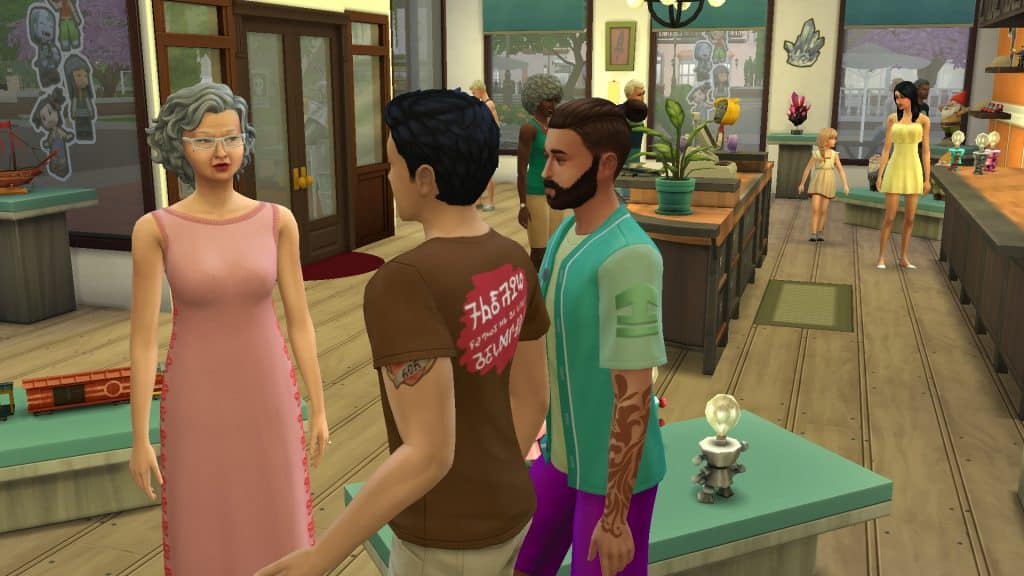
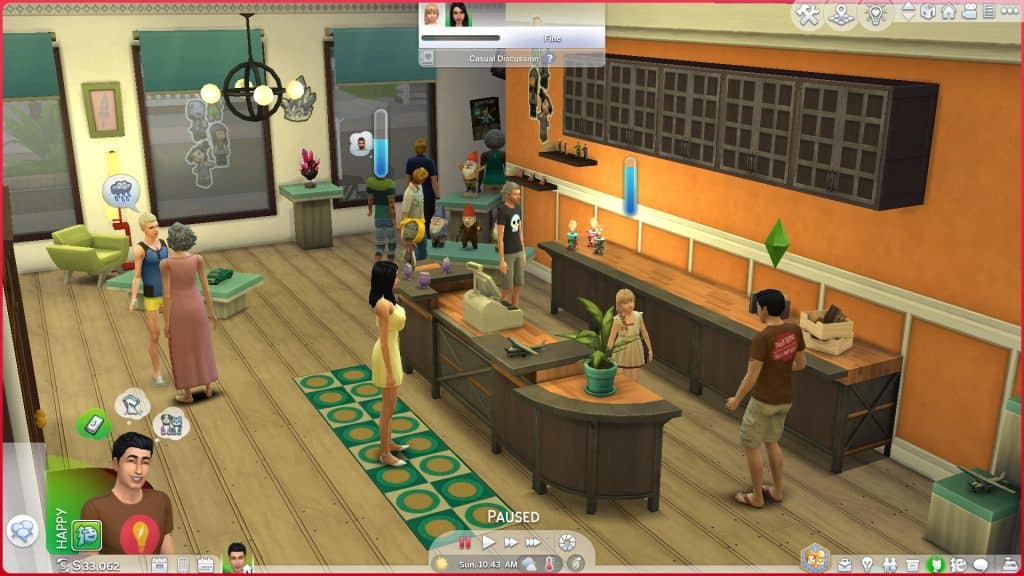
We quickly randomised a Sim and gave him some funds to purchase the Paddywack’s Emporium retail lot in Magnolia Promenade. Then it was time to hire an employee to help out and open up the business! It didn’t take us very long at all to notice a huge difference in the way things functioned! Most notably, how the customers behaved.

This Mod for The Sims 4 Makes Retail Businesses More Efficient
Customers were overall more self-sufficient and less needy. Typically when running a retail business, you’d have to baby the customers and work for every sale. Customers were very unlikely to buy anything without you or an employee chatting them up to promote your stock. While a nice idea in theory to challenge players, it was a bit exhausting. It took a very long time to convince a single customer to purchase something, leaving you too busy to help any other customers or take care of other retail duties. While there are retail perks to help speed things along, it never quite felt like enough of a bonus to be worth the points you spent on them. That wasn’t the case here. Carl’s Retail Reloaded mod made customers much more likely to make purchases on their own and their sales bars increased more quickly. Our Sim could still talk up customers to make sales and earn retail points of course but it felt like less of a burden to do so.

This Mod for The Sims 4 Makes Retail Businesses More Efficient
At first, we were underwhelmed by our employee, who seemed to do nothing she was told no matter how many times we assigned her a task or scolded her for slacking off. All she did was sit outside doing her university coursework and ignoring her job completely. That’s when it occurred to us that maybe hiring a university student maybe wasn’t the best idea so we fired her and replaced her with Eric Lewis. Eric was a much more diligent employee, taking care of his assigned duties in a timely manner and staying focused on his tasks. We attribute this to the mod as well but we definitely recommend avoiding hiring university students as retail employees.

This Mod for The Sims 4 Makes Retail Businesses More Efficient
It was amazing to us how just these small changes in autonomy alone made such a big impact on our overall retail experience. Things ran much more smoothly, our Sim could choose to be as involved or as hands-off with the customers as we wanted him to be, we made more sales and restocked more efficiently thanks to having employees who actually stayed focused on the tasks they were given. Even though we wouldn’t say the retail system was bad before, this mod still does a great job at giving it a subtle but effective polish to make it even better!

I went into this mod thinking retail stores didn’t need any big improvements but what I underestimated was how small improvements can have a big impact on my overall playing experience! I highly recommend this mod to any aspiring business owners out there!

Carl’s Retail Reloaded mod is currently in early access but you can follow him on Patreon to receive updates on the mod’s progress and when it will be released to the public!

The Sims 4 Scenario Playthrough: Extraterrestrial Researcher

The truth is out there, Scully…

The Sims 4 has added so many new scenarios to the game recently that we’re still working our way through them all! The scenario we played through this time, Extraterrestrial Researcher, is a permanent scenario that’s here to stay for good, so start it anytime you like!

Here’s how our Extraterrestrial Researcher scenario went!

Getting Started

The Sims 4 Scenario Playthrough: Extraterrestrial Researcher
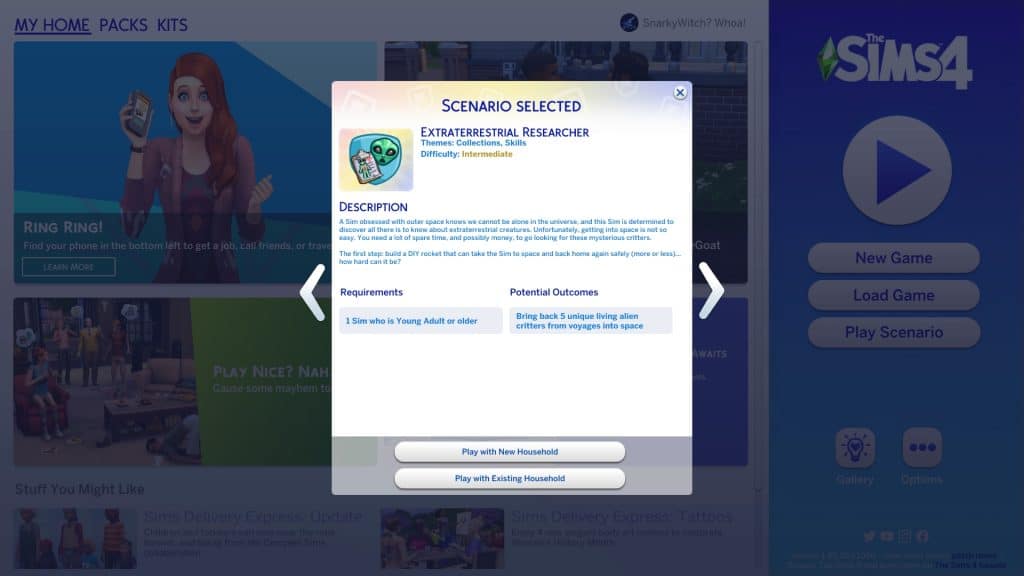
You’ll notice the scenarios have gotten a bit of a revamp. Along with lots more new scenarios, there are now difficulty ratings on each scenario to give you an idea of the time and effort it will take players to complete them. The Extraterrestrial Researcher scenario is listed as an Intermediate scenario.

This is a permanent scenario so there’s no need to rush to start it before a certain date. It will be available in the game forever so start it whenever you like!

The scenario description states that your Sim has a fascination with outer space and truly believes that there is extraterrestrial life out there to be found. They want to be the one to find it and take it back to Earth. You’ll need to build a rocket ship and collect five unique living alien specimens from your space missions. The household requirements are simple; you just need one Young Adult or older Sim.

The Sims 4 Scenario Playthrough: Extraterrestrial Researcher
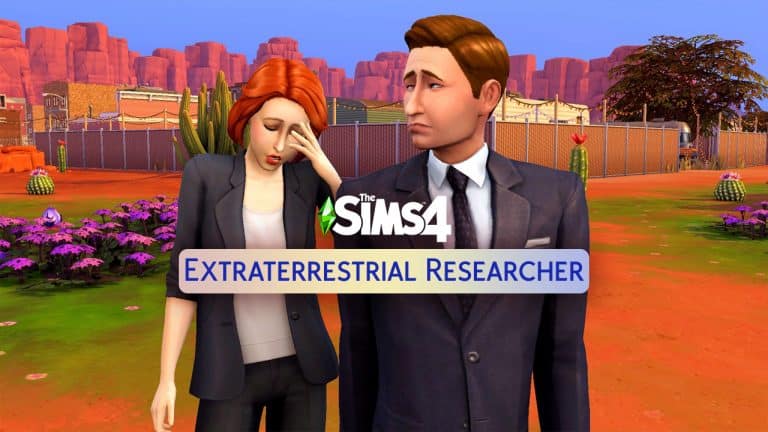
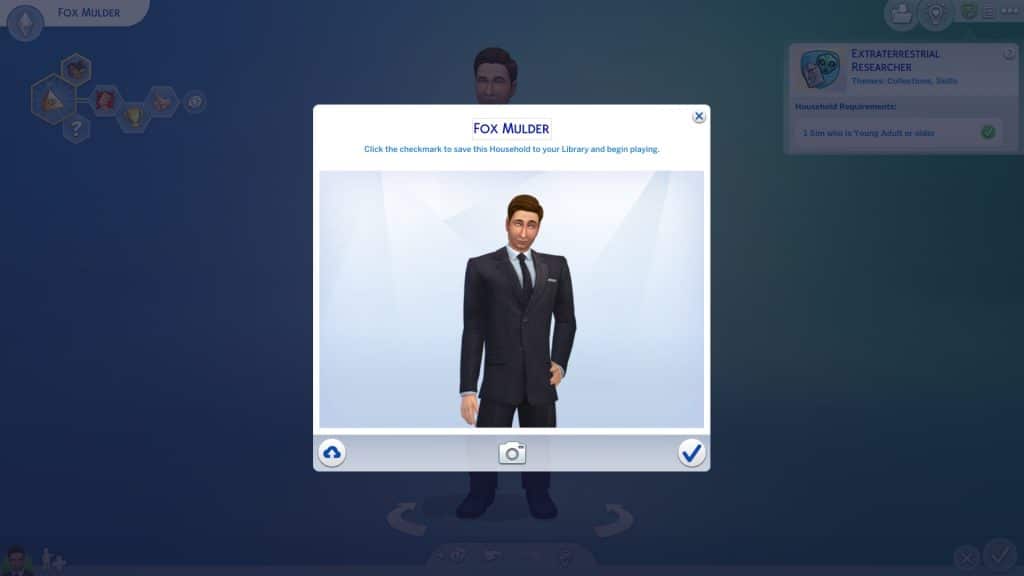
We just couldn’t bring ourselves to randomise any old Sim for this scenario. This time, we needed to call in Agent Fox Mulder! We downloaded an amazingly realistic Fox Mulder from ErenSparkles in the Gallery for our playthrough!

The Truth is Out There

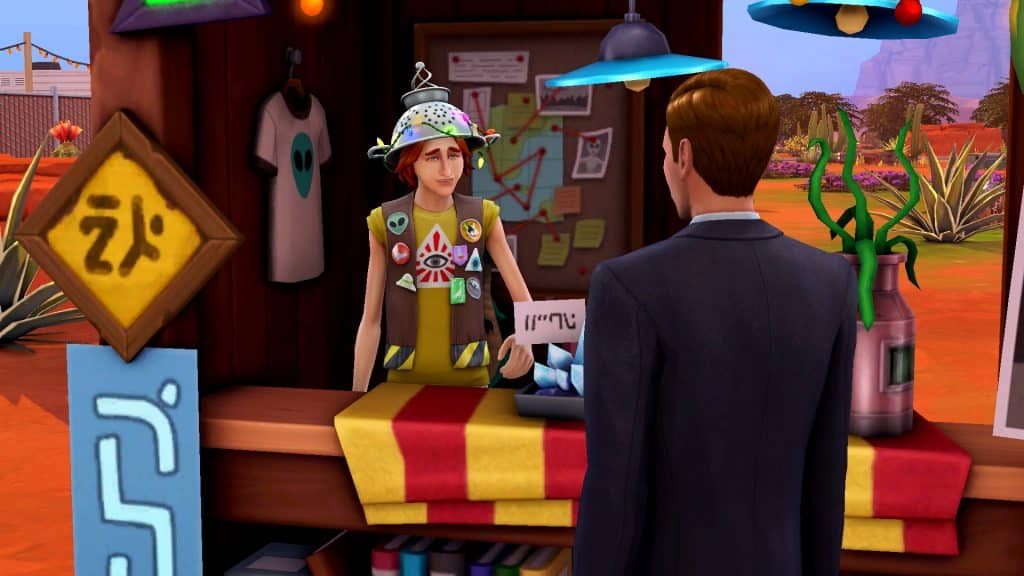
We knew the perfect place to get Mulder all set up. In StrangerVille. In a seedy roadside motel. To make things harder on ourselves and provide more of a challenge, Mulder would be renting the motel and wouldn’t be able to work while “vacationing” in StrangerVille. How long can he chase his dreams of discovering alien life before his funds run out? We’ll have to see!

We did cheat a tiny bit just to unlock the motel for editing so we could place a rocket ship pad on it. Otherwise, this playthrough was cheat-free.


IMPORTANT!

Currently, the rocket ship is bugged. Sims cannot start building the rocket. The action cancels itself every time, sometimes resulting in the Sim doing a T-pose before resetting themselves. We had to use a mod fix by simvasion to do this scenario. You can download the fix from their website.


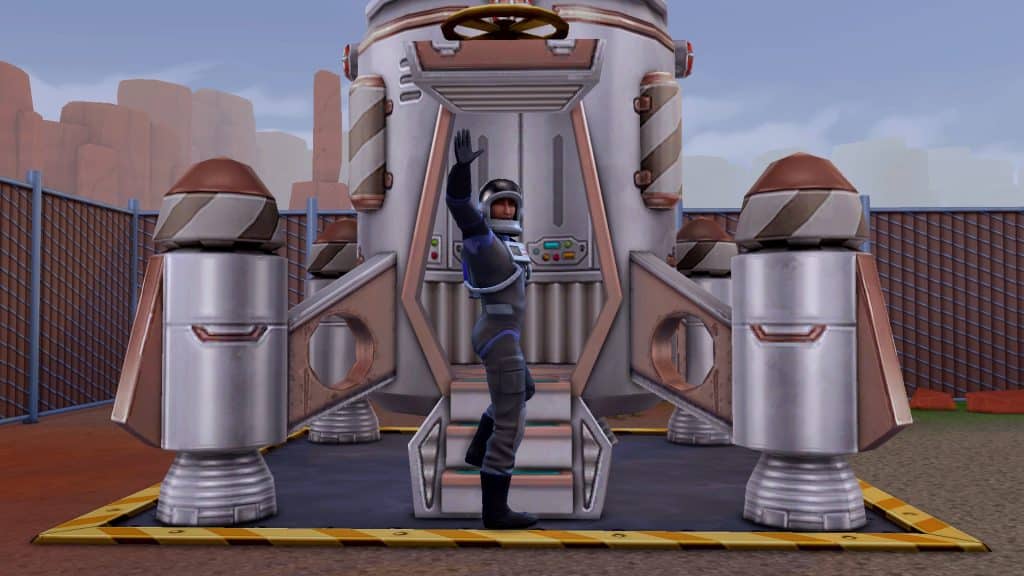
First order of business was to get the rocket built. Mulder ended up spending two full days working on the rocket, only stopping when he was smelly and exhausted. He went right back to the rocket as soon as he took care of his motives. Once the rocket was built, it wasn’t quite time to rush into space, yet. The rocket needed at least two specific upgrades just to make it worth our while to traverse space in the first place. Installing landing stabilizers will lower the chances of Mulder coming back to Earth in a crash landing… and potentially dying in a fiery inferno. He needs the extra help there considering his low Rocket Science skill. If he’s going to be bringing back aliens, he’s going to need to expand the cargo bay, too. Otherwise he won’t be bringing back much of anything from his space missions.

The Sims 4 Scenario Playthrough: Extraterrestrial Researcher
So another couple of days goes by for Mulder as he works on getting the most essential upgrades on his rocket. By this point, it’s been almost a week, his vacation is due to end soon, and he still hasn’t even gone on one space mission. He’s also already almost out of money after sinking so much into building and upgrading the rocket. He won’t be able to afford to stay another week.

The Sims 4 Scenario Playthrough: Extraterrestrial Researcher
There’s also the problem of his social motive. He’s resorted to chatting with Erwin Pries to avoid becoming so lonely that he can’t function. Mulder might be in trouble…

I Want to Believe

The Sims 4 Scenario Playthrough: Extraterrestrial Researcher
Until he got the phone call! Come on, it’s not really a Sims Community scenario playthrough without a marriage for inheritance money, right? The small amount from asking about the conditions wouldn’t have been enough to keep Mulder afloat so it was time to say I Do! But just anyone wouldn’t be good enough for someone as iconic as Fox Mulder! It was clear who he needed to call.

The Sims 4 Scenario Playthrough: Extraterrestrial Researcher
Enter Agent Dana Scully! Yes, the entire X-Files fandom is going to see its favourite ship sail. This spot-on recreation of Scully was created by TheSimEmporium in the Gallery! We added her to the household and Mulder made his way over to put the moves on her. Except… she wasn’t exactly impressed with him at first, which is hilariously fitting for them if you’re familiar with the TV show. It was time to help Mulder out a bit. We had Mulder and Scully freshen up in the motel lobby’s mirror and added the Romantic Aura trait to the lot. Ah yes, a dirty motel with a crime scene in one of the rooms. So romantic.

The Sims 4 Scenario Playthrough: Extraterrestrial Researcher
Well, it must do the trick for them because they were head over heels for each other quickly after that. We don’t have time to plan a fancy wedding. We have aliens to find, so Mulder and Scully eloped in their PJs in their grungy motel room, putting about 10k in Mulder’s pockets. Ah, love…

The Sims 4 Scenario Playthrough: Extraterrestrial Researcher
Okay, now it was finally time to go into space! Mulder waves goodbye to Earth as he blasts off… and finds absolutely nothing. And blasts off again… and again… and again… Nothing. Or more accurately, lots of things that are not aliens. Several more days go by, Mulder extends his vacation, and manages to collect a cowberry, a UFO plant, and plenty of upgrade parts but no aliens.

The Sims 4 Scenario Playthrough: Extraterrestrial Researcher
Until he comes back from one of his space missions with an alien! A… dead one. Great, that won’t work. Or will it!? The goal for this scenario clearly states that the aliens Mulder brings back must be alive but this dead alien still counted towards the goal. Interesting. Hey, we’ll take it. Mulder hasn’t been having the best of luck and could use a break. He later brought back his second dead alien that somehow still counted towards the goal.
Speaking of Mulder not having the best luck, one of his missions went terribly wrong and he came back to Earth in a pile of fiery rubble. Thankfully he survived the crash landing but now he had to rebuild his rocket and start over from scratch. Oh well, at least he has Scully to help him out this time. Things go much faster with an extra pair of hands on board and Mulder is back in outer space before long!

The Sims 4 Scenario Playthrough: Extraterrestrial Researcher
At long last, the universe decided to be nice to Mulder and he collected the rest of the aliens needed to complete the scenario in 8 days! Funnily enough, only one out of his five alien specimens were alive even though he was supposed to find five live ones.

The Sims 4 Scenario Playthrough: Extraterrestrial Researcher
Our Thoughts

We had a lot of fun with this scenario, especially since we tied The X-Files into it. It added an extra layer of amusement to the whole thing but the only reason we could play this scenario at all is because we downloaded a mod to fix the rocket ship glitch. Console players who can’t use mods won’t be able to make any progress at all on this scenario until EA fixes that glitch. It does make us wonder why they released this scenario at all knowing it can’t be played right now.

As far as the actual scenario itself goes, we enjoyed it. Space travel and completing the aliens collection is a base game feature a lot of players haven’t really explored in-depth so it’s a good way to get out of your comfort zone and play a different way you might not have immersed yourself in before. Your Sim doesn’t start with any skills or a career so having to figure out how to fund your space missions adds a nice element of challenge to the scenario.


Credits

  • Fox Mulder Sim by ErenSparkles in the Gallery
  • Dana Scully Sim by TheSimEmporium in the Gallery
  • Seedy Roadside Motel available in my Gallery under the ID SnarkyWitch
  • Reshade by sunflowersyrup

Casual CC Clothing for The Sims 4

36 laid back and casual pieces for The Sims 4; this is the Unify CC Collection!

The Unify Collection is the latest Custom Content Collection from Nucrests!

Featuring thirty-six new items for both feminine and masculine Sims, this collection adds sixteen new tops, sixteen new bottoms and four overlay accessories. It really has everything your Sims need to create a number of causal and laid back looks! The best part is that the whole collection is Base Game compatible too!

Casual CC Clothing for The Sims 4

Let’s take a closer look at what is part of the Unify Collection!

Click on each of the images to take a closer look at the new Create A Sim items from Nucrests!

Feminine

Tops


Bottoms


Masculine

Tops


Bottoms


Overlay Accessories – Unisex


How to Download

You can download the mod by clicking the button below. You’ll be taken to Nucrests’ Patreon, where you can immediately download the .zip file. Simply extract the contents to Electronic Arts > The Sims 4 > Mods folder and ensure you have Mods / CC enabled in your game options.

Want to find more custom content creations from Nucrests? Check out the links below!

Blockbuster, but for The Sims 4

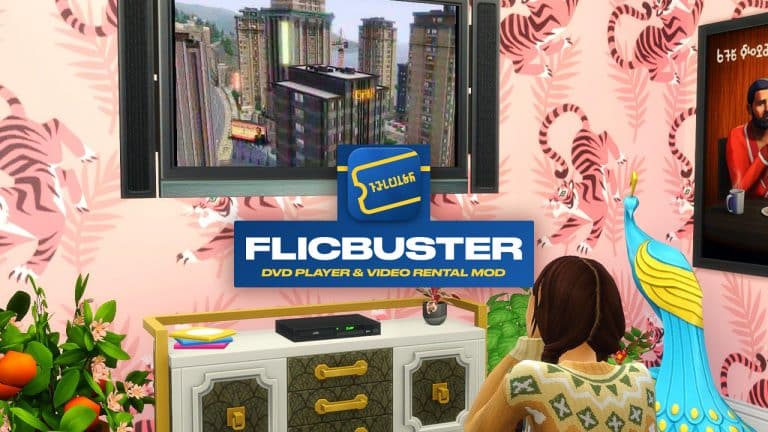
Enjoy old-school movie streaming and DVD renting with the FlicBuster Mod for The Sims 4!

For many of us, I’m sure will have fond memories of visiting our local Blockbuster store to rent movies and video games over the years. Even though Blockbuster is a distant memory, it’s legacy still lives on. Now, you can continue that legacy in The Sims 4 thanks to the FlicBuster DVD Player and Video Rental Mod from Lot 51 CC!

Note: You will need to own The Sims 4 Movie Hangout Stuff Pack to watch movies, however all other objects are Base Game compatible!

What is FlicBuster?

Our Sims have always had their entertainment at their fingertips, but with a blast from the 2000s, DVDs and your favorite blue & yellow video store are back in style!

Purchase a CasaVue DVD Player to enjoy cinema quality stereo sound, and hundreds of colors right on your own home TV! Rent your favorite flicks from FlicBuster Video Rentals through the mail, or stop by a blue Express Box out on the street. Drag and drop the discs onto your Player to get started. – Lot 51 CC

Blockbuster, but for The Sims 4

Renting A Movie

The first thing you will need to do is find one of the iconic FlicBuster Express Boxes. From here you can obtain your exclusive FlicBuster Club Card! A new membership will cost you $35.

Once your Sims have an active membership, they will be able to rent movies online or from one of the Express Boxes, providing you own The Sims 4 Movie Hangout Stuff Pack.

Blockbuster, but for The Sims 4

Movies cost $1 to rent, and you can keep them for up to four days. You can rent up to three movies at a time, anyone time. Just make sure your Sims return them in time, as you may start to build up overdue fees.

Returns are easy, simply post them back either by the Express Box or Mailbox.

You Are A Pirate?

If your Sims are feeling rebellious, they can download movies and create bootleg discs. Once they have been created, these discs can be sold in either a retail store or a craft table.

Blank discs can be found in Build Buy, and you’ll also find a new interaction on the computer called Burn Bootleg DVD.

Build Buy

The FlicBuster mod comes with several new items.

  • CasaVue DVD Player – $199
  • Discs – $15
  • FlicBuster Express Box – $2,000

Note: The discs are stackable and are available in six different colour swatches. They can also be used as clutter around the home or to burn movies.

Blockbuster, but for The Sims 4

How to Download FlicBuster

Are your Sims ready for a truly nostalgic movie renting experience with FlicBuster’s? Then make sure you take a look at this mod from Lot51 CC!

You can download the mod by clicking the button below. You’ll be taken to Lot51 CC’s FlicBuster page, where you can immediately download the .zip file. Simply extract the contents to Electronic Arts > The Sims 4 > Mods folder and ensure you have Mods / CC enabled in your game options. Make sure you do not place a file more than one sub-folder deep, either!

Blockbuster, but for The Sims 4

Our Thoughts

I’ve loved having the FlicBuster mod in my game recently! It’s been great fun organizing movie nights for my Sims and having a similar in-game experience to the one that I know myself and many others grew up with. I can’t wait to try out the FlicBuster mod along with more of Lot51 CC’s creations again soon!

Be sure to check out more of Lot51 CC’s creation, including Simzlink by following the links below!

Modder has fixed the “Error Code 0” Save Game Issue in The Sims 4

If you’re playing on PC / Mac you can prevent this issue from ever happening before the official fix!

Over the last few days we reported on the Save Game issue that’s been happening with The Sims 4. Basically players would report that they would receive an “Error Code 0” message after using the “Save” feature in the Game Options.

Modder has fixed the “Error Code 0” Save Game Issue in The Sims 4

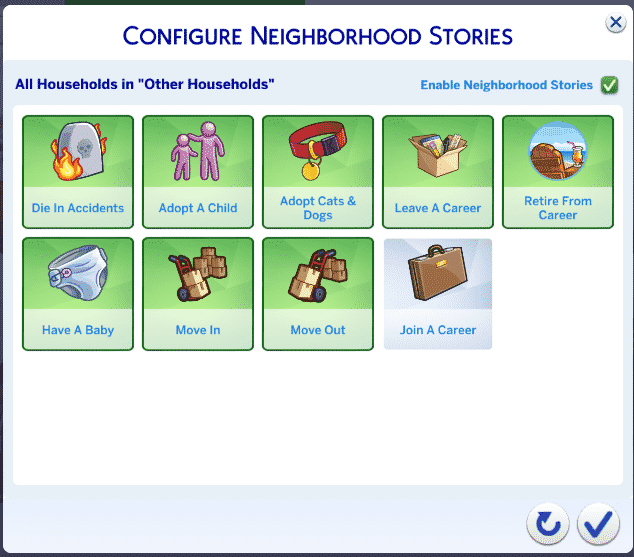
SimGuruNick, Quality Analyst working on The Sims 4 has explained that The Sims Team is working actively on resolving the issue. While we wait for the solution the team has come up with a universal solution for both PC and Console players that lets you prevent it from ever happening. The Official Workaround involves disabling the “Join A Career” option in Configure Neighborhood Stories menu, as well as making sure you don’t have a Wedding Cake at your wedding. You can read more about the Official Workaround here!
Modder has fixed the “Error Code 0” Save Game Issue in The Sims 4

If you do want Sims in your Neighborhoods to join new Careers and enjoy their wedding cakes when planning a Wedding with The Sims 4 My Wedding Stories – there’s a mod solution! That’s of course if you’re a PC/Mac player.

TwistedMexi has swiftly came up with a Mod that will prevent the Save Game Error from ever happening in your game. This is a Temporary Fix Solution that will ensure you never stumble across this issue. This is a perfect solution for PC / Mac players to ensure all your Save Game progress remains with a clear conscience until The Sims Team releases an official fix.

You can download the mod by clicking the button below. You’ll be taken to TwistedMexi’s Patreon Page where you can immediately download the .zip file. Simply extract the contents to Electronic Arts > The Sims 4 > Mods folder and ensure you have Mods / CC enabled in your game options.

Good luck and let’s hope the official fix is soon ahead!

[mks_button size=”large” title=”DOWNLOAD!” style=”squared” url=”https://www.patreon.com/posts/64331493″ target=”_blank” bg_color=”#1e73be” txt_color=”#FFFFFF” icon=”” icon_type=”” nofollow=”0″]

Builder Creates a Giant Disco Ball in The Sims 4 out of Tables

The main attraction of this Karaoke Bar is made out of tens of different End Tables!

Del Sol Valley is bringing back its glam through the power of talented Builders.

Creator MAIA Makes is excellent at making short and sweet tutorials on all the Build Mode tricks that they use for their brilliant builds. Here’s just one of many great tutorials that they’ve made:

In their next big project, they’ve put in the talents of Building, excellent tricks with the TOOL mod and video editing!

The Glam Karaoke Bar by MAIA Plays is a huge Karaoke Bar for the Malibu Barbie Community Collaboration. Check out the trailer that features a full blown Stop Motion Build Segment of the Karaoke Bar, as well as a cinematic trailer tour of the Bar at the end of the video.

https://www.youtube.com/watch?v=RH3aTzVhlq4

The creator has also shared a stop-motion clip of a very important object they’ve created using TwistedMexi’s TOOL – the Disco Ball. The entire process of creating the Disco Ball is just mesmerizing – see for yourself:

We had to check out the build ourselves in the game!

The Glam Karaoke Bar has a huge round area on the corner of the Lot. On the first story there’s a huge Bar while on the second there’s a Karaoke Lounge for your Sims to sing their hearts out.

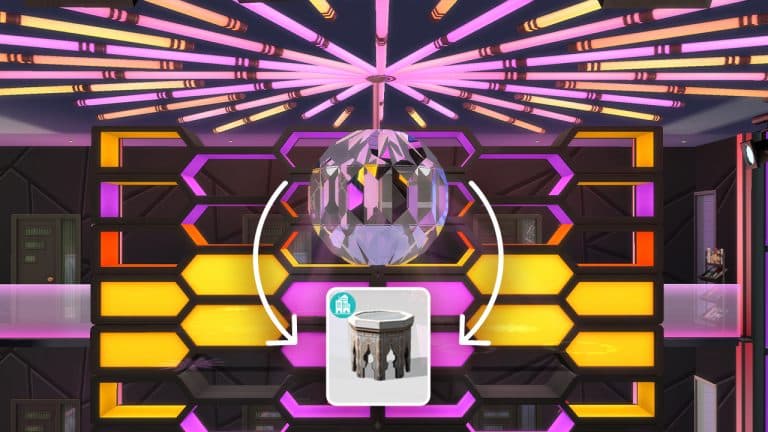
However, the main focus of this Build is the main Dance Stage area of the lot that spans out through two floors. The Giant Disco Ball is placed right in the center, with a huge Dance Floor right below it. Check out some of the screenshots!

We know that the Disco Ball is made out of a Table from the stopmotion video. Still, the sceptic in me had to use the Eyedropper tool. Turns out the Ball is made out of tens of FullBright Bow End Tables placed together at slightly different angles!

Builder Creates a Giant Disco Ball in The Sims 4 out of Tables

NOTE: Zooming in too close to the Disco Ball might cause a framerate drop, considering that the Reflection will be turned on – drawing a lot of graphical power from your platform!

Builder Creates a Giant Disco Ball in The Sims 4 out of Tables

Ready for a night out under the giant Disco Ball? You can find the Glam Karaoke Bar on The Gallery under the MAIAmakes Origin ID!

Builder Creates a Giant Disco Ball in The Sims 4 out of Tables

…or, would you like to just have the giant Disco Ball on your favorite lot? Not to worry – the creator has uploaded the individual versions of the Disco Balls. The 1M version is for one story rooms, while the 2M version is for two story rooms.

Builder Creates a Giant Disco Ball in The Sims 4 out of Tables

The Sims 4 Player uncovers Restless Arms through a glitched Mod

This is the funniest video you’ll see today!

Before I begin with this article let me state that this is *not* a game bug, but rather a product of a Mod that…slightly malfunctioned.

I was just scrolling through my Twitter feed when I stumbled upon a hilarious video from content creator @onlyabidoang. A video that showcases two Sims, Bob Pancakes and Hunter Evans, doing normal, everyday Sims activites.

All except for the fact that their arms couldn’t stop dancing and moving. See it yourself in the video below – with the soundtrack by none other but Beyoncé – Single Ladies:

The video features Bob Pancakes dancing with the most optimistic face before diving into Cake:

The Sims 4 Player uncovers Restless Arms through a glitched Mod

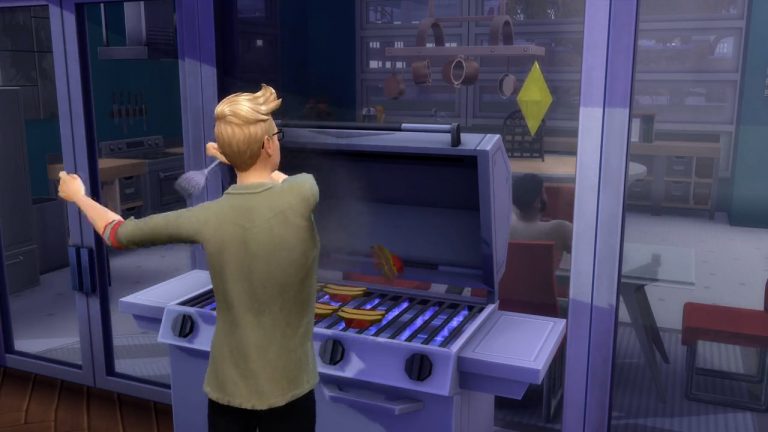
…and Hunter Evans not being able to contain his excitement while grilling Hot Dogs:

The Sims 4 Player uncovers Restless Arms through a glitched Mod

The two Sims later optimistically meet each other while passing by – all while doing a Fortnite dance with their arms. Bob even jumped into the pool and did a lap while doing a Victory Royale:


I had to ask the creator how they’ve came across this hilarious issue. Turns out it was a small glitch in the Fortnite Dances Mod created by Sigma1202.

You can try out the Mod yourself even, but I can’t guarantee that your Sims will also have Restless Arms like the Sims in the video above.

[mks_button size=”large” title=”50 Fornite Dances for TS4″ style=”squared” url=”https://modthesims.info/d/632701/50-fortnite-dances.html” target=”_blank” bg_color=”#1e73be” txt_color=”#FFFFFF” icon=”” icon_type=”” nofollow=”0″]

The Sims 4 Scenario Playthrough: Inspirational Mentor

Pass on the knowledge to younger generations in the latest Limited Scenario!

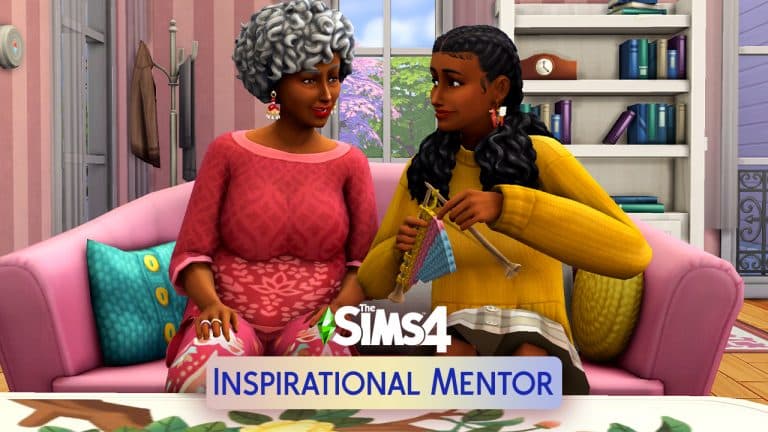
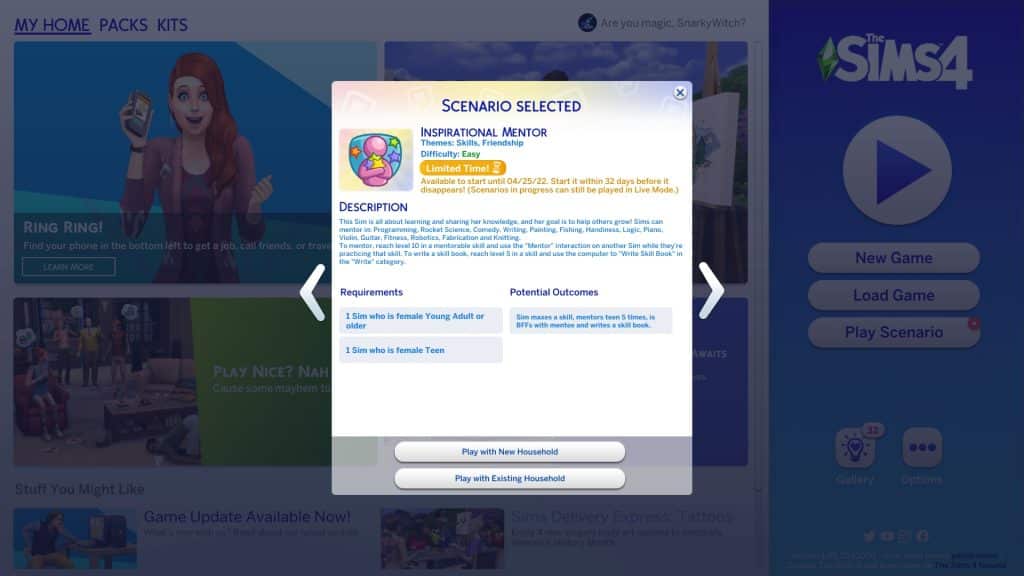
The recent SDX drop graced us with a new scenario! This one is a limited time scenario called Inspirational Mentor! This scenario is about passing knowledge on to the next generation. It’s perfect for Women’s History Month because for this scenario, both your Sims will identify as female.

Here’s how our Inspirational Mentor scenario went!

Getting Started

The Sims 4 Scenario Playthrough: Inspirational Mentor
You’ll notice the scenarios have gotten a bit of a revamp. Along with lots more new scenarios, there are now difficulty ratings on each scenario to give you an idea of the time and effort it will take players to complete them. The Inspirational Mentor scenario is listed as an Easy scenario.

This is a limited time scenario so if you want to play this scenario, you’ll have to start it before April 25, 2022. Scenarios in progress can still be played after the deadline as long as the player has begun the scenario before the deadline.

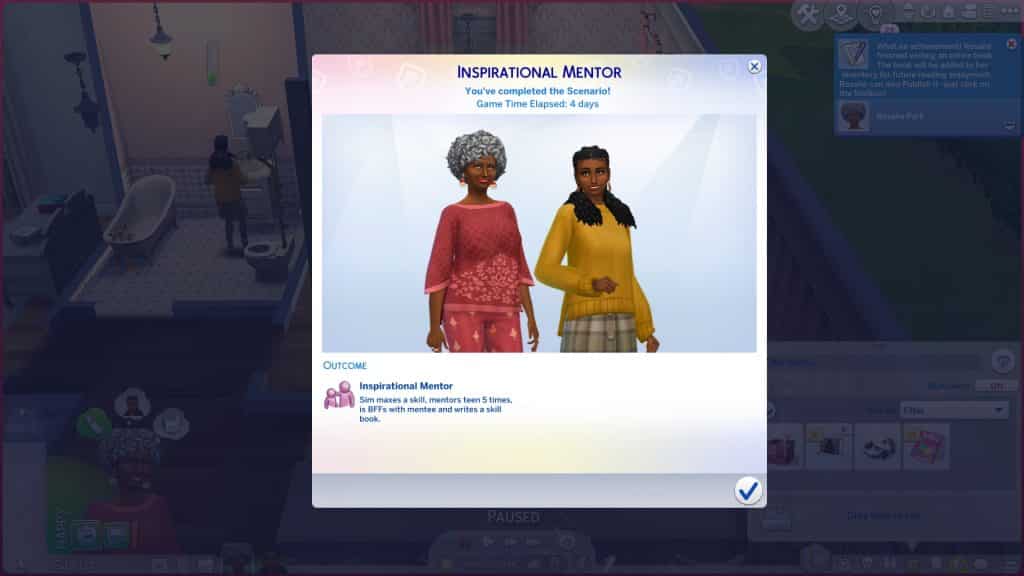
You need a household with one Young Adult or older female Sim and a Teen female Sim. There is only one way to complete the scenario but you’ll have to complete several tasks to finish it. Your older Sim will need to master any of the following skills: Programming, Rocket Science, Comedy, Writing, Painting, Fishing, Handiness, Logic, Piano, Violin, Guitar, Fitness, Robotics, Fabrication, or Knitting. Your older Sim will then need to mentor your teen Sim in that skill five times, become BFFs with them, and write a skill book.

The Sims 4 Scenario Playthrough: Inspirational Mentor
We thought it would be heartwarming if we made a grandmother and granddaughter duo where the grandmother passes on her knitting skill. Knitting can also be maxed out in a day or two just by knitting in a rocking chair while Inspired and listening to music so it’s a good skill to pick if you want to speed run this scenario.

A Slow Start

The Sims 4 Scenario Playthrough: Inspirational Mentor
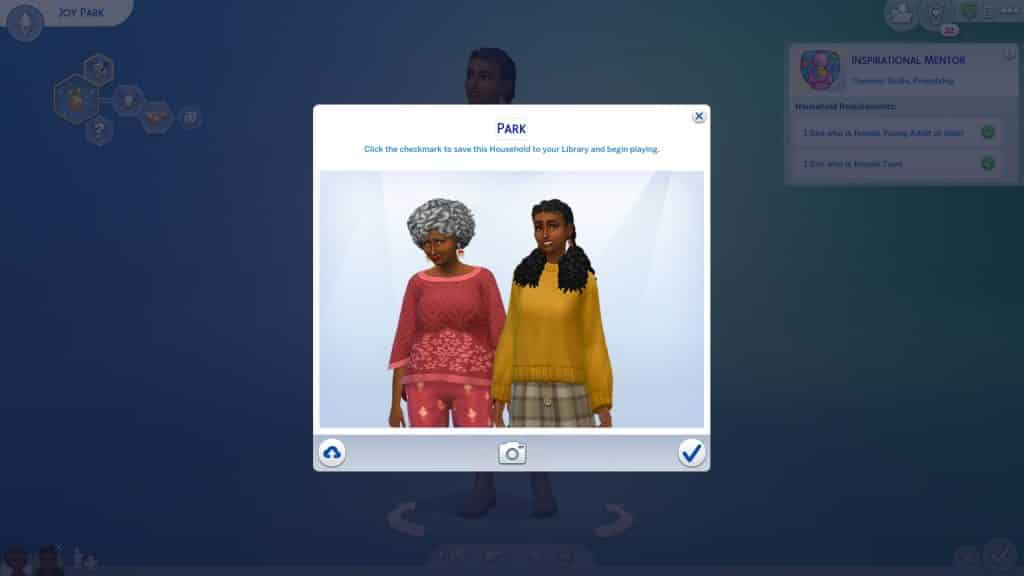
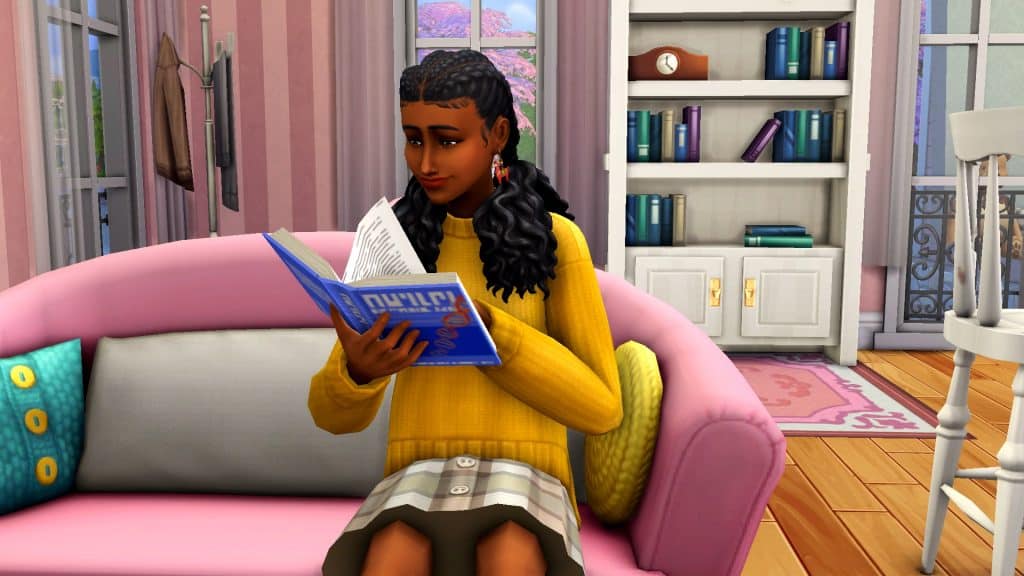
We got our grandmother, Rosalie, and her granddaughter, Joy, all set up in Willow Creek. Rosalie started out with level 2 in all eligible skills for this scenario. Since we were starting almost from scratch, we got Rosalie knitting in her rocking char right away with some music to help boost her skill gain and a plumbob lamp to keep her Inspired. There wasn’t much to do with Joy in the meantime so we kept her busy with homework and had her start knitting a few things so she’d have enough skills for school.

The Sims 4 Scenario Playthrough: Inspirational Mentor
Since we weren’t using any cheats in this playthrough apart from getting Rosalie and Joy set up in a decent house, Rosalie did have to stop knitting periodically to take care of her needs. Even though she was making very fast progress in the Knitting skill, we still felt like things were a little slow at first, just because most of the scenario is reliant on maxing a skill first. Other goals were on standby until Rosalie mastered Knitting.

The Sims 4 Scenario Playthrough: Inspirational Mentor
Luckily, we picked a fast skill to learn and Rosalie had her Knitting skill maxed out by 6pm on Day 2 of our scenario. She was too tired and hungry to start mentoring Joy, though, so we decided to just call it a night and let grandma and granddaughter look after their needs and go to bed.

The Real Work Begins

The Sims 4 Scenario Playthrough: Inspirational Mentor
The next morning was a school day but we didn’t want to sit around twiddling our thumbs while Joy was at school, so we had her take a vacation day. We wanted to buckle down and focus on the rest of the scenario goals today. So Rosalie got to work teaching her granddaughter everything she knew about knitting. We spammed this interaction by having Rosalie mentor Joy just long enough for it to register on the goal tracker, canceling the action, and then having her immediately start mentoring again. If you’re also using the Knitting skill for this scenario, it’s worth mentioning that the Teach to Knit action does not satisfy this goal. You have to click on the teen while they’re knitting and select Mentor.

The Sims 4 Scenario Playthrough: Inspirational Mentor
The next item on the list was becoming BFFs. Ordinarily, this would take a lot of time and we didn’t feel like tediously stacking up dozens of Friendly socials for hours. We know of a faster way to max out friendship! Yes, it’s time to exploit the camera loophole. If you don’t already know, taking a picture of a Sim immediately makes them good friends even if they started out as strangers. It’s a hilariously easy way to make instant friends. We had our proud grandma take a picture of her granddaughter, who didn’t look too enthused about having to pose for a picture for grandma. It did the trick, anyway. Taking Joy’s picture immediately maxed out their friendship. Then all they had to do was Become BFFs!

One Last Thing

The Sims 4 Scenario Playthrough: Inspirational Mentor
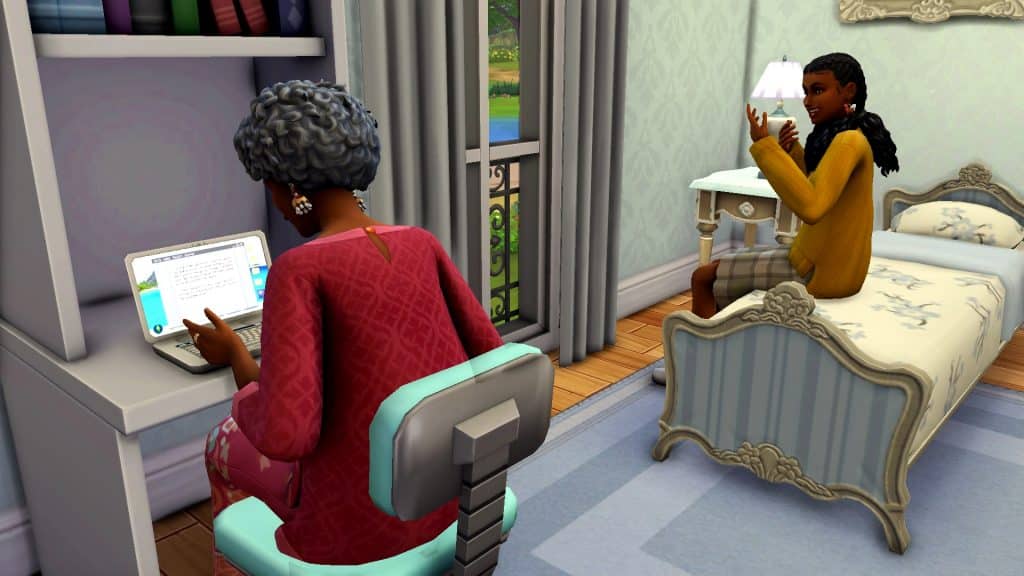
There was only one thing left to do to complete the scenario. Write a Knitting skill book! Joy was kind enough to lend her laptop to her grandma so she could share all of her sacred Knitting knowledge with the world. Rosalie looked like she was having trouble figuring out how to work this gosh darn, new-fangled, fancy-shmancy contraption but Joy helped her figure things out.

The Sims 4 Scenario Playthrough: Inspirational Mentor
In a few hours, Rosalie was finished her skill book and we were finished with this scenario which took us a total of 4 days.

Our Thoughts

This scenario has a slow start but it’s not a bad little scenario to start a new household with. It’s challenging enough to keep your attention but not so hard that you’re going to spend forever on it. It’s a nice way to start playing a new household and earn a big chunk of satisfaction points without too much hassle. We also liked that there was a wide variety of skills you can choose to focus on. This helps make the scenario feel more like your own. And of course, major points for a scenario that celebrates Women’s History Month!

We didn’t run into any bugs with this scenario but we also didn’t leave our home lot during this playthrough so… travel at your own risk.


Credits

Official workaround for the Save Game Error in The Sims 4

3

The Sims Team is working on a fix. Until then here’s how you can prevent the “Error Code 0” from happening!

A few hours ago we reported on hundreds of players encountering the Error Code 0 issue when trying to Save Game in The Sims 4.

The Sims Team has confirmed that they’re working on a fix for this error. Until then you can always use “Save As” as one of the workarounds. However, to ensure that you never encounter this issue again, SimGuruNick has shared a smart method (and a possible cause) of why this issue has been happening in the game.

Check out the official workaround for this Error and try it yourself so you don’t encounter this issue. If you already did encounter it it’s encouraged by The Sims Team that you share your save game with them so they can pinpoint all the causes so the error doesn’t happen again.

Workaround

Regarding Error Code 0, I have a couple workarounds that should prevent the error code from happening. I highly recommend all players do the following two things (thread incoming). First, disable Join A Career from your Neighborhood Stories. Do this for Other and My Households.

Official workaround for the Save Game Error in The Sims 4

Next, for players that own Wedding Stories, do not set a cake for your wedding event. If you currently have any pre-existing events that have cakes set, cancel those events and reschedule them. See how in this screenshot there is no wedding cake selected? Do that.

Official workaround for the Save Game Error in The Sims 4

Will these workarounds fix already-corrupted saves? I’m not entirely sure, testing is still occurring, I just wanted to get this info out ASAP. If you’ve never encountered Error Code 0 though, this should ensure that you never will.

And if you do still get Error Code 0? That’s a clear sign that you’ve found a case we haven’t addressed yet, and I would really appreciate your save file.

[mks_button size=”large” title=”Community Bug Report Form” style=”squared” url=”https://docs.google.com/forms/d/e/1FAIpQLSfmGBSvKURn9Ew6FLZDXs3cgAjYUGgkqMWbpvehGHmK4CX_ow/viewform” target=”_blank” bg_color=”#4ab538″ txt_color=”#FFFFFF” icon=”” icon_type=”” nofollow=”0″]

“Save Game” is becoming an Issue in The Sims 4

10

“The game failed to save. Error Code 0” is becoming more often among players

Imagine this scenario: you’re creating your perfect Household in The Sims 4 and building them a house. You get so invested into creating a perfect storyline and home that you look at the clock and it’s 5 in the morning.

“I should probably save my game”.

– Little does the player know that their game might decide to not do that.


UPDATE: SimGuruNick has shared another update regarding the game error, along with an official workaround. After confirming that the team is still actively working on resolving on fixing the error, he’s also encouraged players to continue sharing their save games. All to ensure that this issue doesn’t persist after the fix and that it gets universally fixed for all players.

If you encountered the “Error Code 0” issue here’s how you can share your save games to the developers and help resolve this as soon as possible:

Hi Simmers, we’re actively working to fix Error Code 0. I’ve been testing a potential fix that has worked on the majority of player-provided saves…but not all of them. So I’d like to humbly request more save files. I need to verify this gets fixed for all players, not just most.

If you’ve encountered this error code, please send me your corrupted save file via this link, thanks so much for the help!

In the meantime, please try using Save As for a workaround. Sorry for all the trouble!

This issue came to my attention not from my personal game, but from stories of other players within the community. The first thing that made me investigate more into this was a tweet by @gardenova_sims who reported that they’ve lost progress after building a home.

According to the story of the creator they’ve managed to successfully save their game – but still lose progress.

After exploring further about this issue I’ve found an entire active thread on EA Answers HQ talking about the issue. For most players this Save Game issue is being displayed and notified by the game itself through the screen prompt:

“Save Game” is becoming an Issue in The Sims 4

Screen via crystalpenn9

The cause of this save game error is unknown as of now. Players both with and without Mods/CC are experiencing, along across multiple platforms where The Sims 4 is available.

The EA Answers HQ is truly active for The Sims 4 when there’s a serious bug / issue happening with the game. At the point of writing this article 346 people have reported that they’ve experienced the same issue – with 27 different pages on the thread discussion regarding the issue.

“Save Game” is becoming an Issue in The Sims 4

The Sims Team has acknowledged this issue through both EA Answers HQ and Twitter.

SimGuruQARobo has shared the following on the forum:

Thank you to everyone that has shared saves or information thus far. Unfortunately, the team has had a difficult time pinpointing when the save becomes corrupted.

For anyone encountering this issue, have you played with any wedding cakes from the Wedding pack?  If so, can you describe how you used the wedding cake during your play?

We are still looking for affected, unmodded saves, if you’re willing to share them. (Whether wedding cakes were used or not.)

Instructions on how to share saves are here: [INFORMATION] How to Send User Files to The Sims 4 Team – Answer HQ

Also, any information about what occurred in your game before the error occurred may be helpful.


SimGuruNick, Quality Designer working on The Sims 4 has said that this is something the team is currently “actively investigating”.

This issue started happening shortly after the release of The Sims 4 My Wedding Stories Game Pack but became more often afterwards.

We’ll keep you posted about the situation and when it officially gets fixed for The Sims 4. Until then, most players are reporting that using the “Save As” workaround has worked for them. You can also try saving the game before going into Manage Worlds to ensure it gets properly saved.

Also make sure you save your progress frequently!

The Sims 4 Dine Out has been FIXED! (by a modder)

“Fine, I’ll do it myself” but make it for the entire Game Pack.

The talented modder and guide writer, Carl, has made it his mission to overhaul The Sims 4. He aims to make the game more challenging but more rewarding and fun as well. His Gameplay Overhaul mod includes a great many tweaks and new features, including burglars, which we’ve covered previously. He’s also been working on a Dine Out overhaul that’s now gone public!

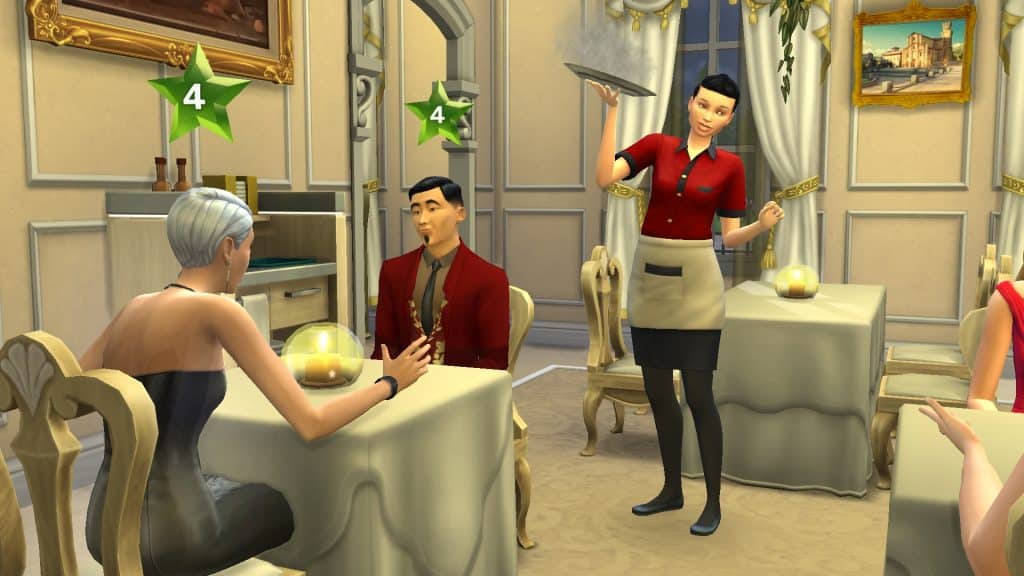
We dove into the Dine Out Reloaded portion of the mod to show you what it’s all about. Since the mod aims to clean up and improve existing features and fix poor autonomy, we thought it’d be best to show you the mod through our own gameplay experience. So here’s everything we noticed as an improvement when we were playing with our restaurant!

The Sims 4 Dine Out has been FIXED! (by a modder)
We started with plenty of money and a nice restaurant so we could focus on the autonomy without being fussed about things like funds and ambiance. The restaurant was 0 stars with no extra benefits, however. We wanted to see how we could build up those things more easily when things are actually running smoothly for once.

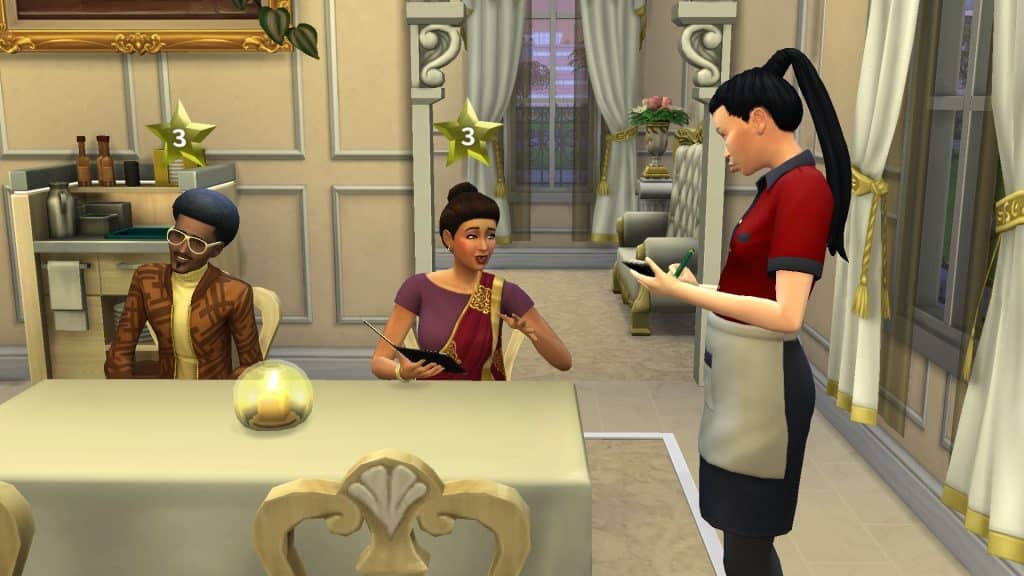
While our own Sim still loved to stand around listening to the music and doing pushups randomly, our staff and customers did not do any of this behaviour which was nice. Few things are more annoying and distracting than when you have hungry customers and your server is busy doing situps next to the table or dancing to music instead of taking their order. Servers were also much better at putting dirty dishes in the correct spot instead of all over dining tables.

The Sims 4 Dine Out has been FIXED! (by a modder)
We also noticed that our chef cooked much faster than before. Meals were coming out in a timely manner and we didn’t experience any lost orders that never got delivered. We also didn’t have the common issue of everyone in the restaurant randomly resetting themselves, resulting in customers standing around aimlessly instead of sitting with broken order queues. So far, so good! And thanks to the orders coming out faster, Sims finished their meals faster which meant we had more seats available for more paying customers.

The Sims 4 Dine Out has been FIXED! (by a modder)
All of this is great on its own but the one thing we hated more than anything was how celebrities would disrupt the entire restaurant. Sure, it’s normal for people to get excited when they see a celebrity. We could understand the realism there if customers at nearby tables whispered excitedly to each other about the celebrity without getting up from their seats. Maybe one or two people might ask for an autograph before returning to their seat. But the enthusiasm for celebrities in The Sims 4 is so over-the-top that the whole venue ceases to function, which is not realistic at all. The staff typically don’t abandon their duties to go scream and take pictures. Other customers might be excited but they aren’t likely to crowd around the celebrity’s table shrieking and passing out in a restaurant setting. After all, everyone is there to eat food. Usually expensive food. So they’re not going to abandon their food at their table.

The Sims 4 Dine Out has been FIXED! (by a modder)
This is why we were so happy to see Brytani Cho, a Proper Celebrity, walk into our restaurant and absolutely no one reacted to her. Okay, maybe a celebrity of that stature being completely ignored is pretty unrealistic, but it’s still far more preferable to the chaotic circus show that ordinarily would have ensued. Brytani being there didn’t distract the staff at all. Other customers didn’t get up from their seats to go crowd around her table. Paparazzi didn’t follow Brytani inside the restaurant to stand next to her table taking pictures. She was still a celebrity but was treated like any non-famous customer.

The Sims 4 Dine Out has been FIXED! (by a modder)
So what do we think about the Dine Out Reloaded portion of Carl’s Gameplay Mod? Well suffice it to say we’re pretty excited about it! A lot of the nuisances that ordinarily would have us pulling our hair out have been alleviated. Running a restaurant feels like running a restaurant and not like trying to put out a flaming circus tent.

The Gameplay Overhaul mod, including the new Dine Out Reloaded features, is now free for the public to download right now! Grab it from Carl’s Patreon!

[mks_button size=”medium” title=”Download” style=”rounded” url=”https://www.patreon.com/posts/carls-sims-4-mod-58183239″ target=”_blank” bg_color=”#4aa500″ txt_color=”#FFFFFF” icon=”fa-arrow-down” icon_type=”fa” nofollow=”0″]

Building a Greenhouse in The Sims 4 with Moschino Stuff

The Mosquito Stuff Pack is very handy for your gardening needs!

Creating Greenhouses in The Sims 4 can often be a challenge. The game lets you have plants indoors and protect them from the weather if you have The Sims 4 Seasons installed. However, finding a perfect solution to build one from scratch and make it look decent in game can be exhausting.

We did an extensive guide a few months ago on Building Greenhouses in The Sims 4 and their benefits for your plants. But, what if you wanted to build one that’s almost identical to most greenhouses that you see in real life?

Surprisingly, that’s where The Sims 4 Moschino Stuff Pack comes in handy!

James Turner came up with a brilliant solution in his Cottage Living let’s play where he created a Greenhouse using nothing but the Base Game Glass Roof and Moschino Windows.

Sims player letsbuildhouses’ latest IG post reminded me to open up my game and try out James’ method for myself. Here’s how you can create your Mosquito Greenhouse!

Building a Mosquito Greenhouse

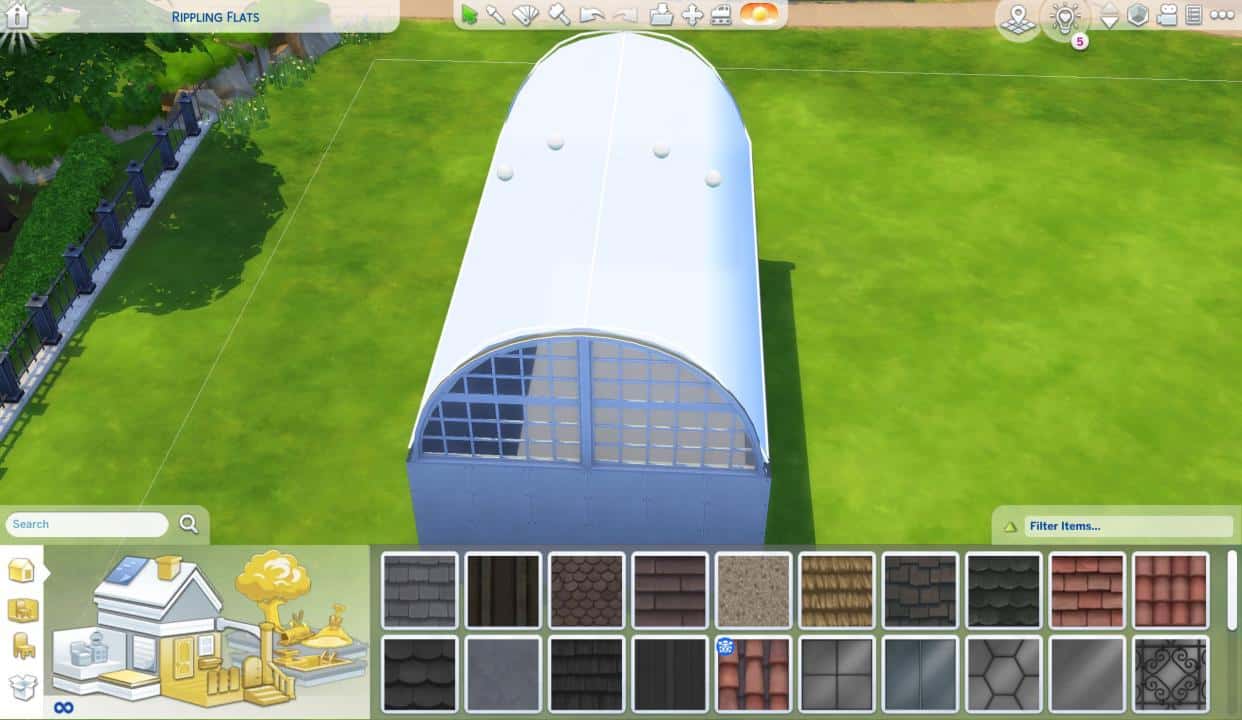
First, place down the roof on top of an empty square room that you’ve built. Make sure the roof spans out exact to each end of the room!

Building a Greenhouse in The Sims 4 with Moschino Stuff

Click on the roof and max out the curvature point using the two circle manipulation points on the roof.

Building a Greenhouse in The Sims 4 with Moschino StuffBuilding a Greenhouse in The Sims 4 with Moschino Stuff

Make sure that your roof trims are all clean and tidy. Select the end of the roof on each side and have it fit to the wall sides. Make sure the roof also doesn’t bleed out on the edges!

Building a Greenhouse in The Sims 4 with Moschino Stuff

Add a Glass Roof of your liking. The striped one that James used in his let’s play is the most logical one that goes best with the Moschino Stuff windows.

Building a Greenhouse in The Sims 4 with Moschino Stuff

It’s time to add the Lofty Arched Window! You can place it down on both sides of the Greenhouse for each rounded corner. You can only do this properly if you have the bb.moveobjects on cheat enabled!

You’ll then notice that there are probably some corner imperfections around the Arched Window. Reside the Roof until all the corners have been properly adjusted!

Building a Greenhouse in The Sims 4 with Moschino Stuff

The last corner imperfection is very subtle. But you can also fix that by fixing the roundess and making the roof just a bit more pointy on the top (with the circle manipulation point on the far left/right).

Building a Greenhouse in The Sims 4 with Moschino Stuff

Voila! All that’s left is to place down the Moschino Doors and Windows.

With Windows you can choose between the open, Breezy Loft Window or Closed Loft Window. You can mix and match the windows to your liking so that the Greenhouse has more of an open, airy approach to it.

Last but not least – add in the Luxury Loft Sliding Door to wherever you prefer:

Building a Greenhouse in The Sims 4 with Moschino Stuff

And there you have it – the Mosquito Greenhouse is yours to populate with plants and decorate with gardening tools indoors. If you want you can add a Grass Patch across the Greenhouse so it doesn’t stick out too much.

Will you be using the Mosquito approach for your next Greenhouse build? Let us know in the comments below!

Building a Greenhouse in The Sims 4 with Moschino Stuff

The Sims 4 Sims Delivery Express: NEW DELIVERY! (March 24th, 2022)

The Sims Team has just dropped a brand new delivery into The Sims 4 Base Game!

The latest Sims Delivery features new items for Masculine and Feminine Sims in Create A Sim. This includes new Tattoos, a brand new Base Game hairstyle for Sims of both fashion preferences, and Durags and Bonnets for Children! You can see it all in the breakdown below.

Through Sims Delivery Express you are able to download new Create A Sim Content, Build Mode Content and small bug fixes and improvements into your game straight through The Sims 4. Simply open up The Sims 4 and your game should automatically check for new content.

If not, go into Game Options > Sims Delivery and Check for new Content. This method of bringing new content into your game works both on PC and Consoles! Note that you will have to restart your game in order to obtain new content. You can select “Yes, Restart Now” for the game to restart automatically for you.

The Sims 4 Sims Delivery Express: NEW DELIVERY! (March 24th, 2022)

Sims Delivery Express – March 24th, 2022 Content

New Tattoos

The Sims Team has collaborated with real life tattoo artists to bring new Tattoos in-game. Check them out!

Hairstyle Addition

There’s a new sponge curl unisex hairstyle for your Sims! Check it out below:

The Sims 4 Sims Delivery Express: NEW DELIVERY! (March 24th, 2022)

Hairstyle Conversion

The Hairstyle from The Sims 4 Seasons has been converted and made available in Base Game – for Toddlers!

The Sims 4 Sims Delivery Express: NEW DELIVERY! (March 24th, 2022)

Durags and Bonnets for Children

Children can now also wear Durags and Bonnets created by the CC creator ComplexSims – available now for everyone who has The Sims 4!

Durags, Bonnets and Robes for Toddlers

Toddlers got the love too! Check out the in-game previews below:

Robe Updates

The new Masculine and Feminine Robes from ComplexSims are now available for Children too!

The Sims 4 Sims Delivery Express: NEW DELIVERY! (March 24th, 2022)

Oh, the ones for Adult Sims have also been updated with proper Masculine and Feminine Tags, making the robes properly appear in Create A Sim again.

The Sims 4 Sims Delivery Express: NEW DELIVERY! (March 24th, 2022)

New Scenario

There’s a new limited-time Scenario in The Sims 4 – Inspirational Mentor!

Check out what it’s all about:

The Sims 4 Sims Delivery Express: NEW DELIVERY! (March 24th, 2022)

New Brazilian Artwork

The Imagined Landscape is a new Artwork piece done by the Brazilian art team Lano.

You can find it in Build Mode for 275 Simoleons!

The Sims 4 Sims Delivery Express: NEW DELIVERY! (March 24th, 2022)

The Sims 4 Story Progression is off the rails

In the funniest way possible.

Last week The Sims Team has surprised everyone with a huge update for The Sims 4. Although everyone had expectations that the upcoming Patch would only prepare the game for the upcoming Decor to the Max Kit, the team included a huge update for the Neighborhood Stories feature.

Our team member has written a handy guide for the new Neighborhood Stories Features in case you want to know about all what goes on!

The Sims 4 Story Progression is off the rails

As you see in the screenshot above, the new feature allows for the player to control what goes on in their neighborhood while they’re playing an Active Household. Well, at least control certain life aspects within The Sims 4.

It’s only been a few days since players have been able to play with the new features but I have to admit – the feature has already gone off the rails for many of the save games where this feature has been enabled.

Reddit user Tomdaninja has reported that one of the Sims in their saves has died after cereal randomly self-combusted.

The Sims 4 Story Progression is off the rails

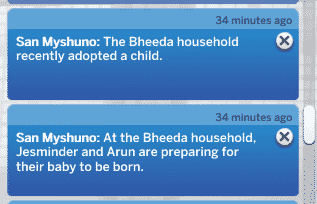
YouTuber and content creator @onlyabidoang reports a huge surge of new babies for the Bheeda Household in their save game.

The Sims 4 Story Progression is off the rails

The Sims 4 Story Progression is off the rails

Screens via @onlyabidoang

The baby fever in The Sims 4 doesn’t just stop there. Player @ShannonP1120 reports a HUGE surge of adopted babies in several of their Households in their save game.

The children in The Sims 4 just keep multiplying to the player for some reason!

Probably one of the funniest scenarios that I came across in regards to The Sims 4 Neighborhood Stories is from Reddit user bluevanillatea.

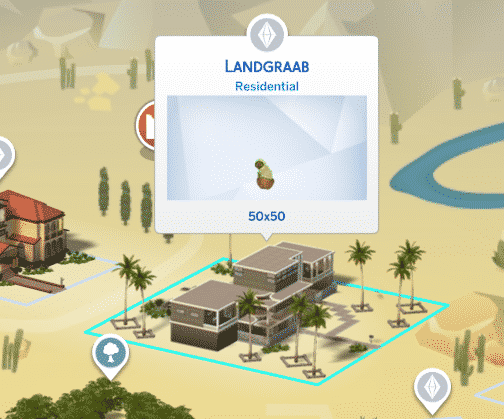
They’ve shared a scenario that happened in their game where “the story progression update has caused the landgraab household to now solely consist of 1 cat in a mansion”.

To make things more funnier, the Cat is just sitting there in its green hoodie looking around at the camera like they robbed the place.

The Sims 4 Story Progression is off the rails

Screen by bluevanillatea

The OP later explained how this scenario came to be:

Apparently Nancy died and then Geoffrey moved to Sulani in order to cope with her tragic death

Woah.

Besides the fact that the Neighborhood Stories Features definitely needs some tuning in the babies and adoption area, the chaos that this feature allows is definitely something I want to see more of.

What are your experiences with the Neighborhood Stories? Let us know in the comments below!