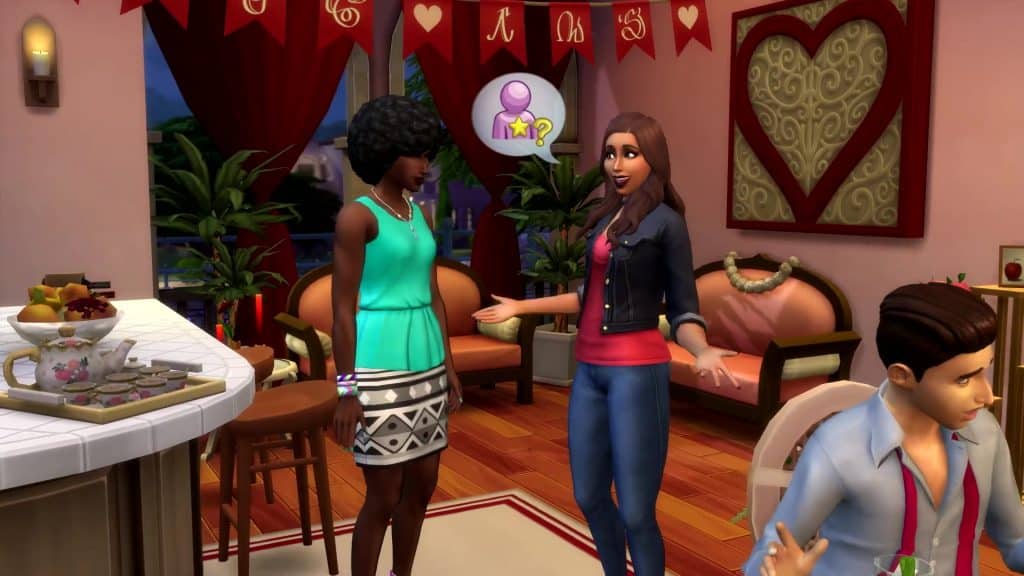
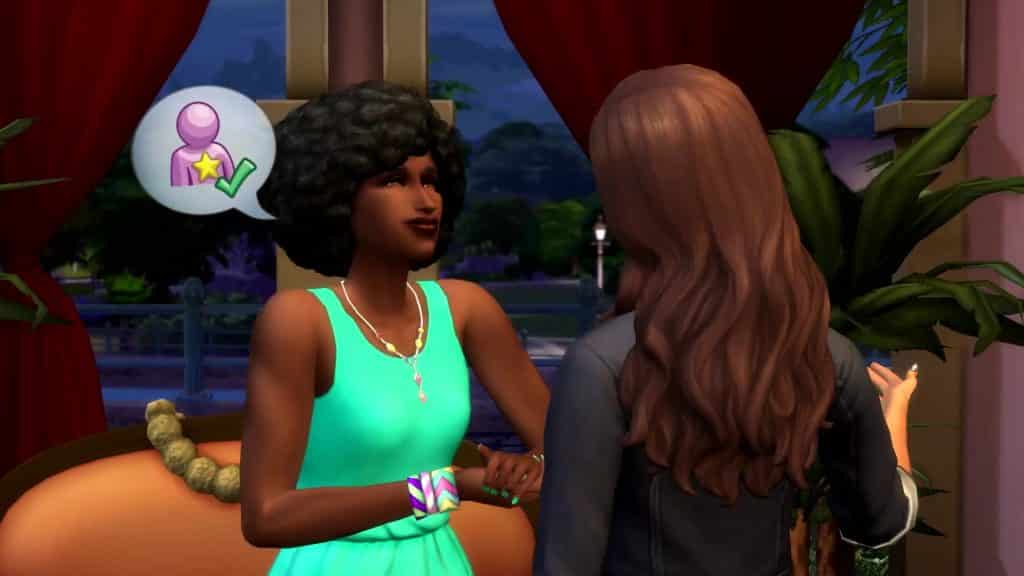
Home Blog Page 161

The Sims 4 My Wedding Stories: SimGuru Q&A

5

The developers of The Sims 4 My Wedding Stories Game Pack have finally started answering some serious questions!

In case you don’t know, the latest Game Pack got officially announced yesterday. SimGurus have already shared some new information regarding the pack over on Twitter that I know most of you want to know answers to!

First of all, yes, the new world is Residental. That’s all you need to know.

Joke – the SimGuru Q&A process has just begun and will last for some time until the Pack’s reveal next week. The gurus plan to answer more questions during the official livestream and afterwards on their Twitter profiles – and we’ll be right there to report on it!

Bookmark this post as we’ll be updating it with new information as it surfaces. Without further ado, the information in question:

  • The new world Tartosa is indeed a Residental World!
  • The tea set shown in the trailer is fully functional.
    • Speaking of which – @Mattnetic shared a special new preview of the new tea cup being used. We’re grasping at straws for new information dear folks

The Sims 4 My Wedding Stories: SimGuru Q&A

  • The Sims that got married in the trailer live in the new world.
  • Hot Air Balloons that you might’ve seen in the reveal? Just background visuals.

The Sims 4 My Wedding Stories: SimGuru Q&A

  • There are swimmable areas in Tartosa – for example this one:

The Sims 4 My Wedding Stories: SimGuru Q&A

  • Getting married to more than one partner and allowing polyamorous relationships in The Sims 4? “Currently limited to one spouse but definitely want to support this in the future!”
  • SimGuruNinja then took a short break to show a VERY important screenshot: a Vampire walking down the aisle:

The Sims 4 My Wedding Stories: SimGuru Q&A

More updates incoming…

The Sims 4 Sims Delivery Express: NEW DELIVERY! (February 9th, 2022)

4

The Sims Team has just dropped a brand new delivery into The Sims 4 Base Game!

The latest Sims Delivery features new recipes that you can cook up in Build Mode, along with 3 new CAS pieces that were made in collaboration with CC Creator ComplexSims!

Through Sims Delivery Express you are able to download new Create A Sim Content, Build Mode Content and small bug fixes and improvements into your game straight through The Sims 4. Simply open up The Sims 4 and your game should automatically check for new content.

If not, go into Game Options > Sims Delivery and Check for new Content. This method of bringing new content into your game works both on PC and Consoles! Note that you will have to restart your game in order to obtain new content. You can select “Yes, Restart Now” for the game to restart automatically for you.

The Sims 4 Sims Delivery Express: NEW DELIVERY! (February 9th, 2022)

Sims Delivery Express – February 9th, 2022 Content

There’s a lot to cover with the latest Sims Delivery so let’s get things started!

Create A Sim Items

First off we have new content in Create A Sim made with love by ComplexSims. You can find a new Durag, Bonnet and a new Robe! Here are some tips:

  • The Durag and Bonnet can be found in the Head Accessories section – make sure you check out the colorful new swatches!
  • The robe added with this delivery unfortunately has some tagging issues. You need to remove the Fashion Preference filter (Masculine/Feminine) in order for the robe to appear in your game. It can be found in the Outfits section!

Surprise! Colorful new Carnaval Face Mask now awaits you in Create A Sim! Head into the Accessories section and choose your swatch:

The Sims 4 Sims Delivery Express: NEW DELIVERY! (February 9th, 2022)

New Food and Drinks!

The delivery brings two big recipe lists to The Sims 4 Base Game from Brazil and East Asia! A big thank you to @TheSimsWikiBR for naming all of the new recipes that have been added with the Brazil rollout.

Brazilian Recipes

  • Brigadeiro
  • Churrasco
  • Acarajé
  • Pão de Queijo
  • Caipirinha

The Sims 4 Sims Delivery Express: NEW DELIVERY! (February 9th, 2022)

East Asian Recipes

  • Sticky Rice Cake
  • Steamed Fish
  • Teok-guk, Galbijim
  • Japchae
  • Minced Pork Noodles

The Sims 4 Sims Delivery Express: NEW DELIVERY! (February 9th, 2022)New Music

The Retro Station got two new nostalgic hits!

“Hyper Simtime Simplace” from The Sims 2 and “Feewa Foona Wabee” from The Sims 3 are now both in the Retro Station.

New Scenarios

Celebrate Carnaval in The Sims 4 through a Limited-Time scenario! A new Permanent Scenario is here to stay in the game. Check out the Description and Outcomes!

Everything We Noticed in The Sims 4 My Wedding Stories Reveal

Here’s everything we spotted in the Game Pack’s reveal!

It’s official! We are FINALLY getting some actual gameplay very soon! The reveal trailer for the My Wedding Stories game pack just dropped today and it is stuffed with pretty much everything every family and generational player has ever dreamed of. At least when it comes to tying the knot with that special someone. Gone are the days of lackluster wedding ceremonies where all your guests dance in the aisle during your vows and the caterer makes 27 bowls of mac n cheese instead of a wedding cake.

Here’s everything we spotted in the reveal trailer!

New Nails

Everything We Noticed in The Sims 4 My Wedding Stories Reveal
Nails were added in a free base game update a little while ago and players who owned the Spa Day DLC had access to a wider variety of nails for their Sims. Until the recent Carnaval Streetwear Kit, nail additions remained exclusive to Spa Day but it looks like My Wedding Stories will be coming with at least one new set of nails for our Sims to rock.

Cake Decorating

Everything We Noticed in The Sims 4 My Wedding Stories Reveal
We were super excited to see this! Being able to decorate baked goods was previously exclusive to the Get To Work DLC but it makes so much sense to bring it into a wedding pack. After all, the cake is a huge focal point of many wedding receptions and wedding cakes can sometimes cost almost as much as a wedding dress! Not to mention these new wedding cakes look much more impressive than those tiny single tier cakes in the standard edition of the base game. The digital deluxe adds triple tier cakes which are nicer but still nowhere on the same level as these impressive wedding cake displays, wow!

Tea Sets

Everything We Noticed in The Sims 4 My Wedding Stories Reveal
A traditional tea set is something I have dearly wanted in the game for many years now and from the game pack blog and assets, it sounds like these tea sets are not just decorative and will be an integrated part of wedding planning and wedding ceremonies!

Photographers?

Everything We Noticed in The Sims 4 My Wedding Stories Reveal
We might be going out on a limb here but in the trailer, we see proposal pictures on the wall which could not have been taken without a third Sim present behind the camera. Maybe The Sims Team did what most of us do and just added a random Sim to the household to snap a photo. But maybe they’re hinting that you can hire wedding and proposal photographers to help you capture those special moments? Hmmm…

Asking to be Sim of Honour

Everything We Noticed in The Sims 4 My Wedding Stories Reveal
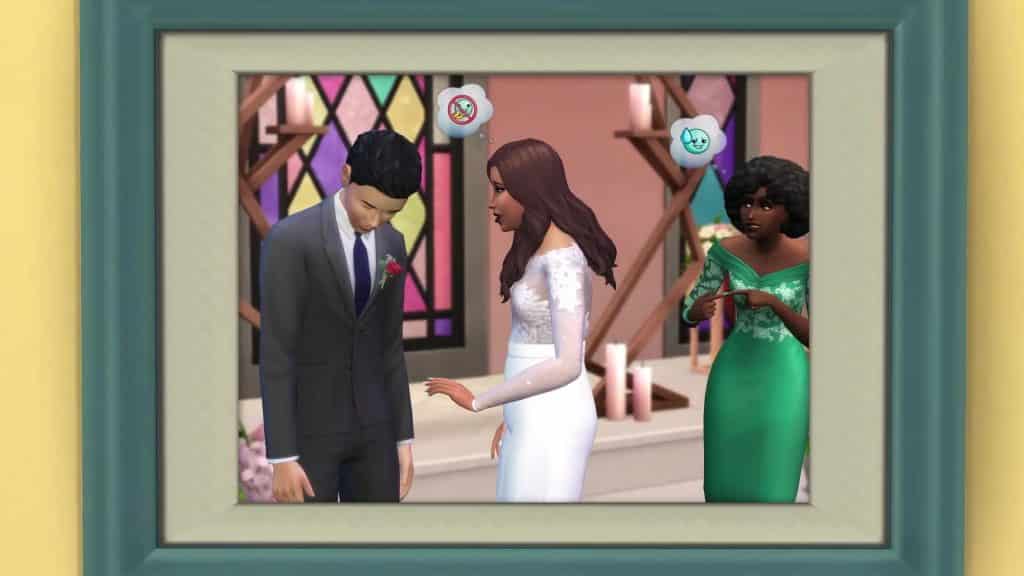
In the trailer, we see the bride-to-be asking her best friend to be involved in the planning process for her wedding. Her friend graciously accepts but then we see that she is secretly sad because she’s actually in love with the bride-to-be! We know from the game pack description that not all of this is movie magic; our Sims will be able to assign the role of Sim of Honour to their friends or family and that Sim will get to be involved in the planning process. However, we do wonder if these sorts of dramatic situations might be integrated into the gameplay as well.

New World

Everything We Noticed in The Sims 4 My Wedding Stories Reveal
The reveal trailer shows off some beautiful views of a brand new world which looks to be inspired by coastal Italy! What a romantic place to plan a wedding or go on a honeymoon! When the moon hits your eye like a big pizza pie, that’s amore!

Window Shopping

Everything We Noticed in The Sims 4 My Wedding Stories Reveal
The Cottage Living DLC had some functionality on a few of the shell buildings in Henford-on-Bagley which allowed our Sims to window shop and change their clothes from a boutique in Finchwick. It looks like the new world will also have building shells Sims can browse and window shop at! It’s a nice little touch to make buildings that would otherwise be set dressing a functional object for Sims to interact with.

Cake and Flower Vendors

We can see the rather unhappy bride and groom-to-be arguing over cake and flower samples in front of vendor stalls selling these items. This is a much anticipated part of the wedding planning process that our Sims will now be able to experience! We wonder if our Sims will also have their own reactions to each flower and cake sample. It could make for some interesting tension if your engaged couple disagrees on every cake and floral arrangement.

Hot Air Balloons

Everything We Noticed in The Sims 4 My Wedding Stories Reveal
We can see a hot air balloon in the background of some shots that looks like more than just low-poly sky dressing like the helicopters and birds and such that normally inhabit the skies of various worlds. We’re hopeful that these balloons might actually be functional and that our Sims can ride in them to take in breathtaking views. It would certainly be romantic which is the theme of this whole pack.

New Wedding Arches

We can see at least three new wedding arches in the reveal trailer (possibly four or even five if the circular structures behind the Sims in two of the above screenshots are actually wedding arches). A modern one with candles and a more traditional floral one. We’ve gotten a few new wedding arches in a couple packs but having even more variety just helps us to customize our Sims’ special day that much more.

Getting Dumped at the Altar?

Everything We Noticed in The Sims 4 My Wedding Stories Reveal
In the reveal, the bride ditches her fiancé at the altar for her best friend. This could just be movie magic but we think it would be really cool if some Sims may autonomously back out of the wedding at the last minute based on a number of factors, like their relationship/sentiments with the person they’re marrying or their traits. There was a risk of Sims dumping your Sim at the altar in The Sims 2 if their relationship was not very high and Romance Sims were much more likely to back out of saying “I do!” Adding this back into The Sims 4 would certainly add an element of drama, surprise, and unpredictability to an otherwise very predictable game. We can call off the wedding ourselves by clicking on the arch during the ceremony but having to always do it ourselves takes all the fun out of it.

Wedding Veils

Everything We Noticed in The Sims 4 My Wedding Stories Reveal
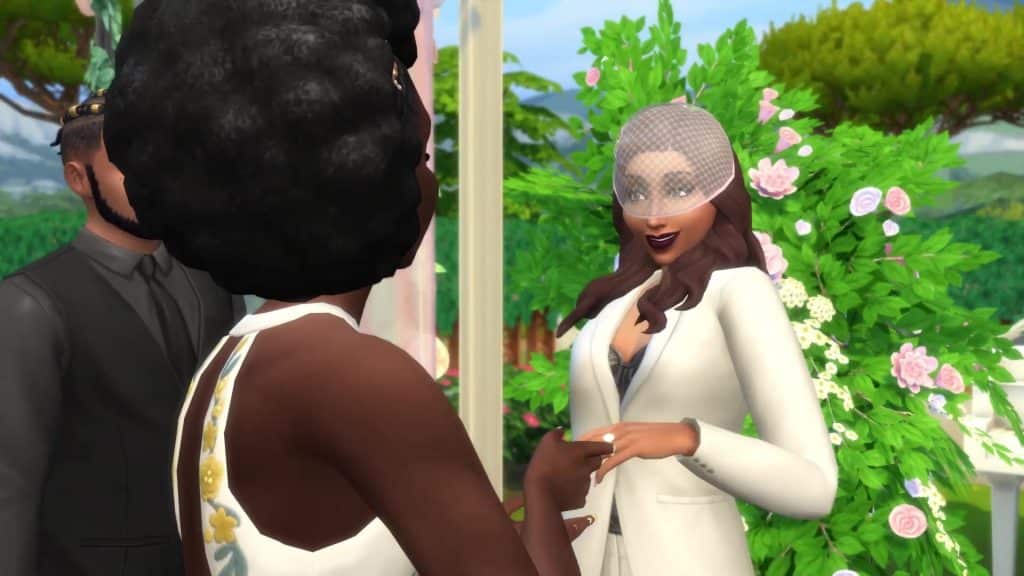
After years and years of begging for wedding veils, we finally see exactly… one (1) wedding veil in the reveal. Which is probably attached to the hair like so many other non-hat head accessories. We hope we’re wrong. We hope to be pleasantly surprised with more wedding veils as more info on this pack comes to light and we hope the veils are hats that can be added to any hair. But we aren’t holding our breath on that one.

New Piano

Everything We Noticed in The Sims 4 My Wedding Stories Reveal
Unless you count the electronic keyboard that came with the City Living DLC six years ago, we’ve been stuck with the same two base game pianos since the game’s launch. One of them is locked behind the Entertainer career so it was delightfully refreshing to see a new piano in an ornate style that hopefully isn’t locked like the base game ornate piano.

Flower Girls and Ring Bearers

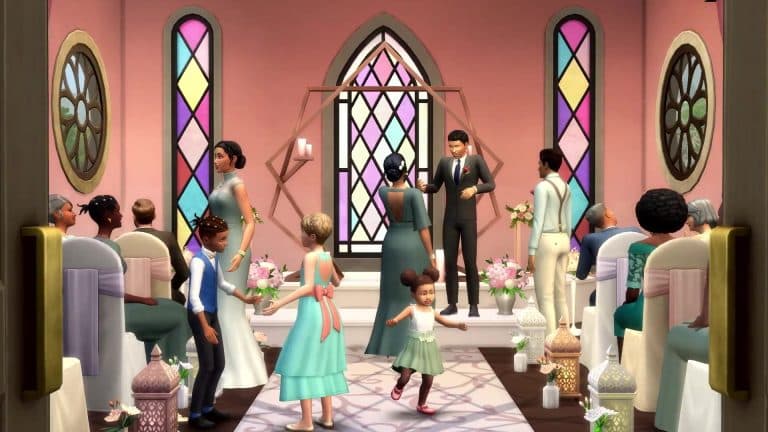
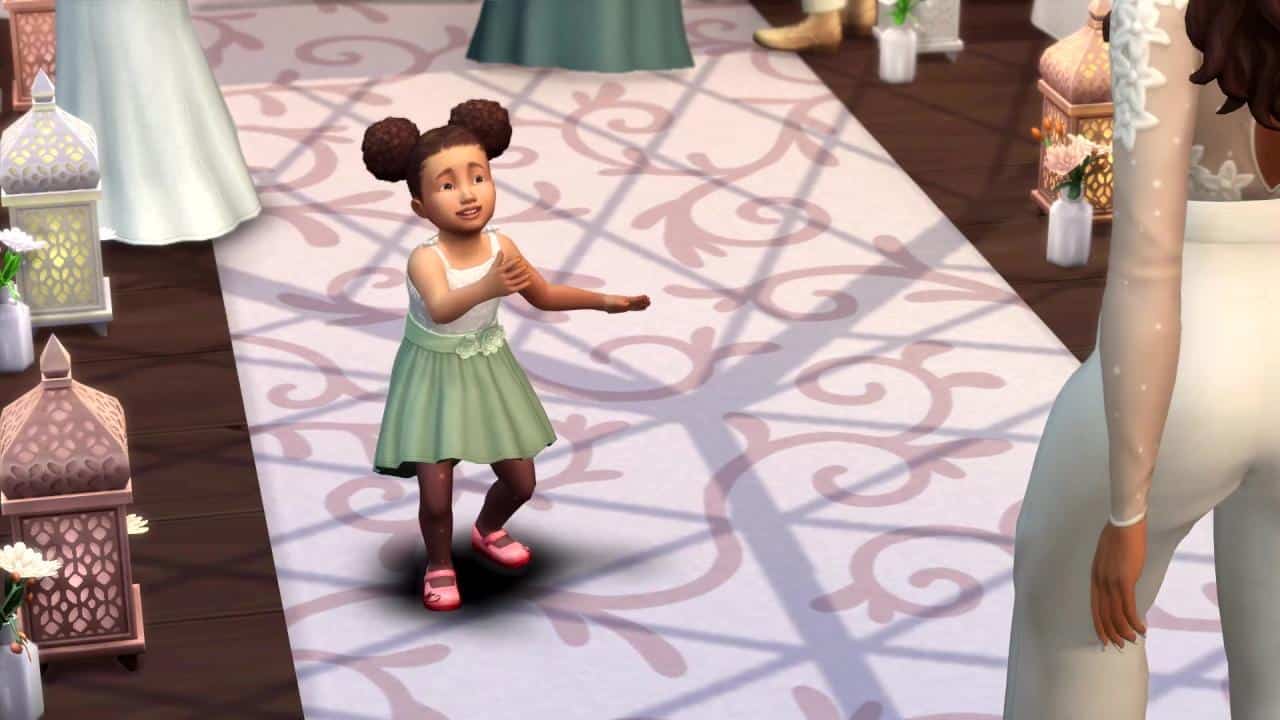
We love that the younger members of our Sims’ families can play an important role in wedding ceremonies now! Flower girls and ring bearers are an important part of many wedding ceremonies and we’re excited to see that The Sims Team didn’t forget to include children in this important milestone in Sims’ lives.

Wedding Officiator

Everything We Noticed in The Sims 4 My Wedding Stories Reveal
Dating all the way back to The Sims 1, Sims have never had someone present to officiate their wedding ceremony. They’ve always just said their vows under an arch, exchanged rings and that was that. In fact, the only Sims game to ever have a wedding officiant present at wedding ceremonies was The Sims Medieval! It looks like they’ll be a part of The Sims 4 now, too! An exciting first for the series’ main titles!

Respectful Wedding Guests!

Everything We Noticed in The Sims 4 My Wedding Stories Reveal
It’s kind of pathetic that this is something to get this excited over. This seems like a very basic feature that should have been in the base game from the very beginning seven years ago but better late than never? Wedding guests will FINALLY sit down and stay seated throughout the duration of the entire wedding ceremony! They’ll even react to the ceremony and celebrate when your Sims are pronounced married!

Walking Down the Aisle

Everything We Noticed in The Sims 4 My Wedding Stories Reveal
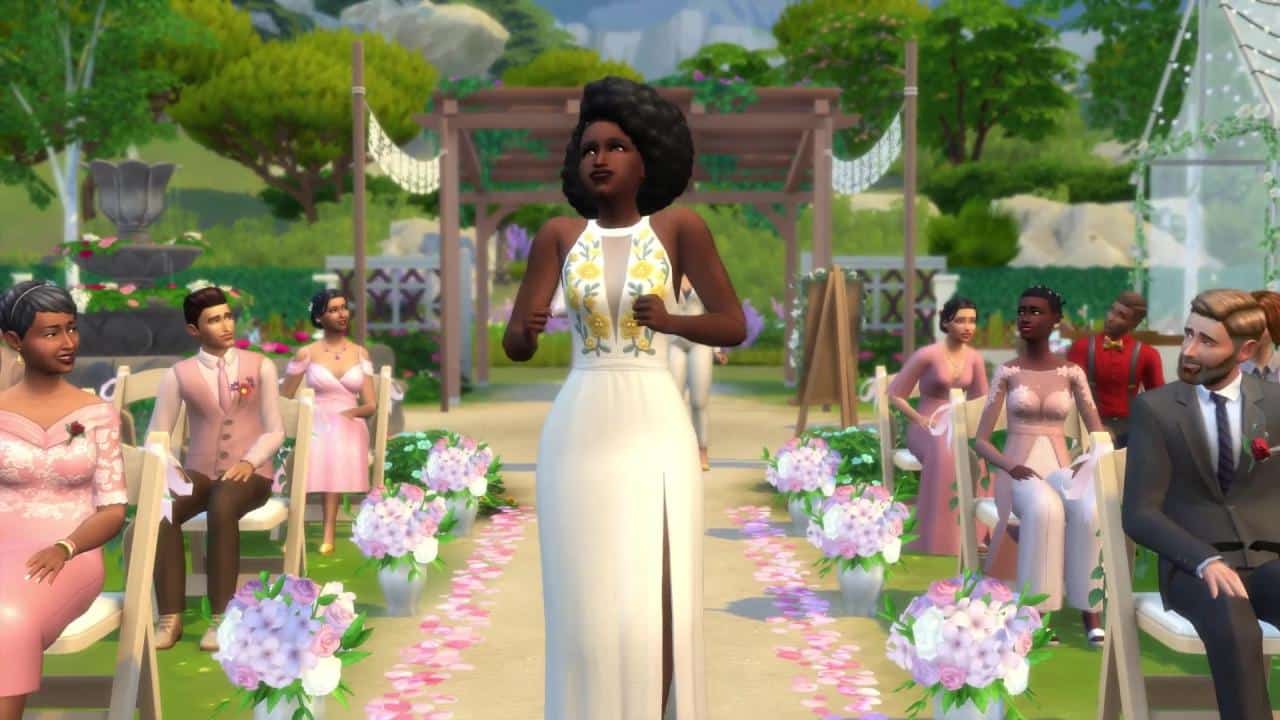
It looks like there’s no hard feelings between the main Sim and her ex-fiancé because he is later seen walking her down the aisle at her wedding to her best friend! We also see the other bride walking down the aisle by herself and then we see the two brides walking back down the aisle together after getting married. This shows us that our Sims can choose to walk down the aisle with anyone they choose or no one at all if they prefer. It also shows us that these new and improved wedding ceremonies are real, proper ceremonies with officiants, Sims of Honour, other wedding party Sims, and the traditional walk down the aisle together after tying the knot.

New Buffet Table

Everything We Noticed in The Sims 4 My Wedding Stories Reveal
The Luxury Party Stuff DLC came with two different styles of buffet table and a fountain that could be placed on them. It looks like an additional one will be coming to My Wedding Stories, complete with a fountain as well!

Wedding Tents and Dance Floors

Everything We Noticed in The Sims 4 My Wedding Stories Reveal
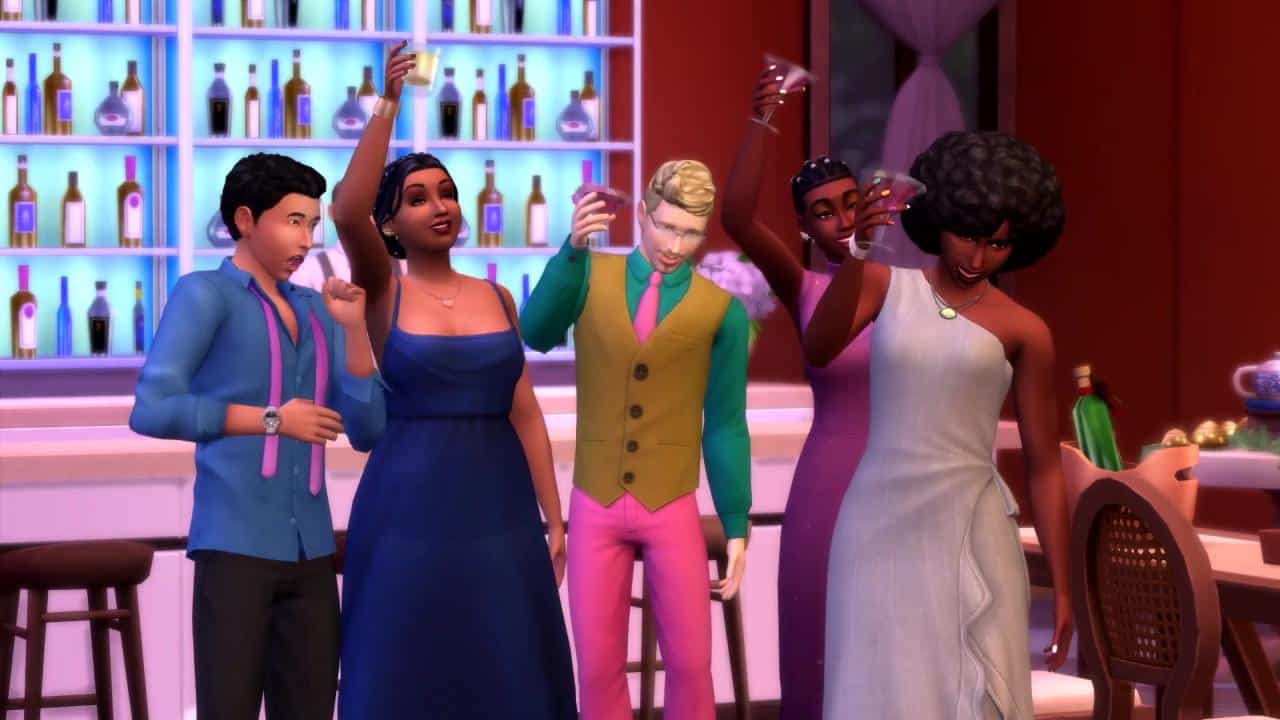
Many outdoor weddings have wedding tents set up to protect the guests and decorations in case of rain and we can see some pretty elaborate tent setups at the wedding reception in the reveal. We just hope that these tents will actually provide shelter from rain, unlike the numerous other decorative outdoor coverings we have in the game. We also see a dance floor at the wedding reception! Dance floors were originally introduced in the Get Together DLC and until now, they hadn’t been seen again in any DLC pack.

New Dances

Everything We Noticed in The Sims 4 My Wedding Stories Reveal
Speaking of dancing, you previously needed the Get Together DLC to open up new dance moves for your Sims, including synchronized dancing in a group. It looks like some new types of dances will be coming to My Wedding Stories as well! Slow dancing is finally coming back and adults can now dance with children by holding their hands! How cute! We can also see the newly married brides doing a dip-style dance move!

Better Cake Cutting Ceremony

Everything We Noticed in The Sims 4 My Wedding Stories Reveal
Sims could always cut the cake at a wedding and feed it to their new spouse but it was glitchy and rather anti-climactic. Instead of both newlyweds gathering at the cake to feed a piece to each other, one Sim would cut the cake and walk across the lot to wherever the other Sim was to feed them a bite. And of course, none of the guests ever cared enough to watch or clap. We’re happy to see that this important wedding ceremony ritual has gotten improvements.

Throwing Bouquets

Everything We Noticed in The Sims 4 My Wedding Stories Reveal
Another important wedding ceremony ritual makes its debut in The Sims Series! We see the brides tossing their bouquets behind them for two lucky wedding guests to catch. Catching the bouquet at a wedding is supposed to predict that you will be the next person to get married! In the reveal, the two Sims who catch the bouquets do indeed end up falling in love and getting married!

Honeymoons?

Everything We Noticed in The Sims 4 My Wedding Stories Reveal
After the wedding, the newlyweds are seen enjoying a romantic honeymoon in the new world together. We’re very hopeful that honeymoons will be their own type of vacation with special features and gameplay associated with them. With all the amazing worlds The Sims 4 has, our newlyweds wouldn’t have any shortage of incredible honeymoon locations to choose from!

Different Cultural Ceremonies

Everything We Noticed in The Sims 4 My Wedding Stories Reveal
Our brides enjoyed a traditionally Western-style wedding ceremony and reception but in snapshots of the wedding that follows, we can see representation of other cultures from around the world! This is no surprise given The Sims 4’s consistent efforts to add more diversity and representation in the game but it’s still nice to see that Western-style wedding ceremonies are not the only option available for our Sims. Weddings should be as diverse as our Sims are.

Vow Renewals

Everything We Noticed in The Sims 4 My Wedding Stories Reveal
Many years later as elderly Sims, our married couple returns to the spot where they first said “I do” to renew their vows. Vow renewals have always been a part of the game. Sims who were already married could click on a wedding arch at any time and select Renew Vows but it seems like the reveal trailer is hinting that this moment will become even more special for our Sims with the addition of this game pack.

New Wedding Rings

Everything We Noticed in The Sims 4 My Wedding Stories Reveal
We won’t lie; we were anxiously scanning every Sim’s ring finger in the reveal looking for new wedding rings and we were growing more and more disappointed… until we spotted this! Yes, that is indeed a new wedding ring! We hope there are even more wedding ring styles we haven’t seen, yet.


What else did you notice in the reveal? Did we miss anything? Let us know in the comments or come chat with us on social media!

If you missed the reveal, you can watch the full video here!

The Sims 4 My Wedding Stories: New Tartosa Screens

16

Tartosa is a brand new coastal world coming with The Sims 4 My Wedding Stories Game Pack!

The Sims Team couldn’t wait to share the excitement of this new world. SimGurus have already started updating their header photos featuring new screenshots of the world. Let’s go through each one!

The first screenshot shows a beautiful sunset setting down in Tartosa from the point of view of, what appears to be, a balcony. In the background you can also spot the lighthouse!

The Sims 4 My Wedding Stories: New Tartosa Screens

Now this one is really interesting! You can see the Tartosa center square (which, I have to be honest, reminds me a lot of the world from Disney’s Luca). Around the town square are the new interactable rabbit holes where you can window shop and order food and flowers from the stalls.

There are also many picturesque pathways around the new residental lots, as well as a proper new beach. Don’t worry – SimGurus have confirmed that beaches in Tartosa are swimmable! That also means that if you have Island Living you’ll be able to drive around in boats, jet skis and more.

The Sims 4 My Wedding Stories: New Tartosa Screens

Another Tartosa preview screen showcases a gorgeous new waterfall with a wooden pathway built across it. Another gorgeous setting for your Sims to get proposed to!

The Sims 4 My Wedding Stories: New Tartosa Screens

There is another screenshot of what appears to be a whole different Neighborhood of Tartosa. This area of Tartosa features coastal walkpaths, new swimmable areas, waterfalls and more.

The Sims 4 My Wedding Stories: New Tartosa Screens

Last, but certainly not least, is a new avatar screenshot from SimGuruNova featuring the waterfalls in the background. Check it out:

The Sims 4 My Wedding Stories: New Tartosa Screens

What are your thoughts on the new world Tartosa so far? Let us know in the comments!

The Sims 4 My Wedding Stories: Official Livestream

0

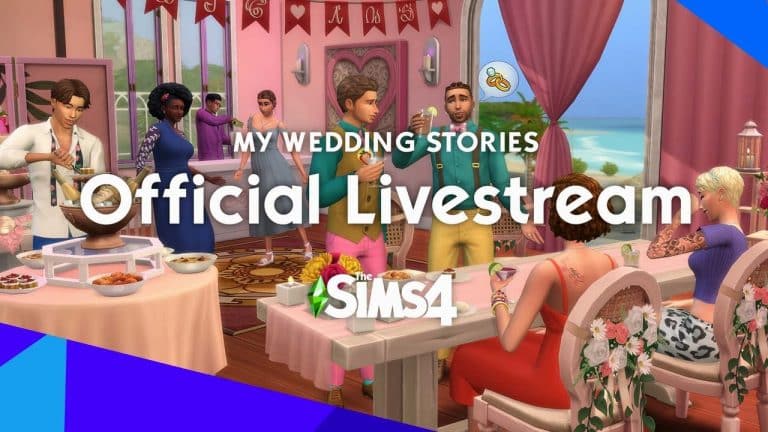
The Sims Team has announced the official Livestream for The Sims 4 My Wedding Stories Game Pack!

On February 11th the team of developers will go through the latest features of the upcoming Game Pack including new Create A Sim, Build Items, World and of course – Gameplay!

The livestream is set to begin at 11AM PST / 7PM BT / 8PM CET. You can also check the exact beginning in the bottom left corner of the livestream linked below (you have to press play first!).

Don’t worry – there’s going to be a Livestream Replay as well as a full collection of News shared from the Livestream that you don’t want to miss out. Stay tuned on Sims Community!

The Sims 4 My Wedding Stories: First Info from SimGurus

2

How are your Sims going to sit down at the wedding? We finally have an answer!

The developers working on The Sims 4 (also known as SimGurus) have started posting new screenshots and updating their avatars. Of course – featuring new footage and information from the upcoming Game Pack, My Wedding Stories!

Before we continue with new screenshots we finally have an answer to a long-awaited question – will Sims sit down at the weddings?

Ever since the release of The Sims 4 players had difficulty telling their Sims to sit down before the ceremony begins. SimGuruFrost has revealed a new mechanic coming to the game that’s simple, yet effective.

A new interaction “Please Take your Seats” will order all of the guests to sit down, assuming that you’re ready to begin with the wedding ceremony.

The Sims 4 My Wedding Stories: First Info from SimGurus

SimGuruNinja has an up-close screenshot of one of the new cake toppers. It’s a cowplant!

And from SimGuruSilver we have a cute new couple screenshot!

The Sims 4 My Wedding Stories: First Info from SimGurus

SimGuruAsh, the assistant producer on The Sims 4 has updated not only her profile picture, but a header as well with new elements from the pack. The new avatar showcases a gorgeous new dress, hairstyle, earrings and nails. The header image you see below is a sneak peek into the new world – Tartosa!

The Sims 4 My Wedding Stories: First Info from SimGurus

The Sims 4 My Wedding Stories: First Info from SimGurus

SimGuruNinja updated his profile header as well with another preview of Tartosa:

The Sims 4 My Wedding Stories: First Info from SimGurus

Is that a Wedding Rehersal? SimGuruNova, producer on The Sims 4, has shared a series of in-game photos during the development of this Game Pack. Check out the gallery!

SimGurus are still actively answering questions and sharing photos about The Sims 4 My Wedding Stories Game Pack. As soon as we get new information we’ll post it right here on Sims Community. Stay tuned!

The Sims 4 My Wedding Stories: New Screen Previews

0

TheSims.com has published a new wedding teaser page to help promote the upcoming pack!

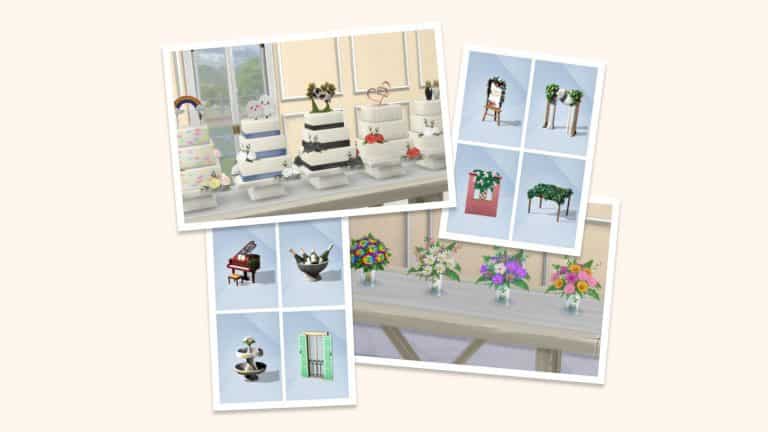
The Sims 4 My Wedding Stories Reveal follows the story of Dominique & Camille – two lovely newlyweds who planned up their wedding in the world of Tartosa. Check out their wedding planning journey and life story! There are also some new screenshots showcasing new Create A Sim items, Build Items and new scenery coming with the pack.

Our Story

After a long friendship, Dominique and Camille actually got together on what was supposed to be Camille’s wedding day—a little untraditional, but when you find your person, you just know! No big surprises expected this time around.

The Sims 4 My Wedding Stories: New Screen Previews

Venue

Famed for its wedding industry, Tartosa is rich with beautiful venue options! We considered the beach and the forest, as well as a local estate and a church. Ultimately, we decided on a garden wedding!

The Sims 4 My Wedding Stories: New Screen Previews

Dressing Up

We did some window shopping in the village to choose our wedding looks. (Shh, no spoilers!) If you need some ideas, we recommend you do the same for some fashionable attire.

The Sims 4 My Wedding Stories: New Screen Previews

The Theme

For a garden wedding, nothing is more appropriate than florals. We had tons of decor options for everything from the cake to the bouquets, seats, table setups, and more!

The Sims 4 My Wedding Stories: New Screen Previews

The Sims 4 My Wedding Stories: 100+ Screens from the Reveal

2

The Sims Team has just revealed the upcoming My Wedding Stories Game Pack for The Sims 4!

The latest reveal trailer has brought tons of new frames and footage from the upcoming Pack. We know that you like to analyze each and every frame for new objects and details, so we extracted the screens from the reveal for you!

Down below are 119 important frames from the reveal trailer that you can check out screen by screen. You can zoom in on each picture by clicking on an image of your choice. Let us know what you find in the comments below!

The Sims 4 My Wedding Stories: Official Assets & Features

0

The Sims Team has sent us the official material, description and features from their upcoming Game Pack – The Sims 4 My Wedding Stories!

Check out the official description and features of the pack, as well as screens, boxart, renders and more.

Take a trip down the aisle in The Sims™ 4 My Wedding Stories Game Pack*! Make your Sim’s journey to their big day special, then plan the perfect ceremony. From the proposal to the reception, customize each aspect to celebrate every Sim’s love story in a way that truly feels unique to them. In the world of Tartosa, (almost) anything becomes romantic.

PREP TO PARTY – Popping the question is just the beginning of your Sim’s wedding experience. Once they’ve said yes, the excitement and nerves set in—there’s so much to plan! Choose the Sim of Honor to make the journey to the altar as fun as possible. Then, bring on the engagement dinner, rehearsal, and a last single night out to remember.

BRING YOUR VISION TO LIFE – Get into the details of upcoming nuptials as Sims select their wedding day attire and everything else they’ll need for the big moment: menu, decor, schedule… all of it! Tour venues designed by community creators as Sims try cakes, consider flowers, and settle on the traditions that will make their day most meaningful.

TIE THE KNOT – Before the main event, celebrate with family at a rehearsal dinner. When it’s finally time, feel the love and live out every fantasy. Exchange vows, rings, and kisses at the altar before the real celebration starts. Kick it off by serving tea for the family, or head right to the reception. Newlyweds and guests alike can dance with loved ones, while the new spouses cut the cake, give toasts, and receive well wishes.

Logo

The Sims 4 My Wedding Stories: Official Assets & Features

Boxart

The Sims 4 My Wedding Stories: Official Assets & Features

Icon

The Sims 4 My Wedding Stories: Official Assets & Features

Render

The Sims 4 My Wedding Stories: Official Assets & Features

Screens

The Sims 4 My Wedding Stories: Official Assets & FeaturesThe Sims 4 My Wedding Stories: Official Assets & FeaturesThe Sims 4 My Wedding Stories: Official Assets & FeaturesThe Sims 4 My Wedding Stories: Official Assets & Features

The Sims Blog: Find Marital Bliss in The Sims 4 with My Wedding Stories

1

TheSims.com has published their first reveal blog for The Sims 4 My Wedding Stories Game Pack! Check out the new information:

Introducing Tartosa, the most romantic world in all of The Sims 4. The sunsets are heartstopping, the beaches are breathtaking, the gardens are astonishing, and the waterfalls are awe-inspiring; Tartosa is a paradise made for love.

This idyllic world is the perfect place to celebrate your Sims’ nuptials, from putting a ring on it to the renewal of vows, reflecting a true wedding and happily-ever-after experience! You’ll be able to creatively discover different sides of oneself to plan out many versions of your Sims’ dream wedding: the festivities leading up to the ceremony, participants, decor, dresscode, cake, location and more.

So without further ado, we now present Tartosa and a guided tour of The Sims 4  My Wedding Stories Game Pack.

The Sims Blog: Find Marital Bliss in The Sims 4 with My Wedding Stories

Pre-Wedding Festivities 

A wedding doesn’t start until your partner says “yes,” right?

Enjoy the thrill of every major moment leading up to the Big Day, starting with your engagement. Although you can absolutely be the spontaneous type and elope at City Hall, you can also spend some time selecting that flawless ring in Create-A-Sim, picking the right time and location. When they say yes – because of course they will, you’re a total catch! – you and your partner have the preference to host pre-wedding parties to celebrate the big news with family and friends.

Just like your wedding, your Sim couple can plan their Engagement Party, Bach Parties and/or Rehearsal Dinner any way they want, complete with the option of toasts, speeches, food, gifts and dancing, as well as the choosing of a Sim of Honor.

The Sims Blog: Find Marital Bliss in The Sims 4 with My Wedding Stories

Ultimate Checklist for Planning Your Nuptials

The fun of planning all of the ceremony details may begin – and you can make your wedding(s) uniquely yours! You don’t like to dance? Not a problem; we’ll just prepare more food.

After you’ve established your Sim couple’s likes, dislikes, wants and nots, you can move on to setting a date and choosing your venue. Tartosa is full of picturesque locations – from a Coastal Village to the Forested Inland – with everything you need to make your wedding day magical, including reverent residents and local lore. There’s extravagant ballrooms, sunset-laden beaches, and peaceful gardens. We’ve partnered with community creators from different backgrounds to create lots that represent our community, like icemunmun’s “Garden Palace of Vows,” and “Centurial Harmony Garden” created by CatherineGamesYT.

Once you’re in town, you can go to the local wedding attire boutique to try on a vast array of dresses and tuxedos. From traditional to modern, from flowy white gowns to the reds and henna typically worn by Hindu brides, there’s a look for everyone. Then, you’ll be able to visit the flower cart in the center of town to choose the bouquet you’ll inevitably toss over your shoulder.

What’s a party without a cake? Swing over to the patisserie shop to taste test and put your personal spin on your Sims’ perfect cake from seemingly endless options and combinations – and don’t forget your cake topper!

The Sims Blog: Find Marital Bliss in The Sims 4 with My Wedding Stories

The Perfect Cinematic Wedding 

Today’s the Big Day and now it’s time to revel in everything you’ve built. If you’re celebrating a more traditional Chinese matrimony, you can start the day with a Family Gathering – the customary tea ceremony – serving refreshments to your respective families.

After slipping into your wedding attire, it’s now time to start the Wedding Ceremony. Your guests will gather together to cordially await your arrival. Once you’ve sent down your flower pal and ring bearer down the aisle, if you so choose to, then you and your partner will do the same, either alone or with someone to give you away. Vows exchanged, I Do’s certified, and the first kiss seals the deal. Congratulations, newlyweds! Let’s party!

In the Wedding Reception, you’ll have an opportunity to toss your bouquet, cut the cake with your partner, and even share your first slow dance as a married couple, complete with a rehearsed twirl-and-dip. Then, move over, lovebirds, the rest of the party wants to join you on the dance floor for some line dancing! It’s electric!

The Sims Blog: Find Marital Bliss in The Sims 4 with My Wedding Stories

Memories to Last a Lifetime

You and your partner’s celebration doesn’t stop after the reception. You’ll have a lifetime together to memorialize your matrimony, starting with the photos you captured and vacations you planned. Whether you stay in Tartosa or travel to another far-off world, you’ll be able to enjoy your new life with an intimate vacation for two.

As you and your partner grow old, you two will also have the chance for Vow Renewal, reaffirming your love for each other in a smaller, simpler version of your wedding ceremony.

The Sims team wishes you and yours a sincere congratulations!

The Sims 4 My Wedding Stories: Official Reveal Trailer

2

The Sims Team has released the official reveal trailer for The Sims 4 My Wedding Stories Game Pack!

The upcoming, 11th Game Pack for The Sims 4 is set to release on February 17th on PC, Mac, Xbox and Playstation Consoles! Stay tuned for more information coming real fast…

The Sims 4: Walkthrough of the Live in Business Mod

One major drawback to the Get To Work expansion is that our Sims cannot live at their business. The business system in the expansion is also restricted to retail stores only; other types of ownable businesses like cafes, gyms, daycares, nightclubs, etc, aren’t possible.

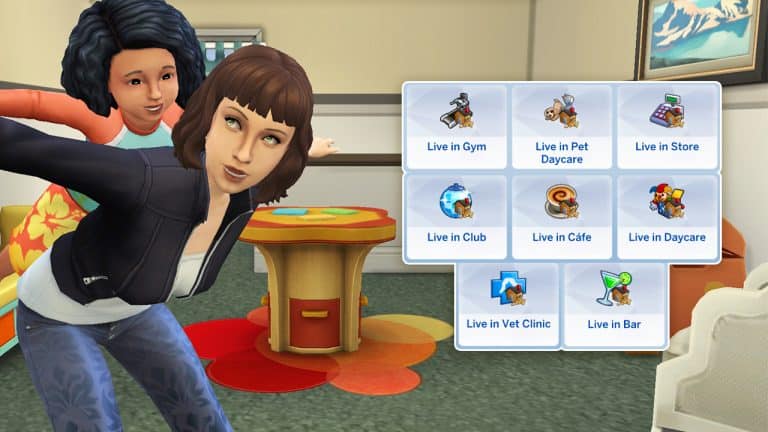
Of course a modder has fixed that problem. Modders always seem to come to the community’s rescue when EA falls short of expectations. LittleMsSam has a Live in Business mod that will allow your Sims to run bars, cafes, nightclubs, gyms, daycares, pet daycares, and vet clinics from home! The mod also comes with a few optional add-on packages for you to tailor the mod to your liking. It’s also integrated with LittleMsSam’s More Buyable Venues mod. Having both mods installed will add additional functionality to your live-in businesses.

Starting a Live-In Business

Of course, you’ll need to install the mod, first. Head to LittleMsSam’s tumblr page to download the mod. If you’re not sure how to install mods and CC, check out our article, Getting Started with Mods and CC.

The Live-In Business mod is free for everyone to download and most of the business types are base game compatible. The Bar, Nightclub, Daycare, Gym, and Retail live-in businesses are base game compatible. The café live-in business requires Get Together. The pet daycare and vet clinic live-in businesses require Cats & Dogs.

Once the mod is installed correctly, you’re ready to play with your own live-in businesses! The mechanics of each type of business vary a bit depending on the type of business you’re running but they all have the exact same setup process. Build or download your venue and make sure the lot type is set to Residential. This will allow your Sims to move in there. Then in the Lot Traits tab, select the type of business you wish to run.

The Sims 4: Walkthrough of the Live in Business Mod
Once you have the proper lot trait assigned to your residential lot, click on the front door to open and close the business! Make sure you lock doors for any areas that you don’t want customers to enter, like your Sim’s personal living space. That’s it for start-up, you’re all good to go! Read on to learn how to manage each type of business once it’s open to the public.

Live-in Café (Requires Get Together)

The Sims 4: Walkthrough of the Live in Business Mod
Running a live-in café is pretty simple! Once you open up the café, visitors will start spawning on the lot. Make sure your Sim is tending the barista station or hire a barista to tend to the station so your customers can order coffee and pastries.

Your household can collect payment once per day from the computer while the café is open. If you also have the More Buyable Venues mod installed, you will receive additional profits for every drink and food item customers order at your café.

The café can stay open 24 hours a day, 7 days a week if you want! When you do want to close the café, just click the front door to close the business. Any customers on the lot will leave until you open the business again.

  • Optional Add-On: Dog Owner & Dogs as Cáfe Guests (LIB Café Addon)
    This addon package will allow dog owners to spawn with their dogs at your café if you’d like to have a pet-friendly café. This addon does require you to have the Cats & Dogs expansion in order to work.

Live-In Bar

The Sims 4: Walkthrough of the Live in Business Mod
Running your own bar is very similar to running your own café and just as simple. Open the bar to have customers start spawning and make sure there is someone tending the bar so customers can order drinks and bar food. Your Sims can tend the bar themselves or hire a bartender to come and manage the bar for you.

Your household can collect payment once per day from the computer while the café is open. If you also have the More Buyable Venues mod installed, you will receive additional profits for every drink and food item customers order at your bar.

The bar can stay open 24 hours a day, 7 days a week if you want! When you do want to close the bar, just click the front door to close the business. Any customers on the lot will leave until you open the business again.

Live-In Nightclub

The Sims 4: Walkthrough of the Live in Business Mod
Nightclubs are a little different from cafés and bars, but still very straight forward. Open the nightclub to have guests start spawning on the lot. Make sure you have bartenders and entertainers or DJs to keep the guests entertained. Your Sims can provide these services themselves or hire service Sims.

Instead of collecting a daily profit from the business via the computer, each Sim that visits your nightclub will pay a $120 entry fee upon arrival, so the more Sims that visit the nightclub, the bigger the profits. During our playthrough, we had lots of Sims spawn at our nightclub. Probably around 15-20 at any one time.

In addition to the entry fee, you can also receive additional profits for every drink and food item sold at your nightclub if you have the More Buyable Venues mod installed as well.

The nightclub can stay open 24 hours a day, 7 days a week if you want! When you do want to close the nightclub, just click the front door to close the business. Any customers on the lot will leave until you open the business again.

Live-In Daycare

The Sims 4: Walkthrough of the Live in Business Mod
When you open a live-in daycare, between 5-8 toddlers will spawn right away on the lot. These toddlers must already exist in your world; the game will not create new toddlers to fulfill this role so make sure you’ve populated your worlds with plenty of toddlers to show up at the daycare.

You’ll receive a flat rate of $300 for each toddler that spawns that day at the daycare. While the toddlers are in your care, your Sims can play with them and help them fulfill their needs just like caregivers would do so at a real daycare.

Even though you can keep the daycare open 24/7, toddlers will only stay for a maximum of about 12 hours before they leave.

  • Optional Add-On: More Toddlers
    This addon package will spawn an additional 3-5 toddlers for Simmers who want an extreme challenge.

Live-In Gym

The Sims 4: Walkthrough of the Live in Business Mod
Opening a live-in gym will allow guests to spawn on the lot and start using any exercise equipment available.

Each Sim that visits your gym will pay a $60 entry fee upon arrival, so the more Sims that visit the gym, the bigger the profits. During our playthrough, we had lots of Sims spawn at our gym. Probably around 15-20 at any one time.

If you also have the More Buyable Venues mod installed, you’ll be able to earn additional profits from your gym by mentoring Sims and offering yoga classes. The Work as Yoga Instructor add-on is required to give yoga classes.

Your gym can stay open 24/7 if you’d like.

  • Optional Add-On: Work as Yoga Instructor (LIB Gym Addon)
    This add-on package requires the Spa Day game pack. It will add two new options on the yoga mat which can be purchased under Activities & Skills in Build/Buy. 1) Hire Yoga Instructor – Spawns a yoga instructor. You can click on the yoga instructor to have them start 1 of 3 yoga classes. 2) Work as Yoga Instructor – Only available to Young Adult+ Sims with level 8+ Wellness skill. Click on your Sim to start 1 of 3 yoga classes. Your Sim must be the active Sim to see this option. When you are done working as an instructor, click the yoga mat and select Stop Working as Yoga Instructor.

Live-In Pet Daycare (Requires Cats & Dogs)

The Sims 4: Walkthrough of the Live in Business Mod
When you open a live-in pet daycare, between 3-7 dogs and 3-7 cats will spawn right away on the lot. These pets must already exist in your world; the game will not create new pets to fulfill this role so make sure you’ve populated your worlds with plenty of pets to show up at the daycare.

You’ll receive a flat rate of $350 for each pet that spawns that day at the pet daycare. While the pets are in your care, your Sims can play with them, train them, run the obstacle course with them and help them fulfill their needs such as feeding, bathing, brushing, etc.

Even though you can keep the pet daycare open 24/7, pets will only stay for a maximum of about 12 hours before they leave.

Live-In Vet Clinic (Requires Cats & Dogs)

The Sims 4: Walkthrough of the Live in Business Mod
Vet Clinics have some different mechanics than the other venue types. When you open a live-in vet clinic, you don’t need to greet patients before you can treat them like you would on a regular vet clinic lot. When a patient arrives, just click on an exam table to begin your examination of the patient.

Sick pets will spawn with their owners when you have the vet clinic open but it can take some time for them to start showing up. They won’t instantly spawn as soon as you open the vet clinic. When patients arrive, you’ll get a popup with the patient’s name so you know which patient you should see to next. Patients will stay for a while but will eventually leave if you don’t treat them.

You’ll earn anywhere between $500-$1,000 for each patient that you treat.

The live-in vet clinic also allows you to hire and fire employees by clicking on the front door. Teens and older Sims can be hired but keep in mind that if you hire a Sim who already has a job, they may not always show up for work if you have the vet clinic open during their other job’s working hours. We recommend hiring unemployed Sims only to help you with your vet clinic.

Each employee you hire costs a flat rate of $250 a day. They won’t do everything on their own. Mainly, they’ll clean, repair stuff, and keep pet dishes full autonomously and that’s it but you can also direct them to make pet treats so you can stock the vet vending machines with them. Hired employees won’t wear a uniform unless you also have the uniform addon installed. When you close the vet clinic, the employees will not go home on their own. You have to dismiss them for the day by clicking on them. If you decide you don’t want to play with a live-in vet clinic anymore, make sure you fire any current employees.

You can also order vet exam table and surgery machine medicine from the computer at a live-in vet clinic. The items will be delivered in the mail. You can keep the vet clinic open 24/7 if you want to.

  • Optional Add-On: Vet Clinic More Patients (LIB Vet Clinic Addon)
    This add-on package will allow more patients and pet owners to spawn at your live-in vet clinic.
  • Optional Add-On: Vet Clinic Outfit (LIB Vet Clinic Addon)
    This add-on package will allow your employees to wear the vet clinic uniform. There’s four colour options; Blue, Brown, Plum, or Mint. Only pick one colour to install!

Live-In Retail Store

The Sims 4: Walkthrough of the Live in Business Mod
Running a live-in retail store with this mod does not require Get To Work. LittleMsSam rewrote the code from the ground up to make it base game compatible, but this means that her live-in retail stores function completely differently from the Get To Work retail system.

When your retail lot is open, between 1-3 customers will spawn per hour while the store is open. Not every customer will buy something. Some may just browse for a while and then leave. Others might make one purchase and leave. Some customers may continue shopping for a while after purchasing an item.

Unlike the Get To Work retail stores, the live-in stores don’t require you to interact with your customers or hire employees. LittleMsSam describes it as a “self service” system, where customers will simply help themselves to what they want, pay, and leave on their own. No need to ring anyone up or make sales.

You can mark up prices on the items in your store and launch ad campaigns by clicking on the front door. The default markup is 0% so you’ll probably want to adjust this to make a profit instead of just breaking even all the time. You can mark up prices to 25%, 50%, 75%, and 100% but the higher the markup, the lower the chances of customers making a purchase. It’s a balancing act. Running an ad campaign will bring in an additional 2-6 customers per hour and increase the chances that customers will buy something. A short term ad campaign costs $25/day and lasts for 2 days. A long-term ad campaign lasts for 7 days and you are charged $150 all at once. Since $150 is the equivalent of only 6 days’ worth of advertising, it is actually a bit cheaper in the long run to launch long-term campaigns.

Items must be set for sale for customers to be able to buy them. Click on an item to set it for sale. Only certain items can be set for sale; namely craftables, collectibles, and food. Here is the full breakdown of exactly what can be sold from LittleMsSam’s tumblr page:

From LittleMsSam’s Sims 4 Mods:

Craftables:

  • Canvas
    Sell your own Paintings in your own Gallery.
  • Woodworks
    You can sell all Woodworks you can create via the Woodworking Table including Objects made with my More Woodworks Mod. Some Interactions are disabled for self created Instruments so your Sims shouldn’t use them on their own when they are set for Sale.
  • Self written Books
    Sell your Books directly to Customers. You will find a new “Copy Book” Interaction on your Books which let’s you copy Books a bit cheaper and puts them into your Inventory without your Sim doing the Interaction. Make sure to keep the Original and only sell the Copies! Some Interactions like Read, Put Away are disabled for Books that are set for Sale so you don’t have to worry your Sims or Maids putting them away over and over again.
  • Frabricated Items
  • Knitted Items
  • Carved Pumpkins
  • Herbalism  Potions
  • Realm of Magic Potions 
  • Toy Robots, Mini Bots & Quadcopter
  • Flower Arrangements
  • Serums
  • Cross Stitchs, Wool
  • Canned Goods, Giant Crops Small to Large, Jerry/Jam, Milk, and Eggs

Collectibles:

  • Artifacts
  • Fossils
  • Treasures
  • Crystals
  • Metals
  • Alien
  • Space Rocks
  • Autographed Objects
  • Insects
  • Easter Eggs
  • My Sims
  • Candy Skulls
  • City Poster
  • Postcards
  • Snowglobes
  • Frogs
  • Space Prints
  • Seashells
  • Sulani Treasures
  • Photos

Consumables:

  • Food (including Honey)
    Food set for sell will not be touched anymore by your Sims. I recommend to use the Retail Display to keep the Food longer Fresh. High Quality Food will have a higher Chance to be bought. Spoiled Food will not be bought by Customers.
  • Fish
    Fish can be sold via Aquariums. Put the Fish into a Aquarium and “Set Fish for Sell” via the Interaction on Aquariums. Customers will buy the Fish directly out of the Aquarium. The Retail Display is also available to sell Fish from.
  • Harvestables (compatible with CC Plants that have the Func “GardeningSkillPlant” added)
    You can sell Harvestables directly from the Bush or Tree. If “Set Harvestables for Sale” is activated on a Bush/Tree Customers will harvest them on their own. If you use my Auto Gardening Mod and have the Auto Harvest enabled Bushes/Trees which are set for Sale will not be harvested.

The “Set for Sale” Interactions except Fish & Harvestables show the Retail Price including the Mark-Up etc., so you can see already what you would get but if you change any setting after setting it for sale the price can change of course.

When an item has been purchased, it won’t be transferred to the customer’s inventory unless you have the Send to Inventory add-on installed. It will just be destroyed. You cannot instantly restock purchased goods; you must craft the item again and reset it for sale.

  • Optional Add-On: Send to Inventory
    This add-on package will send most purchased items to the customer’s inventory instead of just being destroyed. Namely canvas, woodworks, and books.
  • Optional Add-On: Risk of Kleptos
    If this add-on is installed, customers that have the kleptomaniac trait may walk out with your items without paying for them.
  • Optional Add-On: Egg Box/Milk Container
    This add-on package requires the Cottage Living expansion pack. If your Sim has at least 10 eggs or milk in their inventory, you can click the stack to put them in an egg carton or milk crate. The cartons and crates can then be set for sale.

Global Add-On

Some of the live-in businesses have their own individual add-ons that affect only that type of business but the following add-on is a global add-on that affects all live-in businesses.

  • Optional Add-On: Less Income
    This add-on package will cut all profits from live-in businesses in half. Great for players who like a challenge and don’t want running their business to be too easy.

Our Thoughts

We were very impressed with both the depth and simplicity of this mod. Not only does it allow our Sims to live properly at their business with no annoying workarounds, but it adds so many different types of businesses that aren’t even possible to own with any official DLC.

The functionality of the mod is very simple and easy to use. Very little setup is required to get it going and your customers handle themselves for the most part. We could choose how involved or detached we wanted to be with our businesses. We could have our Sims personally serving coffee at their own café or we could just hire a barista and let the money roll in while we went about our everyday business. The mechanics are both simple and versatile and all the optional add-ons allow us to customize our live-in business experience to our liking and really make it our own.

We definitely recommend this for any mod user’s collection. It really opens up a whole new world of entrepreneurship with almost no learning curve whatsoever. It’s very easy to get a live-in business set up and even easier to manage them.

The Sims 4 Carnaval Streetwear Lookbook

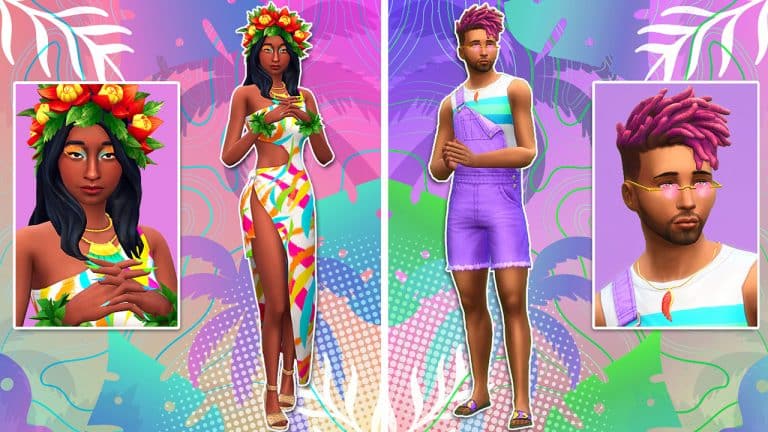
A new CAS kit is here and you know what that means! It’s time for another lookbook! Let’s take a trip down party lane with these fun and vibrant pieces from the Carnaval Streetwear Kit!

All our looks for this lookbook are CC-free and only use the base game and one other pack.

Sul-Sul Sulani

The Sims 4 Carnaval Streetwear Lookbook
This dreamy tropical ensemble is your perfect vacation outfit for soaking up the sun in beautiful Sulani. This breezy patterned dress paired with a crown of flowers, woven sandals, and leafy bracelets will keep you both cool and stylish when you’re strolling along the beach on those humid summer days on the islands.

Hair: Shoulder-Length Waves with Flower Crown (Island Living)

Body: Patterned Wrap Dress (Carnaval Streetwear)

Shoes: Woven Wedge Sandals (Island Living)

Accessories: Necklace & Bracelets (Island Living) / Nails (Carnaval Streetwear)

Makeup: Eyeshadow (Carnaval Streetwear) / Lips, Contour, Eyeliner & Highlight (Base Game)

Backyard Bro

The Sims 4 Carnaval Streetwear Lookbook
Summer is the season for strutting your stuff in front of all the cute Sims, but you don’t want to look like you’re trying too hard. Keep it cool, but casual in this comfy tropical shirt and bright shorts paired with tan loafers, sunglasses, and a baseball cap. It tells everyone you’re here for a good time but you’re chill about it, you know?

Hair: The 2000’s Boyband Shag (Backyard Stuff)

Top: Button-Down Sleeveless Shirt (Carnaval Streetwear)

Bottom: Neon Shorts (Backyard Stuff)

Shoes: Tan Loafers (Base Game)

Accessories: Glasses, Hat & Right Bracelet (Base Game) / Left Bracelet (Carnaval Streetwear)

Other: Facial Hair (Base Game)

Fishnet Fantasy

The Sims 4 Carnaval Streetwear Lookbook
It’s Friday night and you’re ready to have a good time! Do it in style with fishnets which never go out of style! You’ll be the fiercest Sim on the block with this strappy bra top layered under a fishnet shoulder cover. Pair the look with some matching fishnet stockings, a miniskirt, and a trendy hat and you’ll be unstoppable!

Hair: Sideswept Braids (Get Together)

Top: Layered Fishnet Shoulder Cover over Strappy Bra Top (Carnaval Streetwear)

Bottom: Skin-Tight Miniskirt (Get Together)

Shoes: Zip-Up Leather Ankle Boots (Get Together)

Accessories: Earrings, Necklace & Nails (Carnaval Streetwear) / Hat (Get Together) / Fishnet Stockings (Base Game)

Makeup: Eyeshadow (Carnaval Streetwear) / Lips, Contour, Eyeliner & Highlight (Base Game)

In Purple, Pinks and Hearts!

The Sims 4 Carnaval Streetwear Lookbook
A little purple, pink and a some hearts and this look is comfortable but also Caranaval ready! Regardless of where the party is at, you’ll always be prepared for whatever happens! 

Hair: Two Tone in Pink (Base Game)

Full Body: Overalls and Tee Combo (Carnaval Streetwear)

Shoes: Zig-Zag Slides (Get Famous)

Accessories: Heart Sunglasses and Feather Necklace (Carnaval Streetwear)

It’s Crystal Clear

The Sims 4 Carnaval Streetwear Lookbook
Let your outfit sparkle with these colourful gemstones and golden shorts combo! Simple but beautiful!

Hair: Half Up Bun (Base Game)

Top: Gemstone Crop (Carnaval Streetwear)

Bottom: Golden Shorts (Moschino Stuff)

Shoes: Double Strap Wedges (Base Game)

Accessories: Gemstone Choker (Fashion Street) / Pink & Blue Nails (Carnaval Streetwear) / Toe Nails (Base Game)

Makeup: Pink & Purple Glitter Eyeshadow (Carnaval Streetwear) / Red Lips and Eyeliner (Base Game)

Sparkles & Stripes!

The Sims 4 Carnaval Streetwear Lookbook
Who said you can’t mix sparkles, chains and stripes together in one outfit! The vibrant combo with different textures and patterns helps bring the look alive and gets your Sims’ Carnaval ready! 

Hair: Ringlet Waves (Get Famous)

Full Body: Glitter, Chain and Stipes Combo (Carnaval Streetwear)

Shoes: Studded Heels (Get Famous)

Accessories: Feather Earrings  & Long Black Nails (Carnaval Streetwear) & Toe Nails (Base Game)

Makeup: Blue & Green Eyeshadow (Carnaval Streetwear) Contour and Lipstick (MAC – Base Game) and Eyeliner (Base Game)


Credits

This post was a collaboration between Krista and SnarkyWitch!

Don’t forget to show us your Carnaval Streetwear looks over on social media!

Countdown to the reveal of The Sims 4 My Wedding Stories

1

The Sims Team is finally revealing their upcoming Game Pack for The Sims 4 tomorrow!

On February 8th at 8AM PST you’ll get to see the big trailer reveal of The Sims 4 My Wedding Stories Game Pack. EA has already set up a trailer premiere on YouTube that we’ve added down below.

To make things easier for the premiere of the latest Game Pack there’s a countdown below that counts to the exact moment of the pack reveal. As soon as the countdown turns to zero you’ll get the first wave of information regarding My Wedding Stories, including the trailer, new assets and official features for the pack.

[janky target_time=”1644336000″ color=”#1400b3″]

Some first information about the Game Pack has already surfaced – if you’re eager to find out check out our My Wedding Stories Article Category!

What are you hoping from the reveal of My Wedding Stories? Let us know in the comments below!

Modder adds an entire Burglar System to The Sims 4!

A fully detailed addition of Burglars for The Sims 4

Carl’s Sims 4 Guide is a known member of the simming community, mostly for his extensive guides and videos covering certain topics for the game. But, did you know that he’s also gotten into modding over the last couple of months?

He is the perfect definition of the “fine, I’ll do it myself” saying. After doing multiple video essays on what’s wrong with The Sims 4 and how the game is too easy, he simply put the matter into his own hands through modding.

Over the last couple of months Carl has been working extensively on his Gameplay Overhaul Mod for The Sims 4 which focuses on adding difficulty in certain aspects of the game. That includes Skills, Careers, Money, Relationships and everything in between. Imagine The Sims 4 finally having an option to choose between Easy and Hard difficulties – that’s just one of the many features and improvements included with Carl’s Gameplay Overhaul.

Modder adds an entire Burglar System to The Sims 4!

We definitely plan to come back to the general overhaul at a later point for a different article here on Sims Community as there’s more than it meets the eye. But for now I want to focus on one major feature included with this Mod – Burglars!

Burglars in Carl’s Gameplay Overhaul

After 8 years The Sims 4 is still officially missing one of the most iconic NPCs in The Sims Franchise – Burglars. There have been a few rumors on why they still haven’t been included in the game yet. However, SimGuruGrant who’s been working on The Sims 4 since all the way until 2018 has confirmed that they’re not in the game simply because they haven’t made them yet. Fast forward to 2022 and Burglars are still nowhere to be found in the game – at least if you’re playing The Sims “vanilla” style.

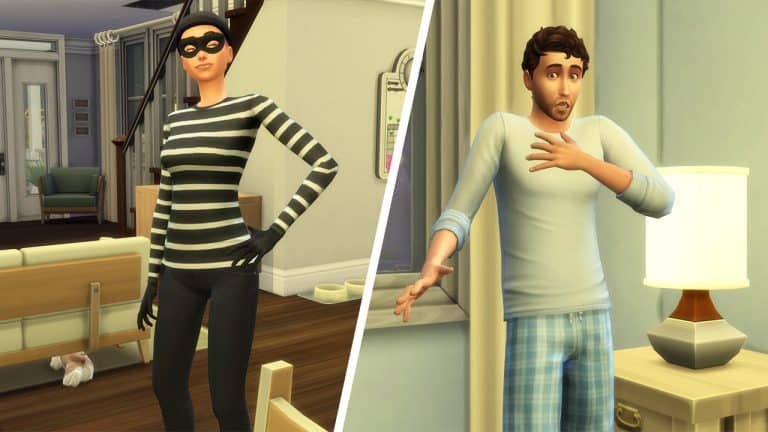
The Gameplay Overhaul from Carl has an addition of a whole new Burglar system to the game. That’s right – random thieves can break into your home in the middle of the night while your Sims are sleeping. The whole Burglars aspect of this Mod is carefully polished, meaning that you have everything you’d expect from Burglars – and I’ll break it all down here!

Burglars are drawn to your lot on a random basis after 10PM after your Sims go to sleep. You can of course play with these odds and modify your chances with a new Lot Trait and Lot Challenge. The Good Neighborhood Lot Trait will lessen the chances of Burglars ever coming to your home. If you want to challenge things up there’s a Bad Neighborhood Lot Challenge with double the chances of your belongings getting swiped in the middle of the night!


For the sake of making this article I couldn’t just wait countless nights to see how Burglars work in the game – I had to check their features immediately! Luckily Carl included a handy cheat with this Mod which lets you spawn Burglars after 10PM. Note that it will only work if all of your Sims in the household are asleep!

The cheat in question is Carl.Burglar.

So I did just that – I sent off the Baker Household to go to bed and after 10PM applied the cheat. It immediately spawned a Burglar on my lot, all with a proper “Burglar” NPC Tag and Burglar Clothing created by the talented Ravasheen!

Modder adds an entire Burglar System to The Sims 4!

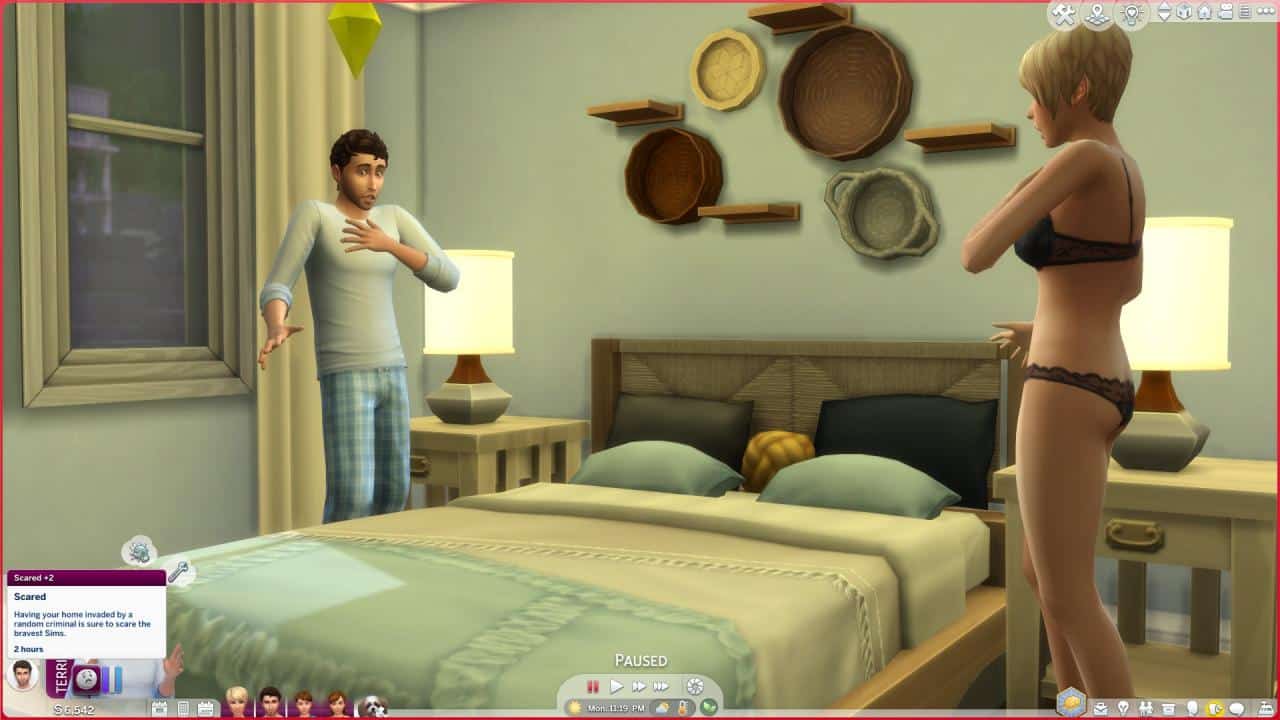
Immediately all of my Sims on the lot woke up Teriffied with a strong Scared moodlet – they were aware that a Burglar was on their lot.

Modder adds an entire Burglar System to The Sims 4!

Focusing more on the Burglar, I also noticed a cute little detail that Carl has added for Burglars. Whenever they approach the entryway of your house there’s going to be some terrifying violin music playing. It’s not exactly as scary as the music from The Sims 1 – but it’s definitely a welcoming nod to the good (and terryfing) old days.

If you don’t remember how scary the Burglar music was, check out the recap below of Burglar Themes from The Sims 1, The Sims 2 and The Sims 3!

Going back to modded Burglars in The Sims 4 – they will swipe anything they come across – both outdoors and indoors. Doors won’t be a problem for Burglars as they just go through them! They can steal more than just 1 object, but I’ve normally noticed that they tend to take 2 objects per lot visit. After they’re done they’ll wait for a few Sim seconds (confidently) on your lot for your reaction.

Modder adds an entire Burglar System to The Sims 4!
Even the dog is scared.

Considering that your Sims will probably wake up by the time they’re done stealing objects, you have an option to select the Burglar and Fight for Stuff. It just so happened that one of the Burglars that visited my lot was a celebrity, so I was also able to fangirl before getting into the fight.

Modder adds an entire Burglar System to The Sims 4!

The fight, just like in previous Sims games, turns into a game of odds. If your Sims win the fight they’ll be able to retrieve all of the stolen items back into their Household Inventory.


However, if they lose the fight not only will the Burglar keep the items they’ve stolen, but they’ll also steal one more thing before heading out.

Modder adds an entire Burglar System to The Sims 4!

How to prevent Burglars?

The Gameplay Overhaul just recently got updated with an awesome addition – an Alarm System!

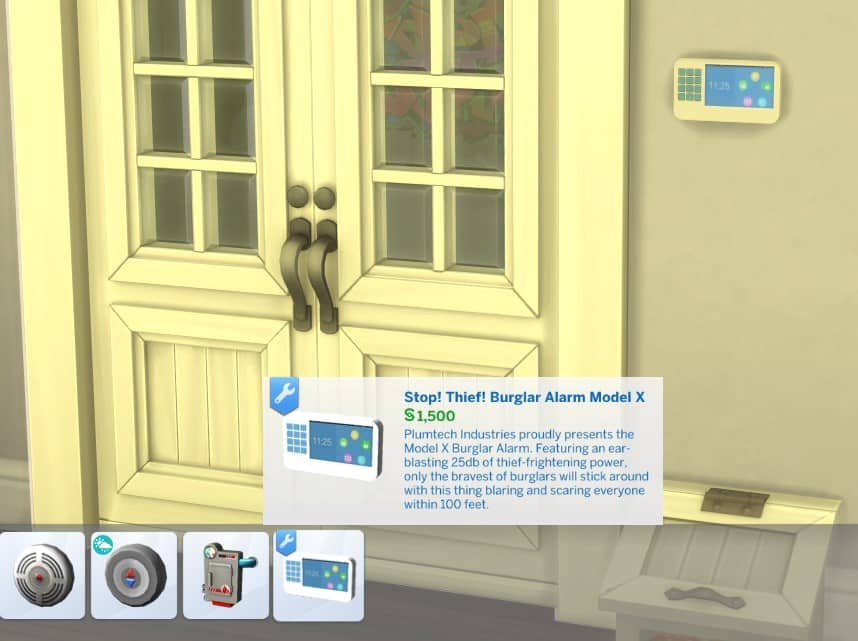
That’s right, if you prepared your lot beforehand you’ll be able to catch the Burglar immediately. Ravasheen has designed a special “Stop! Thief! Burglar Alarm Model X” object that you can find in the Alarms section of Electronics. It costs a whooping 1,500 Simoleons, but it’s definitely worth its price.

Modder adds an entire Burglar System to The Sims 4!

The moment a Burglar invades your home the alarm will sound off. Sure, the Burglar might steal an object or two before the Police arrive, but it’s always guaranteed that you’ll get your objects back. And that the Burglar will get their justice served.

Modder adds an entire Burglar System to The Sims 4!

Carl has made sure to add unique ways of preventing Burglars for different type of Sims! For example, Vampire Sims are able to use a certain set of Vampire abilities to prevent burglarly. After the effects of a spell weans off the Burglar should return the items and leave your lot.

Modder adds an entire Burglar System to The Sims 4!

Are burglars trying to intrude your Spellcaster household? Don’t worry – you can just freeze the Burglar – in a literal way!

Modder adds an entire Burglar System to The Sims 4!

Carl mentions that there are over 20 unique ways to stop a Burglar. Even Mermaids can put a stop to them, and the most afflicting negative buffs will take over the Burglar and prevent the situation from developing further.


I couldn’t believe that all of this was added as a side thing for a project that’s bigger than life. Burglars are so detailed within the Gameplay Overhaul Mod, and Carl has added so much value to the game not only with this addition, but the entire Gameplay Overhaul as well.

The Gameplay Overhaul touches on many different aspects of The Sims 4, not only just the difficulty and Burglars part. There are major improvements to Dine Out, Fishing Revamp, Gardening and Relationship improvements and so much more. The Mod is absolutely HUGE that I couldn’t just cover everything in one article.

We’ll be doing a lot more on the Gameplay Overhaul and what it includes. But, for now if you’re interested in playing with Burglars, they’re a part of the Early Access tier on Patreon and will be made available to the public soon. The Dine Out Fixes are going public next with Burglars sometime after that – but we’ll make sure to keep you posted on the developments of the Gameplay Overhaul here on Sims Community!

There are currently two versions that you can get of the Gameplay Overhaul:

[mks_button size=”medium” title=”Public Version” style=”squared” url=”https://www.patreon.com/posts/carls-sims-4-mod-58183239″ target=”_blank” bg_color=”#1e73be” txt_color=”#FFFFFF” icon=”fa-arrow-down” icon_type=”fa” nofollow=”0″][mks_button size=”medium” title=”Early Access Version” style=”squared” url=”https://www.patreon.com/posts/v1-41-romance-59845562″ target=”_blank” bg_color=”#1e73be” txt_color=”#FFFFFF” icon=”fa-arrow-down” icon_type=”fa” nofollow=”0″]

You can also follow the developments of The Sims 4 Gameplay Overhaul Mod on Carl’s Sims 4 Guides Twitter!