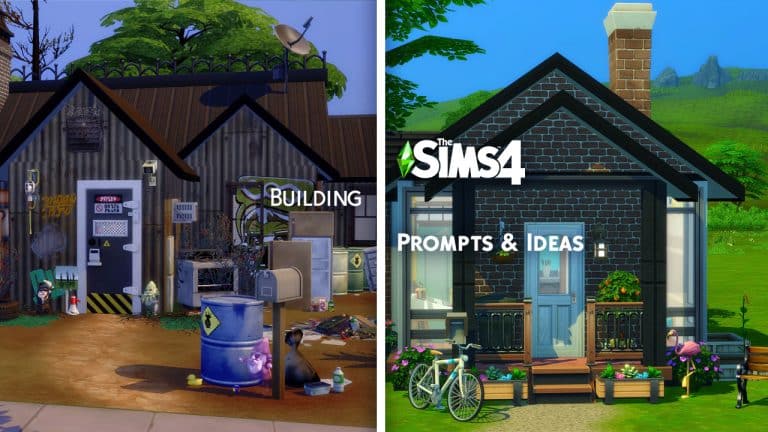
Every now and then it can be difficult to know what to build in game. You spend what feels like forever trying to figure out what to build, and almost get to the point where you wonder why you opened the game originally in the first place. Well, fear not, as here is a list of over seventy Sims 4 Build prompts and ideas to get you in the building mood!
General Sims 4 Build Prompts
Family Home
Tiny Home
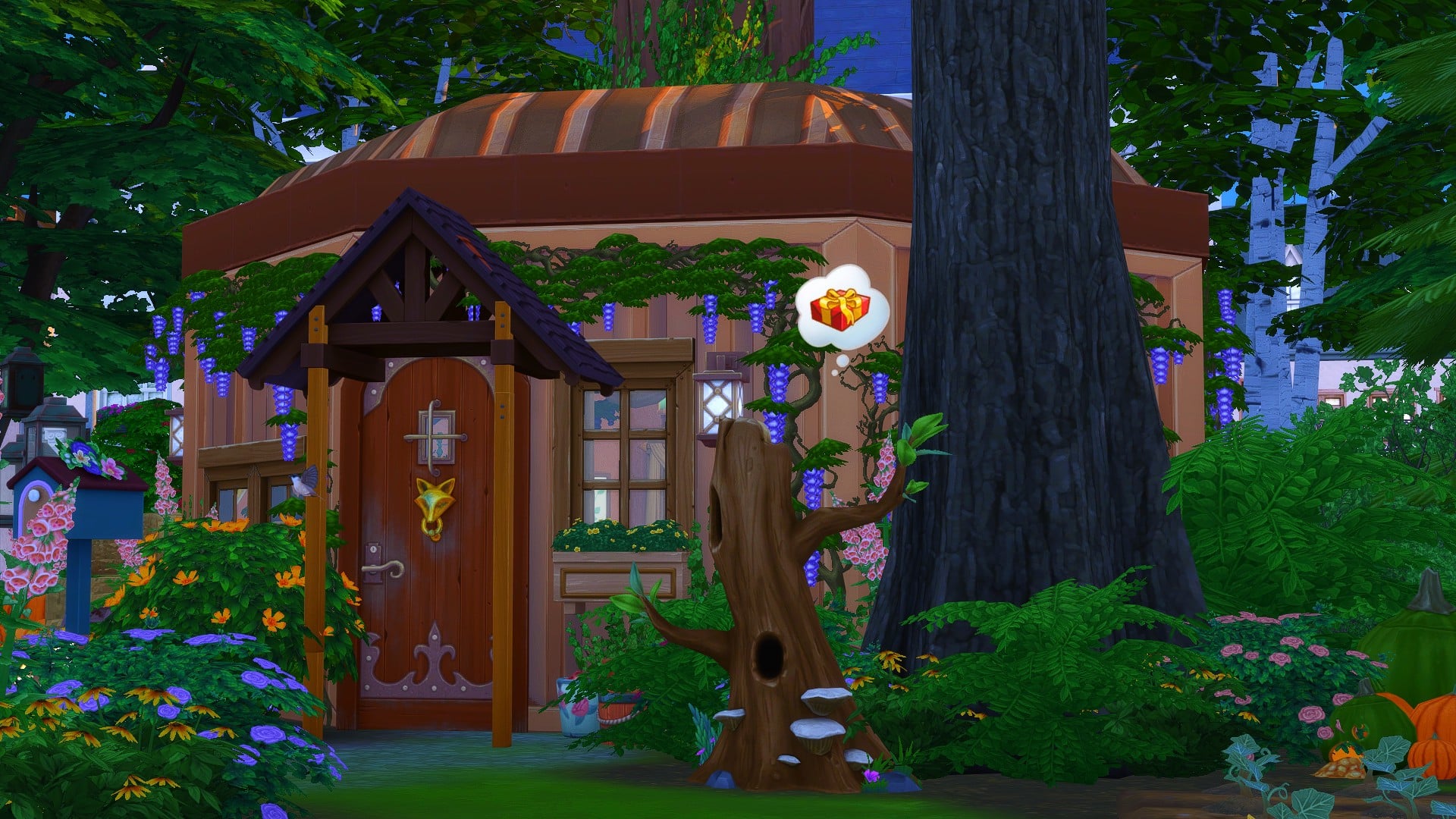
Tree House
Beach House
Haunted House
Log Cabin
Jungle Retreat
Campsite
Country Cottage
Spellcaster Home
Mansion
Farm/Barn House
Underground/Underwater House
Apartment
University House/Dorm Room
School
Café/Coffee House
Restaurant/Diner
Pub
Vets
Gym
Library
Lounge Bar
Nightclub
Museum
Art Gallery
Spa/Onsen Bathhouse
Your Dream Home
Of course, the ideas listed about are inspired by many of the options and features we currently have in game. Here are a few more Sims 4 Build prompts to help you through that Builders Block
Abandoned House
Ruins
Castle
Marketplace
Houseboat/Ship
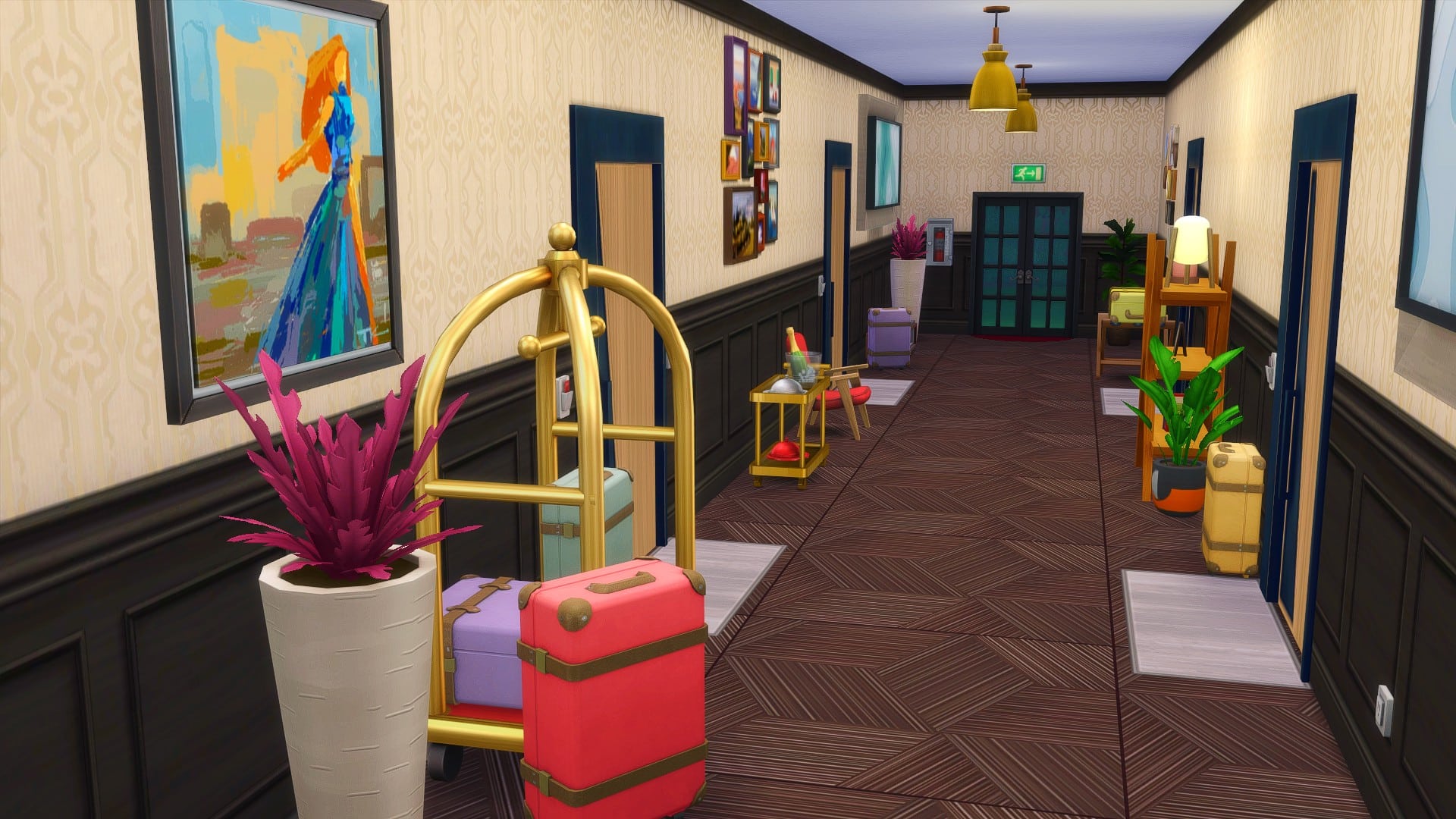
Hotel
Place of Worship
Wedding Venue
Maze
Festival Lot
Concert Venue
Underground Bunker/Secret Hideout
Floating House
Fantasy Inspired House
TV/Movie Inspired
Book Inspired
Let’s not forget a handful of ideas for Room Builds too. Now while we have the standard rooms for most homes, here are a few more ideas of rooms you could add to your builds too.
Art Room
Play Room
At Home Spa/Gym
Sauna
Recording Studio
Photography Studio
Craft Room
Library
Walk-in Closet
Gaming Room
Conservatory
Secret Room/Passages
Pantry
At Home Theatre/Bowling Alley
Secret Laboratory
Hobby Inspired
Themed Rooms
We can’t forget some themed Sims 4 Build prompts, either!
Of course, this is by no means a definitive list, as there are so many ideas out there. These Sims 4 Build prompts might not necessarily be one that you chose to use, but you may think of other ideas of what to build in game because of something mentioned in this list.
Looking for ideas and inspiration for creating new Sims? Take a look at our Create A Sim Look Prompts & Ideas post here!
Let us know if you use any of these prompts by tagging us on Social Media or by joining us over on our Discord Server.
A custom content creator whose creations I’ve been loving lately is ThePeachyFaerie! Now you may recognize the name as they were also a part of The Sims 21st Birthday collaboration earlier this year.
Jaden’s creations mainly focus on Create A Sim additions including a variety of different make up options, skin details, eyebrows and tattoos, but they also have a reshade preset too. Each and every piece of custom content is beautiful and works brilliantly alongside many of the Maxis created content options that we have in game already.
I’ve been using a number of Jaden’s creations in my own game as well as the XOXO reshade preset, and honestly I’ve loved having each piece of content in game. I’ve been able to create so many wonderful looks for a number of different themes, and everything just comes together perfectly when using Jaden’s custom content.
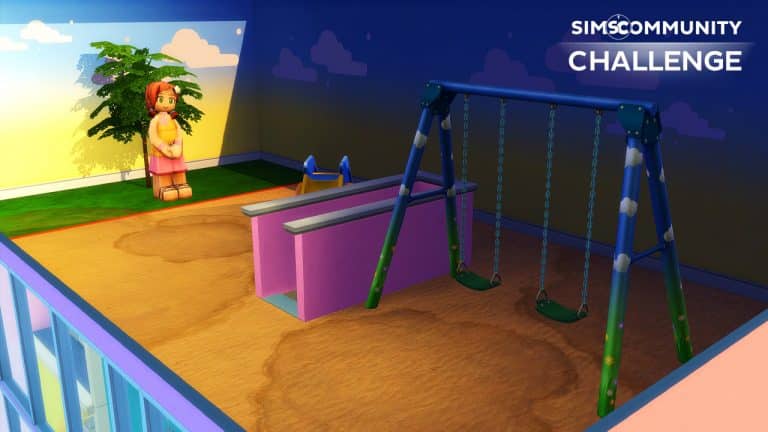
The October challenge is here, and it is something that has been highly requested by many players. I’m happy to reveal that we have our first Create A Sim challenge! So grab your pumpkins, ghosts, skeletons and of course your Sims, and it’s time to get your Sims ready for Halloween.
Now, there are two parts to this challenge, both of which will need to be completed in order to submit your entry.
Part One
Create A Spooky Sim! This can be an individual Sim, two Sims or your current family. Any Sim that you want to use! Just no more than eight Sims in total.
Part Two
Take your best spooky screenshot!
Challenge Rules
One entry per person
Custom Content is allowed
Poses may be used for your screenshot
Screenshots must be family friendly
Once you have completed both of these steps, you can submit your entries by one of the following ways.
Twitter – upload your image to Twitter using the hashtag #SCSpooky!
Discord – head over to our Discord server and head to the Spooky Sims Channel, which you can find under the Announcements & News category. Upload your image with the caption #SCSpooky!
Click the button below to join The Sims Community Discord
Closing date for entries: Saturday 23rd October 2021 at 10am PST/6pm BST/ 7PM CET. The Spotlight post will be released a few days after entries have closed. Don’t worry, it will be just in time for Halloween!
If you have any questions, feel free to ask them in the comments below, or head over to our The Sims Community Challenge channel on our Discord server! If you aren’t a member of our Discord Server, you can click here to join.
Good luck, have fun, and we can’t wait to see your spooktacular creations!
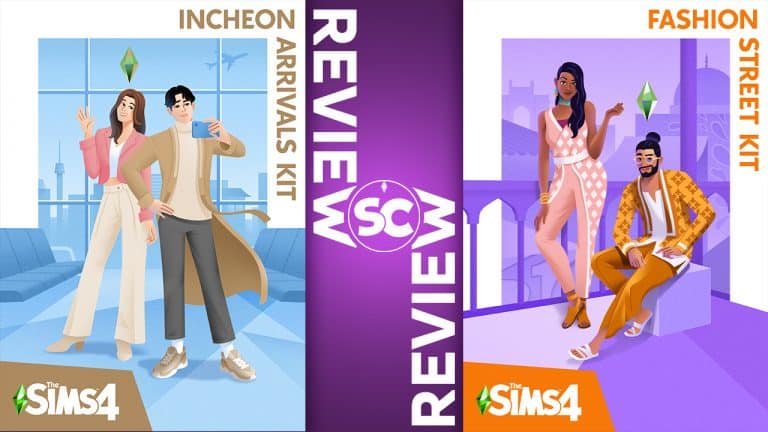
This week, we said hello to two new CAS kits that were added to The Sims 4’s extensive list of add-on packs; Incheon Arrivals and Fashion Street. The kits showcase fashion from different cultures, with Incheon Arrivals focusing on airport fashion based out of South Korea, and Fashion Street highlighting India’s vibrant and colourful fashion style.
We tend to look at these bite-sized kits with a rather critical eye; after all, such small collections of content should be of the highest quality if The Sims expects its players to spend $5 (or more in some countries) on them. While some of the kits have impressed us in the past, others have fallen short. When we dove into Incheon Arrivals and Fashion Street, we were dearly hoping to be impressed after the underwhelming Industrial Loft Kit.
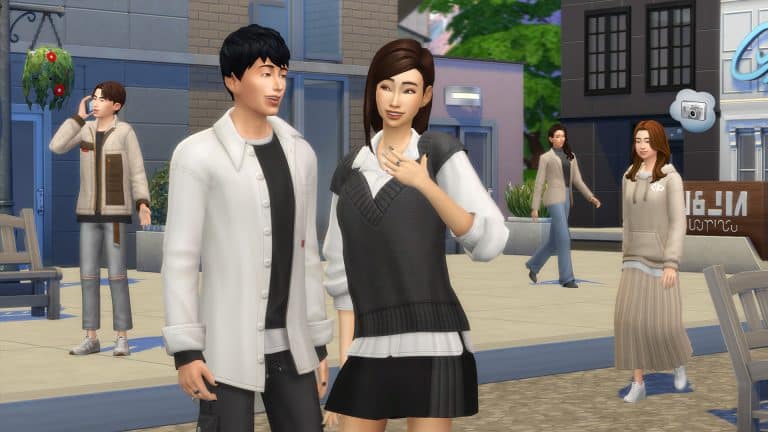
So let’s start with Incheon Arrivals. This kit comes with 20 items for teen-to-elder Sims in both feminine and masculine styles. Somewhat surprisingly, it contains no items for children or toddlers. The overall vibe of the kit is very comfy casual but trendy, with looks inspired by K-pop bands as well as a few pieces reminiscent of traditional South Korean attire. We were actually pretty impressed with the quality of the pieces in this kit. Everything looks very chic with nice textures and the casual yet trendy pieces can suit a variety of different looks. Although the swatch selection isn’t bad, there is a heavy focus on neutral colours. We would have liked to see some brighter colours in some of the swatches. Still, the neutral tones do make it easy to mix and match pieces with many different packs as well as the base game. We also enjoyed some of the soft pastel swatches. Many of the tops have multiple layers that fall nicely over a wide variety of bottoms in the game, which is really exciting to see because we haven’t really gotten much layered clothing that’s this versatile before. It also seems that The Sims Team is finally listening to us about masculine clothing because there is almost an exact equal number of masculine and feminine clothes and a large number of unisex items as well.
However, we also noticed some problems with the Incheon Arrivals Kit, mainly with how some of the pieces layer with each other. The calf-high heeled boots get cut off at the ankles when worn with the ankle-length pleated skirt from the kit. Even though the ankle boots strangely look quite good as well, that’s still no excuse for a glitch like this. Again, there are only 20 pieces in this kit and it costs $5. Every single thing in the kit should be polished to perfection. We also noticed a small but irritating conflict with the layered blazer and the pleated skirt in the back. The blazer cuts through the skirt a bit in the middle instead of neatly layering over it. This is a really big bummer because otherwise, this kit is really solid.
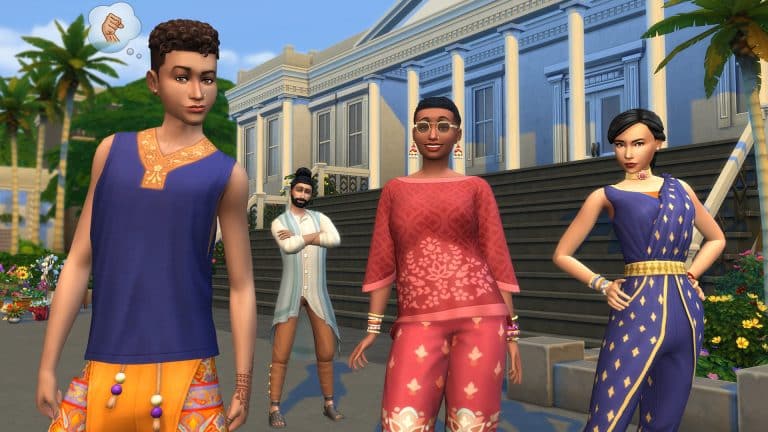
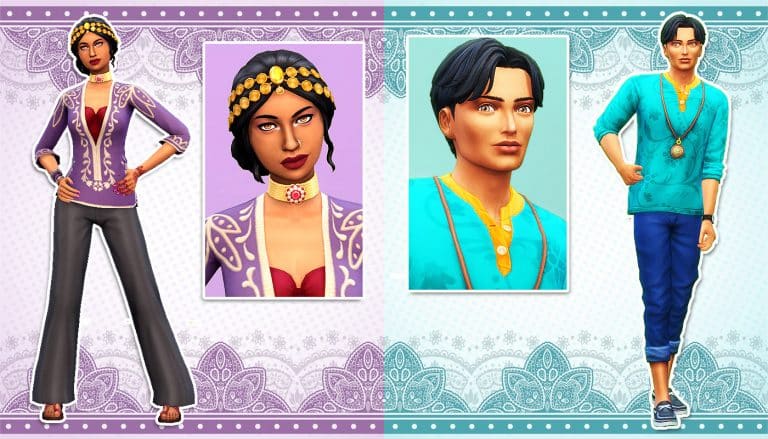
Moving on to Fashion Street, which showcases colourful Indian fashion, we were happy to see such an emphasis on accessories. Incheon Arrivals does not come with any accessories so it was nice to get quite a few accessories in Fashion Street. In fact, Fashion Street has a really impressive variety of items, from shoes to tops and bottoms, to full-body outfits, and even jewellery and tattoos. There is a lot to work with in this kit. Fashion Street comes with 30 different CAS pieces, which is more than what we usually get in CAS kits. Most tend to be around 20 items, like Incheon Arrivals. The one drawback is out of 30 items, 0 of them are for children or toddlers. Everything is for teen-elder Sims.
We were very happy with the quality of pretty much everything in Fashion Street. All the pieces have beautiful textures and patterns and a large number of swatches. Most of the swatches are bright and colourful with intricate designs and patterns but there are a few plainer variants in the mix as well. Overall, we felt that Fashion Street came out stronger than Incheon Arrivals in the swatch variety but the juxtaposition of the two styles offer a nice variety of looks for players. While all the clothing is beautiful, we were most excited by the number of accessories, especially the new nose ring and tattoos! If you wanted any kind of facial piercing in the game before, you had to spend a whole $40 on either Discover University or Eco Lifestyle and let’s just be honest; the piercings in those expansions are plain, chunky and awful. The nose ring that comes with Fashion Street is so delicate and detailed, it’s honestly gorgeous. The same goes for all of the other accessories, from the chandelier earrings to the beaded choker. The henna hand tattoos also come in a few different colours and different patterns which is something we don’t get very often with the game’s tattoo selection.
So overall, what’s our take on The Sims 4 Incheon Arrivals and Fashion Street Kits? Well let’s just say we’re happy we didn’t have to drag another kit in a review. We thoroughly enjoyed exploring these styles from around the world and getting creative with designing our own unique looks using all the new content. However, that doesn’t mean we’re okay with the glitches and issues that seem to come along with almost every single kit, including Incheon Arrivals. Fix. Your. Stuff. EA. Were it not for the layering problems with the boots, skirt, and blazer, we would have praised Incheon Arrivals just as highly as Fashion Street.
We love to hear your thoughts and opinions on new content that comes out and with the release of two new CAS kits this week, we wanted you to share your thoughts with us in one of our community polls. It’s time for you to submit your feedback about The Sims 4 Fashion Street Kit!
Please note that this is a community, fan-run poll. This poll is not affiliated with or endorsed by EA or Maxis in any way.
We love to hear your thoughts and opinions on new content that comes out and with the release of two new CAS kits this week, we wanted you to share your thoughts with us in one of our community polls. It’s time for you to submit your feedback about The Sims 4 Incheon Arrivals Kit!
Please note that this is a community, fan-run poll. This poll is not affiliated with or endorsed by EA or Maxis in any way.
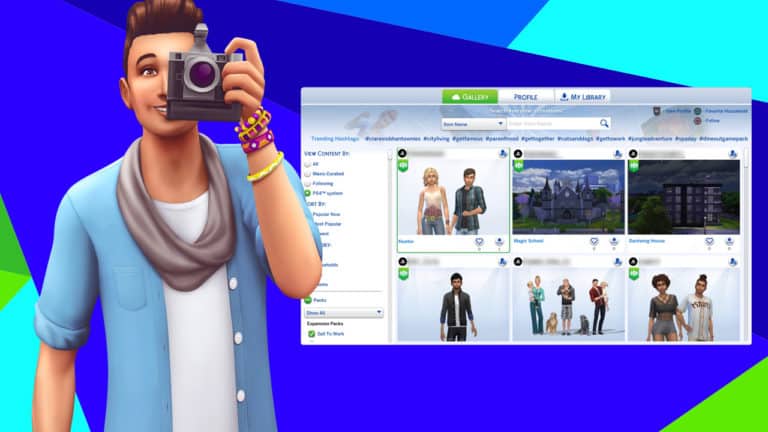
Have you ever dreamed of having one of your Gallery creations be noticed by Maxis? Ever wondered what makes them choose one creation over another? Have you ever been left scratching your head, wondering why on earth that amazing build or creative household you made didn’t get a Maxis fav while another creation that wasn’t as detailed as yours did?
The truth is, The Sims Team has a system in place for selecting which creations become Maxis Curated. There are several things they look for and some rules players have to follow in order for their creations to be considered. All Maxis Curated creations have been downloaded and tested by The Sims Team for any potential issues or problems. They do not exclusively pay attention to established creators; they go out of their way to find new and unknown creators to showcase as well, so everyone really does have an equal opportunity to have their creation become Maxis Curated, no matter how small of a following they have.
So what are the exact requirements? SimGuruIcarus shared a post detailing the whole selection process on the official forums, which we will summarize down below.
Households
Outfits should be innovative and unique. Pair together varied and interesting pieces.
Celebrities, public figures, and copyrighted fictional characters will not be considered.
Backstories for your households are not required, but greatly preferred! The Sims Team loves reading interesting backstories.
Households with custom content will not be considered.
Households with custom poses will not be considered unless all Sims and pets are standing and most of the body is visible in the preview image.
Lots & Rooms
Builds with custom content will not be considered.
You are allowed to use the moveobjects cheat, but The Sims Team does not test with that cheat. So if your build does not look right in a game that does not have MOO enabled, it will not be considered. Missing and overlapping/flickering objects are a no-no. Be careful when using MOO and make sure your build still looks the way it should without it.
Sims must be able to use and interact with everything in the build. Clutter is great but make sure it doesn’t impede functionality.
Sims must be able to access every room/area of the build, including gardens and pools.
Builds that use custom thumbnails will not be considered. The build must look exactly the same in the Gallery preview as it does in the game.
Builds that resemble or mention copyrighted content will not be considered. So that great build inspired by your favourite TV show is not eligible for a Maxis fav, unfortunately.
Items can be resized as long as they do not disappear or flicker when downloaded into someone else’s game.
Complexity is a factor; preference is given to more detailed builds but that doesn’t mean your simple starter build won’t receive a Maxis fav! They do like simple builds, too.
The price of a build is not a factor when selecting Maxis Curated builds.
The Sims Team does not always test builds in the same season they were created or designed for but this does not impact your chances for selection.
General
All creations must follow the Terms of Service.
Only original content will be considered. Reuploads of someone else’s content are not eligible to be Maxis Curated. Respect your fellow creators.
The item name and description should not contain any offensive or inappropriate content or language. Neither should your profile or catalogue.
The Sims Team loves holiday-themed creations! Don’t hesitate to share your holiday creations around the holidays because The Sims Team curates a lot of holiday stuff around those times.
The Sims Team does not favour established creators. They look for small creators to showcase as well.
We hope this summary helps you get that coveted Maxis Curated tag on one of your creations someday! Keep creating and having fun!
Thank you to Jade from our Sims Community Facebook group for linking me to the post detailing the selection process!
September’s The Sims Community Challenge was all about getting creative and thinking outside the box. With a more freedom to create what you did not hold back! Thank you to everyone who took part in the challenge, we’ve loved scrolling through and taking a look at all of your creations. Click here for a quick recap of what was involved for the September Challenge!
Without further ado, let’s take a look at some of the creations!
With the recent release of the Incheon Arrivals and Fashion Street Create A Sim focused Kits, SnarkyWitch and I decided to collaborate on not one but two new lookbooks for the Kits! We created a number of new looks that were inspired by both Kits. You can check out The Sims 4 Incheon Arrivals Kit Lookbook here!
For this post, we’ll be taking a look at some of the looks we created using The Sims 4 Fashion Street Kit, Base Game and one other pack. As always these looks are Custom Content free!
You’ll find all the information about each look below!
Vacation Cool
Outfit
Hair: Swept Middle Parting (Base Game)
Top: Patterned Top with Necklace (Fashion Street)
Bottom: 3/4 Length Jeans (Cats & Dogs)
Shoes: Relaxed Lace Ups (Cats & Dogs)
Accessories: Watch (Base Game)
Professional in Purple
Outfit
Hair: Updo with Gold Circlet (City Living)
Top: Patterned Blouse over Low-Cut Top (City Living)
Bottom: Flared Pants (Fashion Street)
Shoes: Toe Sandals (Fashion Street)
Accessories: Nose Ring (Fashion Street) / Thick Beaded Choker (Fashion Street) / Layered Bangles (Fashion Street) / Henna Hand Tattoo (Fashion Street) / Nails (Base Game)
Makeup: Eyeliner (Base Game) / Eyeshadow (Base Game – MAC Cosmetics) / Contour (Base Game – MAC Cosmetics) / Lips (Base Game – MAC Cosmetics) / Highlight (Base Game – peachyfairie)
Casual Yet Comfortable
Outfit
Hair: Tied Up Braids (Dream Home Decorator)
Top: Patterned 3/4 Sleeve Top (Fashion Street)
Bottom: Bootcut Jeans (Dream Home Decorator)
Shoes: Sandals (Fashion Street)
Accessories: Necklace (Dream Home Decorator), Small Hoops (Base Game) & Layered Bracelets (Fashion Street)
Makeup: Blush and Lips (Base Game – MAC Cosmetics) & Eyeshadow & Eyeliner (Base Game)
Dripping in Gold
Hair: Spiked Sideswept with Long Fringe (Vampires)
Top: Patterned Button-Up Tunic with Gold Pocket Chain (Fashion Street)
Bottom: Ornate Patterned Pants (Vampires)
Shoes: Comfy Sandals (Fashion Street)
Accessories: Earring (Vampires) / Beaded Tassel Bracelet (Base Game) / Henna Hand Tattoo (Fashion Street) / Nails (Base Game)
Credits
This post was a collaboration between Krista and SnarkyWitch!
Professional in Purple & Dripping in Gold Looks:SnarkyWitch
It’s been a little while since Krista and I did a lookbook but with the launch of two new CAS kits, we knew it was time to collab again! This time, we’re bringing you TWO new lookbooks; one for each kit. We hope our Incheon Arrivals lookbook will give you plenty of inspiration to mix and match the new kits with other add-on packs to create some truly unique styles.
As always, all of our looks have no CC and use only the new kit, the base game, and one other pack. So you don’t need to download anything or own a lot of packs to recreate these looks!
School Girl Hipster
Outfit
Hair: Shoulder Length with Patterned Extensions (Eco Lifestyle)
Top: Layered Argyle Vest over Blouse (Incheon Arrivals)
Bottom: Plaid Miniskirt (Base Game)
Shoes: Casual Runners (Incheon Arrivals)
Accessories: Newsgirl Cap (Eco Lifestyle) / Square-Rimmed Glasses (Eco Lifestyle) / Knee-High Socks (Base Game) / Nails (Base Game)
Makeup: Eyeliner (Base Game) / Eyeshadow (Base Game – MAC Cosmetics) / Lips (Base Game – MAC Cosmetics) / Highlight (Base Game – peachyfairie)
Autumn Adventure
Outfit
Hair: Side Sweep (Base Game)
Top: Fluffy Coat & Tee Combo (Incheon Arrivals)
Bottom: Adventure Pouch Pants (Jungle Adventure)
Shoes: Worn-Out Boots (Jungle Adventure)
Accessories: Silver Ring (Base Game) & Explorer Hat (Jungle Adventure)
Street Chic
Outfit
Hair: Sideswept Volume (Nifty Knitting Stuff)
Top: Layered Jacket, Hoodie, and Tee (Incheon Arrivals)
Two new CAS kits for The Sims 4 have launched today, both showcasing different cultures from around the world. The Incheon Arrivals kit shines a spotlight on comfy casual South Korean fashion. The kit was inspired by airport fashion based out of Incheon International Airport, showing off comfy yet stylish looks that celebrities might be seen wearing when travelling to and from South Korea. The kit has both contemporary and traditional South Korean influences, from K-pop inspired looks to blends of traditional South Korean attire mixed in with more modern pieces.
The Incheon Arrivals Kit has a total of 20 clothing items for both masculine and feminine teen-elder Sims. The kit does not contain any pieces for children or toddlers.
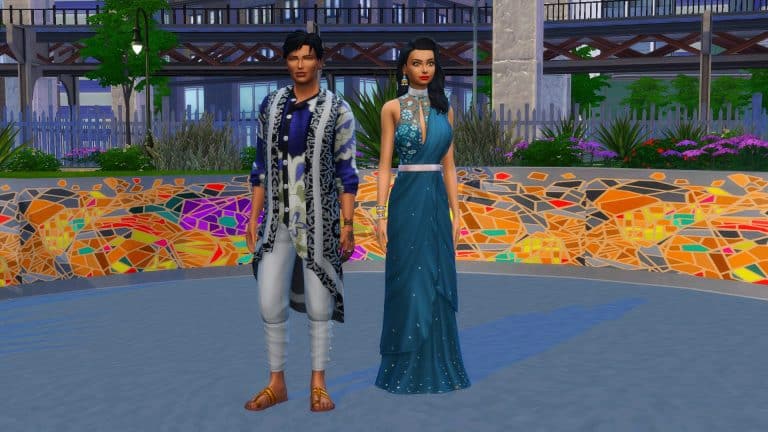
The Sims 4 Fashion Street Kit is one of two new Kit style packs that The Sims team has released today. With a focus on new Create A Sim options, the new Kit features over thirty new clothing options to choose from. Each is item comes in a range of different beautiful swatches inspired by the fashion and culture of Mumbai, India.
Note: The Fashion Street Kit does not contain any options for Child or Toddler Sims.
Tops
10 05 21 6 28 09 PM
10 05 21 6 28 22 PM
Two feminine tops for adults
10 05 21 7 21 43 PM
10 05 21 7 21 55 PM
10 05 21 7 21 50 PM
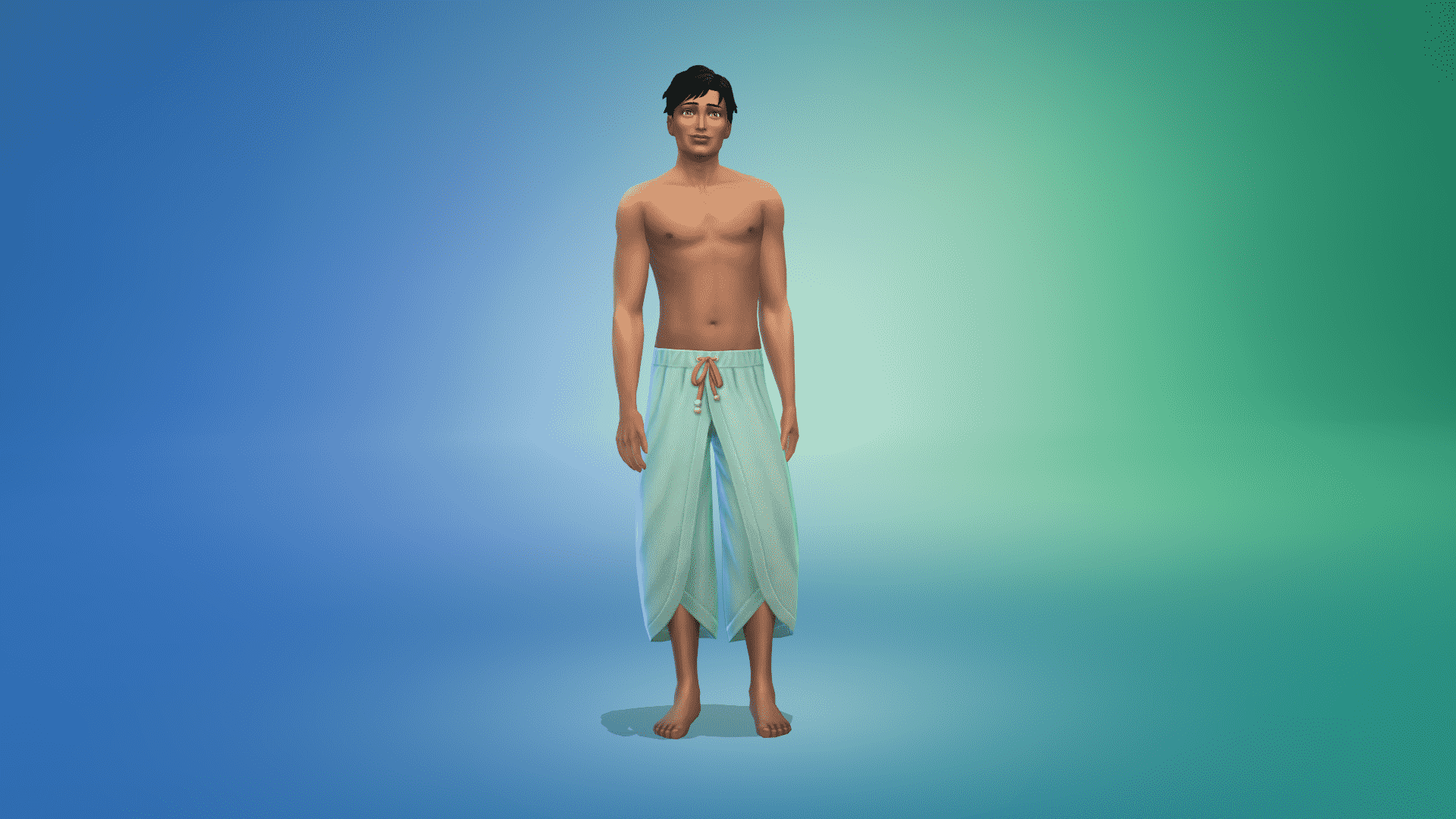
Three masculine tops
Bottoms
10 05 21 6 29 42 PM
10 05 21 6 29 48 PM
10 05 21 6 29 53 PM
Three feminine bottoms
10 05 21 7 22 36 PM
10 05 21 7 22 49 PM
10 05 21 7 22 55 PM
10 05 21 7 23 07 PM
Four masculine bottoms
Full Body
10 05 21 6 29 08 PM
10 05 21 6 28 55 PM
10 05 21 6 28 43 PM
10 05 21 7 22 24 PM
10 05 21 7 22 08 PM
10 05 21 7 22 02 PM
Three new full-body options for male and female Sims.
Shoes
10 05 21 6 31 29 PM
10 05 21 7 24 46 PM
Two new shoe option suitable for both male and female Sims.
Styled Looks
10 05 21 7 23 37 PM
10 05 21 7 23 23 PM
10 05 21 6 26 53 PM
There are three new Styled Looks that come with this Kit. Two for male Sims and one for female Sims. Colorful Traditions, Ornately Casual & Everyday Elegance.
Accessories
10 05 21 6 55 19 PM
10 05 21 6 54 49 PM
10 05 21 6 30 58 PM
10 05 21 6 54 05 PM
10 05 21 6 53 20 PM
Five new accessories for female Sims. The glasses, earrings and nose ring are also suitable for male Sims.
Tattoos
10 05 21 7 50 07 PM
10 05 21 7 50 19 PM
There are two new unisex Henna hand tattoos that come with the Kit. Each come in several different swatches and designs.
Not sure how to find the new content in your game? Filter for packs and select Kits to see all your content from all your different kits!
Having content based around the concept of Hotels in The Sims 4 is something that I’ve seen mentioned many times within the community. While this has been explored in the past in earlier versions of The Sims games, it is something that isn’t fully possible in The Sims 4. Maybe one day we’ll see the option to own and run our own hotels however, that is a topic for another day.
In the meantime, SixamCC is back with a fantastic Custom Content Pack focused around Hotel Bedroom Decor!
The Base Game compatible fan made pack features thirty-eight new items including customizable single and double beds, new carpet floors, decorative light switches, power outlets, key card readers, customizable desk and much more!
While I was creating my own miniature hotel, I experimented using the Hotel Bedroom CC Pack with a number of packs. While I found that the items from the pack worked well with most of the packs I tried out. I discovered that the modular furniture from Dream Home Decorator worked really well as a customizable storage solution for Sims to essentially store their clothing in during their stay, as well as the wallpaper from Paranormal Stuff making the room feel super cosy at night. I also used a selection of Custom Content from the Artiu & Birker Series and Charming Chalet CC Packs that are also by SixamCC to bring my build alive.
Each item within the pack comes in a variety of different swatches ranging from neutral to colourful as well as some patterned ones too. Take a look at the gallery below for a closer at the items that come with the Hotel Bedroom pack!
To install this custom content pack, simply extract all the .package files to Electronic Arts > The Sims 4 > Mods folder. Make sure you have Mods / CC enabled in your game options!
To download this Custom Content Pack, you can head over to SixamCC’sPatreon.
You can also find more of SixamCC’s creations via the links below!
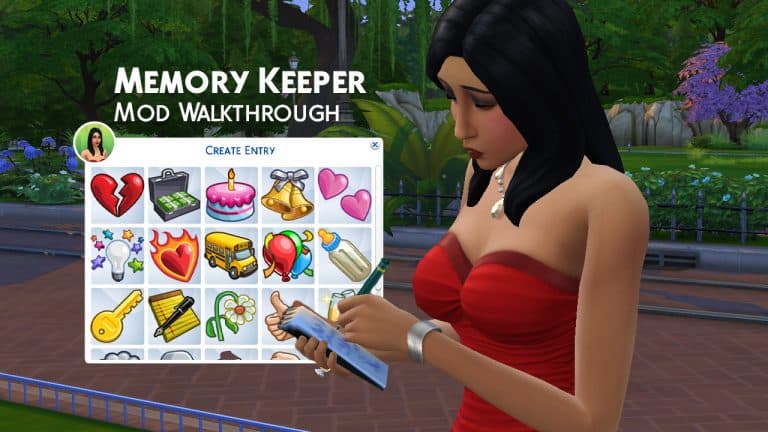
The modding community for The Sims 4 never fails to impress us. Ravasheen has once again blown us away with a new mod called the Ink For Yourself Memory Keeper & Custom Journal mod! Some players might not know that The Sims 4 does technically have a memory system tied into the Screenshot Manager. You can assign emotions to pictures that you’ve taken in the game and have your Sims reminisce about that memory, taking on the emotion attached to the photo.
However, players were quick to point out that this memory system is clunky to use, not intuitive at all, and really out of the way to get to. So much so that most people don’t even know the feature exists. Ravasheen has taken the basic concept of this feature and integrated it into gameplay in a way that’s more intuitive and easy to access. We were very impressed with how clever this mod is!
So let’s get into how the mod works!
Of course, you will have to install the mod, first. You can get it from Ravasheen’s website. The current version is free to the public but you can also follow Ravasheen on Patreon (no subscription needed to follow Patreon creators) to find out more about future early access versions if you’re interested. If you need help with installing mods, check out our article Getting Started With Mods and CC.
Once the mod is installed correctly, all you have to do is load up the game and go into Build/Buy. Searching the term “diary” in the search bar will bring the journal right up. The journal comes in several different swatches; some from the Parenthood journals and some plain variants. The mod does not require Parenthood to work, however. Everything in the mod is base game compatible.
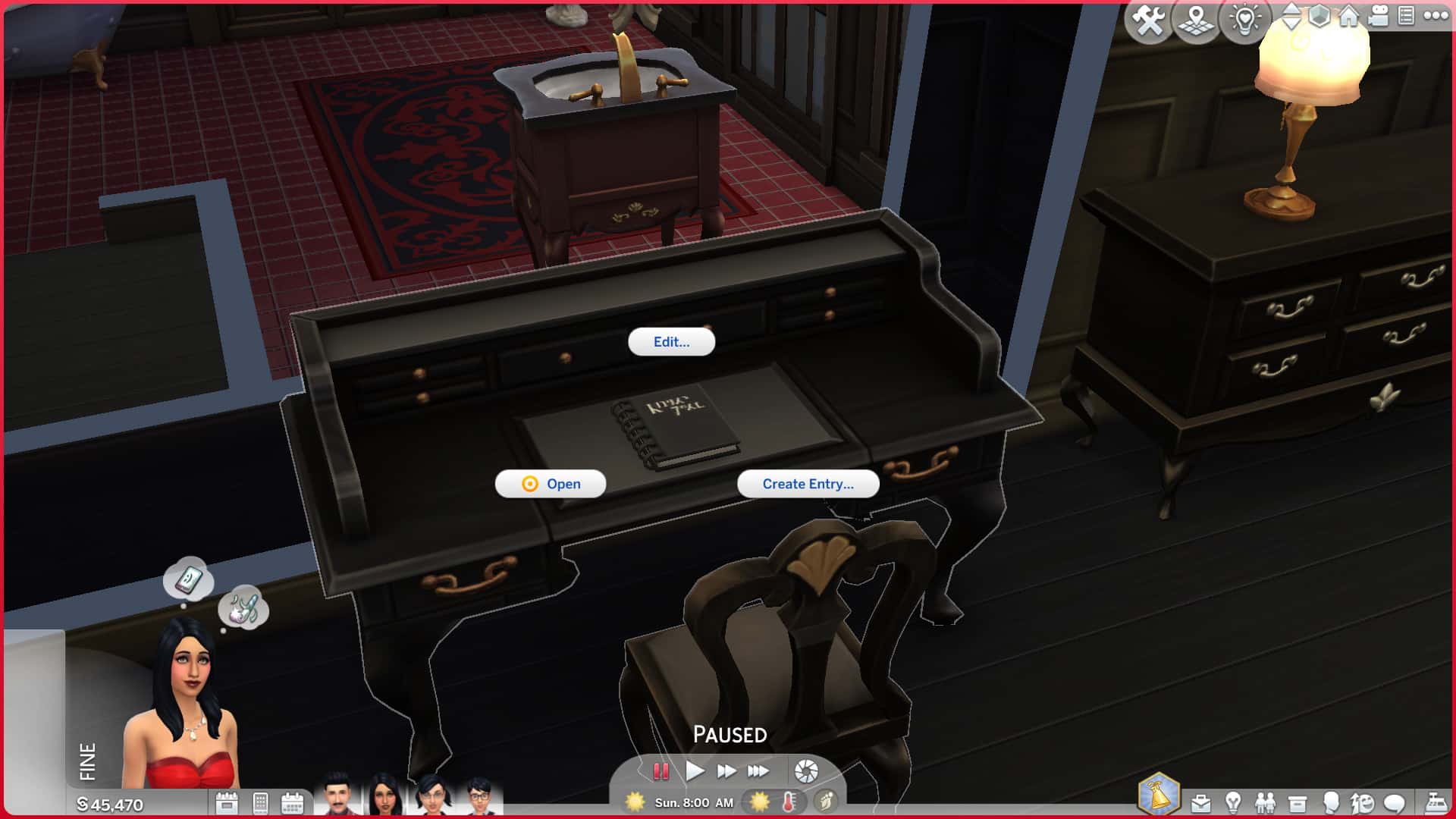
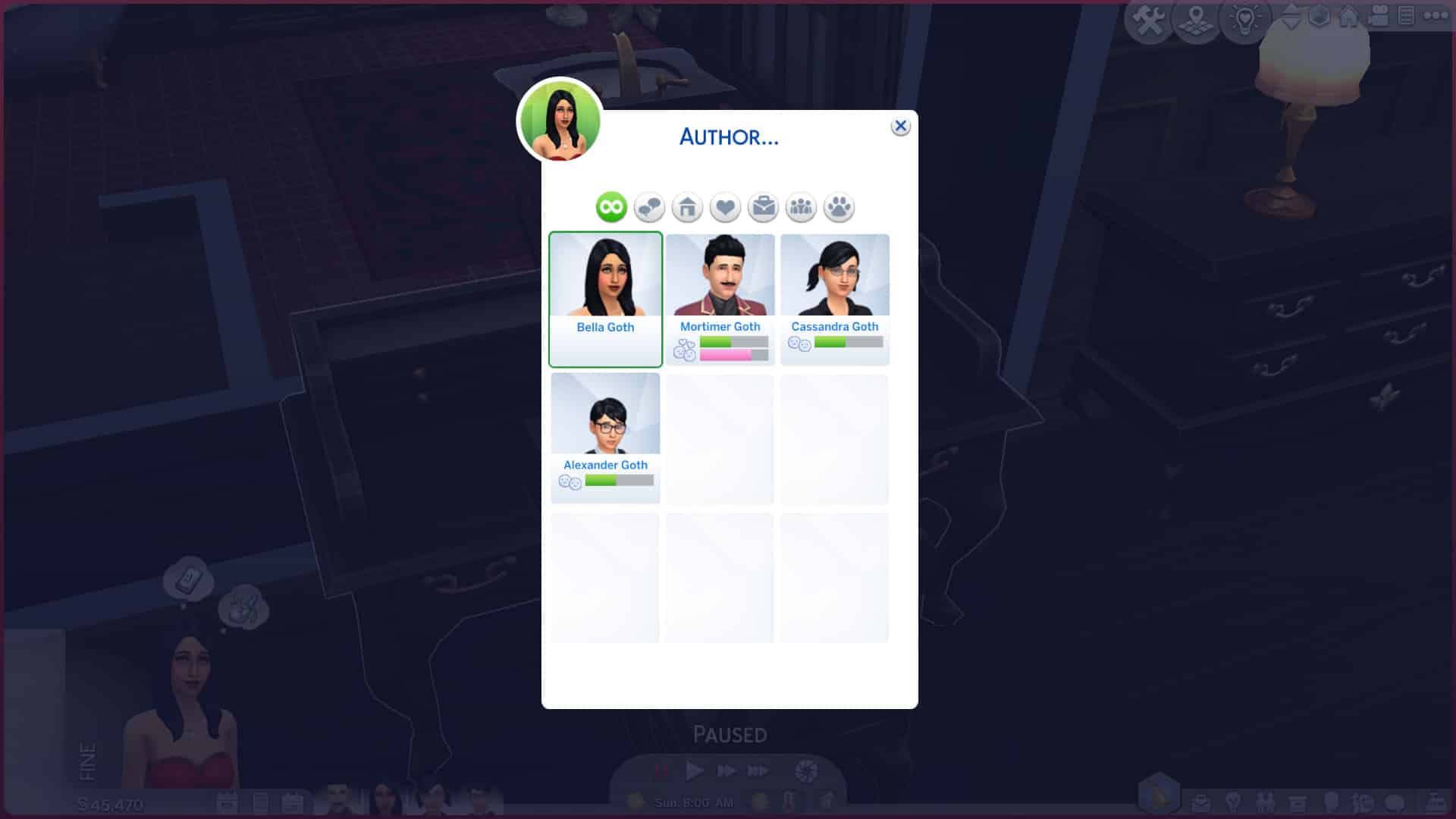
Pick the journal swatch you like best and place it down on any surface. Click on the journal to bring up multiple options. You can choose an author for the journal, edit the journal title and description, and add new entries to the journal. For this example, I used Bella Goth and decided to make a journal detailing the secret true story of exactly what happened to her back in Pleasantview in The Sims 2.
TS4 x64 2021 09 30 13 00 43
TS4 x64 2021 09 30 13 00 52
TS4 x64 2021 09 30 13 01 30
TS4 x64 2021 09 30 13 01 38
When you add a new entry to the journal, you’ll have to choose an icon from it from a popup list. Ravasheen’s done a good job of providing some icons that relate to many milestones and events in a Sim’s life, such as engagements, weddings, breakups, new babies, and school memories, among some others. Pick the icon that most closely relates to the kind of entry you want to add to the journal.
TS4 x64 2021 09 30 13 01 50
TS4 x64 2021 09 30 13 03 05
Once you’ve picked the icon, you can now customize the entry! Give it a title and a description. Below, I’ve picked out a gloomy icon to describe Bella’s account of being abducted in the middle of the night by aliens. When you add a new entry to the journal, the active Sim will do a quick writing animation wherever they’re currently standing. They don’t need to go to the journal to write down their thoughts which is really handy for when you want to jot down a new memory on the go and don’t want to bother carving out time for them to sit down and write a big long entry about it.
After the new journal entry has been created, the journal’s inventory will open, showing you the entry with your chosen icon inside it. You can then hover over it to get a tooltip of the title and description you gave it. You can also choose to read it which will bring up a larger notification of the entry. Whichever Sim wrote the entry will automatically be assigned as the author of that entry but you can change this at any time. In fact, you can go back and edit everything related to this mod. You can change authors, titles, descriptions, icons, and moodlets on both the journal and individual entries whenever you want!
TS4 x64 2021 09 30 13 03 46
TS4 x64 2021 09 30 13 03 57
Which brings us to moodlets! After creating a new journal entry, you can click on it in the journal inventory to assign a moodlet to it. You can choose between every emotion in the game. I chose to add a scared moodlet to Bella’s account of being abducted. Once you’ve assigned a moodlet to a journal entry, the entry will have an emotional label attached to it, like “Happy Memory” or “Sad Memory” or “Embarrassed Memory.” Bella’s entry is now a “Scary Memory.” Click any journal entry with a moodlet attached to it to recall the memory. I can now click on this entry to have Bella “Recall a Scary Moment.”
TS4 x64 2021 09 30 13 04 07
TS4 x64 2021 09 30 13 04 15
Recalling a particular moment will cause the Sim to do an animation related to that emotion and they’ll gain a small emotional moodlet related to the memory for 4 hours. This is much the same feature as what The Sims 4 added to the Screenshot Manager but much more intuitive and better integrated into gameplay. You don’t have to go searching through a bunch of menus to get to it. It’s always right there in your Sim’s journal you can take anywhere or display anywhere on a surface in your home.
The journal is not the only thing that can be displayed in the home, however! The entries themselves can be dragged onto a wall and displayed like pinned up post-it notes or individual pages ripped out of a notebook. The entries can be read while they’re displayed on the wall, too. Ravasheen even took the time to create many different swatches for the journal entry notes that are related to the icons you pick for your entry. For example, the icons related to kids have child’s scribblings on the note, and the fight icon has big angry letters with lots of underlining and exclamation points! If you decide you don’t like the original icon you picked for your entry or if you want it to have a different appearance displayed on the wall, you can just change the swatch in Build/Buy the same way you’d change the swatch of any other item. Be aware that changing the swatch in Build/Buy will also change the icon it displays when it’s dragged back into the journal. The swatches are linked to the icons.
Your Sims can own as many journals as they want so they can organize different aspects of their lives into each journal. For example, your Sim could have a personal diary of their day-to-day affairs, plus a gardening book to keep track of all their gardening achievements. You could even use the books for weddings and funerals as guest books! Being able to own many different journals that have separate entries attached to them and can be written in by anyone opens up almost endless ways to use the journals.
Some limitations Ravasheen goes over in her livestream walkthrough:
Currently, the journals are not locked to the author like the Parenthood journals are. This is because she wanted the journals to be passed down from generation to generation and if the original author dies, then no one else in the future can look back on all those memories.
The journals do not have any Parenthood features, like being able to hide them under the mattress or snooping. This is because she wants to keep the mod base game compatible, but she said she’s open to perhaps integrating those features as add-ons.
The only way to change the icon of an entry is in Build/Buy by changing the swatch on the entry while it’s displayed on a wall.
The journals cannot be deleted or sold. This is by design to ensure that your memories stay safe. It would be heartbreaking to lose generations and generations of memories just because you accidentally deleted or sold your journal while clearing out your inventory or redecorating. Individual entries within the journal can be deleted, though.
You cannot open the journal to see the entries inside it while it’s in your Sim’s inventory. This can only be done while the journal is displayed somewhere on the lot. This is a game limitation; you cannot open an inventory inside of another inventory. It would be very difficult to change this without getting into script modding.
So what are our final thoughts on this mod? Well, it’s a really clever way to take an existing game feature that’s pretty useless the way it is, to be honest, and turn it into something that’s actually useful and immersive for gameplay enthusiasts. I loved the concept of memories that The Sims 4 introduced but it was such a hassle to get to and navigate that I never really bothered with it. Having Ravasheen’s journal right there in my game that I can access easily whenever I want and customize to my exact liking is so helpful and fun to play with!
Definitely check out this mod if you’re a gameplay enthusiast, guys. It’s for sure staying in my Mods folder and I can’t wait to start preserving more of the important milestones in my Sims’ lives.