Home Blog Page 177

Will Wright’s game about your subconscious, Proxi, is taking shape

0

Back in 2018 we did a news report on Will Wright’s upcoming project called Proxi, a unique mobile experience that lets you turn your real life memories into interactive playgrounds! Just in case you don’t know who Will Wright is, and I’m sure many of you do – he’s the creator of The Sims Franchise and other Simulation Games from Maxis such as Spore, SimCity and numerous “Sim” titles.

Today we have some more exciting news about Proxi, including some of the main features, in-development screenshots and developer livestreams done by the creators of this game!

Just a couple of months ago PCGamesN reported that the team behind Proxi reached out to popular modding sites, including the well known ModTheSims and NexusMods websites. They released a message stating that Proxi is opening a pre-launch community for players where they can collaborate with developers, go behind the scenes and earn special credit for their creations. There was a also a survey included in the message, but it was closed sometime ago.

Have you ever wished you could be immortal?

I’m working on a strange new project where your memories become the gaming landscape…

We’re looking for enthusiastic content creators to help us bring this concept to life. We’re taking applications for a private pre-launch community where members will get the opportunity to go behind the scenes, collaborate with the dev team, and earn credit for their creations!

I look forward to seeing your responses!

– Will Wright

So, what is Proxi anyways?

As described by Will Wright and Gallium Studios, Proxi is a game where you get to create your own personal digital selves through personalized memories – using memory objects created by the official studio AND its player community. Through this players will get a stylized, digitalized version of themselves that you’ll be able to play with, including personalized mini-games that help you gain more insight about your subconscious.

It’s all very ambitious, strange and creative at the same time – and of course that it wouldn’t be a Will Wright game without all those 3 things.

Check out what the team (and Will Wright) have to say about Proxi:

Proxi is an AI simulation game where players first build digital dioramas representing their personal memories using thousands of digital “memory objects” created by Gallium Studios and its player community. Players will eventually be able to construct a digital version of themselves that they can interact and play with, and gain new insights about their subconscious.

This is in some sense a game of self-discovery, a game where we actually uncover the hidden you – your subconscious, your inner ID, and bring it to the surface, bring it to life so you can interact with it, you can play with it, you can learn from it and it can learn about you.”

– Will Wright

Will Wright also shared some of his concepts and in-development look of this mobile experience:

Will Wright’s game about your subconscious, Proxi, is taking shape

At the moment Proxi is still in development, and currently it seems that the team is focusing on creating Memory Objects that help you visualize your memories!
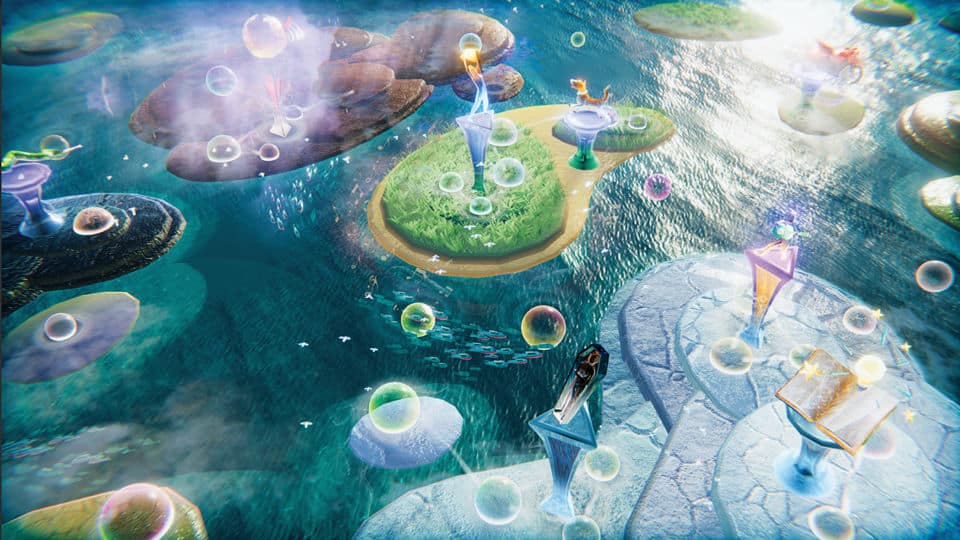
Will Wright’s game about your subconscious, Proxi, is taking shape

There’s also a Development Roadmap on the official Proxi Website, laying out the current plans for the game. The team is currently pushing out their own Creator’s Toolkit and Community platforms, with plans to announce a new “Creator’s Marketplace” soon.

Will Wright’s game about your subconscious, Proxi, is taking shape

Yesterday they announced a pre-release sale event (which just recently concluded), including their collaboration with Forte, a service providing NFT experiences in video games. I wasn’t too keen on this aspect of the game and how it includes NFTs but we’ll have to wait and see for how this will shape the final product of this game.

SAN FRANCISCO–(BUSINESS WIRE)–Forte, an organization building a blockchain platform for video games, today announced the launch of the first NFT presale for Proxi, the new game experience from industry pioneer Will Wright. The presale, which begins Tuesday, September 29 at 9am Pacific time and lasts for 24 hours, offers two distinct packs of NFTs to the community. Each contains a mix of in-game, collectible, and community NFTs that augment the player’s experience of the game. The presale can be accessed at the official Gallium Studios website.

Presale Pack Details

Founder’s Pack — $50

  • 10 unique in-game memory object NFTs
  • One Founder’s Pack commemorative NFT
  • One “Community NFT” that unlocks upcoming community benefits
  • Exclusive community access to Gallium team
  • Special “Founder” identifiers in community channels and in-game

Supporter’s Pack — $10

  • Five unique in-game memory object NFTs
  • One Supporter’s Pack commemorative NFT
  • One “Community NFT” that unlocks upcoming community benefits
  • Special “Founder” identifiers in community channels and in-game

“I’ve always considered the community and their efforts an integral part of my games’ experience,” said Will Wright, Gallium Studio’s Cofounder. “With Forte’s blockchain platform, we now have a secure way to integrate and reward the community’s contributions. Our first presale is a way to officially thank the community and creators for their support with the game.”

“Will has reshaped our idea of what a video game can be time and time again,” said Josh Williams, Forte’s CEO and Cofounder. “With Proxi, he’s not just creating a breakthrough experience, he’s reinventing the very way games can be made by giving the community ownership of the content they create. It’s a privilege for us to work with Will and the rest of the Gallium team, and support their incredible creative vision, starting with this presale.”

Proxi is an AI simulation game where players first build digital dioramas representing their personal memories using thousands of digital “memory objects” created by Gallium Studios and its player community. Players will eventually be able to construct a digital version of themselves that they can interact and play with, and gain new insights about their subconscious.

Forte’s blockchain and NFT platform aims to address the growing misalignment between game developers, players, and fans. It unlocks the creation of new gameplay and world designs that directly support the long-term health of a game through community economics, the organization’s economic framework. In Proxi, Forte’s platform enables the community to own and manage the content they create, and if they choose to, monetize them via an in-game marketplace.


There’s an official Proxi Creator’s Community website that you can register on right now! The website includes Creator Tool Programs for PC and Mac, various tutorials on how to craft your own Memory Objects, Forums and more!

Will Wright’s game about your subconscious, Proxi, is taking shape

The Creator Tools that they’re providing are a bit tech-savvy, which they’ve further explained in their first developer livestream below.

One of the developers also did a cheeky joke on the beginning of the livestream with the “Spore 2” folder.

I’m not getting my hopes up I’m not getting my hopes up I’m no-

Will Wright’s game about your subconscious, Proxi, is taking shape

Other than the fact that the NFT aspect of sharing your memories online is a bit questionable and has yet to prove its value and worth for the game.

The official Frequently Asked Questions page has resolved some of the speculations on whether or not Proxi would be a game that heavily relies on NFTs. The team has replied saying that you won’t have to get involved into the “crypto stuff” in order to enjoy the game’s experience:

  • Is Will Wright making an NFT game?
    Proxi is a game that explores how our memories inform who we are. Players can use various assets (objects, sounds, backgrounds, etc) along with words, or concepts, to create little scenes representing their memories. These assets are fundamentally NFTs on a blockchain which means they carry value, and they are forever attributed to their original creator. Unlike current NFT speculative marketplaces, our assets are designed to give ownership to owners and creators. They are built on the blockchain, and they may have future value, but they are designed to support the gameplay of a creative player community.

  • Is Gallium a cryptocurrency?
    No. Gallium is not its own cryptocurrency, nor can you sell your Gallium; it is purely an in-game currency. However, you can sell items you purchased with your Gallium, or items you created and minted (which requires Gallium) once the in-game marketplace is available.

  • Who is Forte? What is the connection between Gallium Studios and Forte?
    Forte is our trusted platform partner that manages the underlying blockchain technology for our game. The Forte Exchange will enable players to purchase Gallium directly for USD if they choose to. Forte also handles all outside financial transactions.

  • Can I play this game without getting involved in crypto stuff?
    Yes. Crypto applications use ‘Wallets’ which is the way that the blockchain applications securely keep track of who owns what. So, because Gallium, is on a blockchain we use Wallets. However, our game does not require players to participate in crypto currency markets.

  • I’ve read that some game assets are NFTs, on a blockchain, and carry value. Will I be able to buy, sell, trade, gift inside the game?
    Yes. Proxi utilizes blockchain technology to give players proof of verified ownership and transaction history, and for creator attribution – simply put, this means more control for players and creators over the things they buy or make! There are plans for an in-game marketplace to enable players to buy and sell, and allow artists to list and sell their own creations. There are no current plans for exchange of these assets to real currency

  • Will Proxi support outside, secondary marketplaces?
    No. Please be aware that any Proxi items bought or sold outside of our in-game marketplace are outside of our control and can potentially be a high risk for fraud or scams.

  • Will I be able to exchange my Gallium currency for real money?
    Not at this time.

I’m definitely intrigued to see what Will Wright’s genius mind and the talented team at Gallium Studios have in store for us!

You can follow the progress and development insight on Proxi on their official platforms, including:
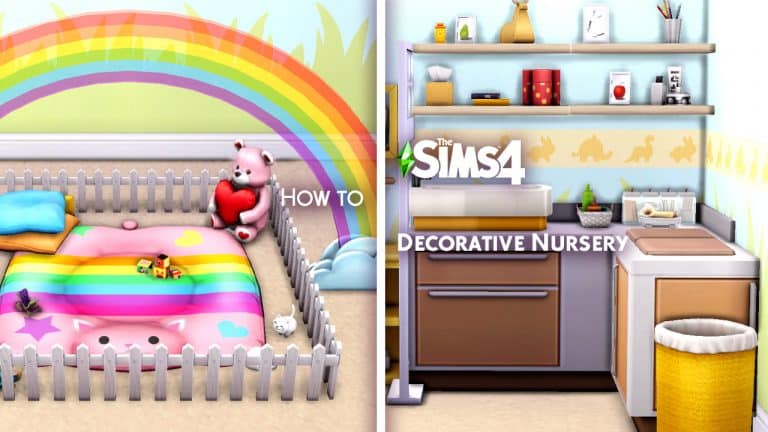
The Sims 4: How to Make Decorative Nursery Items with No CC!

1

I love The Sims 4 but one thing I don’t love about The Sims 4 is the lack of gameplay for babies. I hate those unrealistic bassinets. I hate that we can’t take our babies anywhere. I hate that all interactions with our Sim babies are tied to that bassinet. When babies can’t interact with anything, what are you supposed to put in their nursery?

A true newborn nursery would have things like changing tables, baby baths, play mats or play pens for tummy time, and a real crib. I don’t know any baby that stays in an old-fashioned bassinet 24/7 in real life, do you?

Since I like to keep all my builds that I share in the Gallery CC-free, I don’t really have the option of using modded objects. Not to mention console players don’t have that option, either. Still, I want to upload baby nurseries that feel like real nurseries, so I set out to start making some non-functional, decorative baby nursery items to help make my newborn Sims’ space feel more like a real newborn nursery. While I desperately wish I did not need to build decorative versions of these things, I did have a lot of fun putting them together and I wanted to share how I made them with you so you can have these things in your nurseries, too.

I’m going to walk you through how to build and customize your own decorative baby changing table with just base game objects and some build cheats. Then I’ll show you some other things I’ve built for my nurseries using similar techniques! You don’t need any CC or mods to make these. Everyone can make custom nursery stuff no matter what platform they play on or how many packs they own.

How to Make a Base Game Decorative Changing Table

The Sims 4: How to Make Decorative Nursery Items with No CC!

To start with, grab some counters out of Build/Buy. You can use either island counters or regular counters. I picked out some island counters here. Whichever counters you pick, place two side by side like you normally would if you were making a kitchen.

The Sims 4: How to Make Decorative Nursery Items with No CC!

Next, grab a base game ottoman. You can find ottomans in the Misc. section of the Comfort category. I picked the Intimate Ottoman because I liked the pattern and style of the cushions the most, which is the part we need.

At this point, we’re going to need to use building cheats. If you’re on console and worried about your trophies; don’t worry! This cheat will not disable trophies or achievements on console! You can use it as much as you like.

On PC, hit CTRL+SHIFT+C to bring up the cheat bar. On console, hit all 4 back triggers at the same time. Then type bb.moveobjects on into the cheat bar and enter it. You should see a small message underneath telling you that build cheats are now enabled.

Now that build cheats are enabled, we have a lot more freedom to get creative. Size down the ottoman twice so that it will fit nicely into the counter and be a little more “baby-sized.” To do this on PC, press the [ key twice. To do this on console, press press both triggers + left (XBox) or L2 and R2 + left (PlayStation).

The Sims 4: How to Make Decorative Nursery Items with No CC!

Now we need to move the ottoman inside the counter and raise it up so that just the cushions are showing through the top of the counter. This will create our changing mat for the changing table. To do this, we’ll need to freely move the object outside the limitations of the grid and elevate it.

To freely move objects outside the grid, hold the Alt key while moving a selected object on PC. On console, press LT (XBox) or L2 (PlayStation) twice to toggle between grid, half-grid, and free placement. When you can drag the object around smoothly without it snapping to the grid lines, you are now in free placement mode.

To elevate objects, press the 9 key until you are happy with the height on PC. On console, press both triggers + up/down on the directional pad (XBox) or L2 and R2 + up/down on the directional pad (PlayStation).

Use these two build tools together to place the ottoman inside the counter with just the cushions showing through the countertop, like in the picture above.

The Sims 4: How to Make Decorative Nursery Items with No CC!

Now you have the basic structure of your changing table finished! With the hard part out of the way, you can now move on to decorating your changing table. I like to put some shelving above it with a mix of decor and things that a parent might actually need at a changing table, like tissues/wipes, lotions, and towels. You can also make it look a little more built-in by putting cabinets and other things next to it. At this point, just be creative and build onto the base structure any way you like!

Don’t be afraid to keep using the size cheat, free placement and elevation to get the look you want. I often use them to place large clutter objects on shelves that they won’t snap to otherwise. If you have clutter pieces that are snapping to a counter or table in a placement you don’t like, there’s an easy fix for that, too. Move the surface out of the way and place the clutter first, then slide the surface back underneath it when you’re done.

Other Nursery Ideas

The Sims 4: How to Make Decorative Nursery Items with No CC!

I showed you how to make a decorative baby changing table with just the base game but if you own a variety of add-on packs, you’ll have even more freedom and creativity at your fingertips. Here, I’ve created another decorative changing table with mostly pack content. I used the cube chair from Spa Day as my mat and the modular shelving from Dream Home Decorator really make this setup look unique and practical.

The Sims 4: How to Make Decorative Nursery Items with No CC!

Or how about a baby bath/changing table combo? This corner setup features a sized down bathtub raised up onto the counter, with an adjacent baby mat on the other side, made with the Spa Day cube chairs. The shelving and Laundry Day additions, plus the Discover University divider give the whole thing a nice built-in look.

The Sims 4: How to Make Decorative Nursery Items with No CC!

You don’t have to stop at changing tables, though. With enough creativity and time, you can build almost any custom piece you want to decorate your baby nurseries. Here, I’ve built a baby crib out of the base game and Perfect Patio ottomans, Snowy Escape wall decor, and a mix of Base Game and Toddler Stuff decorative touches.

The Sims 4: How to Make Decorative Nursery Items with No CC!

Playmats and playpens can also be created as well. While this particular baby playmat is not functional, it’s very easy to create 100% functional playpens for toddlers with just some carpeting, fencing, and their favourite toys inside. The one I’ve shown here was made with a pet bed from My First Pet Stuff and a debug StrangerVille fence piece that I’ve sized down. The sized down rainbow is from Get Famous, the pillows are from Toddler Stuff, and the teddy bear doctor playset is from Parenthood.

I hope I’ve given you a few ideas for your baby nurseries and if you really love the specific pieces shown in this article, you can download them from the Gallery! They are all 100% CC-free and my ID is SnarkyWitch. Make sure you have bb.moveobjects on enabled before placing these down!

The Sims 4: Create A Sim Look Prompts & Ideas

0

Sims 4 CAS Prompts For Every Occasion!

The idea for this post actually originates from our Discord Server. For the past few months, we have hosted frequent Building Challenges as well as our own Sims Community Challenge. A Few members approached me and asked if we could also do challenges for Create A Sim Challenges, and we thought why not, let’s create a list of Sims 4 CAS Prompts for players!

The Sims 4 CAS prompts below, while they may be inspiration for the Create A Sim Challenge over on Discord, they can be used for anytime you feel you need a little inspiration or a prompt for what to create in your own games.

Seasons & Holidays

  • Spring
  • Summer
  • Autumn/Fall
  • Winter
  • New Years
  • Christmas
  • Easter
  • Valentine’s Day
  • Halloween

The Sims 4: Create A Sim Look Prompts & Ideas

General Sims 4 CAS Prompts

  • First Date
  • Date Night
  • Wedding
  • Pride
  • Movie Night
  • Sports Day
  • Dancer
  • Beach Vacation
  • Camping Trip
  • Girls/Guys Night
  • High School/College/University
  • First Day of School
  • Moving Day
  • Cosy Night In
  • Interview
  • Spa Day
  • Prom Night
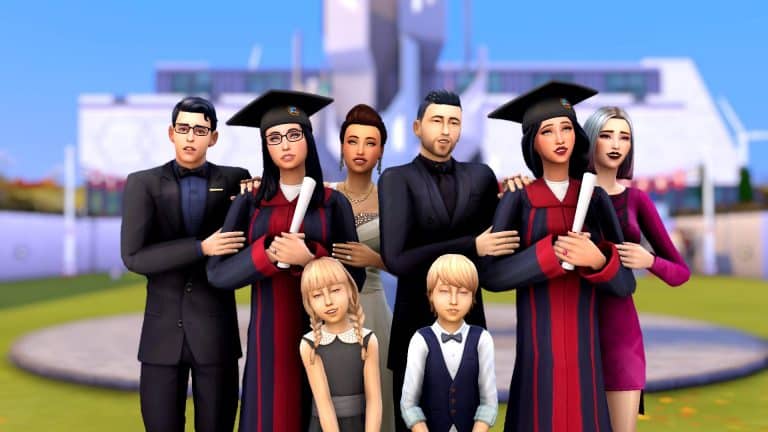
  • Graduation
  • Theatre Trip

The Sims 4: Create A Sim Look Prompts & Ideas

Characters & People

We can’t forget taking inspiration from many of our favourite movies, television shows and books. Here are more Sims 4 CAS Prompts!

  • TV Show Character
  • Movie Character
  • Video Game Character
  • Book Character
  • Actor/Actress
  • Musician
  • Celebrity
  • Super Hero
  • Super Villain
  • Cosplay
  • The Sims
  • Disney
  • Harry Potter
  • Pokémon
  • Anime
  • Animal Crossing
  • Stardew Valley
  • Final Fantasy
  • Life is Strange

The Sims 4: Create A Sim Look Prompts & Ideas

Other Sims 4 CAS Prompts

  • Fruit & Vegetables
  • Food & Drink
  • Furniture/Objects
  • Supernatural
  • Animals
  • Solid Colour
  • Historical
  • 1950’s
  • 1960’s
  • 1970’s
  • 1980’s
  • 1990’s
  • 2000’s
The Sims 4: Create A Sim Look Prompts & Ideas

Of course, these Sims 4 CAS Prompts are by no means a definitive list, as there are so many ideas out there. These prompts might not necessarily be one that you chose to use, but you may think of other ideas of a Sim to make to Create A Sim because of one of these prompts.

Looking for building inspiration? We’ve got you covered with over seventy prompts and ideas here!

Let us know if you use any of these prompts by tagging us on Social Media or by joining us over on our Discord Server.

PC & Consoles Sale: Save big on The Sims 4 and Expansion Packs

0

EA is currently having a cross-platform sale for some of their titles – including The Sims 4!

This sale is active across the Origin platform, the Playstation Store and the Microsoft Store – and it includes these following offers:

  • The Sims 4 Base Game (75% off)
  • The Sims 4 Expansion Packs (50% off)
    • The Sims 4 Cottage Living is discounted by 25%
  • 3 Pre-Packed Origin Bundles – 20% off each (offer only available on Origin)

This is the first time that The Sims 4 Cottage Living Expansion Pack has went up for sale, and you can use this opportunity to get it now if you can for 25% off! We assume it might take a month or two before it goes on sale by 50% if we follow the previous Expansion Pack sale patterns.

The offer is available right now and lasts until October 5th, 2021 at 10AM Pacific Time.

PC & Consoles Sale: Save big on The Sims 4 and Expansion Packs

The Sims 4 TUTORIAL: Fixing Group Poses Where Sims Pose in the Wrong Spot

If you’re an avid Sims storyteller or just a big fan of using poses for nice family photos, you might have run into this issue several times before. Like me, you were probably at a loss for what was happening. I realised that this is something that frustrates a lot of pose users and hardly anyone has an answer or solution for it. I couldn’t find an answer for what was happening for a long time and had to figure out what the problem was on my own. I don’t want anyone else to have to go through the trouble I did so I’m going to explain why this issue happens and how to fix it.

The Sims 4 TUTORIAL: Fixing Group Poses Where Sims Pose in the Wrong Spot

The Problem: Even if you use the Sim Teleporter to make your Sims pose in the correct place, they still walk several feet away before posing in the wrong spot.

Cause: Celebrity Sims. If you have a celebrity Sim anywhere on the lot, all the other Sims will walk several feet away to fawn all over the celebrity before they pose, resulting in them posing in the wrong place.

Solutions:

1) Just don’t use poses with celebrity Sims and make sure there are no celebrities nearby when posing your Sims. Easiest solution but not exactly ideal if you like to play with celebrities.

2) Temporarily remove your Sims’ celebrity status with mods or cheats before posing, then give them back their fame once finished. A decent solution but if you use poses a lot, it can become very time consuming to do this and reset all your Sims’ fame perks every single time you want to pose them.

3) Use the TOOL mod to nudge any stray Sims back to their proper places while they’re in their pose. This is my preferred method. It does require you to know the basics of the TOOL mod but I still find it easier and faster than the other two solutions. I’m also going to link you to TwistedMexi’s tutorial that will show you exactly how to use the three features you need for this. They are all quite easy to use.

3a) First, you will need to use the TOOL mod to select your Sim as an active object, as shown at 12:19 of the tutorial.

3b) Next, you will need to nudge your Sim back into place using the gravity pull feature, as shown at 16:15 of the tutorial.

3c) Sometimes, you may need to rotate your posed Sim as well to get them back into place properly. That is covered at 3:25 of the tutorial.

The Sims 4 TUTORIAL: Fixing Group Poses Where Sims Pose in the Wrong Spot

Using those three simple features of TOOL will allow you to fix any group poses that have gone awry due to a celebrity distracting all of your Sims.

I hope this helps you pose lots of Sims together easier!

Need StrangerVille Inspo? Try My StrangerVille World Setup!

As a long-time fan of StrangerVille, it always pained me how little effort went into the lots there. Every building is painfully bare-bones and even though the exterior architecture of the Shady Acres homes are beautiful, the inside is a completely different story. Big open rooms with one or two pieces of furniture plopped down wherever really kills the enjoyment of living in StrangerVille and actually investigating the neighbours.

Obviously, I had to fix this. I went about replacing or renovating every lot in StrangerVille to suit my play style and make the place feel like people actually live there. Today, I’m sharing how I have the world of StrangerVille set up with you. Since I did not build two of the lots, I cannot in good conscience upload the save, but I can show you a map of my StrangerVille and give you all the info needed to place the lots in your own world if you want to!

There is no CC anywhere in this world but I do own every pack and kit and like to use them. If you don’t own all packs and kits, you might need to replace some things here and there.

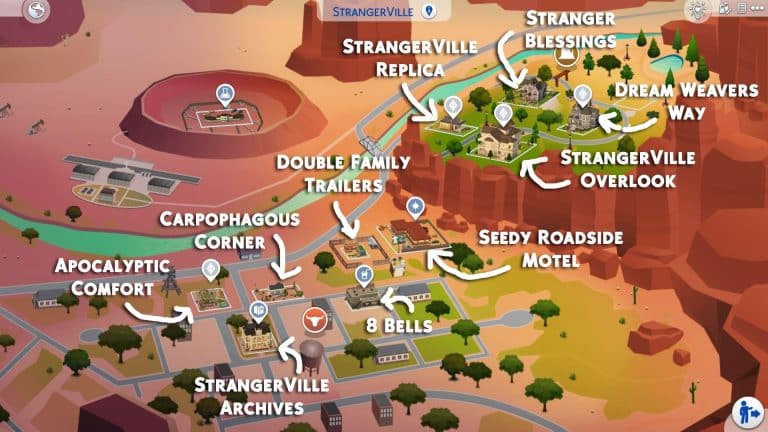
The World Map

Need StrangerVille Inspo? Try My StrangerVille World Setup!

Here’s a world map of my StrangerVille so you can see where I’ve placed all my lots. I’ve done some shuffling around for the premade families and tweaked their bios a bit to fit with their moves but more info on that later on. All credits and lot info will be provided below.

StrangerVille Archives

Need StrangerVille Inspo? Try My StrangerVille World Setup!

Creator: thetideschanging

This lot replaces the default information centre in the heart of town and I absolutely love it. It looks exactly like what I would expect an old historic community building in the heart of a western American town would look. The inside is just as pretty as the outside and yes, it’s fully functional as both a library and as the scientist hangout spot for the StrangerVille Mystery plot.

8 Bells

Need StrangerVille Inspo? Try My StrangerVille World Setup!

Creator: Allisasims

I initially downloaded this adorable lot for the bar but the military office upstairs ended up being a perfect setting for a story I was writing, too! I really fell in love with this place. The bar is a really welcoming spot to hang out, with pool tables and darts and all kinds of fun pub-like activities to enjoy and the military office upstairs adds a touch of realism. After all, the bar is where the military hangs out in StrangerVille. There is also a cute little bookstore attached as well. I just love this place so much.

Double Family Trailers

Need StrangerVille Inspo? Try My StrangerVille World Setup!

Creator: SnarkyWitch (that’s me!)

I love these trailers for the trailer park in StrangerVille. Suitable for a family (or two) to live in. I’ve taken away some things in my base save to make it under 20k so a single Sim can start out in it but the version in the Gallery is a little nicer and priced just under 30k. I just really like the idea of having two trailers on this lot to potentially have more Sims living in StrangerVille. A single Sim can also rent out the second trailer to some roommates for some extra cash, so this lot is really versatile.

Apocalyptic Comfort 2

Need StrangerVille Inspo? Try My StrangerVille World Setup!

Creator: SnarkyWitch

I originally built this for the trailer park so you’ll have some empty space at the back to fill if you place it where I have. This is a tier 3 tiny home made out of two stacked shipping containers.

I needed the plane crash site for my motel, so I have George Cahill living here. His story goes that city council wanted to rebuild the abandoned motel (seen in the background of this shot) to revive the dying tourist industry in StrangerVille but needed George’s land. The only way he’d agree to go is if he was given a new plot of land with the rights to build whatever he wanted on it and a piece of Old Penelope had to be preserved and given to him. George was given some land in the suburbs where he built the apocalypse container home of his dreams, the city built their motel, and the nose and engine of Old Penelope are now popular tourist attractions in George’s backyard!

Carpophagous Corner

Need StrangerVille Inspo? Try My StrangerVille World Setup!

Creator: SnarkyWitch

This was a remodel of the original starter lot in this spot. I turned it into a tier 2 tiny home and it is still a starter. It’s perfect for either a single Sim or a couple. This home is one of the more “normal” ones in StrangerVille so it’s great for a Sim who’s just moved to this town, oblivious to the strange nature of the place.

Seedy Roadside Motel

Need StrangerVille Inspo? Try My StrangerVille World Setup!

Creator: SnarkyWitch

This is a replica of the abandoned motel shell as set dressing in StrangerVille. Perfect to use as a rental and a great place to tell the story of a passing traveler who finds themselves involved with the craziness of StrangerVille. The rooms are in varying stages of grunginess so you can choose between a pretty normal room or some truly horrifying ones. There may or may not be a crime scene in one of the rooms. Just saying…

Alternatively, if you’d rather have a cute little western ranch here than a sketchy motel, I also have a lot called The Ol’ Homestead you can place here. It’s a 100 Baby Challenge home but shouldn’t be too hard to rearrange the layout a little to suit a “normal” family.

StrangerVille Replica

Need StrangerVille Inspo? Try My StrangerVille World Setup!

Creator: SnarkyWitch

This is a replica of the cute little yellow house shell as set dressing in StrangerVille. I designed it for the Sigworths and moved them up to Shady Acres since I needed their original lot to move George into.

Their story goes that Jess rose in the ranks of the military quickly after moving to StrangerVille and after a few promotions, they were able to move to the nicer neighbourhood of Shady Acres. Dylan was hoping the move to a better area would be a fresh start but the odd behaviour Jess started exhibiting when they moved to StrangerVille has followed them up the canyon…

Stranger Blessings

Need StrangerVille Inspo? Try My StrangerVille World Setup!

Creator: SnarkyWitch

This is one of my first builds from when I was really starting to come into my own as a builder. It’s a 100 Baby Challenge house but it shouldn’t be too hard to rearrange the upstairs layout a little to suit a “normal” family if you so desire.

StrangerVille Overlook

Need StrangerVille Inspo? Try My StrangerVille World Setup!

Creator: SnarkyWitch

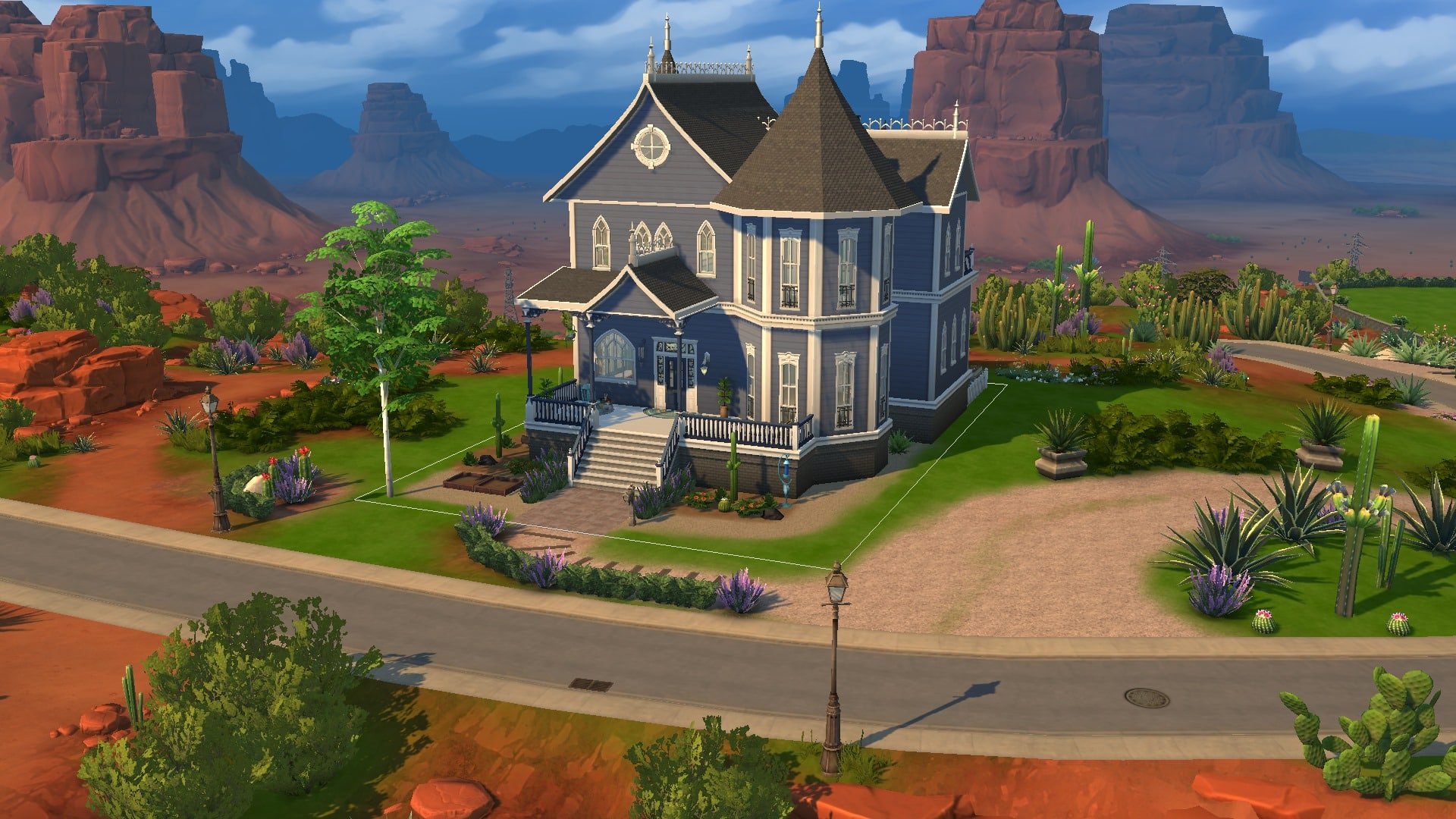
This is a remodeled version of the Roswells’ original home. It got a paint job and the interior’s completely redecorated from top to bottom. I even turned those useless inaccessible attic spaces into usable rooms. I didn’t see any reason to do major exterior construction because the structure itself is beautiful. It just needed a fresh coat of paint, some detailing, and a LOT of work on the inside so that’s what I did. I hope Ted and Meredith like the major interior design upgrade.

Dream Weavers Way

Need StrangerVille Inspo? Try My StrangerVille World Setup!

Creator: SnarkyWitch

This is my remodel of the Eclectic Arts roomies’ original home. It got a paint job, some new windows and trim, and the interior’s been redecorated to suit a group of young artsy hipsters with too much money. Like the Roswell home, I didn’t see any need for major construction on the outside; it was already lovely. I did do some interior construction to add a third bedroom so all the roomies actually have somewhere to sleep and I opened up the living area/foyer a bit by knocking out a wall.

And that’s my StrangerVille! I left one lot blank in Shady Acres in case I feel like building something from the ground up or starting some kind of rags to riches playthrough but all other lots have been rebuilt, replaced, or remodeled. I loved playing in StrangerVille before but it’s a lot more fun living there now that the town doesn’t look abandoned and empty.

Feel free to download all these lots and place them where I have, or take this as inspiration to do your own thing with StrangerVille; it’s entirely up to you!

The Sims 4: Creating A Style Influencer Apartment For My Sim

5

After having my Sim live in the beautiful world of Henford-on-Bagley since the release of The Sims 4 Cottage Living, I decided it was time for a new adventure. It was time to swap from the quiet countryside to busy city. Of course, with my Sim now heading for San Myshuno it was time for a bit of a career change! A few ideas ran through my mind but with the two upcoming Create-A-Sim Kits, the Incheon Arrivals and Fashion Street Kits, I decided it was time for my Sim to take on the Fashion World as a Style Influencer.

First things first when moving to San Myshuno is choosing which District my Sim is going to live in? Living in the Fashion District makes sense, however is slightly expensive to a degree to rent in. The Spice District is appealing, but isn’t quite what my Sim is looking for at the moment, and the apartments in the Arts District and Uptown are definitely out of budget for the time being.

After some consideration, I settled on moving into one of the apartments in 21 Chic Street in the Fashion District.

So it’s goodbye for now, Henford-on-Bagley and hello San Myshuno!

The Sims 4: Creating A Style Influencer Apartment For My Sim

After selling the furniture from my Sims previous home as well, it left my Sim with quite a sizeable amount of money. I say sizeable, it was enough to renovate her new apartment nicely and still have some left over while she makes a start in San Myshuno.

While the apartment I chose isn’t the biggest available in San Myshuno, for the weekly rent it was spacious enough for my Sim. For those who have played The Sims 4 City Living and know the pack well, the apartment I have chosen is the one where you would usually find Penny Pizzazz.

The Sims 4: Creating A Style Influencer Apartment For My Sim

The original layout of the apartment used the main space as a big open-plan living room, office and bedroom, while I wanted to keep the similar idea I was trying to think of ways I could keep this while making each area its own. Not only that, I was wondering what kind of theme I wanted to go for. Did I want something colourful, an industrial feel, or maybe just having something minimalistic?

Here are a couple of screenshots of how the apartment looked before I started renovating the apartment. Plenty of space to work with. The only thing I didn’t screenshot was the bathroom, which is just to the right and out of shot of the first screenshot below.

After setting about renovating the apartment, I initially decided to go with a minimalistic theme. I soon found that it just wasn’t working out how I had imagined it to. After quickly deleting what I had done, I ended up going with a mix of modern and industrial, with pops of colour throughout. As I continued to place each of the items, I found that overall it turned into a mash-up of different themes in the end, but I was loving how it was all coming together. Of course, I couldn’t forget about adding clutter throughout as well, where I could.

I also added a platform into the open sleep/living area, and even though it was just something really simple, I felt helped break the room up a little more. I’ve not really used platforms at all since they were added into the game as I found they would glitch easily, and while I still have the odd problem here and there it worked perfectly on this build.

Now for the after screenshots!

First up is the entrance to the apartment and main living area, followed by the office space. While I did want to try and create a better working area for my Sim for when she is working from home, it did prove difficult with the amount of space I had. Even though it didn’t work out as planned, I did like how it turned out.

The Sims 4: Creating A Style Influencer Apartment For My Sim

The bedroom space I wanted to keep nice and simple, with not too much clutter about. I did add the Trend Board in the bedroom as it was the only place that I could find enough space to place it while there still being enough space for my Sim to move around.

And lastly, the kitchen and dining space. I usually start with the kitchen regardless of what I’m building, but this time around it was actually the last room I renovated. I found it hard to find the right colour scheme that worked but adding the little pop of yellow really helped in the end.

Before anyone mentions that I have forgotten the bathroom, I did renovate it, but it’s so tiny that I just place the bare essentials that my Sim would need in there. While I did try to take screenshots to show what I had done, it was so difficult to get one that would show everything.

I really loved how this came together. There were plenty of challenges along the way, as well as trying to figure out which packs and objects worked well with one another. There are one or two areas that I’m considering changing, but overall I’m loving it. The perfect apartment for an up and coming Style Influence. I honestly can’t remember the last time I played in San Myshuno, but I’m excited to jump back into my main game and see what happens with my Sim as she starts her first steps as a Rag Reviewer!

Look out San Myshuno, the next big thing in the fashion world is coming!

Want to get the hairstyle from the Sim in the screenshots? It’s a part of the “so casual” CC Maxis Match collection by arethabee, and you can get it HERE!

My Experience Revisiting The Sims 3

24

In keeping with my recent itch to scratch the surface of some older Sims games, I found myself booting up The Sims 3 again. Now, I feel obligated to admit that The Sims 3 is easily my least favourite game of the franchise. The graphics are terrifying, the Sims look like freaky deformed potatoes, the animations are robotic and clunky, and much-loved features like the open world and create-a-style only made the game an unstable mess. Not to mention I find a lot of the gameplay people praise it for is actually quite one-dimensional and shallow.

My Experience Revisiting The Sims 3

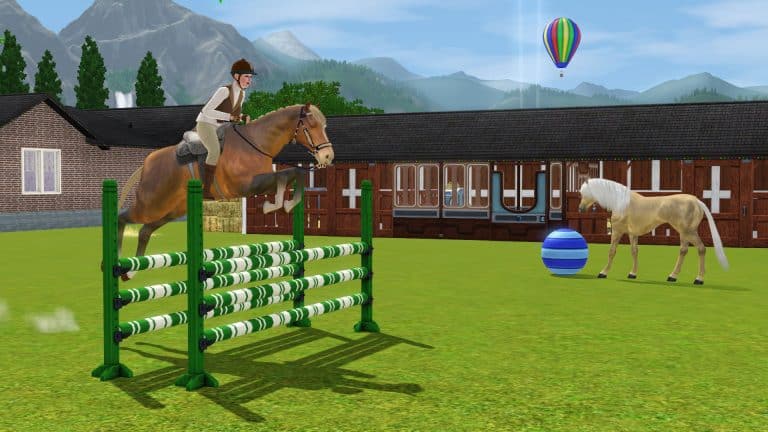
Now, with that out of the way, we can get to what’s good about it and what made me decide to play it again after all these years. I love The Sims 4 Cottage Living but it made me miss horses all that much more. Horses are, perhaps, the only thing The Sims 3 did really well and I wanted to experience that again. So after jumping through a million hoops to make sure the game would even run at all on my new high-end gaming laptop, I could get it to run… okay. It’s mostly pretty smooth but the open world does still cause it to lag up a bit here and there.

My Experience Revisiting The Sims 3

I made my Simself and started a “legacy” on the largest lot in Sunset Valley, beginning my new life in a tiny shack. My Lifetime Wish was to be an Animal Rescuer so I quickly acquired quite a lot of pets from the shelter. I also started working on my riding skill in order to start adopting wild horses and maybe even tame a unicorn one day. In the process of bringing my equestrian dreams to life, I met a Sim named Gage Briody, fell in love, and married him. His Lifetime Wish was to become a Creature-Robot Cross Breeder… whatever that is. Apparently, it’s the top of the Science career track so he got a job at the lab.

My Experience Revisiting The Sims 3

Soon after, we unexpectedly found out we were having a baby… make that two babies, actually. Yup. Twins. I hadn’t planned on continuing my legacy until much later in life but now I had two daughters. Okay then. Somehow, we managed to raise two kids in our little shack with a bunch of animals and pursue our careers at the same time. Gage gained promotions quickly and I finally adopted my first wild horse and started entering show jumping competitions with him. We sunk most of our money into partnering with local businesses so our daughters wouldn’t need to worry about money in the future.

My Experience Revisiting The Sims 3

Another horse, a cat, two dogs, and a unicorn later, and Gage was a level 8 scientist and I was a level 8 horsewoman. Our twins were teenagers and we decided to pull them out of Smuggsworth Prep School so they could have a normal teenage experience, like prom. We worked hard during the week but made time every Thursday (which was the seasonal holiday) to do something together as a family, like attend the seasonal festivals at the park or have a family beach day. Sometimes we’d catch a movie and then pick out a tasty treat at the Deliciously Indulgent Bakery, a disgustingly overpriced Store venue that I bought anyway because I hate having money, I guess.

So what are my final thoughts on The Sims 3 after spending so much time playing it again? Well it’s definitely a more enjoyable experience if you have the hardware for it and if you’re tech-savvy enough to know how to tweak the game files to allocate more RAM to the game and to make it recognise your graphics card. When the game runs the way it’s supposed to, it can be pretty fun but when it comes down to it, I shouldn’t need 2021 hardware and advanced computer knowledge to be able to run a game from 2009. That alone still pegs The Sims 3 as the worst in the series for me. However, since I do happen to have the hardware and computer know-how to run it, I probably will still continue to play it every now and then when I’m feeling nostalgic.

And I must admit, I’m excited to see where my daughters take their lives when they’re all grown up. I wouldn’t mind seeing a few features of Generations added to The Sims 4, like proms, more after-school activities, and a boarding school system. I do all these in The Sims 4 anyway using some creativity and imagination but integrated gameplay would be pretty nice.

The Sims 4 teases the Third Kit of This Season

9

A few days ago The Sims Team has announced a “Season of Selves”, announcing 4 Kits and multiple Free Content Updates for The Sims 4!

So far we’ve gotten a free update for The Sims 4 with 1200 new color swatches and new CAS items, as well as the announcement of two Fashion Kits – Incheon Arrivals and Fashion Street.

As you can see from the graph below, there are two more Kits left to be announced – one that’s a part of the CAS Kit section and one that’s a Build Kit, which will let you “cultivate your modern sanctuary”.

The Sims 4 teases the Third Kit of This Season

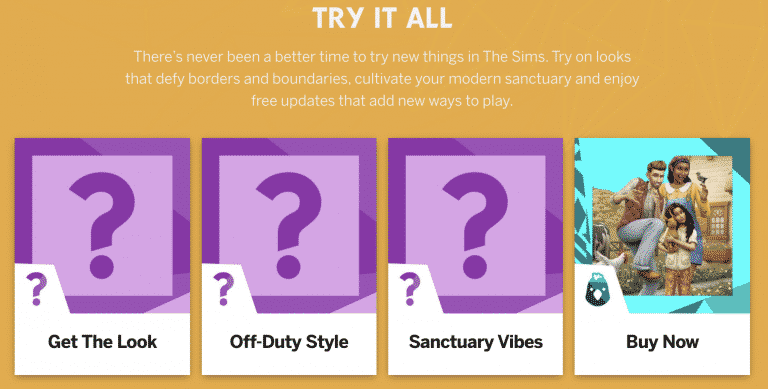
TheSims.com has updated their website with 3 Kit Boxes, featuring “Get The Look”, “Off-Duty Style” and “Sanctuary Vibes”.

With this we can assume that the reveal for the 3rd, “Sanctuary Vibes” Kit is just around the corner after the release of Incheon Arrivals and Fashion Street.

What do you think the Build Kit is specifically about? Let us know in the comments!

The Sims 4 teases the Third Kit of This Season

The Sims 4 Kits: My Personal Opinion

While I was working on another recent piece of content about The Sims 4 Kits, I got thinking about the future of  The Sims 4 and Kits in general. There’s no denying that these Kits are here to stay for the time being, and personally, I’m still incredibly torn on if I love them or hate them.

There are three kinds of Kits for The Sims 4 those that add gameplay, those that add new Create-A-Sim options and those that are aimed at Build Buy mode. I think that is pretty much expected. They are after all the three main features of any The Sims game, after all. While each of the five current Kits have all had their own themes, I was sat here wondering what kind of Kits I’d like to see in the future.

Now, before I talk about the ideas that I have, one thing I would love to see happen is The Sims team to collaborate with content creators on Kits. There are so many amazing and talented custom content creators out there that it would be the perfect opportunity for a collaboration. While The Sims team have worked with custom content creators earlier this year in the exclusive birthday patch, working with creators again would be brilliant! While I would suggest brand collaborations, they are probably better for larger packs like we saw with The Sims 4 Moschino Stuff instead.

The Sims 4 Kits: My Personal Opinion

Create A Sim

There are a few different ways that this could be done. You could have a pack similar to the Throwback Fit Kit, focused around all clothing and a few accessories. Find a theme that doesn’t quite work as a bigger pack, and follow that pattern. On the other hand, you could have a Kit that focuses more on a mixture of different CAS options other than just clothing alone like hairs, make-up, tattoos etc. Somewhat similar to what we see in the likes of Expansion, Game and Stuff Packs. Just more variety, really. Maybe it could include things that might not necessarily fit in a bigger expansion, or maybe something that didn’t quite reach the cut for a pack or work as intend.

Of course, since I originally wrote this post, it has been revealed that we will be getting two more Create-A-Sim Kits in early October. These being the Incheon Arrivals and Fashion Street Kits. It’s been interesting reading the blog posts from The Sims team about how the Kits came together. At a first glance, from the information that is out for these Kits they look promising and have improved from the first Create A Sim Kit, the Throwback Fit Kit. I’ll be interested to see how these look in game once they have been released.

Build Buy Mode

As someone who mainly builds in The Sims 4 most of my time is obviously spent in Build Buy mode. While I’ve liked the Country Kitchen, Oasis Courtyard and Industrial Loft Kits, I feel that many of the items belong in packs that we already have. I’d love to see Kits that are focused around Build Buy mode, maybe explore more niche concepts that maybe wouldn’t work as a larger pack but still would work as a Kit.

While this idea might not be everyone’s cup of tea, and this is something I’ve seen mentioned by a few people in the community, but possibly Kits that added some clutter in general or for a particular room type. Maybe plants or more decor items. There’s a few possibilities. As someone who loves adding clutter to their builds, I would love a clutter orientated pack.

Gameplay

This is more of a tricky one. We all know that Bust the Dust didn’t have the greatest launch due to a few issues and while for the most part those issues have improved now, I do feel a little at a loss when it comes to gameplay Kits. There are things I’d love to see added into the game, they are ideas that are more fitting for either an expansion, game or stuff pack. I don’t really have any ideas for gameplay based Kits.

One thing I would like to see is World Kits. Now I’ll be honest, I don’t really know how they would work or if it would be a new world and maybe a few objects or even some lots and townies to get you started. I’m not sure. I would guess there’s a few different ways to go about it and some research needed too. It would be nice to have worlds inspired by countries The Sims hasn’t visited before.

The Sims 4 Kits: My Personal Opinion

I guess one of the most notable topics that I see about The Sims 4 Kits is the pricing. I could go into a whole other discussion about this, but I want to keep this bit short and sweet.

Do I feel that the price of the Kits truly reflects the content we get in Kits? It’s hard to say. While part of me says yes, there’s a part of me that says no, which again feeds into why I feel so torn about Kits overall. It also then raises the question of how much content should we expect to see in a Kit that costs £4.99? Surely that would lead onto similar questions regarding the other pack types to? Then you have the individual pricing of the Kits around the world, and that is a discussion for another day too.

Overall, I’m still pretty much in the middle on how I feel about The Sims 4 Kits. I like the idea of them, I hope they cover more niche themes going forward, and I do see the potential in them providing they are done in the right way. I do like how, unlike other pack types, Kits feel more flexible to choose from and aren’t necessarily majorly missed if you didn’t have them in your game.

As for concerns, I do have a few as well as concerns about the pricing of Kits, but my biggest one right now is geared more towards what kind of Kits are released. Rather than several that focus on Build Buy Mode released closely together, switch it up and vary it with either a Create-A-Sim or Gameplay based Kit next.

Even though we are only just over six months into having Kits as a pack type for The Sims 4, I’m optimistic that as more Kits release, we’ll see them improve and cover and explore more themes that we haven’t seen in The Sims 4 before.

Let me know what your thoughts are on The Sims 4 Kits in the comments below!

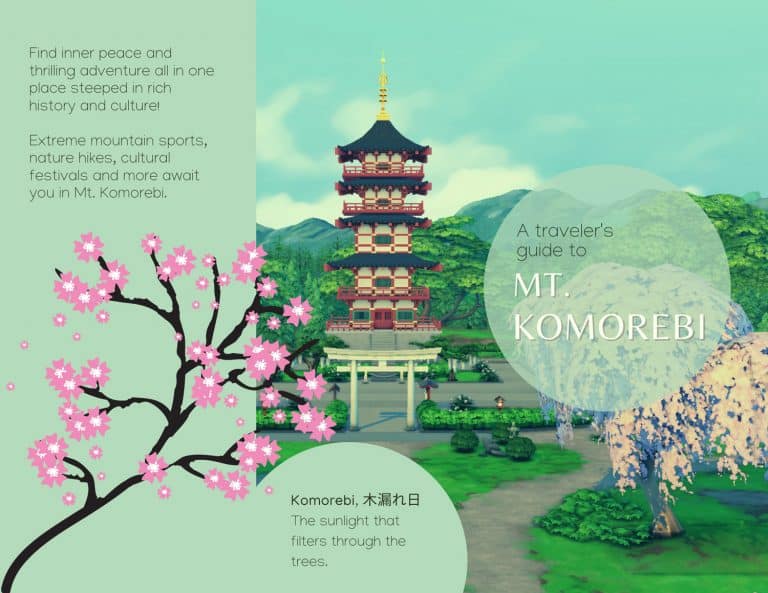
The Sims 4: Your Travel Guide to Mt. Komorebi!

We’re back with another Sims-inspired travel brochure in our Sims Community travel series! We received requests for a Mt. Komorebi travel brochure and we agree that Mt. Komorebi is a great candidate for a brochure! Not only does it already come with rental lots in the world to vacation to, but it’s also home to a wide variety of exciting activities, natural beauty, and cultural celebrations making this Japanese-inspired world truly a must-visit destination.

What world would you like to see next in this travel brochure series? We want to know, so give us your suggestions here in the comments or come chat with us on social media!

You can also check out currently published Travel Brochures here!

The Sims 4: Your Travel Guide to Mt. Komorebi!

The Sims 4: Your Travel Guide to Mt. Komorebi!

A Modder Has Discovered How to Add Create-A-Style to The Sims 4

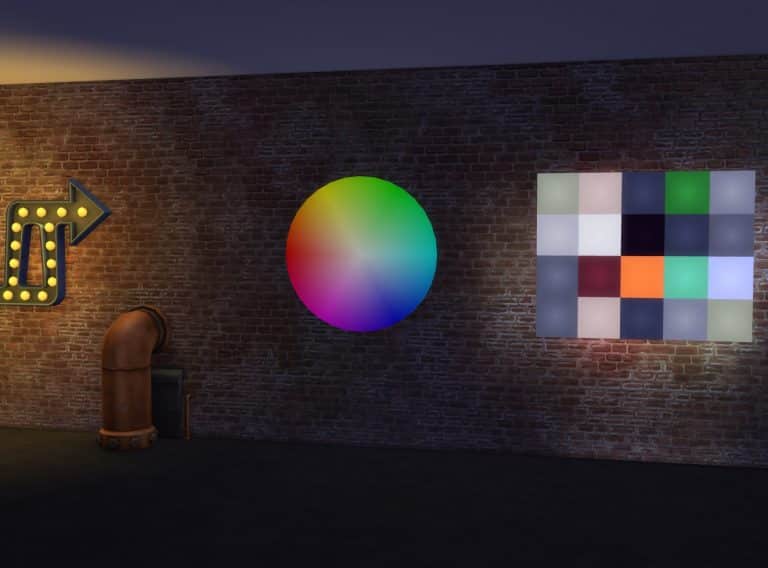
A well-respected modder in the Simming community by the name of Arnie has announced that he just may have finally cracked the code that has puzzled players and modders alike for years; how to bring the colour wheel and Create-A-Style to The Sims 4!

He has shared a video on his Patreon demonstrating an accidental discovery he made while working on a different mod. The video appears to show him being able to transfer the colours and textures from one object to another by dragging different paintings onto a coffee table. The coffee table then takes on the colour and pattern of the painting that was dragged onto it. There are a few other videos as well showing potential colour wheel functionality.

From Arnie:

Hey friends!

I just wanted to let you know that, while I was working on Plumfruit Part 2 (searching for a way to change wallpapers on the computer), I discovered a cool function in the code that allowed me to code and create some kind of Create-A-Style feature (sims 3 players, if you know, you know😜)

This allows you to create and modify your own objects and textures inside the game! How cool is that?

I would like to turn this into a mod, where you and your sims can create their own custom objects, either for their home or to sell it at their custom furniture shop!

I have so many ideas and will probably keep working on this project to make it a full mod pack of its own one day! I have no release date yet, and as you know I have so much work to do already (revamping mods, betas, etc.) But I just wanted to share with you these features and experiments I’m working on! Hope you like it!

Arnie does caution that this discovery is still very new to him and he hasn’t yet had a chance to do more research into it but he theorizes that it may be possible to use this loophole to his advantage and create a fully-functioning colour wheel and Create-A-Style feature for The Sims 4.

Arnie is no stranger to accomplishing the impossible; he is known for many groundbreaking mods like his Farmland mod, as well as the Brookheights mod, both which add entirely new worlds to the game along with game-changing gameplay, so we’re pretty hopeful about his next planned project! In the meantime, you can follow Arnie on Patreon (or Twitter!) to continue receiving updates about this exciting project. We will also be keeping you updated on any big developments!

A Modder Has Discovered How to Add Create-A-Style to The Sims 4

The Sims 4: Let’s Build a Spa in Mt. Komorebi!

One thing I’ve always wanted in Mt. Komorebi was a spa. With the world’s focus on finding your inner zen, a spa just seemed like a perfect fit for this world. Not only would it be appreciated by all those hard-working salarypeople living in Mt. Komorebi, but it would also be a fun and relaxing activity to enjoy while vacationing in Mt. Komorebi, too.

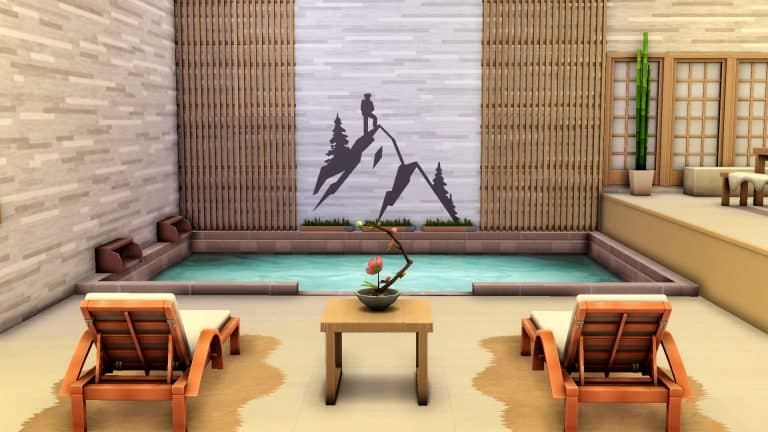
When Spa Day got a much-needed refresh, I decided now was the perfect time to build one for my Sims. For an added challenge, I decided the only two packs I would use would be Snowy Escape and Spa Day. I also went with a more modern design since I planned to build this in the Wakaba District, on the lot where the lounge is.

Since this is a spa in Mt. Komorebi which is famous for its hot springs, I knew I needed to have a hot spring in my spa as the main focal point and attraction. I dedicated the entire first floor to the lobby, changerooms, and the hot spring. Since going to the onsen is very much a communal, social activity, I added a lot of cozy seating in a large area around the hot spring for people to relax or have a quiet chat with friends.

Upstairs is where the rest of the spa activities would be. Massages, manicures, pedicures, meditation, yoga, sauna, soak baths, it was all going to be here on the second floor. I had my work cut out for me because that’s a lot to cram into one floor while still maintaining a light, airy atmosphere that feels soothing. I took advantage of platforms and wide open doors to keep the space feeling big and open while still allowing for some privacy in the massage rooms and baths.

When I was finished, I had a meditation area as the focal point of this floor using platforms, with a yoga studio, sauna, massage rooms, and baths in smaller rooms around it. The circular pathway around the meditation area that leads to the rest of the spa amenities gives what could have been a very cramped space a soothing sense of flow.

For the exterior, I used shoji windows to bathe the inside of the building in soft light while still offering privacy to people relaxing inside the spa. A lot of clean lines, neutral colour tones, and a zen garden out front all give the spa the modern yet calming feel I was aiming for.

The Sims 4: Let’s Build a Spa in Mt. Komorebi!

In the end, I was quite proud of myself for having built this. Japanese architecture is very far outside my comfort zone and I had to double check a lot of details with people more knowledgeable on the subject than me but I finally have the Mt. Komorebi spa of my dreams!

And so can you! If you love this lot and would like it in your own game, you can find it in the Gallery! It’s called Shizukesa Onsen & Spa and my ID is SnarkyWitch. It has no CC and only requires Snowy Escape and Spa Day.

Maxis’ Upcoming Simulation Game is apparently called “Lost Astral”

Back in July 2021 we first reported the first details on Maxis’ new IP (Intellectual Property), which we can also call a new Franchise considering it’s a standalone, different game.

We got the information that the upcoming Simulation Game from Maxis’ is, well in fact, a Simulation HD title, with the following bits of information:

  • It’s a Simulation HD Game (PC / Consoles)
  • Developed / Prototyped in Unreal Engine 4
  • The game features a “3D Menu Navigation”
  • Includes “Super Abilities”
  • Comes with “Co-Op Player vs Environment” Events

We also have gotten the first look of what the game might be about thanks to the surfaced splash Maxis screen that you can see down below. It features a purple sky with stars, possibly hinting that the new Simulation is space-related…

Maxis’ Upcoming Simulation Game is apparently called “Lost Astral”

A few days ago there’s been a huge leak from Nvidia Geforce NOW’s streaming service, which allows you to stream games directly without downloading from their platform.

Inside of the leak some players were able to uncover a list of over 18 thousand video games, including some of the ones that have yet to be released.

In that list is also an unnanounced game from EA and Maxis called Lost Astral. If we match the potential name leak with the splash screen that was leaked a few months ago we have almost a confirmed title from EA / Maxis that’s yet to be officially announced. Note that the name Lost Astral could also be a project name and not a final name for this upcoming Simulation.

A list of games that may be in development or have been developed that may be integrated into NVIDIA’s GeForce NOW streaming service has been leaked through their API1. Though to be taken with some scepticism, the leak has been condensed into a GitHub repository2. Looking through the games, I noticed a game titled ‘Lost Astral’ by the developer EA Maxis.

– u/Koriyo

Maxis’ Upcoming Simulation Game is apparently called “Lost Astral”

To remind you again, there are multiple development studios inside EA/Maxis working on different titles, including:

So, when will EA / Maxis officially announce Lost Astral? We honestly have no clue. However, we’ll definitely keep you posted as new information surface!

Tip: @PattonKieran
The Sims 4: List of Updated Objects (and their Swatches!)

0

Yesterday’s update for The Sims 4 on PC/Mac has added TONS of new swatches to existing Base Game objects! 1200 Swatches across 149 objects to be more precise.

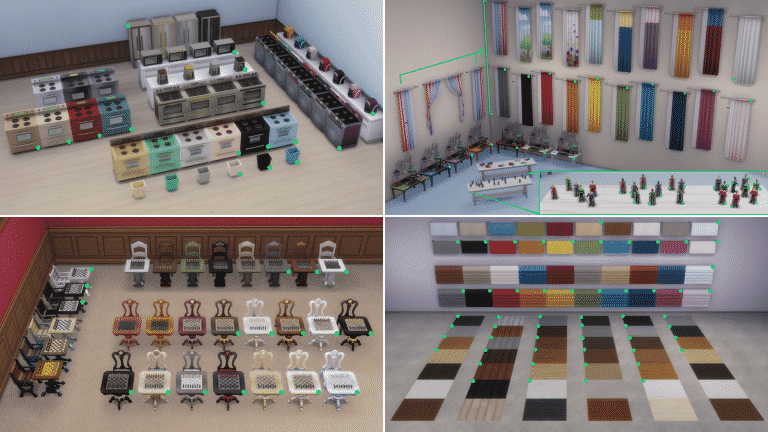
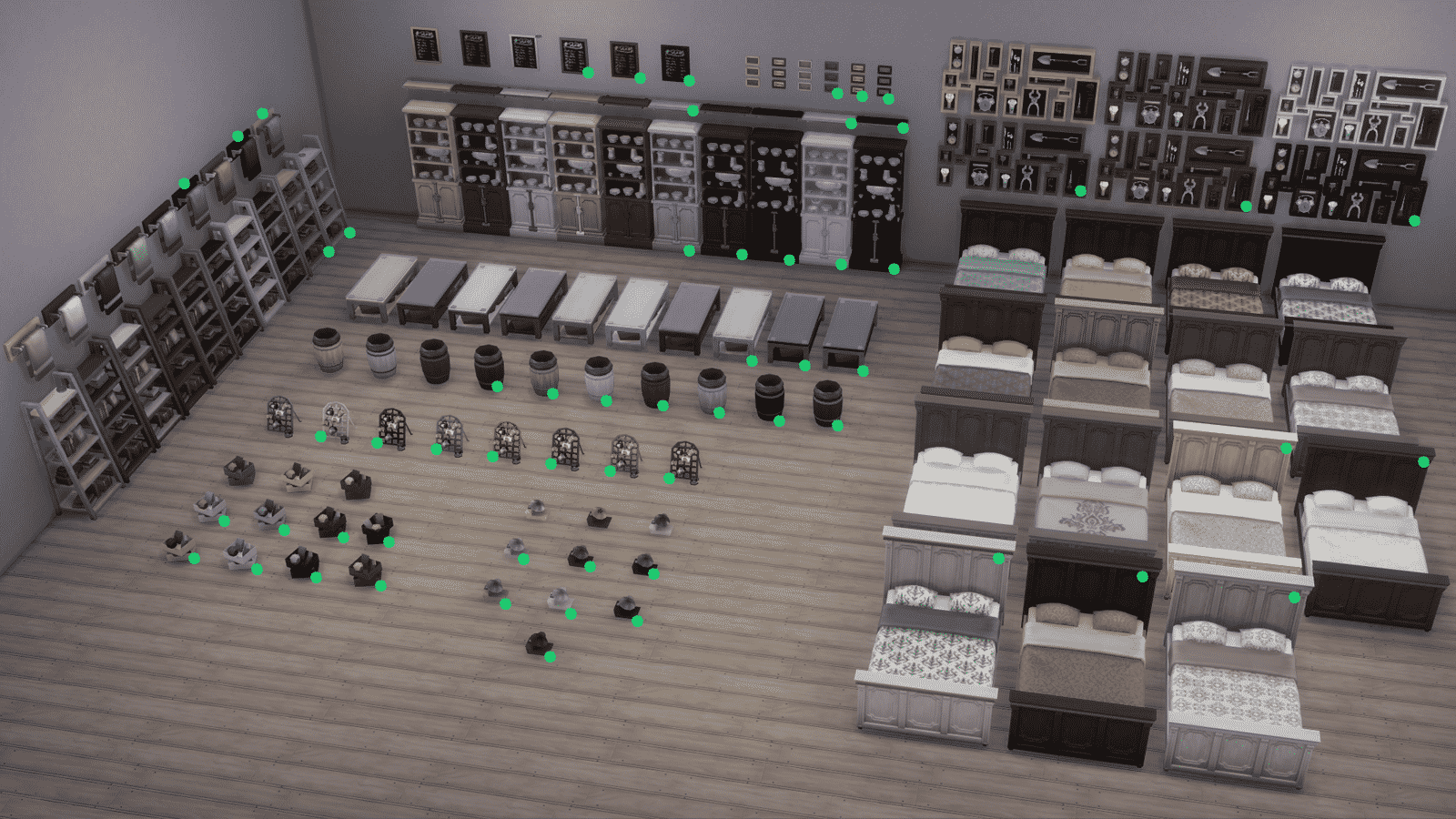
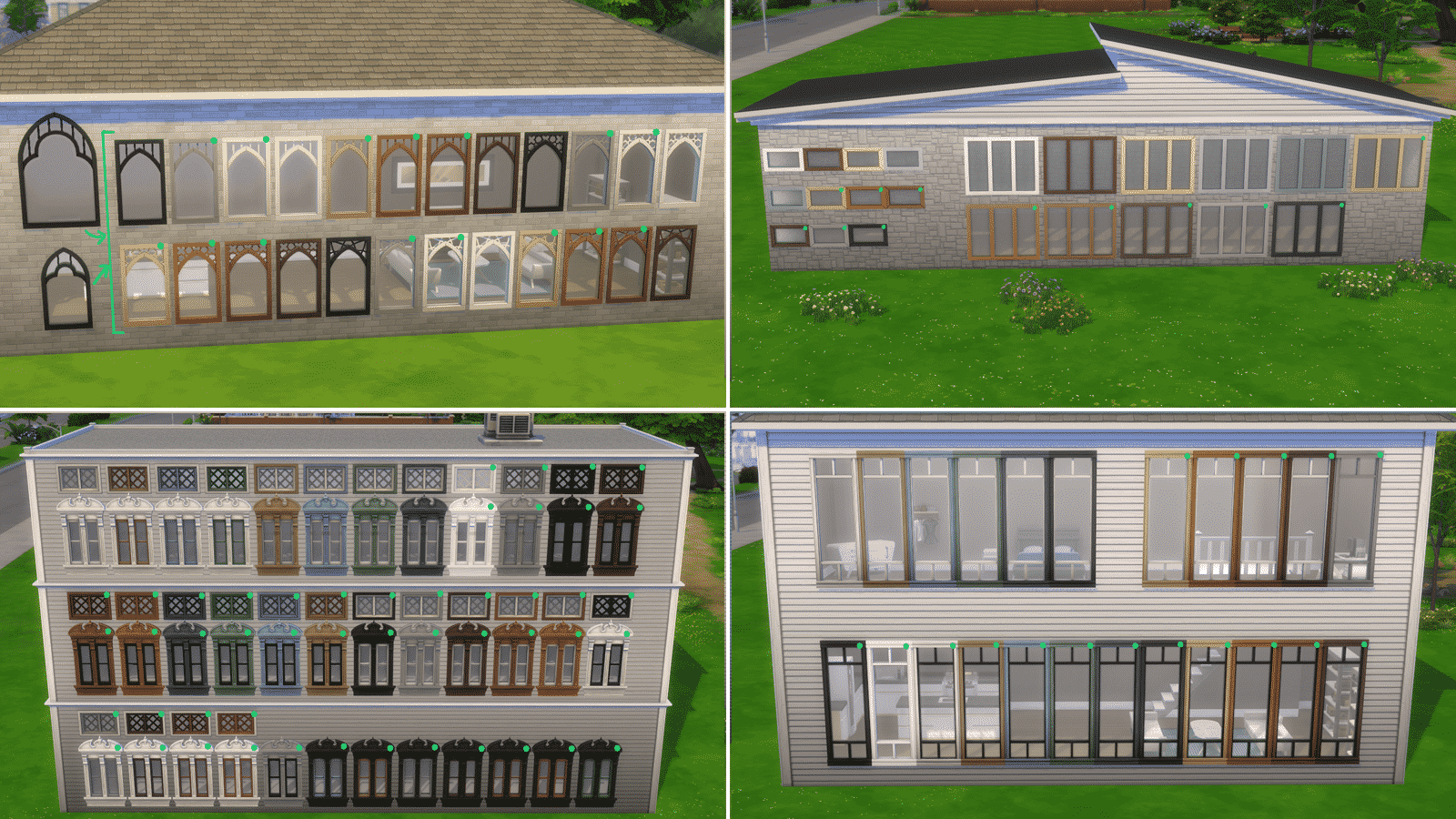
The list of updated objects includes a wide variety of everyday home objects, object sets such as counters and islands, wallpapers, floorings, 64 WINDOWS and so much more!

We’ve downloaded high quality photos of each of the updated objects. Simply select an image and zoom in to see every new swatch added to The Sims 4! The new variants are marked with a green circle.

The Sims 4: List of Updated Objects (and their Swatches!)

The Sims 4: List of Updated Objects (and their Swatches!)

The Sims 4: List of Updated Objects (and their Swatches!)

The Sims 4: List of Updated Objects (and their Swatches!)

The Sims 4: List of Updated Objects (and their Swatches!)

The Sims 4: List of Updated Objects (and their Swatches!)

The Sims 4: List of Updated Objects (and their Swatches!)

List of Updated Objects

  • Illusion Shades
  • Flaunting Flounces Panels
  • Minimalist Drapes
  • Sooner or Ladder Contemporary Dining Chair
  • Tabula Rasa Coffee Table
  • Tabula Rasa End Table
  • Tabula Rasa Console Table
  • Grand Hall Dining Table
  • Grand Designs Dining Table
  • Simplicity Dining Table
  • Square Meals Dining Table
  • Floored by Symmetry Standing Mirror
  • Carina Dining Hutch
  • Simple Symmetry Bookcase
  • Intellectual Illusion Wall-Mounted Bookshelves
  • Great Wall Mirror
  • Capped Wall Plank
  • Dodecagon Contemporary Clock
  • Honeycomb Bottle Holder
  • On Phantom Wing Framed Art
  • Apple of Your Eye Framed Watercolor
  • Pear Essentials Framed Watercolor
  • Terminus Reclaimed Pipe Towel Rack
  • RAW Bookshelf
  • Reclaimed Plank Shelf
  • Wainscott Gardens Dining Cabinet
  • Form & Function Industrial Coffee Table
  • The Barnish Bed
  • Boardwalk Trashcan
  • CONCEPT Coffee Mug Rack
  • Cluttered Mind Box Set
  • GrammyFone Old-Fashioned Music Player
  • In Session Novelty Chalkboard
  • Three Framed Skeleton Keys
  • Ordinary Things Shadowbox Display
  • Cooking-U Pro
  • Crisponix Ultragreat w/ Deluxe Crisper
  • The Omniwaver
  • Café Immodéré
  • London’s Choice
  • The YumCooker
  • The Schmapple Oven
  • The Schmapple Coffee
  • Garbelle Wastebasket
  • Popped Color Curtains – Left
  • Popped Color Curtains – Right
  • Sunny Shades – Left
  • Sunny Shades – Right
  • Junior Wizard Starter Set
  • Mega Couple Of Books
  • The Purple Protector Action Figure
  • The Purple Pursuer Action Figure
  • The Chessmaster
  • Chess under the Stars Patio Table
  • Grand Plans Chess Table
  • Cabin Slats
  • Simplicity Shade
  • Limber Lumber Traditional Hardwoods
  • Rustic Subfloor Slats
  • Eco-Craft Hardwood Flooring
  • ForestFine Wood Flooring
  • Old World Wide Plank Flooring
  • Herringbone Hardwood Flooring
  • VAULT Modular Counter
  • VAULT Modular Island
  • VAULT Wall Cabinets
  • VAULT Pro-Level Bar
  • BlandCo Contemporary Counter
  • BlandCo Contemporary Counter Island
  • BlandCo Contemporary Cabinet
  • Country Fieldstone
  • Mega Stacked Stone
  • Windowbox of Superiority
  • Neighborly Windowbox
  • Garden Planter Box
  • Garden Pot
  • Bonsai Tree
  • Oopsa Daisies
  • Red, Red Shrub
  • Pink Aster Nots
  • Purple Perennial Flowers
  • Shaggi-luscious
  • Passion’s Kiss
  • Baby’s Bottom Rose Bush
  • Red, Red Rose Bush
  • 64 Windows