Get ahead with these official tips to stabile performance when performing a Sims 4 Update!
The Sims Team continues to provide more clarity about best ways to maintain and upkeep your Sims games. Their useful Lag Causes for The Sims 4 guide was clear enough to give a player understanding which features might spike a frame drop.
Preparing for the next update is always important, especially if you’re someone who uses a lot of Sims 4 Mods and CC. This official guide also acknowledges the 50 / 50 method and shares their way of discovering outdated mods. Including the good reliable Copy > Paste method of backing up your Saves. This time with an official signature!
As many of you already know, after any base game update any mods or CC you have installed are disabled as you might need to update some of them to be compatible with the newer version of The Sims 4 you’ve just installed. Below you’ll find steps on how to launch the game “vanilla,” what to look out for when playing with mods, re-enabling mods, and (If something broke) how to use the “50/50” method to find the culprit, along with other best practices.
Updating mods and CC, is it that important?
Did you know that in certain cases using an outdated mod could cause unfixable problems for your save? Some mods may even make changes to your game that persist after the mod is removed, so be sure to check any elements of the game that a mod you used may have affected. If (for example) you used a mod to add Lot traits to your neighbor NPC Sim, removed playmats, or installed any food related mods, are the changes they made still present after removing the mod?
Before you update
Back up all of your stuff. Copy these 2 directories to a safe spot, like your desktop:
Documents\Electronic Arts\The Sims 4\Saves
Documents\Electronic Arts\The Sims 4\Mods
Note your mod list. Have a lot of mods? A method of organizing your mods may be worth looking into, a simple text file or spreadsheet with the names of your mods and their creators might save you a ton of time later.
Close the game and your mod manager (if you use one).
After the base game update
Launch once with no mods or CC (vanilla). Mods and CC are disabled by design after updates – this is normal.
Hop into Live Mode for a minute. You’re just checking that the game runs on the new patch version.
Exit the game WITHOUT saving. Don’t save a modded game while mods are off, or the game will strip most modded content (this mostly impacts mods that have separate .cfg files)
Clear cache: delete localthumbcache.package (in Documents\Electronic Arts\The Sims 4) whenever you change mods.
Re-enable mods/CC. Under Game Options – Other – Enable Custom Content and Mods (and Script Mods Allowed if you use them as well), then restart the game.
Start adding content back safely
Start with the known-good/updated versions. Grab fresh downloads from creators who’ve posted updates, and add back in mods that creators have said are compatible with the new game version. Remember to check for what other mods those mods depend on, though!
Add in small batches. Drop in a few mods at a time, then launch and test.
Prioritize gameplay and UI mods. These are most likely to break after patches – verify them first. (UI mods are anything that changes or adds to the game layout, including in Create-a-Sim and Build/Buy mode.)
If something isn’t right: the “50/50” method
Move all content out of Mods.
Add back half → test in game.
Make sure that in that half you include mods those mods depend on. You might want a “half” to be all build/buy and CAS content that doesn’t require a “core” mod, for example.
If it breaks, the bad file is in that half → remove half of that half and test again. If you’re testing gameplay mods, make sure to not split mods from the ones they depend on.
If it’s fine, swap in half of the remaining files → test.
Repeat until you isolate the culprit, now you can look for an update or remove it.
Clues the issue might be mod-related
Script/gameplay bugs: interactions won’t complete, menus fail to open, Sims get stuck.
UI glitches: Menus are the wrong colour or distorted, icons are jumbled.
CC/asset glitches: missing meshes, distorted clothing and faces, floating accessories.
Quick fixes that help a lot
Test on a fresh save to rule out save-specific issues.
Turn off the “mod list at startup” if booting your game is slow (uncheck Show at Startup on the mods list screen).
Repair the game via your launcher if core files seem off (this doesn’t touch your Mods folder, but you may want to back them up again anyway):
EA app – Library – click on The Sims 4 – Manage – Repair
EPIC – Library – click on The Sims 4 – click the three dots (…) next to The Sims 4 – Manage – Verify (You’ll also want to follow the steps above on EA app after this as EPIC launches The Sims 4 through the EA app)
Steam – From your Steam library – right-click the game tile – Properties – Installed Files – Verify integrity of game files
Still not working quite right? What to include when asking for help
Also be sure to include the info below to get help from the community faster:
Your game version, launcher, and platform (e.g. Version 1.119.109.1220, EA app, Mac). You can find your game version in the bottom left corner of the main menu.
A short summary of what changed (e.g. “updated today; added X mod; removed Y”).
Which mods/CC you’re using (link to your list if possible).
Make sure any mods you mention are in line with the EA Forum Rules & Guidelines! We’ve got gamers of all ages here.
When errors happened, and what happened. If at some point your game won’t launch the next stage, which stage that was helps with finding a solution. The same with what was happening when your Sims stopped behaving.
Any error messages or LastException/lastCrash files.
Official Guide to Backing Up Saves in The Sims 4
We know that your saves are more than just Sims; they’re legacies, builds, and finely crafted stories. This is why backing up your saves in The Sims 4 is not only recommended, but essential for your peace of mind. It’s heartbreaking to accidentally overwrite a save folder, encounter a hardware failure, or lose a save file, so we’re here to help you prevent it from happening.
There are other reasons to back up your save files as well. Did your favorite Sim just get attacked by the killer rabbit? Simply restore a backup save like it never happened. Just had your 99th baby in the 100 Baby Challenge? You’ll definitely want a backup save before moving on to baby 100.
How often should I be backing up my saves?
It’s best practice to backup your saves regularly, say on a weekly basis as well as prior to any major game changes or in-game events. These might be base game updates, installing a new pack, finishing up an epic build, or even adding mods. This is because you’re making changes to The Sims 4 file system structure, which has the chance, even if small, of corrupting a save file.
If you’re planning to use a new computer or even are moving the location of that computer, you will also want to back just in case anything happens and you can transfer over all your families and builds to your new PC.
Backing up your save files:
For Windows users:
Go to My Documents.
Open the Electronic Arts folder.
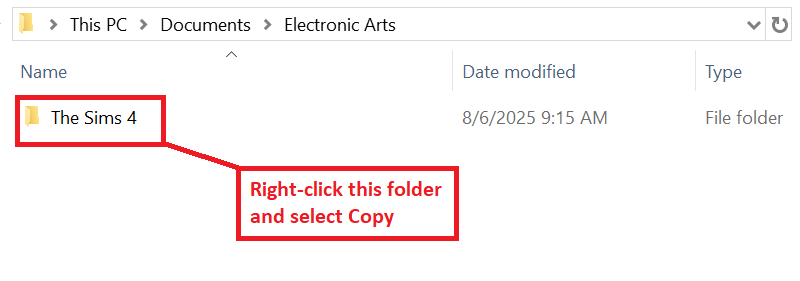
Find The Sims 4 folder.
Right-click on it and choose Copy.
Go to your Desktop.
Additionally, you can copy this folder to a flash drive or Cloud storage.
Right-click on a free space and choose Paste.
Right-click on the copied folder and choose Rename.
Change the name of the folder to something you’ll remember like ”Sims 4 Backup”.
For Mac users:
Open Finder by clicking on the Finder icon on your Dock.
In the Finder window navigate to your Documents folder.
Open the Electronic Arts folder.
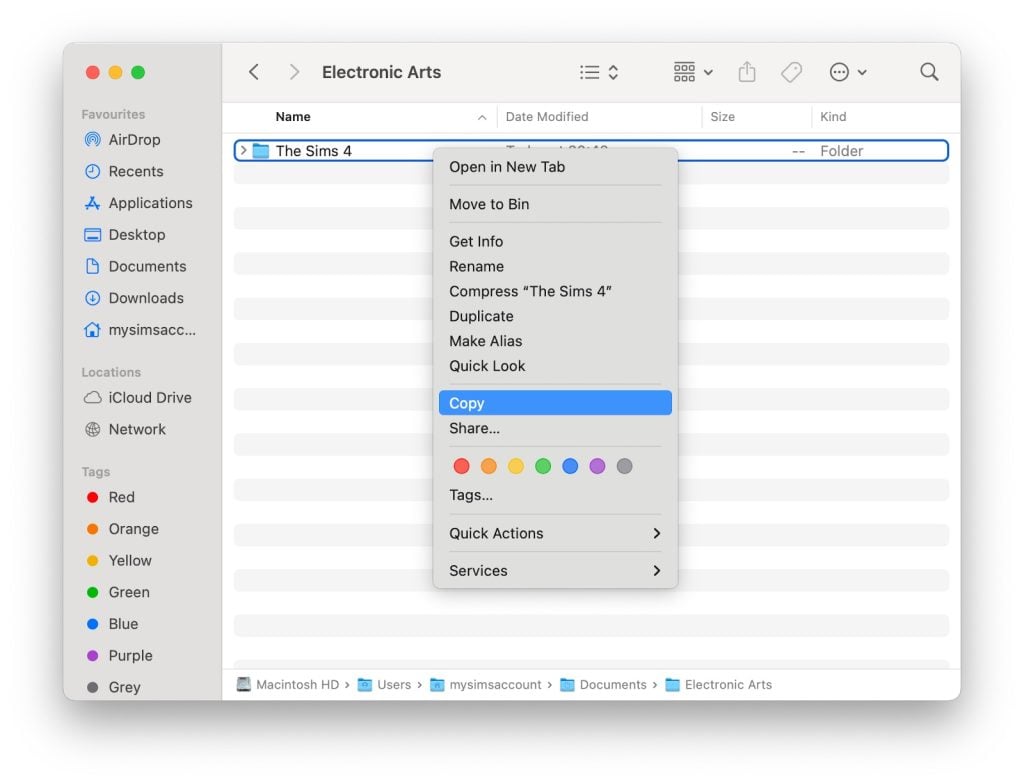
Click once on The Sims 4 folder to select it.
Press Command & C on your keyboard to copy the folder.
Go to your Desktop.
Additionally, you can copy this folder to a flash drive or Cloud storage.
Right click on a free space on the desktop and click on Paste Item to paste your backup folder.
Rename the folder on your desktop by clicking on it and pressing Return, then entering the new name.
Change it to something you’ll remember, like ”Sims 4 Backup”.
Restoring your save files:
For Windows users:
Go to My Documents.
Open the Electronic Arts folder.
Click on The Sims 4 folder and press Delete.
Confirm you want to delete the file.
Empty your Recycle Bin.
Go to your Desktop.
Right-click on your backup folder and choose Rename.
Change the folder name back to The Sims 4.
Right-click on the folder and choose Copy.
Go to My Documents.
Open the Electronic Arts folder.
Right-click on a blank space in the folder and choose Paste.
For Mac users:
Open Finder by clicking on the Finder icon in the Dock.
In the Finder window navigate to your Documents folder.
Open the Electronic Arts folder.
Right click on The Sims 4 folder and select “Move to Bin” to delete it.
Go to your Desktop
Click on your backup folder.
Press Return and change the folder name back to The Sims 4.
Press Command & C on your keyboard to copy the folder.
Open Finder.
Open your Documents folder.
Open the Electronic Arts folder.
Click on a blank space in the folder and press Command & V to paste your backup folder.
Once the above steps are complete and you’ve verified your saves are present in game, you can safely delete the backup folder on your Desktop.
Restoring a “.ver” Save File:
Please note that The Sims 4 automatically creates a backup of autosaves that can be found in your save directory as “.ver0”, “.ver1”, etc. as well.
These can be restored via either of the following methods:
Method 1: Use the in-game “Recover Save” feature:
Launch The Sims 4 and select Load Game from the main menu.
In the menu that appears, select the save you want to restore.
Click the Recover Save button, which looks like a floppy disk icon.
Choose the specific save version you want to restore and click Recover.
Confirm your choice by clicking Yes.
Method 2: Renaming the save file:
Exit The Sims 4 completely.
Navigate to your The Sims 4 saves folder.
Find the file with the same name as your save, but with the “.ver” extension (e.g., “Slot_00000002.save.ver0”).
Right-click the .ver file, and rename it by deleting the “.ver” at the end, so it becomes “Slot_00000002.save”.
If you have multiple “.ver” files, the lower version number (eg, ver0) corresponds to the most recently created backup.
Launch The Sims 4 and check your “Load Game” menu for the restored save.
If you have any issues with the above processes, you can always reach out in our Technical Issues sections of The Sims forums for PC here, or for Mac here for additional assistance.
Will you be preparing your game for the new Sims 4 update on January 13th or do you keep your game light with custom content? Let us know in the comments below and stay tuned for the next game update!
In the latest public patreon post, Paralives developer Anna takes us through how the Paralives genetics system is going to work, revealing how traits and appearance are shared across different generations.
The team are putting effort into making inherited traits feel believable, and give each Para a sense of individuality.
Let’s take a deep dive into this latest information.
To see all other Paralives updates covered by Sims Community, you can click here for the full library.
Understanding Paralives Genetics
Inheriting physical features
The Patreon post covered how a few different physical features are going to be compatible with Paralives genetics, let’s unpick them.
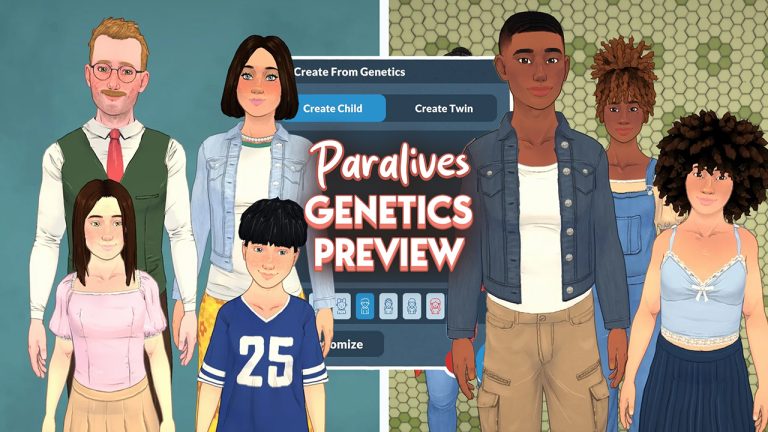
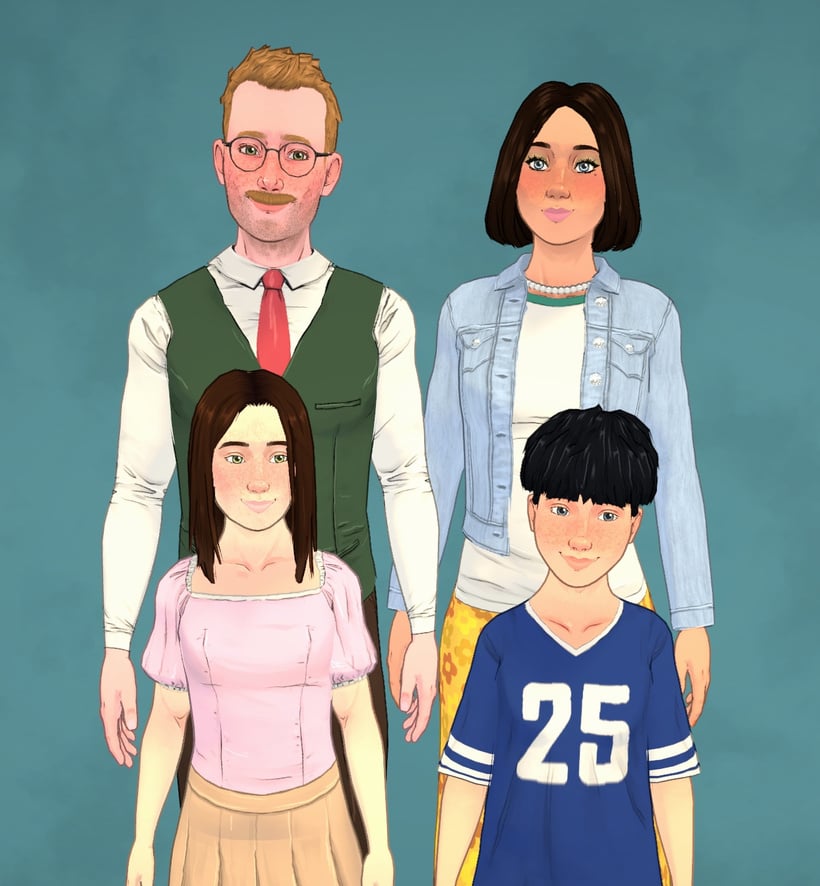
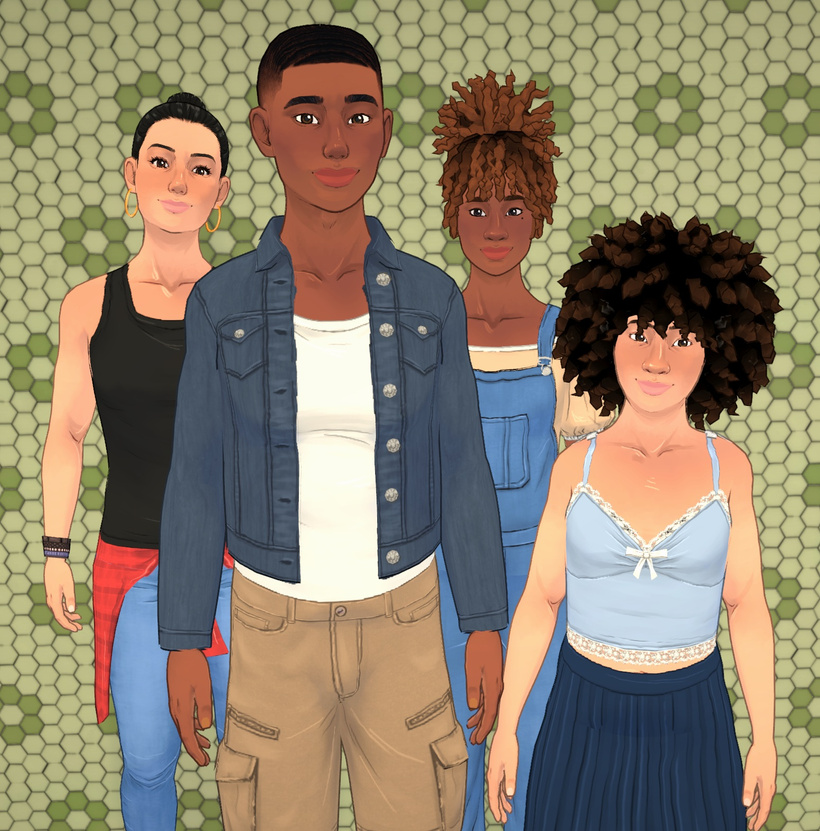
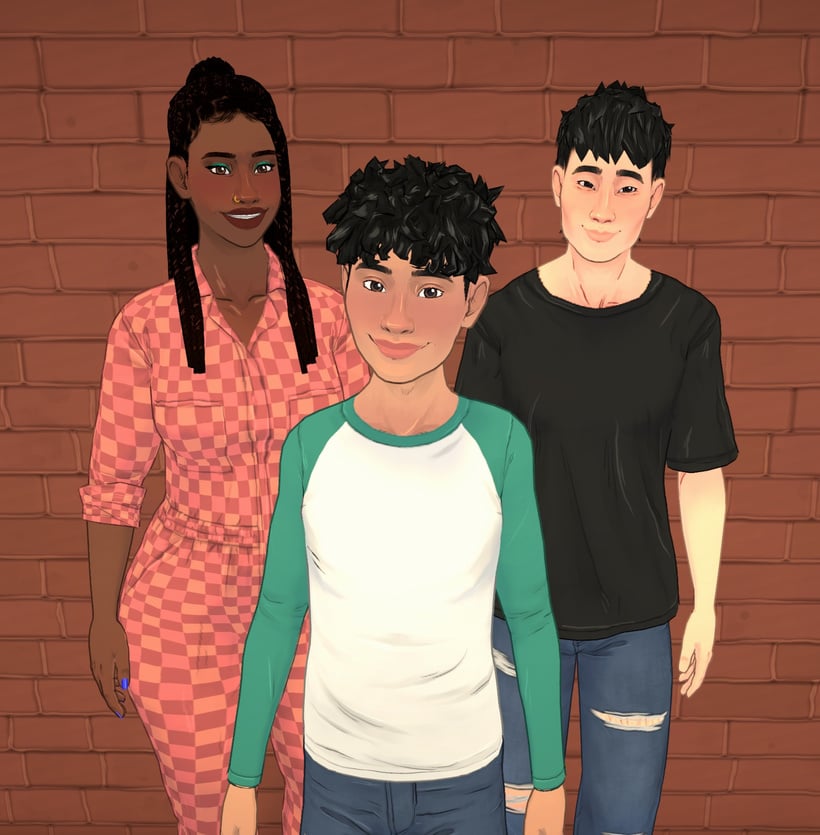
In this image from the latest trailer you can see a family resemblance between the Parafolk, children of different heights, and different hair and skin tones.
Facial features
The team are placing a large emphasis on being able to easily recognise which traits have been inherited from which parents, so for example a child might get their mom’s nose and their dad’s jawline. This keeps faces coherent and avoids awkward slider combinations, while making family resemblances easy to spot.
For each facial feature (like the nose, chin, etc.), the child inherits all the relevant sliders from one parent, chosen randomly. For example, they might inherit their entire set of nose sliders from their mom, and the cheeks from their dad. This helps keep things coherent and avoids weird mixes of incompatible sliders, which can quickly lead to ugly or extreme results.
With height the aim is to mix inheritance with random chance. Paras will fall into short, medium, or tall categories, and a child randomly inherits one parent’s category, then gets a randomised height within that range. This means siblings can end up very different in stature and could even end up taller than both parents.
Having this possibility of different heights adds a lot of uniqueness to characters and makes the world feel more diverse and alive. Our goal for the genetics part of height is not only to get this idea of height being inherited, but also to add some variation to it so that children of the same parents don’t necessarily have the same height. We want the player to say things like “This family has giant genes running in it!” or “This child grew to be taller than both their parents!”. Waiting for kids to grow before knowing which one is going to be the tallest of the family is a nice little detail that this system makes possible!
Most of us are used to seeing characters in life simulation games be one standard height, so even the prospect of having short medium and tall Parafolk is a welcome change. You can see from this image how much height can vary between children.
Eye, hair and skin colour
Using a simplified version of dominant and recessive genes, Paralives genetics features like hair eye and skin colour will vary lots more between family members.
These can skip generations, allowing for surprises like a grandparent’s eye colour reappearing later on in the family line.
Hair textures will range from straight to coily, with curlier textures being more dominant.
There’s one gene for hair texture, and it can have four possible alleles: straight, wavy, curly, or coily; with coily being the most dominant, and straight the most recessive. In other words, the more curls you have, the more likely the trait is to “win” when mixed.
Let’s say a Para gets one curly allele from their mom and one wavy allele from their dad. Since curly is more dominant than wavy, the Para will have one of our curly hairstyles, chosen at random. But the wavy gene is still there, and it could show up again in their child, if paired with another recessive allele!
How the Paralives genetics system is being implemented
The genetics system is applied in multiple ways. You can create Paras from scratch, generate children from parents during gameplay, and even add relatives like parents or siblings in the Paramaker.
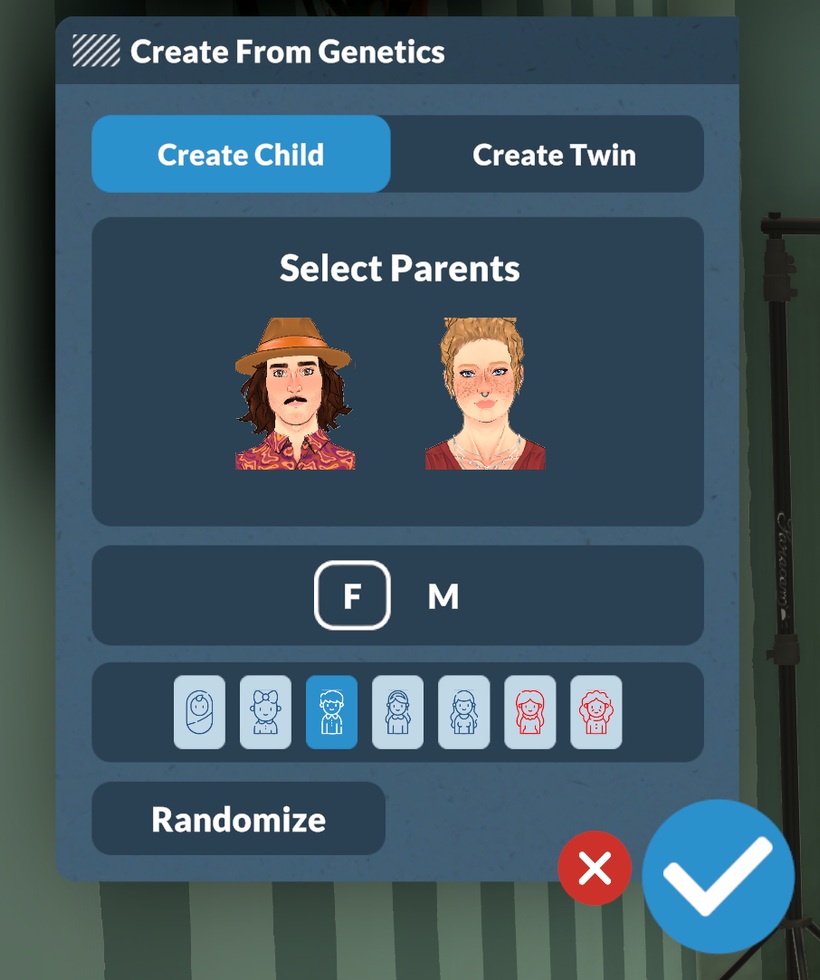
Paralives genetic window in Paramaker. Taken from Paralives Patreon.
Looking at the genetics window in Paramaker, you can see that there are two options available at the moment – create child and create twin. The team assured us in the post that more customisable options will be added as game development continues, like create parent and create sibling.
They also clarified that even though babies and toddlers may look a bit generic at first, their genetic data is saved and fully revealed as they grow.
Another thing that is not yet added but might come in the future is customisable genetics using an advanced genetics interface for anyone who wants to control their Para’s genetics themselves.
Same sex parents and genetic compatibility was also addressed by the team.
In the Paramaker, you can make a genetic child from two same-sex parents, but during gameplay, the parental couple will always consist of one para that can get pregnant and one para that can get others pregnant (you can edit these per character in the Paramaker).
Most the life simulation community loves adding mods to their game, and from the start the team at Paralives has promised that mod capability will be taken into consideration.
Players will be able to tweak or add inheritable traits, create alien species, make “unnatural” colours genetic, or add inheritable accessories like horns or fantasy ears.
As with most of our in-game systems, genetics are widely moddable. You can add, remove, or modify any trait category that supports genetic inheritance, set up the sliders you want inherited (or not), and more.
These updates give us a glance into the way the team are making the Paralives genetics system intuitive for Parafolk and players, and shows they are thinking about all the different ways Paras can be unique individuals even within the same genepool.
While there’s still work to be done, the genetics system already promises deeper family storytelling and plenty of “they look just like their parent” moments.
What do you think about the Paralives genetics system? What would you want to see added? let us know below.
Check out the first official teaser for The Sims 4 Expansion Pack 21!
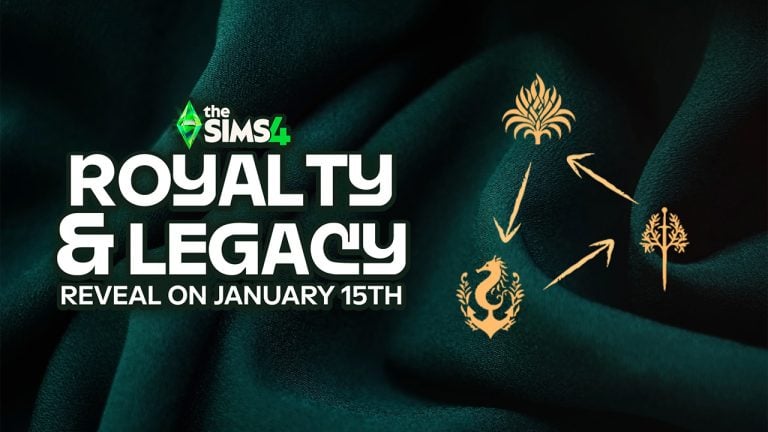
It appears we’re getting the full Sims 4 Royalty & Legacy Expansion Pack reveal very soon! Players who remained in the EA Creator Network have shared a new official teaser website titled letterfromthesims.com, in which new teasers can be discovered for the next EP release. Let’s break it down at everything shown!
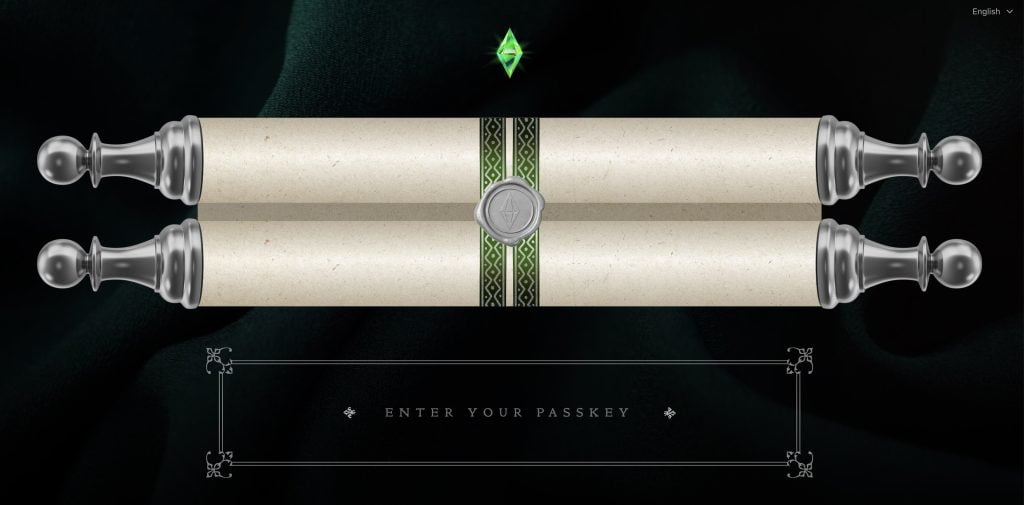
A Letter From The Sims
The new Letter from The Sims official teaser website contains a mysterious scroll locked behind a secret passkey. Thanks to a tip from creator @VelvettBYT, you can use the following code to open the scroll: EMBER-2LDP
Here’s what the first public part of the scroll says:
MOST ESTEEMED Velvett
In The Sims, the most meaningful things are often the ones you don’t plan.
They unfold in small moments… A story that takes an unexpected turn, a choice that lingers longer than you thought, a world that slowly becomes something more than you imagined. Through the lives you create and the worlds you shape, you’ve helped make this space playful, personal, and full of possibility.
From the far corners of the land, your influence can be felt. Not as a single act but as part of a story that keeps growing through curiosity, care, and just the right amount of chaos.
As new chapters wait just beyond view, they do so with the same spirit at heart: stories to tell, worlds to explore, and traditions that begin when you least expect them.
So take a moment. Enjoy what’s been built because there’s always more simmering just beneath the surface.
THE LEGACY CONTINUES,
The Sims Team
A Secret Behind The Flame
There’s a secret message that users of this website can uncover by clicking on the “Click to Reveal Secrets” candle at the bottom of the site.
If you wish to pursue power, you must do so carefully. Plot your next move wisely..you never know who’s watching.
All will be revealed on January 15th, 8am PT.
A new icon can also be found at the beginning of the letter:
There’s also a part on the dark version of the Letter from The Sims that mentions “C was here”. Players are hopeful that this is a reference to Princess Cordelia, and that she’ll be involved somehow in this DLC release:
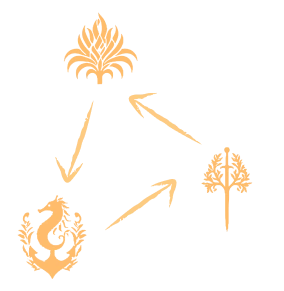
The website also appears to include a teaser icon of three new neighborhoods / kingdoms / monarchies (we’re still waiting for the fully correct term!) coming with this Expansion Pack. Take a look:
The Sims 4 Royalty & Legacy has already been accidentally revealed by the official South Korean Game Rating Classifications page. The rumored release date for this pack was set for February 2026, and with the official announcement coming so soon it shouldn’t be a while until we hear official first information on Royalty & Legacy!
What are your thoughts on the first official teaser for the next Sims 4 Expansion Pack? Let us know your opinion in the comments down below and stay tuned on Sims Community for all things Royalty and Legacy!
The Sims Team Hosted a Lore Q&A on Discord: Here is Everything You May Have Missed!
Over on The Sims official Discord server, members of The Sims Team hosted a Q&A all about in-game lore, townies, worlds, and everything else the self-proclaimed “walking encyclopedias” can tell us. Led by Producer Morgan, Game Designer Zoe, and Senior Game Designer Scott, the Lore Q&A lasted for just over an hour on January 7th 2025. Let’s take a look at everything covered.
Note: The Sims Team could not discuss anything related to upcoming releases or rumours (No royals to be found here)
Table of Contents
The Sims Team Lore Q&A: In Full
Introduction
Moragn: Sul Sul! I’m Morgan. I’ve done a lot of text and lore & object writing since I joined the team during Seasons, and I’ve been excited about Sims lore since I was a kid myself playing Sims 2 and Bustin’ Out. I know a bunch of lore around Werewolves, Vampires, Ghosts, Spellcasters, some random NPC lore, and I wrote a lot of the text or worked with Designers who wrote text for Henford-on-Bagley, Tartosa, Moonwood Mill, San Sequoia, and Ravenwood. So these are areas I probably know the most about!
Zoe: Sul Sul, I’m Zoe, a Game Designer II on The Sims 4. As a long time simmer myself, it’s been a joy to work on High School Years, Growing Together, For Rent, Life & Death, and most recently Enchanted By Nature. I’ve contributed a lot of text writing and feature designs. And I even got to lead our narrative efforts on Enchanted By Nature which was super fun! Some coworkers call me the “Lore Lord” as I’ve been known to be a walking encyclopedia for all things Sims so I’m excited to help out today
Scott: Sul sul! I’m Scott, a senior designer on the Sims who started way back in 2007 as a producer on Sims 2 Expansion Packs. I’m not as knowledgeable about specific premades or townies as Morgan or Zoe, but I’ve always found thinking about the universe of the Sims to be fascinating! I’ve written text for lots of various TS4 packs, but contributed to the history of Werewolves, some of the religious background for Sims Medieval, and some smaller bits here and there like the bike parts collection in Nordhaven.
Please tell us who Lolita Goth is. We need closure!
Zoe: spooky voice Not much is known though her closest relation is to Olivia and Samuel Goth
This one goes out to Doi, as I enjoyed playing as both the Jacobian and Peterians priests! I love how meta both views are, total opposites of how the Sims themselves see us, the player or “the watcher” as kind or evil based on the player’s own experiences on how they treat Sims! Any more info you could share for us Simmers who play Medieval?
Scott: The religious lore in Medieval was based on a decent bit of research of how faith in the real world was viewed by different groups of people, but I also wanted to reflect that neither view was necessarily better or worse because as The Watcher, you did have control over how much to influence the priests and how the Sims might then view you as a player. There was an origin legend of brothers named Peter and Jacob that went away on pilgrimages that came back with different viewpoints that led to those two religions!
Sul Sul! I’m curious, what storyline or lore of which legendary character/family have you been wanting to work on, refine, or deepen?
Morgan: Princess Cordelia whenever I can talk people into including her. I’m obsessed.
Why are Sims so obsessed with grilled cheese?
Zoe: Grilled cheese is delicious
Morgan, what’s under the Old Ravenwood Manor?
Morgan: I don’t know about Old Ravenwood Estated, but have you looked to see what’s under the Specter Family Manor? That’s my favorite. We were joking about making a scary…. um dangerous basement, and the builder did AMAZING.
I think we all know why it is the way it is… maybe
Which of the Sims 4 worlds has the lore you enjoyed creating the most?
Morgan: Moonwood Mill!
Zoe: The world lore I enjoyed most was for Ravenwood and Innisgreen!
Ravenwood is my favorite world in The Sims 4. What and where inspired the world?
Morgan: We start with sort of a vibe for a world normally, a local inspiration, and then the lore comes after. For most World. Strangerville might be a bit of an exception. With Ravenwood, we knew we needed a Ghostly Neighborhood, somethine more country, and something in town and we knew the art direction we wanted to hit for them. Then we fleshed out the NPCs and chose what the lots would be. When you get into NPCs is when a lot of the lore starts happening.
Lorewise, what do you think of MySims Racing, Agents, and SkyHeroes? They all feature Morcubus as the main villain.
Scott: I think MySims has some great open-ended lore! The characters are full of personality and Kingdom/Agents/Racing/SkyHeroes let us really give them some storytelling moments to expand some relationships. The fun of MySims, I think, is that most of the characters have great archetypes they fit into (Morcubus will always be villainous and an egoist!) but they also all have quirks and foibles and many places they could still go.
Excuse me, can I ask Zoe a question? What did you like most about creating the fairy pack? Honestly, it’s my favorite pack, and since I’ve been mixing it with the werewolf pack in gameplay, it’s been amazing. sorry my english is little.
Zoe: I enjoyed crafting the lore of how fairies fit into the rest of the supernaturals of the Sims. Who are they friends with, who are their enemies? How does their magic differ and how did they come to be? It was also really fun to step away from the usual “fairies are inherent tricksters” and see these creatures as something more than just mischief…but still adding mischief!
Does the Grim Reaper have any special relationship with Mother Nature?
Zoe: With Life comes Death! It’s a natural cycle and a solid handshake between known entities.
Is the sims medieval lore and its older faiths canon in the sims 4 universe since its considered an other universe?
Scott: Medieval was a long, long time ago, and some of the things that happened in those kingdoms may be a bit exaggerated or apocryphal and knowledge or traditions have changed or been lost since then, but I would consider it “light” canon. Did the crab bandit truly exist? Or was it a story passed down through the ages? Who’s to say.
What is the story behind our cranky elder woman? Mrs Crumplebottom? Did her past love jilt her? or did she not get her cheese sandwich?
Morgan: So she was in love! She was married and they were planning to have a child! You can see the nursery in Sims 3! But Eric, her husband, died during her honeymoon! She got with Robert Crumplebottom, but he also died via chandelier.
Horse Ranch Spoiler: In Horse Ranch you find out Roberto Crinkletop is Robert Crumplebottom!!!
She doesn’t know that though! Anyways, she’s been devestated by love twice now, so that’s why she’s cranky and why she hates seeing others in love! POOR AGNES.
Are dinosaurs canon in the sims 4 universe? And are they also dead like in ours?
Morgan: They have to have existed since there are dinosaurs in art and stuff! I’d guess they are uh extinct though in a similar sense. I think in Sims 3 you could go back in time and have a cave man experience with them, but that’s a foggy memory for me.
My favorite MySims Kingdom island is The Royal Academy. Was there any particular inspiration for that island? Also, are there any references to it in TS4 other than the fact that Summer, Liberty, and Travis are townies?
Scott: There’s a whole collection of little figurines of MySims in TS4! I think the MySims characters do exist as some sort of IP within the TS4 world. As for Summer, Liberty, and Travis – maybe an odd coincidence? Or their parents were all really into MySims, like when you name your kid Luke because you’re a Star Wars fan.
Wasn’t Eric’s last name Crumplebottom? If Agatha is Roberto’s family, how do they all have the same last name?
Morgan: I’m not sure off the top of my head, but in Sims lore we do regularly do matriarchal names passing down, not just patriarchal, which is more typically seen in real life so that could be why.
Is sims 4 Malcom the same Malcom from bustin out (chaotic king)
Morgan: Yeah! They might be slightly different from game to game as Sims happen to be, but that’s the same person as far as I’m aware.
Why don’t Bob and Eliza like each other? And why are they still married?
Zoe: Marriage can be hard, but a fable in Enchanted By Nature may show hopes their relationship is on the mend! Although I’m sure Bob will mess it up somehow.
Which pack was the most fun/interesting to write lore for?
Morgan: Werewolves. Getting to flesh out Spellcaster, Vampires, and Werewolves lore was amazing! We all bounced off each other when writing. Scott (Designer) did the original outline for it, and then we all extrapolated.
Which pack was the most fun/interesting to write lore for?
Morgan: Werewolves. Getting to flesh out Spellcaster, Vampires, and Werewolves lore was amazing! We all bounced off each other when writing. Scott (Designer) did the original outline for it, and then we all extrapolated.
Zoe: I will shout to the moon about how fun it was to write fables for the Enchanted By Nature errand/quests. Each one reveals a beginning (sometimes middle) and end of a story. I spent a lot of time crafting stories with lessons, lore, and simsy fun that players can choose to believe…or not!
There’s a big difference in the Sims 4 lore between the old and newer worlds. What’s the reason for this creative decision? Note: I love that there’s more lore, although I know it’s not as extensive in the earlier worlds, there are still some things to discover.
Scott: We’re always exploring the different ways we can build out the storytelling in our world and in our Sims, and we saw that player feedback to more lore was pretty positive, so we’ve tried to respond to that accordingly (which has then resulted in more lore in more recent worlds)!
Please drop all of your Greg lore thx
Morgan: We actually had a team argument over naming Greg Greg. SOMEONE (Ninja) thought the name was boring. But the Designer and I fought to keep him called that, because we thought it was hilarious. Did you know his real name is Greggorious Lunvik?
The newer occult lore, especially from Werewolves and the connections that are made to Vampires and Spellcasters… y’all truly knocked it out of the park! I wish mermaids got a little update or something because they’re rly the only occults that I feel have 0 lore or history
Morgan: It would be SO much fun to get to go back and write lore for them. I’d jump at that opportunity!
Is it true that Trashley Reelpearson is raccoons under a coat?
Morgan: YES
Scott: Trashley is legitimate and normal, thank you very much.
How do you keep the balance of whimsical sims and the elements of a life simulator in balance? Not sure if it counts as lore but I wanna know a bit more behind How to keep it light but keep it real at the same time. Sims deals with serious topics but its also still comforting? Its a bit hard to explain.
Morgan: I always start from reality and then try to think about how to make it silly. Also, if something is too dark, you can often just rethink it and ask “how could this actually be silly?” Look at the bandaids on Sims after a werewolf attack as an example. But having fun and trying to get the fun Simsy vibe across is really important.
What happened to the other founders of Forgotten Hollow? There’s talk of 25 vampires, but Vlad has never said anything.
Morgan: I know this one! Forgottton Hollow was once under Werewolf control, in the days of the war. After the War, during Operation High Fang, Vlad moved in. He arrived with a mob of around 25 normal Sims and manipulated them into driving the Werewolves out. They, of course, didn’t know he was a Vampire. They even put up a statue in his honor.
Those people disappeared.
The pack first went underground but continued conflicts with the vampire families drove them away. Their meeting place was eventually boarded-up by the remaining families. A feral werewolf remained underground. Vlad eventually, started to turn people into Vampires, creating something of a small Vampiric community.
Why do fairies and spellcasters have beef
Zoe: Fairies believe spellcaster’s magic is unnatural mostly due to it not being inherent to their species and also not a gift from Mother Nature. The acquisition of fairy familiars by spellcasters did not help to ease any tension either.
I just have one question, does Caleb and Lilith Vatore have parents? Are they dead considering the two moved to Forgotten Hollow or just alive but don’t have the best relationship with them?
Morgan: BAH I’m trying to remember. I don’t know if we’ve answered a lot about their parents.
I do know that Lilly who lives in the Volkov Houshold actually has a history tying back to Caleb and Lilith, so if you want more lore on them – she might be a good avenue to find it out. She was very close with Caleb and Lilith Vatore when they were children – cousins. Their mothers were sisters.
Lilith says, “I remember when my cousin, Lilith, first told me she’d met a fascinating man named Vlad. After that, she started spending a lot of time “training” with him. I thought she meant they were workout buddies. It wasn’t until later that I found out she’d been lured to the dark arts. ” She also says, “We were young when my cousins Caleb and Lilith were turned into vampires. Lilith was turned by Vlad, and Caleb by Miss Hell. Vlad came for me as well, but I hid in the underground tunnels—which is how my own transformation, of a different nature, came about. I stayed there, half feral, and I tried to make it work with my cousins when they visited. After I discovered Moonwood Mill and my pack, I learned that they’d officially moved to Forgotten Hollow. It’s upsetting.
Kind of a tragic story, but we don’t know a lot about the Vatore parents that I’m aware of.
Where the heck does the Mother plant come from? Is it secretly an actual weapon created by the aliens to take over the sims of Strangerville?
Morgan: I don’t know I didn’t work on that one, but that’s a great question! I feel like I need to play Strangerville again! It’s been a while.
Scott: I think there is strong evidence that it is extraterrestrial in origin, but I wouldn’t have put it past the military meddling and experimentation to have made a neutral situation bad. I do think there is intentionally some space for player interpretation.
What influenced your decision to retcon the Alto family in The Sims 3 out of The Sims 4 universe? Weren’t they the rivals to the Landgraabs in Sunset Valley?
Zoe: The Alto family owns Apartments in Uptown, still in direct opposition with Landgraab Apartments and their ongoing various business feuds.
Any chance to have the omiscan lore in Selvadorada be expanded in other packs, I feel like they would compliment a lot with occult lore specially because of the skeletons
Scott: We can’t talk about future content, but a blanket answer for “will we expand on this lore?” is usually: if we feel that there’s an opportunity where it fits and have the right resources to believe we can deliver it in a satisfying way, we’d love to! Once lore exists in the Sims universe, we try our best to document it and remember it for when we may get a chance to expand or reference it.
Why do the telephones no longer work in Sims 4? Did all the telephone wires get cut in the Sims 4 universe?
Morgan: I think its because they were modernizing the world in Sims 4 and trying to represent modern day. I’d love to see landlines in the future though. I really want like an oldies pack or something with 90s stuff. That’d be so much fun.
Does Panya Li from For Rent have any lore like the other NPCs from Tomarang, which we maybe just don’t hear about in-game because he’s more of a special background NPC?
Zoe: Panya Li does not have any further lore for me to share other than being a hunk who owns a lot of properties.
What did you learn from the Lore Q&A? Let us know in the comments below, and stay tuned to Sims Community for everything Sims Franchise!
“The Next Evolution” for Single Player is being developed by Electronic Arts and Maxis.
The last couple of weeks have been really difficult for players who have been navigating the rumors and speculation surrounding The Sims Project X. The Sims Team reassured us to bring clarity to the speculation, claiming it as “misinformation” only to be met with a new Sims Franchise Roadmap today. Which mentions “the next evolution” after mentioning The Sims 4.
The Roadmap is still very vague, but promises to deliver more clarity in the coming months. In my assumption (and don’t take it for a fact!) – EA and Maxis are trying to give the next few Sims 4 gameplay releases a good spotlight before the talks move onto a new Sims experience.
Both the graph and the official statement by EA and Maxis mention the next evolution. As revealed in the Roadmap, there are going to be multiple projects including “a family of new Sims experiences” across PC, Mobile and Consoles, Project Rene, ongoing releases and support for The Sims 4. Which mentions “delivering content & updates” to the current single player entry.
However, the team also confirms that more than a half of single player developers are not just working on The Sims 4, but “the next evolution” as well.
As I mentioned in the title, this is all very vague but confirms multiple single player projects being worked on at Maxis. It would be weird to deny an upcoming Sims successor game by claiming it as a next evolution. Right?
Read the full statement on The Sims Single Player experiences below:
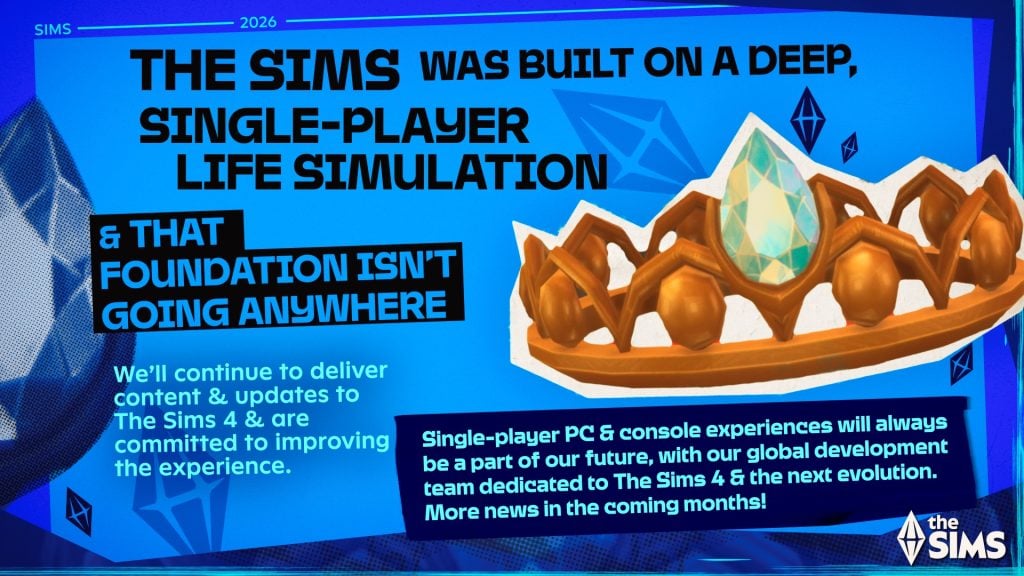
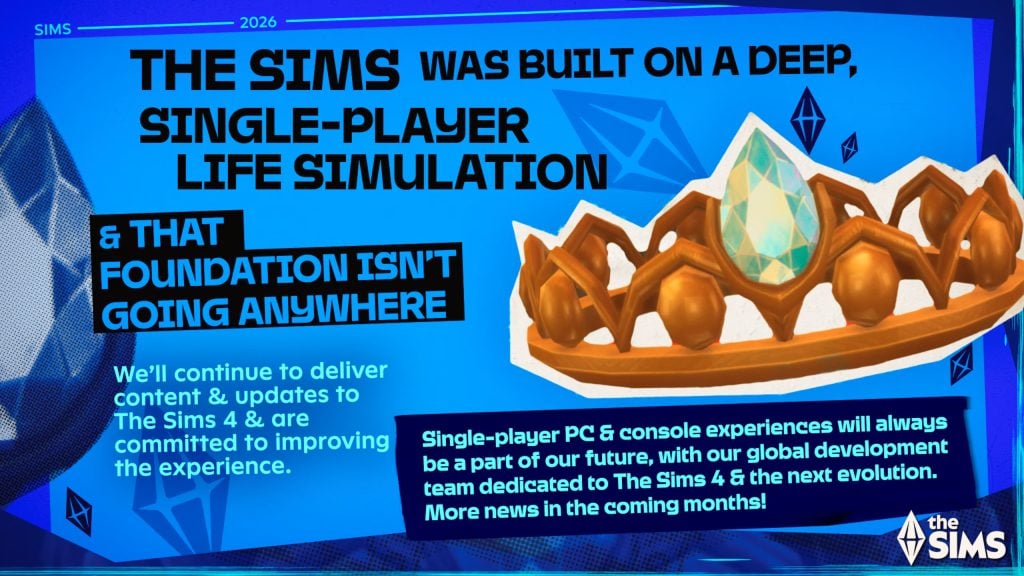
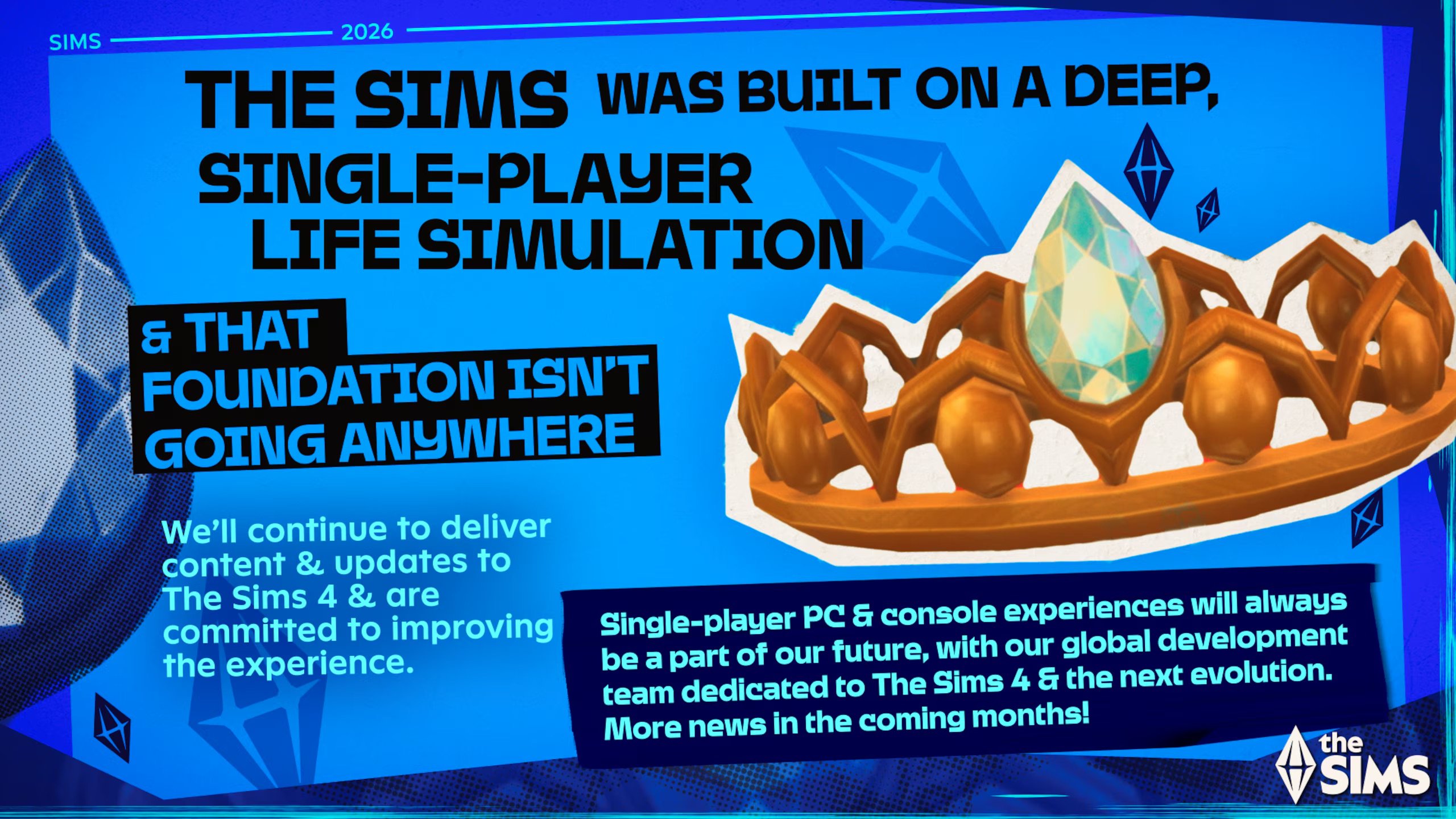
At its core, The Sims was built on a deep, single-player life simulation, chock full of rich systems, meaningful storytelling, and player agency that puts you in control. That foundation isn’t going anywhere. We’ll continue to deliver content and updates to The Sims 4 and we are committed to improving the experience.
Single-player PC and console experiences will always be a part of our future, with more than half of our global development team dedicated to The Sims 4 and the next evolution. More news in the coming months!
It Differs from Project Rene
Speaking about The Sims Project Rene, EA and Maxis clarified that the multiplayer game will not be a successor to The Sims 4. Also revealing that this multiplayer spin-off focused on social play is a separate experience from any future deep, single player life simulation experiences.
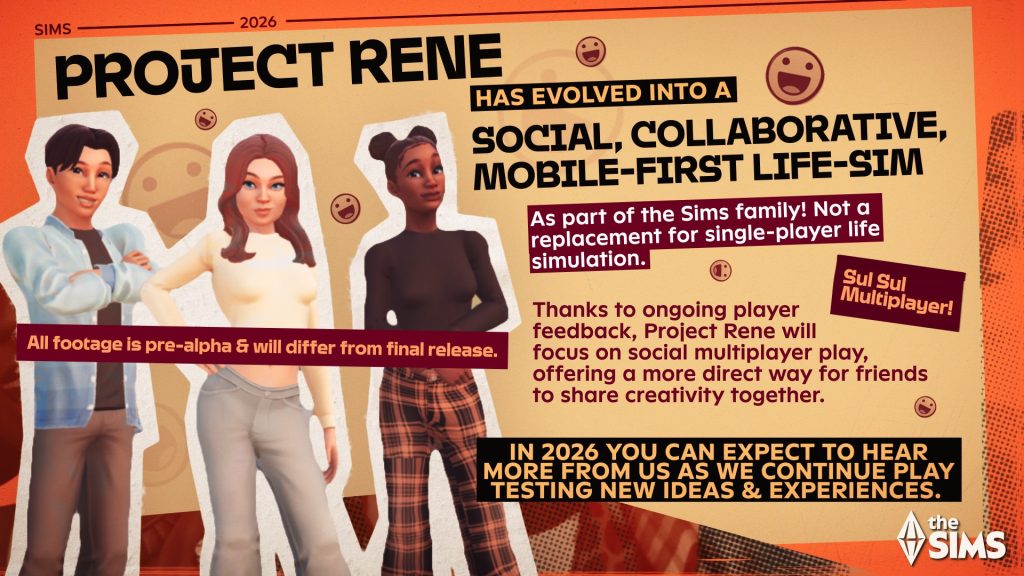
Thanks to ongoing player feedback, Project Rene has evolved to focus on social multiplayer play, offering a more direct way for friends to share creativity together. It is not the successor to The Sims 4 and is a separate experience from any future deep, single player life simulation experience. It introduces a new way to explore and play together within the growing Sims family of games, welcoming Simmers who want to connect directly with other players.
What about The Sims 4?
The Sims 4 is not going anywhere. Maxis confirmed that they’ll “continue to deliver content & updates to The Sims 4”. The original rumor about The Sims Project X mentioned that The Sims 4 would be getting new Kits and Game Updates after the release of The Sims 4 Expansion Pack 21, which is unofficially titled “Royalty & Legacy”. Also predicted by the original rumor.
– TS4´s major content is done, expect only updates and kits after EP21
All the official Roadmap images that The Sims Team have shared on The Sims Discord have an “X” at the beginning of the image file. Or we might be just looking into things too much now…
What do you think?
Are you satisfied with how The Sims Team has clarified the rumors? Share your thoughts about the latest statement on “the next evolution” single experience for The Sims in the comments below. As always, we’ll keep you in the loop on all the talks and Sims news!
The Sims 4, Project Rene, “Next Evolution” and more confirmed for 2026 development!
EA and Maxis have just revealed The Sims Franchise Roadmap for 2026 development – and beyond. The team took the opportunity to clarify the rumors as stated two weeks ago when the rumors about the next generation single player Sims experience titled Project X surfaced online.
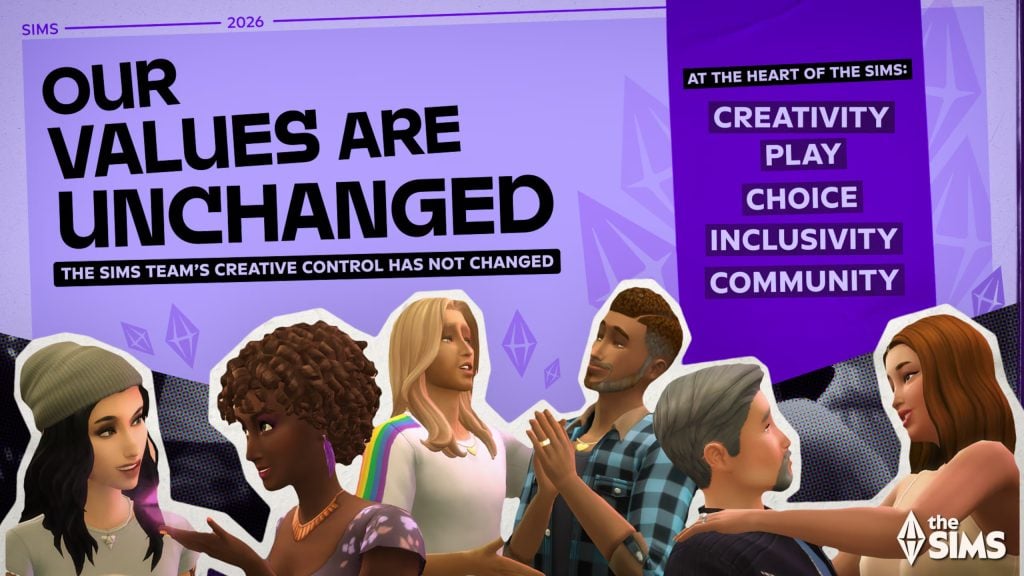
In the first part of the roadmap, EA and Maxis assure their consumers that their values will remain unchanged towards The Sims Franchise values and commitments. Possibly in response to the news about Saudi Arabia’s PIF, Jared Kushner’s Silver Lake and Affinity group buying Electronic Arts for $55 billion. Which resulted in a good chunk of Sims creators announcing their departure from the EA Creator Network.
The latest Roadmap also teases a next Expansion Pack which seems to feature a “crown” in its photo. Possibly resembling the latest leak about The Sims 4 Royalty & Legacy being the next Expansion Pack.
Maxis has revealed in the latest roadmap all about their commitments to The Sims 4, Project Rene – which is now a mobile-first experience, and talks about the “next evolution” for The Sims Franchise. Including new game experiences and single player commitments.
I don’t know about you, but the part about “next evolution” sounds very much like the talks we’ve been getting recently about Project X!
Check it all out in the official 2026 roadmap blog below:
The Sims Franchise Roadmap for 2026
Table of Contents
Sul Sul, and Happy New Year Simmers!
As we kick off 2026, we’re excited to take a moment to share updates on what the team is working on for The Sims this year. But first, we want to start with what matters most–the values that have always shaped The Sims and we share with many of you.
The Values of The Sims Are Unchanged.
The Sims has always been more than a game. It’s a canvas for life in all its unpredictable forms…the chaotic moments, the tiny joys, the big dreams, every identity, every version of you. And, thanks to you, The Sims has grown into something bigger than we ever imagined: a living world bursting with creativity, expression, humor, chaos, and heart.
Our Sims team’s creative control, guided by our values of inclusivity, choice, creativity, community, and play, has not changed. These values inspire the decisions we make each and every day as we plan for today, tomorrow, and the future.
The Sims will always be about life, your way, and you can read more about our values here:
The Values of The Sims
For more than twenty-five years, The Sims has proudly been the game that refuses to play by rules. Instead, we bend them, twist them and…when inspiration hits… flip them completely upside down. Our worlds have always embraced the offbeat, celebrated the edges, and obsessed over the tiny details that make life…life.
From day one, our values have been the foundation behind every choice we’ve made. They have guided every risk we have taken, every feature we’ve created, and every truly wild story our players have brought to life. They reflect our vision for this franchise and the passion of the teams around the world that have built, and are still building, The Sims.
As we step into 2026 and beyond, we want to reaffirm the five values that sit at the heart of The Sims.
Creativity: The Sims is a canvas for imagination.
We build tools that awaken the artist, architect, and storyteller in everyone.
We celebrate ideas from the bold to the mundane and the wildly imaginative space in between that make our world shine.
Play: The Sims thrives on play.
We embrace the surprises, the plot twists, the happy accidents and the small moments that snowball into epic stories.
We protect experimentation without consequence, because some of the best stories come from turning mistakes into moments of magical delight.
Choice: The Sims is defined by decisions.
We create systems that give players meaningful control over every detail, big or small.
We empower players to steer lives and worlds in any direction they imagine.
Inclusivity: The Sims is for everyone.
We reflect the wide, colorful spectrum of identity and self-expression so every player feels seen and celebrated.
We build features that let all players create the Sims they feel connected to, and explore their identities, without judgement.
This work never ends; we continue learning, growing, and finding new ways to make every player feel seen.
Community: The Sims is a community-driven game.
We support the players who shape our worlds through their stories and creations, building a shared culture.
Together, individual creativity becomes something shared and spectacular. That’s what makes The Sims community the best community in games.
As we continue building the future of The Sims, our team’s creative control, guided by our values of inclusivity, choice, creativity, community, and play, has not changed.
And at its core, The Sims will always be life, your way.
Happy New Year, Simmers. Here’s to a fantastic, imaginative, off-the-rails 2026.
What We’re Working On: The Future ofThe Simsincludes Experiences across PC, Console, and Mobile
The Sims is at its best when everyone can play in the way that feels right to them. Whether you’re here for storytelling, building, or seeing what happens when free will takes over, you’ve shown us just how imaginative you truly are. We want to meet that creativity with room to grow.
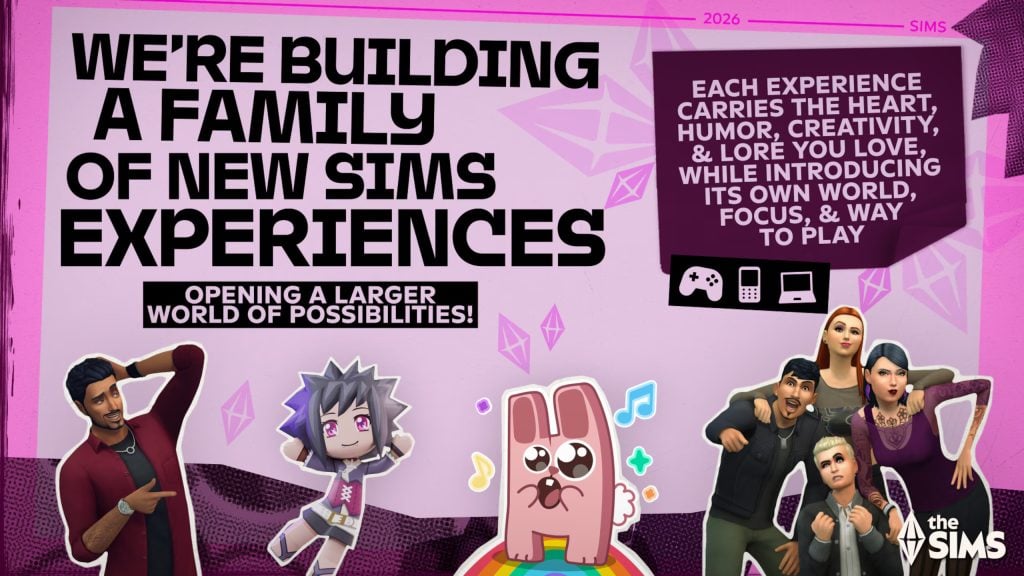
That’s why we’re building a family of new Sims experiences across PC, console, and mobile. Each experience carries the heart, humor, creativity, and lore you love, while introducing its own world, focus, and way to play. Every experience will stand strong on its own. And together, they open up a larger world of possibilities. We’re excited to share more about what we’re cooking up…as we’ve all learned from The Sims – a good grilled cheese takes time (and no fires!)
We are committed to single-player life simulation experiences.
At its core, The Sims was built on a deep, single-player life simulation, chock full of rich systems, meaningful storytelling, and player agency that puts you in control. That foundation isn’t going anywhere. We’ll continue to deliver content and updates to The Sims 4 and we are committed to improving the experience.
Single-player PC and console experiences will always be a part of our future, with more than half of our global development team dedicated to The Sims 4 and the next evolution. More news in the coming months!
Project Rene has evolved into a social, collaborative, mobile-first life-sim game
Thanks to ongoing player feedback, Project Rene has evolved to focus on social multiplayer play, offering a more direct way for friends to share creativity together. It is not the successor to The Sims 4 and is a separate experience from any future deep, single player life simulation experience. It introduces a new way to explore and play together within the growing Sims family of games, welcoming Simmers who want to connect directly with other players.
Playtesting Continues across Multiple Sims Products and Experiences in 2026
Building The Sims is an ongoing collaboration with our players, and in 2026 you can expect to hear more from us as we continue playtesting new ideas and experiences.
Through limited market tests and The Sims Labs, you may encounter a variety of early builds and prototypes. These tests are works in progress with experimental game features, concept imagery, naming conventions (The Sims Labs: Life Together, The Sims Labs: Town Stories) and ideas in motion. Some concepts evolve and sometimes an experiment won’t move forward at all. That’s a normal and important part of how we build The Sims, by finding the fun early, together.
The Heart of It All:You
Looking ahead, our focus is on the next era of The Sims. It is one we aspire to build with you, because The Sims has always been at its best when players help shape what comes next.
For decades, you’ve made The Sims what it is, a world that spans generations and cultures, filled with joy, surprises, emotions, and stories that stick with us long after the save file closes. Now, we’re building the future the same way we built the past, with creativity, bold ideas, curiosity, and you as our partners. The Sims is, and has always been, all about you – uniquely you. And as a result, unmistakably The Sims.
What are your thoughts on the latest Sims Franchise Roadmap for 2026? Let us know in the comments down below and stay tuned for all the latest Sims News on Sims Community!
EA shares a new The Sims 4 Laundry List of game fixes!
ARTICLE UPDATE: The Sims Team confirms that the upcoming Sims 4 Update with the fixes listed below will be released on January 13th, 2026.
The team at Maxis has just revealed their latest Sims 4 Laundry List, which includes a full list of all fixes for game issues reported by community members in the last couple of weeks / months. The Laundry List contains all the needed insight on bugs that should be removed in the next Sims 4 Game Update. This all falls under the regular game maintenance and early 2026 plans for fixing the game!
The following game update will fix a long-standing issue of in-game photos turning black. Including memorial portraits, graduation pictures and regular photos done through Photography objects.
The official Sims social media team also provided a handy video overview of the new fixes coming to The Sims 4:
The Sims 4 Laundry List: January 6th, 2026
Hi Simmers!
Welcome to the Laundry List where we share the top community concerns that we’re currently investigating and hope to resolve. This is only a list of top topics with upcoming fixes; there are more topics reported by players that are not listed here and are still being worked on. Thank you for your continued reports and votes on what issues you’re experiencing.
As always, if you’re hitting crashes, infinite loading, or missing lots, please read our post here to see how you can share affected saves so we can gather some critical information to aid our investigations.
The Sims Team
Here’s the list of the top community concerns we’re investigating for our next update:
Top 5 Most Voted Fixes:
[EA Forums] We addressed the top reported issue: Server Error while Uploading to Gallery/Library. This was primarily a Console issue but could occur with PC. (Base Game)
This error is a valid error that should occur under certain circumstances, but we fixed the flow so that it is more forgiving to player systems and far less likely to occur. The Upload button will not be available until all thumbnail issues have been generated.
When this error does occur, we have updated the generic “Server Error” message, and players will now receive a dialogue that provides more information and says “Time out during upload. Please check internet connection or try again in a minute.”
[EA Forums] In our 12/2/25 Update, we fixed an issue where Child, Teen, Young Adult, Adult, and Elder Sims no longer had clothing visible under their privacy mosaic. We are now addressing this issue for the remaining age groups, fully resolving the issue. (Base Game)
[EA Forums] We fixed a notable instance of Sims standing around and not caring for their infants. While holding Infants, Sims were playing an idle animation that delayed responsiveness to queued interactions. This idle was removed. We hope to further address additional Infant issues in future updates. (Base Game)
[EA Forums] We fixed an issue where Memorial Portraits and Graduation Photos would no longer display a Sim’s image and appear blank. This fix does not address Portraits and Photos that were already broken, but will work on old saves for future gameplay with these objects. (University, Life & Death)
[EA Forums] Household, Small Business-employed Sims will no longer receive a ‘Miss Work/School’ UI pop up when opening a Small Business while the Sim is at the Work/School Rabbit Hole. (Multiple Packs)
Save Corruption
As part of our ongoing efforts to address Save Corruption, we have two Save Corruption bugs that we’re addressing in this patch.
[EA Forums] We fixed an issue where open street objects were being ‘shelved’ and never removed when traveling to an apartment building. (Multiple Packs)
We fixed a case of Save Corruption where the player could become stuck in an endless load or be returned to Manage World after setting a custom venue’s schedule to include a Romantic Orientation Role criteria. (Adventure Awaits)
Photos/Paintings Losing Data
For this patch, we knew that “Memorial Portraits and Graduation Photos no longer displaying a Sim’s image” was a top community concern. We wanted to address as many bugs in this category as we could. Here are all related issues we fixed:
[EA Forums] Paint by Reference Paintings will no longer turn white after they’ve been put in a Sim’s inventory and the game has been relaunched. This fix is retroactive and should be fixed in previous saves where it occurred. (Base Game)
[EA Forums] Photos captured with Phone/Camera turn will no longer turn black once they’ve been mounted on a wall and the game is relaunched. This fix is not retroactive and will not address instances where photos were already missing data, but the fix will prevent this from happening in the future (even in old saves). (Base Game)
[EA Forums] Photos captured with Phone/Camera turn will no longer turn black once they’ve been put in Sim’s Inventory or placed in storage chests and the game is relaunched. This fix is not retroactive and will not address instances where photos were already missing data, but the fix will prevent this from happening in the future (even in old saves). (Base Game)
[EA Forums] The “Create Copy” interaction on a painting no longer will result in a blank, white painting canvas when placed on the wall. This fix is retroactive and should be fixed in previous saves where it occurred. (Base Game)
[EA Forums] Celebrity Autographs will no longer appear blank after they’ve been hung on a wall and the game is relaunched. This fix is not retroactive and will not address instances where photos were already missing data, but the fix will prevent this from happening in the future (even in old saves). (Get Famous)
[EA Forums] As noted above in the Top 5 Fixes, we fixed an issue where Memorial Portraits and Graduation Photos would no longer display a Sim’s image and appear blank. This fix is not retroactive and will not address instances where photos were already missing data, but the fix will prevent this from happening in the future (even in old saves). (University, Life & Death)
Now Available CAS Items!
We fixed four instances where CAS items were being hidden from players, so you’ll now have them available for your enjoyment.
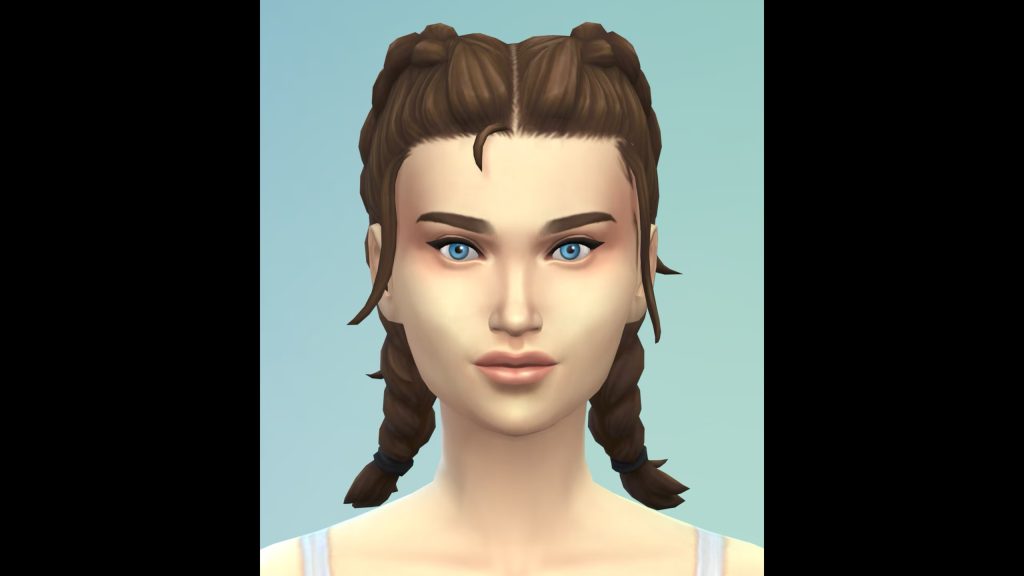
[EA Forums] (yfHair_EP20DoubleDutchBraid_LightBrown) now properly appears brown, rather than being an exact copy of the Light Blonde variant. (Adventure Awaits)
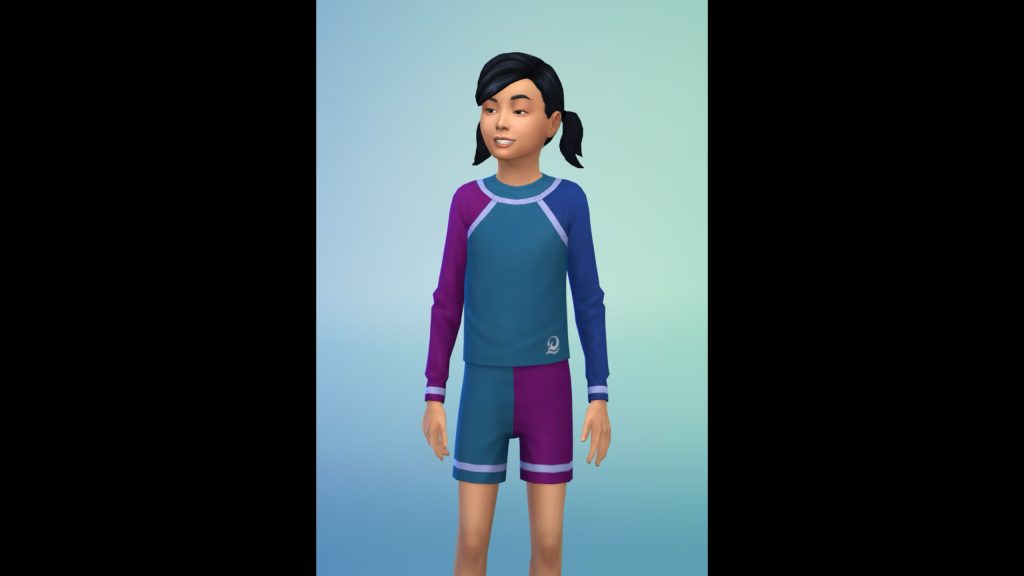
[EA Forums] The (cuBody_EP20RashGuard_LogoNavy) variant is no longer missing. (Adventure Awaits)
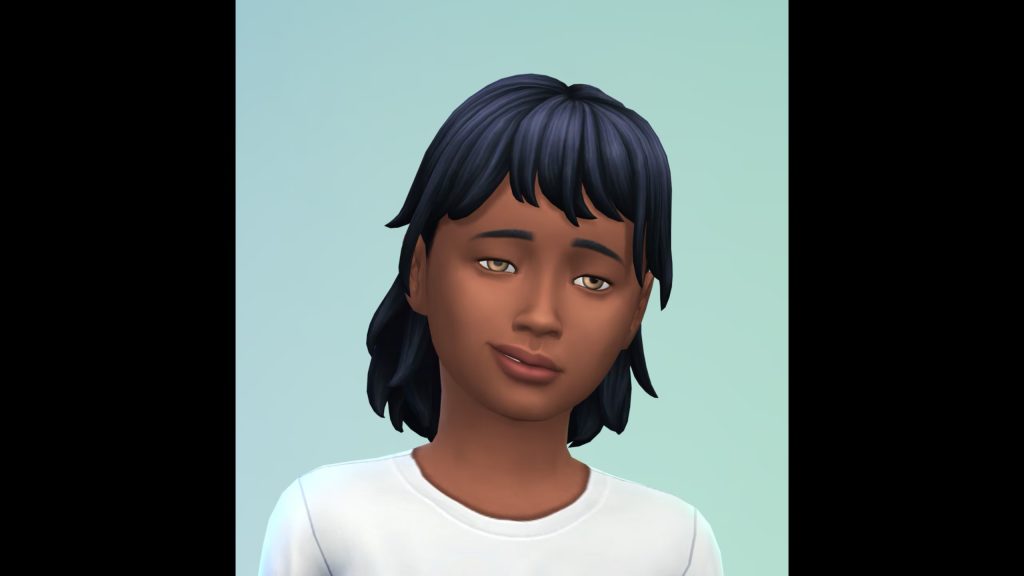
The (EP14BangsMedium) hair (and all variants) are now also available for Child Sims. (Horse Ranch)
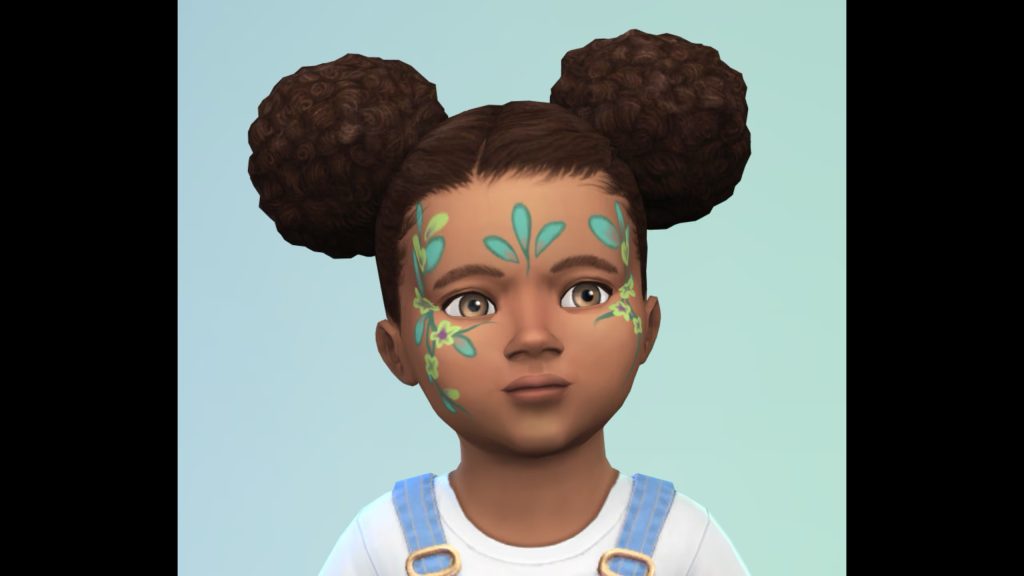
While investigating an issue with the Toddler Makeup category, we discovered the (puMakeupFacepaint_EP19Floral) asset was hidden, and we have unlocked it for your use. (Enchanted by Nature)
General Bug Fixes
We addressed a handful of other important issues that were quickly rising, particularly problematic, or easy fixes to get in.
Base Game
[EA Forums] We addressed a rather significant issue where Away Actions at work were causing Sims to never receive Need gains while at work or school due to a change that was made during Adventure Awaits to how Away Actions at work function.
We fixed an additional bug pertaining to this where Toddler and Infant Needs will now increase while at Daycare properly. Bladder, Hunger, Energy, and Attention should receive large increases, Fun a small but tapering increase, and Hygiene no increase.
[EA Forums] We addressed an issue where the “Fight” interaction was available on all Sims, even if they had a positive relationship. Now, it should only appear if the Sims have a negative relationship.
Seasons
[EA Forums] Sims will no longer sometimes die of overheating while wearing the correct clothing. Blame the ghosts: this bug was due to the Overheating Ghost type and the aura they emanate.
[EA Forums] In a previous patch we addressed an issue where sand sculptures were auto-generating on beaches when it rained a lot. We’re submitting the remaining portions of this fix to ensure it’s now fully fixed in all cases.
Growing Together
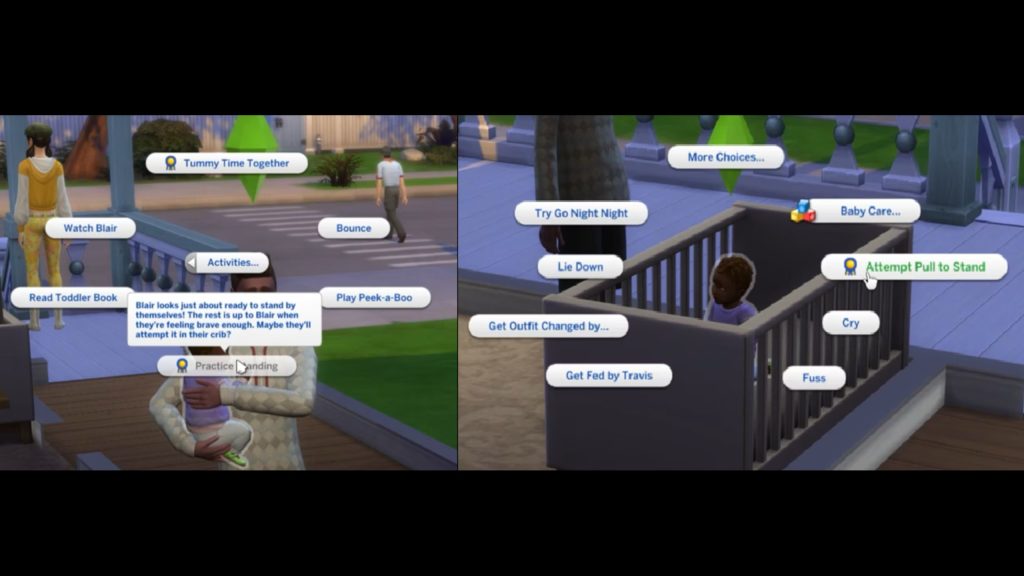
[EA Forums] We’ve addressed an issue where it was difficult to unlock the Pull to Stand Milestone. The problem is that Infants need to be near certain specific objects to pull themselves up for the first time, but this is never indicated to the player and sometimes infants aren’t located near these objects. They can still unlock this Milestone as they could previously, but to address the concerns with this not being obvious in many cases, we’ve added a greyed out interaction and hovertip that directs the player to place the Infant in the Crib. While in the crib, the Infant can pull themselves to a stand, and (as an additional option) we’ve added a new interaction to Infant Sims in the crib to pull themselves up once they are ready to unlock the Milestone. This interaction is available on the Infant Sim when the Infant is the Active Sim.
Business & Hobbies
[EA Forums] We fixed an issue where Small Business Employees were leaving early (only 2-3 hours after opening) if a business was 5-Star and selected customer criteria was supervised customer only. Now, all hired employees should stay on a small business lot while it is open.
Adventure Awaits
[EA Forums] (yfTop_EP20VNeckTee) no longer has a visible seam on the shoulder when worn by Sims downloaded from the Gallery.
[EA Forums] Imaginary Friends will no longer reset and disappear from the Relationship Panel after returning from another lot.
[EA Forums] Custom Venues will now save Roles and Schedules with a custom role containing a Romantic Orientation criteria. This issue was resulting in a case of Save Corruption as well that was addressed and is noted above in that section.
Werewolves
[EA Forums] We fixed an issue where Werewolf offspring of Werewolves had black textures and no pelts upon aging to Teen. Our fix should apply a texture to any Werewolf Sim who is lacking one upon entering CAS and should address old instances of this occurring.
Multiple
[EA Forums] We fixed all reports of the camera being obstructed by trees in Gallery preview views of lots.
[EA Forums] Maids and Butlers will now once again try to mop puddles instead of vacuuming them fruitlessly for hours. We assure you they were trying their best, and we appreciate your patience with them.
CAS & Build Mode Tagging Updates
We had the opportunity to address a large swath of simpler tagging bugs, making CAS and Build Mode sorting more accurate overall. The Lump of Clay (Base Game) and Stack ‘o Books (Cats & Dogs) objects also acquired some new gameplay functionality. Here are related issues we fixed:
Base Game
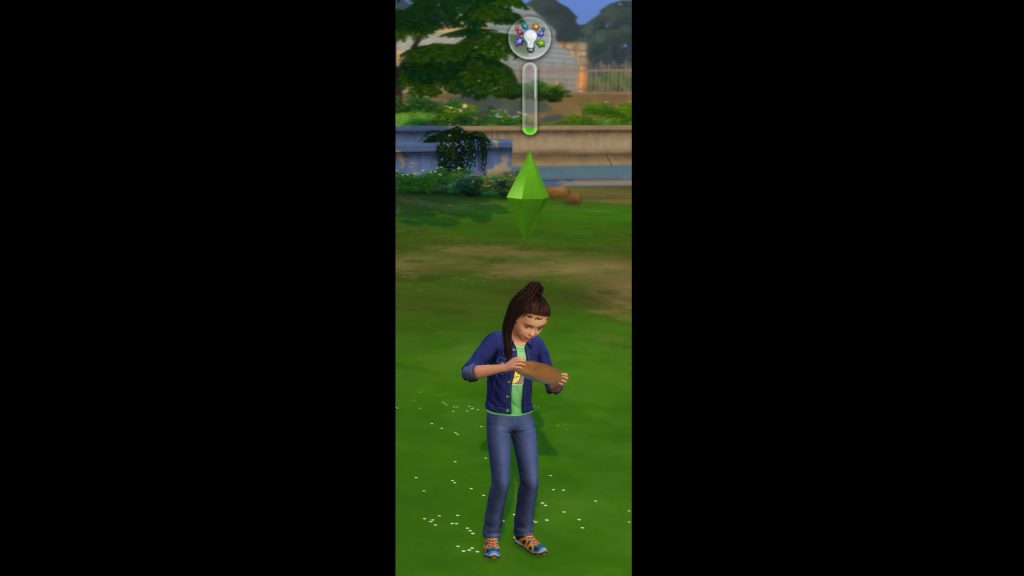
Lump of Clay now sorts as a Kids Activity and also sorts in the Creative Skills Section. It has also been updated to provide Creativity Skill gain for Children Sims.
The In Full Bloom Centerpiece is now sorted as an Indoor Plant.
Wedding Pillar with Floral Basket is now sorted as an Indoor Plant.
(sitDining_EF07IRN02), (sitDiningIRN_01), and (SitDiningGENChess) now sort under Outdoor Seating and will filter for Park venues.
The Men’s Shoe Rack and Women’s Show Rack objects now sort under the Storage Misc Category.
The Bonsai Tree now sorts as an Indoor Plant.
PenguinVision Children’s Television Set now sorts as a Kids Activity.
(yfHair_EP08BraidedPonyTail) now sorts as Afro-Textured.
(cfHair_SP10ShortPinCurlLoose) now sorts as Wavy.
(yfHair_EF90WaveMedium) now sorts as Wavy.
(yfHair_EF90FiveFivePerm) now sorts as Straight for all ages.
(yfHair_EF03TragicClown) now sorts as Straight.
The (pmHair_SP12TightCurls) hairstyle now also appears as a Feminine Fashion Choice.
(cuTop_Shirt) now properly sorts as a Button up instead of a T-Shirt.
Get to Work
(cfHair_EP01BraidsBunSide) now sorts as Afro-Textured.
Cats & Dogs
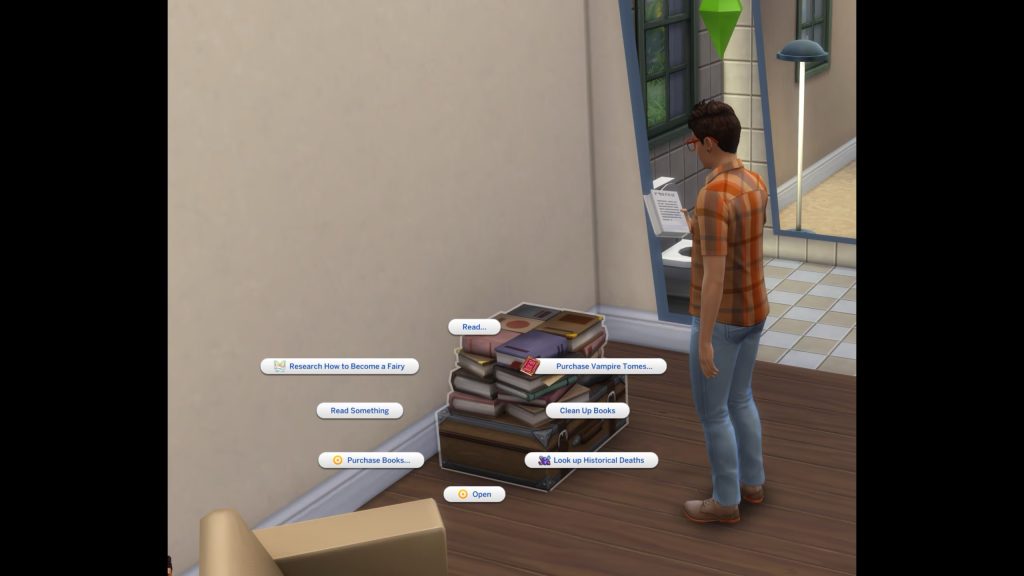
The Stack ‘o Books object now sorts as a bookshelf, and it is also now functional as a bookshelf.
Outdoor Patio Piece now counts as a Picnic Table.
(ymHair_EP04Pompadour) now sorts as Wavy.
(yfHair_EP04CurlyLongMiddlePart) now sorts as Wavy.
(yfHair_EP04LowLoopWavy) now sorts as Straight.
(cmHair_EP04WavyHawkDetail) now sorts as Afro-Textured.
Seasons
The Bow-tiful Candlelight is now properly sorted in the Off the Grid Lighting Category.
Island Living
(yfHair_EP07FlowerCrown) now sorts as Straight.
Cottage Living
(pfBottom_EP11ShortsDrawstring) was moved from the Cropped category and into the Shorts sub-category.
(cfBody_EP11Jumpsuit) was moved from the Short Dresses to Jumpsuits sub-category for sorting.
All (EP11CurlyBun) hairstyles now sort as Wavy for all age groups.
Horse Ranch
All three Horse Ranch facial hairs have been sorted into their respective Beards and Moustache sub-categories.
Eco Lifestyle
(yfHair_EP09CurlyBun) now sorts as Wavy.
(yfHair_EP09BunFade) now sorts as Straight.
Snowy Escape
The Komorebi Shrubbery no longer sorts as an Indoor Plant.
The Lantern in a Paper Cylinder and Stone Tōrō Lantern lights are now properly sorted into the Off the Grid Lighting Category.
The (EP10ShortBuzzed) hairstyle is now consistently tagged between all age groups.
(yfHair_EP10LongBraidedWavy) now sorts as Afro-Textured.
(EP10LongBraidedWavyHighlight) now sorts as Afro-Textured.
(yfHair_EP10LongBraidPony) now sorts as Straight.
(EP10BunBangs) now sorts as Straight.
Growing Together
The (EP13LongBraids) hair now sorts consistently across all age groups.
(EP13WavyMed) now sorts as Straight for all age groups.
Lovestruck
Makeup from Lovestruck will now appear for Cold and Hot Weather Outfits as an option.
The Elongated Zebra Pothos Plant now sorts as an Indoor Plant.
Business & Hobbies
(ymHat_EP18Beanie) now sorts as a Brimless Hat.
(yfHair_EP18_SlickBun) now sorts under Updo and Medium Length Hair.
(yfHair_EP18Hattie) now sorts as a Long Length Hair.
(yfHair_EP18FingerCurls) now sorts as an Updo.
Spa Day
The Foot Illumination System and Foot Illumination Corner Edition lights have been added to sort in the Lighting Category in Build Mode.
Parenthood
The Hanging Lights – long length and Hanging Lights – short length lights have been added to sort in the Lighting Category in Build Mode.
Jungle Adventures
(yfHair_GP06ShortPony2Tone) will now appear for Male and Female Sims for both fashion choice options.
Realm of Magic
The following lights will now be properly sorted in the Off the Grid Lighting Category:
Light of the Marasenna
Sconce For Little Light
Totally Lit Bug Light
Dream Home Decorator
(cuBottom_GP10Shorts) were removed from the Skirts sub-category, added to the Shorts sub-category, and also added as a Hot Weather option.
Holiday Celebration Pack
The String of Snowflakes lights have been added to sort in the Lighting Category in Build Mode.
Movie Hangout
(SP05LongBraidCurled_DirtyBlonde) is now sorted as Wavy for all age groups.
Moschino
The Photo Drape, Fashion Studio Backdrop Curved, and Fashion Studio Backdrop Straight objects have been added to the Creative sub-category in Build Mode’s Activity and Skills category.
Paranormal
(SP18AngleBootsToeOpen) now sort as Wedges.
Little Campers
We fixed a text error where the Light My Way to the Moon Lamp object had a “Functional Off-the-Grid 10” typo error.
The Light My Way to the Moon Lamp has been sorted into the Off the Grid Lighting Category.
Goth Galore
All makeup from Goth Galore will now appear for Cold and Hot Weather Outfits as an option.
Autumn Apparel
[EA Forums] The (ymBottom_SP69PantsLong) now sort as a Masculine Fashion Choice.
Our team continues to investigate other community concerns for future fixes. Please note that some topics can be complicated to replicate and require an extended investigation on our end, so even though we are actively reviewing, it’s not a guarantee that we’ll have an immediate fix for it in the upcoming patch.
This includes the following top voted issues:
[EA Forums] Console crashing after update 2.13 has become our current community top issue, and we have begun actively investigating it.
[EA Forums] We have been looking into CAS’s Turn On/Offs lacking numbers and the like/dislike button, and feel hopeful about this being fixed in an future update.
[EA Forums] Eyelids not closing completely has been an issue we’ve been actively investigating and has proven rather complex. We are continuing our efforts.
[EA Forums] We’ve been actively investigating Partnered Sims turning into Siblings and believe (though have not verified) it may be related to gameplay around Adoption, Have Science Baby, and CAS generated offspring, but we still haven’t found repro steps and have expanded our investigation to include mods. At this time, we haven’t determined a fix. Any saves that exist shortly prior to this occurring could really assist our efforts and can be shared in the linked Forum thread.
[EA Forums] We’re actively investigating a variety of different fixes for the issues in this thread concerning Sims obsessively using certain objects.
What are your opinions on the latest Sims 4 Laundry List? Let us know in the comments below and stay tuned for all Sims 4 Updates on Sims Community!
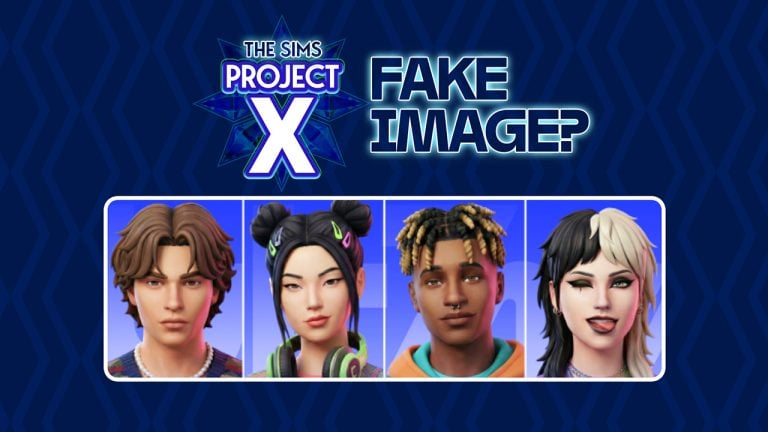
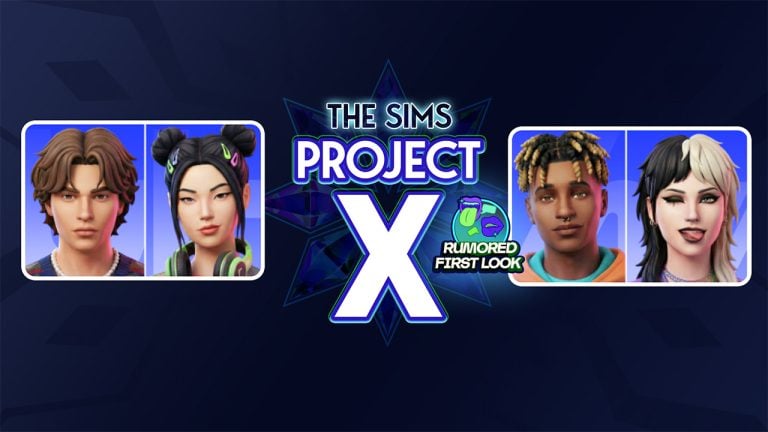
Two days ago I reported about getting an anonymous email through our Contact email which contained an alleged first look at The Sims Project X. More specifically, a visual which features visual explorations of The Sims characters in the upcoming Single Player base game.
I’ve put up an article about The Sims Project X screen shortly after getting the email, without realizing to check for a modern day checkup to a modern day problem. Which is Artificial Intelligence and GenAI created visuals.
Suspicions of GenAI
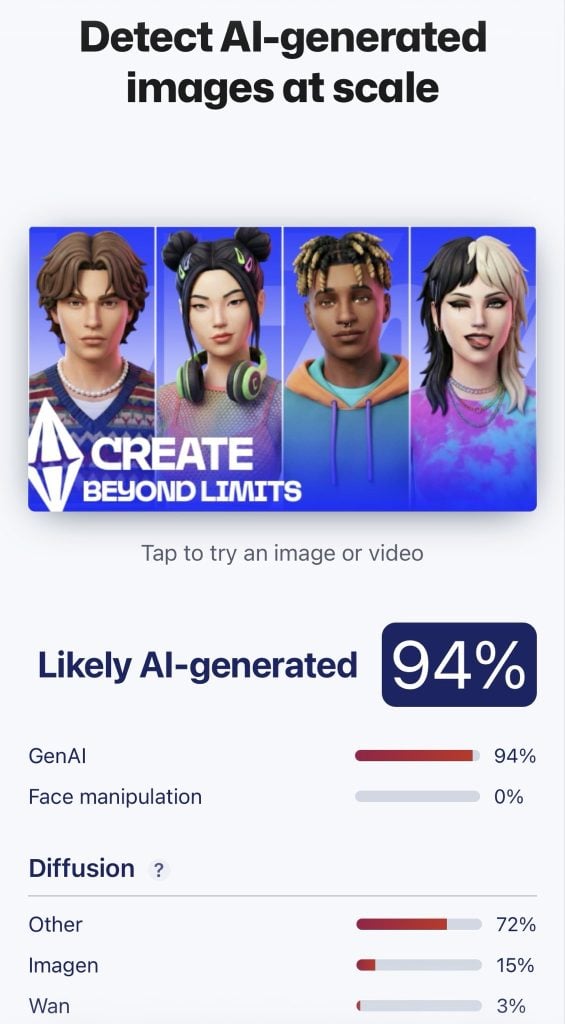
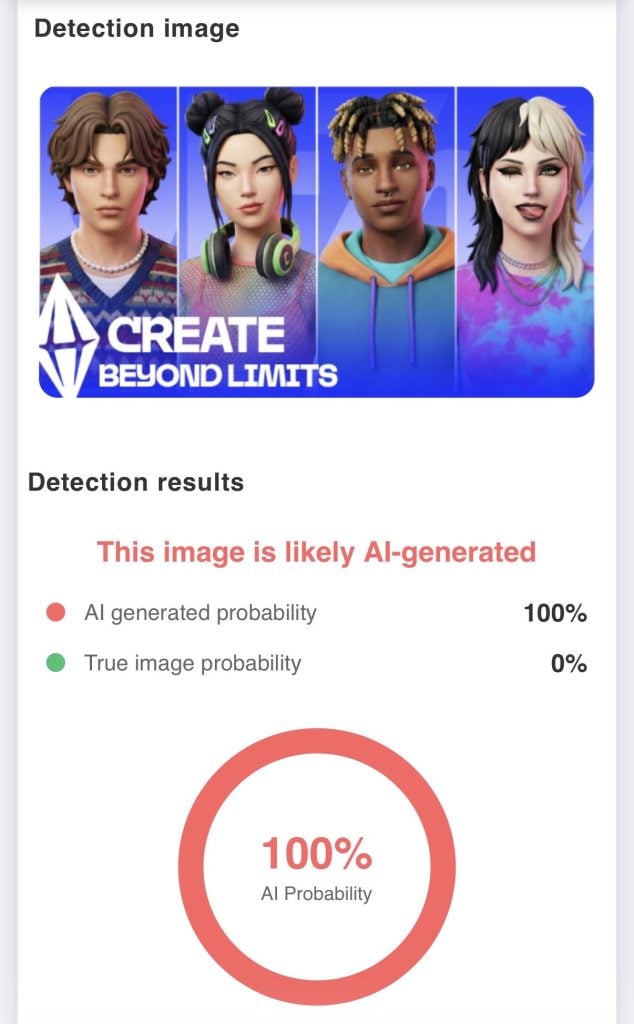
Several community members have pointed out the fact that the image above could be AI generated. And that the Sims previewed above have actually been generated using GenAI tools. User @TheBoyXP replied to our tweet with the image being ran through several different AI detectors, claiming that the images are more than likely AI generated.
We know EA uses AI for project X but i just want to confirm that this image is indeed AI generated!
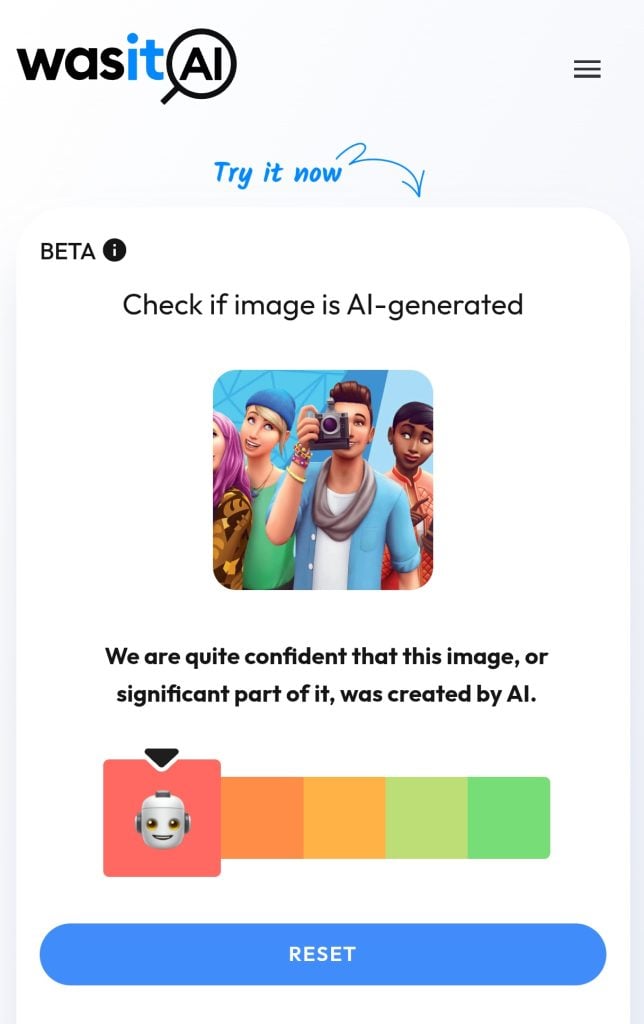
Still, some community members have noted that AI generator detectors are not reliable. With proof provided by @thesimmerdan who put an original Sims 4 Base Game render through one of the AI detection tools. Which also marked the image as likely AI generated.
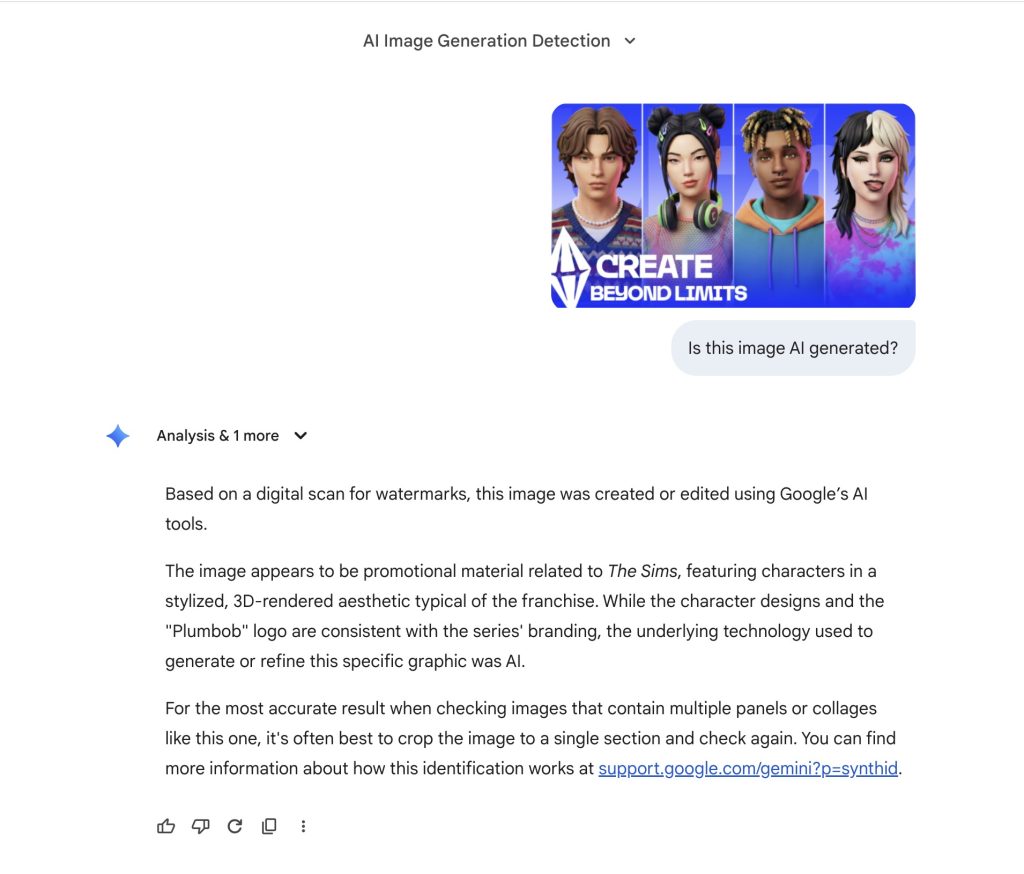
Some Sims players believe that Google Gemini’s authentication is the most accurate way of identifying AI generated images. Considering that Google has the biggest database of online content they can compare the images, it marked the first Sims Project X screenshot as fake and The Sims 4 render as real.
What makes the players think that The Sims Project X screen is fake?
There are some clues pointing towards the fact that The Sims Project X screenshot is fake, if we take unreliable GenAI detection tools out of the context. Player @jackofallgames pointed out several issues with colors blurring into other textures, lighting not being consistent and more:
There’s quite a few examples of AI Artifacts within these renders. Colours blurring into other textures, hair having weird artifacts, the pink lighting not being consistent, the eye not being round. That said, we know EA is using Gen AI so could be legit, but probably not.
People are saying “the OP said they used an AI upscaler” which makes no sense because the OG image is low res. So it means someone used an AI upscaled, then purposely made it low res again. Seems unrealistic tbh
The player claims that the biggest inconsistencies for this Project X screenshot are within stylistic choices on the Sims characters themselves. The blue hair clip on the second Sim seems to be dragged throughout the entire hair mesh, hairstyles that have questionable edges and more.
Some players believe that the underside of the tongue on the 4th Sim mismatches the general artstyle of Project X. Saying it’s too realistic compared to other Sim details.
The second Sim on the render also has mismatching eye pupils, which could either be a stylistic choice or a mistake made by a generative AI tool. It’s too early to tell!
Whether fake or real – The Sims Project X is still happening!
Maxis and EA allegedly plan to switch focus with only releasing Kits and Game Updates for The Sims 4 while they work on the new Sims Project X Base Game.
Player @jackofallgames chimed into the discussions about the recent Project X image leak, claiming that only information shared by an ATRL insider and EA’s official job listing are real.
Okay time to put an end to everyone trying to have their leak moment because it’s getting annoying. Project X was only brainstormed with private playtests a few months ago. We are nowhere near this stage of anything being finished to promote/show to this kind of level.
The only actual leaks that are valid are the EA Job listings and the Firemonkey Employee statement (which is where most of this info is coming from and people are trying to now leak content that isn’t finished yet). These aren’t real.
In your eyes, do you think the latest Sims Project X image render is real or fake? Let us know in this unofficial community poll below!
[totalpoll id=”185989″]
Highly anticipated release of GTA VI coming later this year has also been a target of numerous fake leaks and reports by various insiders. Claiming to have insider info with these leaks that have used existing material and footage released by Rockstar Games to create a GenAI visual and / or video.
The same fate can happen soon (or is already happening) with the upcoming release of this new single player Sims game. So it’s very important to keep all your eyes open. We plan on updating all our readers with what’s real, what’s not and what’s being discussed as potentially fake. Including this alleged Project X screen leak.
Whatever the turnout of this Sims Project X screenshot turns out to be, we’ll make sure to keep you posted on all things Project X and beyond right here on Sims Community. Stay tuned!
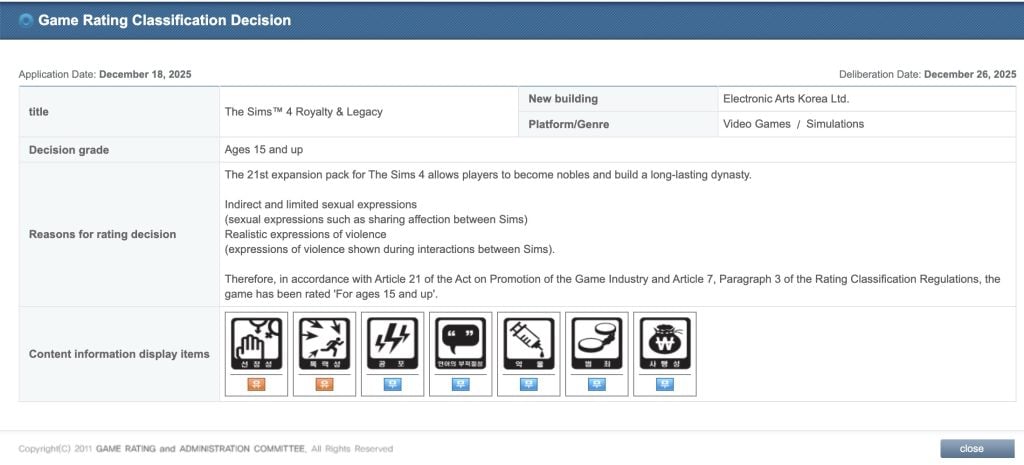
The title of this Expansion Pack has been roughly translated from the official Game Rating Classification page in South Korea. Revealing the long-rumored theme of the 21st Expansion Pack entry to the series.
The listing only says the following about the Expansion:
The 21st expansion pack for The Sims 4 allows players to become nobles and build a long-lasting dynasty.
So far we’ve had only speculation that the next Expansion Pack is themed around Royalty. This listing confirms that, considering it’s an official game ratings board in South Korea. The game name has been filed on December 18th, with the deliberation date being December 26th.
The leak seems to be matching the official Sims 4 Survey from October 2025 asking players for their input in Legacy Play, Heritage and more.
Leaked Release Date?
The upcoming Sims 4 Royalty & Legacy Expansion Pack for the series is rumored to be released in February 2026. Per the report of @lunar_britney.
When it comes to talks about Expansion features, we know an insider rumor that the upcoming Sims 4 Expansion Pack will feature a new world with three kingdom types. One area / neighborhood which is based on Africa:
EP21 is focused on royalty with three kingdom types, only one of which is based on africa.
What are your thoughts on the potential last Expansion Pack release titled The Sims 4 Royalty & Legacy? Let us know your thoughts in the comments below and stay tuned on Sims Community for more updates on The Sims Franchise!
Here’s what the characters from The Sims Project X are allegedly going to look like.
The rumors about The Sims Project X keep spreading like wildfire. First we got some talks spreading that The Sims 4 will be getting its last Expansion Pack release in 2026, with The Sims Team planning to move focus towards a new The Sims Base Game. We got a response from an EA Community Manager shortly after, saying that there’s a lot of misinformation going around – we’ll be back in early January with what to know…“. However, it was later discovered by community members that EA and Maxis are hiring a new person to work for The Sims Project X.
Today, we got a special discovery with an alleged first look of The Sims Project X Sims Characters and their design for PC / Desktop / Console playstyle.
Table of Contents
Alleged First Look at The Sims Project X Characters
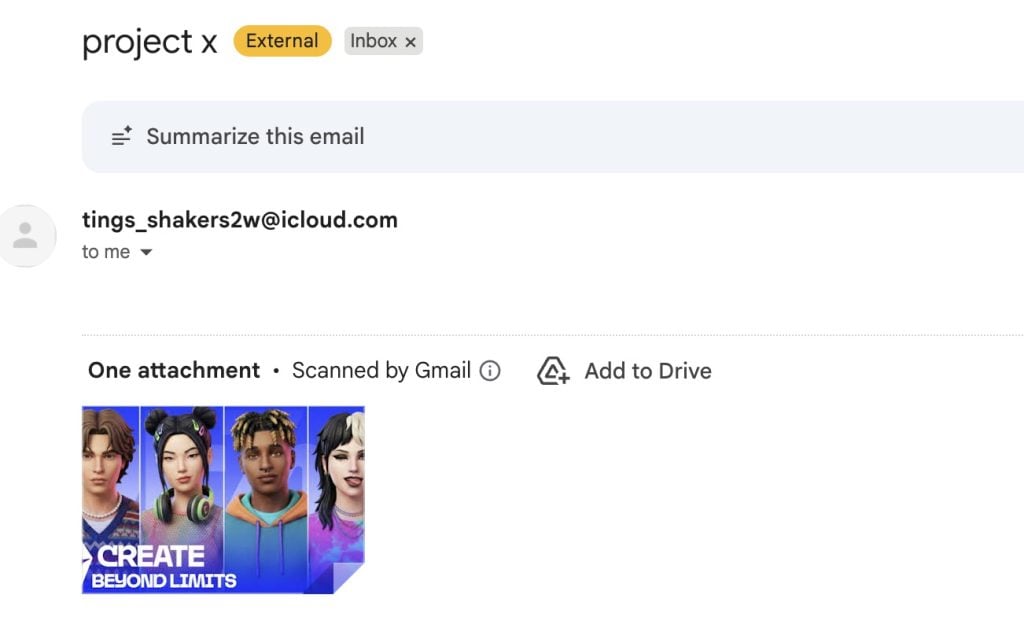
We got an email in our Sims Community inbox with an image of a supposed character preview of The Sims Project X Sims characters. The email only contained “Project X” in the email subject with a never before seen screenshot…
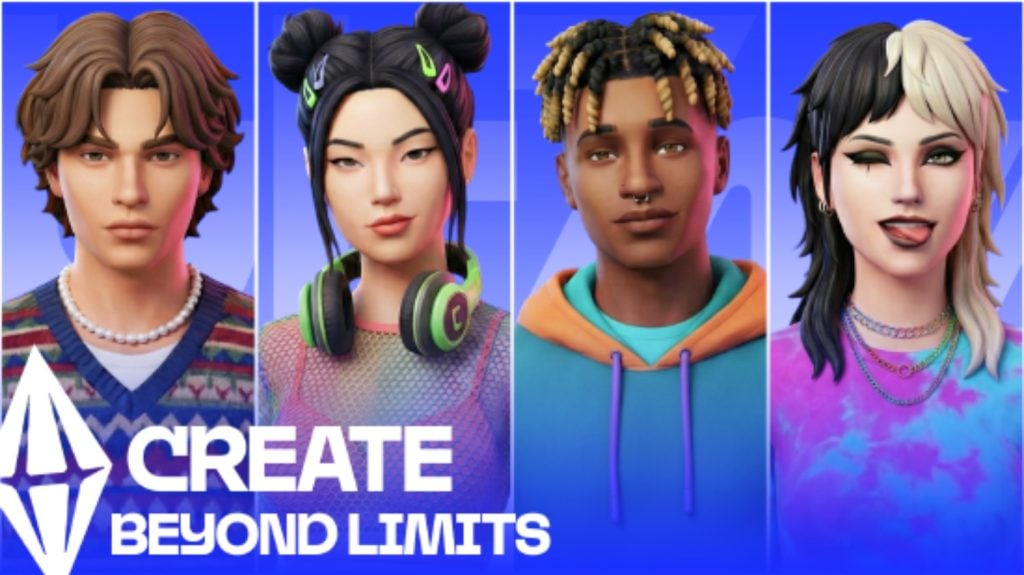
The screenshot that was sent to us displays four different Sims characters. They look more detailed and polished from the character design that we have in The Sims 4. But these could just be first render previews of what The Sims Team is aiming at to deliver and not be representative of the final product.
Either way, here’s the image:
The file name itself is written as TSX_MATERIAL_SIMS_EXPLORATORY, which could be indicating that it’s a Concept Preview of the new Sims characters that we’ll be able to “Create beyond limits” in The Sims Project X.
Original Rumor Information About The Sims Project X
The first talks about the official features coming to The Sims Project X came from a forum member on ATRL who claimed to have gained some knowledge about the next Sims Base game installment. Stating that the game is a single player standalone experience from the upcoming Sims Project Rene multiplayer installment, and will serve as a new generation of Sims products and game releases.
The Sims Project X: Original Rumor
Shared by ATRL user gloamingthepain / alleged former Firemonkeys employee
The single player part of Project Rene is being sold separately, releasing end of next year (at this stage) and is being referred to in playtests as Project X.
Aspects of the Sims 4 are carrying over, but it is a seperate game.
Originally, the single player part of Rene would be included in the full game of “Project Rene” but they’ve decided to seperate different experiences into seperate games.
This new game will have more flashy features like Open Neighbourhoods, busier Neighbourhoods (I heard up to 3x busier than Sims 4), better graphics (similar to what we saw of the early Rene content, not the mobile playtests we’ve seen).
The game however will be more simplistic than Sims 4 in other ways as the single player experience of Rene was never meant to compete with The Sims 4 and was more a simplified single player offering in a game focusing on multiplayer, and to keep the Sims 4 as the flagship single player game.
However, EA are keen to retire the Sims 4, simply because both QA and development costs have risen substantially in the last 24 months as the game has become complex to keep maintaining while developing new content.
A main factor of this is many of the bug reports & broken save files are being caused due to mods and custom content, and they want to move on with a game that will have smarter tech that can identify mod related issues easier, as now hundreds of hours of QA for The Sims 4 is being wasted on trying to replicate issues that are mod related and not in the vanilla game. This means the new game will allow them to streamline to get fixes in the game faster, and waste less time trying to replicate and fix bugs that don’t exist in the vanilla game.
So to compensate for The Sims 4 coming to a close, certain fan favourite features of The Sims 4, as well as planned Sims 4 content will be added to this new game instead.
I have no idea what EA will call this game, but it’s not a Sims 4 remaster and it’s not the Sims 5.
They may decide to call it The Sims 5 for sake of ease, or maybe stick with The Sims 4 brand in hopes it attracts those players, but either way it’s not a proper sequel.
It’s the single player mode of Rene being sold a standalone game and will be nowhere near as complex as proper sequel would be.
I’m sure it will be fun, but I’m sure many will identify where it falls short to The Sims 4, while acknowledging the tech advancements of a new engine and better hardware.
That’s all I really know as I don’t work at Firemonkeys anymore & only know info from people who work there who are very focused on Freeplay.
Some additional information was shared by another Sims insider, claiming to know more about the last Sims 4 Expansion Pack and the internal team plans of development after the last Royalty-themed EP is out. Stating that the team will only to continue delivering Game Updates and Kits releases for The Sims 4 moving afterwards!
There’s more features waiting to be discovered by this alleged new Sims Base Game. At least we now know what this Project is planned to look like for the new generation of Sims characters! Let’s hope this image is real and we didn’t fall for a very good image edit…
EA and Maxis are planned to make an announcement soon enough to clarify all the rumors. Let’s see what they also think of the first look shared above. For all our readers, we want to know what you think of switching over in our unofficial community poll below:
[totalpoll id=”185443″]
What are your thoughts on the alleged first look of The Sims Characters in The Sims Project X, a new single player Base Game experience rumored for a late 2026 release? Let us know in the comments below and stay tuned on Sims Community for all things Project X!
A second part of the InZOI Roadmap for 2026 has been released, detailing Canvastown, Multiplayer features and Mod support.
It appears that the InZOI 2026 Roadmap was only the first part of roadmap reveals from the InZOI development studio at Krafton. Public facing developer for InZOI Kjun has issued a new Roadmap schedule over on InZOI Discord talking more about the New Feature Development plans. The first Roadmap was focused more on giving the players First Fundamentals on priorities of game tuning, but today’s roadmap goes extensive into new features that the InZOI team is developing behind the scenes.
Modding tools and integration is becoming more in-depth throughout the year, with the biggest new development reveals being the new World called Canvastown and Multiplayer. Canvastown, which is a brand new world being developed using the new Fate Engine for game development. The idea of this new world is to help lower the system requirements and PC usage by optimizing the game through a new engine, with hopes of transferring over those updates to other towns such as Dowon, Bliss Bay and Kucingku.
With the Multiplayer Roadmap, the developers are ambitious with adding features such as interacting with other characters, home visits, custom multiplayer social events and even ability to enjoy mods together with your friends.
Discover everything coming in the Part 2 of InZOI 2026 Roadmap:
InZOI 2026 Roadmap: Mod, Canvastown and Multiplayer Lineup
Beyond the Fundamentals 2026 Roadmap
The Beyond the Fundamentals 2026 Roadmap is being driven by a dedicated internal team working inparallel with the existing core development team.This work is designed to expand our capabilities without reducing focus, resources, or staffing onongoing core improvements.
These initiatives are currently under active R&D validation and development, including Modding,Multiplayer, AI NPCs, and Canvastown (+ Fate Engine). As these initiatives are heavily R&D-driven,timelines and scope may change depending on development progress. In addition, schedules may bealtered—or direction and scope adjusted—based on mid-stage test results and the chosenservice/operations model.
Table of Contents
MOD Roadmap 2026
Development Direction
Because the Unreal Engine used by inZOI can be complex and difficult to learn, we will develop awizard-style tool to help users approach modding more easily. At the same time, we will continuedevelopment toward script-based modding.We’re pushing hard to accelerate script modding, butbecause it requires deep integration with the game itself, there’s a limit to how much we can pull theschedule forward. We’ll do everything we can to deliver it as quickly as possible.
Schedule
January 2026
ModKit: Improve the structure so assets are handled in a JSON-based format to prevent mod datamismatches.
inZOI: Add an in-game integrated mod management system.
March 2026
ModKit: Expand the CAZ Wizard to support accessory, motion, and face modding (a MetaHumanguide will be provided).
Improve project management features (search, asset merging).
Improve the Sound Wizard (partial replacement and addition).
inZOI: For graphics asset mods, allow installation during gameplay and apply changes immediately.
June 2026
ModKit: Add vehicle modding, migrate to Unreal Engine 5.6, and test (R&D) content templatemodding (e.g., farming).
inZOI: Add (R&D) CLO platform integration.
Shared (R&D): Prepare for PS5 and Mac mod support, though availability may be restricted ordelayed depending on policy and partnership considerations.
October 2026
ModKit (R&D): Test multiplayer-linked modding and a data-modding AI wizard.
December 2026
ModKit: Add Lua script modding support.
Canvastown Roadmap 2026
Development Direction
The core concept is to capture interesting situations you’ve experienced and let others enter that lifeand play it themselves. Canvastown is intended to become the first stage for the Fate Engine, and laterwe plan to expand it so the Fate Engine can operate in other cities as well.
A key challenge in this genre is that motivation can be hard to sustain. Simulation systems can combinemany features to create emergent stories, which can lead to genuinely engaging experiences—butdepending on probability, players can also end up with experiences that feel strange or underwhelming.The purpose of this system is to preserve the genre’s value while enabling players to save and share the“good runs”—the moments worth passing on.
Canvastown is designed to be small but comfortable, running smoothly even on lower-spec hardware,while still giving players space to build and customize their own city. Although it is smaller than othercities, that smaller footprint improves ease of movement and creates a unique advantage: everythingaround your home becomes part of your playable space.
Schedule
March 2026
Implement integration so Fate Engine and Canvastown operate together.
May 2026
Expand Fate Engine to work in cities beyond Canvastown.
Add update and download features to the Canvastown canvas.
June 2026
Release Canvastown #1, a small village with about 40 lots.
October 2026
Release Canvastown #2, expanded to about 50 lots, featuring a calm rural countryside atmosphere.
inZOI Online Roadmap for 2026
Development Direction
There are still many unresolved questions that must be validated through internal and external testing toconfirm the value of online features. inZOI-online is being developed while continuously migrating andmatching the base game, which makes the work both broad and technically challenging.
Because this is a new direction for the genre, we are also starting from fundamentals such as definingthe target audience. We genuinely hope you’ll enjoy inZOI-online, and throughout 2026 we want todiscuss results and direction—based on testing—with the community and build it together.
Schedule
January 2026
Create and save your account-linked personal character (“Zoi”).
Add save-and-resume for hosted sessions, allowing hosts to pause a session and resume it laterfrom the same state.
February 2026
Build the online Main, Plaza, and Lobby/Waiting Room pages on the web.
Add new channels for online use and provide online chat rooms.
Update the online-only “My Zoi” feature.
March 2026
Freely decorate your own house and save it to your account.
Allow other users to enter your house and play together.
June 2026
Provide tools for the room host to adjust game rules and manage participants.
Enable players to enjoy official inZOI mods together in online multiplayer.
October 2026
Support large-scale multiplayer with dedicated servers, including content such as visiting major cities.
Enable hundreds to thousands of concurrent players per server to explore, watch, meet others, and make friends.
What are your thoughts on the new InZOI 2026 Roadmap for Multiplayer, Canvastown and Mod support features? Let us know in the comments below and stay tuned for more InZOI updates on Sims Community!
You’ll be able to access premium content for free on January 6th!
As announced in a surprising blog announcement from The Sims Mobile team, this smartphone iOS and Android game will see its final closure in the form of a server shutdown. The game’s servers will be disconnected forever on January 20th, 2026 after which all game content will be forever unaccessible to the players.
However, there is a small benefit that the team wants you to have before the game’s servers complete disconnect. On January 6th, 2026 you’ll be able to access all SimCash and premium currency items in Create A Sim and Build Mode. That also includes all the different premium variants that the game was charging players for additionally.
You’ll also probably able to use the free currency limited server closure event as an opportunity to get some extra Lots in Briny Heights before the mayor of SimTown declares total bankrupcy. Final reminder that you have from January 6th until January 20th to try out everything that The Sims Mobile was charging the players, now free.
The Sims Mobile Closure Roadmap
January 6, 2026 – Content unlocked
All Build Mode and Create A Sim (CAS) items will unlock for every player. These won’t be limited by levels, so that means EVERYTHING Build mode and CAS are available. We want to give everyone the opportunity to build their dream home, design their perfect Sims, and experience everything TSM has to offer before the servers close. We would love to see what you create if you would like to share it with us.
January 20, 2026 – Server closure
The servers will shut down at 1:59 PM UTC. After this time, The Sims Mobile will no longer be playable. Because game progress is stored on our servers, saved data will no longer be available.
Official The Sims Mobile Closure Blog: Frequently Asked Questions
Will there still be events in this update?
Yes. Events will continue to run as usual, so you can still earn Simoleons and items during the final months.
Can I still play after the game is delisted?
Yes. If you already have TSM installed, you can keep playing until January 20, 2026.
Can I still play after TSM sunsets on January 20, 2026?
No. TSM requires online servers to play, so playing in any form will no longer be possible after this date.
Can I re-download TSM later?
If you downloaded TSM before it is delisted, you can re-download it from your app store library until January 20, 2026.
What happens to my purchases?
All purchases you’ve made before October 20 will still work in-game right up until January 20, 2026. After that date, The Sims Mobile will no longer be playable, and any leftover currency will not be eligible for a refund.
From January 6, every Build Mode and Create A Sim item will be free for everyone playing. We recommend using your currency and tickets before then.
On behalf of the entire Sims Mobile team, thank you for sharing this amazing journey with us. We hope you enjoy the final update and that these final months allow everyone to finish projects, make memories, and celebrate their Sims.
Thanks (Dag dag)
The Sims MobileTeam
Will you be participating in the final free run of The Sims Mobile? Let us know your thoughts in the official comments section down below and stay tuned to all The Sims news and developments on Sims Community!
If the custom venues system from The Sims 4 Adventure Awaits didn’t scratch the itch for owning and running a true hotel, Lot 51 has created an extensively detailed mod called The Sims 4 Suite Life, letting you build, manage, and visit custom hotels! If you’re looking for something without mods, something that’s already in the game itself, or you are a console player who cannot have mods, make sure to look at our Sims 4 Adventure Awaits hotels guide!
The Sims 4 Suite Life mod by Lot 51 has a wide array of features, primarily focused on allowing you to customize every inch of your hotel, your hotel’s perks, activities, and staff.
Table of Contents
Mod Installation Guide
We always recommend when you’re a beginner to the installing mods for The Sims 4 that you read our Beginner Guide to Mods & CC. This article entails where and how to get mods, debunks some myths, provides tips for organization, and general troubleshooting practices. However, the basic steps for installation and some general rules of thumb includes…
Using your operating system’s file explorer, find the location of your Sims 4 Mods folder. Folder paths for Windows and MacOS are provided below.
To add the items to your game on Windows, follow this folder path: C:\Users\[USERNAME]\Documents\Electronic Arts\The Sims 4\Mods To add the items to your game on MacOS, follow this folder path: Macintosh HD/Users/User/Documents/Electronic Arts/The Sims 4/Mods
Since the mods comes as a compressed zip file, you need to ensure that you have an extraction program installed. You can use 7Zip, Winrar, Winzip, etc., and both Windows and MacOS have an unzipping function native to their system. Right click on the zipped file and choose to Extract Here/Files or Extract to… to extract directly to a folder.
With script mods, it is heavily recommended that they are kept no deeper than 1 folder in your mods folder, and that they are organized and separated from other items; These other items could include custom content, other script mods, non-script mods, etc. Since script mods change internal workings of the game add new features, they are often one of the first things to break upon updates, and should always be removed prior to an update until the creator confirms the status of the mod or updates it accordingly.
Sims 4 Suite Life by Lot 51 Installation
Requirements
Lot 51 Core Library
Lot 51’s Core Library is a REQUIRED mod for the installation of The Sims 4 Suite Life, but also for many other script mods. For players, this mod does not do anything without accompanying mods by Lot 51 and other creators. Per Lot 51’s page:
Core Library is a dependency for many mods to add gameplay functionality without overriding each other. It helps reduce conflicts and the need for redundant scripts.
*THE SIMS 4 SUITE LIFE REQUIRES ZERBU’S VENUE CHANGES OR BASEMENTAL’S UNIVERSAL VENUE LIST.* *YOU CANNOT HAVE BOTH.*
*IF YOU WANT TO MAKE A HOTEL IN A VACATION WORLD, YOU MUST USE ZERBU’S VENUE CHANGES*
Basemental’s Universal Venue List
**NOT COMPATIBLE WITH ZERBU’S VENUE CHANGES**
Basemental’s Universal Venue List is a .package file that overrides the game’s list of possible venues, allowing modders to add custom supported venue types. Per Basemental’s page:
A Venue List is a file that contains information for every region (or world) in the game, such as what kind of lot types should be available to place there. Due to the way the game is coded, it’s unfortunately not possible to add to these lists with a script file. Using a modded Venue List such as this one is necessary in order to enable custom lot types created by mod authors.
Be sure to follow the provided instructions on the download page!
Zerbu’s Venue Changes is a .package file, similar to Basemental’s Universal Venues List, that unlocks venue types. Per Zerbu’s page:
Venue Changes does not currently alter where Sims will be sent for active careers, it just unlocks the venue types. If you set a custom venue to “Hospital”, Sims in the Doctor career will still be sent to the default Hospital.
While the mod does include gameplay for Hotel Ownership Features, as of November 6th 2025, this feature is still a work in progress, meaning that there may be some gameplay features missing, bugs expected, etc. It also specifically noted on Lot 51’s page for the mod that Hotels are only simulated while on the lot, so they cannot be simulated like Base Game & DLC businesses that can run without active gameplay.
A file generated in your folder with this mod is the lot51_hotels.dat file, which is generic data file that stores information for your hotel’s Kitchen Menu Presets. Lot 51 recommends that you keep track of this file, back it up, and keep it between updates to avoid losing your saved kitchen menu presets.
If you decide to remove Suite Life, please note that Hotel lots will be cleared. If you’re trying to fix an issue with your mods, make sure to back up your save and remove it from your game until you can add Suite Life back in.
The Sims 4 Suite Life Mod Guide
Set Up
To start, you need to choose a world and what lot you would like the hotel to be on. Once you’ve selected the lot, you can go to the top left corner on the Venue Info Panel and change the lot type to a Hotel. This will provide the list of objects required for the lot type to be functional, similar to other base game and DLC lot types.
Build Requirements
Doors
Doors are not restricted by type, height, or other features, but they need to be oriented properly. To connect rooms properly or to create individual hotel rooms, the handle must be on the left side with the placement arrow pointing outward. It is also noted that if you are using sliding doors, that the same is true and they must be reversed.
Doors can be assigned to multiple types in live mode under the Hotel Management category. These include Guest Room Entry, Staff Room Entry, and Hotel/Lobby Entrance. Other interior doors, like a guest’s attached bathroom, should not be edited.
Concierge Bell
Another creator, SurelySims, created custom items for this mod, including the Concierge Bell. Place this item on a counter or desk and hire a receptionist. The placement arrow should be facing the direction you would like the staff to stand or sit.
Guest Rooms
Guest rooms must only have one exterior door to keep the gameplay running smoothly, as this will section off other interior doors (not including patios/balconies) as the guest’s area. Guest Suites may have a Shared Door to connect them, but Lot 51 asks that you do not connect more than two suites together as it may cause problems with the sims’ autonomous routing behavior.
Guest rooms must have at least one bed, but can have more to allow for additional guests of all ages, as well as pets. These also have to align with the guest filters selected.
To allow for infants, infants must be selected in the guest filters and the room must have a crib.
To allow for toddlers, toddlers must be selected in the guest filters and the room must have a toddler bed.
To allow for cats or dogs, cats and dogs must be selected in the guest filters and a food bowl must be placed.
To allow for horses, horses must be selected in the guest filters and a horse stable item must be placed within the room.
If you have Room Service Available, you must have at least one counter space for food delivery.
If you do not have Room Service Available, you must place a fridge and a microwave for guests to make their own food.
Guests must have bathroom access – This can include bathrooms attached to their rooms, or shared bathrooms outside of their rooms.
Gameplay & Limitations
Due to limitations with the Sims 4 engine and how it reacts to copious amounts of sims, Lot 51 recommends that 3-4 guest rooms exist per lot, but it is not currently limited. This can be controlled by the Hotel’s NPC Auto Booking Setting, and the limit on the amount of sims allowed on a lot is increased for hotels to avoid missing guests or staff members when spawning.
Lot 51 recommends not skipping time, or using speed 3, to avoid lag and errorsduring your stay or time on the lot. However, it is also noted that it is safe to use when all guests are sleeping.
Staff Kitchen
If you decide to offer Room Service, Table Service, or Continental Breakfast, the staff kitchen requires multiple objects.
A fridge.
A stove & oven or a chef station (1 per chef).
A sink and/or a dishwasher.
Two or more empty counter spaces.
A trash can.
A connected door labelled as Staff Room Entry.
Auxiliary/Exterior
For housekeeping services, you must have an outdoor garbage can, dumpster, or garbage chute.
Gallery Hotels
Hotels built with this mod in mind are tagged with the hashtag #lot51hotels. While they are tagged as this with the intention that the gallery user followed directions and intended for their build to work properly with the mod, Lot 51 does not and cannot review these builds. Read the comments of other players and look for easy fixes by referencing the guide for building hotels to function properly.
Two hotel builds stuck out to me as being unique, as well as being well-built with the mod in mind.
Pink Flamingo Motel by fancypants28
The perfect place for your sims to stay while losing their hard-earned money at local casinos. Deluxe suites on the top floor. Regular suites on the bottom floor. Comes with a pool, a concierge office, and a room service kitchen. Only requires #basegame Have fun!
– fancypants28’s Description for the Pink Flamingo Motel
Guest rooms are charged fully up front. Their price can be viewed by clicking on the door of a suite, and their price is calculated based on the value of the items in the room. You can choose how many days you will be staying, as well.
How To Visit a Hotel
Since the base game vacation systems rely on vacation rental, campground, and other lot types, you must Travel directly to the hotel, as opposed to starting a vacation. Use the phone or go to the map screen to travel to the hotel that has been placed and made functional.
Once you’ve arrived, find the Concierge Bell and select Check In. Wait for the concierge and your sim will speak to them, opening up the ability to click on the doors of any suites you would like to rent. This is also where you can ask for upgrades and other guest-specific amenities.
Paradiso Rewards Program
After joining the Paradiso Rewards program from your cellphone or computer, every night your sim stays in a Suite Life hotel venue, points will be earned based on the cost of your room. Lot 51 says this is approximately 2 points per §10. Only adult sims can use and redeem rewards.
The available rewards currently include…
1 Free Night – This is 150 points and can be used on the current or a following stay.
3 Free Nights – This is a bulk purchase and 400 points and can be used on the current or a following stay.
Late Check Out – This is 350 points and allows your sim to check out as late as 3PM.
Discounted Services – This is 600 points and available if your hotel has room service. It reduces the cost of room service and table service orders by 25%.
Preferred Guest – Access to VIP rooms and the ability to upgrade to any room at any time during your stay. Room Service & Table Service are served on gold platters.
VIP Rooms & Access
Rooms can also be marked as VIP Rooms, which can allow you to limit them to Celebrities (if you have Sims 4 Get Famous) and/or Preferred Guests (Paradiso Rewards Members).
Day Trips
Day Trips are rabbit hole activities you can send groups of guests to. You cannot send guests in a single group to different day trips, limit who goes on the day trip, etc. The cost is calculated per sim and listed in the menu. Every destination does different activities, boosts different needs or skills, and can lead to different effects depending on what they are. Day Trips can be manually visited by clicking on the Concierge Bell.
If the sims are in a good mood, all day trips boost their fun need.
Sims, NPC or controlled, will not autonomously go on day trips, but this is planned to change in future updates. However, you can recommend day trips to them as an owner that they can go on.
Beach – Only appears for certain worlds based on what would have a beach nearby. Can cause sunburns or tanning if you have The Sims 4 Island Living.
Fitness Center – Increases the fitness skill and counts as a workout.
Nectar of the Brush – Painting with a twist, specifically with drinking nectar. Sims return with a souvenir of the class and an increase to the painting skill.FACT CHECK
Public Pool – Can cause sunburns or tanning if you have The Sims 4 Island Living.
Casual Restaurant – Maxes the hunger need.
Formal Restaurant – Maxes the hunger need.
Science Center – Builds Logic & Handiness for adults, but increases almost all skills for children.
MORE
The day trips are ALL Base Game compatible, but some effects or buffs may not appear or be limited if you are missing the required pack.
Pools & Hot Tubs
If your hotel has a pool or hot tub, the default hours are 6AM to 10PM. Sims with a medium Mischief Skill level (3+) can sneak in, but may be kicked out or reprimanded if caught. The hours can be changed using the Hotel Perks menu. This includes adding a 24-Hour Pool & Hot Tub perk, allowing them to stay open day or night!
Employee Behavior
Housekeeping
Housekeeping will visit rooms every morning for clean up. If you would like to avoid housekeeping arriving for your room, you can select Do Not Disturb on your door. You can also use the guest room door to request cleaning at any time.
Maintenance
If an object breaks on the lot, whether it is in a guest room or in a shared area, click your guest room door to call maintenance who are on-call 24 hours a day.
Concierge
Concierge sims will stand by or sit at the desk with the Concierge Bell placed on it, as long as it is placed correctly. They will greet and direct sims to their rooms, provide customer service, and more.
Bartender
Bartenders function the same as bartenders hired via the base game systems (By clicking on a bar and hiring a bartender), except they now stay for longer, make an hourly rate, and can be swapped out for different shifts.
Cooks & Chefs
Cooks & Chefs will autonomously function and cook meals during dining hours, including delivering food items to rooms, serving guests with table service, or stocking buffets. They are not required if you do not add room service, table service, or continental breakfast as an amenity. If you do not, guests must have fridges, microwaves/stoves, and counters in their rooms to be able to feed themselves.
Porter
Porter’s will typically greet and assist guests with carrying in their luggage and putting it away.
Friends & Family
If you meet a new friend or see someone familiar while visiting a hotel, you can offer them access to your suite by clicking Give Room Key on the Actions menu. If they’ve overstayed their welcome or you need some more privacy, the same menu will also have an Ask To Leave option to revoke suite access.
Any empty rooms can be clicked to invite known sims, including their friends and family depending on the guest filters and the room capacity. Some sims in their household may not appear if the room invited to does not have capacity, including enough beds, cribs, toddler beds, pet items, etc.
If you’re traveling with a larger group or just need more privacy, you can pay for multiple suites and guest rooms to accommodate. You can use the guest room to assign guests per room, give everyone free reign and access to all rooms, etc.
NPC Behavior
NPCs have autonomous behavior to avoid hotels seeming empty or lifeless, including things like suntanning if you have DLC that allows for it. If you have the Sims 4 For Rent, you can eavesdrop at guest doors and snoop in guest suites.
Playing a Hotel Owner
This feature is a work-in-progress, per Lot 51. You may experience unexpected bugs, issues with features, etc.
Since modded or custom businesses cannot appear on the business UI panel, all features of this mod are controlled via the cellphone, concierge bell, and signs.
To buy or sell a hotel, find the Pillow: Hotel Realty option under your sims’ phones’ Hotel app. Prices vary based on Market Rates, from -12% to +12%.
When owning a hotel, your hotel will generate a financial report each morning to calculate all of the expenses, wages, and revenue for the previous day. All profit will be sent to the business account and can be accessed by clicking the simoleon button on the Total Funds area, lower left on the UI. An overall financial report can also be generated using Manage Hotels picker on your phone, evenw hen not on the lot.
Hotel Perks System
Each hotel built can be given unique amenities through the perks system on the Concierge Bell.
These services come with three standard shifts; Morning (5AM – 11AM), Afternoon (11AM – 5PM), and Evening (5PM – 11PM). With the 24-Hour Services perk, you can also select a Late Night Shift (11PM – 5AM). Staff will rotate through the shifts.
Housekeeping
This allows you to hire dedicated custodial staff that will rotate through rooms daily and clean anything required.
Bar Service
Bars placed in common areas (Areas accessible to all guests) will receive hired mixologists. “Hire Staff to Tend Object” is supported.
On-Demand Catering
With the customizable menus available, you can also choose Catering as a category. This will allow you to place any family or party-sized platters to be served buffet style on common-area tables.
Barista Service
Hire a barista to tend espresso bars (get together), Bubble Tea Counters (High School Years), or Coffee Counters (Businesses & Hobbies)
Continental Breakfast
Designate a table in the common area as a Buffet Table and create a custom menu of items to be cooked each morning, supplied to your guests for free, as a continental breakfast perk.
Haunted Hotel
Have ghosts walk the halls of your hotel, startle guests, and perform sceances and exorcisms.
Quiet Hours
During Quiet Hours, typically late night hours, all sound-emitting objects will be turned off automatically (Televisions & Stereos), staff will be quiet, elevators will go silent, and laundry will be closed and unavailable.
Room Service
Guests can order food & drinks from the kitchen to be directly delivered to their room. NPC guests autonomously order when they get hungry. With the 24-Hour Services perk, you can also elect for a special Late Night menu.
Spa Services
Hire massage specialists and spa attendants to work at Massage Chairs and Massage Tables. Spa Services can also be requested through Room Service.
Table Service
Clicking any table with seating in a common area will allow you to set it to a “Table Service” surface type. When the kitchen is open, you can seat your sims and order food. If you have a pack with a Podium/Lectern (Packs), you can toggle to hire a host who will seat guests.
Yoga
Placing down an Instructor’s Yoga Mat with this perk available with allow you to hire a yoga instructor who will offer three complimentary yoga classes for guests each day; In the morning, afternoon, or evening.
24-Hour Services
Allows you to have Room & Bar service open all day & night, and also offers a custom Late Night menu between Dinner & Breakfast
24-Hour Pool & Hot Tub
Allows sims to enter the pool area and swim any time they want! You CAN sneak into the pool areas, but your whole party may get kicked out if caught.
Employees
Employees can be managed, meaning hired, fired, called in, etc. from the concierge bell. It will provide a list of eligible NPCs in the world, particularly those that have skills pertaining to the specific role you’re hiring for. Once an employee is working, they can be praised or criticized for their work, fired, told to go home, and more.
Kitchen Menus
Kitchen menus can be customized based on shift or type of menu. This includes morning, afternoon, evening, and late night, as well as continental breakfast and catering. Menu presets also exist, which can be custom made or are included in the mod.
Hotel Owner Suite
This option will block off a specific area for your hotel owner(s) to rest, relax, and live in general while managing their hotel. These are separate from staff areas, guest areas, etc.
Earning Money
Money is earned as guests check in, and based on the length of their stay and the quality and value of the suite(s) they choose to check into. You have to pay money to earn money, though, and you will have to have a starting fund provided to the hotel to be able to set it up.
If you’re feeling overwhelmed, unsure how much money you’re actually raking in, or unsure if you need to change anything, you can view the Hotel’s Financial Report via the Concierge Bell.
Prestige & Reputation System
The reputation system is based on interactions directly with guests, as well as their overall review once they leave. Interactions with guests can include providing them with Day Trip recommendations, welcoming them to the hotel, providing free amenities or upgrades, and chatting about the hotel in general. When a guest or group of guests check out from their stay, they will leave a review of up to five stars, as well as providing an overall review of their stay with tips for things they liked and didn’t like.
You can also increase your prestige, popularity, and amount of guests using advertising. This is available via the concierge bell. You have multiple options, varying in pricing and effectiveness, and can select how long you would like your advertising campaign to run.
Cross-Pack Compatibility
Expansion Packs
Cats & Dogs
Pets can tag along on trips! Sims can bring as many pets as food bowls within their suite.
You can change what animal species are allowed in hotel settings.
City Living
Elevators are added to allow your sims to travel throughout the hotel. Since they are custom but based off of the City Living elevators, they must be stacked directly on top of each other for sims to properly use them.
These elevators can be placed on any lot, but the lots that are considered Penthouses will require an EA elevator.
When “Quiet Hours” are not active, a “ding” noise will come from the elevators when used.
Elevators can also be used to go to the specific floors or to gather near specific elevators.
Get Famous
Hotels can use the fame limitation system, including disallowing guests below a certain level or creating VIP rooms for celebrities.
Paparazzi will not show up to avoid lag issues from the game spawning too many sims, allowing it to prioritize spawning guests, employees, etc.
The security at these hotels are very good.
Growing Together
NPCs will arrive with the “Stay Over” suitcases in hand, and will leave them in their suite.
Game Packs
Dine Out
There is NO classic restaurant functionality, but Chefs can use the Chef Station to prepare food for room service, and Porters can use the waiter station for washing dishes.
Stuff Packs
Home Chef Hustle
Chefs can use the ChowBella Portable Pizza Oven and the ChowBella Heart Waffle Maker to make… pizzas and waffles from the pack!
Laundry Day
If you place hampers and laundry equipment, guests will generate dirty clothes and must “claim” washers, dryers, and any other laundry equipment* to be able to do their own laundry.
*This includes washtubs and clothing lines!
Luxury Party
Use the banquet tables to create a “Designated Buffet Table” for Continental Breakfast!
Paranormal Stuff
When unlocking perks, you can unlock a Haunted Hotel perk to generate paranormal activity, similar to the Haunted House lot challenge.
Séance tables can be used on hotel lots.
Paranormal Investigators cannot select hotel lots for gigs.
Kits
Bust the Dust
Unless the feature is turned off in game settings, dust will build up and housekeeping will automatically vacuum daily.
If you offer “Quiet Hours” at the hotel, they will avoid vacuuming during those hours.
Miscellaneous
Camp Sites
If you’re looking for something with a more rustic feel, you can also purchase camp sites as hotels, and opt for a more outdoorsy living situation! Camp sites and be a mix of both standard suites and tents, and all tents provided through DLC can be used as rentable rooms for guests. Since desks, concierges, and bells don’t really give “Camp Site” vibes, Lot 51 and SurelySims also provided a sign for guests to check in at.
To create a camp site, place the required items and use the settings to mark individual tents as rentable campsites. You can select the type of rentable tent, limit access to certain groups of Sims, and adjust the size surrounding the tent that is considered that guest’s camp site.
Once Sims arrive at a campsite, get started by clicking on the concierge sign pictured above, and then select as many tents as you and your sims need. Sims can invite friends and family and book tents for them in advance, as well as book additional tents if needed to support their whole group.
Hotel Debug Visualizer
Per Lot 51’s instruction manual to the mod and its Hotel Debug Visualizer, you can use this cheat feature to see how your hotel is laid out, what items are attributed to what rooms, and any overlap that may need to be fixed.
Lot 51’s Hotel Debug Visualizer
Shift click the ground and expand Hotel Management then click Toggle Debug Visualizations to start the visualization:
Once you are done, shift click the ground and Toggle Debug Visualizations again.
Objects that are associated to a Guest Suite will have a colored line segment shooting up, with each color representing a different Suite. (This only supports up to 6 Suites)
Staff Room objects will use a white line segment.
Connected Doors will have arrows pointing in the direction to match the green build mode arrows. All arrows should flow OUT of the room (except Sliding Doors).
If you see that objects in common areas are highlighting, it should help indicate whether suite or staff room is causing the issue.
Any doors that are totally broken will have a red circle around them.
You can keep the visualization on while building, however they will not update until you exit build mode.
– Lot 51’s Sims 4 Suite Life Mod Page
Download The Sims 4 Suite Life Mod
Although substantial mods like this can be a bit intimidating in the beginning, especially with such long guides and tons of features, this is overall very user-friendly, and often provides warnings and notifications if anything is not functioning properly or if a feature has not been appropriately set.
Have you played with this mod, or are you planning to? Are there any features you’d like to see, or maybe would like to see improved or changed? Feel free to comment and let us know! Make sure to follow The Sims Community for more mod overviews, tutorials, and other showcases!
In a game as expansive and massive as The Sims 4, with over a hundred DLC, consistent changes and added features over 10+ years of updates, and hidden additions that take some digging to find, keeping everything in order can feel overwhelming, especially with loads of DLC loaded or if you take a long break from the game. Reddit user u/fluffhq released a myriad of Sims 4 Cheat Sheets, focused on providing a simplified explanation and reference point for in-game systems to help both new and seasoned players.
It does not matter if you have played since release or are just getting into the game, something can be learned from each of these cheat sheets and having an easy-to-access reference point can help you reach your gameplay goals and dissuade any possible frustration or misunderstanding!
Table of Contents
Sims 4 Cheat Sheets by Reddit User Fluffhq
These cheat sheets by Reddit user u/fluffhq provide insight into how to manage in-game systems, including both newer and old, base game and DLC-introduced systems, and anything inbetween. If you’re struggling to handle an overwhelming amount of ailments arriving in your current household, trying to create a powerful crystal to assist with some achievement or super sim challenge, or just looking for general information regarding some form of mechanic or system in The Sims 4, there is tons of information made into user-friendly and easy-to-follow cheat sheets.
The release of The Sims 4 Enchanted by Nature in July 2025, earlier this year, introduced a new pseudo-illness system to the game called Ailments. Ailments can be spread how Sims 4 Get To Work illnesses are spread, like school and contact with other sims, but can also appear out of nowhere due to poor luck or imbalance in a Sim’s life. This cheat sheet provides a definition of each ailment, their respective cures and tactics for curing them, and what they actually cause.
Since not all ailments are inherently totally negative, this also lets you pcik and choose what to immediately cure, and what to let go until it naturally ends! For example, if you’re pushing to reach the top of the Gardening career and your sim gets the “Greenie Meanie” ailment, which comes with a boost to the gardening skill, why not just wait it out?
While more gnomes have been introduced over the years, the base concept of appeasing gnomes is from The Sims 4 Seasons and is a holiday tradition. It initially appears in the unedited Harvestfest, spawning 3 gnomes in your home that require appeasement. They will teleport around your property. If not appeased, they will strike your sim with lighting. If appeased, they gain a little halo and begin to spread seasonal seed packets around your property.
Every gnome has their own “personality” based on random chance or their design, giving them preferred items that they want. While you can get an inkling sometimes, having a sheet to help with your intended outcome (Whether you want to appease them… or not.) can make the holiday tradition go much smoother.
This heavily detailed cheat sheet encapsulates careers and career-adjacent positions, including after-school activities, part-time jobs, and professions. Just about any sim can work in any position, but it can sometimes be difficult to choose the “perfect” career or job for a sim. This sheet provides a rundown of the required skills to reach the top of each career, activities found day-to-day, aspirations that require a career, and even boost or jumpstarts in careers that can be found in other aspects of the game prior to picking a job!
A true icon of the Sims series over the years, the Cowplant was originally introduced in The Sims 2: University Expansion Pack as a career reward for the Natural Science career. Known for its bovine looks and particularly animal-like nature as a plant, Cowplants can be well-loved by gardeners and evil sims alike, as well as feared by many. This sheet gives you everything you need to grow an army of cowplants, finally get a specific mood potion without spending those precious aspiration points, or even kill off a sim via baiting them with the tongue-cake.
Crystal Creations, one of the few Stuff Packs released over the last few years between waves of kits and expansion packs, adds a Gemology skill, allowing sims to combine collectible metals and crystals to create decorative gems and jewelry. Each crystal, whether in the base game or added with Get to Work, Jungle Adventure, or Crystal Creations itself, comes with individual buffs for sims. It is a very flexible skill, allowing you to make tons of money fairly quickly, finally put some collectibles to use, and create just about any powerful boost you want!
If you play on the completionist side or just need to complete the Elements collection, like if you’re in the first generation of the Not So Berry challenge, figuring out exactly what crystals and metals you need to hopefully get a specific element can be long and time-consuming. This gives you a proper rundown of the sources for each element, from incredibly rare to abundant and common.
Changing your sims’ look, trying to reach their current New Year’s Resolution, or finishing the Body Builder aspiration that requires you to reach a Sims “Maximum Body Potential”, figuring out the most efficient workout or supplemental item to use can take a while, especially when your sim isn’t inherently athletic and you’re just looking for a simple change. You can reference every activity that can change a Sims body composition, both base game and in a DLC, and get a general idea of how much they change and in what direction.
Keeping track of what days, worlds, and seasons have specific festivals or group outings can be a real pain, especially looking at how busy a calendar with multitudes of DLC can be. While it may not encapsulate every single world, this is an easy reference point for activities your sim can attend in any world, whether it is their hobby, a unique item or gain of some kind, or some other goal you have in mind! For example, if you’re looking to have a sim abducted by aliens, heading to Alien Night at a bar is helpful since meeting aliens increases the chance of abduction heavily.
Formative Moments are a new gameplay mechanic introduced in The Sims 4 Adventure Awaits, creating more gameplay for child sims and also allowing you to create simple backstories for your Sims premade as adults in Create-A-Sim! The four categories of formative moments help your child sims gain boosts to specific skills, careers, or their overall life and livelihood as they get older using small challenges, similar to aspirations.
Frogs are a common early-game collectible as they are easily accessible from the base game, and new ones can be collected without scouring neighborhoods for tree trunks or bodies of water to collect them from. However, different combinations of frogs can create new and rarer ones, and with a cooldown on frog breeding, having an easy reference sheet avoids repetitive breeding and long wait times to complete the collection.
It isn’t uncommon to have a simple coffee pot or electric kettle in the corner of a Sims’ kitchen, but did you know that just about every hot drink has a unique buff of some kind? This sheet gives you a general list of how to best use each item and beverage to influence your Sims’ emotions, including every DLC that comes with a drink-making item!
Playing with The Sims 4 Seasons while gardening can be kind of an annoyance without a greenhouse or plant shelter of some kind. Especially if you’re playing on the default “7 Days = 1 Season” setting, you can run out of time before your plant goes dormant before you really reap any benefits of it. Having this Sims 4 cheat sheet can let you plan your rotational crops accordingly, or just focus on non-seasonal plants to have a bountiful garden year round!
While the feature is not as heavily expanded upon as originally intended when it released in the Base Game, grafting can still be very useful if you’re struggling to find some of the rarer plants or seeds, including special ones like Death Flowers and Cow Berries! It can also allow you to grow multiple crops on one plant, create multi-season plants on your own, or upgrade to higher profit plants!
Hidden lots are an often unflaunted feature in The Sims 4 and its respective DLCs, being added in the original two Base Game neighborhoods and many DLCs thereafter. Send your sims on off-screen choose-your-own-adventures or visit a stylized and mystical lot! This also accounts for active careers with special lots to visit, like the Get to Work active careers, the Reaper career from Life & Death, and the Actor career from Get Famous.
An incredibly common question in any Sims game that you can have children is asking what ways you can actually influence the outcome! “How to have a boy”, “how to have a girl”, “how to have twins or triplets?”. Some of these are explained in-game, like elixirs of fertility and the “On a Ley Line” lot trait, but the actually chances are not given. This cheat sheet breaks down the chances, and provides some info that can be really helpful when planning on bringing a new sim into the world! One surprising thing to note is that even with all these fertility-boosting buffs stacked, there is still a less than 10% chance of triplets in Sims!
The Scouting after-school activity is an amazing way to flesh out your Sims childhood gameplay, giving you new goals to earn badges and rise through the ranks of the Scouts to ultimately receive a permanent skill-boost! Reaching level 5 in the after-school activity can give your sims a great start in life, with higher skills giving opportunities for boosts in their career, higher promotion chances, and scholarship options if you have The Sims 4 Discover University!
The amount of skills (now 70+ skills with all the DLC!) your sims can gain is a massive amount, varying on their age, hobbies, occult status, and so much more. This cheat sheet gives you some direction with how to actually master all these skills, and it points out oddities like skills with only 5 levels, or the Vampire Lore skill that goes up to 15! It also provides all the possible reward traits that influence skill gain, moods that boost the gaining of specific skills, and even basic personality traits that can give your sims the upper hand in a specific skill!
And if you’re playing with the base game or DLC that don’t really add any new skills, Fluffhq also provided a more simplified version only including Base Game skills and traits! This can also be helpful if you’re focusing on more of the well-known major skills and not venturing into DLC content, as the cheat sheet including every skill is quite expansive!
The Sims 4 Spa Day, the only DLC to ever receive a refresh, is a commonly owned DLC simply for the fact that it adds a lot of gameplay and hobbies for Sims. Sims can destress in spas, run their own spa with compatible DLC, and learn to relax and reach a sort of inner peace with Yoga and Meditation. Just about every feature added to the pack has some form of mood influence, including incense and specific massages!
With the sheer amount of worlds The Sims 4 has, between the Base Game and all of the DLC, Fluffhq has began creating a comprehensive list of the in-game maps, edited to include all information that would be considered important to that world and to picking where your sim lives or visits! It labels the locations of premade families and what sims are in each one, locations of unique collectibles and harvestable items, festivals, and hidden lots and special NPCs! Although, this list is still a Work-In-Progress, so many world maps are not yet included and will be added at a later date!
These Sims 4 Cheat Sheets by Fluffhq are an invaluable resource, both for brand new or long-time Sims players! Did you find out anything new from these sheets, or is there something you’d like to see added? Make sure to follow The Sims Community for more guides and community creations! Happy Simming!
The rumors about The Sims’ brand new Base Game and era might be real!
The rumors of a last Sims 4 Expansion Pack releasing in 2026 before another rumored release of a brand new Base Game called The Sims Project X might be now more true than ever before.
We originally reported about insider information of a last Sims 4 Expansion Pack being royalty themed and it being the last big gameplay release for The Sims 4 Series until the release of a new Sims Base Game. Internally titled as The Sims Project X. Which is expected to be a single player version of a new Sims entry alongside The Sims Project Rene, which is a multiplayer Sims experience.
It wasn’t known to the community until now that a new EA Job listing surfaced on EA Maxis official careers page. Mentioning specifically the rumored “Project X” video game in the Maxis studio.
The name of “Project X” has been redacted throughout the entire job listing itself, but the full Project X job title name can still be visible in the job page url:
The new EA job listing, which mentions the AI Engineer job role, is looking for a person who’s going to feed the machine with their knowledge as part of a hybrid office role. Technologies such as Generative AI and diffusion models have also been mentioned in the listing. For which features is Gen AI going to be used in features of a new Sims Base Game besides what we were already shown during The Sims Hub presentation in 2024? It’s still not known.
We’ve listed the key job description and responsibilities below:
The AI Platform team delivers centralized AI resources across all Electronic Arts franchises, crafting AI and Generative AI solutions alongside a shared AI infrastructure for company-wide application. Our team employs a state-of-the-art, cloud-based tech stack equipped with top-tier tools to support initiatives such as data modeling, model training and fine-tuning, and agent development. We provide solutions and platforms that empower the future of game development, marketing, sales, and player experiences.
As a Software Engineer with expertise in AI/ML systems and platform development, you will help create a scalable AI Platform.
You will report to the Senior Manager of the AI Platform team.
Responsibilities:
Develop key AI infrastructure components to support end-to-end machine learning lifecycle operations.
Establish scalable, secure, and reliable cloud-based platforms for large-scale data analysis, model development, validation, and deployment in real-time applications.
Design and implement efficient, automated customer-facing processes and workflows that leverage AI platform technologies.
Work with producers, data scientists, ML engineers, and game developers to seamlessly integrate machine learning solutions into live services, ensuring effective model deployment and performance in production environments.
Design and implement cloud solutions using AWS, GCP, or Azure to support scalable machine learning workloads with high availability.
Manage and operate commercial tools and platforms such as Databricks, AWS and GCP.
Optimize the platform and deployed models for performance, security, scalability, and cost efficiency in real-time, live environments.
It appears that the official release date of The Sims Project X isn’t that far off ahead. Considering that all things are subject to change, the team is “determined to have it out [The Sims Project X] by the end of the year”. Per the report of @Simmatically.
Are we going to be in the dark for those next 12 months of information and previews of a new Sims Base Game entry or is the team planning to get the news out rolling for 2026’s game lineup? We’re interested to see how this all pans out in the end officially!
EA responded to The Sims Project X and last Sims 4 Expansion Pack rumors as “a lot of misinformation going around”. But we’re starting to believe that they’re just waiting for the right opportunity and timing to get ready for public relations and formally announce the new Sims Base game and chapter.
Our question still remains though – do you believe these rumors and would you be willing to jump to a new Sims Base Game experience? What if it had Open Neighborhoods? Let us know in the unofficial community poll below!