To celebrate the launch of The Sims 4 Nifty Knitting Stuff Pack on PC and Consoles I’ll be doing a special Launch Party Livestream over on Twitch!
The stream is set to begin at 4PM CET / 3PM BT / 7AM PT – 3 hours before the set release of the pack. The livestream will also feature a countdown to the pack’s release and I’ll also be having an open discussion about the future plans of Sims Community as well so make sure you stay tuned for the stream!
new Twitch.Player(“twitch-embed”, {
channel: “jovjovan”
});
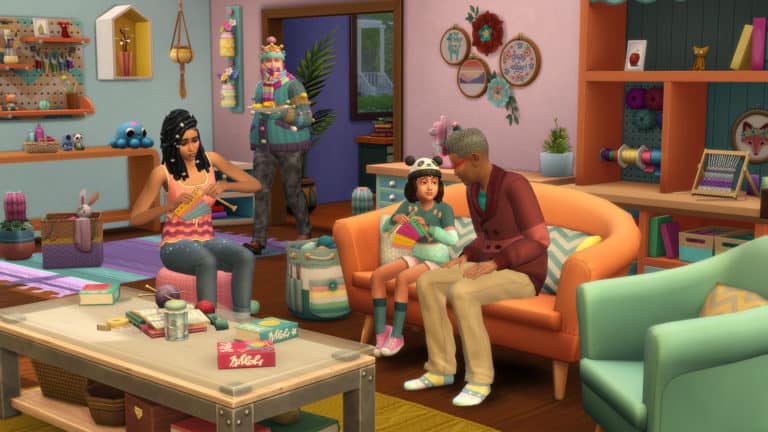
The Sims 4 Nifty Knitting adds two new gameplay objects to the game; a rocking chair and a knitting basket. The two go hand-in-hand but can also be enjoyed separately from each other. Both the new objects also come in a variety of styles and colour variants.
Rocking Chair
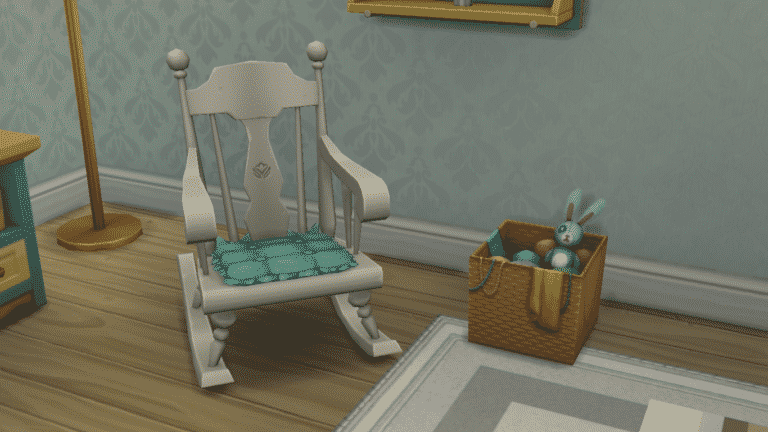
The rocking chair has four entries in the Build/Buy catalogue, two armless versions and two with arms. Both versions have padded and unpadded options. All the entries in the catalogue have a variety of colour variants as well.
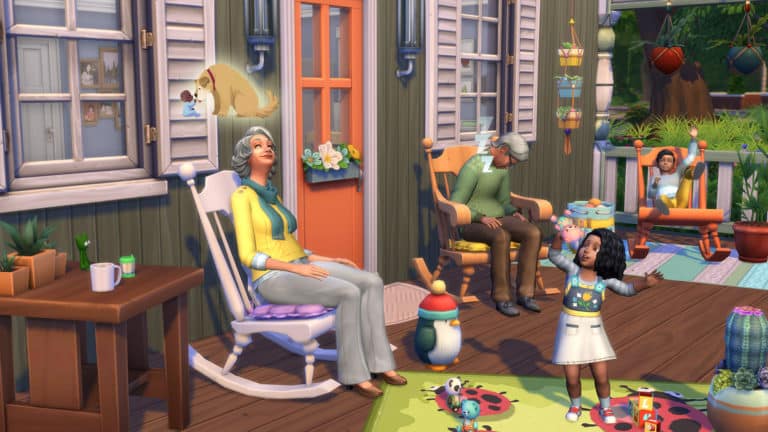
Sims of all ages (toddler-elder) can use rocking chairs but certain age groups have special interactions with the rocking chair not available to other age groups. Toddlers and children can play on the rocking chair. They will rock back and forth wildly while waving their arms and legs in the air. Elders can reminisce in a rocking chair. They will rock back and forth gently while floating memories of days gone by float above their heads. Elders can receive either positive or negative moodlets from reminiscing in a rocking chair.
07 24 20 2 37 36 PM
07 24 20 2 38 16 PM
An elder reminiscing in a rocking chair
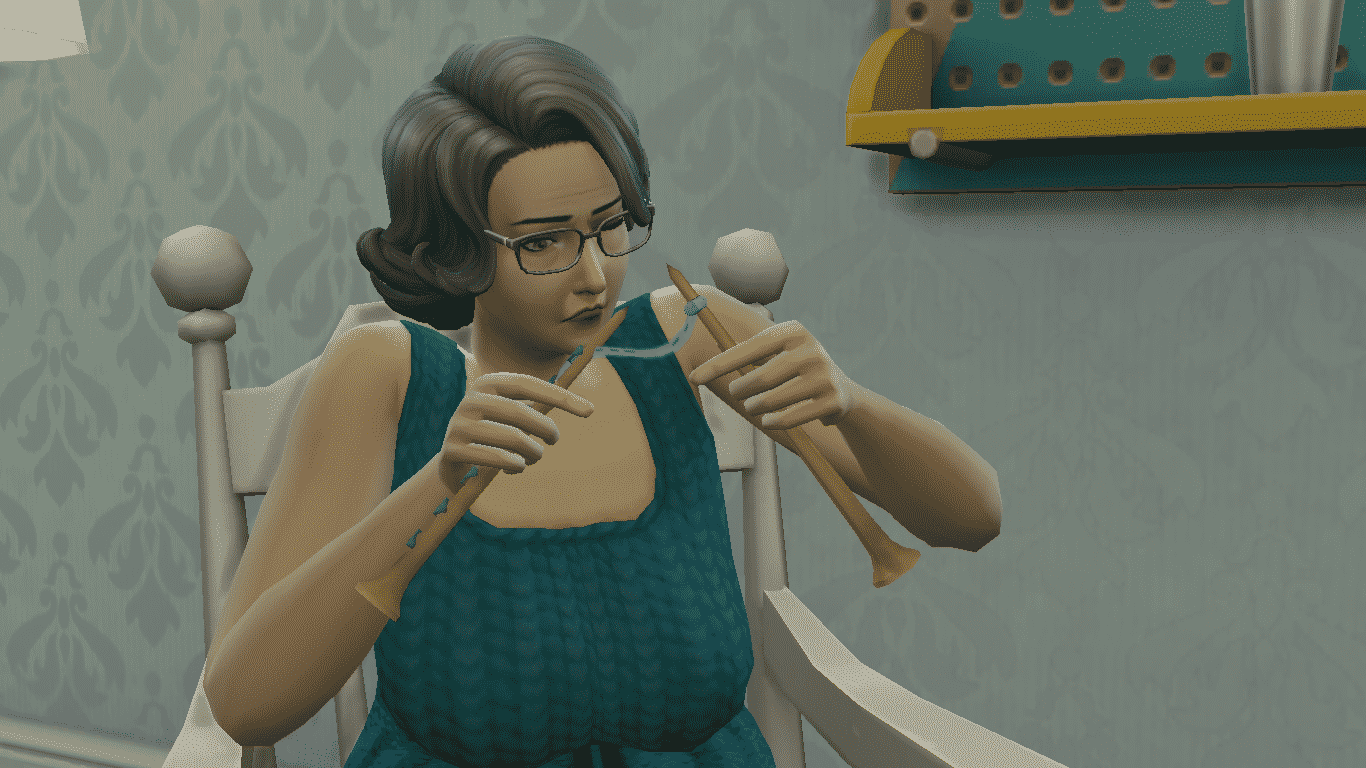
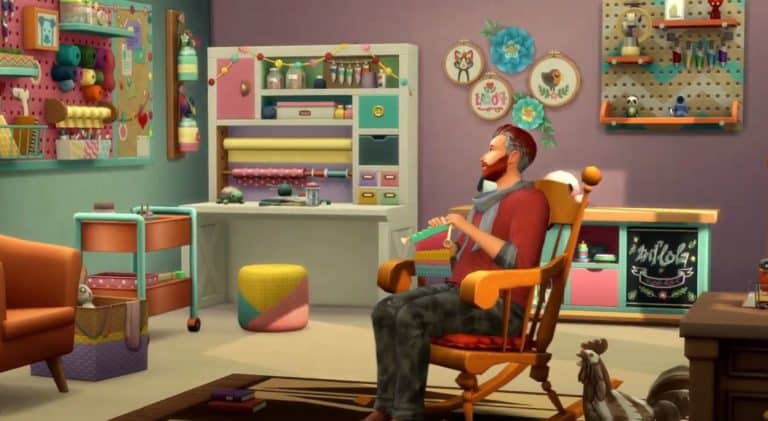
In addition to being able to play and reminisce, Sims can knit in rocking chairs as long as they have a knitting basket in their inventory. Sims build knitting skill faster while knitting in a rocking chair. They also build knitting skill faster while listening to music and while Inspired. Players can really take advantage of all three skill boosters at the same time to build the knitting skill in record time.
Knitting Basket
If your Sims want to knit anything, they’ll need a knitting basket. The knitting basket comes in two separate styles in the Build/Buy catalogue. Each style comes in a variety of colour variants.
The knitting basket can be placed in your house as decor, but it won’t be very useful for anything else unless it’s in a Sim’s inventory. Sims can only use the knitting basket to knit clothes and objects when the knitting basket is in their inventory.
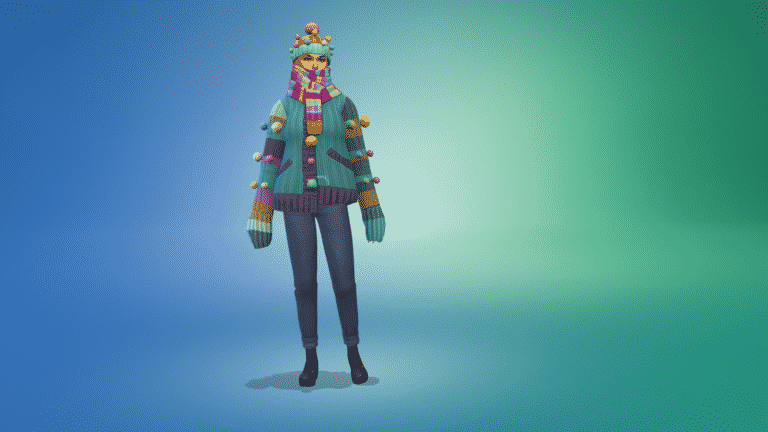
Once in a Sim’s inventory, the knitting basket can be selected to knit a variety of objects and clothing pieces that Sims can use to decorate their homes, gift to other Sims, add to their closet (which will make the clothing piece accessible in CAS), donate to charity, or sell on Plopsy.
Clicking the rocking chair or any other seat with a knitting basket in a Sim’s inventory will also allow the Sim to sit down and knit in that spot.
What do you think of Nifty Knitting? Let us know in the comments or come chat with us on social media!
In The Sims 4 Nifty Knitting, your Sims will be able to sell their knitted creations and other craftables on the online marketplace, Plopsy. If your Sims continue making quality items and shipping out orders in a timely fashion, they can really turn Plopsy into a thriving online business.
To start making money on Plopsy, all you need is a place to sit and a knitting basket in your Sim’s inventory. Once your Sim has a finished knittable in their inventory, you can click on the item to see a variety of options. If it’s a clothing piece, Sims can add it to the household wardrobe to unlock that item in CAS. They can also gift it to someone, donate it to charity, or list the item for sale on Plopsy.
It costs §10 to list something on Plopsy. Once your item is listed, it will be highlighted in red. Scrolling over the listed item will tell you when the listing expires and if there are currently any offers on the item. If your listed item expires with no offers on it, you can relist it as many times as you want, but it will cost you another §10 every time you list it.
TS4 x64 2020 07 24 13 21 31
TS4 x64 2020 07 24 13 21 52
You’ll receive a notification when someone wants to buy something you’ve listed on Plopsy. A listed item that has been purchased by someone will be highlighted in blue in your Sim’s inventory. Click the item and choose to ship it to the buyer. Your Sim won’t receive payment for the item until they ship it. You’ll get another notification when the buyer receives your item, along with their review of their purchase.
A knittable that has been purchased on Plopsy and needs to be shipped to the buyer
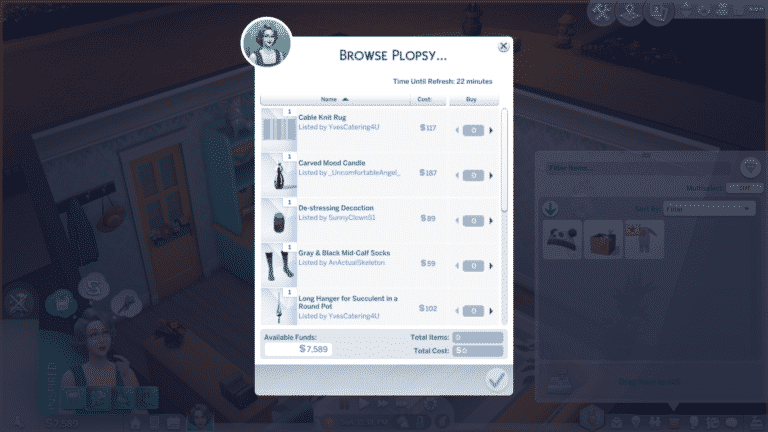
If your Sim is looking for a cozy knitted item to purchase and doesn’t have the skills to knit it themselves, they can also use Plopsy as a customer! Use the phone under the Household tab or the computer under the Order… tab to Browse Plopsy for items to buy. There will be a variety of crafted items for sale and the selection changes roughly every half hour or so in-game so if you don’t find what you’re looking for, keep checking back!
If your Sim becomes skilled enough to knit larger clothing pieces and legendary quality pieces, selling their knittables on Plopsy can become quite a lucrative side business, but knittables aren’t the only thing your Sim can sell on Plopsy. Creative Sims of all types will find Plopsy to be a handy tool for selling their creations.
Things that be sold on Plopsy include:
Knittables
Wood sculptures
Paintings
Flower arrangements (Seasons content)
Candles (Eco Lifestyle content)
However, some crafted items cannot be sold on Plopsy, such as:
Carved pumpkins (Spooky Stuff content)
Fabricated furniture (Eco Lifestyle content)
Fizzy juice (Eco Lifestyle content)
Music tracks (Get Famous content)
Basically, almost any non-edible crafted object that can fit in your Sim’s inventory can be sold on Plopsy.
One other small restriction with Plopsy is that children cannot list anything they’ve knitted for sale on Plopsy. They can, however, gift their knittables to an older Sim in the household. The older Sim can then list the item for them.
Will your Sims be embarking on a new entrepreneurial adventure with Plopsy? Let us know in the comments or come chat with us on social media!
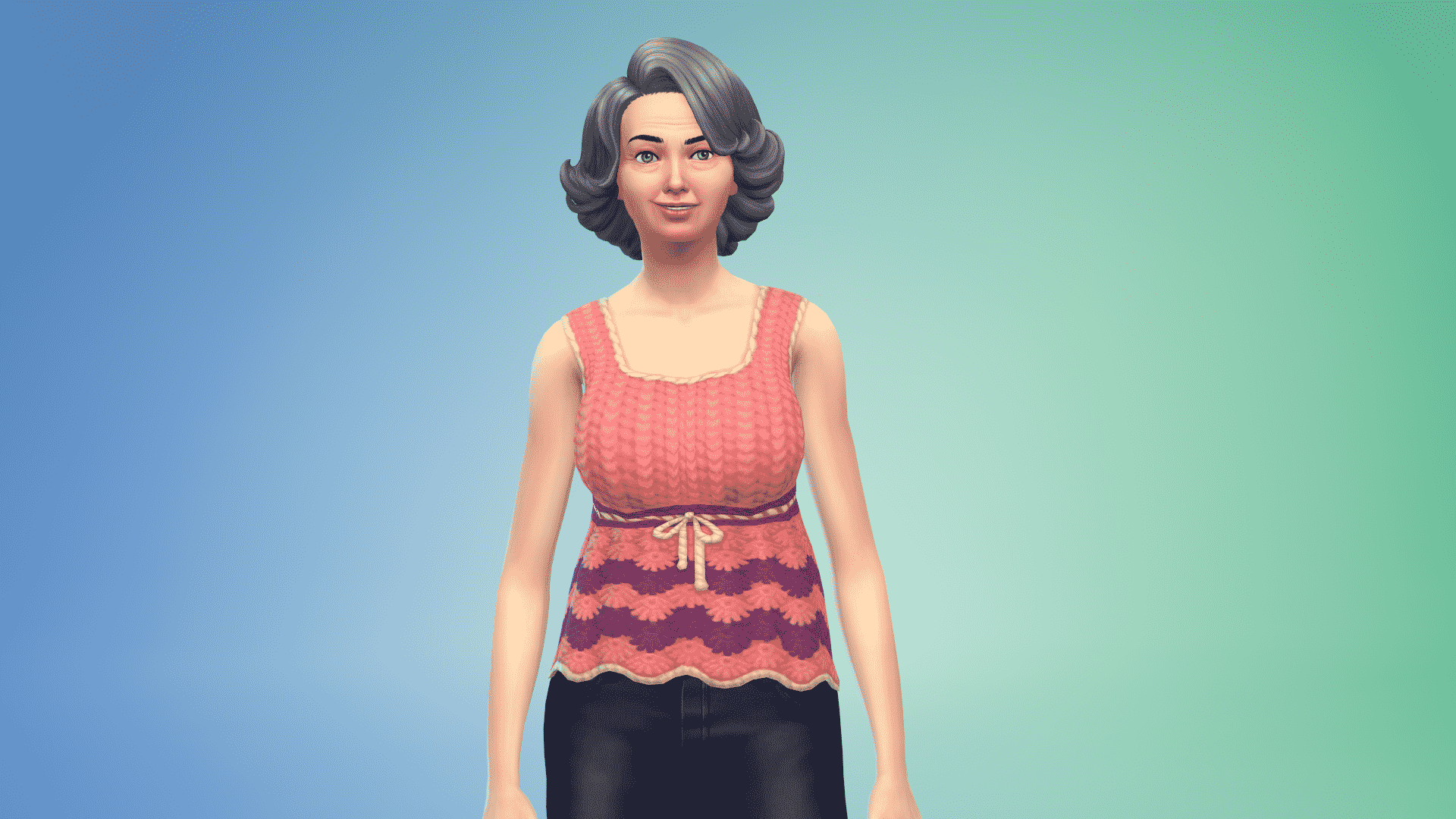
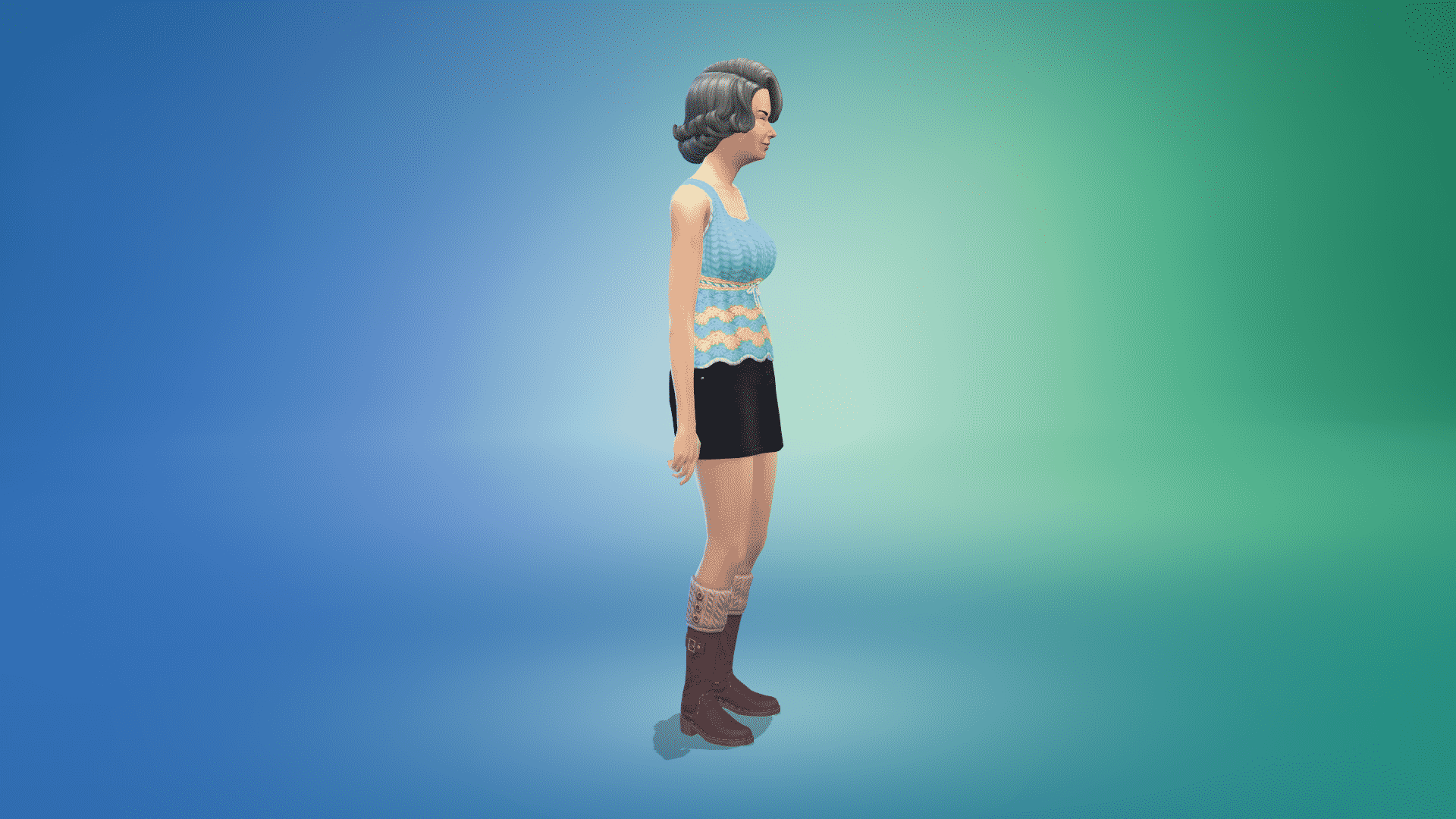
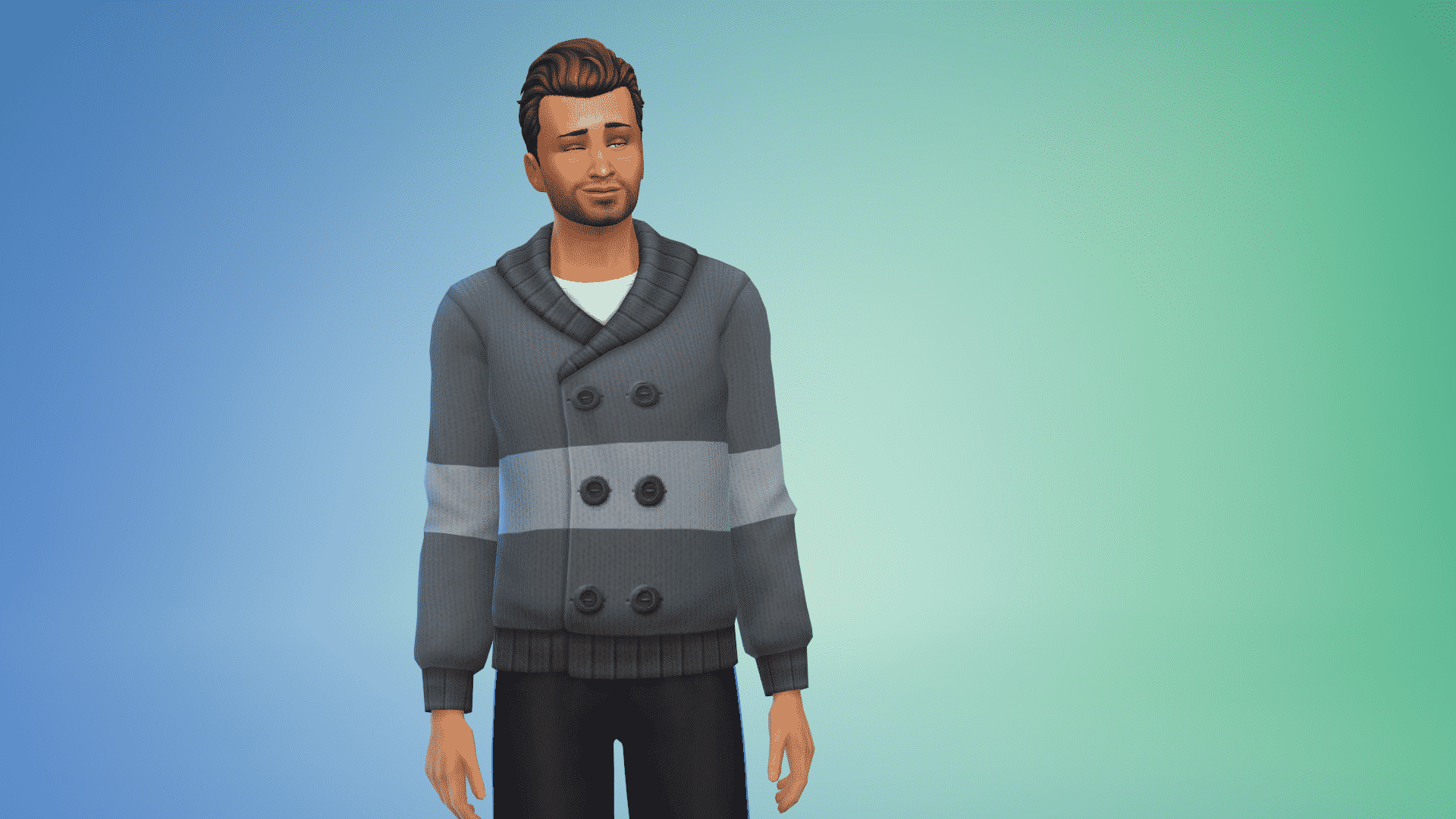
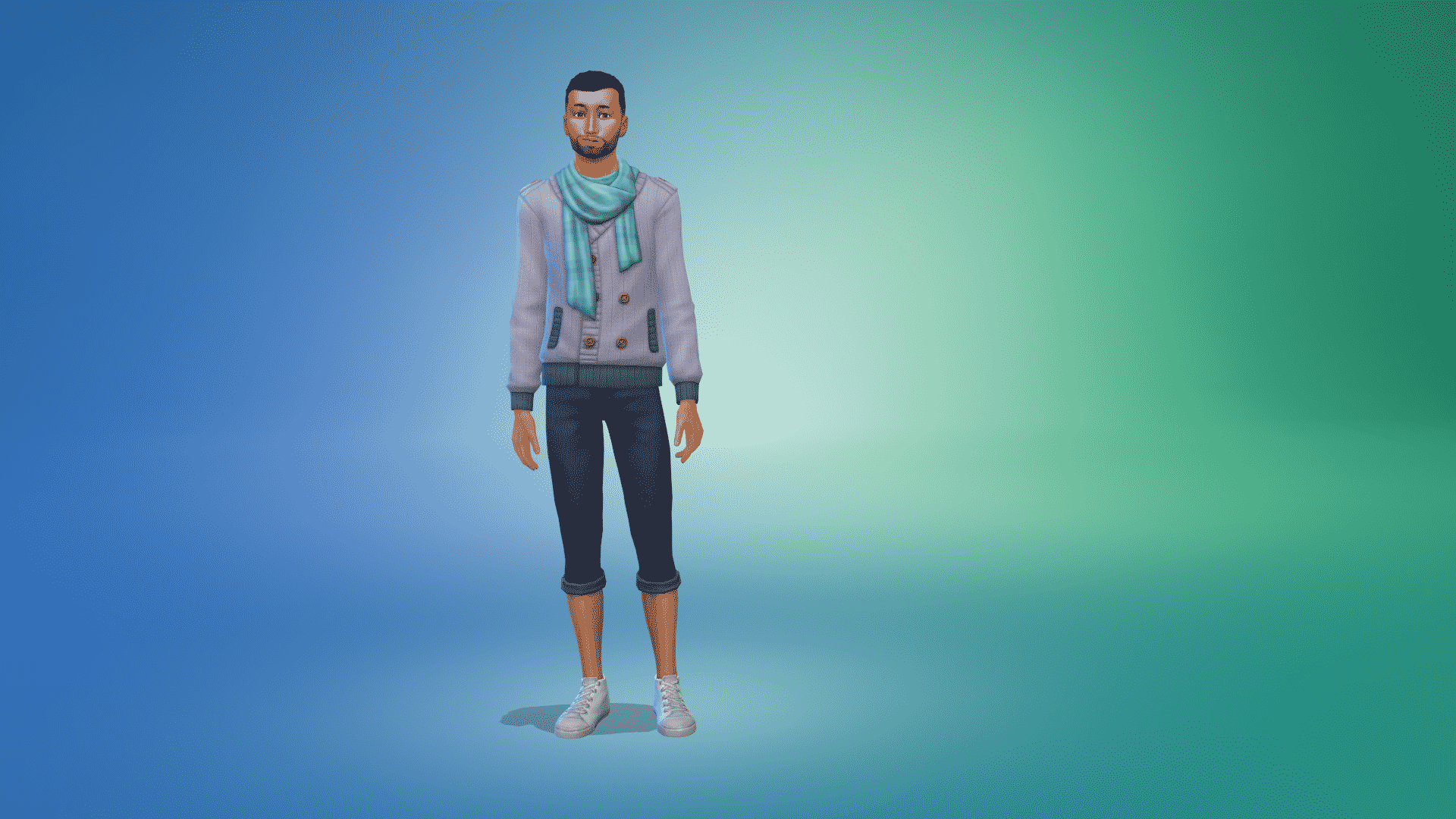
The Sims 4 Nifty Knitting Stuff Pack come with over twenty new Create-A-Sim items. Ranging from new hairstyles, tops, bottoms and more there is plenty for your Sims to wear while knitting the day away!
Check out every new Create A Sim item below. To zoom in, just click on a picture to get a larger view.
Note: The first part of this overview does not include the Clothing options your Sims can craft using the Knitting Skill.
Adult Feminine
Hairstyles
07 26 20 2 32 01 PM
07 26 20 2 32 26 PM
07 26 20 2 32 31 PM
07 26 20 2 32 32 PM
07 26 20 2 32 57 PM
Tops
07 26 20 2 35 44 PM
07 26 20 2 34 21 PM
Bottoms
07 26 20 2 36 18 PM
07 26 20 2 36 39 PM
Shoes
Adult Masculine
Hairstyles
07 26 20 2 48 26 PM
07 26 20 2 48 30 PM
07 26 20 2 48 32 PM
Tops
07 26 20 2 48 18 PM
07 26 20 2 48 03 PM
Bottoms
Styled Looks
Child Feminine
Hairstyles
07 26 20 2 58 42 PM
07 26 20 2 58 45 PM
Full Body
Shoes
Styled Look
Child Masculine
Hairstyles
07 26 20 2 59 56 PM
07 26 20 2 59 57 PM
Toddler Feminine
Full Body
Styled Outfit
Unlockable Create A Sim Items
This next section of the Create A Sim Overview will showcase all of the different clothing options your Sims can Knit. Each item comes with a number of different colour swatches which can only be unlocked by crafting that item in that particular swatch. Once your Sim has crafted an item, click on the item in your Sims inventory and you can add it to your Sims Wardrobe. This will allow all Sims in that particular household to wear that item. The only exception is Baby Onesies.
Adult Feminine
Tops
07 26 20 3 46 39 PM
07 26 20 3 46 53 PM
Full Body
Adult Masculine
Tops
07 26 20 3 53 30 PM
07 26 20 3 53 39 PM
Adult Unisex
Note: There are several different versions of socks each with a variety of different colour and pattern variants. The images below show a selection of the ones your Sims can Knit. Child Sims can also wear these socks.
Socks – Mid Calf
07 26 20 3 56 13 PM
07 26 20 3 56 24 PM
07 26 20 3 56 26 PM
07 26 20 3 56 27 PM
Socks – Crew
07 26 20 4 00 26 PM
07 26 20 4 00 32 PM
07 26 20 4 00 34 PM
07 26 20 4 00 38 PM
Socks – Low Cut
07 26 20 4 05 03 PM
07 26 20 4 05 07 PM
07 26 20 4 05 08 PM
Child Unisex
07 26 20 4 10 39 PM
07 26 20 4 12 31 PM
Toddler Unisex
07 26 20 4 13 44 PM
07 26 20 4 14 14 PM
Babies Unisex
While your Sims are able to Knit Baby Onesies, they are not available in Create A Sim. Once your Sim has crafted a Baby Onesie, click on the Bassinet and you will be given the option for the Baby to change into the one your Sim has just placed in their inventory.
Let us know what your favourite new addition to Create A Sim is in the comments or over on our social media!
We’re just moments away until the release of a stuff pack that’s been community voted and in the works for months!
The Sims 4 Nifty Knitting Stuff Pack is set to release on July 28th, 2020 at 7PM CET on both PC and Consoles. Just like any other Stuff Pack this one will cost $9,99USD and you’ll be able to get it from the official stores.
To make things more simpler for you we’ve included a countdown to the release below. As soon as the counter turns to zero you should be able to get this Stuff Pack from Origin, Microsoft and Playstation Stores!
I’ll also be throwing a Launch Party for The Sims 4 Nifty Knitting so make sure you join me on Twitch as I count down to the final moments of the release of this Stuff Pack with you guys! The stream is set to begin 3 hours before the release of the pack.
[janky target_time=”1595955600″ color=”#248402″]
new Twitch.Player(“twitch-embed”, {
channel: “jovjovan”
});
The Sims Team has released a brand new update for The Sims 4 on PC, Mac and Console!
To download the latest version of The Sims 4, simply open your Origin program and if the game doesn’t update automatically, right-click on The Sims 4 and select ”Update.” For console players, your game should update automatically however if it doesn’t simply go into the game options and you will be able to update from there.
For PC and Mac users – In case you have Mods or Custom Content, the game will automatically disable them for you after first launching The Sims 4 after the update. To re-enable all your Mods and Custom Content, select the Settings option in the menu and select Settings. Under the” Other” section you’ll find the ”Enable Custom Content and Mods” option. Check it and restart your game in order for it to take effect!
Update 7/23/2020
PC: 1.65.70.1020 / Mac: 1.65.70.1220
Console: Version 1.29
Hello Simmers!
Are you ready to Get Knitty With It? I hope so, because The Sims 4 Nifty Knitting Stuff Pack will be available next week. While you wait we invite you to relax in your favorite rocking chair and envision a not-so-distant future filled with digital sweaters, socks, plant hangers, and baby onesies. And when you’re done with that why not peruse these patch notes to see what’s new?
In this update we have addressed a few issues and we have made two small additions to the Base Game.
You can now name your cowplant! Because cowplants are a member of the family, too. The kind that eats other family members, but that doesn’t mean we love them any less. It does mean we sometimes have to lock the door to their room to make sure no accidents occur (or unlock the door when playing the Black Widow challenge…)
The popular Base Game inset ceiling light, The Subtle Saucer Light, now comes in a smaller version, The Super Subtle Saucer Light. This is something builders and machinima makers have asked for and we’re happy to deliver. We’ve also lowered the price to a mere 50 Simoleons to make these more accessible when building starter homes.
-SimGuruSarah Ft. SimGuruRusskii
Now onto the fixes:
Sims 4
Fixed an issue that made Body Shapes and Skin Tones in Create a Sim to be highlighted as if they were newly added in game.
Fixed an issue that made the Nerd Brain Aspiration’s goal to Upgrade or Repair any bed to not be completed. Upgrade away!
Error Code 134:54350669, Error Code 134:b378c837’s evil twin, has been defeated… for now.
Fixed an issue for Consoles that made the Control Layouts be covered by in game messaging. Similarly, we fixed some buttons in the display that would show incorrectly per context.
Has this ever happened to you? Your Sims are in the privacy of their bathroom, and suddenly there is the smell of smoke? If your Sims have experienced a… “burning sensation” while satisfying their Bladder need – no more! Thanks to F1xABuG*. F1xABuG deals with all symptoms of flammable bladder functions, patch today!
*F1xABuG will not relieve all fire related incidents while in the bathroom, Sims still will possibly experience flammable encounters if they are Angry or have had Spicy Food. Fire may also still be experienced if Simmers have installed Eco Lifestyle and choose to Compost upgraded toilets with no Insect Farm on Lot. F1xABuG is not responsible for any other side effects, such as Reticulating Splines.
Cats & Dogs
We trained our Cats and Dogs extra hard so that they do not disappear from your Lots to others randomly. They are all good and best boys and girls, 15/10 will pet them all again.
Seasons
Summer Strut and Winter Holiday Radio Stations have changed conditions in which they will award related Moodlets. Summer Strut will do so only during the Summer and Winter Holiday during the Winter. Moodlets will be awarded only if Sims are explicitly told to Listen to the station. Just having it on in the background will not award the moodlet.
Eco Lifestyle
Restored missing color swatches for the Freelance Crafter’s Create a Sim career reward items.
NPC Sims will no longer follow enacted policies in their home neighborhood if Sims travel to another neighborhood or world before the voting period ends.
The “Angled Staring Window – by Distended Window Inc.” has been fixed to render properly… no longer it will look like part of it is missing for sure!
Fixed an issue that made custom music to not play when added to the Americana Radio Station.
Added some clarification to the Instant Enact N.A.P Water Conservation informational tooltips so that Simmers can have more information about the actual benefits of the policy. An informed Simmer is the best policy I say.
Fixed an issue with the Eco Innovator and Master Maker’s Aspiration icons, now they actually look Gold in color.
Made a correction on the health status text for insects in the Insect Farms. Insects are not actually “Dead” if Simmers neglect them, but they become “Miserable.” Treat them right.
Fixed an issue in which apartments in Evergreen Harbor displayed gaps between stairs when playing in Low Medium graphics settings.
Spa Day
New Age Radio Station has changed conditions in which it gives the Focused Moodlet, Sims must already be listening to the New Age Station. Moodlets will be awarded only if Sims are explicitly told to Listen to the station. Just having it on in the background will not award the moodlet.
StrangerVille
Fixed an issue that made custom music to not play when added to the Strange Tunes Radio Station.
Tiny Living
Fixed an issue that Tiny Living’s toddler hair options in Create a Sim would clip if Season’s asset puHat_EP05Trucker would be used with them.
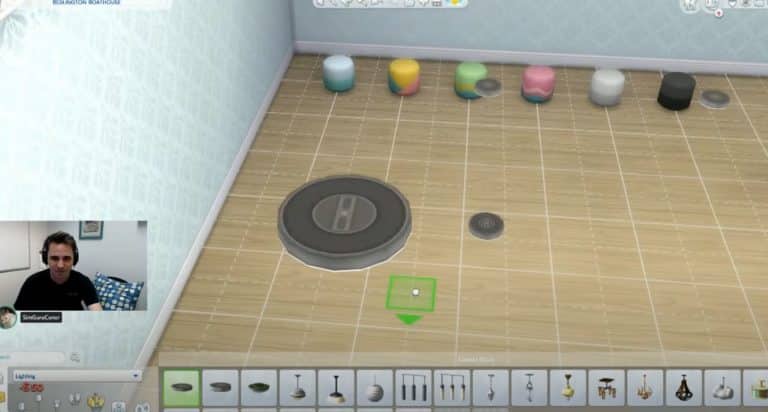
The first feature that they’ve shown off is the new Super Subtle Saucer Light – which is a much smaller version of the regular Saucer Light that we already have in the game.
The Super Subtle Saucer Light will be of the same light intensity as the regular version of this light, except that it’s much smaller. You can see these two lights compared in the screen down below.
The Sims Team has also modified the pricing of these saucer lights and they’ll now cost 50 Simoleons each. This change has been made primarily for those who like to build Starter Homes or just like to plop down the light and see how they can decorate the interior.
The other small addition that the team has included with the upcoming update is the ability to name your Cowplant!
It’s not known if these are the only additions and changes coming with the next Sims 4 Base Game Update, but we’ll know for sure when the patch drops soon before the release of The Sims 4 Nifty Knitting Stuff Pack.
UPDATE: The livestream has ended! You can catch the official replay down below.
The Sims Team will be doing an official deep dive livestream for The Sims 4 Nifty Knitting Stuff Pack today, July 22nd at 11AM PT!
In this livestream SimGuruConor will be doing a showcase of the new CAS and Build Items, as well as the new gameplay that comes along with this pack.
The stream is set to begin at 11AM PT / 8PM CET / 7PM BT and you can watch it down below. We’ll also be posting a replay for those who miss out on the stream!
In case you haven’t heard, The Sims is getting its own reality TV series where Simmers compete in a variety of challenges designed to test their CAS, Build/Buy, and storytelling skills! The first episode airs tonight on TBS at 8pm PST.
But players at home can contribute to the show as well! Players can participate in fun challenges along with the show contestants, all from the comfort of their own homes. Submit your challenge entries for a chance to be selected as a Top Spark’d Creator and be featured on the Spark’d website. Top Spark’d Creators are also entered into a pool of potential candidates to be invited onto the show!
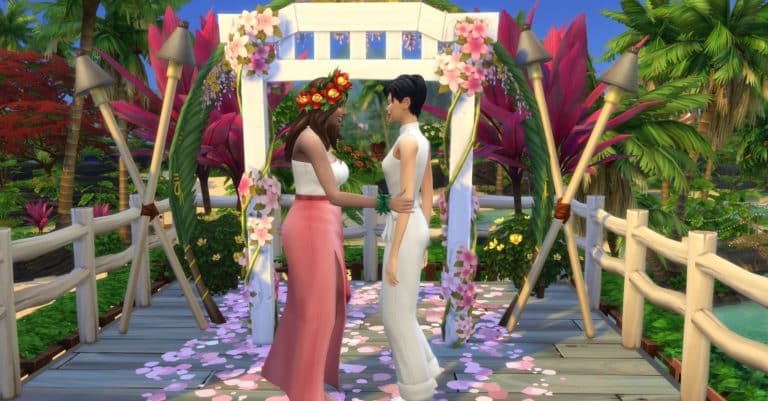
The first Spark’d Challenge has been announced and is now available for players to create and submit their entries. The theme is Destination Wedding and you have your choice of three ways to play this challenge; Stylist, Builder, and Storyteller.
In order for your entry to be considered, the following criteria must be met:
Choose a destination for your wedding:
Beach
Jungle
Rustic
Spooky
Desert/Casino
Theme ready? Now, style your Sims couple for their special day!
Additionally:
Sims must be Young Adult or older
DLC not required
Full edit cheat (cas.fulleditmode) and unlockable CAS content allowed
No Simoleon (§) limit
No creator-made custom content (CC)
So what are you waiting for? Get creating and you might find yourself on the next season of The Sims Spark’d!
For more information on The Sims Spark’d, see here.
For more details on the latest challenge, see here.
For answers to frequently asked questions about Spark’d Challenges, see here.
For an overview of what Spark’d Challenges are and how they work, see here.
The Sims Team has published an official blog post for the upcoming Stuff Pack – The Sims 4 Nifty Knitting! Check out the details below:
Waaaaay back in November, our Dev team announced a new Community Voted Stuff Pack was just getting underway, and now, after months of work on it, we’re thrilled to be able to announce the release date for it: The Sims™ 4 Nifty Knitting Stuff Pack* will be launching on July 28 for Mac/PC, Xbox One, and PlayStation®4!
Get Knitty With It
All your Sims need for their new hobby is a yarn basket. Sims start with knitting socks and beanies, but as they grow more skilled, they can tackle more interesting challenges like sweaters, baby onesies, toys for kids, and even mailbox cozies. Why? You mean, why not. Once you’re skilled enough, you can share the joy of knitting with other Sims, too. Just sit down together and start teaching them to knit, or give them the gift of a misshapen but well-intentioned sweater. It’s the thought that counts. Probably.
Ready to Rock?
Plop down in one of the four new rocking chair variants to chill, knit, nap, or read a book. (Psst: Sims get a bonus to their Knitting Skill while on the rocking chair too!) Sitting in one is quite relaxing for Sims, so uncomfortable, sad, or angry buffs will diminish quicker. Elder Sims also have a new Reminiscence interaction with the rocking chair, giving them a comfy way to explore their mind palace and fondly remember times of fun, while children and toddlers can play on it.
Of course, rocking chairs aren’t the only things that rock in this pack. Did somebody mention a new Metal music station? We did! Sims listening to Metal feel Energized and gain bonuses to Knitting while they listen—so don’t be alarmed if you see your Sim jamming on an air guitar.
Welcome to Plopsy
The more you knit, the more you can earn on Plopsy, the new online crafting marketplace where you can sell everything from socks and sweaters to paintings and woodworking projects. Once you’ve crafted an object, it costs a small fee to list it on Plopsy, but your item remains listed for several days, and you can easily track potential buyer interest during that time. As a bonus, Plopsy offers a higher payout than selling things the old-fashioned way.
Now, if your Sim is more of a shopper than a crafter, you can also use Plopsy to buy unique goods! Plopsy rotates in random crafted items throughout the day, so all your Sims have a chance to get some cool stuff (including the new knitted clothing!).
Many of you have been with us since the start of the development process. You helped choose the theme, art style, objects, Create-A-Sim assets, and even the title and icon for the pack, so this is as much yours as it is ours. We’ve been excited to share a series of deep-dive posts over on the Forums as well, giving you a peek into the design and development process. If you missed any of them in real time, have no fear: you can read them all now to get the details you’re craving.
It’s been such a joy to craft this project with you, and we can’t wait to see what you and your Sims knit up in-game. It’s almost time to grab your needles and yarn—just two more weeks until you can start dressing your Sims in their own creations!