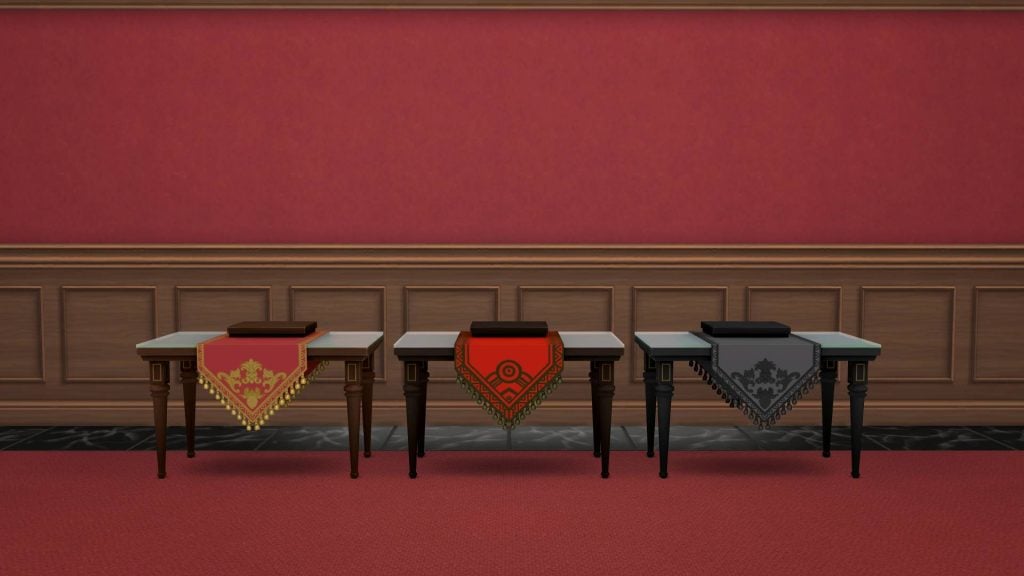
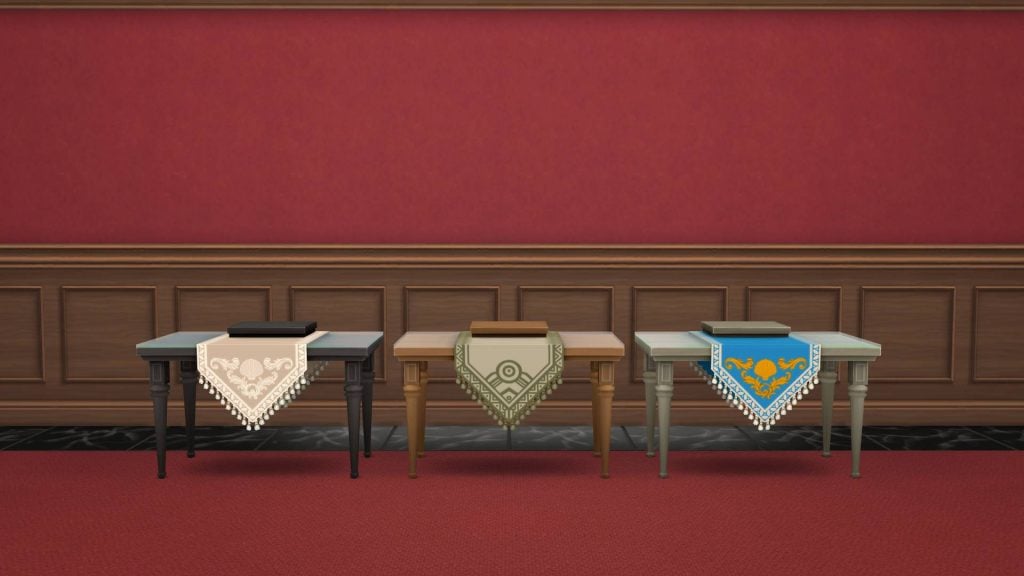
As usual, new updates for The Sims 4 bring a mix of fixes and unexpected issues. This latest patch prepares the game for the release of The Sims 4: Royalty and Legacy Expansion Pack on February 12 and introduces several exciting, long-awaited features.
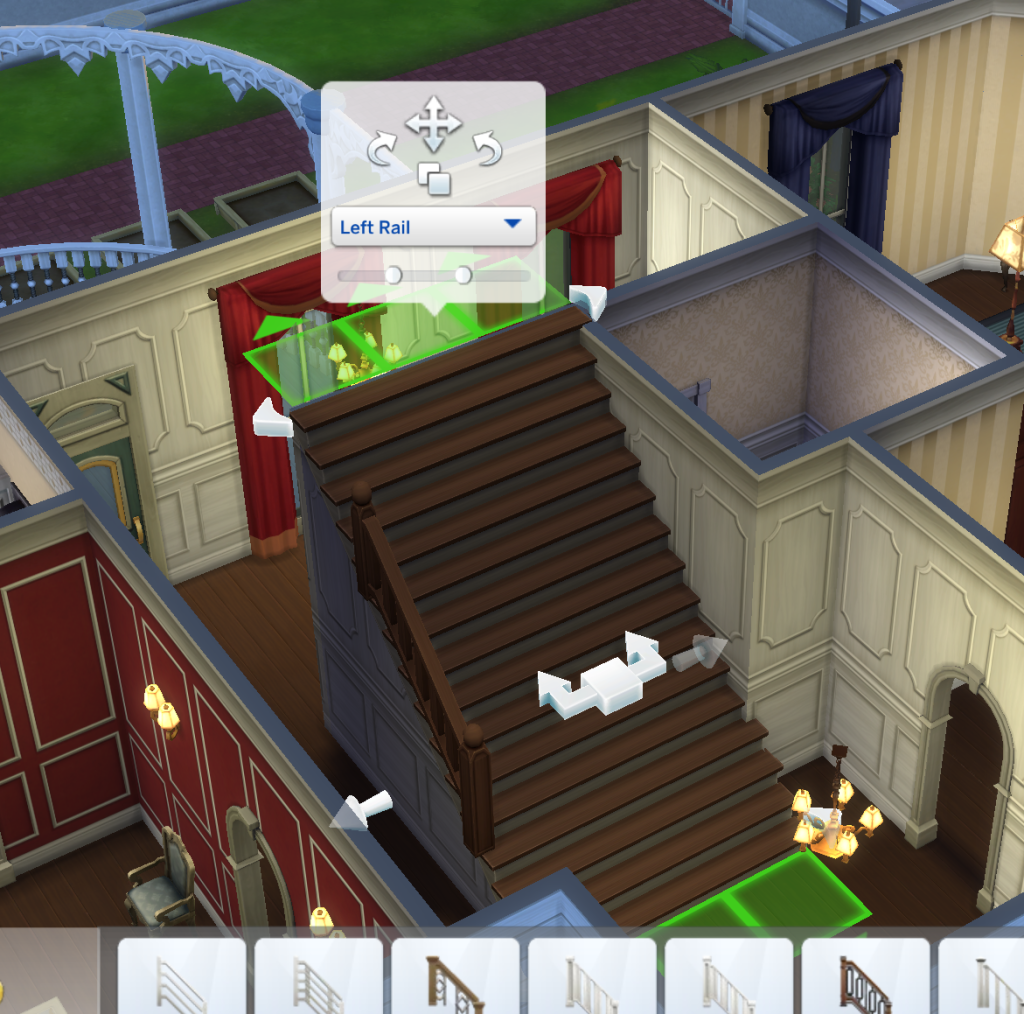
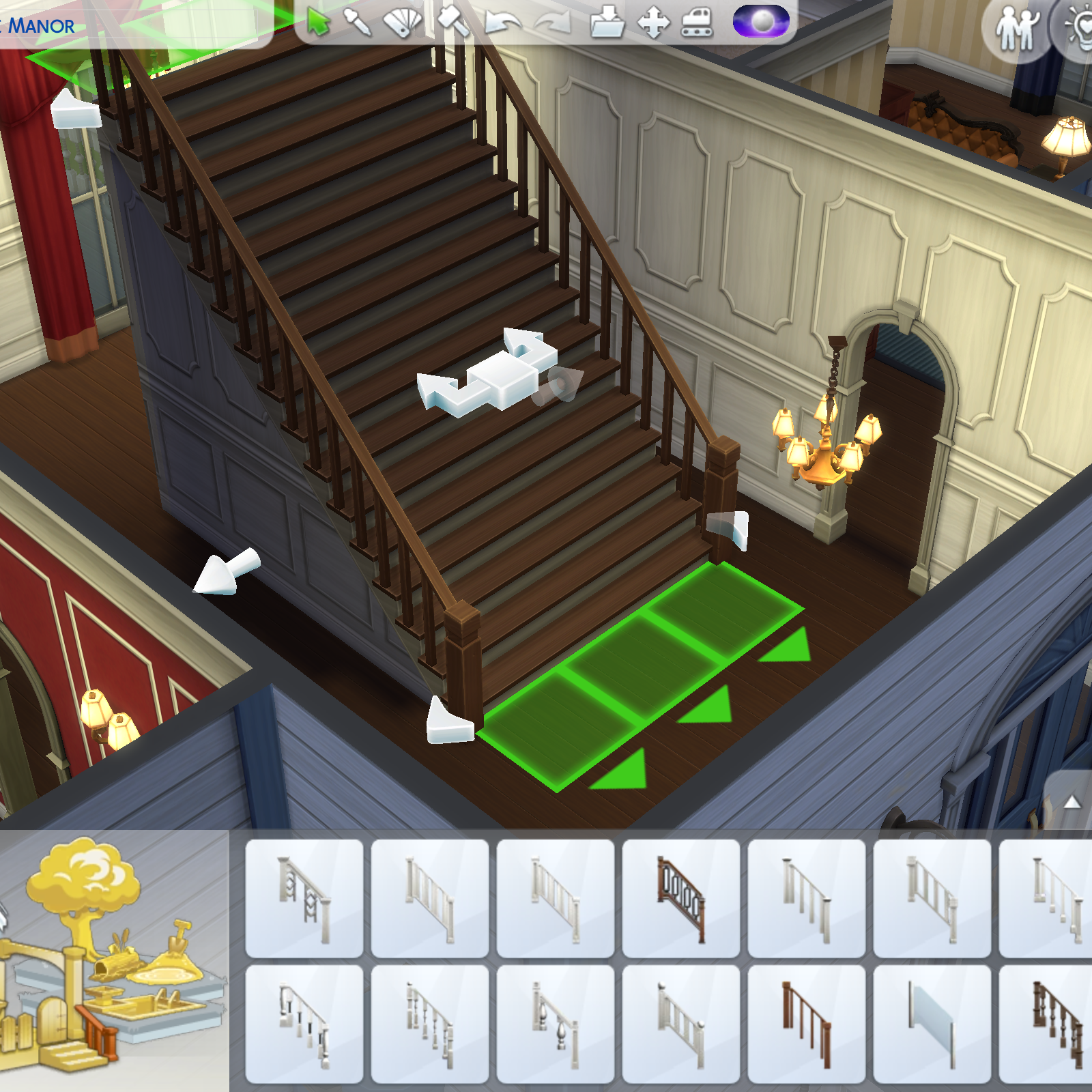
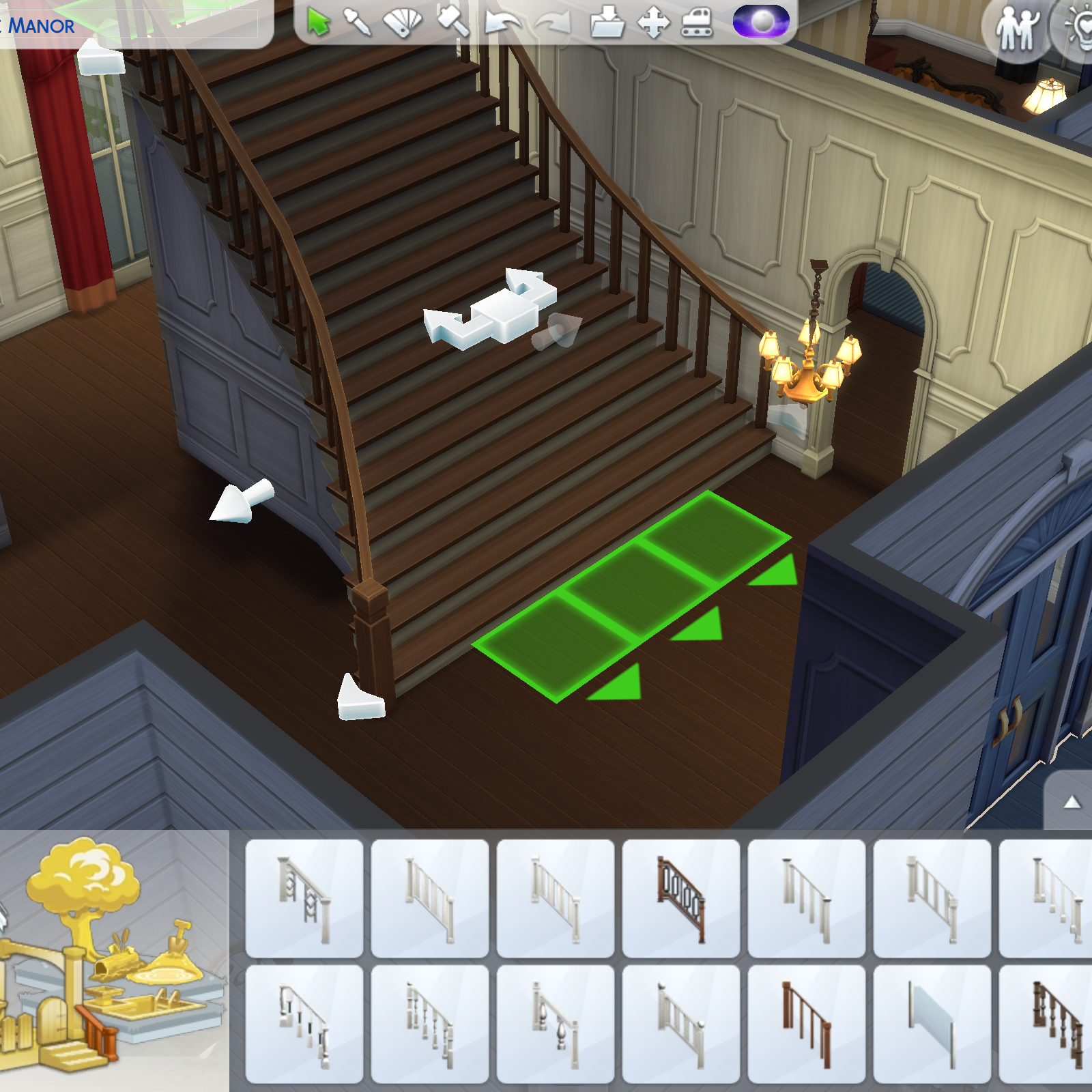
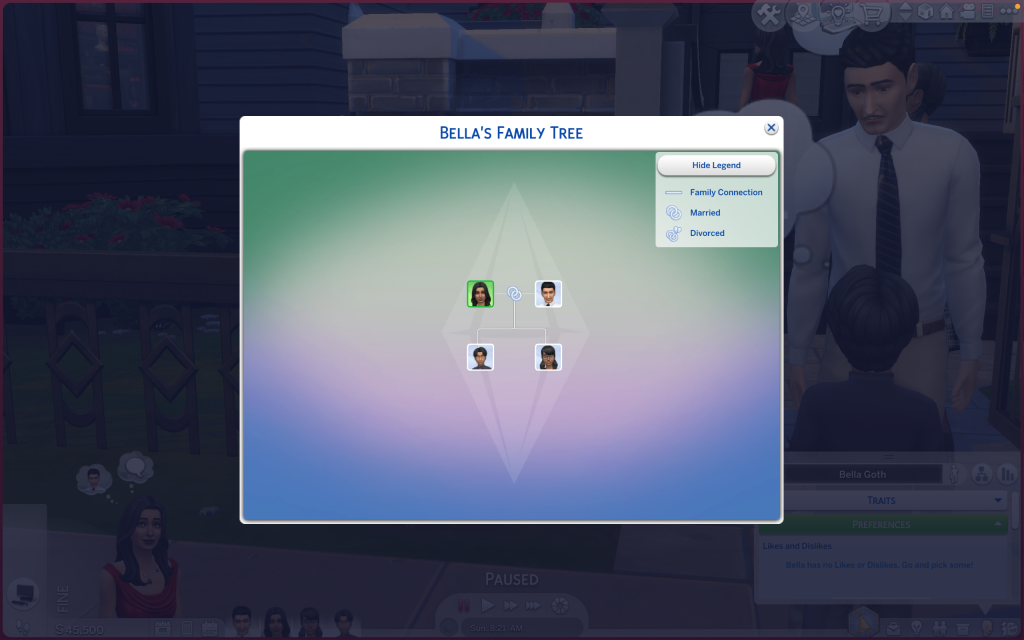
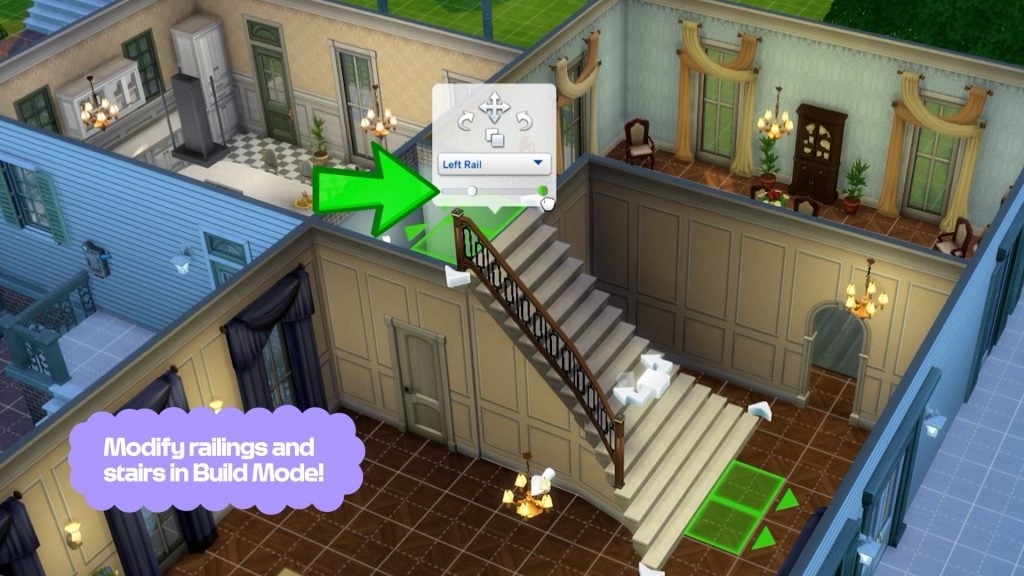
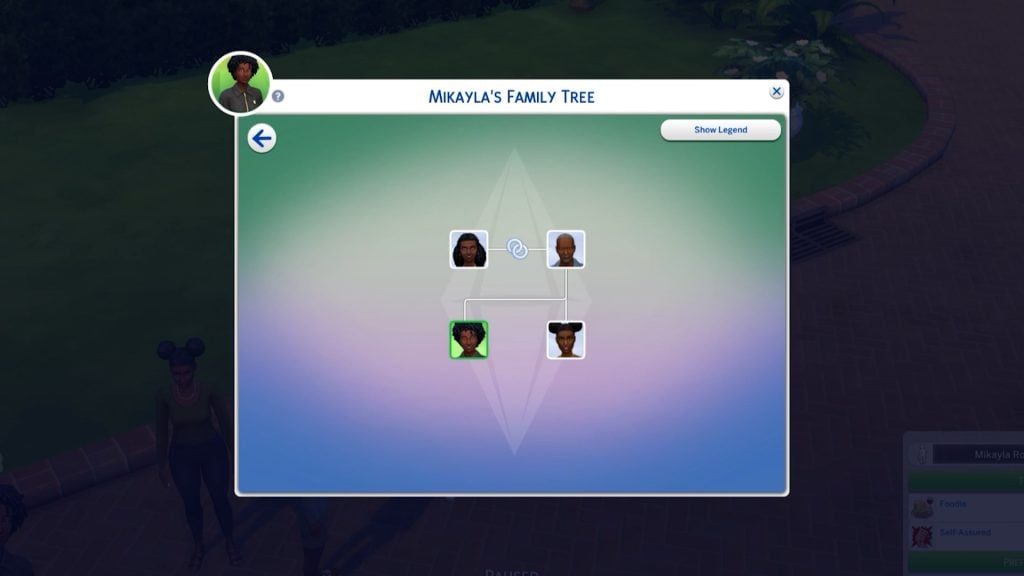
The Sims 4 patch released on February 3 is version 1.121.342.1030 on PC, 1.121.342.1230 on Mac, and version 2.28 on consoles. While the update addresses several long-standing issues, including a fix for cases where entering or exiting Build Mode during Scenarios could cause the UI to disappear or the game to become unresponsive, reports suggest that the photo-related bug introduced in previous patches may persist for some players. The update also introduces several new features, such as the new curved stairs tool, expanded stair rail customization, and an update to Family Trees.
The Sims 4 Update Bugs and Issues After February 3rd Patch
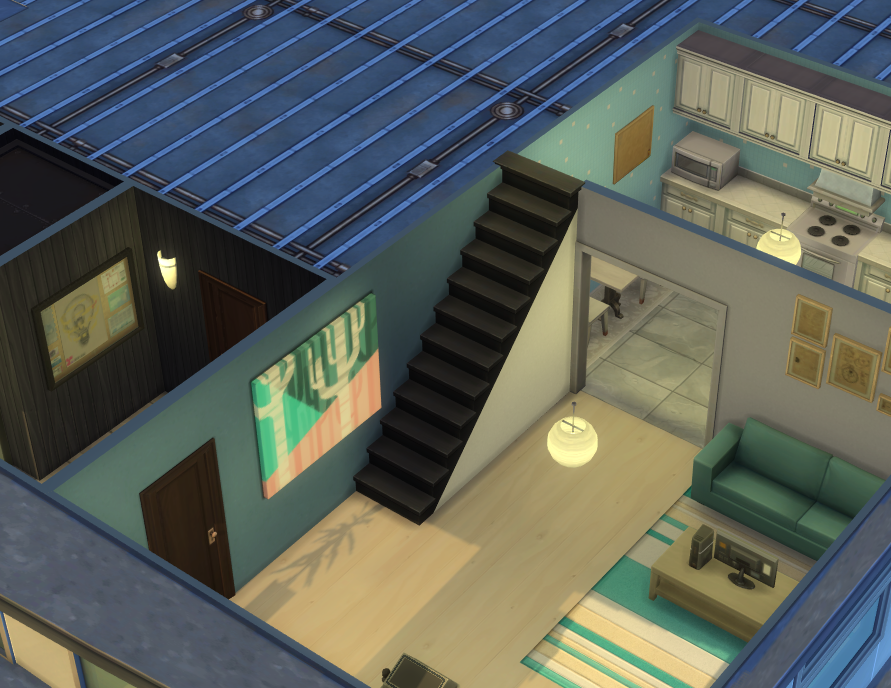
Railings are missing on lots created before the Patch
Stair railings are missing on any lot created before the February 3 patch after updating the game. This affects all premade lots, Gallery lots, and existing player saves. Any staircase that previously had railings now appears without them once the lot is loaded in the neighborhood view.
The issue is retroactive, meaning it also impacts existing saves when older lots are opened after the update. Lots created after the patch do not appear to be affected.
Railings missing on lots created before Patch 1.121.342
Any lot created before the February 3rd patch that had stairs with railings, no longer have them after updating. This includes all premade lots, gallery lots and lots in saves. Any lot created by a player or Maxis before the update no longer has railings. This is also retroactive in exisiting saves when a lot is loaded in the neighborhood.
I would have expected any lot created before the patch to automatically have double railings applied.
Forum user karaiarai indicates that the issue does not affect lots built after the update, nor lots that were modified and saved once the patch was installed. Additionally, lots saved to the Gallery after the update retain their stair railings correctly when placed. The problem appears to be strictly limited to stair railings created before the patch, suggesting an issue with how legacy stair data is handled under the new system.
Additional note: This issue does not occur in lots that were built after the update, nor in lots that were modified and saved after the update. Lots that were saved to the Gallery after the update also do not experience railing disappearance when placed. This issue is strictly limited to stair railings that were created before the update.
Hold Lecture Doesn’t Work Autonomously on Custom Venue
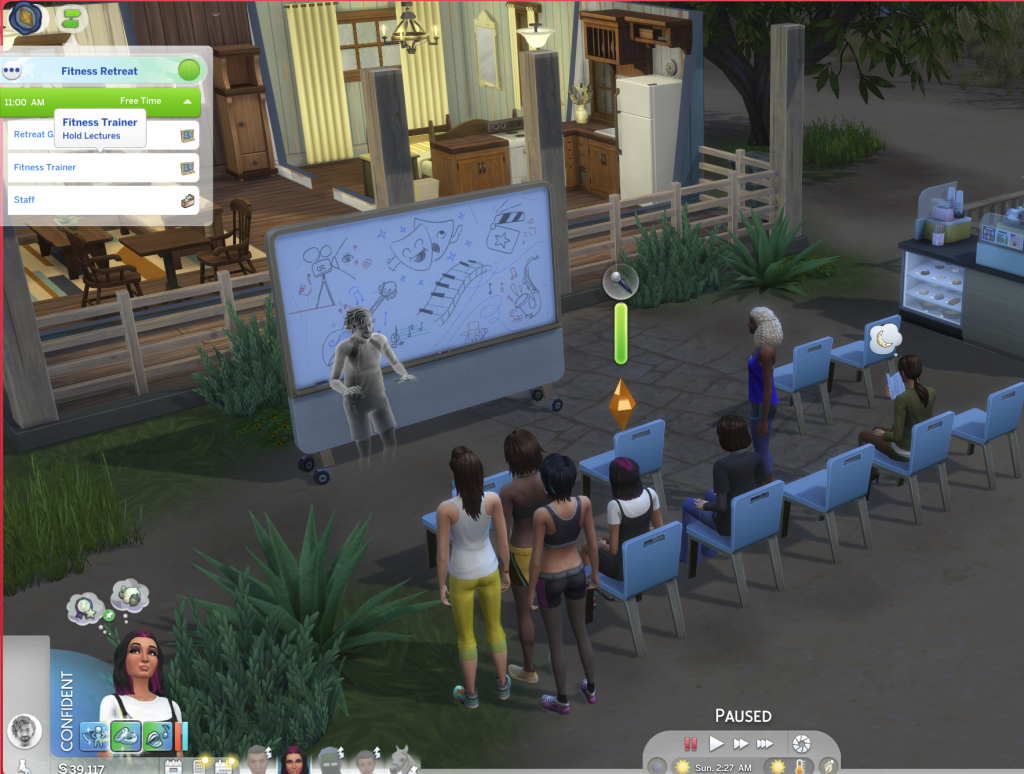
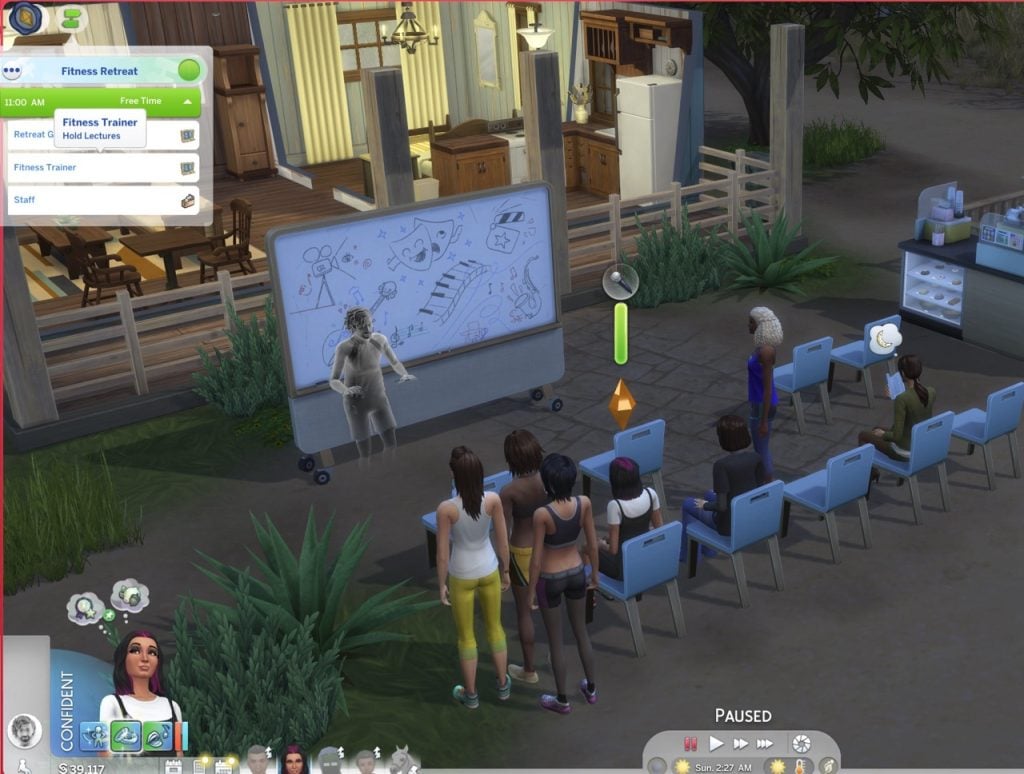
Another issue reported by players affects the “Hold Lecture” interaction introduced in the new update. While the feature was added for Getaways, it currently only works autonomously when a getaway event is active. Sims assigned to this role do not function correctly on Custom Venues, and players are unable to select which lectures can be performed from the lecture board.
[AA] [BH] Hold Lecture Doesn’t Work Autonomously on Custom Venues
The new 1.121.340 patch added Hold Lecture for getaways, but the issue is that they only work autonomously if there’s a getaway. Custom Venues alone don’t function on sims with that role. You can’t pick what lectures they can do on the board either (make the existing locker available on any lot as a fix)
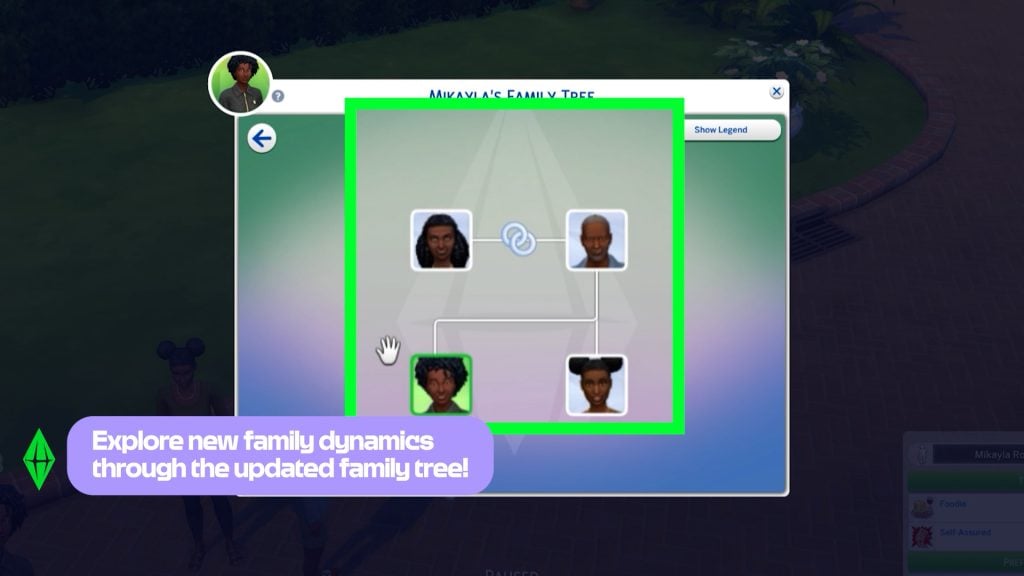
Family Trees Collapsing or not appearing correctly
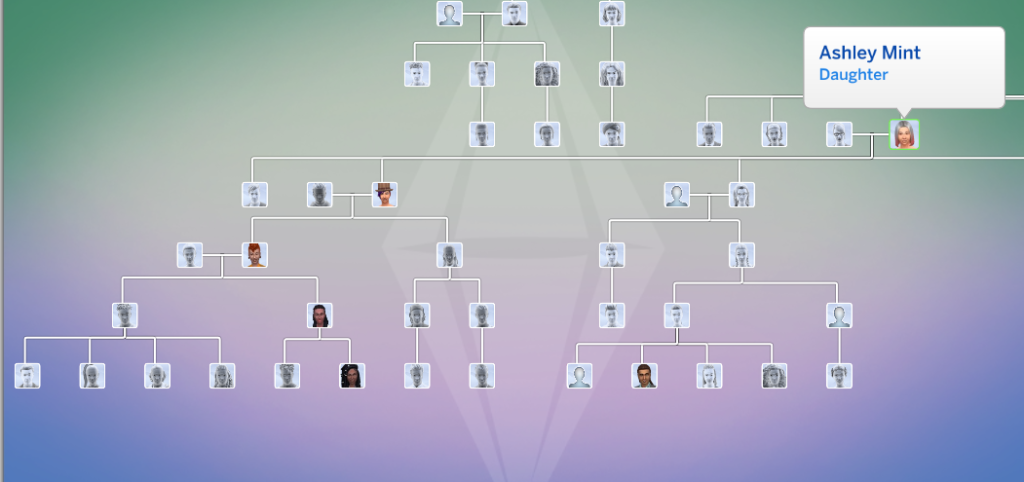
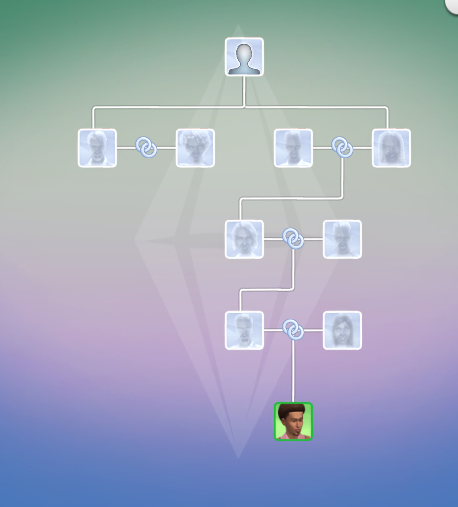
Players have also reported issues with legacy Family Trees following the update, particularly in long-running saves spanning multiple generations. When opening older files, selecting certain Sims can cause the Family Tree to partially collapse or overlap, with entire branches temporarily disappearing from view.
While the issue does not affect all Sims, it appears to occur inconsistently across specific family members within the same lineage. In affected cases, hovering over portraits still displays the correct relationships, but key Sims may be missing entirely from the tree until another relative is selected. Notably, other branches of the family (including earlier and later generations) often remain unaffected, suggesting a selective visualization issue rather than missing genealogy data.
I opened up an older file that I played thru 11 generations just to test out the new family tree. It doesn’t happen for all sims but sometimes I will select a sim and they disappear and the whole tree collapses.
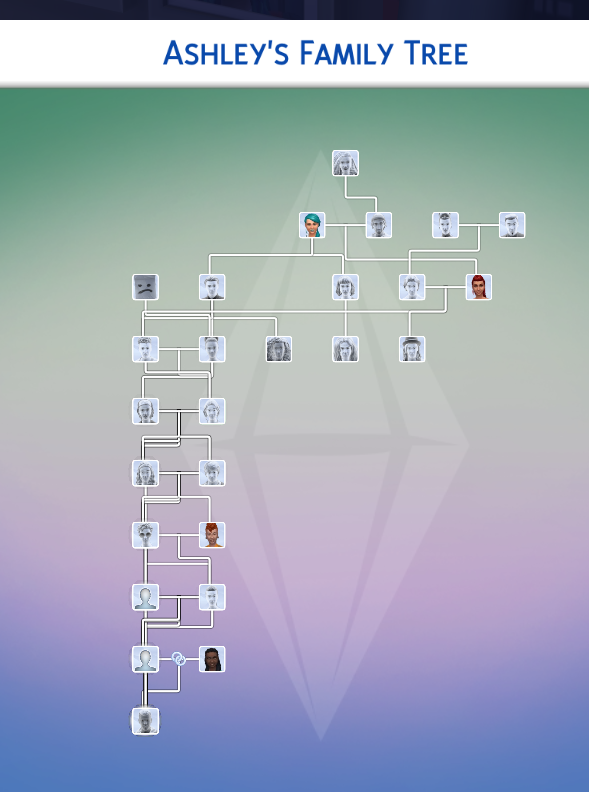
So this is the way the tree looks like when i have ashley’s father selected (he’s off to the right out of frame). If i click on her portrait it looks like this
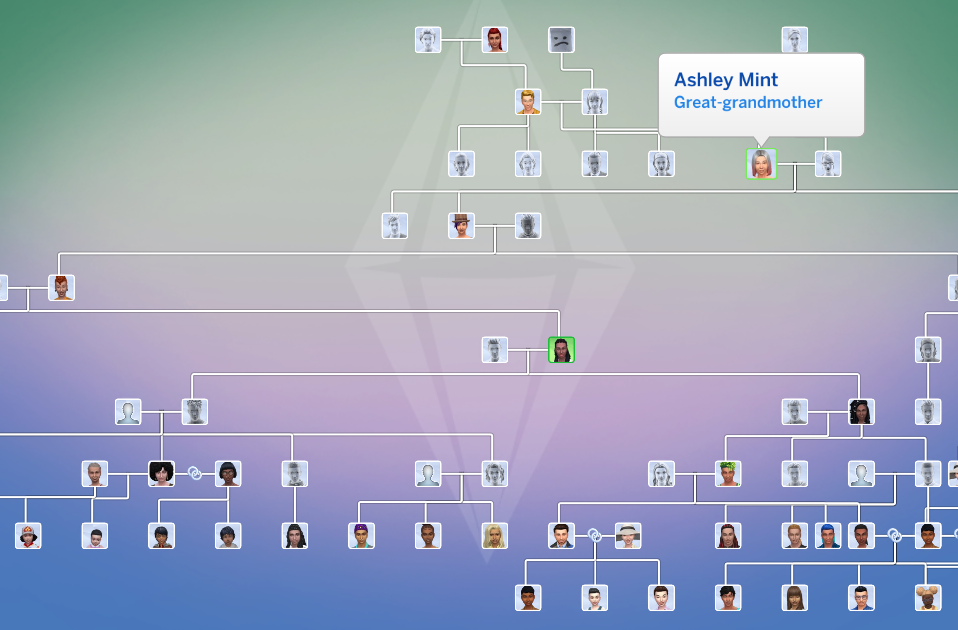
So some of the relatives are still there but plenty are missing. This is the whole tree that shows, quite collapsed. Hovering over the portraits does display the correct relation to Ashley but as you can see, she isn’t there at all. If i select her great-granddaughter it comes back
This is happening with Ashley and all four of her children. Her sister and her sister’s children show up normally. Every generation before and after appear to be fine, but i have not clicked every portrait. Forum User – meamouse926
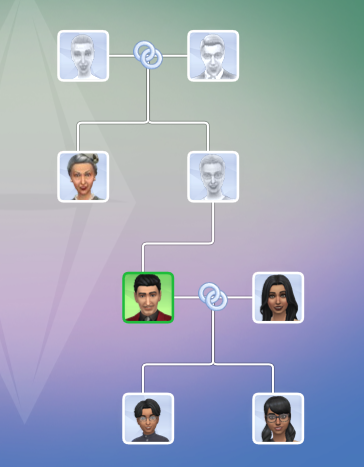
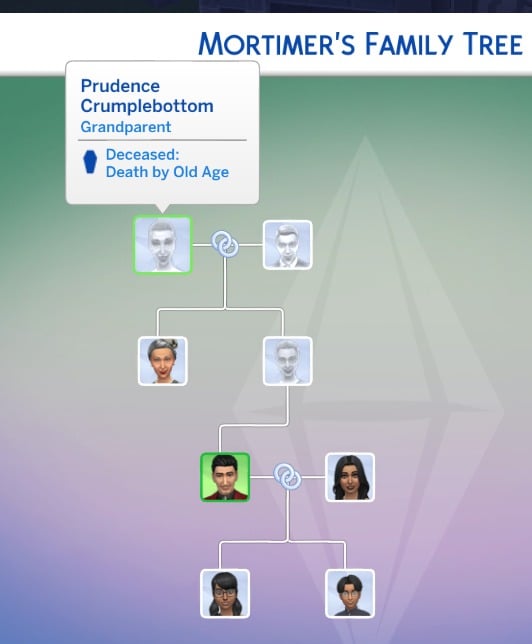
In addition to the visual issues affecting legacy Family Trees, players have also noticed inconsistencies in how certain canonical relationships are represented. Agatha Crumplebottom and Agnes Crumplebottom are canonically cousins, yet Agatha does not appear in the Family Tree at all.
While Agnes Crumplebottom is now correctly listed as Mortimer Goth’s aunt following the update, Agatha remains absent from the genealogy panel.
[COL] Agatha Crumplebottom has no links on family tree
Canonically, Agatha Crumplebottom and Agnes Crumplebottom are cousins. Looking at her family tree, Agatha is the on Sim in her family tree. Agnes is now correctly noted as Mortimer’s aunt, but there’s no sign of Agatha. Can this be rectified in a future patch?
Also, player HollownessDevour reports that Nyon doesn’t have Grim Reaper as his father either
Vatore Family alive
Forum user HillyPlays reports that the ancestors of the Vatore siblings appear to still be alive, despite canonically being deceased or otherwise unaccounted for.
[V] Vatore Family Tree anchesters showing alive
Are the sims in the Vatore family tree supposed to be dead, or are they also vampires?
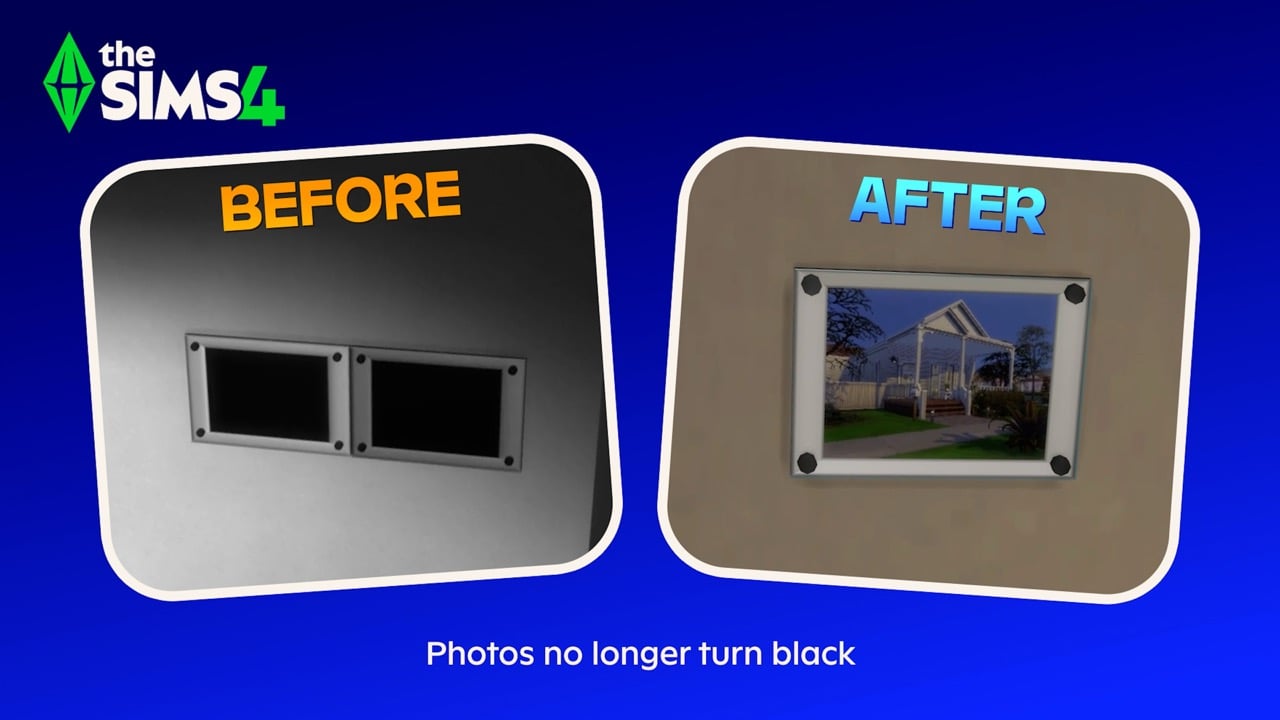
Despite previous attempts to address the issue, players continue to report problems with in-game photos turning black after being placed on lots. Photos taken with either phones or cameras appear to function normally while stored in a Sim’s inventory, but once framed and placed in a home, they may permanently turn black after exiting and reloading the game.
Photos turning black/Paintings turning white (Patch 1.121.342)
When I place photos taken with phones or cameras in my Sims’ house, they turn black when I exit the game and come back to play!!!!
Every time I take a photo with my Sims, the picture works normally while it is in my inventory. However, whenever I place it in my Sims’ house with a frame—for example, hanging it on the wall—once I exit the game and load it again, the photo turns completely black and there is no way to recover it. This is extremely frustrating, as I am losing all the important memories of my Sims.
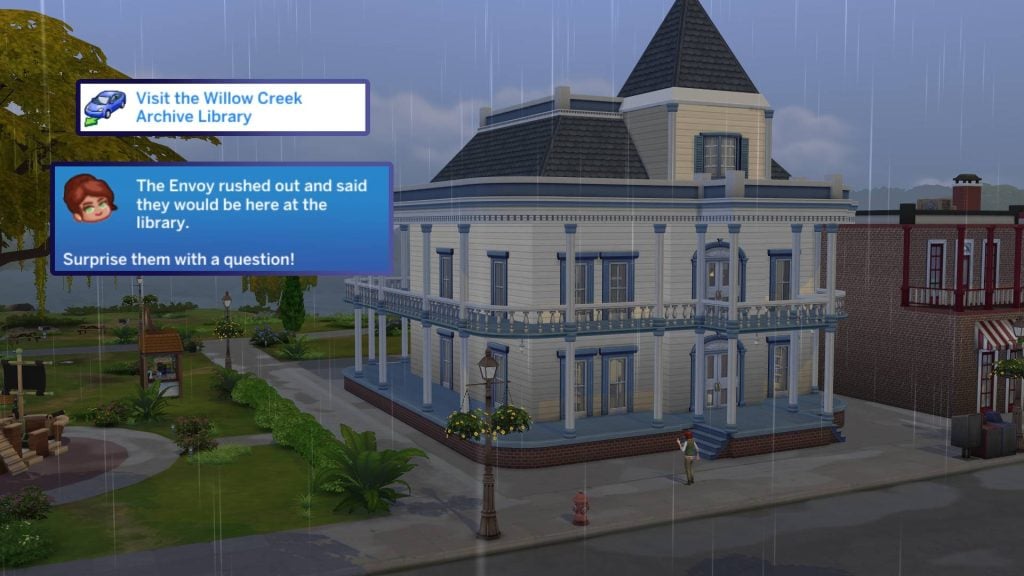
The “Visit the Willow Creek Archive Library” objective in the First Week of the Lost Legacy Event Quest does not complete when using an edited version of the library.
[LLQE] Issues with tasks
Visit the Willow Creek Archive Library: Not fulfilling with edited library
Photobooth and graduation photos are turning black (too)
According to players, photos stored in saves made prior to the January update remain intact and can be safely preserved by saving them inside a room and uploading them to the Library. However, when that room is placed into a newer save after the February patch, certain images, specifically graduation portraits from High School Years and Discover University, as well as photo booth pictures still turn black while other photos display correctly.
Photo Booth/Graduation Pics turning black when places from Gallery/Library
After the February 3rd update I was able to retrieve photos taken with the sims camera from a previous save to put into my new one via the library however the portraits generated from High school years and University turn black. Also any photos taken with the photo booth turn black.
Have you encountered any new or ongoing bugs since the February 3 update, or noticed issues that may have carried over from previous patches? If so, be sure to perform standard troubleshooting steps — such as removing mods or custom content — before reporting them on the official bug report forums. Doing so helps administrators and developers identify widespread issues, prioritize fixes based on their impact on gameplay, and assess how many players are affected.
Make sure to follow The Sims Community for the latest updates on new patches, fixes, and ongoing issues in The Sims 4.
Create a World is Back (Kinda): Add New Objects or Overide Existing Ones With Our Sims 4 World Modding Guide!
Believe it or not, world modding in The Sims 4 is possible! Tutorials on how exactly world modding works are few and far between, spread across forums and Discord channels. Well, I’m here to save the day with a simple starter world modding on, covering how to replace existing objects in your Sims worlds, and how to override existing ones. Let’s jump in and take a look!
Table of Contents
How Do Custom World Mods Work?
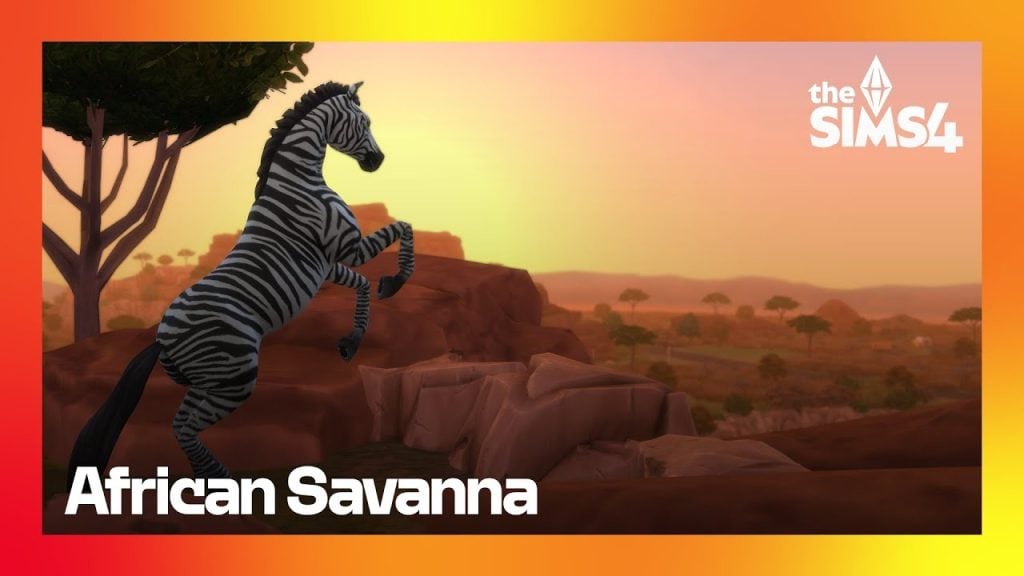
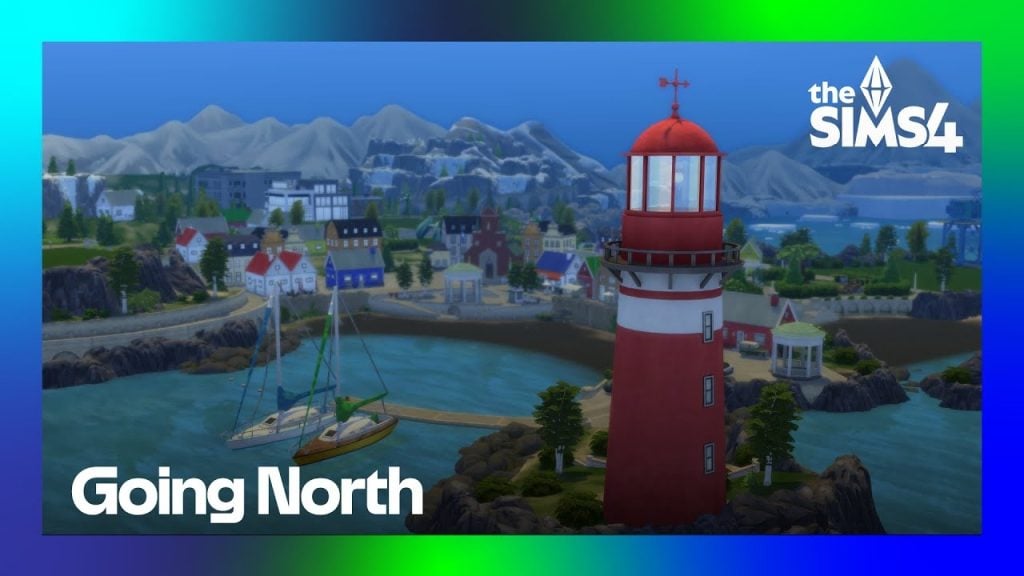
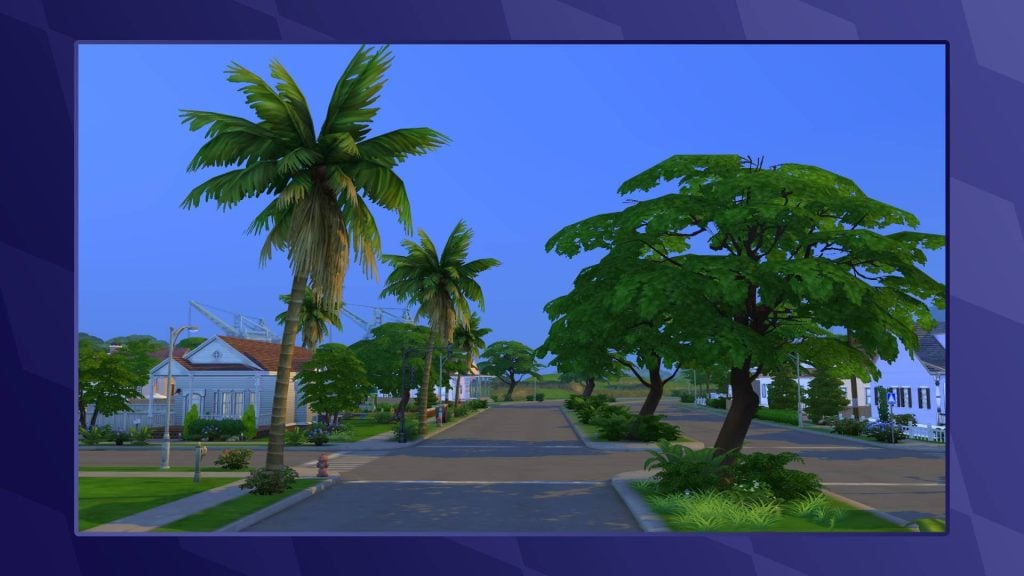
If you are active on various Sims-based communities online, you may be familiar with the concept of ‘custom saves’. These are usually created with the assistance of the T.O.O.L mod by TwistedMexi, and can be downloaded straight into your game, ready to play. World mods, on the other hand, allow you to play with new custom worlds in any past and future save! Creators such as NANDO have created worlds based on the African Savanna, the Fjords of Scandinavia, and the Greek islands.
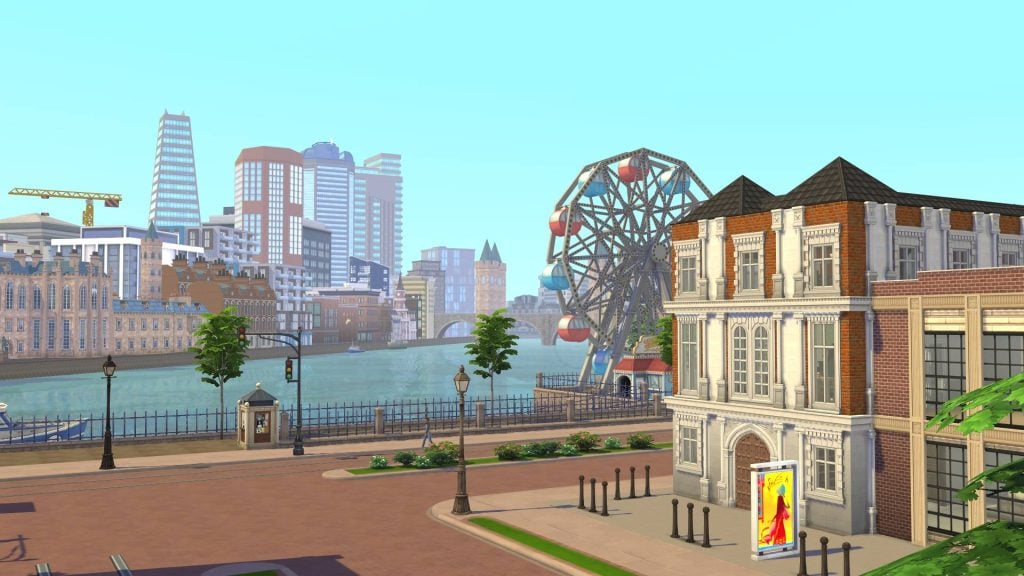
Even I get up to world modding from time-to-time! You may know me online as CBXSims, and I’ve been creating world mods for the Sims 4 for almost two years now. My first project was based on London, transforming Magnolia Promenade into a busy city centre. My latest world mod transforms Innisgreen into a Caribbean city inspired by Santo Domingo, the capital of the Dominican Republic.
But how exactly do we make these worlds? Let’s take a look at everything you need to get started with world modding!
Getting Started
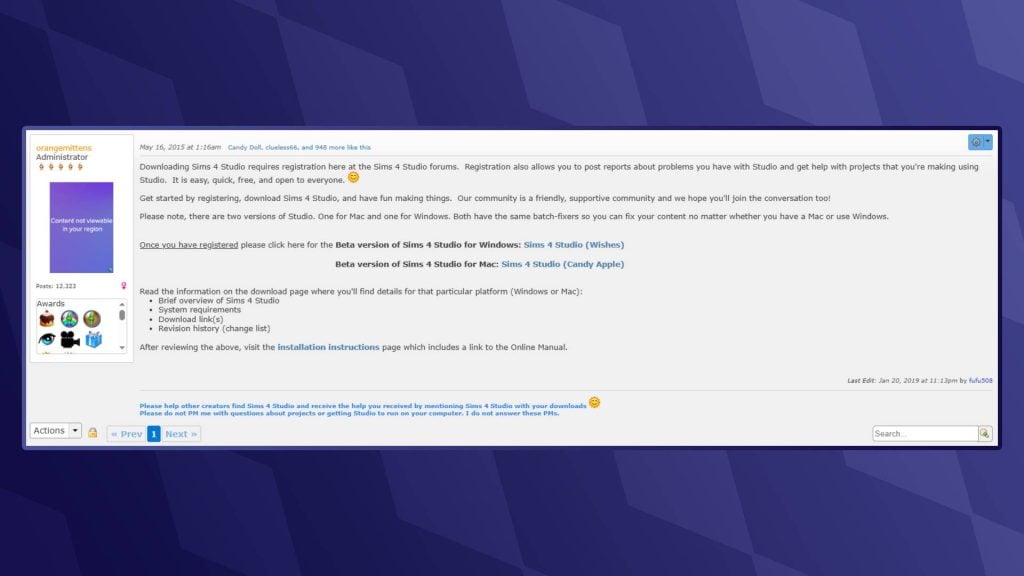
Unlike The Sims 3, The Sims 4 doesn’t have an official world modding tool. This is where the folks at Sims 4 Studio come to the rescue. Sims 4 Studio is a modding tool that allows us players and modders to directly edit ‘.package’, ‘.script’, and ‘.save’ files.
If you are a Windows user, download the version labelled ‘Wishes’
If you are using a Mac, then choose the ‘Candy Apple’ version
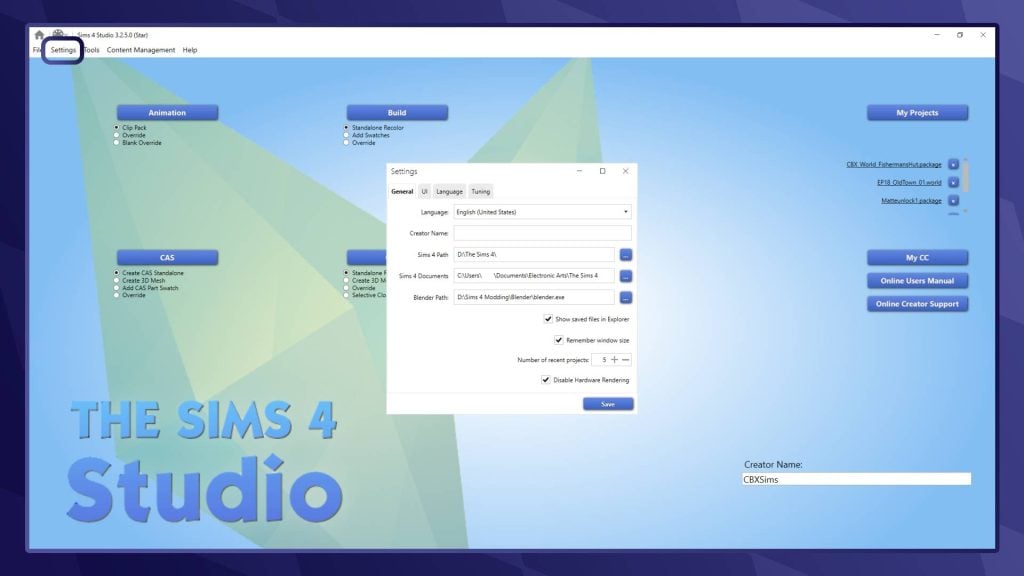
Launch Sims 4 Studio and head to the ‘Settings’ tab in the top-left corner of your screen. Here, you will need to set up a few things. You can choose your language, input your creator name, locate your Sims 4 folder (usually under ‘Documents/Electronic Arts/The Sims 4’), and finally, your Blender path. If you don’t intend to use Sims 4 Studio to create custom CAS or Build/Buy objects, you can leave that blank.
Locating the World Files
When editing worlds in The Sims 4, we will be directly editing the ‘.world’ files. These are the files that the game stores all information about the individual neighbourhoods in-game, including objects, lot sizes, weather, lighting, and more!
Base Game Worlds
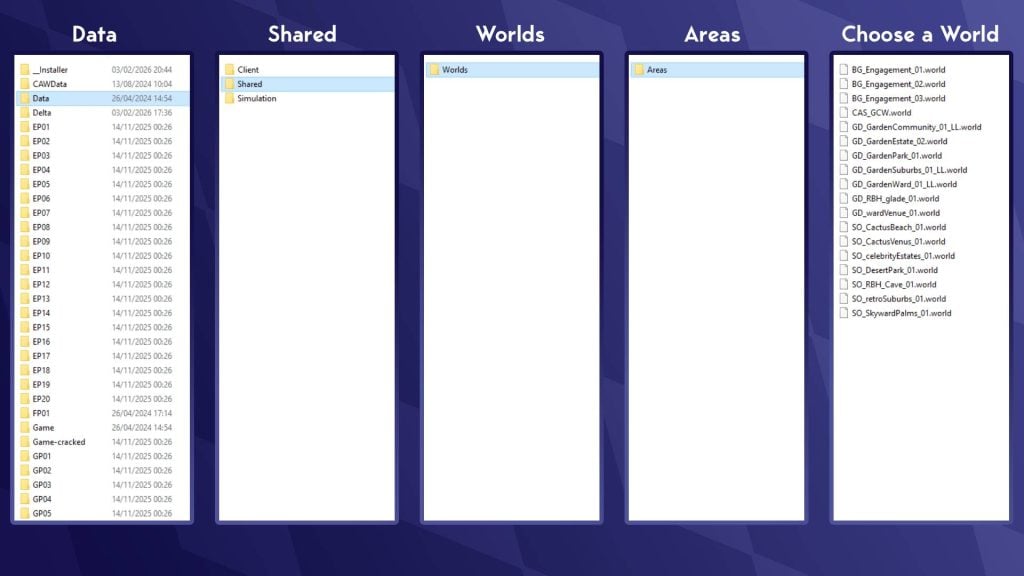
To find Base Game world files, head to your Sims 4 install location (NOTE: This is separate from your Sims 4 documents folder). This is usually located under the hard drive or SSD that you installed The Sims 4 on. To find base game files, head to:
The Sims 4/Data/Shared/Worlds/Areas
Take a look at the visualisation below for assistance:
These world names can look a little confusing at first. ‘.world’ Files in The Sims 4 represent what we would likely call neighbourhoods. The in-game world of Willow Creek is made up of 7 .world files, one for each neighbourhood, including the hidden area of Sylvan Glade. Take a look at the table below to get a sense of which world is which:
World
Neighbourhood
File Name
Willow Creek
Pendula View
GD_GardenCommunity_01_LL.world
Sage Estates
GD_GardenEstate_02.world
Magnolia Blossom Park
GD_GardenPark_01.world
Courtyard Lane
GD_GardenSuburbs_01_LL.world
Foundry Cove
GD_GardenWard_01_LL.world
Crawdad Quarter
GD_wardVenue_01.world
Sylvan Glade (Hidden)
GD_RBH_glade_01.world
Oasis Springs
Bedrock Strait
SO_CactusBeach_01.world
Mirage Canyon
SO_CactusVenus_01.world
Acquisition Butte
SO_celebrityEstates_01.world
Desert Bloom Park
SO_DesertPark_01.world
Parched Prospect
SO_retroSuburbs_01.world
Skyward Palms
SO_SkywardPalms.world
Forgotten Grotto (Hidden)
SO_RBH_Cave_01.world
Newcrest
Ridgeline Drive
BG_Engagement_01.world
Llama Lagoon
BG_Engagement_02.world
Bridgeview
BG_Engagement_03.world
Create-A-Sim
Create-A-Sims (Hidden)
CAS_GCW.world
Expansion / Game Pack Worlds
World files that belong to worlds from both Expansion and Stuff packs are located in a different folder. Go back to your install location for The Sims 4 and go to the following path:
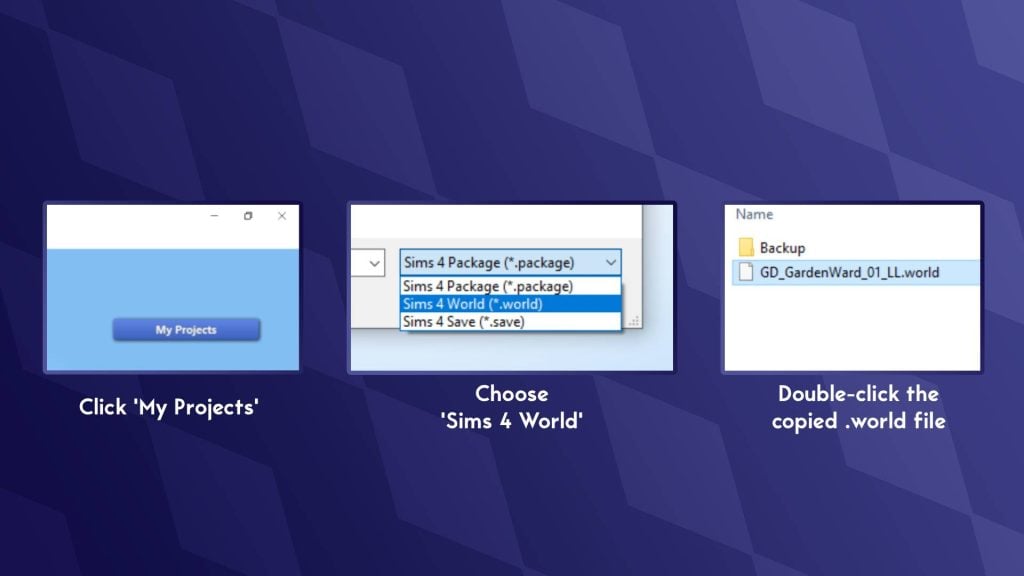
Now that you’ve chosen the world you wish to edit, right-click, copy, and paste into a separate folder (The desktop is the best place for this!). For this tutorial, I will be editing Foundry Cove in Willow Creek (GD_GardenWard_01_LL.world). Make sure to save a backup of this .world file so you can revert any changes later.
On the Sims 4 Studio home page, click ‘My Projects’ to bring up the file explorer. Now navigate to where you copied the world file.
In the bottom right-hand corner, click the drop-down that reads ‘Sims 4 Package’ and select ‘Sims 4 World’.
Double-click the .world file you copied earlier to open it.
Locating World (Off-Lot) Objects
Now that you have the .world file open, it’s time to find a list of all objects in the world:
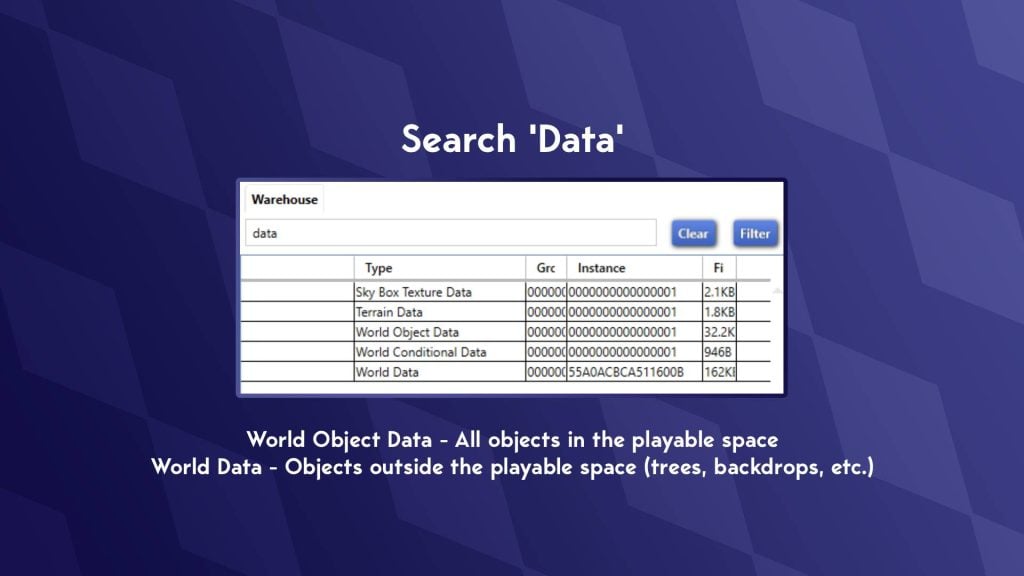
In the search bar in the top-left, search for ‘Data’
This will bring up 5 files that all contain the word ‘Data’
There are two sections we will be looking at: ‘World Data’ and ‘World Object Data’.
Explanation of what these are:
World Object Data – All objects within the playable space World Data – All objects outside the playable space
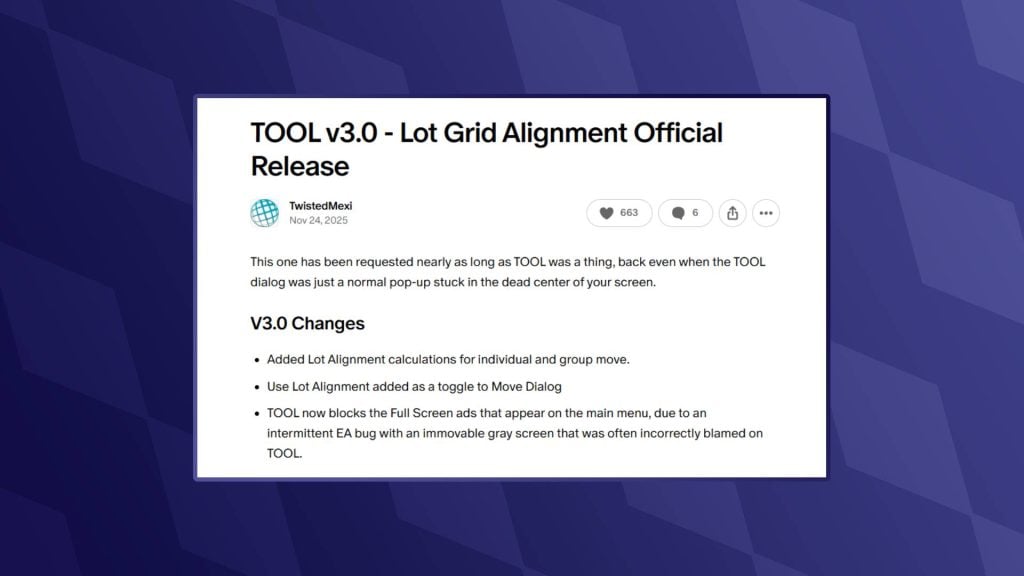
REQUIRED MOD: T.O.O.L
Now it’s time to open up our game and start placing objects. Before we do this, there is one mod we will require to place objects off-lot. That being, of course, the fan favourite T.O.O.L mod by TwistedMexi. You can find the download for this below:
The second mod we need, also by TwistedMexi, will allow us to copy the object’s coordinates from the cheat console so we can add the position correctly.
Once installed, open up the Sims 4. I would recommend starting a new save, as we don’t want to run the risk of breaking any older saves!
Head into Build/Buy Mode on a lot in the world you intend on editing.
Place any object (Can be either a gameplay or deco object)
Go into Live Mode
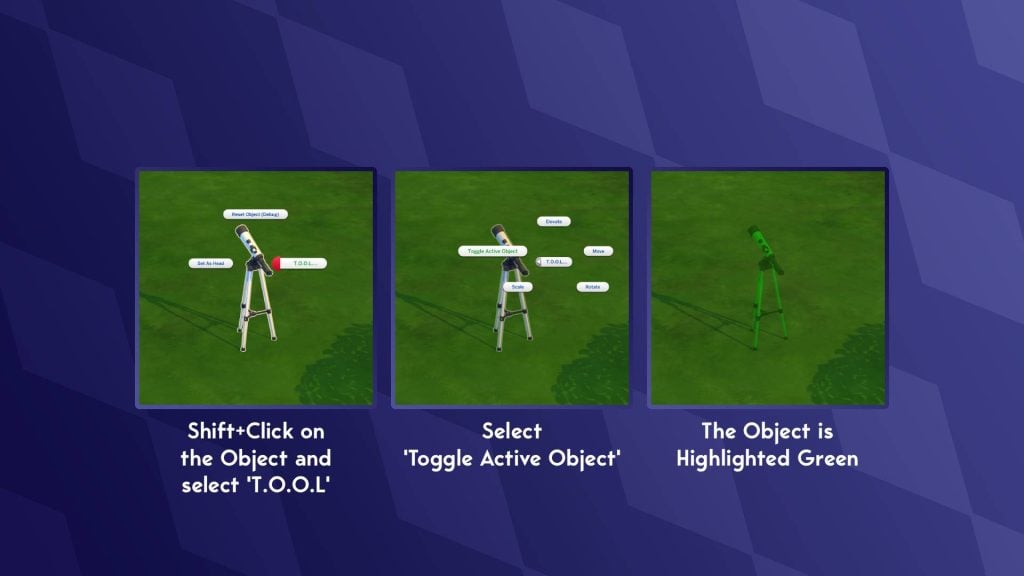
Shift+ click on the object
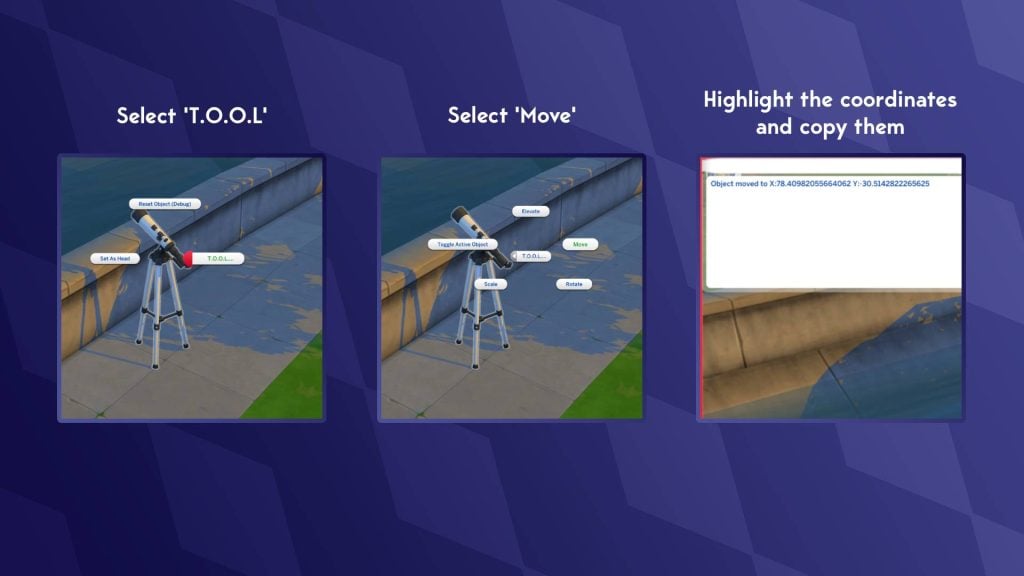
Select ‘T.O.O.L’
Select ‘Toggle Active Object’
The object will now be highlighted green
Navigate to the area of the world you wish for this object to be in
Click on the ground to move the highlighted object into position
Click on the object again to un-toggle it
Finding an Object’s Position
Now that we have an object in-position, it’s time to find the object’s position coordinates and add it to our world file.
Open the cheat console with Ctrl + Shift + C (Command + Shift + C on Mac)
Shift+click on the object
Select ‘T.O.O.L’
Select ‘Move’
Do not input any coordinates, and click ‘Cancel’
The cheat console should now have “Object moved to X: number Y: number”
Copy these and paste them into your notes
Adding Our New Object
We’re almost done collecting everything we need, but there is one last vital step to make sure our object appears correctly in the world.
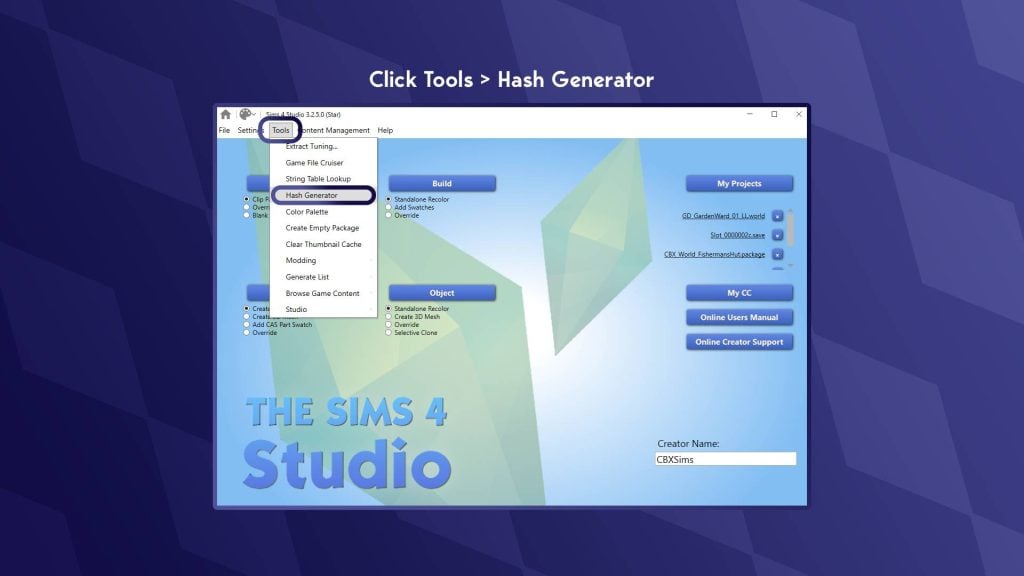
Return to the home screen of Sims 4 Studio (Click the house icon in the top-left)
In the options at the top, click ‘Tools’
In the drop-down, click ‘Hash Generator’
The Hash Generator window should now open
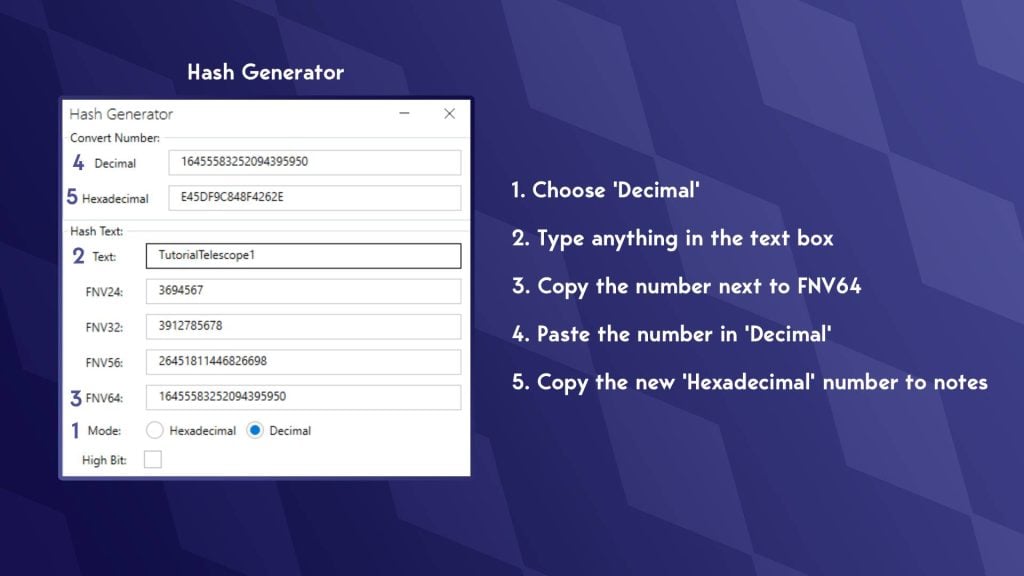
At the bottom, next to ‘Mode:’ select ‘decimal’
In the text box, type whatever you want; you don’t have to remember what you typed
Copy the number next to ‘FNV64’
In the box at the top labelled ‘Decimal’, paste the FNV64 number there
Now copy the new string of letters and numbers you have just generated from the ‘Hexadecimal’ box.
Paste this number in your notes
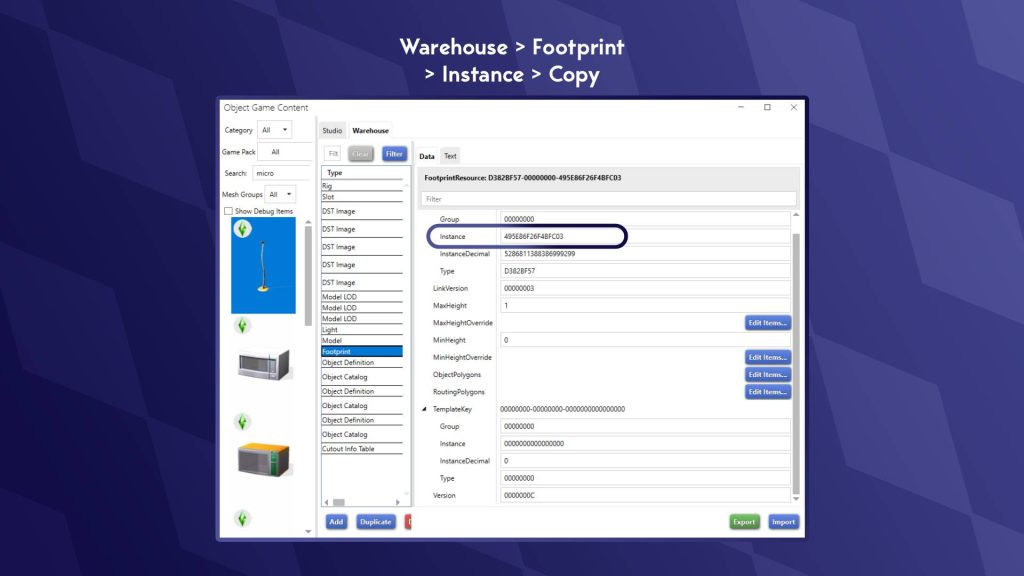
We need to find what is known as the ‘footprint’. This determines how big the area around the object is and how close your Sims can get. We also need to find the objects ‘Definition’. This is a string of numbers that the game uses to identify which object is there.
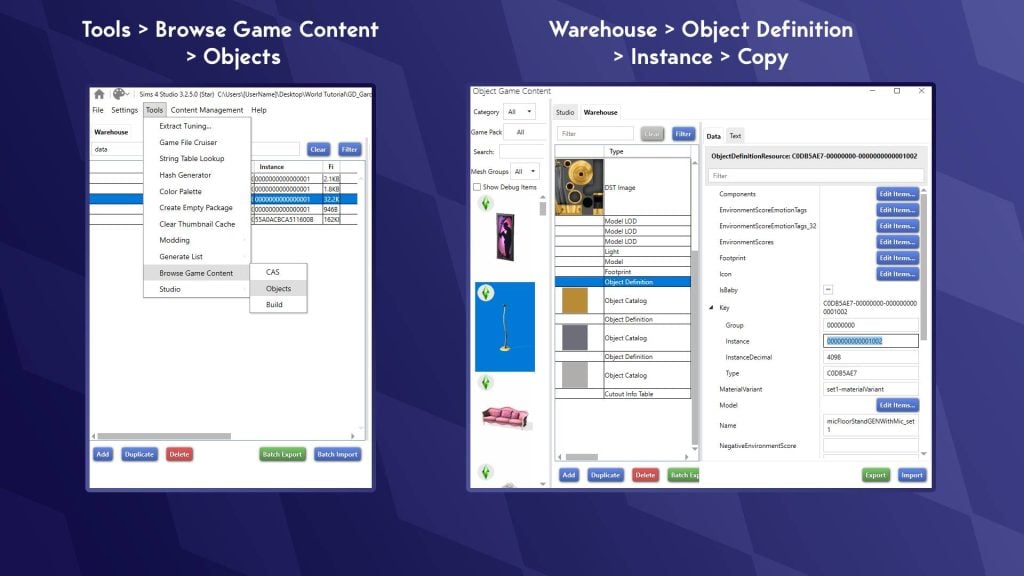
Go to ‘Tools’
Hover over ‘Browse Game Content’
Select ‘Objects’
Search for the object you moved with T.O.O.L. (You can use filters and search to narrow it down)
Select the object
In the window on the right, click ‘Warehouse’
Go to ‘Object Definition’
Copy the number next to ‘Instance’ to your notes.
Still in the Warehouse tab, go to ‘Footprint’
Copy the number after ‘Instance’ to your notes
Now we can add all this info to our .world file!
Open up your .world file, the same way we did last time
Type ‘Data’ in the search bar
Choose ‘World Object Data’
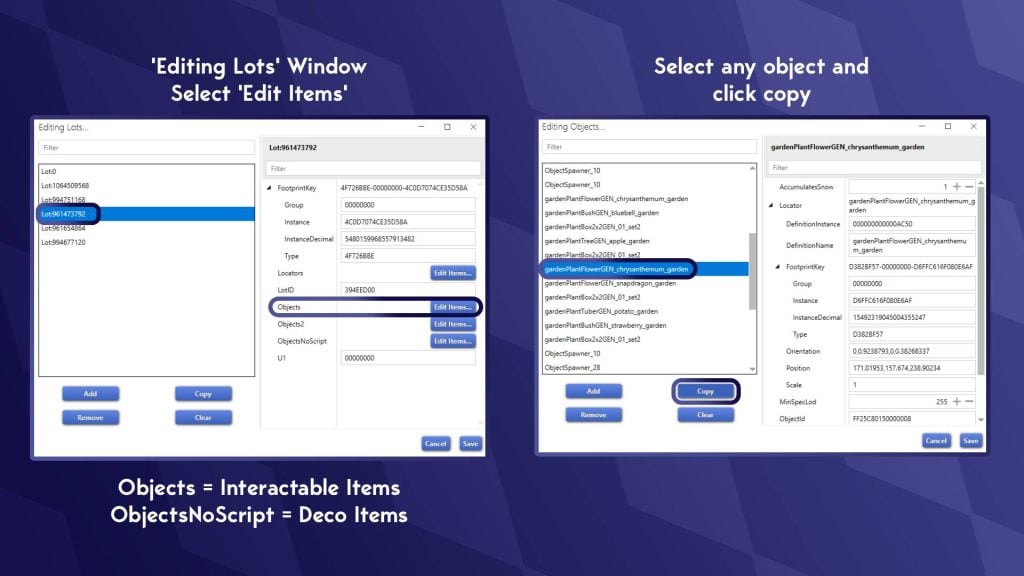
In the right-hand window, next to ‘Lots’, click ‘Edit Items’
This will bring up a list of ‘Lots’, one of these ‘Lots’ is a collection of all off-lot objects (confusingly)
In the right-hand window, you will see a few different buttons. There are two types of objects we can edit
Objects – items that your Sim can interact with (e.g. benches, gardens, playgrounds)
ObjectsNoScript – Items your Sim cannot interact with (e.g. trees, streetlights, bollards)
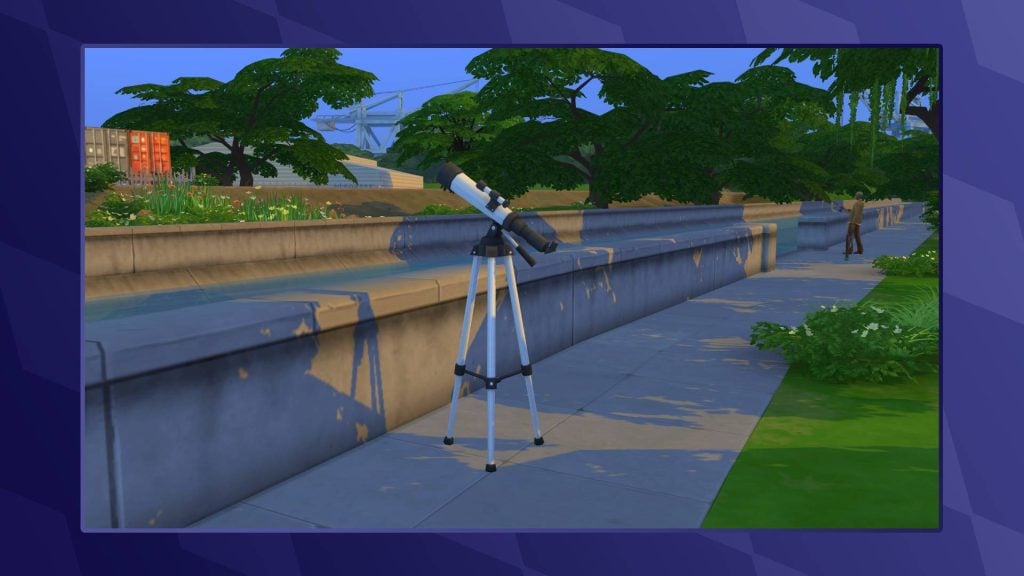
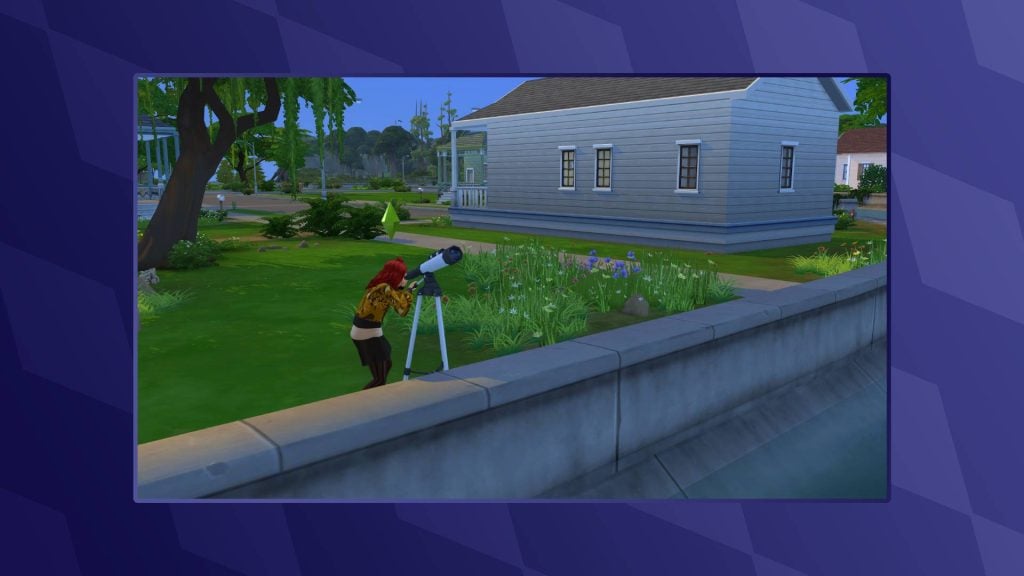
As I’m placing a telescope in the world, I will want my Sim to be able to interact with it. I am going to choose ‘Edit Items’ next to ‘Objects’
If you are having trouble finding which ‘Lot’ the off-lot items are on, keep clicking through each one until an ‘Edit Items’ list is populated with objects
Select any object and click copy
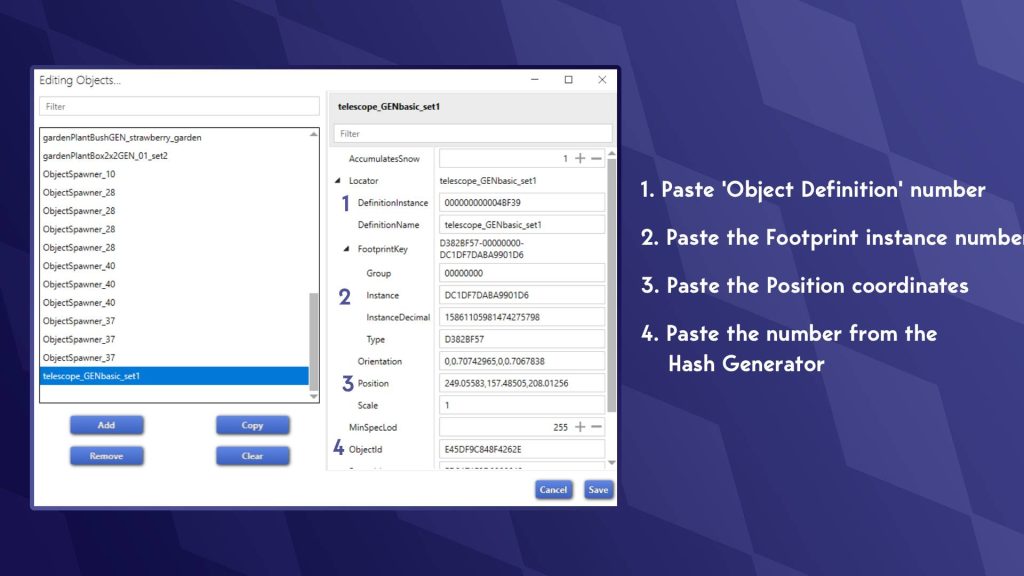
The copied item will now be at the bottom of the list; scroll down and select it
Now it’s time to use our notes!
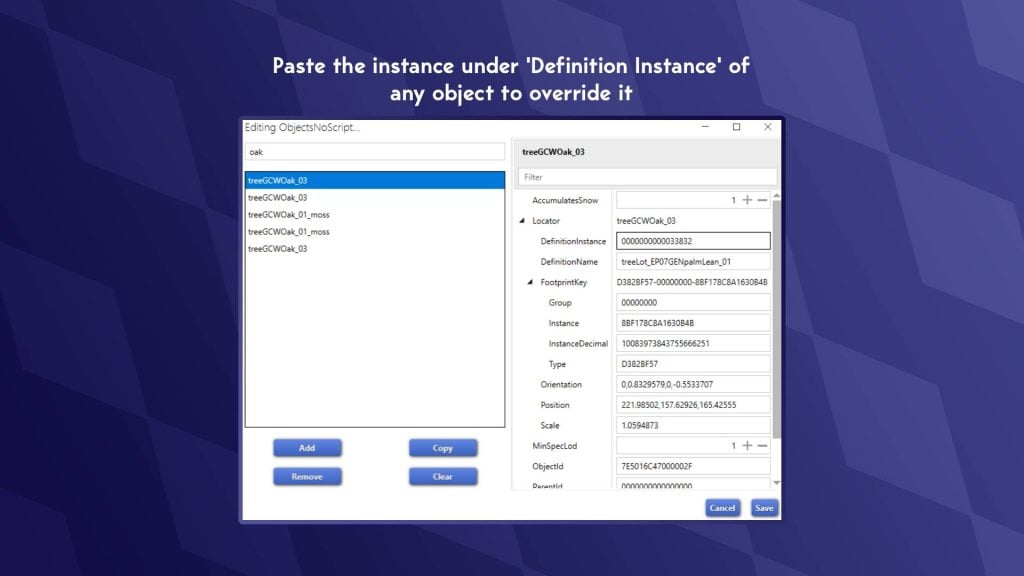
Paste the ‘Object Definition’ number from your notes into the box marked ‘DefinitionInstance’
Paste the second number we collected into ‘Instance’ under ‘ FootprintKey’ (This is the footprint, the routable area)
Paste the Position coordinates into the ‘Position’ box
And finally, paste the string of letters and numbers we made using the Hash Generator
You will now notice an error with the coordinates. This is normal, and we will fix this.
Select any other object above
Look for the position coordinates of the other objects
Copy the middle set of coordinates (e.g. xxxxx,zzzzz,yyyyy) This is the elevation at which your object sits
Go back to your object and add this between the coordinates you collected using the cheat console.
Click ‘Save’ in the bottom right, then save again on the ‘Editing Lots’ window
Now, in the main screen of your .world file, hit ‘ Save’ in the bottom-right
Go to the location where you have your edited .world file.
Right-click and ‘Copy’
Go to:
Base Game: The Sims 4/Data/Shared/Worlds/Areas
DLC: The Sims 4/Delta/[Pack Number]/Worlds/Areas
Paste the file and overwrite the existing one
Launch your game and start a new save (otherwise, your objects will overlap)
Overriding an Existing Object
Overriding an existing object is much easier, with many fewer steps:
Go to ‘Tools’ at the top of Sims 4 Studio
Hover over ‘Browse Game Objects’ and select ‘Objects’
Find the item you want to have in your world
Go to the ‘Warehouse’ tab
Scroll down to find ‘Object Definition’ (There is one for each swatch)
Copy the instance
Select an object in your world file under the editing lots section we previously visited
Paste this definition into ‘DefinitionInstance’ when editing objects
World Modding Resources
As previously mentioned, it’s hard to find solid tutorials on world modding, so I have collated a few for those interested in learning more or having a play around!
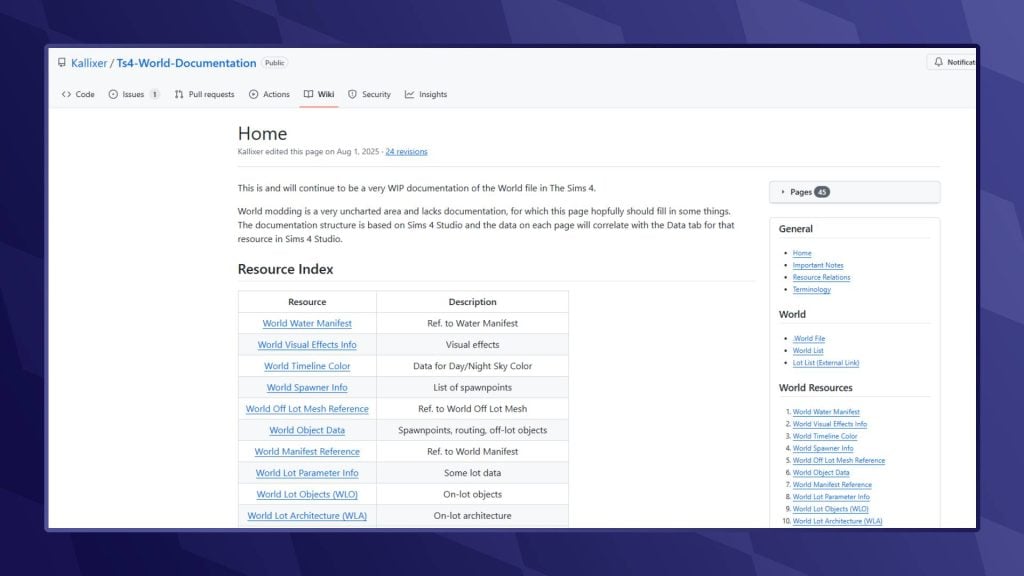
World Documentation – Kallixer & NerdyDoll
Both Kallixer and NerdyDoll are pros when it comes to world editing, and thankfully, they have collated a number of resources that can help you better understand what some of the files do and how to edit them. They have also included a tutorial on permanently editing the hallways of City Living and Eco Lifestyle Apartments!
As a modder myself, I am always happy to answer any queries, so please do drop me a DM over on Twitter. Likewise, I am sure other creators will be happy to help. Also, feel free to crack open one of my world mods to see how I pulled some of this wizardry off. Please do not outright steal my work, though, but make sure to show me what you’ve done with your worlds. I love seeing what others do!
What worlds do you want to create in The Sims 4? Let us know in the comments below and stay tuned to Sims Community for all the latest onThe Sims 4!
The newest live event for The Sims 4 is here, and thanks to this mod from LunarBritney we are able to bring you all the Sims 4 Lost Legacies items including their information and swatches.
This event will run between February 3rd and March 15th and events can be unlocked through gameplay. You’ll have to go through different quests over a four week period and complete tasks to earn enough points to unlock all of the items.
This set of quests revolve around a mysterious Royal Envoy and will have you uncover the truth about them and the three royal families who are coming to the game with the next expansion.
We have already done a step-by-step guide to completing week 1 of the quests which you can read here, and will be publishing more once the new quests are revealed.
All The Sims 4 Lost Legacies Rewards
All Sims 4 Lost Legacies items
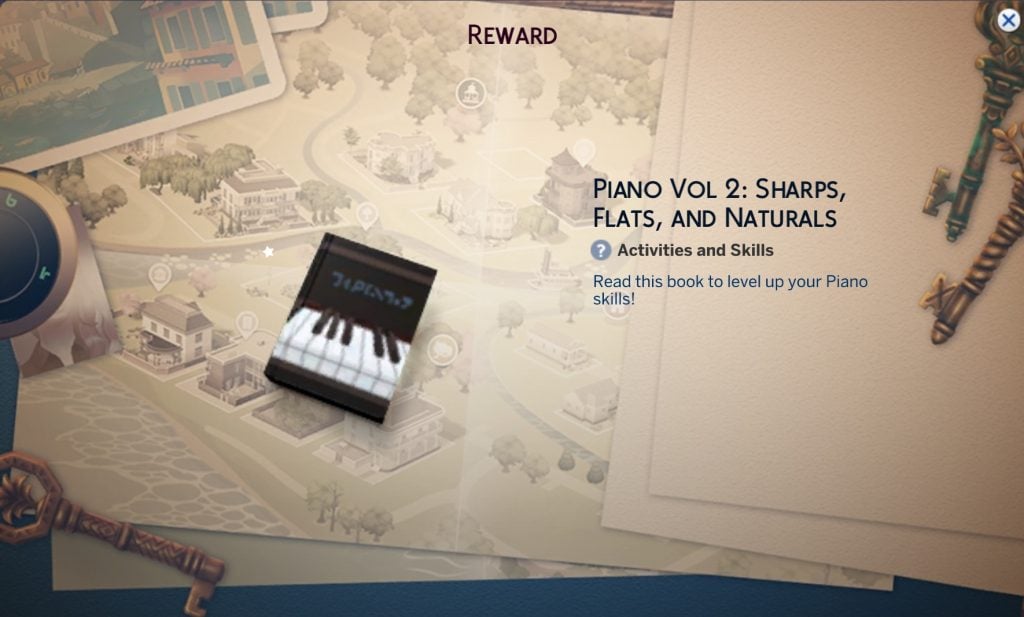
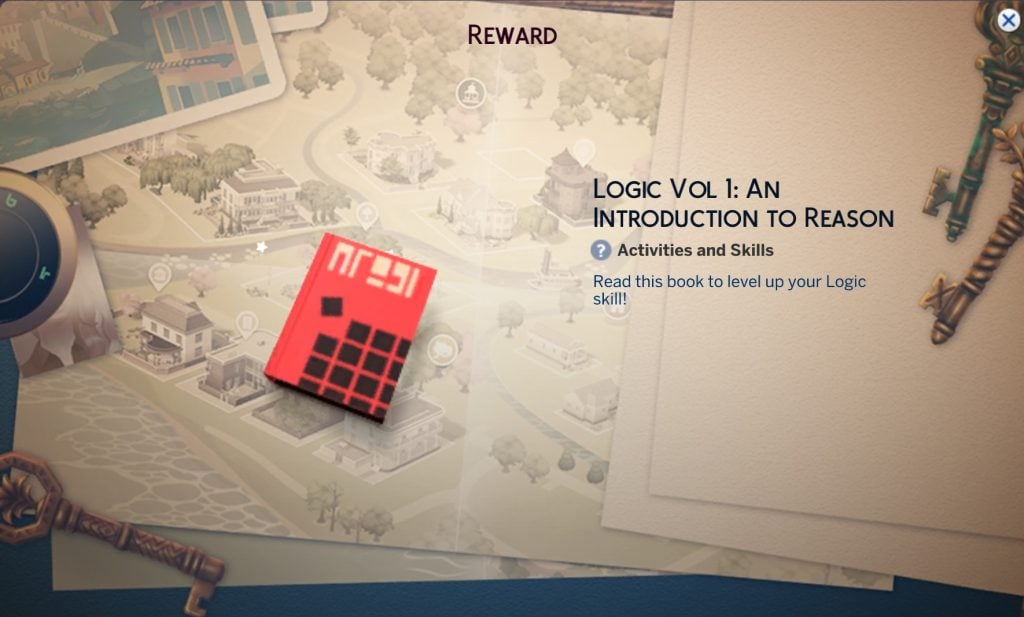
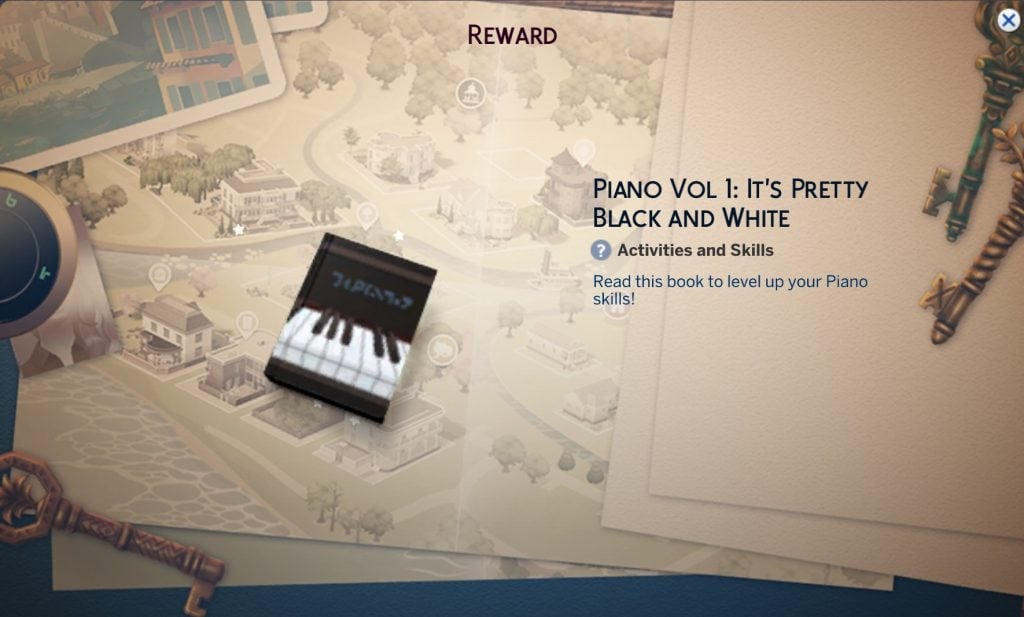
There is a mix of clothing, accessories, decorative items and furniture included in this login event, as well as satisfaction points and simoleons. You’ll also gain two skill books by completing this event – so presumably any Sims you go through this story with will have to raise their piano and logic skill.
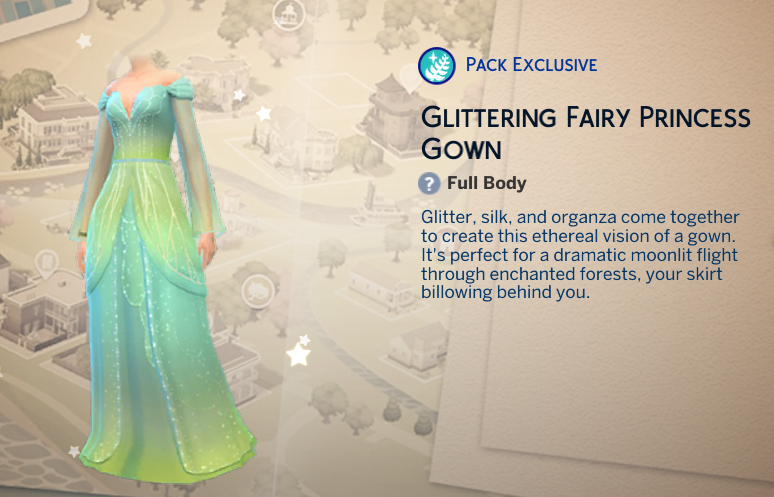
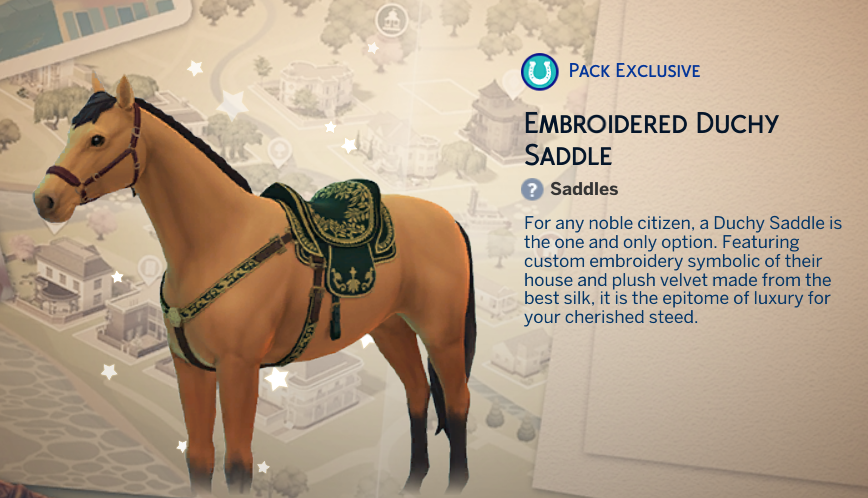
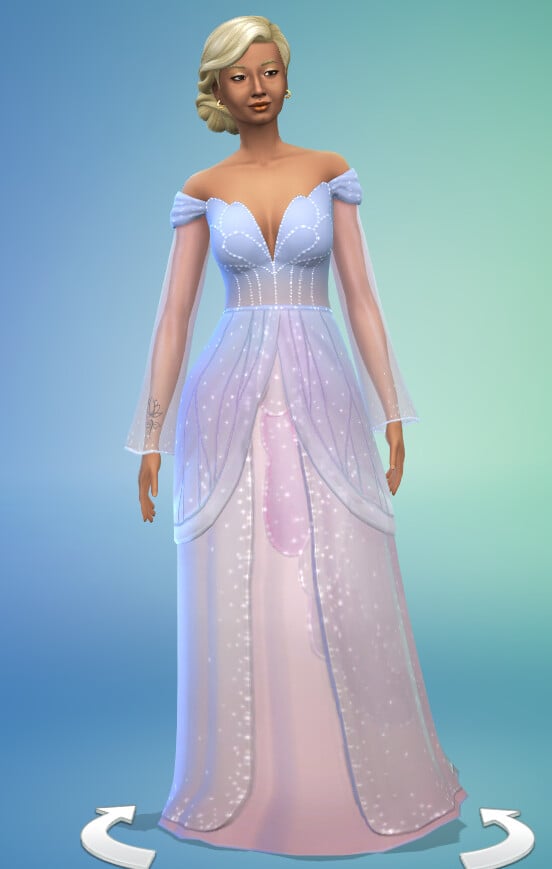
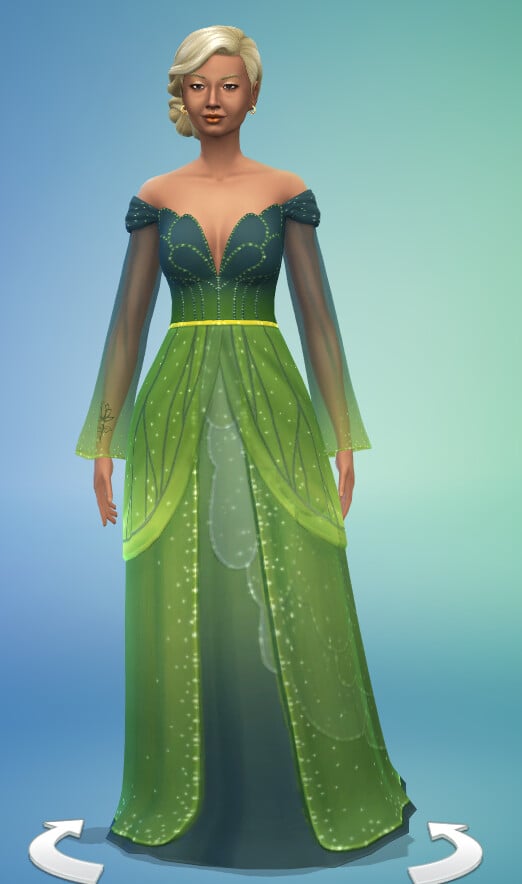
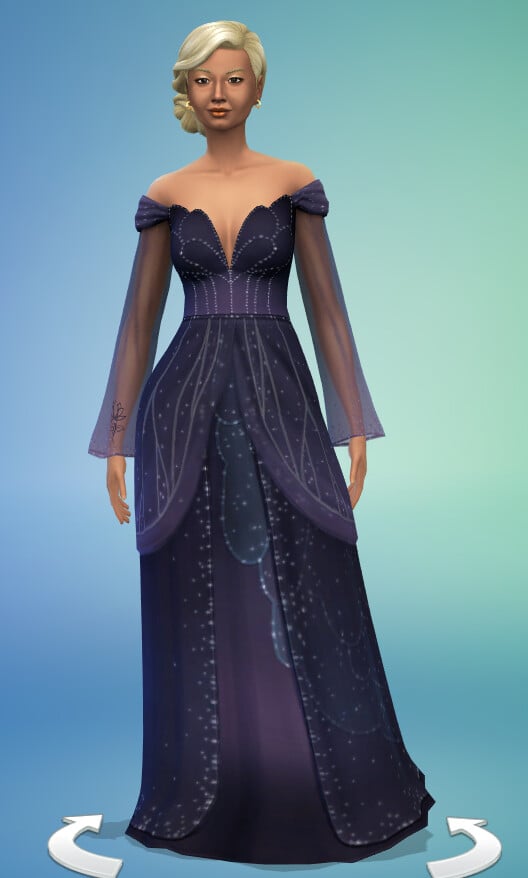
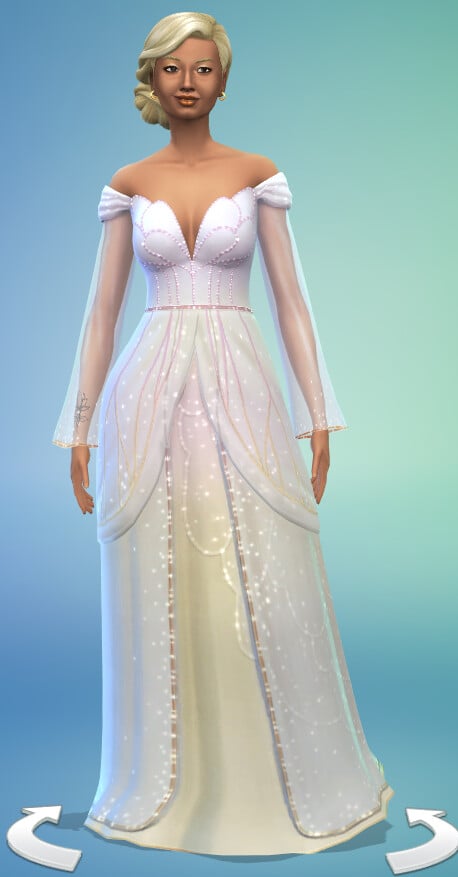
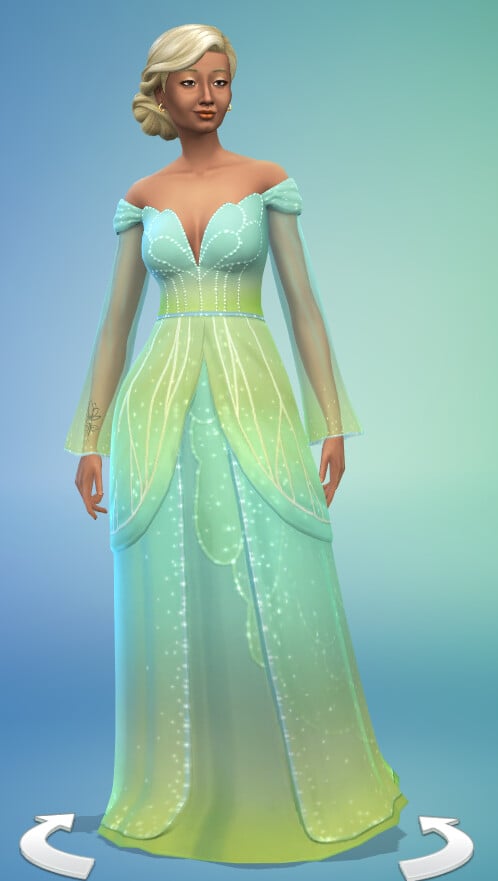
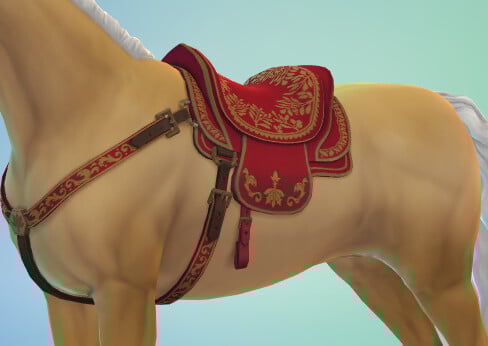
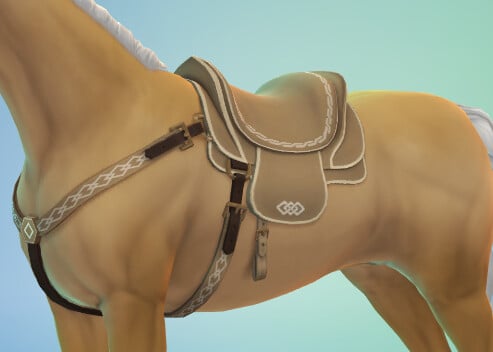
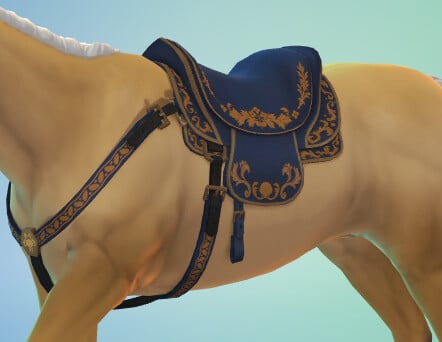
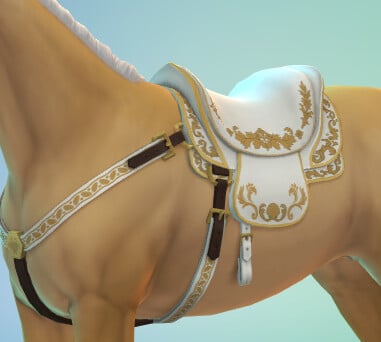
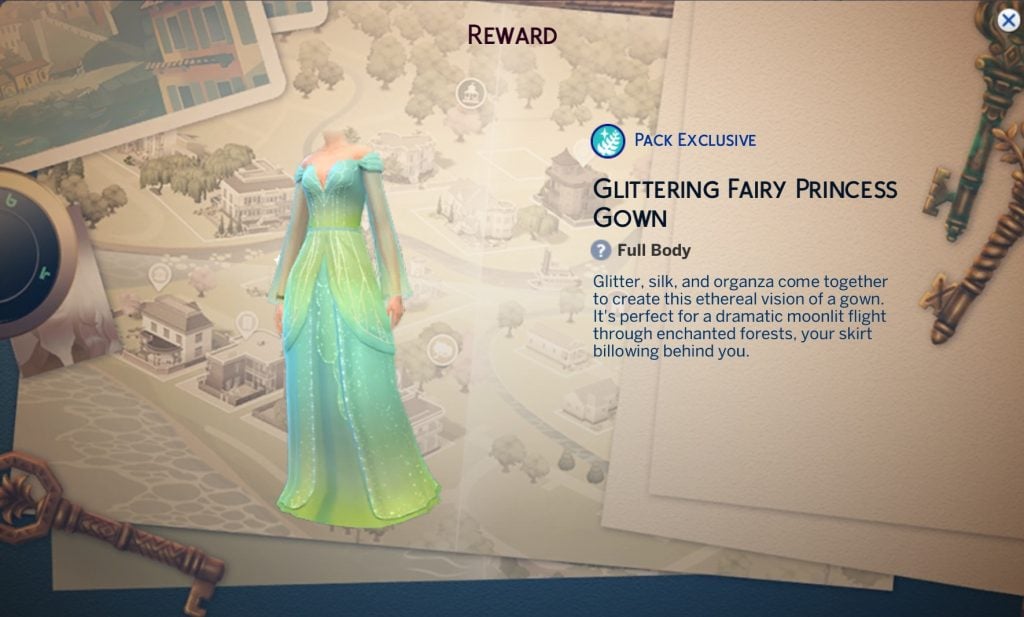
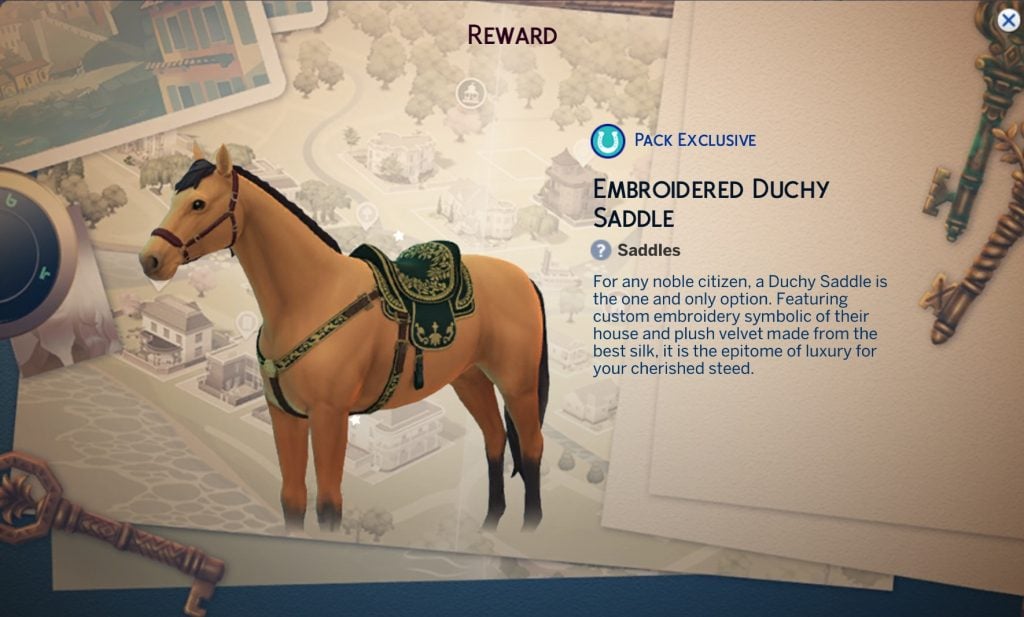
Three of the items are pack specific: a horse saddle, a memorial table, and a fairy gown, but according to the EA help team on YouTube you will be able to claim these even if you don’t have the required packs – you just won’t be able to use them unless you purchase the DLC they go with. There also doesn’t seem to be any CAS items for teens or younger (surely this is the ideal login event for a child/toddler princess costume?) and it is mostly designed for female frames.
Let’s take a closer look at each item.
All Exclusive Item Descriptions And Event Menu Images
Below are all of the swatches for each item so you can see exactly how they will look.
Create-a-Sim (CAS)
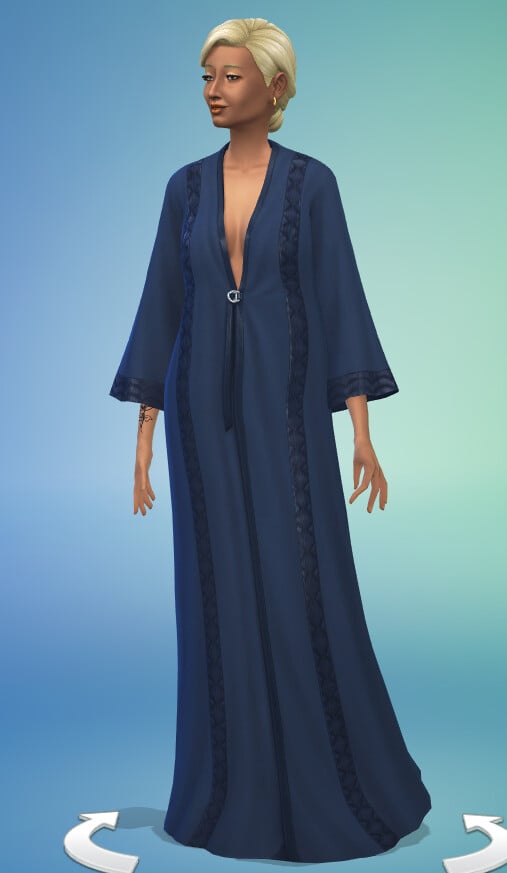
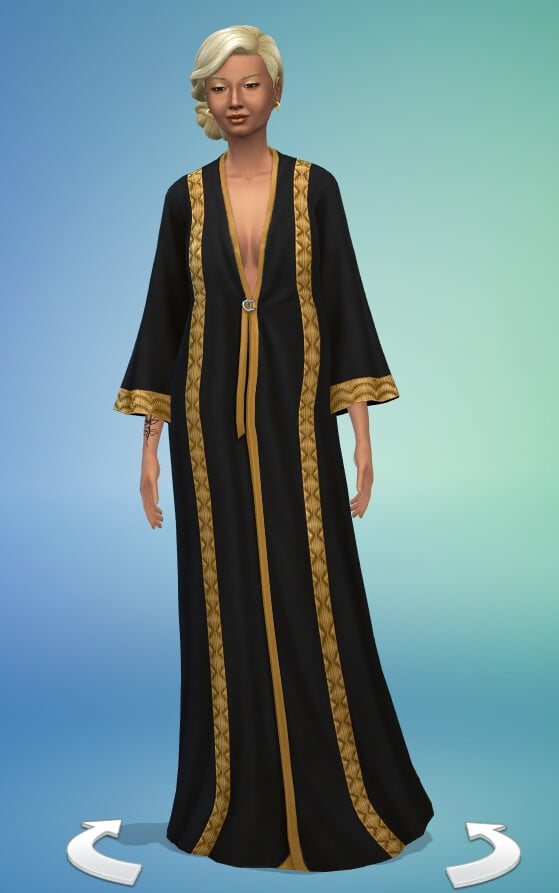
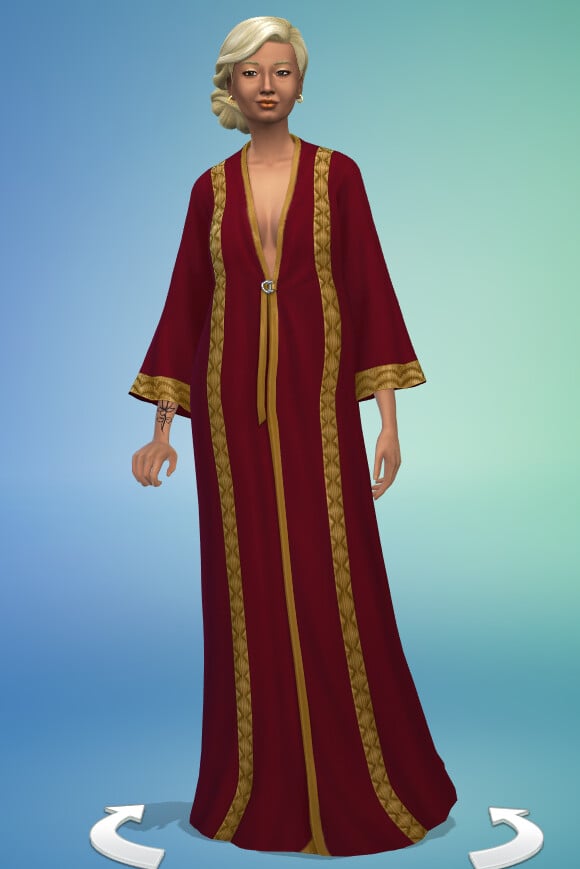
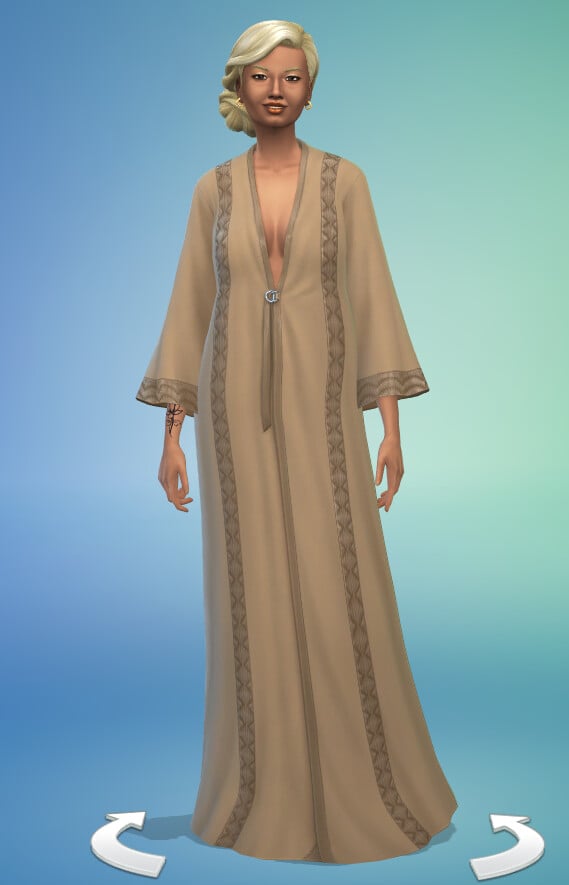
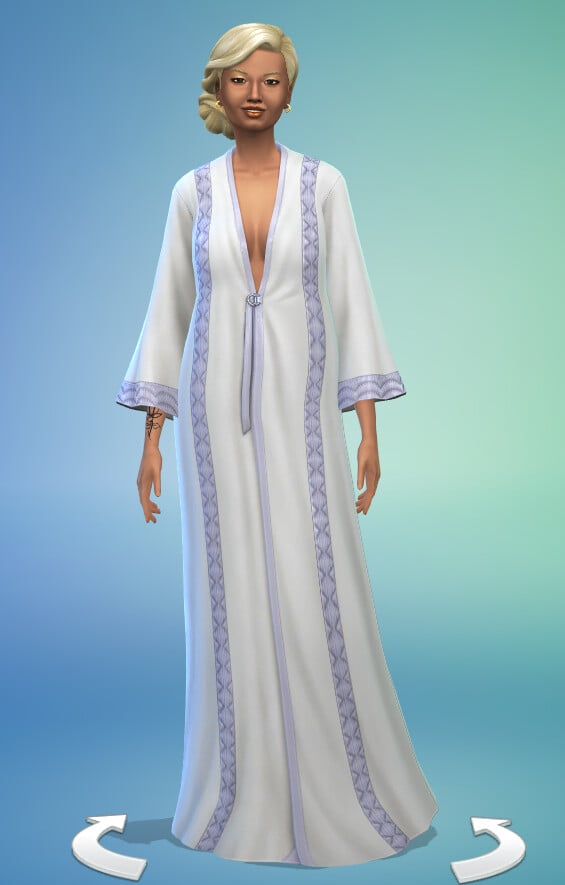
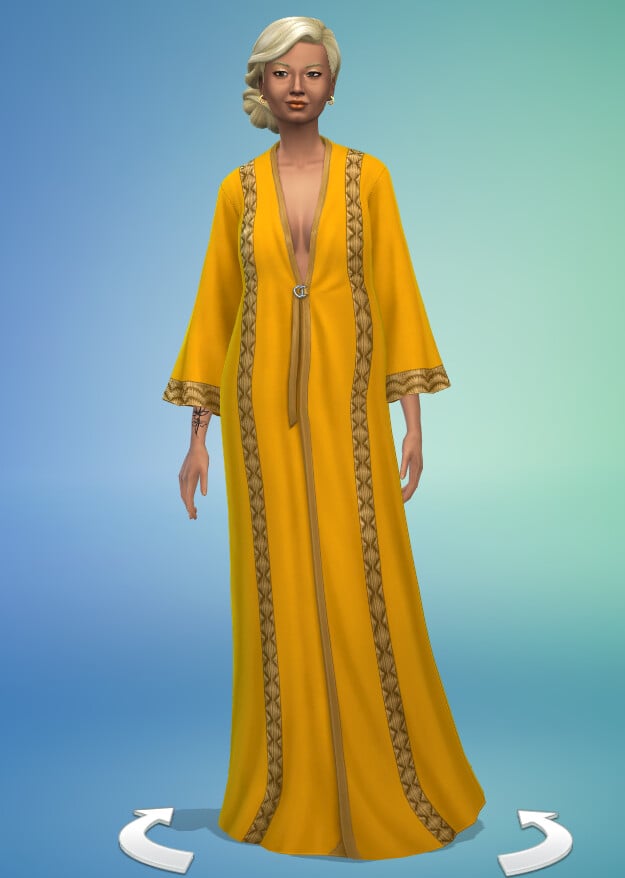
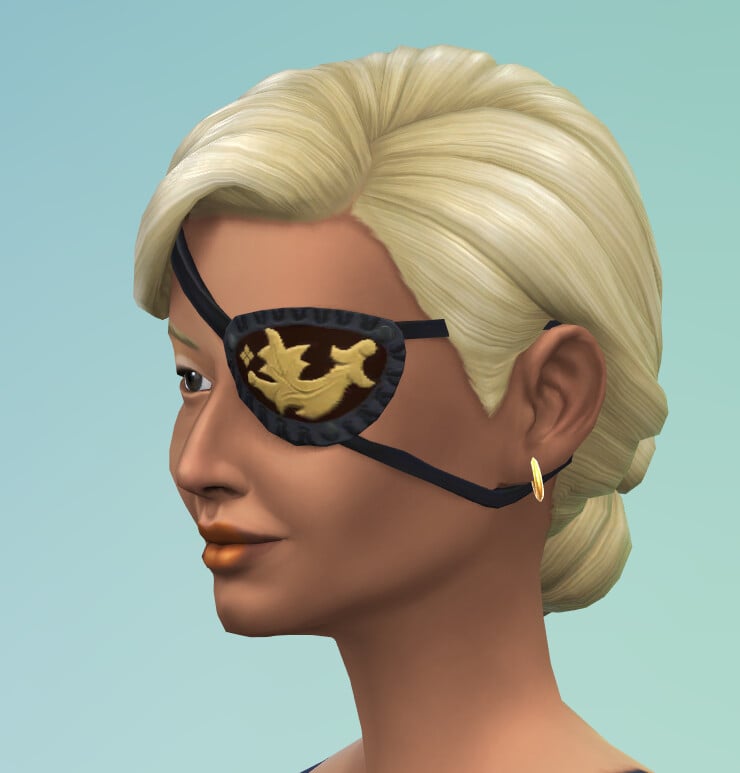
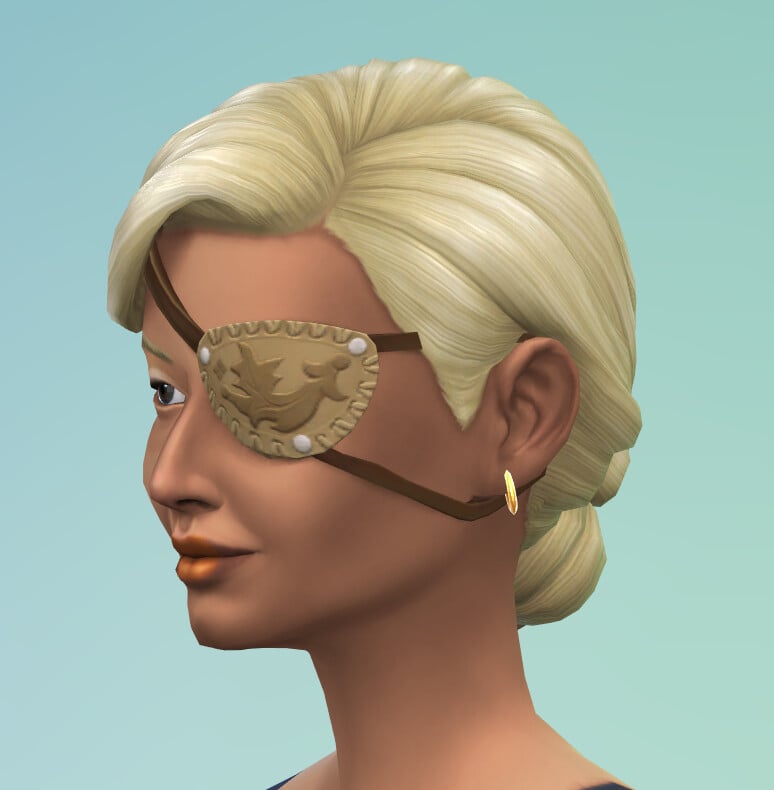
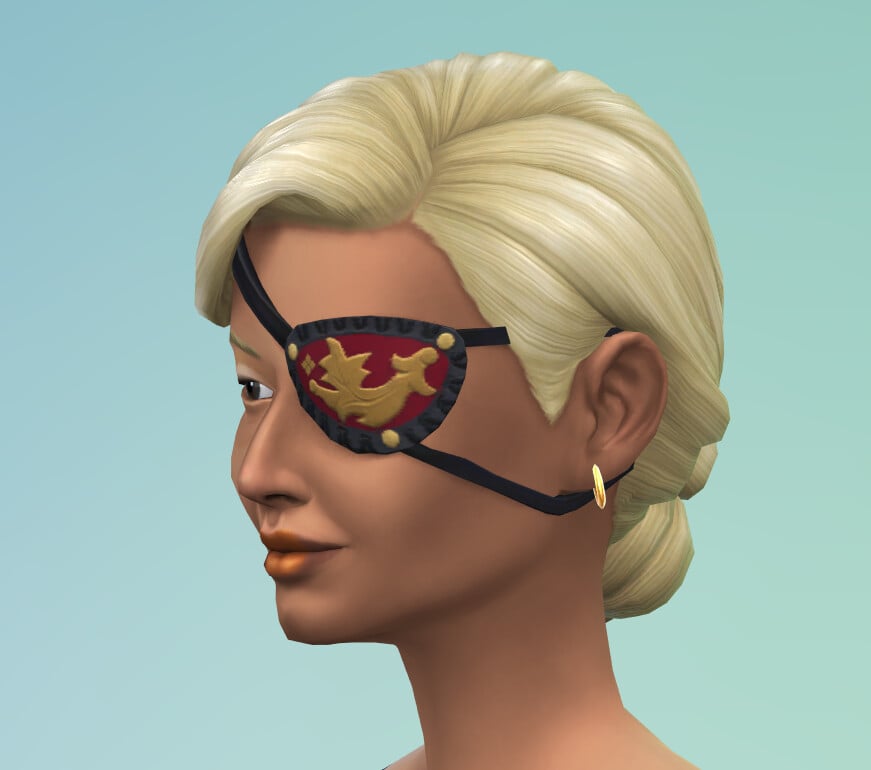
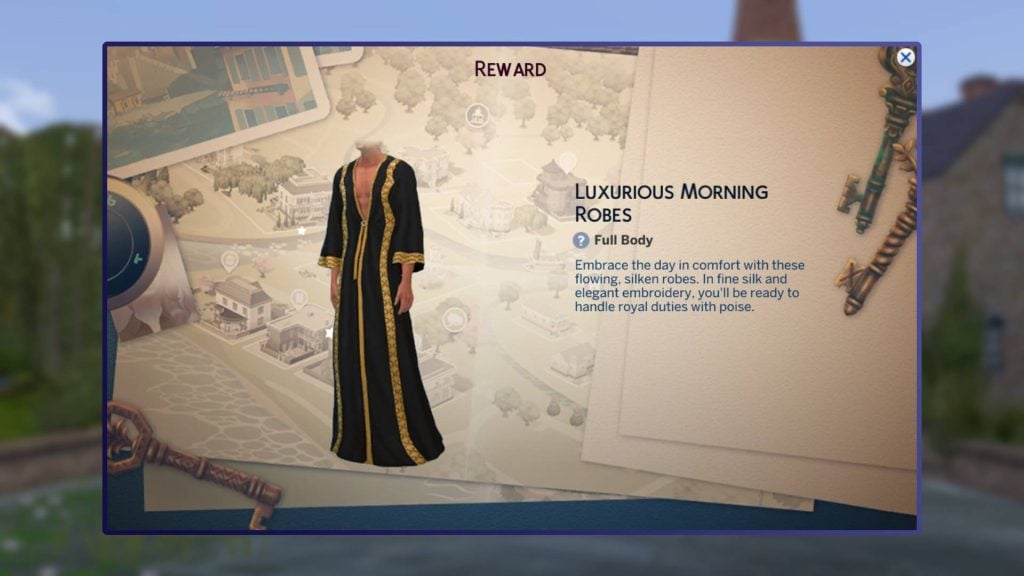
Luxurious Morning Robes
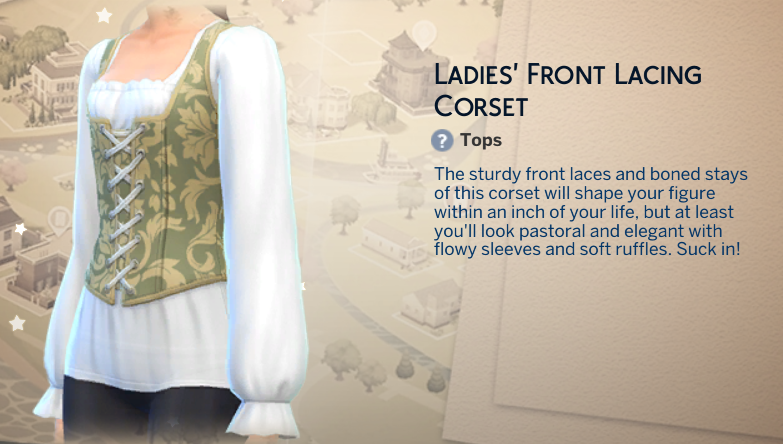
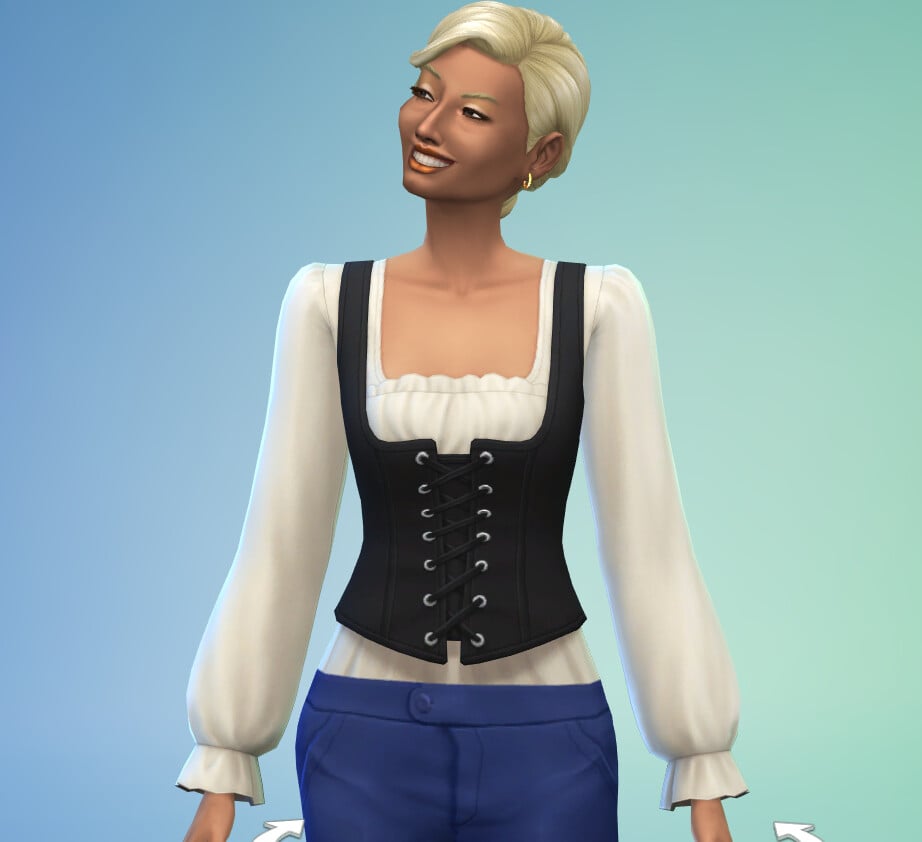
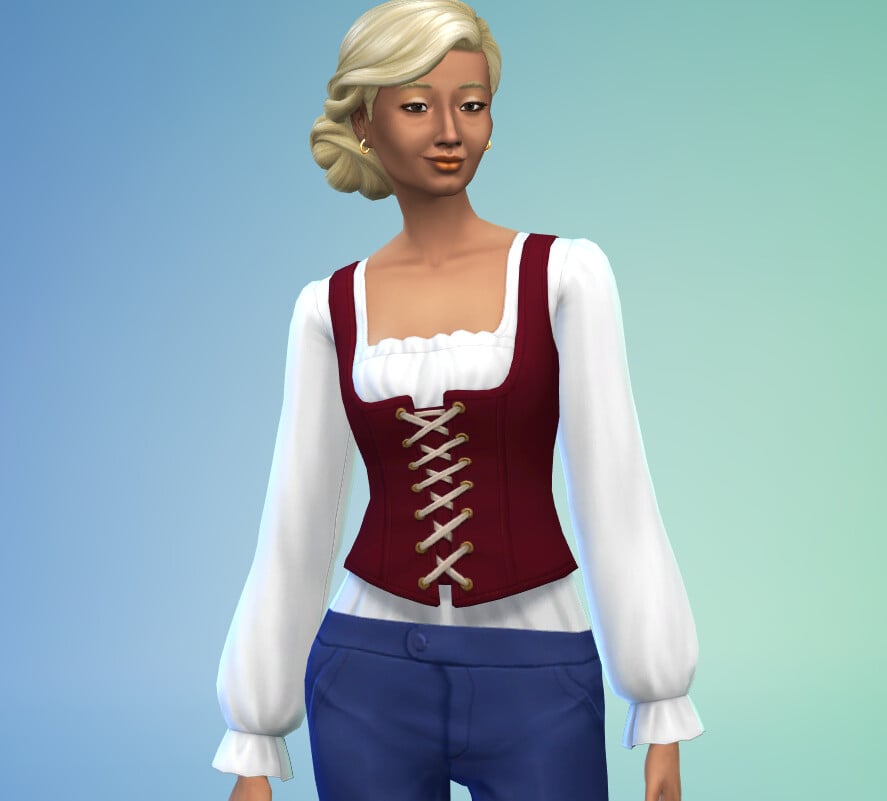
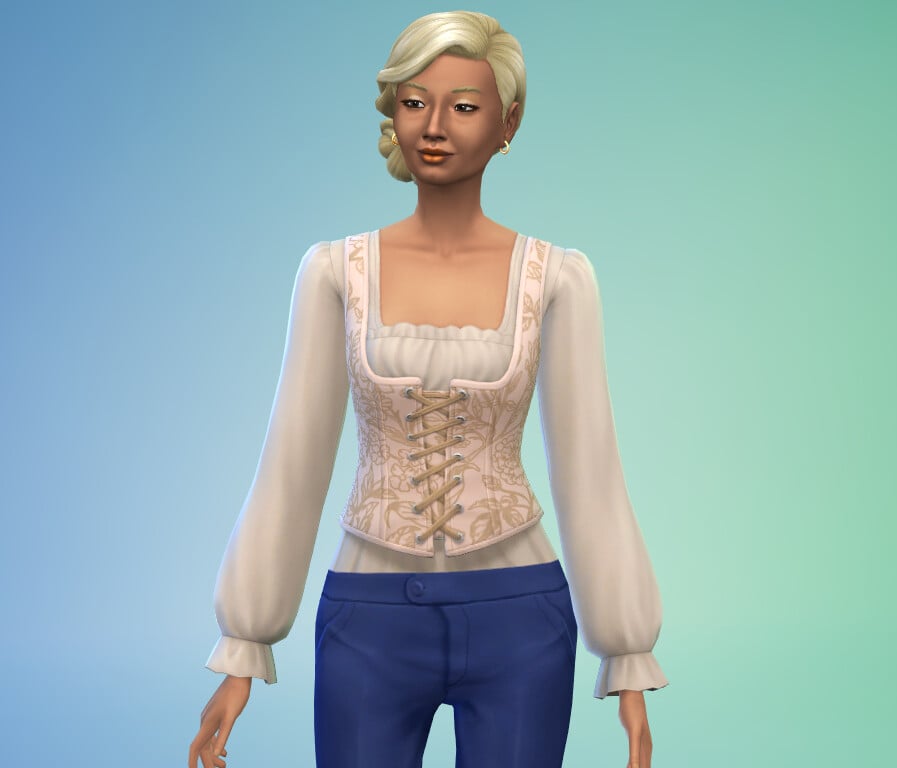
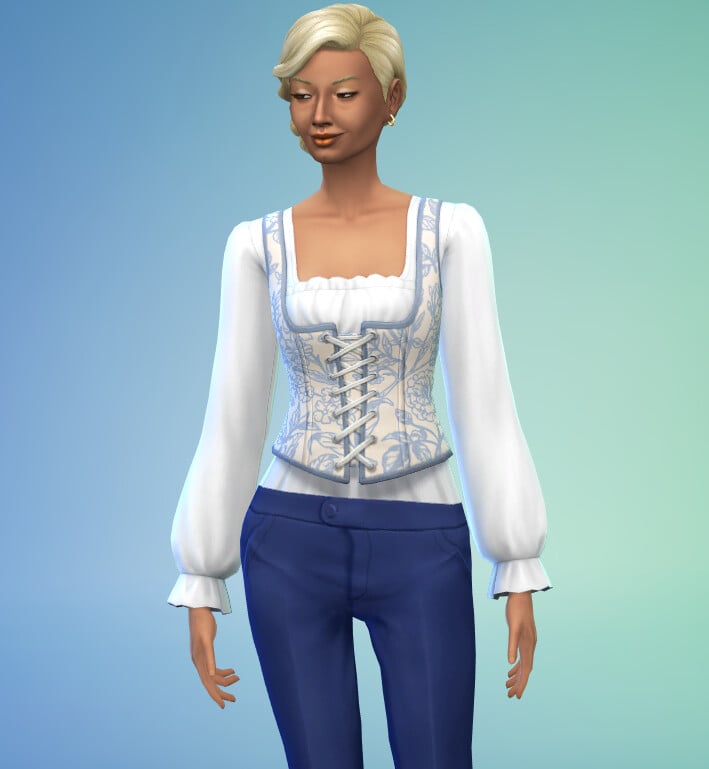
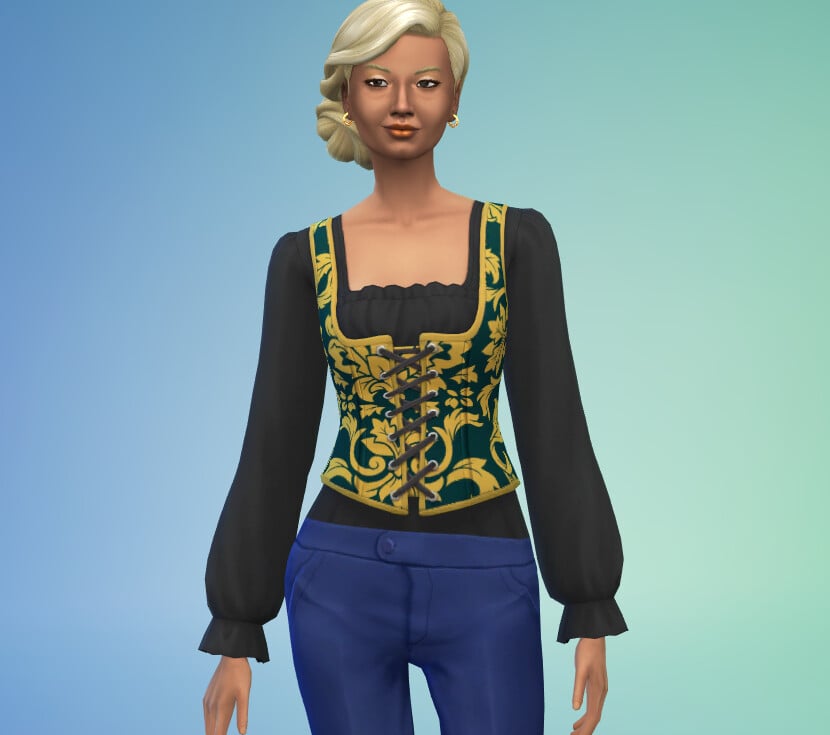
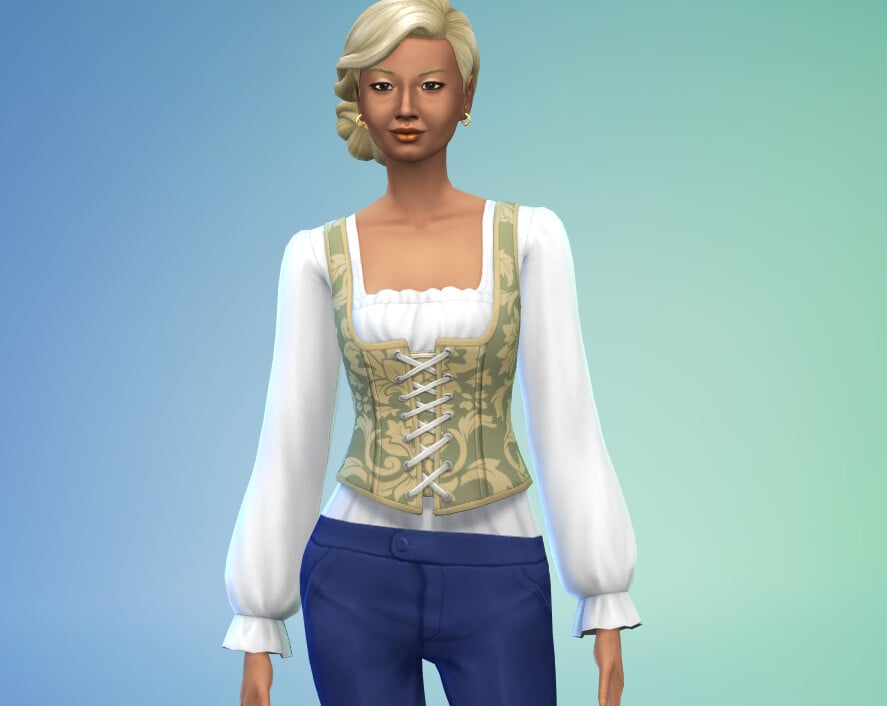
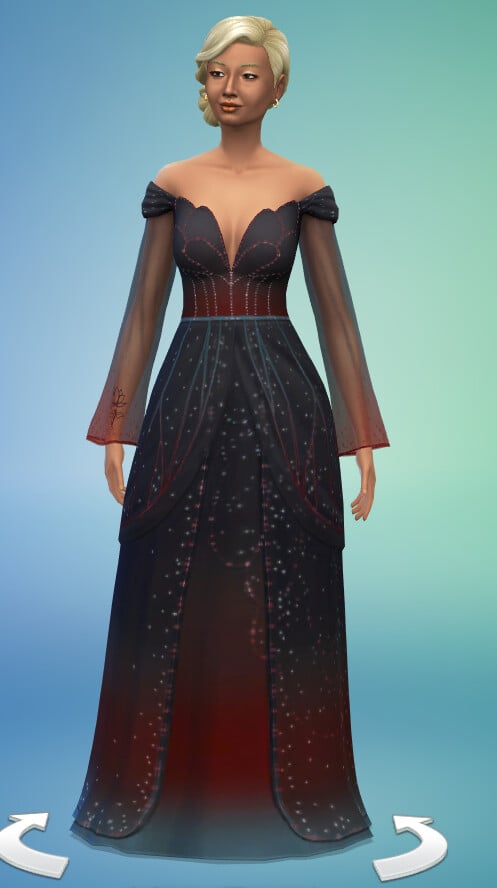
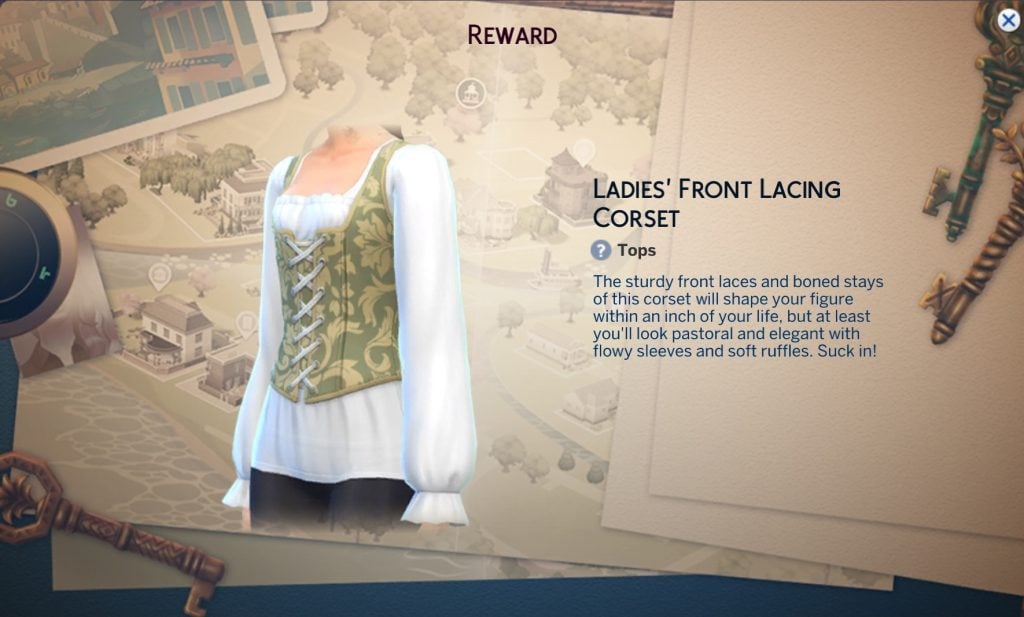
Ladies Front Lacing Corset
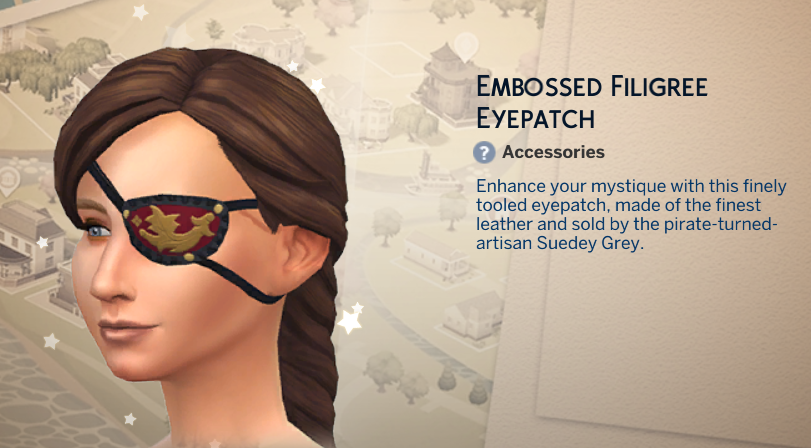
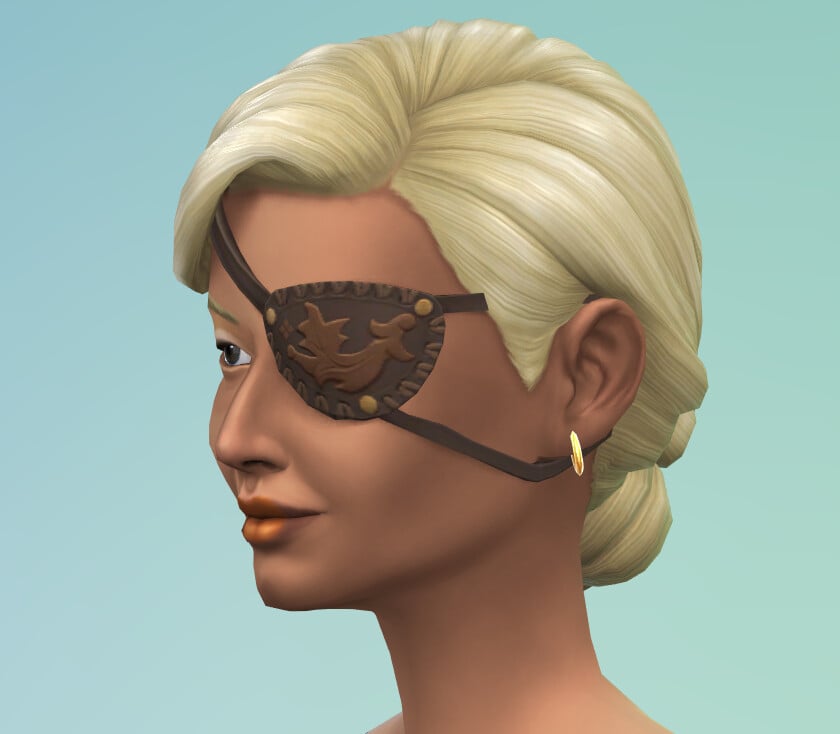
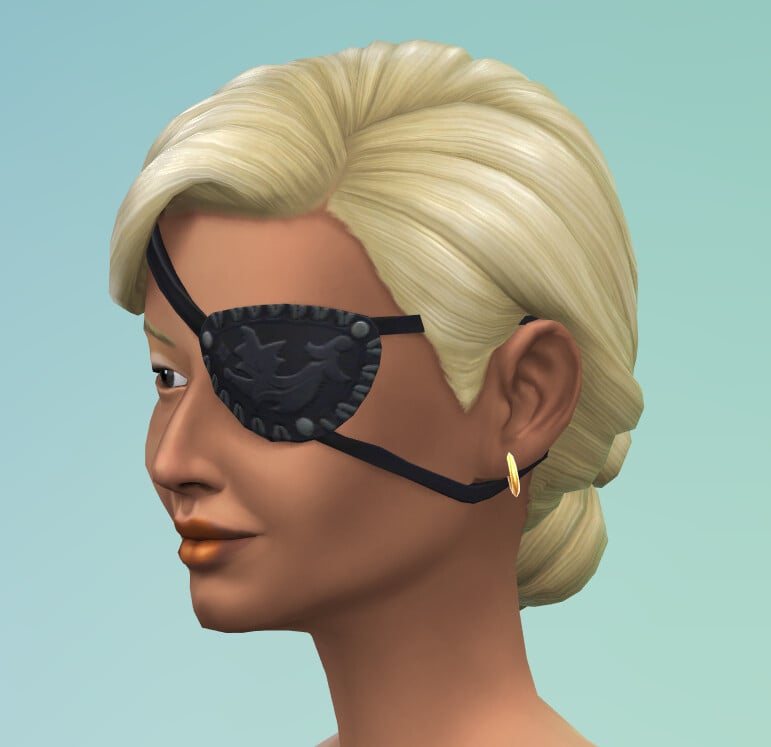
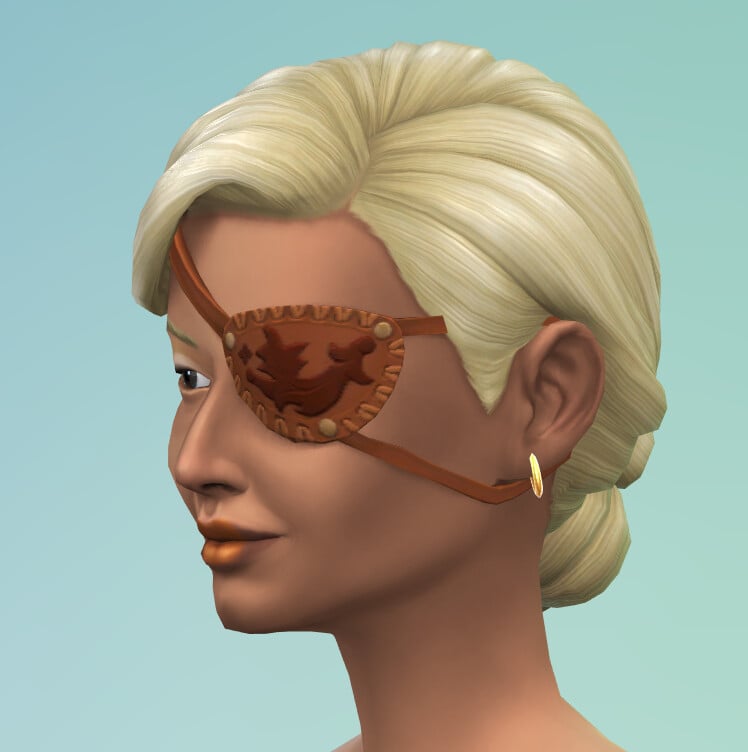
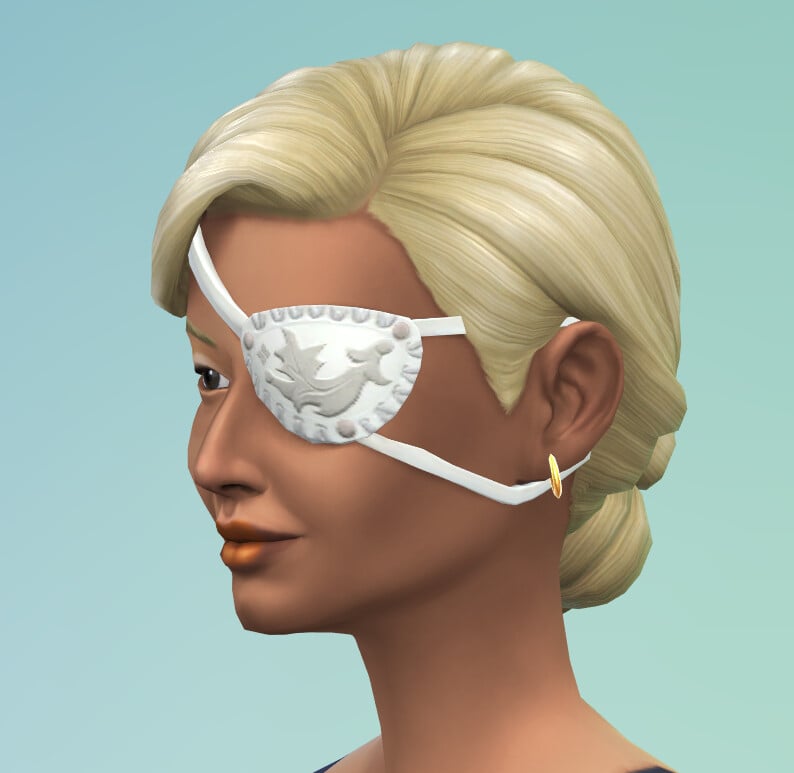
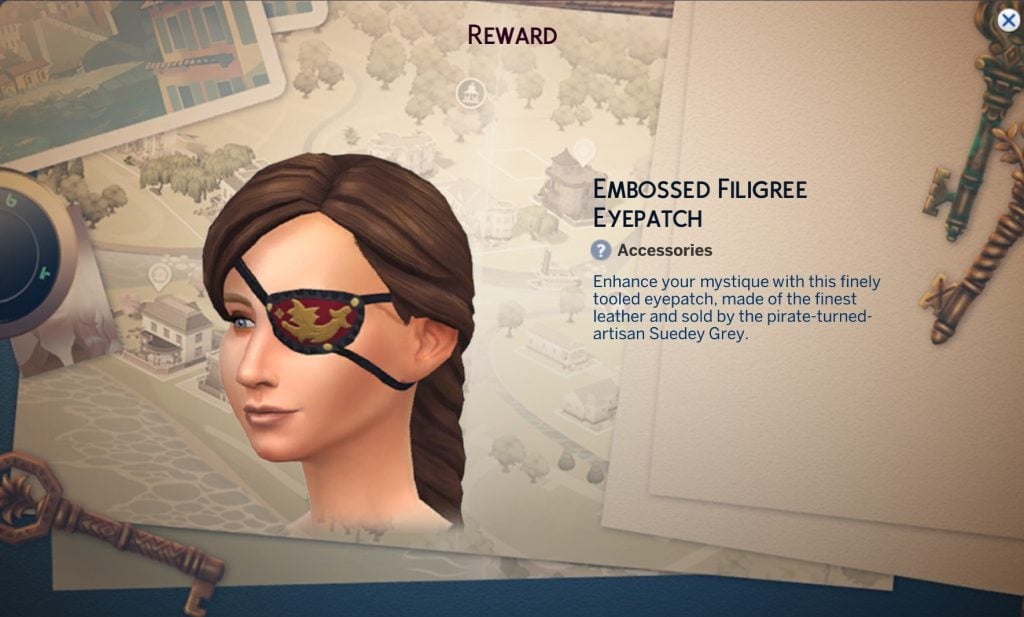
Embossed Eyepatch
Fairy Princess Gown
Requires Enchanted by Nature
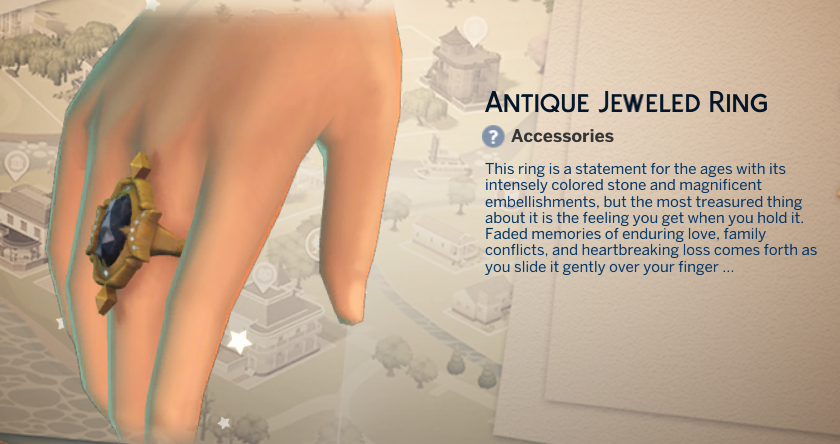
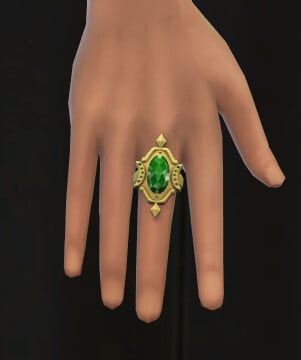
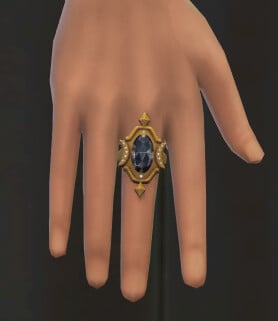
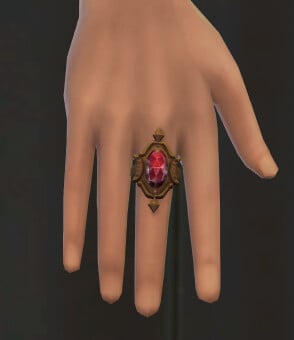
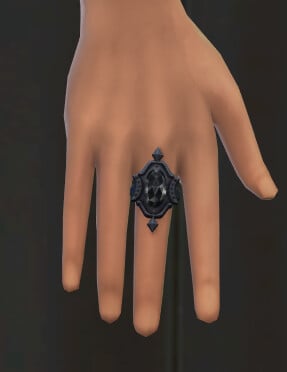
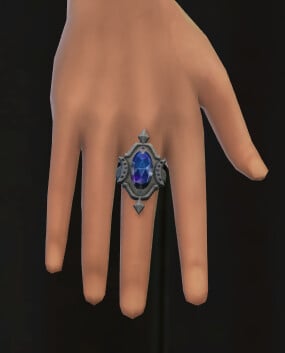
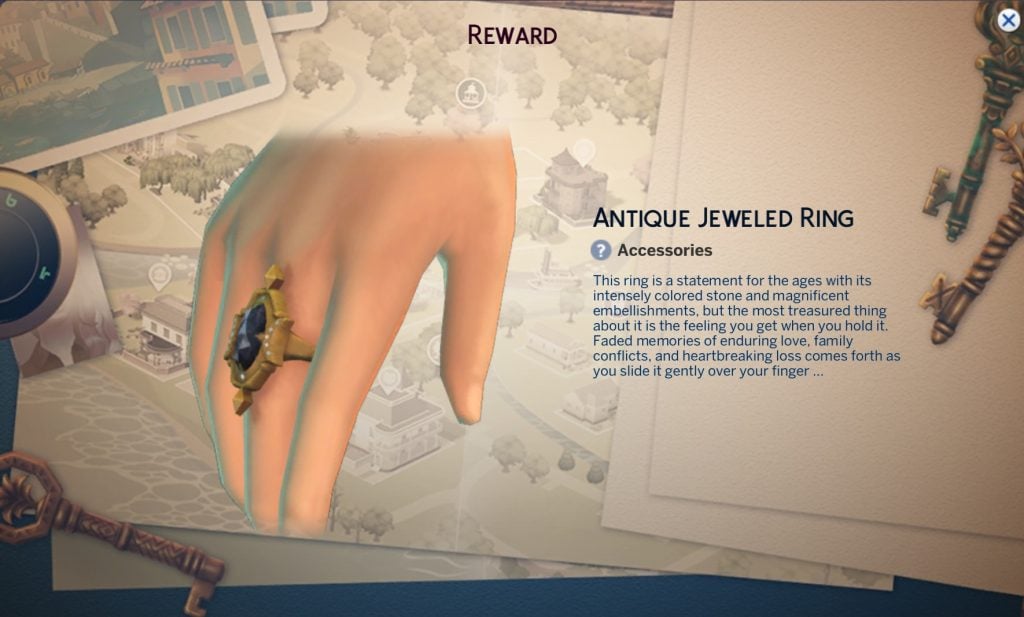
Antique Jewelled Ring
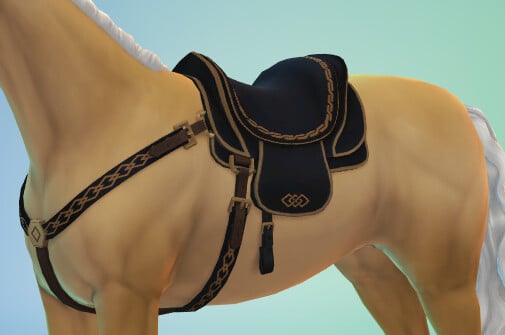
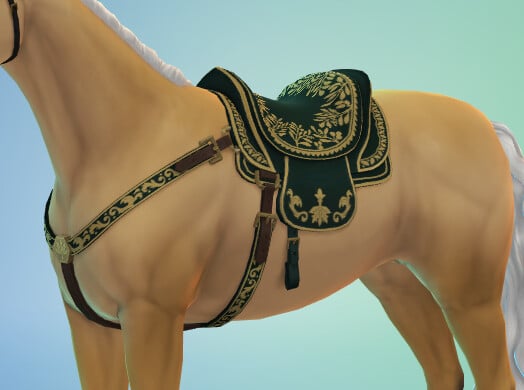
Embroidered Horse Saddle
Requires Horse Ranch
Build / Buy
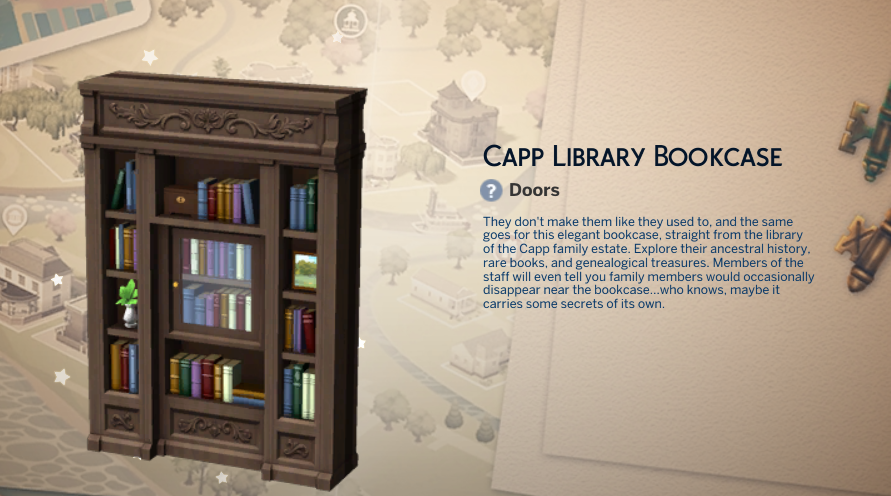
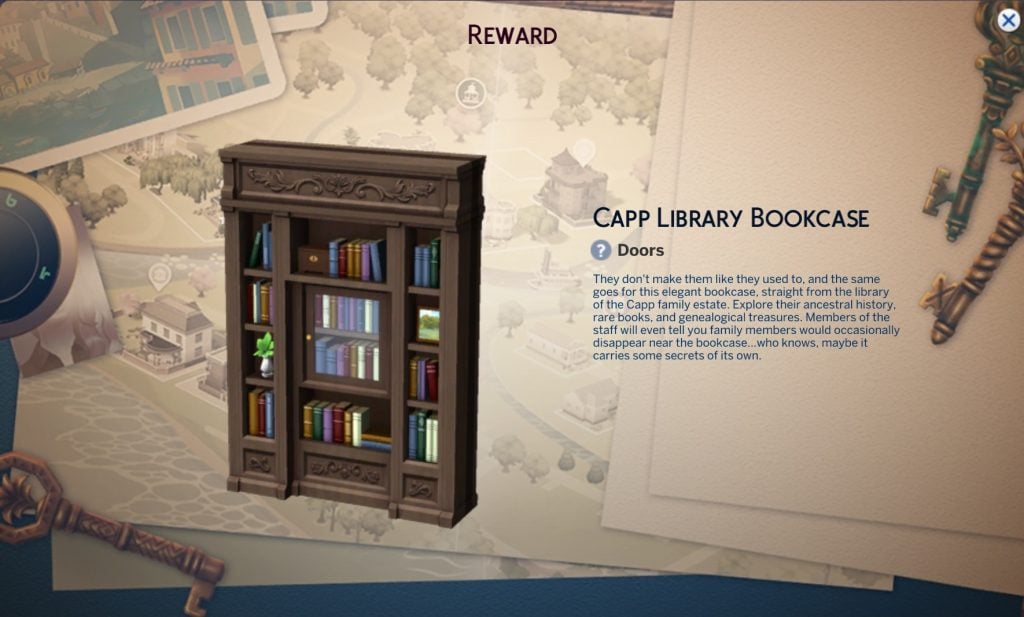
Capp Library Bookcase
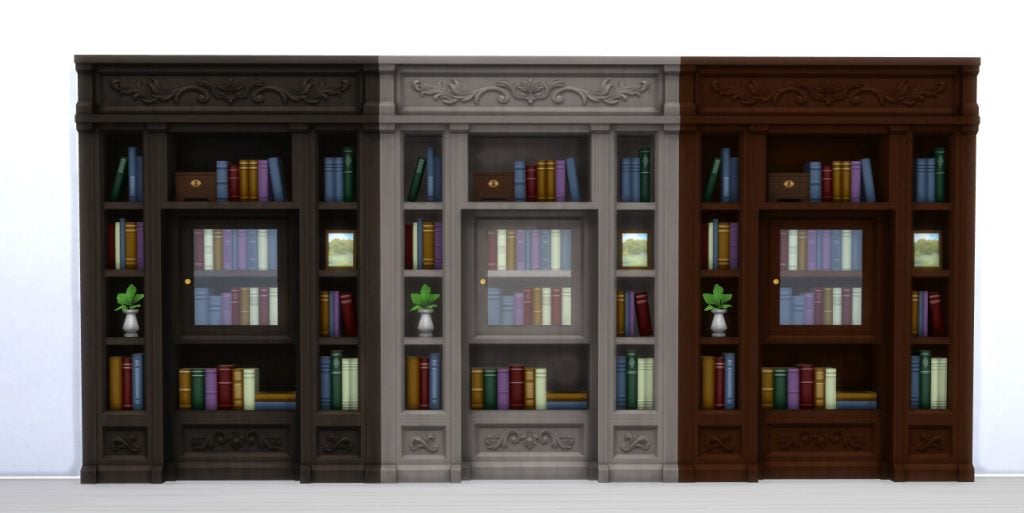
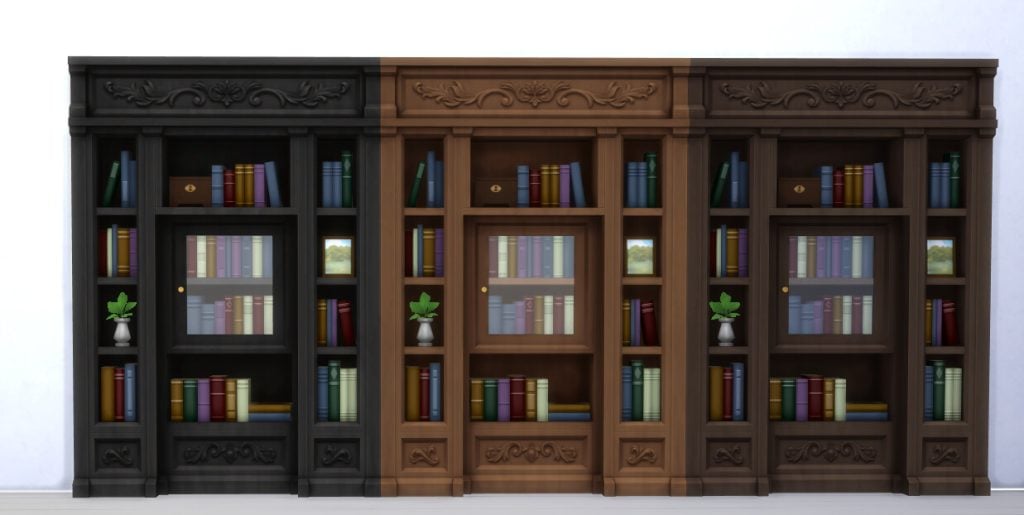
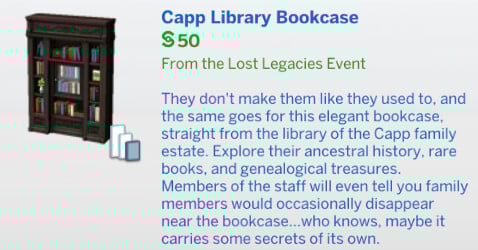
This item has six swatches and costs §50, making it much cheaper than the other secret doorway bookcase we have in game.
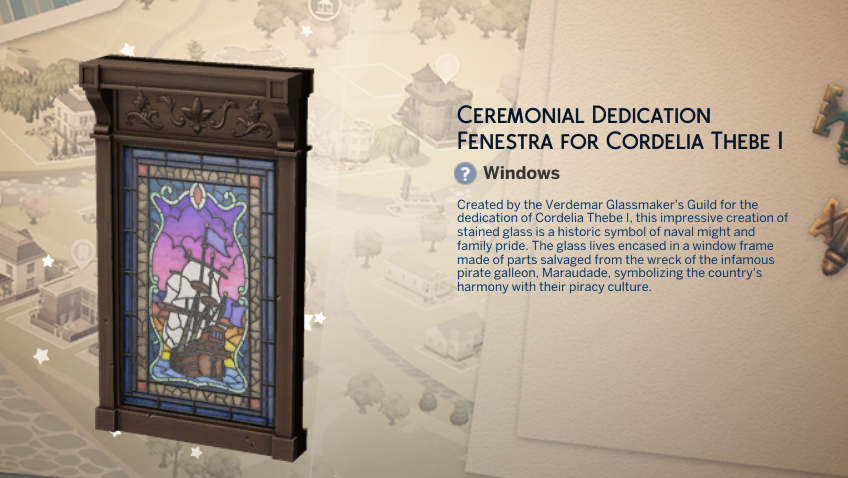
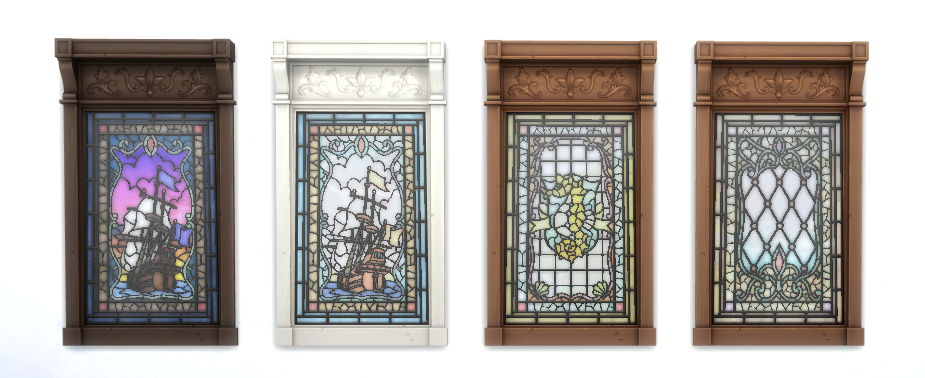
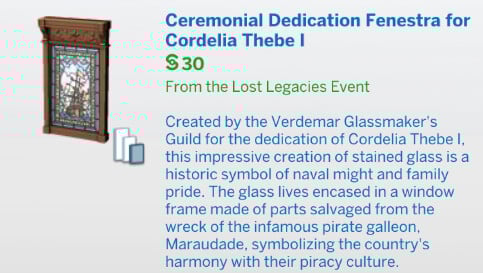
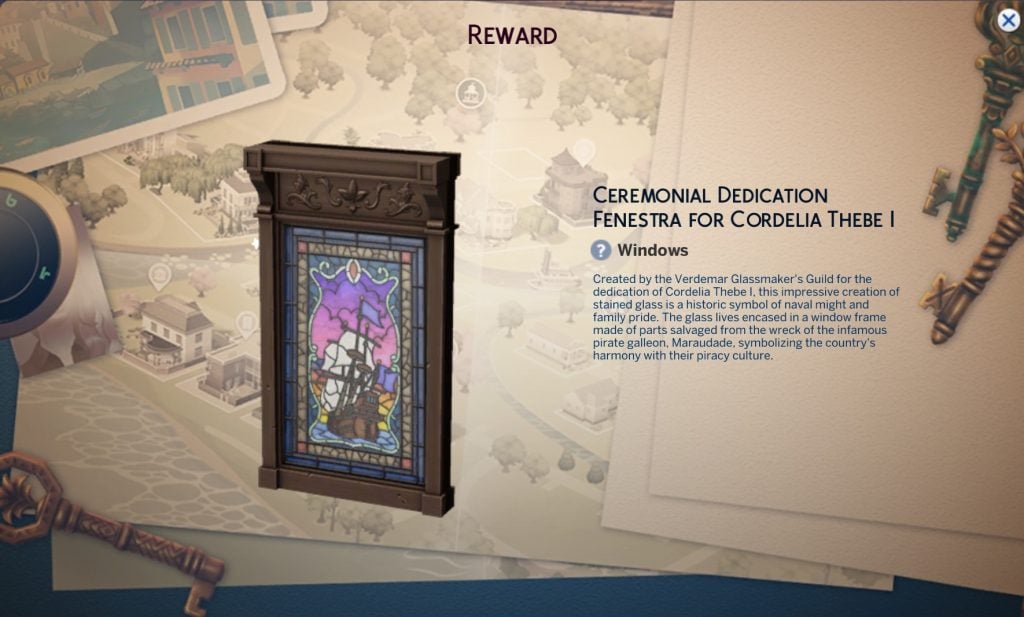
Ceremonial Dedication Fenestra For Cordelia Thebe I
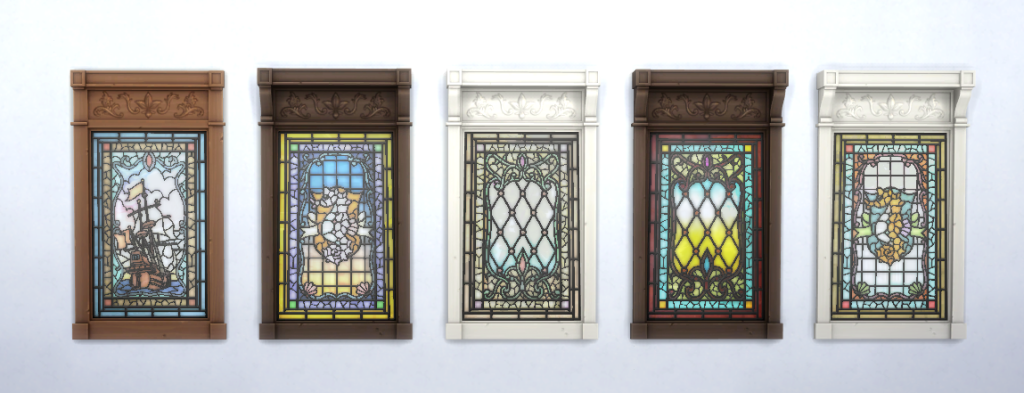
This item has nine swatches and costs §30.
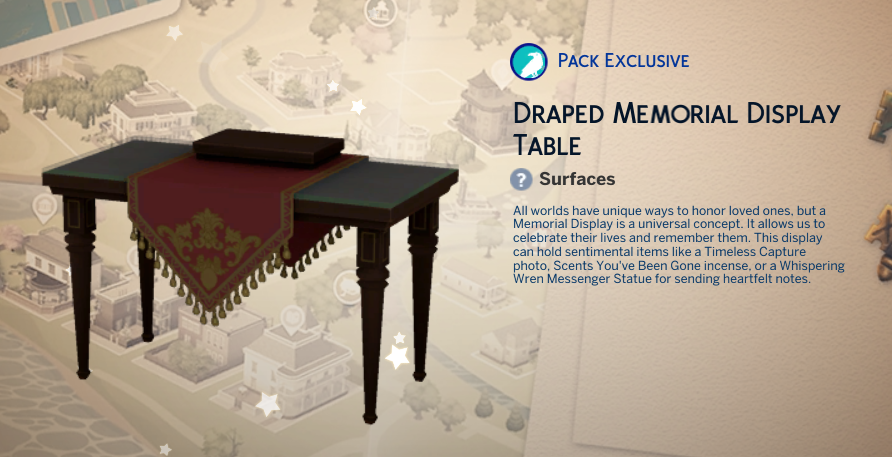
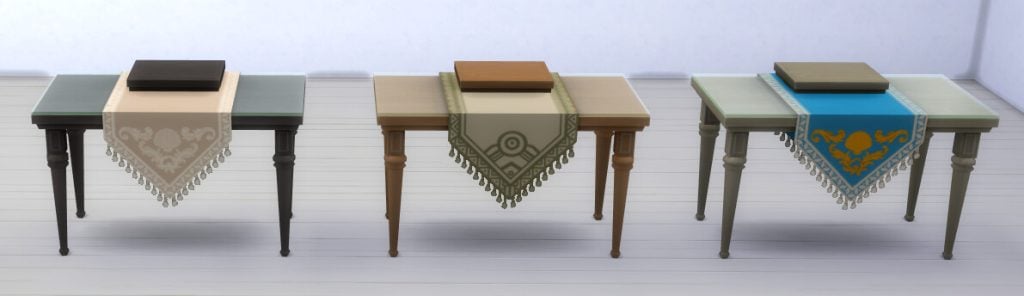
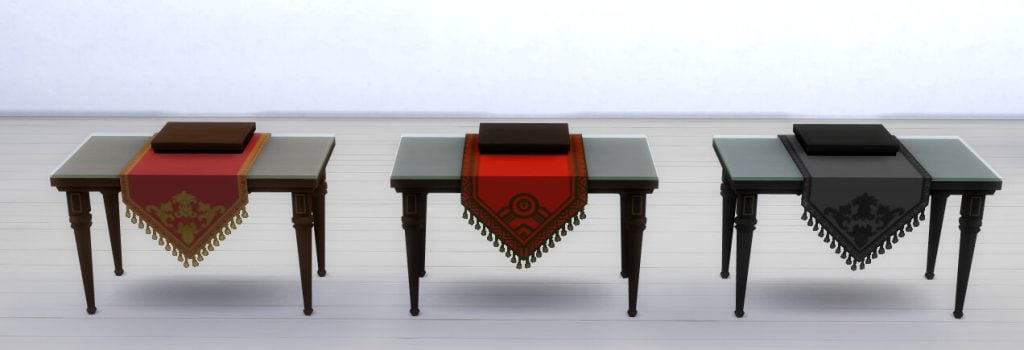
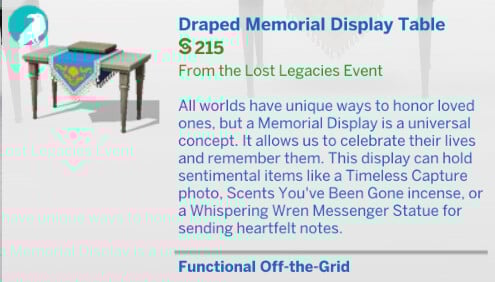
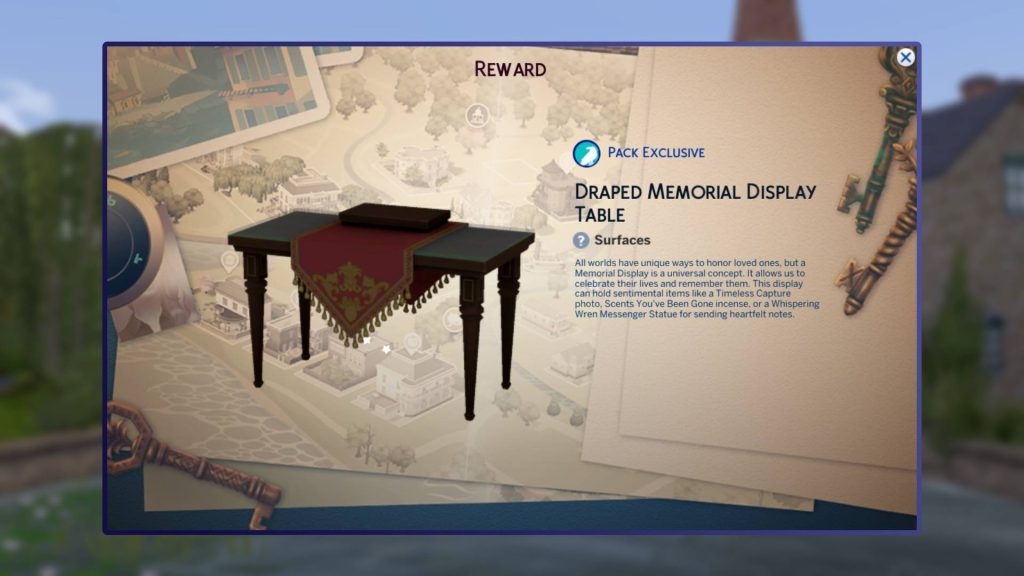
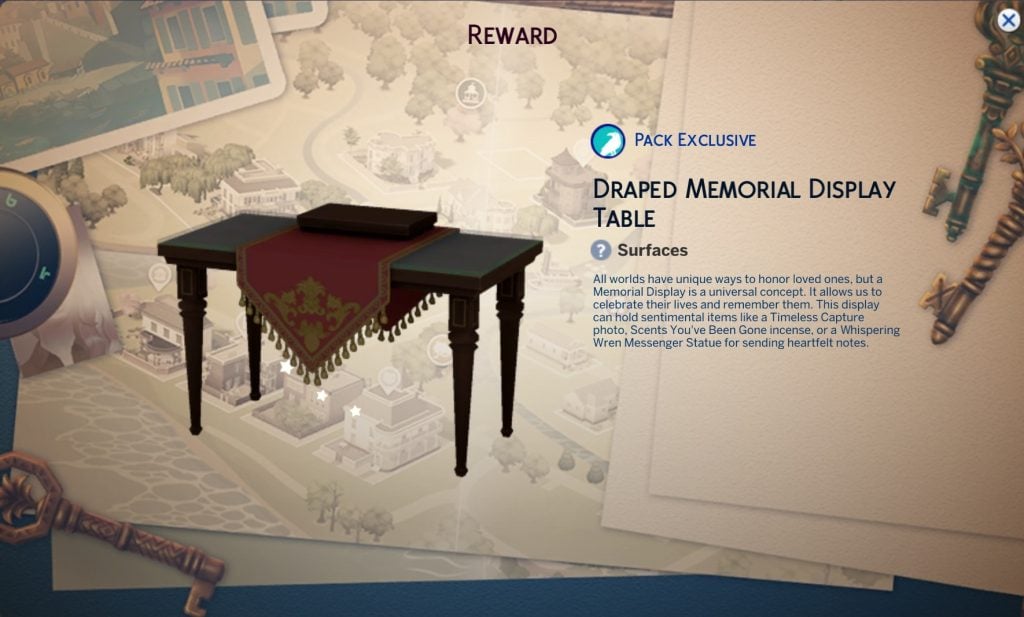
Draped Memorial Display Table
This is an item you can only use if you have Life & Death installed.
It adds a new memorial display table to the game and will cost Sims §215.
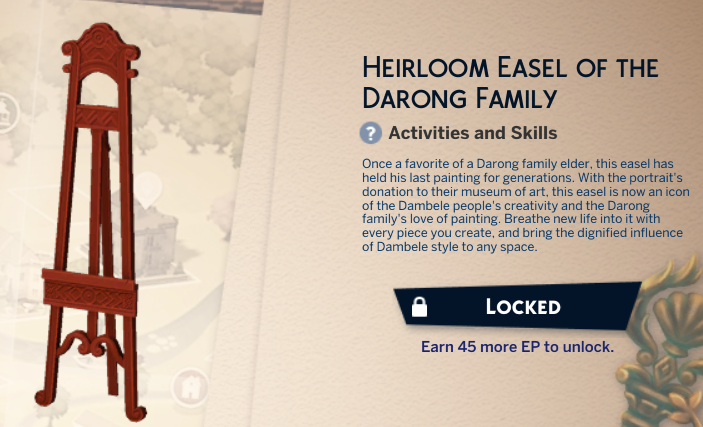
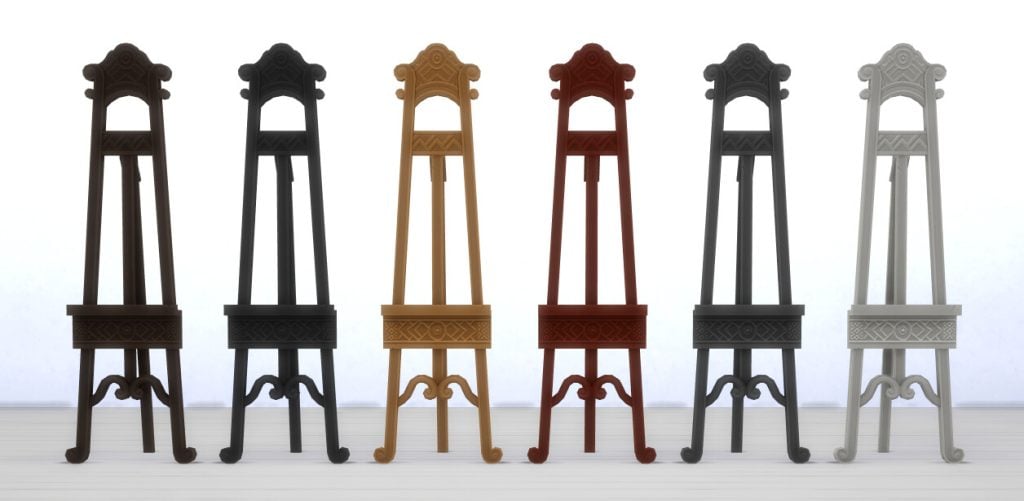
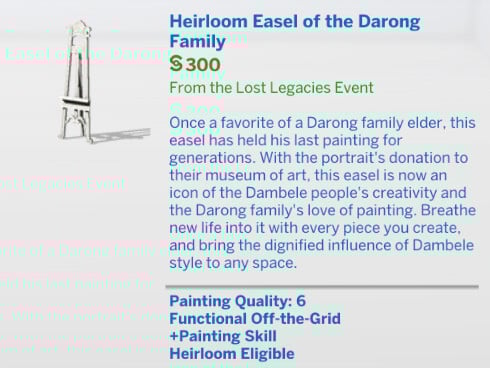
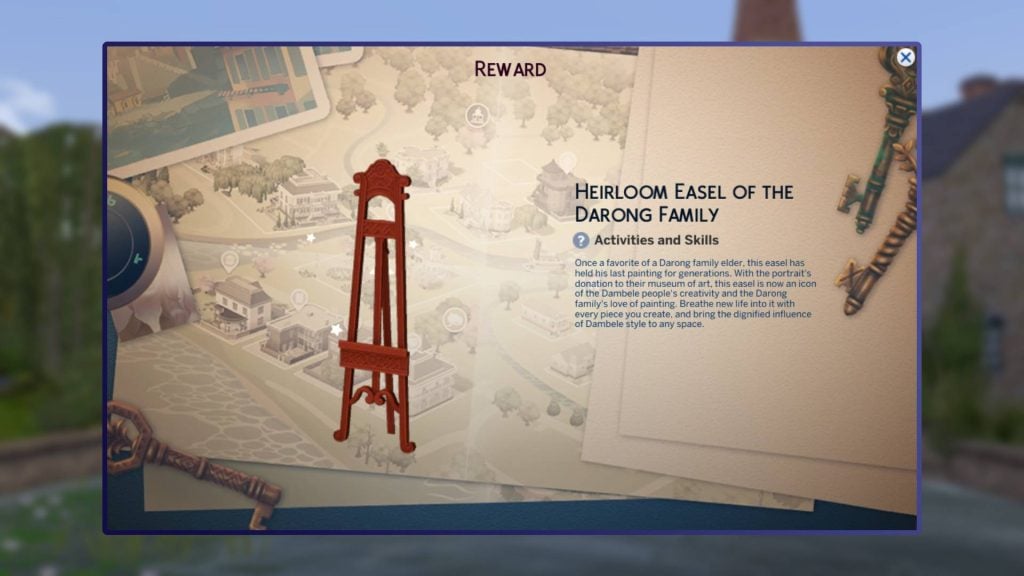
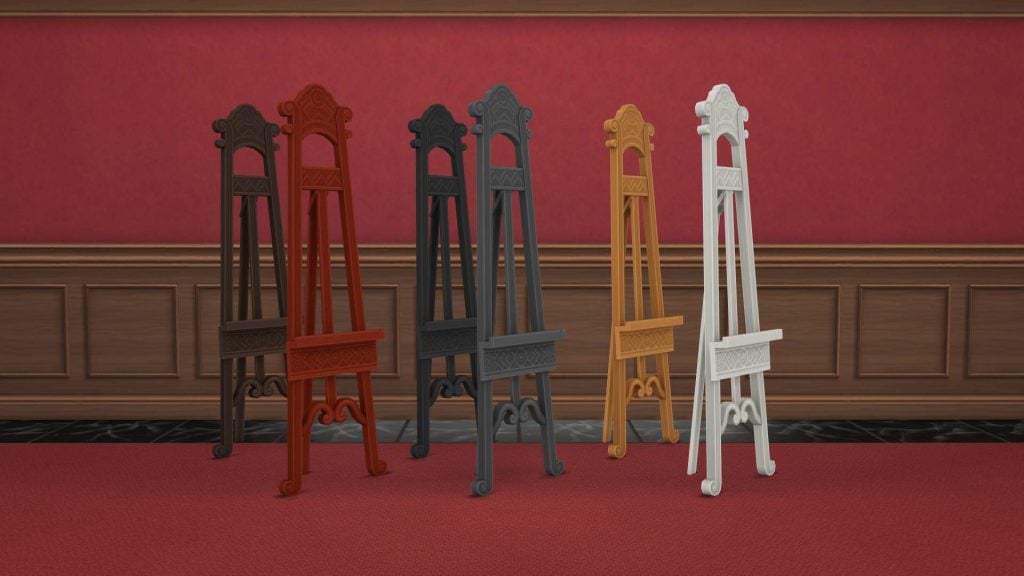
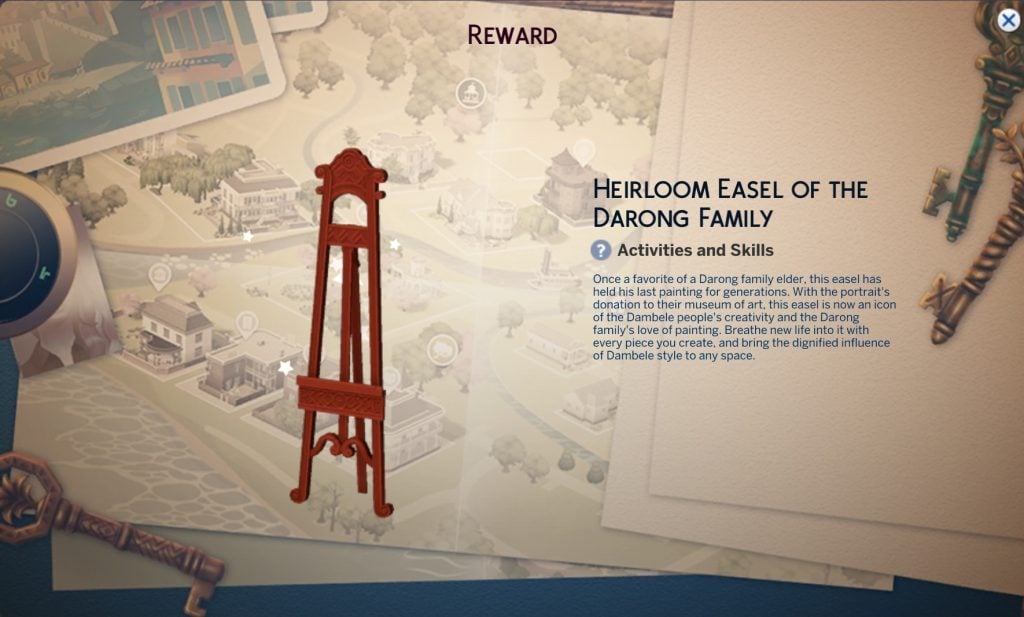
Heirloom Easel of the Darong Family
This easel adds some lore to the Darong family and new world coming with the latest expansion pack.
It will cost your Sims §300.
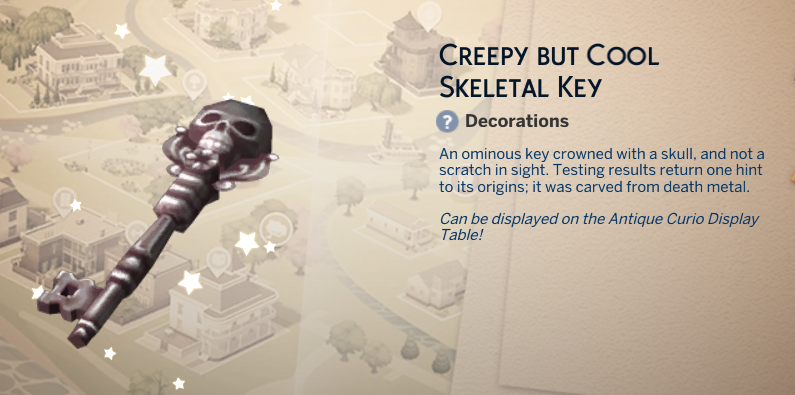
All event keys
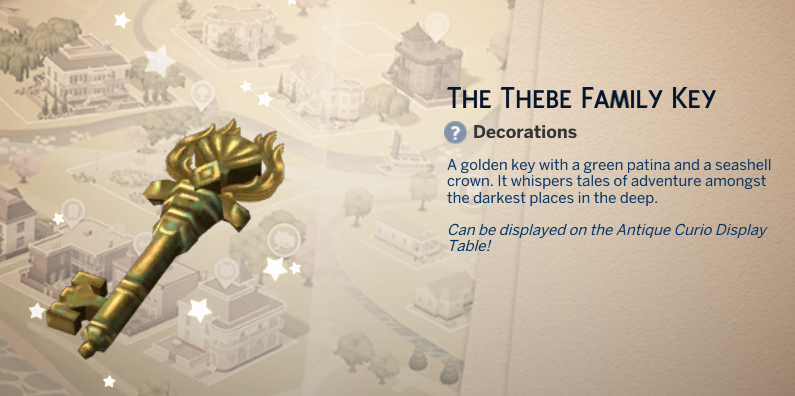
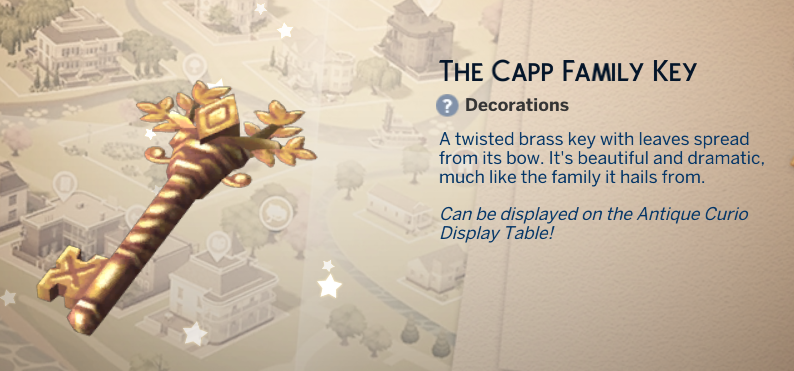
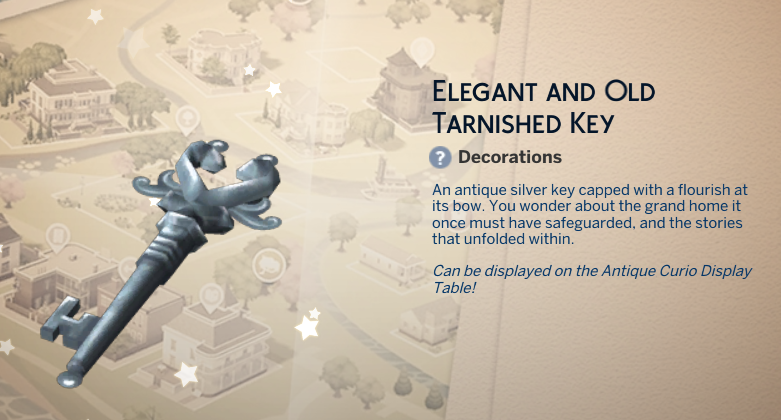
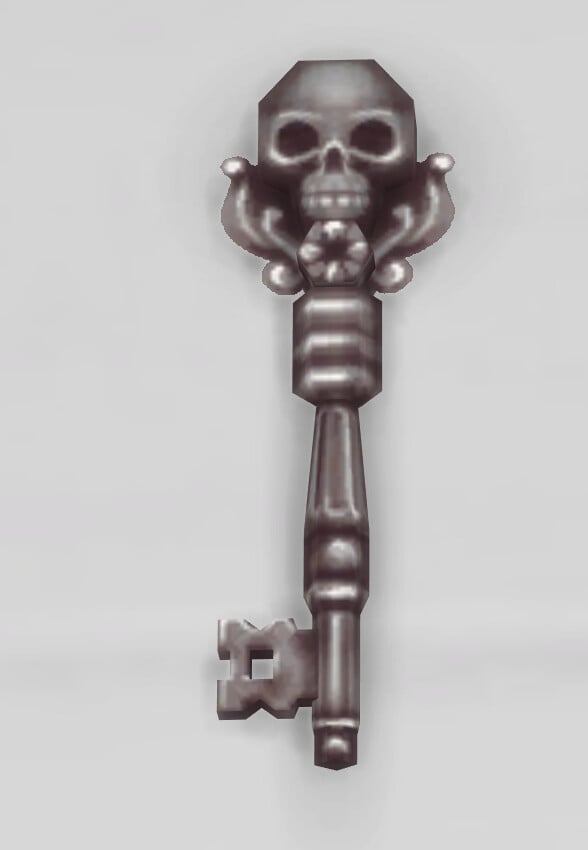
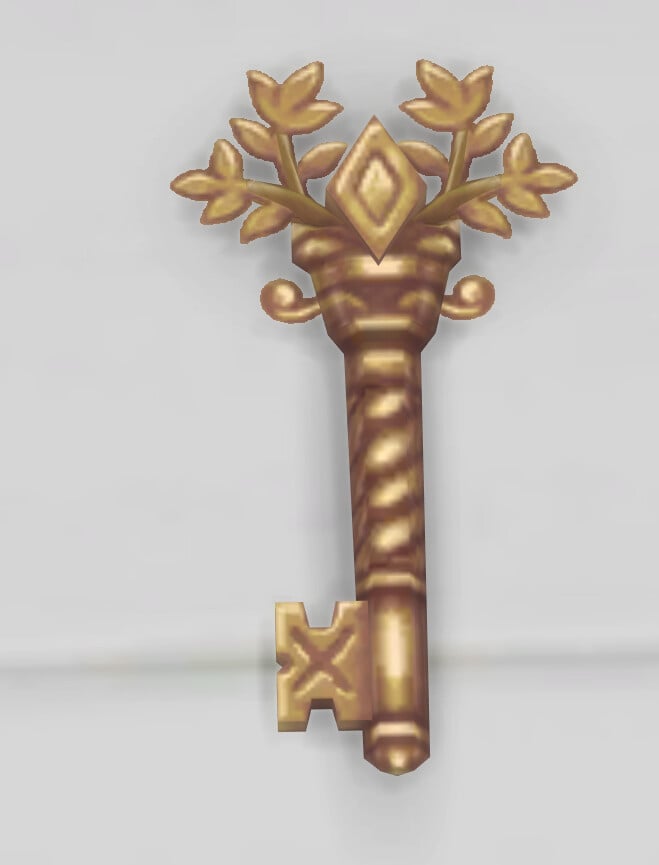
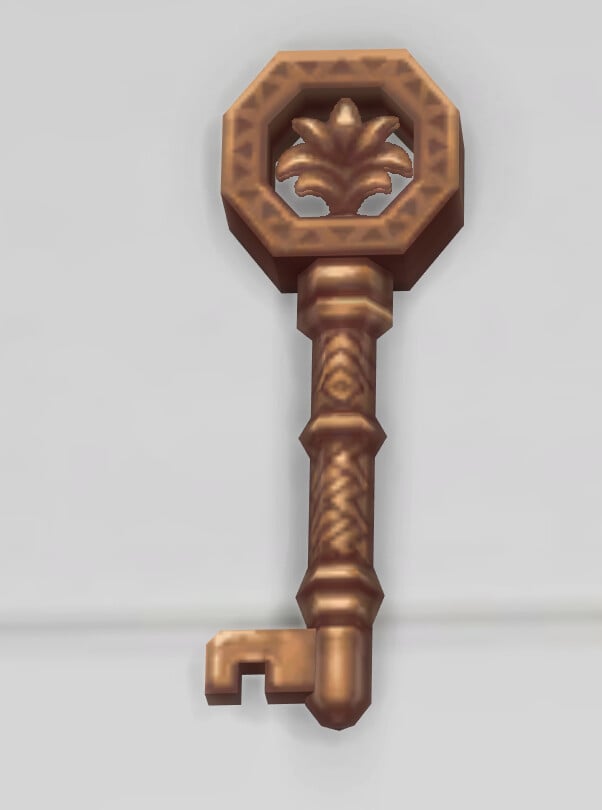
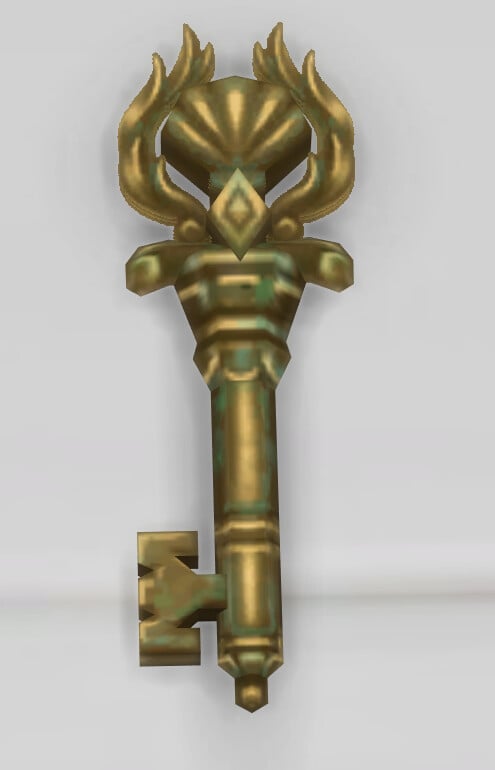
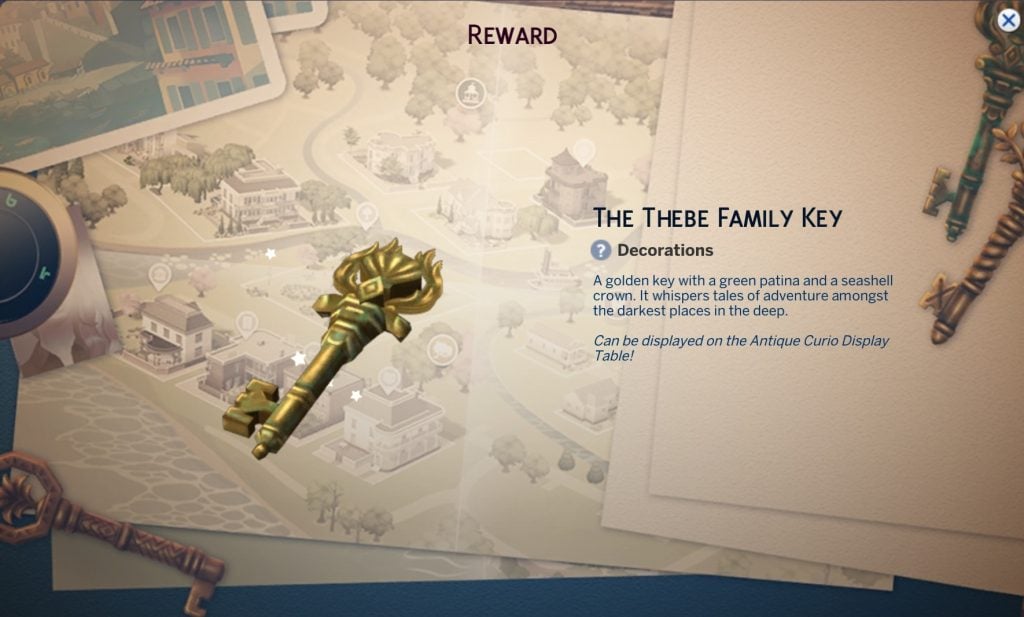
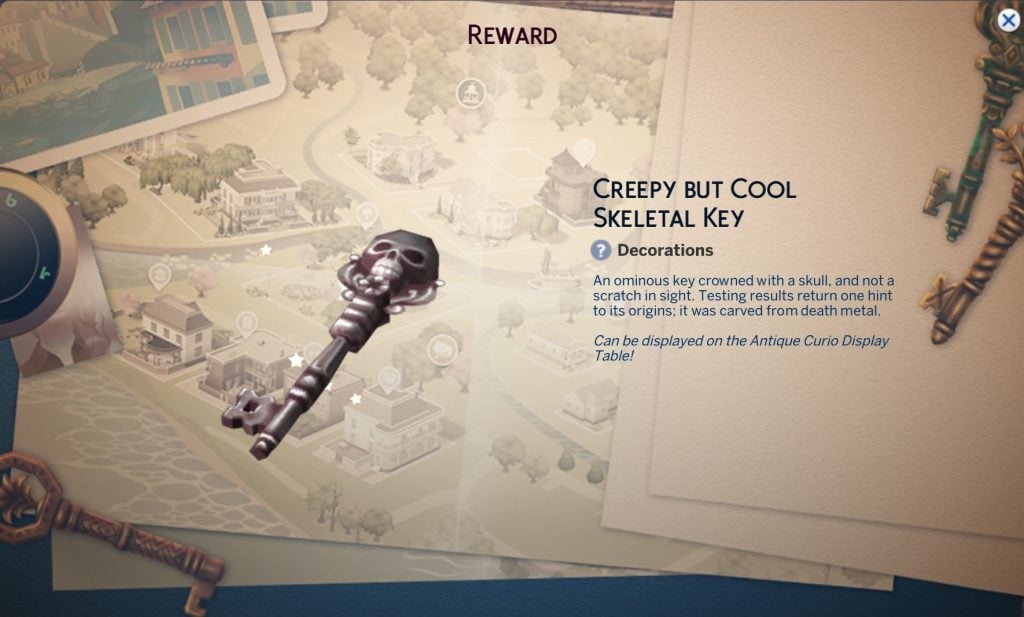
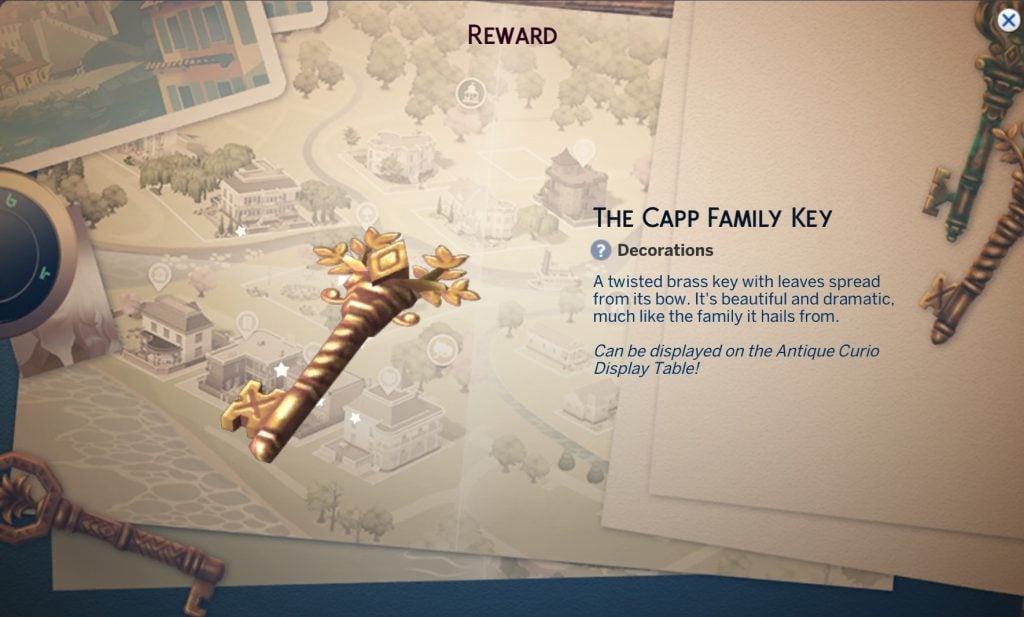
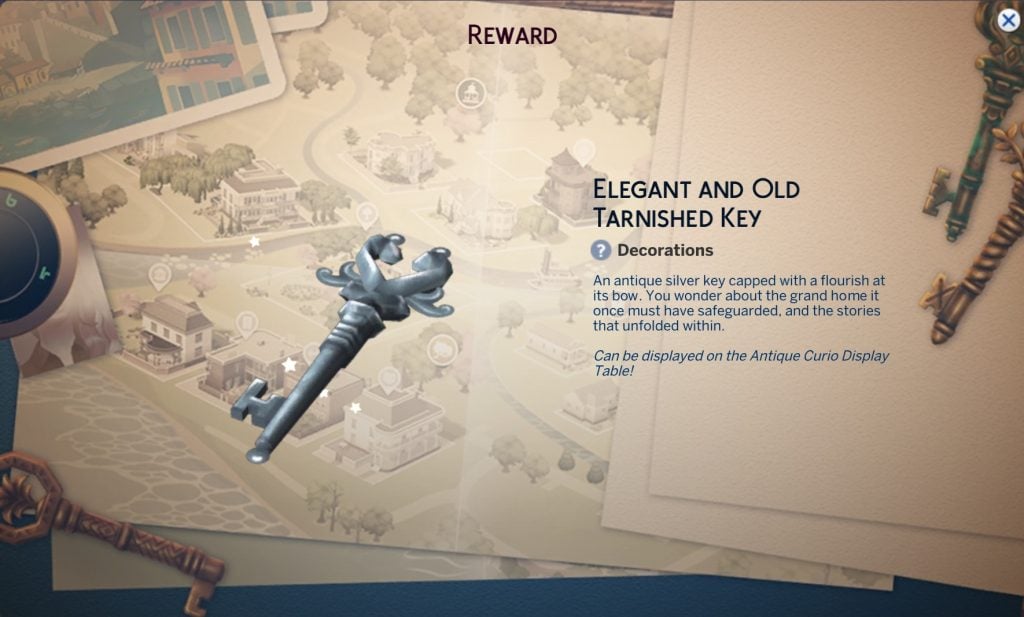
Get a closer look at the keys you will unlock through the Sims 4 Lost Legacies gameplay. All of these are free to place from build mode once unlocked. These are also classed as a new collectible with a rarely rating of common.
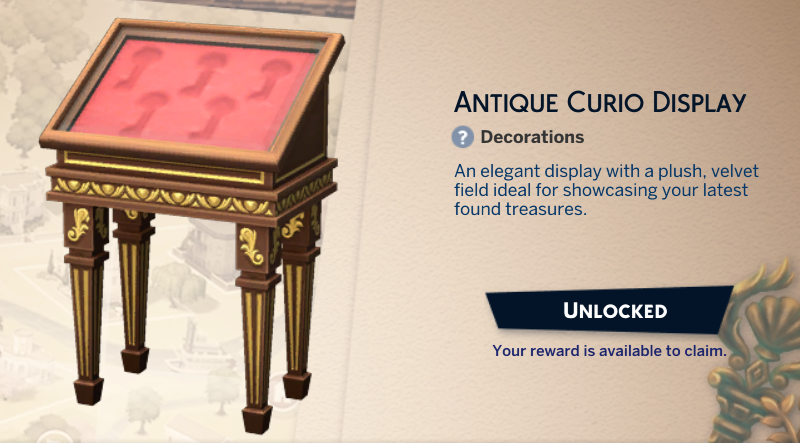
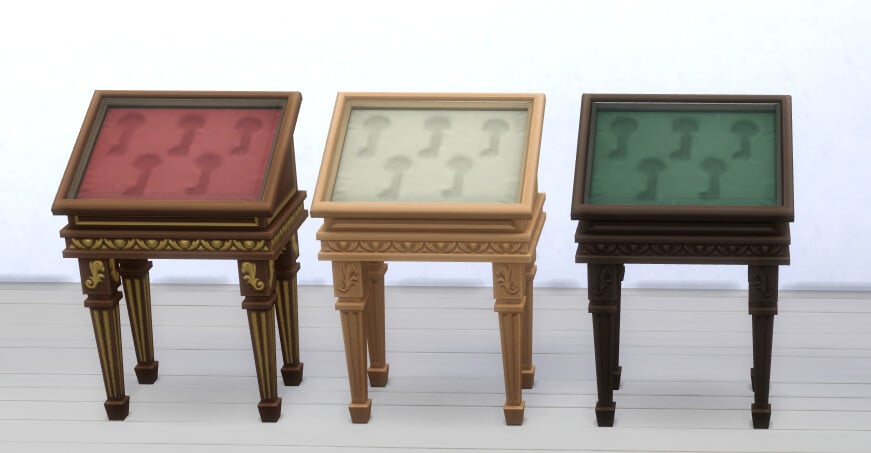
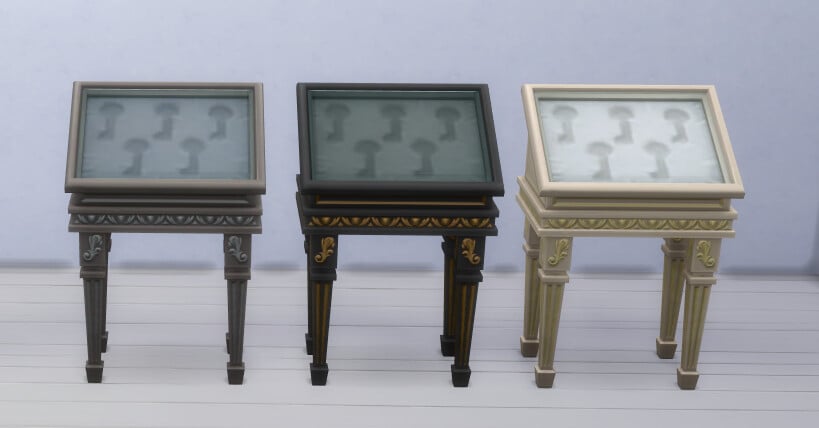
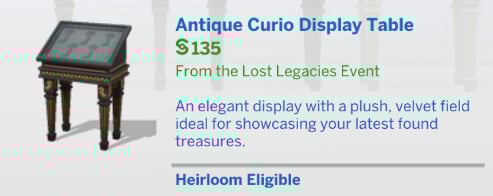
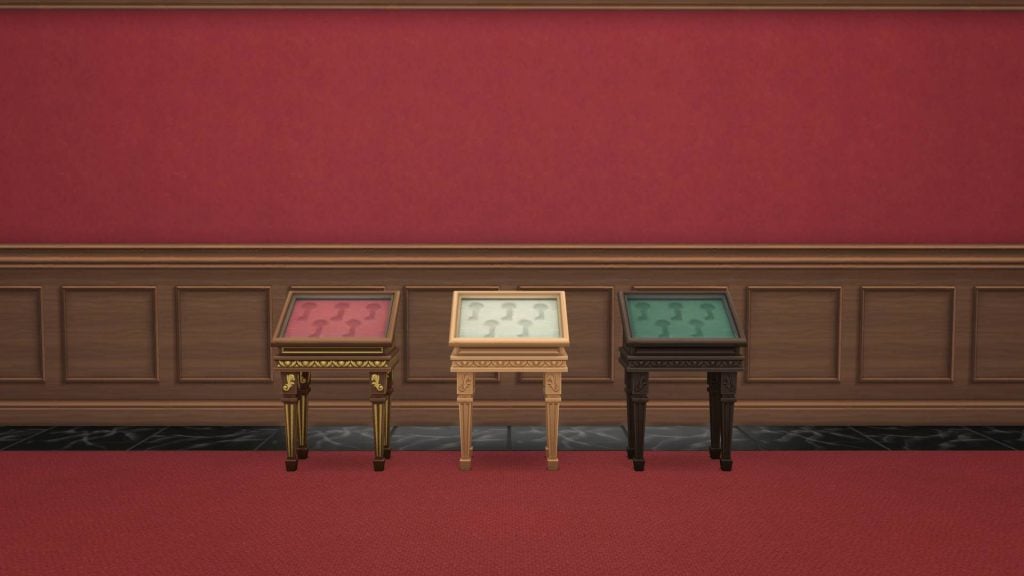
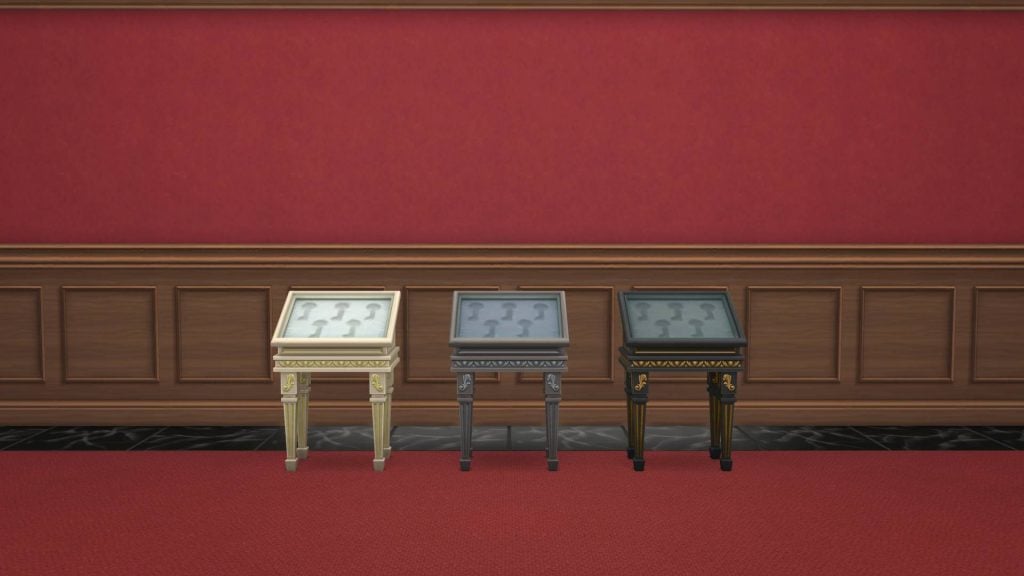
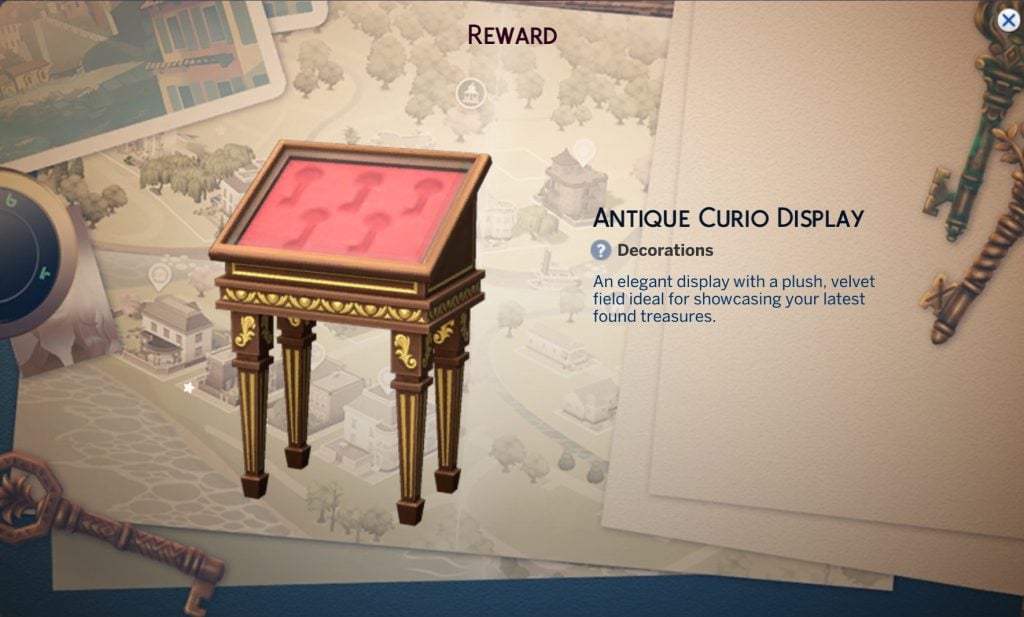
Antique Curio Display Table
This is the display case for the collectible keys from this event, beyond that it doesn’t have much use.
It will cost your Sims §135.
Gameplay
This login event comes with two rewards that impact gameplay, a new aspiration and a new lot trait.
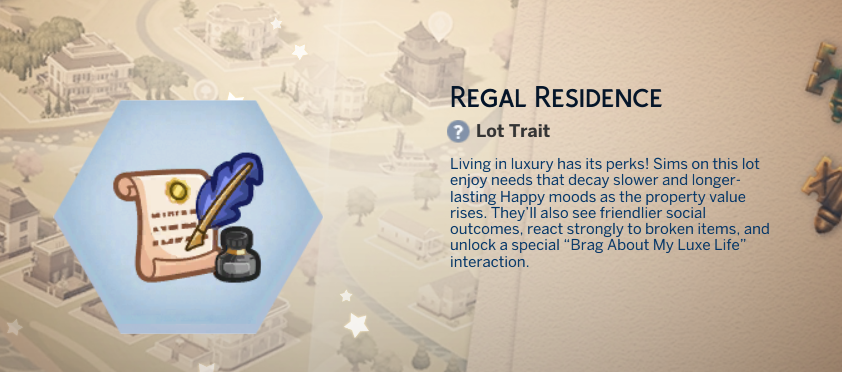
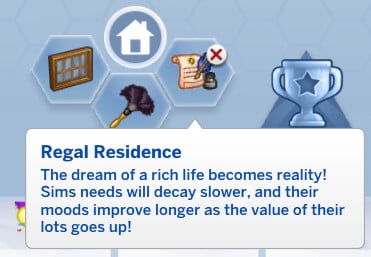
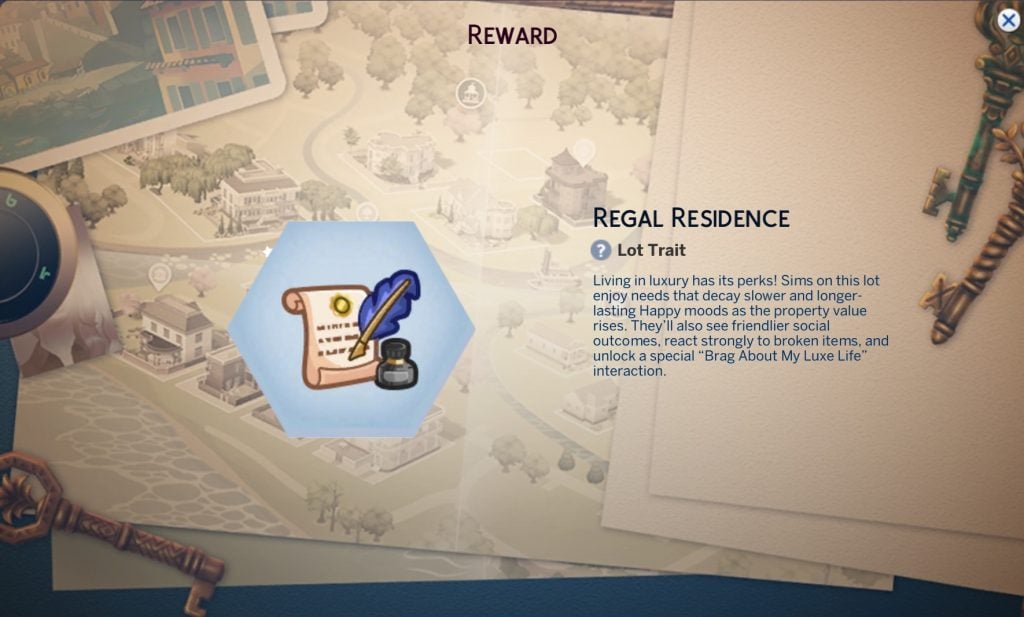
Regal Residence Lot Trait
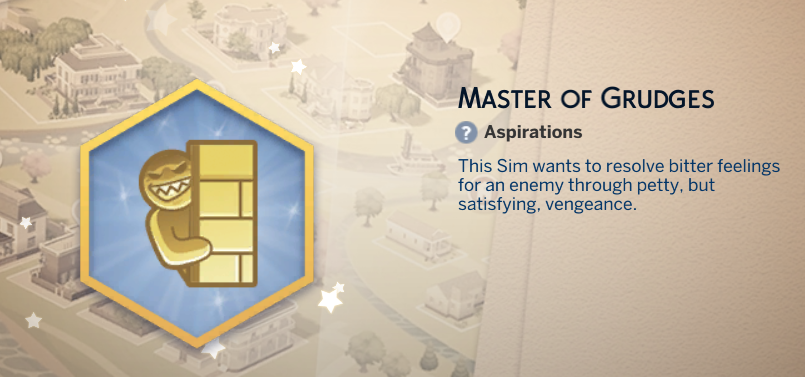
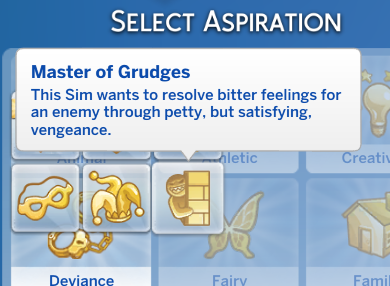
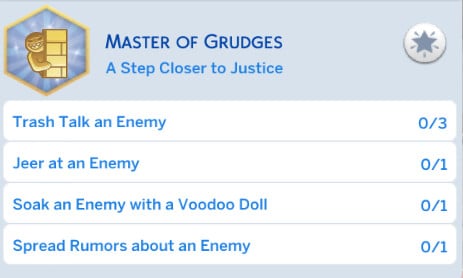
Master of Grudges aspiration
this new aspiration comes under the Deviance category and is all about getting vengeance on enemy Sims.
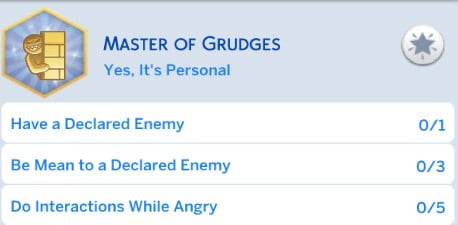
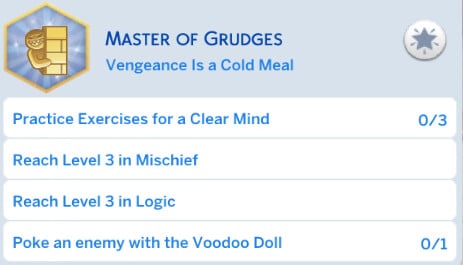
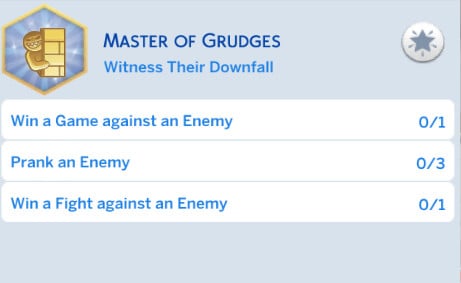
Here are all of the different levels and tasks you’ll need to do to complete the Master of Grudges aspiration.
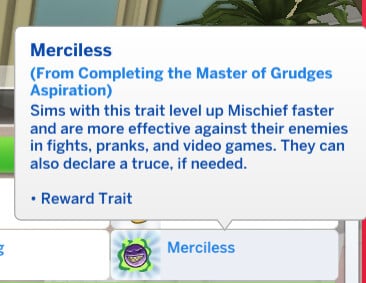
Once you complete the aspiration you earn the reward trait Merciless, which allows you to level up the mischief skill faster, have more successful fights with enemies, and declare a truce.
Activating The Curse
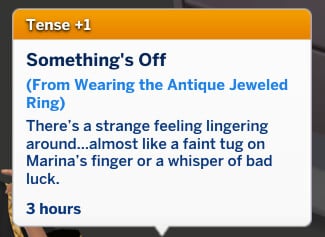
When you are wearing the antique ring, you can activate its curse. This will make your Sim feel tense.
Do you think you will be using these items in gameplay? Are you going to be playing through the event as it comes out? Let us know in the comments below, and stay tuned to Sims Community for all the latest on Live Events in The Sims 4.
There’s new cross pack functionality and autonomy that the Patch Notes forgot to mention!
The Sims Team has quietly added new activities and improvements to activities with the latest Sims 4 Patch. Adding new interactions, functionality and autonomy across Clubs System for Get Together, Small Businesses in Businesses & Hobbies and Custom Venues with Adventure Awaits!
The latest additions haven’t been uncovered in the Patch notes. In fact, they have been discovered by modder @lunar_britney, who also got a chance to open the game files and discover all the new Sim behaviors with this update.
Table of Contents
New Cross Pack Functionality with The Sims 4 Activities
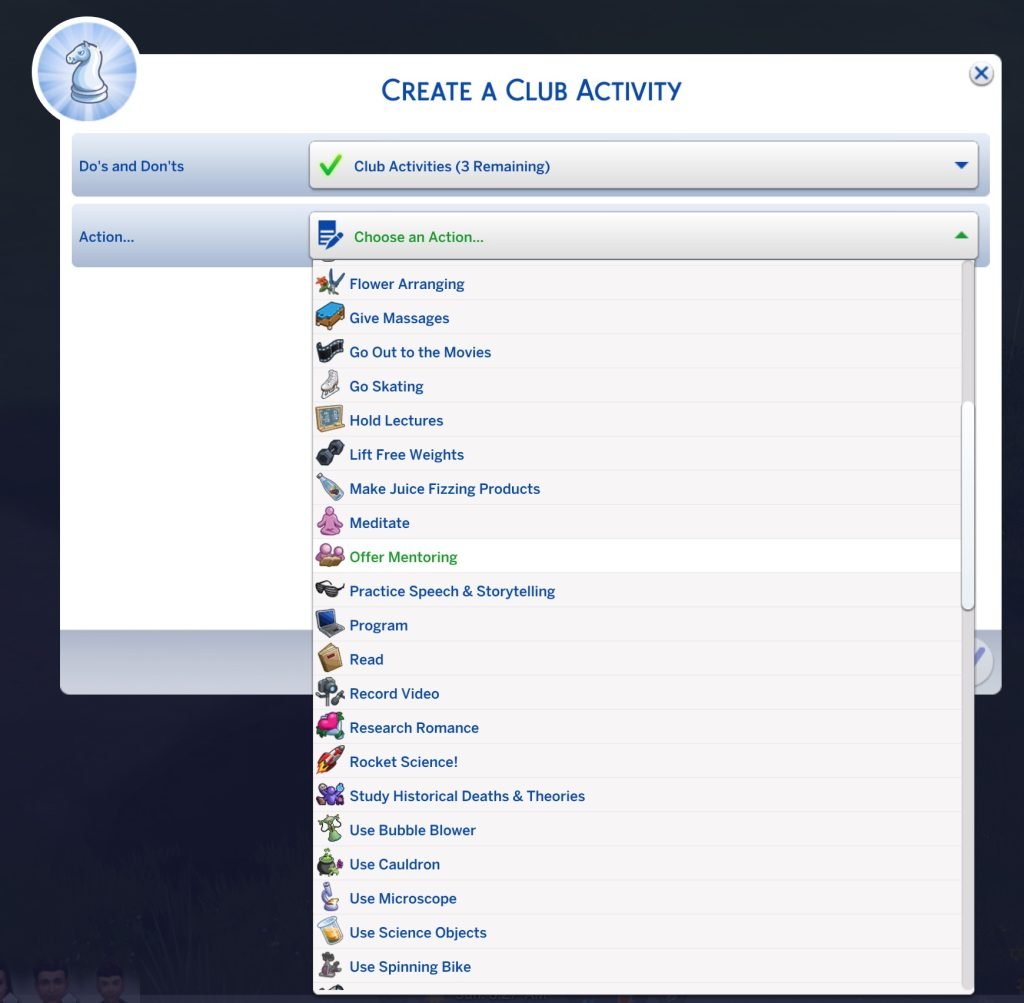
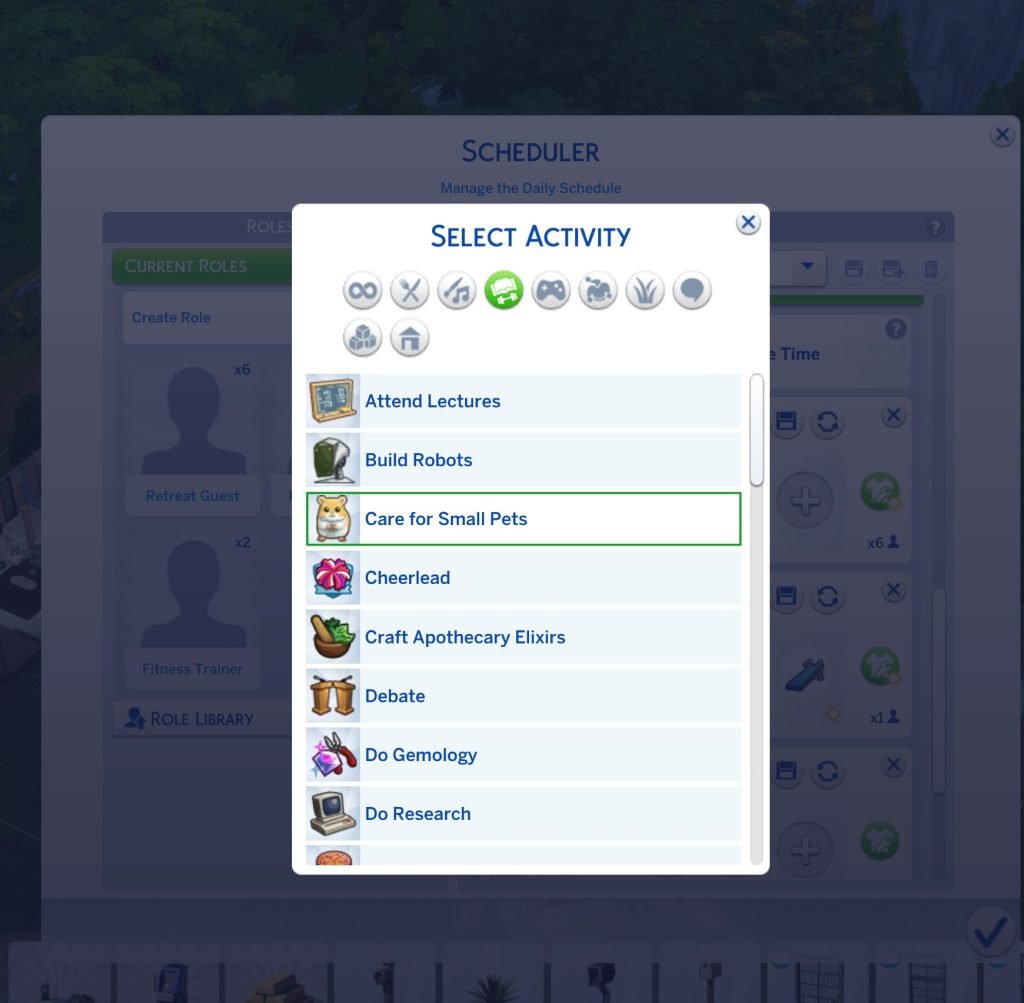
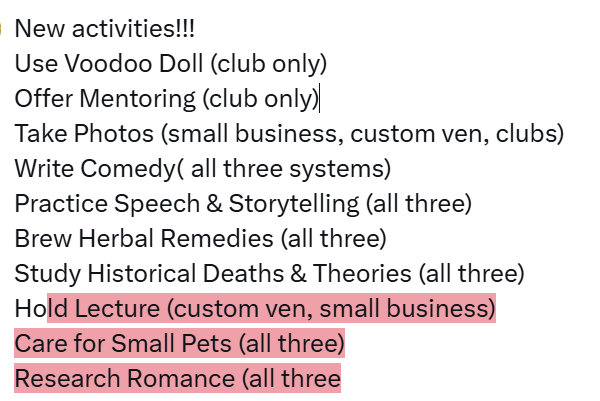
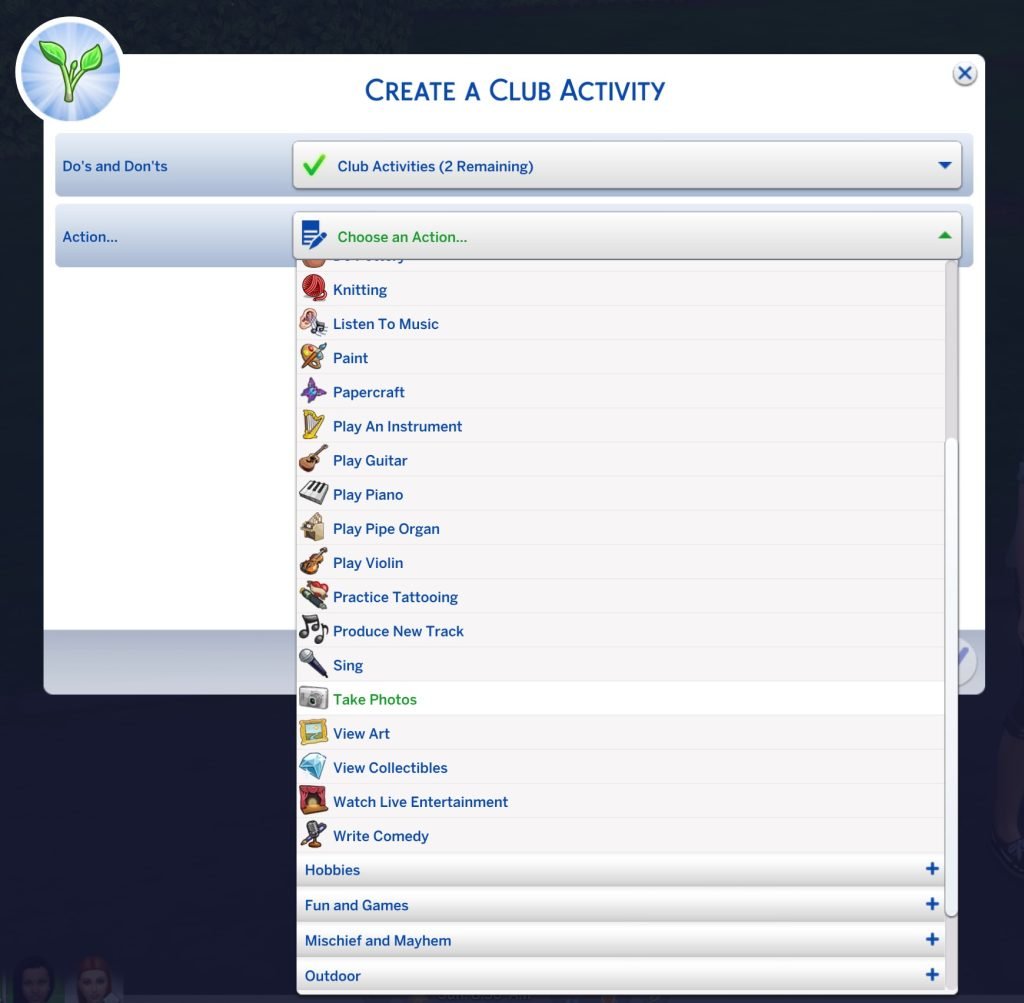
Creator @lunar_britney reports new The Sims 4 activities and interactions / autonomy for activities being added with the latest Game Patch. Specifying new activities such as Taking Photos, Care for Small Pets, Research Romance and even Hold Lecture, which has been unlocked for Custom Venues and Small Businesses.
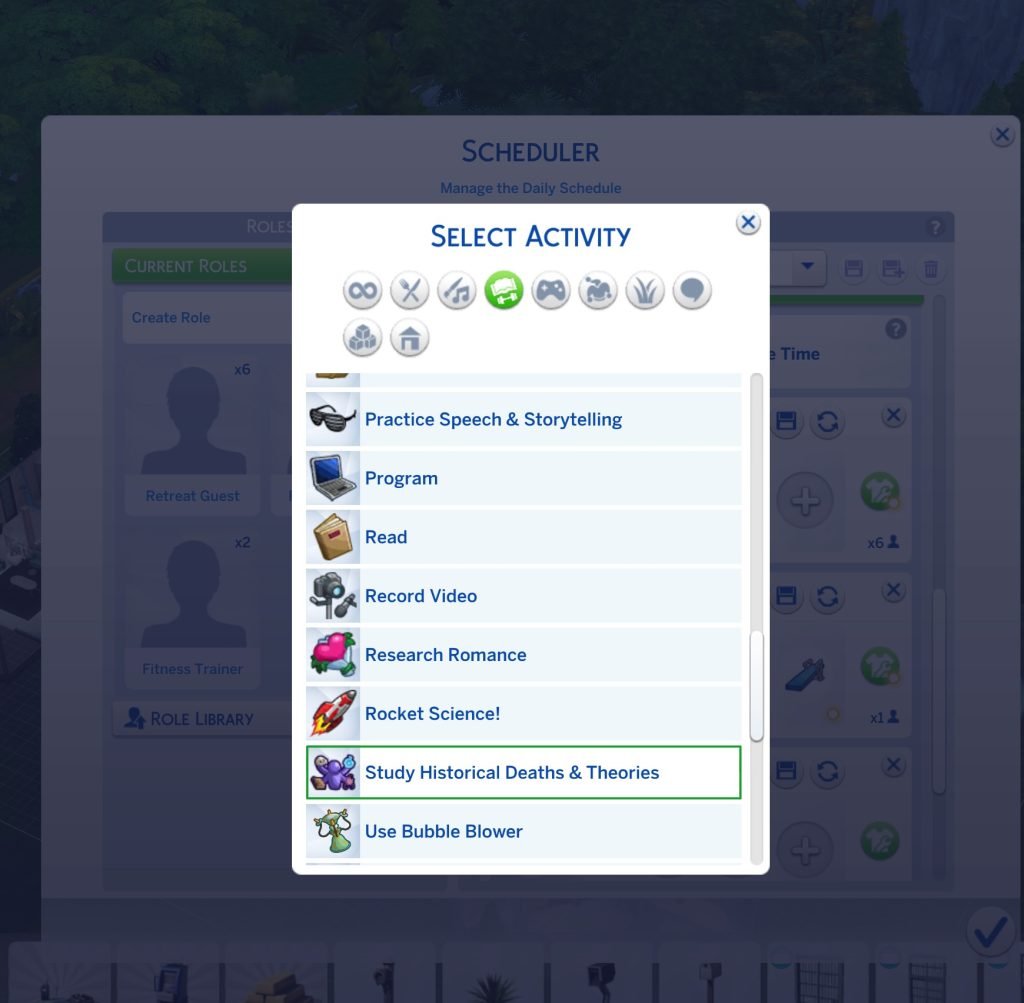
Unfortunately for players who have been looking forward to Sims holding lectures autonomously – the feature is not working as intended. Player sunshinestation1 reports that the Hold Lecture Custom Activity only works if there’s a getaway planned in the game. And not properly for a standalone Custom Venue visitation. You can’t pick what lectures they can do on the board either – they’ve stated. 38 players have already upvoted this issue!
The new 1.121.340 patch added Hold Lecture for getaways, but the issue is that they only work autonomously if there’s a getaway. Custom Venues alone don’t function on sims with that role. You can’t pick what lectures they can do on the board either (make the existing locker available on any lot as a fix).
All New Activity Additions and Improvements in The Sims 4
While we wait for Hold Lecture Activity to be addressed by The Sims Team and fixed, you can enjoy some other activity additions and improvements added with the latest Game Patch. Here’s a complete summary of everything new extracted by modder @lunar_britney!
The Sims 4 Activities: Additions and Improvements
Autonomy, interactions and behavior
New Activities
Use Voodoo Doll (club only)
Offer Mentoring (club only)
Take Photos (small business, custom venues, clubs)
Tarot (employee and normal): counts the self interactions
Be funny: funny gift is added
Video Production: added more options
Acting: the mirror practice for Acting Skill got added.
Ghost Evil and Good powers: Added more powers to count
What are your thoughts on the new Activities added silently with the latest Sims 4 Patch? Join the comments down below and stay tuned on Sims Community for the latest game coverage!
We have a full catalogue preview of all the CAS and Build items coming with The Sims 4 Royalty & Legacy!
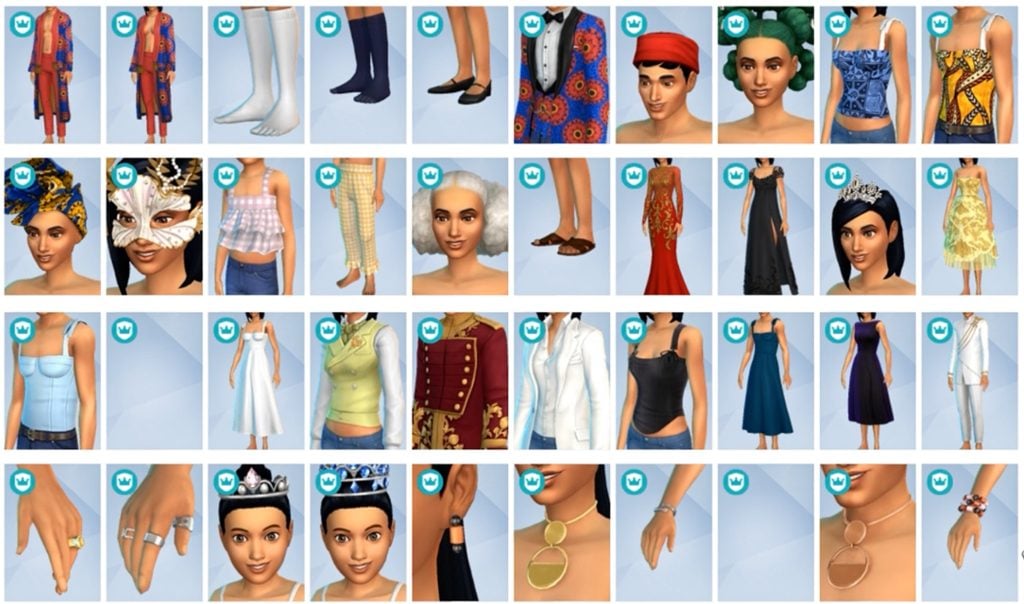
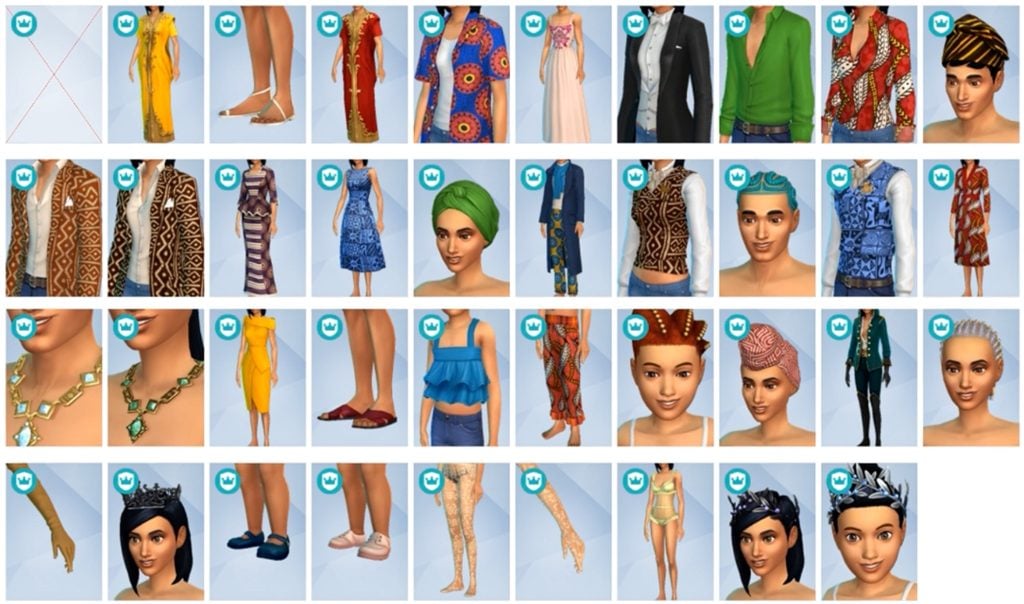
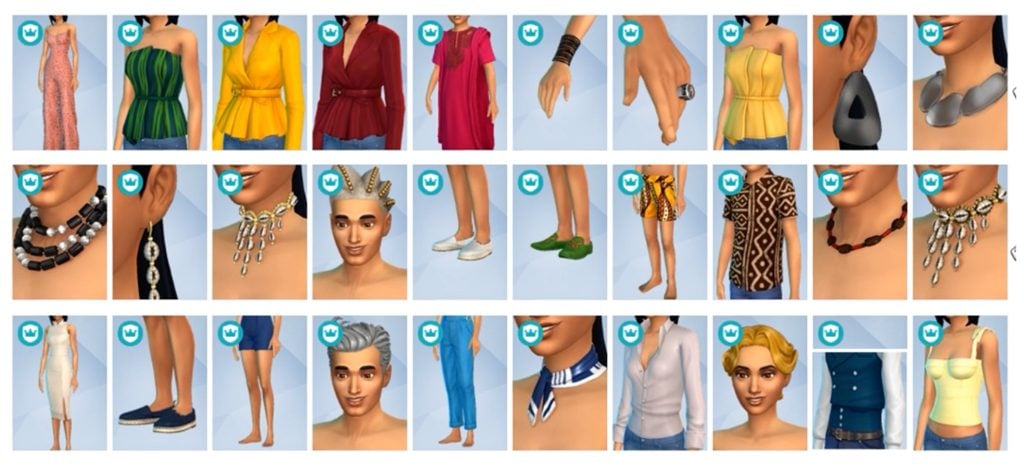
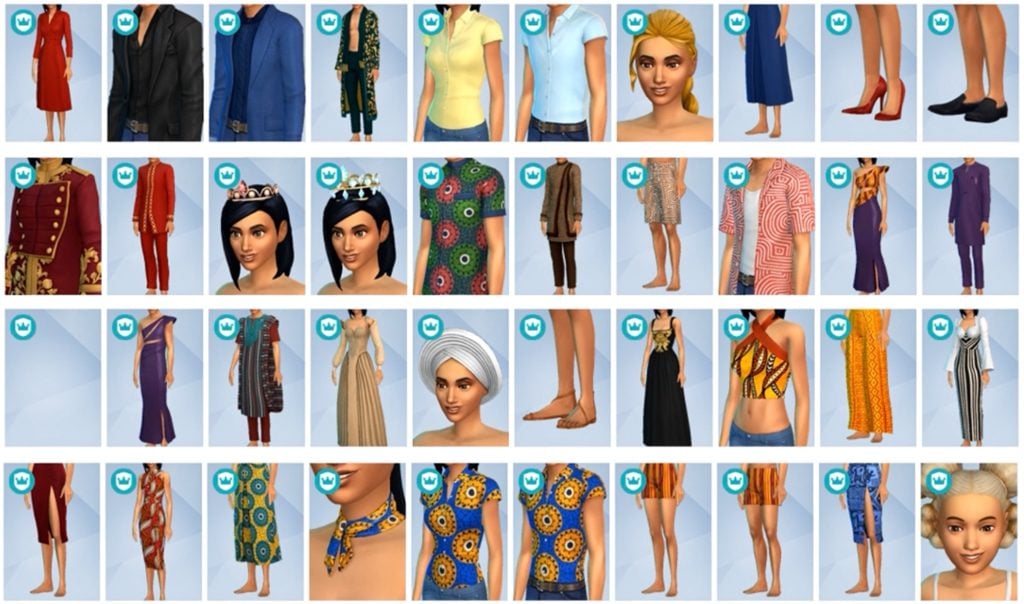
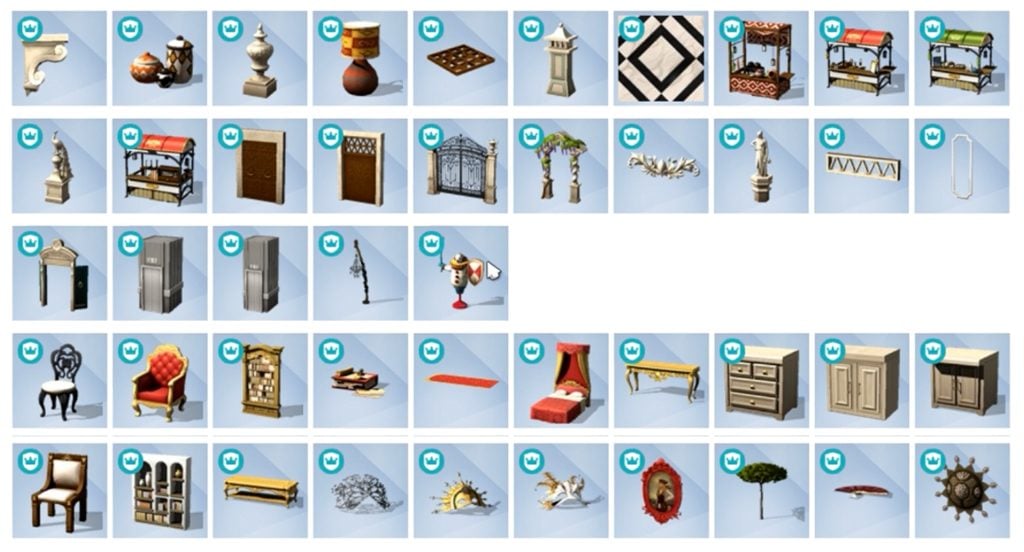
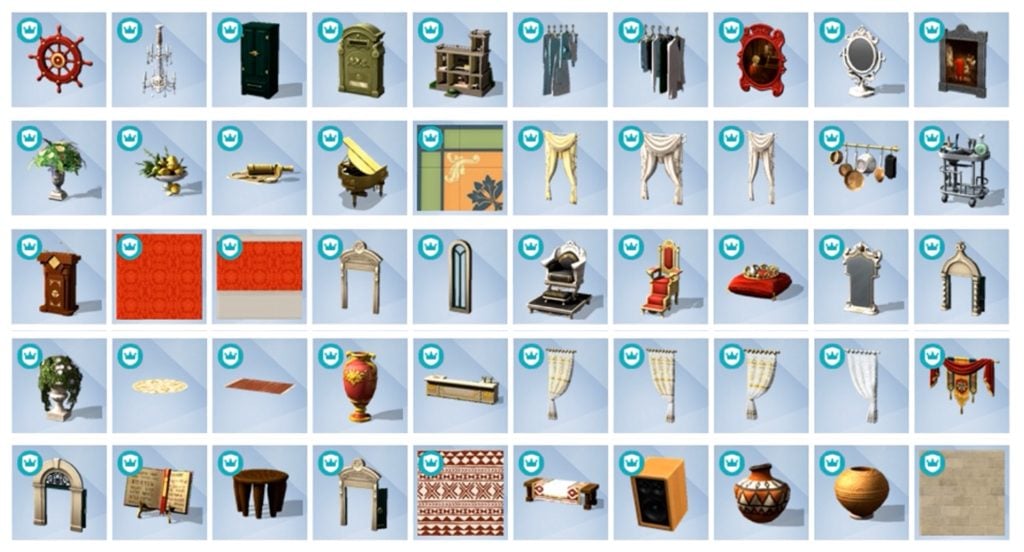
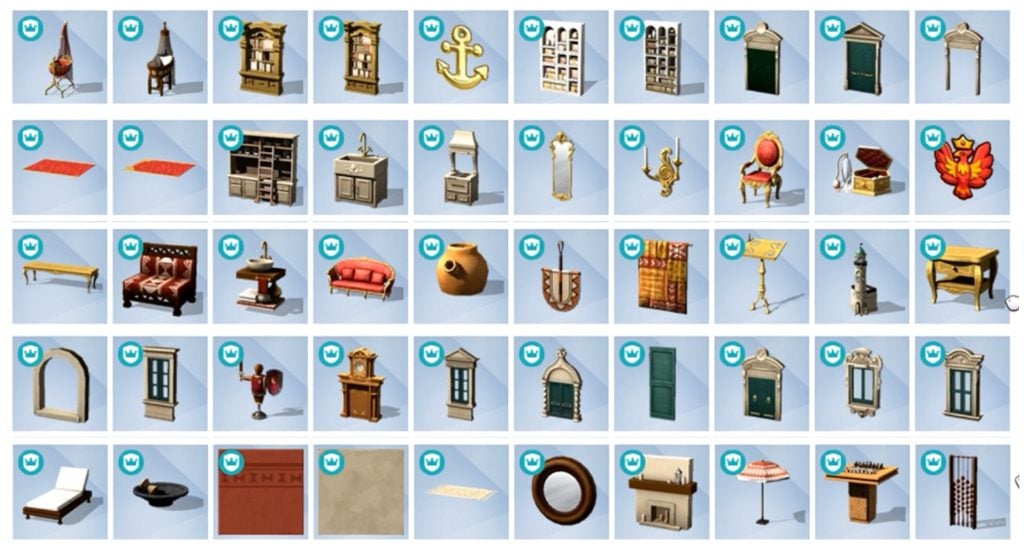
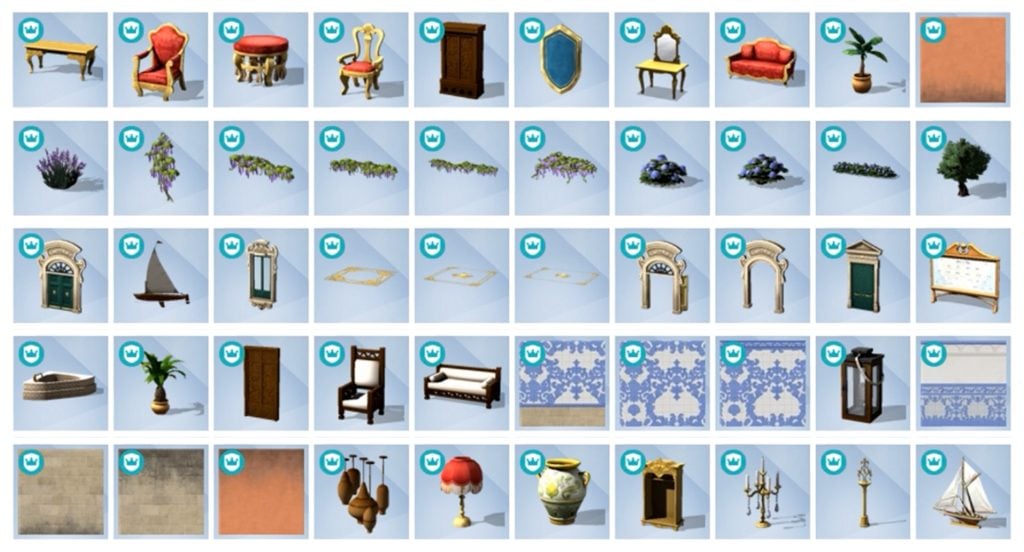
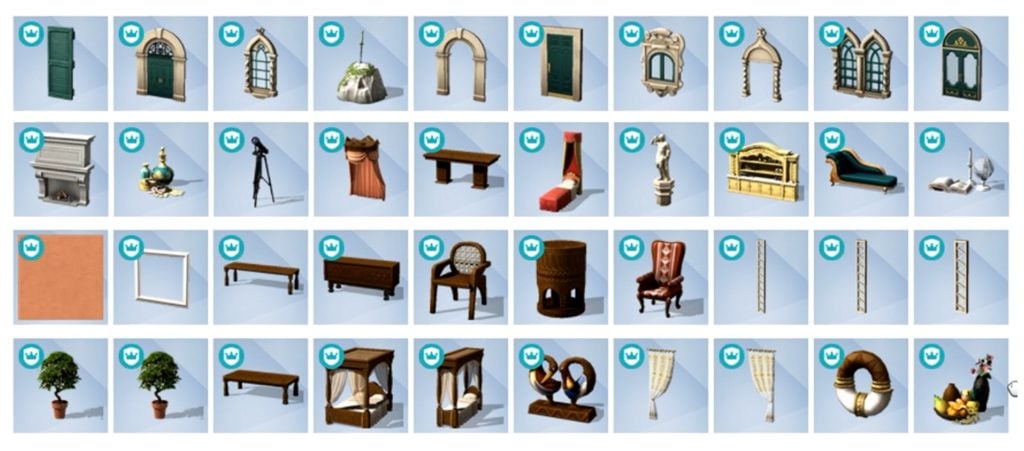
The latest Sims 4 Update drop has unlocked a full Sims 4 Royalty & Legacy items preview, including a thumbnail-previewed look at Create A Sim and Build Mode catalogues. Find all the items that you should expect with the upcoming Expansion Pack release on February 12th, 2026!
Please note that this preview article doesn’t contain previews of two extra Kits coming with the Pack Bundle – Tea Time Solarium and Silver Screen. We’ll share when we know more in The Sims 4 Kits news section!
Table of Contents
The Sims 4 Royalty & Legacy Items Introduction
The latest reveal of The Sims 4 Royalty & Legacy items has been brought to attention by Sims creator @lunar_britney. They’ve provided us with the original video to screencapture all the items shown in their preview video on X!
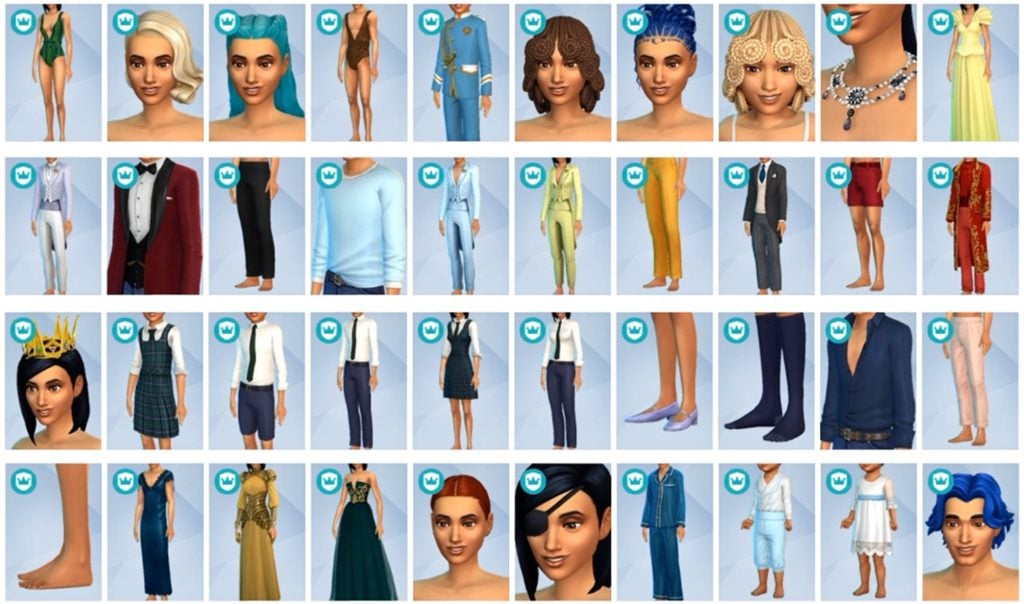
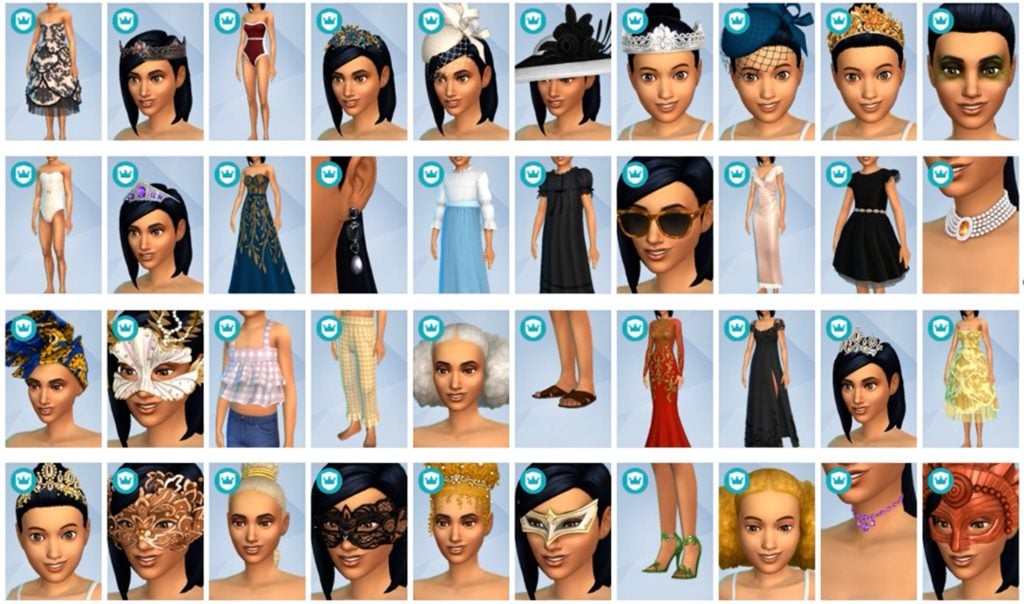
We compiled all the Create A Sim and Build items together for your viewing pleasure. Considering that the item previews have been released in-between three patch releases, some items in the thumbnail previews are missing. I’ve only counted 4-5 though!
Take a look at the item previews:
The Sims 4 Royalty & Legacy CAS Items
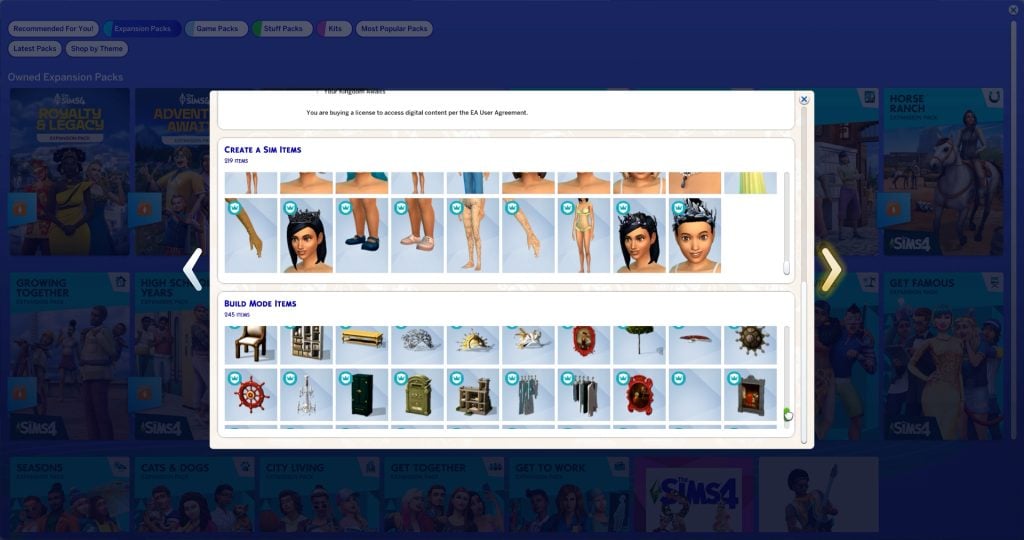
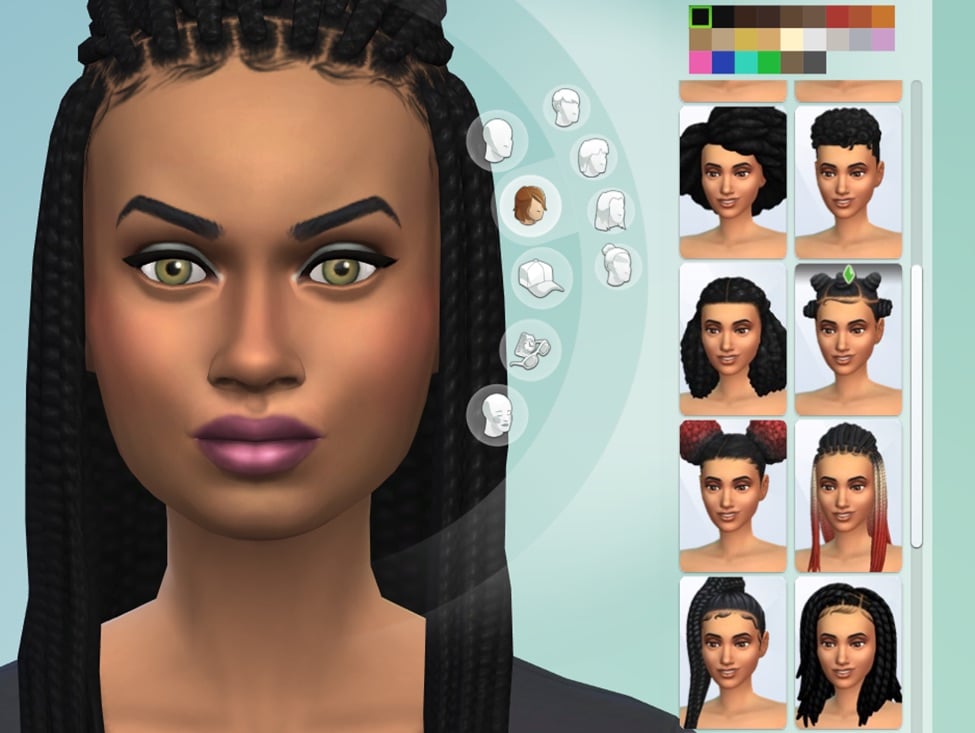
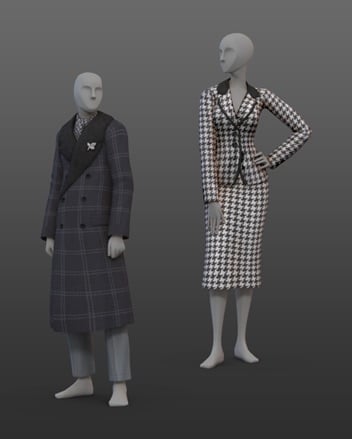
The game counts 219 new Create A Sim items coming with The Sims 4 Royalty & Legacy. There are new hairstyles for Sims aged Toddlers and up, head accessories, jewelry and gorgeous royal outfits.
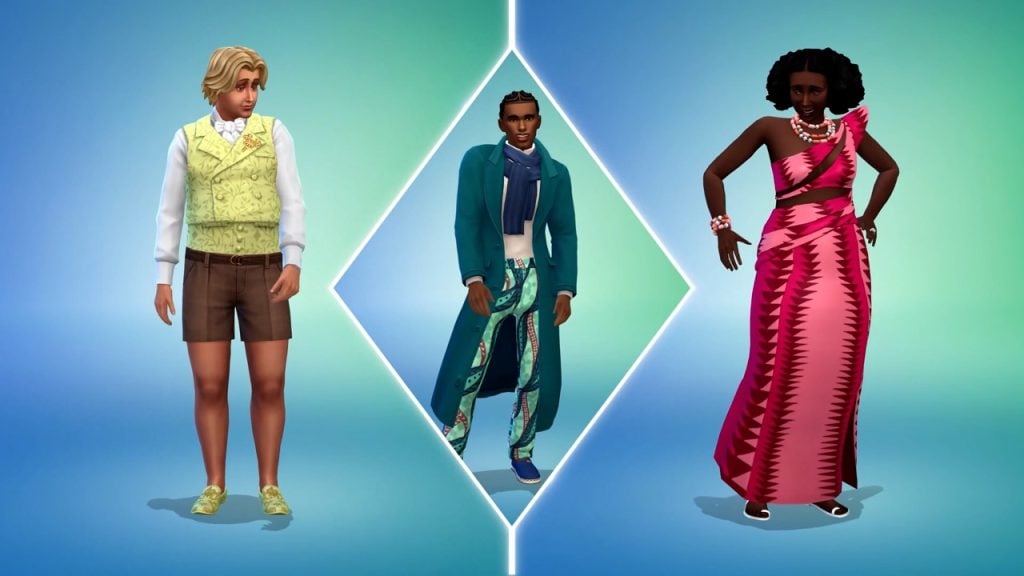
You can also enjoy in the new Africana fashion that’s bound to turn heads in Dambele. Although we can’t look at the clothing swatches just yet, you should expect the following patterns, meshes and styles in your game when the Pack launches:
The Sims 4 Royalty & Legacy Build Items
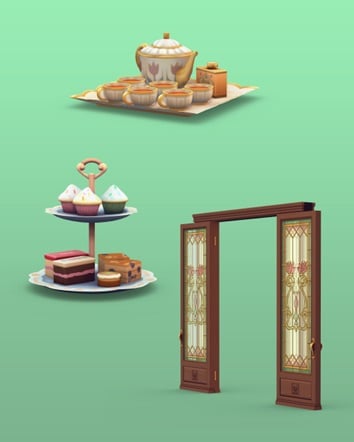
A good amount of 245 Sims 4 Royalty & Legacy items have been added in Build mode. There’s a new Kitchen set for everyone who’s been looking forward to new counters and islands. A bunch of seating arrangements, royal living room and dining furniture all across the catalogue.
You can enjoy a noble nap in new beds or enjoy your luxury villa with new Windows, Walls, world items and more to match your prestige.
There’s more objects waiting to be uncovered after the game comes out. Yes, we’re talking about the buydebug and showliveeditobjects catalogues, that usually contain a bunch more debug objects that you can use for decor and environments.
Take a full look at the objects catalogue of items you can use right away:
Community Poll
We want to know what you think of The Sims 4 Royalty & Legacy items catalogue! Let us know what you think of the offer of objects and items in our fun, unofficial community poll down below:
[totalpoll id=”189944″]
Anything you want to share or say about 464 items coming with The Sims 4 Royalty & Legacy this month? Let us know in the comments down below and stay tuned on Sims Community for the latest game info and updates!
A Full Walkthrough to Earning Rewards in The Sims 4 Lost Legacies Event Week 1!
With the release of The Sims 4 Royalty & Legacy looming (and a mess of a patch day), a new in-game event has begun, with a slew of new rewards to be won after the completion of each week’s quests. There are dozens of rewards, including CAS items, Build/Buy objects, an aspiration, and a lot trait! Let’s take a look at how to complete The Sims 4 Lost Legacies Event week 1!
Table of Contents
Starting the Event
When you next log in to the game, you will be greeted by yet another pop-up alerting you to the Event. By clicking ‘Play Now’, you will be taken to the event menu, where you can view all quests and rewards.
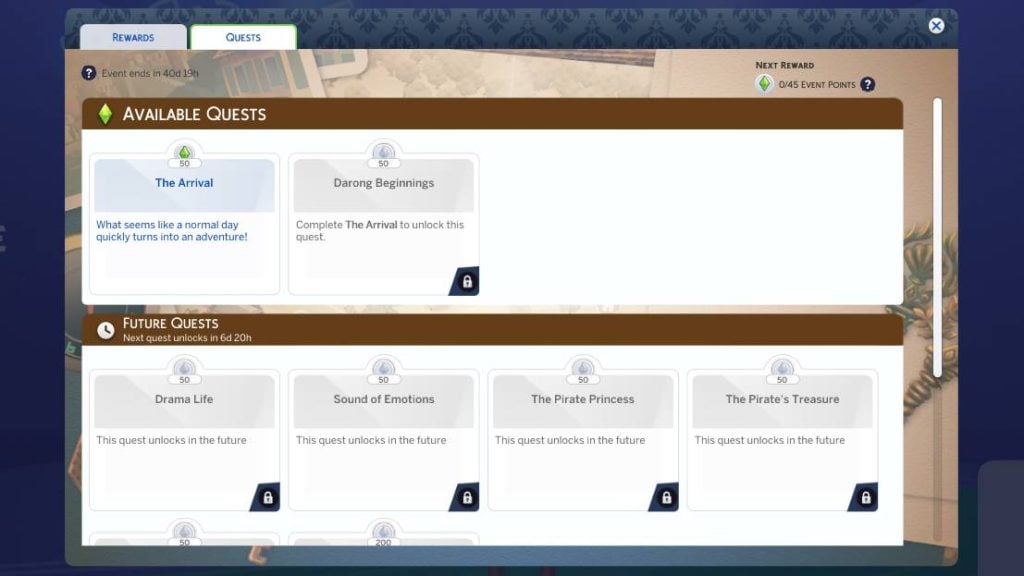
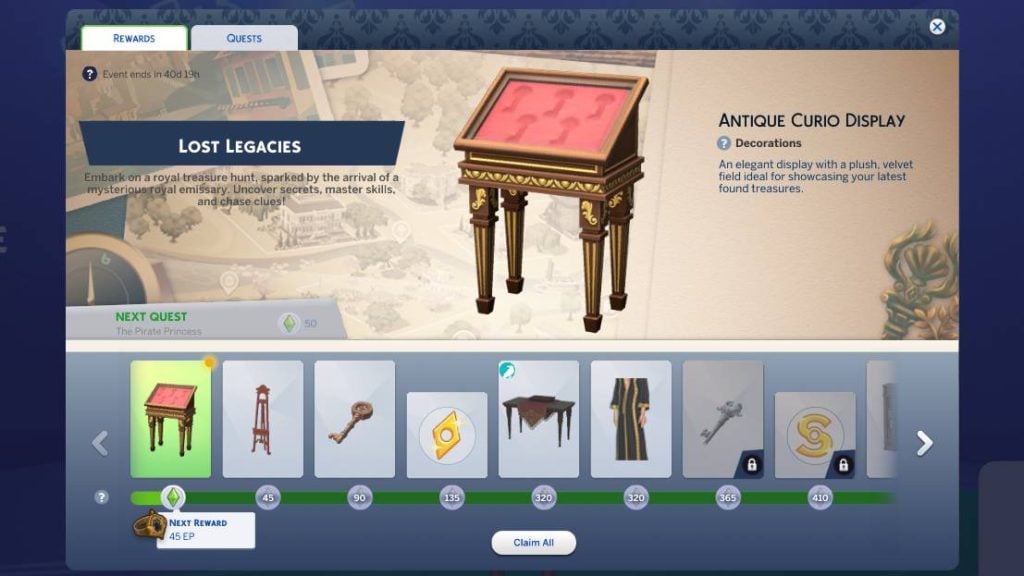
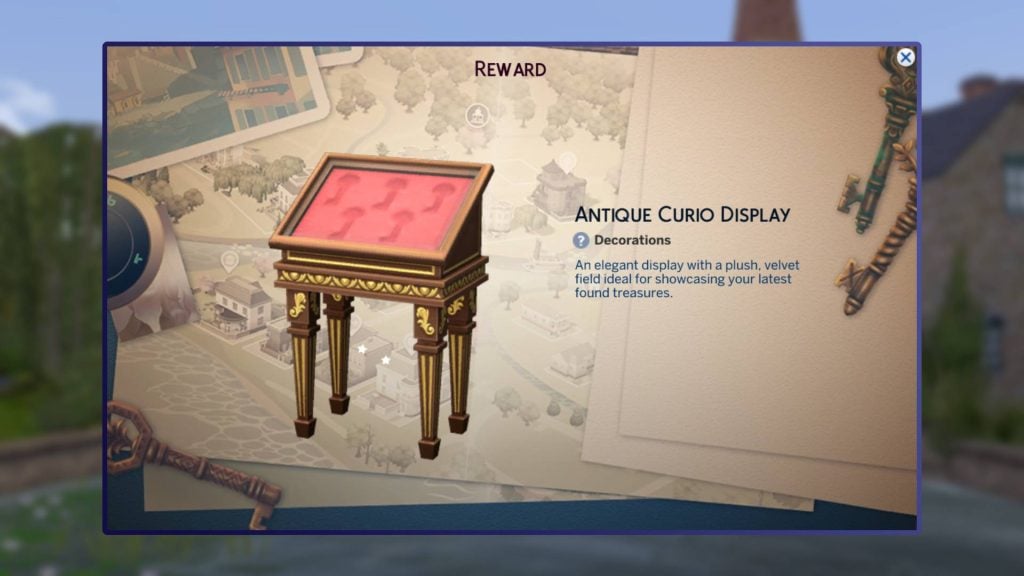
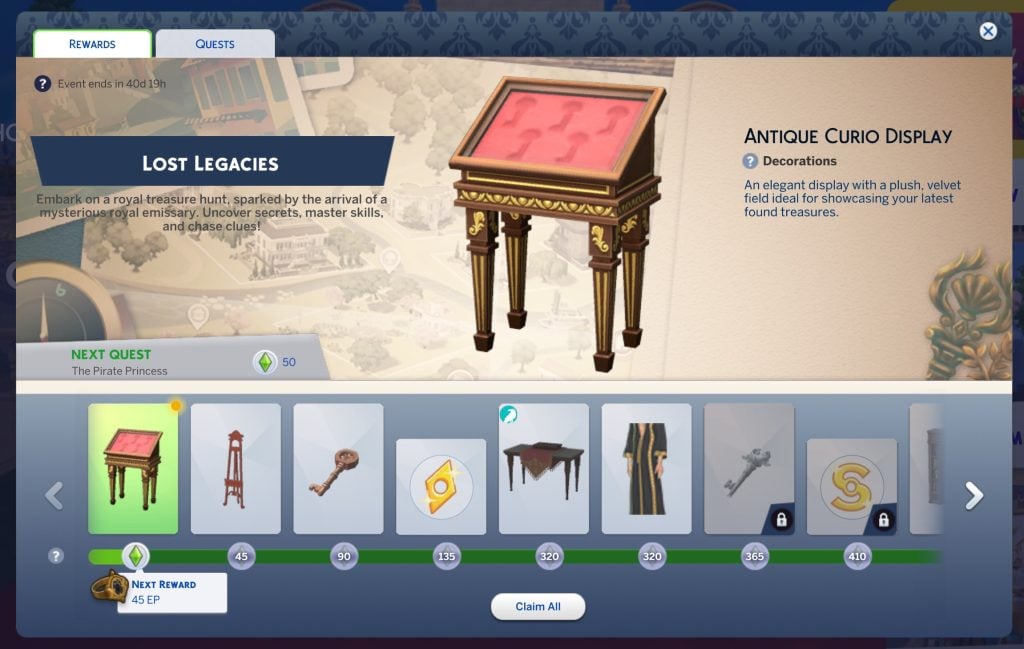
Once open, you will see a layout similar to past events, with the rewards being displayed along the bottom. By clicking the quests tab, you can view current and upcoming quests available with The Sims 4 Lost Legacies Event Week 1. You can even claim a starter reward, ‘Antique Curio Display’, without doing anything!
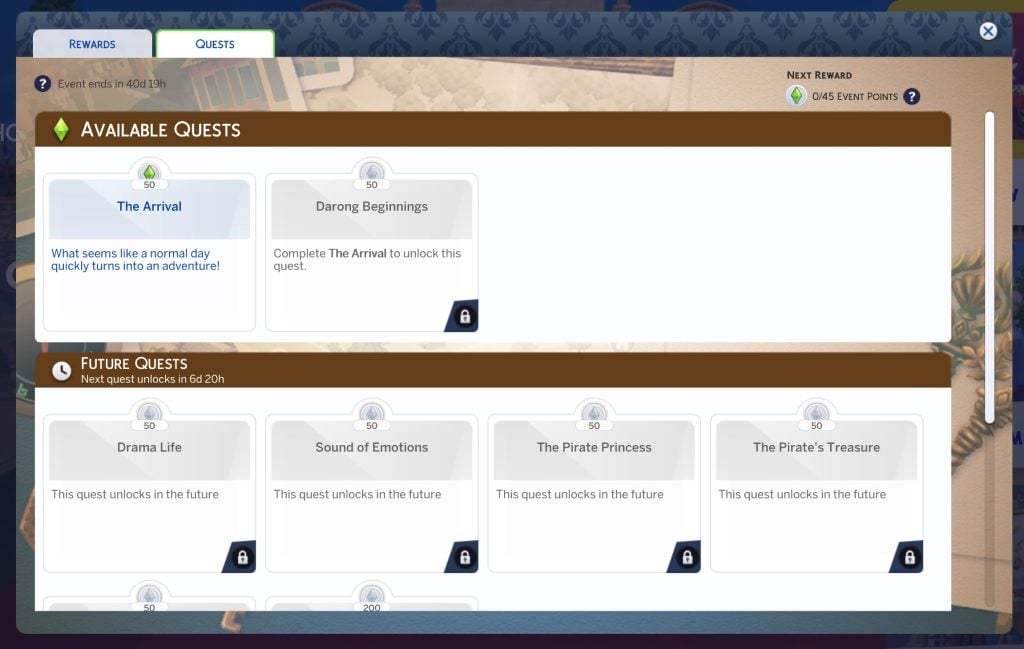
‘The Arrival’ Quest Steps
What seems like a normal day quickly turns into an adventure!
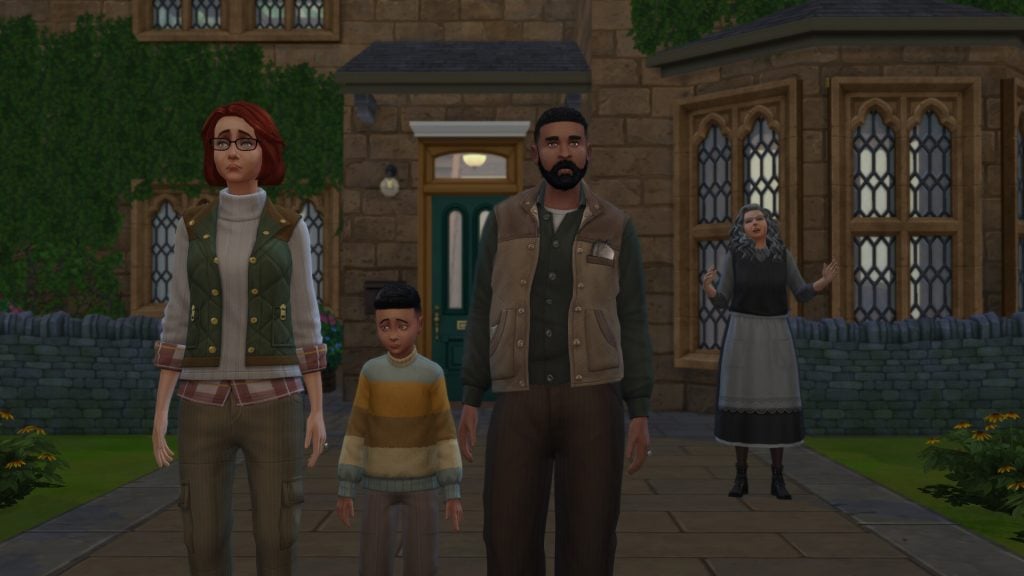
If you have read our previous walkthroughs for The Sims 4 Nature’s Calling or Forever Friends Live Event, you will be happy to see the return of Bob and Eliza Pancakes and their son Iggy. This time, they’ve moved to the country to stay with Eliza’s reclusive Great Aunt.
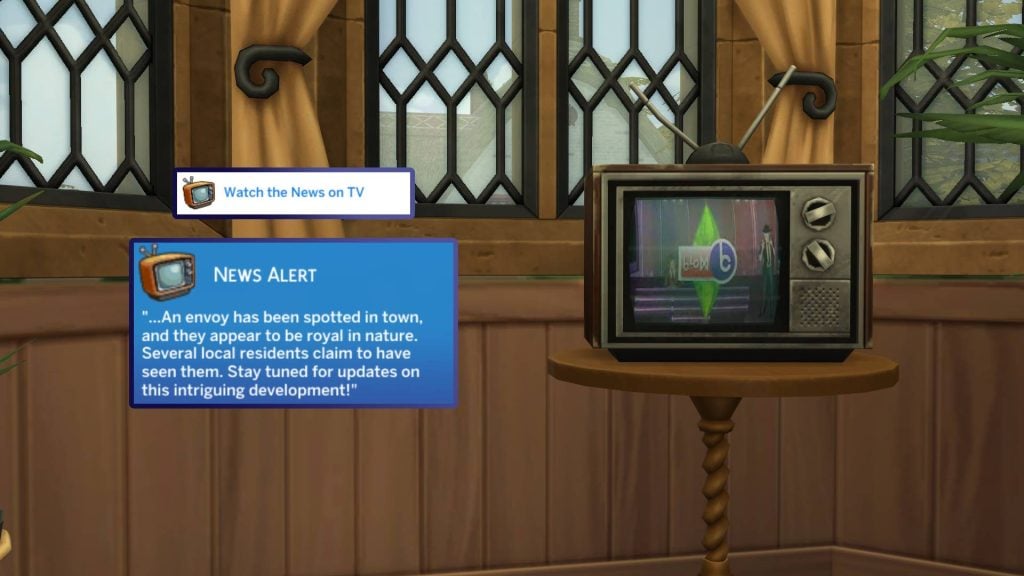
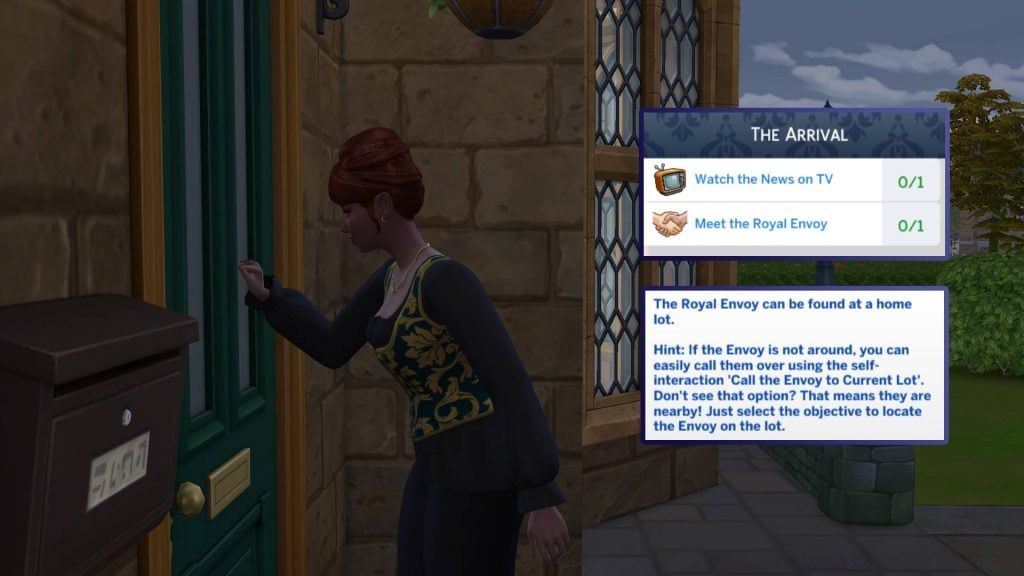
Upon opening the game, a pop-up will greet you with our first quest of the event, ‘The Arrival’. Our first tasks are to ‘Watch the News on TV’ and ‘Meet the Royal Envoy’. Let’s start by watching the TV. Select any TV and watch the ‘News’ channel. This will be marked with the event icon next to it. The news tells us that the Royal Envoy has been spotted in town!
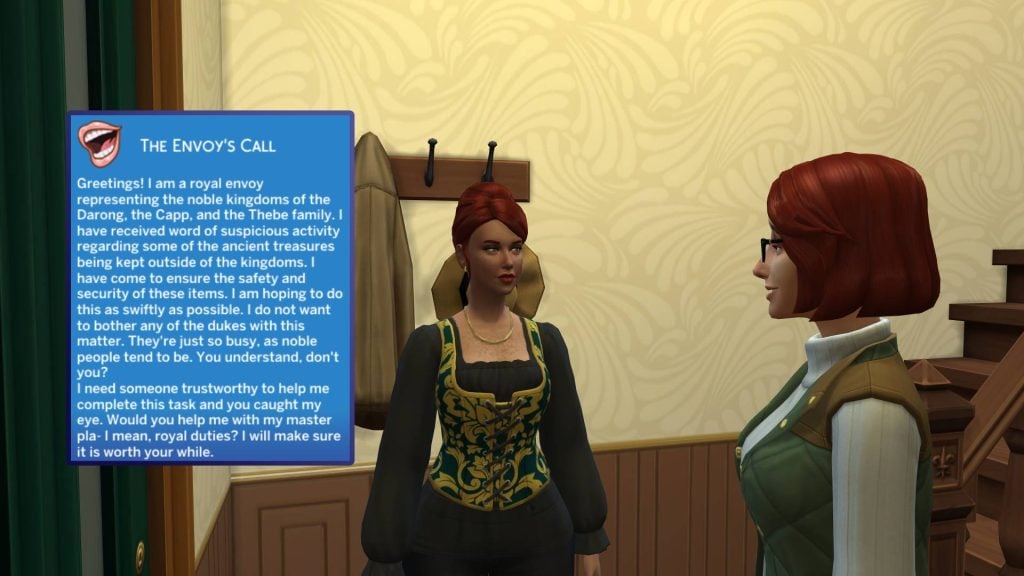
The Royal Envoy may take some time to appear on the lot, but you can click on the task, and a large arrow will take you to their location. The envoy will then explain to us that she is a representative of the three Onadarion Kingdoms and needs your help!
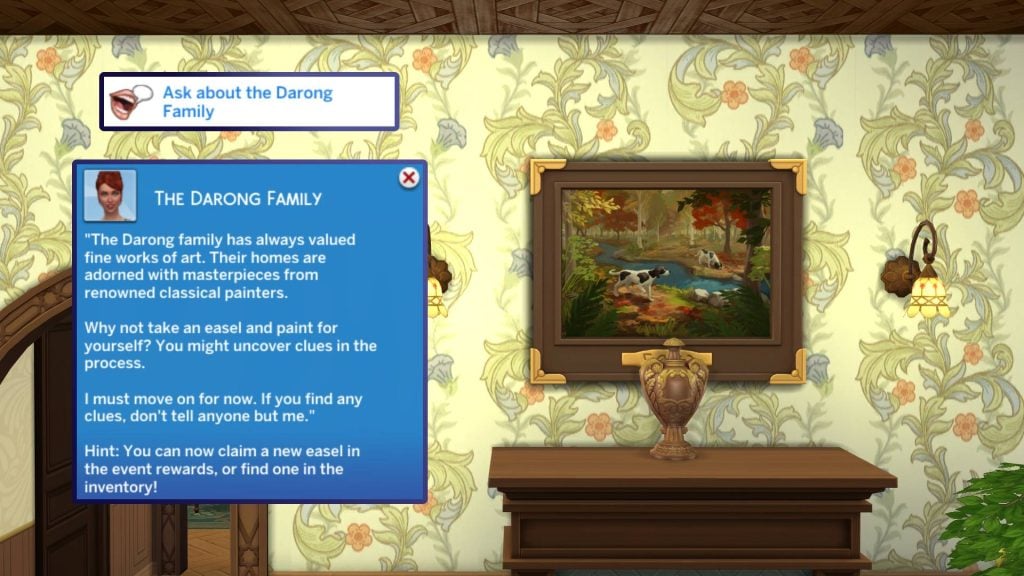
You will then need to ask the Envoy about the Darong family, who you may have noticed in several of the trailers for The Sims 4 Royalty & Legacy Expansion Pack! She will explain that the Darong family are great artists, and that undertaking painting yourself may uncover some clues!
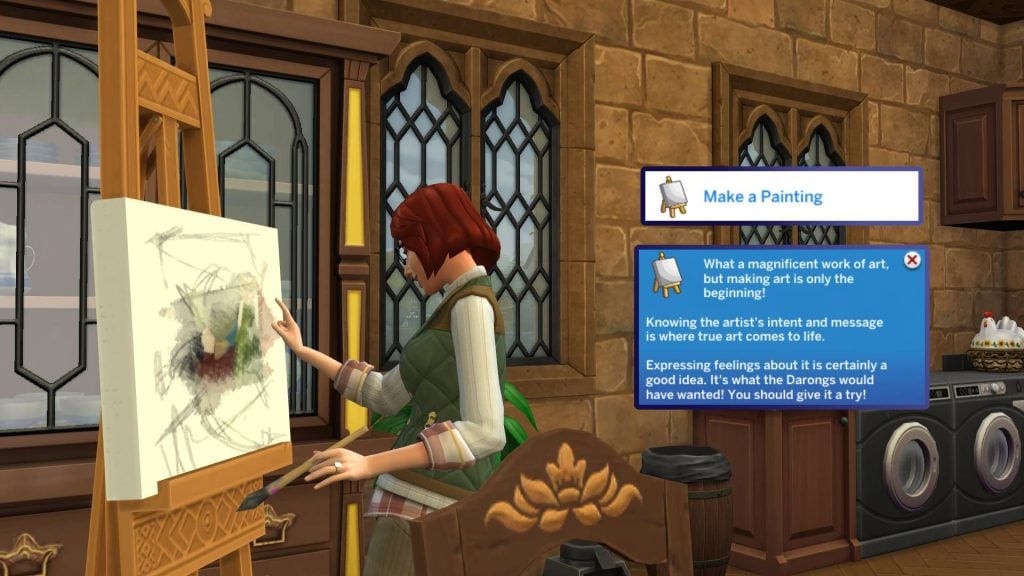
An easel can now be claimed on the rewards page. To find this, head to the event icon in the top left-hand corner of the screen and click ‘claim all’. You can now place the ‘Heriloom Easel of the Darong Family’ in your home and get to work!
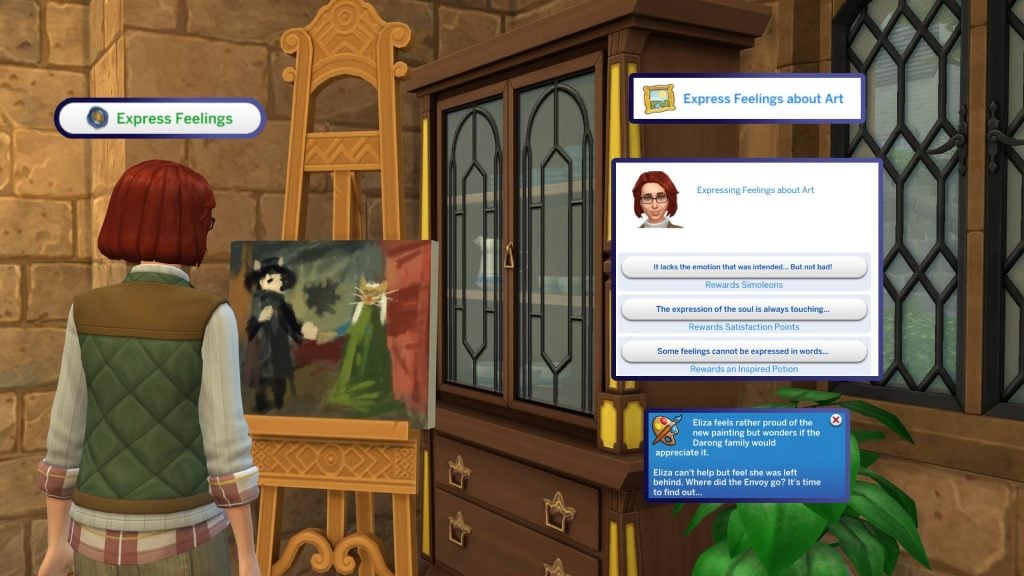
“Making the art is only the beginning”, we are told. Expressing our emotions is what we need to do next. When expressing our feelings, we are given a choice of three options with three rewards: Simoleons, Satisfaction Points, or an Inspired Potion. Now, where has the envoy gone?
That’s it for the first quest of The Sims 4 Lost Legacies Event Week 1. As soon as you end the quest, you will be rewarded with some Event Points, and the second quest will begin!
‘Darong Beginnings’ Quest Steps
The second quest of The Sims 4 Lost Legacies Event Week 1 will begin as soon as you finish ‘The Arrival’. The first task is to head to Willow Creek Archive, the library found in Willow Creek! Upon arrival, you will be asked to surprise the Envoy with a question.
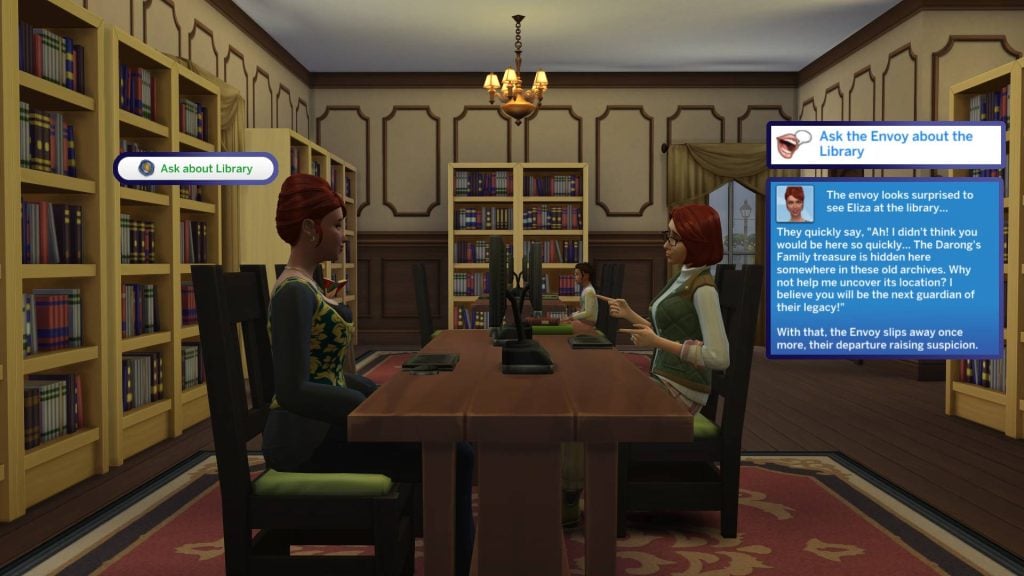
And surprise them with a question is exactly what we will do. Select the Envoy (You can locate them by clicking directly on the task) and select ‘Ask about Library’. They seem surprised to see you and tell you that the Darong treasure is hidden here at the library in Willow Creek!
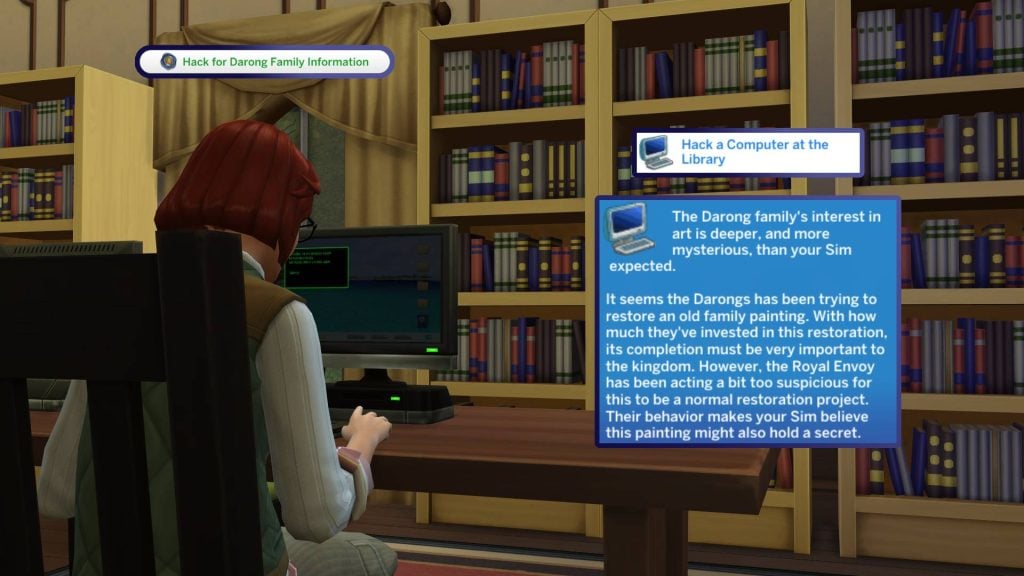
Our first task in our quest into finding out more is to ‘Hack a Computer at the Library’. Head to any computer and the option will appear on the first menu within the pie menu. After successfully hacking the PC, we are told that the family are seeking to restore an old family painting. The Envoy seems to be acting a little suspiciously if this is just about an art restoration project.
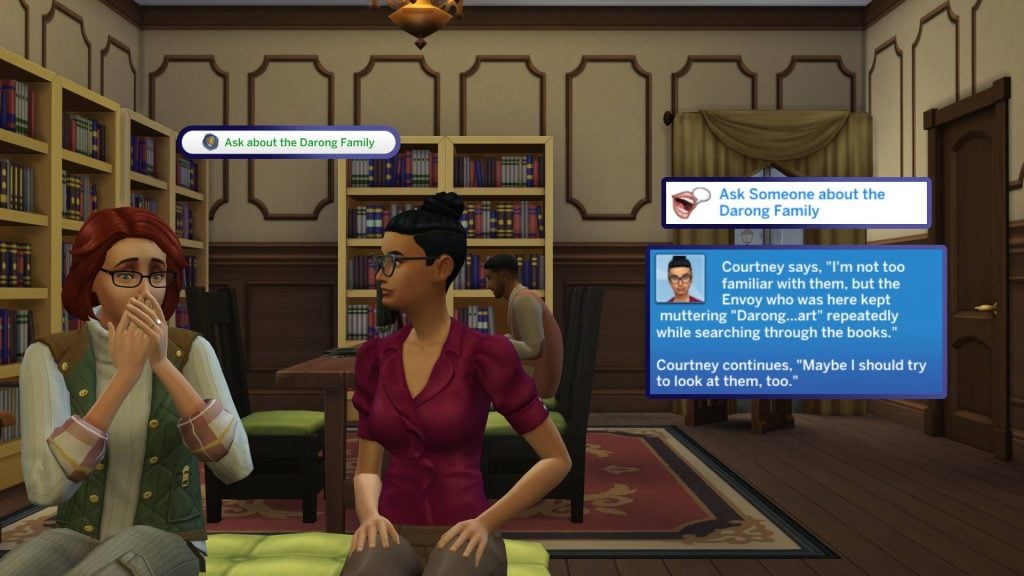
We should now ask other Sims at the library for any information we can gather on the family. After asking any Sim, we are told that they aren’t too well-known around these parts. The Envoy was overheard researching Darong Art in the library.
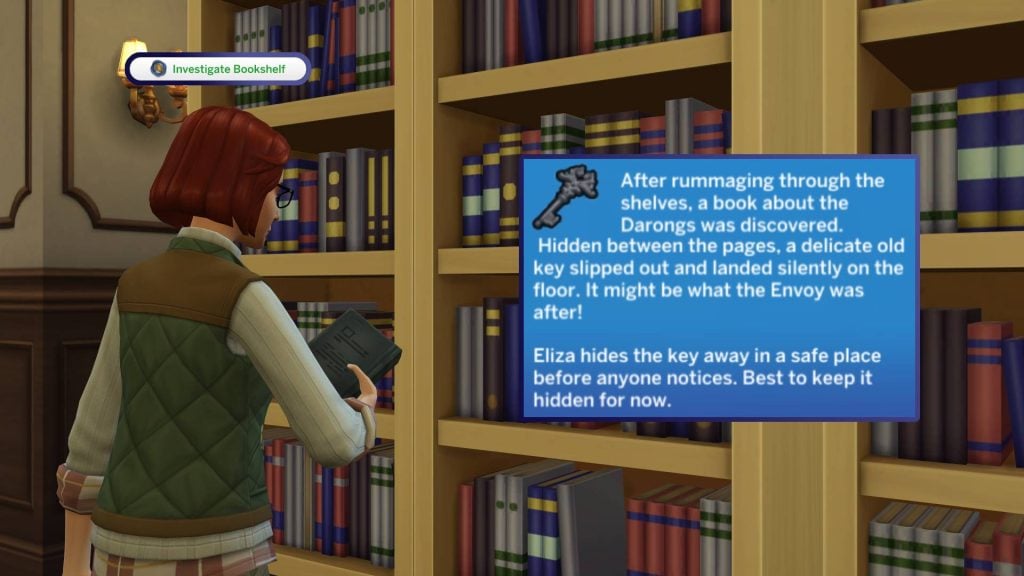
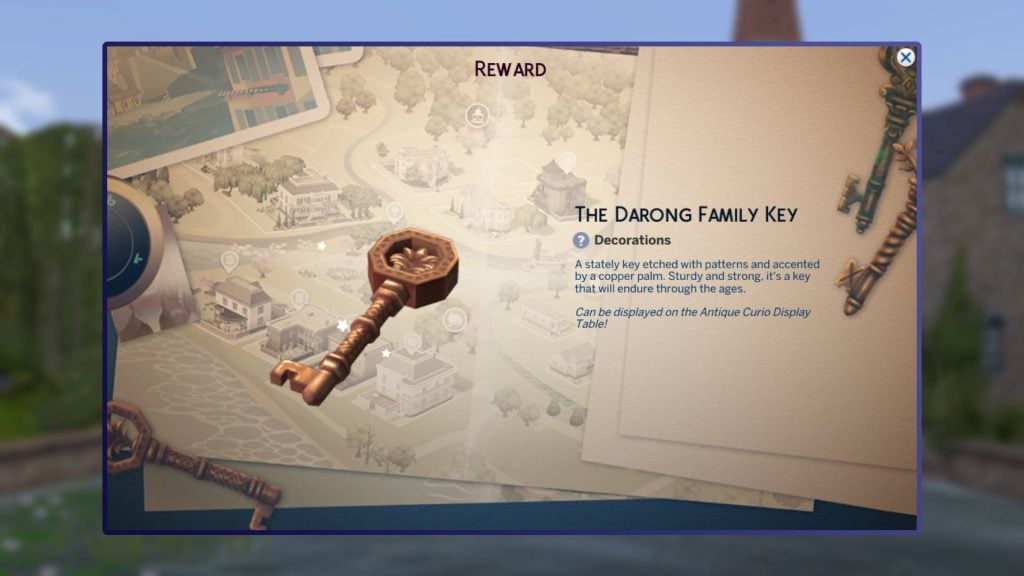
We should now head to any bookcase (Shouldn’t be a hard ask, considering we’re in a library) and investigate. After doing so, we discovered a mysterious key in one of the books, which will be placed in our inventory for safekeeping!
Now it’s time to head home and continue our investigation in next week’s quests!
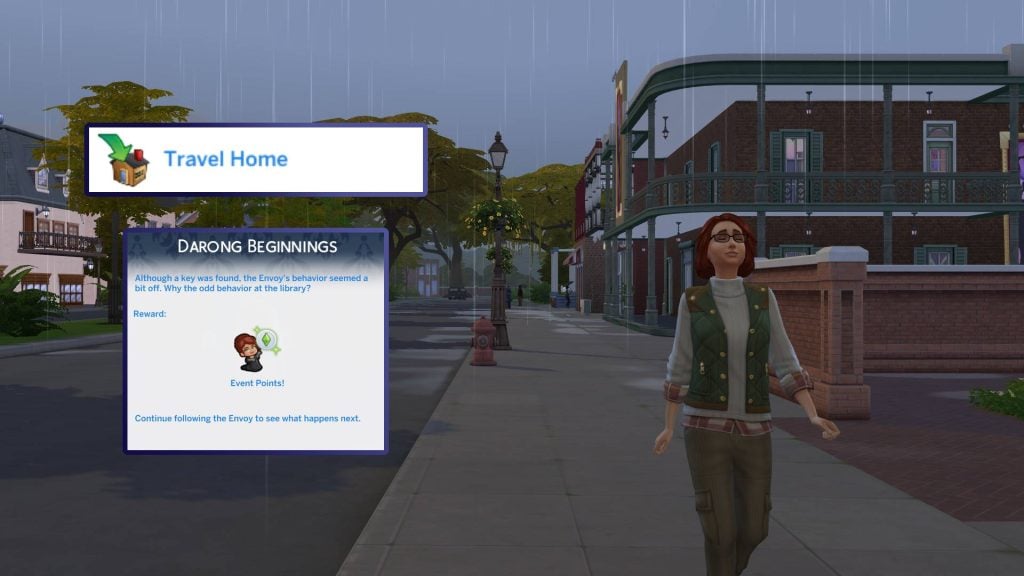
Although a key was found, the Envoy’s behaviour seemed a bit off. Why the odd behavior at the library?
The Sims 4 Lost Legacies Event Week 1 Rewards
For week 1 of The Sims 4 Lost Legacies Event, there are a total of 6 rewards up for grabs with your newly earned points. Let’s take a look!
100 Satisfaction Points
As with every Live Event, we have a small reward of 100 Satisfaction Points, ready to be used on potions and reward traits in the rewards store found in the Simology panel.
Antique Curio Display
The Antique Curio Display can be used to display the key we found in today’s quests, and presumably, future keys we will come to find! This can be found under Misc Decorations in Build/Buy mode.
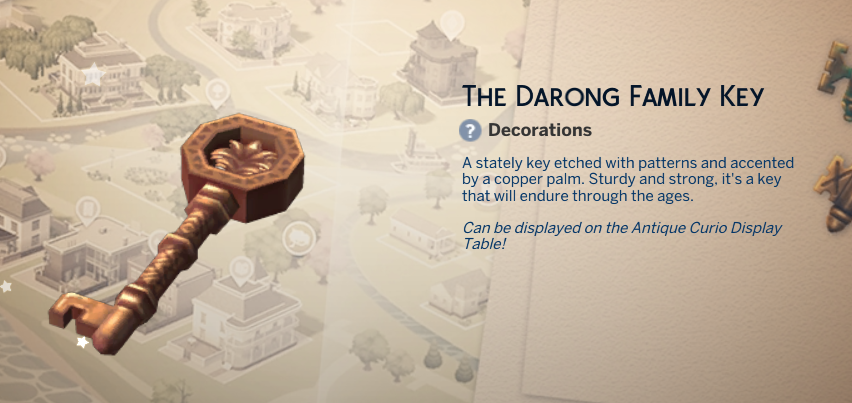
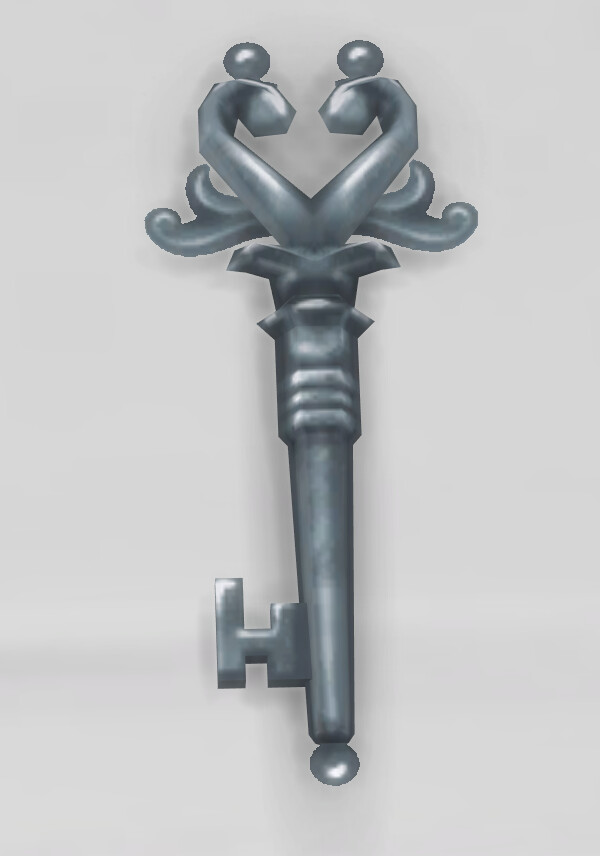
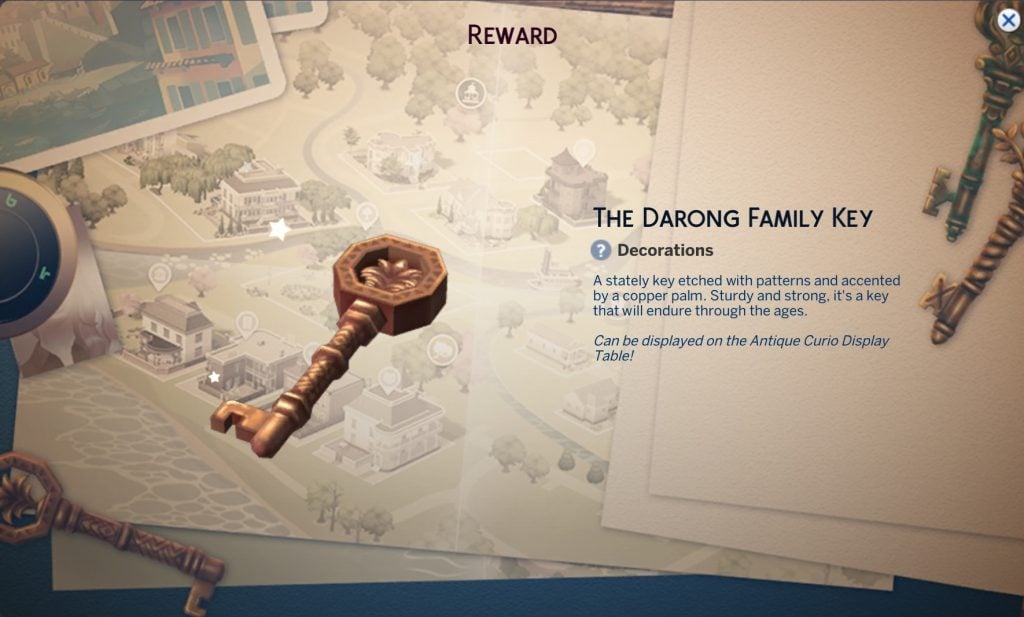
The Darong Family Key
The Darong Family key is the first of what appears to be five keys that we will discover over the next few weeks. Drag this from your inventory to the Antique Curio Display, and it will slot in!
Heirloom Easel of the Darong Family
This easel, used earlier, is unlocked through gameplay rather than at the end of a week.
Draped Memorial Display Table (Life & Death)
The last live event has set a precedent, as one of this week’s rewards requires The Sims 4 Life & Death Expansion Pack. This functions the same as other memorial alters, which can be used to commemorate deceased Sims.
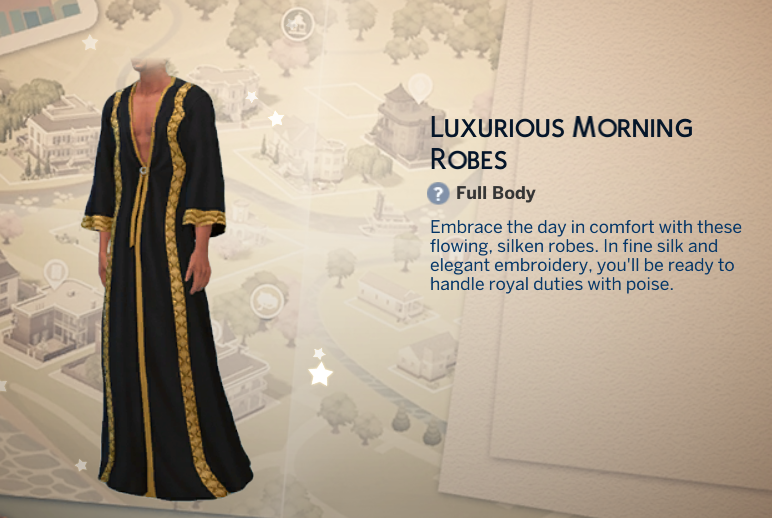
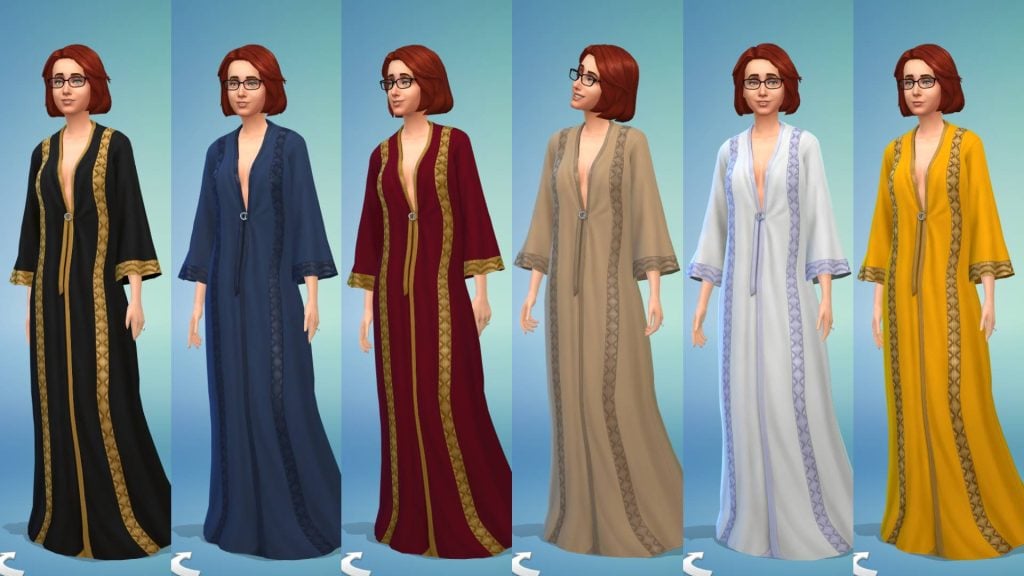
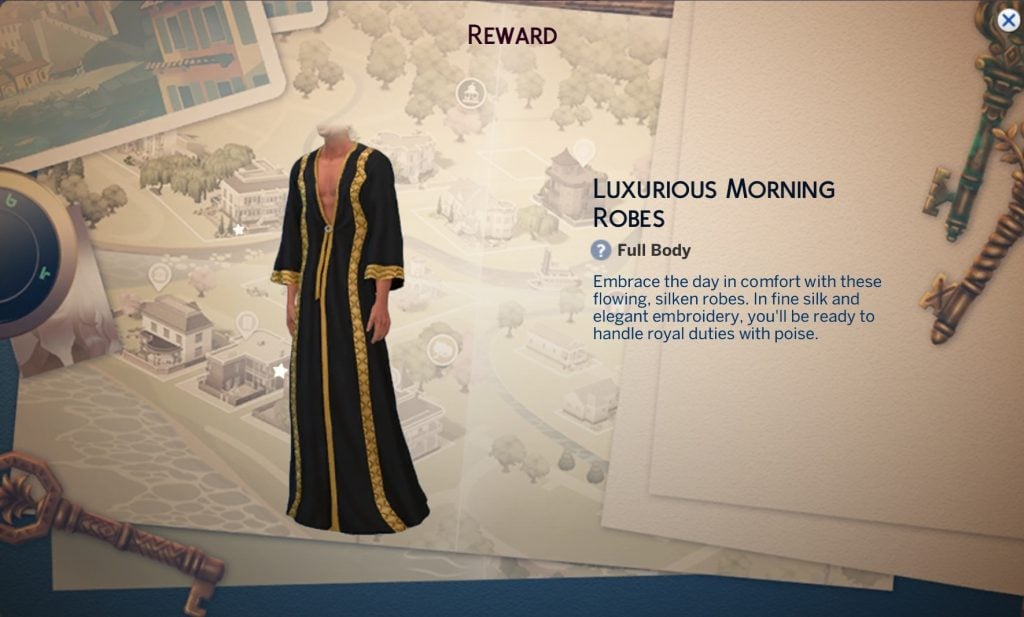
Luxurious Morning Robes
Our first Create-a-Sim item of The Sims 4 Lost Legacies Event is here! The Luxurious Moring Robes are unisex and can be found under the Robes category of CAS and feature 6 swatches.
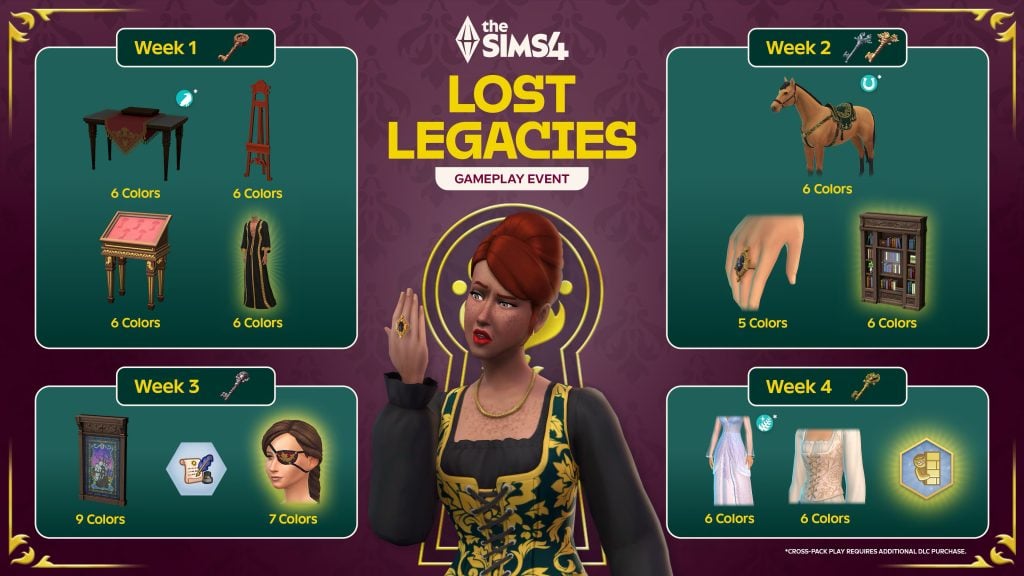
Future Event Rewards
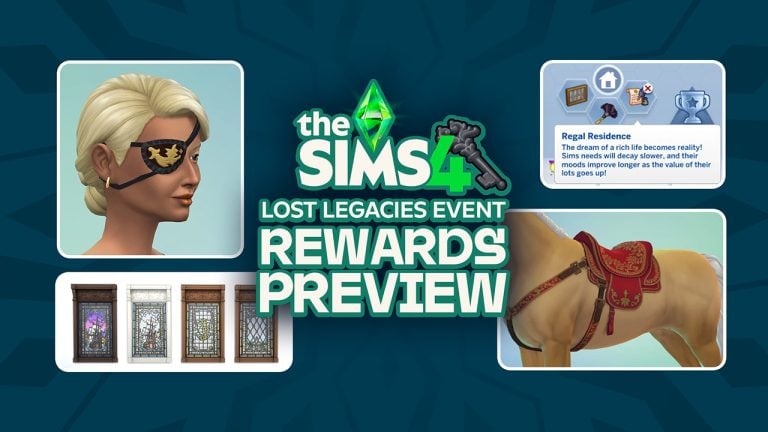
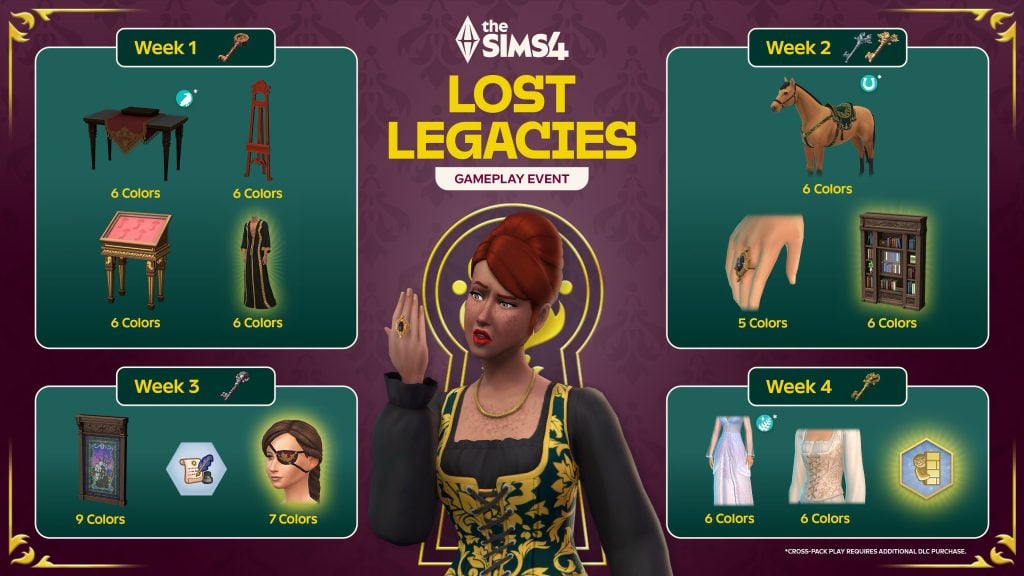
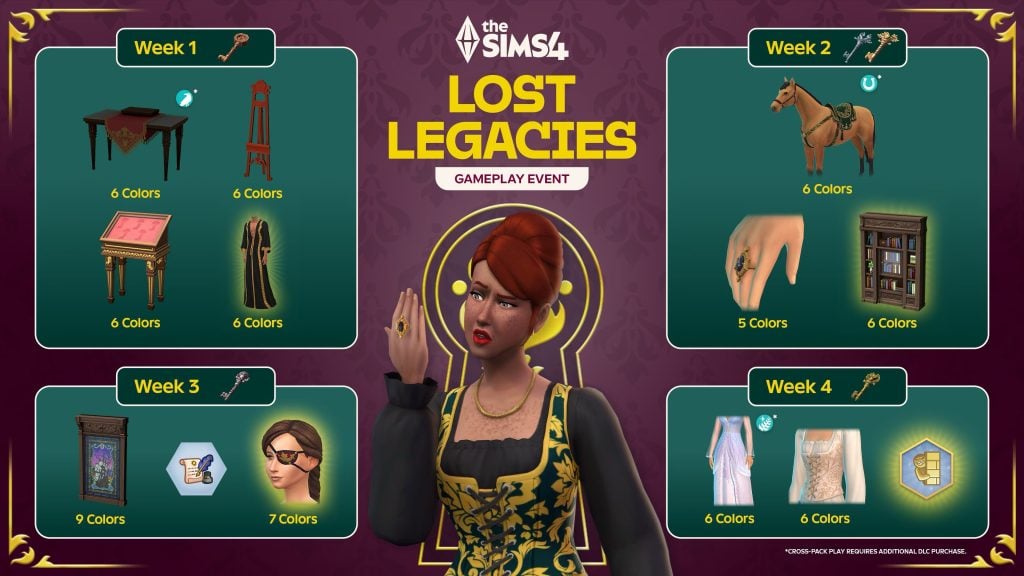
You can check out the promotional image below to sneak a peek at the future rewards up for grabs in The Sims 4 Lost Legacies Event.
That’s all for this week, but make sure to check back next Tuesday for our full walkthrough of week 2 of The Sims 4 Lost Legacies Event!
00
Days
:
00
Hours
:
00
Min
:
00
Sec
Time until Week 2 Quests unlocks
What reward are you most excited for in the latest event? Let us know in the comments below, and stay tuned to Sims Community for all the latest on Live Events in The Sims 4!
Fleshing out your Sims 4 Collection, or looking to explore some legacy titles? The Sims 4 Sale for Lunar New Year is on!
A new holiday means a new Sims 4 Sale from The Sims Team and Electronic Arts! As per usual, these sales are fairly similar to the recent Sims 4 Holiday and Black Friday Sales, with varying discounts based on the pack or game, and certain items being excluded from the sale entirely.
The Sims 4 Sale for Lunar New Year 2026
The Sims 4
With its 100+ DLC, of course many Sims 4 Titles are on sale. As per usual with many sales for The Sims 4 DLC items, very new items (Like the latest Expansion Packs) may have less of a discount or no discount at all, and items like Sims 4 Kits or Kit Bundles are not included in the sale.
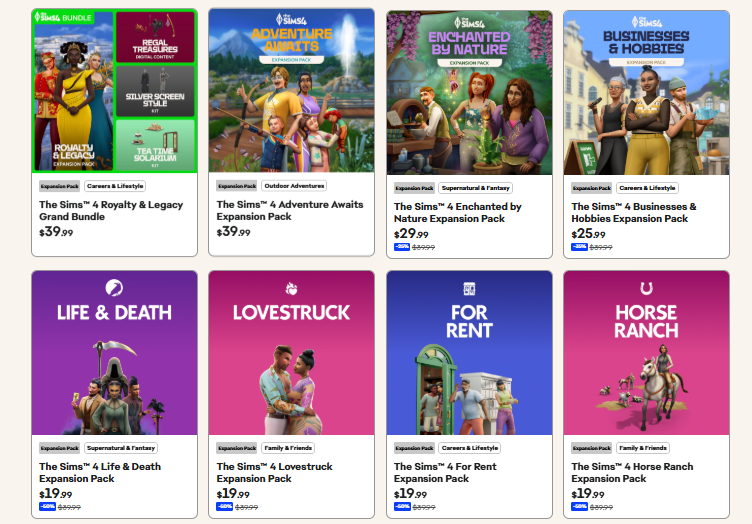
Expansion Packs
As per usual, the newest expansion pack Adventure Awaits is not included in the sale, and is still at the full retail price of $39.99 USD. Other expansion packs have a discount between 25% or 50% depending on their age and order of release. Enchanted by Nature is the second newest, sitting at 25% off at $29.99 USD. Businesses & Hobbies, the third newest expansion pack, is discount to 35% off at $25.99 USD. Anything older, so Life & Death and all the way back to Get to Work, is 50% off. This means any expansion pack from 2024 or earlier is currently discounted to 50% off at $19.99 USD.
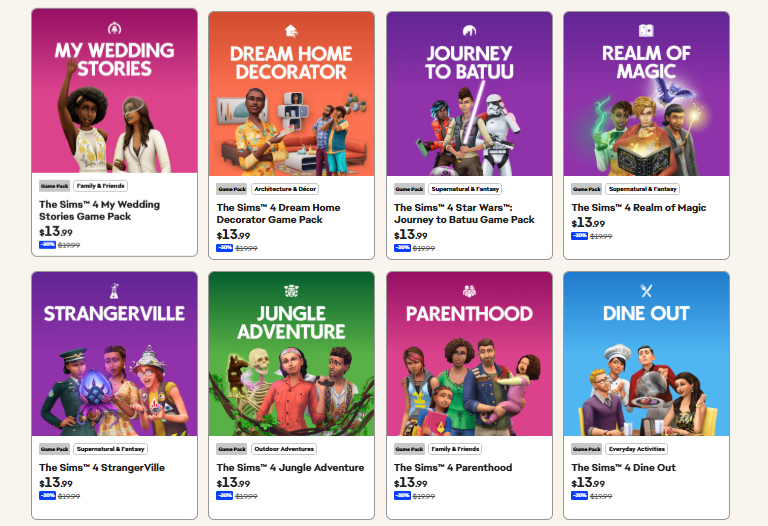
Game Packs
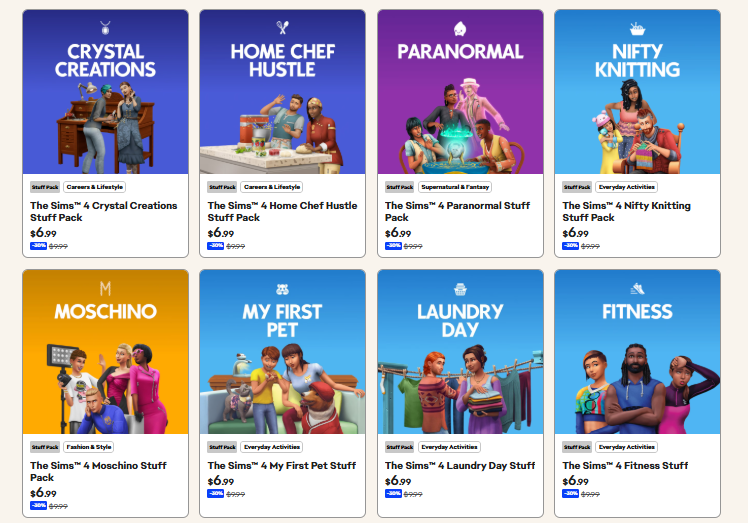
Similar to most other recent sales, all Game Packs for The Sims 4 are discounted 30%, making them $13.99 USD instead of the standard price of $19.99 USD.
Stuff Packs
The Sims 4 Sale for Lunar New Year does have discounts available for all Stuff Packs! All Stuff Packs are discounted to 35% off at $6.99 USD.
Bundles
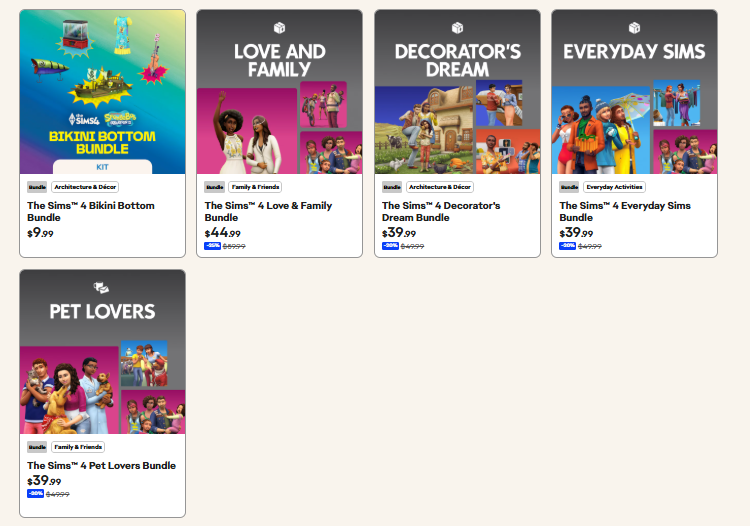
The bundles and their discounts are somewhat varied and different, depending on the content. Since the Bikini Bottom Bundle is two kits with a few extra items, it is not part of the sale. The Love & Family Bundle (Including My Wedding Stories, Parenthood, and Growing Together) is currently 25% off or $44.99 USD. The Decorator’s Dream Bundle (Including Cottage Living, Tiny Living Stuff, and Dream Home Decorator), The Everyday Sims Bundle (Including Seasons, Laundry Day Stuff, and Parenthood), and the Pet Lovers Bundle (Including Cats & Dogs, My First Pet Stuff, and Parenthood) are all discounted to 20% off or $39.99 USD.
The Sims 3
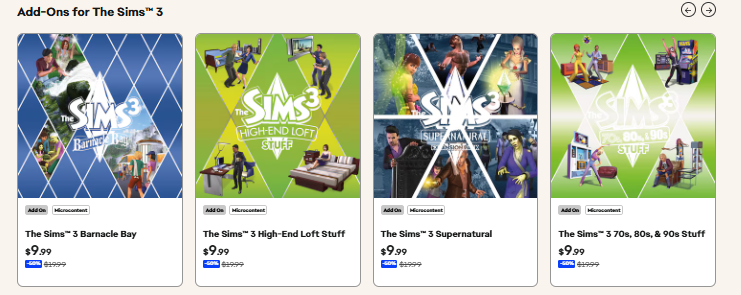
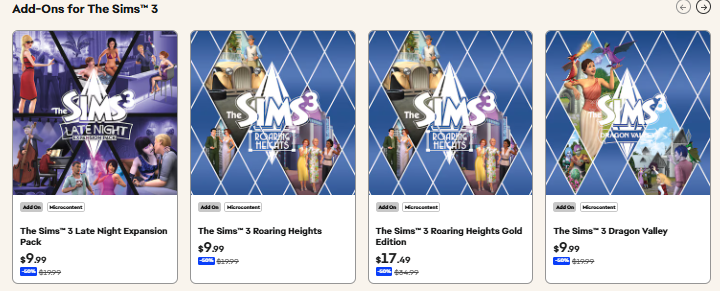
All the content currently available through the Electronic Arts store for The Sims 3, including Expansion Packs, Stuff Packs, and Sims 3 Store Worlds, are discounted to 50% off or $9.99USD.
The Sims 1 & 2
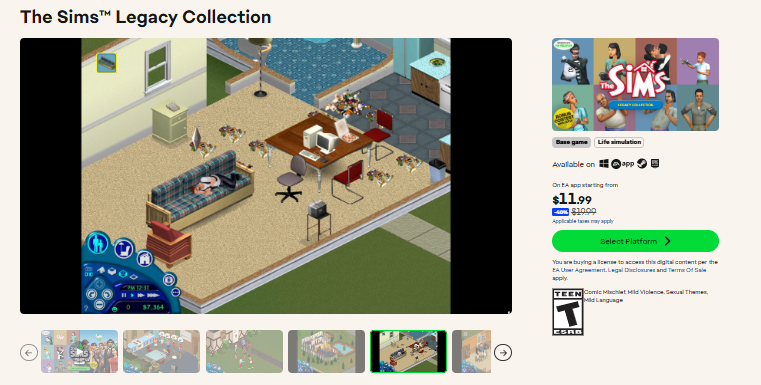
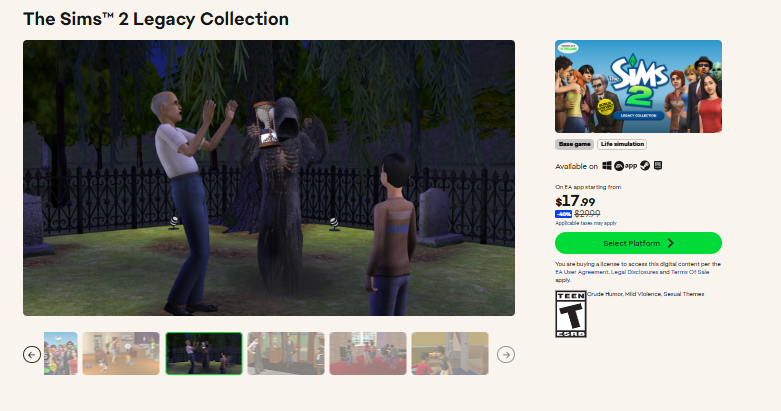
The Sims Legacy Collection is currently 40% off or $11.99 USD. The Sims 2 Legacy Collection is currently 40% off or $17.99 USD.
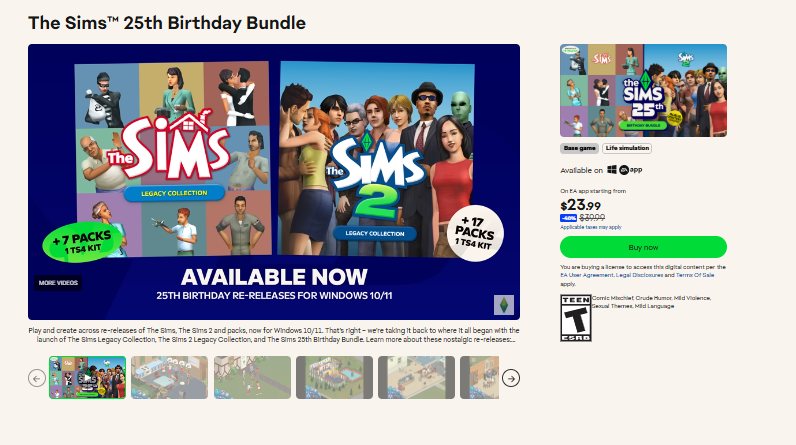
If you choose to purchase both The Sims and The Sims 2 Legacy Collections bundled together, the Sims 25th Birthday Bundle is 40% off or $23.99 USD.
MySims Cozy Bundle
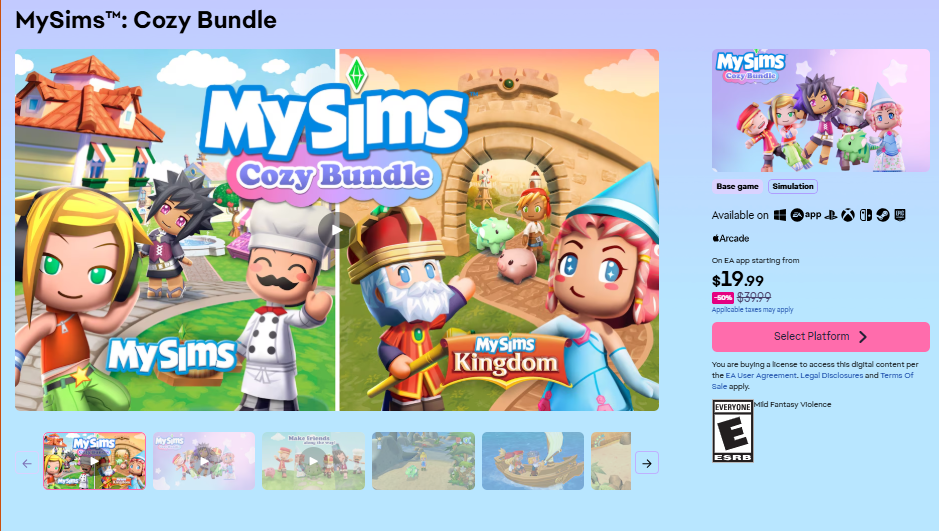
The MySims Cozy Bundle, including the original MySims and MySims Kingdom with some light texture updates and refreshments, is currently discounted 50% off $19.99 USD.
Sale Offer Availability
This deal started a few days ago on January 30th, and will be available until February 17th, 2026! It’s currently present on EA App and Steam only.
Are there any Sims 4 DLC you’re planning on scooping up, or are you considering getting a copy of an older series? What do you think about these sales? Let us know, and follow The Sims Community for up to date news on upcoming and current deals and Life Sim news!
A brand new Sims 4 Patch has just arrived this February 3rd for PC, Mac, and consoles! This update sets the stage for the anticipated The Sims 4: Royalty and Legacy Expansion Pack launching on Thursday, February 12. Beyond just prep work, the patch also introduces several long-awaited features that the building community has been dreaming of for years.
Table of Contents
Check out all the new update features in the base game!
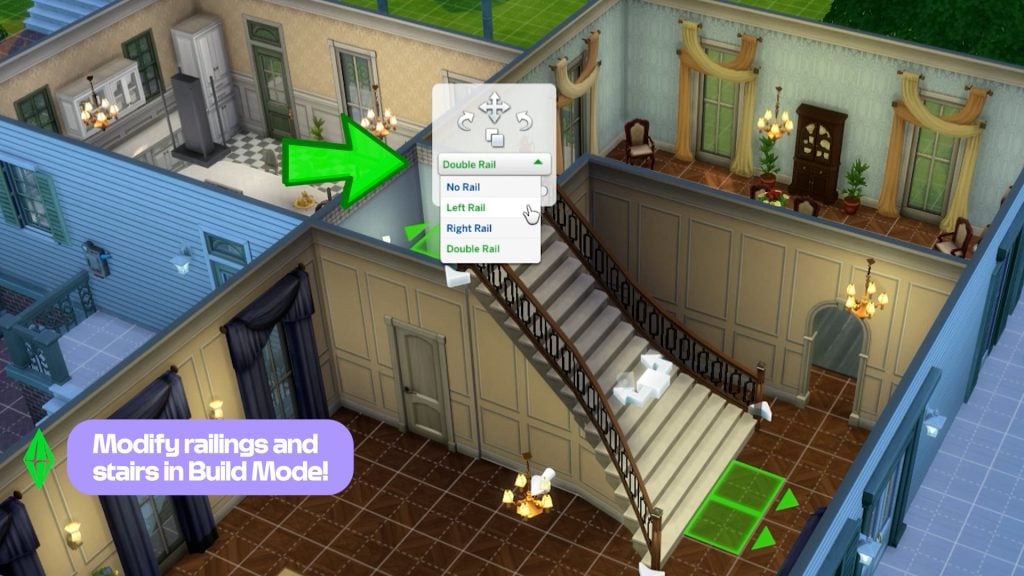
In this new February 3rd patch for The Sims 4, Maxis has added updates to stairs and stair railings, allowing for more elegant, imperial-style designs with curved outer ends. Railings can now be placed on both sides, on just one side, or removed entirely, and they can even cover only specific segments of the staircase instead of the full length. The update also introduces a more detailed genealogy tree and stylish new nails. Several bugs have also been fixed, including the one that caused photos to turn black in the previous patch.
The Sims 4 Patch for February 2026
Check out all the new features added to the latest patch for The Sims 4. There’s something for all types of players: storytellers, builders, and CAS enthusiasts.
Stair Rails Upgrade
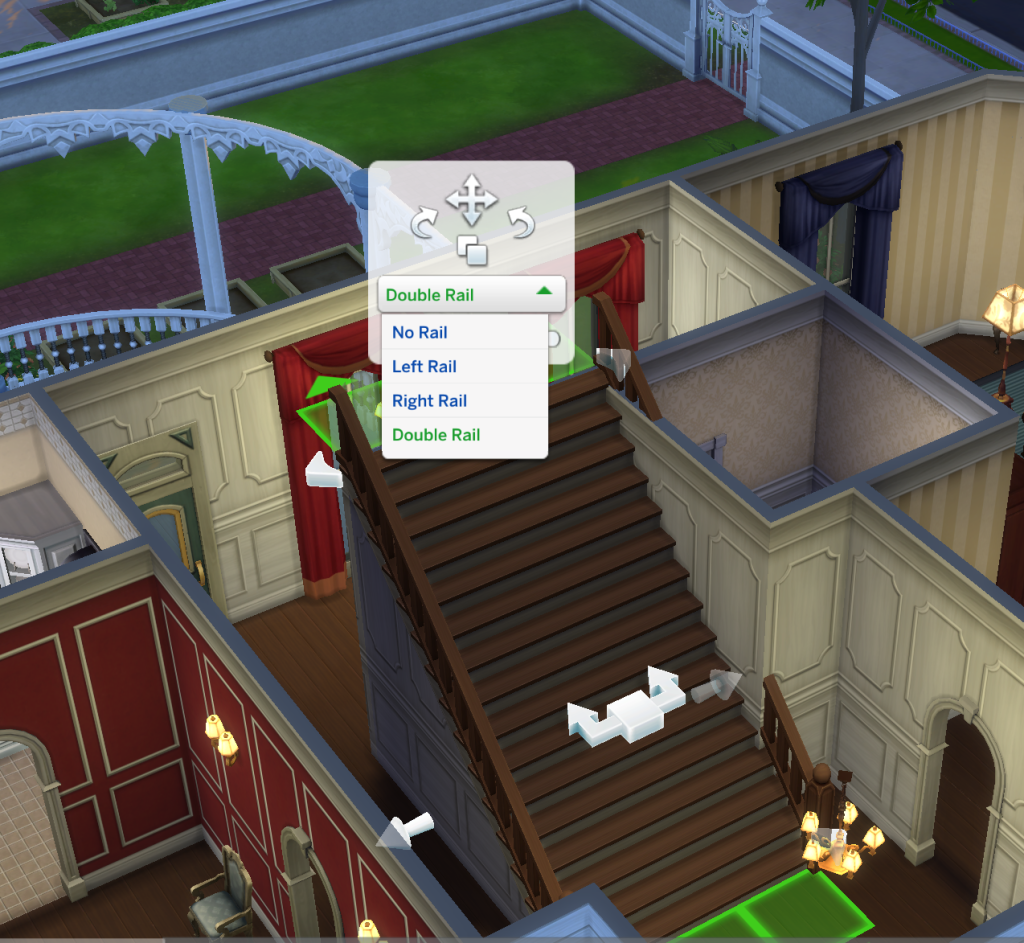
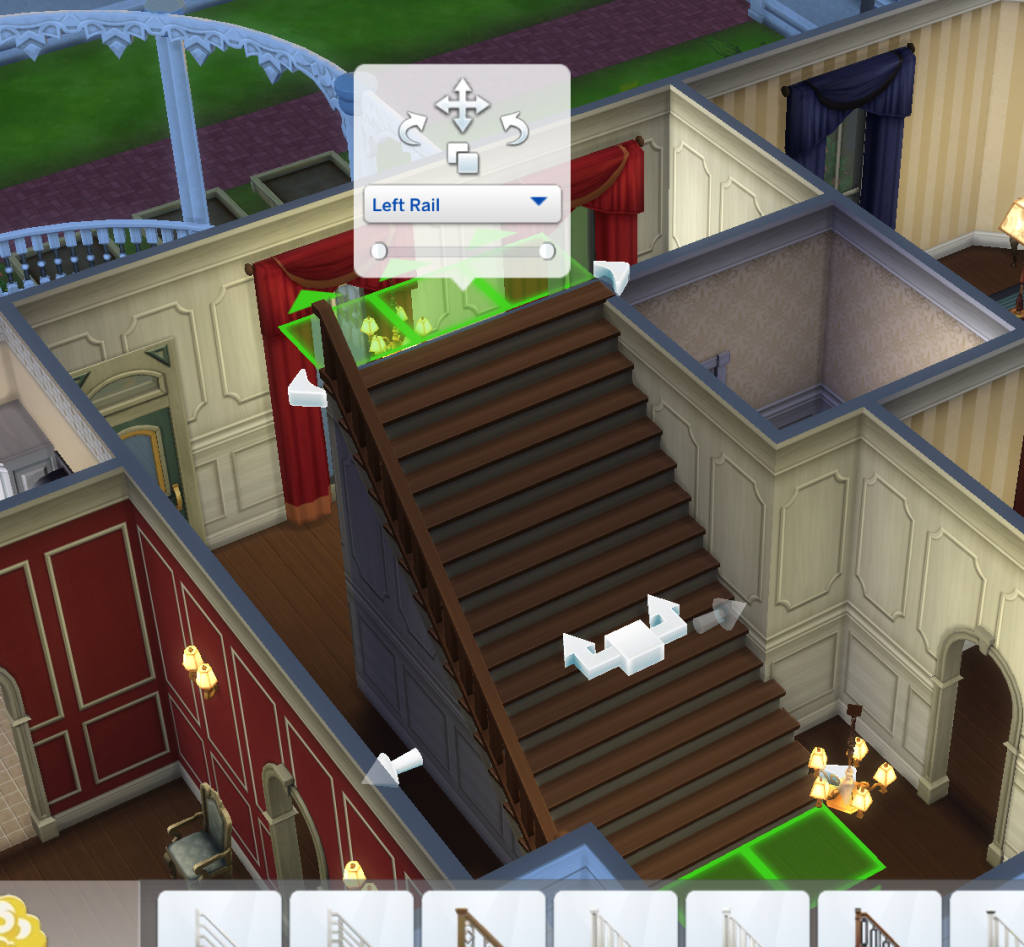
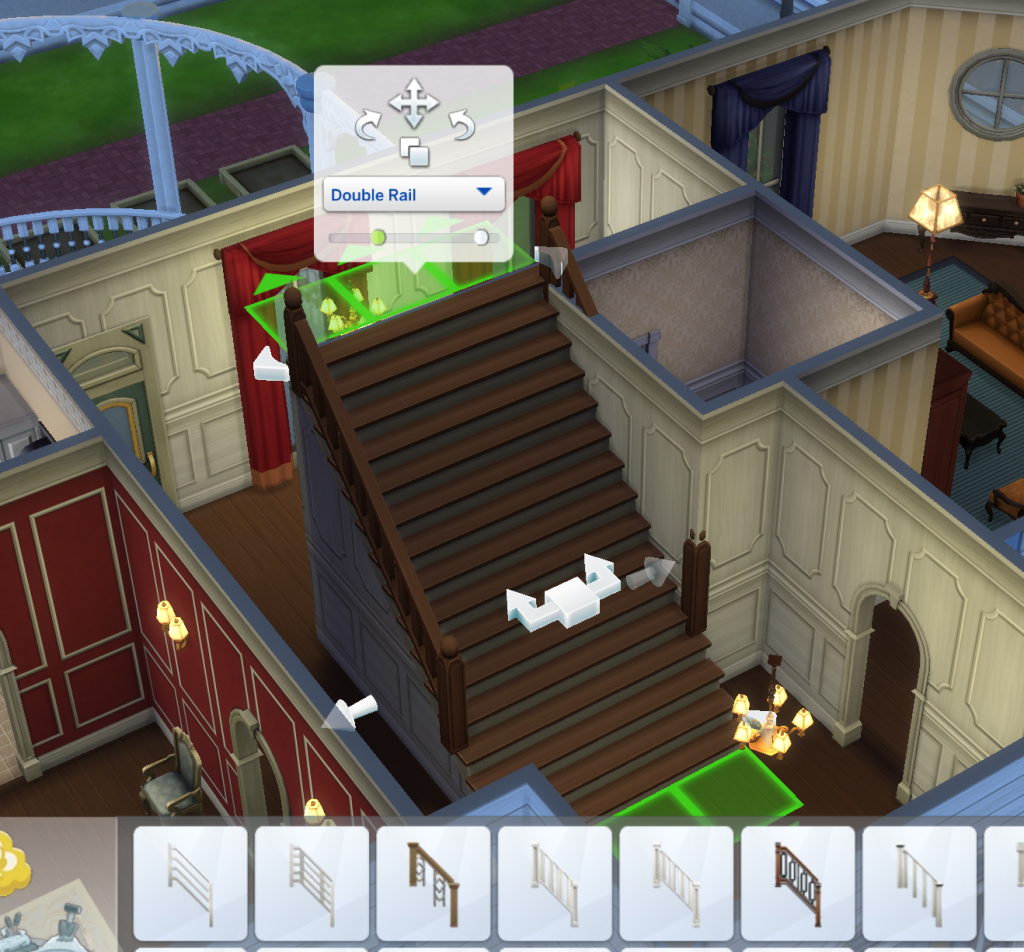
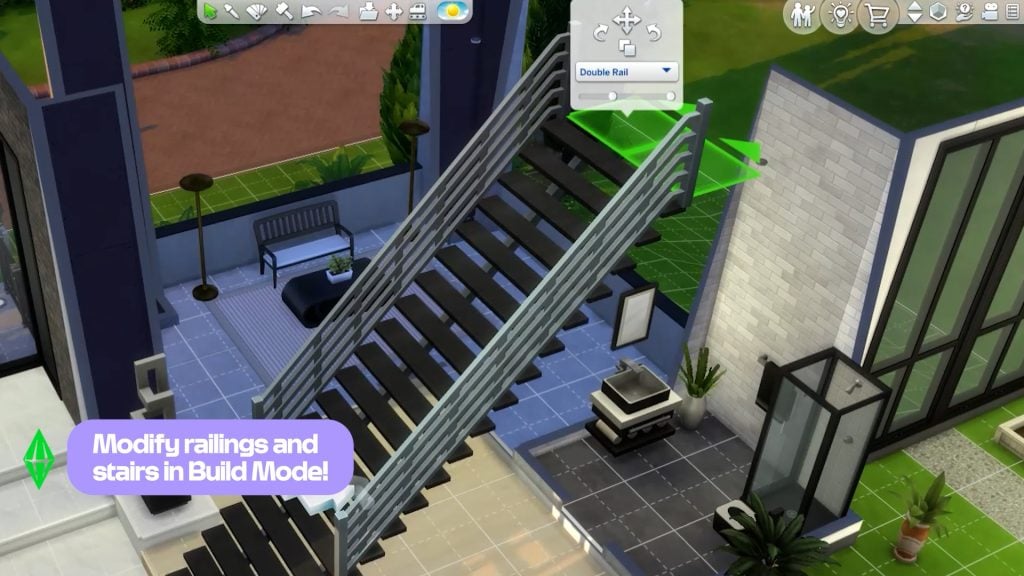
This is one of the most requested features by the community. With this update, players can finally add, remove, and cut stair rails with much greater flexibility. When placing stair rails, a new set of options appears in the same panel where you can move, rotate, and duplicate them. These tools make it possible to fully customize both the number and placement of the rails, whether you want double rails, rails on only one side, or no rails at all. For the first time in the franchise, players can also adjust the length of stair rails, choosing to cover the entire staircase or just specific segments.
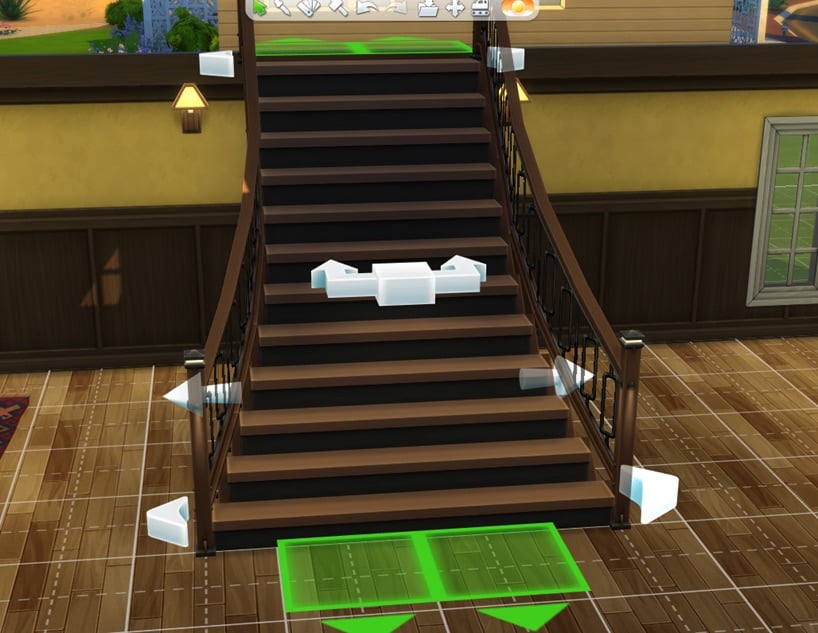
New flared stairs!
Stair customization has reached a whole new level! While we are still waiting for spiral stairs, you can now give your houses, manors, and castles magnificent flared stairs. Simply use the new arrows at the bottom to customize their shape and adjust the width to create the perfect grand entrance for your Sims.
New Family Tree features
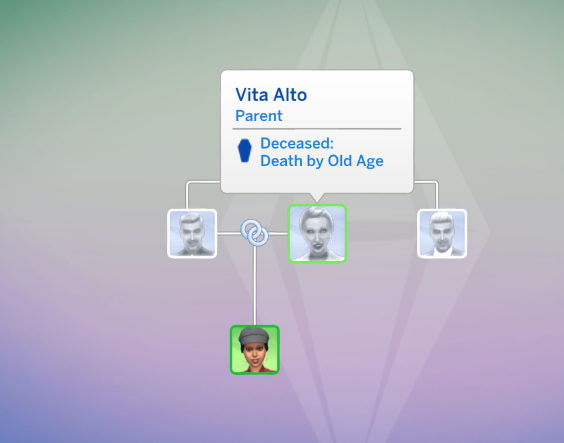
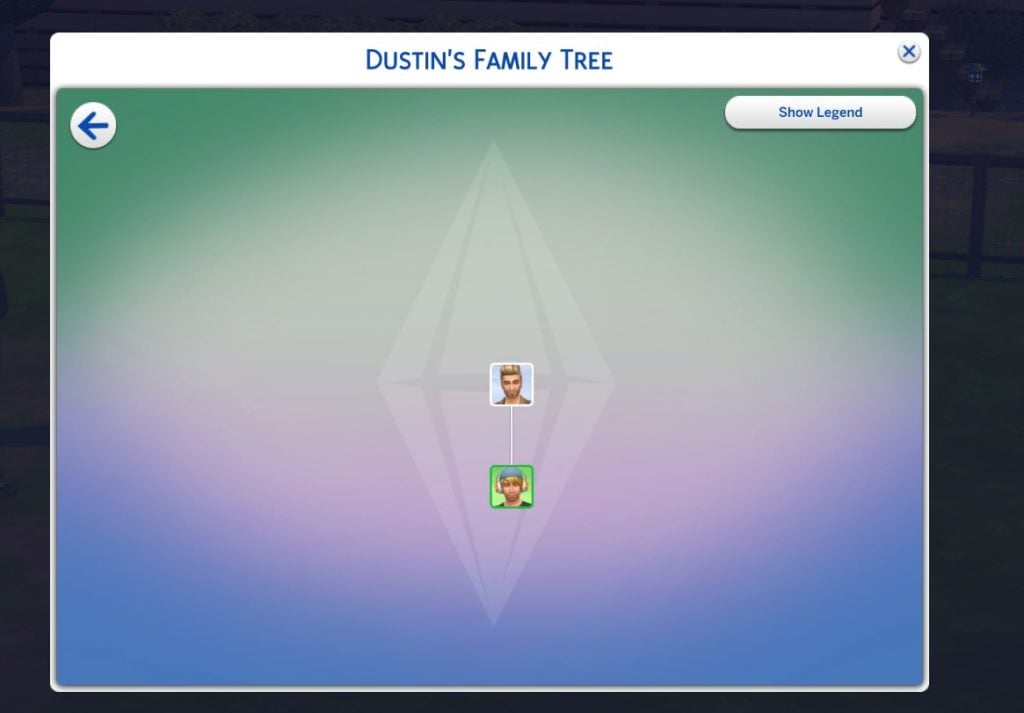
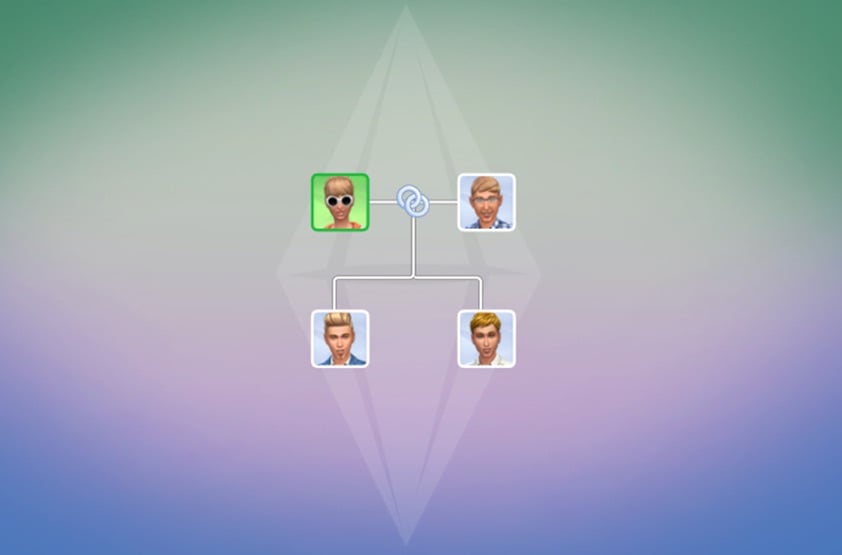
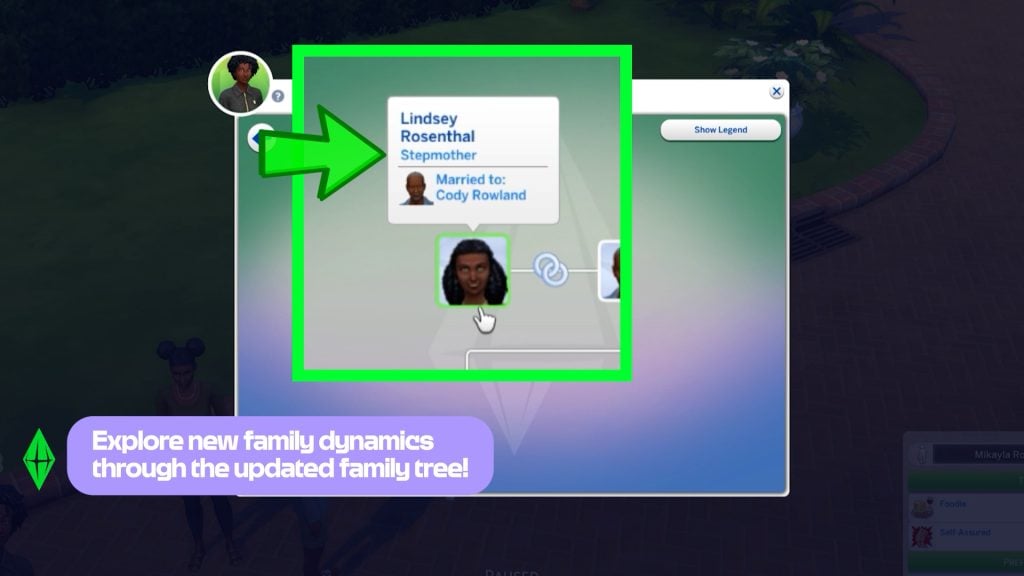
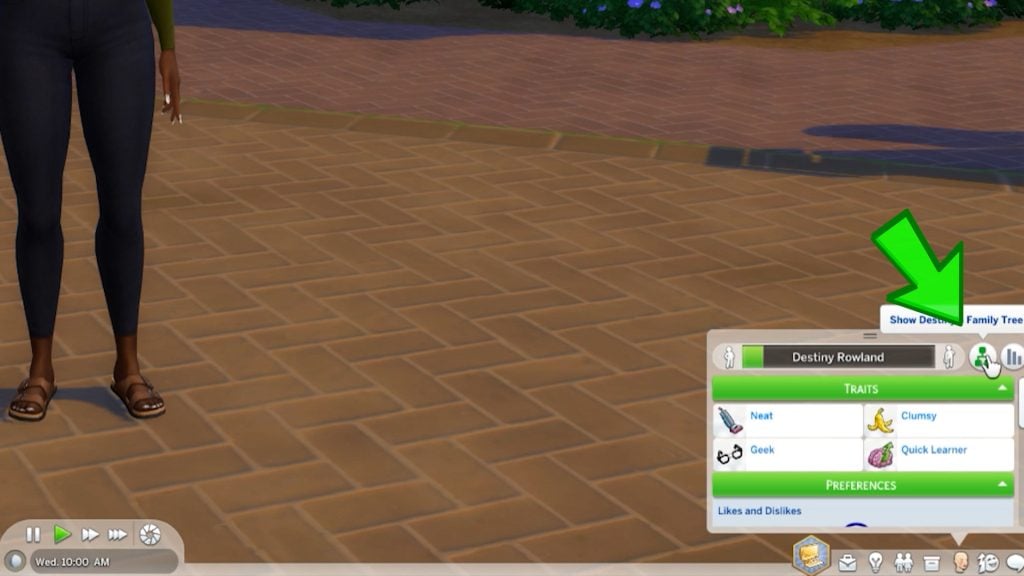
The new Family Tree panel now features multiple icons that visually represent the relationships between Sims. A new legend panel has also been added, clearly explaining the meaning of each icon.
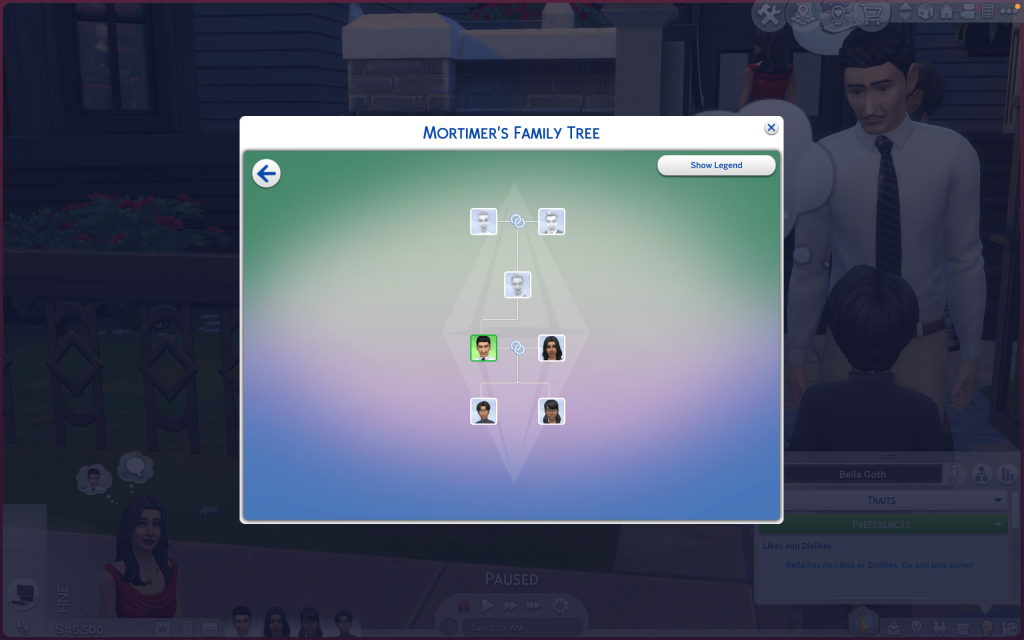
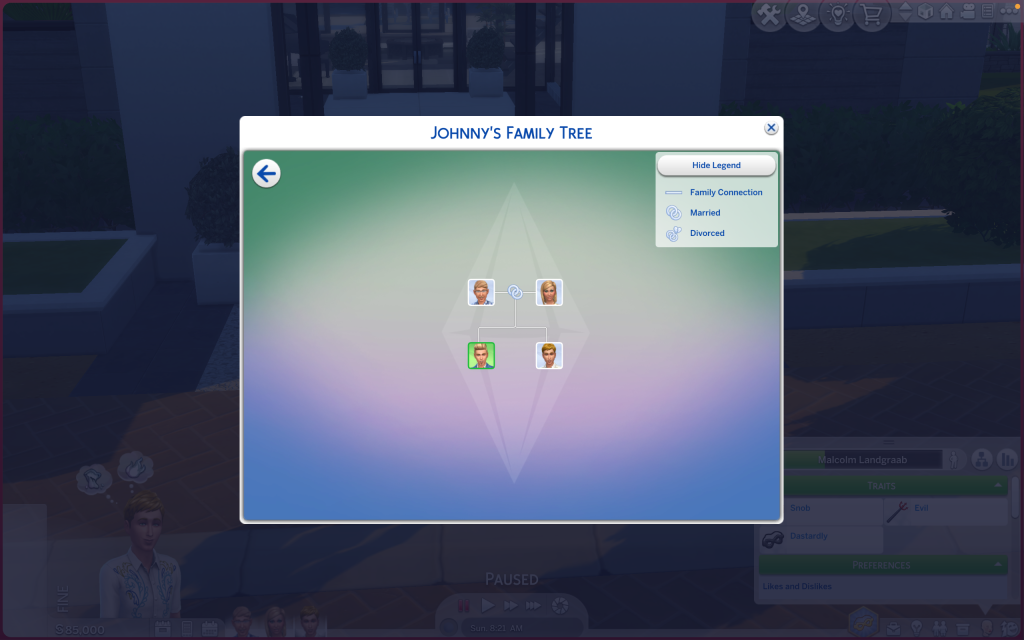
After more than ten years, Maxis has finally updated the Family Trees of the game’s most iconic Sims. The Goth family tree, for example, now includes Mortimer Goth’s ancestors, such as Cornelia Crumplebottom. Johnny Zest also appears for the first time as the son of Nancy and Geoffrey. Extended family members will now also be shown in the family tree. You can also choose to label adopted Sims as such in the Family Tree.
New relationship labels include: Mother-in-Law, Father-in-Law, Sister-in-Law, Brother-in-Law, Daughter-in-Law, Son-in-Law, Distant Relative, Distant Relative-In-Law, Half-sister, Half-brother, Stepmother, Stepfather, Stepdaughter, Stepson, Great-grandmother, Great-grandfather, Great-grandson, Great-granddaughter, Parent’s Cousin, Cousin’s Child, Grandniece, Grandnephew, Grand-aunt, Grand-uncle, Ancestor, Descendant, and Relative-In-law. Divorced has a new name: Ex-Spouse, and Deceased Spouse has a new name: Late Spouse.
In addition, if you have the Cottage Living Expansion Pack, you will find that Agnes Crumplebottom will appear as Mortimer Goth’s aunt!
In the Get Famous Expansion Pack, there are also plenty of iconic Sims as celebrities, such as Dirk Dreamer, Dustin Broke, and Holly Alto. They also receive an impressive upgrade to their Family Trees. (Thanks to @lunar_britney)
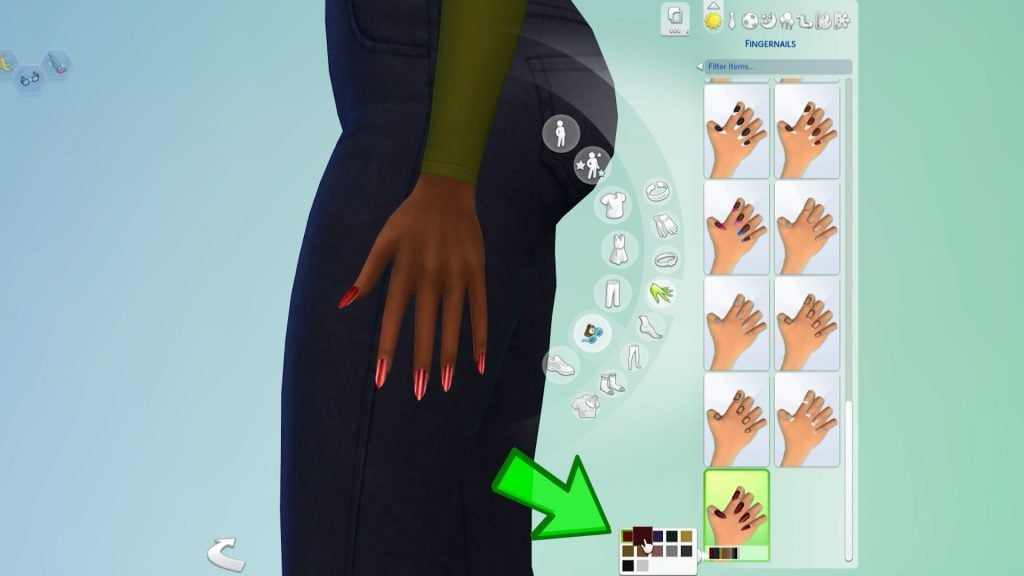
New nails
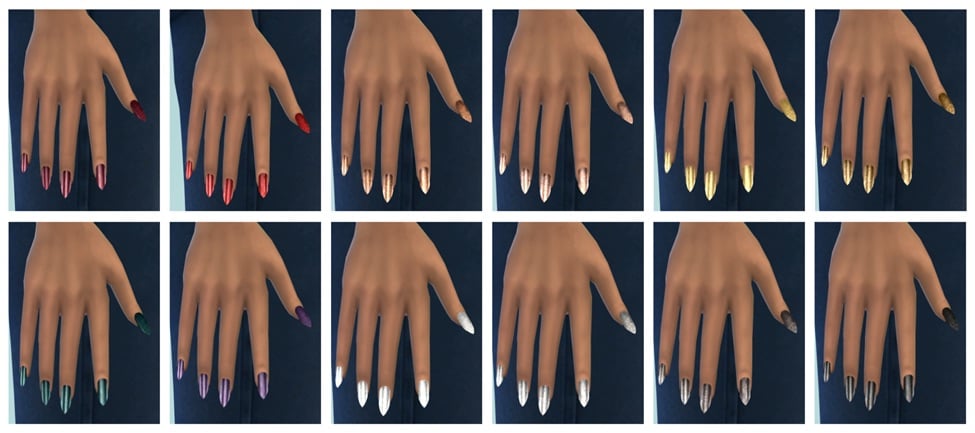
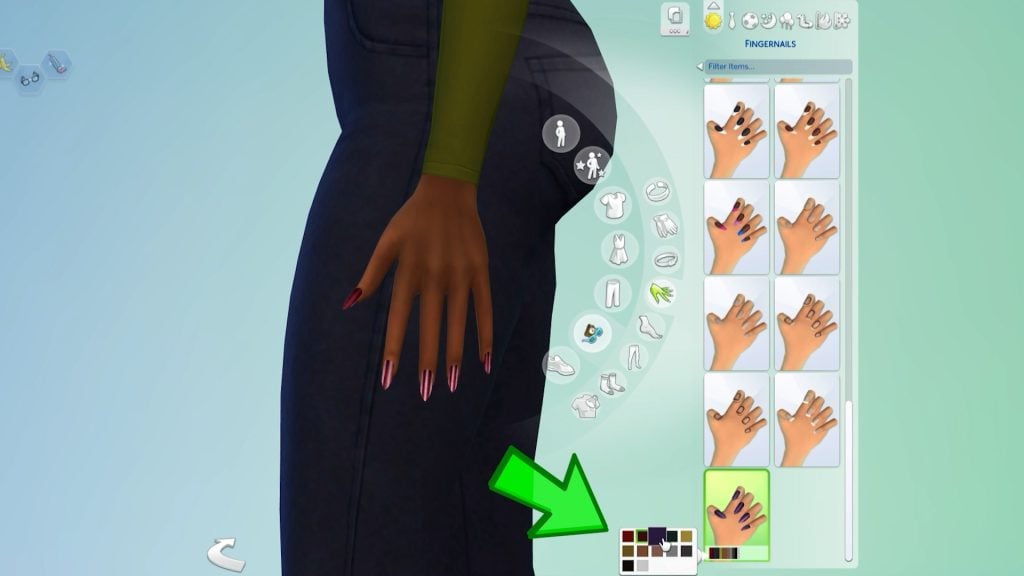
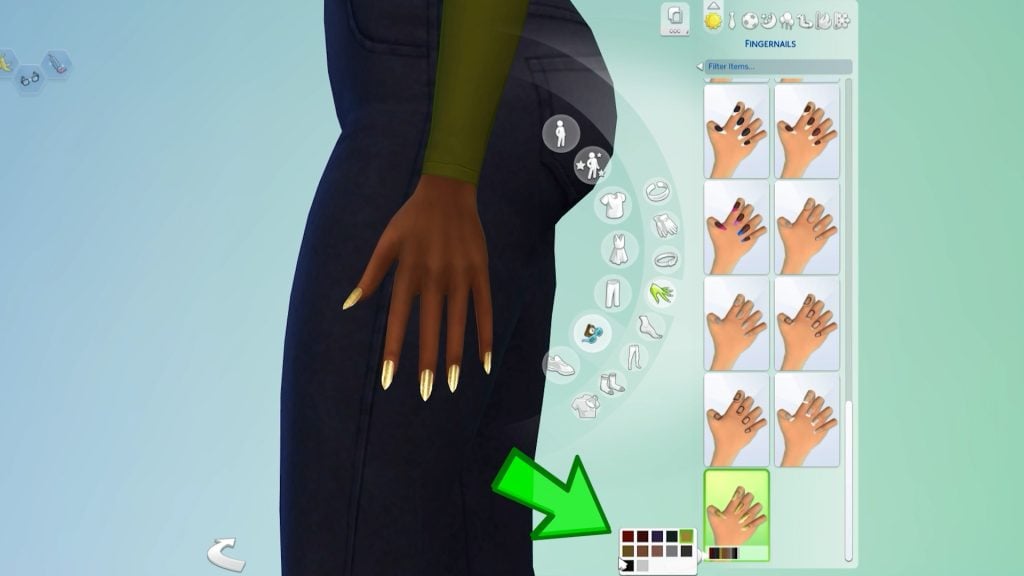
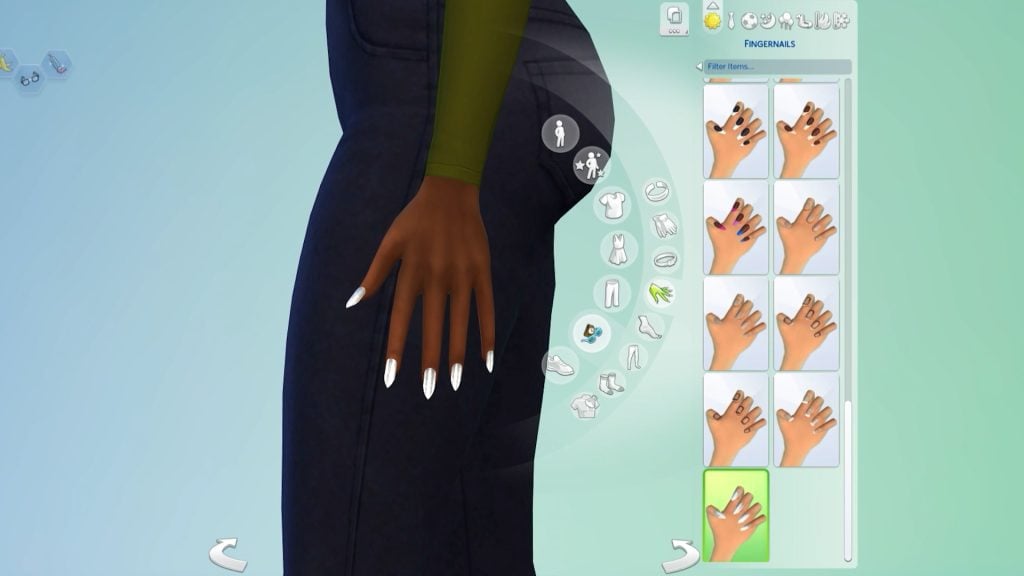
Maxis has also added new nails: long, bright, and shiny, with a variety of swatches that pair perfectly with glamorous dresses and formal outfits. Take a quick look here.
New filters
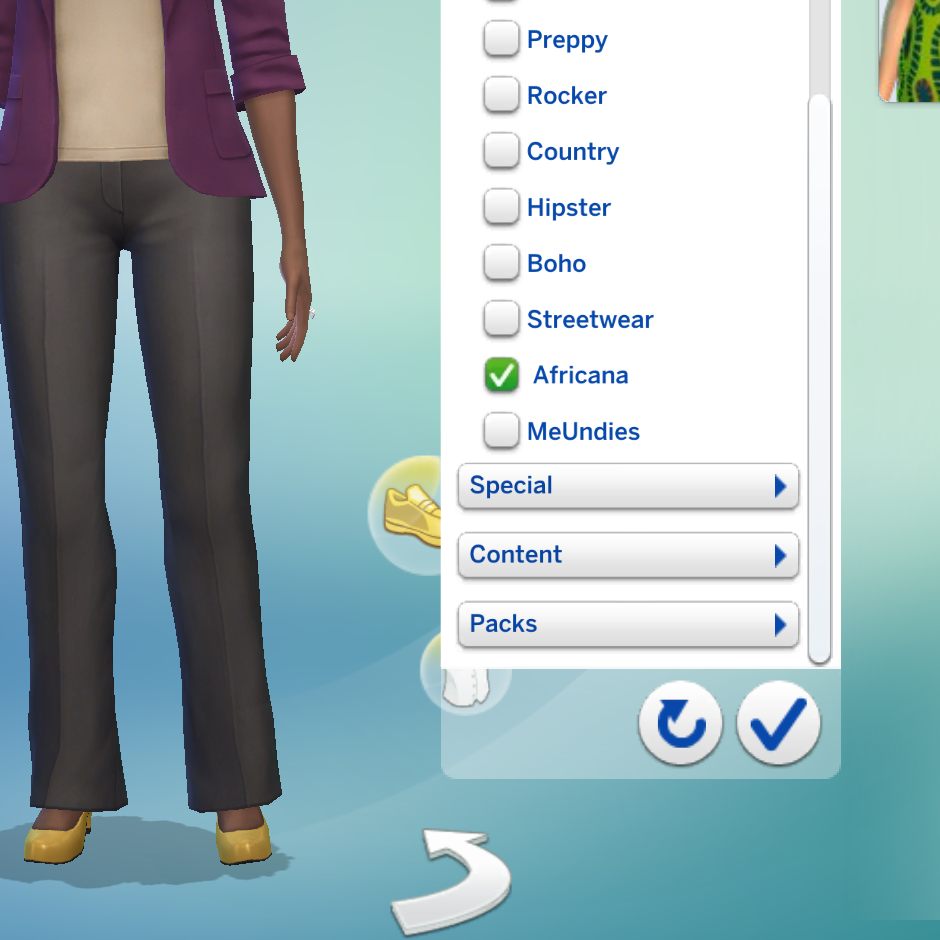
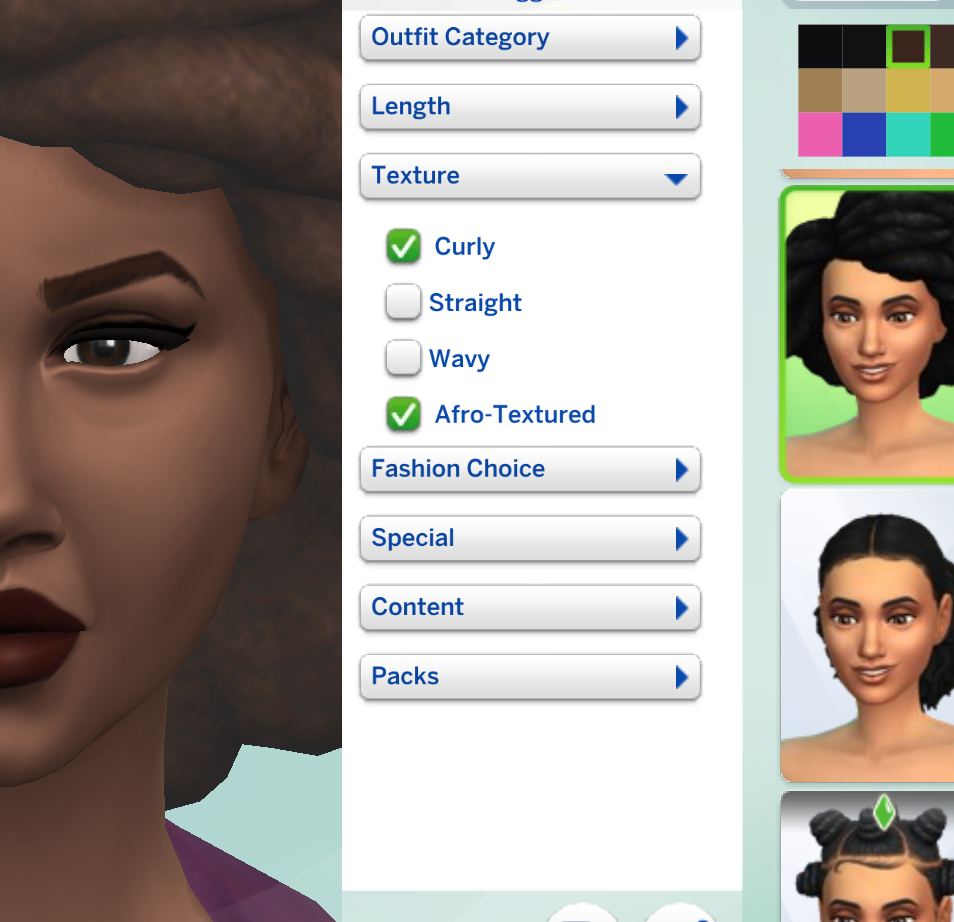
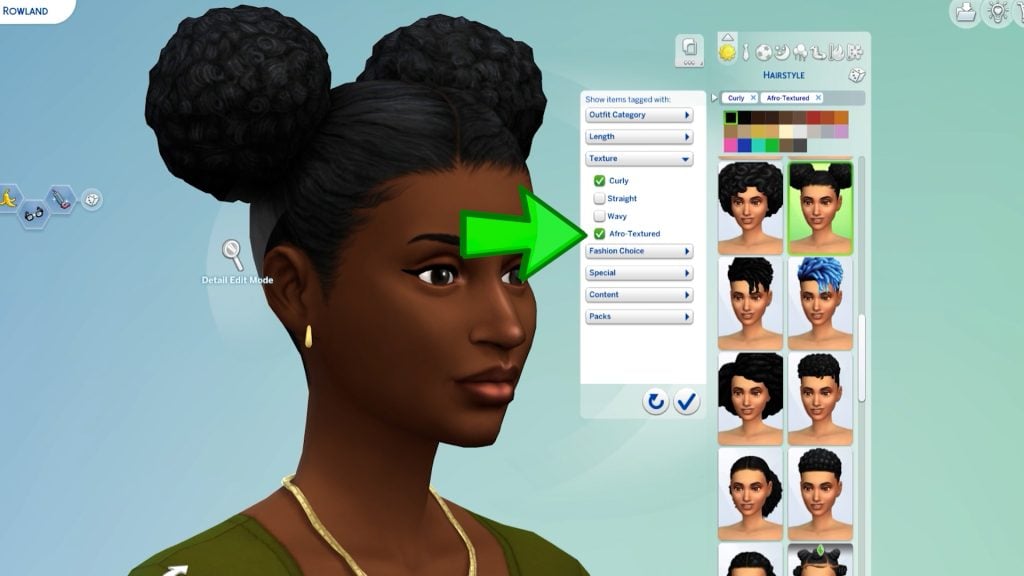
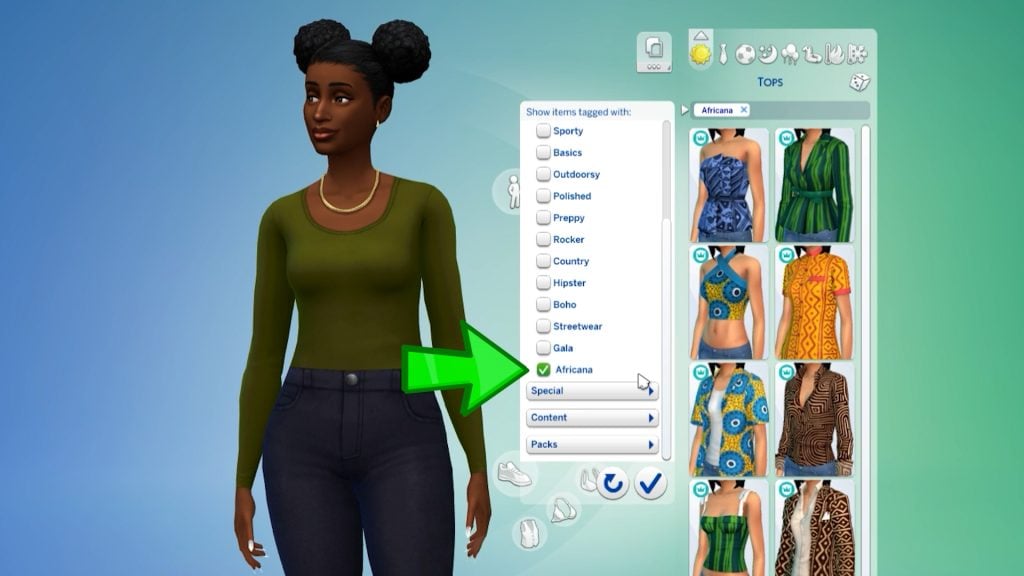
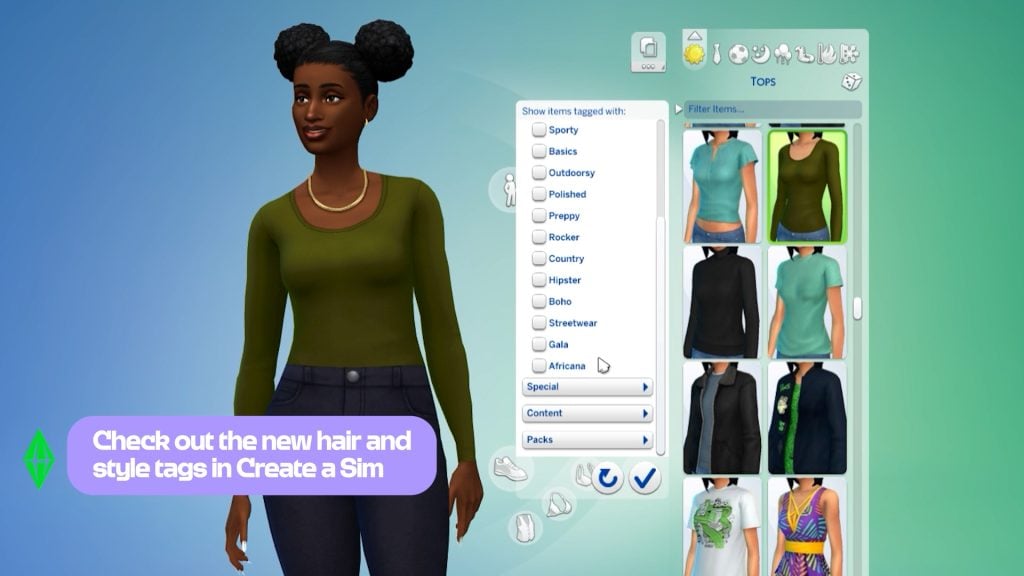
The Sims Team has added new filters relating to the new Royalty and Dynasty Expansion Pack. Specifically, they relate to the new African culture introduced in Ondarion, the new world. You can now tag CAS items as curly or afro-textured in the hair category and as Africana in the clothes category. This update was much needed!
New Quest Event!
From February 3rd to March 16th, you can unlock exclusive new items by participating in the brand-new Lost Legacy Event. Following the format of previous events like ‘Forever Friends,’ your Sims can earn fresh outfits, objects, and collectibles by completing a variety of in-game quests.
A ton of new bug fixes!
Along with lots of new features, lots of bugs have been fixed too! The “Black Photo” glitch is finally a thing of the past, so your Sims’ memories will no longer turn into dark voids! Builders can also breathe a sigh of relief now that room type assignments are working correctly again in Build Mode.
The retail experience has been polished as well; skill book covers will now stay consistent on displays, and Mixology and Fabrication books finally have their own unique looks. The “Dance With Someone” goal at Prom is fixed, making those Gold Event ratings actually achievable. Lastly, the missing buttons for Turn-Ons, Turn-Offs, and Likes/Dislikes are restored so you can fully customize your Sims once more.
What’s your favourite part of the February 2026 Sims 4 Patch release? Let us know in the comments! Don’t forget to follow our News category so you don’t miss when The Sims 4 receives new content!
EA launches a new The Sims 4 Live Event TODAY! Get to know the prizes and rules.
EA and Maxis have just released a brand new the Sims 4 Lost Legacies Live Event. Lasting from February 3rd to March 16th 2026, you’ll be able to get exclusive rewards by completing new weekly quests.
Let’s see what the latest Live Event has to offer:
Table of Contents
Official Trailer
See the official trailer for The Sims 4 Lost Legacies Event down below:
Event Roadmap
There are 4 weeks of new quests included with The Sims 4 Lost Legacies Gameplay Event, with some extra new items for players who own additional Expansion Packs! There’s even a new Horse Saddle for players who own The Sims 4 Horse Ranch Expansion Pack.
Here’s a rewards list of the items you’ll get during the playthrough of this event. Will be updated with more items as they surface!
Week 1
The Darong Family Key
Antique Curio Display Table
Ceremonial Dedication Fenestra for Cordelia Thebe I (Life & Death Exclusive)
Heirloom Easel of the Darong Family
Luxurius Morning Robes
Week 2
Elegant and Old Tarnished Key
The Capp Family Key
Antique Jeweled Ring
Capp Library Bookcase
Week 3
The Thebe Family Key
Embossed Filigree Eyepatch
Regal Residence Lot Trait
Week 4
Creepy But Cool Skeletal Key
Ladies’ Front Lacing Corset
Aspiration – Master of Grudges
Event Menu Overview
You can find information about the latest Event in the top “Events” menu bar in the Main Menu. Or, by clicking on the new Event icon in the top left corner in Live Mode.
From there you can keep track of all of your rewards and Event Point progress.
There are eight quests available in total. Two quests unlocked for each week, providing Event Points that you can. use to claim new Rewards.
Reward Items Preview
There are 18 new unique rewards in total for The Sims 4 Lost Legacies Live Event, including new CAS additions, new Create A Horse saddle, furniture and collectibles in Build Mode and Gameplay features such as Lot Trait and Aspiration.
Take a look below:
On top of that, you’ll also unlock some other non-exclusive rewards that you might find useful in your The Sims 4 gameplay session while completing the rewards, including:
Live Event Dates and Requirements
The Sims 4 Lost Legacies Live Event will last from February 3rd to March 16th, 2026 on The Sims 4 Base Game. Players who own additional packs such as Enchanted by Nature, Horse Ranch and Life & Death will be able to claim additional rewards.
The Sims 4 Lost Legacies Live Event is going LIVE NOW, and we’ll make sure to keep you posted with regular updates on weekly challenges, quests and rewards. Stay tuned on our Sims 4 Live Events Page for the latest coverage on Lost Legacies!
What are your thoughts about the latest Sims 4 Lost Legacies event that has just launched? Let us know your thoughts in the comments down below!
Two new Kits are coming to The Sims 4 this month, in addition to two Kits bundled with Royalty & Legacy!
Now that’s a surprise! The latest Sims 4 Update has unveiled two upcoming The Sims 4 Kits: one being a Creator Kit and one an official, Maxis-made Kit.
The two Kits seem to be both coming this month. We’ll update this article with official release dates as we know more! The latest Patch Notes that just dropped confirmed that the two Kits will be releasing on the same day on February 26th, 2026.
Table of Contents
The Sims 4 Yard Charm Creator Kit with Ravasheen
The Sims 4 Yard Charm Kit is a Creator Kit done in collaboration with Sims creator Ravasheen! Their first ever creator-made Kit is being introduced to The Sims 4 series. With new, colorful objects for Build Mode.
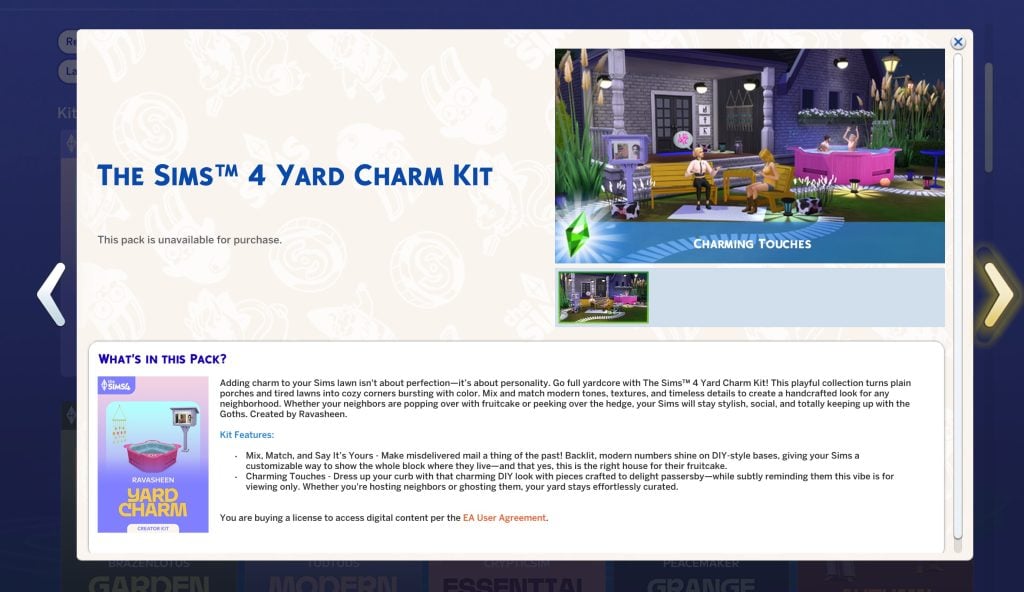
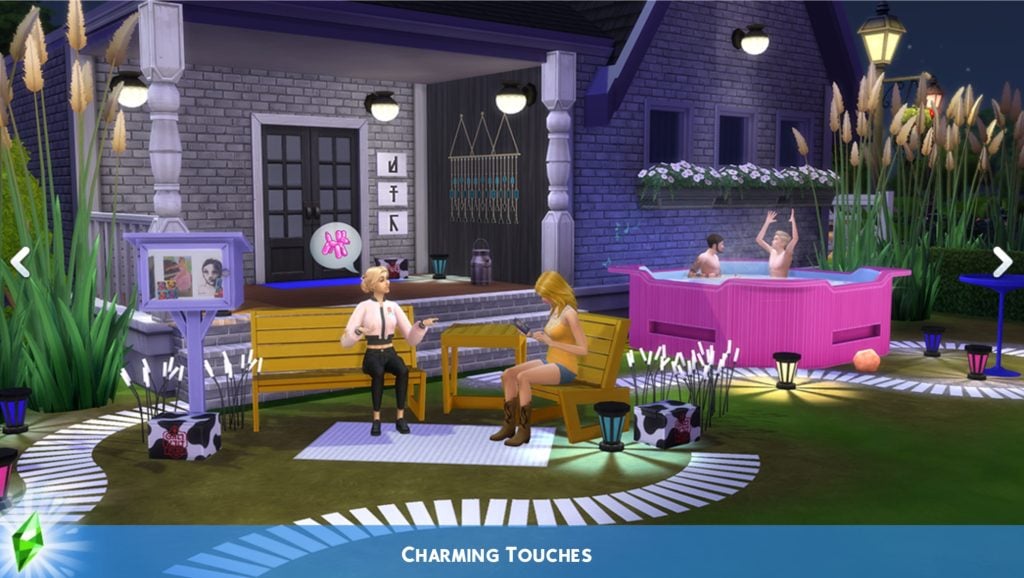
Adding charm to your Sims lawn isn’t about perfection-it’s about personality. Go full yardcore with The Sims 4 Yard Charm Kit! This playful collection turns plain porches and tired lawns into cozy corners bursting with color. Mix and match modern tones, textures, and timeless details to create a handcrafted look for any neighborhood. Whether your neighbors are popping over with fruitcake or peeking over the hedge, your Sims will stay stylish, social, and totally keeping up with the Goths. Created by Ravasheen.
Kit Features:
Mix, Match, and Say It’s Yours – Make misdelivered mail a thing of the past! Backlit, modern numbers shine on DIY-style bases, giving your Sims a customizable way to show the whole block where they live-and that yes, this is the right house for their fruitcake.
Charming Touches – Dress up your curb with that charming DIY look with pieces crafted to delight passersby-while subtly reminding them this vibe is for viewing only. Whether you’re hosting neighbors or ghosting them, your yard stays effortlessly curated.
Kit Screens
The Sims 4 Wonderland Playroom Kit
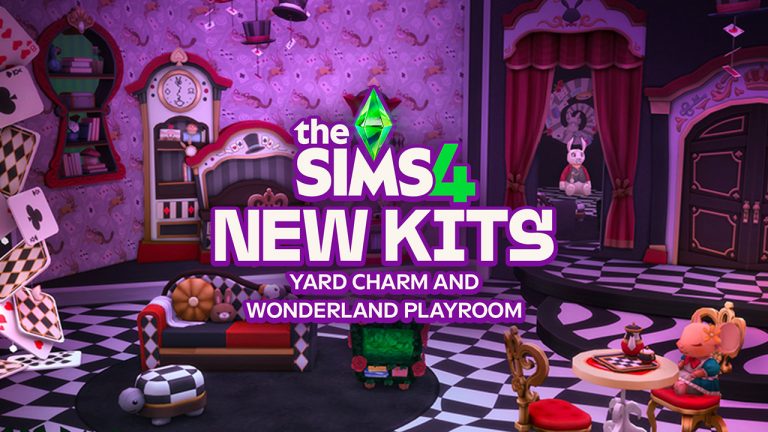
The second Kit release coming this month is The Sims 4 Wonderland Playroom Kit. A new official Maxis-made Build Kit for Children and younger Sims!
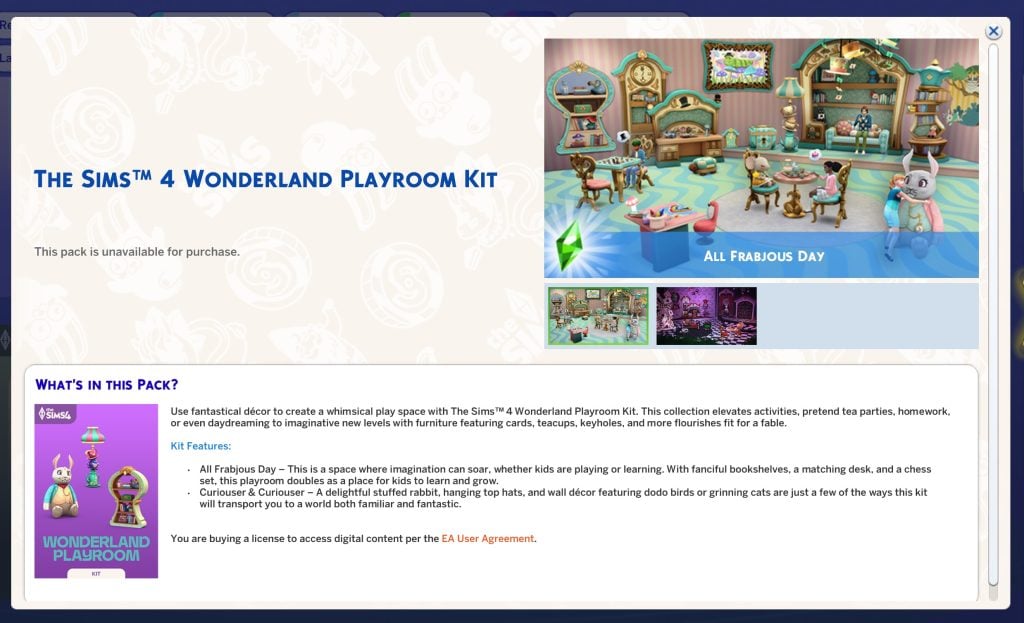
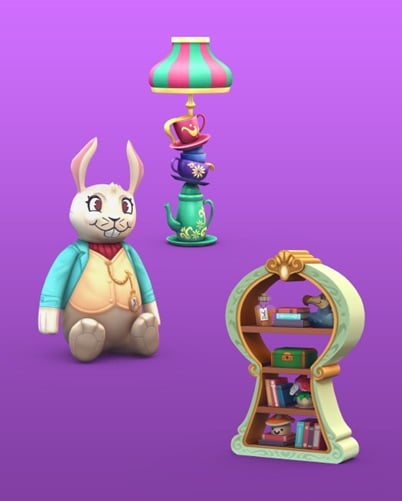
Use fantastical décor to create a whimsical play space with The Sims 4 Wonderland Playroom Kit. This collection elevates activities, pretend tea parties, homework, or even daydreaming to imaginative new levels with furniture featuring cards, teacups, keyholes, and more flourishes fit for a fable.
Kit Features:
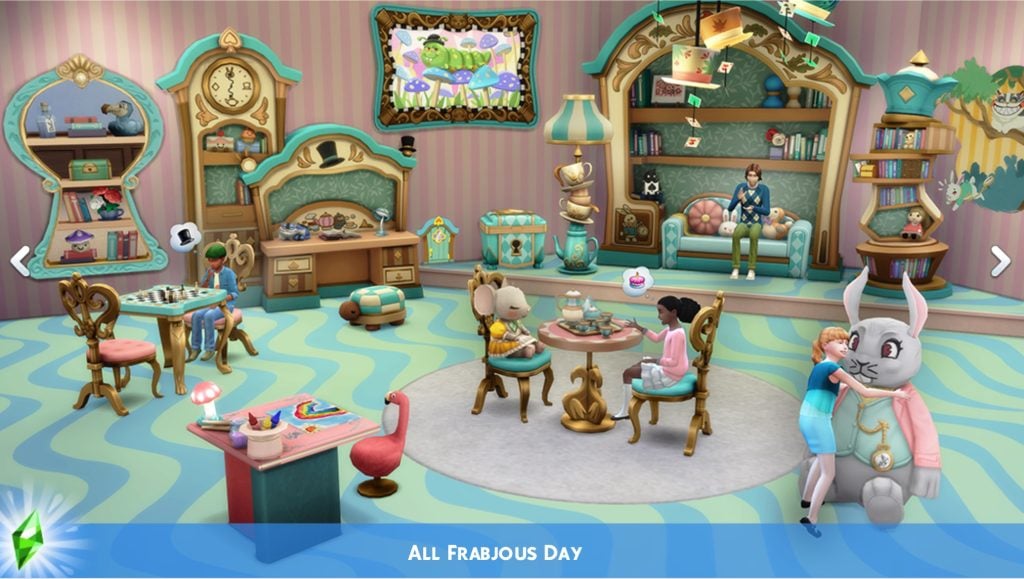
All Frabjous Day – This is a space where imagination can soar, whether kids are playing or learning. With fanciful bookshelves, a matching desk, and a chess set, this playroom doubles as a place for kids to learn and grow.
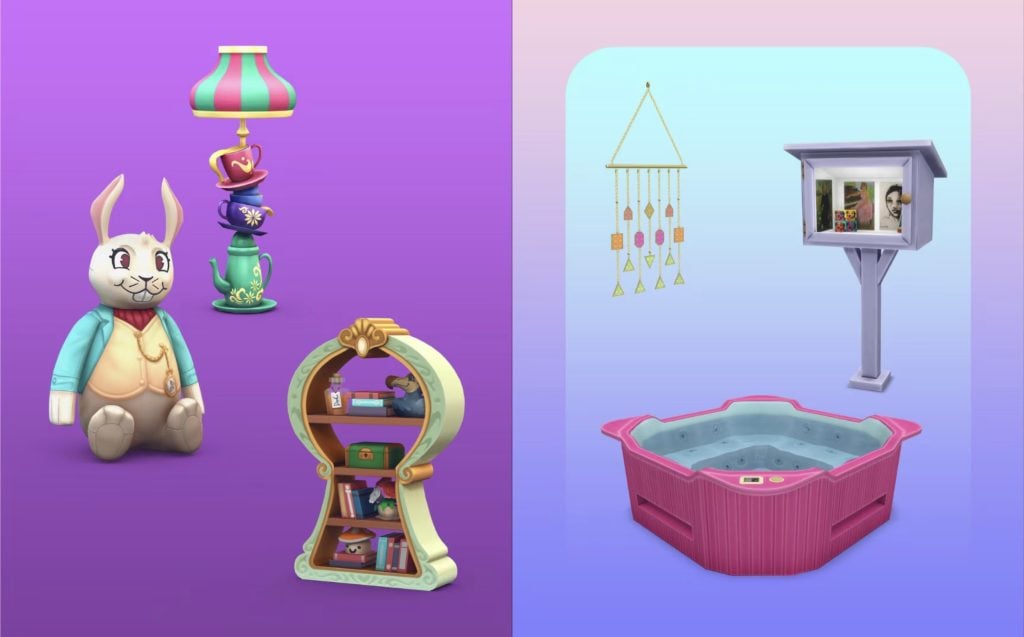
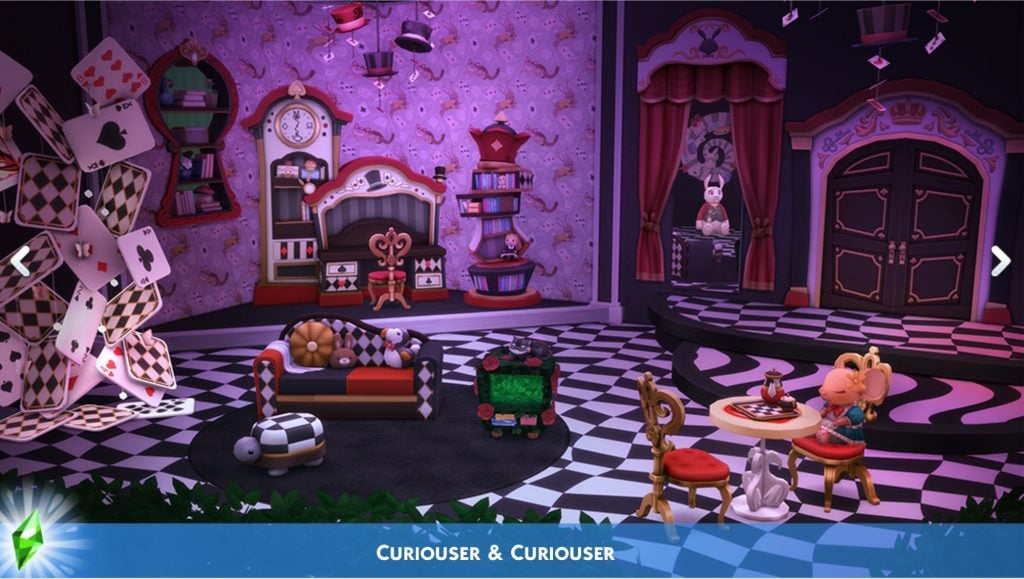
Curiouser & Curiouser – A delightful stuffed rabbit, hanging top hats, and wall décor featuring dodo birds or grinning cats are just a few of the ways this kit will transport you to a world both familiar and fantastic.
Kit Screens
These Kits are seperate releases from The Sims 4 Grand Bundle coming with Royalty & Legacy Expansion Pack, which includes the Silver Screen and Tea Time Solarium Kits.
Will you be getting the new Sims 4 Kits when they come out on February 26th? Let us know your first impressions of the upcoming Kit releases in the comments down below, and stay tuned for full Reviews and Overviews of new and previous releases!
The Sims Team releases a new The Sims 4 Update – packed with features and bug fixes!
The latest Sims 4 Update has just been officially released across Computer and Console supported platforms. Including PC, Mac, Xbox and Playstation supported platforms and consoles.
When it comes to Sims 4 bug fixes, you should finally expect the Black Photos bug issue to be resolved. More fixes have been announced already in last week’s Sims 4 Laundry List, including changes to game code that modders should know!
Table of Contents
The Pre-Royalty Update
Installing the Latest Sims 4 Update
You can get the latest The Sims 4 Update on the following official launchers and platforms:
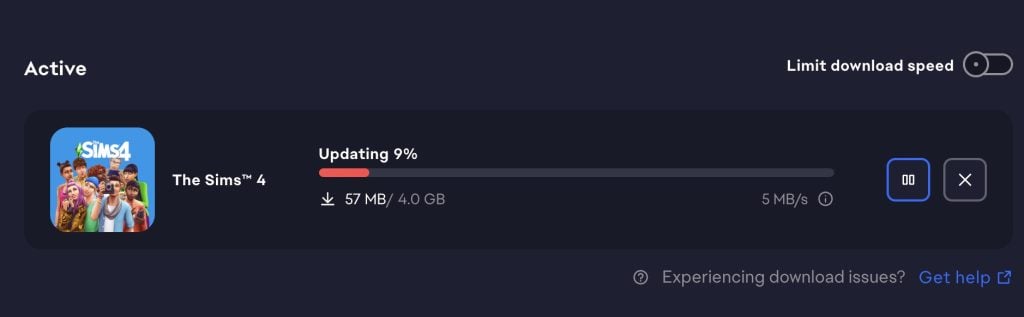
You can download the latest Sims 4 Update by checking for a Patch through the EA App, Steam or Epic Games launcher for Desktop. If you have Automatic Updates enabled the update will automatically download through your client program. In case your EA App is not working properly ensure you’ve cleared your app cache!
If you play The Sims 4 on Xbox Series X / S and Playstation 4 and 5 you can request a new update by checking for updates under The Sims 4 game in the Main Menu. If you’ve enabled automatic updates the Patch should download right away.
There’s also a handy official guide to Mods and CC maintenance, as well as backing up your Saves! Click here to learn all about healthy upkeep of your The Sims 4 files.
Official The Sims 4 Patch Notes
Update 2/3/2026
PC: 1.121.342.1030 / Mac: 1.121.342.1230
Console: Version 2.28
Sul Sul Simmers, and Bok, Ciao, Cześć, Dia Dhaoibh, Guten Tag, Hallo, Hola, Hej Hej, Helô, Moikka, Привіт, Salut, Salutare, Salve, Sveiki, Merhaba, Tungjatjeta, здравей, 你好, こんにちは, and Hello from around the world! Are you ready to elevate your game experience with a wave of new features and gameplay additions? Then let’s take a look at what this latest The Sims 4 free base game update has in store for you!
-The Sims 4 Team
What’s New in The Sims 4?
Family Tree Updates!
The Family Tree has been updated to expand how you experience and tell Sims’ family stories. Your Sims now have relationship labels for in-laws, half siblings, great grandparents, and more! Extended family members will also be shown in the family tree. Players can also choose whether adopted Sims are labeled as such in the Family Tree.
New relationship labels include: Mother-in-Law, Father-in-Law, Sister-in-Law, Brother-in-Law, Daughter-in-Law, Son-in-Law, Distant Relative, Distant Relative-In-Law, Half-sister, Half-brother, Stepmother, Stepfather, Stepdaughter, Stepson, Great-grandmother, Great-grandfather, Great-grandson, Great-granddaughter, Parent’s Cousin, Cousin’s Child, Grandniece, Grandnephew, Grand-aunt, Grand-uncle, Ancestor, Descendant, and Relative-In-law. Divorced has a new name: Ex-Spouse, and Deceased Spouse has a new name: Late Spouse.
Close relatives are prohibited from being romantically involved. This prevents autonomous flirting between In-Laws or Step-relatives.
Flared Staircases!
Get ready to create grand looking staircases! Now, you can widen the top or bottom of a staircase (symmetrically or asymmetrically) to give your builds a touch of elegance. Additionally, stair rails can now be applied to only one side of a staircase and we’ve added a slider to change the length of the rail.
Here’s a an article link to more in-depth descriptions of the updated Family Tree and Flared Staircases.
Create a Sim
Afro-Textured and Curly Hair Filters:
Africana Style Filter:
A new style filter, Africana, has been added to the game. This style filter makes it easier to sort and find African-inspired items in Create a Sim and Build Mode.
New Jewel-toned Nails:
12 new luxurious jewel-toned and metallic almond-shaped Nails have been added to Create a Sim.
Lost Legacies Event
Embark on a whirlwind adventure in the Lost Legacies Event as your Sim is swept into a royal treasure hunt, sparked by the arrival of a mysterious royal emissary. Play now through March 16th!
Uncover Lore: From exploring the artistic legacy of the Dambele family to unraveling the romantic secrets of the Bellacorde family and decoding the legendary tales of Princess Cordelia, explore the lost legacy of the three prestigious families from The Sims 4 Royalty & Legacy Expansion Pack.
Free Limited Time Rewards: Unlock a trove of treasures each week, from collectable skeleton keys that complete quests, a cursed ring with dangerous consequences, a vengeful aspiration, new lot trait, and more. Each reward is special and brings you closer to the noble families, has a unique aesthetic, or adds a new way to play.
Active Quests: Your Sim will dive into lively debates, master new skills and chase clues across museums, nightclubs, libraries and hidden grottos.
New Kits for your Sim’s Realm
Step into a world of imagination, elegance, and drama! Whether you’re dreaming of picture-perfect tea parties or silver screen inspired style, these Kits are ready to inspire new stories, Sims, and builds!
The Sims™ 4 Silver Screen Style Kit and The Sims™ 4 Tea Time Solarium Kit will be available for purchase individually February 12, 2026 and are included for free in the Royalty & Legacy Grand Bundle through March 15, 2026.
Step into a whimsical playroom with The Sims™ 4 Wonderland Playroom Kit and build a charming yard with our latest Creator Kit: The Sims™ 4 Yard Charm Kit, created by Ravasheen.
[EA Forums] Resolved an issue that caused photos to turn black, discovered after the January 13th Base Game update.
[EA Forums] Fixed additional instances of an issue where entering and exiting Build Mode during Scenarios with goals would cause the UI to disappear or the game to become unresponsive.
[EA Forums] Book covers for Baking, Wellness, Snowboarding, Rock Climbing, Herbalism and Photography books should no longer change when placed on retail displays. Fabrication and Mixology skill books no longer have the same book cover.
[Bug Archive] Resolved an issue where Sims’ Great Grandparents incorrectly had romantic interactions available to them with extended family members.
[Bug Archive] Resolved an issue where Sims didn’t complete the “Dance With Someone” goal at Prom, preventing a Gold Event rating.
[Bug Archive] Upgraded vacuums now work in the “Off the Grid” Lot type.
Build Mode
[EA Forums] Resolved an issue that could prevent room type assignments in Build Mode.
[EA Forums] Simple Slattered and MasterCraft staircases no longer have an extra board when placing L-shaped stairs.
Create a Sim
[EA Forums] Fixed a UI issue in Create a Sim that was preventing elements from displaying in Turn-Ons and Turn-Offs, as well as the Like and Dislike buttons.
[EA Forums] Editing Merfolks or Aliens in Create a Sim should no longer cause a game crash.
[EA Forums] Resolved an issue causing nail asset (yfAcc_ManiNaturalShort_SolidDirt) to cause a metallic effect to the entire body.
[Bug Archive] Resolved an issue causing nail assets (yfAcc_ManiGP12Forest and ymAcc_ManiGP12Forest) to show lines around the upper arm on Sims.
Third Patch Info
If you’ve downloaded the first and the second update, you’ll have to download the third Sims 4 Update as well. If you’ve downloaded any of the two you’ll get the new Update waiting for you. This third release for the Patch should be final and resolve any previous game issues.
New Statement from EA_Cade
Simmers, We’re aware that some of you are experiencing issues with today’s Base Game Update. We know how disruptive this can be, and our teams are actively working on it. We’ll share next steps as soon as we have more information.
Thanks for your patience, The Sims 4 update is rolling out now. If you haven’t updated yet, please do. If you started to update earlier, you may need to clear your cache to see the correct update.
Official Statement from Community Manager on Second Update
The official Sims Team has acknowledged the issue over on their Discord platform. Stating that they’re currently looking into issues that triggered this.
I’ve reported the reverted update issue to our team and looking to get information soon to share with yall
SimDevShawnee
Community Theories
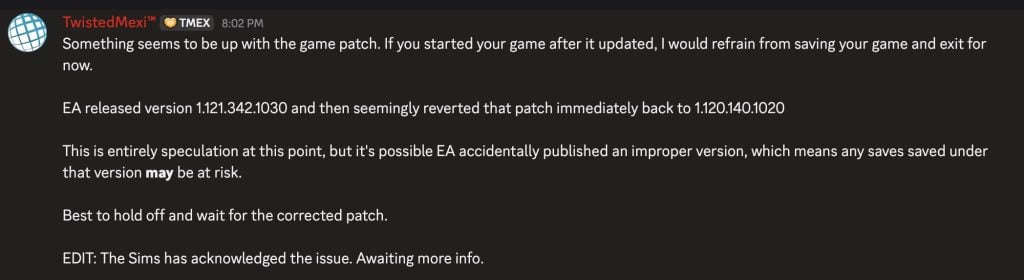
The Sims 4 Modder TwistedMexi posted the following theory about what could’ve gone wrong with the latest Sims 4 Update. Stating that although just speculation, EA may have accidentally published an improper version of The Sims 4 with the update. With an assumption that there’s going to be a new statement released soon.
Something seems to be up with the game patch. If you started your game after it updated, I would refrain from saving your game and exit for
EA released version 1.121.342.1030 and then seemingly reverted that patch immediately back to 1.120.140.1020
This is entirely speculation at this point, but it’s possible EA accidentally published an improper version, which means any saves saved under that version may be at risk.
Best to hold off and wait for the corrected patch.
DOUBLE WARNING: The second Patch will break your game.
The best thing you can do is to delete the gameversion.txt file in Electronic Arts > The Sims 4 save file folder.
DO NOT UPDATE, THIS SECOND PATCH REVERTS THE UPDATE NOOOOOO but if you fell in already, u need to only delete the gameversion.txt file in ur documents folder not the entire folder
WARNING: There is a second Sims 4 Patch issued just now! If you downloaded the first update you will have to download the second one to have the latest version. If you didn’t download the first update, the Patch will be merged into one.
What happened?
Player @Simmattically also noticed the double patch release, pointing out that the game version reverted from 1.121 (which was the initial update) to 1.120 (the second game update). Stating that they can’t launch the game with the second update.
What the hell is Maxis doing? They released game update number 1.121 today, and just a few minutes ago, another update was released. But this time the game reverted to version 1.120. The game doesn’t even launch. (You must clear your Sims 4 folder in the Documents first.)
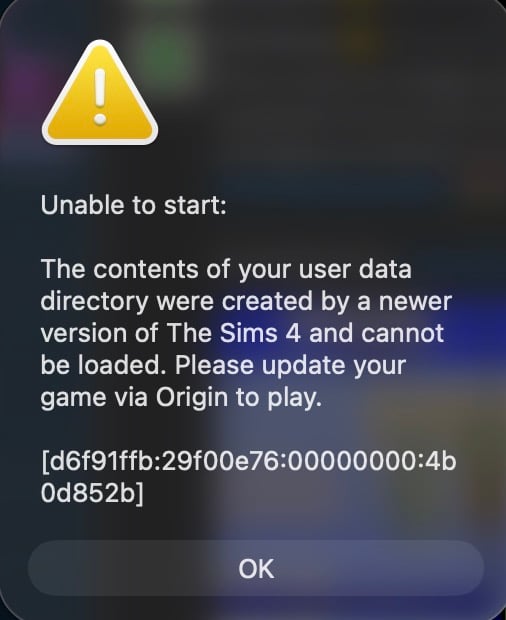
Inside the Sims 4 Documents folder, there is a gameversion.txt file that stores the last played game version. They reverted the update from 1.121 back to 1.120, so if the newer version is recorded in that file, the game will refuse to launch. You can simply delete that one file and the game should start, but I wouldn’t touch any save files if they were already saved while on version 1.121.
The latest Sims 4 Update is around 4GB on Mac devices.
What’s your experience so far with downloading and playing the latest Sims 4 Update? Let us know in the comments below and stay tuned for latest coverage on new game features!
The developers share insights on today’s brand new The Sims 4 Patch!
The Sims Team hosted a special Sims 4 Family Tree Q&A Session on their official Discord. The developers who worked on several Base Game improvements coming with today’s Sims 4 Update answered some of the most burning questions from players.
We summarized all the questions and answers shared in the official Family Tree Q&A Discussion thread down below. Learn all the new facts about family relations, what’s Base Game new and what’s Pack new + more insights!
The Sims 4 Family Tree Q&A Summary
Question: Thank you for doing this! I want to know if the new family tree will prevent adopted children and friendly science babies to be viewed as Scandal by the new pack?
SimDevXènia: Adopting children and/or having science babies does not count as a scandal.
Question: How far up/down does the family tree now reach? great-grandparent/-child?
SimDevFiore: Hello! We have expanded it to show up to 10 generations of Sims – 5 above, and 5 below your currently selected Sim
Question: You’re adding ‘step’ parents but they were already there? How does this new addition work..
SimDevAzure: We’re adding step-parents as a proper label in the Family Tree. Previously they weren’t described this way by the game.
Question: Are aunts/uncles and cousins added?
SimDevXènia: yes, all of them are here: Mother-in-Law, Father-in-Law, Sister-in-Law, Brother-in-Law, Daughter-in-Law, Son-in-Law, Distant Relative, Distant Relative-In-Law, Half-sister, Half-brother, Stepmother, Stepfather, Stepdaughter, Stepson, Great-grandmother, Great-grandfather, Great-grandson, Great-granddaughter, Parent’s Cousin, Cousin’s Child, Grandniece, Grandnephew, Grand-aunt, Grand-uncle, Ancestor, Descendant, and Relative-In-law. Divorced has a new name: Ex-Spouse, and Deceased Spouse has a new name: Late Spouse.
Question: Will in law relationships be included on the family tree?
SimDevFiore: Yes, the Family Tree will now show In-Law relationships!
Question: Will any premade sims get expanded family trees? Like ancestors (Goths are great candidates for it), or only Johny Zest is joining langraabs offcically in the tree?
SimDevXènia: yes, goths and landgraabs got it! but only for new saves. they will have ancestors and a dynasty with values
Question: But they don’t show up on the family tree
SimDevFiore: Aunts and uncles will now show as a label in the family tree!
Question: Hello, I would like to know whether the family tree will display titles for a spouse’s family members.
SimDevXènia: yeah, if you mouseover you will see their titles.
Question: What new about family tree
SimDevAzure: The Family Tree has been updated with new relationship labels. Extended family members will now be shown in the Family Tree and players can also choose whether adopted Sims are labeled as such in the Family Tree.
Question: is adoption being altered at all e.g. the relationship between an adopter and adoptee being distinct from biological parent/child relationships?
SimDevXènia: no, except some bit of text in a moodlet or two, the relationship is the same.
Question: Will the family tree update come onto my older saves? Not bothered about the Premade sims as I delete them all anyway and make my own.
SimDevXènia:yes it will, regardless of they were premades or not, you will see the expanded family tree if the sim information is there (meaning, if your save file didn’t cull them from the game in the past)
Question: How does Forging Trees work? Will we be able to see Aunts and Uncles now?
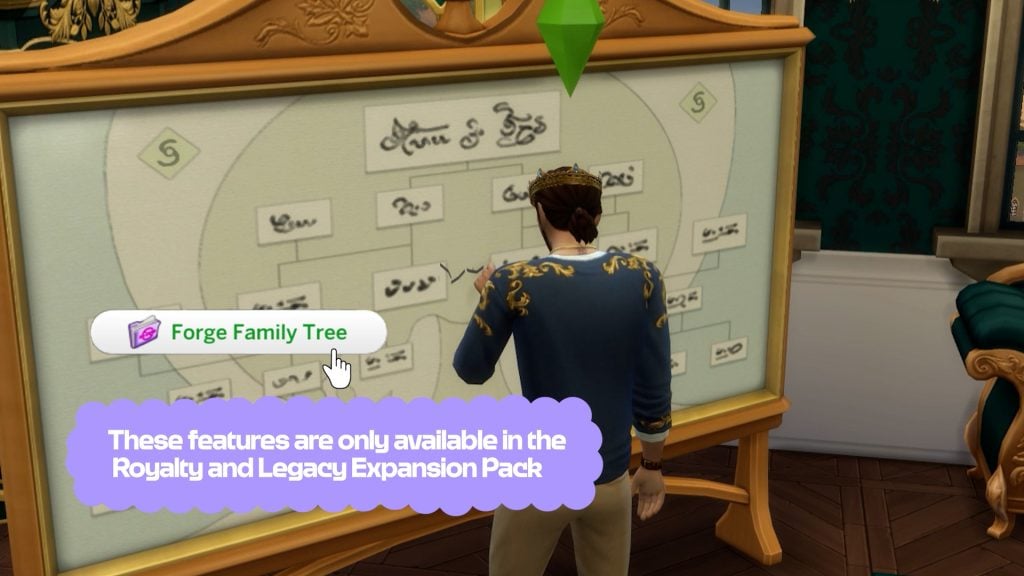
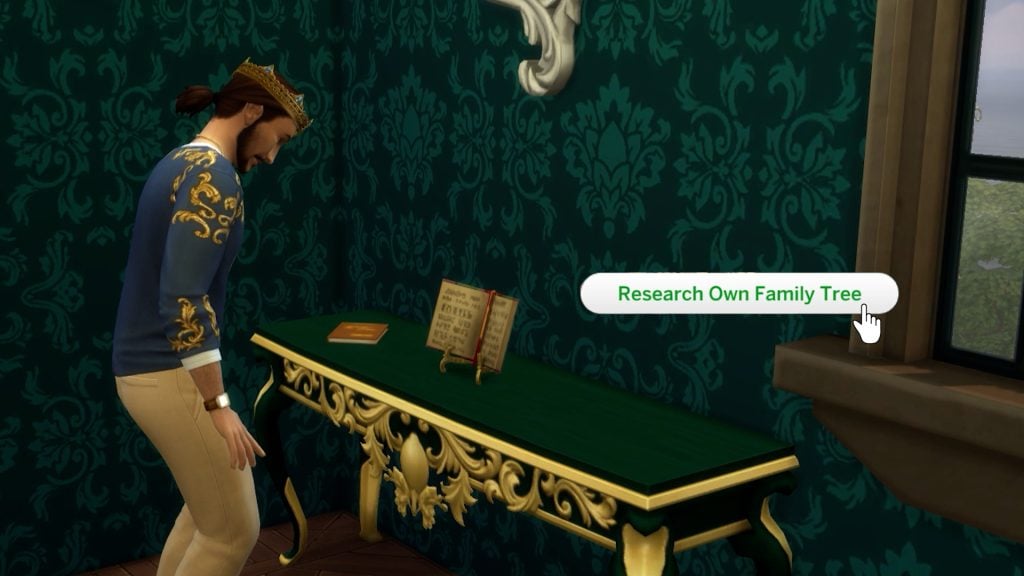
SimDevAzure: Yes, you will be able to see Aunts and Uncles! and for Forging Trees (specifically for Royalty & Legacy) your Sims can fake family ties (lie about them) by using the Forging interaction on the Family Tree Tapestry object.
Question: Is there a way to go into the legacy/dynasty screen and change things around on previous saves?
SimDevXènia:you can change things around by performing forgery in the family tree. but that can have your sims end up in a scandal!
Question: How far in the family tree do you have to be for romance interactions to work? Royalty historically married their distant cousins (or even first cousins)
SimDevFiore: We have done a big update here and you actually will no longer be able to romance ancestors that are directly connected to you “in a vertical line” This only applies to new relationships in your save file, if you have a Sim dating an ancestor in an existing save file we won’t break that relationship!
Question: Will you be able to view whether a sim was adopted? Also, is setting that an option in CAS when creating a family?
SimDevXènia: You can if you enable the setting in gameplay settings. By default it’s disabled
Question: Is the Baby Daddy Choosing only avaible in the new DLC?
SimDevAzure: Yes. This is specific to the Secret Child feature which is a part of Royalty and Legacy (not base game).
Question: Will pets show in the family tree? Or is that just specially Sim related lol?
SimDevXènia: no, pets and humans are separate, sorry!
Question: Hi! Will we be able to see familial relationships by marriage (sister-in-law etc.)?
SimDevAzure: Yes! Mother-in-Law, Father-in-Law, Sister-in-Law, Brother-in-Law, Daughter-in-Law, and Son-in-Law
Question: Can we assign these new roles in CAS?
SimDevXènia: No, we didn’t add these to CAS. So if you wanted your Sim to have a cousin, you should set up aunts/uncles who have kids
Question: can a sim have biological and adopted Parents at the same time?
SimDevXènia: yes
Question: are the changes retroactive or will they only apply to new relationships?
SimDevAzure: They Family Tree updates are retroactive.
SimDevXènia: for the person who asked if ‘adopting erases their existing parental relationships’: no, but it will require the sim that is getting adopted to have less than 2 parents to start with (including dead parents)
Question: Will the new family tree show the old spouse if someone dies and remarries?
SimDevAzure: Yes, and we’ve updated the name from Deceased Spouse to Late Spouse.
SimDevFiore: Romance is not allowed between Cousins (this was already the case!) But you can romance an in-law or a step-relative as you are not actually related by blood – we’re aware that in most scenarios this feels icky, so we made sure that Sims will no longer autonomously start flirting with in-laws and step-relatives This helps ensure that Sims will keep their platonic relationships as such! However, if you love drama and actively want to make your Sim flirt with in an in-law, you totally can do that – makes for a very typical telenovela plot!
Question: will the family tree show who was adopted and who was not?
SimDevFiore: There’ll be an option in settings to choose whether you want to show Adopted sims with an ‘Adopted’ label or not
Question: does the new family tree keep the persons portrait if they are an ancestor from a long time ago ? in my saves it usually deletes the grandparents unless they are ghost or occults
SimDevXènia: check your culling settings, it seems that you might have it set to low if the game is removing portraits of deceased sims.
Question: This may be more of a Dynasties question than a family tree question, but can Sims more “found families” or “chosen families” be represented in Family Trees or Dynasties and selecting Heirs?
SimDevAzure: Dynasty members can only be sims related by family ties or marriage. If you’d like to create a “Found/Chosen Family” story you can now add adults to your family by adopting them.
Question: How do male Sims have illegitimate Children?
SimDevXènia: if you make a Sim pregnant with your male Sim, you will not be able to ‘lie’ about your tie to the baby. if you switch control to the pregnant sim however, you can choose from the dropdown the father that better suits the story you want to tell
Question: Will Mrs.Crumplebottom be in the Goth Family tree ?
SimDevXènia: yes! the goth family tree now is pretty big
Question: Do we have step siblings?
SimDevFiore: Yes, it’s a new recognised relationship that will appear in the Family Tree!
Question: What the button”show legend” is for in the family tree window??
SimDevXènia: it explain what the different lines, portrait shapes and icons mean. dotted line = secret baby, two rings = married, etc
Question: What the button”show legend” is for in the family tree window??
SimDevFiore: The Show Legend button shows a legend of all the new icons and different types of connecting lines you can see in Family Tree now. If you have Royalty & Legacy, you will be able to see unique icons in the Tree that show you the Dynasty a Sim belongs to, their Noble ranking, as well as any special connections to other Sims For instance, Sims in the same Dynasty will have a different type of connecting line Also, in Royalty & Legacy you’ll be able to Forge false family connections between sims – those connections will be shown through a dotted line in the Family Tree!
Question: Will the long lost relative that shows up in Growing Together genealogy research now show up in your family tree?
SimDevAzure: No. There’s no proof that Kyle is actually related to anyone. Let him into your Sims homes at your own risk!
Question: Are Dustin Broke and skip Broke in the same family tree?
SimDevXènia: they are! and it’s not only the brokes! all families will be linked in the tree properly now
Question: is there a way to add a friend to your family tree without marrying them or adopting them?
SimDevXènia: no, friends do not appear in family trees!
Question: will we see in the family tree of premade sims others members from others packs?
SimDevFiore: We have done a big pass of updates to include family connection between Sims from different packs that are intended to be related by lore – we’re a bunch of massive lore nerds haha! You will see those connections in a new save file if you have both packs those Sims come from (such as Lily Zhu and the Vatores)
Question: if parents of step siblings devorce, does the relationship go away or, like with the ex-spouse one, it stays (would the sibling label also change?)
SimDevFiore: Step-relative relationships will go away if there’s a Divorce between the Sims that connect those step-relatives
Question: Will the family tree update come onto my older saves? Not bothered about the Premade sims as I delete them all anyway and make my own.
SimDevAzure: Yes. The family tree updates will show up on your older saves.
Question: For those households that got updated with ancestors. Will the ghosts be in our game with the possiblity of us playing with them or is it just for the family tree?
SimDevXènia: no, there is a limit of sims that we can add with each pack, and ghosts count as sims too, so they’re just portraits in the family tree. they will not have tombstones or will be eligible for resurrection unfortunately.
Question: Is there a way to go into the legacy/dynasty screen and change things around on previous saves?
SimDevAzure: You can create Dynasties for your older saves.
Question: Sometimes sim data gets culled if a save gets too big, will the ancestor data be protected or yeeted?
SimDevXènia: when a sim is culled, we protect the portrait, name and other cosmetic bits but not the proper ID, meaning you cannot resurrect them or find their ghosts wondering. but they’re in the tree for posterity
Question: This may be stupid but will ghosts of past sims still be on the family tree? Will we will able to see things such as traits,jobs etc on the family tree (I doubt it but I thought I’d ask!)
SimDevFiore: Ghosts will appear on the family tree! You will not see all details of a Sim on the Family Tree, their traits will not show for instance
Question: How will it show if there’s an immortal sim still alive that goes back further than 5 generations
SimDevXènia: as usual, the portrait of the sim will be in color instead of black and white.
Question: will girlfriends and boyfriends be added to the family tree?
SimDevXènia: no, they only show up after marriage as usual.
Question: Does the tapestry allow you to form found family connections and add people not related by blood to the family tree
SimDevFiore: Forging connections via the Tapestry is to have a ‘false’ connection (it can lead to a Scandal if found!), it’s the kind of thing you would do if your Sim is a social climber and they want to fake their way into a Noble family! But in Royalty & Legacy we have also added the option to Adopt sims regardless of age, to give another way to build a found family
Question: Also, how do you adopt another Sim? Do you have to have a certain level of friendship with them? (I sort of assume so)
SimDevFiore: Yes you need to have a high level of friendship with them, then it will appear as an option when you interact with that Sim in the pie menu
Question: Out of curiosity what is culling and when does it happen?
SimDevXènia: the game keeps a recommended amount of sims in your save file (max is 200, but recommended may vary depending on your PC) to keep the simulation running smoothly. if the cap is reached, the game will try to erase the IDs that have some inactivity in order to keep the save file ‘healthy’, so to speak
Question: If you adopt a sim do they become your adopted child or can they be a different adopted relative?
SimDevFiore: You can only adopt them as your child specifically
Question: So my guess is if you upload sims to the gallery their family tree is wiped if someone downloads that household right? Only showing the sims in the household
SimDevXènia: that’s correct, we only keep their information upon upload.
Question: How can you find someone else scandal ? By breaking inside and snooping ?
SimDevAzure: You can find out another Sims secrets/Scandals by asking mutual Sims if they know the target sims secrets, rummaging through trash, buying secrets from the Info Brokers website, or witnessing the secret as it happens (catching them in the act!).
Question: So a young adult can be the parent of another yong adult?
SimDevFiore: Not quite, there’s still a restriction on the Adoptive parent having to be at least one age bracket older than their adoptive child
Question: I’m REALLY interested to know Princess Cornelia’s family tree and how far it goes
SimDevAzure: Pretty far! You’ll be able to see how Cordelia’s family tree connects with Tybalt Capps!
Question: in the new pack “royalty and legacy” have new interactions with the familiy tree, what it’s do in the gameplay?
SimDevFiore: In Royalty & Legacy specifically you can Forge false family connections between two unrelated Sims (via the Family Tree Tapestry) You can also establish another Sim as your “Secret Lover” once you have a flirt going with them. And if you have a child outisde of your “official” relationship, you can lie about their real parent and have a Secret Child All of these details will be visible in the Family Tree
Question: Will the family tree show the vampire relationship between a spawn and a maker?
SimDevXènia: no, we figured vampire spawns should not be part of the family tree in case they were romantically involved before being turned into vampire.
Question: Will the family in Tartosa Arnessa Thebes family connect to Cordelia Thebe ?
SimDevXènia: yes!
Question: When a family description mentions a deceased family member, they are not currently shown in the family tree. Will this update make them appear?
SimDevXènia: the only families we created ancestors for are the goths, the landgraabs, the thebes, the capps & montys and the darongs.
Question: Can you use the forge connection item to remove yourself from a family tree? Like if you wanted to run away from your family and the pressure of a dynasty?
SimDevFiore: Forging connections is specifically to create a new fake connection (which could be one day discovered and lead to a Scandal. You won’t be able to use it to ‘escape’ your family!
Question: Anyway sorry to repeat this question but will clones be shown on family tree? I ask because I was wondering if vlad is one of the first vampires, so I he is would he show as a sibling to a spellcaster ?
SimDevXènia: clones made using the cloning machine from the scientist career will show in the family tree as usual, in the form of siblings. no lore updates were given to vlad. one of my favorite sims
What are your thoughts on the latest official Sims 4 Family Tree Q&A from The Sims Team? Let us know your opinion in the comments down below and stay tuned on Sims Community for the latest Sims 4 News!
The life simulation genre is going through one of its most interesting phases in years. While ambitious, hyper-realistic projects like InZOI are pushing the genre forward with detailed graphics, there is also a growing desire among players for experiences that feel lighter, more unpredictable, and emotionally playful. In that context, the return of Tomodachi Life: Living the Dreamhas been met with genuine excitement across the life-sim community, especially The Sims.
Table of Contents
Originally released on Nintendo 3DS in 2014, Tomodachi Life offered a quite different approach to life simulation. Instead of giving players full control over every action, the game encouraged observation.
More than a decade later, the genre has evolved dramatically. Life simulation games now cover a wide range of styles and philosophies, and players have become more aware of what they value in these experiences. Against this backdrop, Tomodachi Life stands out not as a technical competitor, but as a reminder that life simulation does not always need complexity to feel meaningful.
A Different Kind of Life Sim at a Time of Community Fatigue
For many players, the excitement surrounding Tomodachi Life: Living the Dream’s return is also closely tied to the current mood within the community. After years of ongoing discussion, frustration, and fatigue surrounding The Sims 4, particularly regarding monetization, updates, and publisher decisions, some players are clearly eager for alternatives that feel less demanding and more playful.
In that sense, Tomodachi Life represents a different kind of promise. It does not ask players to constantly manage systems, invest in endless expansions, or optimize every aspect of virtual life. Instead, it offers moments: strange conversations, unexpected relationships, and small stories that feel spontaneous and easy to share. That simplicity feels especially appealing at a time when parts of the life sim community are craving a more relaxed relationship with the genre.
You can make two Miis introduce themselves to each other and see what happens / Nintendo
What’s Tomodachi Life: Living the Dream Bringing to the Life-Sim Genre
Tomodachi Life: Living the Dream delivers a set of quirky and deeply personal features that set it apart within the life-simulation space. First and foremost, the game’s customization is striking: players can create Miis with a wide range of physical features, detailed personality traits, voice options, and even gender identity and dating preferences, including non-binary, aromantic, and same-sex options, something that past life sims only managed to expand and refine gradually over several years.
But the uniqueness doesn’t stop at character creation. Living the Dream builds its life simulation around emergent, unscripted interactions between Miis on a vibrant island, where inhabitants socialize, form relationships, and experience unexpected moments without constant player micromanagement.
Island customization is another standout: you can shape the environment, place objects, and design community spaces that influence how characters interact with each other and their surroundings in ways that feel spontaneous, whimsical, and often hilarious. These elements give Tomodachi Life: Living the Dream a personality-first simulation experience that feels refreshingly different from the firm and structured worlds of The Sims 4, and highlights why its return has excited life-sim fans across communities.
Why Tomodachi Life Feels Different More Than a Decade Later
The long gap since the original release also plays a significant role. What once felt quirky and experimental in 2014 now feels refreshing and even comforting. Tomodachi Life: Living the Dream is not just about nostalgia; it is about reconnecting with a type of life simulation that prioritizes surprise, humor, and emotional connection over control. Something that is apparently missing in recent The Sims and other project releases.
This renewed interest does not suggest that players are abandoning The Sims or other life simulation games entirely. Rather, it highlights a growing desire for variety. Players want separate ways to engage with virtual lives, whether that means deep customization, creative building, or simply watching unpredictable stories unfold on their own.
You can select your Mii’s gender and even their dating preferences / Nintendo
More than ten years after its debut, Tomodachi Life: Living the Dream’s return feels significant because it reflects a broader shift within the life-sim community. At a moment of uncertainty and change for the genre’s most established franchise, the re-emergence of a lighter, more playful alternative reminds players that life simulation can still be joyful, strange, and surprising.
How do you feel about Tomodachi Life’s return? Does this kind of life simulation feel more appealing to you right now, especially in the current state of the genre?
Lots of speculation is circling around the Sims 4 and its future right now, particularly centering around the idea of The Sims 4 Royalty & Legacy being the final expansion pack in the series. While not confirmed, this has brought some disappointment among fans who were looking for new features that have long been requested outside of The Sims 4 Royalty & Legacy’s features, primarily the ability to create a band in-game and expansions on music and musicians in-game. The Sims 4 possibly getting bands has been rumored for some time, so it is not shocking at all that a modder has taken the pleas that have seemingly fallen deaf on EA’s ears and create a mod to expand the gameplay options for PC players.
Official World Tour Mod v2 Preview Image by Thatssojordy
The Sims 4 World Tour mod is a core mod with an additional band-centered module by modder Thatssojordy, well-known for other gameplay mods centered around storytelling and expanding opportunities for your sims, that allows your sim to pursue a true-to-life career as a musician, independent or signed. They can also create functional bands with new storytelling features to create a long-lasting career, gain some fame along the way, and make their mark in the world.
The Sims 4 World Tour Mod Guide: Main Features and Bands Module
The Sims 4 World Tour Mod & Bands Module by Thatssojordy
Meet the Creator: Thatssojordy
Thatssojordy, also known as Jordy, is a Sims 4 Modder who focuses on expanding gameplay in The Sims 4, especially focused on storytelling, your sims’ aspirations and passions, and their interpersonal relationships. Some other examples of mods created by Jordy include a mod called “Growing Pains” that adds more familial interactions and gameplay features inbetween Sims, and “Digital Romance”, which expands on features through the cellphone and social media pertaining to your Sims romantic relationships, adding more options for breaking up, hooking up, and making up!
Jordy also creates mods to add smaller features, like an “Ask to Relocate” mod to move your sims after getting a new promotion, or “Twice Bitten” which adds new moodlets between vampiric sims and the sims they choose to drink from.
To add the items to your game on Windows, follow this folder path: C:\Users\[USERNAME]\Documents\Electronic Arts\The Sims 4\Mods To add the items to your game on MacOS, follow this folder path: Macintosh HD/Users/User/Documents/Electronic Arts/The Sims 4/Mods
Once you’ve downloaded the files, make sure you have an extraction program installed. These can include 7Zip, Winrar, etc. After that, highlight one or multiple zipped/compressed files and select “Extract Here”. Drag the extracted contents to your Mods folder. You can also sort them into their own folders within your Mods folder, but it is recommended to not nest them too many levels deep as it can cause longer loading times, and some CC items and mods stop working when too deep within folders. Specifically, most .ts4script files will not work if nested more than one subfolder deep.
Tip: While many creators provide additional files, like .txt/ReadMe, .jpg/.png files, and more possible file types for previews or instructions, it is best practice to not put those into your Mods folder as they can also lead to longer load times and excessive clutter. Creators will often specify any files that need to be put into the folder, along with where, so primarily focus on .package and .ts4script files!
Mod Requirements
Lot 51 Core Library
Lot 51’s Core Library is a REQUIRED mod for the installation of The Sims 4 World Tour Mod, but also for many other script mods. For players, this mod does not do anything without accompanying mods by Lot 51 and other creators. Per Lot 51’s page:
Core Library is a dependency for many mods to add gameplay functionality without overriding each other. It helps reduce conflicts and the need for redundant scripts.
This is the structure and bones of the entire World Tour mod, with the module “I’m With The Band” being additional features that are not inherently required. However, this does mean that this core part of the mod is required to be able to use the features added with the module “I’m With The Band”.
This section of the mod has a particular focus on the experience of a rising solo artist, with v2 introducing the ability to be an independent or indie artist, without strings attached to a record label or long-term contracts. You have multiple avenues for performances, gaining fame, and spreading your music to the world, as well as multiple pieces of storytelling features to make the player feel more connected to their Sim. You can select the genre of music your artist creates, if they’re in a new era of their career, if they’re favored or disliked by the industry, and many other unique gameplay features added to make the story detailed and generally in-depth.
Getting Started As a Solo Artist
Whether you plan to start a band and gather a group of fellow musicians, or strike out on your own, you need to start in the same place; Registering as an artist! Solo artists can register as independent, focus on becoming a songwriter, or get signed to a record label, with pros and cons for all three options. After that, you can pursue a solo career and keep yourself front & center, or work with others around you to create a unique sound and form a band, long-lasting or not.
To start as a solo artist, use the “World Tour” app on your sim’s cellphone (The icon is a guitar), and register as an independent artist. You can also register under a record label and sign a contract, but that typically requires and offer and more work than starting out as an indie artist, though they both have their perks and drawbacks!
Once registered, the new “World Tour” panel gives your artist all the opportunities to pursue their dreams; Planning huge concerts, recording new music and building their discography, going on tour, etc. However, the question of funding and who is planning to fork over those simoleons is still on the table…
Independent or Record Label?
Whether you want to stick it to “the man” and make it big without the help of a contract and corporate connections, or you’re hoping to get in front of the right person and get a leg up, there’s multiple avenues for pursuing a career as a singer, songwriter, and musician.
If you choose to be an independent artist, your Sim will begin from humble beginnings, particularly in the financial department. Your sim will have to grind and work hard, signing up for music services and uploading their own music there. They can still attend all the fun events, but a lot of the larger activities will require them to fork over their own money, and many will be unavailable until they reach a certain level of fame.
On the other hand, a record label standing behind you to help you make connections can be incredibly helpful; You have more opportunities and typically gain more fame in the beginning. However, it is very easy to accidentally anger your record label for a multitude of reasons, possibly leading to being put on probation or losing the deal altogether. You also have to wait for decisions on behalf of record label executives, instead of being able to push the button and move everything forward yourself.
Since record labels have connections, they also often require that you have a semblance of talent or fame before you’re offered a deal. After submitting some demo music to a record label of your choosing, Sims will receive an offer or rejection letter. A sim’s fame, songwriting or instrumental skill level, singing level, etc., will all dictate how these go. If your sim is rejected from their deal, they’ll have a sad buff for a few days and will be unable to submit more demos until they move on.
Once you receive a record label deal, you can choose to accept or turn it down, as well as how long your contract will be. Your sim will have a small happy buff that will count down to your contract ending, as well as reminders for when you need to attempt to renew said contract. Contracts can be 14 days, 21 days, or 28 days. Just be careful; It can be hard to leave your own contract without paying a hefty sum of §5,000, or you can get dropped by your label and your contract ended early.
Industry Plant or Industry Darling?
Two new traits, can be added in CAS or in-game. Evil & Mean Sims cannot be Industry Darlings, Good sims cannot be Industry Plants. Sims can also get opportunities to become either, and they can also remove the traits using aspiration rewards if they should decide to.
These Sims are beloved by fans and general audience alike! Their music captivates anyone who listens and their success is from hard work and determination! Sims just love these Industry Darlings and want to show genuine love and support anyway they can! – The In-Game Description for the Industry Darling Trait
Industry Darlings can become famous quickly, and gain adoration of loving fans just as fast. They can receive gifts in the mail from their fanbase and are truly the star of their show, with their shining personality and charisma at the heart of their fame.
Industry Plant Sims have an incredible boost in popularity and overall success in the music business. So much success, there are rumors that these sims careers are being designed and influence by major record labels (secretly) but those are just silly tabloid rumors, right? – The In-Game Description for the Industry Plant Trait
Industry Plants, on the other hand, are here for the fame and success, no matter how they get there. Leaking private information to online blogs, purchasing streaming bots, and other scandalous things just to get one step ahead of everyone else. These sims feel little to no shame for their misdeeds, and typically only reflect on them with heavy backlash or extreme fan loss.
You don’t have to pick these traits at the start for your Sims to become them either; During the course of their career, different opportunities will pop up to allow your sims to become Industry Plants or Industry Darlings, typically with a small explanation as to why or how. Your sims can pursue these avenues, or reject them outright.
The Music
And this is typically why most Sims (and real world people!) pursue a career in music, whether as an artist or songwriter; A love for music. Whether your Sim has the Music Lover trait, a creative passion, a high skill in a certain instrument, or you really just want them to pursue it, music is at the core of this mod. Sims can now develop a skill for writing songs instead of relying on individual instrument skill levels to be able to write songs.
They can now sign up for specific music platforms to stream their music under. They can change the perception of their music and discography using the new “Music Eras” feature, and they can show up and show out by planning shows for rabbithole concert venues and music festivals, creating a hopefully amazing experience for their adoring fans!
Although, just like real life, not everything turns out the exact way you want it to!
You will receive chance cards while your sim attends events, whether they are at a small rehearsal or they’re the headliner for LlamaPalooza. One wrong choice, like calling out your music Rival or snubbing an adoring yet annoying fan, and you can lose thousands of fans in a split second. On the flip side, you can also gain thousands of fans if they happen to like what you’re doing. They can be very fickle!
The New Songwriting Skill
The new songwriting skill is five levels and easy to break into. Sims can attend Songwriting Camps for a fee of §125 and practice writing music on the computer under the World Tour menu. They can also actually write music, producing tracks every session that can be compiled into an Album or EP Record.
The higher the songwriting skill, the more recognition and fame your sim is likely to receive when releasing new music, and they also gain more options for practicing the songwriting skill. They’re also more likely to receive exclusive promotional offers, record deals, award nominations, and event invites.
Music Platforms
Sims using music platforms can use them to connect with their fans through a fan page, allowing them to livestream, update their fans on new work or their life, and make exclusive things to share with their fanbase. They can also use this to upload music when acting as an independent artist.
CowTunes Membership
CowTunes is a music streaming platform designed for artists getting their foot in the door. It has a low sign-up fee of §50 and you can gain small amounts of fame, fans, and money from uploading music and making a fan page.
Freezer Bunny Beats
Freezer Bunny Beats is the next step up, with a large focus on the community and getting better connections and opportunities for the artists hosted on their service. The fee for joining Freezer Bunny Beats is a considerable §225 in comparison.
Llamafy
Llamafy is the most popular music platform, with lots of money, power, and executive decisions behind it. It has a focus on bringing artists deals with record labels and ensuring they get famous fast. Because of this advantage, Llamafy also has a §300 sign up fee, and artists signed to Llamafy can choose to purchase streaming bots to artificially boost their numbers.
Making Tracks & Albums
Using the computer, your sim can begin to write music. They can practice doing so, research song structures and other important aspects, or just get straight to writing. As they write, every action of writing new music you complete will give your sim blank demo discs in their inventory. Once you have 12 tracks, you can choose to Finalize Album. When it is finalized, you can choose to name it, add a description or tracklist, and upload it to a streaming service or send it directly to your label. Depending on the reception, your label will take 24-48 hours to review the album and reject or accept it. If rejected, you go back to the drawing board. If accepted, your sim will soon receive payment, and increase in streams and fame, and possibly extra rewards depending on their level and traits.
Not everything is sunshine and rainbows. For independent artists and signed artists, there’s a chance that during the waiting period or prior to submission, they can get a music leak. This can lead to a decrease in reward or fans, causes negative emotions in the sim, and can make the album feel very lackluster once released. Although it isn’t for sure, independent artists have a higher chance of their music getting leaked.
If a sim is an Industry Plant, they can also choose to Leak Private Information to publications, and while this can work well for them, it can also work out very poorly. They may be confronted by their record label if the music leaks, and while they can attempt to accuse their rival, there’s a high chance they’ll be found out and end up on Probation.
Music Eras
Eras of music in long-term artist discographies are huge in the last decade or two, recognizing different eras of an artist’s career to show their transformation and the passage of time over their career, often becoming more extensive or stark as artists grow older and mature. Use these eras over your Sim’s career to help guide your storytelling, either keeping your artist fairly the same over their career or switching it up based on the events of their personal life! However, eras can sway the events of your career!
Lover Sim Era
[Sim] has decided to focus on relationships this time around! They’ll want to spend more time with being a significant other, or they’ll want to focus their energy on getting into the dating scene. Or they might just want to Woo Hoo around and just have fun!
Darkness Era
[Sim] wants to shed some light on the darkness. They’re not the hero in this era, they’re the villain. [Sim] is all about causing problems, heck they ARE the problem! Sometimes they’ll want to be mean to other sims, and sometimes they’ll just be plain problematic in person or online.
Glitter & Glamour Era
Everyone wants to know what it’s like to be wealthy and famous and it’s about time that [Sim] gives the general public a look into their glamorous lifestyle. Designer threads, jet setting across Sim Nation andf buying something just because are all part of the image and [Sim] is ready to show that this life, is just as fun as it seems!
Sugar & Spice Era
[Sim] like many other sims has a complex personality. This era will showcase that while [Sim] may be sweet, there’s a spicy side that no one has ever seen before! You’ll never know which version of [Sim] you’ll get so always play your cards right!
Boss Moves Era
[Sim] needs to send a little reminder to those who question [Sim] influence and power! This Boss Move Era will prove that [Sim] is NOT the sim you want to mess around with! [Sim] is the sim that other artists look up to! Not the sim that’s looked over!
Rebirth & Revival Era
The focus on this era is all about reinvention! Somewhere along the way, [Sim] lost themselves and this era is a not so subtle reminder of the complexities of rediscovering oneself in an hour of uncertainty! Adrianna might want to get back to being who they are and it could lead to new things!
Experimental Era
This next era, [Sim] doesn’t have a clue what’s going on. There are so many routes to take, a plethora of themes to choose from and just overall a need to try something creative and fresh!
If you don’t want to “be in an era” anymore or want to change your Sim’s era, it is as simple as using the same section of the pie menu to abandon the era. While eras are mainly for storytelling, they can change your career and social standing in both good and bad ways. If your sim announces their new era online (through the phone or computer), both positive AND negative changes can influence their fan count, fame, reputation, their signed record label, and more!
Another thing to note is that while it is not a current feature, Jordy does plan to add custom wants for each era in the future!
Concert Venues and Music Festivals
Over your Sim’s career, new opportunities will open up for their exposure and for new events and venues to perform at! Instead of just hosting a concert, you can now choose from different venues and festivals to perform at, with certain ones only being unlocked by fame level.
When your sim first starts out, they will have access to concert venues and festivals to attend a perform at to grow their fame and fanbase, but they will be fairly limited. For concert venues, Sims typically start with Coffee House concerts and Celebrations & Special Events, think birthdays and weddings. As they grow, they’ll be able to schedule and sell out Stadiums, Arenas, and begin a residency somewhere so long as they are signed to a label!
For festivals, Sims can attend a variety with larger, more expansive, and well-known options appearing with higher fame and skill levels. LlamaPallooza and ElectroDance Festival will show first, but Sims can progress and be able to access Cadence Odyssey, Heart Beatz Mirage, and even Simchella!
World Tour Mod v2 Module 1: I’m With The Band
Creating a Band
Flying solo not working out, or do you feel you do your best work on group projects? Try forming a band! You can invite artists you already know to join your band, or you can put out feelers and invite existing artists directly, and from there, it is up to you to lead as the de facto leader of the band!
To even start a band in the first place, you must register your sim as an artist. They can either be an Indie/Independent artist, which is very easy to get started with, or they can be a signed artist under a Record Label.
Band Management
Getting Members
When inviting members from the “World Tour . . . Band Management” pie menu, you can select any members you would like. If they are not already artists, you can right click on your sim, click the “World Tour . . . Band Management” pie menu again, and click to “Register Band Mates”. Select which band mates to register (don’t worry about if you’re unsure if they’re already an artist or not), and they will all receive the “Artist” trait to register them as musicians under the mod!
Assigning Roles
When clicking on a band member and clicking on the Band Management menu, you can also assign individual roles to members. This is primarily for storytelling and your own organization, and is not in any way required for the mod and bands to function properly. The roles include Vocalist, Drummer, Keyboardist, Bassist, and Guitarist. This feature is currently limited to your own storytelling and organization, and can only be assigned by sims who are leaders of their band.
Scheduling Activities & Events For Your Band
Through the World Tour Panel on your sim’s phone, you can assign events for all or some of the members of a band to attend and perform or practice at. These are all the same options as a standard independent artist, and sims within bands can also function as independent artists while staying in the band.
Group Dynamics & Group Appeal
Being in a band doesn’t necessarily mean everyone is all friends, and it especially doesn’t mean that everyone is on the same page. Depending on their interactions and personalities, Sims can develop unique dynamics with each of their bandmates. These currently include a Secret Rivalry, Creative Collaborators, and Just Business.
Creative Collaborators typically appear when your sims are very friendly and communicative, while Just Business will typically appear when sims are friendly but not close. Lastly, Secret Rivalries will crop up with Sims with overall negative relationships as well as mean or negative interactions.
As a group, a band will also have a Group Appeal. This changes over the course of their careers, and different members may have different ideas of their band appeal. These group appeals include Garage Band, One Hit Wonder, Amateur Hour, Opening Act, and Headliner. These often pop up after your band goes on a longer tour together or performs at a new venue. Individual members can influence these by their opinions and actions during public events.
Changing it up, For Better or For Worse
Bands, both in real life and in the Sims 4 World Tour mod, are rarely the same throughout their career. Sims can choose to leave on a whim with special chance cards, just quit music altogether, or come together to remove band mates that aren’t pulling their own weight or that aren’t a good fit. All changes to bands will come with an impact to your sims individual and group fame, appeal, reputations, music streams, and even the benefits they can see from the gigs they get, especially if you make the wrong choice on a chance card while performing.
Sims can leave the band and go solo in a few ways; You can click on their World Tour panel on the sim themselves, and choose to Leave and Go Solo. Your Sim can also announce a Solo Career on their phone, basically posting it to their social media for their fans and possibly their record label management to see.
Extra Features
Who doesn’t love an expansive mod? Outside of the specifics of playing as a solo artist or a band, there’s also a multitude of extra features available for both solo artists and bands, often appearing in your gameplay with whichever route you go down. There is tons of gameplay features for all forms of musicians, both bands and solo artists, as well as those with good or bad public reputations, or industry darlings or plants. There’s a little bit of something for everyone, and Thatssojordy plans to continue expanding on this mod in the future!
What’s Your Genre?
Sims will be able to choose their individual or band genre through the World Tour panel when clicking on the sim, with many options available that can impact their fame and fans, especially if they choose to change genre in the middle of their career. These genres include Alternative, Blues, Country, Carnaval Beats, Classical, Electronica, Hip Hop, Pop, R&B, S-Pop, Singer-Songwriter, Latin, Latin Pop, Americana, Metal, Jazz, and Soul.
Probation
Did you maybe say something you shouldn’t have in front of a large audience, or leak something to social media or a publication without checking in with your record label? You may be hit with a probationary period. Probation occurs in three levels, and can severely limit your Sims growth in their career during that time period. Sims can meet with record executives to try and calm them, and possibly lower the level of their probation, but only if they’re already at Levels 2 or 3.
Sims typically get a scared moodlet with probation, as it represents their career somewhat hanging in the balance. Probation level 1 is typically a record label keeping a sim on a slightly shorter leash, with a limitation on their access to shows, promotional events, and other activities that put them in the public eye. Level 2 bans them entirely from the world tour panel for 48 hours, but they can still attend Meet & Greets with fans. However, they are completely unable to submit new music to their label. Lastly, Level 3 is the most severe with a 5 day ban from the world tour panel, and a large chance your sim will be let go from their label and contract.
Music Reviews
When your sims release new music through their record label or by uploading directly to a music streaming service, they’ll receive feedback in the form of music reviews. These appear as notifications with a group of quotes from music critics, with some being good, some being bad, and some being unsure. With a majority of reviews being positives, sims will be excited and will receive more fame and reward from their release, but they can flop and lose fans if they get too much poor feedback.
Tours & Tour Lengths
Both bands and individual artists can go on tours, choosing which members, which events, and which cities or worlds to visit! For bands, using the Band Management and World Tour Panel, you can schedule 3 or more day tours with all or some members of the band. For individual Sims and using the same panel, you can schedule 3 or more day tours and pick which cities your sim will perform in. Your sim will go into a rabbithole for the period of the tour, and when they return, they will be dazed and have a cooldown moodlet stopping them from going on tour immediately again.
Special Events & Other Features
This mod is heavily detailed between both the core mod and the bands module, and there are so many features that this guide cannot cover all of them, and it is much more fun if you experiment and figure them out yourselves.
If your sim is tired of their record label but still has a certain amount of time left on their contract, you can buy them out of it for§5,000 and attend a court hearing. If your sim is trapped in a 360 deal and feels they’re getting played by their label, they can also pursue a court case to make their contract invalid. Court isn’t just for the benefit of your sim; Sims can get random pop up events for court cases, like copyright claims by other artists, and whether your sim wins or loses these cases is up to chance and can lead to fees, losing fans, probation, etc.
Sims can get silly special events too to promote their careers; They can get an invite to Messy Melodies, an overdramatic reality show that sends them to a rabbit hole and can lead to massive increase or decrease in their fame or fans. They can receive invites for their music to be used in the next big children’s movie surrounding Voidcritters, or sponsored events to promote beverages, clothing brands, or companies.
If you happen to really make it in the industry, your sim will even get invited to Award Shows and possibly be inducted into the Hall of Fame! These are rarer events but can still be achievable in a standard playthrough of this mod, with high quality songwriters getting nominated for newly released album awards quite often! Make sure to go through the World Tour Panel and attend the awards show on the day the specific one airs!
Blackballed
A sim can be blackballed for a number of reasons, typically due to ruining their deals with their record labels or snubbing others, but the most important aspect is that it is permanent until you actively choose to remove it. This pretty much ruins their possibilities of working professionally and with a label in the industry, and can only be removed using a 10,000 aspiration point reward that makes the industry forget them completely, called a Clean Slate.
Cheats
While writing this guide, I consulted with Thatssojordy to get some background info and some assistance with certain features. While the mod does not currently have a built-in cheat system, you can easily add features and buffs from this mod to sims using the Sim Info Manager mod by Lumpinou. This mod is a cheat menu sort of mod that lets you edit or add info to just about any sim personally, or edit or add info between two sims. Be sure to read Lumpinou’s installation instructions!
Thatssojordy’s Sims 4 World Tour Mod & The “I’m With The Band” module are both Early Access until February 6th, which they will then be publicly available for download. Make sure follow Thatssojordy’s Patreon and socials for updates, and The Sims Community for new mod news and guides!
The Sims Team introduces us to the first features coming with The Sims 4 Update on February 3rd, 2026.
The Sims Team has just released a brand new official blog talking about the upcoming Sims 4 Base Game Update and the next feature changes. Including improvements to Family Trees interface, additions to Stair Tools and a fresh coat of Nails!
Take a look at the new changes coming to The Sims 4 Base Game for FREE on February 3rd. You can tune in and find out when the update is dropping on our Patch Countdown page section!
The Sims 4 Base Game Update Additions for February 3rd, 2026
New Stair Tools
It’s time to look at some new and exciting base game updates coming to The Sims 4. Add instant grandness and personality to any build with a new railings and flared stairs functionality. Select railings and use the drop down in sliders to customize your built.
Family Tree Updates
The updated family tree helps you keep track of more family dynamics. You can now recognize a whole host of new family relationships like half siblings and step parents.
Additional Royalty & Legacy Features
Access your Sims family tree through the symbology panel. The family tree will have additional functions in the royalty and Legacy Expansion Pack. Here, you’ll be able to explore lineage history through the tapestry object, fine tune relationships using hide or forge connections, and trace generational stories with the family book.
New CAS Tags
Back to the base game. The curly and afro textured hairstyle tags have been updated and reorganized to make finding the right look easier than ever.
Also, check out the new africana style tag. Africana is an academic term describing styles rooted in African culture and tradition.
New Nails
And for creative sim lovers, enjoying new nail designs across a full range of swatches. All these features arrive February 3rd in The Sims 4 Base Game Update.
Full Trailer Preview
You can watch the latest Sims 4 Base Game Update preview trailer down below:
On top of that, EA has also issued a warning for The Sims 4 players who use Mod content. Stating that their tests have shown that mods that change core systems in the game will trigger complex issues further in the game if left in game files without proper updates. Mentioning issues such as missing relatives, unexpected relationship changes and even the game not launching.
Important Warning for Mod Players
As this update will change core systems, our testing has shown this will affect mods that extend or interpret that data. This could impact your game in a range of ways; from missing relatives, unexpected relationship changes, or in a few cases, the game not launching.
If you use mods, we strongly recommend removing them before February 3 and waiting until the creators confirm compatibility. You can also check out The Sims 4 Mods & Custom Content forums for additional information from the community.
Thank you for your patience and for giving mod authors the time they need to update their work, helping ensure your Sims’ family stories continue smoothly.
Looking forward to the next Sims 4 Base Game Update? Make sure you’ve prepared all your in-game saves and CC / Mods in time for the Patch release with this handy official guide.
What are your first impressions of the new changes coming in tomorrow’s patch release? Let us know in the comments below and stay tuned on Sims Community to be the first to know when the upcoming Sims 4 Update drops!