Home Blog

EA Starts Collecting Feedback on The Sims 4 Food, Drinks and Dine Out

11

Have an impact on the upcoming changes coming to The Sims 4 – Dine Out included!

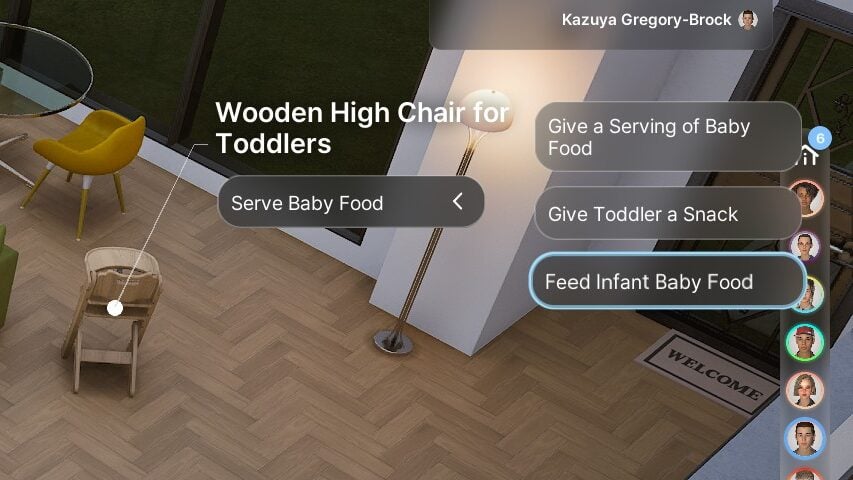
The Sims Team is commited to their Quality of Life Updates for 2026 with a new Feedback Discussion thread for The Sims 4. This time dedicated to Food, Dining and Drinking autonomy within the game. Interestingly enough the EA Community Manager also mentioned Dine Out Game Pack, asking the big “what would make it better?” question.

Take a look at what The Sims Team shared in their latest message on the official Discord channel and Reddit:

CONVERSATION 2

Sul Sul! I’m Cade from The Sims Community team.

We’ve been listening to your feedback on infants and autonomy (as you’ll see in the Laundry List on Tuesday), and we’re back for more. This time, we’re focusing on food, drinking, and dining as part of our Quality of Life work.

We want to know how this stuff actually feels in your game – what’s working, what’s frustrating, and what just feels off.

Especially curious around:

  • Sims eating (together or not)
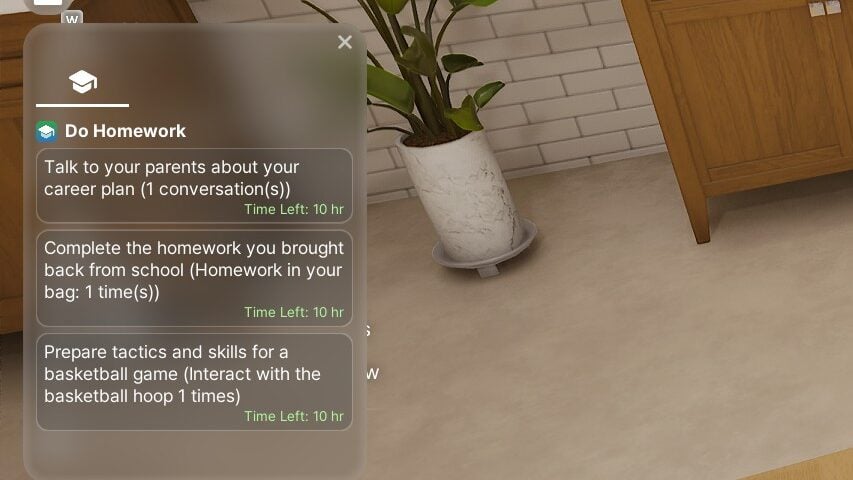
  • Sims drinking (we know about “Always Thirsty” and that fix is coming in mid-May)
  • Dine Out, what would make it better?
  • Biggest dining issue you’ve noticed
  • Dining overall

Please do try and keep feedback constructive, any specifics I can take back to the team are helpful. Please share whatever comes to mind, we’re reading everything and using it to shape what we tackle next.


You can choose to submit your feedback in the official Sims Discord channel through the #feedback-forum > Food, Dining and Drink Feedback. Or if you already prefer sharing your opinions through Reddit you can do so on this thread!

Screenshot 2026 04 30 at 21.21.24

It’s cool seeing The Sims Team show interest for The Sims 4 Dine Out Game Pack, but don’t hold your expectations for major Pack Refresh level of updates. These are primarily going to be autonomy and interaction priority updates to make your gameplay experience more seamless.

First Quality of Life improvements are coming to The Sims 4 with the upcoming May 2026 Update, with the Laundry List already being revealed next week.

What do you plan to share with The Sims Team on the topic of Food, Dining and Drinking in The Sims 4? Let us know what you shared in the comments down below!

New The Sims 4 Maker Pack Release: Urban Refined

A single new Maker Pack has hit The Sims 4 Marketplace.

The Marketplace got a new Sims 4 Maker Pack addition today. For the entire month of April there were two Maker Pack releases each Thursday, but today we have one single CAS Maker Pack release.

TwistedCat’s The Sims 4 Urban Refined Maker Pack costs 400 Moola, or around 4USD if you ignore the fact that you have to pay for the 5USD 500 Moola Pack first.

Screenshot 2026 04 30 at 20.11.30 1

It looks certainly better than light switches, but the price tag is just not it compared to full sized Kits that offer at least double the money value.

See the latest Sims 4 Maker Pack release yourself down below:

The Sims 4 Urban Refined Maker Pack by TwistedCast

Screenshot 2026 04 30 at 20.07.21 1

Maker Pack Features

Step up your style game with these new staples! Urban Refined is a modern clothing collection that blends elegance with streetwear aesthetics. Each piece is designed to be versatile, whether you’re dressing for everyday life, a casual hangout, or a lively festival.

COMBINE COLORS AND STYLES

Create unique outfits and express your style by mixing and matching different pieces and colors!

Screenshot 2026 04 30 at 20.08.14

DISTRESSED DENIMS AND GRUNGE-CHIC

This set draws inspiration from elements of casual streetwear and a rocker-grunge-chic.

Screenshot 2026 04 30 at 20.08.46

Maker Pack Items

Screenshot 2026 04 30 at 20.09.24

Price: 400 Moola


What do you think about the latest Sims 4 Maker Pack release on The Marketplace? Let us know your opinion in the comments down below and stay tuned to Sims Community for other Sims News and Updates!

EA’s CEO Andrew Wilson Confirms: 85% of Quality Assurance Is Done With AI

9

The CEO still boasts how there’s more QA job positions than ever.

It appears that our April Fool’s joke wasn’t that far from the truth. Andrew Wilson, the CEO of Electronic Arts shared the stage at a private “iicon” convention for gaming, sports, tech and entertainment executives to talk about his company, Electronic Arts.

The event took place in Las Vegas, during which Andrew repeatedly tried to “repeatedly downplay the idea that AI might take the jobs of workers”, per the latest report by Game File. Here are some quotes and statements shared by this publication:

CONVERSATION 2

“I saw some data recently, I think, now almost all—like 85%—of our quality assurance [work] is done with some kind of machine learning or AI-driven algorithm,” Wilson told Fox Business Network’s Liz Claman, who interviewed the EA boss on stage in front of hundreds of industry attendees in a conference room at the Fontainebleau Resort.

“Yet as a company, we hire more QA people than we ever have.”

AI is being used for rudimentary QA work, Wilson said, giving examples of it being tasked with “the simple stuff: turn the box on, turn the box off, boot it up, shut it down, does it crash, all these things.”

But, he said, droves of QA hires are needed to analyze the AI’s findings.

Asked by Claman where she might see AI replacing jobs at EA, instead of augmenting them, Wilson said, “So far, it’s been almost entirely augmentation.”

Source: Game File

Andrew Wilson is very proud in saying that “we hire more QA people than we ever have” but all of that could come with an expiration date. When asked if he sees AI replacing jobs at EA, he answered “So far, it’s been almost entirely augmentation.”.

Huge emphasis on the “So far” used in that statement.

It was officially announced in October 2025 that Electronic Arts will be partnering with Stability AI to add machine learning into the workflow. However, a report from Business Insider released the same month told a different story. Anonymous developers at EA claimed that AI causes “hallucinations” and makes them often correct mistakes of AI’s thought process rather than working on QA work directly.

Some Electronic Arts staffers who spoke with Business Insider under the condition of anonymity say the AI tools they’re encouraged to use, including the company’s in-house chatbot ReefGPT, produce flawed code and other so-called hallucinations that they need to correct. Others say that creative staff are expected to train AI programs on their own work, and that they fear the technology will ultimately slash demand for talent, such as character artists and level designers.

– Business Insider

What are your thoughts on Andrew’s claims about 85% of QA work now being done by AI? Have you seen any improvements in examples of The Sims in the last couple of months? Let us know in the comments below and stay tuned to Sims Community for the latest Sims and EA updates!

First Impressions: Loftia Closed Beta

Loftia is already causing a lot of buzz in the indie and cosy gaming scene, and it has recently launched into its first closed beta test.

The highly anticipated solarpunk inspired cosy life simulation game, which is also a massively multiplayer online (MMO) game, is set to launch later this year, and players are already making their first impressions of the game so far.

About the Studio

Loftia has been created and developed by the independent studio, Qloud Games. Hailing from Sydney, Australia, Qloud Games features a team with experience working on both indie games and AAA from across the world. A studio that, in 2022, initially started off with just two people has continued to bloom into a much respected and highly talented team spanning over thirty passionate team members.

This will be the studio’s debut release. One that is striving to pioneer a new subgenre into their genre. By combining popular features from life simulation games and social elements as well as more traditional cosy game elements. All of this and so much more encased in a solarpunk inspired world.

Key Game Features

There’s no denying that Loftia is truly packed full of fun and exciting features. For example, farming, tailoring, exploring, fishing, building, home customisation, crafting and more!

Throughout Loftia, the game encourages positive in game interactions through playing solo and with others through the likes of community events and quests. Loftia strives to blend those into the social elements traditionally found in a massively multiplayer online game.

While Loftia has many familiar features, it’s done in a different and unique way. The stunning solarpunk inspired world holds more meaning than what meets the eye. Players will find themselves looking at ways to help curate a world that is sustainable and eco-friendly. Exploring things such as renewable energies, green technologies and environmental stewardship. All of this combined into a world where players can relax, show their creativity and partake at their own pace in a welcoming environment.

You can take a closer look at the game’s features in the Loftia Hanging Gardens trailer below:

Platforms & Release Details

Loftia is currently in its first closed beta access period, which ends on 6th May 2026. During this time, many players are getting hands on with the game for the first time.

As for the release itself, we know the Qloud Games are aiming for Loftia to release in 2026. There is currently no specifically confirmed date.

When it comes to release platforms, the game will be launching on PC & Mac for early access. Loftia is also planned to launch on Nintendo Switch consoles once the game leaves early access. There’s currently no word on if Loftia will launch on Xbox or PlayStation consoles. The team are also looking at getting Loftia Steam Deck verified, too.

Be sure to wishlist Loftia on Steam here!

Players running
Credit: Loftia

Are you ready to jump into a world where you can be yourself, make a difference, explore and adventure with friends and repurpose discarded objects and materials into something new? Then Loftia might just be the game to add to your wishlist!

However, if you are curious to find out more, you can continue to read about what our first impressions are of Loftia from the current closed beta playtest.

Our Loftia First Impressions

The only way to describe how we felt jumping into the Loftia closed beta is excited. Having followed Qloud Games’ development of Loftia over the last few years, being able to see the studio’s hard work even in this smaller scale look is something we’ve looked forward to for a while now.

It’s important to note that while this is a closed beta for Loftia, this is not going to be representative of the final finished product.

Character Creation

Having chosen a character name for our Loftian, it was time to jump into customising our character. There truly is so much to choose from in every section when it comes to how your character looks.

When it comes to your character’s body, there are a lot of default options, but the game lets you jump in and fine-tune many of these further. With a good range of options as well as colour options and a diverse range of hairstyles, you’ll be able to truly create your own unique Loftia.

When it comes to outfits, you have a good range of basic ones you can choose from and select from and colours you want. While there aren’t lots of options in the closed beta, you can see some of the ‘locked’ options which are likely to come in the release of Loftia.

With creating our Loftian done, let’s jump into the world of Loftia and see what it has in store for us!

Upon landing in Loftia, we met Pebble, the cute and adorable leader. At least that’s who they say they are. Regardless, our new friend already has us on our way with meeting locals and getting our bearings with the new world around us.

20260426131842 1

Next thing I know, we were off to the Neighbourhood Island where our home was. This meant we’d get our first taste of Loftia’s build mode.

In fact, the build mode is incredibly easy and straightforward to use. It’s as simple as opening up the build menu, selecting the items you want to place and then adjusting them if needed before placing them down. If you make a mistake, simply pick the object back up and put it back down the correct way.

Loftia Build Mode

This was also the same time that we placed down our Project Station which allows us to craft a variety of different objects. These range from tools and machines to help us get started on our Loftia journey.

As you continue your time through Loftia, you’ll be taught the basics of crafting, gardening, decorating, building, scavenging and more. It gives you those fundamental skills that will help you as you continue your way through Loftia.

The more you progress in areas, the more you can unlock and also improve your proficiency in various ways. Earn skill points, master crafts and continue to broaden your knowledge.

20260426135539 1

For the next few hours, I continued to work my way through the various stories and quests that Loftia presented me with. Unlocking new skills and knowledge and slowly piecing things together one by one.

There are many things that I’ve thoroughly enjoyed exploring in these early hours of Loftia. Many stand out however, one that stuck with me is how you utilise green energy, for example, solar power, to help power and recharge your Loftian’s battery. This battery is used for a variety of different tasks but mainly for using various machines on your island. Of course, as you continue to progress, you learn to manage the battery power based on what energy supplies you have and in a way, that adds to the fun of Loftia.

Overall Thoughts on Loftia so far

There’s no denying that Loftia is packed full of fun and exciting features. Already, from this early snapshot of the game itself, you can tell how much hard work has gone into the game. The passion and talent truly shine even at this early stage.

As for the game play itself, it has been pleasant learning all of the mechanics that make up the Loftia experience, customising my Loftian and getting the hang of those key skills. The world is wonderful, bright and colourful with a relaxing soundtrack. There’s no rush to progress, and you can work through quests at your own speed with ease. It really is just a relaxing experience regardless of what you find yourself up to in-game.

During our time playing, I did encounter a couple of minor glitches, which, with it being an early build of the game, is expected but, at the same time, didn’t impact the overall experience with the game.

There certainly is a lot of promise to Loftia, and already, we can see so much of it! While there’s still plenty to discover and explore before this closed beta period ends, it does leave us curious as to what else the Qloud Games team have up their sleeve and have planned for the game. There’s no denying that Loftia is going to be a game to get involved with when it launches especially since it has already won an award for Best Upcoming Game in the Cosy Family & Friends catergory.

Loftia truly is pushing the boundaries and is working hard to incorporate features and elements in new ways to create this solarpunk inspired world, looking at sustainability, friendship and making memories.

For now, we’ll be hopping back into Loftia, but be sure to stay tuned for more news and information about Loftia from the Life Sim Games team going forward!


Have you been playing the Loftia closed beta recently? Let us know what you have been enjoying and what you’ve been up to in the comments below.

InZOI Update: Official Patch Notes and Bug Fixes (April 29th, 2026)

0

New Careers, Interactions and Bug Fixes for InZOI!

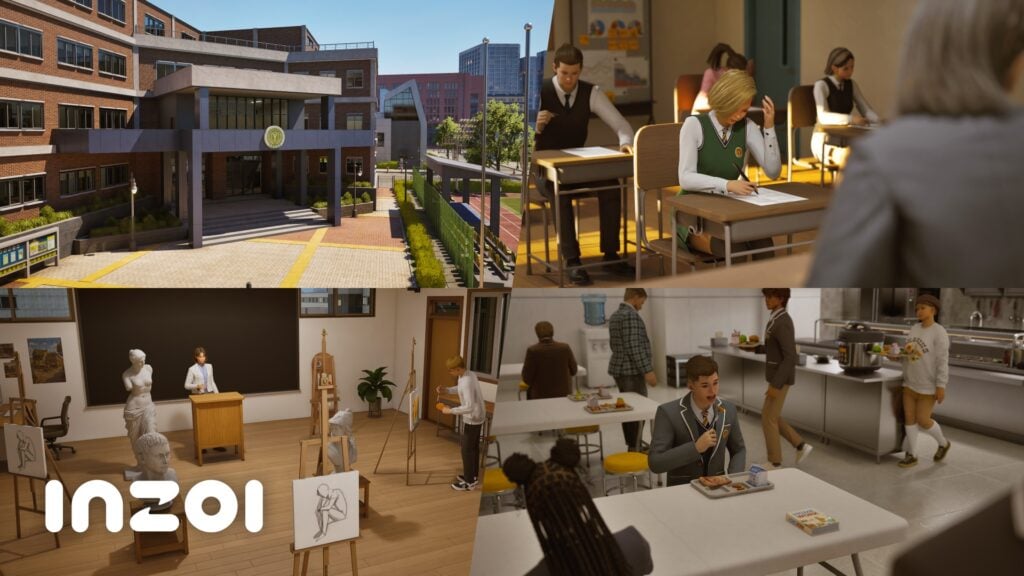
The early access era improves with the latest InZOI Update, out now for Steam on PC and Mac platforms. The latest update adds several new Careers and ways of interacting in each one, Freelance opportunities, everyday improvements and bug fixes!

inZOI Update Digest – April 2026 v0.8.0 0 39 screenshot

The patch also switches the game code and modkit to a new version of Unreal Engine 5.6 so make sure everything is updated and backed up properly before playing the game!
Discover everything new and fixed in the full InZOI Patch Notes and Bug Fix releases, listed below:

BOOK PATTERN

Official InZOI Patch Notes – April 29th, 2026

◆ Update Information

◽️  Patch Date: April 29, 2026

◽️ Build Version:

Mac Steam: 20260429.12173.M

Windows PC Steam: 20260429.12169.W

Gameplay

inzoi update april 29 20261

Career

  • New careers have been added to all cities.
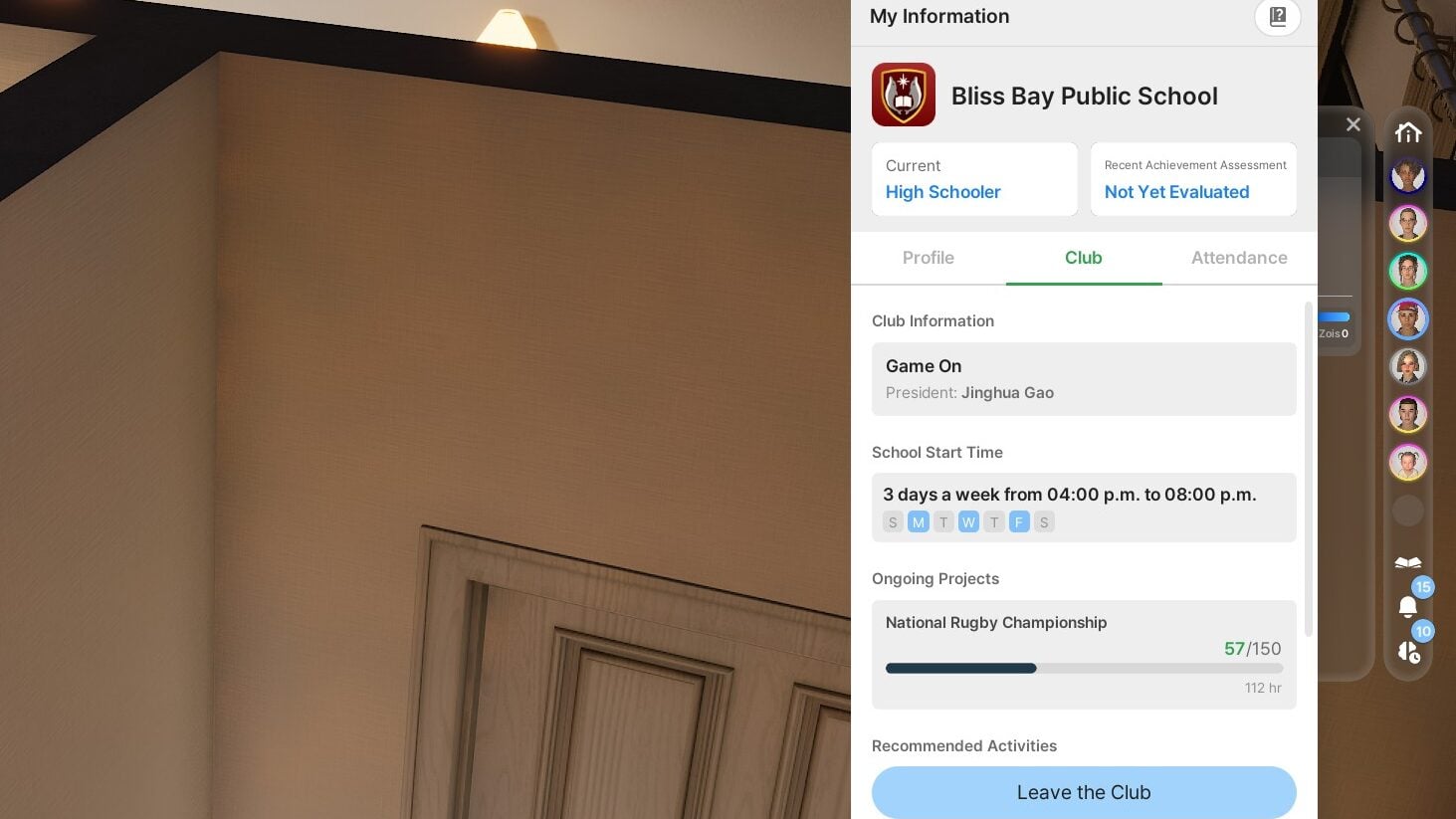
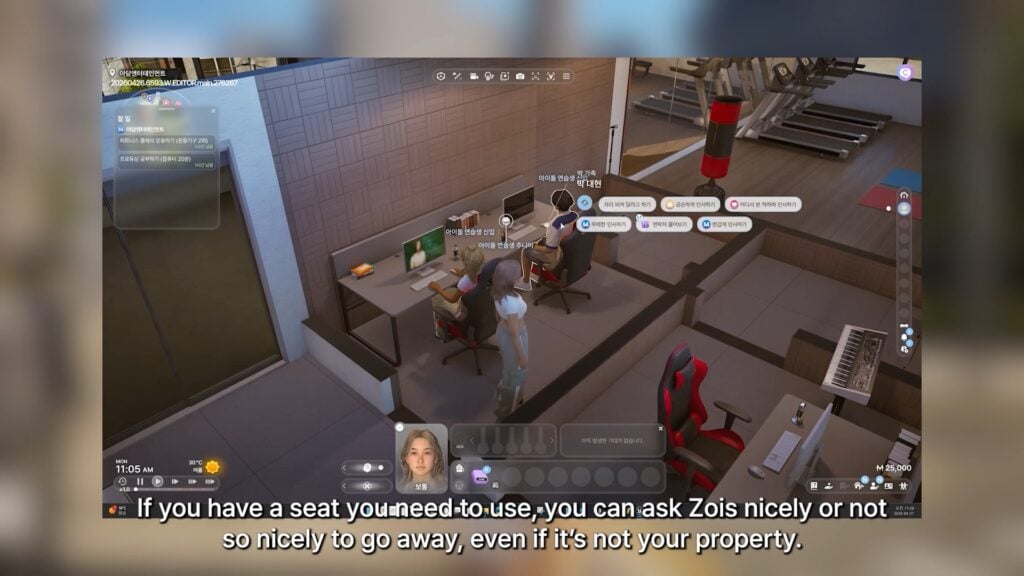
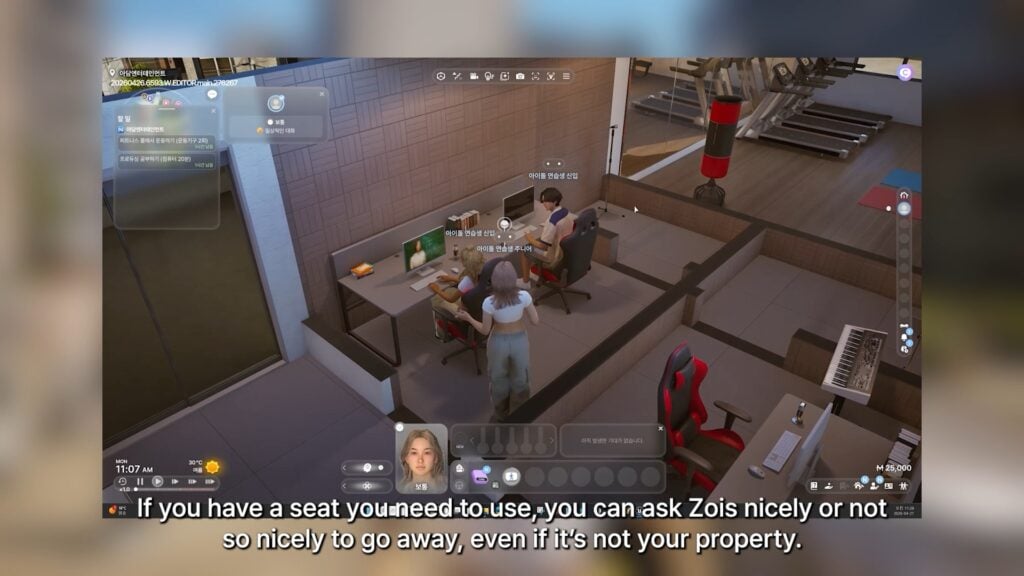
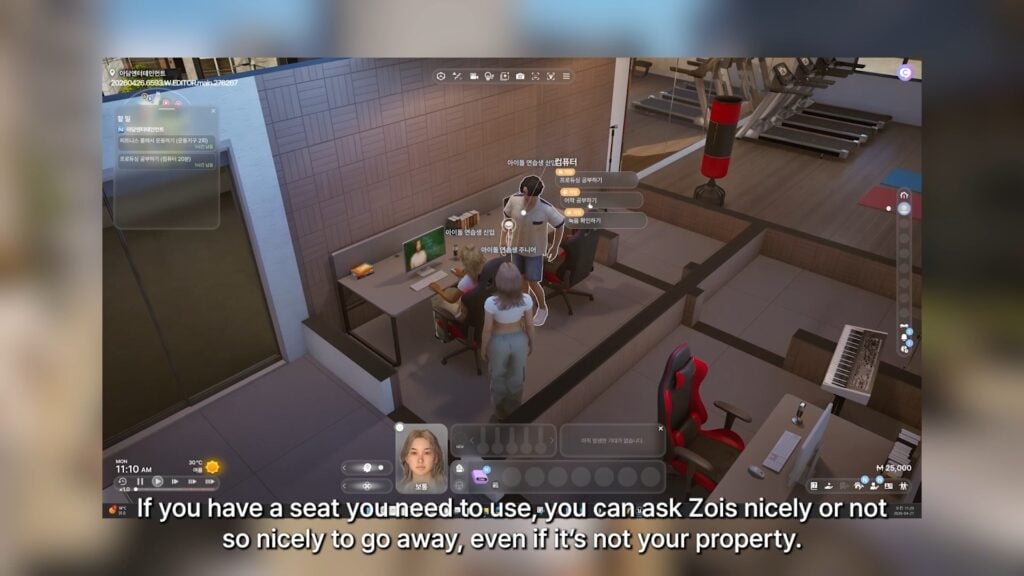
    • Dowon & Bliss Bay: Researcher, IT Developer, Architect, Music Producer, Journalist
    • Cahaya: Travel Agent
  • For the new careers, Zois will first have to apply for an interview then impress the interviewer to be accepted to begin work.
  • School and business have been separated from careers as independent categories.
    • As long as the schedules do not overlap, these three categories can be assigned to the same Zoi simultaneously.
    • Schedules are prioritized in the order of school first, career, then business last.
    • Zoi card displays the Zoi’s occupation in school, career, business, or freelance category.
  • Salary is given on a daily basis.
  • Zois can register for paid leave, sick leave, and remote work on the computer.
    • Companies can sometimes provide company-wide holidays but also assign overtime work.
    • The amount of leaves is determined by the Zoi’s job position.
  • Team projects have been added.
    • Zois can collaborate with co-workers to work on team projects from day 1 through day 4.
    • Progress can be tracked on the dedicated phone app and the mission UI.
    • The amount of contribution at the end of a project will determine their grade and rewards.
  • New workplace interactions have been added, and after work missions have been added.
  • Arriving to work late will cause your Zoi to be marked as tardy or absent and will negatively impact their evaluation.
  • If a Zoi’s performance is insufficient, they may be fired from their position.
  • Zois can retire after meeting the required amount of time spent in that company.
    • Once your Zoi announces its retirement, a retirement party social event will take place.
    • After retirement, your Zoi will become eligible for pension funds.
  • Zois who are fired, leave their workplace, or retire will receive severance pay.
  • Loading a save file from before this update will automatically sync previous career information to its updated version.

Freelance

inzoi update april 29 20266
  • The following freelance jobs have been added.
    • Delivery: Deliver a good given by the client to its designated recipient.
    • Creative: Create writing, music, program, or media as requested by the client.
    • Publishing: Publish your created work to earn commission based on its performance.
    • Sell Online: Sell your created work using the computer for a much lower price than if you had submitted to a client or published it.
  • A license must be obtained on the computer to begin freelance work.
    • Once obtained, the grade of a license will be determined by the Zoi’s reputation in that line of work and the number of successful tasks.
    • Holding a higher grade license will allow your Zoi to take on more difficult tasks with higher compensation rates.
  • A dedicated app for freelancers can be used to check license status, available jobs, and the status of current tasks.

Business

inzoi update april 29 20265
  • New business types have been added.
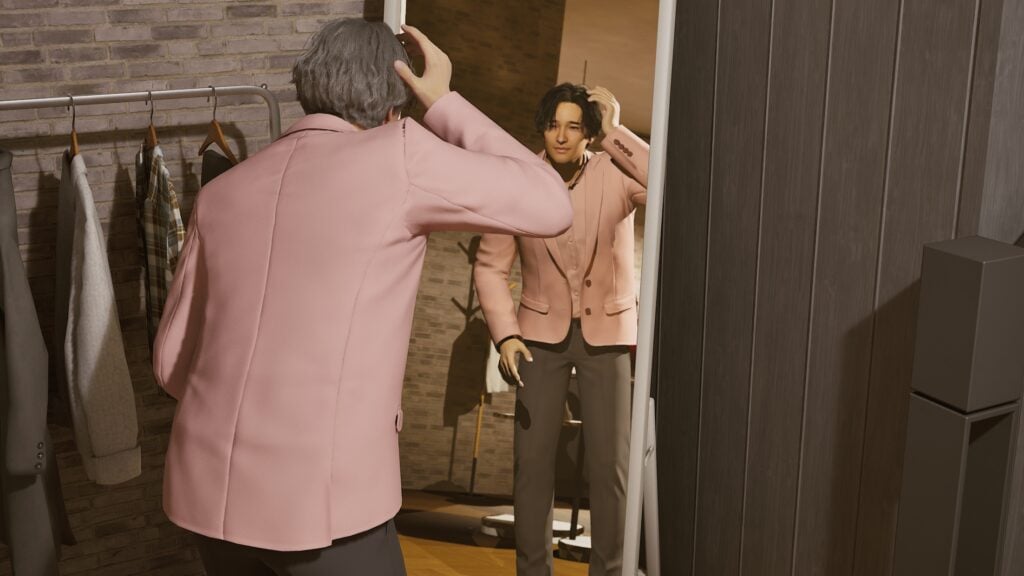
    • Hair Salon: Place hair salon chairs to change other Zois’ hairstyles.
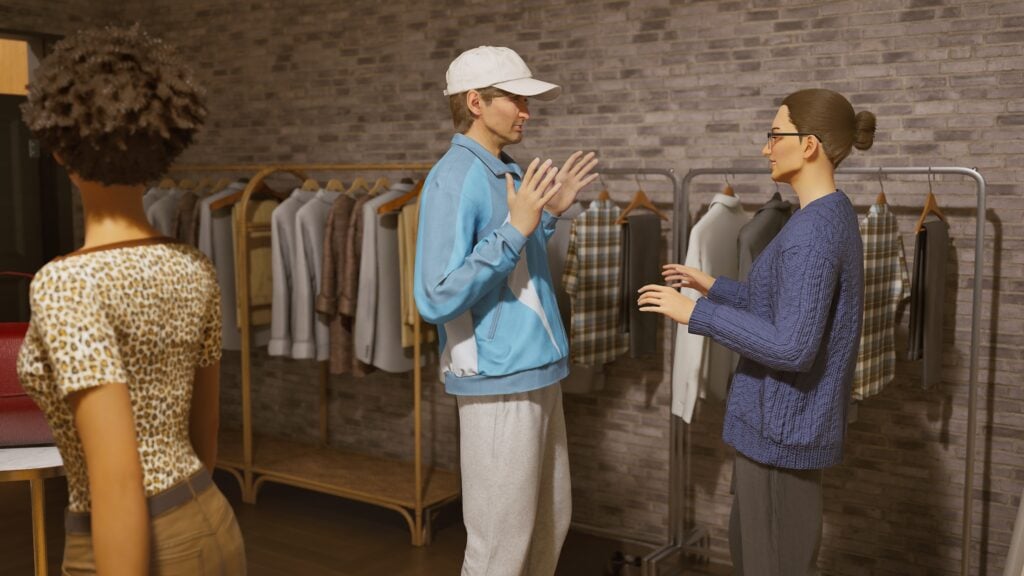
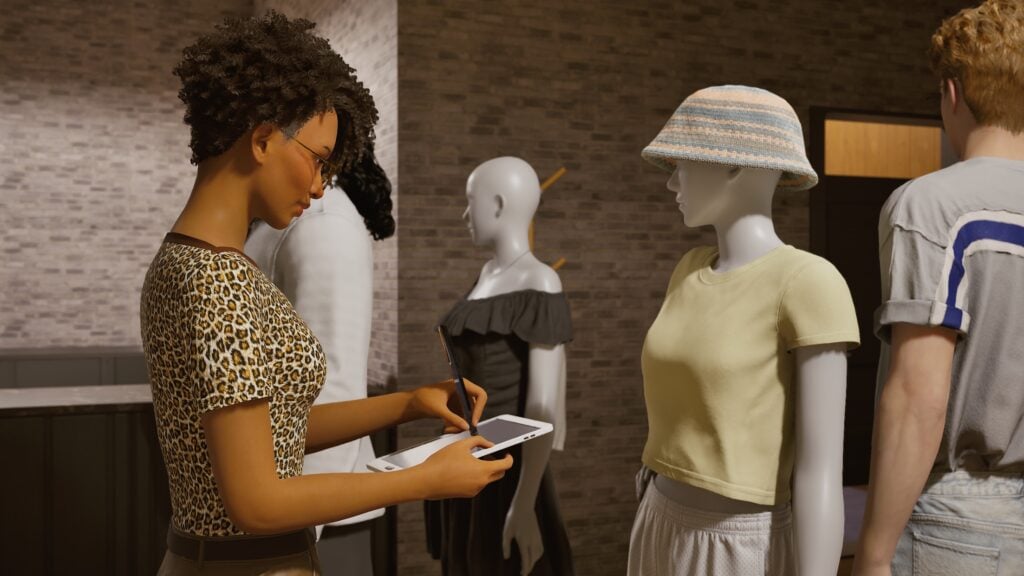
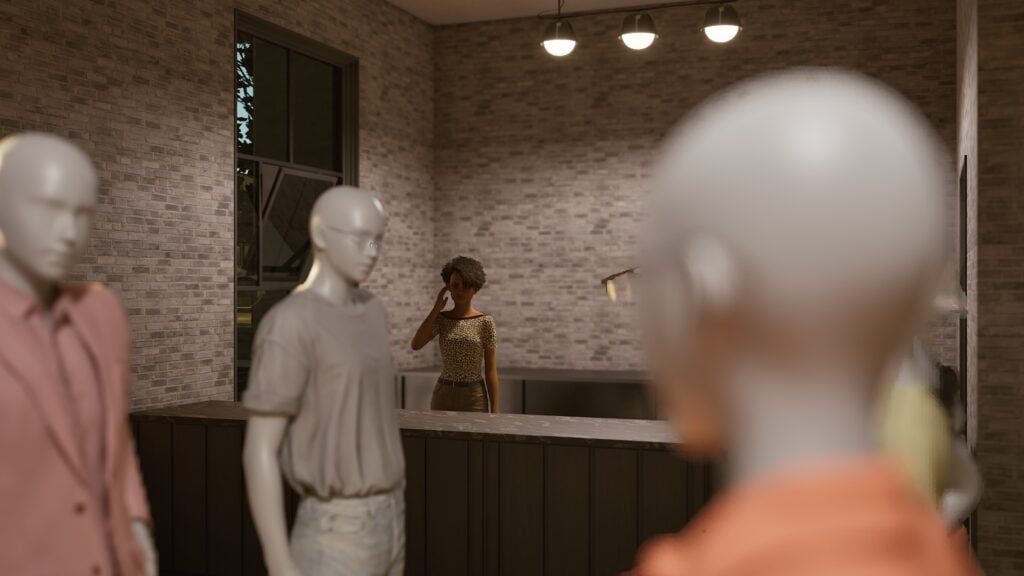
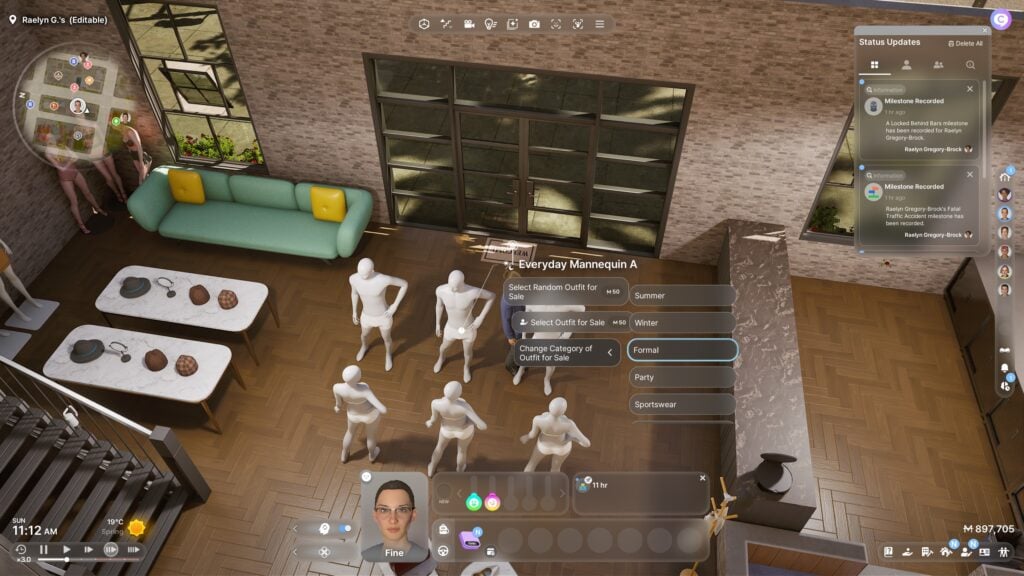
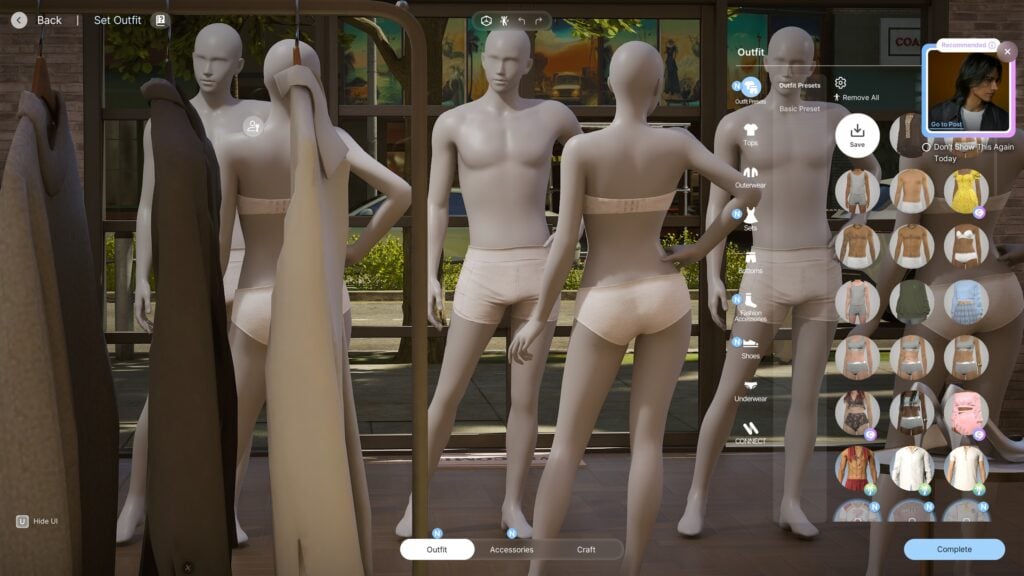
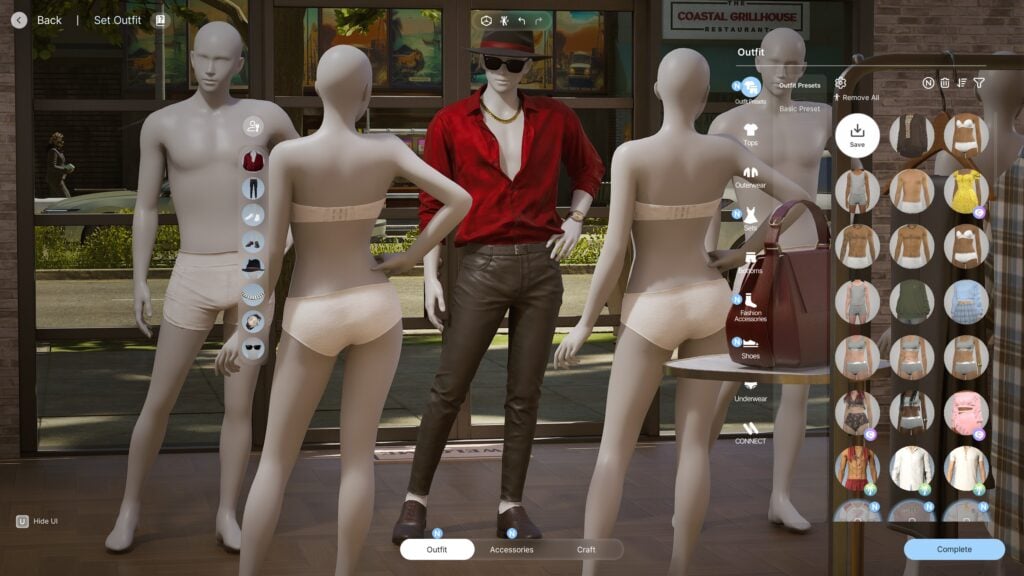
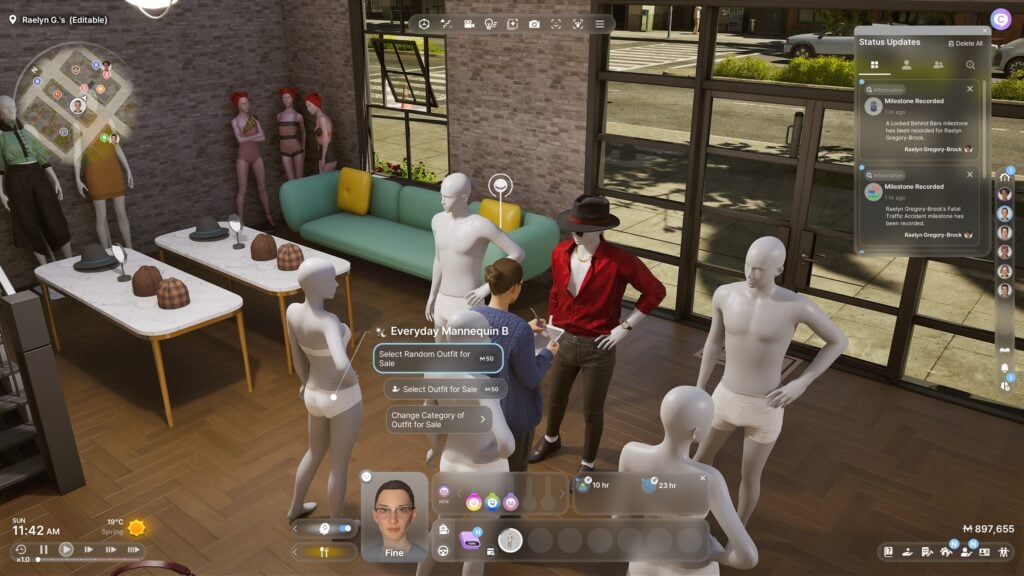
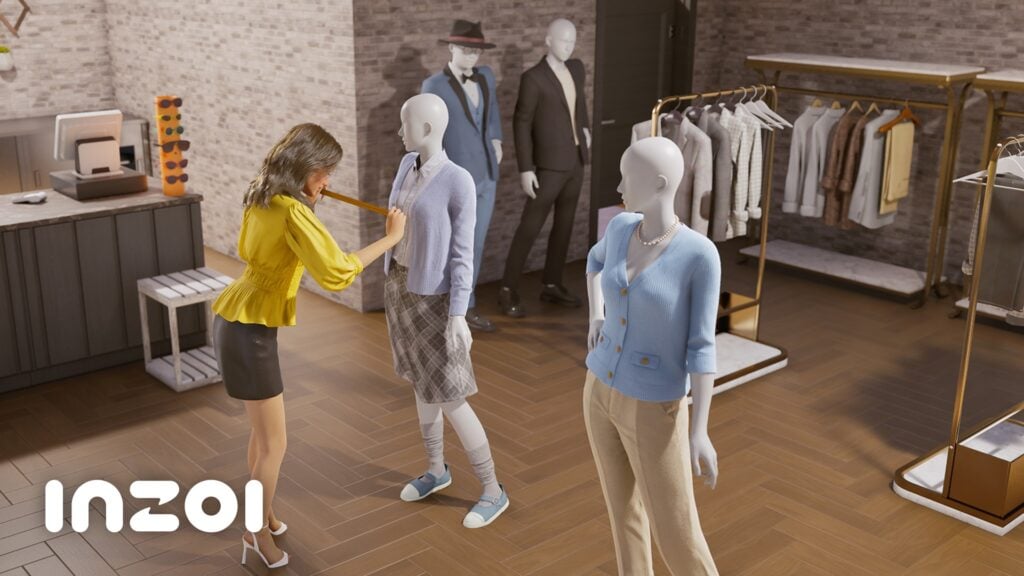
    • Clothing Store: Place mannequins that you can dress up with preset or customized outfits that Zois can interact with to try on that outfit.
  • Empty employment slots in employee management are displayed more clearly.
  • Objects that are recommended and those that are required are better distinguished in business presets.

Crime

  • Minor crimes such as stealing tips or snacks can be performed without a prerequisite crime skill level.
  • After obtaining level 1 in crime skill, all crime interactions are unlocked.
  • After obtaining level 5 in crime skill, criminal masks can be obtained from the suspicious job agency.
    • Committing a crime while wearing this mask can cause nearby witnesses to flee instead of calling the police.

Simulation

Autonomy

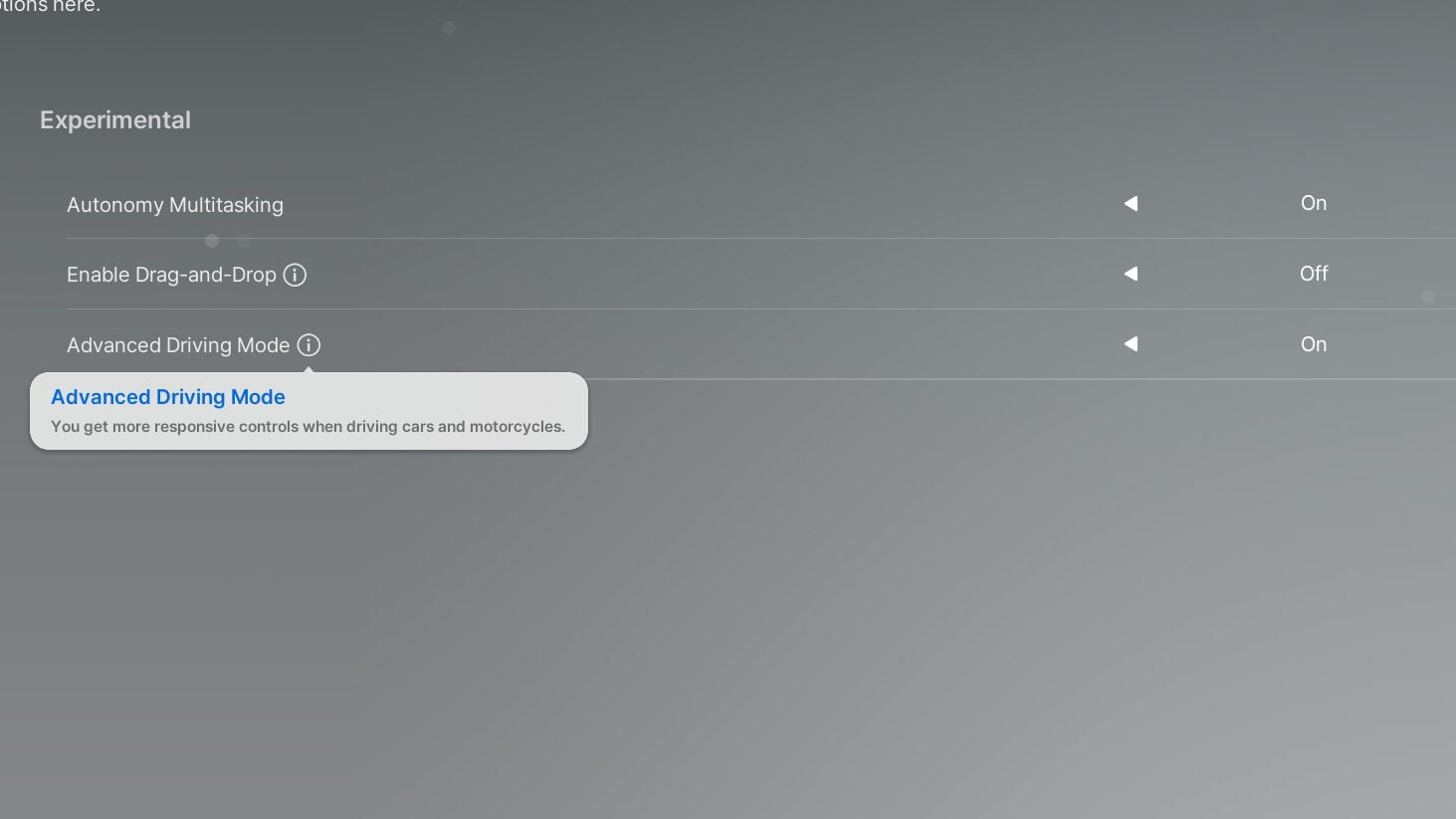
  • Specific autonomy behaviors can be selected for all Zois, household members, or self.
    • Behaviors for self follow behaviors set for household members, which follow behaviors set for all Zois settings.
  • Zois do not automatically engage in conversations with Zois who are far away.
inzoi update april 29 20264

Interactions

  • Interactions needed to complete tasks are more easily visible.
  • Items can be interacted with directly from the backpack.
  • Getting killed by a shark and jellyfish have been enhanced to look more realistic.
  • Zois can kiss on top of the desk if they are in intimate love relationships.
  • Dancing on top of the table can only be performed when in appropriate emotions.
    • Surrounding Zois display reactions that are appropriate to their current emotion.
  • Zois can sit next to trees.
  • Stickers placed on walls can be removed.

Baby

  • A pregnant Zoi can visit the hospital to get an ultrasound, check the gender and the overall health of the baby.
  • If a baby tries standing up and falls down, the parent or the babysitter will run over to comfort them.
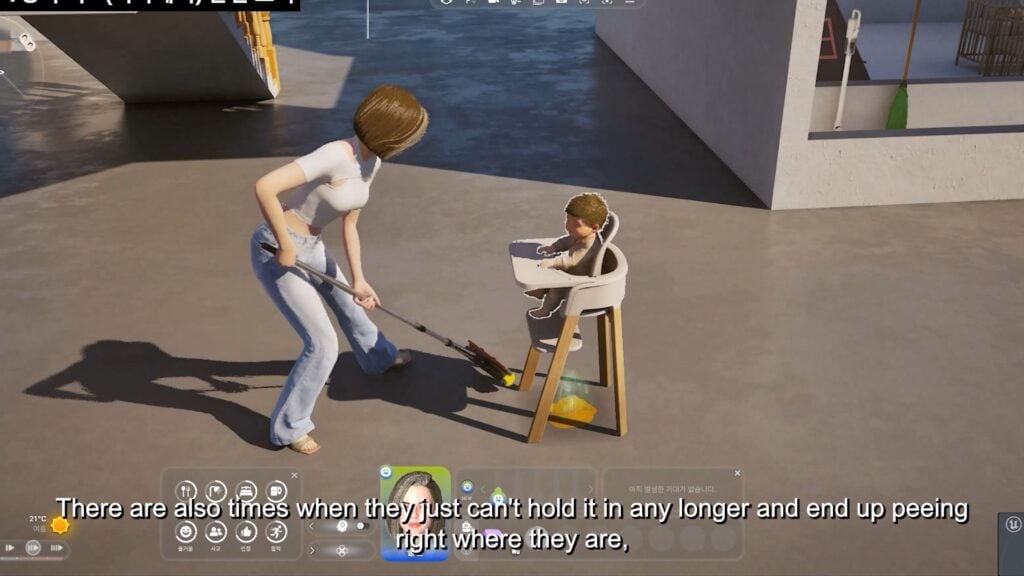
  • When a baby urinates, there will be a puddle of urine that the parent or the babysitter will have to clean up.

Social Event

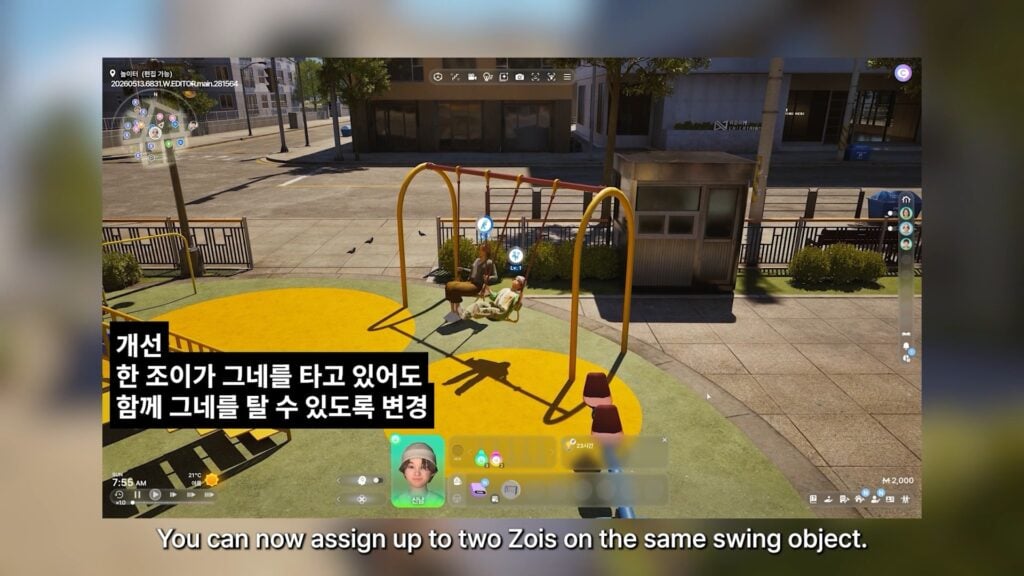
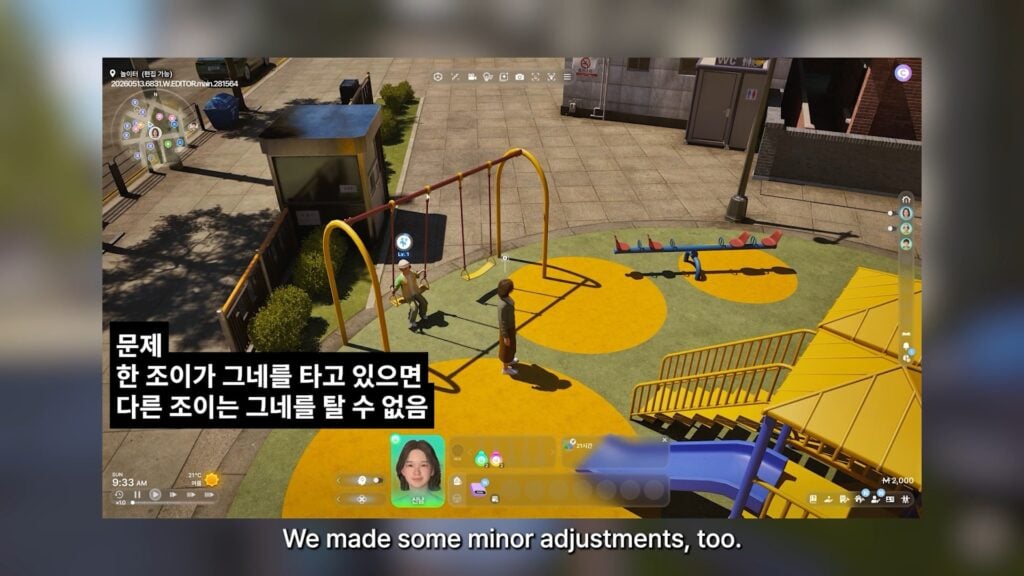
  • Multiple social events can be assigned on the same day.
  • Gender reveal social event has been added.
  • Important social events like a job interview will appear on the calendar differently from regular social events.

Memory

  • In the recent memories menu, you can view relationship logs of other Zois.
  • New milestones have been added for freelance activities and new careers.
  • Certain milestones will record the names of Zois your Zoi achieved the milestone with.

※ This feature may not apply to certain saves from before this update.

Phone

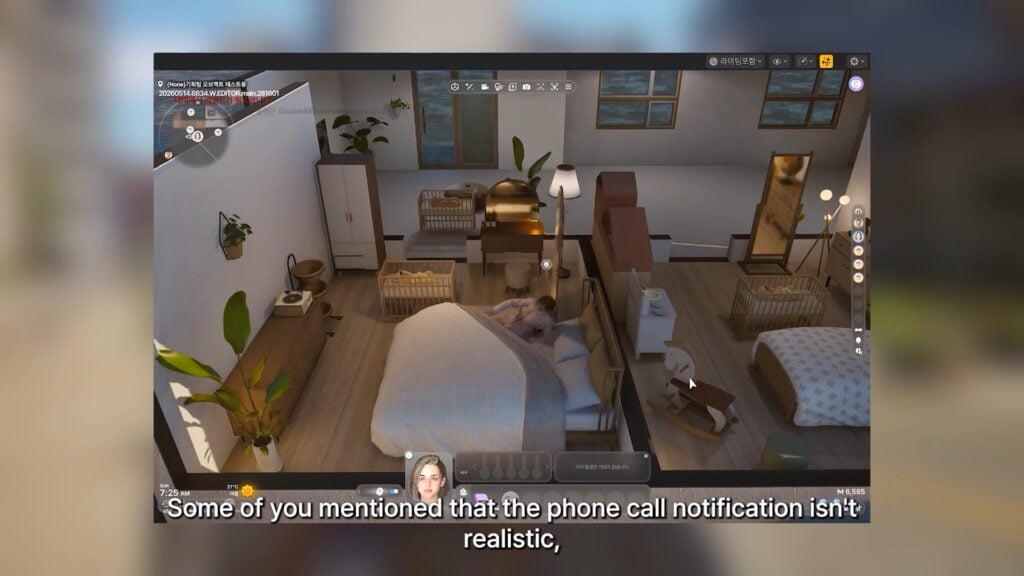
  • Text messages can be sent to more Zois than before, and more types of messages can be sent.
  • Zois can ask for phone numbers flirtatiously to Zois they are attracted to.

Skill

  • Doing push-ups produce varying outcomes, with higher fitness skill levels likely to produce better outcomes.
  • Doing performances produce varying outcomes, with better outcomes possible even at lower performance skill levels.

Other Improvements

  • A new UI displays emotions of other Zois involved in the current conversation.
  • Teleport to destination pop-up appears when selecting a destination that is far away.
    • This pop-up can be disabled in game options.
  • When a home service Zoi arrives at the entrance, you can now select whether they ring the doorbell or a pop-up appears to allow their entrance.
  • Ghost play can be toggled on or off in the game options.
  • The number of days is now displayed alongside each aging speed setting in game options.
  • Weather impact on Zois can be adjusted in game options.

Create a Zoi

Situational Looks

  • Situational looks go beyond just outfits to include hairstyles, makeup, and skin settings.
    • Default face settings will be initially applied to all situational looks and  any changes made can be reverted at any time.
  • You can set up to 5 different looks and 1 signature look for each situation.
  • Automatically changing outfits based on the situation can be turned off in Create a Zoi.
inzoi update april 29 20263

Improvements

  • Higher high heels have been added.
  • Facial appearances have been modified to more realistically reflect each age group.
  • Control gizmo movements follow your controls of the mouse.
  • A European countryside background has been added to the studio.
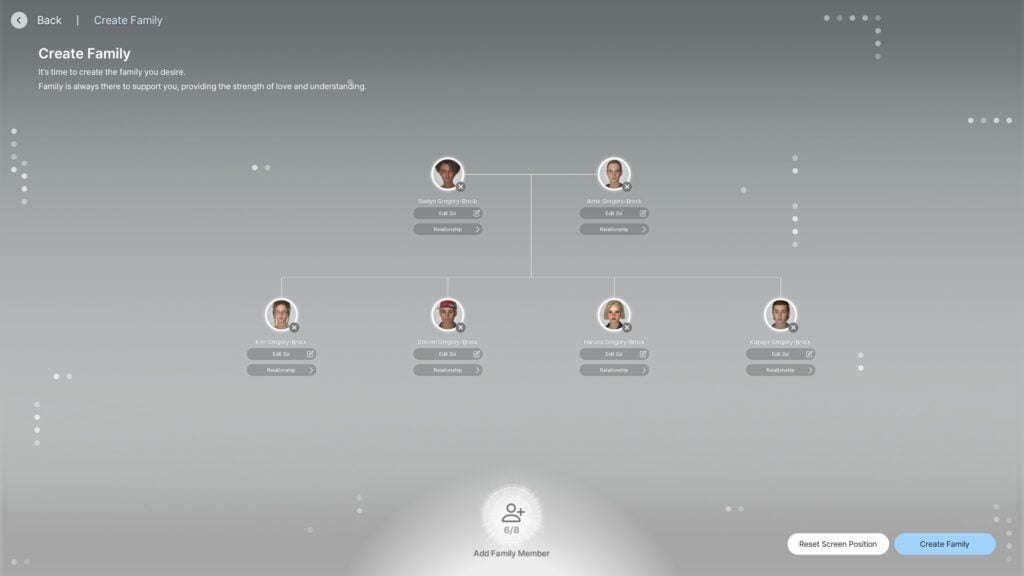
  • Family trees can be captured and saved as .png image files.
    • The background color of the image can be changed.

New Items

  • Hairstyles: 2
  • Tops: 10
  • Bottoms: 7
  • Outerwear: 4
  • Shoes: 9
  • Watches: 1

Build Mode

Multi-select

  • Multiple items can be selected at once using the following controls:
    • Drag Select: Hold shift and drag to select multiple items.
    • Drag Deselect: Hold alt and drag to deselect multiple items.
    • Add Select: Hold shift and use the left mouse click to add individual items to selected items.
  • With the dedicated multi-select toolbar, you can choose which types of items can be selected using multi-select.

Improvements

  • Refrigerators with a water dispenser and the tap can be used to drink water.
  • Up to 3 cooking appliances can be placed on the countertop.
  • Short broom and dustpan combo has been added for cleaning.
  • Side tables placed in homes can be decorated with different objects.
  • Zois can check the laundry basket and feel uncomfortable if it smells bad.
  • Control gizmo movements follow your controls of the mouse.

New Properties

  • European countryside residential presets have been added to the following properties.
    • Dowon: Moaville
    • Bliss Bay: 3140 Greenway Street, 203 Somerset Place, 8 Beachfront Drive
  • Business
    • Dowon, Bliss Bay: Hair salon
    • Cahaya: Hair salon, clothing store
  • Career
    • Dowon, Bliss Bay: Architecture firm, IT company, record label, laboratory, newspaper company
    • Cahaya: Travel agency

New Items

  • Module roofs: 2
  • Gates: 1
  • Fences: 1
  • Handrails: 2
  • Pillars: 1
  • Windows: 7
  • Doors: 5
  • Window decorations: 8
  • Tile textures: 10
  • Interaction objects: 149

System

Unreal Engine Update

  • The game has been updated to run on Unreal Engine version 5.6.

Optimization

  • A new category to adjust optimization settings has been added to game options.
    • Simulation Preset: Includes various simulation settings to improve performance.
    • Performance Safeguard: Enabling this will automatically adjust optimization settings when performance overload has been detected.
    • Graphics Preset: This has been mirrored from the graphics category for better navigation.

Language

  • Incorrectly expressed texts can be reported to the inZOI Team by pressing Ctrl+Alt+Shift+F9, then clicking the target text.
    • Current Text: Displays the current version of the targeted text.
    • Suggested Text: Write what you believe is the correct replacement for the current text.
    • Reason: Explain why the current text is wrong and why your suggested text is right.
  • The following languages have been added to the game.
    • Dutch (Netherlands)
    • Turkish (Turkey)
    • These new languages are currently only supported in-game and will later be supported on our official websites as well.
  • While providing translations for new languages used to be logistically unfeasible, we are currently experimenting with AI translation to make this a possibility. While we are continuously working hard to improve the accuracy of our model, there may be some errors in our initial outputs.
    • If you notice these errors during your gameplay, please use the Report Translation Issue tool mentioned above to help us improve the accuracy of the texts for your language.
inzoi update april 29 20262

Cheats

  • changeSeason [Season]: Change the current season to one of the following seasons: SpringSummerFall, or Winter.
    ※ This feature was temporarily removed and has returned with this update.

Smart Zoi

  • A notification will appear when enabling Smart Zoi on a system with 7GB or less VRAM.
    • You can select whether or not to enable this feature after understanding that your system’s performance can be negatively impacted by this feature.

Controls

  • Hotkey customization has been moved to game options.
  • Mouse sensitivity control adjustments in game options have been refined.

Mods

  • ModKit has been updated to support Unreal Engine version 5.6.
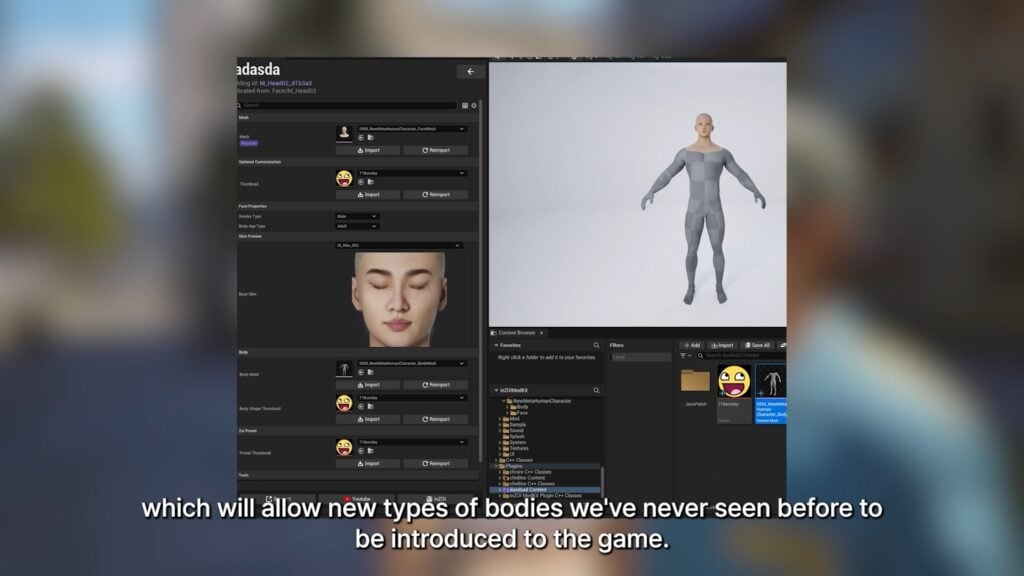
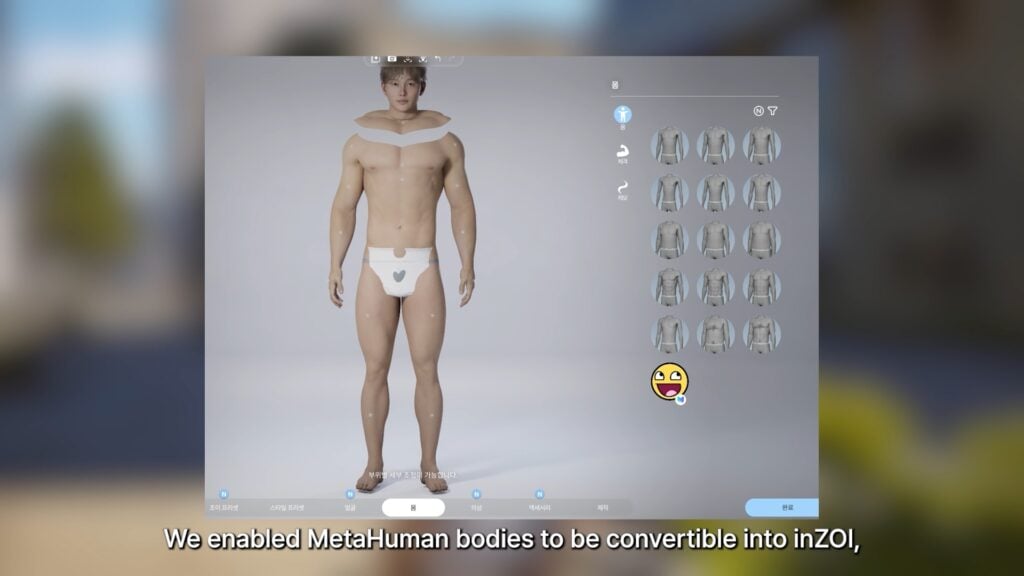
  • MetaHuman meshes can be automatically converted to the game.
  • An FAQ button has been added to the deactivate mod and application failed popup.
  • Filters have been added to CAZ and Build Mode to show or hide items applied with mods.

Update Video Trailer

Bug Fixes

Gameplay

  • Fixed an issue where the ‘Listen to Halloween Music’ interaction appeared outside of the Halloween festival period
  • Fixed an issue where some guests did not return home after a social event ended
  • Fixed an issue where moving while in prison would relocate the Zoi to their home instead of within the prison
  • Fixed an issue where traffic congestion was not cleared after the occupied vehicle despawned
  • Fixed an issue where the prompt to wear winter clothing persisted even when a situational outfit had already been applied during a season change
  • Fixed an issue where the probability of business employees performing work activities dropped abnormally low when their need stats were depleted
  • Fixed an issue where social events could not be created when loading certain save files
  • Fixed an issue where the winter season tag was missing from newborn/infant outfits
  • Fixed an issue where the character and camera briefly teleported to an abnormal position when climbing stairs before snapping back
  • Fixed an issue where the housewarming event flow did not proceed as intended
  • Fixed an issue where some emotional dialogue options were not disabled while in an angry emotional state
  • Fixed an issue where certain property visitor-related settings were not applied correctly

Interaction

  • Fixed an issue where autonomous cleaning behavior caused the Zoi to move to a location without cleaning tools and attempt to clean there
  • Fixed an issue where the ‘Give Massage’ interaction did not appear when performing cooperative actions on the sofa
  • Fixed an issue where the medicine object was not visible when using the take medicine interaction
  • Fixed an issue where the greeter NPC at the Cafe Gaon property performed the ‘Welcome Guest’ interaction from inside the dressing room
  • Fixed an issue where positive/negative context tags were partially missing from conversations with newborns/infants
  • Fixed an issue where some object animations did not play correctly

CAZ

  • Fixed an issue where texture dependencies were incorrectly recorded for parts that do not use AI textures

Build Mode

  • Fixed an issue where dust effects were not removed after updating a property
  • Fixed an issue where the lattice door wardrobe could not be used for the change outfit function
  • Fixed an issue where setting the day/night slider to night in Build/City Decoration mode displayed brighter lighting than intended
  • Fixed an issue where certain shortcut key inputs in object placement mode caused the list to scroll unintentionally

UX & UI

  • Fixed an issue where the system message displayed upon recalling a vehicle appeared awkward
  • Fixed an issue where the update lobby pop-up scroll behaved abnormally in English
  • Fixed an issue where the cheat activation tooltip on property presets displayed awkward wording
  • Fixed an issue where the bottom of business template text was cut off in English
  • Fixed an issue where some text translations were missing on the Recent Memories screen

Other Issues

  • Fixed an issue where the game remained in a running state even after closing

What do you think about the latest InZOI Update drop? Let us know in the comments below and stay tuned to Sims Community for the latest on Life Sim Games!

The Sims 4 Update: Hotfix Release Notes (April 28th, 2026)

EA and Maxis release a new The Sims 4 Update for Desktop and Consoles.

As announced in yesterday’s message from The Sims Direct, there’s a new The Sims 4 Update now released for Desktop and Console platforms. This patch promises to resolve Gallery sorting and Pack popups on Main Menu for Consoles.

CONVERSATION 2

Simmers,

There’s a Base Game update tomorrow, April 28 to resolve recent issues including new content popups on Console & Gallery sorting. Players on Xbox & PlayStation will see a larger download due to the systems being updated; this will not impact the game’s overall size.

The Sims Direct Team on X

The new Sims 4 Update is out now for PC, Mac, Xbox and Playstation platforms. Here’s what’s new in the full release notes and official patch notes:

The Sims 4 Update Logo

The Hotfix Update

Installing the Latest Sims 4 Update

You can get the latest The Sims 4 Update on the following official launchers and platforms:

  • PC: EA App, Origin, Steam, Epic Games
  • Mac: Origin, Steam
  • Playstation: PS4 and PS5
  • Xbox: Xbox One and Xbox Series X / S

You can download the latest Sims 4 Update by checking for a Patch through the EA App, Steam or Epic Games launcher for Desktop. If you have Automatic Updates enabled the update will automatically download through your client program. In case your EA App is not working properly ensure you’ve cleared your app cache!
If you play The Sims 4 on Xbox Series X / S and Playstation 4 and 5 you can request a new update by checking for updates under The Sims 4 game in the Main Menu. If you’ve enabled automatic updates the Patch should download right away.

This is a minor update compared to the one expected for early May 2026. We don’t expect Mods / CC to be affected but make sure you catch up with your favorite mod creators to ensure everything’s good! The same confirmation also comes from EA_Cade on The Sims Discord:
1496596308981715156

Today’s update is for all platforms, we aren’t expecting this one to impact mods though if that’s what you’re concerned about.

There’s also a handy official guide to Mods and CC maintenance, as well as backing up your Saves! Click here to learn all about healthy upkeep of your The Sims 4 files.

The Sims 4 Update

Official Sims 4 Patch Notes

Update: 4/‌28/‌2026

PC: 1.123.85.1020 / Mac: 1.123.85.1220

Console: 2.32

Sul Sul Simmers!

After the launch of The Sims 4 Marketplace to PlayStation and Xbox, and a new update for PC and Mac, we’ve been monitoring your reports. This update is targeting some of those issues to improve your experience, and we’ll continue to monitor your feedback for future updates.

Happy Simming!

The Sims 4 Team

Base Game Update

  • [EA Forums] When using the Gallery, some players realized that the results did not match expectations. Due to an issue with our filtering, the incorrect responses were being returned in some situations. No uploads to the Gallery were removed and are still available to view, engage with and download.

Console Updates

  • [EA Forums] At launch, some PlayStation Simmers who purchased Moola found that it did not reflect in their wallet balance in-game. We identified the issue and rolled out an update on our backend and confirmed with impacted players that this was now working. Any purchases from the PlayStation Store that hadn’t shown up in-game will automatically reflect the next time you play.
  • [EA Forums] Some Simmers with packs noticed that every time a new session was started, the new content notification screens would display. We know you are excited when you buy a new pack, but this reminder was not intentional and has been resolved.
  • [EA Forums] Simmers using a controller reported that opening an upload while the Gallery was still populating would put the game into a soft lock requiring a restart. This should no longer happen.
  • The 200 Moola tier was missing for our Simmers on the Japanese PlayStation Store. This is available on all platforms in all territories.
  • PlayStation Simmers may have noticed that when going to the PlayStation Store from the Marketplace, you wouldn’t have seen information about the pack you wanted to know more about. This has been updated and you will be presented with the pack details on the PlayStation Store once again.

Author Release Notes

The update is 2.6GB large on Mac platforms. The version numbering of this update is the same as the patch released on April 16th (Version 1.123.85.1220) meaning that very little has changed with this version.

Screenshot 2026 04 28 at 19.02.33

What is your experience with downloading and installing the latest Sims 4 Update? Let us know in the comments down below and stay in the know on Sims Community for latest The Sims updates!

Next Week’s Sims 4 Laundry List Hits The Character Limits

So many bug fixes hinted for May 2026!

We’ve gotten some extra tidbits and information about The Sims 4 Laundry List for May 2026 as we anticipate the arrival of today’s Sims 4 Hotfix Update. EA Community Manager EA_Cade answered some questions on the official Sims Discord and shared additional teasers about how big the next Sims 4 Update is.

“Did you know that EA Forums has a 60,000 character limit for blogs? Neither did I, until I hit it when I was writing the [Sims 4] patch notes” said EA_Cade in a reply to a question asking for spoilers.

Read the full message exchange below:

1167553663108128881

EA Community Manager: Laundry List next week! We got surprises

Question: OOH any spoiler crumbs for the masses

EA Community Manager: Did you know that EA Forums has a 60,000 character limit for blogs? Neither did I, until I hit it when I was writing the patch notes.

We fixed a lot of bugs.

That’s all you’ll get from me! Laundry List next week
TS4 Discover University Media Hero Tile 16x9 02

Considering this Sims 4 Update will fix a lot of things, its also expected by the usual Sims fashion that a lot of things will break as well. Both modders and players should expect this Sims 4 Update to hit in the first half of May 2026, with the full Sims 4 Laundry List being released next week.

What do you expect to be resolved and mentioned in the next Sims 4 Laundry List? Let us know in the comments section below!

Starter The Sims 3 Mods for Gameplay and Graphics

Essential The Sims 3 Mods: Upgrade your Gameplay and Graphics experience!
Who is still playing The Sims 3? Me too! These essential The Sims 3 mods for gameplay and graphics will definitely give this old gem a nice little upgrade. Whether it’s the UI, graphics, or the overall gameplay experience. Don’t worry, I’ve got you covered.
The Sims 3 Graphic Mods

No Skin Glow

Ever felt like your Sims look just a tiny bit… shiny? Well, this mod made by Alicebv removes that extra glow when you have Advanced Rendering turned on. It gives your Sim a softer, more natural look and it reminds me a little of the style in The Sims 4.

Sims 3 Mods
Photo taken by Alicebv

Default Lighting Mod

With this mod by Brntwaffles, the defualt lighting in every world is replaced to create a new atmosphere. It’s a great option for Simmers who for example don’t use ReShade, but still want their game to look different. This default lighting mod blends elements from the worlds Moonlight Falls and Aurora Skies. The lighting itself feels more neutral and cold which makes it perfect for darker, more mysterious worlds. There’s even a 25% chance of seeing auroras in-game, which adds a magical touch.

Blue Skies & Sunshine Lighting Mod

Another default lighting mod by Brntwaffles is Blue Skies and Sunshine, which gives your game a more saturated and playful vibe if that’s the style you enjoy.

Removing Bloom Effect

Many objects started to glow in-game after The Sims 3: World Adventures was released—lamps, furniture, and even curtains, no matter what time of day it is. But with this tutorial by Annythingsims, you’ll be able to remove that spooky glow from your game.

EA Eyeshadow Texture Fix – Default Replacements

A small detail that makes a huge difference for your Sim is the Eyeshadow Fix mod by Lavsm. As you can see in the picture, the eyeshadow is visible underneath the eyelashes, and this mod removes that issue completely.

MTS lavsm 1388296 eyeshadow alpha fix screen lg
Photo take by Lavsm

The Sims 3 Gameplay Mods

Engagement Ring Mod

You can pick your own engagement ring? YES, you can! With this mod created by Plaidsimmer, proposal feel more personal with your Sims. It includes new animations, an interactive ring box object, the ability to put your ring on or take it off, and some fun buffs for storytelling. Maybe you shouldn’t buy the cheapest ring if your partner is a snob…

Barbie
Photo made by Plaidsimmer

Professional Gamer Career Mod

Twinsimming has made it possible for your Sims to become professional gamers by joining the Professional Gamer Career. This career has five levels, and during that time, you’ll be able to participate in different types of tournaments. You can even attend stadium tournaments and earn up to §10,000 simoleons! Don’t we all want to become professional gamers now?

MTS Twinsimming 2201159 UpgradedVideoGameSkillCoverPhoto
Photo take by Twinsimming

More Baby Interactions

More social interactions with babies and toddlers are added to your game with this mod created by TheSweetSimmer. You can sit down on the couch and cuddle with your newborn, or tuck them in when it’s bedtime. You can also give your babies a bath in the sink. With this mod, building a strong relationship with your child becomes much easier and meaningful.

MTS TheSweetSimmer 2125010 ModRender MBI thumbnail
Photo made by TheSweetSimmer

Deep Conversations Mod

Get to know your neighbours, colleagues, friends, and other Sims around town for real. With this mod made by QuackGames, your Sims conversations go to a deeper level and can affect relationships both negatively and positively.

aWoeXl
Photo taken by QuackGames

Grocery Delivery Service Mod

The feature we all loved in The Sims 2 didn’t make it into The Sims 3, but better late than never, it finally arrived with the Expansion Pack The Sims 4: Cottage Living. Now, thanks to Fantuanss12 you can also order groceries online in The Sims 3 as well. Time to write that shopping list and place your order!

MTS fantuanss12 2252093 thumb
Photo taken by Fantuanss12

Symptoms for Seasons Mod

We all recognize the symptoms that come with each season, especially now that spring is here. Things are blooming, and I am sneezing. With the Symptoms for Seasons mod created by Echoweaver, your Sims will be affected by each season too. However, it adds a touch of fun realism and spices up your gameplay for sure.

MTS echoweaver 2095355 child sneeze2
Photo taken by Echoweaver

The Sims 3 UI Mods

Cloud Pink UI Mod

Changing the UI in The Sims 3 makes it feel like a whole new game. The user interface in this mod is soft, clean, and beautifully designed. This The Sims 3 UI mod is created by Cowplantcartel.

Cloud Green UI Mod

Another UI mod made by Cowplantcartel is this green version of the UI instead. It gives more of a The Sims 4 vibe, and it’s great if you want to give your game a fresh new look.

Loading Screen Randomizer

This mod by Tesuto randomizes a new loading screen every time you open the game. It keeps your game from feeling stale, plus the themed loading screen for each pack is very beautiful to look at, so why not be able to admire them all once in while?

Pretty Build Tools Mod

Lastly, this default replacement mod by Cowplantcartel changes the build tools in the game. You can choose from five different pretty colors. Either blue, pink, purple, green, and white.

MTS cowplantcartel 2278541 3 1
Photo taken by Cowplantcartel

What is your favourite must have mod for The Sims 3? Do you prefer using The Sims 3 UI Mods, Graphic mods, or are your more into gameplay mods? Please let us know in the comments below. Follow all the latest news on Sims Community.

New Official The Sims 4 Survey: General Motivation for Playing

11

A new EA Playtest survey has surfaced for The Sims 4.

Electronic Arts wants to know how you play the game in the latest official The Sims 4 Survey. If you’ve been a member of the EA playtest circles then you’ve probably received an invitation for a public Sims 4 survey, wrapped in this official email:

LETTER 2 PATTERN e1675116678818

Hi Playtester!

We are eager to hear from you! Dive into a survey and share your thoughts on current and future concepts. Participation is entirely up to you, and while there’s no compensation, your feedback is the magic that fuels our creativity.

Take a moment to complete the survey at your own pace. There are no right or wrong answers-just your honest insights.

Thanks,
– The EA Playtesting  Team

Screenshot 2026 04 28 at 12.57.26


The Sims 4 Survey Questions

The latest Sims 4 Survey questions cover general interest in how a player usually plays The Sims 4. Including different ways of taking care of different Households, which aspects players enjoys most and what keeps them motivated to play the game.

None of these questions hint towards the future of The Sims 4. In fact, they more seem interested to know how to replicate The Sims 4’s success story through these questions with a different Sims Project entry

Here’s everything you can expect from the latest Sims 4 survey:

clipboard sc

1. Thinking about how you usually play The Sims 4, what is the main thing that drives how you spend your time in the game? *

  • Exploring different parts of the game by focusing on individual Sims, progressing them toward their goals, and then moving on to new Sims or generations to try something new
  • Telling stories through relationships and social interactions, building connections between Sims and following their lives over time, including across generations
  • Creating and customizing Sims or their environments, and shaping spaces and characters to match what you have in mind

2. Thinking about your most recent play session, what did you spend the MOST time doing?
(Select up to 2) *

  • Completing goals, aspirations, or events
  • Taking care of Sims’ daily lives (needs, routines, relationships)
  • Playing through family or generational stories
  • Creating or customizing Sims (CAS)
  • Playing out social or romantic interactions/storylines
  • Browsing or downloading from the Gallery
  • Building or decorating lots

3. Thinking about how you usually play The Sims over time, what do you enjoy doing most often?
(Select up to 2) *

  • Completing goals, aspirations, or events
  • Taking care of Sims’ daily lives (needs, routines, relationships)
  • Playing through family or generational stories
  • Creating or customizing Sims (CAS)
  • Playing out social or romantic interactions/storylines
  • Browsing or downloading from the Gallery
  • Building or decorating lots

4. Which of these motivates you to play The Sims 4 most? *

  • I want to create my own completely original story, and tell it from start to finish.
  • I want to tell my own story that changes and is inspired through prompts given to me by the game, I see in real life, or I see in media.
  • I want to jump into a socially rich world, and feel connected to the Sims living there.
  • I want to see my Sim make progress in their life through achievements, skills, and life progression.
  • I want to design and control a believable world where everything fits my vision.
sims 4 player survey


What do you think about the latest Sims 4 player survey? Let us know in the comments below and stay tuned to Sims Community for the latest game news and updates!

The Sims 4 Hotfix Update Announced For April 28th, 2026

Small issues getting resolved in a new Sims 4 Patch dropping in the next few hours!

The Sims Team has announced today a new The Sims 4 Hotfix Update, set to release tomorrow on April 28th, 2026. The update is expected to release for both Desktop and Console platforms, with the Console update being larger.

Here’s what the team shared about tomorrow’s hotfix patch drop:

CONVERSATION 2

Simmers,

There’s a Base Game update tomorrow, April 28 to resolve recent issues including new content popups on Console & Gallery sorting. Players on Xbox & PlayStation will see a larger download due to the systems being updated; this will not impact the game’s overall size.

The Sims Direct Team on X
sims 4 lost legacies official screen

Don’t be confused though – this Sims 4 Hotfix update isn’t the new content update that’s been hinted for early May 2026. With unofficial talks and speculation mentioning a new Sims 4 Live Event as well!

We will make sure to keep you posted on the latest Sims 4 Hotfix Update drop right here on Sims Community. Stay tuned!

What to Expect with Paralives Early Access in May 2026: Recap of All Features and Community Poll

The Paralives Early Access will start in one month for PC and Mac, on May 25, 2026. The brand new life simulation game has been highly anticipated by fans of the genre and promises to bring back loved features like open world and the color wheel, as well as new innovative gameplay for the genre.

Let’s take a look at what to expect from Early Access, and you can share your thoughts on our unofficial poll and comments below!

About Paralives

Paralives MaggieSeb

Paralives is a life simulation game developed by indie studio Paralives Studio and first announced in 2019. The official Steam page description reads: ‘Paralives is a life simulation game about building homes, lives and bonds. Through both hardship and success, where will your story take you?’. The game is intended to be a highly customizable sandbox experience, combining character creation, build mode tools, and an open world.

Paralives was first set to release in Early Access in December 2025, but after receiving feedback from playtesters, the team decided to take more time to polish the game and moved the Early Access release date to May 25, 2026.

The name ‘Paralives’ references ‘parallel lives,’ reflecting the game’s core features: living different virtual lives and building homes to house them.

Paralives Early Access: what does it mean?

Early Access is a development model where a game is released in a playable but unfinished state, allowing players to purchase and play it before the full official release. This is especially important for small indie developers, as it provides funding to keep the studio operating while receiving player feedback to improve the game during development.

Initial Features

Paralives 01

The initial features listed in the official Development Progress for Early Access are:

clipboard sc

Features available on day one of Paralives Early Access

  • Open world town
  • Day-night cycle
  • Work (rabbit holes)
  • Career progression
  • Personality traits
  • Emotions
  • Wants
  • Skills
  • Needs
  • Social interactions
  • Relationship development
  • Multiselecting characters and doing anything as a group
  • Cooking system
  • House fires
  • Bills
  • Having children
  • Aging and death
  • Character autonomy
  • Shops and restaurants
  • Museum and collections
  • Modding tools to add and edit the game’s content

Planned to come out during Early Access

  • Weather and seasons
  • Calendar
  • Family tree
  • Dogs, cats and horses
  • Cars and bikes
  • Boats and houseboats
  • Swimming
  • Story progression for NPCs
  • Gardening and fishing
  • Organizing social events (parties, weddings)
  • Calling Paras over the phone and chatting online
  • Tools to edit and create towns
  • More personality traits, wants, emotions, jobs, etc

Build Mode

Paralives BM

Build Mode is the feature that lets you design, build, and customize homes and other structures. In Paralives, Build Mode refers to the placement of objects to change the environment of a lot, for construction as well as decoration.

The Paralives Build Mode will include tools such as placing walls at any length and angle (including curved walls), the option to use grid-less placement for everything (walls, objects, etc.), the ability to resize almost anything (like windows, doors, furniture, etc.) by pulling corner anchors, and the ability to customize colors and textures using a color wheel system. The player will be able to stack, rotate, or elevate objects at will with the Advanced Object Placement Tool. There’s also an in-game measuring tape that uses real-life measurements, meaning that players will be able to replicate real-life plans in the game!

You can also learn more about the build mode in our article: Everything We Noticed In The Paralives Build Furnishing Trailer.

Paramaker (PAM)

Paralives PM

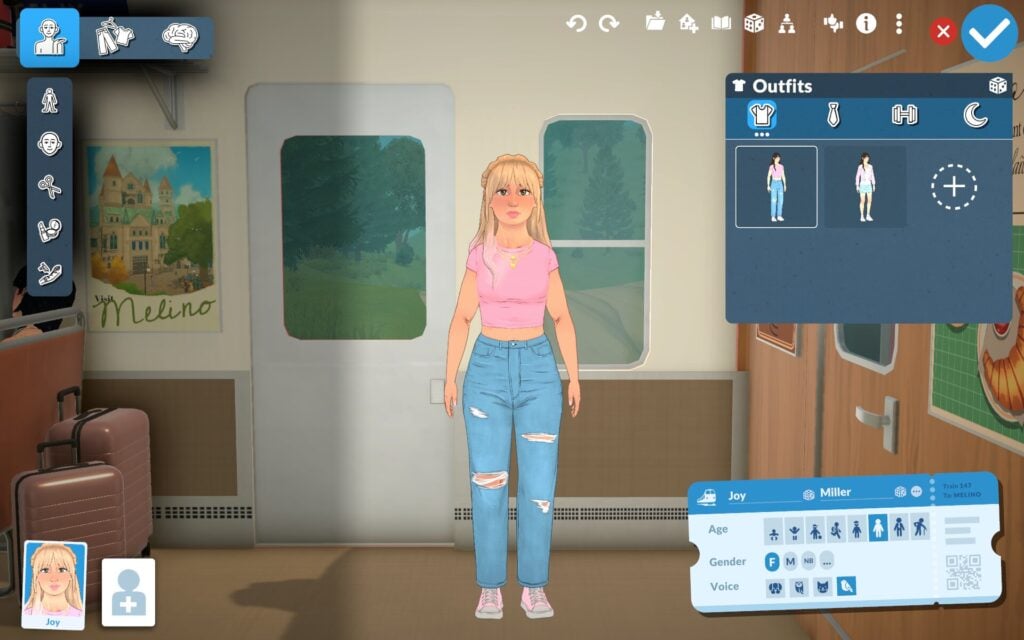
The character editor for Paralives is called Paramaker (or PAM for short). This game mode will operate differently depending on circumstances. The first way is when first creating a household, where the player will have access to all of its features like age, body, clothing, personality, gender identity, voice, etc. The second way is after the character is created or when editing an existing Parafolk, where the player will have more limited options for editing.

One highlight of character creation in Paralives is that the Parafolk start with a genderless preset. This means that they don’t have ‘masculine’ or ‘feminine’ body frames, but a neutral frame that can be customized using sliders for chest, hips, buttocks, and more. This is also true for the clothes, which will not be separated by gender. The identity of the Parafolk can be assigned in the interface of the Paramaker.

You can also learn more about the Paramaker in our article: Paramaker Crash-Course: Everything We Noticed In The Recent Paralives Stream.

Live Mode

PAralives Livemode

The Live Mode is the mode that focuses on gameplay, where players will be able to manage their Parafolk’s routines, which include taking care of their needs, interacting with other Parafolk, progressing in relationships, evolving their personalities over time, and performing interactions around the open-world town.

The Paralives Town

Paralives AstronomyClub

The Paralives Town is the open-world environment where Parafolk live, explore, and interact. Players can walk around the town, visit shops and restaurants, use public transportation, meet other Parafolk, and participate in town events. The town is designed to feel alive and connected, with no loading screens between lots.

The name of the town is believed to be Melino. The name was ‘leaked’ after the April 2026 video showcasing the museum, where future players noticed the words ‘I❤️MLN’ and ‘Greetings from Melino’ on objects available at the museum shop. You can learn more about the museum in our article: Paralives Gives A Tour of Museum Venue and Beneficial Features!

Paralives Museum

Platform and System Requirements

The game will be available on Steam for Windows and macOS, and it’s not planned to come to consoles at the moment, as stated in their official FAQ. It’s also stated that they are working on optimizing the game so that it can run on laptops and lower-end computers. You can check the system requirements for Windows and macOS below:

Paralives System Requirements for Windows

Minimum

OS: Windows 10
Processor: Intel Core i5 or AMD Ryzen 5 @ 2.5 GHz
Memory: 12 GB RAM
Graphics: GTX 1060 or RX 6600 XT
DirectX: Version 11
Storage: 8 GB available space

Recommended

OS: Windows 11
Processor: Intel Core i5 or AMD Ryzen 5 @ 3.0 GHz
Memory: 16 GB RAM
Graphics: RTX 2060 or RX 7600 XT
DirectX: Version 11
Storage: 8 GB available space

Paralives System Requirements for macOS

Minimum

OS: macOS Big Sur 11 (or newer)
Processor: Apple M2
Memory: 12 GB RAM
Graphics: Apple M2

Recommended
OS: macOS Big Sur 11 (or newer)
Processor: Apple M3
Memory: 16 GB RAM
Graphics: Apple M3

Mods and Steam Workshop

Paralives Mod

On day one of Paralives Early Access, players will have the ability to create their own mods and share them on the Steam Workshop. The moddable features supported will include: careers, genetics, rabbit holes, recipes, TV channels, relationship labels, together cards, vibes, wants, Build Mode assets, Paramaker assets, Photo Mode assets, food, and custom music for radios. The modding guide for the game is already available on the Paralives Modding Wiki.

Although script mods are not currently planned to be allowed on the Steam Workshop, it will be possible to make this type of mod on third-party platforms.

Paralives Early Access Community Poll

Now we want to hear from you! Here is the unofficial poll about Paralives Early Access features. You can also share your thoughts in the comments below.

[totalpoll id=”203366″]


Stay tuned for the latest Paralives game coverage and release updates right here!

The Sims 4 Music Festival CC: 43 Euphoric Pieces You Need For Simchella Vibes

Let’s be honest – the best part of any Sims 4 Music Festival is the outfits, and if you’re building your own Simchella you need CC that brings the drama! From flowy boho fits, to bold edgy festival looks, I’ve rounded up 43 must-have Sims 4 CC CAS items that will have your Sim’s ready to dance the days away. Whether you are going for a laid-back desert vibe or a stylish, grunge statement, there is something here for every festival aesthetic.

After Glow Top by Pipco

Afterglow

Life is better in festival mode! Get ready for the party in Afterglow Top by Pipco, a fringe top with a solid bralette – available in 28 awesome colors!

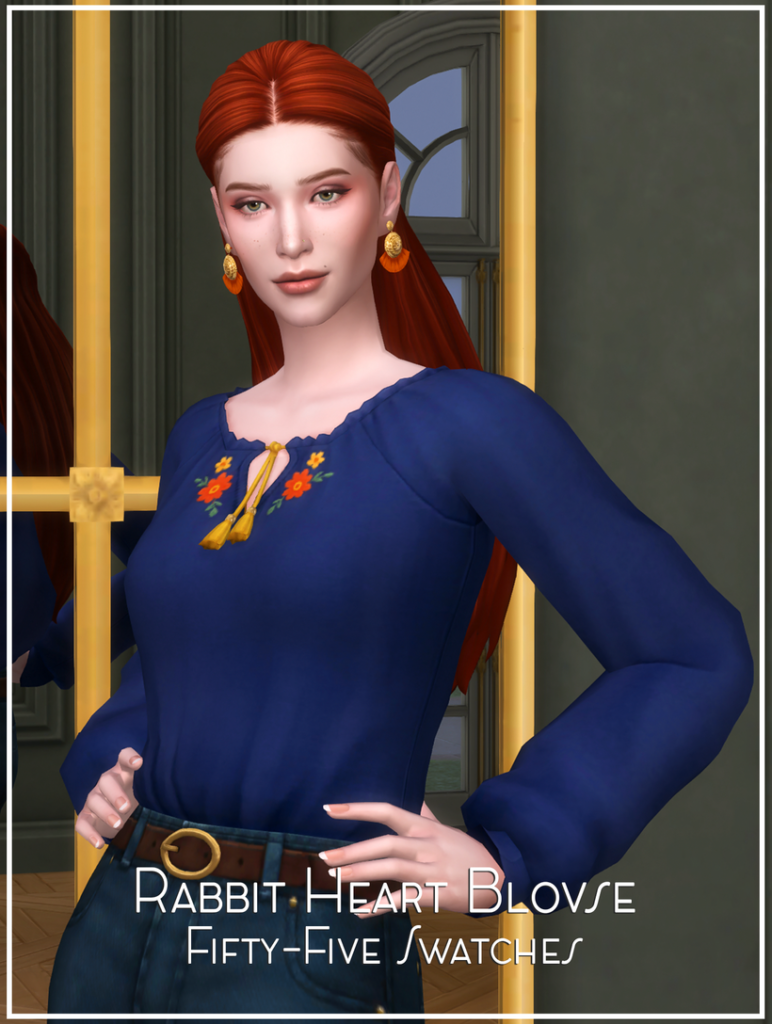
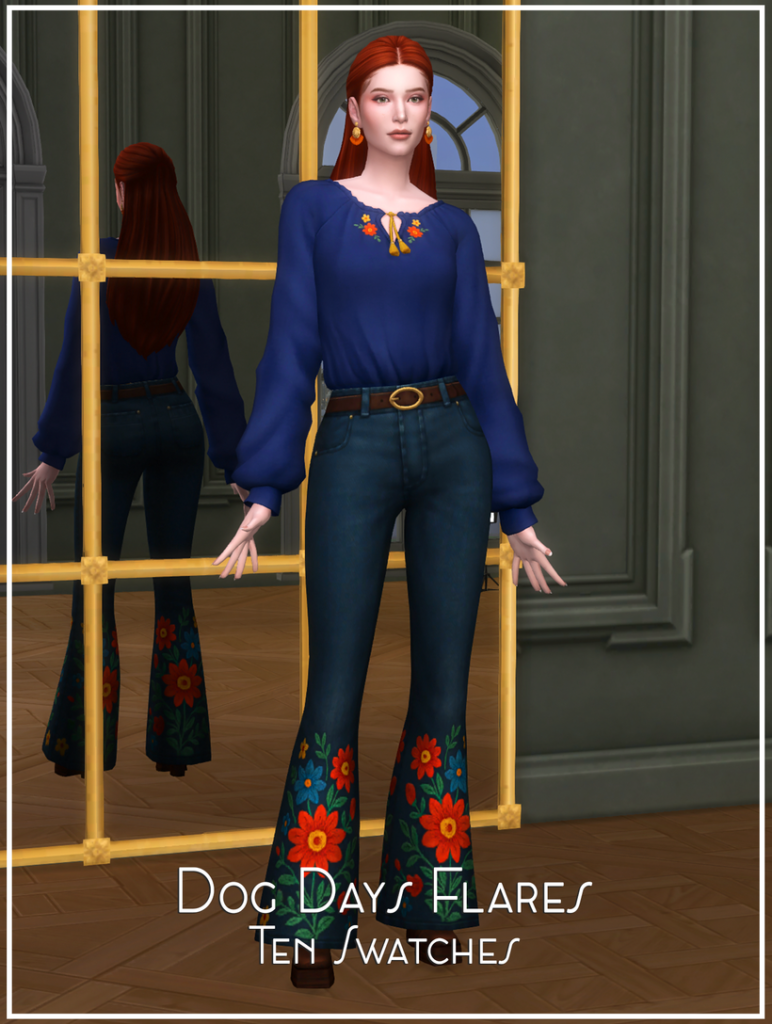
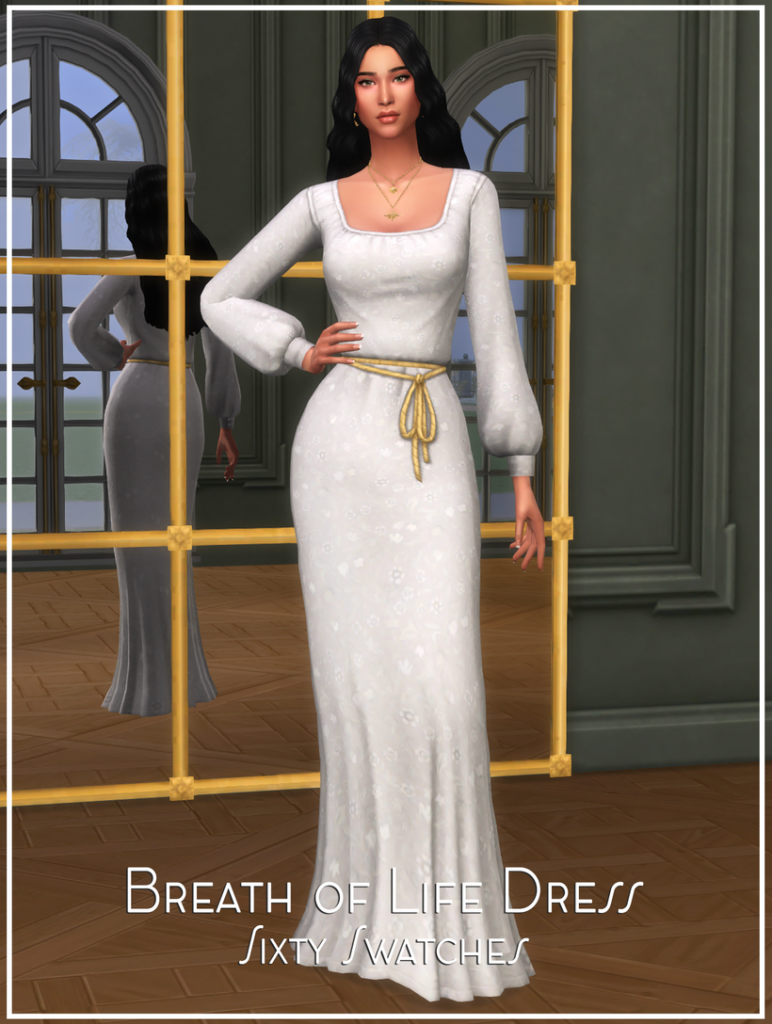
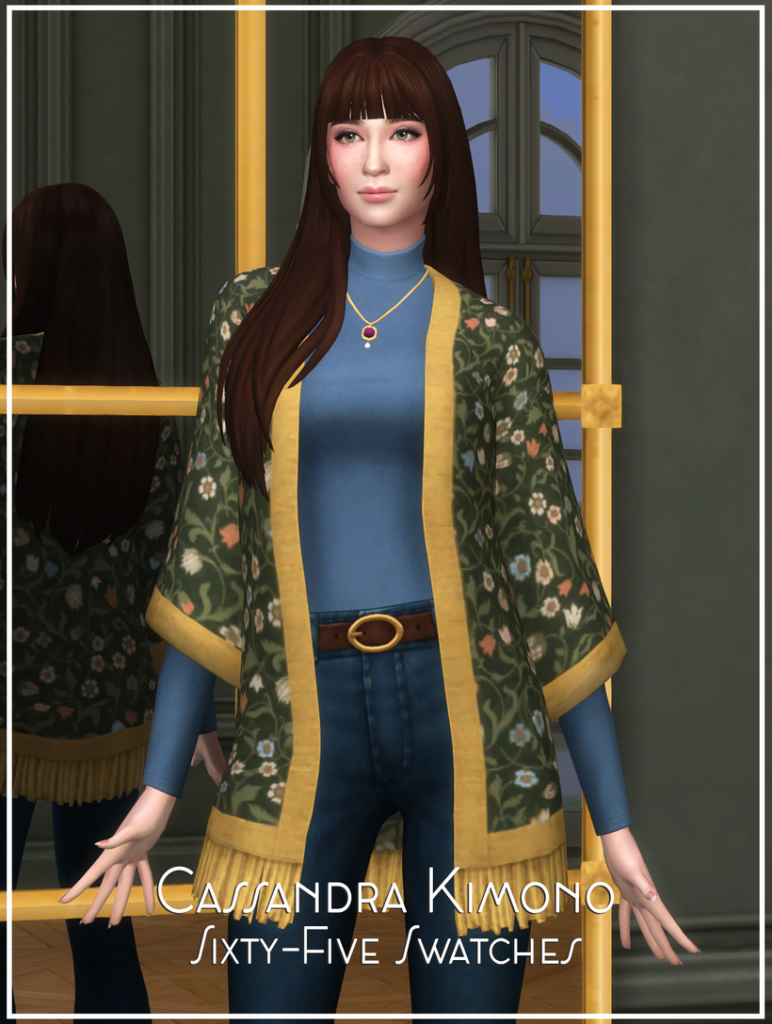
Crochet Top C156 by Daph’s

CrochetTop

Crochet Top C156 by Daph’s is the perfect festival top, a crop top with crocheted patterns and a deep V in both the front and back. Check out the pants available in the “Recommended” section of the download page. Available in 4 swatches and is HQ compatible.

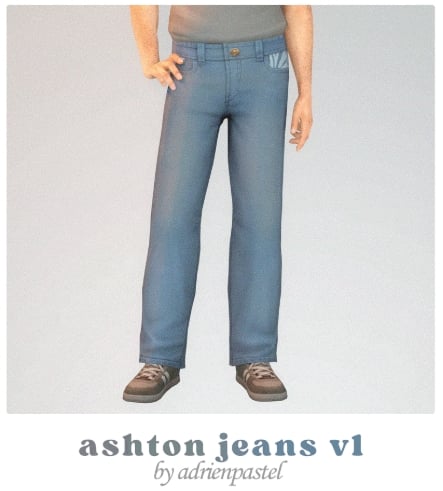
Patterned Mom Jeans by Gabymelovesims

PatternedMom

Patterned Mom Jeans by GabymeloveSims are a pair of low-waisted denim jeans with the cutest patches – available in 7 unique styles. Perfect for a laid-back vibe at your Sims’ favorite music festival!

Shorts With a Belt – Bag Boho by Sims House

ShortsWithABelt1

When your Sim is out collecting memories, and not sleep – these are the perfect bottoms to head to the festival in! With serious Coachella vibes, these ripped denim shorts are paired with a boho-style hip bag, available in 6 different groovy swatches.

Rosa Patched Shorts by Solistair

RosaShorts1

Your Sim will feel alive in every drop in these stunning CC shorts by Solistair! These denim shorts have frayed strands at the bottom, buttons at the hips, and lovely floral prints at the front and back pockets. Available in 15 amazing options!

Clothing Set 533 by Daph’s

ClothingSetDaph1

Have your Sim look like they got caught up in a pop-up rave in this CC clothing set by Daph’s! A tight-fitting set featuring a croptop T and high-waisted leggings in bright, neon colors, and pop art-inspired graphics in 5 swatches. Perfect for a Y2K-inspired festival look!

Lirio Boho by laupipi

Lirio1

Lost between songs and sunsets in this gorgeous CC set by laupipi. This boho style dress includes a strapless bralette and high-waisted, long, flowing skirt available in 13 lovely swatches.

Dragonfly Set by Trillyke

Dragonfly1

Your Sim will be flying away with the music in Dragonfly Set by Trillyke! This set features a tank top with a butterfly design, a short, flowing skirt adorned with butterfly motifs, and a pair of flats with straps and more butterflies! Trillyke has also included 3 matching accessories: fingerless butterfly-patterned gloves, a layered silver bracelet with a butterfly gem, and a metal belt with butterflies. Make a statement at the festival in this amazing CC set!

Hot Mess by Trillyke

HotMess1

Hot mess, louder than life! This set offers 2 styles that could most certainly be used for a grunge look at your Sim’s next music festival! There are a plethora of items, such as vintage crop tops, a skirt with a metal belt, platform boots, fishnets, and more! Mix, match, and rock on in this awesome CC set by Trillyke!

Bubble Crochet Set by Trillyke

Bubble1

Serious good vibes and boho feels in this beautiful set by Trillyke. Featured is a crocheted skirt, along with a rope belt, and a crocheted crop top – all featuring dainty, daisy motifs and realistic textures.

Howdy Set by arethabee

Howdy1

Cowgirl boots and festival roots! This set by arethabee includes 1 top, 2 bottoms, a cowboy hat, cowboy boots, and 1 western-themed hair. Bonnie Top is a tight-fitting tank top with a corset fitting at the front. Cassidy Skirt is a short denim skirt with a turquoise belt, while Cassidy Pants are a pair of tight-fitting bell-bottom jeans with the same cute belt. The perfect western look for your Sims’ next music festival!

Nestle Set by Gorilla Gorilla Gorilla

Nestle1

Nestle Set by Gorilla Gorilla Gorilla is an iconic boho look for festival season! Included is an off-the-shoulder top and a long, flowing, layered skirt. The top is available in 20 swatches, and the skirt is available in 30. Perfect for mix and matching for your Sim’s perfect festival style!

Dustclub Set by Gorilla Gorilla Gorilla

Dustclub1

Cozy chaos meets festival fashion in Duskclub set by Gorilla Gorilla Gorilla! A tight-fitting, retro tank top paired with a loose fit of baggy denim jeans creates a stylish outfit your Sim can jam out in and feel a bit more cozy all at the same time. The top is available in 30 swatches, and the denim jeans are available in 6 different shades.

Western Redemption Collection by Camuflaje

Western1

Your Sim will be headed from the ranch to the rave in this stylish collection by Camuflaje! Western Redemption Collection includes 4 different outfits for your feminine frame Sims that would be perfect for a western vibe at your Sim’s next Simchella! Whether you’re looking for a skirt, dress, or jeans, this set will have you covered! Camuflaje has also included 2 matching accessories for any of the outfits – a bandana tied at the neck and a realistic cowboy hat.

Summer Knit Collection by Camuflaje

SummerKnit1

Dress your Sims for the main stage in Summer Knit Collection by Camuflaje! Included are 2 crocheted tops with the matching crocheted skirts, a bucket hat, floral nails, and a standout, crocheted dress with a large stomach/side cut out. Your Sim will be standing out in the crowd in any of these amazing CC outfits!

Boho Breeze by HuiEn

BohoBreeze1

Earthy tones and endless tunes! Boho Breeze by HuiEn is a CC collection that consists of a lovely mixed vibe between boho and western – that would give off a perfect cozy, Coachella vibe. Included are 8 different items such as 2 tops, 3 bottoms, 1 dress, a pair of feather earrings, and a boho necklace! Time to go barefoot and let your Sims’ spirit shine!

Engel Tees Set by sewerwolfx

EngelTees1

Band tees built for festival days – Engel Tees Set by sewerwolfx is a unisex band tee available in 20 different rocking swatches! Paired with an edgy skirt or denim jeans, this would give off a serious grunge vibe for any Sim’s music festival.

Mens Sleevless Shirt by DanSimsFantasy

MensSleeveless

This sleeveless, CC shirt by DanSimsFantasy is a long, flowing tank top with a tucked-in side for masculine framed Sims. Paired with a pair of denim or boho-themed shorts, this would create a casual, free-flowing music festival outfit! Perfect for the Sim that wants to have fun while taking a care-free approach.

Boho Open Shirt by Birba32

BohoOpen

Boho bliss under the stage lights! Boho Open Shirt by Birba32 features a solid color, crumped, undershirt with a loose-fitted, flowing, unbotted overshirt, available in 4 swatches – perfect for any free-spirited Sim this festival season!

Black Sleeveless Set by RONA_SIMS

BlackSleeveless

A grunge-style shirt for your festival-headed Sims! Black Sleevless Set is a trendy tank top with or without cuts at the bottom. Available in 5 swatches each – pair with loose-fitted denim shorts or jeans to create the ultimate grunge vibe!

Noah Shorts by Puresim

Noah

The perfect denim shorts are a must-have for any Sims music festival outfit line-up! Whether going for a casual look or modernizing a bohemian vibe, this CC is perfect! Noah Shorts by Puresim are for masculine frame Sims, they cut right above the knee, and feature small rips – available in 5 swatches.

Boho Trousers For Men by Birba32

BohoTrousers

Complete your Sim’s Boho, festival look with these bottoms by Birba32 for masculine framed Sims! These dreamy pants feature a loose, flow-fitting style, with drawstrings and cuffs at the ankles. Available in 14 groovy swatches!

Aquarius Collection Redux by nucrests

Aquarius1

Soft fabrics for loud festivals! Aquarius Collection Redux by nucrests includes features, a free-flowing top in 2 styles, with and without an undershirt. As well as a pair of denim shorts and tight denim pants. Feel the beats and look amazing while doing so!

Club Exotic Set by Camulfaje

ClubExotic

Festival fashion with a bohemian soul – Club Exotic Set by Camuflaje features an open buttoned shirt in 13 swatches that gives a free-flowing vibe. As well as a pair of loose-fitted shorts, cut at the knee, and available in 13 swatches as well. Perfect for dancing all day and night!

Fairy Wing Earrings by Trillyke

Fairywing

The perfect touch to any colorful festival outfit! Fairy Wing Earrings by Trillyke come in 2 versions with 25 swatches each! Add a bit of charm to your Sim’s time of their lives!

Accessory Mesh Shirt by Trillyke

AccessoryMesh

No music festival outfit lineup can be complete without a bit of mesh! An easy accessory to create a fun, party vibe – Accessory Mesh Shirt by Trillyke comes in black and white with 8 different designs each.

Flower Crown by tokotomy

FlowerCrown1

Wildflowers and wanderlust vibes – Flower Crown by tokotomy is an amazing piece of CC that will elevate your bohemian-festival vibe for your Sim’s next music fest! A flower crown in 8 lovely swatches adorns your Sim’s head, perfect for day and night!

Tia Boots by Madlen

TiaBoots1

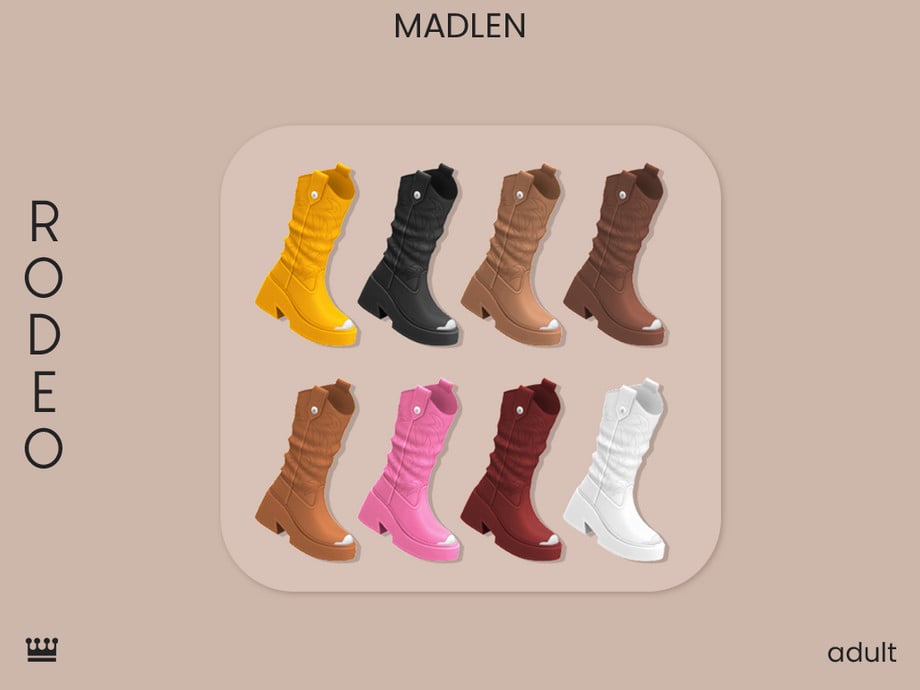
The perfect boots for every music festival! Tia Boots by Madlen are combat-style boots available in shorter, mid-length, and taller versions with utility pockets attached at the side. Pair with jeans and a tank top for a more casual festival look or with a short skirt for a grunge vibe! Each style boot is available in 8 solid swatches.

J Star Flowered Layered Necklace by eggu_sims

JStar1

Have your Sim be the star of the crowd wearing this CC necklace by eggu_sims! The chunky chain, bright colors, and layers make it the absolute perfect accessory for your Y2K-inspired festival outfit!

Summer Moonlit Necklace by Glitterberryfly

SummerMoonlit1

Summer Moonlit Necklace by Glitterberryfly would be an elegant touch to any bohemian outfit during festival time! Whether jamming to music or hanging off to the side with friends, this necklace will give your Sim a shine.

Western Boot & Star Dangle Earring by Glitterberryfly

WesternBoot1

For the more western-themed music festival outfits, Glitterberryfly also has you covered with these amazing dangle CC earrings that feature stars and a cowboy boot!

Daisy Dangle Earrings by Glitterberryfly

Daisy1

Daisy Dangle Earrings by Glitterberryfly are a pair of gorgeous CC earrings to jazz up your Coachelle-inspired music festival outfits. 3 daisies sit on top of each other with a small metal hoop.

Intensity Tights by Pipco

Intensity

Every grunge-festival outfit needs a pair of fishnet tights, and Pipco has you covered with Intensity Tights in 4 different swatches!

Festival Makeup Set by unidentifiedsims

FestivalMakeup

Dressed in joy and lit in color with Festival Makeup by unidentifiedsims! This download is for the popping eyeshadow, available in 12 bold colors. If you love this, make sure you complete the entire makeup look with the rest of the Festival Makeup set found in the recommended section of the download page.

Summer Festival Face Paint HQ by Caroll91

SummerFestivalFacePaintHQ

A soft but still bright makeup look for your Summer music festivals. This eyeshadow by Caroll91 features a tri-color bottom look with faint sparkles, available in 4 lovely swatches.

Summer Festival Eyeliner by ANGISSI

FestivalEyeliner

Bold hues and louder moods – Summer Festival Eyeliner by ANGISSI comes in 12 bright swatches that would help give a little color to any festival outfit.

Festival Face Paint by {anesthesia}

FestivalFacePaint

Give your Sim a little fun this music festival season with Festival Face Paint by {anesthesia}, available in 10 neat swatches! Adorn your Sims’ faces with designs like bees, rainbows, stars, hearts, cherries, and more! Whether you’re looking for something a bit different to stand out in the crowd with or want pictures for storytelling, this CC is perfect!

Nyoka Hairstyle by LeahLillith

Nyoka

Need a grunge hairstyle for your grunge vibe for this festival season? Look no farther than Nyoka Hairstyle by LeahLillith! This hairstyle features 2 large, loose buns at the sides with side bangs, available in 2 versions, and 3 soft recolors.

Noka Hairstyle by LeahLillith

Noka

Braids, waves, and wild festival days with Noka Hairstyle by LeahLillith. This hairstyle comes in 4 different versions, so you can best match with your Sim’s festival vibe!

Lizzie Hair by thatonegreenleaf

Lizzie

An amazing CC hairstyle for a Y2K-inspired outfit for festival season that features cute hair clips and braids, available in 34 gorgeous swatches.

Calm Hairstyle (No Bangs) by Casual Sims

Calm1

Alien buns for out-of-this-world festival looks! Calm Hairstyle (No Bangs) by CasualSims features 2 high buns, tied tightly, and available in 90+ colors!

Hair N128 by MoooD

MoooD1

Cool, casual, and concert-approved: Hair N128 by MoooD is a CC hairstyle that features long flowing hair, tied back into a bun, in 55 swatches.

Brennan Hair by JohnnySims

Rockstar hair for festival nights, this boho-themed hairstyle by JohnnySims is perfect for any laid-back festival look, available in 2 versions with 24 swatches!

With these 43 Sims 4 Music Festival CC outfits, your Sims are more than ready for your own Simchella! From laid-back boho looks to bold, grunge statement pieces, there is something here for every festival vibe. Hopefully, these pieces give you plenty of inspiration for your next save! Which outfit is your favorite, and how do you plan to organize your own Simchella? If you loved this, be sure to bookmark and check out some of our other amazing CC finds!

All Dreams & Rewards in Tomodachi Life: Living The Dream

0

Enter your Mii’s dreams and see what hijinks they get up to in their sleep.

Screenshot 2026 04 23 160058

For even more guides, have a look at our dedicated Tomodachi Life pages here.

How to See Your Mii’s Dreams

When Mii’s dream, they’ll have a purple bubble above their head with Zzzs. Once you click this, you’ll be whisked away into their dream.

dream

A Complete List Of Dreams In Tomodachi Life: Living The Dream

Talking Restaurant Food

A group of four food items are sat in one of the restaurant booths discussing life and the dreaming Mii.

Once you wake up, you’ll receive a restaurant menu as a reward.

tomodachi life dreams restaurant food

Super Mario

In this dream, you’ll see your Miis run and jump over items and holes in the floor (and possibly fall through the gaps).

You will be rewarded with a porcini mushroom once they wake up.

2026042120433000 BEFDE7D710248F377DF6BE3F5120B939 e1776955004374

Flying

The dreaming Mii will stand in the centre of their home, flapping their arms until they get lifted up to the roof.

Once they wake up, you’ll receive a bird feather as a reward.

2026042306181000 BEFDE7D710248F377DF6BE3F5120B939 e1776955173496

Upside Down

Your Mii will suddenly realise that they’ve woken up on the ceiling and their whole house is upside down.

You’ll be rewarded with an hourglass treasure once they wake up.

2026042523385800 BEFDE7D710248F377DF6BE3F5120B939 e1777215767328

Gross Food

As you present your Mii with some food, if you press A, it will suddenly turn stinky, and your Mii will become repulsed by it.

You’ll get a (non-smelly) version of this food as a gift once they wake up.

2026042500311400 BEFDE7D710248F377DF6BE3F5120B939 e1777217014777

It’s Raining Stuff!

Miis having this dream will be lovingly showered with items.

Once they wake up, you’ll be gifted the item that they were dreaming of.

2026041818312300 BEFDE7D710248F377DF6BE3F5120B939 e1776955561414

Superhero

Striking superhero poses as other Miis walk past them, the dreaming Mii will be covered in either food or another treasure item.

The item on their suit is what you will receive when they wake up.

2026052703354100 BEFDE7D710248F377DF6BE3F5120B939 e1777216015362

Counting Sheep

Miis in sheep costumes will jump over a picket fence whilst the dreaming Mii counts them.

Once they wake up, you’ll receive a sheep costume outfit.

Screenshot 2026 04 23 155936

Running Race

Running a foot race, three of your Miis will set out across the track. As one lags behind, they suddenly close the gap either by running backwards or rolling along the lane.

You’ll receive a stopwatch as a gift once you wake up from this dream.

2026042903171100 BEFDE7D710248F377DF6BE3F5120B939 e1777192733201

Crossing The Street

While the Mii having the dream stands beside the road waiting to cross, Miis will walk along both sides of the road wearing costumes. Once the light turns red, they will stop and/or lie down.

You’ll be rewarded with a car costume or a chicken costume, depending on what the other Miis were wearing.

International Greetings

The dreaming Mii will be standing at the wishing fountain while their friends walk past, offering greetings in different languages, making them wonder whether they’ve wandered onto a new island.

You’ll receive a globe as a treasure for this dream.

2026042523441500 BEFDE7D710248F377DF6BE3F5120B939 e1777215801686

Anti-Gravity

Floating around in a void with three random items, you can click on your Miis to control where they float to or bump into.

After they wake up you’ll be gifted one of the items from the dream as treasure.

2026042421414400 BEFDE7D710248F377DF6BE3F5120B939 e1777217049787

Giant Mii

One Mii will greet another from down the beach, but as they approach, they will grow until they tower over their friend.

The treasure collected after this dream will be a set of binoculars.

2026042523370200 BEFDE7D710248F377DF6BE3F5120B939 e1777215842479

Dropped Items

The dreaming Mii will pace back and forth, dropping and picking up the same item as they walk.

Whatever item they dropped is the treasure you will get once they wake up.

2026042503011100 BEFDE7D710248F377DF6BE3F5120B939 e1777215873706

Bungee Jumping

This is one of the interactive dreams your Miis will have. One of your Miis will be on the edge of a large platform, and ready to bungee jump off the side. Since they’re scared, you’ll be given the option to push them over the edge.

Once they wake up, you’ll be rewarded with a weak-looking elastic cord.

bungee jumping dream tomodachi life

Boss Fight

As three of your Miis enter a dungeon, they’ll fight a large boss, which will vary from fight to fight. It only takes one hit to take it down.

Whatever the boss you were fighting in the dream is, that is the item you will be rewarded with.

boss battle dream tomodachi life

Spinning Tops

This is another one of the interactive dreams. Two Miis will battle spinning top versions of themselves to see who can knock the other out of the ring. You control these spinning tops using the L and R trigger buttons.

You’ll receive a spinning top as a reward.

image 12

Concert Dance

Either solo or with their friends, your Miis will dance with glowsticks in this funky dream.

You’ll receive the nerd outfit after this.

dance dream tomodachi life

Toss or Keep

As different objects land into your Miis hands from above, they’ll either throw them away or put them in their pockets.

Once they wake up, you’ll get a magnifying glass as treasure.

2026042802142100 BEFDE7D710248F377DF6BE3F5120B939 e1777215176145

Sneezing Items

Stuck in a white void, your Mii will sneeze a random item across the room.

Whatever they sneeze is what you will get as a reward.

2026042503062400 BEFDE7D710248F377DF6BE3F5120B939 e1777193188991

Sprinklers

Four Miis in either frog or flower costumes will happily be sprayed by the sprinkler as it spins. Once it stops, they will become upset and wilt until it starts again.

You’ll either get a frog costume or a flower costume as a reward.

2026052701025900 BEFDE7D710248F377DF6BE3F5120B939 e1777214443581

Haunted Items

As your Mii sleeps, items will rise and float around them, then drop to the floor when they wake up.

The floating item from the dream will be given as treasure once the Mii wakes up.

2026042802152100 BEFDE7D710248F377DF6BE3F5120B939 e1777214948682

Item Worship

One of the creepier dreams in the game, four of your Miis will be surrounding an object and walking in a circle, worshipping a random item.

Whatever they were worshipping is what you will receive as they wake up.

2026042822205400 BEFDE7D710248F377DF6BE3F5120B939 e1777214835299

Bathroom Blocker

A Mii desperate to use the bathroom will be constantly blocked by other Miis and pets as they try to enter.

The reward for this dream is a bathroom tap/faucet.

Tomodachi Life Living the Dream Entered in bathroom took forever 3 news funny scenarios Pt.41 25 35 screenshot e1777213647539
Image credit: Calem on YouTube

Same Faces

The dreaming Mii will be shocked to see that their friends all have the same face as they do.

Once they wake up, they will be gifted a mirror.

2026052703484200 BEFDE7D710248F377DF6BE3F5120B939 e1777214497778

Alien Abduction

A UFO will swoop down to your island and take either some of your Miis or an object!

Once the Mii having the dream wakes up, you’ll gain a UFO as a reward.

2026042618181800 BEFDE7D710248F377DF6BE3F5120B939 e1777224250949

Lamppost Chats

One of your Miis will be having a conversation with a lamppost in this dream, as it blinks back its responses. There are lots of different dialogue options for this that you might get.

You’ll get a lightbulb as a reward.

2026042400124700 BEFDE7D710248F377DF6BE3F5120B939 e1777193107552

There is a huge variety of dreams that your Miis can experience in Tomodachi Life: Living The Dream. Which is your favourite? Let us know below.

Next InZOI Update: New Jobs, New Interactions, New Ways to Play Coming April 29th!

The next InZOI Update is right around the corner! This coming Wednesday, April 29th, the update initially expected in May will be coming out with more career options, Create-A-Zoi flexibility, romance and family gameplay, and optimization and settings to make the game more accessible for more players!

NEXT INZOI UPDATE: New Jobs, New Interactions, New Ways to Play Coming April 29th!

Another developer diary dropped on April 24th, 2026, and this specifically was one of the longest ones dropped as it intended to go over the multitude of items expected in this update. The video was just under six minutes long, and included tons of examples of new assets, gameplay changes, and settings changes, including optimization choices previously discussed and new language support options!

clipboard sc
inzoi update dev diary

○ The next InZOI Update is April 29th, 2026! That is this next coming Wednesday.

○ Multiple new careers will be coming to this next update.

○ Hair salons can be played from the perspective of both owner and customer. If you play as the owner and cut someone’s hair, you can pick the final result. If you play as the customer and get a haircut, you can ask for a certain style, but it may not turn out that way.

○ There’s a new mode outside of Create-A-Zoi for cutting and styling hair, placed directly in the Salon.

hairsalon9 1

○ The stylist’s skill level will dictate the chance of success.

○ A new journalist career is being added, allowing you to interview people around town and write about their stories.

○ A new researcher career is being added, allowing you to work day and night searching for a specific formula, and there is chances of both failure and success.

○ A coder career is also being added that is active, allowing you to spend your days writing code at a desk.

○ You can also open a clothing store, styling outfits on Mannequins that customers can come in, try on, and purchase. Although, customers do not have to try on outfits to purchase it if they “feel confident” in their purchase.

○ Situational outfits in Create-A-Zoi (Like formal, active, sleepwear, etc.) are now on the left side of the screen for more accessibility/visbility.

○ Hairstyles and makeup can now be changed PER Outfit, rather than on every outfit.

○ Outfits now have multiple slots, with a choice for a “default look” and extras.

○ Control gizmos when placing items in build mode or Create-A-Zoi now follow your mouse movements to make them easier and more intuitive.

○ New “Cozy European Countryside” inspired build presets are being added to Dowon and Bliss Bay.

○ A studio background with said “Cozy European Countryside” aesthetic is being added to Create-A-Zoi’s photo studio.

○ A wristwatch with variants and swatches is being added.

○ A new over-the-head mask, like a balaclava or ski mask, is being added to Create-A-Zoi and is unlockable when committing crimes. The new masks will also scare citizens more, which can cause them to not report your crimes even if they witness it.

○ The statuses of each Zoi in a conversation is now visible.

○ More intimate and romantic actions and animations have been added.

○ Gender reveal parties have been added for expectant parents, and this can cause both positive and negative reactions.

○ An optimization category is being added to settings to make it easier to streamline settings that focus on performance. Some of the seen changes include changes to “City Population Density” and “Animal Density”.

○ The keyboard customization menu is now moved into the main options page.

○ Mouse sensitivity controls have been adjusted to make them easier to handle and adjust.

○ Language support for Turkish and Dutch are now added. It was noted that this was assisted with AI translations as it may not have been possible by other “traditional methods”. The model used for this translation is being worked on to include more languages that are currently unavailable.

○ Because said AI Model can have errors, there is now a built-in report tool allowing mistranslations to be reported by those using the language in-game. This can be accessed by pressing Ctrl+Alt+Shift+F9 all at once, and reportable text can be clicked on.


PSA: Update is Wednesday, April 29th – 4/24/26 InZOI Update Developer Diary

Hello everyone, happy Friday.

We’ve had a very busy week preparing the build for next week’s update.
This month in particular, we’ve been focusing development around the Unreal Engine 5.6 update that many of you helped test, with a strong emphasis on overall stability and optimization.

We’re improving the system so that settings can be better tailored to different hardware environments. On high-end systems, the goal is to provide smoother performance, while on lower-end systems, we’re working to maintain visual quality while ensuring stable gameplay.

However, as this update includes new features, there may be conflicts with existing settings. Because of this, you will need to reset your graphics options once after the update. We appreciate your understanding.

We are also working on a feature that allows graphics settings to be saved and shared. However, we cannot yet confirm whether this will be completed within the current schedule.
Our top priority through August will remain stability improvements.

We take seriously the areas where we have not been able to improve enough so far. For us as developers, a game is not just a finished product, but something we are continuously responsible for.

We hope you have a wonderful weekend. Thank you.

— kjun


What features are you most excited to see when the update comes in just a few days? Are you hoping to see more info about things like the High School gameplay that was previously mentioned to be added in May?

Make sure to follow the Sims Community as we keep you in the loop on upcoming InZOI Updates and news coming to the Life Simulation genre as a whole! For roadmaps and other detailed info, you can also check InZOI’s official website!

EA Allegedly Isn’t Happy About The Sims 4 Marketplace Content: New Insider Details Surface

“If the Maker Packs were more interesting they’d be selling better”

It appears that Electronic Arts isn’t happy about The Sims 4 Marketplace content. Just weeks after an insider report claiming that EA is unhappy with the current amount of Moola being sold through the Marketplace.

The same Sims insider that predicted The Sims 4 Marketplace a month ahead of its official announcement stated new information regarding EA’s satisfaction with the Marketplace content. “EA’s not happy that the content being made for the marketplace isn’t as good or interesting as either the EA or Creator Kits and believes if the Maker Packs were more interesting they’d be selling better” claimed the insider.

Screenshot 2026 04 23 at 19.07.36
Pictured: The Sims 4 North American Power Set

The insider also revealed that there is a new Sims 4 Live Event planned for May 2026, which could fit into the schedule of a new Sims 4 Update already being teased for early next month.

Plus, if you’ve been eager to read more about The Sims Project X we have some tiny bits of information from the insider. Nothing major or what hasn’t been mentioned before though.

Read the full Sims insider report below:

TALKING PATTERN

New The Sims 4 Marketplace Performance Report

Statement: The fact they’ve moved the official kits back out of the marketplace suggests all isn’t going as well as they’d like us to believe. Might be wishful thinking but maybe the backlash is moving the needle a little…

Sims Insider: I got some more information on the Marketplace performance, and without going to deeply into it, EA’s not happy that the content being made for the marketplace isn’t as good or interesting as either the EA or Creator Kits and believes if the Maker Packs were more interesting they’d be selling better.

Kits like Restoration Workshop, Greenhouse Haven and Book Nook Kit were hugely popular because they added things players didn’t have like the ability to build a realistic Greenhouse, Modular Bookshelves and Workshops. The issue with the Marketplace is there’s nothing there that does this and EA was expecting more unique ideas.

TS4 Restoration Workshop 003

Whether that’s the direction of Maxis developers in charge of the marketplace or the decision of CC makers, wasn’t clear.

That said EA isn’t too concerned at the moment, because money for existing DLC is still coming through strong. The Sims 4 is moments away from having more unit sales of its DLC than The Sims 1, 2 and 3 combined (including storefronts) so the revenue is still going strong. But they do see dips in sales across the board when there’s no new packs to keep things fresh and the Marketplace was supposed to address this, but so far isn’t. Though more people claimed the free Kit than EA expected, which was good as it was used to bring people to look at the Marketplace. The issue is, people aren’t staying there for long.

New The Sims 4 Ingame Event and Project X Talks

Statement: I heard that during one of the playtests people told EA it felt way too similar to Sims 4, so now I’m curious if they tried to move even a little away from that visual style. I mean, I get that the whole point of Project X is to keep that Sims 4 vibe, but who knows what might’ve changed since then lol…This no-news silence is actually killing me

Sims Insider: The marketplace was meant to create more “buzz” so the silence isn’t supposed to be here. EA thought the Maker Packs would be more interesting.

That said, regular updates and quality of life improvements are still coming and I believe there’s an Event on the horizon unless it’s been canned because the engagement numbers aren’t needed for investors. But there was one scheduled for May but I was told this back in January.

[It’s an] In-game event. It was pencilled in back in either Dec/Jan when I was talking to someone about it, it was before the Royalty Event happened.

the sims 4 deck the palms live event1

But overall player numbers are extremely strong, so there’s no real need for EA to worry about players leaving the game, so less need to be super loud or in your face to get people to play the game.

2025 was the most successful year for The Sims on record, and while The Sims 1 and 2 re-releases assisted with that, the Sims 4 alone was able to achieve that. Businesses & Hobbies really did a great job at keeping player engagement which was likely largely fuelled by the back of the 25th Anniversary. Perfect timing for that pack.

Unless plans have changed, X should be very Sims 4. It’s the whole idea. The Sims 4 has eclipsed the rest of the franchise and for most players is “The Sims” and players recognise older games but don’t identify or engage with them. EA doesn’t want that identity lost.

But EA are known for never having a consistent opinion and the longer games are in development, the more revisions EA give developers. Developers have learnt how to work with EA to avoid this.


Statement: To me, not carrying over DLC content is a major turn-off for me. I paid a lot of money and started playing Sims 4 recently so I am not interested in going over to Project X for the next 5 years.

Sims Insider: It’s going to be interesting to see how they address this. Do they avoid the Sims 4 brand entirely and brand it a new game and hope people don’t question how similar it is to the Sims 4, or do they acknowledge the Sims 4 and then deal with the backlash of why not all DLC carries over. There’s not going to be a simple winning formula. But neither was a Sims 5.

The biggest issue EA has right now is they were completely underprepared for how massive the Sims 4 became after the Growing Together Expansion (it was already the most successful Sims game before that point) and since then have had no idea what to do with the franchise because they’ve had no long term plans or avenues that considered this success. It’s why one second they’re saying the Sims 4 is here to stay, the next there’s a new game, the next there’s an update to overhaul the whole game, the next is selling that overhaul as a new product. They simply just don’t know how make sure they don’t lose this playerbase they’ve acquired. They also don’t want to spend insane amounts of money to keep The Sims 4 going either. They want it to be a secure profit product and having such a large back catalogue of DLC makes it very hard not to spend money to keep it stable.

It’s going to probably be the most interesting rollout for a Sims game ever.

source


Alleged The Sims Project X Playtest in December 2025

While The Sims Players await for new information from an internal Sims playtest that happened this work week, another player who allegedly was a part of a playtest in December 2025 shared new information. One which involves revealing the inspiration behind The Sims Project X’s new world involved in the playtest, lot count and more:

TALKING PATTERN

As far as I know, Project X was planned to have one base neighborhood inspired by New England, divided into three open districts, with a total of 24 lots. But that information comes from the December playtest.

ScreenShot004
Early Concept of The Sims 4 Neighborhoods

During that same December playtest, they also emphasized that they wouldn’t be carrying over worlds, careers, traits into the new game.

Of course, things may have changed since then, and they could be considering different options now.

Screenshot 2026 04 26 at 18.50.41

What do you think about the latest Sims insider report on The Sims 4 Marketplace and The Sims Project X? Let us know in the comments below and stay tuned for the latest Sims franchise updates!