Ahead of the release of the new Royalty & Legacy Expansion Pack, we’re getting a big update to the Sims 4 base game. This will be available for PC/Mac and console on the 3rd of February.
Here we will break down how to prepare for the update, as well as what you can expect.
Table of Contents
What To Expect This February
Base Game Update: A big update for the base game is coming to get ready for the new pack release as well as the new login event coming at the beginning of the month.
Community‑Prioritised Fixes: The team will focus on issues with the highest votes, as these issues are likely to be affecting a large proportion of the players. If you want to vote on fixes you want to see prioritised you can do this on the EA forum.
Information for Mod Creators: If you are a mod or CC creator, you can find all of the Python notes for the latest patch here to help you see which of your mods are going to be affected by the new Sims 4 update.
What’s Coming In The Sims 4 Update?
As well as bug fixes and general updates to the game, we typically get a base-game update that aligns with a theme or feature of the new Expansion Pack - like the introduction of platforms when Snowy Escape was released or bunk beds with Dream Home Decorator.
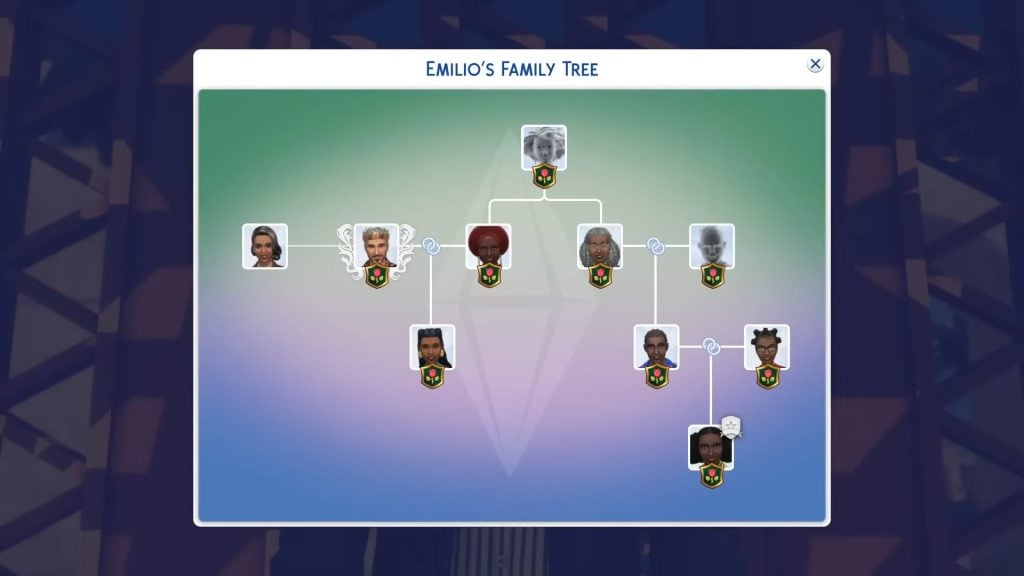
Based on February 2026 pre-patch notes and the announcement of the new pack, the major feature being added to the base game is an overhauled and expanded family tree system.
On February 3, we’re rolling out an exciting Base Game update that introduces expanded and improved functionality for family trees, genealogy, and relationship data. These updates enhance how Sims’ family connections are tracked and displayed, and we’re looking forward to sharing more details with you very soon.
Because this update makes changes to core game systems, our testing has shown that some mods - particularly those that extend or interpret family and relationship data - will be affected. This could appear as missing relatives, unexpected relationship changes, or family trees that don’t reflect what you expect. In rare cases, these issues could negatively impact your save.
Game Fixes
The latest Sims 4 Laundry List announced on social media and their website, we can see that the main repairs they are focusing on are ones with the most community upvotes, including the bug which led to a lot of photos turning black after a recent update and smaller issues like upgraded vacuums not working off the grid.
They also emphasised that improving save file integrity was a top priority.
New Login Event Content
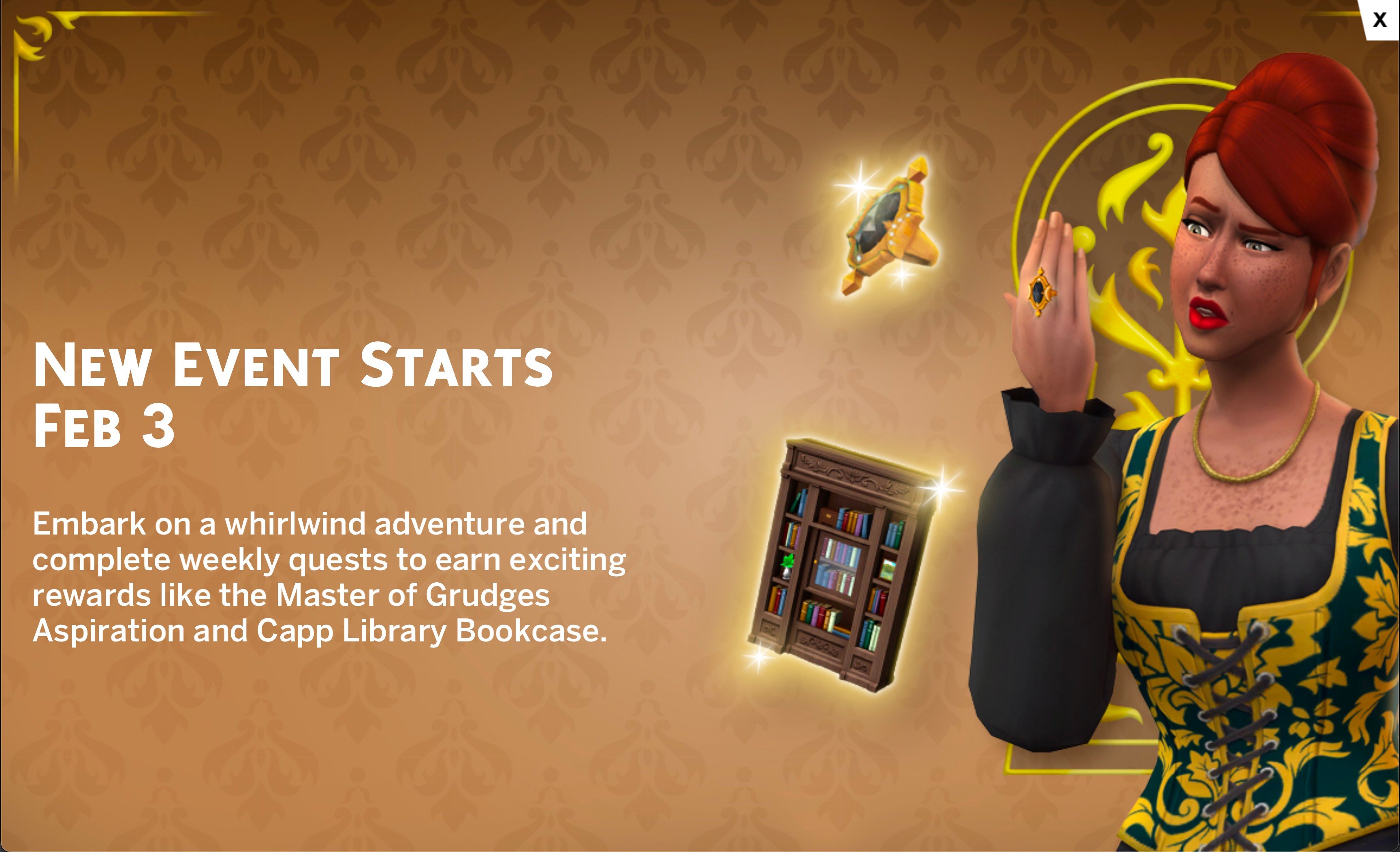
We're getting a new login event themed around the new Royalty & Legacy Expansion pack, which promises to bring back some of the in-game quests to unlock different items and rewards.
Because this is adding things like new aspirations and objects, these will have to be added in the update coming up, so you'll have to make sure your game is fully updated before you start trying to unlock rewards.
How To Prepare For A Sims 4 Update
Following these tips will mean that you no longer worry when updating your game.
Back Up Your Save Files
This is probably the most important thing you can do ahead of a large update.
Regular backups are crucial to prevent data loss due to system crashes, hardware failures, or issues with mods or custom content, so it’s always important to ensure you back up your save files before any significant changes to your game. That includes base game updates.
To back up your Sims 4 save files, follow these steps:
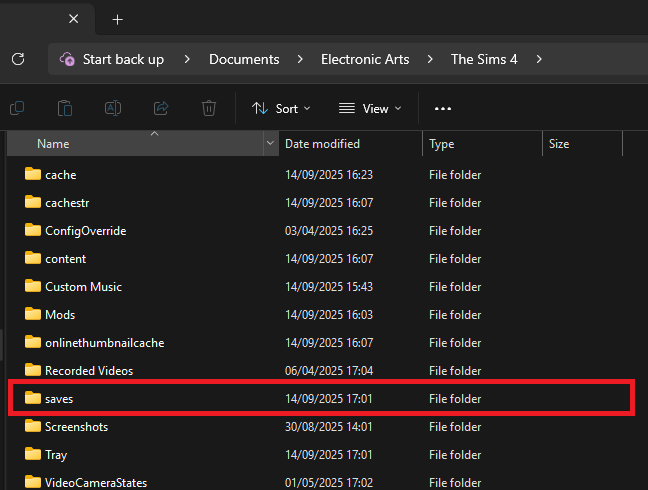
Navigate to the save files location. If you are on a Windows PC the file path should be: Documents/Electronic Arts/The Sims 4/Saves.
Copy the save files you want to back up. The names of the save files are all numbers, but the most recent ones you’ve created should be the highest number. If you’re worried about not backing up the ones you need, copy all of your saves.
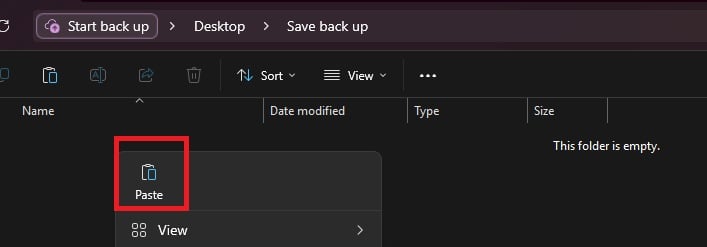
Paste the copied files into a new and secure location, such as an external hard drive or USB stick. It’s also a good idea to name the backup folder to include the date of the backup for easy identification.
If you need to restore a save, move the copied save files back into the Sims 4 saves folder and replace the existing files.
Checking and Testing Mods
Broken mods are an unfortunate consequence of a big update to any game, but there are things you can do to make it less stressful.
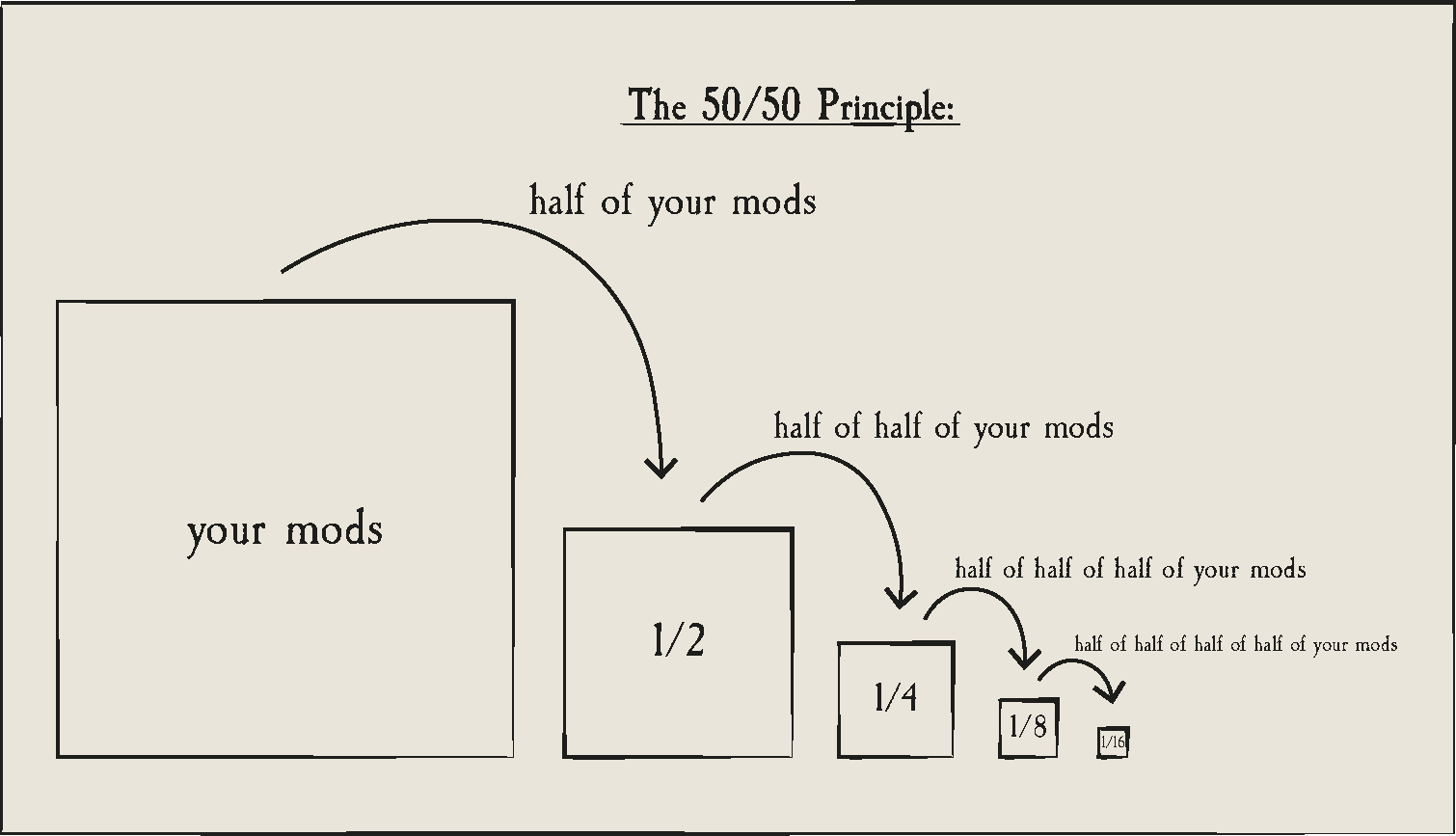
In a folder packed with mods and CC it is sometimes only one or two broken items that are causing problems, and finding it in your files can be a nuisance. Using the 50/50 rule is a good way to set your mods folder up for success and make finding broken content much easier. If you are having game errors and think custom content/mods are to blame, sometimes the only way to find out what’s causing it is by doing a 50/50 manual sort.
Essentially, the 50/50 method involves testing half your mods folder – then half again, and again, and again – until you weed out all the broken content that needs updating. You can also read ThatSimsLady’s explanation of this method here.
Make three new folders outside your mod folder called ‘Tested clear’, ‘Tested broken’ and ‘untested’
Move all your mods to the untested folder
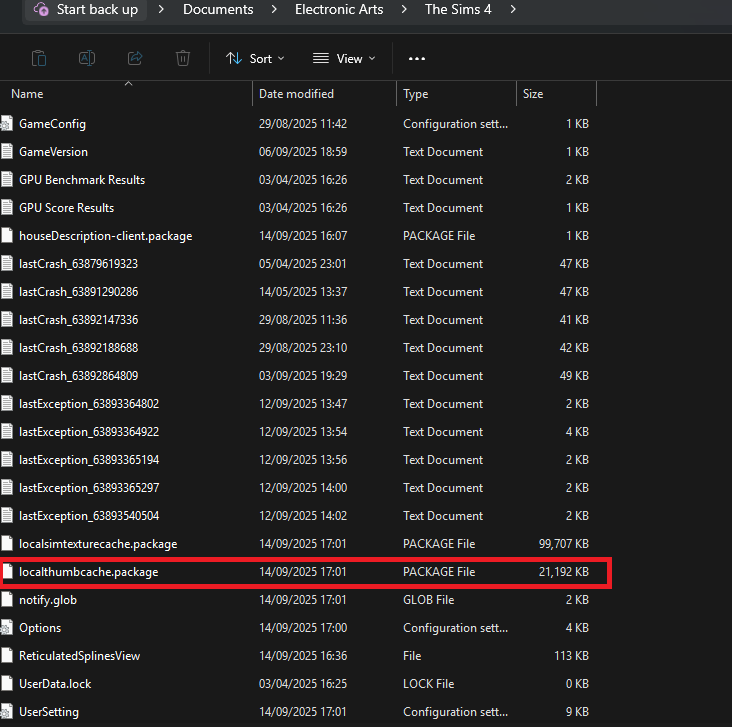
Delete your thumcache file – this is a package file that can be found in your Sims 4 documents folder. You’ll need to do this each time you run a new test for your mods/cc.
Move half of your untested mods back to the mods folder, and open the game. If you use MC Command Centre then this is a good one to test straight away, as it will alert you to any broken content/exceptions. If an error is found, test each new mod/cc you’ve added until you find the broken one, then add it to the ‘tested broken’ folder.
Keep going with this method until you’ve found all the content that needs updating.
You should ideally also test your mods in a new save, and not save your game while you are testing these.
If you are using the 50/50 method to check your mods, make sure that you:
Never separate mod files from the same mod. That might seem obvious, but if you separate mod files and then in testing they show as broken, it’s more than likely going to give you a false positive.
Take note of any mods that rely on each other. If you, for example, use lots of mods that rely on an XML injector, and then separate these from it, this might be the reason they don’t work, rather than a patch update.
Countdown to The Sims 4 Update Release
The upcoming Sims 4 Update is set to release on February 3rd, 2026 across Computer and Console supported platforms. The expected release time for the update is 10AM PT / 7PM CET / 6PM BT. We've also made things simpler with an easy countdown below.
Find out when the next Sims 4 Update release is in your area and brace your save files and Mod folders for impact:
Countdown to The Sims 4 Base Game Update
00Days
:
00Hours
:
00Min
:
00Sec
Will you be getting ready for the upcoming Sims 4 Update drop? Let us know in the comments down below and stay tuned on Sims Community for the latest info about the patch drop!
6 Comments
FeloniousMasturbator
Nah I think I’ll just stay offline and enjoy my mods instead of downloading underwhelming slop
Kacy
Royalty gets released on the 12th of fed
Jack
Reply to Kacy
Be interesting to see how many waste their 35 quid on this one too.
Miya
Reply to Jack
I did lmao
Jabean Slawfish
Reply to Miya
You are literally part of the problem.
Jack
You would think by now everyone would know what to do. I’m always surprised and a bit flummoxed by all the “update broke my mods”. No it did not, they just need updating too and this can take a minute. Go touch some grass if you get anxiety over not being able to watch your little pixels smoke, maim or do the dirty for a few hours, haha.
Welcome to Sims Community!
Our community is about connecting people through open and thoughtful conversations. We
want our readers to share their views and exchange ideas in a safe space.
In order to do so, we've created a simple set of rules that will improve your experience.
Simply put, keep it civil.
Your post will/might be rejected if it contains:
Spam
Insults, profanity, incoherent, obscene or inflammatory language and threats of any kind
Attacks on the identity of other commenters or the article's author
User accounts will/might be blocked if we notice:
Continuous attempts to re-post comments that have been previously moderated/rejected
Racist, sexist, or homophobic comments
Attempts or tactics that put the site security at risk
So, how can you be a power user?
Stay on topic and share your passion. Feel free to elaborate to get your point across.
'Like' or 'Dislike' when you are filled with emotions!
Protect your community. Use the report tool to alert us when someone breaks the rules.
Thanks for reading our community guidelines. Please note that we're aware of certain
issues with Sign In / Log In and Create Account / Email Confirmation issues. We're working
behind-the-scenes on a new Account Creation process. Thank you for your patience and
remember - freedom of speech is not freedom of reach
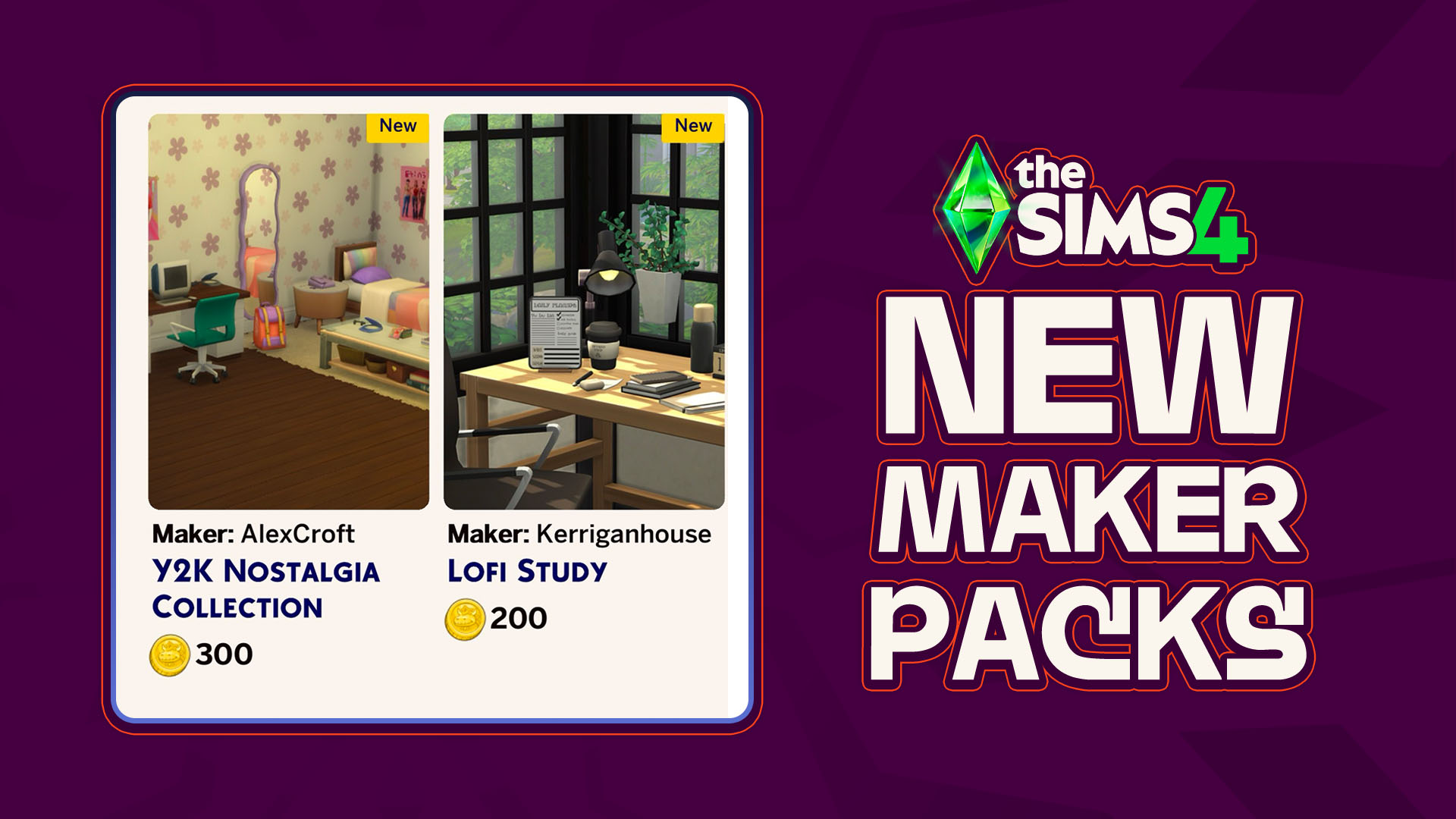
As though there has been any shortage of activity coming out of the marketplace and the Sims 4 Maker Packs that it produces, another two maker packs have hit the front page of the Sims 4 Marketplace; A new Y2K-themed bedroom collection by maker AlexCroft and a simple desk clutter collection by maker Kerriganhouse are…
A New CLOSED Sims 4 Survey Has Appeared! With little prompting and only sent to certain playtesters, a new official survey from EA has surfaced! A closed Sims 4 Survey, meaning that only certain people were given access to it, was sent out that covers overall satisfaction with The Sims 4 and the Sims Franchise…
More Insider Information on The Sims 4 Pack Performance & Project X Has Dropped. With EA, Project X, and The Sims 4, it never takes long for new insider information to come out about production, development, and the inner workings of Electronic Arts and their game development. The well-known ATRL Insider has graced us with…
While the dust settles from the much larger InZOI Update that hit yesterday, September 3rd 2026, the InZOI Development Team as well as Producer & Director Hyungjun ‘Kjun’ Kim are hard at work developing a wide variety of new features, systems, and assets to be added to the game in the future. Since planning and…
Sea Stars, Sea Turtles, Sea Urchins, Oh My! The major InZOI Vacations Update has dropped! While vacations aren’t the only part of this decently large update, they are a real centerpiece of the gameplay expansions surrounding this update. Released on September 3rd, 2026, the InZOI September Update added loads of new features outside of vacations…
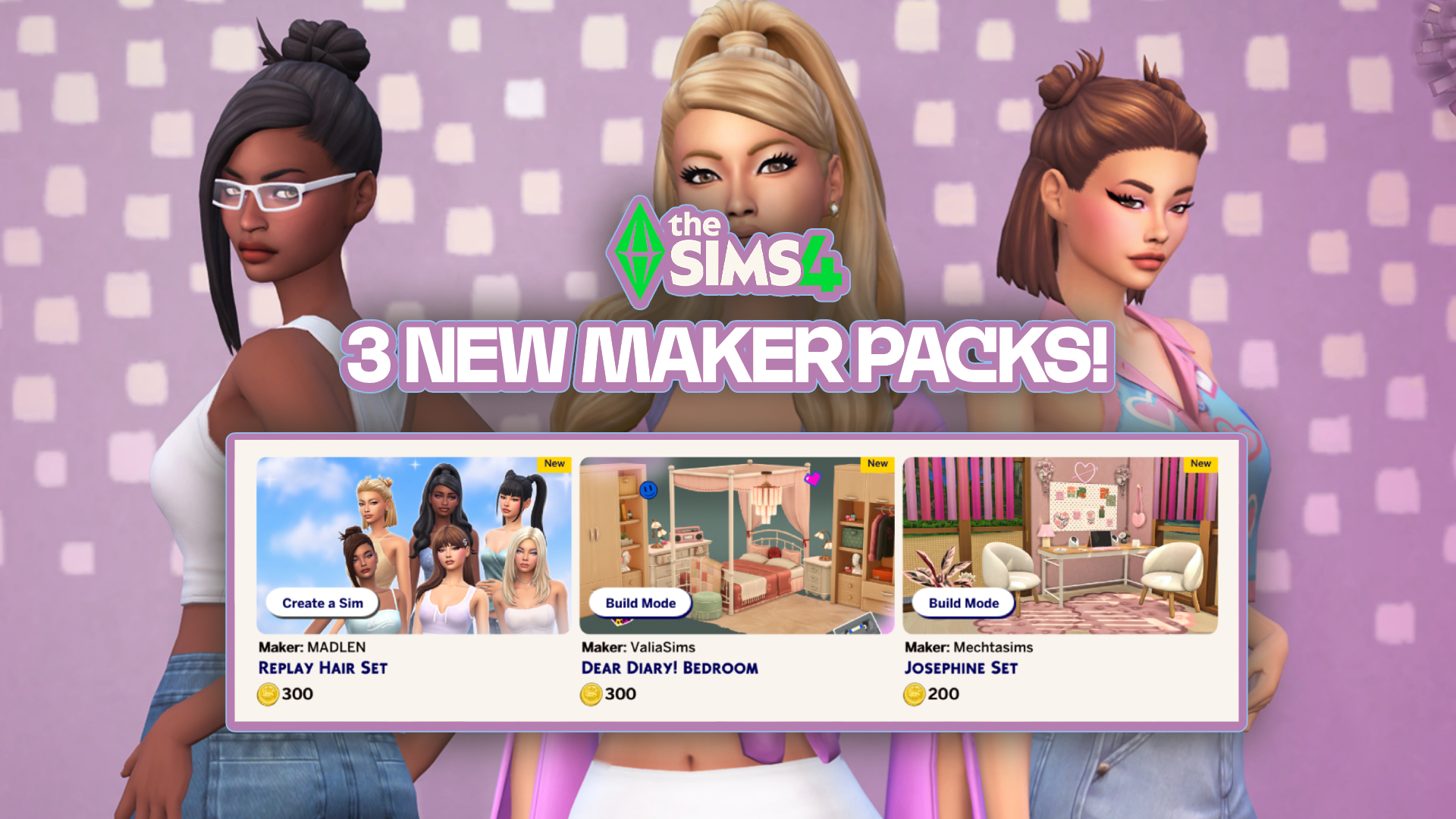
In just over one week, six new Sims 4 Maker Packs have been released on the Marketplace, and today three more have been added! The new sets are by creators Mechtasims, MADLEN, and ValiaSims, bringing with them new hair and furniture for our Sims. Check them out below! The Latest Sims 4 Maker Packs! Replay…
New features have arrived with in the latest InZOI Update! The KRAFTON team has just released a new InZOI Update on Steam and Mac App Stores worldwide. This September Update adds both quality of life improvements as well as new features, including ability to vacation in any world, expanded interactions, an entire Dine Out experience…
As we celebrate The Sims 4’s 12th anniversary, we look into the repeating pattern of what’s coming next. Happy birthday to The Sims 4 Base Game, which released first in United States back on September 2nd, 2014. With the retail version being $60, Deluxe and Limited Editions with 70$ and above prices, this launch felt…
Another Build Maker Pack enters The Sims 4 Marketplace! The Sims Team has dropped a new The Sims 4 Maker Pack on the Marketplace just after releasing two yesterday. Titled “Soft Balance” by Comiko, this Maker Pack gives you 10 Build Mode objects in exchange for 200 Moola – or 2 dollars. Find out alll…
Today, September 1st 2026, The Sims 4 Quality Assurance and Quality Verification team answered the community’s questions in the latest Q&A over on the Sims 4 official Discord server. The next update for The Sims 4 is due to launch September 22nd, and with it comes fixes for the most upvoted bug on the forum.…







6 Comments
Nah I think I’ll just stay offline and enjoy my mods instead of downloading underwhelming slop
Royalty gets released on the 12th of fed
Reply to Kacy
Be interesting to see how many waste their 35 quid on this one too.
Reply to Jack
I did lmao
Reply to Miya
You are literally part of the problem.
You would think by now everyone would know what to do. I’m always surprised and a bit flummoxed by all the “update broke my mods”. No it did not, they just need updating too and this can take a minute. Go touch some grass if you get anxiety over not being able to watch your little pixels smoke, maim or do the dirty for a few hours, haha.
Welcome to Sims Community!
Our community is about connecting people through open and thoughtful conversations. We want our readers to share their views and exchange ideas in a safe space.
In order to do so, we've created a simple set of rules that will improve your experience. Simply put, keep it civil.
Your post will/might be rejected if it contains:
User accounts will/might be blocked if we notice:
So, how can you be a power user?
Thanks for reading our community guidelines. Please note that we're aware of certain issues with Sign In / Log In and Create Account / Email Confirmation issues. We're working behind-the-scenes on a new Account Creation process. Thank you for your patience and remember - freedom of speech is not freedom of reach