Home Blog Page 271

The Sims Mobile: Illamanati Quest Walkthrough

Presented by EA Game Changers

The Sims Mobile is set to release a brand new quest this week (scheduled for this Thursday – January 24th) called Illamanati. We’ve received a full walkthrough of this quest from the team so you can help prepare your Sims for about what’s to come, including all of the quest steps, rewards for each completed step and the final prize for completing the quest.

The Sims Mobile: Illamanati Quest Walkthrough

Down below you can check out all of the quest steps for the Illamanati Quest:

  • Initiation – Earn 25 Simoleons
  • Part 1 – Research the Illamanati on the couch
  • Part 2 – Watch Illamanati documentary series on TV
  • Part 3 – Examine 1 mirror
  • Part 4 – Complete an event
  • Part 5 – Inspect 3 plants around town
  • Part 6 – Earn 800 Simoleons
  • Part 7 – Complete the “Search for Bugs” at home event
  • Part 8 – “Blend in” with a Sim
  • Part 9 – Complete LlamaZoom tasks
  • Part 10 – Complete 3 long events
  • Part 11 – Complete the “Undercover Medical Research” event
  • Part 12 – Complete LlamaZoom tasks
  • Part 13 – “Act normal” with 3 Sims
  • Part 14 – Complete the “Search for Bugs” at home event
  • Part 15 – Complete LlamaZoom tasks
  • Part 16 – “Have an epiphany” in the shower
  • Part 17 – Earn 1000 Simoleons
  • Part 18 – Complete LlamaZoom tasks
  • Part 19 – Complete the “Undercover Medical Research” event
  • Part 20 – Change your appearance in CAS
  • Part 21 – Complete the “Search for Bugs” and “Undercover Medical Research” events
  • Part 22 – Complete 2 LlamaZoom sessions

The Sims Mobile: Illamanati Quest WalkthroughThe Sims Mobile: Illamanati Quest WalkthroughThe Sims Mobile: Illamanati Quest WalkthroughThe Sims Mobile: Illamanati Quest WalkthroughThe Sims Mobile: Illamanati Quest WalkthroughThe Sims Mobile: Illamanati Quest WalkthroughThe Sims Mobile: Illamanati Quest WalkthroughThe Sims Mobile: Illamanati Quest WalkthroughThe Sims Mobile: Illamanati Quest WalkthroughThe Sims Mobile: Illamanati Quest WalkthroughThe Sims Mobile: Illamanati Quest WalkthroughThe Sims Mobile: Illamanati Quest WalkthroughThe Sims Mobile: Illamanati Quest WalkthroughThe Sims Mobile: Illamanati Quest WalkthroughThe Sims Mobile: Illamanati Quest WalkthroughThe Sims Mobile: Illamanati Quest WalkthroughThe Sims Mobile: Illamanati Quest WalkthroughThe Sims Mobile: Illamanati Quest WalkthroughThe Sims Mobile: Illamanati Quest WalkthroughThe Sims Mobile: Illamanati Quest WalkthroughThe Sims Mobile: Illamanati Quest WalkthroughThe Sims Mobile: Illamanati Quest WalkthroughThe Sims Mobile: Illamanati Quest Walkthrough

Down below you can check out all the CAS items that you’ll be receiving as a prize for completing the Illamanati Quest in time, including:

  • Chateau Suit (5 colors / Male, Fullbody Outfit)
  • Gothic Glamour Blouse (6 colors / Female, Top)
  • Illamanati Suit (8 colors / Female, Fullbody Outfit)
  • Anytime Activewear Jacket (6 colors / Male, Top)

The Sims Mobile: Illamanati Quest Walkthrough

The Sims 4 Console Bundle 4 is Now Available!

0

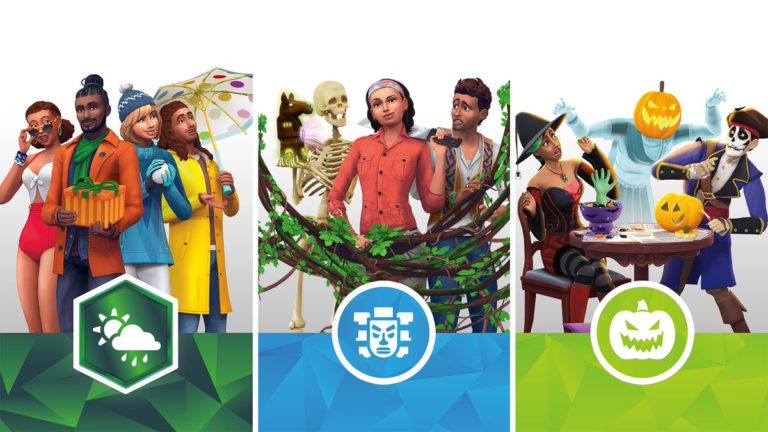
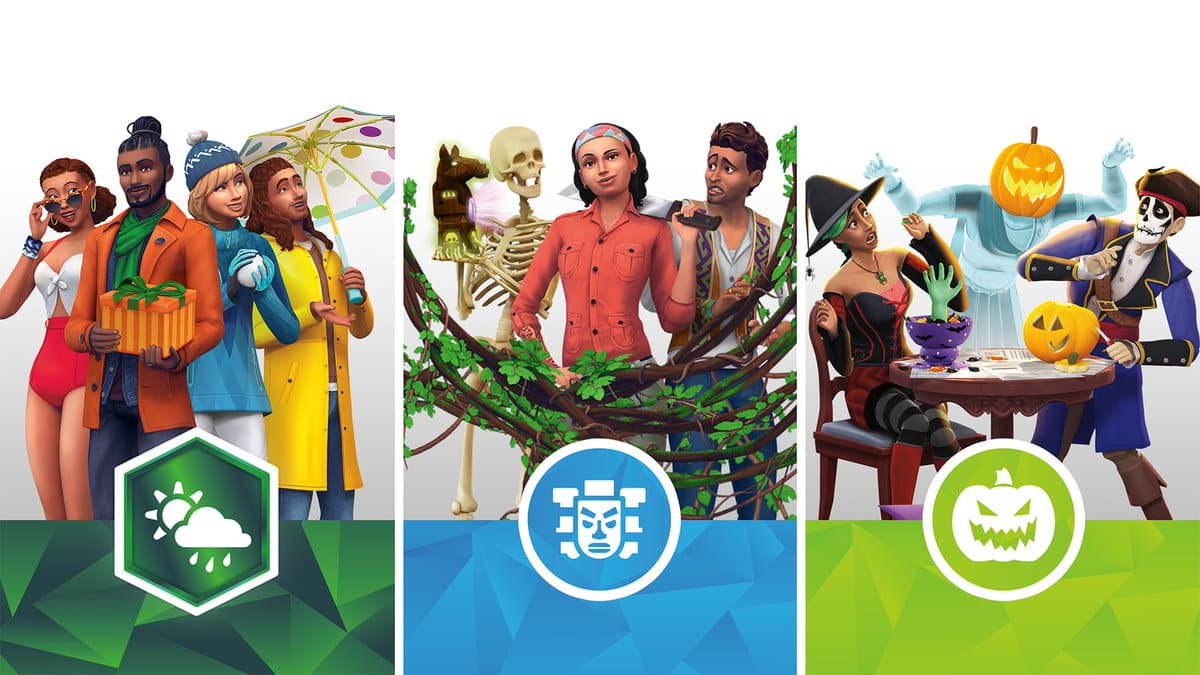
The Sims Team has just released their latest Bundle Pack for The Sims 4 Xbox One and PS4 which includes the following packs:

  • The Sims 4 Seasons Expansion Pack
  • The Sims 4 Jungle Adventure Game Pack
  • The Sims 4 Spooky Stuff Pack

What’s special about this (and other bundles as well) is the fact that you can get it for $49,99USD – which is $20 less than you would pay for by getting these packs individually.

This bundle can be purchased from the following official stores:

The Sims 4 Console Bundle 4 is Now Available!

You can now get Custom Map Replacements for all The Sims 4 Worlds

Do you feel like The Sims 4 Maps are missing out on a few more details? You’re in luck because a talented graphic designer FilipeSims has been working for months to bring you new Maps that you can use in your game! With the help from DerShayan these Maps have been implemented into a simple .package file – more specifically, each World Map redesign is packed into one .package specifically. However, all of these Maps can be downloaded on one simple page that we’ve linked down below.

All of the maps from The Sims 4 have been redesigned, including the ones that we’ve received with Expansion Packs and Game Packs. To download these fanmade maps, simply click on the button down below to be directed to the Map Download page. From there select the Maps of your choice, download them from SimFileShare and extract them to Electronic Arts > The Sims 4 > Mods folder. Make sure that you’ve enabled Mods / CC in your game options!

These map replacements work beautifully in the game and co-operate really well with the lot spaces as you can see in the screen below.

[mks_button size=”large” title=”DOWNLOAD!” style=”squared” url=”https://www.dershayan.de/fanart-maps” target=”_blank” bg_color=”#1e73be” txt_color=”#FFFFFF” icon=”fa-arrow-down” icon_type=”fa” nofollow=”0″]

You can now get Custom Map Replacements for all The Sims 4 Worlds

A Simmer has put together all The Sims 4 Worlds in one Image

32

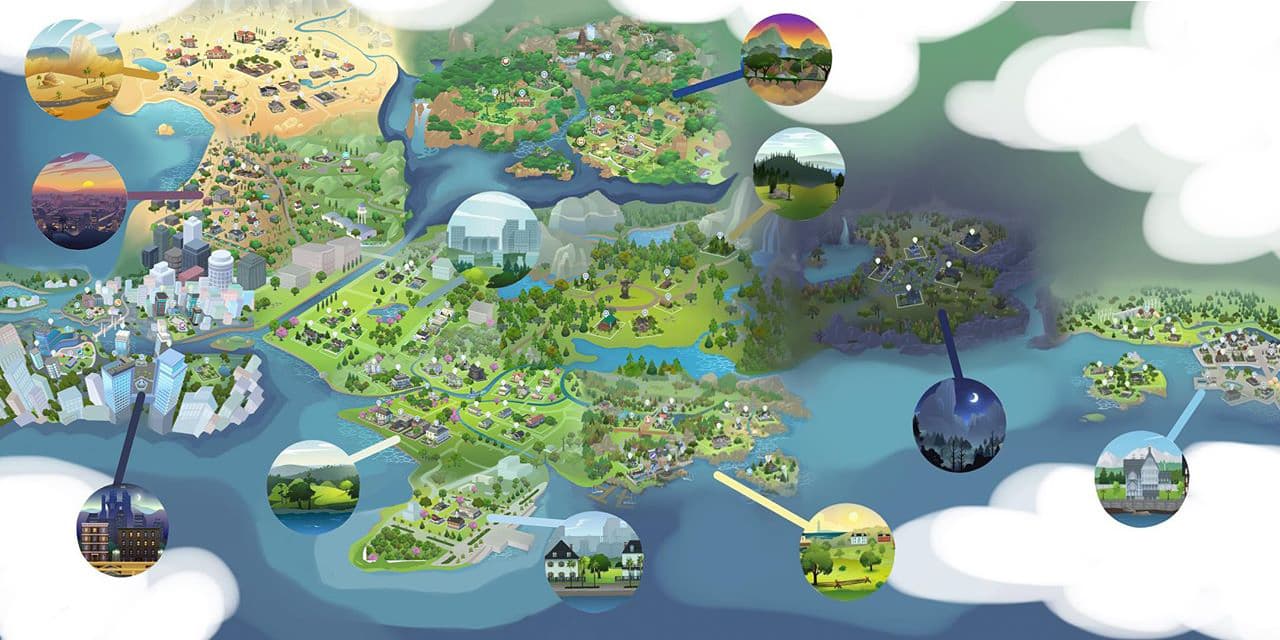
Have you ever wondered what would The Sims 4’s worlds that we’ve gotten so far would look like connected altogether? Well, a Simmer on Instagram @stellar_roses has posted an interesting concept of every single world including the ones from Base Game, Expansion Packs and Game Packs connected!

Down below you can check out this interesting overview:

A Simmer has put together all The Sims 4 Worlds in one Image

You can notice that worlds such as Oasis Springs, Del Sol Valley and San Myshuno have perfectly been connected together as well as Willow Creek, Newcrest, Granite Falls and Brindleton Bay. There are worlds like Selvadorada and Forgotten Hollow which don’t really fit in together but that’s primarily because they’re so specific due to their Destination / Occult theme.

SimGuruNinja, one of the developers working on The Sims 4 has received a question about if we’ll ever get to see a connected map view like this one day for easier travelling between worlds. Unlike in previous games, The Sims 4 connects all of the worlds and their households. Ninja replied with the following statement:

It’s a cool idea. You never know how we might change things up. *shrug*

The Sims 4 earns the title of the Best Selling PC Game in Germany for 2018

3

More than 4 years after the release and The Sims 4 still continues to break all records!

GfK Entertainment, known for collecting data and insights related to music, videos and video games have published an article listing the best selling video games across Europe, including these countries: Belgium, Denmark, Germany, Finland, France, Great Britain, Italy, Netherlands, Norway, Austria, Poland, Portugal, Switzerland, Sweden and Spain.

The top 3 video games across all platforms and consoles are FIFA 19, Red Dead Redemption 2 and Call Of Duty: Black Ops IV. Right now there isn’t any specific data about sales for each specific platform in Europe but GfK Entertainment did publish the best selling games for each platform in Germany.

FIFA 19 managed to earn the #1 spot across Xbox One, PS4 and PS3, Mario Kart 8 Deluxe earned the #1 spot for Nintendo Switch while The Sims 4 earned the #1 spot for the best selling PC game.

Considering that The Sims 4 took the #1 spot in Germany it’s almost safe to assume that the game could be a part of the top 10 best selling PC games in other European countries.

The Sims 4 earns the title of the Best Selling PC Game in Germany for 2018

Tip: SimTimes

Origin Surprise Sale: Get The Sims 4 Toddler Stuff for 50% off!

Origin is having yet another surprise Stuff Pack sale! This time around they’re offering The Sims 4 Toddler Stuff Pack for only 50% off!

They haven’t included any informationa bout how long this surprise offer is going to be available for considering it’s the only Sims 4 Pack available for sale. If you or your friend are missing out on this pack and have $5 to spare now’s the time to surprise yourself or someone special!

Origin Surprise Sale: Get The Sims 4 Toddler Stuff for 50% off!

The Sims Mobile: Winter Warm-Up Event + Quest Walkthrough

The Sims Mobile has a new event available right now in the game! In case you’re not familiar, one of the very first events after the worldwide launch of The Sims Mobile was the Hot Tub Dreams event which is very similar to this one – except this time around the quest steps are different and there are a few additional items added.

The Winter Warm-Up Event + Quest will last for the next 7 days during which you’ll be able to complete the quest, collect Duckies (the event token), spend Duckies on Duckie Bags which carry new items and gain all sorts of prizes along the way!

The Sims Mobile: Winter Warm-Up Event + Quest Walkthrough

You’re able to access the Winter Warm-Up Menu by simply selecting the Rubber Ducky icon on the top right corner. From this menu you’ll be able to have a full overview of Events that you’ll be able to perform in exchange for tokens and Simoleons, Duckie Bags which carry new items, lenght of the event and the number of event tokens you’ve gathered so far.

The Sims Mobile: Winter Warm-Up Event + Quest Walkthrough

There are two different Duckie Bags  – the regular Duckie Bag that you can purchase for 125 Duckies and the Golden Duckie Bag that you can get for 50 SimCash. The difference between these two bags is the fact that the Golden Duckie Bag gives you much bigger chances of unlocking items marked with a Rare ribbon.

Here are the following items you can obtain with Duckie Bags:

Winter Warm-Up Quest

The Winter Warm-Up Quest is a 7-day limited time quest which brings exclusive prizes that can only be obtained through the quest. Along quest completion you’ll also be obtaining Duckies that will help you purchase Duckie Bags.

  • Part 1 – Complete events to earn Simoleons (25 Simoleons)
  • Part 2 – Complete Get cozy and warm in a bed interaction
  • Part 3 – Complete Think of warmer times at a mirror or vanity
  • Part 4 – Ask about Warmest Memory with another Sim
  • Part 5 – Complete any event
  • Part 6 – Change your appearance
  • Part 7 – Complete the “Home Spa” event
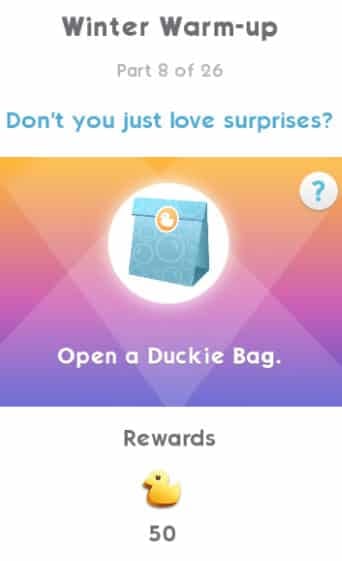
  • Part 8 – Open a Duckie Bag
  • Part 9 – Give stickers to 5 Sims
  • Part 10 – Complete the “Swanky Swimwear” event
  • Part 11 – Complete any event
  • Part 12 – Earn 650 Simoleons
  • Part 13 – Complete any 5 events
  • Part 14 – Complete the “Spa-Side Snacks” event
  • Part 15 – Complete all LlamaZoom tasks and collect rewards
  • Part 16 – Complete the “Home Spa” event
  • Part 17 – Collect 1,200 Duckies
  • Part 18 – Complete all LlamaZoom tasks and collect rewards
  • Part 19 – Complete the “Swanky Swimwear” event
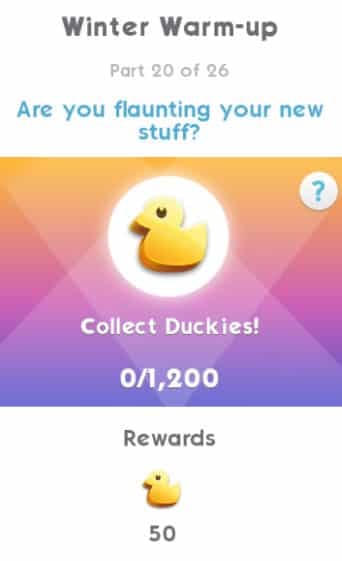
  • Part 20 – Collect 1,200 Duckies
  • Part 21 – Complete all LlamaZoom tasks and collect rewards
  • Part 22 – Complete the “Spa-Side Snacks” event
  • Part 23 – Earn 650 Simoleons
  • Part 24 – Complete all LlamaZoom tasks and collect rewards
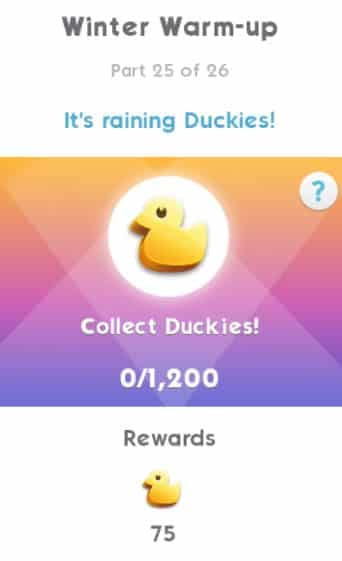
  • Part 25 – Collect 1,200 Duckies
  • Part 26 – Complete 3 Long Events in any Career, Relationship or Hobby

The Sims Mobile: Winter Warm-Up Event + Quest WalkthroughThe Sims Mobile: Winter Warm-Up Event + Quest WalkthroughThe Sims Mobile: Winter Warm-Up Event + Quest WalkthroughThe Sims Mobile: Winter Warm-Up Event + Quest WalkthroughThe Sims Mobile: Winter Warm-Up Event + Quest WalkthroughThe Sims Mobile: Winter Warm-Up Event + Quest WalkthroughThe Sims Mobile: Winter Warm-Up Event + Quest WalkthroughThe Sims Mobile: Winter Warm-Up Event + Quest WalkthroughThe Sims Mobile: Winter Warm-Up Event + Quest WalkthroughThe Sims Mobile: Winter Warm-Up Event + Quest WalkthroughThe Sims Mobile: Winter Warm-Up Event + Quest WalkthroughThe Sims Mobile: Winter Warm-Up Event + Quest WalkthroughThe Sims Mobile: Winter Warm-Up Event + Quest WalkthroughThe Sims Mobile: Winter Warm-Up Event + Quest WalkthroughThe Sims Mobile: Winter Warm-Up Event + Quest WalkthroughThe Sims Mobile: Winter Warm-Up Event + Quest WalkthroughThe Sims Mobile: Winter Warm-Up Event + Quest WalkthroughThe Sims Mobile: Winter Warm-Up Event + Quest WalkthroughThe Sims Mobile: Winter Warm-Up Event + Quest WalkthroughThe Sims Mobile: Winter Warm-Up Event + Quest WalkthroughThe Sims Mobile: Winter Warm-Up Event + Quest WalkthroughThe Sims Mobile: Winter Warm-Up Event + Quest WalkthroughThe Sims Mobile: Winter Warm-Up Event + Quest WalkthroughThe Sims Mobile: Winter Warm-Up Event + Quest WalkthroughThe Sims Mobile: Winter Warm-Up Event + Quest WalkthroughThe Sims Mobile: Winter Warm-Up Event + Quest Walkthrough

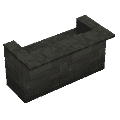
Completing the quest in total will grant you items such as the Backyard Bar, Beach Towels and a Rubber Duckie.

Video Walkthrough

Want to check out all the quest steps in action? Check out our video walkthrough down below:

The Sims 4: Unlocking Hidden Interactions on the Lin-Z Smart Speaker

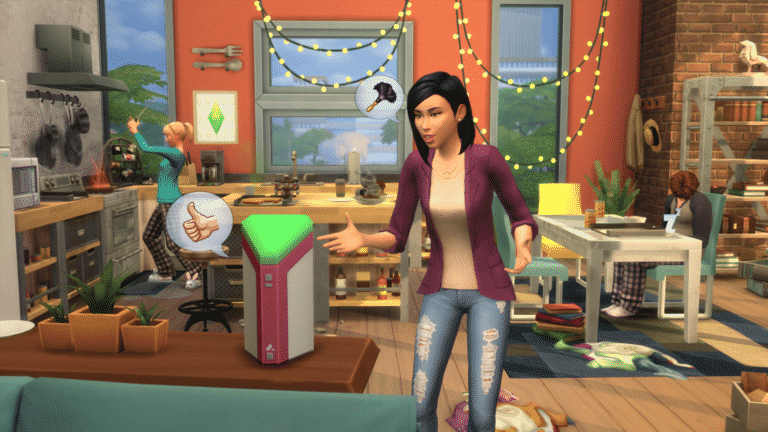
Now that the Lin-Z Smart Speaker is no longer a game breaker for The Sims 4 we can finally dive deeper into the hidden features that this object has to offer! Sure, it’s fun to fill your Social Need moodlet bar by just talking to a piece scraps but there’s more than it meets the eye..

By constantly socializing with your Smart Speaker your Sim will be able to build an actual relationship with the speaker. You’ll be able to keep track of your relationship progress in the Relationships Panel or by simply hovering over the Lin-Z Smart Speaker. While still being acquintances with the Smart Speaker your Sims won’t be able to achieve a lot by ordering the speaker to do certain interactions considering that the first few relationship points means that the speaker will have a mind of its own. Telling the speaker to order a pizza or play music won’t always bring the outcome that you’re looking for, but that can thankfully be improved by constantly socializing with the speaker. The interaction that I found to be the most effective is “Order…”. Whether you’re ordering a Pizza, a Repairman or a Maid, the relationship points will almost certainly skyrocket and you’ll become friends with this piece of technology in no time.

Being friends with the Smart Speaker means that you’ll get to enjoy a special branch of new interactions exclusive on the Lin-Z Smart Speaker. There are 3 new interactions that you’ll unlock after becoming friends, including:

  • Set Wakeup Routine…
    • Daily Affirmation
    • News Briefing
    • Daily Joke

The Sims 4: Unlocking Hidden Interactions on the Lin-Z Smart Speaker

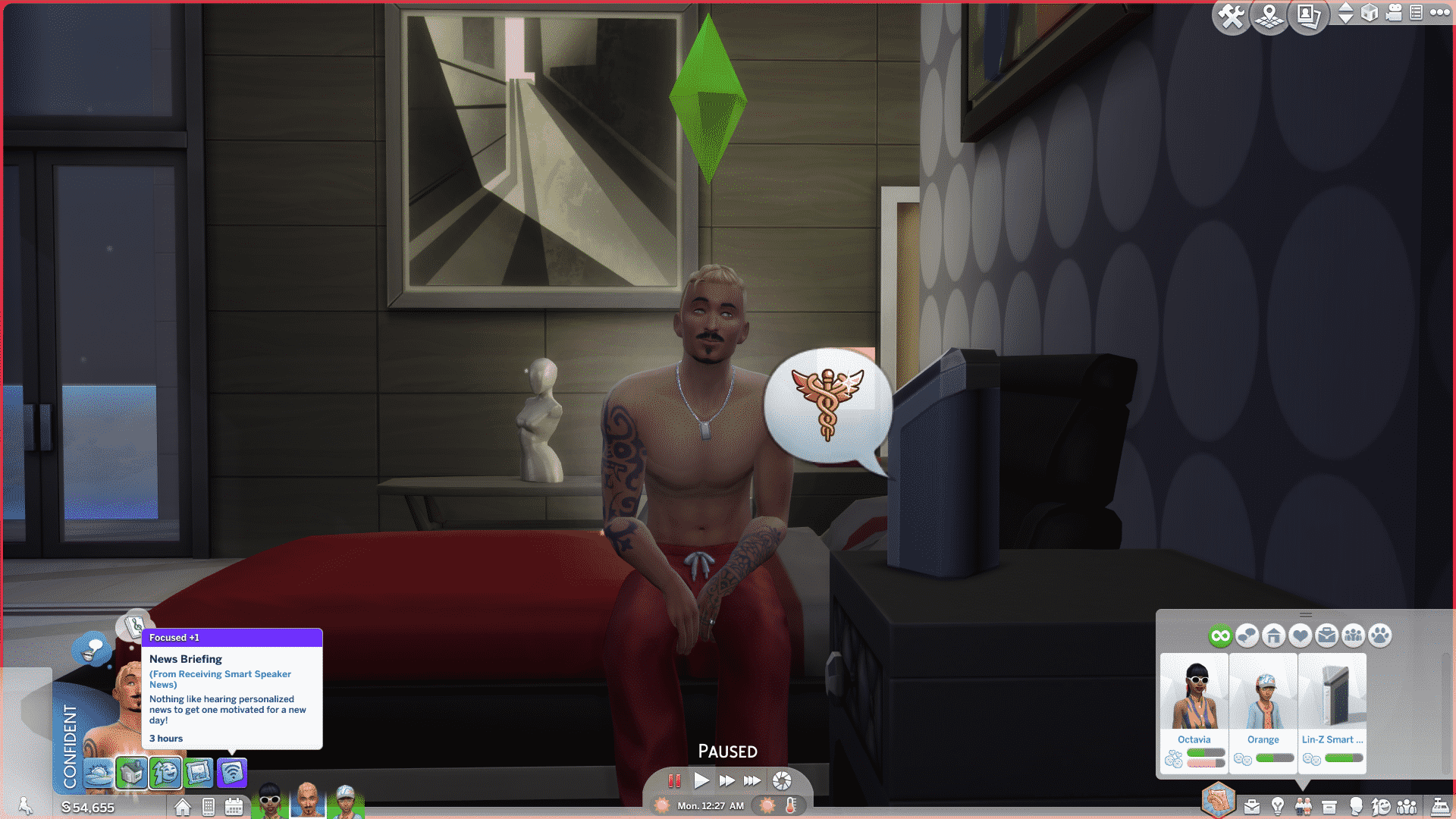
If you’ve placed the Lin-Z Smart Speaker close to your bed that means that your Sim will be spoken to by the speaker as soon as they wake up. Daily Affirmation will give your Sim a happy moodlet, Daily Joke will give a playful moodlet and the News Briefing option will give your Sim a focused moodlet.

The Sims 4: Unlocking Hidden Interactions on the Lin-Z Smart Speaker

However, that’s not all! Becoming Best Friends with the Smart Speaker means that you’ll get a special “Ask About a Secret” interaction which will reveal 3 hidden Simlish words. These Simlish words can be used to speak to the real life smart speaker – Alexa. If you have The Sims Skill configured on your Alexa device then all you have to do is clearly pronounce the following 3 words in Simlish:

  • Farble
  • Doofka
  • Chumcha

The Sims 4: Unlocking Hidden Interactions on the Lin-Z Smart Speaker

While having The Sims Skill opened you’ll immediately unlock the hidden Simlish word. There are plenty of other Simlish words that you can uncover by just talking to Alexa!

IMG 0496

The Sims 4: New Renders!

18

The Sims Alexa Skill brought some new renders from The Sims 4 that you probably haven’t seen before.

These renders include renders from The Sims 4 Base Game, The Sims 4 Outdoor Retreat, The Sims 4 Get Together, The Sims 4 Spa Day and The Sims 4 City Living.

Considering that all of these renders come from a very strict code on Amazon’s Alexa App we were only able to find these renders in 576×576 resolution. However, the renders that you see below are all in a transparent .png format!

The Sims 4: New Renders!The Sims 4: New Renders!The Sims 4: New Renders!The Sims 4: New Renders!The Sims 4: New Renders!The Sims 4: New Renders!The Sims 4: New Renders!The Sims 4: New Renders!The Sims 4: New Renders!

The Sims Skill is now available on Amazon Alexa devices

The Sims Team has released their The Sims Skill on all Amazon Alexa devices – including the Alexa App that can be downloaded for iOS and Android smartphones. Check out what they have to say about the new release in their official blog!

If you’re reading this, chances are you like playing The Sims™ on your PC, Mac, console, or mobile device. But what if we told you there’s another way to have fun with the franchise?

We’ve teamed up with Amazon to create a new way to experience The Sims, Alexa-style. Basically, now you can bug your whole household with your love for The Sims. Or, they can get in on the action. Either way, this is gonna be good. This is a worldwide release, in five variants of English (Australia, Canada, India, US, and UK).

With The Sims’ Alexa Skill, you’ll be able to interact with three sweet features.

  • How about some tunes? We’ve queued up over seven hours of music from The Sims’ franchise for your listening pleasure. That’s 140 songs! And let us be the first to say, yes, that does include the ever-popular music from The Sims 3.
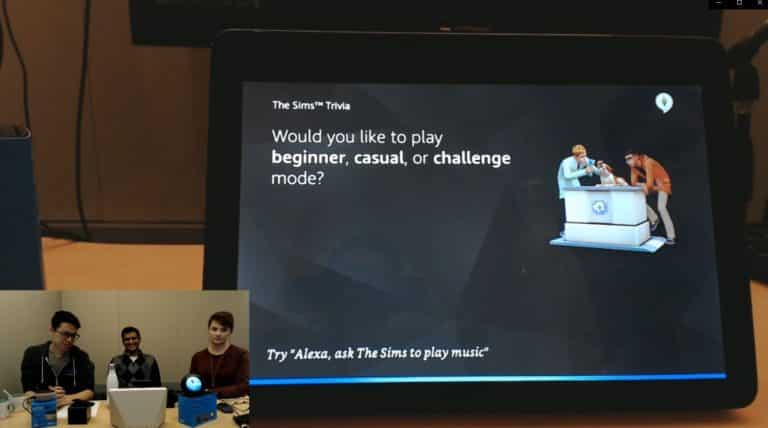
  • Let’s talk trivia. Nothing says “I’m addicted to my favorite video game” like schooling all of your loved ones in a friendly game of over 200 Sim-related, brain-busting questions. You can play solo or with up to four players in beginning, casual, or challenge mode.
  • You can also learn fun facts about The Sims. Do you know when the first The Sims game was published, or what inspired the original game? Alexa will teach you!

Make The Sims a part of your Alexa-ready home right now! All you have to do is have an Amazon-enabled device, then say “Alexa, play The Sims!” We hope you enjoy!

But Wait, There’s More!

Just because the Alexa Skill is IRL doesn’t mean your Sims can’t enjoy a futuristic digital personal assistant (say that three times fast). We’d also like to introduce Lin-Z, available in The Sims 4 on PC and Mac right now!*

The Sims Skill is now available on Amazon Alexa devices

Here’s what Lin-Z can do for your Sims:

Play Music

Lin-Z mimics a stereo system. Embarrassing dance solo not included.

Play Trivia

Sims can choose to test their knowledge. The higher their Logic skill, the more likely your Sim will be to answer trivia questions correctly.

Order Stuff

Pizza, maid service, gardening service, or repair service. Yay, stuff!

Tell Jokes

Sims can ask for a joke and Sims near Lin-Z will react to it. Lolz.

Adjust Lighting

You know, turning lights on, turning lights off. It’s not rocket science, folks.

The Sims 4 Get Famous is coming to Xbox One and PS4 on February 12th

The Sims Team has revealed that they’ll be releasing The Sims 4 Get Famous Expansion Pack for consoles on February 12th!

The pack is currently listed on TheSims.com and will be available for both Xbox One and PS4 on February 12th. As we get closer to the release we’ll be posting a countdown to the exact time of the pack’s release to consoles.

Make sure you catch up to our The Sims 4 Get Famous Article Category for all the information on this pack!

The Sims 4 Get Famous is coming to Xbox One and PS4 on February 12th

The Sims 4 Console Bundle 4 Coming January 22nd

2

The Sims Team has just announced their latest bundle for The Sims 4 on Xbox One and PS4, consisting of the following packs:

  • The Sims 4 Seasons Expansion Pack
  • The Sims 4 Jungle Adventure Game Pack
  • The Sims 4 Spooky Stuff Pack

What’s so special about this Bundle Pack is that you’ll be able to save up $20 on the total value, rather than purchasing the Expansion Pack ($40), Game Pack ($20) and the Stuff Pack ($10) individually.

The Sims 4 Seasons, Jungle Adventure and Spooky Stuff Bundle will be hitting the Playstation and Microsoft Stores on January 22nd, 2019!

The Sims 4 Console Bundle 4 Coming January 22nd

The Sims 4: SimGuruKate talks Maxis Monthly and the upcoming Alexa Skill

1

This week’s Maxis Monthly got a very mixed feedback, with some viewers only expecting a new Sims 4 Announcement while some being genuinely excited about the upcoming Alexa Sims Skill that should be making its way to Amazon Alexa devices next week.

SimGuruKate addressed the community’s concerns with a lenghty forum post that you can read down below, talking about how not every Maxis Monthly will bring a new announcement and elaborating more on the Alexa Skill and the community expectations.

Check out what she has to say down below:

First, the comment that the Alexa Skill was developed in partnership with Amazon and that it was paid/sponsored. This is 110% not true. If something is paid or sponsored we legally must disclose that. Amazon did not reach out to us to develop this, nor did we reach out to Amazon to see if they wanted to partner with us. Instead, a single Dev thought of this idea and worked with a few other Devs who were interested to bring it to life and create it outside of their TS4 development responsibilities.

Second, the idea that if they had not worked on this new Alexa Skill we would have released a patch in January for TS4 PC/Mac or Console. There was never a patch in January scheduled. Had the Alexa Skill not been in development or on the docket for release this month we still would not have released a patch in January. There are many reasons for this, much of it to do with how our development schedule is laid out, other content we are currently working on (paid and free), and the fact that we (EA) actually shut down the entire office (globally) between Christmas and New Years. Patches are scheduled VERY far in advance (we are talking months) and are done so in a manner that align with the overall development schedule for the year.

Third, this sentiment that the Dev Team should remain chained to their desks and only work on in game content, and that passion projects are a waste of time. The Maxis Dev Team is one of the hardest working teams out there, and they are incredibly passionate about TS4, TSM, TSFP, and all past and future projects. One of the coolest things about Maxis is that they actively encourage Devs to work on side projects outside of their time required for primary project development (such as a patch or pack). By providing this opportunity it allows them to remain engaged and excited for what they are working on, thus preventing burnout (which as many know is a very real thing). All of this means that they can continue to create high quality content for the games you are so passionate about. Sometimes a Dev’s passion project is something like First Person Camera. Sometimes it’s something like a new career or NPC in the game. And yes, sometimes it’s creating a fun little Alexa skill for those who have an Alexa and love The Sims. For passion projects Devs are encouraged to work on things they find interesting because when you work on things you enjoy it means you will produce high quality results.

Now, Maxis Monthly. When we first announced Maxis Monthly I stated that not every Maxis Monthly would include revealing new content for TS4 (or TSM or TSFP). I also made it very clear from the first Maxis Monthly that new PAID content (that means EPs/GPs/SPs) would not be announced during these streams. There are multiple reasons for this, but basically it comes down to the way we announce new paid content. Now that being said, the goal of Maxis Monthly was to talk ALL things Maxis. This means that sometimes we would have something new to show for every single current game in our portfolio, and sometimes (like this month) we would have nothing. This is simply the nature of how game development works. It’s pure luck (or coincidence) that prior to yesterday every Maxis Monthly had included new content reveals for TS4. Yes, I know this meant the community had come to expect certain things in the streams. Yes, I knew that the first MM in which we didn’t reveal new content for TS4 would result in dissatisfaction. Though some many not think so, I know this community VERY well. That’s why, compared to previous MM, we did not hype this live stream. That’s why I called what we were showing “nifty” instead of mind blowing. That’s why I sent out gentle reminders to the community that not all streams would show off new in-game content. Short of saying “this is what you will be seeing” I could not have been more clear and forthcoming that the January MM would not be showing off new TS4 content. However all that being said, the level of vitriol seen during yesterday’s announcement was beyond what even I expected, and to be honest, was beyond what was appropriate. Do I think it would have been better to not show off Alexa during the stream? Absolutely not. That stream was the perfect place to show off this cool new product. Yes, we could have immediately said up front at the top of the stream that it was not sponsored/paid, and that was a huge learning lesson.

So knowing some of the community wouldn’t be happy with no new content coming for TS4, why didn’t I wait to share Alexa? Because it’s coming out next week and the Devs who worked on it wanted to show it off and this was the right time and way to do so. But why didn’t I talk about things coming later this year? Because I can’t. My hands are literally tied. Due to some interesting legal reasons (it’s pretty in depth and complicated) revealing content too early would result in us being in some legal and financial hot water. Additionally doing so would not only result in me likely losing my job, but could put our Development and Marketing Teams in very difficult positions. And remember, though at this point I sound like a broken record, just because we don’t explicitly share what the team is working on at the moment (because we can’t), doesn’t mean we aren’t working on multiple packs, free content, and more. We will continue to evaluate how we approach content announcements and whether or not the Maxis Monthly adds value for enough individuals and make changes where/if necessary.

Now the final thing I want to address is that passion and frustration never excuses basic human decency in how you interact with others. While everyone, especially a consumer of a product, has a right to express frustration, or be critical of the product, this does not give them the right to hurl insults at the Developers (or creator of the product). And if a person does choose to engage this way (which free will and freedom of speech allows) the individual which they are directing it at is under no obligation to listen or engage with that individual (because free will and all). It does not matter if that person is a Developer, a Customer Service person, or yes, a Community Manager. Yes, we choose these careers, and yes some of us even put ourselves in the public eye, but that does not mean we have to tolerate individuals spewing hate or vitriol. There are many appropriate ways to provide criticism or share your opinion in a way that does not include excessive ongoing negativity or insults.

Appropriate: I have zero interest in this new Alexa Skill they announced and I wish it had been something different. I feel they could have used their time differently or developed something different.

Unnecessary: This Alexa Skill is so stupid, why are they wasting their time on this? They are so stupid and this is pointless and they never listen to us and the game is doomed.

I have seen a number who have stated their thoughts in the first way, but have seen far more communicating in the second manner. And even with the first way of sharing your thoughts, we often wont reply. And not because we don’t see it or only want positive feedback, but because not every message needs a response. Oftentimes there is almost nothing one could say to either of the above that would add value or make the individual happy or satisfied. So many times in these situations it is better to say nothing at all. We gather the feedback and we pass it onto those who can impact change.

I hope this has helped provide more clarity or insight. Remember, I dont expect every individual to like every single thing that we do, or even like me or the Devs. That’s absolutely ok and to be expected. One of the best things (but sometimes the hardest thing to handle) about The Sims community is how varied it is. This is an incredibly diverse community and there are so many different ways to enjoy The Sims. But what I do expect is for people to be respectful.

The Sims 4: No Patches for PC / Console planned for January

0

If you were possibly expecting a new update for The Sims 4 on PC / Mac / Console then we have some potential bad news for you – there won’t be any.
SimGuruKate has confirmed that The Sims Team won’t be releasing any updates for The Sims 4 on any platforms during the month of January.

Early Development Information and Screens of The Sims 2 have been released

7

The Sims 2 is a timeless game that still many simmers like to revisit and play form time to time. After all – it’s one of the best selling PC games of the 21st century! However, you can’t help but wonder what effort and process did it take to create such a popular game.

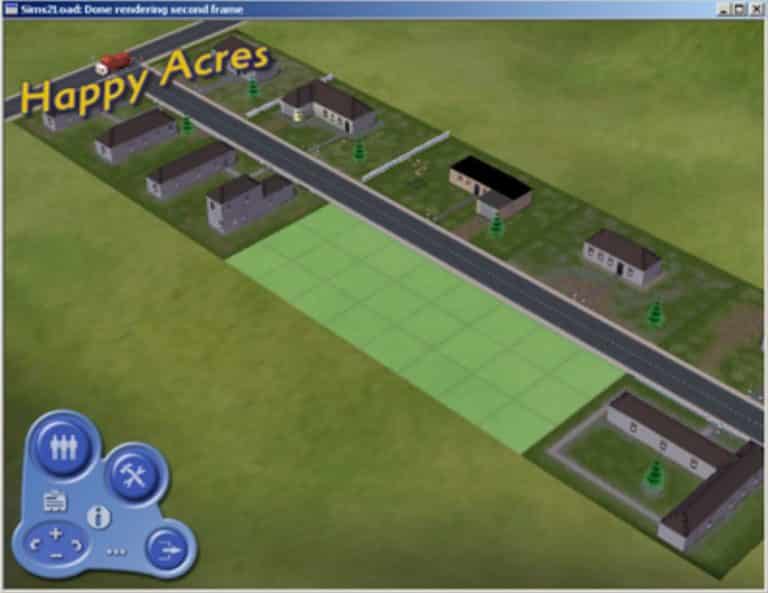
A few weeks ago The Plumbob Hellscape managed to uncover an interesting .pdf file released by Andrew Willmott, one of the developers who worked on The Sims 2 since its first days of development. Down below you can check out some of the never-before seen images of The Sims 2 during it’s development days. We’ll be explaining these images more right below the image gallery and also try to sum up some of the interesting facts about The Sims 2’s development that were mentioned in the document.

  • The Sims 2 started with development in early 2000.
  • The team at the beginning of development was consisted of only 5-20 people, but as the time has gone by it’s been expanded with 250 people working on the game.
  • The game was originally planned for release in January 2004 but was delayed to September 2004.
    • The team wasn’t able to develop pools in time for the planned January 2004 release – luckily the release date delay helped them create the pools feature from scratch.
  • The Sims 2 was shipped with 4 CDs, 11,000 animations, 1.1 million lines of code, 2,400 UI images and 1GB of sound data.
  • Maxis relied on Sims 1 textures and animations on the beginning of the development but the game was shipped with 100% original assets and textures made for The Sims 2.
  • A Sim’s animation skeleton was built with 27 facial targets, 64 weighted bones and 116 bones in total, including grips and other registration points.
  • Artists were not locked down on the polygon count.
  • The developers had a lot of ambitious plans which left them scrambling them at the end of base game development.
  • The team had big pressure from EA.
  • Developers weren’t really sure how much new stuff and features were enough for the game.

You can check out the full, 83-page document that explains and talks more about the development process, challenges and obstacles HERE!