Home Blog Page 270

The Sims Blog: Get Hyped, It’s The Sims’ Anniversary!

1

The Sims Team has just released a new blog to celebrate The Sims Franchise’s 19th Anniversary. In this blog they’ve shared some tips about throwing a party in The Sims 4, shared the news about the new designs available in the Threadless Store and also shared the link for the Maxis Monthly Livestream “for some community fun”.

The Sims Blog: Get Hyped, It’s The Sims’ Anniversary!

Happy 19th anniversary, Simmers! It’s almost hard to believe how far The Sims™ has come, and we really want to say thanks. So much of what we do each day is inspired by your dedication, creativity, and interaction with other members of our community. It seems like only yesterday (sniffle) we embarked on this journey together (sniffle), and look at us now. We’ve laughed, we’ve cried, we’ve dressed our Sims in bear costumes, we’ve summoned the Grim Reaper more times than we’d like to admit, and we’ve had our fair share of ghost encounters.

As a thank you, check out this special Threadless t-shirt design and be sure to hit up the Anniversary Sale*, on now! Plus, watch today’s livestream for some community fun.

So, what else shall you do to celebrate? Well, how about throwing a massive party in The Sims 4** with all your Sim’s friends and frenemies? Grab a bottle of nectar – and possibly a cow plant – and let’s plan a superior shindig.

The Sims Blog: Get Hyped, It’s The Sims’ Anniversary!

Step 1: Hit Up the Gallery
Look, we know you’ve got some neighborhood Sims in mind for your blowout bash, but how about some star power? Before you start party planning, consider checking out the Gallery. Your fellow Simmers have created some incredible celebrity look-a-likes and new, original characters that are ready to party, too. Get in there and add any must-invite Sims for your guest list.

Step 2: Plan a Social Event
Ok, now click the phone icon and select Plan a Social Event. The hosting Sim will need lots of connections to have a bevy of guests, so choose a popular one. Think about the guest list, hire a caterer, and even get a DJ! Or, for a smaller get-together, just do as your budget allows. You can throw a party with Goals or just have people over to hang out. Remember: your party, your terms. We do highly recommend a pool for full fiesta fun.

Step 3: Pick Out the Perfect Outfits
Select Plan Outfit from your Sim’s dresser and set your Sim’s Party Outfit with something fierce. Sparkly, shiny, casual, comfortable – the choice is yours. If you want to make sure all of your attendees are dressed to the nines, you can pop into other Sims’ homes and fix their outfits, too. Dress codes are the best codes, amirite?

Step 4: Invite Interesting Friends
You can have all the best outfits and food, but a party will fall flat if the attendees are tense, rude, or all-around boring. If you’re into the arts, be sure to recruit painters and snobs from the neighborhood. If you’re looking for a raucous occasion, befriend hotheads and social butterflies. Whatever floats your boat, float it with interesting Sims.

Step 5: Learn a Party Trick
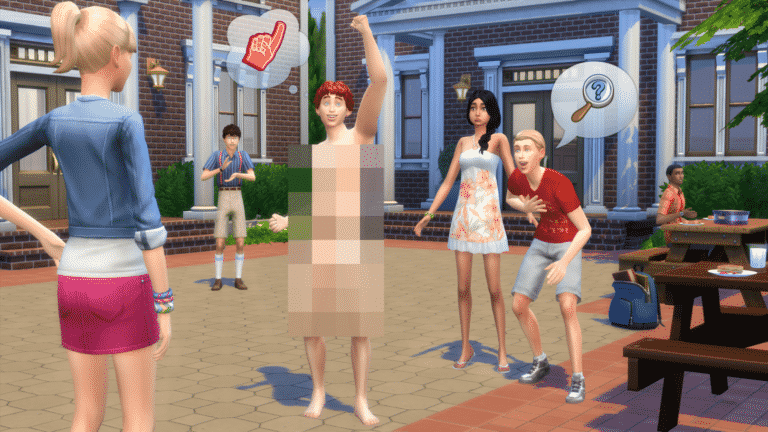
Are you not entertained?! Food, drinks, and good company go a long way, but when the conversation lulls, guests could use a little something extra. Learn a party trick like playing the piano, or have some sweet dance moves to show off. On second thought, that may hinder your wardrobe choices. Well, whatever you do, make it good. Your party couldn’t possibly be complete without a little razzle-dazzle.

Ready to get celebrate #TheSimsTurns19? We are, too! Chat with fellow community members on The Sims 4 Forums, follow us on Twitter and Instagram, like us on Facebook, and subscribe to our YouTube channel. Sign up for The Sims 4 newsletter and get Grim’s Ghoulish Guitar for free!

New Anniversary Designs Now Available in The Sims Official Merch Store

0

The Sims Official Merch Store has just published 2 brand new designs to celebrate The Sims’ 19th Anniversary!

There are 2 new designs that you can choose including The Sims 19th Anniversary Pack Plumbob and The Sims 19th Anniversary Plumbob. The Pack Plumbob design covers all the packs that we’ve gotten for The Sims 4 so far and the regular Anniversary Plumbob provides a cute green gradient of the pack icons.

These designs are covering various accessories and apparels including Men’s and Women’s T-Shirts, Throw Pillows, Bags, Phone Cases, Water Bottles, Notebooks and Beach Towels.

You can get these designs by simply clicking the names of each design that we’ve linked above.

New Anniversary Designs Now Available in The Sims Official Merch Store

What we know so far about the Anniversary Maxis Monthly Livestream

The Sims Franchise is turning 19 years tomorrow, February 4th! That’s right – the first iteration of The Sims was released all the way back in 2000 with stunning 2D graphics, compelling gameplay and interesting stories that to this day are still relevant and present in the hearts and minds of many Simmers.

The Sims Team announced that they’ll be doing their 5th Maxis Monthly Livestream on the exact day of The Sims’ 19th Anniversary. What can we expect from this Maxis Monthly Livestream? Well, SimGuruKate shared some clues in some of her tweets…

First of all the Livestream will be hosted by SimGuruKate and joined by the developers SimGuruNinja and SimGuruMorgan, as well as the Executive Producer of The Sims SimGuruLyndsay. They’ll be doing a Q&A and answering some of your burning questions about The Sims Franchise in general – although they won’t be able to share any details about the upcoming content.

Next, some of the SimGurus were talking about a “super secret thing” coming to The Sims 4. Although that “super secret thing” won’t be shown in this livestream, SimGuruKate did address that they’ll be revealing the full details about what will be shown during Maxis Monthly an hour before the livestream begins. She hasn’t denied that there won’t be new things shown off during the stream so let’s hope the Anniversary Livestream will bring more than just a trip down the memory lane.

There are also going to be PLENTY of giveaways on February 4th, both on The Sims’ Twitter as well as the Maxis Monthly Livestream. We should expect giveaways for both PC / Mac and Console ports so get your preferred platforms ready for redeeming the codes.

And last (but not least), Kate revealed that The Sims’ official Twitch Channel will be hosting plenty of Twitch streamers on their channel during the anniversary. If you’re a Twitch streamer and plan to play some Sims games, February 4th is the right day to do so!

Are you ready for The Sims’ 19th Anniversary Livestream? We’ll be hosting the livestream right here on Sims Community and provide you with all the information before, during and after the livestream ends so stay tuned!

Origin Surprise Sale: Get The Sims 4 Laundry Day Stuff for 50% off!

2

It’s time for another surprise The Sims 4 Stuff Pack Sale!
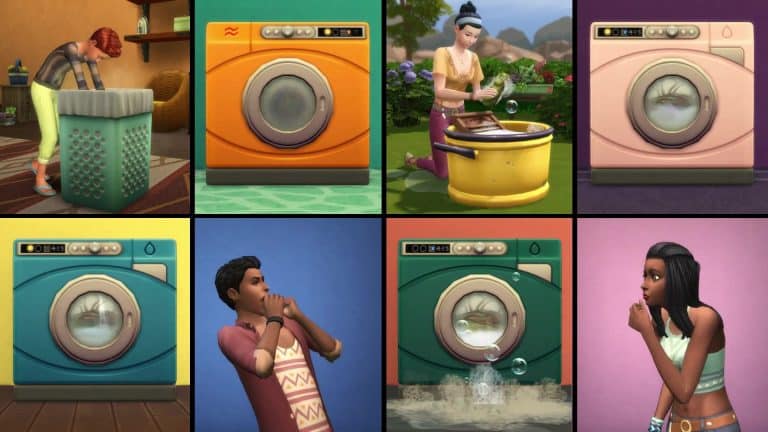
This week you’re able to get The Sims 4 Laundry Day Stuff Pack, also known as a Stuff Pack which was voted and picked out by the community members, for 50% off! This means that the pack has a current limited price offer of only 5USD!
Just like previous Stuff Pack Surprise Sales this one is expected to last for the next 6 or 7 days, which could be until next Friday or Saturday.

You can take advantage of this offer exclusively by purchasing this Stuff Pack on Origin. You can get it via the Origin client or Origin.com!

Origin Surprise Sale: Get The Sims 4 Laundry Day Stuff for 50% off!

The Sims Mobile: World Of Luxury Event Walkthrough

The Sims Mobile has just started with a rerun of the World Of Luxury Event which is now available in the game! The event has started on January 31st at 10AM PT and will be available for the 7 following days.

Just like previous events, this one relies on special tokens called Deluxe Coins that you can collect by completing special Events, the Event Quest, LlamaZoom and completing various regular events in The Sims Mobile.

The Sims Mobile: World Of Luxury Event Walkthrough

There are two Ornate Boxes that bring new items to the game: the regular Ornate Box and the Luxurious Ornate Box. The first box can be purchased for 125 Deluxe Coins while the Luxurious Ornate Box can be purchased for 50 SimCash. Here are the items that you can unlock from both of these Ornate Boxes:

The Sims Mobile: World Of Luxury Event Walkthrough

There’s also a special quest that you can play through that’ll help you unlock tokens and the final prize – Luxuriously Ornate Double Door and Luxuriously Ornate Lattice Window.

The Sims Mobile: World Of Luxury Event Walkthrough

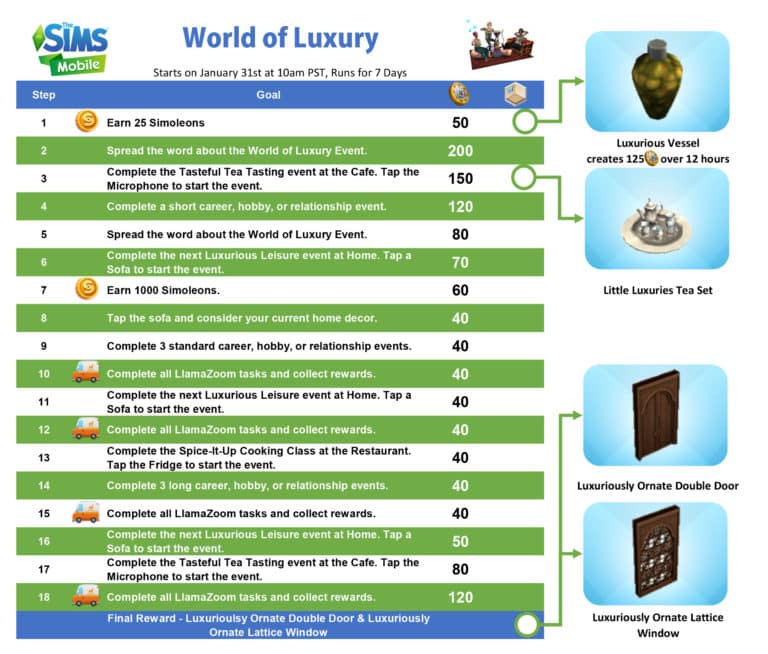
Down below are all the quest steps that you have to take in order to complete the quest:

  • Part 1: Earn 25 Simoleons
  • Part 2: Spread the word about the World of Luxury Event
  • Part 3: Complete the Tasteful Tea Tasting event at the Cafe. Tap the Microphone to start the event
  • Part 4: Complete a short career, hobby, or a relationship event
  • Part 5: Spread the word about the World of Luxury Event
  • Part 6: Complete the next Luxurious Leisure event at Home. Tap a Sofa to start the event
  • Part 7: Earn 1000 Simoleons
  • Part 8: Tap the sofa and consider your current home decor
  • Part 9: Complete 3 standard career, hobby or relationship events
  • Part 10: Complete all LlamaZoom tasks and collect rewards
  • Part 11: Complete the next Luxurious Leisure event at Home. Tap a Sofa to start the event
  • Part 12: Complete all LlamaZoom tasks and collect rewards
  • Part 13: Complete the Spice-It-Up Cooking Class at the Restaurant. Tap the Fridge to start the event
  • Part 14: Complete 3 long career, hobby, or relationship events
  • Part 15: Complete all LlamaZoom tasks and collect rewards
  • Part 16:Complete the next Luxurious Leisure event at Home. Tap a Sofa to start the event
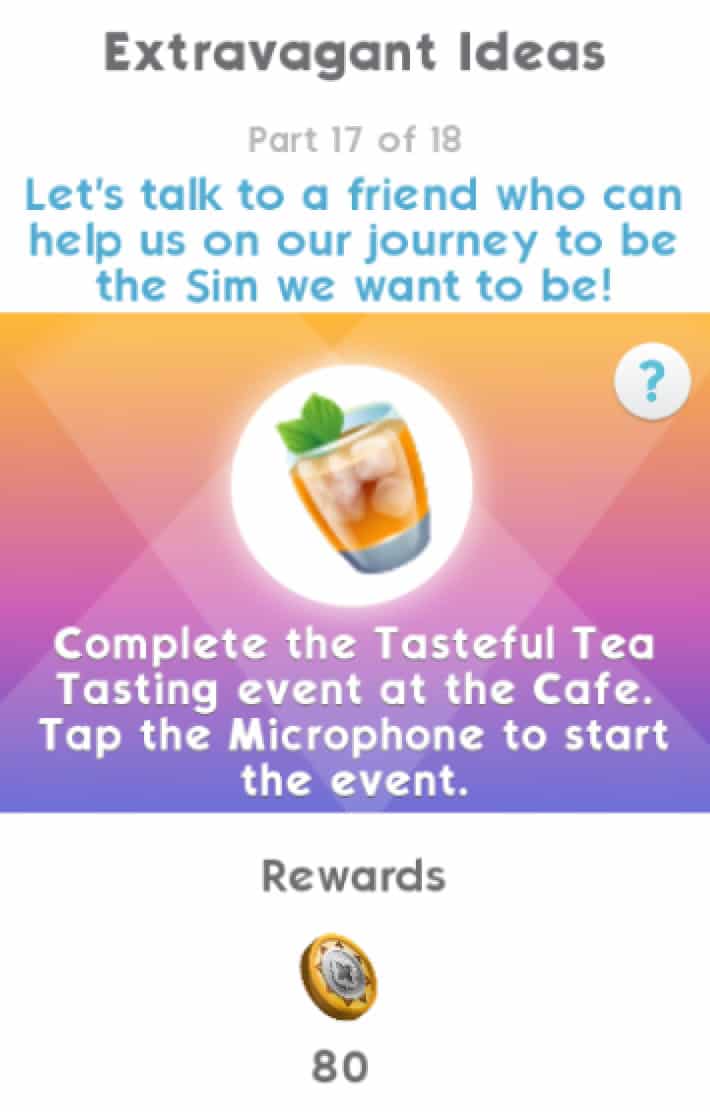
  • Part 17: Complete the Tasteful Tea Tasting event at the Cafe. Tap the Microphone to start the event.
  • Part 18: Complete all LlamaZoom tasks and collect rewards

The Sims Mobile: World Of Luxury Event WalkthroughThe Sims Mobile: World Of Luxury Event WalkthroughThe Sims Mobile: World Of Luxury Event WalkthroughThe Sims Mobile: World Of Luxury Event WalkthroughThe Sims Mobile: World Of Luxury Event WalkthroughThe Sims Mobile: World Of Luxury Event WalkthroughThe Sims Mobile: World Of Luxury Event WalkthroughThe Sims Mobile: World Of Luxury Event WalkthroughThe Sims Mobile: World Of Luxury Event WalkthroughThe Sims Mobile: World Of Luxury Event WalkthroughThe Sims Mobile: World Of Luxury Event WalkthroughThe Sims Mobile: World Of Luxury Event WalkthroughThe Sims Mobile: World Of Luxury Event WalkthroughThe Sims Mobile: World Of Luxury Event WalkthroughThe Sims Mobile: World Of Luxury Event WalkthroughThe Sims Mobile: World Of Luxury Event WalkthroughThe Sims Mobile: World Of Luxury Event WalkthroughThe Sims Mobile: World Of Luxury Event Walkthrough

Here’s a full rundown of all the quest steps in a single image:

The Sims Mobile: World Of Luxury Event Walkthrough

The Sims 4 Console: New Update Video Overview

0

Want to know about all the new stuff that have been added with The Sims 4’s latest update for Xbox One and PS4? Check out the video above as we cover the most important additions that are now available in the console version of the game!

The Sims 4 Console: First Person Camera Tips & Tricks

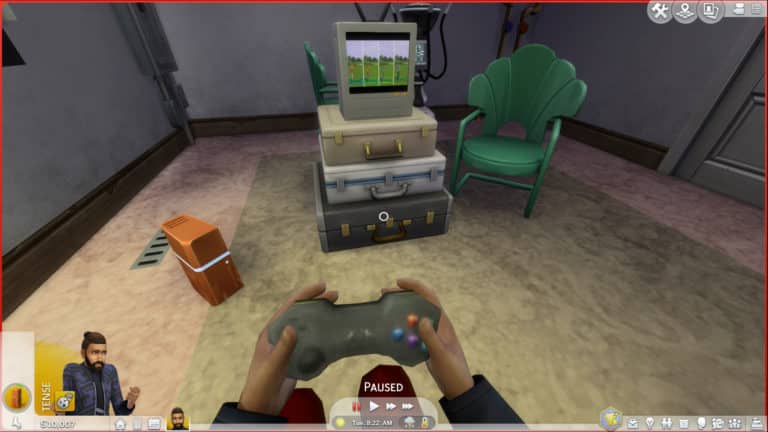
With the latest update for The Sims 4 on Xbox One and PS4 you get the ability to play with the First Person Camera Mode! This means that you’ll get to experience the entire Live Mode experience through the eyes of your Sim. In this article I’ll be telling you all there is to the First Person Camera on Console so let’s get started!

To access the First Person Camera Mode do the following for these two consoles:

  • PS4: Hold the R3 button on your controller (the right analog stick) until you access the First Person Camera.
  • Xbox One: Hold the RS button on your controller (the right analog stick) until you access the First Person Camera.

If you wish to exit the First Person Camera, simply do the same thing while in this Camera Mode until you exit the mode and enter the normal “dollhouse” camera.

The Sims 4 Console: First Person Camera Tips & Tricks

To move your Sim’s head around simply move around the right analog stick. You can go left and right, up and down and basically access any corner that you want. You can simply interact with objects by centering the circle on the center and selecting the object of your choice. Selecting objects works the same just like in normal camera mode.

When it comes to accessing the User Interface, you can switch from the Live Mode viewport to the User Interface viewport by pressing the Touch Pad (PS4) / Xbox Button (Xbox One). In this mode you can both control the camera with the right analog stick and select various options in the UI with the left analog stick.

The Sims 4 Console: First Person Camera Tips & Tricks

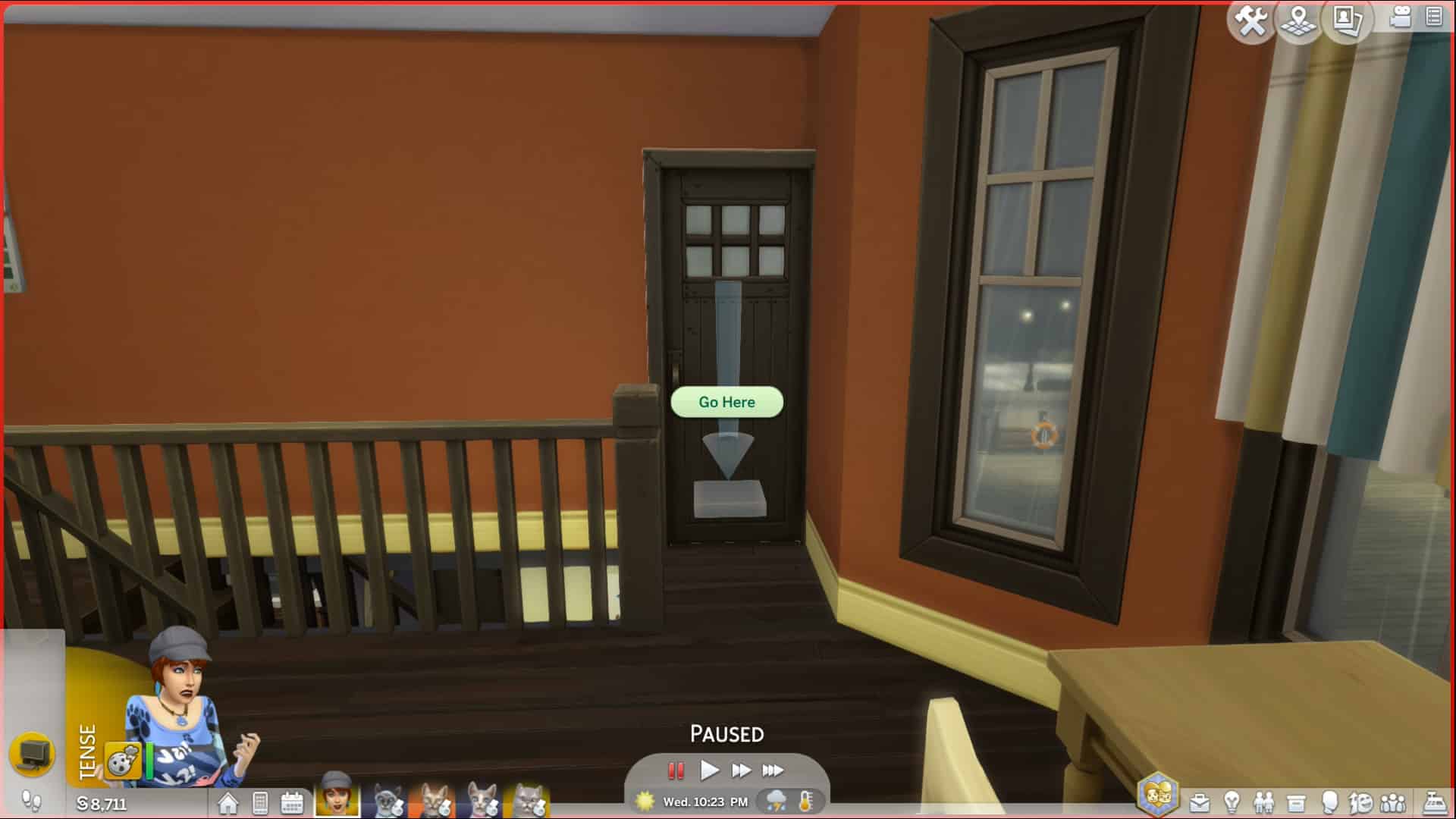
If you want to access rooms behind closed doors, downstairs or upstairs, simply direct your camera to a desired area and press the O button (PS4) / B button (Xbox One) on your controller. If you wish to get to another room do the same thing while aiming towards a door.

The Sims 4 Console: First Person Camera Tips & Tricks

If you wish to zoom out / zoom in the camera while in First Person Camera Mode, simply use the left analog stick and drag it up to zoom in and drag down to zoom out.

The Sims 4 Console: First Person Camera Tips & Tricks

The Sims 4 Movie Hangout Stuff is the next Pack coming to Console

The latest update for The Sims 4 on Xbox One and PS4 has shown more than it probably should!

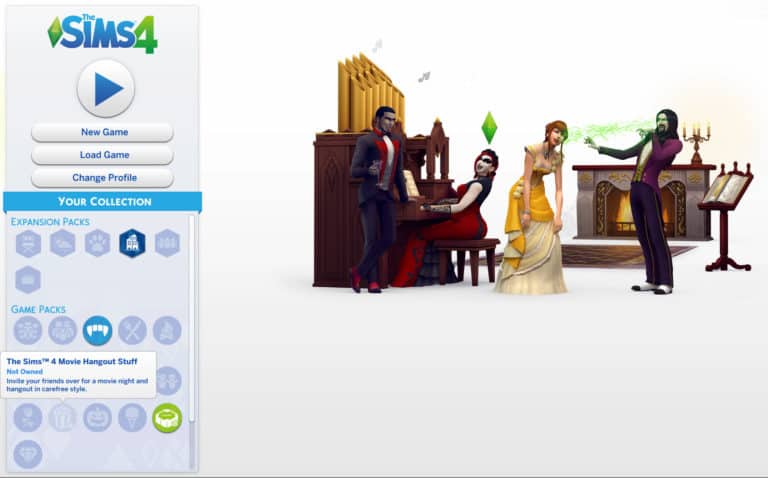
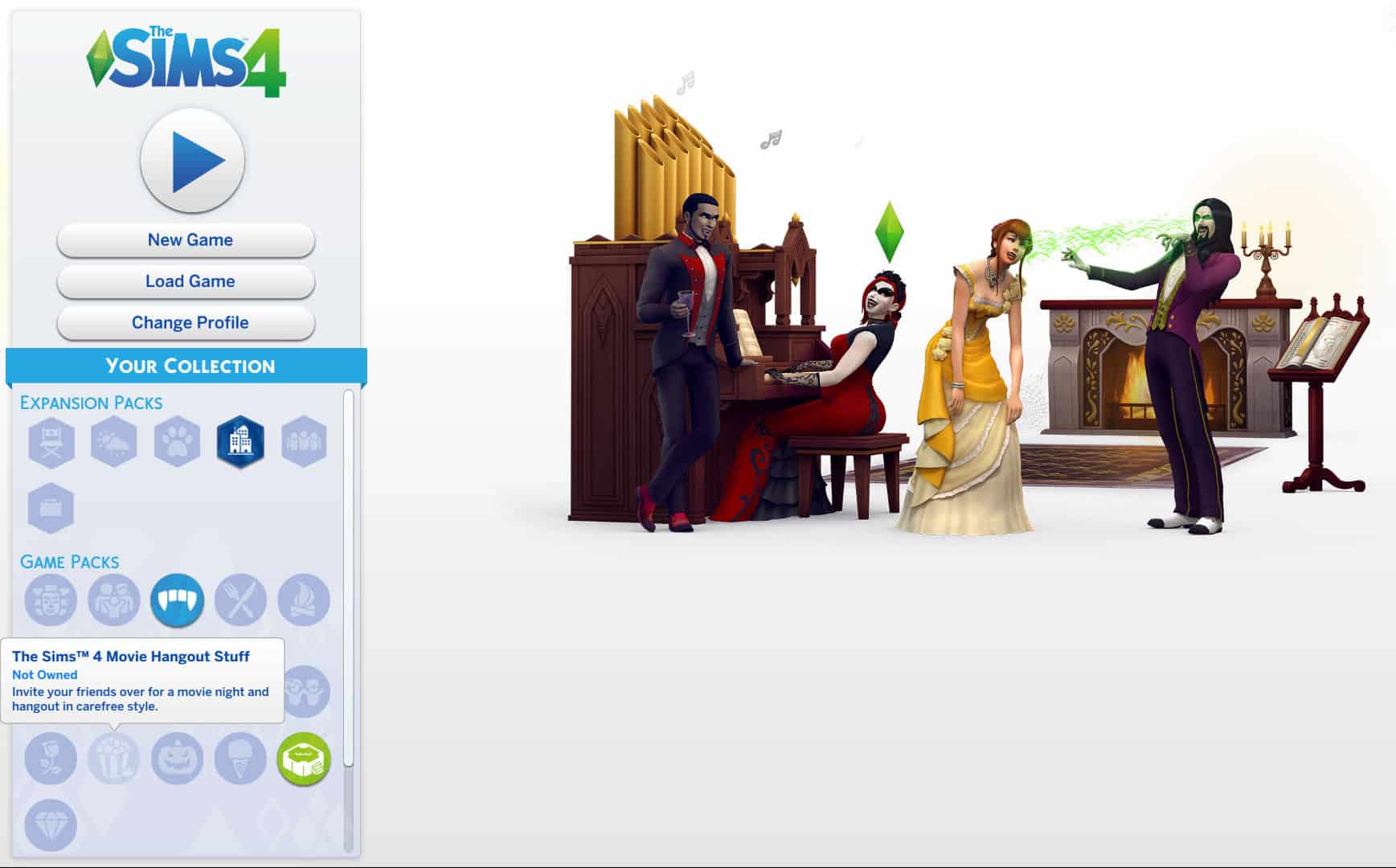
Xbox One users have reported seeing The Sims 4 Movie Hangout Stuff Pack, a pack that’s yet to be announced for Consoles, listed on The Sims 4 Console Main Menu.

The Sims™ 4 4 e1548963801275

The Sims Team still hasn’t released an official announcement for The Sims 4 Movie Hangout Stuff Pack coming to Console nor will it be the only pack coming out on the same day, considering that the team has a history of releasing multiple Stuff Packs on the same date.

We’ll make sure to keep you updated as soon as we know more about the next packs coming to consoles. After all, we have to wait for The Sims 4 Get Famous Expansion Pack to come out first before we get to know more information about the next packs!

The Sims 4 Console: New Update + Patch Notes! (January 31st, 2019)

The Sims 4 Console: New Update + Patch Notes! (January 31st, 2019)

The Sims Team has released a brand new Update for The Sims 4 for Console devices – Xbox One and PS4!

Patch Notes

Update: 01/31/2019 – v1.13

Hello Simmers!

Happy New Year! What do you mean that was over a month ago? How is it February already? Anyway, we are on track to keep our New Year’s resolutions on track with this update that kicks off 2019 with new features for PlayStation 4 and Xbox One Simmers along with even more content coming, like Get Famous.

What’s New?

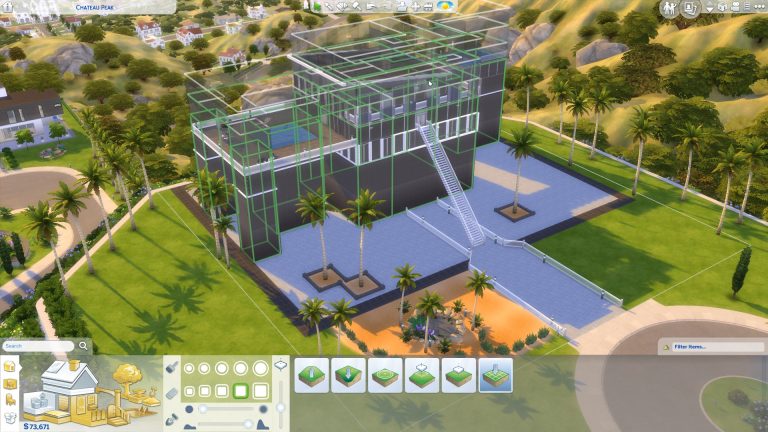
  • Ever wanted to create your own secret subterranean base or mountain top lair? No? Just us? Well, whatever you chose to do you can do it with the new terrain manipulation tools. To start having greater control of your builds simply: Select Build > Terrain Tools then select the shovel icon and get landscaping.
  • Sometimes I sit back and think what it must be like being a Sim living in a Sims’ world. Then we added first person view into The Sims 4 and now I can see everything my humanoid Sims see, from their perspective. Simply select your preferred Sim and press and hold R3 (PlayStation 4) / RS (Xbox One) for a second and you’ll see the world through your Sims’ eyes. Press and hold again to return to the normal view of the world.
  • Your Sim can start their career as a Style Influencer. Starting out as an observer and reporter of currents trends, you’ll work your way up to defining what all the coolest Sims are wearing.
  • Millie Bobby Brown is visiting The Sims 4 and is available in My Library to add to your Worlds.
  • Baby Ariel hoodie, sweatshirt and crop top clothing options are ready to attire your Sims in CAS.
  • We have a whole new tutorial system which should help new Simmers , and perhaps even veteran Simmers, get to grips with the game, the controls and features of The Sims 4 that you might not have known about.
  • There is a whole lot of celebration going on in the Holiday Celebration Pack with new objects, decorations, clothing and a Yeti, or if you opt for it in a different color scheme, a Bigfoot. You can quickly find all the new Holiday Pack items by using the filter in the sort options.
  • If you don’t feel like celebrating just yet, there are new hair styles, clothing items and even new recipes for your Sims to cook.
  • When someone asks you what you do for a living, do you tell them the truth or do you come up with something more exotic like “Social Media Influencer”? If you can’t bring yourself to explain, fear not as you can now name your own career. Simply use your Sim’s phone to Register with the Ministry of Labor, and add the job title and description to whatever suits your lifestyle.
  • Lin-Z, The Sims’ very own Smart Speaker. Listen to music, play trivia, order a pizza and control your lights with this new gadget to name a few of the Features of the Future!.
  • There is a new “Show Whims” option that you can find in the Game Options menu under Gameplay. Show or hide your Sims’ whims at your whim.
  • The Simology Panel has had an overhaul. Now you can expand and collapse sections of the panel to show the information that is the most important to you while hiding everything else until you need it.
  • The Relationship Panel has a new filter so not only can you can see who are your real friends and family but you can filter your relationships to show who are your Coworkers.
  • MORE community created creations, including some from our very own SimGurus, have been added into My Library for you to enjoy. As SimGuruJill’s CletusBobs would say, Wooooo Dawggy!!!

General Issues

  • When you take the hammer to your Lot you probably don’t always want to remove individual objects one at a time. Select and drag will now allow you to remove larger areas of objects in one go. Of course, you can still remove one at a time, if you prefer.
  • Collecting things is always fun and did you know, The Sims 4 has lots of Collections to complete? For example, you can not only collect all ten Sugar Skulls, you can show them off with pride in their own display case.
  • Gardeners were very particular about when they would come and tend your garden, usually when your plants were almost dead. Now, you can hire a gardener if you have plants on your lot.
  • Randomly generated neighborhood Sims have expanded their tastes in clothing and won’t limit their choices to just City Living and Vampires.
  • Some Sims just aren’t fans of the sunshine and would rather live underground, if they could. Well two levels doesn’t leave a lot of room to get away from the world, how about FOUR levels deep? You got it.
  • Children who need help from another Sim to spray a monster under their bed could previously only select from Adult aged Sims. They can now select from Sims of other ages as well.
  • Foundations on buildings were previously lit upside down. Now they’re lit right-side up!

Get to Work

  • Retail counters that become dirty can now be cleaned once again.
  • Doctors will no longer be assigned a nurse’s outfit as their work clothes when reaching level 7 of their career.
  • As a detective, attempting to fingerprint a criminal that’s inside a jail cell will no longer cause the detective to idle in place.
  • Male Sims wearing steel toed boots paired with a skirt (I don’t understand the world of fashion) would previously have their legs disappear.
  • Scolding a Sim for inappropriate behavior while on an owned retail lot will no longer cause your own Sim to become uninvited and unable to access the building’s interior on their retail lot.
  • The “Lice Cold Retail Freezer”, and the “Cat Loves Food Inc. Professional Grade Warming Rack” will once again update their appearance when food is placed inside them.

Get Together

  • Baristas will now leave the Cafe lot once their work shift is over.

City Living

  • Haggling over prices with vendors at stalls will now result in the correct price being displayed that the household will actually be charged.
  • Holiday decorations (requires The Sims 4 Seasons) that can’t be removed will no longer appear on apartment balconies.
  • Tricksy little gnomes will no longer spawn outside your apartment unit during the Holiday Gnomes tradition (requires The Sims 4 Seasons).
  • Made improvements to simulation lag in certain San Myshuno neighborhoods.
  • Plants at festivals will grow harvestables that are ripe for picking once again.

Cats & Dogs

  • Cats do as they please, they shouldn’t ever get stuck on the top of surfaces if you lecture them about jumping on surfaces. Doesn’t mean they won’t jump on surfaces when you aren’t looking though.
  • You want a particular color of whiskers on your cat? So be it, your cats will retain the whiskers color you assign to them in Create-a-Sim.
  • Elbows should only bend in certain, expected, ways regardless of what T-Shirt you are wearing.

Seasons

  • Sims will no longer have difficulty decorating the Ever Delightful Evergreen Holiday Tree when it’s placed adjacent to certain wall decorations.
  • Sims may now WooHoo in leaf piles that build up outside of a lot.
  • When raining, NPCs will now correctly put their umbrellas away when going indoors on venues.
  • Father Winter will no longer choose to move into a home in your town.
  • Each color of the “Umbri Umbrella Rack” now costs the same amount of simoleons to purchase.
  • Gnomes will no longer break unbreakable objects.

Outdoor Retreat

  • When using Manage Worlds to edit a lot in a destination world, the Build Mode catalog will no longer show debug items without using a cheat.

Dine Out

  • Repairmen that are called to restaurants will now properly fix any broken objects on the lot.
  • The Jazz radio station is now available on all stereos.

Vampires

  • Vampires will no longer attempt to “break in” to venues, which was previously preventing players from traveling or saving their game during the break in.
  • Vampires who started burning in the sunlight while traveling away from home will no longer continue to burn when returning home and retreating inside.
  • Adjusting a Vampire’s Dark Form can no longer occasionally cause issues with the Sim’s other outfits.
  • Vampires will no longer automatically help themselves to a plate of food after cooking a Family or Party sized meal.

Parenthood

  • German and Polish Simmers, we have good news. You can now use the Volunteer option in your Sims’ phone and give Sim time to the cause that appeals to you the most.
  • The low hanging “Mason Multi-Jar Lighting” will no longer cause Sims to route fail when placed in rooms using medium height walls.

Jungle Adventure

  • Sims will no longer receive invites to the bar in Selvadorada, which would previously leave them stranded in the jungle.
  • Only one protective item will now be consumed at a time when it’s used to save a Sim from various animal attacks while exploring the jungle of Selvadorada.
  • The Latin Music radio station is now available to select on cheaper stereos.
  • The Cantina venue in Selvadorada will continue playing festive Latin music, even if your Sim chooses to not pay their household bills on time.
  • Sims will no longer route fail when attempting to unpack their sack lunch while exploring the hidden areas of Selvadorada.
  • The explorer shirt will no longer cause oddly colored patches of skin to appear on the back of Sims’ necks.
  • Tooltips on relics should now correctly appear after a Sim has learned about the relic’s curse or blessing.
  • The value of a relic that has a crystal inserted into it will now display properly in the relic’s tooltip to include the value of the crystal.
  • We tightened up the graphics on the Selvadorada map icon.

Kids Room Stuff

  • Songs on the Tween Pop radio station are now labeled with the correct artist and song title.

PlayStation 4

  • We found that bloom effects on the PlayStation 4 weren’t working as intended, now they do… Blooming lovely!

I expect you probably want to go and try out those new features so it’s time to close this out and let you dig in.

– SimGuruLegacy

The Sims Team issues a statement about The Sims 4 price change in Brazil

4

Just a few days ago Brazilian Simmers have noticed a sudden price change of The Sims 4 Expansion Packs on Origin, changing the prices of Expansion Packs from 130BRL to 160BRL. This change has been made just a few days ago without a warning and plenty of Simmers in Brazil have started protesting this change with the hashtags #FairPriceTheSims and #BrazilCantCheatMotherlode.

SimGuruKate has issued a statement about the price change, saying that EA had to update the price so they could match the globar pricing for the game.

If you convert 160 Brazilian Real to US Dollars you would get around 42 USD compared to 35USD that you would get if you converted the previous price.

This isn’t the first time that EA has changed the pricing of The Sims 4 + Packs on Origin, as well as other online and retail stores as well. Just last year EA has changed the pack prices for 12 different countries so that the local game price could be closer to the price of the game in the United States.

The Sims 4 Console: New Update Coming TOMORROW!

1

SimGuruKate has just announced that the upcoming update for The Sims 4 on Xbox One and PS4 is coming out tomorrow!

The long-awaited update that includes the First Person Camera, Terrain Tools, Style Influencer Career and many more is finally making its way to console players. This huge update will be available tomorrow, January 31st starting at 10AM PST. Considering that The Sims Team has to roll out the update to two seperate consoles with PS4 having different regions it may take a few minutes before the update becomes available for every console player.

If you want to know more about what the update brings make sure you check out the video below!

The Sims 4 was the 8th best selling PC Game Worldwide in December 2018

1

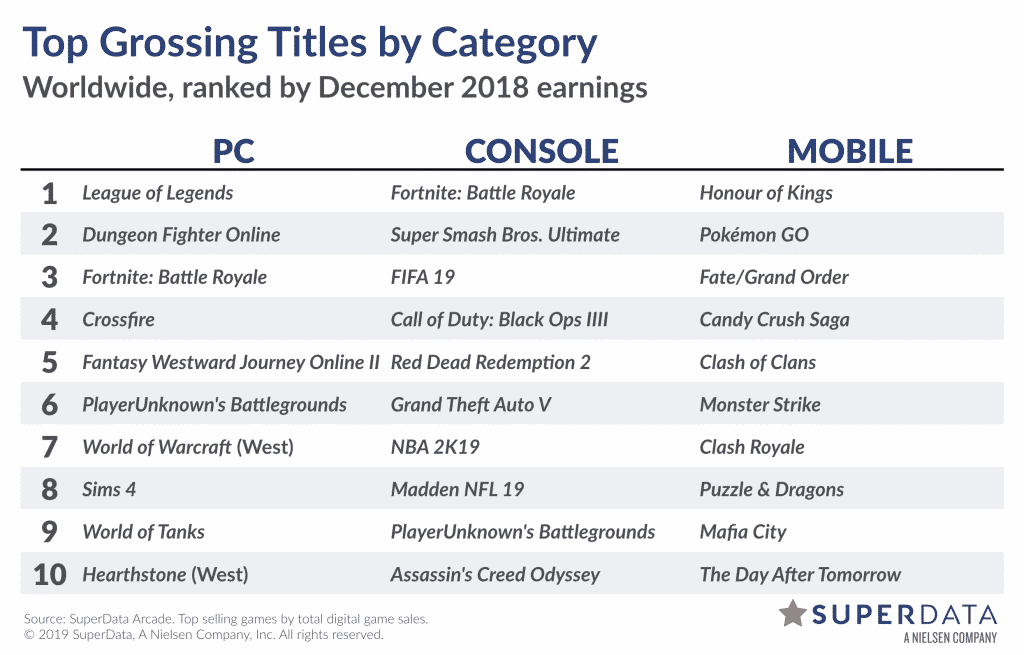
SuperData has just recently updated their research blog about game sales data with information about Top 10 best selling PC and Console games of December 2018!

In their charts The Sims 4 has once again made its way by taking the 8th position on the best selling PC games worldwide! This is a great thing considering that the competition was HUGE during the holiday season.

Here’s an official statement by SuperData about The Sims 4 sales:

Sims 4 benefits from end-of-year promotions. A significant price cut led to a surge in new unit sales on both console and PC. However, DLC revenue on PC declined year-over-year by 10%.


Although they haven’t stated why exactly have the DLC sales declined year-over-year by 10%, it’s probably safe to assume that it’s because of the fact that 2018 only brought 2 Stuff Packs, a Game Pack and 2 Expansion Packs, compared to 2017 which brought 3 Stuff Packs, 2 Game Packs and an Expansion Pack. 2018 was more focused towards putting out bigger packs while 2017 was focused primarily on Stuff Packs and Game Packs.

The Sims 4 was the 8th best selling PC Game Worldwide in December 2018

Get Ready Console Players: A huge update for The Sims 4 is coming very soon

2

First Person Camera? Terrain Tools? New Career? That and more is all making its way to The Sims 4 for Xbox One and PS4 VERY soon!

SimGuruLegacy, one of the developers working on The Sims 4 for Console has confirmed that the next update for The Sims 4 Console has just been internally certified – meaning that the next step is to get the upcoming update approved by Sony and Microsoft.

Considering the fact that The Sims 4 Get Famous Expansion Pack is just around the corner (releasing on February 12th, 2019) we should be expecting the update to come out in the next two weeks. In case you’re not familiar with all of the features that we’ve gotten for The Sims 4 on PC / Mac just before the release of Get Famous, here are some of the most important ones:

  • Terrain Tools
  • Foundation Improvements
  • Two Additional Basement Levels
  • Additional Half Wall Heights
  • First Person Camera
  • New Career: Style Influencer (with new interactions and items)
  • New Clothing & Objects
  • Ability to name your own Career
  • New Tutorial

The upcoming update *could* also include some modifications exclusive to the Console version of The Sims 4 that we still have to find out more about. We’ll be doing a full overview of the upcoming console update as soon as it comes out!

Want to know more about what you should expect with the upcoming Console update? Read the patch notes that we’ve gotten for PC / Mac HERE and check out the full overview video down below!

Origin Surprise Sale: Get The Sims 4 Luxury Party Stuff for 50% off!

Origin is having yet another Surprise Sale for The Sims 4 Stuff Packs!

This time around they’re giving a really good offer on The Sims 4 Luxury Stuff Pack which you can get currently for 50% off! This means that the pack has a current limited price offer of only 5USD!

Just like with previous surprise sales it’s unknown how long this sale is going to be available for. Still, if we take in consideration the last 2 Stuff Pack sales that were offered on Origin this one could also be available for the next 6-7 days – which is until next Thursday-Friday.

You can take advantage of this offer by simply opening up your Origin client and searching for The Sims 4 Luxury Party Stuff Pack!

Origin Surprise Sale: Get The Sims 4 Luxury Party Stuff for 50% off!

The Sims 4 Official Community Survey: January 2019

3

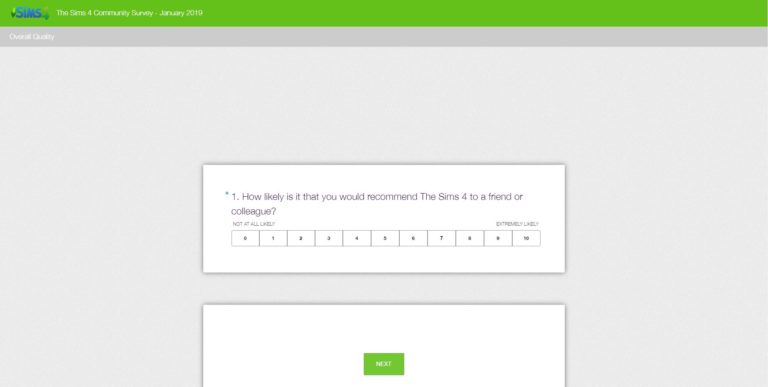
SimGuruKate has just released another Community Survey for The Sims 4 and its community. She’s also mentioned the fact that they’ll be doing these types of survey every month and will take all of your input in consideration.

Here are the following questions which have been asked in the January 2019 Survey:

  1. How likely is it that you would recommend The Sims 4 to a friend or colleague?

  2. What is your primary community channel of choice?

  3. On a scale of 1 to 10 (where 1 is very poor and 10 is excellent) how would you rate the communication and engagement you receive from your Community Team?

  4. On a scale of 1 to 10 (where 1 is very poor and 10 is excellent) how would you rate the Maxis Monthly program?

  5. How can we improve the Maxis Monthly program?

  6. What does the Community Team do really well?

You can take this survey by pressing the button below!

[mks_button size=”large” title=”SURVEY” style=”squared” url=”https://www.surveymonkey.com/r/DBVBSP2″ target=”_blank” bg_color=”#81d742″ txt_color=”#FFFFFF” icon=”fa-th-list” icon_type=”fa” nofollow=”0″]

The Sims 4 Official Community Survey: January 2019