Home Blog Page 273

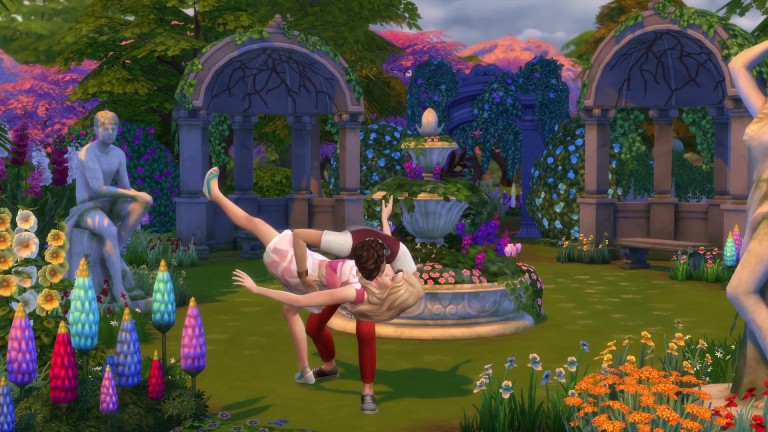
Origin Surprise Sale: Get The Sims 4 Romantic Garden Stuff for 50% off!

Another week – another Stuff Pack Origin Surprise Sale!

This week Origin is offering The Sims 4 Romantic Garden Stuff Pack for 50% off! This means that you’ll be able to get this pack in the following days for only 5USD (or the appropriate currency that’s used in your country).

Just like with previous Stuff Packs that went through the same sale, this pack is going to be available for the next 6-7 days. We can expect either an end to Stuff Pack Surprise Sales or a new sale offer to pop out this Sunday, February 17th 2019.

You can take advantage of this offer exclusively through Origin.com or the Origin client program!

Origin Surprise Sale: Get The Sims 4 Romantic Garden Stuff for 50% off!

The Sims Mobile: Quest For Love, Valentine’s Event Head Start Quest Walkthrough

Presented by EA Game Changers

The Sims Mobile has just started with their latest quest called the Quest For Love! This is a Head Start Quest for the upcoming Valentine Event that we assume begins next week.

The thing about Head Start Quests is that they’re crucial for big Events that they’re preparing the player for. For example, the previous Winterfest Head Start Quest helped you unlock items that made the events for the actual Winterfest Event much shorter so you could complete the events quickly and get the tokens you need in time.

Down below you can check out the full walkthrough of the Quest For Love Quest!

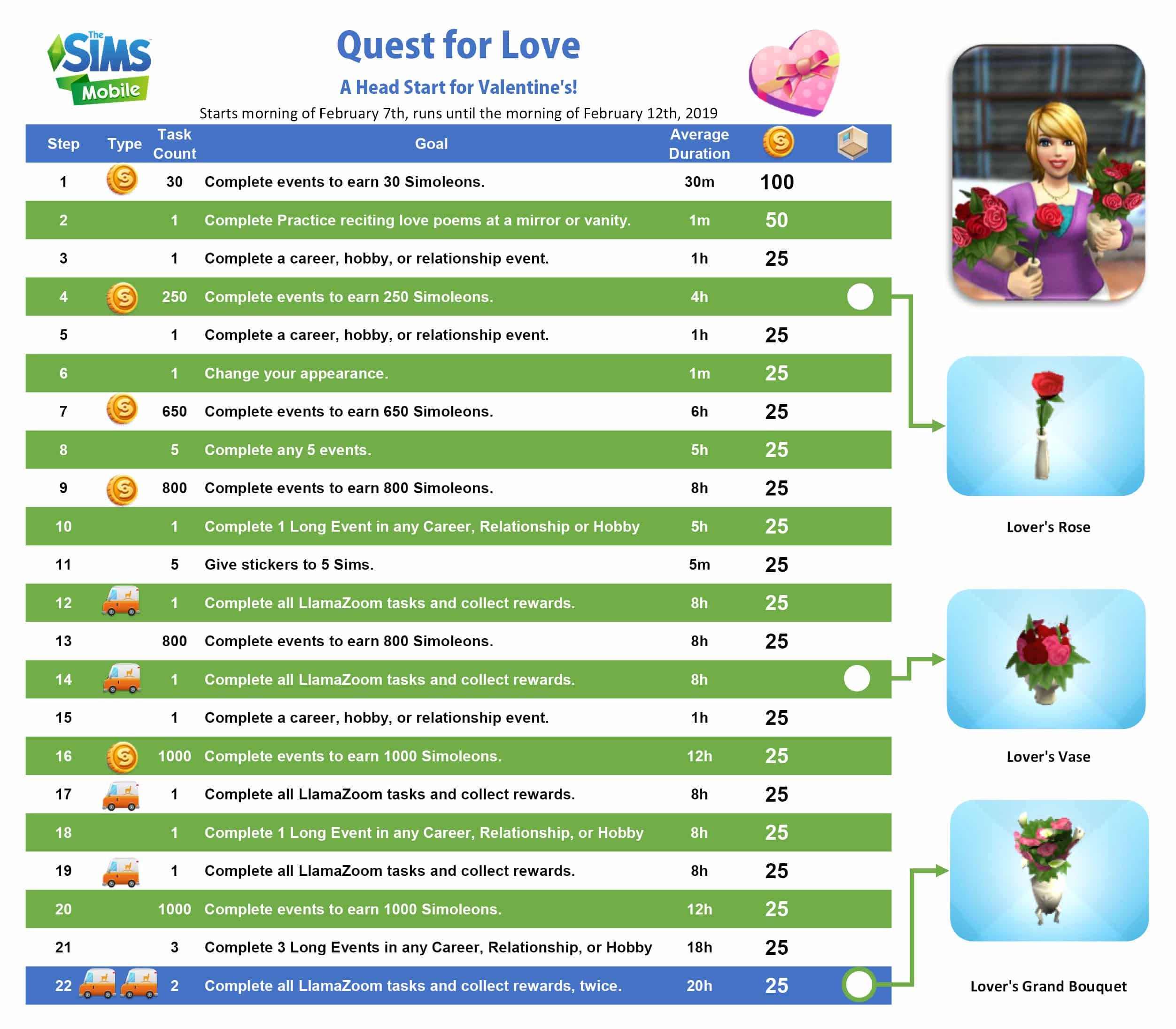
  • Part 1: Complete events to earn Simoleons (30 Simoleons).
  • Part 2: Complete Practice Reciting Love Poems at a mirror or vanity.
  • Part 3: Complete an event.
  • Part 4: Earn 250 Simoleons.
  • Part 5: Complete an event.
  • Part 6: Change your appearance.
  • Part 7: Earn 650 Simoleons.
  • Part 8: Complete any 5 events.
  • Part 9: Earn 800 Simoleons
  • Part 10: Complete 1 Long Event in any Career, Relationship, or Hobby.
  • Part 11: Give stickers to 5 Sims.
  • Part 12: Complete all LlamaZoom tasks and collect rewards.
  • Part 13: Earn 800 Simoleons.
  • Part 14: Complete all LlamaZoom tasks and collect rewards.
  • Part 15: Complete an event.
  • Part 16: Earn 1,000 Simoleons.
  • Part 17: Complete all LlamaZoom tasks and collect rewards.
  • Part 18: Complete 1 Long Event in any Career, Relationship, or Hobby.
  • Part 19: Complete all LlamaZoom tasks and collect rewards.
  • Part 20: Earn 1,000 Simoleons.
  • Part 21: Complete 3 Long Events in any Career, Relationship, or Hobby.
  • Part 22: Complete all LlamaZoom tasks and collect rewards. (2 times)


The Sims Mobile: Quest For Love, Valentine’s Event Head Start Quest WalkthroughThe Sims Mobile: Quest For Love, Valentine’s Event Head Start Quest WalkthroughThe Sims Mobile: Quest For Love, Valentine’s Event Head Start Quest WalkthroughThe Sims Mobile: Quest For Love, Valentine’s Event Head Start Quest WalkthroughThe Sims Mobile: Quest For Love, Valentine’s Event Head Start Quest WalkthroughThe Sims Mobile: Quest For Love, Valentine’s Event Head Start Quest WalkthroughThe Sims Mobile: Quest For Love, Valentine’s Event Head Start Quest WalkthroughThe Sims Mobile: Quest For Love, Valentine’s Event Head Start Quest WalkthroughThe Sims Mobile: Quest For Love, Valentine’s Event Head Start Quest WalkthroughThe Sims Mobile: Quest For Love, Valentine’s Event Head Start Quest WalkthroughThe Sims Mobile: Quest For Love, Valentine’s Event Head Start Quest WalkthroughThe Sims Mobile: Quest For Love, Valentine’s Event Head Start Quest WalkthroughThe Sims Mobile: Quest For Love, Valentine’s Event Head Start Quest WalkthroughThe Sims Mobile: Quest For Love, Valentine’s Event Head Start Quest WalkthroughThe Sims Mobile: Quest For Love, Valentine’s Event Head Start Quest WalkthroughThe Sims Mobile: Quest For Love, Valentine’s Event Head Start Quest WalkthroughThe Sims Mobile: Quest For Love, Valentine’s Event Head Start Quest WalkthroughThe Sims Mobile: Quest For Love, Valentine’s Event Head Start Quest WalkthroughThe Sims Mobile: Quest For Love, Valentine’s Event Head Start Quest WalkthroughThe Sims Mobile: Quest For Love, Valentine’s Event Head Start Quest WalkthroughThe Sims Mobile: Quest For Love, Valentine’s Event Head Start Quest WalkthroughThe Sims Mobile: Quest For Love, Valentine’s Event Head Start Quest Walkthrough

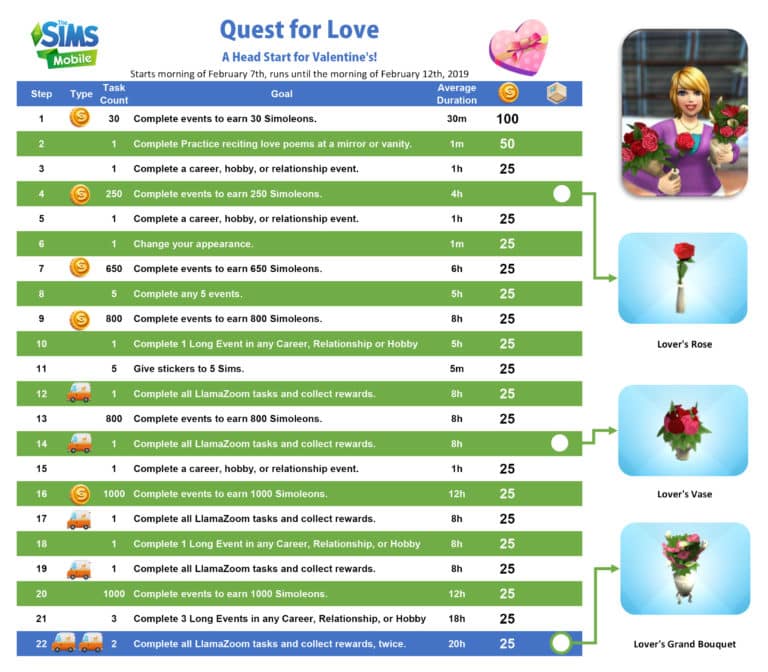
Down below you can check out the full overview of all the quest steps and the items that you can unlock with each one:

The Sims Mobile: Quest For Love, Valentine’s Event Head Start Quest Walkthrough

The Sims Mobile: Valentines Event Coming Soon

1

UPDATE: The Sims Mobile has just posted the following image, teasing the upcoming event:

The Sims Mobile: Valentines Event Coming Soon

The Sims Mobile Team seems to have “accidentally” revealed the upcoming event for The Sims Mobile!

The “My Heirloom Collection” Menu in the game now shows a whole new Heirloom that hasn’t made an appearance before in the game called “My Bitter Valentine”. This heirloom is marked as “Uncommon” and can be unlocked via the “Bitter Valentine Storybook”.

Right now we don’t have any official information regarding when the Valentines Event could arrive to The Sims Mobile, but considering that the actual Valentines Day is only a couple of days away this Event should begin any day now.

Make sure you’re on a lookout on our website for all the latest updates about this Event!

IMG 1321

How to get the Prosperous Pig in The Sims Mobile (Limited Offer)

The Sims Mobile is currently offering a limited-time quest that’s probably one of the easiest ones we’ve had since the release of the game.

To celebrate the Lunar New Year, also known as the Year of the Pig, The Sims Mobile team released a brand new 1-step quest that’ll grant you the Prosperous Pig decor as seen in the image below:

How to get the Prosperous Pig in The Sims Mobile (Limited Offer)

To claim this item all you have to do is tap on any furniture in your home and select “Clean”. You’ll have to perform this interaction that requires 3 energy points 3 times in order to claim the Prosperous Pig.

IMG 1423

This short quest is active right now and available until February 11th, 2019.

The Sims Blog: In Loving Memory of Gerri Lawlor

2

Robie Kauker, Audio Director working on The Sims Franchise has just broke some very sad news today on the official The Sims Blog. Gerri Lawlor, the main female voice actress who worked on The Sims has sadly passed away.

Check out what Robi has to say about his loving memories of Gerri down below:

Dear Simmers,

We have received news of the passing of Gerri Lawlor. Gerri was the original female voice actress in The Sims and one of the main reasons Simlish is such a hilarious digital phenomenon.

Gerri was an amazing improvisational comedienne who brought her enormous personality to the mic. She was one of the funniest people with whom I ever had the opportunity to work. We were introduced to Gerri by Claire Curtin, who brought her in from the local San Francisco improv scene. Gerri’s generosity and willingness to try anything is one of my most cherished memories from over twenty years of making The Sims. It’s something I still lean on and learn from to this day.

Gerri and her male counterpart, Stephen Kearin, gave us the gift of side-splitting, deeply painful laughter on countless occasions in the studio, to the point of a rib fracturing in one session.

Their combined acts of sheer creative joy while playing with Simlish remain high points in my career and a constant reminder of how wonderful and fulfilling a creative life can be.

Gerri, we will miss you so much and are grateful for our time together.

Dag dag! (Gerri said it first.)

Robi Kauker, Audio Director

Xbox One Sale: Save up to 80% off on select The Sims 4 Games

Microsoft is currently having a HUGE sale where you can save up to 80% off on select games for The Sims 4 on Xbox One!

The sale includes the Base Game which has the biggest price cut (80% off), Expansion Packs and Bundles.

Here are all the packs that you can currently get for a limited discounted price:

  • The Sims 4 Base Game (80% off)
  • The Sims 4 Get To Work Expansion Pack (50% off)
  • The Sims 4 Get Together Expansion Pack (50% off)
  • The Sims 4 City Living Expansion Pack (50% off)
  • The Sims 4 Cats & Dogs Expansion Pack (50% off)
  • The Sims 4 Seasons Expansion Pack (50% off)
  • The Sims 4 Bundle: Cats & Dogs, Parenthood, Toddler Stuff (70% off)

This is probably one of the biggest Console sales so far so you better act quick! The sale is active right now and will be valid for the next 5 days. More specifically, it ends on February 11th, 2019.

Xbox One Sale: Save up to 80% off on select The Sims 4 Games

The Sims 4: Lunar New Year Content Update Video Overview

2

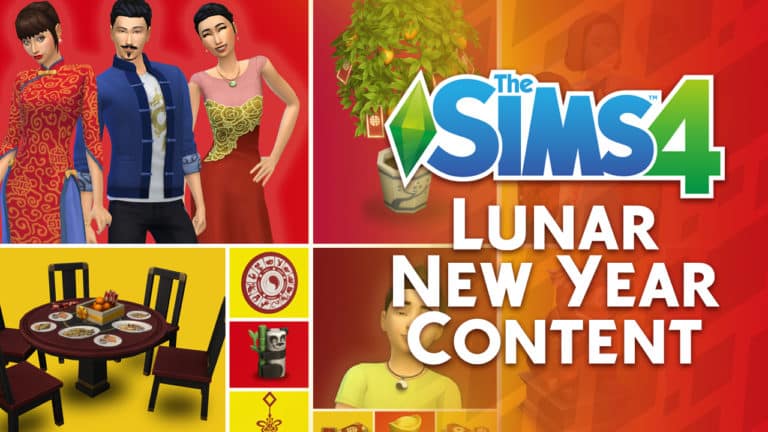
The Sims Team has just released a brand new update for The Sims 4 on PC / Mac which comes with more than 20 new items themed around the Lunar New Year. Wonder what the new items look like in the game? Check out the video above!

The Sims 4: New Update + Patch Notes! (February 5th, 2019)

The Sims 4: New Update + Patch Notes! (February 5th, 2019)

The Sims Team has released a brand new Update for The Sims 4 on PC and Mac!

To download the latest version of The Sims 4, simply open your Origin program and if the game doesn’t update automatically, right click on The Sims 4 and select ”Update”.

In case you have Mods or Custom Content, the game will automatically disable them for you after first launching The Sims 4 after the update. To re-enable all your Mods and Custom Content, select the Settings option in the Menu and select Settings. Under the”Other” section you’ll find the ”Enable Custom Content and Mods” option. Check it and restart your game in order for it to take effect!

Patch Notes

UPDATE: 2/5/2019 – PC 1.49.65.1020 / Mac 1.49.65.1220

Happy Lunar New Year! To our Chinese Simmers, and our Sims residing in Shang Simla, we wish you good fortune in 2019! Read on to discover the plenitude of newly added content that’ll ensure your Sims are ready to usher in the new year. Here at Maxis, we’ve also done some spring cleaning in preparation for the festivities… You’ll find we’ve swept away some crufty old issues that may have been causing trouble in your game.

NEW CONTENT

Lunar New Year

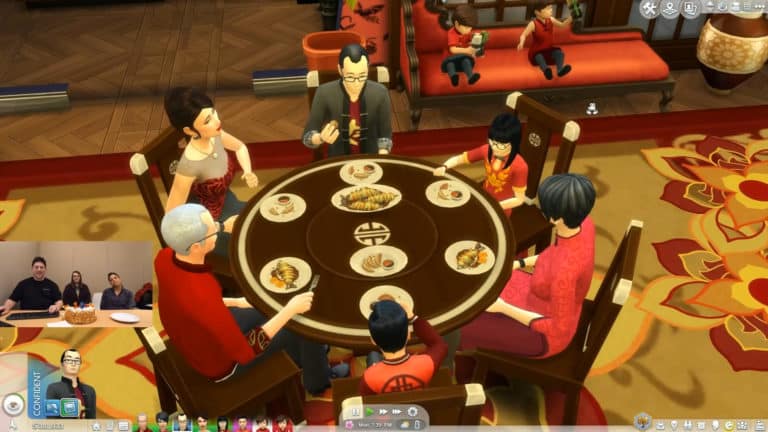
To instill your Sims with hope for prosperity in the year ahead, we’ve added everything you’ll need to throw an extravagant reunion dinner party. New recipes are available that symbolize wealth and abundance (be sure to leave one serving of fish behind to ensure you’re blessed with abundance for the entire year!). You’ll also find an elegant new dining set, festive decor, and colorful clothing for all ages to round out the celebration.

New Recipes

  • Vegetable Dumplings
    • Requires Level 1 Cooking Skill
  • Mud Carp
    • Requires Level 7 Cooking Skill

New Objects

  • Shadow of the Moon Table
    • A six seat round dining table – perfect for family meals!
  • Moon-Gazing Dining Chair
  • Fiery Moon Gift Centerpiece
  • Wealth of the Moon Envelopes
  • Lucky Citrus Tree of the Moon
  • Paper Lantern of the Wiseacre Moon
  • Symbols of the Watery Moon
  • Sycee of the Prosperous Moon
  • Moon Panda Toy
  • Year of the Pig Statuette

New Clothing & Accessories

  • Adults
    • Women
      • 2 dresses
      • 1 pair of fan earrings
      • 1 jade necklace
    • Men
      • 1 jacket
    • Children
      • Girls
        • 1 dress
      • Boys
        • 1 jacket
      • Unisex
        • 1 yin and yang necklace
      • Toddlers
        • Girls
          • 1 dress
        • Unisex
          • 1 hairstyle
          • 1 shirt

FIXES & UPDATES

The Sims 4

  • The Digitalistic Sketchpad will no longer occasionally lose the majority of its interactions.
  • Style Influencer Career interactions that were causing child Sims to become distorted are no longer available for selection on children.
  • Fixed an issue where ghost Sims were unable to use a Book of Life to resurrect themselves.
  • Seed Packets can no longer become hidden under the ground on slightly uneven terrain.
  • Being insulted by the Lin-Z Smart Speaker will now cause relationship loss between the Sim and the speaker.
  • Wake-up routines set on the Lin-Z Smart Speaker will now continue to run, even if a Sim no longer has a high relationship with the speaker.
  • The Gallery has a new size filter to assist in searching for 40×40 lots.
    • One caveat: The new filter will not find 40×40 lots that were uploaded to the Gallery prior to this game update.
  • Camera Positions saved to the “9” key could conflict with using the “9” key to raise an object in the air when the bb.moveobjects cheat is turned on. To resolve this, we’ve introduced the ability to clear out a previously saved camera position.
    • Existing Camera Position functionality:
      • “Ctrl” + “5-9” will set a saved camera position.
      • Once a camera position has been saved…
        • “5-9” keys will smoothly move the camera to that position.
        • “Shift” + “5-9” will immediately snap the camera to that position.
      • New Camera Position functionality:
        • “Alt” + “5-9” will remove a previously saved camera position from the selected number.
      • When time is paused after initially loading into a lot, pressing either the “~” or “p” keys will now unpause the game, instead of requiring that you press one of the game speed keys to unpause.
      • Hotkeys will no longer be able to open various Sim information panels that are locked during the Tutorial.
      • Fixed an issue where a Sim could become stuck in the Tutorial if they traveled to a park without taking a vacation day off from work.
      • Players will no longer be notified that someone has commented on their Gallery profile, if they were the ones writing a comment to their own profile.
        • It seems a little egotistical to comment on your own profile… but hey — we’re not judging you.
      • The main menu once again includes a link to the most recent patch notes.
        • If that’s how you’ve made your way to reading these very words, then hello — thanks for stopping by!

Get Together

  • Listening to music on the Lin-Z Smart Speaker will now count towards the Listen to Music club rule.

Cats & Dogs

  • Pet owners should, once again, no longer have their interaction queue become filled up with interactions.

Seasons

  • Leaf Piles should no longer become stuck in neighborhoods.
  • Fixed a clipping issue that occurred when wearing the toddler’s rain boots with certain pairs of pants.
  • Fixed two toddler hats which were causing unintended shadows to appear on the toddler’s eyes.

Get Famous

  • Fixed an error that was preventing players from saving their game if their celebrity Sim had the Lifestyle Brand fame perk and had received royalty payments.
  • The chicken mask is now available for selection in Create a Sim.
  • Sims will now consider the split level coffee table as a valid surface for setting down food and books.
  • Updated one of the women’s skirts to no longer have its materials influenced by the boots worn by the Sim.
  • Fixed an issue where shirts weren’t tucking in properly to one of the pairs of men’s jeans.

Vampires

  • The Need Fixer Serum that’s crafted by Scientists can now be used to satisfy a Vampire’s thirst need.

Holiday Celebration Pack

  • A pair of jeans that was included in the 2018 update to the Holiday Celebration Pack can now be worn by male Sims.

The Sims Blog: The Sims 4 Celebrates Lunar New Year!

2

The Sims Team has just published a short but sweet blog on TheSims.com talking about the upcoming The Sims 4 Update that’s coming in less than an hour to PC and Mac. Check out what’s included with this content update:

The Sims Blog: The Sims 4 Celebrates Lunar New Year!

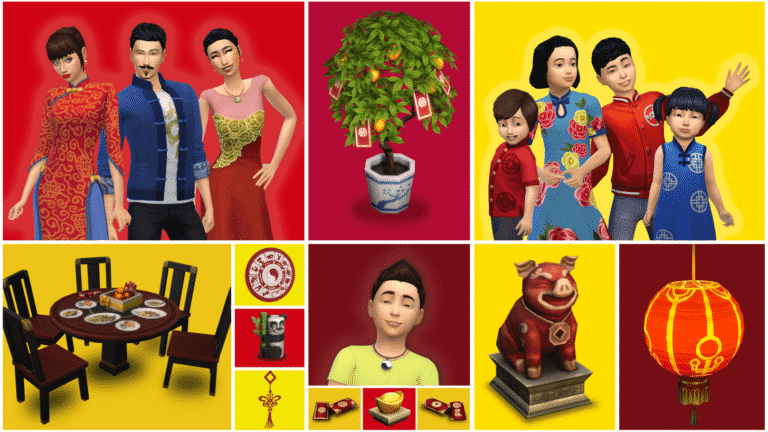
Greetings, Simmers! Today marks the beginning of the Lunar New Year festivities and we want to celebrate with your Sims. Patch your game and gather your Sim’s loved ones for a very special get-together. With this update*, you’ll get:

  • Stylish outfits for adults and kids
  • A lovely kumquat tree
  • A traditional place setting for a family feast
  • An orange centerpiece
  • Delicious dumplings and Mud Carp
  • Red envelopes
  • Home decorations

Plus, there’s an awesome Origin sale** going on right now. Be sure to check out savings on select packs*, like The Sims™ 4 Get Famous.**

Wishing you all great happiness and prosperity, Simmers!

The Sims 4: Lunar New Year Content Update Preview

The Sims Team did a special preview of the upcoming update for The Sims 4 on PC / Mac making its way tomorrow (February 5th, 2019). The update will include plenty of big bug fixes (including the stinky leaf piles) and will also include a brand new batch of content – the Lunar New Year Clothing & Objects!

That’s right – The Sims 4 is getting on board and celebrating the 5th of February which is celebrated all across China. The year 2019 is marked as the Year of the Pig, which is the main reason why there’s now a golden pig statue being added to the game.

The Sims 4: Lunar New Year Content Update Preview

The team also gave a preview of some of the new Create A Sim items being added to the game. What’s interesting is that there’s at least one new CAS addition for each age, as seen down below!

The Sims 4: Lunar New Year Content Update Preview

As you’ve probably seen in the screen above, this content update will include new Citrus Trees Plants. Considering that they’ve already been put in pre-made planter boxes they probably won’t be harvestable in the game.

The Sims 4: Lunar New Year Content Update Preview

The update also comes with plenty of new indoor items, including some envelope clutter, golden pig statues, the Orange Tree decor and more.

The Sims 4: Lunar New Year Content Update Preview

Theere’s also an interesting decor object calles the “Sycee of the Prosperous Moon” that costs 120 Simoleons in Build Mode. Interestingly enough, this item (and probably other new Lunar Year Items as well) has been marked as an updated piece of content in the description.

The Sims 4: Lunar New Year Content Update Preview The Sims 4: Lunar New Year Content Update Preview

There’s a new lantern ceiling light object that you can find in the screen below, as well as new lantern swatches for The Sims 4 Base Game lantern object that you can spot on the far right of the screen.

The Sims 4: Lunar New Year Content Update Preview

Toddlers will also be able to enjoy the new Panda Bear toys that you can see in action below!

The Sims 4: Lunar New Year Content Update Preview

And last (but not least), The Sims Team has shown off 2 new recipes that are coming with this update:

  • Vegetable Dumplings (Cooking Skill Level 1)
  • Mud Carp (Cooking Skill Level 7)

The Sims 4: Lunar New Year Content Update PreviewThe Sims 4: Lunar New Year Content Update Preview

Want to see these new items in action? Check them out on the livestream replay of Maxis Monthly. The segment where The Sims Team shows off these items begins at 37:00!

The Sims Team announces a new Content Update for The Sims 4 coming tomorrow

2

SimGuruKate has just announced on Twitter that, beside the fact that The Sims Team will be celebrating the 19th Anniversary of The Sims Franchise during Maxis Monthly, they’ll also be checking out the brand new Content Update for The Sims 4 that’s scheduled for release TOMORROW, February 5th 2019.

She revealed that the update will include some big bug fixes for The Sims 4(including the stinky leaf piles) as well as new Lunar New Year content that will be shown off today.

The Sims Team will be doing an overview of this update in their livestream that begins an hour from now. You can watch it HERE!

We’ll make sure to keep you updated on all the latest news and information about the upcoming update for The Sims 4 on our website!

The Sims Blog: Get Hyped, It’s The Sims’ Anniversary!

1

The Sims Team has just released a new blog to celebrate The Sims Franchise’s 19th Anniversary. In this blog they’ve shared some tips about throwing a party in The Sims 4, shared the news about the new designs available in the Threadless Store and also shared the link for the Maxis Monthly Livestream “for some community fun”.

The Sims Blog: Get Hyped, It’s The Sims’ Anniversary!

Happy 19th anniversary, Simmers! It’s almost hard to believe how far The Sims™ has come, and we really want to say thanks. So much of what we do each day is inspired by your dedication, creativity, and interaction with other members of our community. It seems like only yesterday (sniffle) we embarked on this journey together (sniffle), and look at us now. We’ve laughed, we’ve cried, we’ve dressed our Sims in bear costumes, we’ve summoned the Grim Reaper more times than we’d like to admit, and we’ve had our fair share of ghost encounters.

As a thank you, check out this special Threadless t-shirt design and be sure to hit up the Anniversary Sale*, on now! Plus, watch today’s livestream for some community fun.

So, what else shall you do to celebrate? Well, how about throwing a massive party in The Sims 4** with all your Sim’s friends and frenemies? Grab a bottle of nectar – and possibly a cow plant – and let’s plan a superior shindig.

The Sims Blog: Get Hyped, It’s The Sims’ Anniversary!

Step 1: Hit Up the Gallery
Look, we know you’ve got some neighborhood Sims in mind for your blowout bash, but how about some star power? Before you start party planning, consider checking out the Gallery. Your fellow Simmers have created some incredible celebrity look-a-likes and new, original characters that are ready to party, too. Get in there and add any must-invite Sims for your guest list.

Step 2: Plan a Social Event
Ok, now click the phone icon and select Plan a Social Event. The hosting Sim will need lots of connections to have a bevy of guests, so choose a popular one. Think about the guest list, hire a caterer, and even get a DJ! Or, for a smaller get-together, just do as your budget allows. You can throw a party with Goals or just have people over to hang out. Remember: your party, your terms. We do highly recommend a pool for full fiesta fun.

Step 3: Pick Out the Perfect Outfits
Select Plan Outfit from your Sim’s dresser and set your Sim’s Party Outfit with something fierce. Sparkly, shiny, casual, comfortable – the choice is yours. If you want to make sure all of your attendees are dressed to the nines, you can pop into other Sims’ homes and fix their outfits, too. Dress codes are the best codes, amirite?

Step 4: Invite Interesting Friends
You can have all the best outfits and food, but a party will fall flat if the attendees are tense, rude, or all-around boring. If you’re into the arts, be sure to recruit painters and snobs from the neighborhood. If you’re looking for a raucous occasion, befriend hotheads and social butterflies. Whatever floats your boat, float it with interesting Sims.

Step 5: Learn a Party Trick
Are you not entertained?! Food, drinks, and good company go a long way, but when the conversation lulls, guests could use a little something extra. Learn a party trick like playing the piano, or have some sweet dance moves to show off. On second thought, that may hinder your wardrobe choices. Well, whatever you do, make it good. Your party couldn’t possibly be complete without a little razzle-dazzle.

Ready to get celebrate #TheSimsTurns19? We are, too! Chat with fellow community members on The Sims 4 Forums, follow us on Twitter and Instagram, like us on Facebook, and subscribe to our YouTube channel. Sign up for The Sims 4 newsletter and get Grim’s Ghoulish Guitar for free!

New Anniversary Designs Now Available in The Sims Official Merch Store

0

The Sims Official Merch Store has just published 2 brand new designs to celebrate The Sims’ 19th Anniversary!

There are 2 new designs that you can choose including The Sims 19th Anniversary Pack Plumbob and The Sims 19th Anniversary Plumbob. The Pack Plumbob design covers all the packs that we’ve gotten for The Sims 4 so far and the regular Anniversary Plumbob provides a cute green gradient of the pack icons.

These designs are covering various accessories and apparels including Men’s and Women’s T-Shirts, Throw Pillows, Bags, Phone Cases, Water Bottles, Notebooks and Beach Towels.

You can get these designs by simply clicking the names of each design that we’ve linked above.

New Anniversary Designs Now Available in The Sims Official Merch Store

What we know so far about the Anniversary Maxis Monthly Livestream

The Sims Franchise is turning 19 years tomorrow, February 4th! That’s right – the first iteration of The Sims was released all the way back in 2000 with stunning 2D graphics, compelling gameplay and interesting stories that to this day are still relevant and present in the hearts and minds of many Simmers.

The Sims Team announced that they’ll be doing their 5th Maxis Monthly Livestream on the exact day of The Sims’ 19th Anniversary. What can we expect from this Maxis Monthly Livestream? Well, SimGuruKate shared some clues in some of her tweets…

First of all the Livestream will be hosted by SimGuruKate and joined by the developers SimGuruNinja and SimGuruMorgan, as well as the Executive Producer of The Sims SimGuruLyndsay. They’ll be doing a Q&A and answering some of your burning questions about The Sims Franchise in general – although they won’t be able to share any details about the upcoming content.

Next, some of the SimGurus were talking about a “super secret thing” coming to The Sims 4. Although that “super secret thing” won’t be shown in this livestream, SimGuruKate did address that they’ll be revealing the full details about what will be shown during Maxis Monthly an hour before the livestream begins. She hasn’t denied that there won’t be new things shown off during the stream so let’s hope the Anniversary Livestream will bring more than just a trip down the memory lane.

There are also going to be PLENTY of giveaways on February 4th, both on The Sims’ Twitter as well as the Maxis Monthly Livestream. We should expect giveaways for both PC / Mac and Console ports so get your preferred platforms ready for redeeming the codes.

And last (but not least), Kate revealed that The Sims’ official Twitch Channel will be hosting plenty of Twitch streamers on their channel during the anniversary. If you’re a Twitch streamer and plan to play some Sims games, February 4th is the right day to do so!

Are you ready for The Sims’ 19th Anniversary Livestream? We’ll be hosting the livestream right here on Sims Community and provide you with all the information before, during and after the livestream ends so stay tuned!

Origin Surprise Sale: Get The Sims 4 Laundry Day Stuff for 50% off!

2

It’s time for another surprise The Sims 4 Stuff Pack Sale!

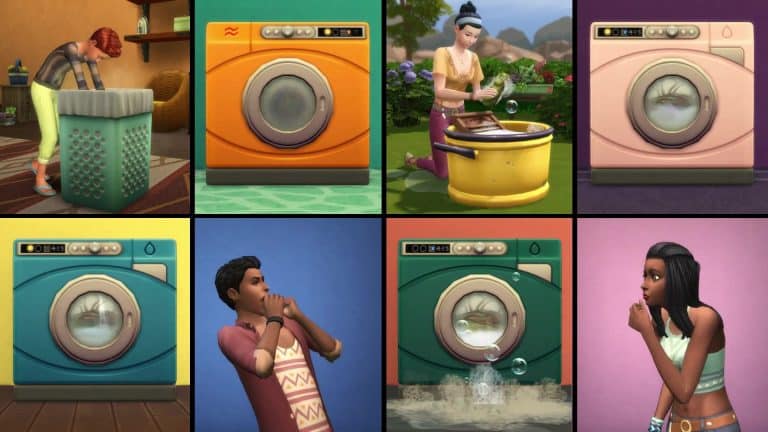
This week you’re able to get The Sims 4 Laundry Day Stuff Pack, also known as a Stuff Pack which was voted and picked out by the community members, for 50% off! This means that the pack has a current limited price offer of only 5USD!
Just like previous Stuff Pack Surprise Sales this one is expected to last for the next 6 or 7 days, which could be until next Friday or Saturday.

You can take advantage of this offer exclusively by purchasing this Stuff Pack on Origin. You can get it via the Origin client or Origin.com!

Origin Surprise Sale: Get The Sims 4 Laundry Day Stuff for 50% off!