The Sims Team has added plenty of new holiday-themed goodies to The Sims 4 in celebration of the festive season, but that’s not all. Along with bug fixes, they’ve also teamed up with real world celebrity, Baby Ariel, to bring our Sims some new fashionable attire.
Let’s dive right in to everything this new patch has to offer!
Create A Sim
There are plenty of new CAS items that come with this update, both festive and fashionable.
1 feminine hairstyle and 1 masculine hairstyle:
12 18 18 3 35 32 PM
12 18 18 3 34 14 PM
1 feminine full body outfit and 1 unisex full body outfit:
12 18 18 3 19 17 PM
12 18 18 3 18 44 PM
1 masculine top, 1 feminine bottom, and 1 unisex pair of shoes:
12 18 18 3 30 21 PM
12 18 18 3 26 29 PM
1 unisex top for children:
And as part of The Sims Team’s collaboration with real world celebrity, Baby Ariel, we also have 3 new feminine tops with Baby Ariel’s logo on them:
12 18 18 3 20 48 PM
12 18 18 3 20 57 PM
12 18 18 3 21 03 PM
Buy Mode
CAS isn’t the only area of the game to receive new holiday inspired goodies. Buy Mode has received plenty of new additions as well:
1 decorative faux fireplace display, 1 decorative log with candles, 1 decorative wooden wall hanging, and 1 decorative pine cone garland wall hanging:
1 decorative set of mason jar candles and 1 decorative set of mason jar snow globes:
1 decorative ceiling hanging in both star and snowflake variants, 1 garland ceiling light, and 1 picnic table:
12 18 18 3 46 40 PM
12 18 18 3 46 59 PM
If your Sims are looking for some tasty festive treats to celebrate the holiday season, they’re in luck because there are also two new cooking recipes; the Winter Cake and Crown Roast. Look for them in the recipe list when your Sims are cooking.
Captured down below is the Winter Cake and the Crown Roast. The Winter Cake requires Level 2 Cooking Skill while the Crown Roast requires Level 7 Cooking Skill.
12 18 18 11 10 21 PM
12 18 18 11 11 19 PM
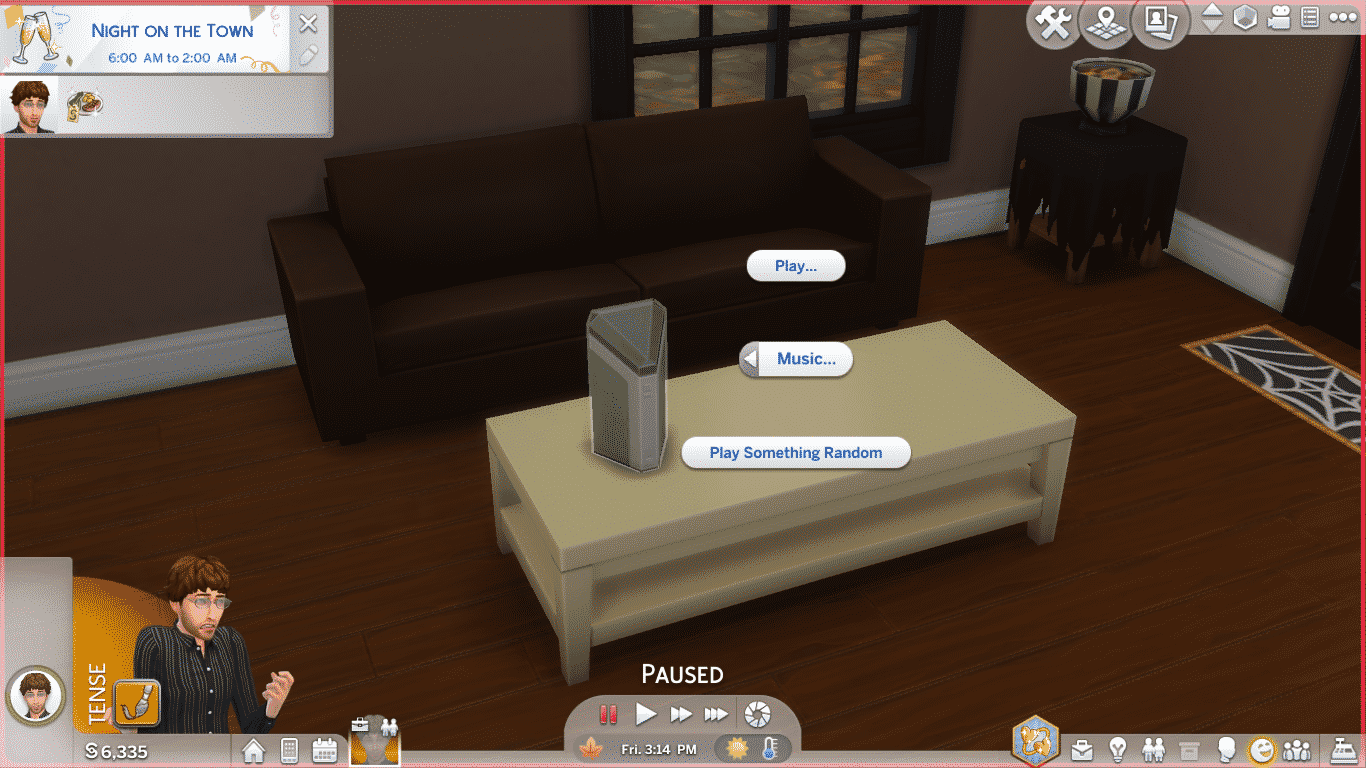
And last but not least, our Sims now have their very own smart speaker! Welcome Lin-Z into your home this holiday season! Lin-Z can socialise with your Sims, play music for them, order home services, and turn all the lights in your Sims’ homes on and off. Thanks, Lin-Z! You’re a real help around the house!
Screenshot 407
Screenshot 406
Screenshot 405
Screenshot 404
What do you think of all the new content? Let us know here in the comments or on social media!
Don’t See Anything New? Update your game!Right-click on The Sims 4 in your Origin library and select Update Game.
Today The Sims Team has released a brand new content update for The Sims 4 adding new Holiday Clothing and Objects, Baby Ariel Clothing, a new Smart Speaker and some new cheats for the First Person Camera Mode along with some bug fixes.
We’ve covered all of that in the video above showcasing everything that has been added with today’s update. Check it out!
The Sims Team has released a brand new Update for The Sims 4 on PC and Mac!
To download the latest version of The Sims 4, simply open your Origin program and if the game doesn’t update automatically, right click on The Sims 4 and select ”Update”.
In case you have Mods or Custom Content, the game will automatically disable them for you after first launching The Sims 4 after the update. To re-enable all your Mods and Custom Content, select the Settings option in the Menu and select Settings. Under the”Other” section you’ll find the ”Enable Custom Content and Mods” option. Check it and restart your game in order for it to take effect!
Patch Notes
Update: 12/18/18 – PC 1.48.90.1020 / Mac 1.48.90.1220
Hey Simmers!
It’s cold out there… wait, that’s a Groundhog Day intro. Also, it’s pretty “northern” stereotypical… my apologies. So, it’s a month out there in which some experience a cold season at this time of the cycle in which we revolve (or not) around the glowing ball in the sky, and in which festivities may or may not be observed, and others experience a warmer season, in which similar, or non-similar observances may be made. And I wish you an emotional response relevant to your desire.
With that said…
What’s New?
We have added MORE to the Holiday Pack!
More home things…
Some new light sources!
2×1 Ceiling light
Mason jar candles
A log display… with candles
Some new decoratives!
Ceiling snowflake décor
Mason jar décor
Bough wall hanging
Wood carving wall hanging
A fireplace façade (for decorative purposes only)
A new Picnic table
And more clothing things…
A sweater top for kids
A female full body outfit
Female pants
A female hair
A male sweater
A male hair
Slippers for male and female
Yeti costume, unless you choose brown, then it’s a Bigfoot costume
Not that I’ve ever seen Bigfoot…
And I apologize if you are a Big Foot who happens to play The Sims. Hopefully you see a resemblance.
All Holiday pack objects can be found easily in the catalog by using the Holiday Pack filter, in the filter sort options.
Remember, if you have not yet downloaded the Holiday Pack, click on the Holiday Pack icon from the Main Menu! And if you have already downloaded the pack previously, you don’t need to do anything, you have the updates now!
…assuming you are reading this after you launched The Sims, and finished downloading the update. If not, then you have them then!
In addition to the Holiday content, there are few other new bits…
A female hoodie, sweater, and crop top are new in Create a Sim
Two new recipes for your Sims to cook
Winter Cake
Crown Roast
And the Lin-Z Smart Speaker!
Play music, order a pizza, play trivia, be yelled at… all with the touch of… with the call of the wild… with just a…
You have to just talk to it. Your Sim talks to It.
Please don’t start talking to your computer.
But if you already do, that’s ok, there’s nothing wrong with that. Just don’t name your computer Shodan.
Make friends with your new AI overlord and learn its secrets! Or don’t. It’ll remember
First person camera smoothing updates. We got some feedback about the mode being a bit sickness-inducing (especially if you watch the announce stream and saw the Sim on the swing… or the rock clim… ahm, ur okay, I’m… let’s move on).
“Roll” has been disabled in First Person Camera mode when you are using the Sims 4 camera settings (you can find your chosen option in the Camera Controls menu in the upper right corner of the screen). Roll is essentially side to side movement along a curve, and the primary motivator of discomfort.
If you are a Sims 3 Camera user, and you want the smoother camera, you can use the cheat “camera.fpc.simple on” to switch to Sims 4 camera while in First Person Camera mode. And of course, to turn it off “camera.fpc.simple off”.
In addition players can use the cheat “camera.fpc.smoothing off/low/medium/high” to fine-tune their experience.
That’s that for the new, on to the old.
General Issues
The tutorial has been updated with some new tips in order to assist our new players with the basics of playing The Sims!
Style Influencer stay at home tasks now register as complete, when completed.
You can now hire a gardener if you have plants on your lot for your gardener to garden, regardless of your garden’s gardening needs.
Previously, if your garden was not in need, you were being incorrectly informed that you didn’t have a garden.
The brick01GEN wall pattern has a new name.
Teen interaction Mess Around should no longer duplicate itself in the interaction menu for each target location for said mess around.
Townie Sims are no longer glaring at each other as they pass by on the streets.
Sims have taken social etiquette classes, and now understand that one does not need to constantly mix drinks when hosting a party.
Does the concept of the entire Sims populace taking classes in social etiquette give you an Orwellian chill?
The tutorial’s chef aspiration no longer starts your Sim with the Snob, Foodie, and Glutton traits, but instead the Slob, Perfectionist, and Foodie traits.
The former due to a text error.
The later due to the two being incompatible.
First Person Camera will no longer show the inside of the Sim’s head when using Intel Integrated Graphics.
I told my mom that, she called my grandma, and said she was worried about me.
Ceilings should no longer look darkened, but instead lighting should be more prevalent in comparison to the location of lights in a room.
The Gardener Career now provides raises when the profession is maxed.
The With Pets, Dogs, or Cats Gallery filter now works, and will no longer break your other filters from functioning.
Z/X and -/+ shortcut keys will now adjust FOV in first person camera mode.
Exiting first person camera will no longer cause a Sims head to become stuck facing one direction.
Many others however are still stuck facing One Direction.
If you have enough traits to fill the Simology panel beyond the window height allowed by your monitors resolution, you will no longer find yourself unable to interact with the Simology panel.
Also, your Sim is amazingly complex.
So, this issue has been addressed (see next bullet). However, the fix is easier to understand than the issue… but here it is as it was communicated to me:
Visiting a household with locks set using another household, resets the locks on returning control to the household with the locks
If that was not clear, just go with the fix:
Doors stay locked.
Non-specific pack issue
Randomly generated neighborhood Sims should no longer shop exclusively within the City Living and Vampires Create-a-Sim catalogs, and are more likely to have expanded their clothing opportunities to all packs you have available for them.
Cats & Dogs
Cats will no longer become stuck on top of surfaces after being lectured about jumping on surfaces.
Cat Whiskers now appear with the proper color relevant to the color chosen in Create-a-Sim.
Seasons
Setting the thermostat to cold when it’s hot out, or hot when it’s cold out, will no longer add a 1.5-5x modifier to your bills.
Get Famous
Take Selfie interaction will now help relieve the Separation Anxiety tense buff that is a result of the Phone Fanatic quirk.
The More Views Video Station can now be cloned with the Eyedropper tool.
In case you wanted more More Views.
Sleeping Pod interaction Less Needy Dreams, has been changed to Social Dreams.
The More Views Video Station memory upgrade tooltip will no longer lie to you.
The Drama King buff received from watching a Sim perform the Perform Dramatic Monologue interaction will now tell you that it is from watching a Sim perform the Perform Dramatic Monologue interaction.
Moving an in use Music Production Station will no longer cause the music to become stuck on.
The Lifestyle Brand interaction now works.
Celebrity Sims set to the normal walk style, should now maintain their walk style setting.
Married celebrity Sims will no longer react in disgust towards one another.
Unless there is reason to.
Like cutting your toenails in bed.
I mean, who does that?!
Spa Day
Sims giving a hand massage, will no longer contort in an excruciatingly painful manner during the massage.
Vampires
The Parts to Copy filter, for vampires in Create-a-Sim, should now actually show what parts you can copy.
Parenthood
REJOICE! Children can once again play on the monkey bars without the compelling need to halt their monkey bar activities to make a mess. Yes, that’s right Mr. and Mrs. John Q. Player, children are free! Free to play! Free to climb, swing, and do whatever it is that children do on the monkey bars. The draw, the compulsion, the absolute need to end their activity to make a mess has finally come to a close. So rejoice! And let your kids climb, until they can climb no more.
Ok, let’s see, it’s been awhile since I’ve done this, so let me just go through my checklist.
Greeting, uh yep, check.
The What’s New section, check.
Various issue commentary, unnecessary expository, overuse of ellipses, random grammar atrocities, run on sentences…, check, check, and… um, check.
References to old and outdated entertainment media, check.
Sign off, and holiday wishes, not yet, but shortly.
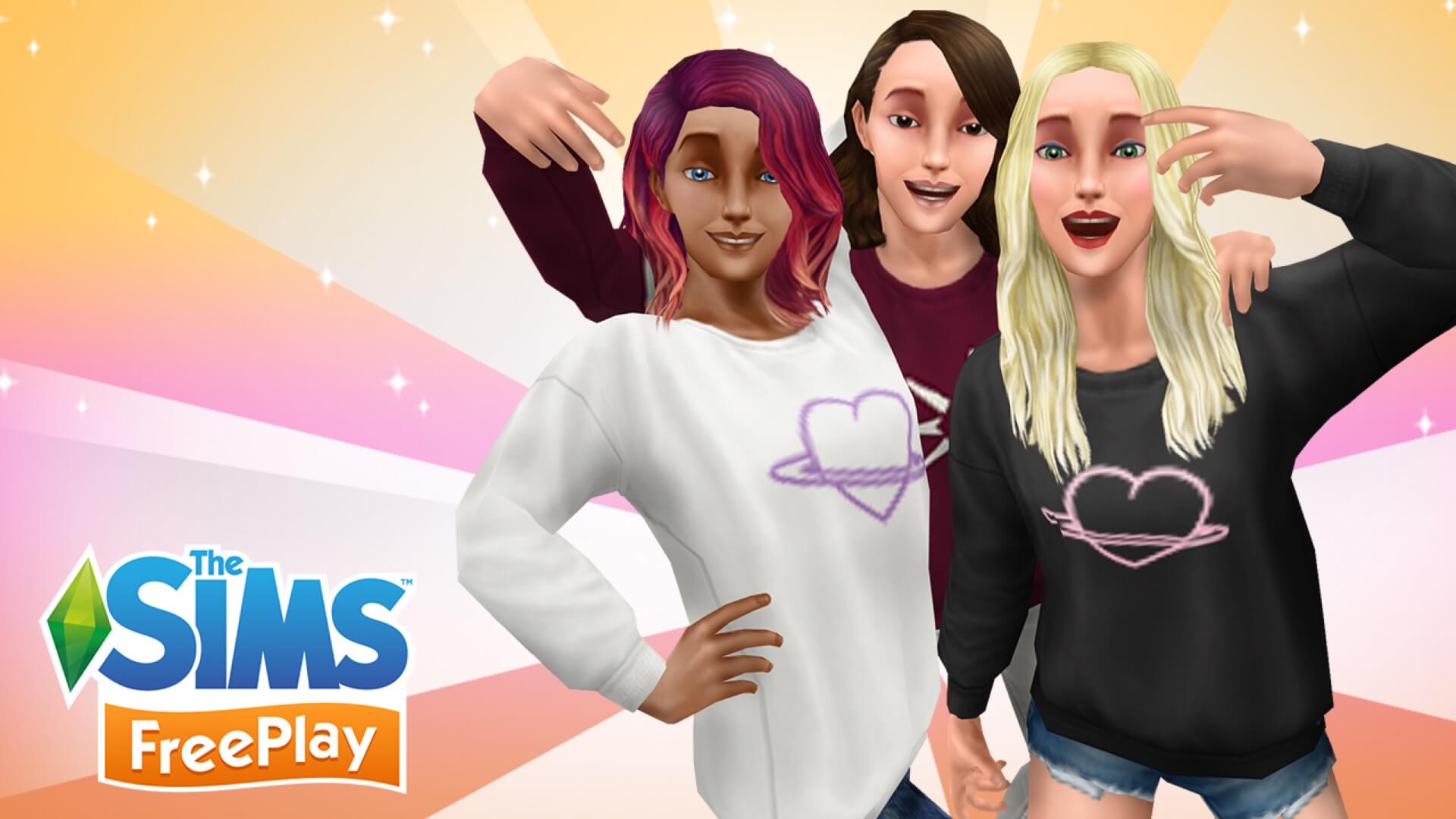
The Sims Team has just announced on their website an exclusive collaboration between The Sims FreePlay, The Sims Mobile and The Sims 4 with Baby Ariel – mostly known as a singer, influencer and actor on Nickelodeon.
This collaboration will span throughout the entire Sims Franchise and will cover the following things:
The Sims 4
As part of the PC base game update* (more on that tomorrow), you can dress Sims in Baby Ariel-inspired tees, hoodies, and sweatshirts. Plus, with The Sims 4 Get Famous Expansion Pack*, you can catch Baby Ariel singing songs and strumming a guitar in your Sims’ world!
The Sims Mobile
The casual comfort continues in The Sims Mobile, where a Baby Ariel collection is now available in Create-A-Sim. Let the styling expertise begin!
The Sims FreePlay
This collab wouldn’t be complete without some FreePlay fun. Style female adult Sims with this special pack – complete with two different sweaters – to keep cool yet cozy. These will be available to collect from December 18, 2018 to January 1, 2019, so grab them now.
Dress your Sims in style today with Baby Ariel gear!
The Sims FreePlay
Limited Edition Baby Ariel Items starting from December 18th, 2018 to January 1st, 2019.
The Sims Mobile
Get a sweatshirt, hoodie, and crop top for your Sims!
With 2018 wrapping up all simmers are absolutely dying to know what’s to come in 2019. Considering that 2018 brought some amazing content such as Seasons, Get Famous, Jungle Adventure, Laundry Day Stuff and plenty of free content updates everyone wants to know if The Sims Team plans to continue with this tradition
Although he didn’t share anything groundbreaking, SimGuruGrant did publish a tweet where he shares his excitement about The Sims 4 content coming in 2019.
I’m legit crazy excited about the things being made by the team right now. Some of the coolest stuff. Seriously. I know that’s a lame vague Tweet, but next year will be supes cool, fam. <– Trying to stay current.
The Sims Mobile’s Winterfest Event has added more than just new items, a huge quest and prizes that you can win as you play through the event. All of the Neighborhoods (excluding your Home Neighborhood) have received a Holiday Update with new items that come with loads of interactions and options.
All of the areas that you can see down below feature at least a few items that you can unlock through the Winterfest Event. However, there are a few items exclusive for Neighborhoods. For example – the big Winterfest Tree placed in the Downtown Area.
Speaking of the huge Winterfest Tree in the Downtown Area – it seems that there’s new gameplay attached to it. When starting the Winterfest Holiday Party Event you’ll be able to access new interactions including interactions that give you special Ornament Tokens and the “Decorate with ornaments” interaction. I haven’t gotten a chance to see what this interaction does just yet considering that it requires 100 Holiday Ornament Tokens in order to unlock this interaction. However I can only assume that it will give a permanent redesign with colorful ornaments and holiday details.
You can gain Holiday Ornaments through the Winterfest Event Interactions, such as the one seen on the second screen.
IMG 7775
IMG 7776
Down below you can check out what all of the Neighborhoods look like currently in The Sims Mobile:
Want to know what it takes to complete The Sims Mobile’s latest 12 Days of Winterfest Quest? We’ve done a full video walkthrough of this article explaining every single step you’ll have to take, which rewards you get and more. Check out the video above!
The Sims Mobile’s Winterfest Event has just gone live! Simply open up the game and select the top right corner of the User Interface (the Snowflake Icon) to get started!
We have ALL the information about this event including the new items, the complete quest walkthrough and more. CLICK HERE to check out the full guide!
The Sims 4 Get Famous Expansion Pack has been out for about a month now and the modding community has been hard at work to deliver new modifications, gameplay and alterations to the existing gameplay that we currently have in the game.
Down below we’ve listed all of the new mods for The Sims 4 Get Famous which will alter or add to the existing gameplay experience. To download a mod simply click the name of the mod of your choice. The installation process is also very easy – if a mod comes in a .zip file just extract it to Electronic Arts > The Sims 4 > Mods folder. If you download a single .package file then paste it into that folder. Make sure you’ve enabled Mods / CC in your game options to make sure the mod works!
This brilliant mod by KawaiiStacie gives you the ability to start your own Reality Show! There’s plenty of gameplay that comes with it mostly revolving around the 3-day Reality Show event during which you’ll be able to earn fame, simoleons and a bunch of followers!
Hairstylist Mod
Get Famous originally comes with a Hair Styling station object which has so much gameplay potential…that’s not included in the game. Luckily with this mod you can do so much and expand on that object with the option to open up your own Hair Styling Salon!
This is a rather simple mod which adjusts the way the Streaming Drone functions. More correctly – how long it lasts. With this mod you can set the drone’s battery to never drain and also set the working speed of the drone.
Aren’t you tired of not being able to release one track after another to the public? With this mod you can release as much tracks as you want and rake in the simoleons!
This mod allows you to speed up the process of creating video content on the Video Production Station. With it you are able to make the process of recording, editing and combining videos much faster with 5 different speed options.
Although The Sims Team has completely turned off snowfall in the world of Del Sol Valley they’ve still included all the snow overrides and elements in the game files. This mod will unlock the ability for snow to fall and stay on the ground. Of course you’ll be needing The Sims 4 Seasons as well for this mod to work.
SimGuruKate has just announced via Twitter that The Sims Team will be releasing The Sims 4’s brand new update on December 18th, 2018!
Attention! The next patch (PC/Mac only), which will bring the fun holiday content shown in last week’s Maxis Monthly, as well as some important bug fixes, is currently set to arrive next Tuesday, December 18th. Please remember this can change due to unforeseen circumstances.
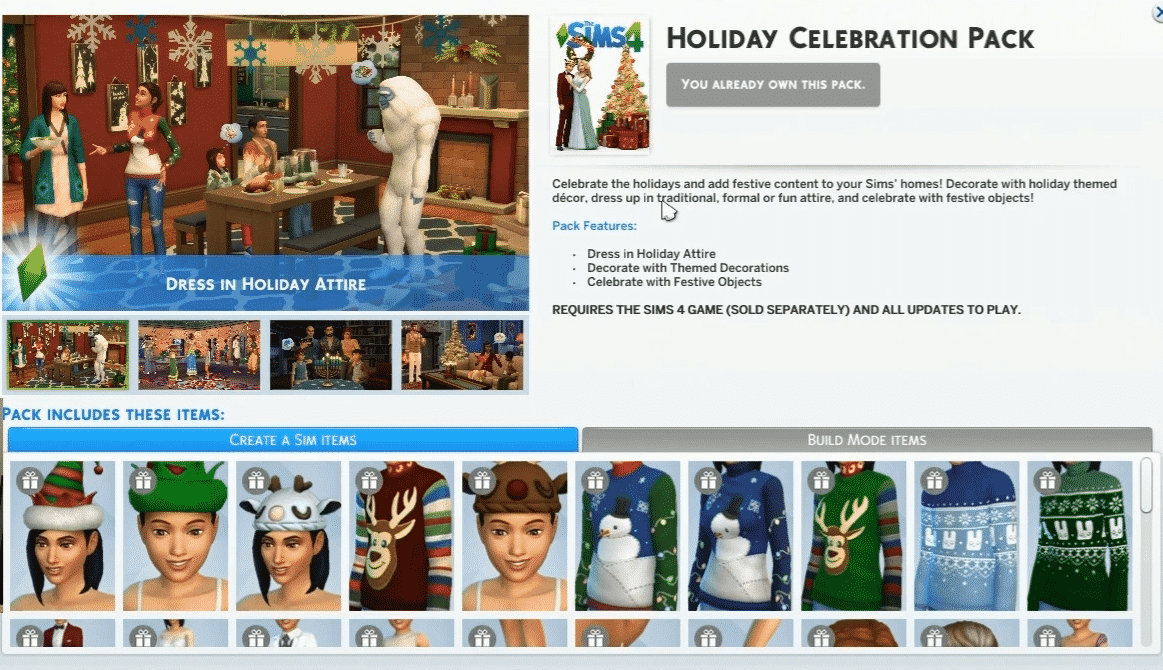
In case you don’t know, Kate has shown off some of the upcoming goodies that are coming to the Holiday Celebration Pack and they’ll be releasing along with the latest update. CLICK HERE for a full overview of the new items coming to this Free Pack!
She also mentioned that there are going to be some important bug fixes for the game. Although the date for the update has been set she did mention that this date is subject to change depending on whether or not The Sims Team stumbles upon an obstacle when pushing out the update.
The holiday season is approaching and we are feeling extra festive!
We are giving away a bunch of The Sims 4 Get Famous Expansion Pack codes across multiple websites and social media. Right now you are able to enter the following giveaways:
That’s right – we’re currently giving away 7 COPIES of Get Famous! The main giveaway that’s being held on Sims Community Social will last until December 22nd at 8PM CET while the Social Media giveaways will last until December 16th. Don’t worry, there are going to be a few more Get Famous giveaways after these end!
Huge thanks to Electronic Arts for providing us with the game codes and good luck to everyone entering!
The Sims Mobile Team sent us exclusive information about their upcoming 12 Days of Winterfest Event! Just like the ASOS Fashion and Halloween Events this one has a similar progress user interface with an option for you to claim tokens through quests and spent those tokens on the items of your choice.
There’s a huge variety of quests available in the game as well as prizes that you’ll be able to purchase for your Sims and your home. In this article I’ll be taking you through all the quest steps and items that you’ll be able to unlock with this event.
Down below you can check out the video walkthrough of the latest 12 Days of Winterfest Quest. If you prefer written content keep scrolling!
12 Days of Winterfest Menu
The 12 Days of Winterfest Event menu comes with a lot of useful options, overviews, quests and activities that you can watch over and achieve during the event. As you might’ve guessed, this event is going to last for 12 days as soon as the Welcoming Winterfest Head Start Quest comes to an end. The items that you’ve earned from this quest will definitely come in handy and will give you some extra Candy Canes (the new token that comes with this event) on a regular basis.
Down below you can see that the 12 Days of Winterfest Event Menu includes a progress bar with items that you’ll be able to unlock as you collect Candy Canes through various activities and quests. The progress bar will count all the Candy Canes you’ve collected through the event and will not subtract and tokens if you decide to buy reward items in the reward section.
Below the progress bar you have 2 sections: Rewards and Activities.
Rewards are items that you can purchase in exchange for Candy Canes. There are plenty of exclusive rewards for this event and we’ve already have them covered in this article (slightly down below). Activities are events that you can do, usually on a daily basis, that will reward you with Simoleons, XP points and of course – Candy Canes.
Event Progress Bar Item Prizes
Here are all the items you’ll be able to unlock by filling the event progress bar with Candy Canes:
Winterfest Gifts (125 Candy Canes)
Foraging Timber Reindeer (3,900 Candy Canes)
Shady Surfing Santa (7,300 Candy Canes)
Winterfest Hat (11,700 Candy Canes)
Holiday Hearth (16,100 Candy Canes)
Spruced Up Fir (20,400 Candy Canes)
Father Winter’s Robes (24,700 Candy Canes)
Reward Items
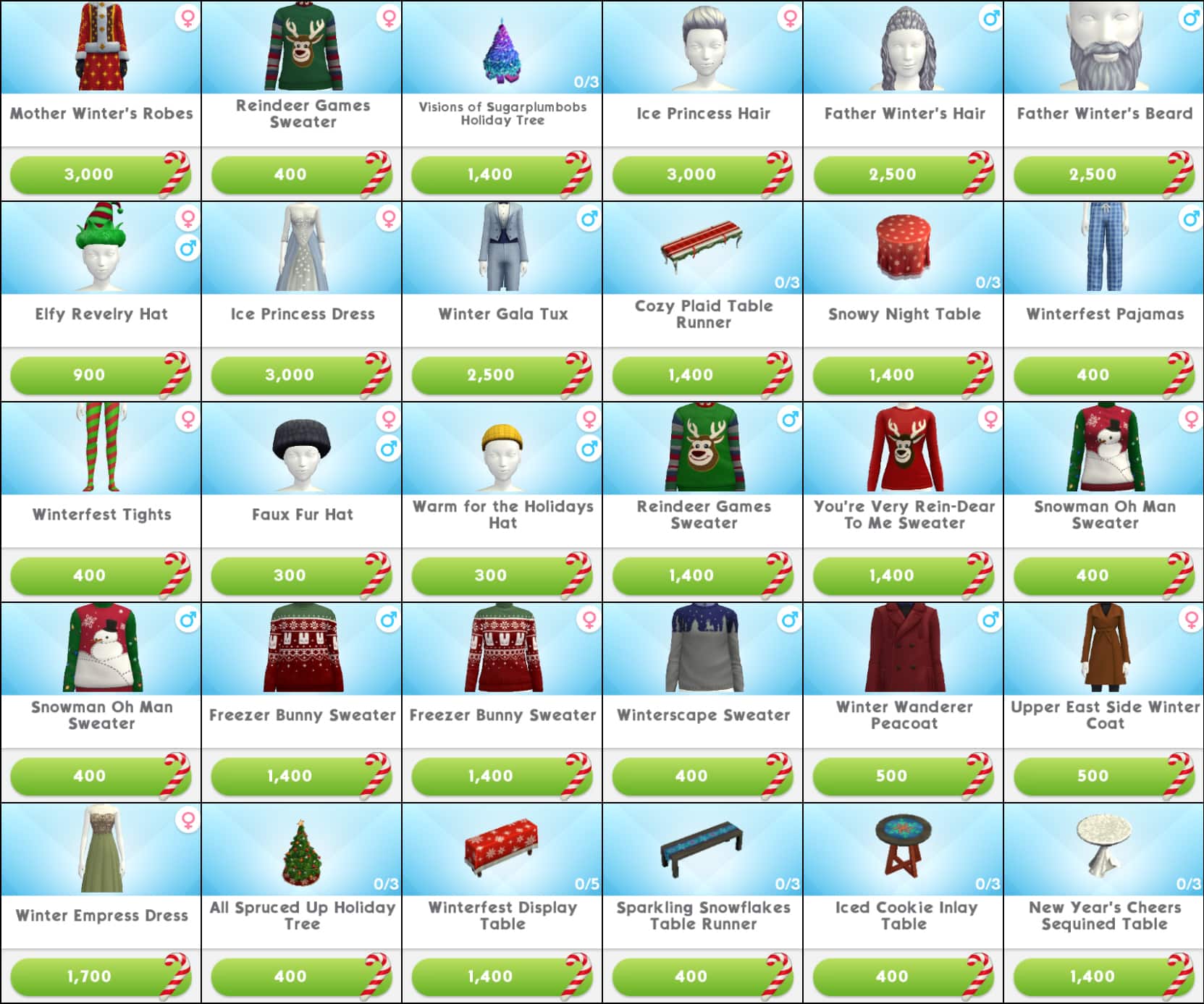
There are 30 reward items that you’ll be able to unlock through the Rewards section in the 12 Days of Winterfest Menu. Each reward item can be purchased exclusively with Candy Canes.
Down below you can check out the full overview of the new items as well as the tokens required to purchase them:
Winterfest Gift Box
The items that you’ve seen above aren’t the only new items that you’ll be able to purchase in exchange for Candy Canes. In the beginning of the Rewards section you have the “Winterfest Gift Box” with 20 unique items. Unlike with the items in the reward section that you get to pick and choose in return for Candy Canes, here you’re purchasing a Gift Box for 25 Candy Canes in return for a random item that’ll be selected from the catalog down below.
12 Days of Quests
The Sims Mobile’s 12 Days of Winterfest event comes with THE BIGGEST quest! More precisely 12 quests with each quest having 6 steps that you need to complete in order to get the grand reward.
Before we get into all of the quest steps that you need to take, here’s a look at the reward that you’ll be getting after completing each quest segment. There are 12 seperate quests and each quest gives you the ability to unlock Fashion Gems, Simoleons or SimCash. Each quest segment for each day of the quest brings a unique token reward (Fashion Gems, Simoleons or SimCash). The token rewards are not randomized but each prize is set individually for each day of the quest, meaning that the prizes have already been set.
Down below you can check out each day of the quest and each step that you need to take in order to get the prize shown above.
Quests below are linked when it comes to progress and completion – meaning that if you want to reach to Day 12 quests you’ll need to complete the first 11 days of quests. If, for example you finish Day 1 of quests you’ll be able to immediately move on and start completing the Day 2 quests.
Down below we’ve listed all the quest steps, shown rewards for each step and listed the grand prize that you’ll be getting after completing the 6th step for each Day of Winterfest.
Here are all the quests and steps in the 12 days of Winterfest event:
First Day of Winterfest
Complete events to earn Simoleons (30 Simoleons).
Look for a pear in a floor plant.
Complete a short career, hobby, or relationship event.
Earn Candy Canes by completing Winterfest events or LlamaZoom tasks (400 Candy Canes).
Complete the Search for the Regiftable Gift event at Home.
Open a Winterfest Gift Box.
Grand Prize: 500 Simoleons
Second Day of Winterfest
Search for crying doves in floor plants and trees.
Earn Candy Canes by completing Winterfest events and LlamaZoom tasks.
Give out stickers (5 Stickers).
Complete a standard career, hobby, or relationship event.
Complete the Last Minute Shopping event in Market Square.
Complete events to earn Simoleons (300 Simoleons).
Grand Prize: 16 Fashion Gems
Third Day of Winterfest
Search for missing hens in garbage cans.
Complete the Winter Waterfront Mystery event in Waterfront.
Complete LlamaZoom tasks.
Complete a standard career, hobby, or relationship event.
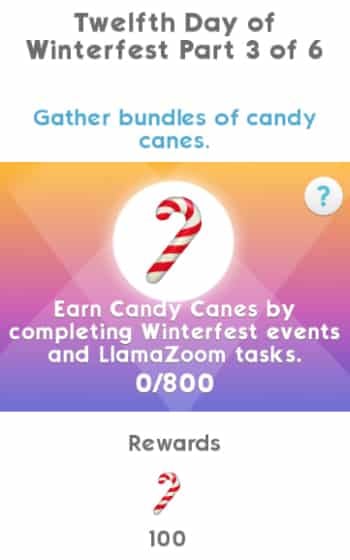
Earn Candy Canes by completing Winterfest events and LlamaZoom tasks. (800 Candy Canes)
Open a Winterfest Gift Box.
Grand Prize: 20 SimCash
Fourth Day of Winterfest
Accuse another Sim of being a bird. (3 times)
Complete the Latte & Skate event in Parkside.
Complete LlamaZoom tasks.
Complete the Search for the Regiftable Gift event at Home.
Open a Winterfest Gift Box.
Complete events to earn Simoleons. (650 Simoleons)
Grand Prize: 1000 Simoleons
Fifth Day of Winterfest
Search for gold rings lost down a sink. (3 times)
Complete a short career, hobby, or relationship event.
Complete LlamaZoom tasks.
Complete the Last Minute Shopping event in Market Square.
Earn Candy Canes by completing Winterfest events or LlamaZoom tasks. (400 Candy Canes)
Complete the Winterfest Holiday Party event in Downtown.
Grand Prize: 50 Fashion Gems
Sixth Day of Winterfest
Lay like a goose in a bed. (3 times)
Complete a standard career, hobby, or relationship event.
Earn Candy Canes by completing Winterfest events and LlamaZoom tasks. (800 Candy Canes)
Complete the Search for the Regiftable Gift event at Home.
Complete LlamaZoom tasks.
Complete the Latte & Skate event in Parkside.
Grand Prize: 25 SimCash
Seventh Day of Winterfest
Take a tea-leaf infused soak at a bathtub or shower. (3 times)
Attend a party and earn 3 stars as a contributor.
Complete the Winterfest Holiday Party event in Downtown.
Complete multiple standard career, hobby, or relationship events. (4 Standard Events)
Earn Candy Canes by completing Winterfest events and LlamaZoom tasks.
Complete LlamaZoom tasks.
Grand Prize: 1500 Simoleons
Eight Day of Winterfest
Get some milk from the fridge. (3 times)
Complete the Last Minute Shopping event in Market Square.
Complete events to earn Simoleons. (300 Simoleons)
Earn Candy Canes by completing Winterfest events and LlamaZoom tasks. (800 Candy Canes)
Complete a standard career, hobby, or relationship event.
The Sims Mobile has just launched a brand new update for The Sims Mobile! This update is a minor one and fixes some of the bugs and issues that some players have experienced in the game.
You can download it by simply opening up The Sims Mobile app.
Hey, Simmers!
We have made some more fixes around color options that should be owned by your account but are not being properly credited. We encourage you to reach out to EA Help if you continue to experience issues.
Additionally, Harvestfest’s “Pumpkin Spice Lovers” story heirloom now is available in the Heirloom Store as both a possible featured heirloom for 100 Heirloom Tickets and a possible reward from the heirloom boxes. For those of you who experienced technical issues during the Harvestfest, we apologize and hope this helps you get some of the seasonal fun that you missed.
Notable bug fixes:
Fixed another issue with Sims being in multiple events at the same time. For more details on getting back to a normal state, see this workaround
Fixed an issue with makeup, hair, and facial hair items not being properly flagged as “owned”
Fixed an issue with some objects not having all colors unlocked
UPDATE: Origin’s latest SAVE30 promo code is eligible with this offer – meaning that you’ll be able to get The Sims 4 Base Game for just $7!
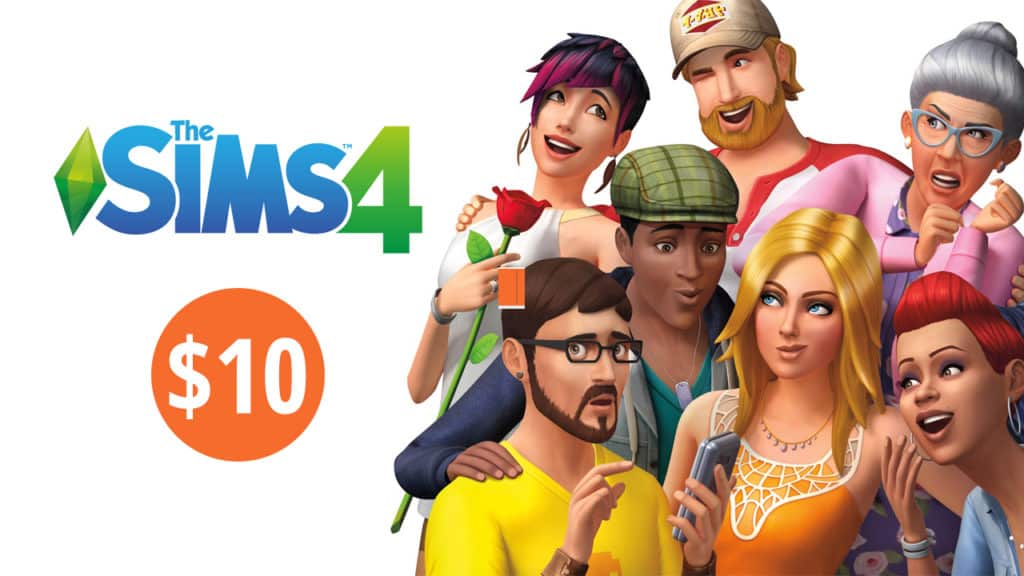
It’s crazy but it’s true – The Sims 4 Base Game can now be purchased on Origin for only 10USD!
During a limited period all EA’s major titles are having their prices slashed and The Sims 4 Base Game is included! The standard edition of this game is currently 10USD while the Digital Deluxe price hasn’t changed.
You can get the game by clicking below. It’s also the perfect chance to give your friend or a family member the gift of Sims!
Origin is currently having a huge promotional offer where they’re cutting prices for 30% off to ALL games in their library, including The Sims 4 and all of the packs. Yup, ALL packs, including the following ones which haven’t been on sale that much recently:
The Sims 4 Expansion Packs (Get Famous included!)
The Sims 4 Game Packs
The Sims 4 Stuff Packs
The Sims 4 Base Game
The Sims 4 Build Your Bundle
The Sims 4 Get Famous Expansion Pack finally got its first sale offer with this deal.
To take advantage of this deal simply select a game of your choice and add the SAVE30 code at checkout. The offer is currently active and is valid until December 18th, 2018 at 10AM PST. Make sure you take advantage of this offer before it’s too late!