Home Blog Page 331

The Sims 4 Cats & Dogs + 2x The Sims 4 Xbox One Social Network Giveaway

We’re giving away a few Sims 4 games on our social network profiles – Twitter, Instagram and Facebook.

On Instagram and Facebook we’re giving away a copy of The Sims 4 for Xbox One while on Twitter we’re giving away a copy of The Sims 4 Cats & Dogs Expansion Pack. You can enter these by following the rules of each post down below (membership of each social network is required).

You’re allowed to enter multiple giveaways once. They end on December 24th at 8PM CET!

Challenge Yourself in a Sims 4 Build Forum Contest

0

Hi, I’m Jason Sterling. The holidays are here. It’s a time to enjoy meals and celebration with family and friends, expressing love, joy and togetherness.  However, if you’re like me, you get tired of pretending to have fun, like that and instead want some REAL FUN in the Sims 4 with build contests!

Time off for the holidays is the perfect time to join your fellow Simmers in a build contest on the Sims Forums. I have my big three contests here. I think all of them can help you get into building if you’re a new builder. They can also challenge and expand your skills if you are an experienced builder. You can go to each challenge directly from the links below. As well, have you ever dreamed of getting a Maxis Fave for something you have built. This is a great way to pursue that. Often the favorites you see on the Gallery are culled directly from the contests on the Forums where they are easy for the Gurus to see and identify. All three of my Maxis faves have come from this source.

The Oldest- “Build-n-Share”: Build-n-Share Sims 4 / Build-n-Share Sims 3

Challenge Yourself in a Sims 4 Build Forum ContestThis contest has been around a long time. It started with the Sims 3. In fact BnS continues to host Sims 3 challenges to this day. It was natural to create a Sims 4 version too. You play the part of an architect and designer.  The challenge is to fulfill the wishes of the various clients of your practice. You have a budget, some design guidelines and often a backstory of who you are designing for. This holds true for most challenges. Further, this contest is cosmetics driven and relies entirely on the pictures you supply of your build. The judges do not download and play test these entries. Therefore, you are allowed to use Custom Content on these challenges. That’s a big appeal for some.

The Toughest- “Quality Control”: Quality Control Contest / Quality Control Create a Room / Quality Control Monthly Contest

Challenge Yourself in a Sims 4 Build Forum Contest

It is a tougher contest and that’s why it’s great. I have learned more from these challenges than any other.  That’s a big part of its appeal. It operates on far more than just cosmetics. The judges download and play test every room for play ability.  Does everything work? Is a chair sticking through the wall? These things and more are investigated for scoring in this contest. Don’t worry however if you are a novice builder. They judge and score on three different levels- Intermediate (Novice)/ Experienced and Advanced. You can also enter unofficially to share your creations with others without being judged and considered for the contest. There are three versions of this contest. The first two links for this contest have a two week time frame. The monthly version is a non-judged just for fun entry. So, if you’re nervous, you can always try that one first.

The Nicest- Rosemow’s “One room, One week, One Theme”:  One room, One week, One theme

Challenge Yourself in a Sims 4 Build Forum ContestDespite it’s reputation I find most everyone on the Sims Forum and certainly within the creative posts to be nice. However, there is one person that stands out in their exceptional ability to have a positive attitude and a helpful demeanor in all situations, Rosemow. She oversees the One Week/ One Theme/ One Room Contest. This can be a great challenge for beginners as the time frame is manageable and so is the size of the challenge. The themes are always delightful. So to are Rosemows reviews and always kind words. As well, if you have ever been afraid to approach the infamous forums and it’s unruly band of miscreants then start here. You’ll be pleasantly surprised by everyone you meet. The same can in fact be said of all the challenges shown.

I hope you’ll try one or all of these contests to add another dimension to your Sims play. Do you know of any other contests or challenges on the Forums, Facebook or anywhere else. Please feel free to share them in comments. I’d love to check them out. Visit me on Twitter @JasonSterling70

How to unlock The Sims 4 Snapchat Lens

4

The Sims Team has created a special Lens / Filter just for Snapchat featuring a Plumbob, The Sims 4 logo, thought bubbles and some fun new accessories which you can shift with each tap. These lens are currently available in these territories: US, UK, FR, GER, CAN, and AUS. However, if you don’t live in these territories or just cannot find the lens in your Snapchat app yet there’s a method to unlock the lens.

Here’s how you can unlock it:

  • Open up your Snapchat App on your iOS / Android Device
  • Select your rear camera
  • Press and hold the area of the Snapchat Lens Code shown below:

How to unlock The Sims 4 Snapchat Lens

  • After you’ve successfully scanned the code shown above you’ll get an option to unlock the TS4 Snapchat Lens for 1 hour.

How to unlock The Sims 4 Snapchat Lens

NOTE: After that hour has passed you’re free to scan the code again and unlock the lens!

Update to resize object feature on The Sims 4 Console

18

The Sims 4 Console has just recently received an update which fixes a few bugs and adds a few objets. What The Sims Team didn’t mention in the patch notes are the minor updates for the resize feature on The Sims 4 Console, and those are:

  • You no longer use L2 + R2 + Up & Down on D-Pad but L2 + R2 + Left & Right to resize.
  • The ability to make objects smaller has finally been added. Just select an object and use L2 + RT + Left D-Pad button to make any object that you’ve selected smaller.

The Sims™ 4 20171217224230

The Sims 4 Dine Out is coming January 8th, 2018 on Consoles

2

Reliable retail site GAME UK has listed The Sims 4 Dine Out Game Pack for Xbox One to be released on January 8th. This means that we can expect this Game Pack to be released for both PS4 and Xbox One around this date.

For more posts, news and original articles about The Sims 4 Dine Out, check out our Dine Out Post Category!

The Sims 4 Dine Out is coming January 8th, 2018 on Consoles

The Sims Mobile: First 15 Minutes of Holiday 2017 Update

2

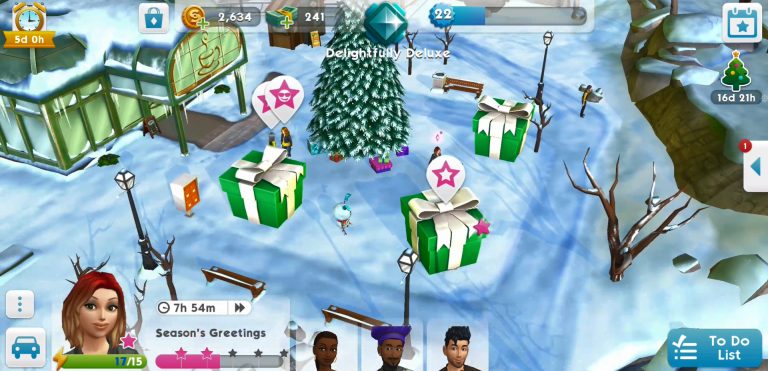
The Sims Mobile team has just recently issued out a new update for the game, bringing new holiday events packed in one giant event opportunity “Winter Wonderland” along with UI improvements, bug fixes and of course – snow. Check out what this update has to offer in the video above!

The Sims Mobile now has Snow

4

To everyone’s surprise, The Sims Mobile’s latest update has brought snow to the game. Not only that but the update also offers various holiday events throughout the next 17 days.

What’s interesting is that most things portrayed in The Sims Mobile use The Sims 4’s art style. Could this be the first sneak peek at snow in The Sims 4?

The Sims Mobile now has Snow

The Sims 4 City Living + Movie Hangout Stuff are 50% off on Origin!

Origin is currently offering The Sims 4 City Living Expansion Pack and The Sims 4 Movie Hangout Stuff Pack for HALF the price!

This means that you can get City Living for $20 and Movie Hangout for only $5.

It’s unknown for how long will this sale last so make sure you take advantage of this offer before it’s too late!

The Sims 4 City Living + Movie Hangout Stuff are 50% off on Origin!

The Sims 4 Console: New Update + Patch Notes! (December 14th, 2017)

The Sims 4 Console: New Update + Patch Notes! (December 14th, 2017)

The Sims Team has released a brand new Update for The Sims 4 for Console devices – Xbox One and PS4!

Patch Notes

Update: v1.03

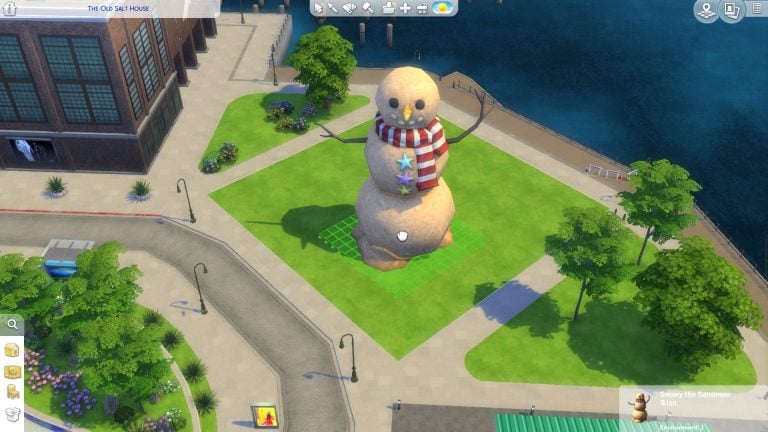
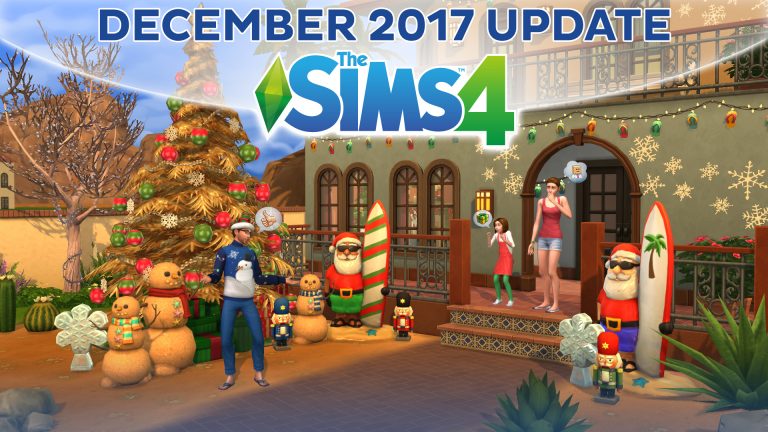
Howdy Simmers. Nice spread you got here for the holidays. To add to your eggnog and cheer, I have some delightful updates for you. A smattering of stocking stuffers, if you will. Snowy the Sandman, Surfin’ Santa, and Flip-Flop Wall Lights to brighten your décor. It’s just like Christmas but in the Summer. Come to think of it, it’s just like normal in Australia!

What’s in the stocking: 

  • ‘Soft, what light through yonder window…’ we improved the ambient lighting system, meaning the sun can shine through windows now.
  • Not all Save files are created equal, or even at the same time.
  • Sometimes you just want to pick up where you left off by hitting PLAY. Wait… what save was I playing last time? Looks like I can just hit PLAY and see.
  • Woo! you can search for sinks again without un-placing your toilet.
  • Master Volume settings are respected between game sessions. No more unexpectedly waking the rest of the house up with the sounds of…well… you know… anything.
  • More reliable Tracer movement and improvements to the Virtual Cursor. I’ve got nothing to say about this; it is what it is.
  • Am I the only one that makes laser noises when zooming around the screen? Well, now in-game noises will match better and drown you out.
  • Improvements to hover tips being displayed at the correct times. We’re working on it kids. There’s a lot of hover tips.
  • After you rotate an object in your house, why not copy the room and walls and expand to have more room to move around?
  • Placing live wall art can be tricky, especially if you aren’t told where it can’t go. Now we’ll guide you in where it looks best. Everyone’s a critic, even the walls. They’re a bit easier to understand now, though. Of course, you could enable the bb.moveobjects cheat and put it where you feel it looks best.
  • The Personality Panel tutorial won’t interrupt you anymore when you’re creating a Sim through Manage Worlds
  • Like to move it, move it? Now you can. If you want to Move House after using Move Lot, you can. Just remember to always back it up, back it up.
  • Removing the last item from a category in My Library won’t result in partial loss of functionality. This is why I never made it as a surgeon: Is this heart-shaped bit important? Oh. Oh, OK, let’s put that back then…”
  • Adjusting the placement of your mailbox won’t prevent you from placing other objects.
  • Using the Eyedropper tool no longer disables controller buttons.
  • Rotating rooms will no longer cycle the Build Mode catalog at the same time. I like multitasking as much as anyone, but we have to draw the line somewhere.
  • Flooring controls will continue to work after placing a floor pattern from a Styled Room. Even though that pattern really tied the room together, now you can use other patterns in other rooms.
  • Backing out of holding an object from a Styled Room will no longer cause loss of functionality. If you drop something, you’ll be able to keep using your fingers now.
  • While we don’t always agree with everyone’s design choices, we shouldn’t be the only judge of taste, so go ahead and select the Design Tool after managing a Styled Room. (We might still judge, but quietly. You know we’re watching you, right?)
  • Exiting the Bride or Groom picker will no longer cause an unhappy ending. No, that WASN’T a sign from the universe that I was making the wrong choice.
  • If you return to the Main Menu from the Objects by Function section, then that is your choice and we accept that. Shopping can be a daunting task, but now you can move if you just decide you have had enough of it.
  • Not a speck of coal here.

Cheers!
SimGuruCleaningLady

The Sims 4: December 12th Update Video Overview

2

Watch as we take a look at The Sims 4’s December 12th Update, some crucial bug fixes and new content added to the game!

You can check out the patch notes for this update HERE!

The Sims 4: New Patch Items (December 12th, 2017)

Some may have noticed that in todays patch we gained a few CAS and buy mode items, below you will find each item and all the colour swatches present in game. All the new items are within the ever growing free holiday pack. It appears that the new buy mode items are summer themed winter items and the CAS items are new animal hats as well as some nice henna tattoos.

New CAS Items

New Buy Mode Items

The Sims 4: New Update + Patch Notes! (December 12th, 2017)

The Sims 4: New Update + Patch Notes! (December 12th, 2017)

The Sims Team has released a brand new Update for The Sims 4!

To download the latest version of The Sims 4, simply open your Origin program and if the game doesn’t update automatically, right click on The Sims 4 and select ”Update”.

In case you have Mods or Custom Content, the game will automatically disable them for you after first launching The Sims 4 after the update. To re-enable all your Mods and Custom Content, select the Settings option in the Menu and select Settings. Under the”Other” section you’ll find the ”Enable Custom Content and Mods” option. Check it and restart your game in order for it to take effect!

Patch Notes

Update: 12/12/17 –  PC 1.37.35.1010 / Mac 1.37.35.1210

Sul Sul, Simmers!

It’s year’s end, another one come and gone. The Cats and Dogs have been let loose to frolic, the kids are busy toddling hither and yon, and the parents lay like vampires waiting for that long winter’s nap.

What better time for silly reindeer games…

Like telling horrible jokes…

  1. What did the vampire toddler say when she was hungry?
  2. Why did the toddler drink coffee?
  3. Why did the toddler lick the toilet?
  4. Why did the toddler overfeed his puppy?
  5. Why did the toddler lick his puppy?
  6. Why did the Sim quit her bowling league?
  7. What do you call an emotional PlantSim?

Or just finding out…

What’s New!

  • Seven new animal hats have crawled their way into Create A Sim.
    • Take one home today, and let it nest upon your head, all warm and snuggly.
  • Three new holiday objects with a sunny disposition.
    • Snowy the Sandman decorative
    • Surfin’ Santa floor light
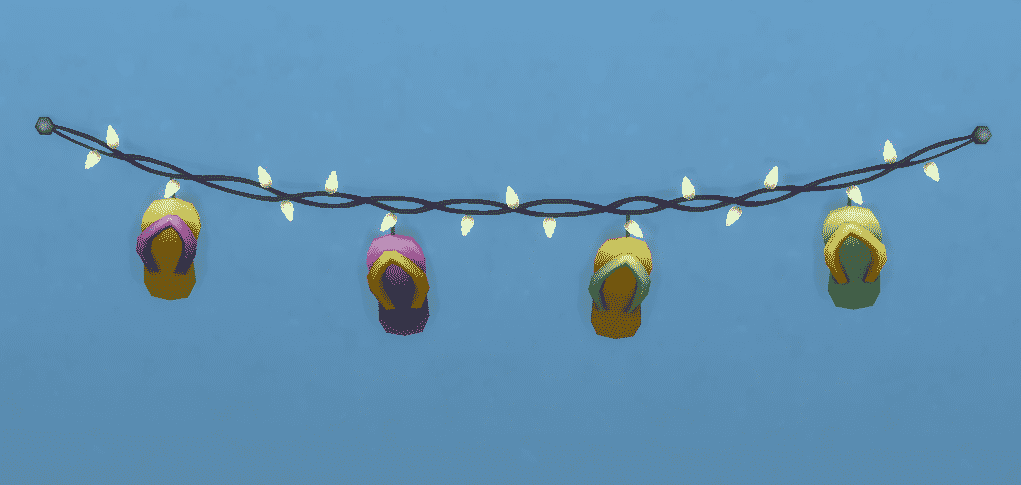
    • The Flip-Flop wall lights
  • Two new tattoos for male and female hands (one left and one right), that are in the style typically associated with henna.

General Issues

  • We fixed an issue with the licensed content royalty notifications Sims receive, that could cause the text of the notification to become corrupted.
  • Gallery hashtags are once again functioning for new uploads to the Gallery.
  • Sims in the painter career will no longer be able to sell the paintings directly from the walls of the museum.
  • Sims with the Lovelorn tense buff will now notice that performing romantic socials (as the buff directs you to do) will in fact decrease the duration of the tense buff.
  • Custom content makeup for toddlers and children should once again function as expected.
  • Locking your doors, then leaving the lot, and then returning, should no longer cause the door lock to fail.
    • Once again you will be able to really keep your little brother out, and stay out!
    • As I always say “Hey little bro, read the sign. It clearly says Depwa Spanewash Depla Blah.”
      • And that’s usually the end of that argument.
  • Sims that show-up for Dance related events (such as Dance Party, Party at the Bluffs, or similar) will now show-up wearing the outfit they have in their Party category, rather than some other randomly assigned attire.

Get to Work

We addressed some issues with the Detective Career:

  • Suspects that were locked in a cell, will still be locked in the cell when you return the next day, and not standing outside.
  • Interacting with criminals or suspects held in their cells should no longer fail to complete.
  • Detectives should now be able to remove Sims locked in their cells to interrogate them.
  • You should no longer be unable to complete the Take Mugshots at the Booking Station, Search Criminals at the Booking Station, or Get Criminals Fingerprints at the Booking Station daily career goals, due to the suspects untimely disappearance from… the Booking Station.
  • And we addressed an issue that could prevent a criminal from properly appearing that matched the clues for the crime in question.

City Living

  • Sims downloaded from the Gallery who had their Insider Trait changed in Create a Sim, will no longer get the Insider Trait sad buff, Miss Hanging Out, from not hanging out…
    • …as they are no longer an Insider that would get sad from such things.
      • Do you think a Sim from the Gallery, who was modified after download, remembers who they were? Do you think they retain some of their former self?
        • Maybe… deep down underneath, and really what’s happening is some sort of dystopian Sim nightmare?

Cats & Dogs

  • The pet vending machine household funds information will now accurately reflect the amount of funds you have, and not some seemingly arbitrary “other” amount.
  • Dogs should no longer stretch into horrible monstrosities (that only a demogorgon from the other side of Hawkins could love), when attempting to grab a toy from the toy box.
  • Kittens will no longer get stuck in Cat Condos.
  • Smart Dogs will no longer whimper at an unlocked door when nature calls.
  • Locking your door will no longer prevent adoption.
    • Baby-gram!
      • Um, no. *click*
    • NO! A locked door?! Oh man… I… I guess I’ll have to take this one home too. The wife is not going to be happy about this.
  • Getting a preventative shot for your pet will no longer put them in a state of perpetual fear.
    • So, so… the shot worked, right? I mean I got the shot, it stung, I felt it. The stuff is there, I’m not gonna get sick, yea? Or… wait a minute, did you just want to stick me with that? That’s it, isn’t it! And… are you going to do this to me again? Has our whole life just all been a ruse? Some sort of needle pricking alien experimentation study… that’s it, isn’t it? You’re an alien! Aargh, how do I get out of here?!

Vampires

  • Vampires should no longer lose various powers after traveling.
    • I’m sorry sir, but travel regulations clearly state pursuant to section alpha-niner, as clarified in Necktie vs Klaatu Barada, that all Bat Form powers must be surrendered prior to any travel within the greater metropolitan area, you understand I’m sure.

Movie Hangout Stuff

  • You can now add the club rule Eat Popcorn to your club!

Backyard Stuff

  • Milly’s Dining table will now properly show all color variants when selected.

Toddler Stuff

  • Fixed an issue with the Vita Sail Shades decorative object that was resulting in part of the object appearing blocky in some color variants.

Thank you for everything, and Happy Holidays!

-NgmUrsoUgeim

Behind Closed Doors: The Sims 4 Laundry Day Stuff (Concept Art / Info)

1

Via EA.com!

Recently, Maxis asked the community to help them create an all-new Stuff Pack for The Sims™ 4. And the response was incredible!

We sit down with Associate Sims Producer, Graham Nardone (better known as SimGuruGraham) to learn more about the process and find out how working with the community makes The Sims better

This stuff pack was inspired almost entirely from Sims community feedback. How did they respond?

The response from our community blew past our initial expectations. In less than an hour, we received tens of thousands of votes on the overall pack theme! We’ve always fostered direct lines of communication from members of our studio to all the Sims fans out there, but we’ve never had the opportunity to discuss upcoming content so early in development.

What is the overall theme and direction of The Sims 4 Laundry Day Stuff Pack?

When we first started discussing this project within the studio, we wanted to ensure this process represented the feedback our players have sent us in the time since The Sims 4 launched. Overall, Maxis is very engaged with our community on our official forums and social media, and we noticed players continuing to request certain themes that we had no plans to address within the near future. We thought those ideas would be a great starting point for players to rally around when selecting the theme of this pack. Out of the five proposed themes (Eco Living Stuff, Starter Homer Stuff, Arcade Stuff, Dangerous Stuff and Wedding Stuff) that players were able to vote on, Eco Living was the winner.

Behind Closed Doors: The Sims 4 Laundry Day Stuff (Concept Art / Info)

Had the “arcade” theme been selected by players, these vibrant ’80s clothing concepts were being prepared for the art style vote.

Out of the five proposed themes that players voted on, Eco Living was the winner. As further votes took place and ideas coalesced, we landed upon rustic furniture appropriate for a sunroom or mudroom, fashion in the style of country boho, and adding laundry as the new gameplay feature.

Behind Closed Doors: The Sims 4 Laundry Day Stuff (Concept Art / Info)

More concepts from the “arcade” theme.

What were some of the more interesting requests that came in from the community?

One of my favorites was seeing players debating the logistics of woohooing in a hamper or on top of a washing machine, and which one would be more practical to add to The Sims. Other players were requesting things like vacuum cleaners and lawnmowers as additional home chores to complement washing and drying machines.

Behind Closed Doors: The Sims 4 Laundry Day Stuff (Concept Art / Info)

A country barnyard wedding art style was prepared in case players selected the “wedding” theme.

Fast forward four years to the 2016 Maxis holiday party: our executive producer Lyndsay Pearson chatted with me about bringing the idea back in the form of a Stuff Pack for The Sims 4. I leapt at the opportunity! Not only do I really enjoy chatting with fans of The Sims, but I have a certain reverence for the seventeen-year legacy of The Sims that is made possible because of our passionate fans. I think they should have a voice in the direction that The Sims games take, so it’s really exciting to include them in this pack as part of the history of The Sims.

Behind Closed Doors: The Sims 4 Laundry Day Stuff (Concept Art / Info)

More concepts from the “wedding” theme.

What were some of the most-requested additions that made it into the Laundry Day Stuff Pack?

Laundry was frequently requested by our players, and it draws clear lines between the segment of people who play The Sims as a life simulation, and those who enjoy it as a video game.

Players who want a life simulation welcome a feature like laundry, as it’s something very relatable to our everyday lives. Others who want to “play” a video game wonder what purpose laundry serves, and how can it add to the fun they have with The Sims 4. Ultimately I think it highlights how The Sims appeals to a variety of players who have different motivations, and how we as a studio can use Stuff Packs to serve different segments of our audience.

Behind Closed Doors: The Sims 4 Laundry Day Stuff (Concept Art / Info)

Had the “arcade” theme won; players would have voted between American ’80s (above) or Modern Japanese (below) influenced arcades in the Art Style vote.

Behind Closed Doors: The Sims 4 Laundry Day Stuff (Concept Art / Info)

How important is working with the community for The Sims?

Staying closely involved with our community is so integral to what we do at Maxis. Something I really appreciate about working here is how people throughout the studio can influence our creative process, because they bring different diverse backgrounds that make us consider life from a variety of perspectives. In the same manner, The Sims has millions of fans, and their shared life experiences are vital for us to consider when making an inclusive game like The Sims. Any member of our team can choose to become what we call a SimGuru, that is – someone who directly engages with our players on social platforms, and has meaningful conversations with them about the work that they’re doing. Having this unfettered access between developers and players is pretty unique in a AAA studio, and the dialogue we have help us continue to make great games. Many of the players we speak to have been playing The Sims since it first launched back in 2000, certainly longer than I’ve worked on it. They’ve seen this game grow and change over time, and have important insights to share about where it could go in the future.

Behind Closed Doors: The Sims 4 Laundry Day Stuff (Concept Art / Info)

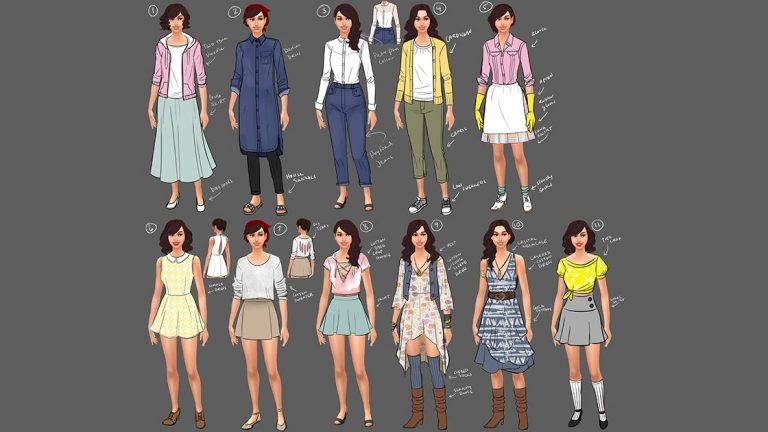
Early style explorations for clothing to match the eco living theme.

What part of this process has you most excited?

I’m personally very interested in providing a genuine behind-the-scenes view into game development here at Maxis. With this project being announced so early, we want to navigate each phase of development and provide context into everyday decisions. So far, that’s involved discussions about our pre-production process, in-depth explanations of in-game assets, and the specific milestones along the way.

For our players who want to engage in the development of this pack, we’re planning on discussing and showing more aspects of development that just aren’t typically shared. Be it via blogs, posts on our forums, informal Q&A sessions on twitter, or mid-development livestreams, we have a whole lot more in the works!

Behind Closed Doors: The Sims 4 Laundry Day Stuff (Concept Art / Info)

The color guide for a sink concept.

In looking at how the content evolved from concept art through final renders, what were the big design choices that the team made?

Most of the design choices that we’ve made were to set the stage for our players to make a final decision. Something we’ve stressed throughout this project is that we wanted this process to be an authentic representation of how we develop Stuff Packs. We’ve invited all of our players to have a seat at the table when decisions are being made that will influence the next stages of development. The votes that players are participating in are the same questions that we ask ourselves.

Behind Closed Doors: The Sims 4 Laundry Day Stuff (Concept Art / Info)

A sink goes from initial concept art, to color guide, to orthogonal drawing, to final asset.

What are some of the small details in this update that Sims players will be excited about?

Players will appreciate the attention to detail in these laundry features, some of which is influenced by player feedback that we received over seven years ago! Players shared a lot of positive comments about laundry in The Sims 3, but one critique we commonly received was the requirement that your Sims have a hamper in every room, or they’d end up throwing their clothes all over the floor. That’s something we’ve addressed this time around.

Another thing we hear often is that players in The Sims 4 are very conscious of the amount of space objects can take up, so we decided to create our washer and dryer machines so that they can be stacked – perfect for Sims who are living in an apartment in the world of San Myshuno.

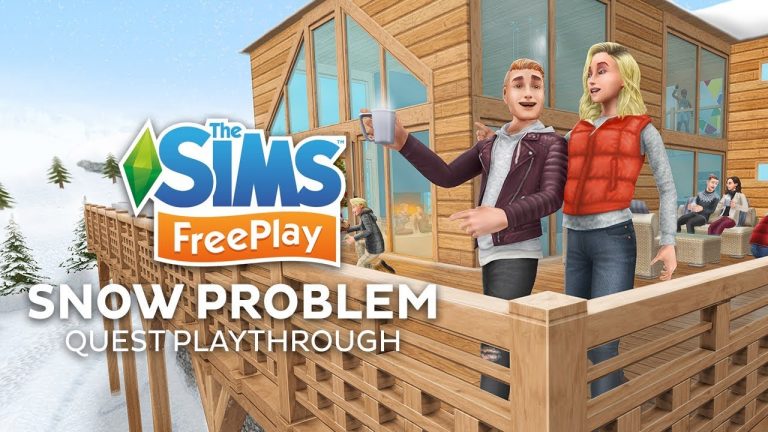
The Sims FreePlay: Snow Problem Quest Playthrough

0

Check out our first preview of The Sims FreePlay’s Holiday 2017 Update, featuring the Snow Problem Quest Playthrough!

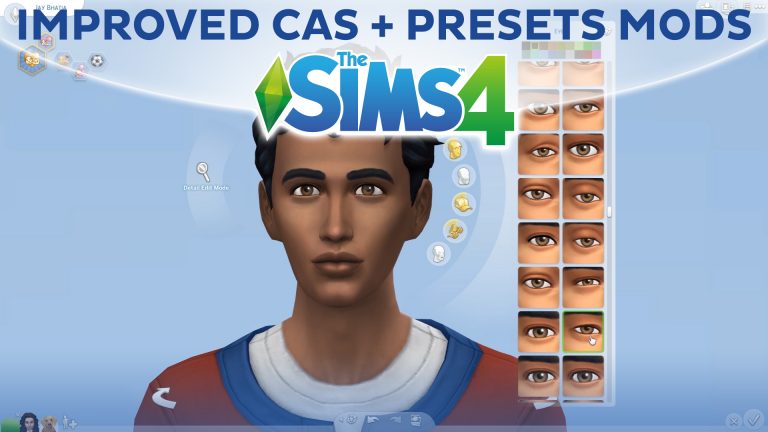
Improved CAS Lighting + Presets Mods for The Sims 4

0

In our latest video we’re showcasing 2 new mods which will greatly improve your The Sims 4 Create A Sim experience! You can download them by clicking the links below: