Home Blog Page 367

Countdown to The Sims 4 Fitness Stuff Release

6

There’s only a few hours away until The Sims 4 Fitness Stuff Pack comes out on Origin!

As many Simmers get confused about the time zones I’ve decided to put up a countdown timer down below that’ll tell you exactly how many hours, minutes and seconds until The Sims Team puts The Sims 4 Fitness Stuff on Origin. The time set down below is 10AM PT but please note that it’s usual for The Sims Team to release the game a few minutes early.

The Sims 4 Fitness Stuff is out now!

Countdown to The Sims 4 Fitness Stuff Release

The Sims 4 Fitness Stuff Review

12

An eleventh Stuff Pack for The Sims 4 – Fitness Stuff, offers mostly new of the same with some new gameplay. Is it worth the 10$ price? Read our review to find out!

Game Review Standards

This review is based on 5+ hours of gameplay.  Even though I was given an early review copy to test the game, I am not by any means paid or bribed to state positive (or negative) opinions about this stuff pack.  I will give my honest opinion of the stuff pack; its content and what it brings to the game.

Create A Sim

There are around 30 new items in Create A Sim. Unlike with most previous Stuff Packs this one focuses mainly on items for teens, adults and elders. The clothing pieces are colorful and there are plenty of swatches to choose from. What’s also good is that the inequality between new masculine and feminine items is less apparent in this pack. Sure, there are three hairstyles more for females than for males but everything else for clothing preferences seems equal.

Build Items

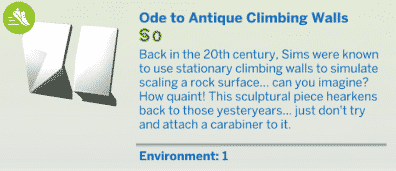
More than 30 new items in Build Mode as well. Other than the 2 fitness equipment items and a climbing wall there isn’t much in the build catalog that screams fitness, and that’s okay. The Sims 4 Fitness Stuff gives you a different angle of what modern is, combining wood with glass textures. Basically, it’s if The Sims 3 Into the Future and The Sims 4 Spa Day had a baby.

The Sims 4 Fitness Stuff goes great along with City Living!

Gameplay

There are 3 new gameplay features in this pack:

  • Climbing Wall
  • Earbuds
  • Workout Videos

The Climbing Wall

The biggest gameplay feature in this pack is the climbing wall. There’s a new hidden skill that comes with this object. The more you use it the more you advance in that skill and you’ll be able to play with new challenges. There are 3 climbing modes and 5 challenges to overcome.

It’s a fun object but honestly it’s really not that necessary for the game and I really don’t see adding it in. The resources The Sims Team has spent creating complex animations and effects for this object could’ve been used on 2-3 smaller fitness equipment like the eliptical machine or exercise bikes. With those objects the pack would’ve been much more meaningful.

Earbuds

I’m honestly much more excited about the earbuds. It’s a small object but means a lot for gameplay. It has all the same features that a basic stereo has but with the ability to listen to music anytime, anywhere with a click of your mouse. Unlike other new objects that you get in Build Mode, earbuds can be purchased exclusively via the computer.

The Sims 4 Fitness Stuff Review

Workout Videos

Another gameplay feature that I prefer more over the climbing wall. Sims can level up their fitness skill by following the movements on videos that you can play on the TV. There are 2 workout videos, each mixing some old animations with new ones.

The Sims 4 Fitness Stuff Review


Is the climbing wall the first thing that pops in your head when someone says fitness? Yeah, I didn’t think so… Beside the missed opportunity to bring actual fitness equipment that would be meaningful and useful, this pack is still worth the purchase for what it brings in Create A Sim and Build Mode.

[wp-review id=”62092″]


The Sims 4 Parenthood: Raising and Lowering Character Values

I don’t know about you guys, but I am just absolutely crazy about the new Parenthood game pack! The hype train hasn’t stopped since I saw the live broadcast before the release. If you missed out on the broadcast, check it out on The Sims Twitch channel.

Parenthood gives us new ways to shape how our Sims’ children grow up, making this the perfect pack for generational players. This game pack’s greatest strength lies in its new Character Values system. Children now have five Character Values that can be influenced in either a positive or negative direction from the toddler life stage to the teen life stage. Maxing out or tanking these Character Values will cause teens to age up with either a positive or negative trait. This trait will shape the way they live their adult lives and raise their own families, leaving a long-lasting effect that can be seen through many generations. Today, I’m going to give you a glimpse into one of my households and break down the best ways to influence those Character Values.

The Sims 4 Parenthood: Raising and Lowering Character Values

House of Wildcards

I have a household with four children. Rashad, Hakim, Hashim and Tazreen.

Rashad is the oldest child who’s set to become a teen in a couple days. He’s an A student. He’s maxed out his Empathy and Responsibility values already and almost has his Emotional Control maxed out as well.

Hakim and Hashim are twins and the middle children. They’re both B students. Hakim is pretty neutral with all of his values right now, but his brother, Hashim, is shaping up to be quite the little demon spawn. He’s enemies with his twin brother and with several of his neighbours. His Empathy and Emotional Control are both tanked, but his Responsibility is doing fairly well thanks to his mother’s insistence that he do his homework every night and complete any school projects he comes home with.

Tazreen is the youngest and the only girl. She’s a toddler with the Angelic trait so she never misbehaves, which means her character values are all pretty neutral as well since she doesn’t give her parents much of an opportunity to scold her for bad behaviour.

As you can see, I have a fair bit of variety in the kids in my household and how they’re being brought up. The most valuable thing I’ve learned by exploring all these different avenues with these kids is that not every action will affect character values by the same amount. There are more effective and less effective ways to raise/lower values so I’m going to break them down.


Empathy

Raising Empathy
Most Effective: Playing with the doctor playset
Least Effective: Random Friendly socials

Lowering Empathy
Most Effective: Trolling the Forums
Least Effective: Yell At (Mean Social)

NOTE: It takes a while for Trolling the Forums to make a dent but it’s a fairly easy way to tank your kid’s Empathy without having to destroy all their relationships in the process.

Emotional Control

Raising Emotional Control
Most Effective: “Play with Emotion” with toy box toys
Least Effective: Writing in a journal

Lowering Emotional Control
Most Effective: Shoving
Least Effective: Throwing a Tantrum or having a crying fit

NOTE: It’s not that emotional outbursts aren’t effective. It’s just that Sims can’t do those things unless they’re angry or sad. This means you don’t get enough opportunities to have them do this for it to matter much.

Conflict Resolution

Raising Conflict Resolution
Most Effective: Attempting to fix a bad relationship between two other Sims
Least Effective: Apologizing (Friendly Social after a negative interaction)

Lowering Conflict Resolution
Most Effective: Declaring an Enemy, Reaching Despised status with another Sim
Least Effective: Arguing (Mean Social)

Responsibility

Raising Responsibility
Most Effective: Coming home from school with an A grade, Completing School Projects
Least Effective: Putting toys away

Lowering Responsibility
Most Effective: Coming home from school with a D grade, Making a Mess (toddlers and children only)
Least Effective: Breaking Curfew

NOTE: You would need to have your Sim stay out all night long to make a significant dent in the Responsibility value for breaking a curfew.

Manners

Raising Manners
Most Effective: Setting the Table, cleaning up after meals
Least Effective: Teach to Say Please and Thank You

Lowering Manners
Most Effective: Belching, Farting
Least Effective: Shout Forbidden Words

NOTE: Setting the Table is most effective when done before every meal. It adds up quickly. You would have to Teach to Say Please and Thank You for hours on end to make significant progress. By then the kid is usually bored from being lectured for so long.


Out of all the character values, I’ve found that the easiest one to raise is Responsibility. You can max it out with very little effort. Just make sure kids and teens do their homework every night and complete any school projects they bring home. Have a parent help with projects if you can. I always select the careful option and have at least one parent help. The projects usually end up being excellent quality. Eventually, they’ll get an A from the homework and projects. Every night they come home with that grade, their Responsibility will get a large boost.

The most difficult value to raise is Conflict Resolution. This is mostly because the only way to raise it seems to be by either knowing two Sims who are enemies and trying to fix their relationship or, alternatively, repeatedly getting into arguments with Sims just to apologise which just seems to defeat the point.

I hope this guide to the Character Values helps you influence your virtual little ones for better or worse. Remember, these tips are just based on my own personal playing experience. If you have a different strategy to share with Simmers, let us know in the comments!

The Sims 4 Fitness Stuff: Build Items Overview

4

The Sims 4 Fitness Stuff Pack comes with more than 30 new items including new objects and wallpapers!

Down below you’ll see a full list of new objects and even more down below you can check out the new styled rooms that come with this pack. You can enlarge any image by simply clicking on it!

New Items

Styled Looks

The Sims 4: Shape-Shifter Challenge

2

Have you been looking for a brand new challenge to play in The Sims 4? Well look no further than the new Shape-Shifter Challenge by Simgridz.

What excatly is the Shape-Shifter challenge?

A long time ago – longer than you can even remember, you were abducted by the aliens of Sixam, a planet still unknown by your species, and it organisation SSO (Sixam Secret Operations). This malicious group’s aim is to dominate the entire Sim world and all of the Sims that live in it. But to do that, they need your help – or better said, your appearance.

After being involuntarily induced to a comma for two-hundred years, you wake up in a strange house, alone and far from everything and everyone you once knew. Next to you there’s a letter written by Gwog T’Vozeh. In it, he explains that you have become a spy for the SSO, and commands you to fulfill a mission which, in case of proving unsuccessful, could destroy you.

Furthermore, you realize that – not only you’ve woken up with a horrible headache but also you have the power to change your appearance at will. This is the tool that you will use to fulfill your missions, going through each and every Sim world, oberying Gwog’s and the SSO’s orders so maybe, one day, you will get your freedom back.


There are seven missions in total to complete in the challenge. Each mission has a Shape-Shifter description, location and a set of task that have to be completed in order to move onto the next mission. You complete the whole challenge once you arrive at Sixam.

To read more about the challenge in full check out the Shape-Shifter Simblr here. There is also a full FAQ section if you have any other questions about the challenge.

Let us know what you think of the challenge and share any screenshots over on SC Social or Twitter!

Happy Simming!

The Sims 4 Fitness Stuff: Create A Sim Overview

0

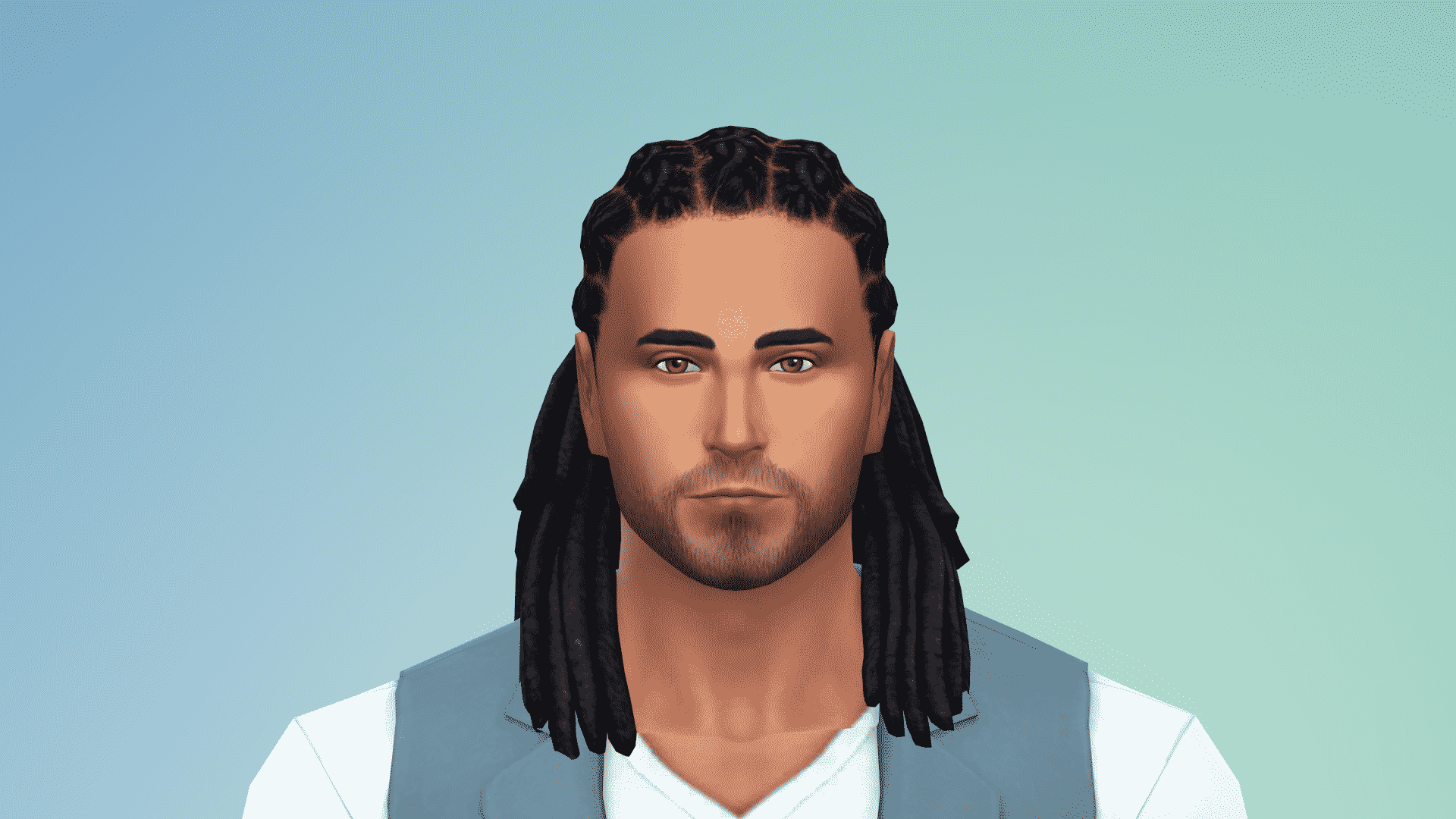
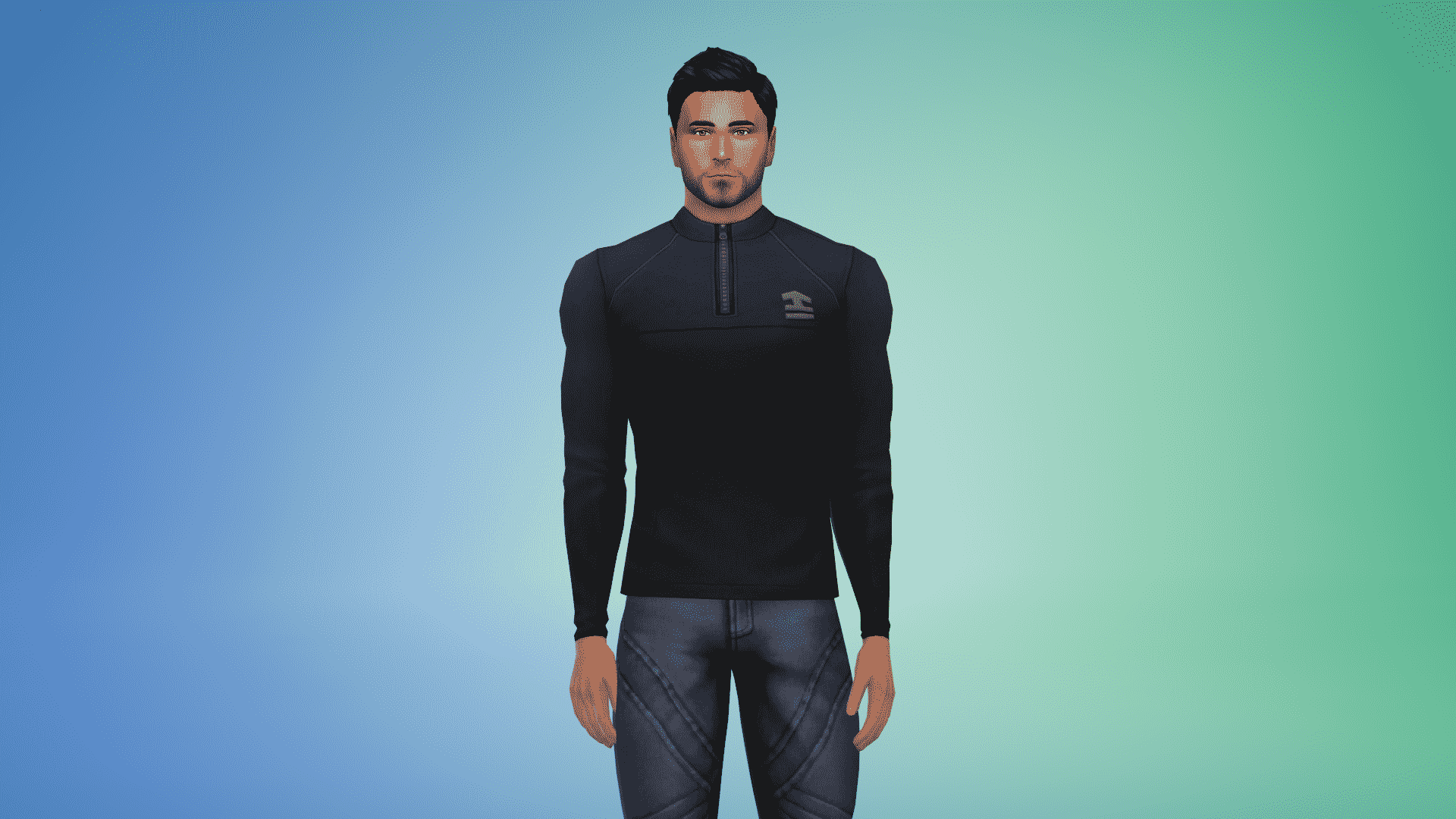
The Sims 4 Fitness Stuff comes with enough items to give your Sim a sporty look you’ve always wanted. There are no new items for kids but there are plenty of new CAS assets for teens, adults and elders. There are 23 new items overall.

Adult – Masculine

Hairstyles (1)

The Sims 4 Fitness Stuff: Create A Sim Overview

Tops (4)

The Sims 4 Fitness Stuff: Create A Sim Overview The Sims 4 Fitness Stuff: Create A Sim Overview The Sims 4 Fitness Stuff: Create A Sim Overview The Sims 4 Fitness Stuff: Create A Sim Overview

Bottoms (2)

The Sims 4 Fitness Stuff: Create A Sim Overview The Sims 4 Fitness Stuff: Create A Sim Overview

Accessories (2)

The Sims 4 Fitness Stuff: Create A Sim Overview

Shoes (1)

The Sims 4 Fitness Stuff: Create A Sim Overview

Styled Looks (3)

The Sims 4 Fitness Stuff: Create A Sim Overview The Sims 4 Fitness Stuff: Create A Sim Overview The Sims 4 Fitness Stuff: Create A Sim Overview

Adult – Feminine

Hairstyles (4)

The Sims 4 Fitness Stuff: Create A Sim Overview The Sims 4 Fitness Stuff: Create A Sim Overview The Sims 4 Fitness Stuff: Create A Sim Overview The Sims 4 Fitness Stuff: Create A Sim Overview

Tops (5)

The Sims 4 Fitness Stuff: Create A Sim Overview The Sims 4 Fitness Stuff: Create A Sim Overview The Sims 4 Fitness Stuff: Create A Sim Overview The Sims 4 Fitness Stuff: Create A Sim Overview The Sims 4 Fitness Stuff: Create A Sim Overview

Bottoms (2)

The Sims 4 Fitness Stuff: Create A Sim Overview The Sims 4 Fitness Stuff: Create A Sim Overview

Accessories (2)

The Sims 4 Fitness Stuff: Create A Sim Overview The Sims 4 Fitness Stuff: Create A Sim Overview

Shoes (1)

The Sims 4 Fitness Stuff: Create A Sim Overview

Styled Looks (2)

The Sims 4 Fitness Stuff: Create A Sim Overview The Sims 4 Fitness Stuff: Create A Sim Overview

The Sims 4: Let’s Play Livestream with The Sims Team on June 26th

4

SimGuruDrake has confirmed on The Sims 4 Fitness Stuff Livestream that The Sims Team will be doing a let’s play of The Sims 4 on June 26th. In 10 days you’ll be able to see SimGuruJM and SimGuruMegs doing the 7 Toddlers Challenge so make sure you stay tuned!

Drake mentioned that this is going to be a kick-off of upcoming bi-weekly let’s plays so expect more in the future!

The Sims 4: Let’s Play Livestream with The Sims Team on June 26th

The Sims 4 Eco Living Stuff: First Look at the New Sink

0

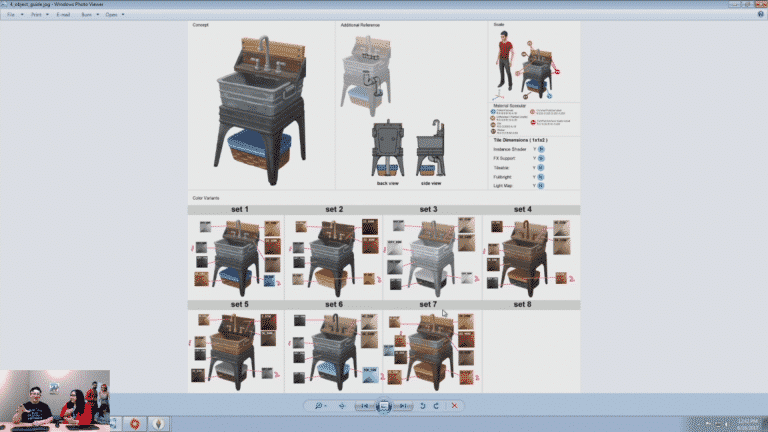
SimGuruGraham has just shared a new preview on The Sims 4 Fitness Livestream of the sink that’s coming in The Sims 4 Eco Living Stuff.

The Sims 4 Fitness Stuff Livestream (REPLAY)

4

UPDATE: The livestream has ended. You can watch the replay down below!

The Sims Team will be livestreaming The Sims 4 Fitness Stuff Pack and will answer some of your questions related to the pack. The stream starts on June 16th at 12PM PDT / 3PM EDT / 8PM BST. We’ll update this post with a replay once it’s over!

TBT: Networking Tip for The Sims 2

It’s Throwback Thursday and what better way to honour this weekly occasion than taking a trip down memory lane? I’ve got a little-known secret to share with you about our old-school favourite, The Sims 2, today.

If you own The Sims 2: Apartment Life, you probably know about networking. When your Sim befriends a townie, there is a chance that townie might present your Sim with a special benefit thanks to your social connections. This benefit could be anything from an instant promotion to a brand new job starting at a higher level.

One of my favourite benefits from social networking is getting a discount on everything in the catalog. I love decorating my Sims’ houses. I want their homes to be the perfect reflections of their lifestyles and personalities, but there’s another reason why getting a catalog discount is one of the best networking perks. There’s another, lesser-known benefit that comes with a nice catalog discount.

TBT: Networking Tip for The Sims 2

Did you know you can sell items in Buy mode for more than what you paid for them?

This means that you can actually make money from just buying and reselling items that you purchased while in Buy mode! Just purchase an item, then immediately sell it again to pocket a few extra simoleans. This method works the best with large purchases (like the most expensive shower or the grand piano, for example). You’ll pocket more simoleans than you would with a cheap item. Make sure you don’t exit Buy mode while you’re doing this or the item will depreciate in value and you’ll lose the profit.

If you’re furnishing your Sims’ house and find you’re running low on simoleans, give this a try if one of your Sims has the catalog discount. I just did this myself last night and I was able to furnish the perfect little farmhouse for my Sims. The best part? No cheats!

… What? It’s not cheating! It’s just using a loophole to your advantage.

Do you have any nifty tricks of your own for The Sims 2? Share them in the comments!

The Sims 4 Fitness Stuff: New Twitter Trailer

2

Ahead of next weeks Fitness Stuff Pack release The Sims team has released a new twenty-two second trailer over on Twitter showcasing the new pack!

The Sims 4: New Update + Patch Notes! (June 15th, 2017)

ts4e3logo

The Sims Team has released a brand new Update for The Sims 4!

To download the latest version of The Sims 4, simply open your Origin program and if the game doesn’t update automatically, right click on The Sims 4 and select ”Update”.

In case you have Mods or Custom Content, the game will automatically disable them for you after first launching The Sims 4 after the update. To re-enable all your Mods and Custom Content, select the Settings option in the Menu and select Settings. Under the”Other” section you’ll find the ”Enable Custom Content and Mods” option. Check it and restart your game in order for it to take effect!

Patch Notes

Update: 06/15/2017 – PC Version 1.31.37.1020 / Max Version 1.31.37.1220

Hey Fitness-Simmers!
Fitness Stuff is just around the corner, and assuming it’s not currently leg day for you, it’s time to Pump *clap* you up!
*begin the motivational music… maybe something that sounds good while running up stairs in Philadelphia*

*queue the motivational slogans…*

  • Let’s get physical!
  • You can’t fall if you don’t climb!
    • Is that motivational?
  • You’re better sore, than sorry!
  • Feel the burn!
    • Climb a little every day, keeps the fire at bay.
  • Fitness is the most underrated of all the -nesses!
  • If you’re running with me, be prepared to walk.

Yo, Adrian, are you feeling motivated? Also, Bob, that one person that likes to go by just Meg, and everyone else… are you feeling motivated?! Alright!

Um… I only finished the intro class on motivation… I guess you can just hang out on the couch now. Probably grab a snack. Play a game… like The Sims™ or, you know, watch some videos… about The Sims™ or whatever. Oh… we have some issues that were addressed in this release, you could read about those too.

General Issues

  • A Sim can now sit upon the Executron Executive Desk Throne at a desk.
    • Sims sacrificing comfort, desks and chairs working together… mass hysteria!
  • We addressed an issue where Sims were getting a bit too much hot tub in their beverage… Sims will no longer dip their drink into the waters of the hot tub.
  • Male Sims wearing leggings will no longer wear them under underwear, but will now wear them over underwear.

Vintage Glamour Stuff

  • Children will no longer play with makeup autonomously.

Bowling Night Stuff

  • Sims will no longer attempt to bowl at inaccessible bowling lanes.
  • We addressed an issue that could cause the screen to flicker when switching floors while bowling.

Get off the couch, clap your hands, and feel good – you just did half a jumping jack! Until next time,
-SimGuruGnome

[posted on behalf of SimGuruGnome who got a little overzealous with the workout motivation and pulled a muscle.]

Introducing SnarkyWitch to the Staff

Hey guys!

I’m SnarkyWitch, a brand new staff member here on Sims Community. My main focus will be providing you with tutorials and tips and tricks to make your Simming experience the best it can be. I’ll also be spotlighting talented Sims storytellers in the community. Just think of me as a talent scout/advice guru. I’m very excited to be sharing some great content with you all and thought I’d start out by introducing myself. I’d like for you to get to know me.

I’m a 26-year-old author based in Canada. I have one published novel called The Heaven Corporation. I’m working on my second novel, which is the sequel to The Heaven Corporation. I love cats and coffee. My favourite thing to do while I’m writing a novel is curl up with a good latte and my feline furbabies. They make the perfect writing companions. Naturally, I love to read. I tear through books on Goodreads like there’s no tomorrow. I enjoy rating and reviewing all my favourite books. You could definitely say I have the Bookworm trait.

I also have the Geek trait! Not only do I love writing and reading books, but I’m a big fan of Netflix binges and video games. Of course, my favourite series of all time is The Sims, but I’m also an avid player of Pokemon, Crusader Kings IIDragon Age, and Harvest Moon/Story of Seasons. My current Netflix obsessions are Once Upon a Time and Riverdale, but I’m a big fan of Supernatural, Sherlock, Merlin, Doctor Who, and Stranger Things, too. Let’s not forget all the amazing superhero shows and movies, like Supergirl, The Flash, Batman vs. Superman, and Wonder Woman.

And that’s me! I can’t wait to start sharing great Sims content with you! If you’d like to get to know me better as an author, you can visit any of my social media pages or my author website through my staff bio.

Sul sul!

Introducing SnarkyWitch to the Staff

The Sims 4 Parenthood Gallery Spotlight: Rooms

The Sims 4 Parenthood Gallery Spotlight: Rooms

In this Spotlight, we’re featuring rooms that have been built using The Sims 4 Parenthood Game Pack (and some other packs as well).

Hover over the pulsing plumbobs to see screenshots of marked areas. Pulsing plumbob that’s on the left bottom corner contains all the info (and download link) of the lot.

To see more of our previous Gallery Spotlights, CLICK HERE!

[ult_hotspot main_img=”id^61902|url^https://simscommunity.info/wp-content/uploads/2017/06/06-14-17_9-04-28-PM.jpg|caption^null|alt^null|title^06-14-17_9-04-28 PM|description^null”][ult_hotspot_items icon_type=”custom” icon_img=”id^39525|url^https://simscommunity.info/wp-content/uploads/2015/09/plumbob2.png|caption^null|alt^null|title^plumbob2|description^null” img_width=”38″ tooltip_custom_color=”” tooltip_custom_bg_color=”rgba(255,255,255,0.01)” tooltip_width=”400″ tooltip_position=”right” enable_bubble_arrow=”off” tooltip_continuous_animation=”on” hotspot_position=”6.501639802294173,57.31288792896856″]

The Sims 4 Parenthood Gallery Spotlight: Rooms

[/ult_hotspot_items][ult_hotspot_items icon_type=”custom” icon_img=”id^39525|url^https://simscommunity.info/wp-content/uploads/2015/09/plumbob2.png|caption^null|alt^null|title^plumbob2|description^null” img_width=”52″ tooltip_custom_color=”#1e73be” tooltip_custom_bg_color=”#ffffff” tooltip_width=”450″ tooltip_position=”right” tooltip_continuous_animation=”on” hotspot_position=”89.61858624454149,3.190184049079755″ tooltip_custom_border_size=”border-style:solid;|border-width:2px;border-radius:5px;|border-color:#81d742;”]

Parents Bedroom (Download Here)

by MrsLepine

Value: §18,621
Size: 5×6
Room Type: Bedroom[/ult_hotspot_items][/ult_hotspot][ult_hotspot main_img=”id^61904|url^https://simscommunity.info/wp-content/uploads/2017/06/06-14-17_9-04-45-PM.jpg|caption^null|alt^null|title^06-14-17_9-04-45 PM|description^null”][ult_hotspot_items icon_type=”custom” icon_img=”id^39525|url^https://simscommunity.info/wp-content/uploads/2015/09/plumbob2.png|caption^null|alt^null|title^plumbob2|description^null” img_width=”38″ tooltip_custom_color=”” tooltip_custom_bg_color=”rgba(255,255,255,0.01)” tooltip_width=”400″ tooltip_position=”right” enable_bubble_arrow=”off” tooltip_continuous_animation=”on” hotspot_position=”16.050326224229007,65.04755499904141″]

The Sims 4 Parenthood Gallery Spotlight: Rooms

[/ult_hotspot_items][ult_hotspot_items icon_type=”custom” icon_img=”id^39525|url^https://simscommunity.info/wp-content/uploads/2015/09/plumbob2.png|caption^null|alt^null|title^plumbob2|description^null” img_width=”52″ tooltip_custom_color=”#1e73be” tooltip_custom_bg_color=”#ffffff” tooltip_width=”450″ tooltip_position=”right” tooltip_continuous_animation=”on” hotspot_position=”89.61858624454149,3.190184049079755″ tooltip_custom_border_size=”border-style:solid;|border-width:2px;border-radius:5px;|border-color:#81d742;”]

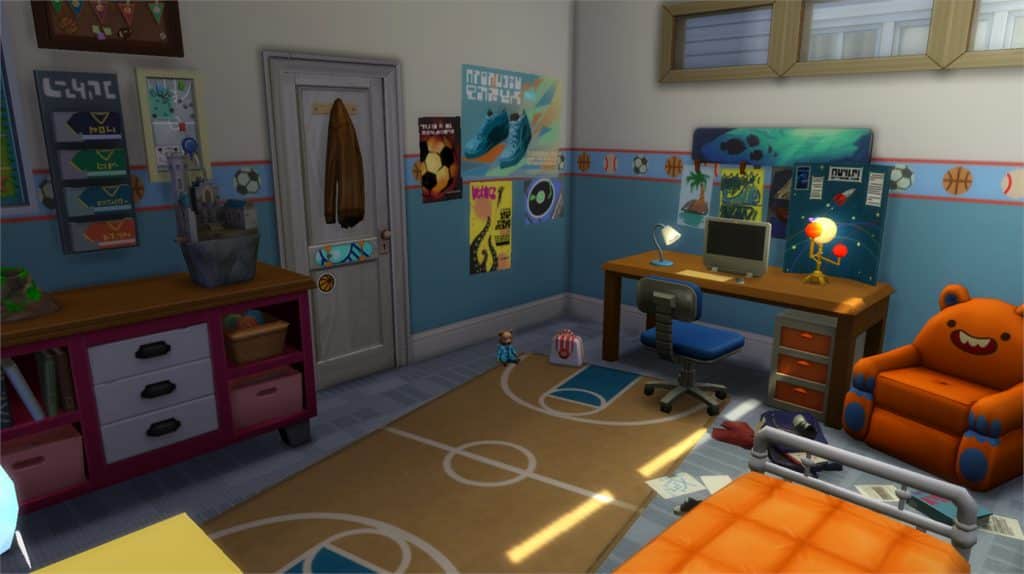
Boy Room (Download Here)

by katrinesofus

Value: §15,047
Size: 5×4
Room Type: Kids’ Room[/ult_hotspot_items][/ult_hotspot][ult_hotspot main_img=”id^61906|url^https://simscommunity.info/wp-content/uploads/2017/06/06-14-17_9-05-18-PM.jpg|caption^null|alt^null|title^06-14-17_9-05-18 PM|description^null”][ult_hotspot_items icon_type=”custom” icon_img=”id^39525|url^https://simscommunity.info/wp-content/uploads/2015/09/plumbob2.png|caption^null|alt^null|title^plumbob2|description^null” img_width=”38″ tooltip_custom_color=”” tooltip_custom_bg_color=”rgba(255,255,255,0.01)” tooltip_width=”400″ tooltip_position=”right” enable_bubble_arrow=”off” tooltip_continuous_animation=”on” hotspot_position=”9.220462189722374,65.41257518932132″]

The Sims 4 Parenthood Gallery Spotlight: Rooms

[/ult_hotspot_items][ult_hotspot_items icon_type=”custom” icon_img=”id^39525|url^https://simscommunity.info/wp-content/uploads/2015/09/plumbob2.png|caption^null|alt^null|title^plumbob2|description^null” img_width=”52″ tooltip_custom_color=”#1e73be” tooltip_custom_bg_color=”#ffffff” tooltip_width=”450″ tooltip_position=”right” tooltip_continuous_animation=”on” hotspot_position=”89.61858624454149,3.190184049079755″ tooltip_custom_border_size=”border-style:solid;|border-width:2px;border-radius:5px;|border-color:#81d742;”]

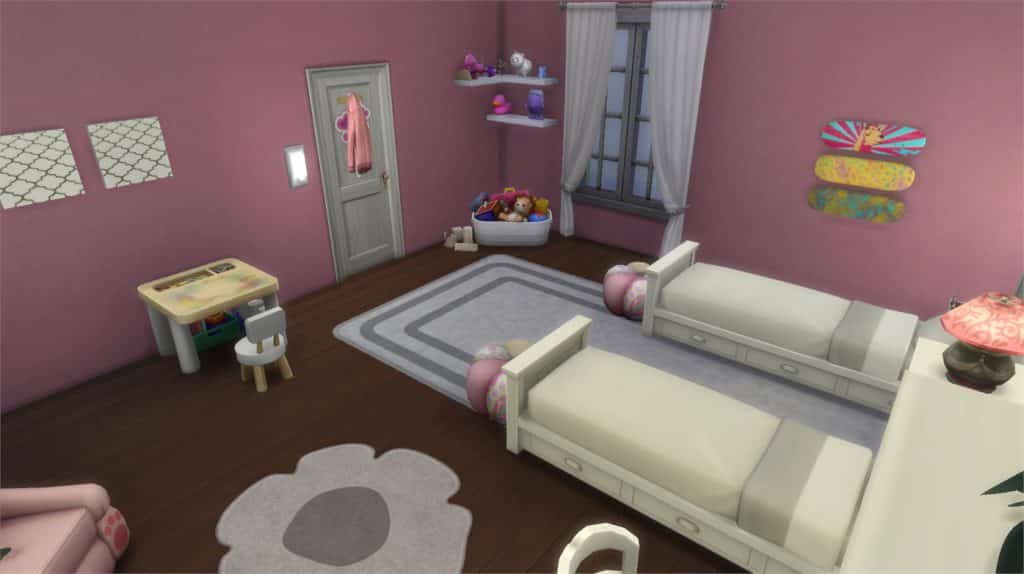
Pink Little Girls Room (Download Here)

by Mandykay77

Value: §11,112
Size: 5×6
Room Type: Kids’ Room[/ult_hotspot_items][/ult_hotspot][ult_hotspot main_img=”id^61908|url^https://simscommunity.info/wp-content/uploads/2017/06/06-14-17_9-05-36-PM.jpg|caption^null|alt^null|title^06-14-17_9-05-36 PM|description^null”][ult_hotspot_items icon_type=”custom” icon_img=”id^39525|url^https://simscommunity.info/wp-content/uploads/2015/09/plumbob2.png|caption^null|alt^null|title^plumbob2|description^null” img_width=”38″ tooltip_custom_color=”” tooltip_custom_bg_color=”rgba(255,255,255,0.01)” tooltip_width=”400″ tooltip_position=”right” enable_bubble_arrow=”off” tooltip_continuous_animation=”on” hotspot_position=”20.533368467502054,58.9064447133819″]

The Sims 4 Parenthood Gallery Spotlight: Rooms

[/ult_hotspot_items][ult_hotspot_items icon_type=”custom” icon_img=”id^39525|url^https://simscommunity.info/wp-content/uploads/2015/09/plumbob2.png|caption^null|alt^null|title^plumbob2|description^null” img_width=”52″ tooltip_custom_color=”#1e73be” tooltip_custom_bg_color=”#ffffff” tooltip_width=”450″ tooltip_position=”right” tooltip_continuous_animation=”on” hotspot_position=”89.61858624454149,3.190184049079755″ tooltip_custom_border_size=”border-style:solid;|border-width:2px;border-radius:5px;|border-color:#81d742;”]

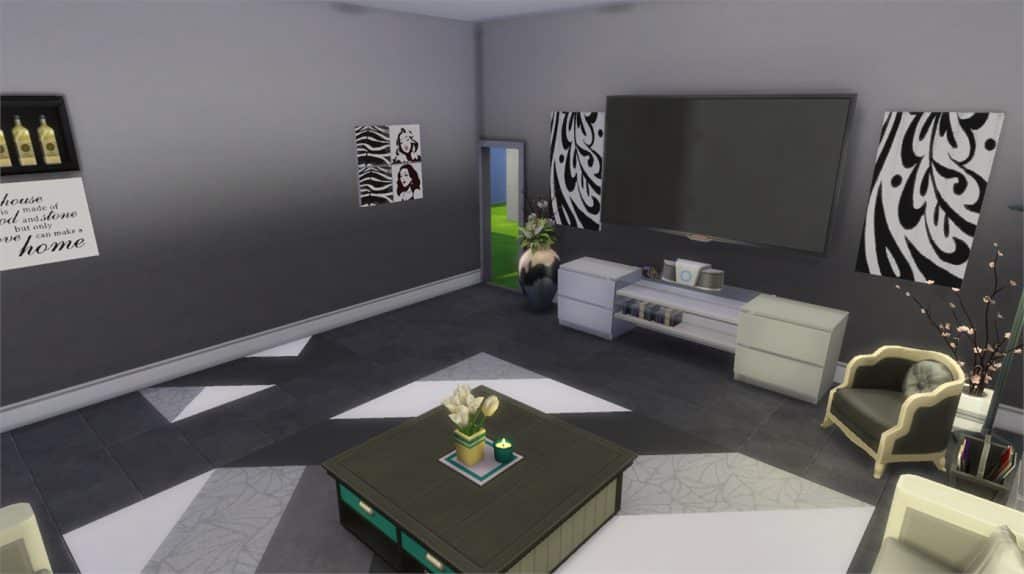
Modern Black & White (Download Here)

by Mandykay77

Value: §23,631
Size: 7×7
Room Type: Living Room[/ult_hotspot_items][/ult_hotspot]

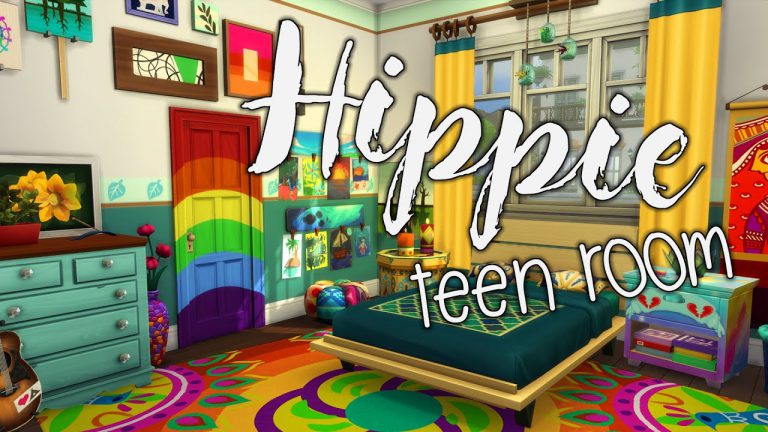
Parenthood: Hippie Teen Room Speed Build by Penapple

0

Penapple is a YouTuber who I’ve been watching for awhile now. There is just something about her builds and lets plays that keep me coming back and watching more and more of her videos (even if that means watching the same video several times.) Most recently I’ve been watching Penapple’s Parenthood Teen Room Builds series. Each room has it’s own characteristics and are full of detail, colour and to be totally honest just amazing!

Take a look at Penapple’s Hippie Teen Room speed build above. Why not also check out the Sporty, Messy and Angsty room builds from the mini series as well?

If you loved this video and the others from the series you can check out Penapple’s other builds and lets plays on her channel here and you can also follow Penapple on Twitter too!