
The Sims Team has released an announcement teaser for The Sims 4 Bowling Night Stuff, which should be fully announced tomorrow.
The Sims 4: SimGuruLyndsay Talks Game Sales and CAS Gender Update

GloboSat, a brazilian TV channel has mentioned The Sims 4 in their program that talks about the marketplace without gender restrictions. In this episode, they’ve got to talk with SimGuruLyndsay about their CAS Gender Update, as well as how the game’s been doing in terms of sales. Check out our transcription from the video down below!
Lyndsay Pearson: Well, The Sims has always been a game about creating yourself, the people you know and providing you as many options to tell as many stories as you can imagine. So, when we looked at our Create A Sim and try to think of new ways to expand possibilities, it was a natural conclusion to say “Why don’t we break down the gender restrictions?”
Interviewer: We have a non-official number that The Sims 4 has sold over 5 million copies worldwide. Is that correct?
Lyndsay Pearson: Yeah, it’s definitely somewhere over that! We don’t really track specific numbers but there are millions of players who are playing The Sims 4 and have seen this update.
Interviewer: Was there any negative reaction to this option?
Lyndsay Pearson: You know, we had a lot of conversations about that and we were worried about that but I was really pleased with the fact that our fans and our players and honestly the gaming community and large was super supportive of what we were able to create!
You can check out the full The Sims 4 segment of this TB program below:
The Sims 4 Bowling Night Stuff Rated by ESRB

ESRB has just rated The Sims 4 Bowling Night Stuff – meaning that we’re getting really close to the announcement of this Stuff Pack and that The Sims Team is finally ready to reveal it to the world.
Make sure you follow our Bowling Night News Category to stay up to date to all the latest news!

Tip: Aviocl
Oscar’s Best Picture Nominee Movie Posters recreated with The Sims 4

Reddit user flyingfossil came up with a brilliant idea to recreate oscar-winning movie posters using The Sims 4, some custom content and photoshop.
Custom content links used in the pictures below can be found here and here!
You can even download these as in-game posters for The Sims 4 here! (brought to you by brittpinkiesims)
La La Land

Manchester by the Sea

Moonlight

Fences

Hell or High Water

Hidden Figures

Lion

The Sims 4 Vampires Gallery Spotlight Part 2
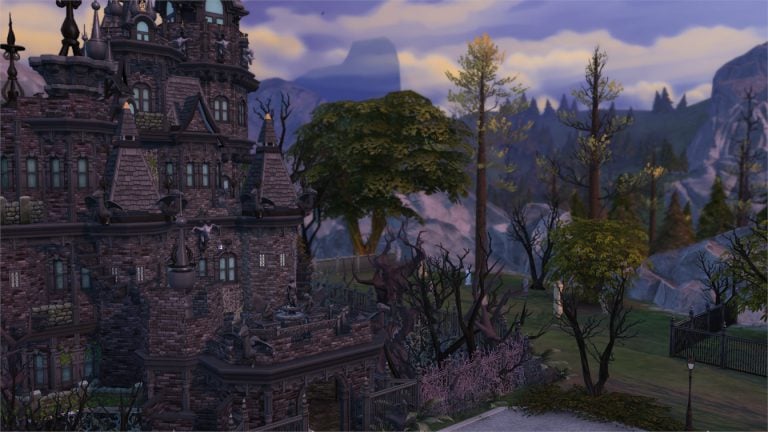

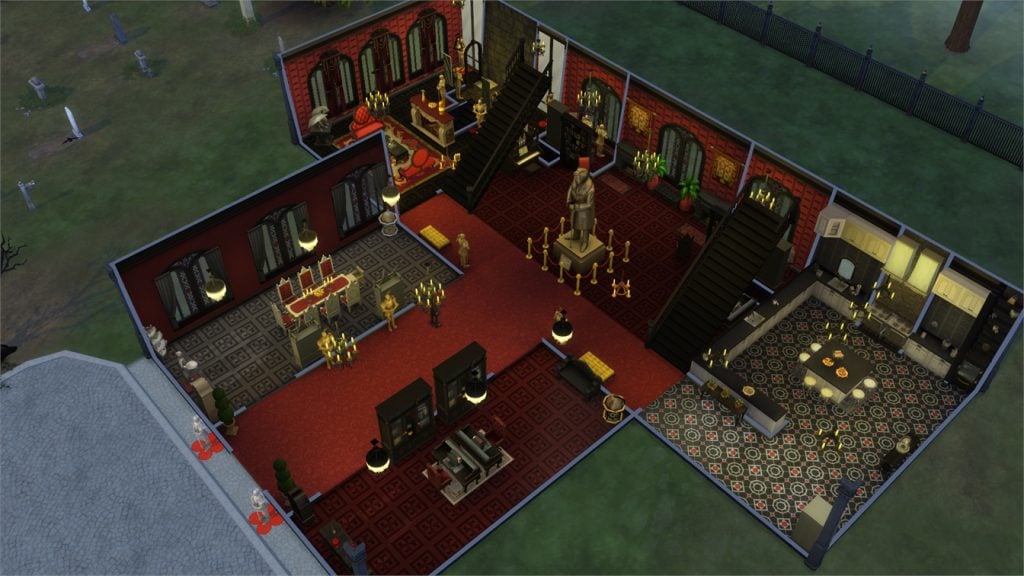
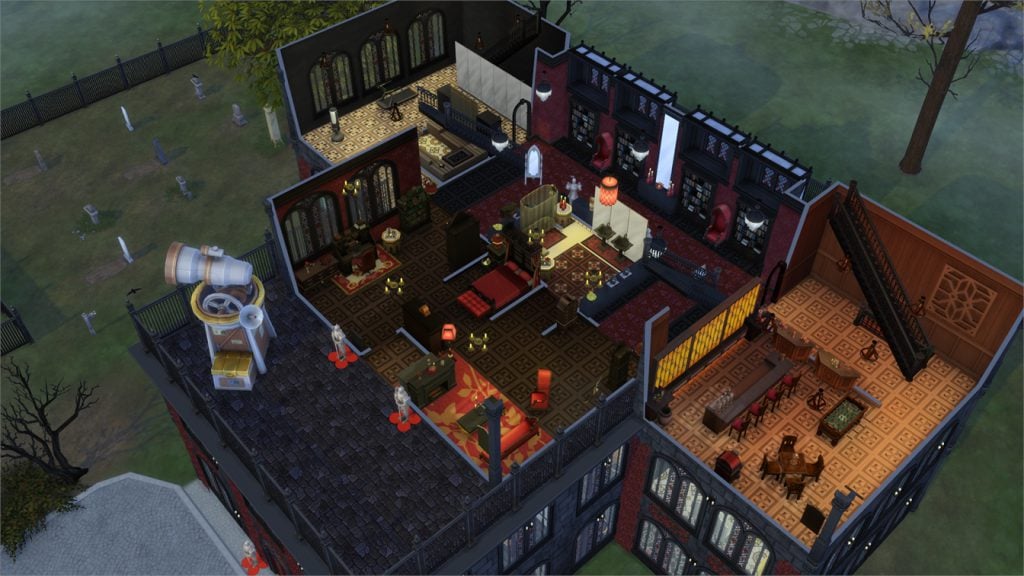
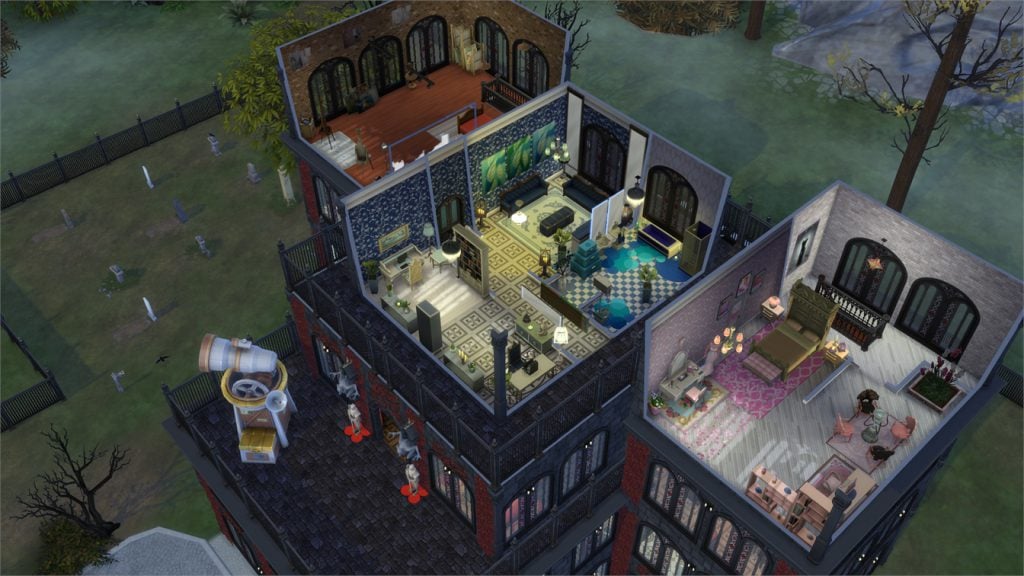
In this Spotlight, we’re featuring lots that have been built using The Sims 4 Vampires Game Pack (and some other packs as well).
Hover over the pulsing plumbobs to see screenshots of marked areas. Pulsing plumbob that’s on the left bottom corner contains all the info (and download link) of the lot.
You can check out the first part of our Vampires Gallery Spotlight HERE! To see more of our previous Gallery Spotlights, CLICK HERE!
[ult_hotspot main_img=”id^59292|url^https://simscommunity.info/wp-content/uploads/2017/03/03-18-17_8-55-39-PM.jpg|caption^null|alt^null|title^03-18-17_8-55-39 PM|description^null”][ult_hotspot_items icon_type=”custom” icon_img=”id^39525|url^https://simscommunity.info/wp-content/uploads/2015/09/plumbob2.png|caption^null|alt^null|title^plumbob2|description^null” img_width=”38″ tooltip_custom_color=”” tooltip_custom_bg_color=”rgba(255,255,255,0.01)” tooltip_width=”400″ tooltip_position=”right” enable_bubble_arrow=”off” tooltip_continuous_animation=”on” hotspot_position=”89.73457969432314,67.85276073619632″]

[/ult_hotspot_items][ult_hotspot_items icon_type=”custom” icon_img=”id^39525|url^https://simscommunity.info/wp-content/uploads/2015/09/plumbob2.png|caption^null|alt^null|title^plumbob2|description^null” img_width=”38″ tooltip_custom_color=”” tooltip_custom_bg_color=”rgba(255,255,255,0.01)” tooltip_width=”400″ tooltip_position=”right” enable_bubble_arrow=”off” tooltip_continuous_animation=”on” hotspot_position=”89.82328056768559,55.828220858895705″]
[/ult_hotspot_items][ult_hotspot_items icon_type=”custom” icon_img=”id^39525|url^https://simscommunity.info/wp-content/uploads/2015/09/plumbob2.png|caption^null|alt^null|title^plumbob2|description^null” img_width=”38″ tooltip_custom_color=”” tooltip_custom_bg_color=”rgba(255,255,255,0.01)” tooltip_width=”400″ tooltip_position=”right” enable_bubble_arrow=”off” tooltip_continuous_animation=”on” hotspot_position=”74.91812227074236,56.07361963190184″]

[/ult_hotspot_items][ult_hotspot_items icon_type=”custom” icon_img=”id^39525|url^https://simscommunity.info/wp-content/uploads/2015/09/plumbob2.png|caption^null|alt^null|title^plumbob2|description^null” img_width=”38″ tooltip_custom_color=”” tooltip_custom_bg_color=”rgba(255,255,255,0.01)” tooltip_width=”400″ tooltip_position=”right” enable_bubble_arrow=”off” tooltip_continuous_animation=”on” hotspot_position=”51.15652292576419,74.96932515337423″]
[/ult_hotspot_items][ult_hotspot_items icon_type=”custom” icon_img=”id^39525|url^https://simscommunity.info/wp-content/uploads/2015/09/plumbob2.png|caption^null|alt^null|title^plumbob2|description^null” img_width=”38″ tooltip_custom_color=”” tooltip_custom_bg_color=”rgba(255,255,255,0.01)” tooltip_width=”400″ tooltip_position=”right” enable_bubble_arrow=”off” tooltip_continuous_animation=”on” hotspot_position=”34.351118995633186,76.07170245398774″]
[/ult_hotspot_items][ult_hotspot_items icon_type=”custom” icon_img=”id^39525|url^https://simscommunity.info/wp-content/uploads/2015/09/plumbob2.png|caption^null|alt^null|title^plumbob2|description^null” img_width=”52″ tooltip_custom_color=”#1e73be” tooltip_custom_bg_color=”#ffffff” tooltip_width=”450″ tooltip_position=”right” tooltip_continuous_animation=”on” hotspot_position=”89.61858624454149,3.190184049079755″ tooltip_custom_border_size=”border-style:solid;|border-width:2px;border-radius:5px;|border-color:#81d742;”]
Salvatore Fortress (Download Here)
by Bella_Lionheart
Value: §1,140,160
Size: 40×30
Lot Type: Residental Lot[/ult_hotspot_items][/ult_hotspot][ult_hotspot main_img=”id^59298|url^https://simscommunity.info/wp-content/uploads/2017/03/03-18-17_8-58-00-PM.jpg|caption^null|alt^null|title^03-18-17_8-58-00 PM|description^null”][ult_hotspot_items icon_type=”custom” icon_img=”id^39525|url^https://simscommunity.info/wp-content/uploads/2015/09/plumbob2.png|caption^null|alt^null|title^plumbob2|description^null” img_width=”38″ tooltip_custom_color=”” tooltip_custom_bg_color=”rgba(255,255,255,0.01)” tooltip_width=”400″ tooltip_position=”right” enable_bubble_arrow=”off” tooltip_continuous_animation=”on” hotspot_position=”43.384961790393014,51.90184049079755″]
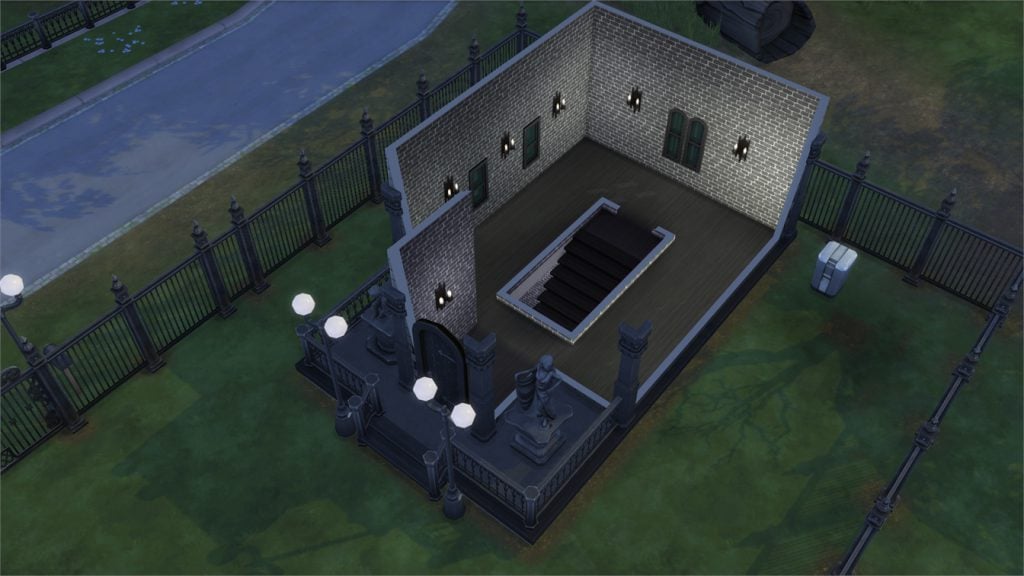
[/ult_hotspot_items][ult_hotspot_items icon_type=”custom” icon_img=”id^39525|url^https://simscommunity.info/wp-content/uploads/2015/09/plumbob2.png|caption^null|alt^null|title^plumbob2|description^null” img_width=”38″ tooltip_custom_color=”” tooltip_custom_bg_color=”rgba(255,255,255,0.01)” tooltip_width=”400″ tooltip_position=”right” enable_bubble_arrow=”off” tooltip_continuous_animation=”on” hotspot_position=”66.56318231441048,50.1840490797546″]
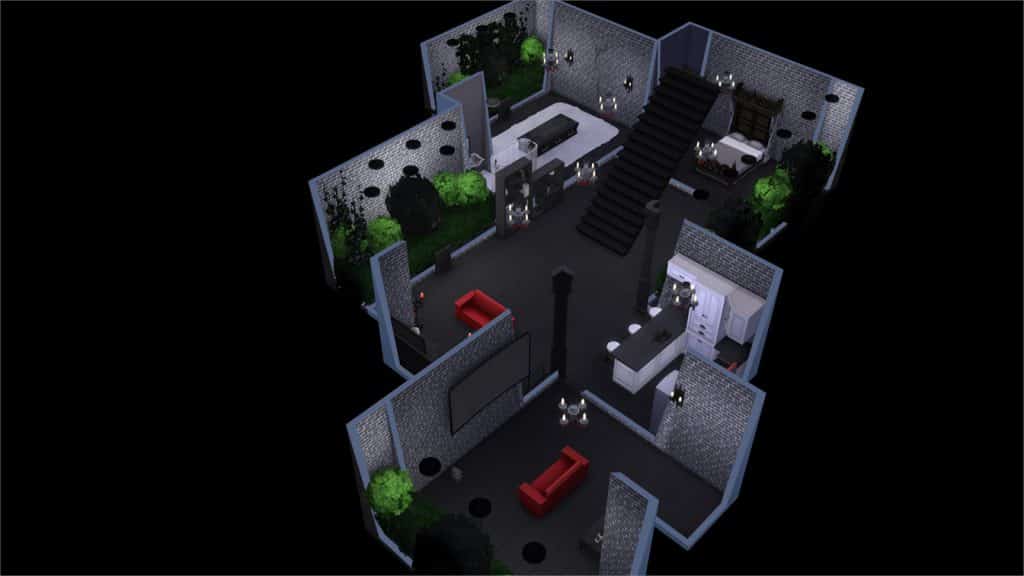
[/ult_hotspot_items][ult_hotspot_items icon_type=”custom” icon_img=”id^39525|url^https://simscommunity.info/wp-content/uploads/2015/09/plumbob2.png|caption^null|alt^null|title^plumbob2|description^null” img_width=”52″ tooltip_custom_color=”#1e73be” tooltip_custom_bg_color=”#ffffff” tooltip_width=”450″ tooltip_position=”right” tooltip_continuous_animation=”on” hotspot_position=”89.61858624454149,3.190184049079755″ tooltip_custom_border_size=”border-style:solid;|border-width:2px;border-radius:5px;|border-color:#81d742;”]
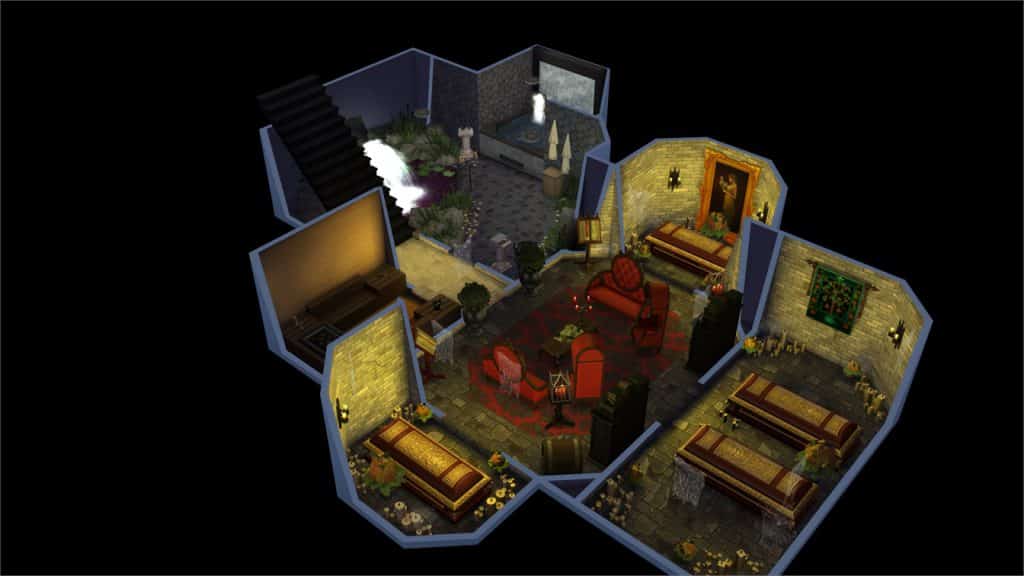
Basement Graveyard (Download Here)
by Kyootxsims
Value: §90,075
Size: 30×20
Lot Type: Residental Lot[/ult_hotspot_items][/ult_hotspot][ult_hotspot main_img=”id^59301|url^https://simscommunity.info/wp-content/uploads/2017/03/03-18-17_9-10-28-PM.jpg|caption^null|alt^null|title^03-18-17_9-10-28 PM|description^null”][ult_hotspot_items icon_type=”custom” icon_img=”id^39525|url^https://simscommunity.info/wp-content/uploads/2015/09/plumbob2.png|caption^null|alt^null|title^plumbob2|description^null” img_width=”38″ tooltip_custom_color=”” tooltip_custom_bg_color=”rgba(255,255,255,0.01)” tooltip_width=”400″ tooltip_position=”right” enable_bubble_arrow=”off” tooltip_continuous_animation=”on” hotspot_position=”89.14778930131004,51.16564417177914″]
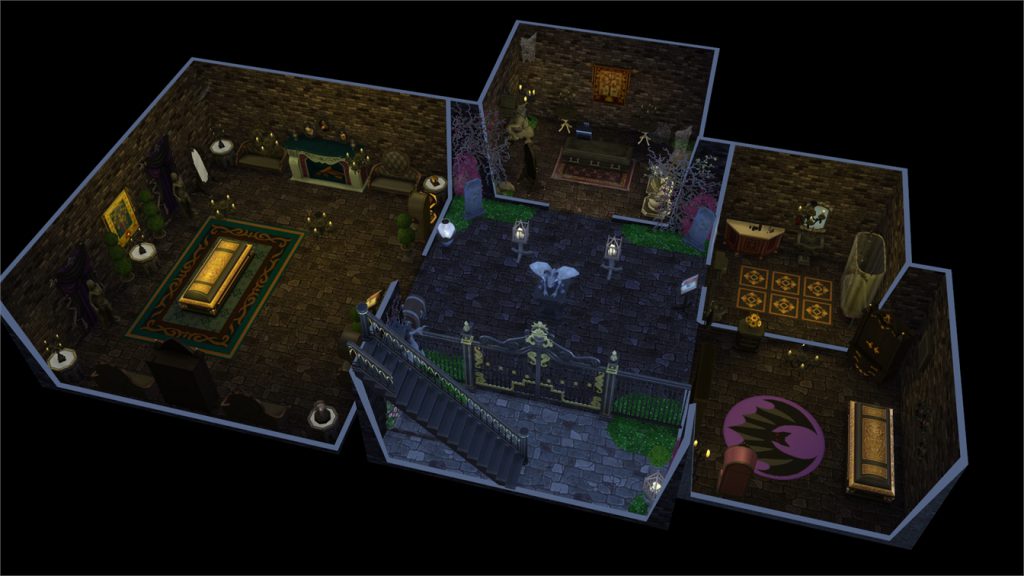
[/ult_hotspot_items][ult_hotspot_items icon_type=”custom” icon_img=”id^39525|url^https://simscommunity.info/wp-content/uploads/2015/09/plumbob2.png|caption^null|alt^null|title^plumbob2|description^null” img_width=”38″ tooltip_custom_color=”” tooltip_custom_bg_color=”rgba(255,255,255,0.01)” tooltip_width=”400″ tooltip_position=”right” enable_bubble_arrow=”off” tooltip_continuous_animation=”on” hotspot_position=”70.55813318777294,74.7239263803681″]

[/ult_hotspot_items][ult_hotspot_items icon_type=”custom” icon_img=”id^39525|url^https://simscommunity.info/wp-content/uploads/2015/09/plumbob2.png|caption^null|alt^null|title^plumbob2|description^null” img_width=”38″ tooltip_custom_color=”” tooltip_custom_bg_color=”rgba(255,255,255,0.01)” tooltip_width=”400″ tooltip_position=”right” enable_bubble_arrow=”off” tooltip_continuous_animation=”on” hotspot_position=”51.30322052401747,74.47661042944786″]
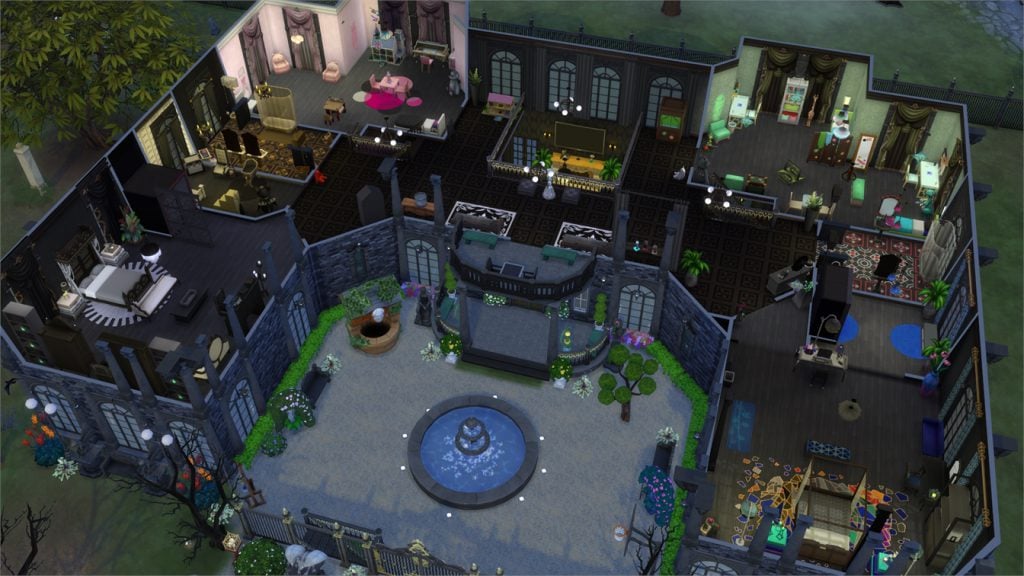
[/ult_hotspot_items][ult_hotspot_items icon_type=”custom” icon_img=”id^39525|url^https://simscommunity.info/wp-content/uploads/2015/09/plumbob2.png|caption^null|alt^null|title^plumbob2|description^null” img_width=”52″ tooltip_custom_color=”#1e73be” tooltip_custom_bg_color=”#ffffff” tooltip_width=”450″ tooltip_position=”right” tooltip_continuous_animation=”on” hotspot_position=”89.61858624454149,3.190184049079755″ tooltip_custom_border_size=”border-style:solid;|border-width:2px;border-radius:5px;|border-color:#81d742;”]
Volturi Mansion (Download Here)
by sueladysims
Value: §432,037
Size: 40×30
Lot Type: Residental Lot[/ult_hotspot_items][/ult_hotspot][ult_hotspot main_img=”id^59305|url^https://simscommunity.info/wp-content/uploads/2017/03/03-18-17_9-12-36-PM.jpg|caption^null|alt^null|title^03-18-17_9-12-36 PM|description^null”][ult_hotspot_items icon_type=”custom” icon_img=”id^39525|url^https://simscommunity.info/wp-content/uploads/2015/09/plumbob2.png|caption^null|alt^null|title^plumbob2|description^null” img_width=”38″ tooltip_custom_color=”” tooltip_custom_bg_color=”rgba(255,255,255,0.01)” tooltip_width=”400″ tooltip_position=”right” enable_bubble_arrow=”off” tooltip_continuous_animation=”on” hotspot_position=”85.58610807860262,55.828220858895705″]
[/ult_hotspot_items][ult_hotspot_items icon_type=”custom” icon_img=”id^39525|url^https://simscommunity.info/wp-content/uploads/2015/09/plumbob2.png|caption^null|alt^null|title^plumbob2|description^null” img_width=”38″ tooltip_custom_color=”” tooltip_custom_bg_color=”rgba(255,255,255,0.01)” tooltip_width=”400″ tooltip_position=”right” enable_bubble_arrow=”off” tooltip_continuous_animation=”on” hotspot_position=”63.26078056768559,56.31901840490797″]

[/ult_hotspot_items][ult_hotspot_items icon_type=”custom” icon_img=”id^39525|url^https://simscommunity.info/wp-content/uploads/2015/09/plumbob2.png|caption^null|alt^null|title^plumbob2|description^null” img_width=”38″ tooltip_custom_color=”” tooltip_custom_bg_color=”rgba(255,255,255,0.01)” tooltip_width=”400″ tooltip_position=”right” enable_bubble_arrow=”off” tooltip_continuous_animation=”on” hotspot_position=”45.9061135371179,56.56441717791411″]
[/ult_hotspot_items][ult_hotspot_items icon_type=”custom” icon_img=”id^39525|url^https://simscommunity.info/wp-content/uploads/2015/09/plumbob2.png|caption^null|alt^null|title^plumbob2|description^null” img_width=”52″ tooltip_custom_color=”#1e73be” tooltip_custom_bg_color=”#ffffff” tooltip_width=”450″ tooltip_position=”right” tooltip_continuous_animation=”on” hotspot_position=”89.61858624454149,3.190184049079755″ tooltip_custom_border_size=”border-style:solid;|border-width:2px;border-radius:5px;|border-color:#81d742;”]
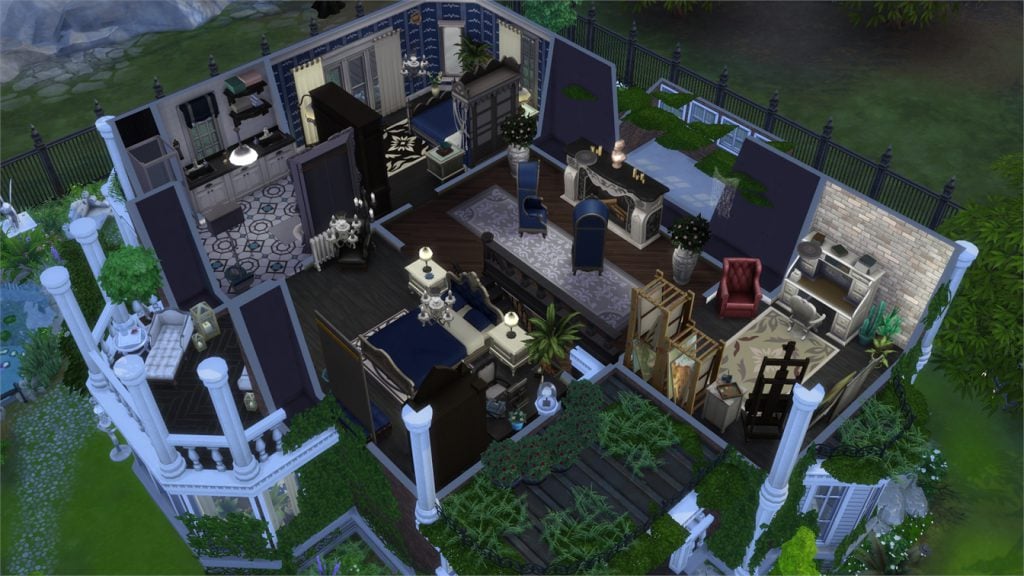
Old Victorian House (Download Here)
by kotka8898
Value: §372,379
Size: 30×30
Lot Type: Residental Lot[/ult_hotspot_items][/ult_hotspot]
Sims 3 Builder Spotlight: Aricarai

Hi, I’m Jason Sterling. I find building inspiration within the entire span of the Simming world. As such, I focus on all the Sims iterations, including the original Sims. Today, we are going to meet a builder working in the Sims 3. That builder is Aricarai (Pronounced like EricaRay). Her build is the Fire Starter house. A “starter” built for a BuildNShare Challenge on the Sims Forum. The budget requirement was $16,500. A sim in the Sims 3 receives this amount when starting in the game. As well, the budget had to include the cost of the lot.
It’s available on the Sims 3 Exchange: http://www.thesims3.com/assetDetail.html?assetId=9055470

First of all, the Sims design challenges contain a lot of great builds. Therefore, it’s a unique moment when something strikes me as both well done and inspired. That was the case with this build. I participated in this challenge as well. I took an approach, like many others, of doing a “new” build. It was a small build with inexpensive furnishings but still “new”. However, Arcarai chose to create an “old, converted structure”. In this case, a former fire station standing waterside with the beautiful Bridgeport Skyline in the background. That was the inspiration that caught my attention.
I really appreciate the thought put into creating this starter home. Aricarai has made great use of the CASt system for distressing. Further she has chosen items that look just “poor” enough. For a small build it has two bedrooms with the potential for a third. This makes it suitable for not just a single sim but also a small family. However, there are three specific things that impress me with their forethought regarding future use and creator skill.
- The staircase continues to the roof. As a result, this allows the roof to be used immediately as an exterior deck and entertainment space on the small 20×15 lot.
- The garage door is actually a garage door. It opens and closes as normal creating an awesome indoor/outdoor feel to the build.
- Aricarai has created a fireplace on the first floor using special effects generators and a window. It’s actually quite brilliant. I love it. It’s not something that comes across well in pictures. You will just have to fully see it when you download it.
You can see a selection of pictures from this build along with some information from the builder herself below.

– “Because of The Sims franchise, I took an AutoCAD class in high school. Then, I originally went to university to study architecture and interior design. However, after two years at uni, I realised math wasn’t my strong suit (read: I couldn’t pass the class – haha!). I switched to architectural history. I was able to learn all about different architectural styles and buildings all over the world. Sims is a great creative outlet. I’m able to get my architecture and design fix through pixels.”
Aricarai’s Official Forum Creative Thread: http://forums.thesims.com/en_US/discussion/914158/aricarais-little-pixel-place-the-birches-p-1

– “I started out as a family player with The Sims and The Sims 2. However, I grew tired of my vampire family after 14 generations and The Sims 3 Showtime. I came to the forums then and entered a building contest (oh boy – what a horrible build and the atrocity is still in my studio!). Ever since then, I’ve classed myself as a builder and decorator, always learning and looking for new tips and tricks to improve my builds. Back in the day of The Sims 3 forums, I was always in the Gift Gathering section either hosting or participating in contests and challenges. It really helped me grow as a builder. Now, I spend a lot of time participating in the BuildnShare Challenges.” http://forums.thesims.com/en_US/discussion/373316/build-n-share-challenge-187-the-second-sister-journye-due-03-31/p1

– “In July 2013, I was asked to join the DNA Request Team. http://forums.thesims.com/en_US/discussion/913662/d-n-a-request-team-designing-nature-architecture-just-for-you/p1 I am still a part of it today and find it an incredible honor. I’ve recently decided to join the Twittersphere and to make YouTube videos for the Sims. I’m still working on my first speed build for YouTube. I’ve got a Sims notebook full of video ideas (keep an eye out for my atrocious first build!). I’m super excited to be able to share my creations in another way with a wider audience!”
Simblr: http://plumnectared.tumblr.com/
Twitter: https://twitter.com/theplumdot
YouTube (watch this space): https://www.youtube.com/channel/UCudfqOywZP6BMxryOhhekgA
I hope you have enjoyed seeing this example of the talented Sims 3 builder and designer, Aricarai. Lastly, I found a video from Youtuber Adam Slade that features a walk through of one of Aricarai’s builds. You can see his point of view here: https://www.youtube.com/watch?v=_OF7lSaPaEw
Thank-you for joining me for this spotlight. Do you have a builder, from any of the Sims games, that you really admire? If so, please post a pic or a link to their work below. They may be in the Spotlight in the future. Please join me next time.
The Sims 4 Realism: Character Details for your Builds
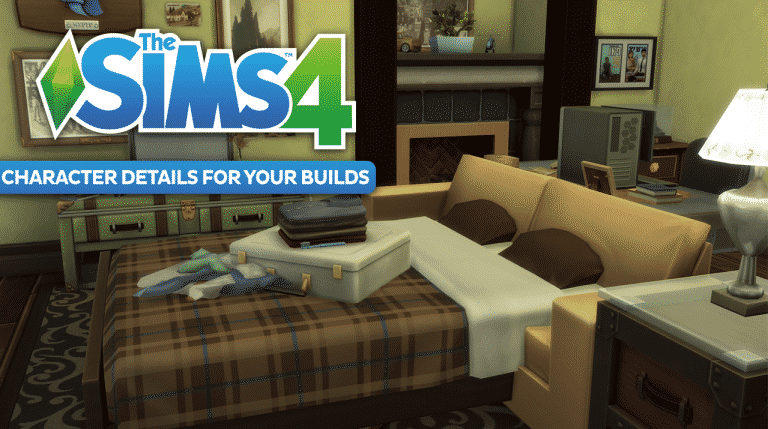

The Sims 4 builds can feel pretty true to life at times, especially when you give the rooms that ‘lived-in’ vibe. Most of the time we have this mental check-list of the items that need to be in each house in order for our Sims to live a comfortable life. You know, like a toilet, shower, bed, and all of the other essentials; very life-like items that go in all of our houses. In this build article, I’d like to remind you of things that you can include in your builds in order to make them more detailed and interesting that go beyond game functionality.
Pull-Out Couch

Having a family member or friend stay over? Why not build a pull-out couch in that den space for them to stay in. This is a cute little detail to add and it’s super simple! I used two base-game items, a normal couch and a bed, and used the cheat bb.moveobjects to place one inside the other! The bed is functional and is a great way to tell a story with your builds.
Utility Room

If I have a small area in a commercial space or even some under-the-sitars space I’d like to fill, sometimes I pop in a little utility closet for fun. Where else would your Sim hide to play video games on their work break?
Pantry


This shot is from an apartment build that I created a while ago. The space was too small to be functional, so I thought adding a little food pantry could be a nice way to utilize the area and add some visual appeal.
Laundry Room

When will we have functional laundry in The Sims 4? Hopefully soon! In the meantime, you can add these rooms to your interiors if you want the added realism. This gorgeous laundry room build was created by my stream community member epic_wifey!
Do you have any other build details which realism that you like to include in your designs? Let me know in the comments below!
You can catch my Let’s Plays and Build Casts daily on twitch.tv/holliebb
The Sims 4: Twitch Upload Challenge


Do you fancy winning a Twitch hoodie and some other exciting Twitch swag? Well in honour of St. Patrick’s Day Twitch want you to share your St Patrick’s Day themed builds from The Sims 4 and Minecraft with them.
The competition runs from 17th March at 10:00am PST to 31st March 2017 at 11:59pm PST.
Once all entries have been submitted and reviewed Twitch staff will select between five and ten winners. Winners will be revealed on Twitch social media on Monday 3rd April 2017.
To see more about the competition and submit your entry click here. Don’t forget to check out the official rules as well before submitting your entry.
Good luck!
The Sims 4: Windenburg Residents Reimagined As Vampires
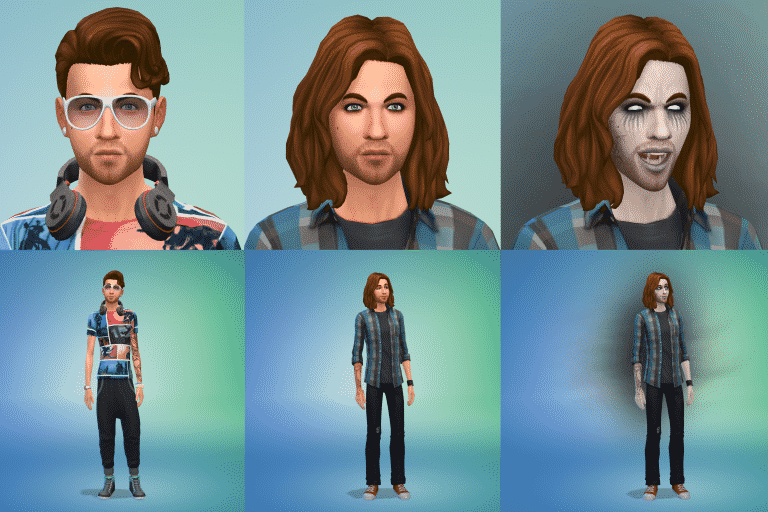
Have you ever wondered what the residents of Windenburg would look like if they were actually Vampires? Then fear not as Reddit user SinsForSaints has got us covered.

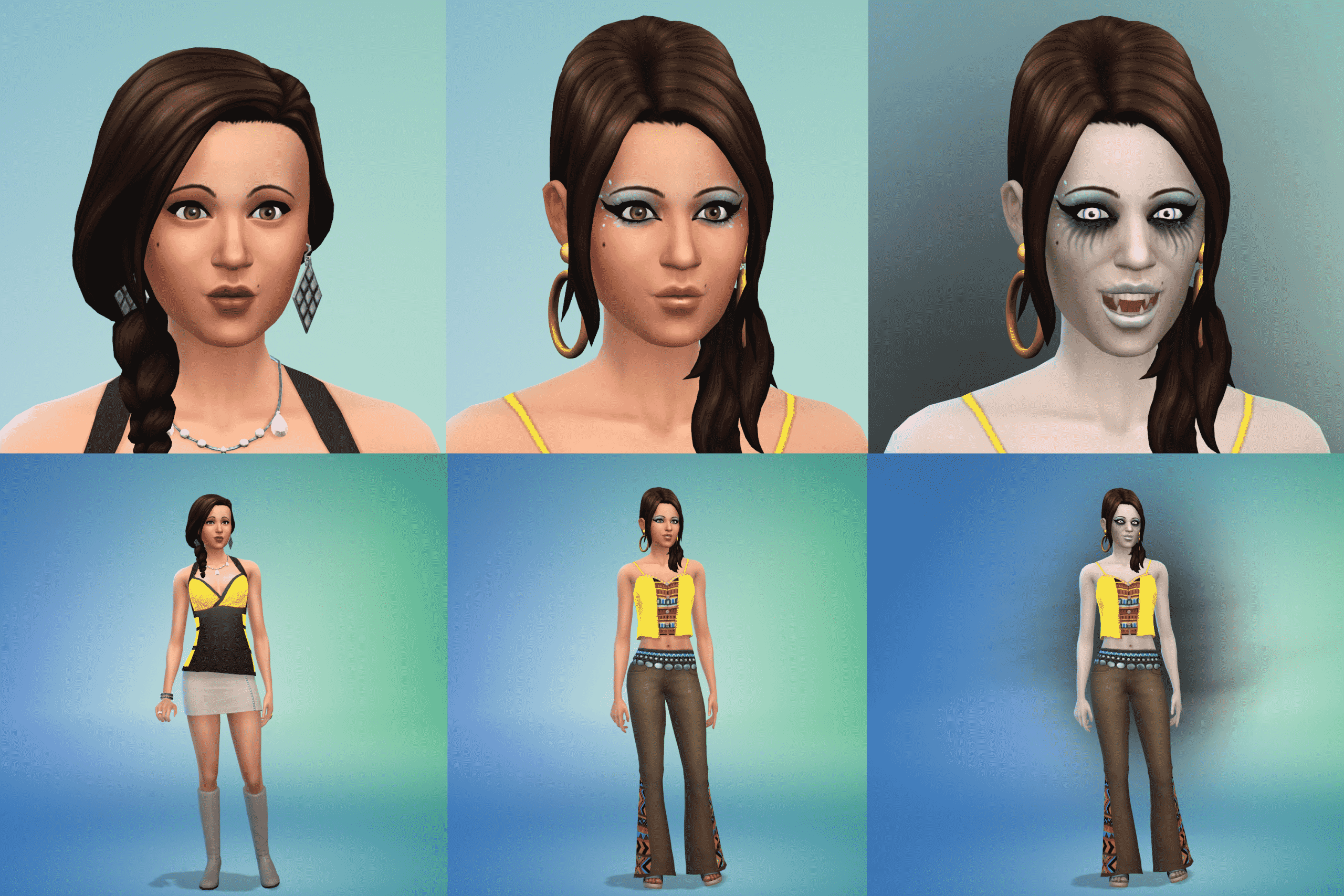


Take a look at all twenty-six residents reimagined as Vampires from different decades and centuries by checking out the gallery in full!
[mks_button size=”large” title=”FULL IMAGE GALLERY” style=”rounded” url=”http://imgur.com/a/0Vmru” target=”_blank” bg_color=”#1e73be” txt_color=”#FFFFFF” icon=”fa-picture-o” icon_type=”fa” nofollow=”0″]
The Sims 4’s 10th Stuff Pack is called “Bowling Night”

Synnex, a website which revealed The Sims 4 Backyard Stuff months ago has listed The Sims 4 Bowling Night Stuff Pack which should be announced and released in the next 2 weeks.

As SimGuruDrake has confirmed that all packs will now have pre-announcement teasers, we can expect Bowling Night to be teased this monday.

For more information stay tuned on our Bowling Night Stuff news category!
Tip: The Sims Style
SimGuruKimmi’s Seafood Restaurant Challenge – WINNERS!
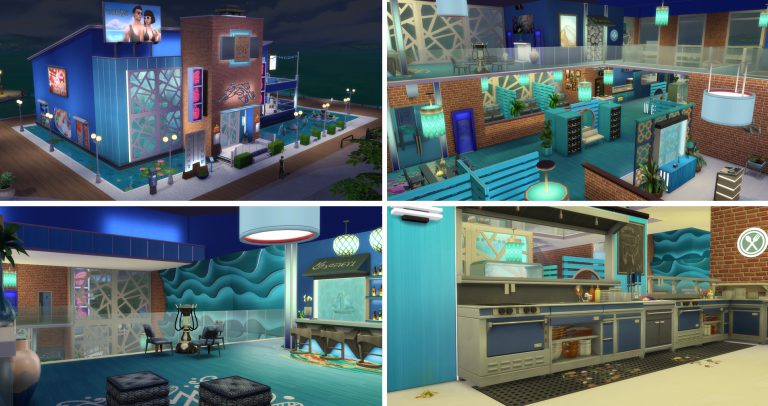
As many of you are aware SimGuruKimmi of the Maxis team held a Twitter based challenge to create a restaurant from a shell she placed on the Sims 4 Gallery. The contest ended around two weeks ago. The task of selecting a winner was daunting. Over eighty Simmers entered builds but at last the wait is over. A winner has been announced!
Kimmi’s Favorite build of the Seafood Kimmi Challenge is…. KIMMI’S PLACE by Gallery creator ALYXSTRIKRE (Twitter @Vankuar)!
You can view his full gallery here: https://www.thesims.com/en_GB/gallery/browse?searchtype=ea_origin_id&time=all&category=all&searchquery=alyxstrikre&sortby=newest&max=50&maxis=false
This is the direct link to the winning build and below are a selection of pictures illustrating it: https://www.thesims.com/en_GB/gallery/A1EB0954FC7711E6817ECEA2275DD5CA?searchtype=ea_origin_id&time=all&category=all&searchquery=alyxstrikre&sortby=newest&max=50&maxis=false
CONGRATULATIONS ALYXSTRIKRE!


As well, a second winner was chosen at random, raffle style and that winner is…. SALTY AIR BBQ AND GRILL by Gallery Creator SUELADYSIMS (Twitter @Sueladysims)!
You can view her full collection here: https://www.thesims.com/en_GB/gallery/browse?searchtype=ea_origin_id&time=all&category=all&searchquery=sueladysims&sortby=newest&max=50&maxis=false
This is the direct link to the winning build and below are a selection of pictures illustrating it: https://www.thesims.com/en_GB/gallery/3923DA6EFB5A11E68442D17DD91519F7?searchtype=ea_origin_id&time=all&category=all&searchquery=sueladysims&sortby=newest&max=50&maxis=false
CONGRATULATIONS SUELADYSIMS


This was a really great challenge that saw over eighty entrants with a wealth of creatively. It was exciting to see all the different takes on a single theme from around the world. You can browse through the entire entry catalog here to find inspiration and maybe a new place for your sims to have a night on the town: https://www.thesims.com/en_GB/gallery/browse?searchtype=hashtag&time=all&category=all&searchquery=seafoodkimmi&sortby=newest&max=50&maxis=false
Project Vie is 100% a hoax!

UPDATE: The folks behind this hoax posted the screenshots of “the game”. This is the last update on this project as it’s obviously all photoshop and scam.


You’ve probably heard about Project Vie, a new, promising life-simulation game that was supposed to compete with The Sims in terms of features.
Well, that project is 99,9% likely to be a hoax. How so you may ask?
For starters, MadameButterfly warned us a few weeks ago that Project Vie was a growing project by a banned member aimed to do nothing more but troll the community with a fake life-simulation game that would raise our hopes up and give us a new Sims competitor that we’ve been waiting for a while now.
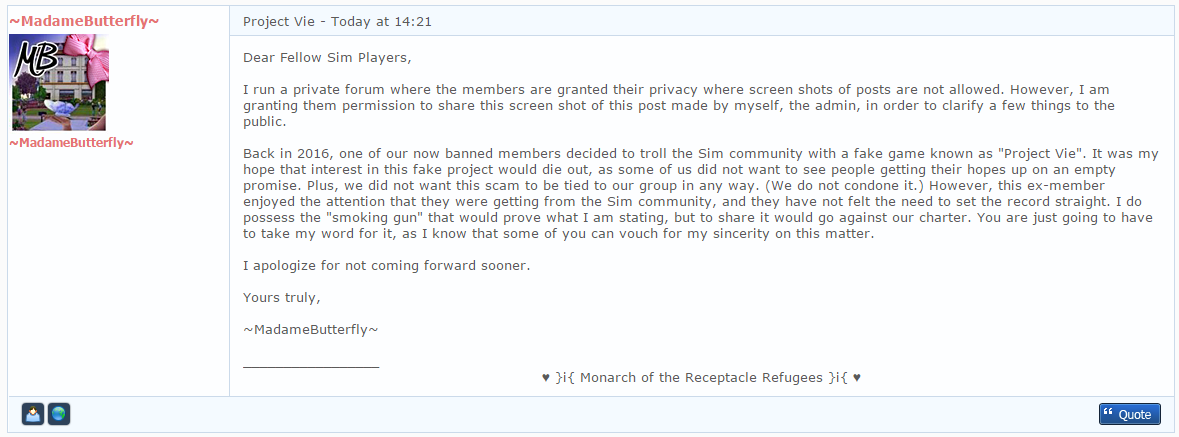
We’re only a few hours from their announcement that should take place at 18:00 GMT. They provided us with some material including logos, game summary and information about the people behind this project. What’s interesting is that, from their “About Us” document, I still don’t know a single thing about anyone from this Project Vie “team”.


Here’s a small excerpt from their game summary, which obviously references to Rick Astley’s “Never Gonna Give You Up” chorus, which is usually used nowadays for trolling on the internet.

I have nothing to say except add this Tyra Banks GIF:

The Sims 4: SimGuruMegs wants your Feedback regarding New Skintones

SimGuruMegs is looking for your feedback regarding skintones in The Sims 4.
If you feel like there aren’t enough skintones in the game or you just feel like some important skintones are not included in the game, reply to SimGuruMegs’ tweet down below with your suggestion!
@SimGuruMegs And I will try my best to get them into the game.
— Megan G (@SimGuruMegs) March 13, 2017
Down below you can take a look at all the skintones we have in the game for now (palette on the right side of the interface)

The Sims 4 Building Tips: One House, Six Rooftops
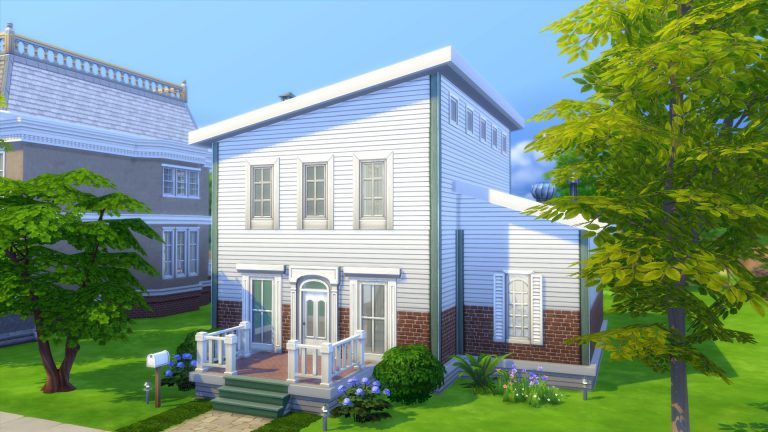

In Sims 4 rooftops is an aspect of building that tends to get overlooked by new builders. While in many ways, building overall is easier in Sims 4, roofing is one that can be a bit of a challenge. We no longer have an “auto-roof” feature, and roof styles are still a little limited even after 3 expansion packs and 4 game packs. However, the features that are available are easy to use, and tend to be less finicky than it’s predecessors.
If you’re new to building, this article explores how to take one fairly basic house and make it more interesting with different styles of rooftops that are easy to create. No custom content is used, and the only cheat turned on is “bb.moveobjects on”.
Some general tips:
- Use the cheat code “bb.moveobjects on” to place objects where they are normally restricted by the game.
- Don’t forget about the roof trim.
- Don’t worry about creating unused rooms to make the tops of the houses more interesting.
- Use friezes and build decor liberally.
- Be inspired: look up at the roof tops in your real life neighbourhood.
Roof 1 (Gabled):
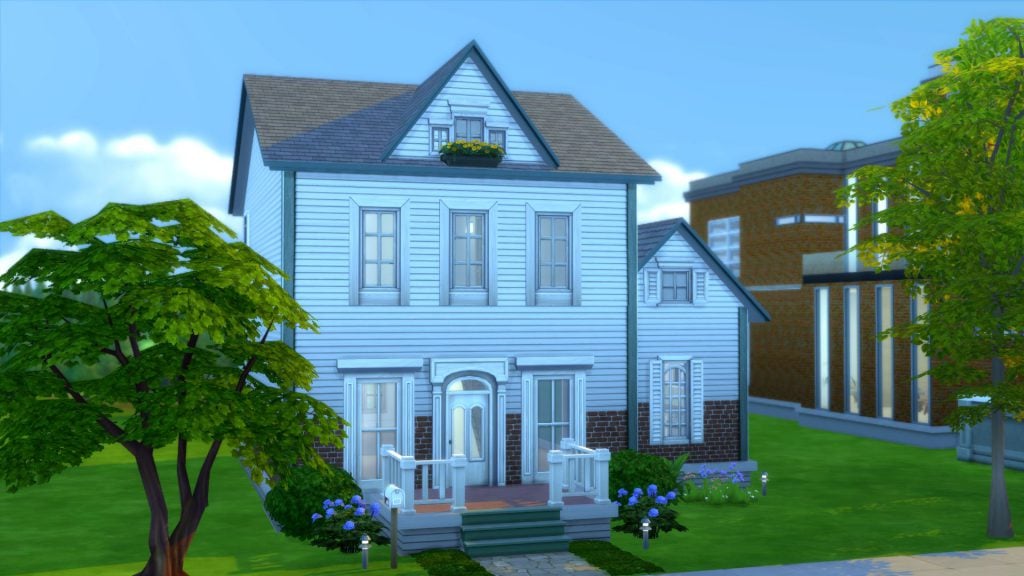
Here’s our base house:

This is a basic 2 bedroom house on a 30×20 lot in Newcrest. It has the familiar gabled roof, my go-to rooftop for most of my builds.
The layout is a rectangle. Nothing too spectacular.

Roof 2 (Gambrel):

This really simple adjustment changes the entire look of the house. This gambrel roof was created by simply using the roof curve function, changing the roof pattern and trim and adding the weather vane roof decor object from Get Together. The round window makes use of the empty space and is a bit of a contrast to the blocky windows on the levels below it.

Tip: Windows,weather vanes and finials are like jewelry; when dressing your home, never forget the accessories.
Roof 3 (Dormers):
Roof 3 is another easy roof top. Build it by turning the existing gable 90° and adjusting it to fit the roof. Add another smaller gable perpendicular to the large roof to create a dormer.

Roof 4 (Mansard):

If you like a more classic “Second Empire” look to your home, you can try building a mansard roof. Do this in game using the half-hipped roof.
- Build a smaller room on the roof about one or two squares from the edge of the building
- Line up a half-hipped roof against the wall and adjust the length and height.
- Copy this roof and use it for the other edges of the building, adjusting the length as needed


Tip: Use friezes and trims to create interesting roof tops. Most friezes can be used on the middle and highest wall height and are added to the top of a level. Exterior trims are only added to the bottom of a level, so you will need to create a “space” above the top level to use these. You might use exterior trims instead of friezes if your upper level is the shortest height, or if you’d just like to use a smaller or less ornate frieze.

Roof 5 (Modern):
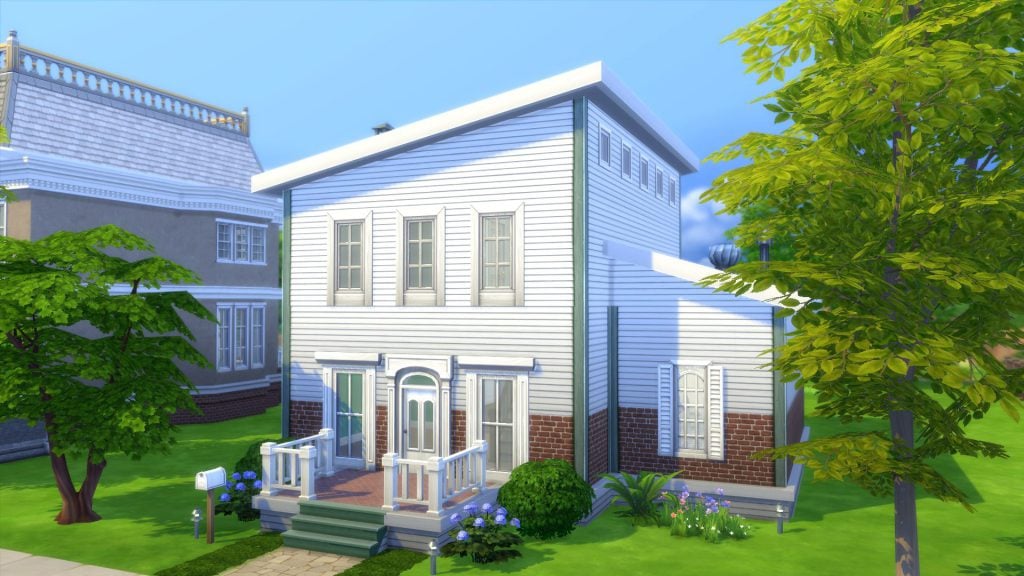
A very easy roof with a big impact. It already makes the house look more modern even though nothing else about the building was changed.

Roof 6 (A Tower):
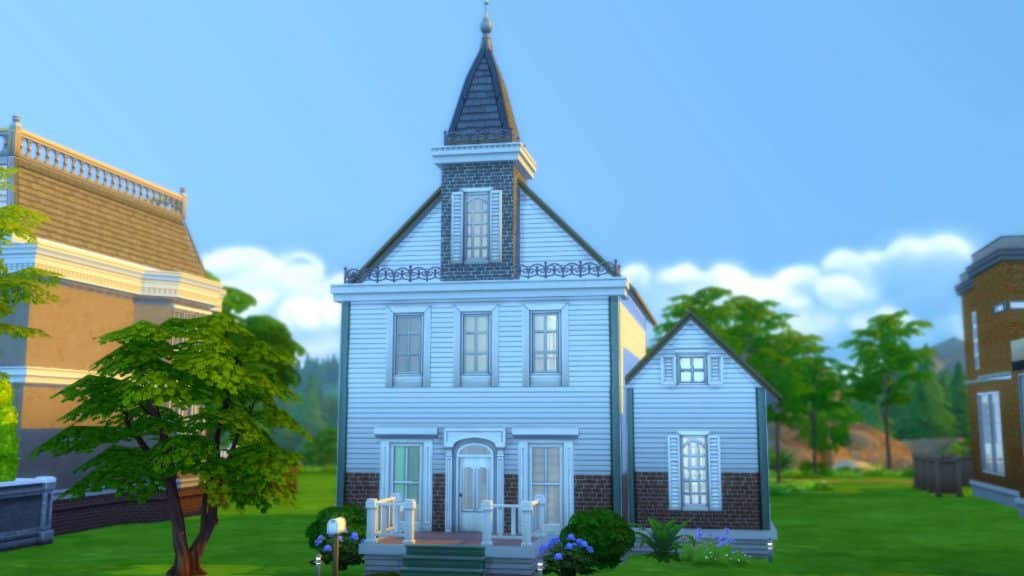
To give your house a little bit of Victorian schoolhouse charm, add a tower! One of the easiest ways to determine when a building was built or it’s architectural influence is to look at it’s roof top.

- Build a square room above your highest level.
- Copy this room and stack it above. Delete the ceiling of this room and replace the walls with fencing.
- Add a mansard roof. Use the curve tool to adjust the curvature of the roof if you’d like.
- Add wall texture, a frieze, and a window.
Of course, all of these are basic examples with self-imposed limitations (e.e. not touching the house at all), but it shows how many looks even the simplest of lots can have. Once you get comfortable with building, you will find yourself incorporating the roof in the planning stages of your layout. You’ll also be more comfortable with making adjustments along the way, finding out what works, and what does not. Soon you’ll be addicted to building and creating elaborate rooftops like the example below. (I call this lot “So Many Gables”).
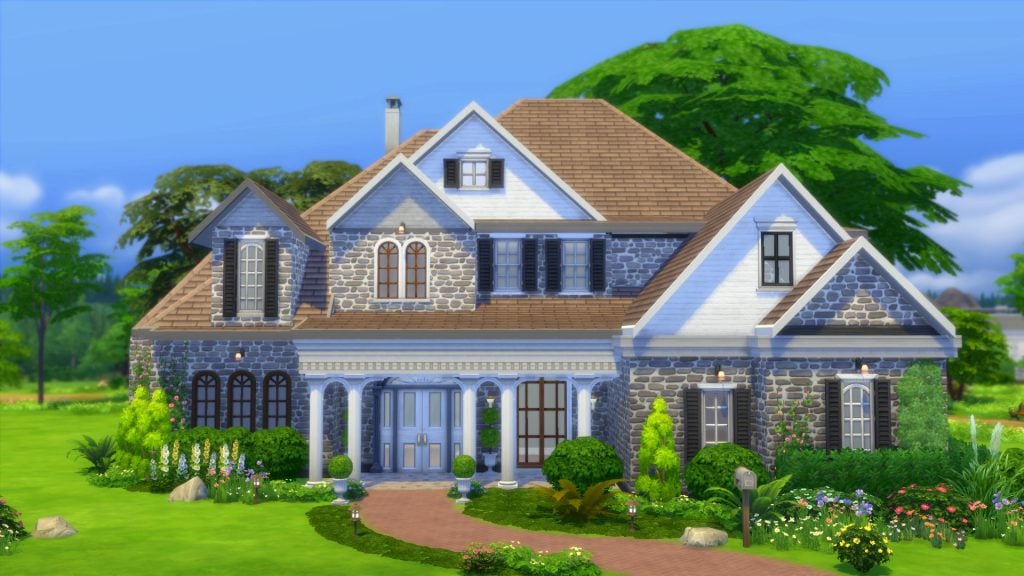
Just have fun with your builds and share what you’ve got! If you have any other fun tips to share, let us know in the comments!
Find the full speed roof building video on Youtube here: Sims 4 Building Tips – Rooftops