Home Blog Page 389

Origin Holiday Sale: Save up to 65% (City Living 50% off + more)

0

Origin is having yet another sale, this time offering games that are now up to 65% off! The Sims 4 is also included in this offer, including the base game, game packs and expansion packs.

For the first time ever, City Living is 50% off! Down below you can see all of The Sims 4 offers:

For more deals, click the image below! Offer ends on January 5th, 2017 at 10AM PST.

Origin Holiday Sale: Save up to 65% (City Living 50% off + more)

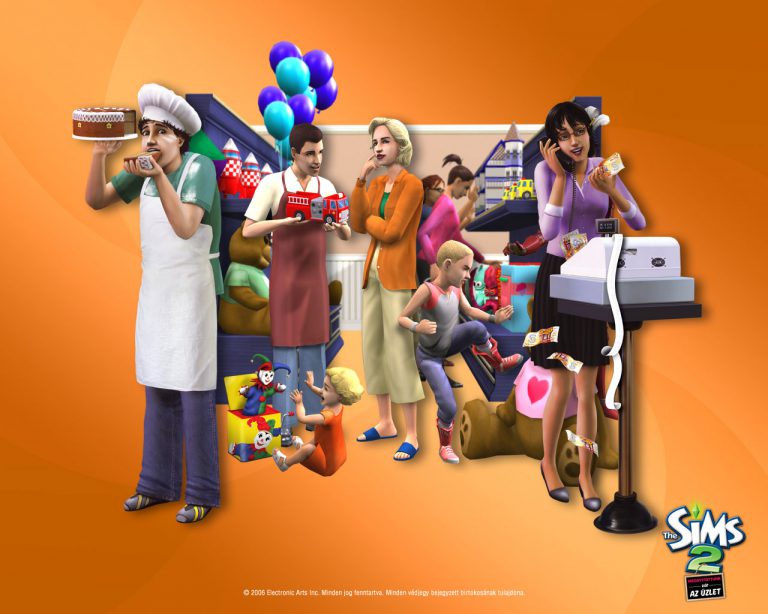
James’ Sims 2 Thoughts: The Sims 2 Open for Business (2006)

I am so excited for this week, because its time to talk about my favorite The Sims 2 expansion, and possibly my favorite Sims expansion of all time

Lets travel back to February 28th, 2006…

The Sims 2: Open for Business was released and changed the simming experience. It allowed us to create our own business and run them! This was such a revolutionary idea for the series and when I got it for Easter in 2006, I was floored by it. It added so many interactions, NPC’s and so many new objects.

The best part about the expansion is the idea of running your own business! I love doing this. I love being able to grab stuff from Buy Mode and be able to pick pretty much anything and everything to sell in your store

This expansion also added yet ANOTHER sub-neighborhood ( In 3 expansions,  we now have 3 sub-neighborhoods…. I’m looking at you, Sims 3 and 4...)

OFB1

Bluewater Village was added as a neighborhood full of community lots as well as some new families (we welcome Malcolm Landgraab IV to the neighborhood with this pack.) This neighborhood gave us a semi-blank canvas to work with, mostly to build our own restaurants and businesses.

OFB2

There are 3 types of businesses  you can run:

  • Services (such as stores, restaurants, salons, etc)
  • Restaurants
  • Venues

I am a big fan of the basic store idea. I love making flower shops or art galleries where other sims can buy my own creations. Bakeries are really fun, because you gain cooking skill as well as all the talent badges for running and selling your own products.

Which leads me into a new feature of this expansion: Talent badges.

You earn special badges for doing special interactions, such as hair dressing, toy making, robotics, flower making, etc,. The higher your talent badge is, the quality of the product you craft is higher as well. When the quality of your craft is higher, you can sell the item at a way higher price than what it was made, and be able to get a good profit from it.

OFB 3

When it comes to restaurants, you can hire a cook or be the chef of your own restaurant and pretty much make a really good living from it. I just love the fact that my sim can have a level 10 cooking skill and be the chef in her own restaurant….  (I’m looking at you again, Sims 4: Dine Out…)

You can actually make a decent living  from owning a business. You can make a home business or a business from a community lot. The choice is yours. I love making a home business first, then transferring it over to a small community lot and go from there.

OFB 4

Open for Business, in my personal opinion is THE best sims expansion ever made. If Maxis really wanted to, they could have easily made this a whole spin off of the sims series. It is a jam packed expansion that is full of things that I am still discovering over 10 years since it was released.

Next week I will be exploring what all the barking is all about, with The Sims 2:Pets!

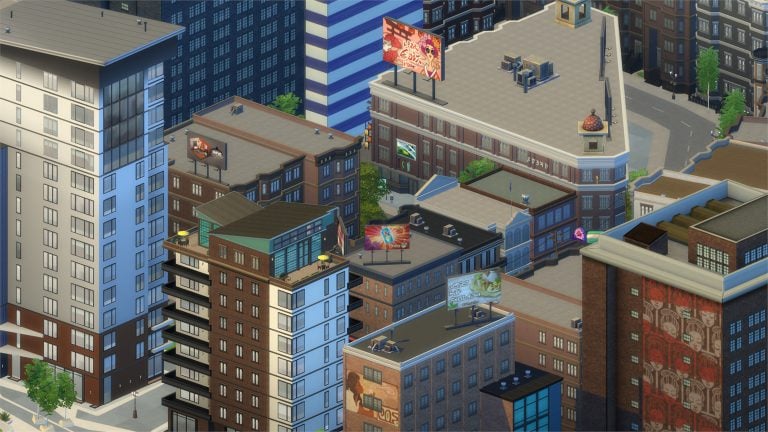
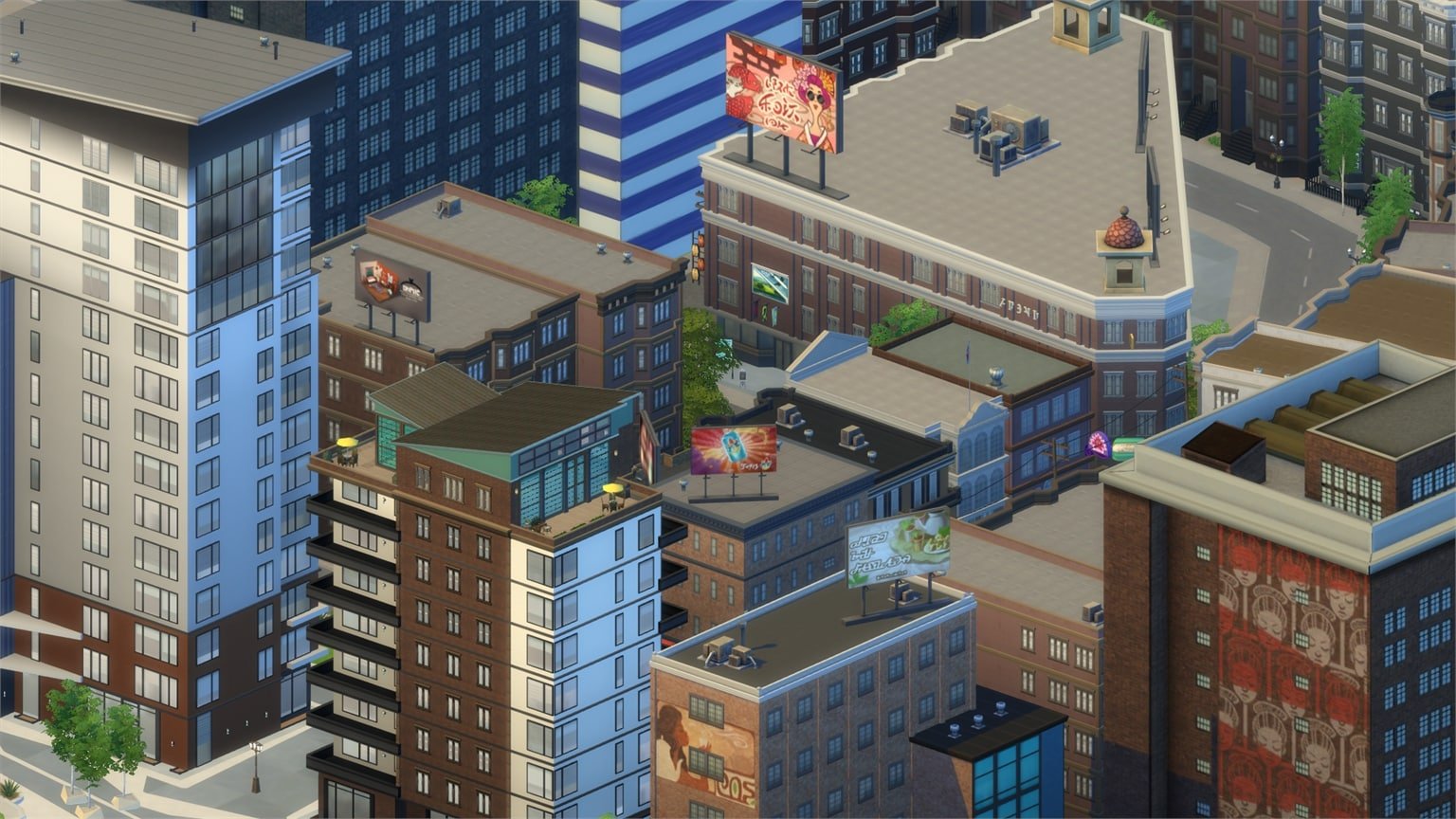
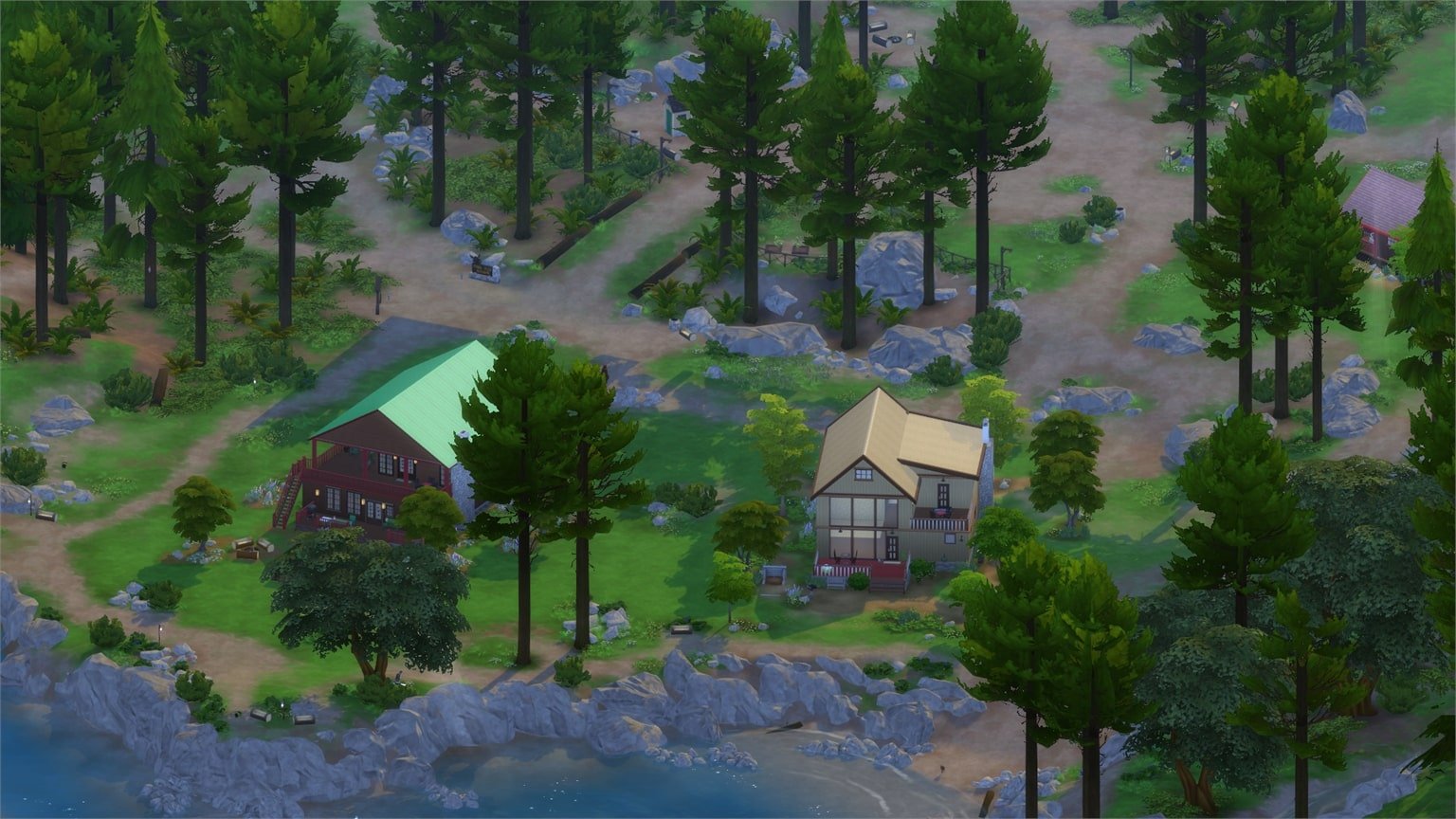
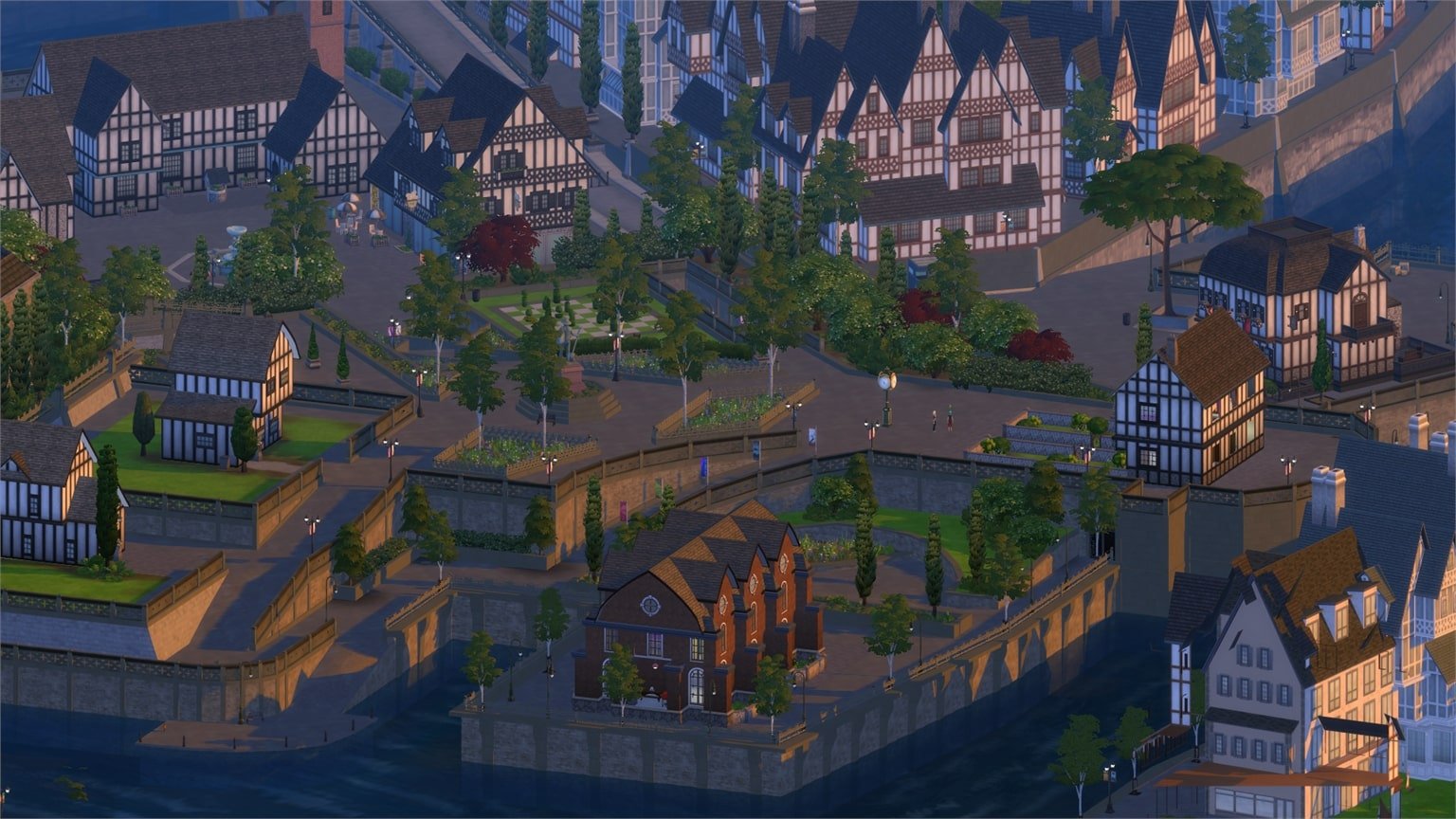
The Sims 4 looks absolutely beautiful with The Sims 1 Camera Angles

4

The Sims Team left a small camera feature which can really change your point of view in The Sims 4.

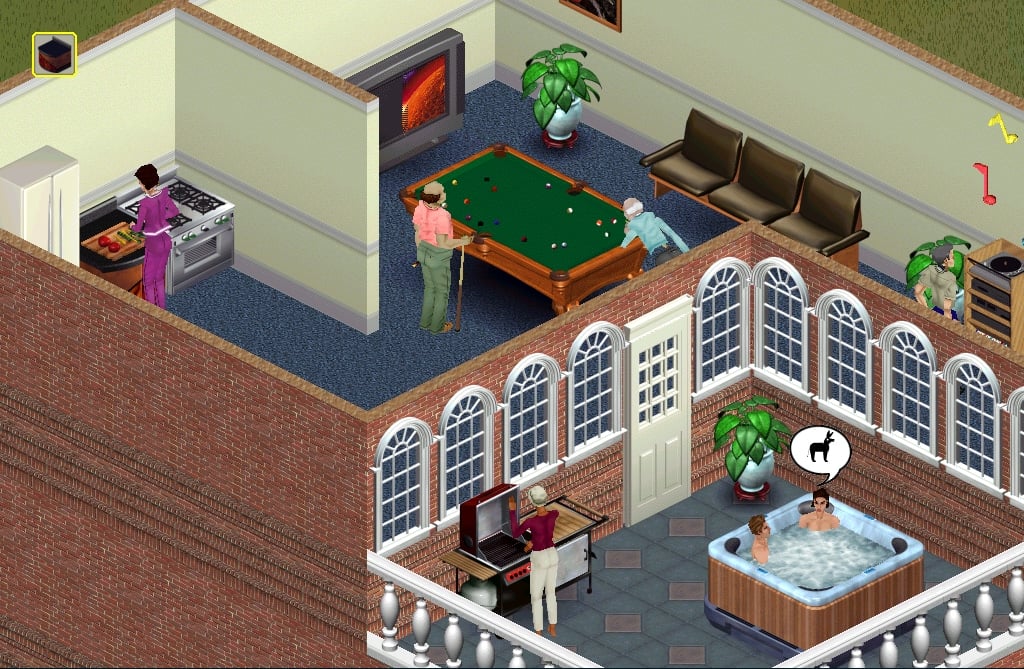
You’re probably familiar with the isometric camera in The Sims 1:

The Sims 4 looks absolutely beautiful with The Sims 1 Camera Angles

The same camera can be enabled with one small modification in The Sims 4 game files.

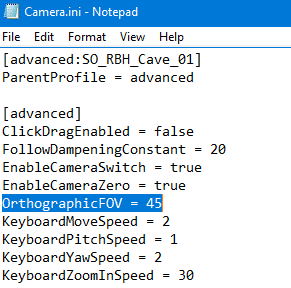
To turn on the isometric camera in The Sims 4, open a folder where Origin installed the game and then Electronic Arts > The Sims 4 > Game > Bin > res and in that folder you’ll find the Camera.ini file. Open it using notepad and find the OrtographicFOV part. The unmodified version will say OrtographicFOV = 0. To turn on the isometric camera, change the number 0 to 45. Save the .ini file and close it.

The Sims 4 looks absolutely beautiful with The Sims 1 Camera Angles

The results in-game are simply beautiful. The camera moves with ease and you won’t have any issues with clicking certain items. If an object is in your way you’re not locked to move your camera and view the game from a different angle.

Here are some of the screens I took using the isometric camera:

The isometric camera is only good when you use it in Live Mode. You’ll come across placing issues in Build Mode and a very zoomed-in camera in Create A Sim.

If you’re a modder and find it possible to simply turn-off isometric camera settings in Build and CAS modes, check out this thread!

The Sims 4 Machinima: Merry Christmas

0

Get in the holiday spirit with a new The Sims 4 Machinima video by SimmerJonny!

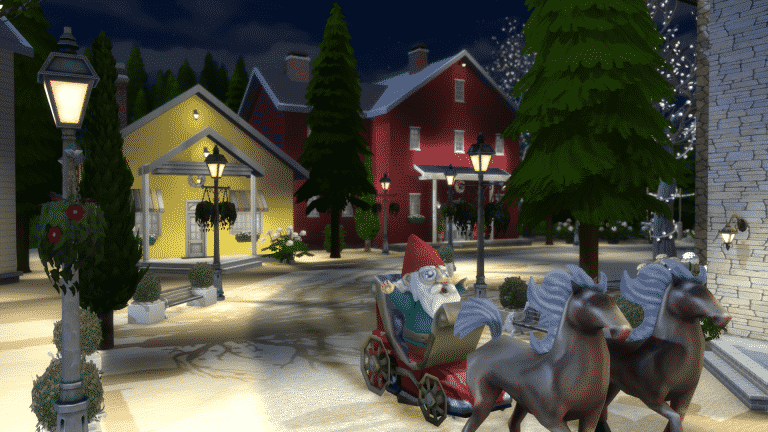
The Sims 4 Gallery Spotlight: Holiday Lots

ts4e3logo

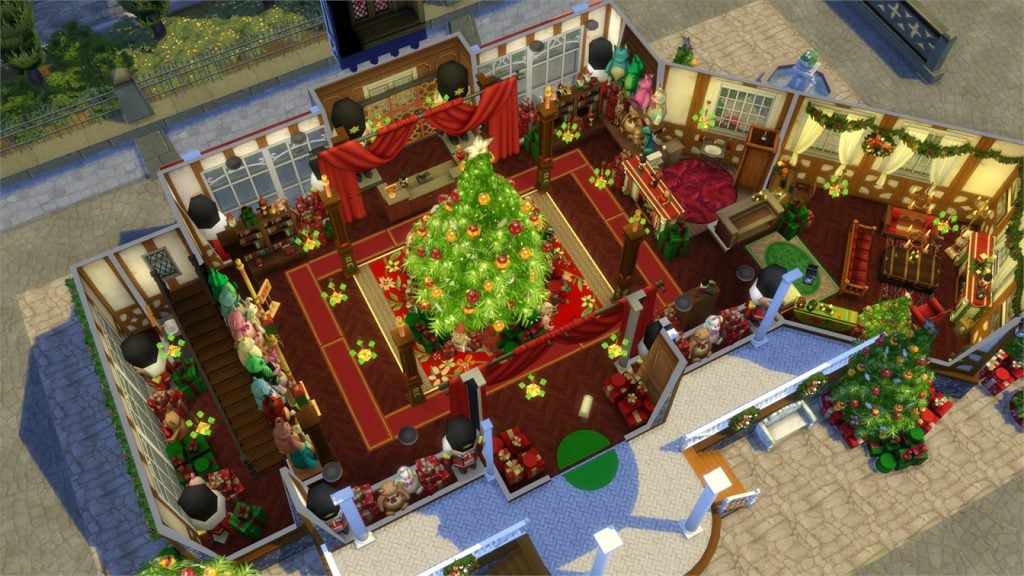
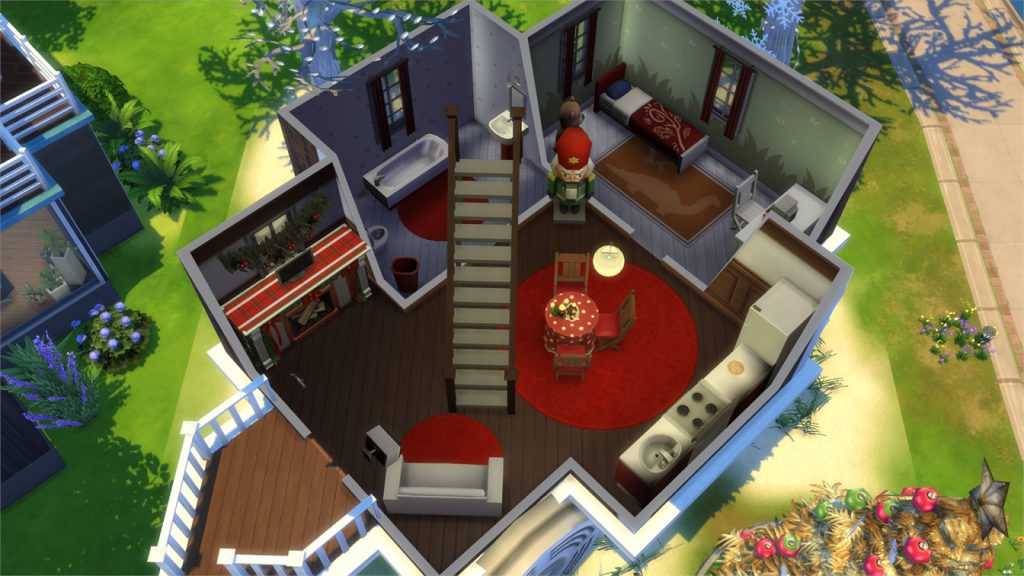
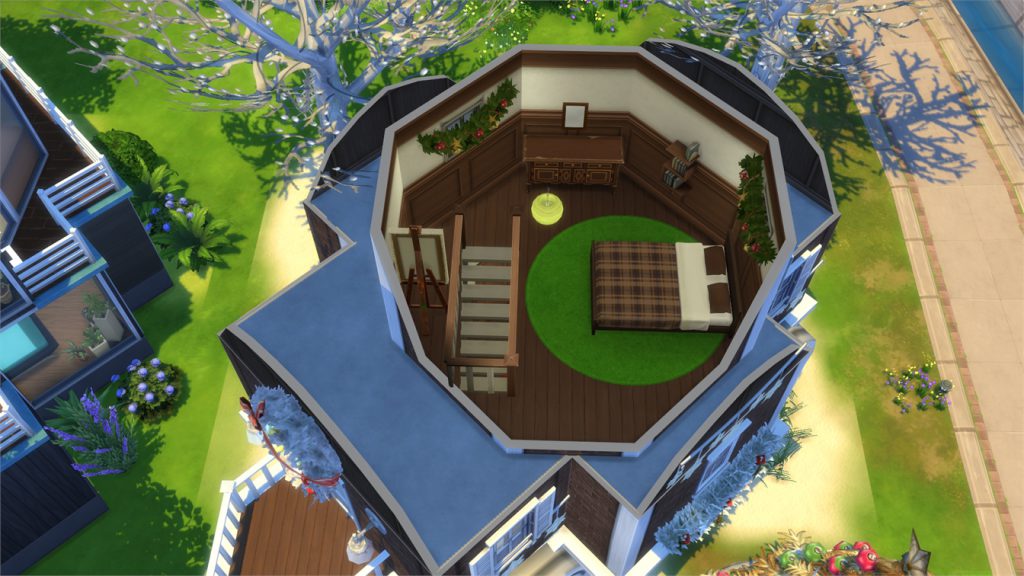
In this Spotlight, we’re featuring holiday themed lots, most of which are made using the Holiday Celebration free pack + some other packs as well.

Hover over the pulsing plumbobs to see screenshots of marked areas. Pulsing plumbob that’s on the left bottom corner contains all the info (and download link) of the lot.

To see more of our previous Gallery Spotlights, CLICK HERE!

[ult_hotspot main_img=”id^56341|url^https://simscommunity.info/wp-content/uploads/2016/12/12-20-16_5-17-33-PM.jpg|caption^null|alt^null|title^12-20-16_5-17-33-pm|description^null”][ult_hotspot_items icon_type=”custom” icon_img=”id^39525|url^https://simscommunity.info/wp-content/uploads/2015/09/plumbob2.png|caption^null|alt^null|title^plumbob2|description^null” img_width=”38″ tooltip_custom_color=”” tooltip_custom_bg_color=”rgba(255,255,255,0.01)” tooltip_width=”400″ tooltip_position=”right” enable_bubble_arrow=”off” tooltip_continuous_animation=”on” hotspot_position=”67.31372816593887,52.26993865030675″]

12-20-16_5-17-42-pm

[/ult_hotspot_items][ult_hotspot_items icon_type=”custom” icon_img=”id^39525|url^https://simscommunity.info/wp-content/uploads/2015/09/plumbob2.png|caption^null|alt^null|title^plumbob2|description^null” img_width=”38″ tooltip_custom_color=”” tooltip_custom_bg_color=”rgba(255,255,255,0.01)” tooltip_width=”400″ tooltip_position=”right” enable_bubble_arrow=”off” tooltip_continuous_animation=”on” hotspot_position=”39.60493995633188,52.51533742331288″]

12-20-16_5-17-44-pm

[/ult_hotspot_items][ult_hotspot_items icon_type=”custom” icon_img=”id^39525|url^https://simscommunity.info/wp-content/uploads/2015/09/plumbob2.png|caption^null|alt^null|title^plumbob2|description^null” img_width=”52″ tooltip_custom_color=”#1e73be” tooltip_custom_bg_color=”#ffffff” tooltip_width=”450″ tooltip_position=”right” tooltip_continuous_animation=”on” hotspot_position=”89.61858624454149,3.190184049079755″ tooltip_custom_border_size=”border-style:solid;|border-width:2px;border-radius:5px;|border-color:#81d742;”]

Merry Christmas (Download Here)

by chips46

Value: §199,978
Size: 30×20
Lot Type: Residental Lot[/ult_hotspot_items][/ult_hotspot][ult_hotspot main_img=”id^56344|url^https://simscommunity.info/wp-content/uploads/2016/12/12-20-16_5-24-13-PM.jpg|caption^null|alt^null|title^12-20-16_5-24-13-pm|description^null”][ult_hotspot_items icon_type=”custom” icon_img=”id^39525|url^https://simscommunity.info/wp-content/uploads/2015/09/plumbob2.png|caption^null|alt^null|title^plumbob2|description^null” img_width=”38″ tooltip_custom_color=”” tooltip_custom_bg_color=”rgba(255,255,255,0.01)” tooltip_width=”400″ tooltip_position=”right” enable_bubble_arrow=”off” tooltip_continuous_animation=”on” hotspot_position=”64.34566048034934,56.687116564417174″]
12-20-16_5-24-24-pm

[/ult_hotspot_items][ult_hotspot_items icon_type=”custom” icon_img=”id^39525|url^https://simscommunity.info/wp-content/uploads/2015/09/plumbob2.png|caption^null|alt^null|title^plumbob2|description^null” img_width=”38″ tooltip_custom_color=”” tooltip_custom_bg_color=”rgba(255,255,255,0.01)” tooltip_width=”400″ tooltip_position=”right” enable_bubble_arrow=”off” tooltip_continuous_animation=”on” hotspot_position=”46.6941866812227,56.80981595092025″]

12-20-16_5-24-30-pm

[/ult_hotspot_items][ult_hotspot_items icon_type=”custom” icon_img=”id^39525|url^https://simscommunity.info/wp-content/uploads/2015/09/plumbob2.png|caption^null|alt^null|title^plumbob2|description^null” img_width=”52″ tooltip_custom_color=”#1e73be” tooltip_custom_bg_color=”#ffffff” tooltip_width=”450″ tooltip_position=”right” tooltip_continuous_animation=”on” hotspot_position=”89.61858624454149,3.190184049079755″ tooltip_custom_border_size=”border-style:solid;|border-width:2px;border-radius:5px;|border-color:#81d742;”]

Christmas Toy Shop (Download Here)

by Simproved

Value: §189,175
Size: 30×20
Lot Type: Retail[/ult_hotspot_items][/ult_hotspot][ult_hotspot main_img=”id^56347|url^https://simscommunity.info/wp-content/uploads/2016/12/12-20-16_5-26-52-PM.jpg|caption^null|alt^null|title^12-20-16_5-26-52-pm|description^null”][ult_hotspot_items icon_type=”custom” icon_img=”id^39525|url^https://simscommunity.info/wp-content/uploads/2015/09/plumbob2.png|caption^null|alt^null|title^plumbob2|description^null” img_width=”38″ tooltip_custom_color=”” tooltip_custom_bg_color=”rgba(255,255,255,0.01)” tooltip_width=”400″ tooltip_position=”right” enable_bubble_arrow=”off” tooltip_continuous_animation=”on” hotspot_position=”58.36176310043668,42.69938650306748″]
12-20-16_5-27-04-pm

[/ult_hotspot_items][ult_hotspot_items icon_type=”custom” icon_img=”id^39525|url^https://simscommunity.info/wp-content/uploads/2015/09/plumbob2.png|caption^null|alt^null|title^plumbob2|description^null” img_width=”38″ tooltip_custom_color=”” tooltip_custom_bg_color=”rgba(255,255,255,0.01)” tooltip_width=”400″ tooltip_position=”right” enable_bubble_arrow=”off” tooltip_continuous_animation=”on” hotspot_position=”26.453329694323145,42.331288343558285″]
12-20-16_5-27-06-pm

[/ult_hotspot_items][ult_hotspot_items icon_type=”custom” icon_img=”id^39525|url^https://simscommunity.info/wp-content/uploads/2015/09/plumbob2.png|caption^null|alt^null|title^plumbob2|description^null” img_width=”52″ tooltip_custom_color=”#1e73be” tooltip_custom_bg_color=”#ffffff” tooltip_width=”450″ tooltip_position=”right” tooltip_continuous_animation=”on” hotspot_position=”89.61858624454149,3.190184049079755″ tooltip_custom_border_size=”border-style:solid;|border-width:2px;border-radius:5px;|border-color:#81d742;”]

Gingerbread Starter (Download Here)

by dasie2

Value: §19,185
Size: 20×15
Lot Type: Residental Lot[/ult_hotspot_items][/ult_hotspot]

The Sims 4 CC: 30 New Skin Tones

2

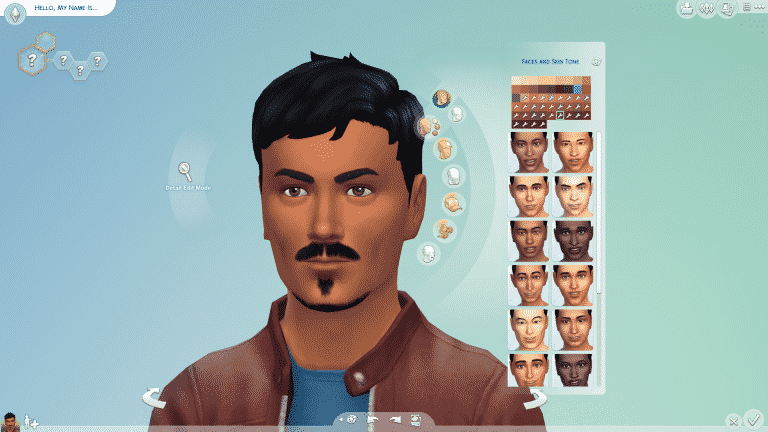
Zerbu put 30 new skin tones that you can use for sims of all ages! They come in white, orange, red and brown variations.

To install these simply extract the .package file from the downloaded .zip file into Electronic Arts > The Sims 4 > Mods folder. Make sure you have mods and custom content enabled!

Here’s a skin tone I tested in-game. The custom skin tones are marked with the wrench icon.

ts4_x64-2016-12-20-15-06-12-77

To download these skin tones, click the button below!

[mks_button size=”large” title=”DOWNLOAD!” style=”squared” url=”http://zerbu.tumblr.com/post/154461590166/the-sims-4-custom-content-30-skin-tones” target=”_blank” bg_color=”#1e73be” txt_color=”#FFFFFF” icon=”fa-arrow-down” icon_type=”fa” nofollow=”0″]

Object Assets for a ”Cancelled Sims Mobile Game”

2

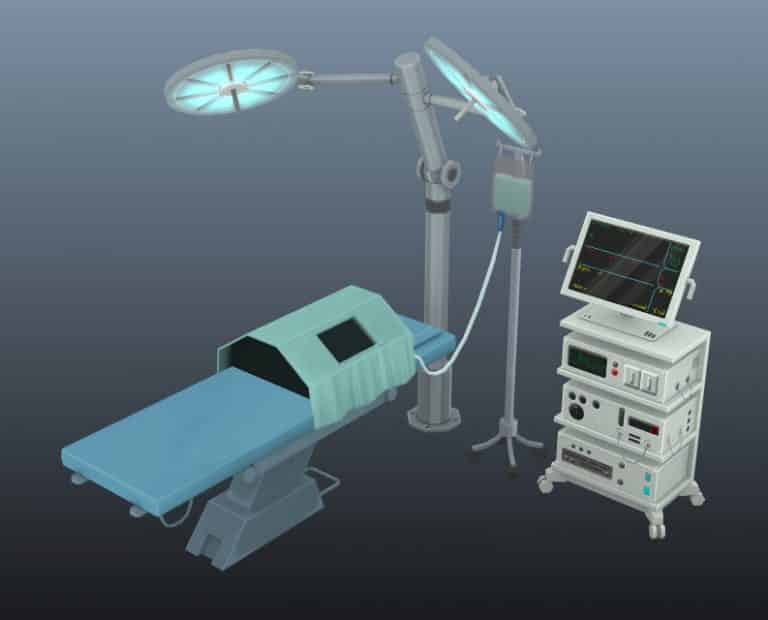
ArtStation user _Undertow_, who worked on The Sims 3 Store’s late projects published some interesting assets of objects for a ”cancelled Sims Mobile Game”. Although the member didn’t specify what this Sims mobile game was about, we do have interesting assets that feature career objects and city-themed items such as the crane.

More Sims assets, this time for a cancelled mobile game. Modeled with maya and textured in photoshop.

Free Sims Online Open Beta coming this January!

26

We wrote about the FreeSO (Free Sims Online) project a few months ago while it was still in the early stages of development. Today, the folks behind this project have announced that FreeSO will be in open beta phase on January 6th, with a new features, objects and more!

Check out what you can expect in the open beta this January:

17 months later again, for New Year 2017, we’re finally launching the game in the large scale MMO context that we’ve been working towards this whole time.

You will be able to own a house in the city, run a store, skills lot, money lot, service lot, nightclub or whatever you want to create! Breach the top 100 with a fantastic lot, sell your in-game skills and real ones, work your way to the top of the career track with friends or just have fun, there will be a lot to do off the bat.

With new features and objects from the start, the future of the game is looking brighter than ever. The max lot size is now a huge 64×64 with 5 floors, and you can now see your neighbours around your lot. Compliment each other’s views or go to war with your neighbours, or just make a 5 floor castle in the middle of nowhere. As the past few years have proved, I’ll be there to listen to any feedback, quickly fix bugs that pop up, and lead us through the beta period to a full launch. Of course, the launch will fix a ton of bugs and introduce many welcome changes too!

Learn more!

city

The Sims 4: First Snow Mod Updated for City Living

6

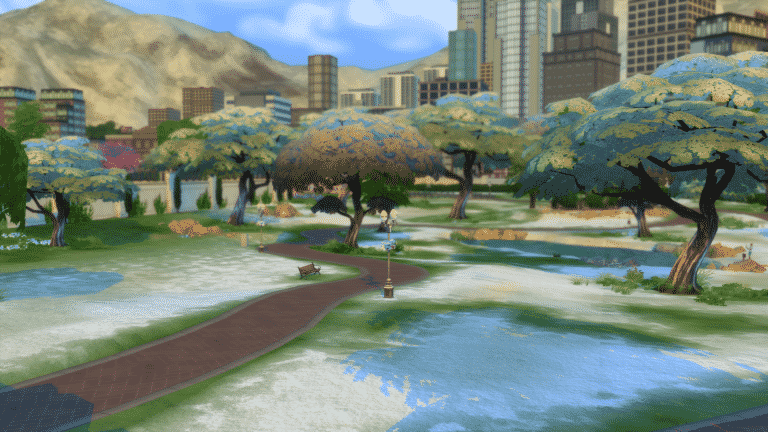
SimCookie has updated their First Snow mod for The Sims 4 City Living – turning San Myshuno into a winter wonderland!

According to Greg from SimCookie, the First Snow mod will be updated again eventually once he has more time to work on it. For now you can enjoy in a small winter transformation in terrain, plants, trees and cars!

To install the mod, extract the .rar content in Electronic Arts > The Sims 4 > Mods folder. Make sure you have mods and custom content enabled in your game!

Click the download button below to get this mod!

[mks_button size=”large” title=”DOWNLOAD!” style=”rounded” url=”http://simcookie.com/les-sims-4-first-snow-est-disponible/” target=”_blank” bg_color=”#1e73be” txt_color=”#FFFFFF” icon=”fa-arrow-down” icon_type=”fa” nofollow=”0″]

12-17-16_1-09-44-pm

The Sims 4 Mod Suggestions: Post your Active Career Idea

78

Zerbu is looking for your ideas on SC Social forums!

If you don’t mind modded content in your game and are looking for new active careers rather than just the Doctor, Scientist and Police careers we’ve gotten with Get to Work then make sure you post your active career ideas in the thread linked down below.

Click below to post your suggestion!

capture

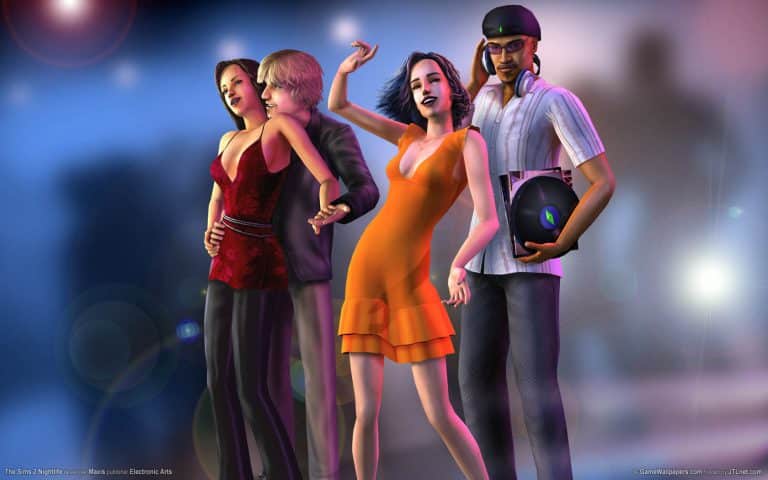
James’ Sims 2 Thoughts: The Sims 2 Nightlife (2005)

Now, don’t think that I haven’t been reading the comments from you all! From here on out, I will be posting my opinions of the new features in the Sims 2 packs I discuss!

Now, we have had The Sims 2 for more than a decade. We had the abilty to let our sims learn and to become better in their lives and careers. But now, where else is there to go for some fun? We have community lots, but , sometimes they just don’t cut it.

But, things are about to change! Again, let’s travel back in time. This time to September 13th 2005

The Sims 2: Nightlife was unleashed, and it gave us another new sub-neighborhood called downtown. Not a super creative title, but I would always change it when I got the chance. For example, in Pleasantview, I renamed it “Downtown Pleasantview”

capture8

capture9

But, the downtown sub neighborhood was so neat!. It gave us so many more lots to choose from. Clubs, restaurants, bowling alleys, parks. If you can think of it, downtown had it. Downtown also gave us some new Non-Playable Characters, including my all time favorite, Mrs. Crumplebottom.

capture10

She was such a mean person.  But, she was the person I loved to hate in the game.

crumple

My favorite part of Nightlife was the dining aspect that the game introduced. It worked really well and was executed flawlessly. Your sims can choose whatever was on the menu, or have the chef make them what he or she wanted. Now, the dining was enhanced even more when Open for Business came out, but, that is for another article.

capture11

The clubbing was also of fun. I can remember having my sims doing “The smustle” which is a play on the 70’s dance “The hustle”. I always thought the sims looked hysterical doing it, and it really makes me wish that they carried it over into The Sims 4.

My favorite lot was the botanical garden restaurant. That is where I always send my sims on dates. It’s really pretty and a great dating destination. Oh! That leads me to dating! You’re sims can go on official dates. They are timed and have a series of wants and fears. If you fulfill wants, the date meter goes up and it turns into a great date. If not, well, you get told about it, sometimes in a very sarcastic way.  If your dates go your way, you can even public Woohoo if you really wanted to!

capture12

The last major addition to this game is two brand new aspirations: Pleasure and Grilled Cheese.

Pleasure was an aspiration I never played with until recently. But, Grilled Cheese is hysterical. That’s if they use an aspiration reward wrong, they will get this aspiration. Every single want or fear has to do with that gooey sandwich. they want to eat it all the time, paint it, talk about it. But, many sims don’t want to talk about it, unless the other sim has the same Grilled Cheese Aspiration

I really liked  Nightlife…. But next week, I will talk about my all time favorite expansion… The Sims 2: Open for Business!!! Be on the lookout for that!!

The Sims 4: Pack Bundle #2 Available on Origin!

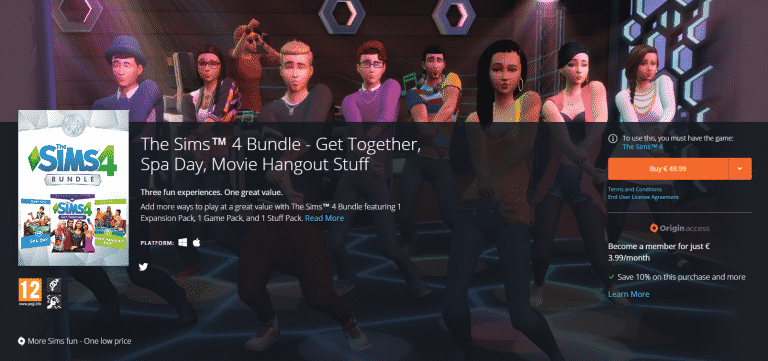
The Sims Team released another The Sims 4 Bundle on Origin that features The Sims 4 Get Together, The Sims 4 Spa Day and The Sims 4 Movie Hangout Stuff. You’d normally pay 70$ when purchasing these packs individually as Get Together is 40$, Spa Day is 20$ and Movie Hangout is 10$. By purchasing this bundle for 50$ you save 20$!

You can find more info about the first bundle HERE!

Add more ways to play at a great value with The Sims™ 4 Bundle featuring 1 Expansion Pack, 1 Game Pack, and 1 Stuff Pack. Create and join unique Clubs, treat your Sims to a day of pampering, and invite friends over for a movie night.

KEY FEATURES

Add more ways to play. Includes The Sims™ 4 Get Together Expansion Pack, The Sims™ 4 Spa Day Game Pack, and The Sims™ 4 Movie Hangout Stuff Pack.

The Sims™ 4 Get Together. Create and join Clubs with distinct interests, personalities, and styles where you can set the rules, define their look, and customise their hangouts. Get together with other Sims for exciting group activities and live it up in the beautiful new World of Windenburg!

The Sims™ 4 Spa Day. Treat your Sims to a day of pampering. Your Sims can visit the all-new Perfect Balance Spa for a revitalising massage and work on their inner wellness through the practice of yoga. After a relaxing soak in the mud bath, step into the sauna to melt away the daily stresses.

The Sims™ 4 Movie Hangout Stuff. Invite your friends over for a movie night and hangout in carefree style. Pop a bowl of popcorn and entertain your Sims with a movie on the all-new projector screen. Embrace a low-key mood by dressing in boho-chic fashion and effortless hairstyles.

Click below to get this bundle!

capture

The Sims 4 Vampire Game Pack: New Animations and Sound Effects!

20

People from NBTS4 recorded the animations in-game that were found in The Sims 4 game files a few days ago, including the creepy walk, aging up and death by sunlight animations. These animations surprisingly came with sound effects so listen closely!

Stay tuned on our Game Pack 4 post category for all the latest news!

Tip: @Mushilda

5 Features we’re hoping to see in The Sims 4 Vampire Game Pack

It’s pretty obvious that a Vampire-themed Game Pack is coming early next year after the recent leaks. I mean, the fact that so many assets and animations have already leaked only means The Sims Team is finished with development. Until we get an official announcement, here are 5 things we’re hoping to see in The Sims 4’s Vampire Game Pack!

1) Bats

Just how cool would it be if we could have our vampire sims turn into bats?! The Sims 2 Nightlife executed this pretty well, although you could only turn into a bat when you want to fly to a certain location on a lot.

https://www.youtube.com/watch?v=vhYx1OmH8qE

2) Coffins

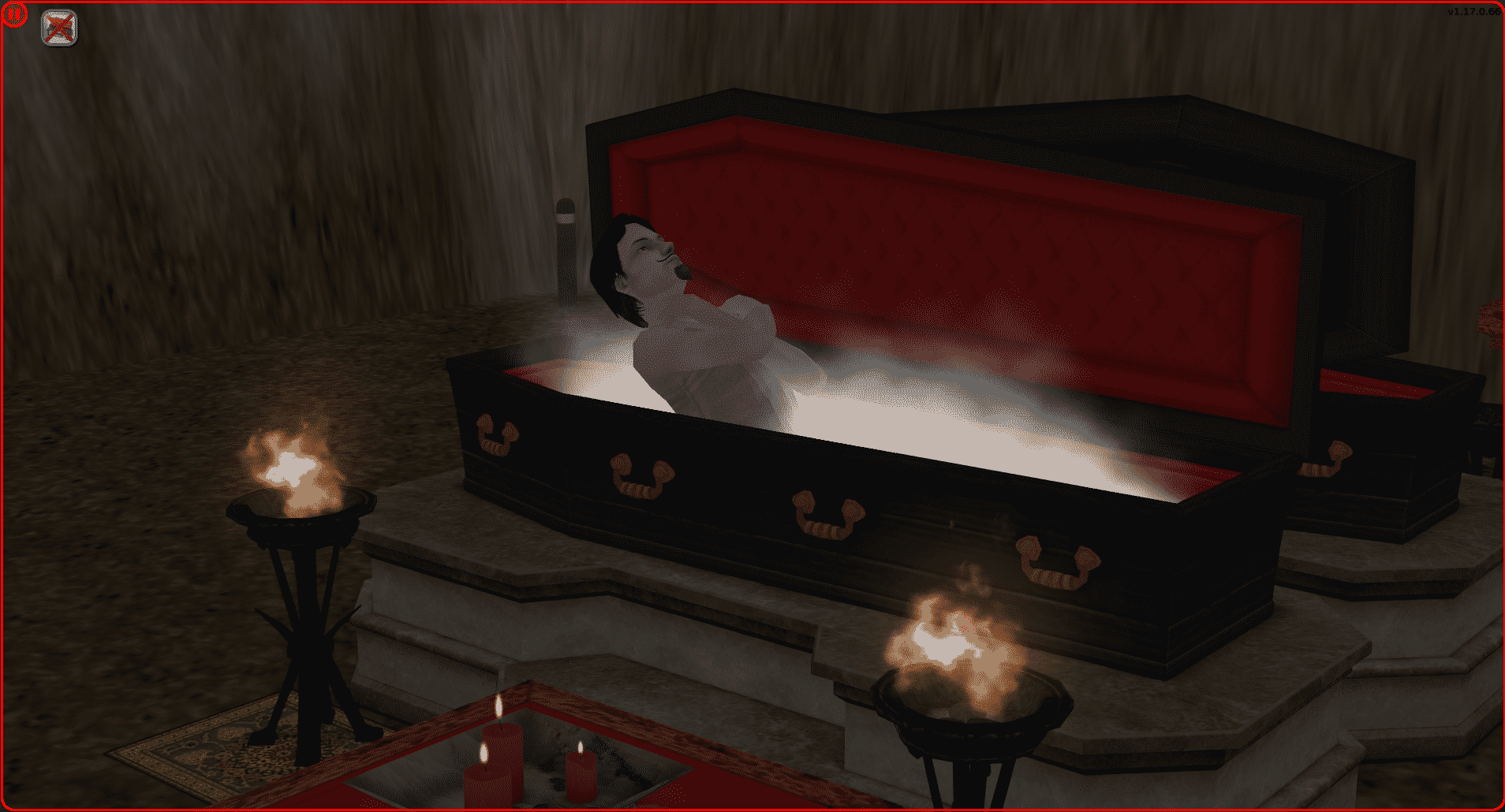
Why sleep in a bed when you can fully enjoy the benefits of being a vampire by sleeping in a coffin? Plus, The Sims 2 Nightlife really did a great job with adding spooky music and fog before and after you send your vampires to sleep. Not to mention the cool torches that are lit during a vampire’s sleep!

sims2ep9-2016-12-13-16-09-48-27

3) Switch between traditional and modern-age vampires

Some like to play it old school and some just want to see their vampire sims sparkle. Having an option to choose between a traditional and modern-age vampire would satisfy both crowds!

screenshot-2695

4) Hunting

Hunting and stalking for a prey with the best plasma (The Sims term for blood) to satisfy your vampire’s thirst is probably the best reason why I’d switch my Sims in The Sims 4 from regular people to vampires. Why cook or order dinner when you can go around and search the dinner in parks and venues?

screenshot-2696

5) Vampire-themed World

If there’s anything The Sims 4 excels at, it’s the visuals of each world. This game really deserves a scary world with actual creepy forests and old rusty hideouts.

The leaked code we found in game files suggests that we’ll be getting a new world. We’ll just have to wait and see if it’s spooky enough!

world_screenshotweb_midnighthollow025

What do you want to see in the upcoming Game Pack? Let us know in the comments below!

The Sims 4: New Quarterly Teaser coming after the holidays!

14

The Sims Team’s fall / winter The Sims 4 quarter is slowly coming to an end with all teased content already being released:

  • City Living Expansion Pack
  • Day of the Dead Challenge
  • Holiday Celebration Free Pack Update
  • Vintage Glamour Stuff Pack

Simmers are already wondering, when will the next quarterly teaser be released? SimGuruDrake answered the question saying that we’ll have to wait and find out after the holiday break:

capture

Considering that The Sims Team announced The Sims 4 Movie Hangout Stuff Pack on 6th of January 2016 and released The Sims 4 Outdoor Retreat Game Pack on January 13th 2015, we can expect The Sims Team’s holiday break to be over in the first 2 weeks of January 2017.

Although it’s not known what exactly will be included in the new quarterly teaser, we already know that The Sims Team left a big chunk of game files for an upcoming Game Pack that’s focused on Vampires, so there’s a huge possibility that Vampires will be teased in next month’s quarterly teaser.

featured image render illustration by max20