Home Blog Page 394

The Sims 4 City Living Gallery Spotlight: Penthouses Part 2

citylivinglogo2

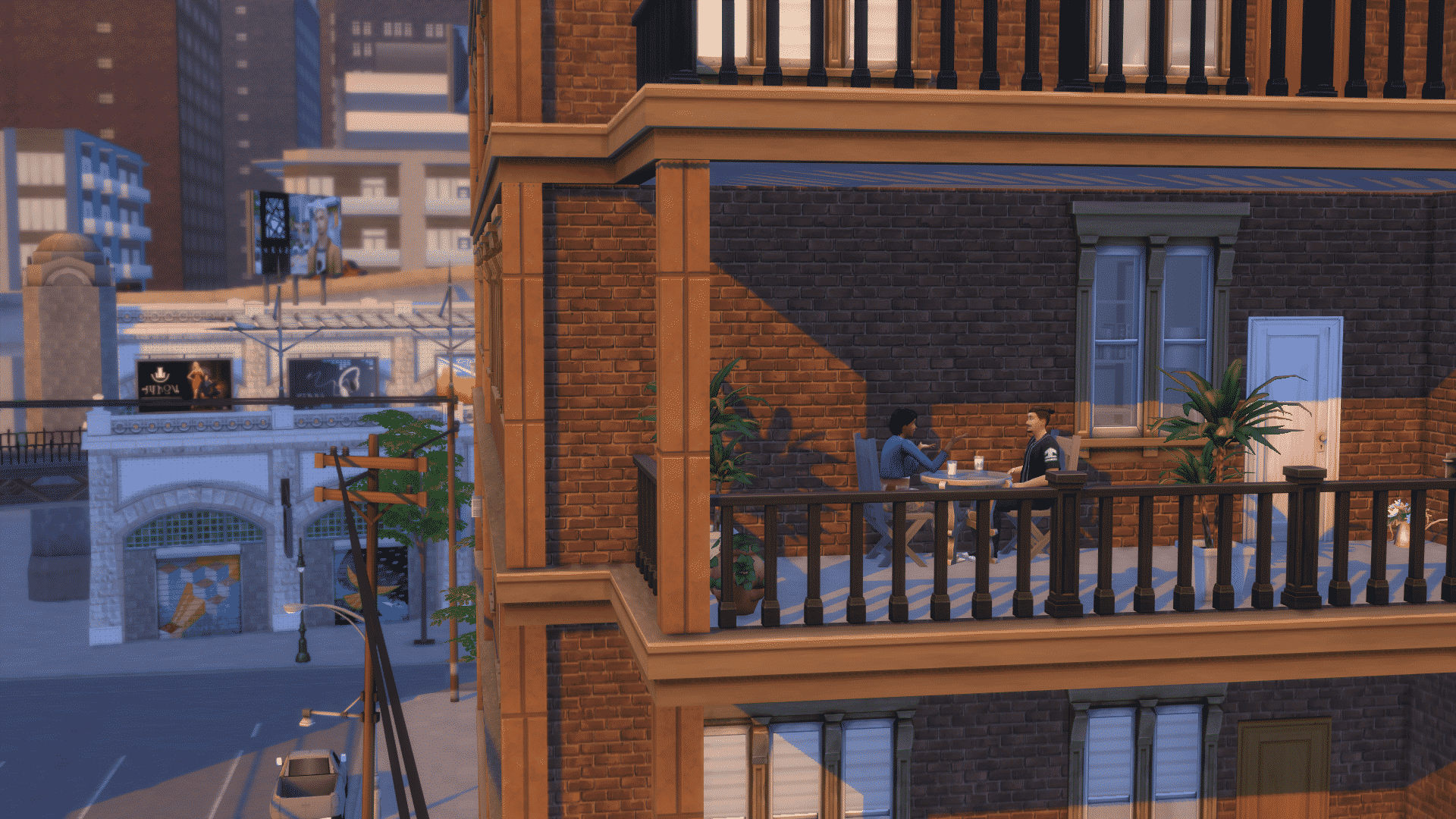
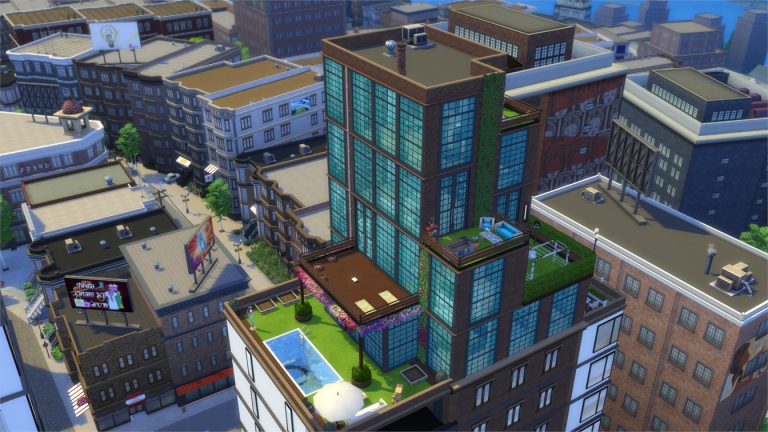
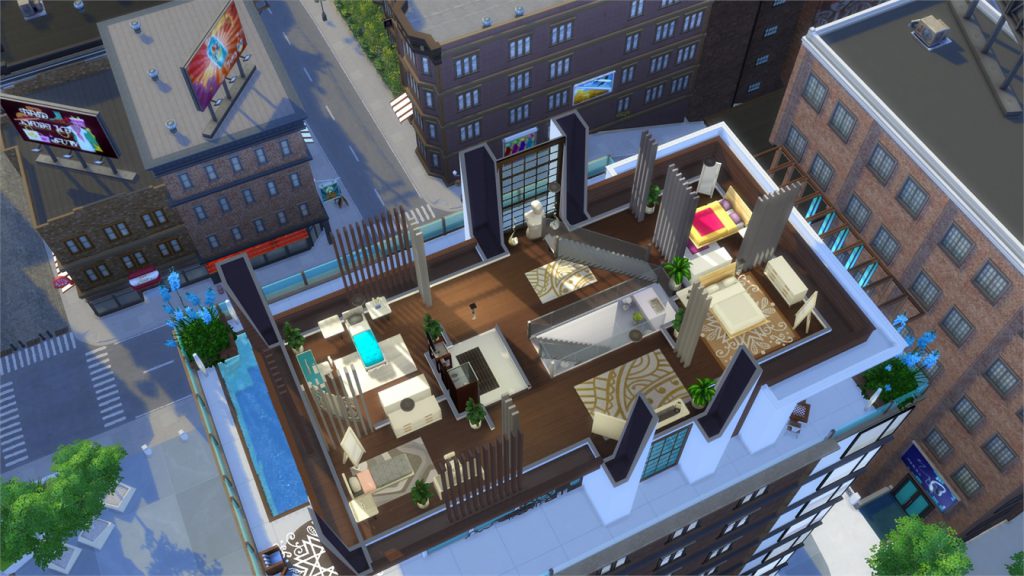
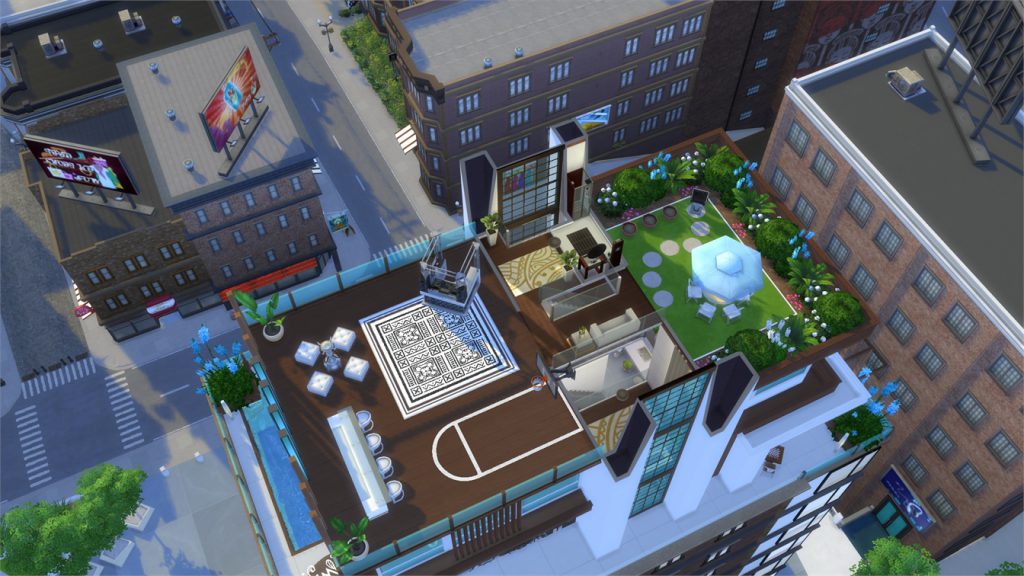
In this Spotlight, we’re featuring creative penthouses built in The Sims 4 City Living.

Hover over the pulsing plumbobs to see screenshots of marked areas. Pulsing plumbob that’s on the left bottom corner contains all the info (and download link) of the lot.

To see more of our previous Gallery Spotlights, CLICK HERE! You can check out the first part of our Penthouse Gallery Spotlight HERE!

[ult_hotspot main_img=”id^55375|url^https://simscommunity.info/wp-content/uploads/2016/11/11-20-16_9-57-05-AM.jpg|caption^null|alt^null|title^11-20-16_9-57-05-am|description^null”][ult_hotspot_items icon_type=”custom” icon_img=”id^39525|url^https://simscommunity.info/wp-content/uploads/2015/09/plumbob2.png|caption^null|alt^null|title^plumbob2|description^null” img_width=”38″ tooltip_custom_color=”” tooltip_custom_bg_color=”rgba(255,255,255,0.01)” tooltip_width=”400″ tooltip_position=”right” enable_bubble_arrow=”off” tooltip_continuous_animation=”on” hotspot_position=”67.31372816593887,52.26993865030675″]
11-20-16_9-57-33-am

[/ult_hotspot_items][ult_hotspot_items icon_type=”custom” icon_img=”id^39525|url^https://simscommunity.info/wp-content/uploads/2015/09/plumbob2.png|caption^null|alt^null|title^plumbob2|description^null” img_width=”38″ tooltip_custom_color=”” tooltip_custom_bg_color=”rgba(255,255,255,0.01)” tooltip_width=”400″ tooltip_position=”right” enable_bubble_arrow=”off” tooltip_continuous_animation=”on” hotspot_position=”50.52197052401747,52.26993865030675″]
11-20-16_9-57-39-am

[/ult_hotspot_items][ult_hotspot_items icon_type=”custom” icon_img=”id^39525|url^https://simscommunity.info/wp-content/uploads/2015/09/plumbob2.png|caption^null|alt^null|title^plumbob2|description^null” img_width=”38″ tooltip_custom_color=”” tooltip_custom_bg_color=”rgba(255,255,255,0.01)” tooltip_width=”400″ tooltip_position=”right” enable_bubble_arrow=”off” tooltip_continuous_animation=”on” hotspot_position=”34.088427947598255,52.392638036809814″]
11-20-16_9-57-41-am

[/ult_hotspot_items][ult_hotspot_items icon_type=”custom” icon_img=”id^39525|url^https://simscommunity.info/wp-content/uploads/2015/09/plumbob2.png|caption^null|alt^null|title^plumbob2|description^null” img_width=”38″ tooltip_custom_color=”” tooltip_custom_bg_color=”rgba(255,255,255,0.01)” tooltip_width=”400″ tooltip_position=”right” enable_bubble_arrow=”off” tooltip_continuous_animation=”on” hotspot_position=”18.842112445414845,52.14723926380368″]
11-20-16_9-57-43-am

[/ult_hotspot_items][ult_hotspot_items icon_type=”custom” icon_img=”id^39525|url^https://simscommunity.info/wp-content/uploads/2015/09/plumbob2.png|caption^null|alt^null|title^plumbob2|description^null” img_width=”52″ tooltip_custom_color=”#1e73be” tooltip_custom_bg_color=”#ffffff” tooltip_width=”450″ tooltip_position=”right” tooltip_continuous_animation=”on” hotspot_position=”89.61858624454149,3.190184049079755″ tooltip_custom_border_size=”border-style:solid;|border-width:2px;border-radius:5px;|border-color:#81d742;”]

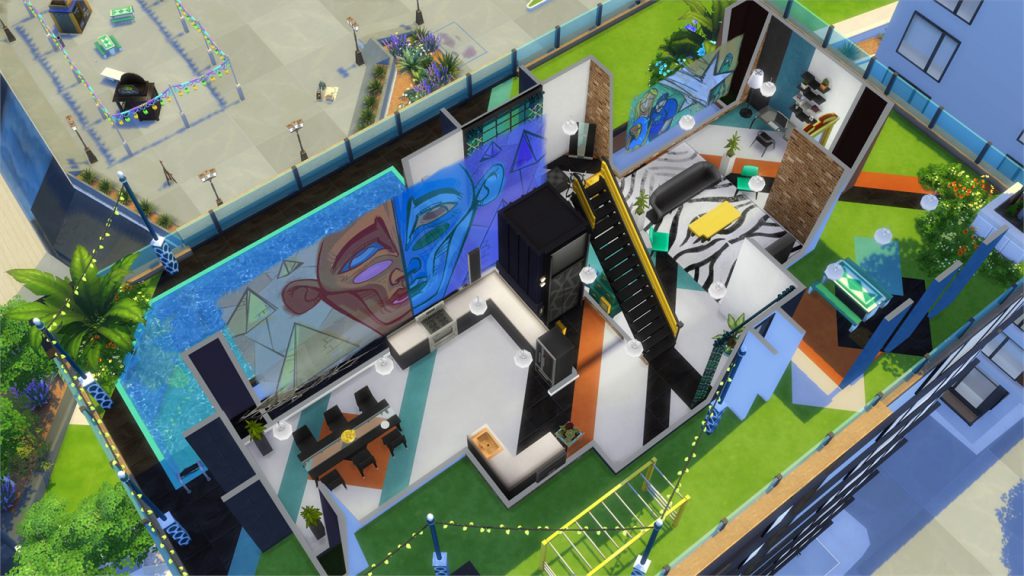
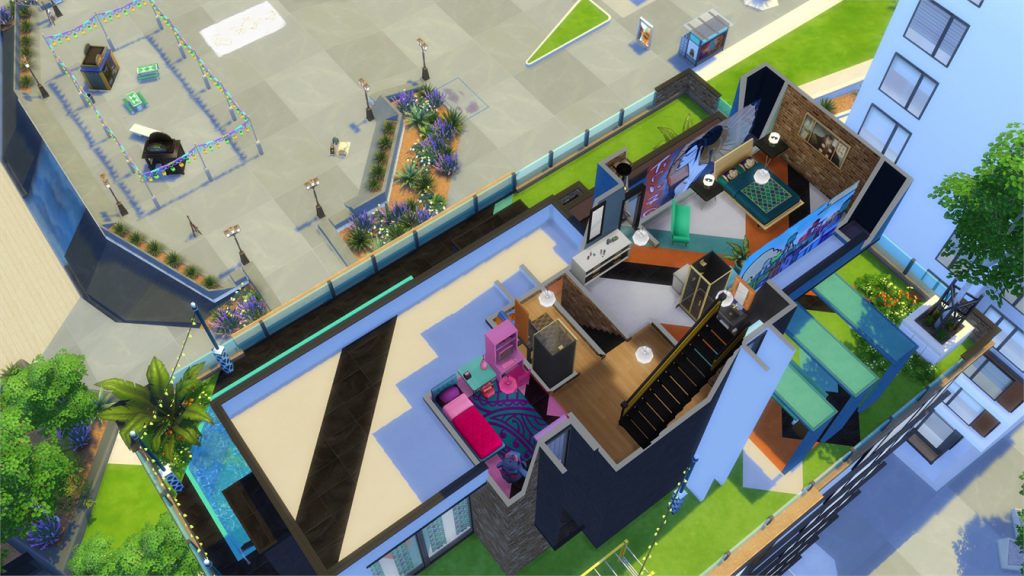
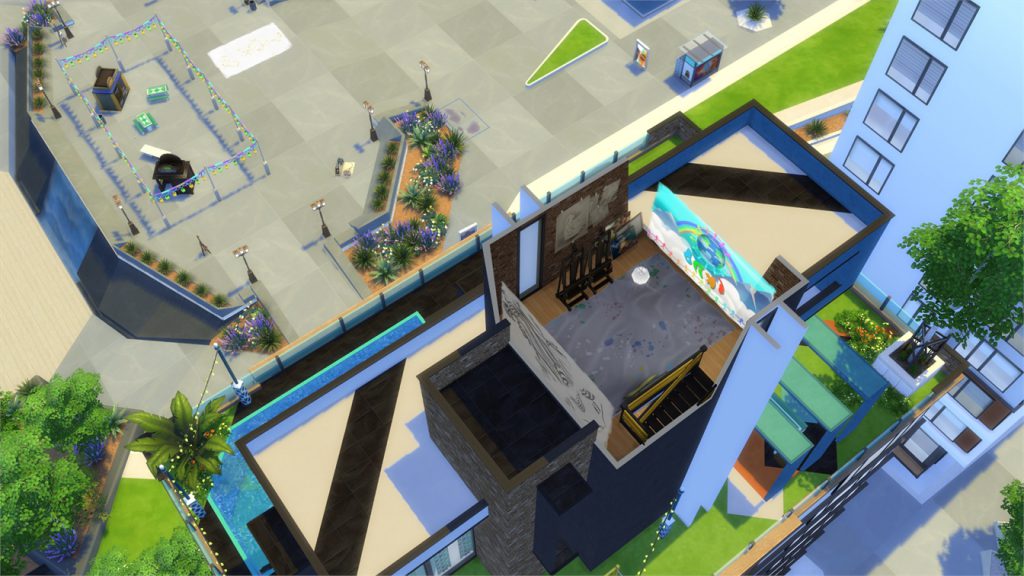
Artists Adobe Penthouse (Download Here)

by sakuraleon

Value: §159,757
Size: 30×20
Lot Type: Residental Lot[/ult_hotspot_items][/ult_hotspot][ult_hotspot main_img=”id^55380|url^https://simscommunity.info/wp-content/uploads/2016/11/11-20-16_10-01-28-AM.jpg|caption^null|alt^null|title^11-20-16_10-01-28-am|description^null”][ult_hotspot_items icon_type=”custom” icon_img=”id^39525|url^https://simscommunity.info/wp-content/uploads/2015/09/plumbob2.png|caption^null|alt^null|title^plumbob2|description^null” img_width=”38″ tooltip_custom_color=”” tooltip_custom_bg_color=”rgba(255,255,255,0.01)” tooltip_width=”400″ tooltip_position=”right” enable_bubble_arrow=”off” tooltip_continuous_animation=”on” hotspot_position=”53.42862991266376,51.533742331288344″]
11-20-16_10-01-43-am

[/ult_hotspot_items][ult_hotspot_items icon_type=”custom” icon_img=”id^39525|url^https://simscommunity.info/wp-content/uploads/2015/09/plumbob2.png|caption^null|alt^null|title^plumbob2|description^null” img_width=”38″ tooltip_custom_color=”” tooltip_custom_bg_color=”rgba(255,255,255,0.01)” tooltip_width=”400″ tooltip_position=”right” enable_bubble_arrow=”off” tooltip_continuous_animation=”on” hotspot_position=”41.89069323144105,51.41104294478528″]
11-20-16_10-01-46-am

[/ult_hotspot_items][ult_hotspot_items icon_type=”custom” icon_img=”id^39525|url^https://simscommunity.info/wp-content/uploads/2015/09/plumbob2.png|caption^null|alt^null|title^plumbob2|description^null” img_width=”38″ tooltip_custom_color=”” tooltip_custom_bg_color=”rgba(255,255,255,0.01)” tooltip_width=”400″ tooltip_position=”right” enable_bubble_arrow=”off” tooltip_continuous_animation=”on” hotspot_position=”26.535207423580786,64.41717791411043″]
11-20-16_10-01-48-am

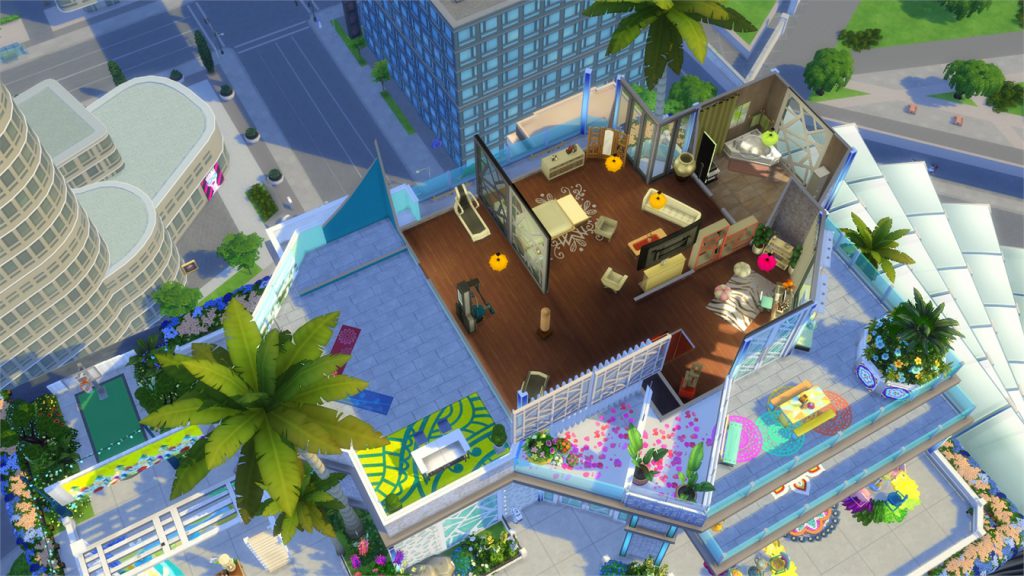
[/ult_hotspot_items][ult_hotspot_items icon_type=”custom” icon_img=”id^39525|url^https://simscommunity.info/wp-content/uploads/2015/09/plumbob2.png|caption^null|alt^null|title^plumbob2|description^null” img_width=”52″ tooltip_custom_color=”#1e73be” tooltip_custom_bg_color=”#ffffff” tooltip_width=”450″ tooltip_position=”right” tooltip_continuous_animation=”on” hotspot_position=”89.61858624454149,3.190184049079755″ tooltip_custom_border_size=”border-style:solid;|border-width:2px;border-radius:5px;|border-color:#81d742;”]

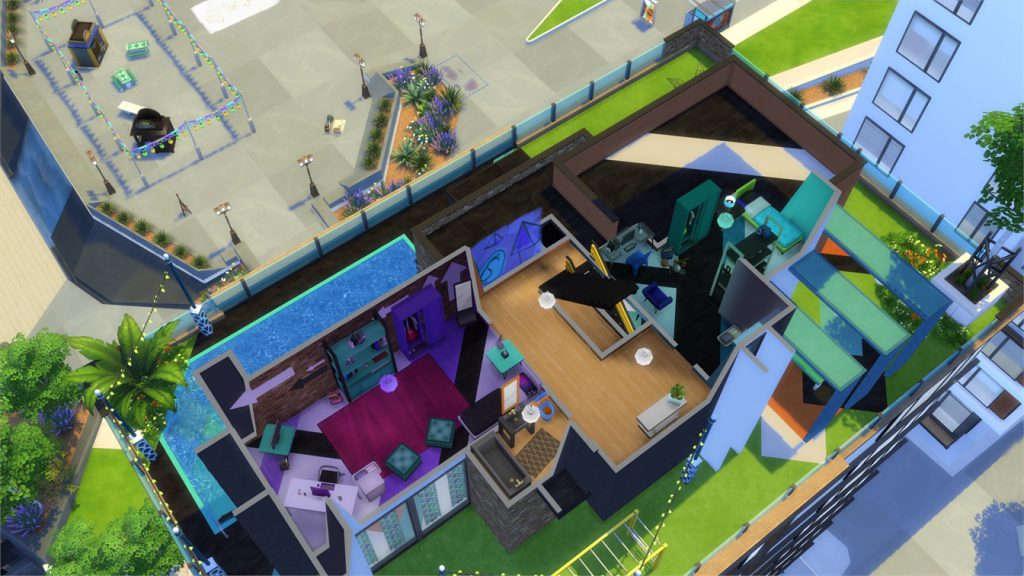
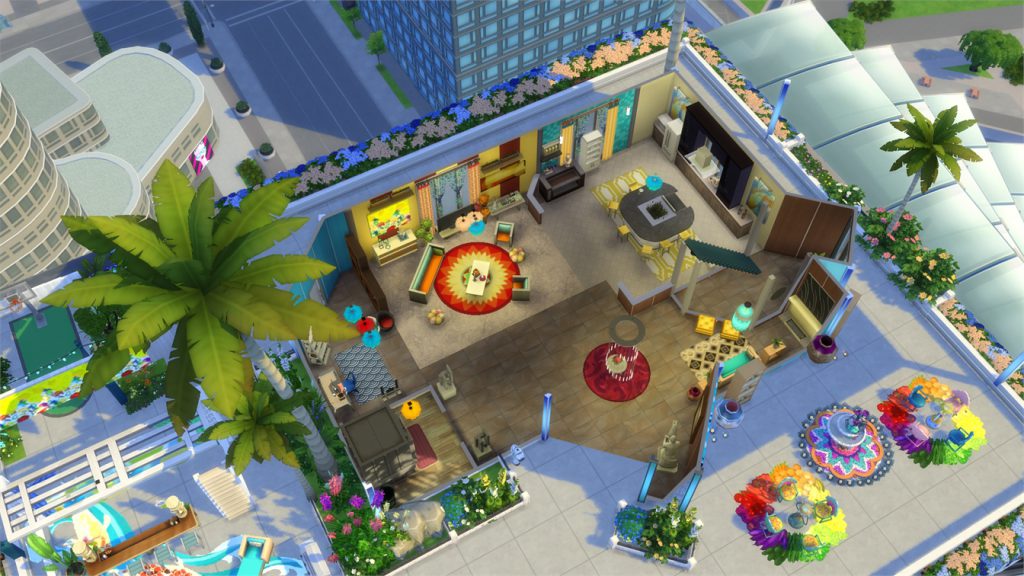
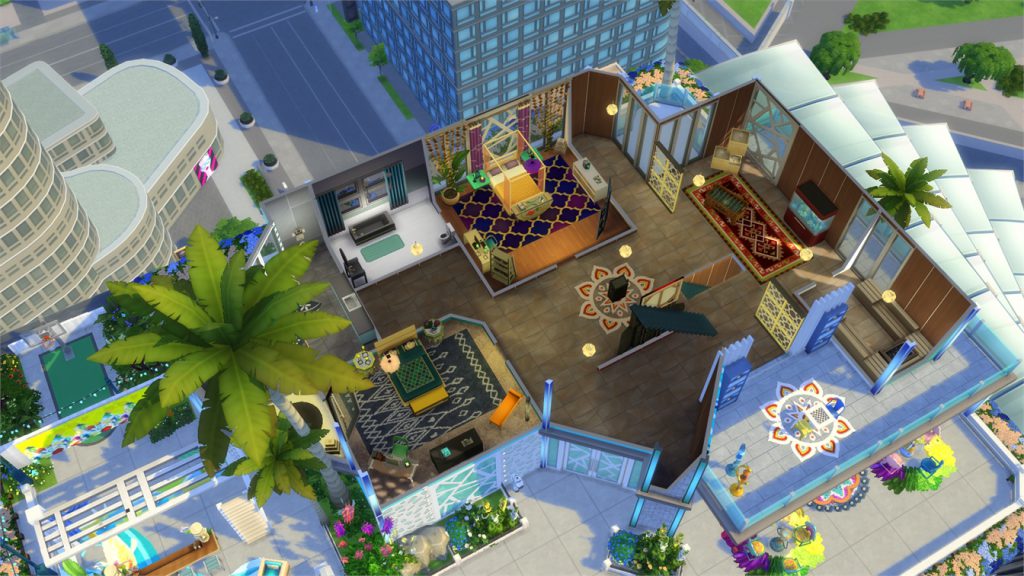
Blue Waves Penthouse (Download Here)

by tazreentasnim

Value: §313,014
Size: 40×30
Lot Type: Residental Lot[/ult_hotspot_items][/ult_hotspot][ult_hotspot main_img=”id^55384|url^https://simscommunity.info/wp-content/uploads/2016/11/11-20-16_10-02-43-AM.jpg|caption^null|alt^null|title^11-20-16_10-02-43-am|description^null”][ult_hotspot_items icon_type=”custom” icon_img=”id^39525|url^https://simscommunity.info/wp-content/uploads/2015/09/plumbob2.png|caption^null|alt^null|title^plumbob2|description^null” img_width=”38″ tooltip_custom_color=”” tooltip_custom_bg_color=”rgba(255,255,255,0.01)” tooltip_width=”400″ tooltip_position=”right” enable_bubble_arrow=”off” tooltip_continuous_animation=”on” hotspot_position=”52.90324781659389,66.87116564417178″]
11-20-16_10-03-03-am

[/ult_hotspot_items][ult_hotspot_items icon_type=”custom” icon_img=”id^39525|url^https://simscommunity.info/wp-content/uploads/2015/09/plumbob2.png|caption^null|alt^null|title^plumbob2|description^null” img_width=”38″ tooltip_custom_color=”” tooltip_custom_bg_color=”rgba(255,255,255,0.01)” tooltip_width=”400″ tooltip_position=”right” enable_bubble_arrow=”off” tooltip_continuous_animation=”on” hotspot_position=”35.84197598253275,67.73006134969324″]
11-20-16_10-03-05-am

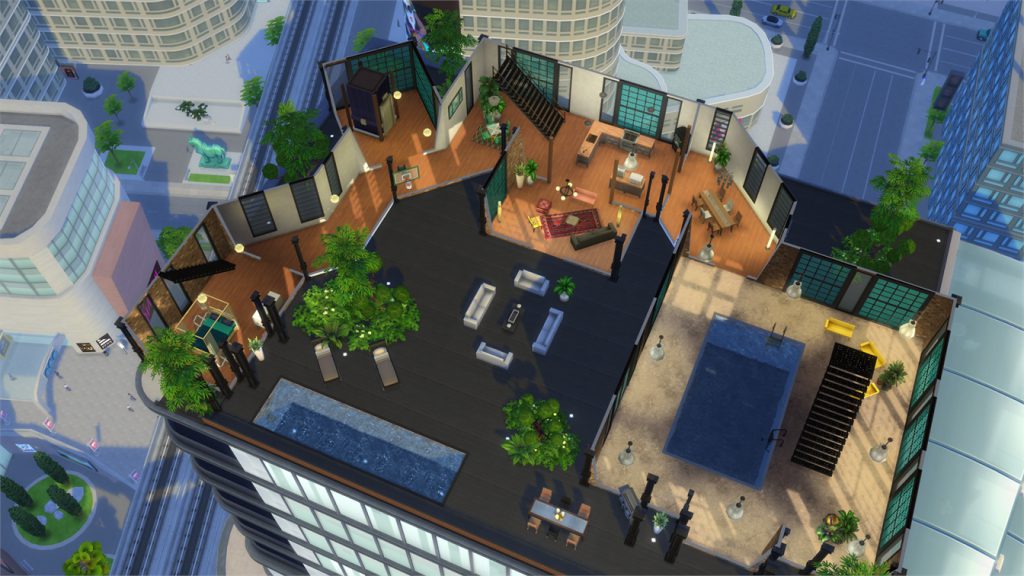
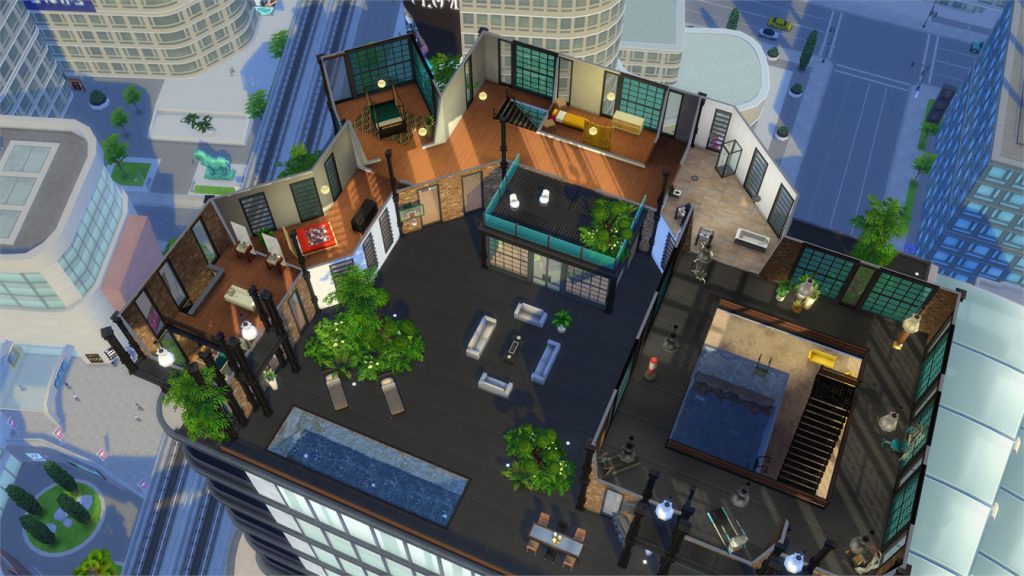
[/ult_hotspot_items][ult_hotspot_items icon_type=”custom” icon_img=”id^39525|url^https://simscommunity.info/wp-content/uploads/2015/09/plumbob2.png|caption^null|alt^null|title^plumbob2|description^null” img_width=”52″ tooltip_custom_color=”#1e73be” tooltip_custom_bg_color=”#ffffff” tooltip_width=”450″ tooltip_position=”right” tooltip_continuous_animation=”on” hotspot_position=”89.61858624454149,3.190184049079755″ tooltip_custom_border_size=”border-style:solid;|border-width:2px;border-radius:5px;|border-color:#81d742;”]

Industrial Loft Penthouse (Download Here)

by LauweKoe

Value: §189,096
Size: 40×30
Lot Type: Residental Lot[/ult_hotspot_items][/ult_hotspot][ult_hotspot main_img=”id^55387|url^https://simscommunity.info/wp-content/uploads/2016/11/11-20-16_10-06-11-AM.jpg|caption^null|alt^null|title^11-20-16_10-06-11-am|description^null”][ult_hotspot_items icon_type=”custom” icon_img=”id^39525|url^https://simscommunity.info/wp-content/uploads/2015/09/plumbob2.png|caption^null|alt^null|title^plumbob2|description^null” img_width=”38″ tooltip_custom_color=”” tooltip_custom_bg_color=”rgba(255,255,255,0.01)” tooltip_width=”400″ tooltip_position=”right” enable_bubble_arrow=”off” tooltip_continuous_animation=”on” hotspot_position=”71.83064956331879,50.5521472392638″]
11-20-16_10-06-30-am

[/ult_hotspot_items][ult_hotspot_items icon_type=”custom” icon_img=”id^39525|url^https://simscommunity.info/wp-content/uploads/2015/09/plumbob2.png|caption^null|alt^null|title^plumbob2|description^null” img_width=”38″ tooltip_custom_color=”” tooltip_custom_bg_color=”rgba(255,255,255,0.01)” tooltip_width=”400″ tooltip_position=”right” enable_bubble_arrow=”off” tooltip_continuous_animation=”on” hotspot_position=”51.033706331877724,50.67484662576687″]
11-20-16_10-06-33-am

[/ult_hotspot_items][ult_hotspot_items icon_type=”custom” icon_img=”id^39525|url^https://simscommunity.info/wp-content/uploads/2015/09/plumbob2.png|caption^null|alt^null|title^plumbob2|description^null” img_width=”38″ tooltip_custom_color=”” tooltip_custom_bg_color=”rgba(255,255,255,0.01)” tooltip_width=”400″ tooltip_position=”right” enable_bubble_arrow=”off” tooltip_continuous_animation=”on” hotspot_position=”36.84838973799127,50.67484662576687″]
11-20-16_10-06-34-am

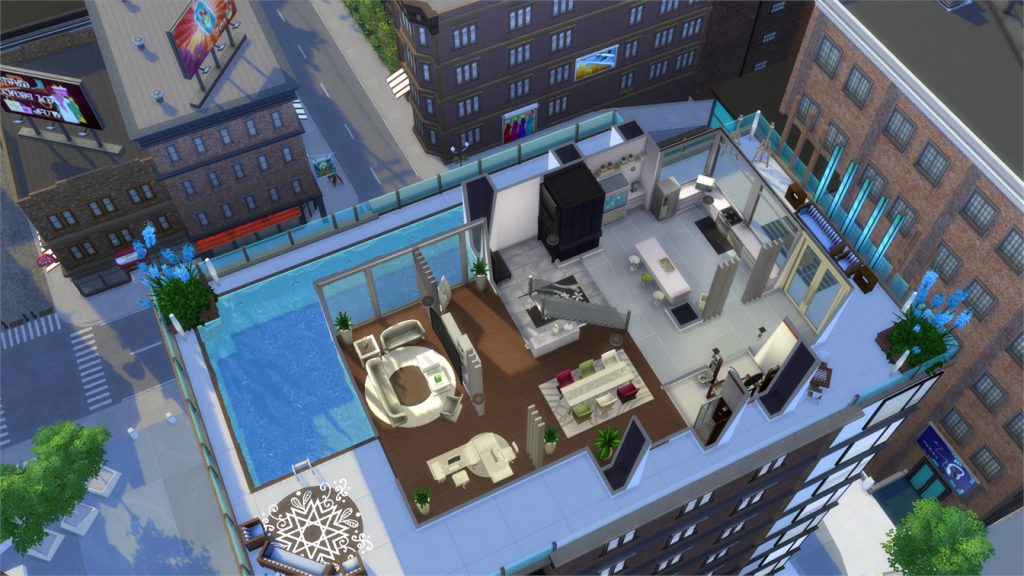
[/ult_hotspot_items][ult_hotspot_items icon_type=”custom” icon_img=”id^39525|url^https://simscommunity.info/wp-content/uploads/2015/09/plumbob2.png|caption^null|alt^null|title^plumbob2|description^null” img_width=”52″ tooltip_custom_color=”#1e73be” tooltip_custom_bg_color=”#ffffff” tooltip_width=”450″ tooltip_position=”right” tooltip_continuous_animation=”on” hotspot_position=”89.61858624454149,3.190184049079755″ tooltip_custom_border_size=”border-style:solid;|border-width:2px;border-radius:5px;|border-color:#81d742;”]

Penthouse Cityscape (Download Here)

by TINYTEARZ

Value: §203,599
Size: 30×20
Lot Type: Residental Lot[/ult_hotspot_items][/ult_hotspot]
The Sims 4 Mod: Decorate your Garden with Animated Sprinklers

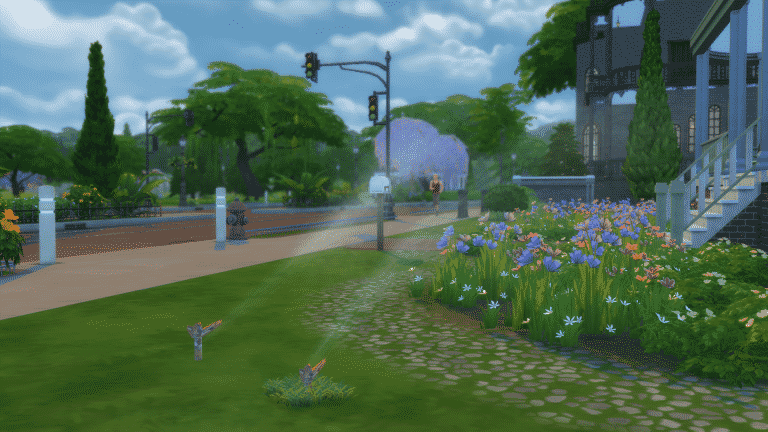
Bakie came up with a solution to add animated sprinklers that you’ve seen in neighborhoods as decor into Build Mode. These sprinklers will not affect your garden or actually water harvestable plants but it’s a really nice object that’ll make your lot feel more alive.

The object can be found in 2 variants: with and without grass. As the sprinkler is invisible once you place it on your lot its easier to find it with the grass version of this object.

capture

The sprinkler without grass will run non-stop once in live mode:

11-19-16_6-07-01-pm

The sprinkler with grass comes with an on / off toggle in case you get tired of the sprinkler:

capture

To add this object you’ll need to download it from Mod The Sims first. After you’ve downloaded it, extract the .rar file to Electronic Arts > The Sims 4 > Mods folder. Make sure you have mods / custom content enabled in your game!

You can download this object by clicking the download button down below!

[mks_button size=”large” title=”DOWNLOAD!” style=”rounded” url=”http://modthesims.info/download.php?t=585878″ target=”_blank” bg_color=”#1e73be” txt_color=”#FFFFFF” icon=”fa-arrow-down” icon_type=”fa” nofollow=”0″]

The Sims 4: New Bundle Available on Origin!

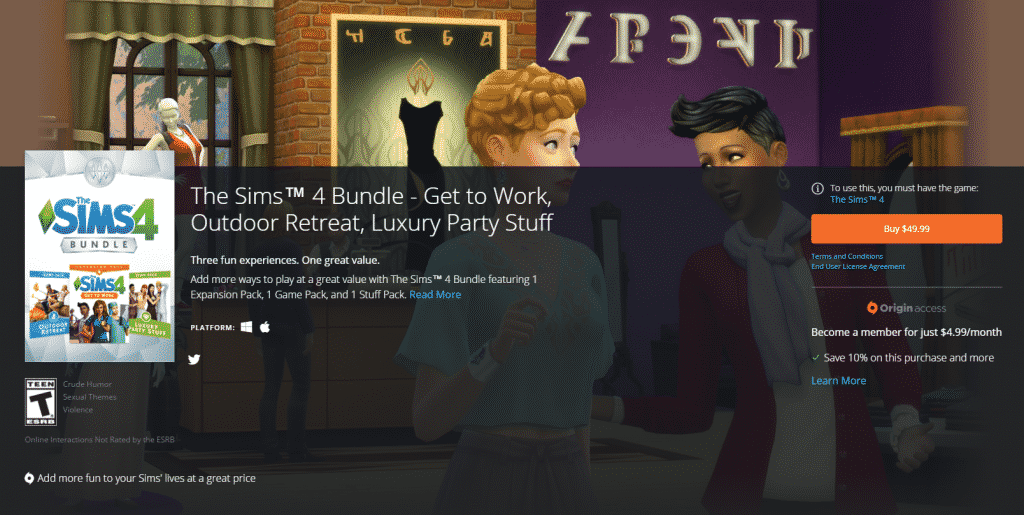
Origin sneakily published a new The Sims 4 Bundle on Origin. This bundle includes The Sims 4 Get to Work, The Sims 4 Outdoor Retreat and The Sims 4 Luxury Party Stuff. Basically, those are the first 3 packs that released for The Sims 4 in the first 5 months of 2015. You’d normally pay 70$ when purchasing these packs individually but as Get to Work is 40$, Outdoor Retreat is 20$ and Luxury Party Stuff is 10$. By purchasing this bundle for 50$ you save 20$!

Add more ways to play at a great value with The Sims™ 4 Bundle featuring 1 Expansion Pack, 1 Game Pack, and 1 Stuff Pack. Rule the workplace with exciting new careers, take your Sims camping in an all-new destination, and throw a luxurious party.

KEY FEATURES

Add more ways to play. Includes The Sims™ 4 Get to Work Expansion Pack, The Sims™ 4 Outdoor Retreat Game Pack, and The Sims™ 4 Luxury Party Stuff Pack.

The Sims™ 4 Get to Work. You rule the workplace! Actively control your Sims while they’re at work and determine whether they spend their days saving lives as a daring Doctor, solving crimes as a fearless Detective, crafting inventions as a mad Scientist, or creating their own retail businesses trying to become a Simoleonaire.

The Sims™ 4 Outdoor Retreat. Take your Sims camping and explore the all-new destination of Granite Falls. Venture into the deep woods to discover new surprises, including dangerous and wondrous herbs, new species of fish, creepy insects and… bears?

The Sims™ 4 Luxury Party Stuff. Throw a luxurious party with a variety of extravagant décor. Upgrade your Sims’ wardrobes with dazzling gowns and chic formal wear. With the all-new buffet table, you can decide what tasty dishes to serve your Sims and put together the perfect centerpiece for any event.

Click below to get this bundle!

capture

The Sims 4 CC Spotlight: Maxis Match Clothing

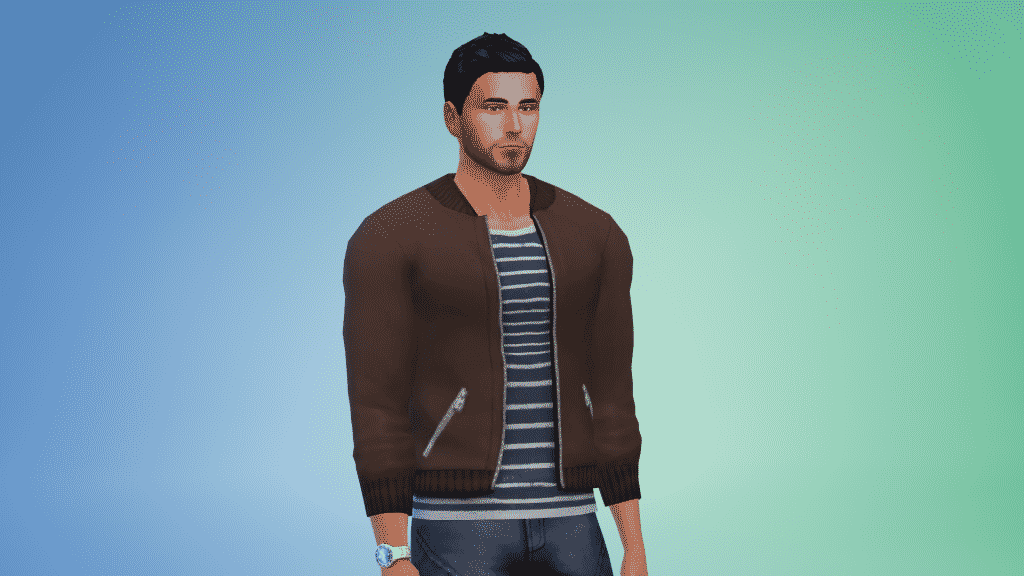
In this spotlight we’re featuring custom content clothing made for The Sims 4 that match with Maxis’ art style. These are clothing pieces created over the last few weeks so expect more of these spotlights ever so often.

Just like we do with gallery and hairstyle spotlights, this spotlight uses an interactive approach where you’ll get to see the same content using a different angle and variation.

Hover over the pulsing plumbobs to see screenshots of marked areas. Pulsing plumbob that’s on the left bottom corner contains all the info (and download link) of the creation.

[ult_hotspot main_img=”id^55323|url^https://simscommunity.info/wp-content/uploads/2016/11/11-19-16_1-44-45-AM.png|caption^null|alt^null|title^11-19-16_1-44-45-am|description^null”][ult_hotspot_items icon_type=”custom” icon_img=”id^39525|url^https://simscommunity.info/wp-content/uploads/2015/09/plumbob2.png|caption^null|alt^null|title^plumbob2|description^null” img_width=”38″ tooltip_custom_color=”” tooltip_custom_bg_color=”rgba(255,255,255,0.01)” tooltip_width=”400″ tooltip_position=”right” enable_bubble_arrow=”off” tooltip_continuous_animation=”on” hotspot_position=”29.018831877729255,16.07361963190184″]

11-19-16_1-45-23-am

[/ult_hotspot_items][ult_hotspot_items icon_type=”custom” icon_img=”id^39525|url^https://simscommunity.info/wp-content/uploads/2015/09/plumbob2.png|caption^null|alt^null|title^plumbob2|description^null” img_width=”52″ tooltip_custom_color=”#1e73be” tooltip_custom_bg_color=”#ffffff” tooltip_width=”” tooltip_position=”right” tooltip_continuous_animation=”on” hotspot_position=”89.61858624454149,3.190184049079755″ tooltip_custom_border_size=”border-style:solid;|border-width:2px;border-radius:5px;|border-color:#81d742;”]

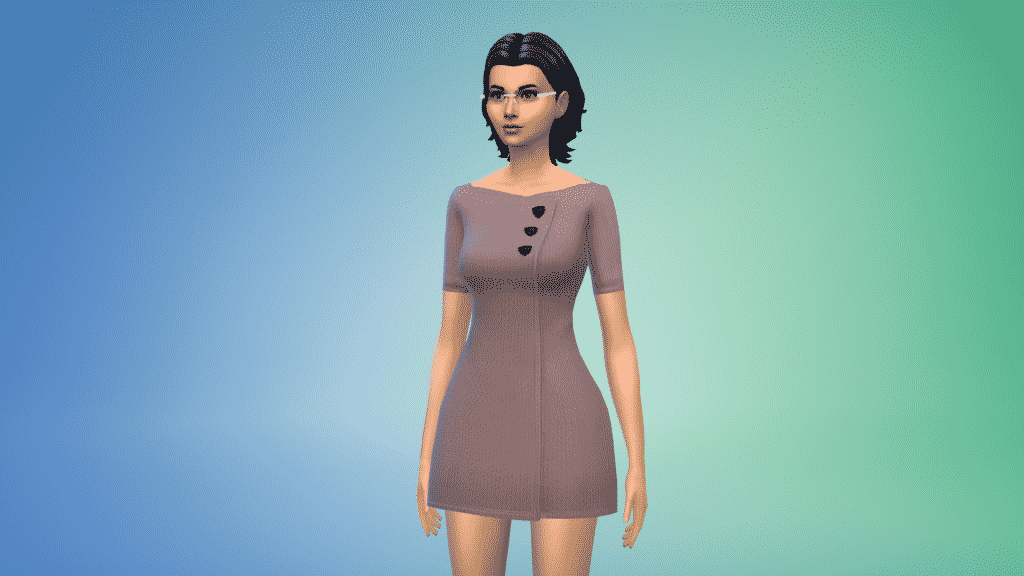
Bombers Jacket (Download Here)

by simsontherope[/ult_hotspot_items][/ult_hotspot][ult_hotspot main_img=”id^55326|url^https://simscommunity.info/wp-content/uploads/2016/11/11-19-16_1-49-59-AM.png|caption^null|alt^null|title^11-19-16_1-49-59-am|description^null”][ult_hotspot_items icon_type=”custom” icon_img=”id^39525|url^https://simscommunity.info/wp-content/uploads/2015/09/plumbob2.png|caption^null|alt^null|title^plumbob2|description^null” img_width=”38″ tooltip_custom_color=”” tooltip_custom_bg_color=”rgba(255,255,255,0.01)” tooltip_width=”400″ tooltip_position=”right” enable_bubble_arrow=”off” tooltip_continuous_animation=”on” hotspot_position=”29.018831877729255,16.07361963190184″]

11-19-16_1-50-10-am

[/ult_hotspot_items][ult_hotspot_items icon_type=”custom” icon_img=”id^39525|url^https://simscommunity.info/wp-content/uploads/2015/09/plumbob2.png|caption^null|alt^null|title^plumbob2|description^null” img_width=”52″ tooltip_custom_color=”#1e73be” tooltip_custom_bg_color=”#ffffff” tooltip_width=”” tooltip_position=”right” tooltip_continuous_animation=”on” hotspot_position=”89.61858624454149,3.190184049079755″ tooltip_custom_border_size=”border-style:solid;|border-width:2px;border-radius:5px;|border-color:#81d742;”]

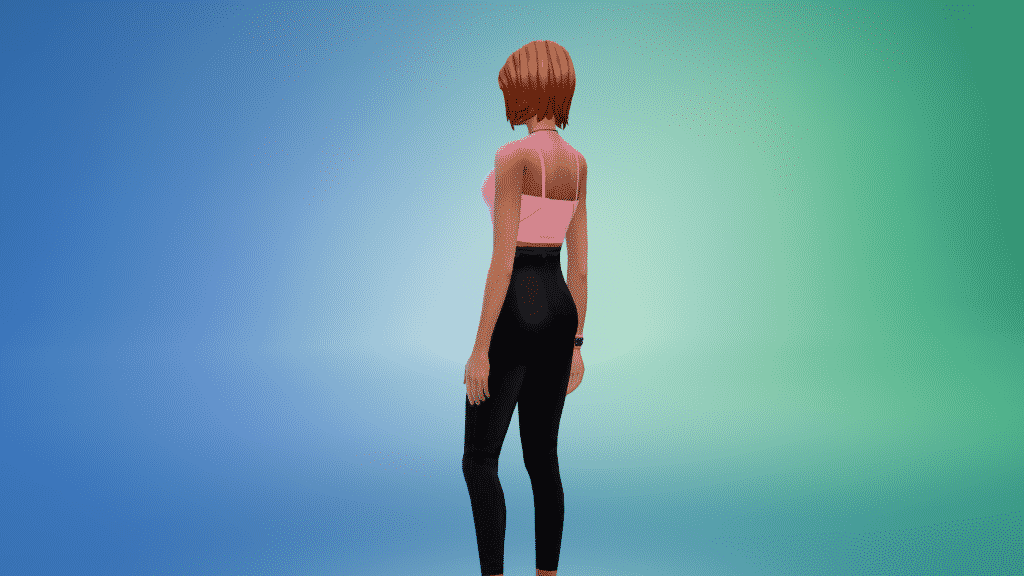
The One That I Want Jeans (Download Here)

by sondescent[/ult_hotspot_items][/ult_hotspot][ult_hotspot main_img=”id^55328|url^https://simscommunity.info/wp-content/uploads/2016/11/11-19-16_1-54-29-AM.png|caption^null|alt^null|title^11-19-16_1-54-29-am|description^null”][ult_hotspot_items icon_type=”custom” icon_img=”id^39525|url^https://simscommunity.info/wp-content/uploads/2015/09/plumbob2.png|caption^null|alt^null|title^plumbob2|description^null” img_width=”38″ tooltip_custom_color=”” tooltip_custom_bg_color=”rgba(255,255,255,0.01)” tooltip_width=”400″ tooltip_position=”right” enable_bubble_arrow=”off” tooltip_continuous_animation=”on” hotspot_position=”29.018831877729255,16.07361963190184″]

11-19-16_1-54-43-am

[/ult_hotspot_items][ult_hotspot_items icon_type=”custom” icon_img=”id^39525|url^https://simscommunity.info/wp-content/uploads/2015/09/plumbob2.png|caption^null|alt^null|title^plumbob2|description^null” img_width=”52″ tooltip_custom_color=”#1e73be” tooltip_custom_bg_color=”#ffffff” tooltip_width=”” tooltip_position=”right” tooltip_continuous_animation=”on” hotspot_position=”89.61858624454149,3.190184049079755″ tooltip_custom_border_size=”border-style:solid;|border-width:2px;border-radius:5px;|border-color:#81d742;”]

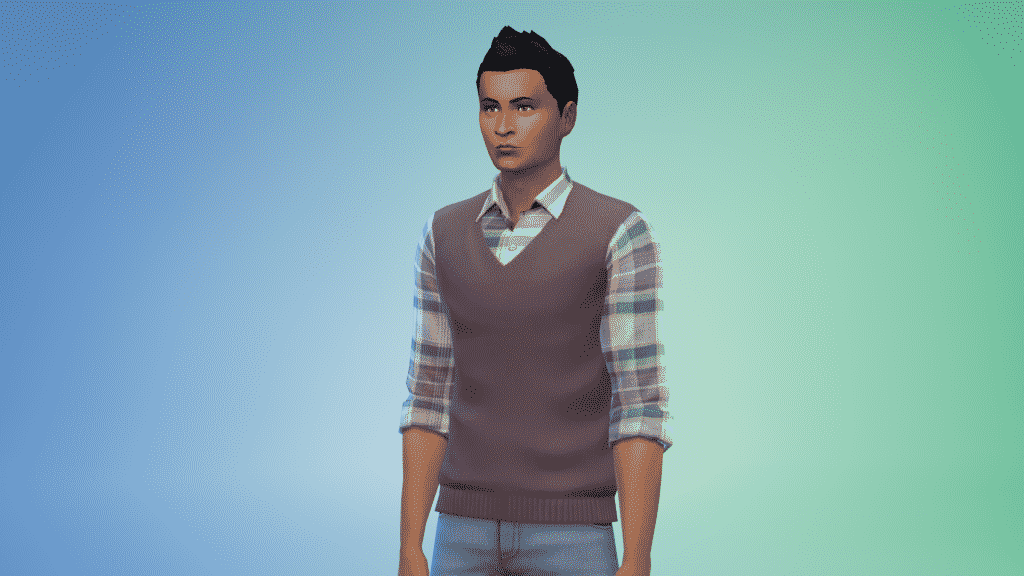
Vest with Plaid Button Up (Download Here)

by NyGirl Sims[/ult_hotspot_items][/ult_hotspot][ult_hotspot main_img=”id^55330|url^https://simscommunity.info/wp-content/uploads/2016/11/11-19-16_1-57-46-AM.png|caption^null|alt^null|title^11-19-16_1-57-46-am|description^null”][ult_hotspot_items icon_type=”custom” icon_img=”id^39525|url^https://simscommunity.info/wp-content/uploads/2015/09/plumbob2.png|caption^null|alt^null|title^plumbob2|description^null” img_width=”38″ tooltip_custom_color=”” tooltip_custom_bg_color=”rgba(255,255,255,0.01)” tooltip_width=”400″ tooltip_position=”right” enable_bubble_arrow=”off” tooltip_continuous_animation=”on” hotspot_position=”29.018831877729255,16.07361963190184″]

11-19-16_1-58-07-am

[/ult_hotspot_items][ult_hotspot_items icon_type=”custom” icon_img=”id^39525|url^https://simscommunity.info/wp-content/uploads/2015/09/plumbob2.png|caption^null|alt^null|title^plumbob2|description^null” img_width=”52″ tooltip_custom_color=”#1e73be” tooltip_custom_bg_color=”#ffffff” tooltip_width=”” tooltip_position=”right” tooltip_continuous_animation=”on” hotspot_position=”89.61858624454149,3.190184049079755″ tooltip_custom_border_size=”border-style:solid;|border-width:2px;border-radius:5px;|border-color:#81d742;”]

Warm Wooly Winter Dress (Download Here)

by bericlain[/ult_hotspot_items][/ult_hotspot]
OPINION: The Sims 4 City Living got boring pretty fast

My City Living hype didn’t last for long. After just 2 weeks since The Sims 4 City Living release I find myself forcing to enter The Sims 4 just to realize that I don’t have anything fun to play with since I’ve explored everything the new Expansion Pack has to offer. The video down below basically explains my situation:

I wish I was the only one who no longer feels the excitement after The Sims 4 City Living Exploration Expansion Pack release, but other simmers have expressed similar concerns as well:

Some of course still like the pack and what it brings:

And some are caught in the middle:


My biggest issue with The Sims 4 City Living is that it’s torn apart from 2 pack concepts: exploring and living. It feels like the pack is somewhere in the middle while cutting features from both concepts. San Myshuno, which is the main feature of this Expansion Pack is probably the smallest world in The Sims Franchise and this is no joke. The Sims 1’s Old Town has more lots to explore than City Living’s San Myshuno:

The biggest reason why I got bored of this pack so quickly is that the living concept as well suffered major cuts. No buildable apartments, no elevators and you’re stuck to playing City Living features in San Myshuno. Basically, you can only play with most of the new features in the smallest world in The Sims Franchise.

11-05-16_2-08-35-am

If City Living was an art project I’d have no complains, but we’re talking about a 40$ video game expansion pack which’ll make you say ”ooooh this is pretty” for a few hours and a few days later you’ll rarely visit the world because of the same-old claustrophobic surroundings.

I know that your own creativity also plays a huge role in playing The Sims 4 but I just can’t get a feeling of creativity when everything is so small, limited and made by The Sims Team’s personal choice, leaving almost no space for me to do and make things my way.

I really hope future expansion packs don’t focus much on the environments and more on the gameplay and customization as City Living became boring pretty fast, at least to me. I’m happy some simmers still enjoy the pack and take their time to explore certain features but as a person who got bored after pulling an all-nighter to write a City Living Review I doubt I’ll visit San Myshuno for personal gaming sessions any time soon.

The Sims 4 City Living: The Talking Toilet Trailer

0

The Sims Team has released a trailer for one of the most useful objects in The Sims 4 City Living – the talking toilet!

Update on the Gaming Community project

0

Hey guys!

It’s been a few days since I announced our new project Gaming Community. Since then I’ve been hard at work to bring you the most flexible and clean design that’ll help you focus on what really matters: the content.

The Design

Here’s a small sneak peek at our home page:

capture

And here’s a preview of one of our posts:

capture

Please note that nothing is final yet and the site still has A LOT of changes to go through.

The Team

In just 3 days we received a bunch of new applications to join the team. I’m really glad to see a lot of enthusiastic gamers looking forward to write about their favorite video games.

If you’re not familiar, the purpose of this site is to bring news and articles by people who actually know and love what they’re doing to our future readers.

If you want to join the team, don’t worry – you still have 2 weeks to send your application to join our team! For more details, CLICK HERE!

Stay updated!

Stay updated by following Gaming Community on Twitter and liking Gaming Community on Facebook!

City Livings Tutorial: Apartments – Last steps before saving/uploading to gallery

Written by SC Social member Shinzhia!

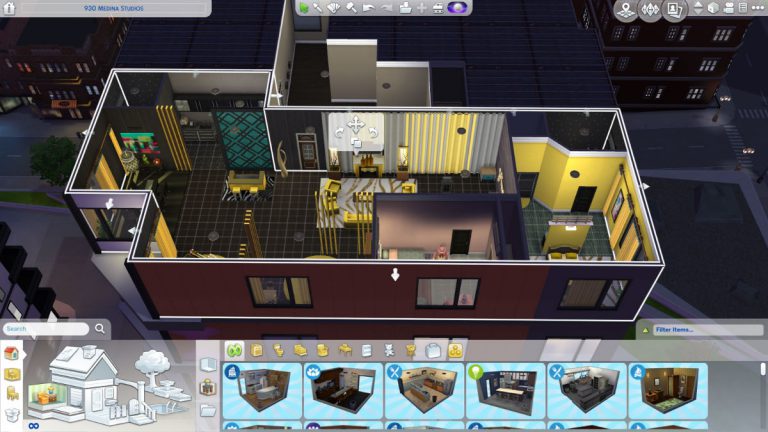
After making a well-decorated apartment, you might be one of those few who wanted to upload them as 1 full apartment room but can’t preserve the full build because of wall restrictions. I found a way to break that restriction and fix them accordingly so you are able to upload them as 1 room. The only draw back of this is probably a privacy issues inside that particular apartment in-game.

So if you still want to upload a full apartment without a missing door or wall, here’s the trick…

STEP 1: Find a corner of a particular room you want to be included when you upload to the gallery.

t17mtf3ek38z

STEP 2: Using the sledgehammer, delete a corner wall of that room. It has to be the corner, not center wall.

ngiwxje5ixqf

STEP 3: Make sure that walls of that room are now detached from one another and that the room is broken. If you have a well-decorated room, you must find a way by deleting the decor and then just put it back after the process.

gmm5vtdy4dfp

u3kcjqavpj88

STEP 4: Select the broken wall and then drag them to fill in the empty corner you deleted.

1gcy2508tglw

STEP 5: Done! Make sure that when you select the apartment room the grid color selected the whole apartment. Now you can upload it as 1 full apartment.

ra3ivvzmisgp

Other tips:

1. For multi-story apartments, be sure that you put “Flat Square” flooring first before making 2nd and 3rd floor rooms so that when you upload them the rooms below and above are determined. When you have a see-through 2nd Floor of the 1st floor you don’t have to worry about that excluded room that is see-through. As long as you have a “flat square” first the people downloading them can easily put them down on their apartments. The see-through part will be a black/empty room without “flat square” flooring.

2. You cannot upload a 2 to 3 storey apartment unless it is penthouse, so be sure to name them properly per floor.

3. I would like to suggest that if you upload a full apartment, name them per apartment address so people downloading your build will know where to place them.

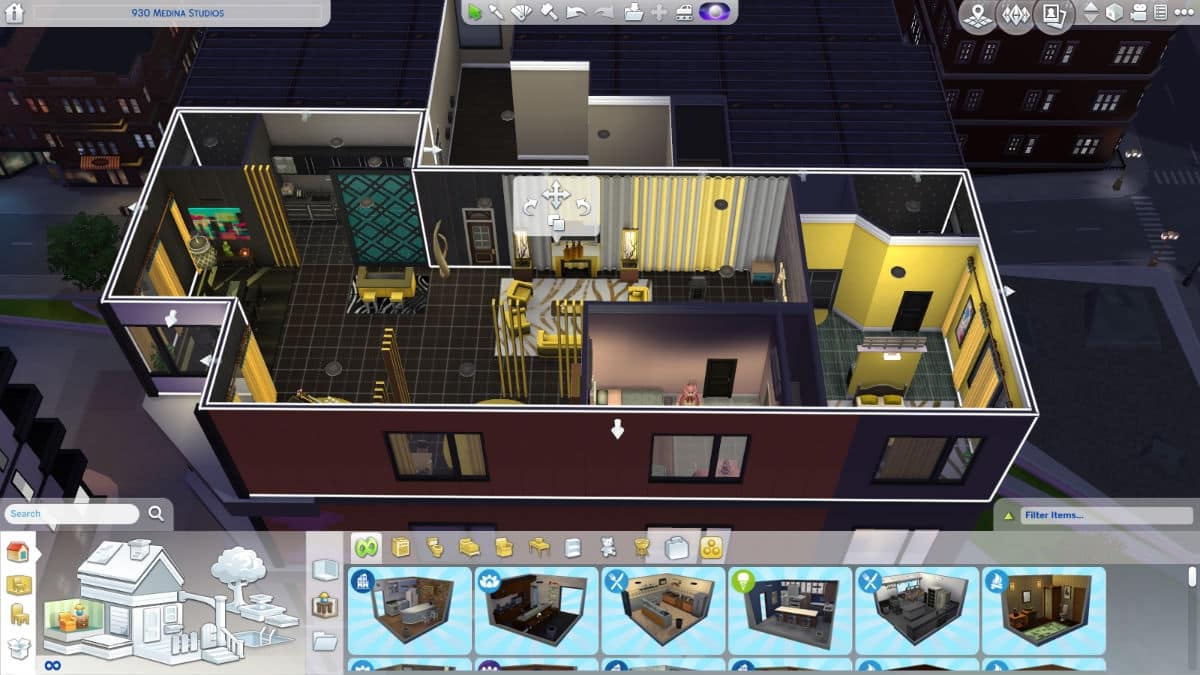
The photos above are screenies of my 930 Medina Studios complete with 2 bedrooms and 2 bathrooms after several trial and error uploads. You can download them in my gallery as a replacement. Download the newest one.

The Sims 3: Maxis is soon going to fix Mac Issues

4

Barrie Tingle, Maxis’ live producer, has confirmed that The Sims 3’s Mac issues are currently being looked into. Following The Sims Medieval’s update that was released today, we could expect a new update for The Sims 3 as well in the near future that will improve the stability of the game on both Mac and PC.

The Sims Medieval gets a new Update!

24

After more than 4 years The Sims Medieval gets a brand new update, solving one of the biggest issues – the launcher!

The new update is around 400MB big:

capture

Barrie Tingle, Live Producer at Maxis, explained what this update is about:

If you own The Sims Medieval Pirates and Nobles Adventure Pack then you no longer need to open the game via the Pirates and Nobles icon shortcut.

capture

Some simmers had issues with launching the game using the launcher. Worry no more because this update removes The Sims Medieval launcher!

launcher

The Sims 4: New Update + Patch Notes! (November 15th, 2016)

ts4e3logo

The Sims Team has released a brand new Update for The Sims 4!

To download the latest version of The Sims 4, simply open your Origin program and if the game doesn’t update automatically, right click on The Sims 4 and select ”Update”.

In case you have Mods or Custom Content, the game will automatically disable them for you after first launching The Sims 4 after the update. To re-enable all your Mods and Custom Content, select the Settings option in the Menu and select Settings. Under the”Other” section you’ll find the ”Enable Custom Content and Mods” option. Check it and restart your game in order for it to take effect!

Patch Notes

Update: 11/15/2016 – PC Version 1.24.112.1010 / Mac Version 1.24.112.1210

Hello Simmers.  Happy November!  Did you know that today is National Clean Out Your Refrigerator Day?  No? Well we did.  In honor of this momentous holiday we have “cleaned out” some issues:

General Issues:

  • Improved general performance when having a large number of files in the Tray folder.
  • Fixed an issue causing some save games to return immediately to the map screen when attempting to enter a lot.
  • Your paintings, photos and terrain paints will now persist when transferring from the Gallery.
  • Addressed an issue that was affecting some players’ saves where restaurants / retail lots could not be open/closed by pressing the open/closed button.
  • No more homey lot trait buff quickly cycling when performing related activities.
  • Stats for an adopted Sim appear in their Simology Panel.
  • All you kleptomaniacs out there:
    • If you don’t get caught, the stuff will now appear in your inventory.
    • If you do get caught, do the right thing.
  • Dance, dance to your heart’s content! But, when the music stops on the radio, so will your Sim.
  • Call Jasmine. It’s ok. She will no longer knock endlessly.
  • If you’re running Windows XP you can now use the Gallery again, but seriously, you should really consider upgrading.
  • Food can be dragged into all worlds now. Dragged food… sounds yummy.

Get to Work Issues, we addressed

  • The Police Chief is squeaky clean and is beyond reproach.  He can no longer be a suspect in a crime.

City Living Issues, we addressed

  • We have fixed the issue of babies getting stuck in apartments; stuck babies will be unstuck, and babies will hereby no longer get stuck again.  We hope… for everyone’s sake.
  • Festival, anyone?
    • Going to a festival, but worried about gaining weight?  No worries, Sims will no longer continuously order and eat food at the food stalls.  If you’ve already packed on those pounds… exercise, exercise, exercise.
    • More than one Sim in a household can now get festival whims when traveling to a festival, even if it has already begun.
    • Ladies, outdoor bathrooms are now open.
  • The Trophy of 73, which you can only get after winning 73 basketball competitions (there is really and truly no other way to get it), is no longer locked in Build Buy Mode.
  • Keep at it, you might catch the elusive Pufferfish in San Myshuno.
    • And now, all trait images will appear for a ghost who died by Pufferfish when you add the ghost to your household.
  • Politics buff now has words.  The best words.
  • If your child Sim is nice, and plays well with others, the neighbor child Sim might come over to visit.
  • Have no fear, you can ignore a neighbor’s complaint without affecting your relationship with your roomie. And, that’s not all… your Sim will listen to complaints and the interaction will not drop from the queue.

Be good to each other folks!

-SimGuruNick

Modder tries to make The Sims 4 Multiplayer

22

UPDATE: Simmythesim wrote a new Reddit post about his progress on The Sims 4 Multiplayer Mod:

It’s been four days since I first posted about making The Sims 4 multiplayer. I’ve since worked on my mod and here are the changes!

First off, there’s no more massive data loss when transferring data between games. In the first ever video you can see that the game states are synced somewhat, but not tightly synced with one another.

Apparently, there was a major bug where every other message the first game instance sent to the second game instance was completely lost and not received on the second game instance. This has been fixed, and the sims should now be performing the same actions at the same locations most of the time.

Second, the second game instance can now send commands to the server, it can now change the time speed, queue interactions, and change the active sim. Previously, only the first instance could affect the game state. What good is multiplayer if the other clients can’t interact with the server?

Third, which is the news you’ve all been waiting for, the game state can now be synced across multiple computers! This took quite a while, because I’ve never touched networking before.

capture


Simmythesim, The Sims 4 modder who just recently blessed us with a mod that fixes a simulation lag in the game released a video of his first multiplayer test!

As you can see in the video down below, he opened two TS4 games to see how one game window will respond to the other. From what I’ve seen a Sim from the first screen will repeat almost the same interaction or movement as a Sim on the second screen. This doesn’t necessarily mean that this multiplayer project will ever be realized but it’s still interesting to see talented modders ”unlock” features that were planned for the game years ago.

https://www.youtube.com/watch?v=dsgVYIGymx0

Join our new website project – Gaming Community!

6

gcfontlogosmall

I’m super excited to announce that our new website project called Gaming Community is currently in development! Before I explain which people we’re looking for to join the Gaming Community team, let me tell you a few words about the idea of this website.

Gaming Community won’t be just an ordinary video gaming website that focuses on delivering news. Gaming Community is going to be a website powered by enthusiastic fans who enjoy reporting on their favorite video game. I’m sure most of you don’t like reading articles and news posts delivered to you by people who don’t really know their way around a certain video game. For example, when it comes to IGN’s and Gamespot’s news reporting for The Sims franchise, it’s really sloppy. They give out updates when a new Expansion Pack is announced but that’s about it. This is not what Gaming Community will be about.

Each Gaming Community editor will be assigned to one or two video games they really love playing. Let’s say you can’t wait for Mass Effect Andromeda to come and you played all 3 previous Mass Effect games. As a Mass Effect fan you meet all the requirements to join the Gaming Community and write news articles about the game. Your role as a Mass Effect editor would be to keep readers updated whenever a new trailer, blog or any important piece of information gets released.

So, you’re probably wondering, what do you get from all this? We won’t be giving our editors a monthly salary as the site has yet to grow, but that doesn’t mean you won’t get to promote your own content. If, for example, you have a blog post or a video dedicated to a video game you’re assigned to, you’ll be free to share them on Gaming Community whenever you want to. We’re just getting started so you’ll only get better benefits as we grow.

Who can join the site?

Down below we’ll list all the requirements a news editor should meet. Make sure you mention all the skills and qualities that would be appreciated for your role and don’t forget to mention which game you’d like to write about!

Requirements:

  • Above average English language knowledge.
  • 18 + years old.
  • Own a game / plan to purchase an upcoming game you’ll write about.

It would be good if:

  • You have fair knowledge of WordPress
  • You worked previously on writing news and articles

You can send your applications to gamingcommunitynet@gmail.com. The deadline for sending applications is December 2nd.

I can’t wait to see how this project turns out and I’m looking forward to your applications!

Stay updated by following Gaming Community on Twitter and liking Gaming Community on Facebook!

The Sims 4: Animations from Various Packs by Matthew Lawrence

0

Matthew Lawrence published some of the animations he made for The Sims 4 Get Together, Perfect Patio and Dine Out. Check them out!

30 new City Living Activities for your Get Together Clubs

Modder Rex managed to add over 30 new City Living club activities for The Sims 4 Get Together! If you have both expansion packs installed you’re be able to explore San Myshuno with your club and partake in festival activities and other fun new interactions that can now be encouraged by your club.

To install this mod, simply download the package file linked in the download button below. Then, extract the CityLiving folder in the Electronic Arts > The Sims 4 > Mods folder. Make sure you’ve enabled mods and custom content in your game options!

[mks_button size=”large” title=”DOWNLOAD!” style=”rounded” url=”https://konansock.tumblr.com/post/153088894038/custom-club-activities-2ndcity-living-release” target=”_blank” bg_color=”#1e73be” txt_color=”#ffffff” icon=”fa-arrow-down” icon_type=”fa” nofollow=”0″]
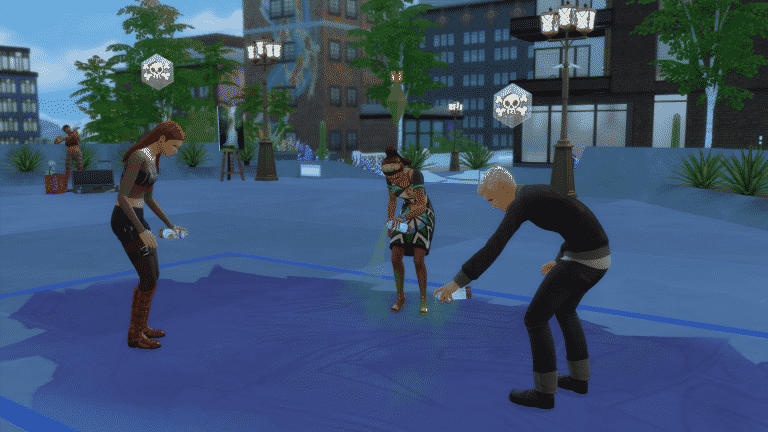
List of activities:

  • Ask For Bribe
  • Ask For Donation
  • Bubble Blower
  • Bubble Bottle
  • Buy Items From Street Sale
  • Check In Public Places
  • Collectibles Street Sale
  • Vegetarian
  • Critic
  • Critic Art
  • Critic Food
  • Critic Performance
  • Deface Murals
  • Donate To Protesters
  • Festivals(merged)
  • Fireworks
  • Food Stalls
  • Talking Toilet(merged)
  • Graffiti
  • Haggle
  • Watch Living Statue
  • Murals
  • Persuade
  • Portable Keyboard
  • Posters
  • Protest
  • Puffer-fish
  • Snow Globes
  • Sparklers
  • Spicy Food
  • Street Performance
  • Video Game Console

11-14-16_12-07-32-am