Home Blog Page 415

The Sims FreePlay: Movie Star Update Now Available

1

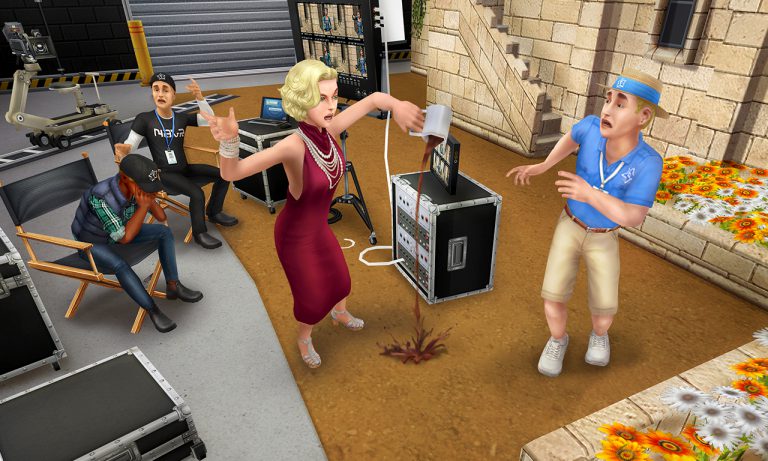
The Sims FreePlay team released a brand new Movie Star Update for Android and iOS devices.

Wonder what’s new? Check out the release notes:

What’s New in Version 5.23.1

U37_icon_round_iOS_1024x1024

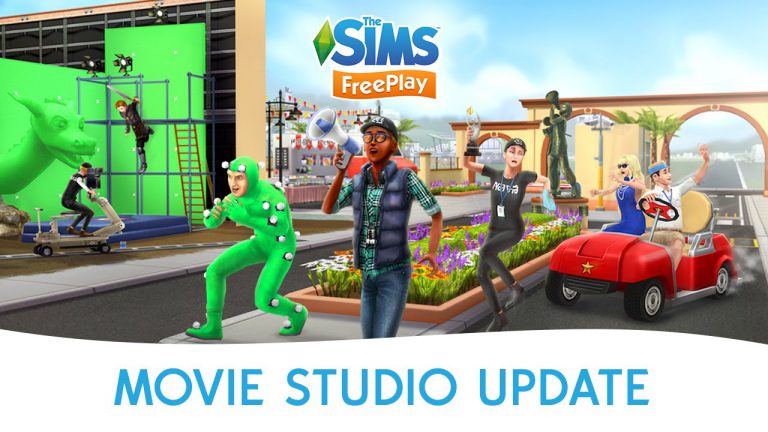
Lights, camera, action! Roll out the red carpet with the Professions gameplay mode in our latest update. You can now:

  • Call the shots with the new Movie Star profession and help your Sims during their shifts at the Sim Town Movie Studio
  • Make everyone starry-eyed as an A-List Actor, or be a big boss Movie Director
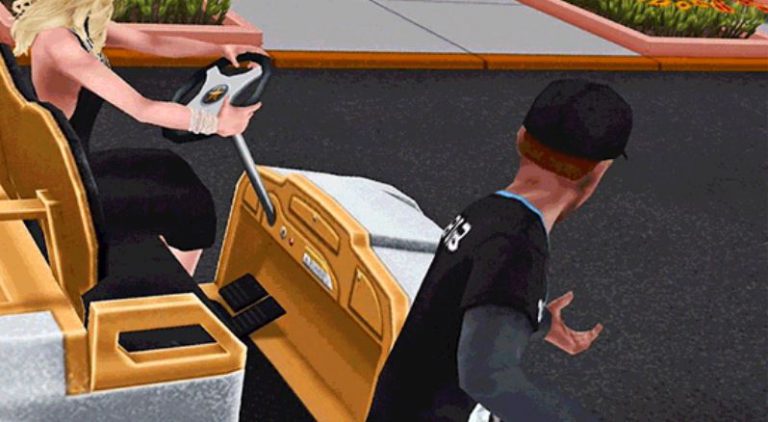
  • Set the stage for your career and start out as a Crew Member – cruise in your golf cart or keep an eye out for nosey paparazzi from the security booth
  • Glam up your Movie Studio as you earn more resources – add a Costume Department, Stunt Set, Audition Room, and a Celebrity Trailer!

The Sims 4 Backyard Stuff Gallery Spotlight: Houses

TS4_SP8_Logo_Main_RGB

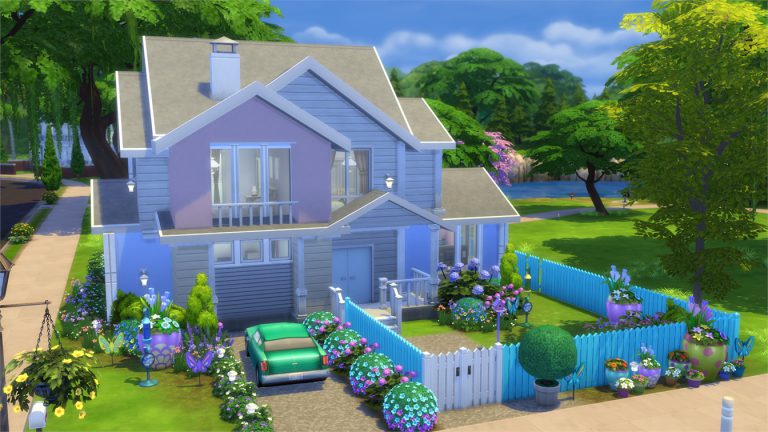
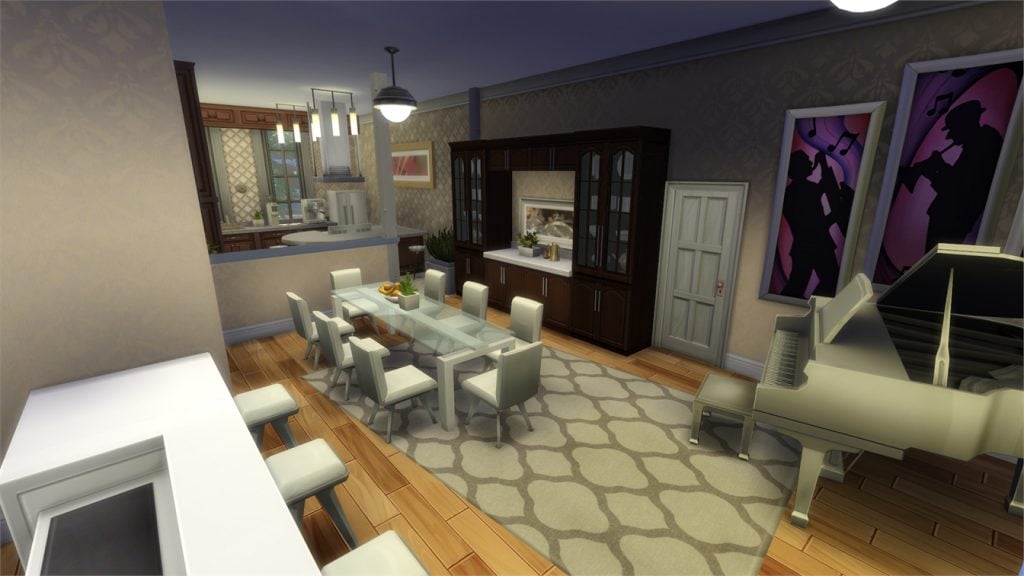
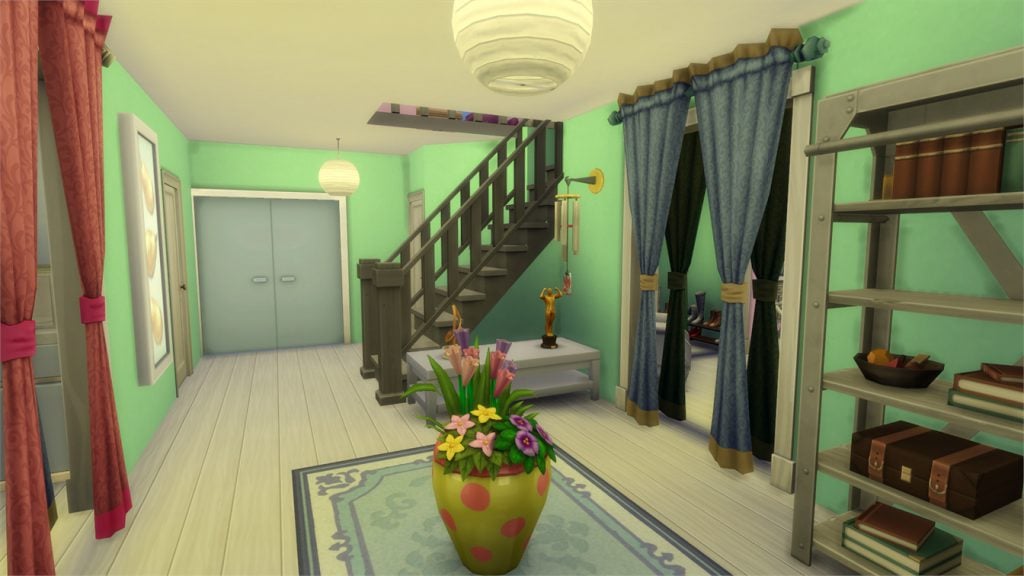
In this Spotlight, we’re featuring homes that come with beautiful backyards and outdoor spaces built using The Sims 4 Backyard Stuff items.

Hover over the pulsing plumbobs to see screenshots of marked areas. Pulsing plumbob that’s on the left bottom corner contains all the info (and download link) of the lot.

To see more of our previous Gallery Spotlights, CLICK HERE!

[ult_hotspot main_img=”id^51250|url^https://simscommunity.info/wp-content/uploads/2016/07/07-25-16_2-22-55-PM.jpg|caption^null|alt^null|title^07-25-16_2-22-55 PM|description^null”][ult_hotspot_items icon_type=”custom” icon_img=”37721|https://simscommunity.info/wp-content/uploads/2015/08/plumhotspot.png” img_width=”26″ tooltip_custom_color=”#1e73be” tooltip_custom_bg_color=”#ffffff” tooltip_width=”500″ enable_bubble_arrow=”off” tooltip_continuous_animation=”on” tooltip_font_size=”desktop:12px;” tooltip_font_line_height=”desktop:18px;” hotspot_position=”26.148097826086957,33.421836797066014″ tooltip_custom_border_size=”border-style:solid;|border-width:2px;border-radius:5px;|border-color:#81d742;”]

07-25-16_2-23-14 PM

[/ult_hotspot_items][ult_hotspot_items icon_type=”custom” icon_img=”37721|https://simscommunity.info/wp-content/uploads/2015/08/plumhotspot.png” img_width=”26″ tooltip_custom_color=”#1e73be” tooltip_custom_bg_color=”#ffffff” tooltip_width=”500″ enable_bubble_arrow=”off” tooltip_continuous_animation=”on” tooltip_font_size=”desktop:12px;” tooltip_font_line_height=”desktop:18px;” hotspot_position=”46.786684782608695,41.73861552567237″ tooltip_custom_border_size=”border-style:solid;|border-width:2px;border-radius:5px;|border-color:#81d742;”]

07-25-16_2-24-05 PM

[/ult_hotspot_items][ult_hotspot_items icon_type=”custom” icon_img=”37721|https://simscommunity.info/wp-content/uploads/2015/08/plumhotspot.png” img_width=”26″ tooltip_custom_color=”#1e73be” tooltip_custom_bg_color=”#ffffff” tooltip_width=”500″ enable_bubble_arrow=”off” tooltip_continuous_animation=”on” tooltip_font_size=”desktop:12px;” tooltip_font_line_height=”desktop:18px;” hotspot_position=”44.58220108695652,56.164043398533″ tooltip_custom_border_size=”border-style:solid;|border-width:2px;border-radius:5px;|border-color:#81d742;”]

07-25-16_2-24-11 PM

[/ult_hotspot_items][ult_hotspot_items icon_type=”custom” icon_img=”37721|https://simscommunity.info/wp-content/uploads/2015/08/plumhotspot.png” img_width=”36″ tooltip_custom_color=”#1e73be” tooltip_custom_bg_color=”#ffffff” tooltip_width=”500″ enable_bubble_arrow=”off” tooltip_continuous_animation=”on” tooltip_font_size=”desktop:14px;” tooltip_font_line_height=”desktop:18px;” hotspot_position=”86.58058681672026,3.25497287522604″ tooltip_custom_border_size=”border-style:solid;|border-width:2px;border-radius:5px;|border-color:#81d742;”]

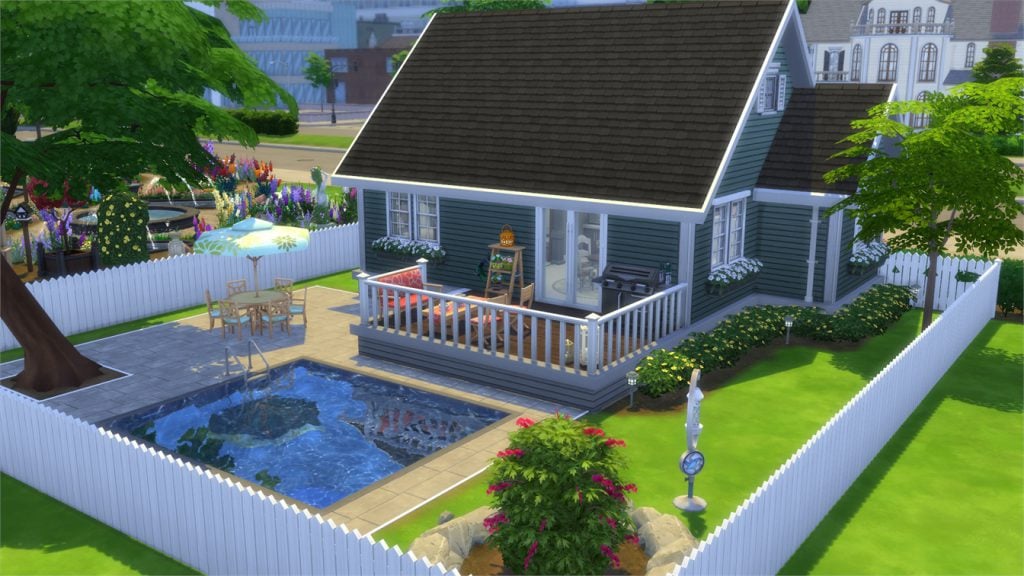
Family House (+ Backyard) (Download Here)

by U-Pflasterbahn

Value: §233,736
Size: 40×30
Lot Type: Residental Lot[/ult_hotspot_items][/ult_hotspot][ult_hotspot main_img=”id^51255|url^https://simscommunity.info/wp-content/uploads/2016/07/07-25-16_2-26-56-PM.jpg|caption^null|alt^null|title^07-25-16_2-26-56 PM|description^null”][ult_hotspot_items icon_type=”custom” icon_img=”37721|https://simscommunity.info/wp-content/uploads/2015/08/plumhotspot.png” img_width=”26″ tooltip_custom_color=”#1e73be” tooltip_custom_bg_color=”#ffffff” tooltip_width=”500″ enable_bubble_arrow=”off” tooltip_continuous_animation=”on” tooltip_font_size=”desktop:12px;” tooltip_font_line_height=”desktop:18px;” hotspot_position=”21.586277173913043,61.18199877750611″ tooltip_custom_border_size=”border-style:solid;|border-width:2px;border-radius:5px;|border-color:#81d742;”]

07-25-16_2-27-04 PM

[/ult_hotspot_items][ult_hotspot_items icon_type=”custom” icon_img=”37721|https://simscommunity.info/wp-content/uploads/2015/08/plumhotspot.png” img_width=”26″ tooltip_custom_color=”#1e73be” tooltip_custom_bg_color=”#ffffff” tooltip_width=”500″ enable_bubble_arrow=”off” tooltip_continuous_animation=”on” tooltip_font_size=”desktop:12px;” tooltip_font_line_height=”desktop:18px;” hotspot_position=”57.411684782608695,42.1875″ tooltip_custom_border_size=”border-style:solid;|border-width:2px;border-radius:5px;|border-color:#81d742;”]

07-25-16_2-27-20 PM

[/ult_hotspot_items][ult_hotspot_items icon_type=”custom” icon_img=”37721|https://simscommunity.info/wp-content/uploads/2015/08/plumhotspot.png” img_width=”26″ tooltip_custom_color=”#1e73be” tooltip_custom_bg_color=”#ffffff” tooltip_width=”500″ enable_bubble_arrow=”off” tooltip_continuous_animation=”on” tooltip_font_size=”desktop:12px;” tooltip_font_line_height=”desktop:18px;” hotspot_position=”54.30366847826087,53.19567542787286″ tooltip_custom_border_size=”border-style:solid;|border-width:2px;border-radius:5px;|border-color:#81d742;”]

07-25-16_2-27-30 PM

[/ult_hotspot_items][ult_hotspot_items icon_type=”custom” icon_img=”37721|https://simscommunity.info/wp-content/uploads/2015/08/plumhotspot.png” img_width=”36″ tooltip_custom_color=”#1e73be” tooltip_custom_bg_color=”#ffffff” tooltip_width=”500″ enable_bubble_arrow=”off” tooltip_continuous_animation=”on” tooltip_font_size=”desktop:14px;” tooltip_font_line_height=”desktop:18px;” hotspot_position=”86.58058681672026,3.25497287522604″ tooltip_custom_border_size=”border-style:solid;|border-width:2px;border-radius:5px;|border-color:#81d742;”]

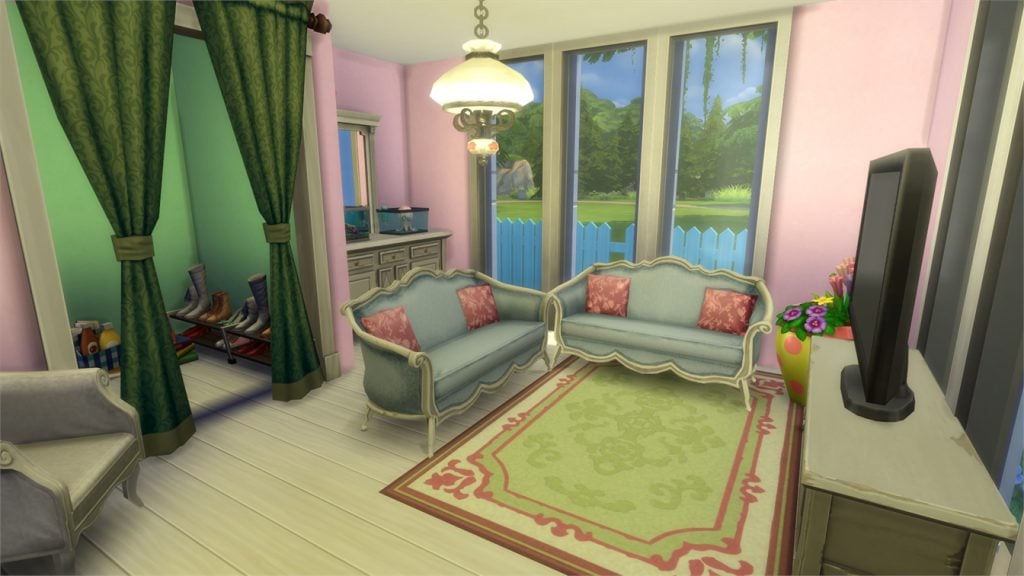
The Morrison’s Dream Home (Download Here)

by HatsyYT

Value: §88,801
Size: 30×20
Lot Type: Residental Lot[/ult_hotspot_items][/ult_hotspot][ult_hotspot main_img=”id^51261|url^https://simscommunity.info/wp-content/uploads/2016/07/07-25-16_2-30-20-PM.jpg|caption^null|alt^null|title^07-25-16_2-30-20 PM|description^null”][ult_hotspot_items icon_type=”custom” icon_img=”37721|https://simscommunity.info/wp-content/uploads/2015/08/plumhotspot.png” img_width=”26″ tooltip_custom_color=”#1e73be” tooltip_custom_bg_color=”#ffffff” tooltip_width=”500″ enable_bubble_arrow=”off” tooltip_continuous_animation=”on” tooltip_font_size=”desktop:12px;” tooltip_font_line_height=”desktop:18px;” hotspot_position=”22.992527173913043,86.4054859413203″ tooltip_custom_border_size=”border-style:solid;|border-width:2px;border-radius:5px;|border-color:#81d742;”]

07-25-16_2-30-32 PM

[/ult_hotspot_items][ult_hotspot_items icon_type=”custom” icon_img=”37721|https://simscommunity.info/wp-content/uploads/2015/08/plumhotspot.png” img_width=”26″ tooltip_custom_color=”#1e73be” tooltip_custom_bg_color=”#ffffff” tooltip_width=”500″ enable_bubble_arrow=”off” tooltip_continuous_animation=”on” tooltip_font_size=”desktop:12px;” tooltip_font_line_height=”desktop:18px;” hotspot_position=”43.661684782608695,38.378667481662596″ tooltip_custom_border_size=”border-style:solid;|border-width:2px;border-radius:5px;|border-color:#81d742;”]

07-25-16_2-30-48 PM

[/ult_hotspot_items][ult_hotspot_items icon_type=”custom” icon_img=”37721|https://simscommunity.info/wp-content/uploads/2015/08/plumhotspot.png” img_width=”36″ tooltip_custom_color=”#1e73be” tooltip_custom_bg_color=”#ffffff” tooltip_width=”500″ enable_bubble_arrow=”off” tooltip_continuous_animation=”on” tooltip_font_size=”desktop:14px;” tooltip_font_line_height=”desktop:18px;” hotspot_position=”86.58058681672026,3.25497287522604″ tooltip_custom_border_size=”border-style:solid;|border-width:2px;border-radius:5px;|border-color:#81d742;”]

Sunny Side Up (Download Here)

by Dratani

Value: §73,465
Size: 30×20
Lot Type: Residental Lot[/ult_hotspot_items][/ult_hotspot][ult_hotspot main_img=”id^51264|url^https://simscommunity.info/wp-content/uploads/2016/07/07-25-16_2-35-59-PM.jpg|caption^null|alt^null|title^07-25-16_2-35-59 PM|description^null”][ult_hotspot_items icon_type=”custom” icon_img=”37721|https://simscommunity.info/wp-content/uploads/2015/08/plumhotspot.png” img_width=”26″ tooltip_custom_color=”#1e73be” tooltip_custom_bg_color=”#ffffff” tooltip_width=”500″ enable_bubble_arrow=”off” tooltip_continuous_animation=”on” tooltip_font_size=”desktop:12px;” tooltip_font_line_height=”desktop:18px;” hotspot_position=”16.538722826086957,71.77376222493888″ tooltip_custom_border_size=”border-style:solid;|border-width:2px;border-radius:5px;|border-color:#81d742;”]

07-25-16_2-36-07 PM

[/ult_hotspot_items][ult_hotspot_items icon_type=”custom” icon_img=”37721|https://simscommunity.info/wp-content/uploads/2015/08/plumhotspot.png” img_width=”26″ tooltip_custom_color=”#1e73be” tooltip_custom_bg_color=”#ffffff” tooltip_width=”500″ enable_bubble_arrow=”off” tooltip_continuous_animation=”on” tooltip_font_size=”desktop:12px;” tooltip_font_line_height=”desktop:18px;” hotspot_position=”45.70652173913044,32.37125611246944″ tooltip_custom_border_size=”border-style:solid;|border-width:2px;border-radius:5px;|border-color:#81d742;”]

07-25-16_2-36-47 PM

[/ult_hotspot_items][ult_hotspot_items icon_type=”custom” icon_img=”37721|https://simscommunity.info/wp-content/uploads/2015/08/plumhotspot.png” img_width=”26″ tooltip_custom_color=”#1e73be” tooltip_custom_bg_color=”#ffffff” tooltip_width=”500″ enable_bubble_arrow=”off” tooltip_continuous_animation=”on” tooltip_font_size=”desktop:12px;” tooltip_font_line_height=”desktop:18px;” hotspot_position=”43.64809782608695,46.55791564792176″ tooltip_custom_border_size=”border-style:solid;|border-width:2px;border-radius:5px;|border-color:#81d742;”]

07-25-16_2-36-55 PM

[/ult_hotspot_items][ult_hotspot_items icon_type=”custom” icon_img=”37721|https://simscommunity.info/wp-content/uploads/2015/08/plumhotspot.png” img_width=”36″ tooltip_custom_color=”#1e73be” tooltip_custom_bg_color=”#ffffff” tooltip_width=”500″ enable_bubble_arrow=”off” tooltip_continuous_animation=”on” tooltip_font_size=”desktop:14px;” tooltip_font_line_height=”desktop:18px;” hotspot_position=”86.58058681672026,3.25497287522604″ tooltip_custom_border_size=”border-style:solid;|border-width:2px;border-radius:5px;|border-color:#81d742;”]

Willow Way (Download Here)

by sakuraleon

Value: §169,972
Size: 30×20
Lot Type: Residental Lot[/ult_hotspot_items][/ult_hotspot]

The Sims FreePlay: Movie Star Update Trailer

0

The Sims FreePlay Team released a Trailer for the upcoming Update – Movie Star!

This Update is expected to release next week according to previous update release patterns.

Lights, camera, action! Roll out the red carpet, and call the shots with the new Movie Star profession at the Sim Town Movie Studio!

The Sims 4 Backyard Stuff: Beta Fix for Waterslide Animation

0

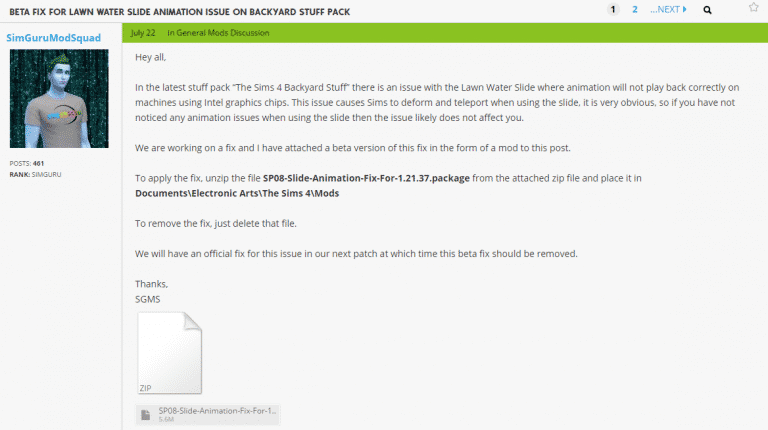
Some simmers are experiencing a waterslide glitch where their Sim’s animation freezes in the middle of the slide and continues once the slide is over.

SimGuruModSquad released a Beta fix for this issue for those who can’t wait for it to be fixed in the next update. Make sure you have Mods and CC enabled in your game!

Click on the image below to download this fix!

Capture

The Sims FreePlay: July 2016 Update Teasers

0

UPDATE: A new GIF for the upcoming update has surfaced!

giphy (3)

The Sims FreePlay shared an interesting GIF teaser of what seems to be the upcoming update for The Sims FreePlay.

What do you think, what’s the the theme of the upcoming update?

giphy (17)

The Sims 4 Backyard Stuff: Official Lot and Households

The Sims Team has shared an official lot and households that you’ve probably seen in promotional material (screens and videos) for The Sims 4 Backyard Stuff Pack.

To download these creations, click on headings above each creation.

Like Father Like Bro

TS4_x64 2016-07-20 11-44-30-34

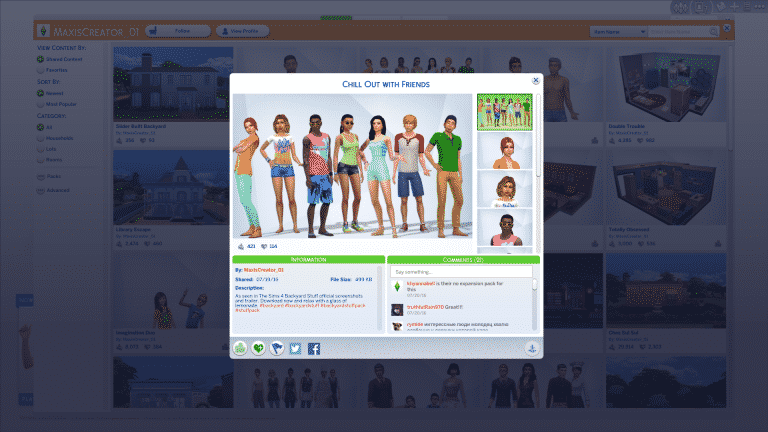
Chill Out with Friends

TS4_x64 2016-07-20 11-44-50-27

Bird Lady

TS4_x64 2016-07-20 11-45-09-56

Slider Built Backyard

TS4_x64 2016-07-20 11-45-38-72

The Sims 4 Backyard Stuff Review

Backyard Stuff is the eighth Stuff Pack for The Sims 4. It’s main focus is to bring a Summer vibe to the game with new CAS items, build items and gameplay, but does it succeed in doing so?

reviewnote

Game Review Standards

This review is based on 10+ hours of gameplay.  Even though I was given an early review copy to test the game, I am not by any means paid or bribed to state positive (or negative) opinions about this stuff pack.  I will give my honest opinion of the stuff pack; its content and what it brings to the game.

Create A Sim

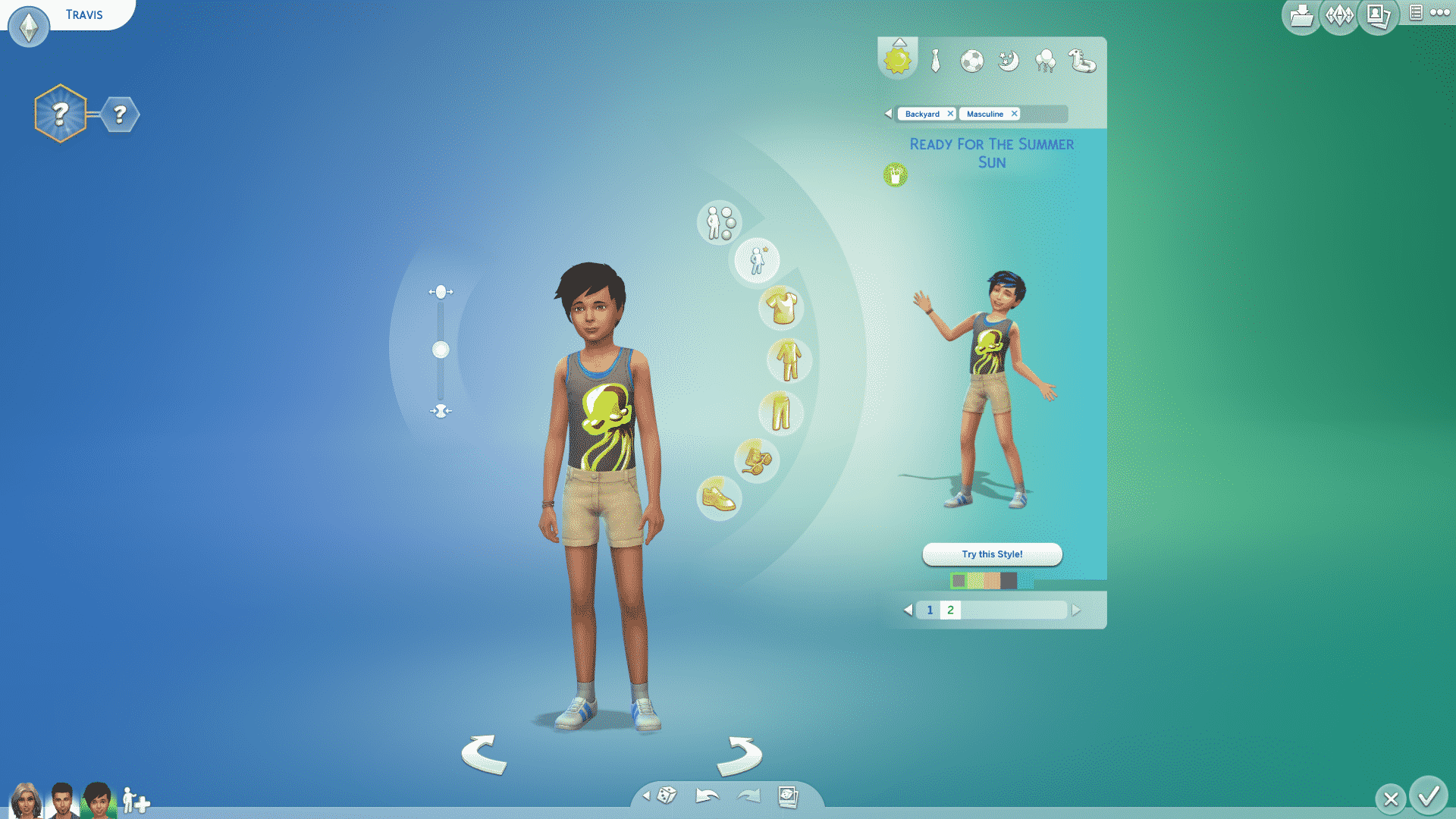
Backyard Stuff comes with around 40 new CAS items for all ages! There’s new items in a few sections of CAS, including Hairstyles, Tops, Bottoms, Shoes, Outfits and Styled Looks.

There’s nothing particularly new or revolutionary with the new CAS items, except that this pack comes with 3 new ombre hairstyles, one of them being exclusive for children! Yup, this is the first ombre hairstyle made for children.

Build Items

The 8th Stuff Pack continues with a fair amount of new items. It seems that Kids Room Stuff set a new standard, because Backyard Stuff as well has around 40 new Build Items.

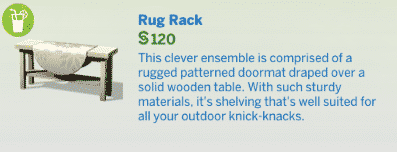
Sure, some of them are wall decals and floor rugs that are nothing but 2D decor, but this pack still comes with enough objects to fill your backyard. The picket fence is what most of us have been waiting for so long, and backyard stuff finally delivered it.

New Gameplay

The biggest WOW of this pack is that it comes with 6 NEW Gameplay Items. Those include:

  • Wind Chimes
  • Flower Power Outdoor Light
  • Large Umbrella Table
  • Bird Feeder
  • Summer Drink Tray
  • Water Slides

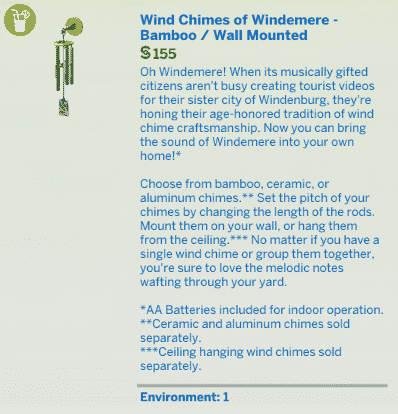
Compared to the wind chimes we got in The Sims 3 Store, these wind chimes have a lot more to offer. You can customize the pitch of the chimes and there are 3 types of chimes you can choose from. Plus, they’re not too annoying and won’t produce sound effects often.

The flower power outdoor light is a small object that doesn’t actually do much except spin it’s flower petals and light up the surroundings during night. However, Sims can unlock 2 different moodlets by viewing this object!

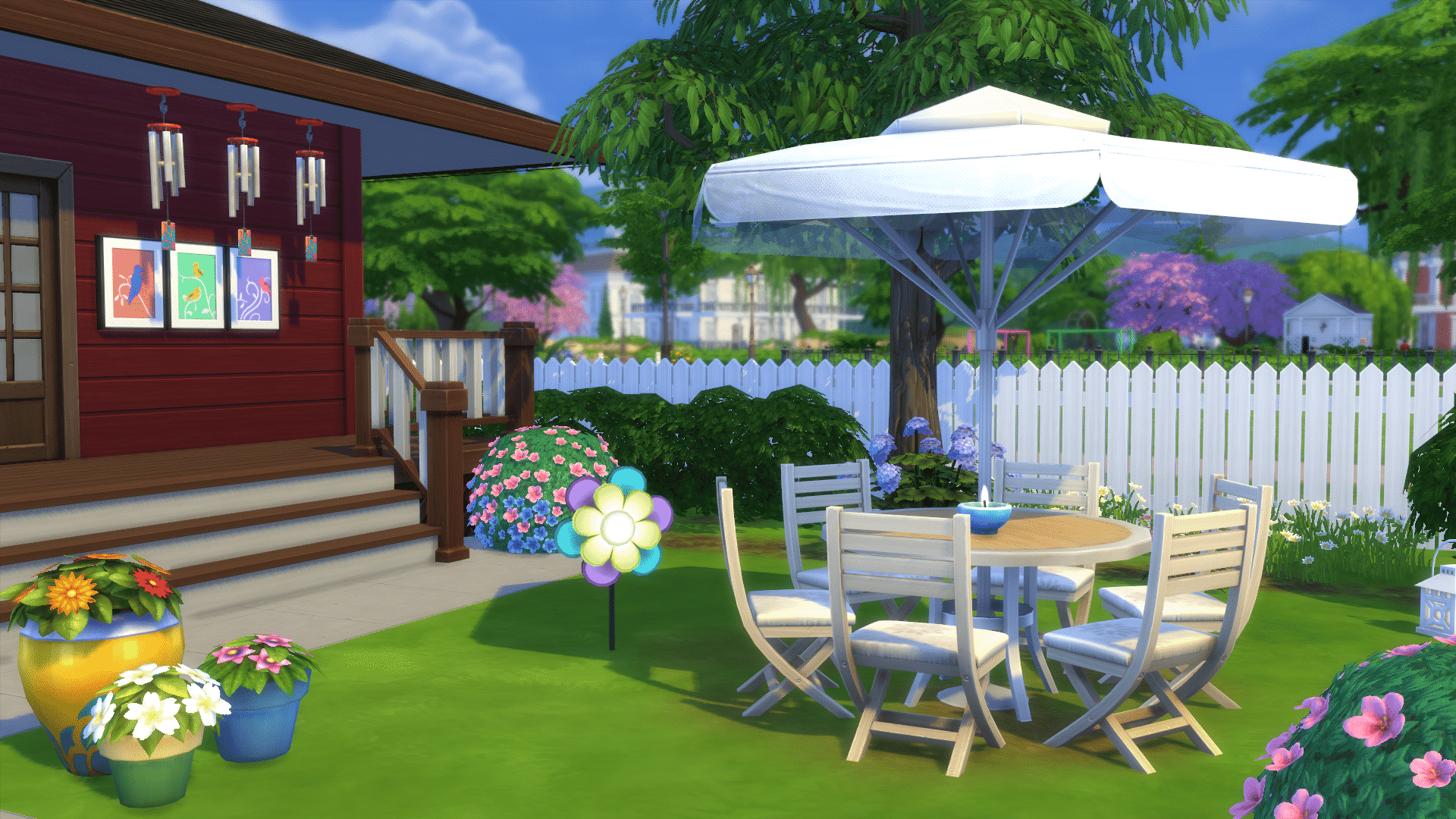
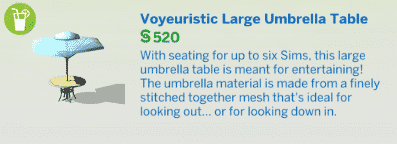
Although the large umbrella table isn’t actually groundbreaking or new, it does allow 6 Sims to be seated at the same round table – simultaneously!

The bird feeder is the first object in The Sims 4 that can summon animals. Once you fill in the bird feeder with bird seed, birds will come to eat it. It doesn’t really add nothing much except to the ambiance of your backyard, but it’s still a great object.

The summer drink tray offers 3 new drinks that you can mix up: lemonade, iced tea and citrus swig. Given the fact that it’s a small object, it still plays a significant role in living up your backyard.

And last but not least, Backyard Stuff comes with two huge water slides! These water slides can be used by Sims of all ages (babies excluded of course) and you’ll see new tricks performed by your Sims almost every time they slide. Emotions will also effect how your Sims perform on the slide, as angry sims have a higher chance of flopping on their belly. You can even mix it up by adding soap onto the water slide, which will leave soap bubbles on the Sim who slides down on it for two hours. I don’t see myself placing this object in every household, but the households that will get the water slide treatment are usually large families.

All of these objects add up to The Sims 4’s family play experience and not only do they just look nice, but they also live up the atmosphere on your lot.

[wp-review id=”51158″]

The Sims 4 Backyard Stuff: Gameplay & Features

The Sims 4 Backyard Stuff comes with plenty of new objects that bring new features and interactions.

There are 6 objects that we’ll talk about in this article that bring in some ‘premium’ gameplay. Let’s begin!

07-17-16_2-37-43 PM

The Wind Chimes

There are 6 wind chime objects with this pack: 3 can hang from the ceiling and 3 can hang from the wall. You can choose from 3 types of wind chimes:

  • Aluminum
  • Ceramic
  • Bamboo

As expected, each wind chime type produces a different sound effect that’ll be triggered ever so often.

Having a wind chime near your Sim will give him/her a happy moodlet:

TS4_x64 2016-07-17 14-58-16-62

There are 2 interactions that you can use on a wind chime: you can turn it off completely or change the pitch to low, medium or high, which will affect the sound effect of the wind chime.

From left to right: low pitch, medium pitch and high pitch wind chime.

07-17-16_3-08-52 PM

TIP: Hot-headed Sims are not huge fans of the wind chimes…

chimeshotheaded

Flower Power Outdoor Light

This decor piece not only lights up the outdoors at night, but also spins its petals!

07-17-16_3-16-05 PM

Some Sims who decide to view it may get a playful moodlet, while some will get a dazed moodlet.

Large Umbrella Table

Backyard Stuff brings the biggest round table to The Sims 4 – offering 6 seats to Sims.

This table can be good for either 2 Sims enjoying a romantic night or a household enjoying the outdoor grill. All 6 Sims can use it at the same time and place their food and drinks!

The Sims 4 Backyard Stuff: Build Items Overview

The Sims 4 Backyard Stuff comes with over 40 new items! That includes new objects that can be found in Build Mode.

Down below you can find screens of the 3 new styled rooms, and even more down below you will find a full list of new items. Enjoy!

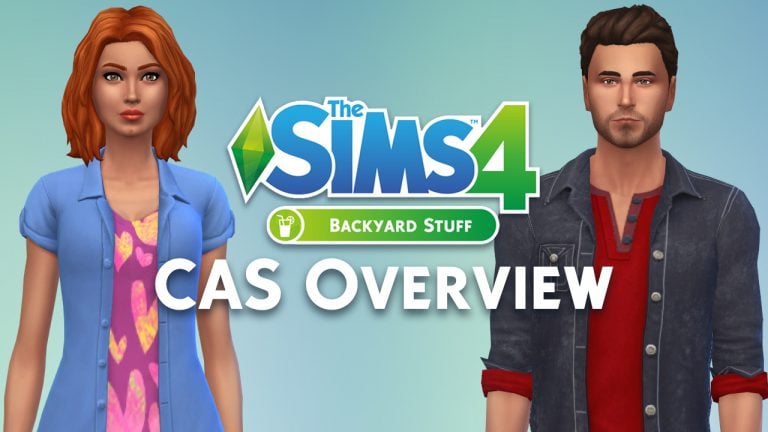
The Sims 4 Backyard Stuff: CAS Overview

The Sims 4 Backyard Stuff comes with 36 new CAS items for Children, Teens, Young Adults, Adults and Elders!

Down below you’ll find a full list / gallery of all the new items in CAS. You can enlarge any image by clicking on it.

Adult

Feminine

Hair (5) Tops (4) Bottoms (3) Outfits (1) Shoes (1) Styled Looks (2)

Hair (3) Tops (5) Bottoms (1) Styled Looks (2)

Child

Feminine

Hair (3) Tops (4) Styled Looks (2)

Hair (2) Tops (4) Styled Looks (2)

The Sims 4 Backyard Stuff Now Available on Origin!

0

Click below to purchase The Sims 4 Backyard Stuff on Origin!

Capture

The Sims 4: Room Concept Art by Gzel

0

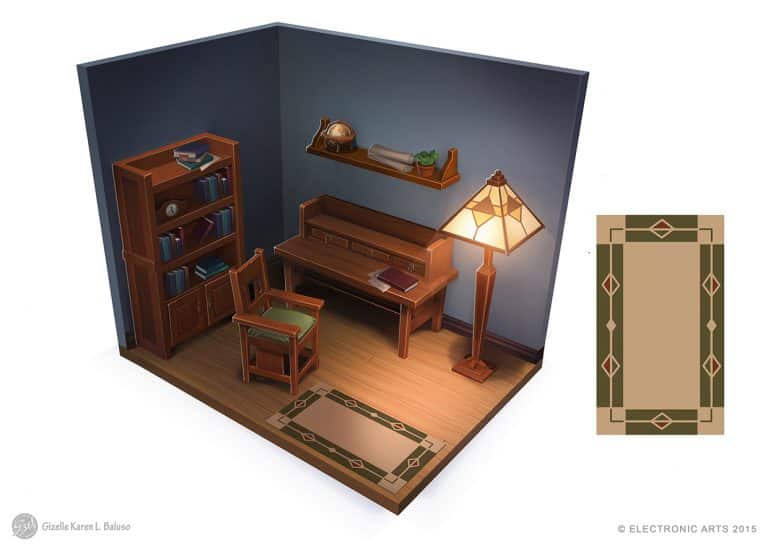
Gizelle Karen Beluso posted some of the Room Concept Art pieces she made for The Sims 4 Base Game. Check them out!

The Sims 4: New Update! (July 19th, 2016)

ts4e3logo

The Sims Team has released a brand new Update for The Sims 4, fixing the loading times bug.

To download the latest version of The Sims 4, simply open your Origin program and if the game doesn’t update automatically, right click on The Sims 4 and select ”Update”.

In case you have Mods or Custom Content, the game will automatically disable them for you after first launching The Sims 4 after the update. To re-enable all your Mods and Custom Content, select the Settings option in the Menu and select Settings. Under the”Other” section you’ll find the ”Enable Custom Content and Mods” option. Check it and restart your game in order for it to take effect!

Patch Notes

Update: 07/18/2016 – PC Version 1.21.37.1020 / Mac Version 1.21.37.1220

•    Fixed long load times on startup when many screenshots are saved

The Sims 4 Backyard Stuff: Water Slide Clip

1

The Sims Poland released a clip from The Sims 4 Backyard Stuff, showing off the water slide and the trick slides!

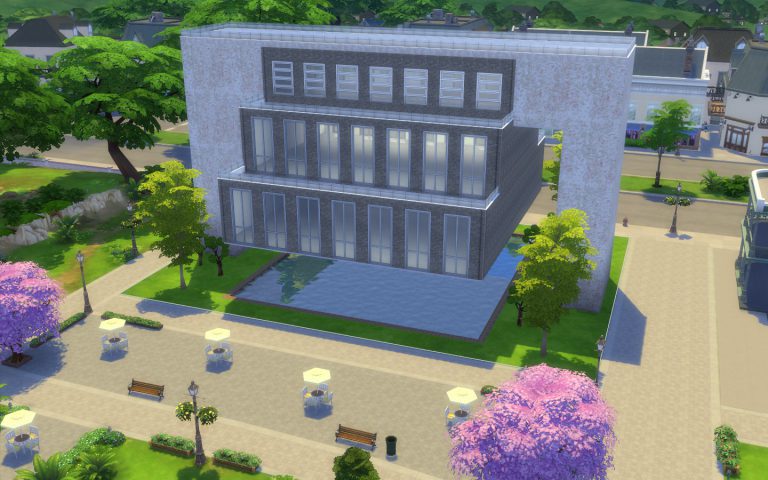
The Sims 4 Building: Creating Suspended Buildings

Do you want a striking library, museum, restaurant, shop or a very sophisticated home? You should try a suspended building!

07-17-16_10-54-10 PMToday you’ll be able to learn two styles: simple and elaborate.

Note: If any of the instructions is complicated, take a look at the images. They show every step in detail.

Simple Suspended Building

Let’s use the Room Tool.

07-17-16_5-18-54 PM

Build a rectangle on one of the sides of the lot. In order to accommodate stairs further into the construction, it needs to be at least 7×2. The one in the image below is 8×4.

07-17-16_9-20-22 PM

Build an identical room on the other side of the lot.

07-17-16_9-22-02 PM

The next step is to build what will be our main space, so it should be large. It also needs to connect to the two rooms we previously made.

07-17-16_9-22-59 PM

Now move to the floor above and build the exact same three rooms again, on top of the ones we already have.

07-17-16_9-23-44 PM

This is a good time to check the height of the walls on both floors. For maximum impact, set them to tall.

07-17-16_9-24-46 PM

Select the larger room on the first floor…

07-17-16_9-25-34 PM

…and use the Delete key on your keyboard to get rid of it. Our building is now officially suspended!

07-17-16_9-26-24 PMNow we are going to select the Room Tool in half-walls.

07-17-16_9-27-26 PMBuild a room on the third floor connecting the two towers, just like in the image below.

07-17-16_9-28-07 PM

Our structure is completed.

07-17-16_9-28-38 PM

Let’s now paint the walls of the suspended room. Hold the Shift key to paint the outside of the whole room.

07-17-16_9-31-23 PM

Choose a different wall pattern or a contrasting colour within the same pattern to paint the structure supporting the suspended building. This contrast will make your creation pop.

07-17-16_9-33-13 PM

Using the same concept, select distinct tile patterns or colours on the top of the construction.

07-17-16_9-36-55 PM

Choose a half-wall trim that matches your design.

07-17-16_9-37-57 PM

The outside of the suspended area will really benefit from friezes…

07-17-16_9-39-46 PM

…and trims.

07-17-16_9-40-03 PM

On the second floor, open the towers to the main area by deleting their inside walls.

Tip: Use the Hammer Tool.

07-17-16_9-41-50 PM

The result.

07-17-16_9-42-16 PM

You can add wall and floor patterns now or later. I’d rather add them now.

07-17-16_9-44-35 PMNext, put stairs inside the first floor of the towers…

07-17-16_10-25-20 PM

…on both sides, leading up to the suspended area.

07-17-16_10-26-14 PM

Don’t forget to add doors to the towers. They are our entrances.

07-17-16_10-32-53 PM

A great idea is to add a fountain to the gap beneath the building.

07-17-16_10-48-53 PM

A nice touch is adding trimming to the edges.

07-17-16_10-49-17 PM

Tip: You can and should also apply floor and wall patterns to the inside of your fountain.

Time to finish decorating  your creation.

07-17-16_10-53-03 PM

Elaborate Suspended Building

After you try the Simple one, you might want to create something a bit more advanced. Several of the steps are the same, therefore, let’s focus on what is different. First, when you are creating the third room on the ground floor, leave some space between it and the bases of the towers.

07-17-16_11-12-37 PM

On the second floor, you will create three identical rooms on top of the ones on the first floor.

07-17-16_11-13-07 PMDo the same on the third floor, creating a new set of rooms on top of the ones on the second floor. However, the room in the middle should be a bit smaller, like in the picture below.

07-17-16_11-13-52 PM

On the fourth floor, instead of half-walls, use full walls and create a room connecting the two towers.

07-17-16_11-14-37 PM

Delete the large room on the ground floor and the final structure will look like this.

07-17-16_11-15-28 PM

When placing stairs inside the towers, use only half of the available width…

07-17-16_11-18-02 PM…because you will need stairs all the way up to the fourth floor, so you will alternate the side you put them on from floor to floor.

07-17-16_11-18-47 PM

Note: When creating the interiors, you’ll need stairs that go down from the fourth to the third floor and down from the third floor to the second floor inside the suspended structure.

Everything else is pretty much the same as in the Simple Suspended Building.

07-17-16_11-40-08 PM

Now go on and create places where your sims can hang out.