Home Blog Page 450

The Sims 4 Gallery Spotlight: Spooky Houses and Venues!

header_logo_en

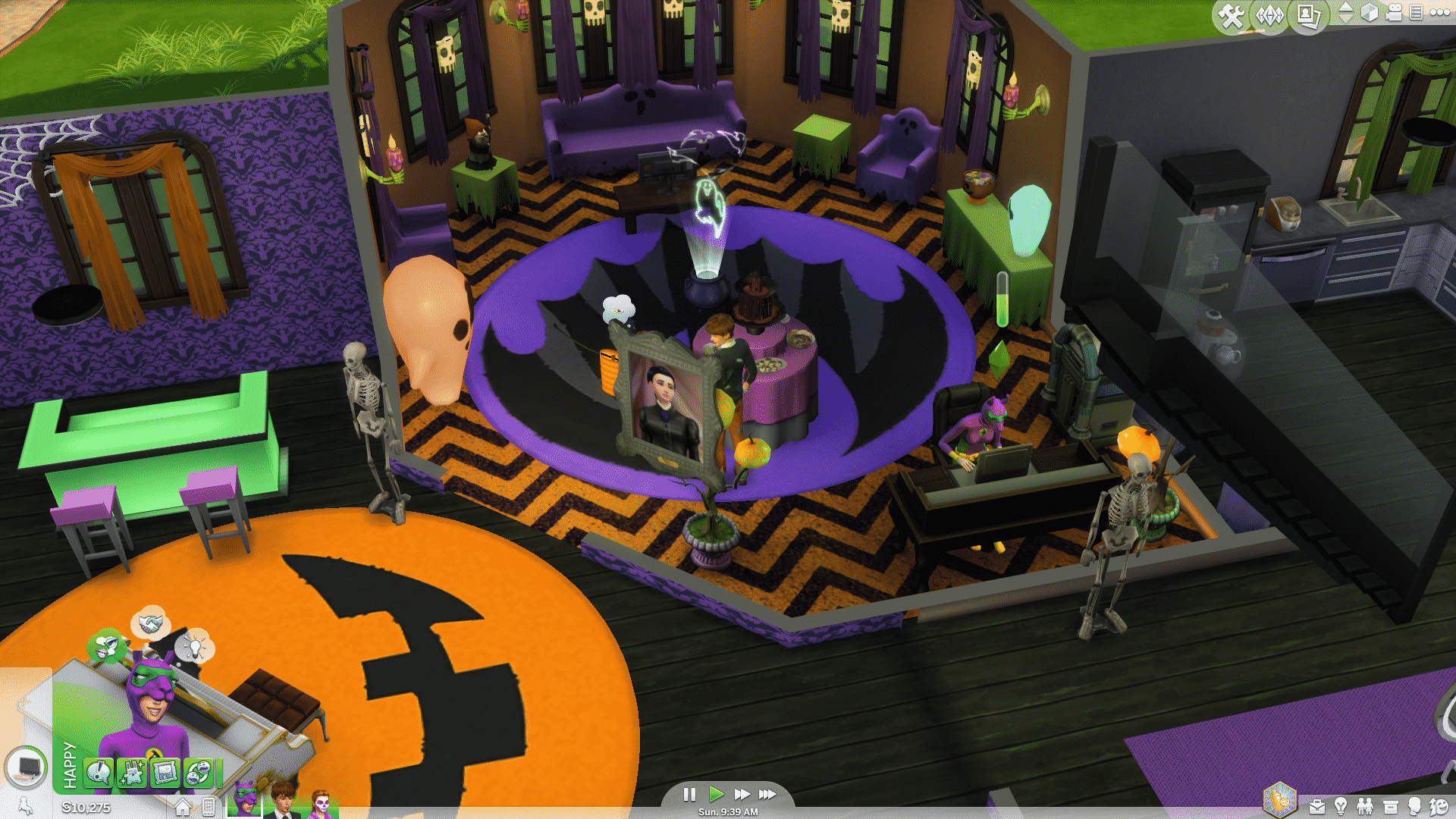
Welcome to our fifth interactive The Sims 4 Gallery Spotlight! In this Spotlight, we’re featuring some of the most creative Spooky Houses and Venues created by Simmers.

Hover over the pulsing plumbobs to see screenshots of marked areas. Pulsing plumbob that’s on the left bottom corner contains all the info (and download link) of the lot.

To see more of our previous Gallery Spotlights, CLICK HERE!
[ult_hotspot main_img=”40507|https://simscommunity.info/wp-content/uploads/2015/10/10-09-15_10-57-34-PM.jpg” main_img_size=”main_img_original”][ult_hotspot_items icon_type=”custom” icon_size=”32″ icon_style=”none” icon_color_border=”#333333″ icon_border_size=”1″ icon_border_radius=”500″ icon_border_spacing=”50″ icon_img=”37721|https://simscommunity.info/wp-content/uploads/2015/08/plumhotspot.png” img_width=”26″ link_style=”tooltip” tooltip_custom_color=”#1e73be” tooltip_width=”500″ tooltip_trigger=”hover” tooltip_position=”top” enable_bubble_arrow=”off” tooltip_animation=”fade” tooltip_font_size=”12″ tooltip_font_line_height=”18″ tooltip_align=”left” tooltip_continuous_animation=”on” hotspot_position=”27.029742765273312,69.8010849909584″ tooltip_custom_border_size=”border-style:solid;|border-width:2px;border-radius:5px;|border-color:#81d742;” tooltip_custom_bg_color=”#ffffff”]
10-09-15_10-57-45 PM

[/ult_hotspot_items][ult_hotspot_items icon_type=”custom” icon_size=”32″ icon_style=”none” icon_color_border=”#333333″ icon_border_size=”1″ icon_border_radius=”500″ icon_border_spacing=”50″ icon_img=”37721|https://simscommunity.info/wp-content/uploads/2015/08/plumhotspot.png” img_width=”26″ link_style=”tooltip” tooltip_custom_color=”#1e73be” tooltip_width=”500″ tooltip_trigger=”hover” tooltip_position=”top” enable_bubble_arrow=”off” tooltip_animation=”fade” tooltip_font_size=”12″ tooltip_font_line_height=”18″ tooltip_align=”left” tooltip_continuous_animation=”on” hotspot_position=”54.164991961414785,43.58047016274864″ tooltip_custom_border_size=”border-style:solid;|border-width:2px;border-radius:5px;|border-color:#81d742;” tooltip_custom_bg_color=”#ffffff”]
10-09-15_10-58-22 PM

[/ult_hotspot_items][ult_hotspot_items icon_type=”custom” icon_size=”32″ icon_style=”none” icon_color_border=”#333333″ icon_border_size=”1″ icon_border_radius=”500″ icon_border_spacing=”50″ icon_img=”37721|https://simscommunity.info/wp-content/uploads/2015/08/plumhotspot.png” img_width=”36″ link_style=”tooltip” tooltip_custom_color=”#1e73be” tooltip_width=”500″ tooltip_trigger=”hover” tooltip_position=”top” enable_bubble_arrow=”off” tooltip_animation=”fade” tooltip_font_size=”14″ tooltip_font_line_height=”18″ tooltip_align=”left” tooltip_continuous_animation=”on” hotspot_position=”86.58058681672026,3.25497287522604″ tooltip_custom_border_size=”border-style:solid;|border-width:2px;border-radius:5px;|border-color:#81d742;” tooltip_custom_bg_color=”#ffffff” glow_color=”#ffffff”]

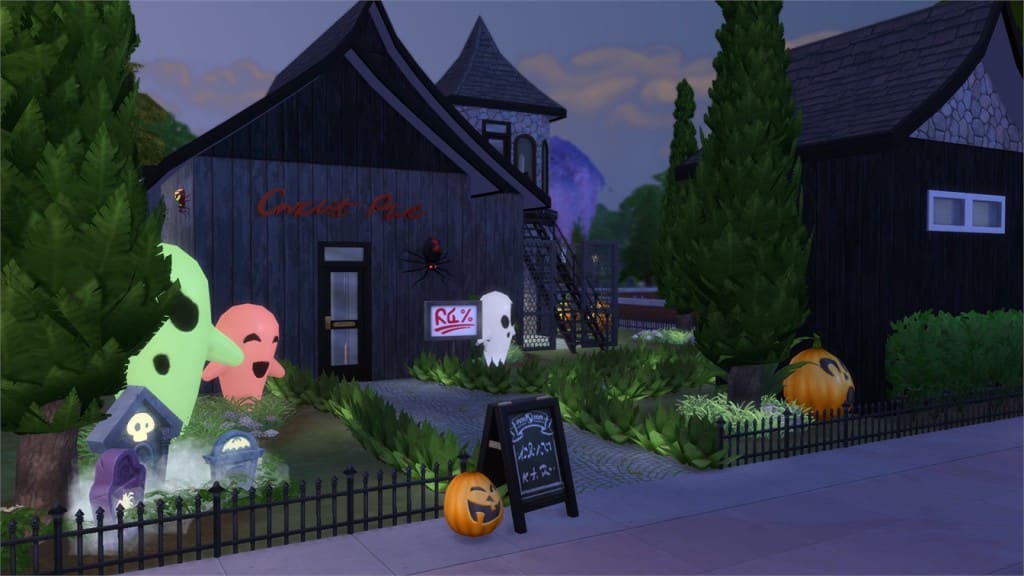
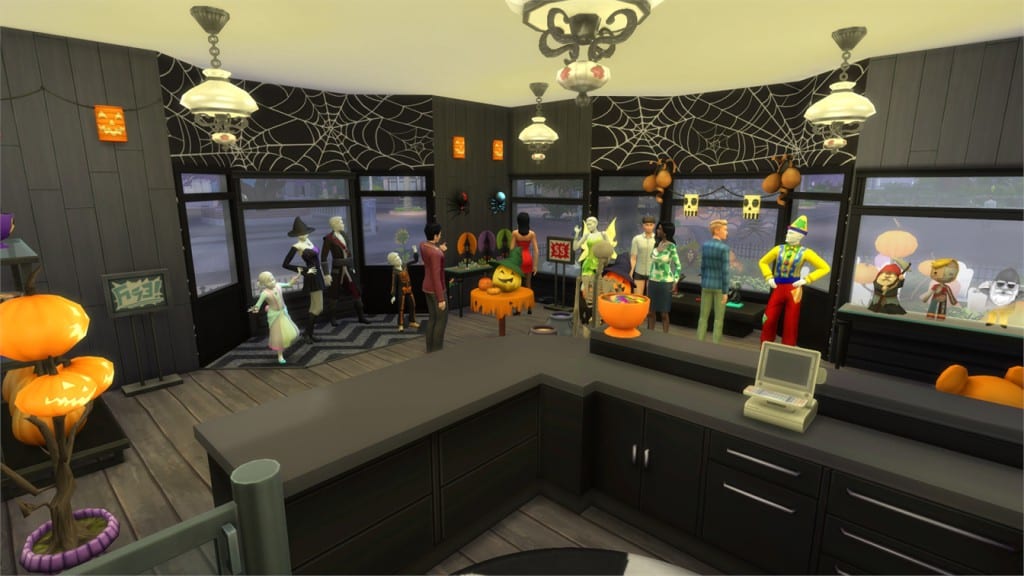
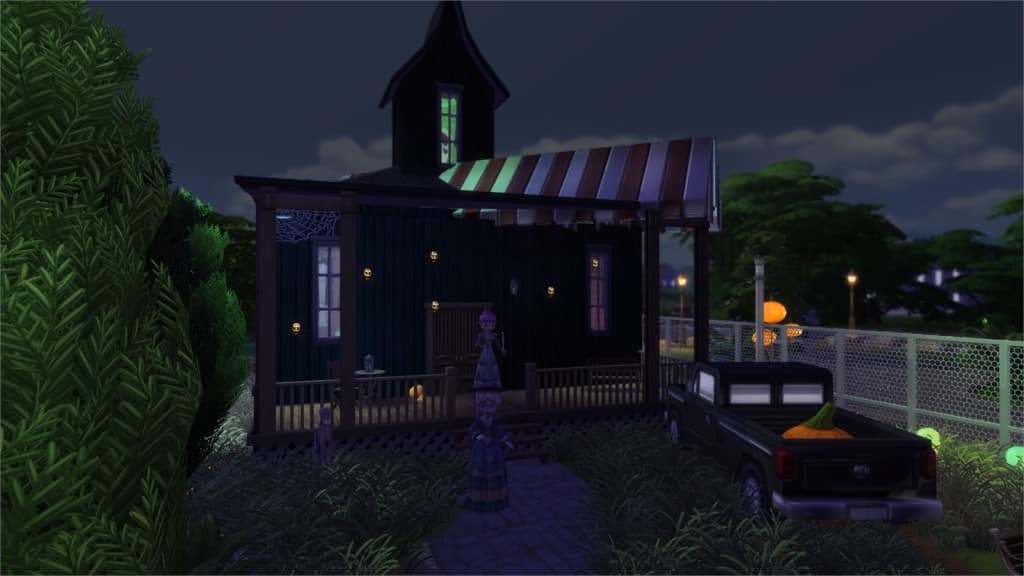
Spooky Party Shop (Download Here)

by lostinsophie

Value: §68,641
Size: 30×20
Lot Type: Retail
Required Packs: Outdoor Retreat, Get to Work, Luxury Party, Spa Day, Cool Kitchen, Spooky Stuff[/ult_hotspot_items][/ult_hotspot]
[ult_hotspot main_img=”40510|https://simscommunity.info/wp-content/uploads/2015/10/10-09-15_11-16-38-PM.jpg” main_img_size=”main_img_original”][ult_hotspot_items icon_type=”custom” icon_size=”32″ icon_style=”none” icon_color_border=”#333333″ icon_border_size=”1″ icon_border_radius=”500″ icon_border_spacing=”50″ icon_img=”37721|https://simscommunity.info/wp-content/uploads/2015/08/plumhotspot.png” img_width=”26″ link_style=”tooltip” tooltip_custom_color=”#1e73be” tooltip_width=”500″ tooltip_trigger=”hover” tooltip_position=”top” enable_bubble_arrow=”off” tooltip_animation=”fade” tooltip_font_size=”12″ tooltip_font_line_height=”18″ tooltip_align=”left” tooltip_continuous_animation=”on” hotspot_position=”67.15233118971061,17.90235081374322″ tooltip_custom_border_size=”border-style:solid;|border-width:2px;border-radius:5px;|border-color:#81d742;” tooltip_custom_bg_color=”#ffffff”]
10-09-15_11-16-54 PM

[/ult_hotspot_items][ult_hotspot_items icon_type=”custom” icon_size=”32″ icon_style=”none” icon_color_border=”#333333″ icon_border_size=”1″ icon_border_radius=”500″ icon_border_spacing=”50″ icon_img=”37721|https://simscommunity.info/wp-content/uploads/2015/08/plumhotspot.png” img_width=”26″ link_style=”tooltip” tooltip_custom_color=”#1e73be” tooltip_width=”500″ tooltip_trigger=”hover” tooltip_position=”top” enable_bubble_arrow=”off” tooltip_animation=”fade” tooltip_font_size=”12″ tooltip_font_line_height=”18″ tooltip_align=”left” tooltip_continuous_animation=”on” hotspot_position=”60.84204180064309,66.72694394213381″ tooltip_custom_border_size=”border-style:solid;|border-width:2px;border-radius:5px;|border-color:#81d742;” tooltip_custom_bg_color=”#ffffff”]
10-09-15_11-17-10 PM

[/ult_hotspot_items][ult_hotspot_items icon_type=”custom” icon_size=”32″ icon_style=”none” icon_color_border=”#333333″ icon_border_size=”1″ icon_border_radius=”500″ icon_border_spacing=”50″ icon_img=”37721|https://simscommunity.info/wp-content/uploads/2015/08/plumhotspot.png” img_width=”26″ link_style=”tooltip” tooltip_custom_color=”#1e73be” tooltip_width=”500″ tooltip_trigger=”hover” tooltip_position=”top” enable_bubble_arrow=”off” tooltip_animation=”fade” tooltip_font_size=”12″ tooltip_font_line_height=”18″ tooltip_align=”left” tooltip_continuous_animation=”on” hotspot_position=”53.26567524115756,46.47095388788427″ tooltip_custom_border_size=”border-style:solid;|border-width:2px;border-radius:5px;|border-color:#81d742;” tooltip_custom_bg_color=”#ffffff”]
10-09-15_11-17-40 PM

[/ult_hotspot_items][ult_hotspot_items icon_type=”custom” icon_size=”32″ icon_style=”none” icon_color_border=”#333333″ icon_border_size=”1″ icon_border_radius=”500″ icon_border_spacing=”50″ icon_img=”37721|https://simscommunity.info/wp-content/uploads/2015/08/plumhotspot.png” img_width=”26″ link_style=”tooltip” tooltip_custom_color=”#1e73be” tooltip_width=”500″ tooltip_trigger=”hover” tooltip_position=”top” enable_bubble_arrow=”off” tooltip_animation=”fade” tooltip_font_size=”12″ tooltip_font_line_height=”18″ tooltip_align=”left” tooltip_continuous_animation=”on” hotspot_position=”70.66921221864952,53.52339511754069″ tooltip_custom_border_size=”border-style:solid;|border-width:2px;border-radius:5px;|border-color:#81d742;” tooltip_custom_bg_color=”#ffffff”]

10-09-15_11-18-08 PM

[/ult_hotspot_items][ult_hotspot_items icon_type=”custom” icon_size=”32″ icon_style=”none” icon_color_border=”#333333″ icon_border_size=”1″ icon_border_radius=”500″ icon_border_spacing=”50″ icon_img=”37721|https://simscommunity.info/wp-content/uploads/2015/08/plumhotspot.png” img_width=”36″ link_style=”tooltip” tooltip_custom_color=”#1e73be” tooltip_width=”500″ tooltip_trigger=”hover” tooltip_position=”top” enable_bubble_arrow=”off” tooltip_animation=”fade” tooltip_font_size=”14″ tooltip_font_line_height=”18″ tooltip_align=”left” tooltip_continuous_animation=”on” hotspot_position=”86.58058681672026,3.25497287522604″ tooltip_custom_border_size=”border-style:solid;|border-width:2px;border-radius:5px;|border-color:#81d742;” tooltip_custom_bg_color=”#ffffff” glow_color=”#ffffff”]

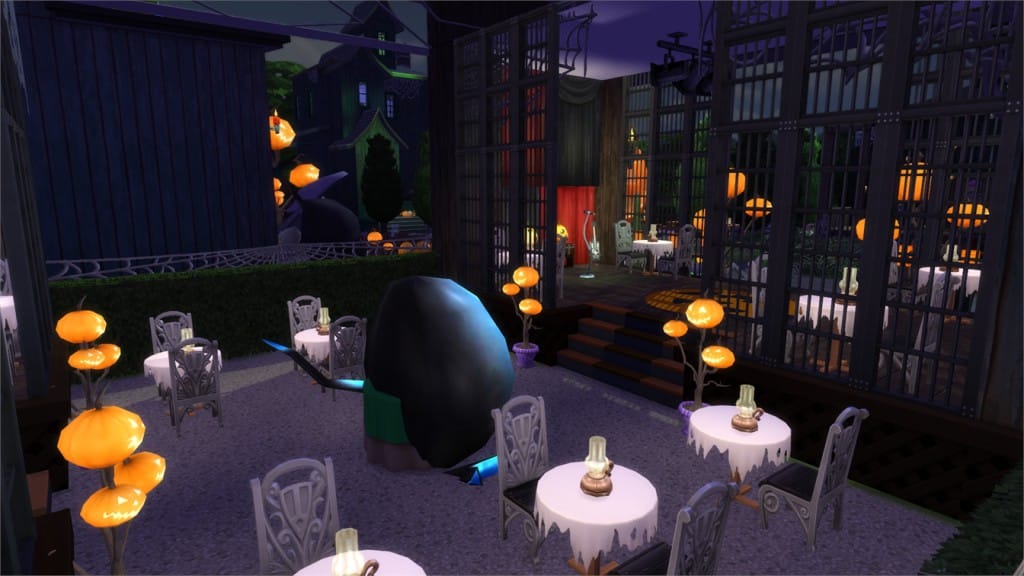
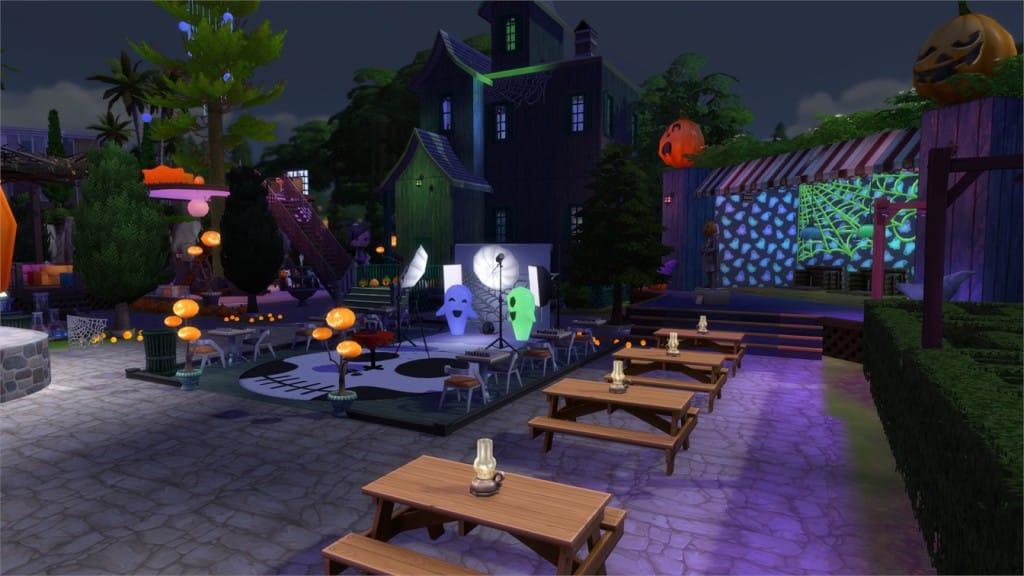
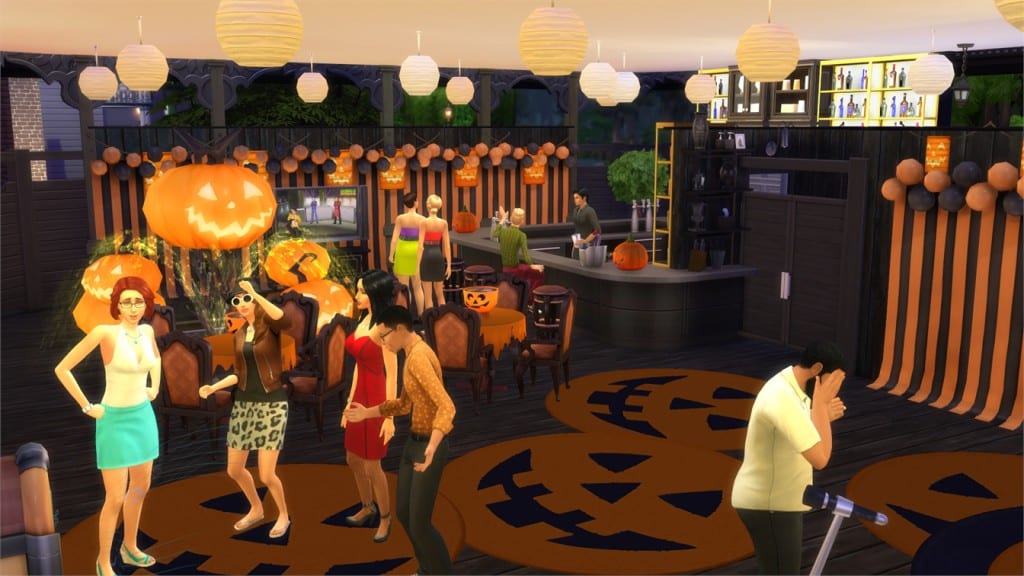
Spooky World (Download Here)

by jamesonthesims

Value: §403,388
Size: 50×50
Lot Type: Park
Required Packs: Outdoor Retreat, Get to Work, Luxury Party, Perfect Patio, Spa Day, Cool Kitchen, Spooky Stuff[/ult_hotspot_items][/ult_hotspot]
[ult_hotspot main_img=”40515|https://simscommunity.info/wp-content/uploads/2015/10/10-09-15_11-22-45-PM.jpg” main_img_size=”main_img_original”][ult_hotspot_items icon_type=”custom” icon_size=”32″ icon_style=”none” icon_color_border=”#333333″ icon_border_size=”1″ icon_border_radius=”500″ icon_border_spacing=”50″ icon_img=”37721|https://simscommunity.info/wp-content/uploads/2015/08/plumhotspot.png” img_width=”26″ link_style=”tooltip” tooltip_custom_color=”#1e73be” tooltip_width=”500″ tooltip_trigger=”hover” tooltip_position=”top” enable_bubble_arrow=”off” tooltip_animation=”fade” tooltip_font_size=”12″ tooltip_font_line_height=”18″ tooltip_align=”left” tooltip_continuous_animation=”on” hotspot_position=”50.040192926045016,69.07775768535262″ tooltip_custom_border_size=”border-style:solid;|border-width:2px;border-radius:5px;|border-color:#81d742;” tooltip_custom_bg_color=”#ffffff”]
10-09-15_11-23-35 PM

[/ult_hotspot_items][ult_hotspot_items icon_type=”custom” icon_size=”32″ icon_style=”none” icon_color_border=”#333333″ icon_border_size=”1″ icon_border_radius=”500″ icon_border_spacing=”50″ icon_img=”37721|https://simscommunity.info/wp-content/uploads/2015/08/plumhotspot.png” img_width=”26″ link_style=”tooltip” tooltip_custom_color=”#1e73be” tooltip_width=”500″ tooltip_trigger=”hover” tooltip_position=”top” enable_bubble_arrow=”off” tooltip_animation=”fade” tooltip_font_size=”12″ tooltip_font_line_height=”18″ tooltip_align=”left” tooltip_continuous_animation=”on” hotspot_position=”35.83701768488746,55.51537070524412″ tooltip_custom_border_size=”border-style:solid;|border-width:2px;border-radius:5px;|border-color:#81d742;” tooltip_custom_bg_color=”#ffffff”]

10-09-15_11-23-57 PM

[/ult_hotspot_items][ult_hotspot_items icon_type=”custom” icon_size=”32″ icon_style=”none” icon_color_border=”#333333″ icon_border_size=”1″ icon_border_radius=”500″ icon_border_spacing=”50″ icon_img=”37721|https://simscommunity.info/wp-content/uploads/2015/08/plumhotspot.png” img_width=”36″ link_style=”tooltip” tooltip_custom_color=”#1e73be” tooltip_width=”500″ tooltip_trigger=”hover” tooltip_position=”top” enable_bubble_arrow=”off” tooltip_animation=”fade” tooltip_font_size=”14″ tooltip_font_line_height=”18″ tooltip_align=”left” tooltip_continuous_animation=”on” hotspot_position=”86.58058681672026,3.25497287522604″ tooltip_custom_border_size=”border-style:solid;|border-width:2px;border-radius:5px;|border-color:#81d742;” tooltip_custom_bg_color=”#ffffff” glow_color=”#ffffff”]

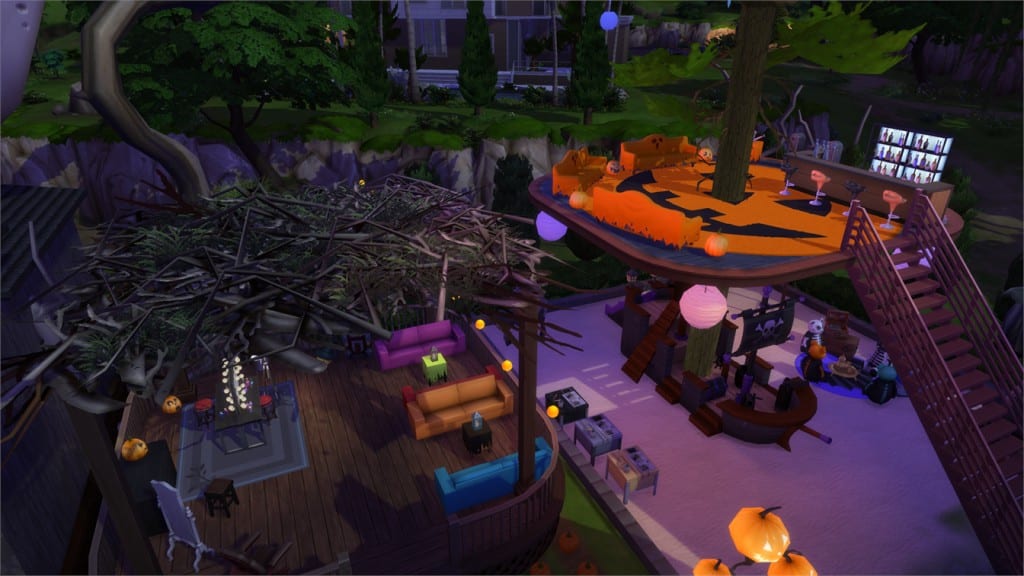
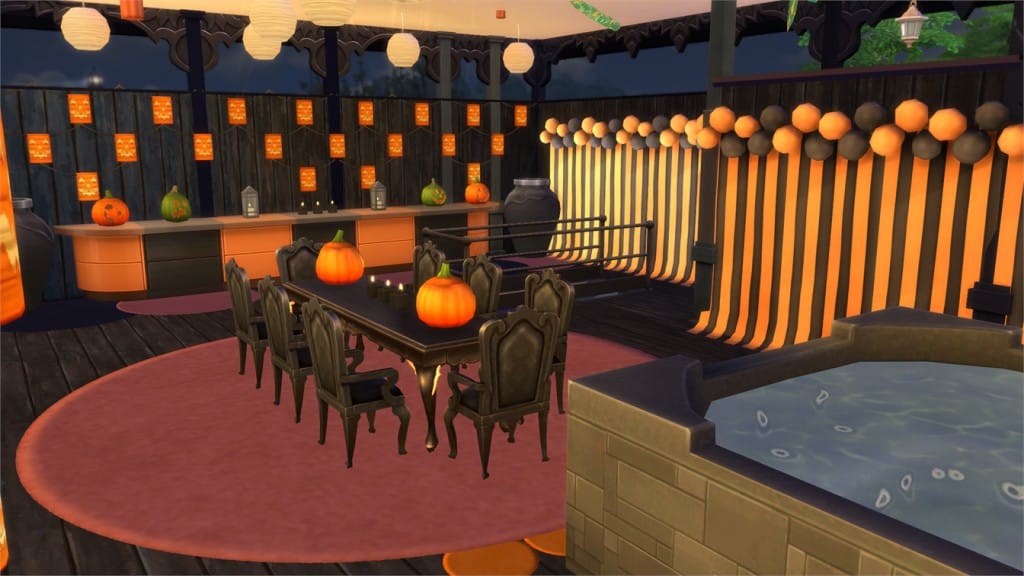
Spooky Night Club (Download Here)

by shirayukihima0

Value: §186,603
Size: 30×20
Lot Type: Nightclub
Required Packs: Outdoor Retreat, Get to Work, Luxury Party, Perfect Patio, Spa Day, Spooky Stuff, Up All Night[/ult_hotspot_items][/ult_hotspot]
[ult_hotspot main_img=”40518|https://simscommunity.info/wp-content/uploads/2015/10/10-09-15_11-27-05-PM.jpg” main_img_size=”main_img_original”][ult_hotspot_items icon_type=”custom” icon_size=”32″ icon_style=”none” icon_color_border=”#333333″ icon_border_size=”1″ icon_border_radius=”500″ icon_border_spacing=”50″ icon_img=”37721|https://simscommunity.info/wp-content/uploads/2015/08/plumhotspot.png” img_width=”26″ link_style=”tooltip” tooltip_custom_color=”#1e73be” tooltip_width=”500″ tooltip_trigger=”hover” tooltip_position=”top” enable_bubble_arrow=”off” tooltip_animation=”fade” tooltip_font_size=”12″ tooltip_font_line_height=”18″ tooltip_align=”left” tooltip_continuous_animation=”on” hotspot_position=”44.393086816720256,29.11392405063291″ tooltip_custom_border_size=”border-style:solid;|border-width:2px;border-radius:5px;|border-color:#81d742;” tooltip_custom_bg_color=”#ffffff”]
10-09-15_11-27-15 PM

[/ult_hotspot_items][ult_hotspot_items icon_type=”custom” icon_size=”32″ icon_style=”none” icon_color_border=”#333333″ icon_border_size=”1″ icon_border_radius=”500″ icon_border_spacing=”50″ icon_img=”37721|https://simscommunity.info/wp-content/uploads/2015/08/plumhotspot.png” img_width=”26″ link_style=”tooltip” tooltip_custom_color=”#1e73be” tooltip_width=”500″ tooltip_trigger=”hover” tooltip_position=”top” enable_bubble_arrow=”off” tooltip_animation=”fade” tooltip_font_size=”12″ tooltip_font_line_height=”18″ tooltip_align=”left” tooltip_continuous_animation=”on” hotspot_position=”63.19835209003215,53.70705244122965″ tooltip_custom_border_size=”border-style:solid;|border-width:2px;border-radius:5px;|border-color:#81d742;” tooltip_custom_bg_color=”#ffffff”]
10-09-15_11-27-52 PM

[/ult_hotspot_items][ult_hotspot_items icon_type=”custom” icon_size=”32″ icon_style=”none” icon_color_border=”#333333″ icon_border_size=”1″ icon_border_radius=”500″ icon_border_spacing=”50″ icon_img=”37721|https://simscommunity.info/wp-content/uploads/2015/08/plumhotspot.png” img_width=”26″ link_style=”tooltip” tooltip_custom_color=”#1e73be” tooltip_width=”500″ tooltip_trigger=”hover” tooltip_position=”top” enable_bubble_arrow=”off” tooltip_animation=”fade” tooltip_font_size=”12″ tooltip_font_line_height=”18″ tooltip_align=”left” tooltip_continuous_animation=”on” hotspot_position=”57.76728295819936,36.166365280289334″ tooltip_custom_border_size=”border-style:solid;|border-width:2px;border-radius:5px;|border-color:#81d742;” tooltip_custom_bg_color=”#ffffff”]

10-09-15_11-28-38 PM

[/ult_hotspot_items][ult_hotspot_items icon_type=”custom” icon_size=”32″ icon_style=”none” icon_color_border=”#333333″ icon_border_size=”1″ icon_border_radius=”500″ icon_border_spacing=”50″ icon_img=”37721|https://simscommunity.info/wp-content/uploads/2015/08/plumhotspot.png” img_width=”36″ link_style=”tooltip” tooltip_custom_color=”#1e73be” tooltip_width=”500″ tooltip_trigger=”hover” tooltip_position=”top” enable_bubble_arrow=”off” tooltip_animation=”fade” tooltip_font_size=”14″ tooltip_font_line_height=”18″ tooltip_align=”left” tooltip_continuous_animation=”on” hotspot_position=”86.58058681672026,3.25497287522604″ tooltip_custom_border_size=”border-style:solid;|border-width:2px;border-radius:5px;|border-color:#81d742;” tooltip_custom_bg_color=”#ffffff” glow_color=”#ffffff”]

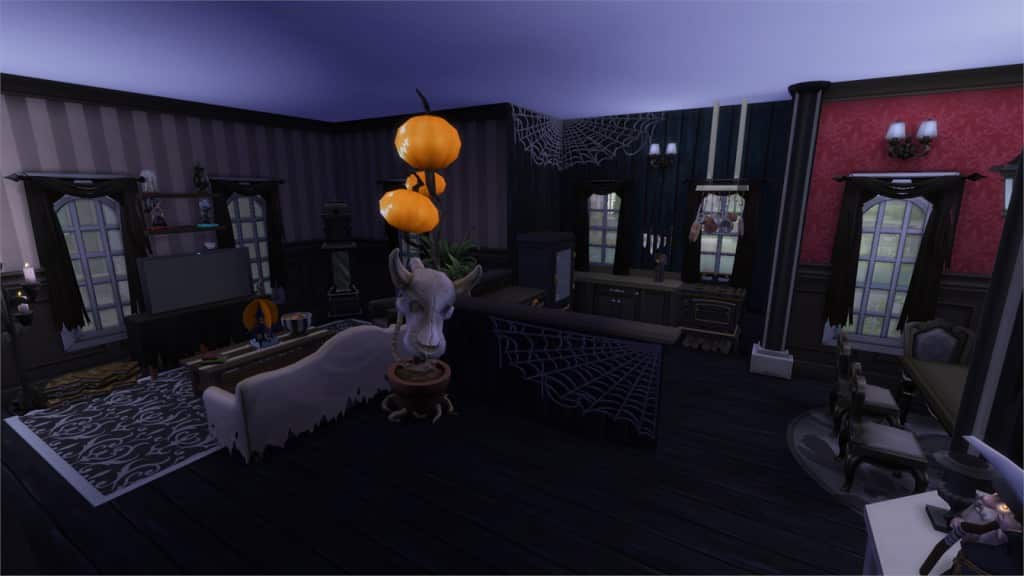
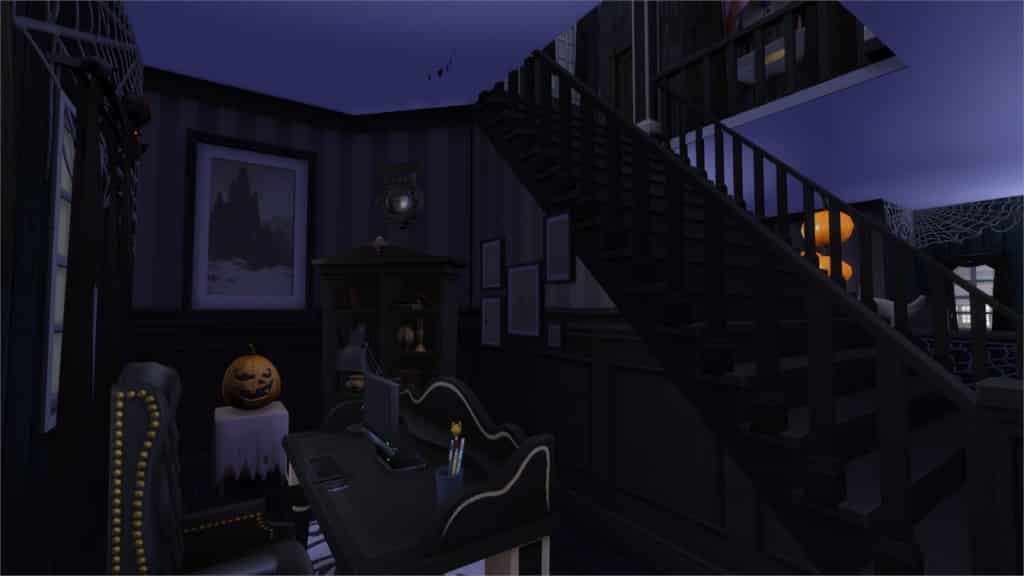
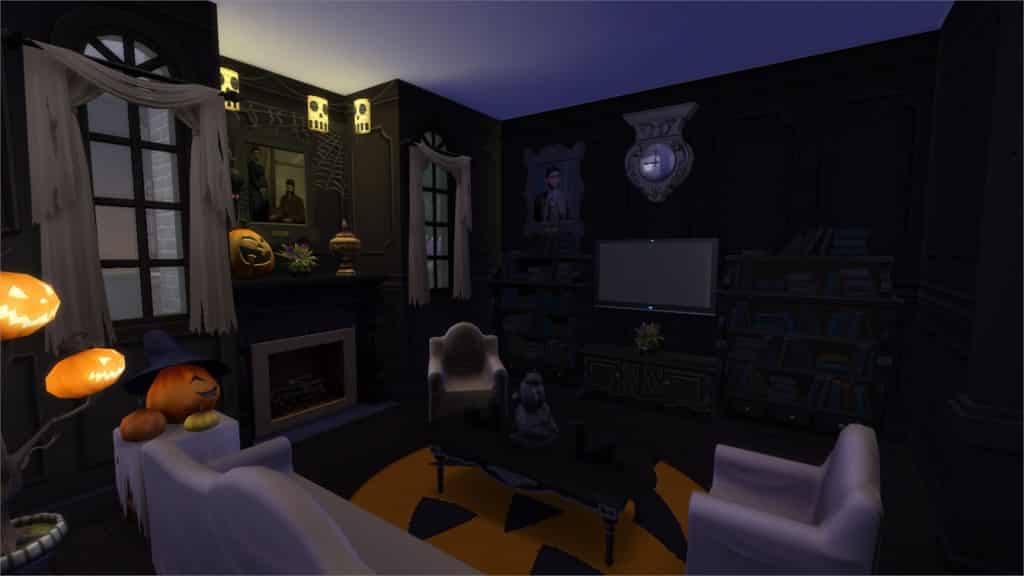
Spooky Halloween House (Download Here)

by MiSS_SPaRKL3Z

Value: §176,089
Size: 30×20
Lot Type: Residental Lot
Required Packs: Outdoor Retreat, Spooky Stuff[/ult_hotspot_items][/ult_hotspot]
[ult_hotspot main_img=”40522|https://simscommunity.info/wp-content/uploads/2015/10/10-09-15_11-33-45-PM.jpg” main_img_size=”main_img_original”][ult_hotspot_items icon_type=”custom” icon_size=”32″ icon_style=”none” icon_color_border=”#333333″ icon_border_size=”1″ icon_border_radius=”500″ icon_border_spacing=”50″ icon_img=”37721|https://simscommunity.info/wp-content/uploads/2015/08/plumhotspot.png” img_width=”26″ link_style=”tooltip” tooltip_custom_color=”#1e73be” tooltip_width=”500″ tooltip_trigger=”hover” tooltip_position=”top” enable_bubble_arrow=”off” tooltip_animation=”fade” tooltip_font_size=”12″ tooltip_font_line_height=”18″ tooltip_align=”left” tooltip_continuous_animation=”on” hotspot_position=”58.1842845659164,11.754068716094032″ tooltip_custom_border_size=”border-style:solid;|border-width:2px;border-radius:5px;|border-color:#81d742;” tooltip_custom_bg_color=”#ffffff”]
10-09-15_11-34-00 PM

[/ult_hotspot_items][ult_hotspot_items icon_type=”custom” icon_size=”32″ icon_style=”none” icon_color_border=”#333333″ icon_border_size=”1″ icon_border_radius=”500″ icon_border_spacing=”50″ icon_img=”37721|https://simscommunity.info/wp-content/uploads/2015/08/plumhotspot.png” img_width=”26″ link_style=”tooltip” tooltip_custom_color=”#1e73be” tooltip_width=”500″ tooltip_trigger=”hover” tooltip_position=”top” enable_bubble_arrow=”off” tooltip_animation=”fade” tooltip_font_size=”12″ tooltip_font_line_height=”18″ tooltip_align=”left” tooltip_continuous_animation=”on” hotspot_position=”57.89288585209004,37.43218806509946″ tooltip_custom_border_size=”border-style:solid;|border-width:2px;border-radius:5px;|border-color:#81d742;” tooltip_custom_bg_color=”#ffffff”]
10-09-15_11-34-25 PM

[/ult_hotspot_items][ult_hotspot_items icon_type=”custom” icon_size=”32″ icon_style=”none” icon_color_border=”#333333″ icon_border_size=”1″ icon_border_radius=”500″ icon_border_spacing=”50″ icon_img=”37721|https://simscommunity.info/wp-content/uploads/2015/08/plumhotspot.png” img_width=”26″ link_style=”tooltip” tooltip_custom_color=”#1e73be” tooltip_width=”500″ tooltip_trigger=”hover” tooltip_position=”top” enable_bubble_arrow=”off” tooltip_animation=”fade” tooltip_font_size=”12″ tooltip_font_line_height=”18″ tooltip_align=”left” tooltip_continuous_animation=”on” hotspot_position=”57.028737942122184,58.58951175406871″ tooltip_custom_border_size=”border-style:solid;|border-width:2px;border-radius:5px;|border-color:#81d742;” tooltip_custom_bg_color=”#ffffff”]

10-09-15_11-34-32 PM

[/ult_hotspot_items][ult_hotspot_items icon_type=”custom” icon_size=”32″ icon_style=”none” icon_color_border=”#333333″ icon_border_size=”1″ icon_border_radius=”500″ icon_border_spacing=”50″ icon_img=”37721|https://simscommunity.info/wp-content/uploads/2015/08/plumhotspot.png” img_width=”36″ link_style=”tooltip” tooltip_custom_color=”#1e73be” tooltip_width=”500″ tooltip_trigger=”hover” tooltip_position=”top” enable_bubble_arrow=”off” tooltip_animation=”fade” tooltip_font_size=”14″ tooltip_font_line_height=”18″ tooltip_align=”left” tooltip_continuous_animation=”on” hotspot_position=”86.58058681672026,3.25497287522604″ tooltip_custom_border_size=”border-style:solid;|border-width:2px;border-radius:5px;|border-color:#81d742;” tooltip_custom_bg_color=”#ffffff” glow_color=”#ffffff”]

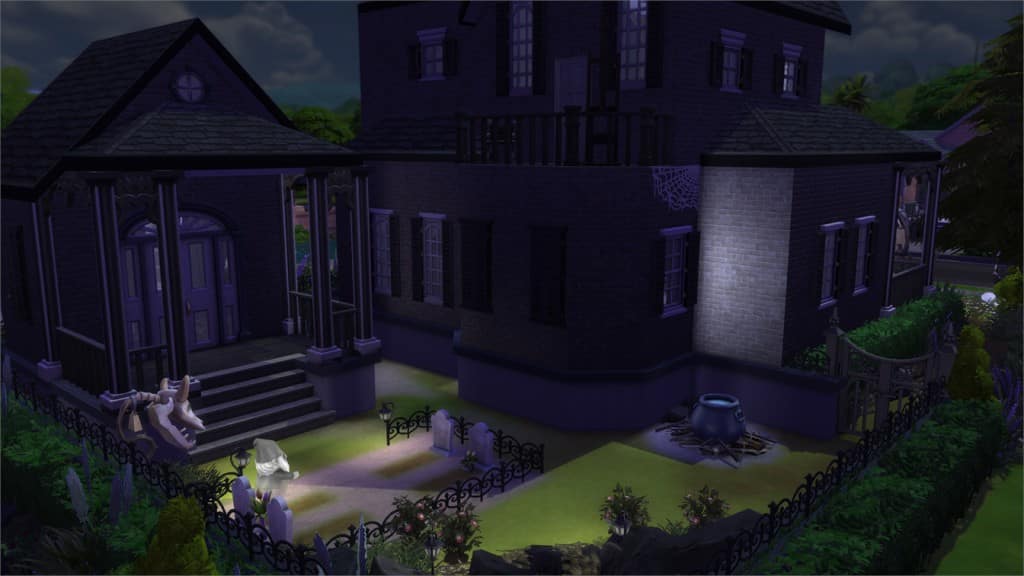
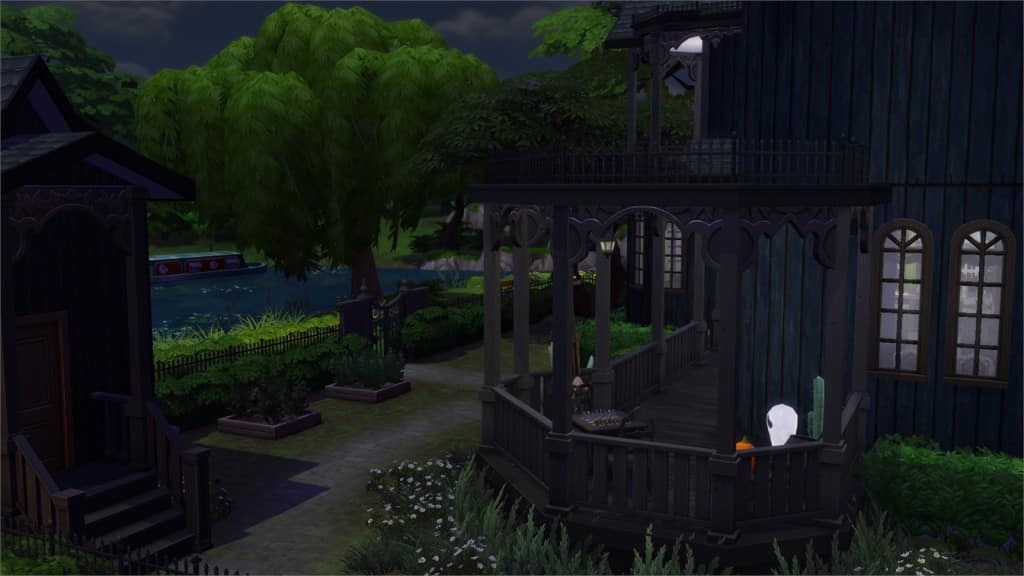
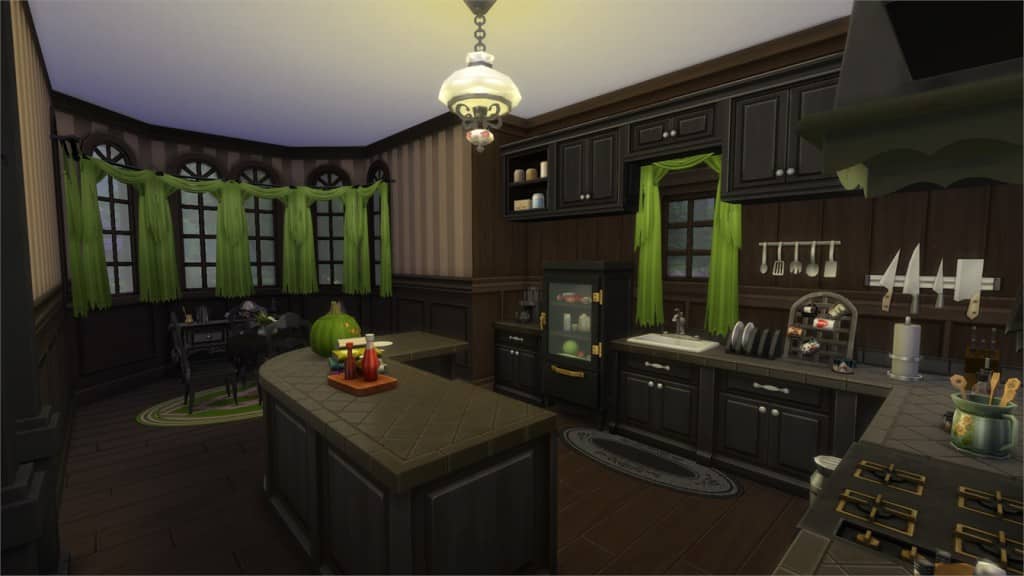
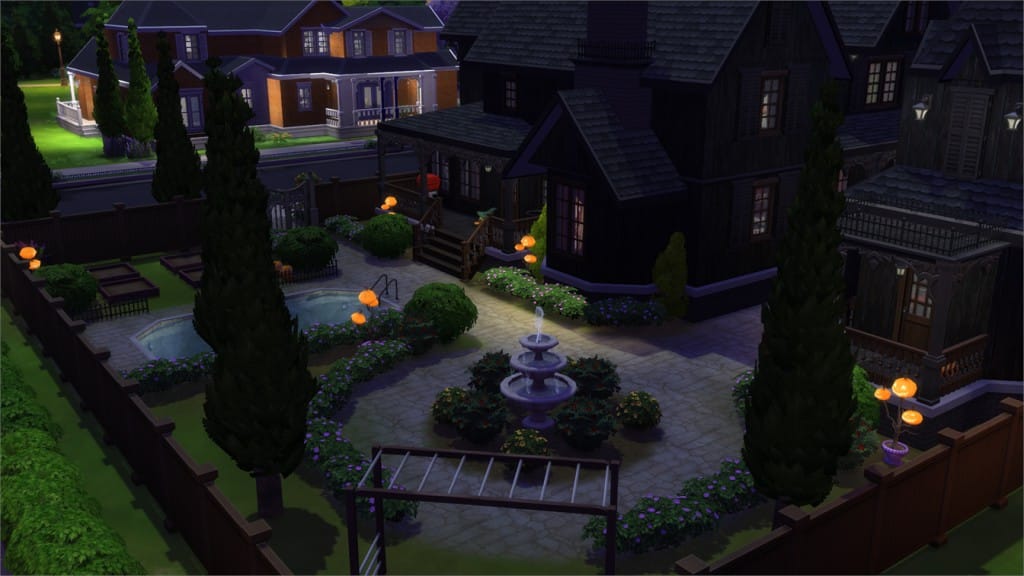
Haunted Mansion (Download Here)

by krates888

Value: §258,439
Size: 40×30
Lot Type: Residental Lot
Required Packs: Outdoor Retreat, Get to Work, Perfect Patio, Spa Day, Cool Kitchen, Spooky Stuff[/ult_hotspot_items][/ult_hotspot]
[ult_hotspot main_img=”40498|https://simscommunity.info/wp-content/uploads/2015/10/10-09-15_11-37-47-PM.jpg” main_img_size=”main_img_original”][ult_hotspot_items icon_type=”custom” icon_size=”32″ icon_style=”none” icon_color_border=”#333333″ icon_border_size=”1″ icon_border_radius=”500″ icon_border_spacing=”50″ icon_img=”37721|https://simscommunity.info/wp-content/uploads/2015/08/plumhotspot.png” img_width=”26″ link_style=”tooltip” tooltip_custom_color=”#1e73be” tooltip_width=”500″ tooltip_trigger=”hover” tooltip_position=”top” enable_bubble_arrow=”off” tooltip_animation=”fade” tooltip_font_size=”12″ tooltip_font_line_height=”18″ tooltip_align=”left” tooltip_continuous_animation=”on” hotspot_position=”25.512459807073956,28.390596745027125″ tooltip_custom_border_size=”border-style:solid;|border-width:2px;border-radius:5px;|border-color:#81d742;” tooltip_custom_bg_color=”#ffffff”]
10-09-15_11-38-02 PM

[/ult_hotspot_items][ult_hotspot_items icon_type=”custom” icon_size=”32″ icon_style=”none” icon_color_border=”#333333″ icon_border_size=”1″ icon_border_radius=”500″ icon_border_spacing=”50″ icon_img=”37721|https://simscommunity.info/wp-content/uploads/2015/08/plumhotspot.png” img_width=”26″ link_style=”tooltip” tooltip_custom_color=”#1e73be” tooltip_width=”500″ tooltip_trigger=”hover” tooltip_position=”top” enable_bubble_arrow=”off” tooltip_animation=”fade” tooltip_font_size=”12″ tooltip_font_line_height=”18″ tooltip_align=”left” tooltip_continuous_animation=”on” hotspot_position=”60.641077170418015,39.42133815551537″ tooltip_custom_border_size=”border-style:solid;|border-width:2px;border-radius:5px;|border-color:#81d742;” tooltip_custom_bg_color=”#ffffff”]
10-09-15_11-38-12 PM

[/ult_hotspot_items][ult_hotspot_items icon_type=”custom” icon_size=”32″ icon_style=”none” icon_color_border=”#333333″ icon_border_size=”1″ icon_border_radius=”500″ icon_border_spacing=”50″ icon_img=”37721|https://simscommunity.info/wp-content/uploads/2015/08/plumhotspot.png” img_width=”26″ link_style=”tooltip” tooltip_custom_color=”#1e73be” tooltip_width=”500″ tooltip_trigger=”hover” tooltip_position=”top” enable_bubble_arrow=”off” tooltip_animation=”fade” tooltip_font_size=”12″ tooltip_font_line_height=”18″ tooltip_align=”left” tooltip_continuous_animation=”on” hotspot_position=”63.02753215434084,61.12115732368897″ tooltip_custom_border_size=”border-style:solid;|border-width:2px;border-radius:5px;|border-color:#81d742;” tooltip_custom_bg_color=”#ffffff”]

10-09-15_11-38-34 PM

[/ult_hotspot_items][ult_hotspot_items icon_type=”custom” icon_size=”32″ icon_style=”none” icon_color_border=”#333333″ icon_border_size=”1″ icon_border_radius=”500″ icon_border_spacing=”50″ icon_img=”37721|https://simscommunity.info/wp-content/uploads/2015/08/plumhotspot.png” img_width=”36″ link_style=”tooltip” tooltip_custom_color=”#1e73be” tooltip_width=”500″ tooltip_trigger=”hover” tooltip_position=”top” enable_bubble_arrow=”off” tooltip_animation=”fade” tooltip_font_size=”14″ tooltip_font_line_height=”18″ tooltip_align=”left” tooltip_continuous_animation=”on” hotspot_position=”86.58058681672026,3.25497287522604″ tooltip_custom_border_size=”border-style:solid;|border-width:2px;border-radius:5px;|border-color:#81d742;” tooltip_custom_bg_color=”#ffffff” glow_color=”#ffffff”]

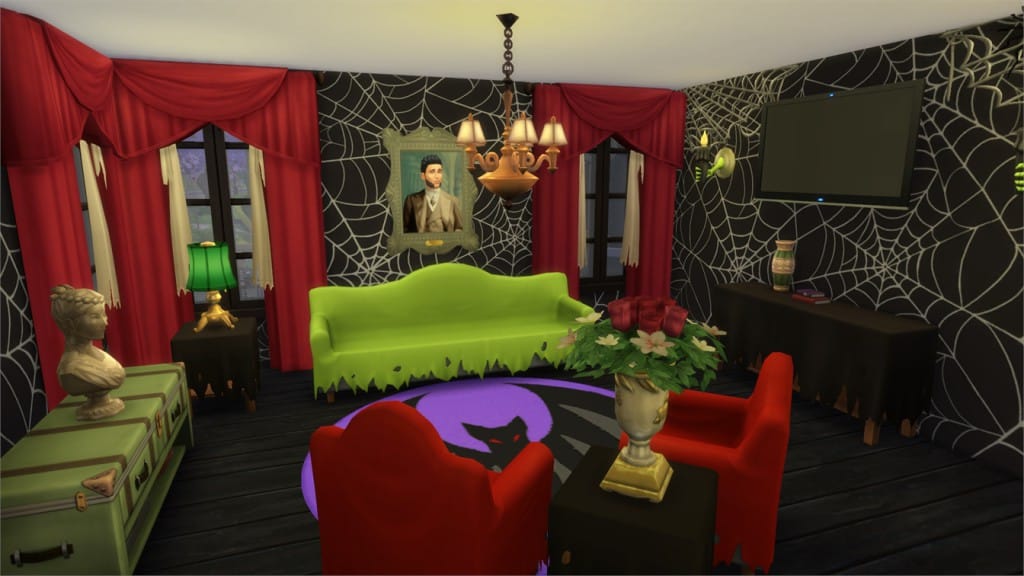
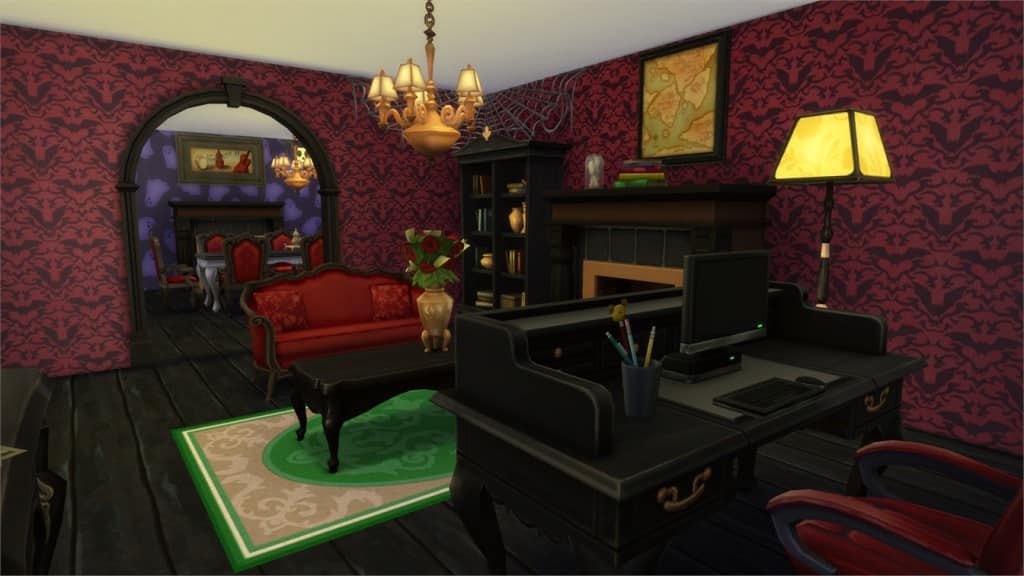
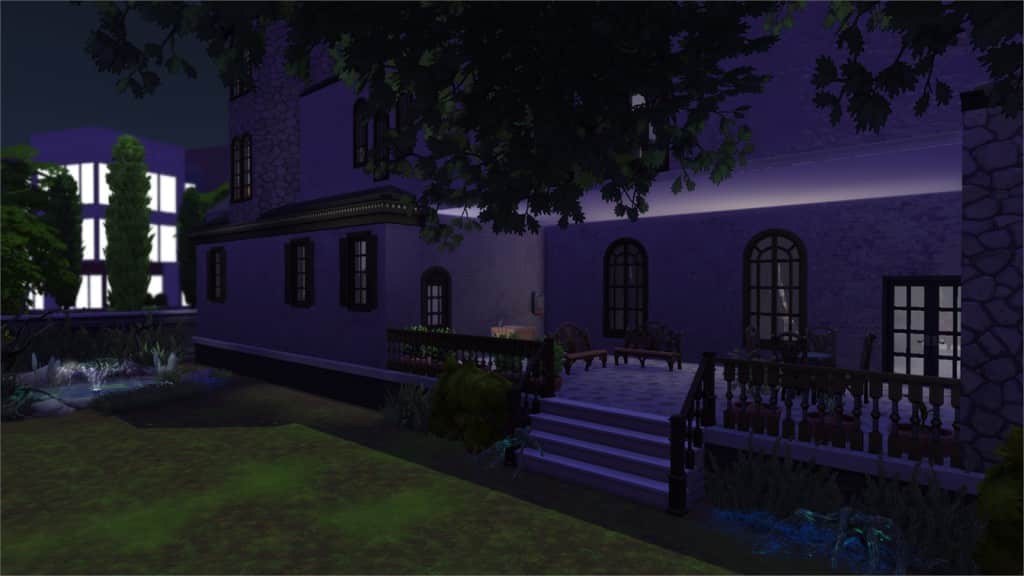
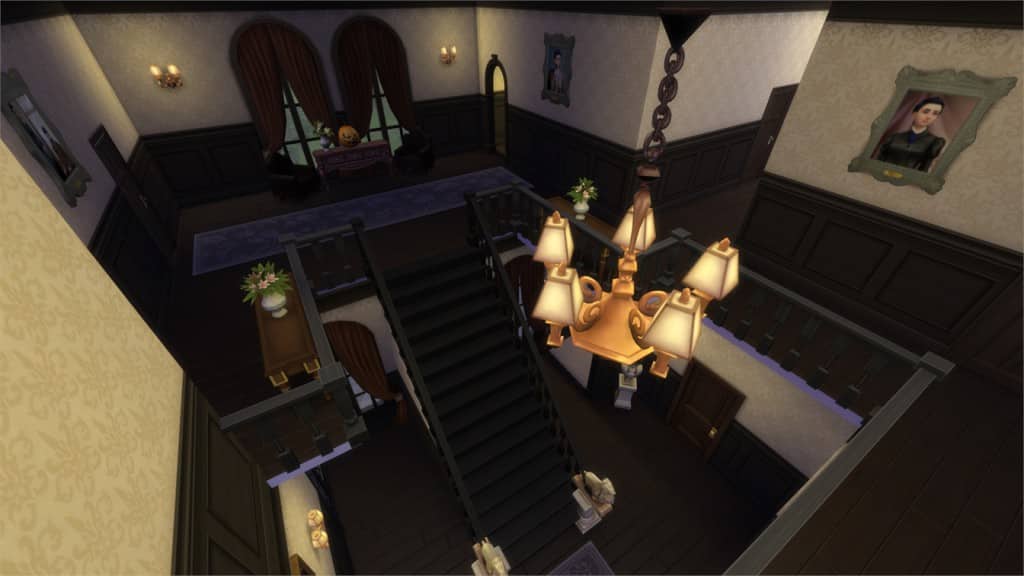
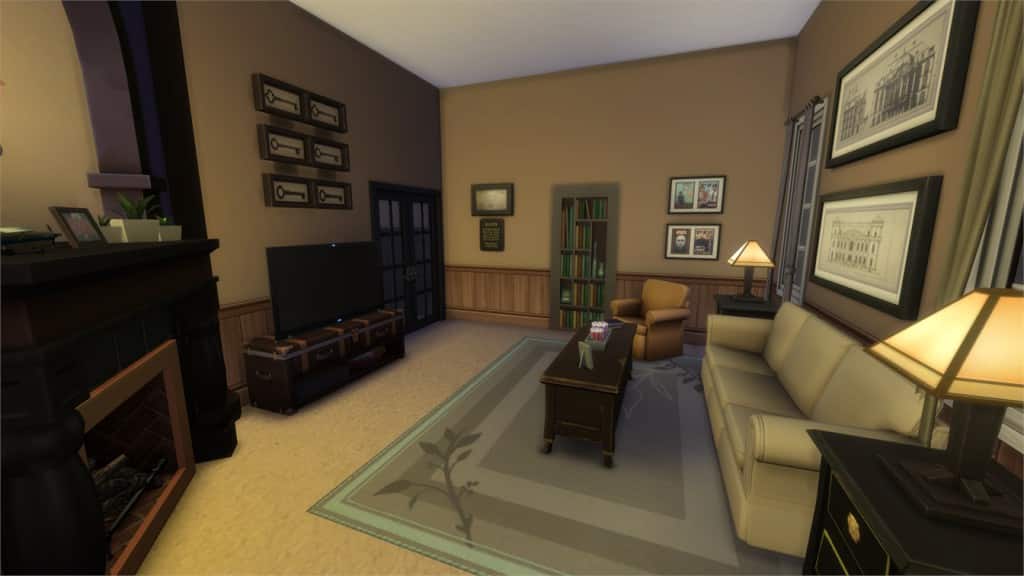
Frightmare Manor (Download Here)

by kulthero777

Value: §293,481
Size: 40×30
Lot Type: Residental Lot
Required Packs: Spooky Stuff[/ult_hotspot_items][/ult_hotspot]
[ult_hotspot main_img=”40502|https://simscommunity.info/wp-content/uploads/2015/10/10-09-15_11-41-48-PM.jpg” main_img_size=”main_img_original”][ult_hotspot_items icon_type=”custom” icon_size=”32″ icon_style=”none” icon_color_border=”#333333″ icon_border_size=”1″ icon_border_radius=”500″ icon_border_spacing=”50″ icon_img=”37721|https://simscommunity.info/wp-content/uploads/2015/08/plumhotspot.png” img_width=”26″ link_style=”tooltip” tooltip_custom_color=”#1e73be” tooltip_width=”500″ tooltip_trigger=”hover” tooltip_position=”top” enable_bubble_arrow=”off” tooltip_animation=”fade” tooltip_font_size=”12″ tooltip_font_line_height=”18″ tooltip_align=”left” tooltip_continuous_animation=”on” hotspot_position=”33.777130225080384,58.58951175406871″ tooltip_custom_border_size=”border-style:solid;|border-width:2px;border-radius:5px;|border-color:#81d742;” tooltip_custom_bg_color=”#ffffff”]
10-09-15_11-42-02 PM

[/ult_hotspot_items][ult_hotspot_items icon_type=”custom” icon_size=”32″ icon_style=”none” icon_color_border=”#333333″ icon_border_size=”1″ icon_border_radius=”500″ icon_border_spacing=”50″ icon_img=”37721|https://simscommunity.info/wp-content/uploads/2015/08/plumhotspot.png” img_width=”26″ link_style=”tooltip” tooltip_custom_color=”#1e73be” tooltip_width=”500″ tooltip_trigger=”hover” tooltip_position=”top” enable_bubble_arrow=”off” tooltip_animation=”fade” tooltip_font_size=”12″ tooltip_font_line_height=”18″ tooltip_align=”left” tooltip_continuous_animation=”on” hotspot_position=”52.48191318327974,34.53887884267631″ tooltip_custom_border_size=”border-style:solid;|border-width:2px;border-radius:5px;|border-color:#81d742;” tooltip_custom_bg_color=”#ffffff”]
10-09-15_11-42-37 PM

[/ult_hotspot_items][ult_hotspot_items icon_type=”custom” icon_size=”32″ icon_style=”none” icon_color_border=”#333333″ icon_border_size=”1″ icon_border_radius=”500″ icon_border_spacing=”50″ icon_img=”37721|https://simscommunity.info/wp-content/uploads/2015/08/plumhotspot.png” img_width=”26″ link_style=”tooltip” tooltip_custom_color=”#1e73be” tooltip_width=”500″ tooltip_trigger=”hover” tooltip_position=”top” enable_bubble_arrow=”off” tooltip_animation=”fade” tooltip_font_size=”12″ tooltip_font_line_height=”18″ tooltip_align=”left” tooltip_continuous_animation=”on” hotspot_position=”64.14288585209003,42.495479204339965″ tooltip_custom_border_size=”border-style:solid;|border-width:2px;border-radius:5px;|border-color:#81d742;” tooltip_custom_bg_color=”#ffffff”]

10-09-15_11-42-55 PM

[/ult_hotspot_items][ult_hotspot_items icon_type=”custom” icon_size=”32″ icon_style=”none” icon_color_border=”#333333″ icon_border_size=”1″ icon_border_radius=”500″ icon_border_spacing=”50″ icon_img=”37721|https://simscommunity.info/wp-content/uploads/2015/08/plumhotspot.png” img_width=”36″ link_style=”tooltip” tooltip_custom_color=”#1e73be” tooltip_width=”500″ tooltip_trigger=”hover” tooltip_position=”top” enable_bubble_arrow=”off” tooltip_animation=”fade” tooltip_font_size=”14″ tooltip_font_line_height=”18″ tooltip_align=”left” tooltip_continuous_animation=”on” hotspot_position=”86.58058681672026,3.25497287522604″ tooltip_custom_border_size=”border-style:solid;|border-width:2px;border-radius:5px;|border-color:#81d742;” tooltip_custom_bg_color=”#ffffff” glow_color=”#ffffff”]

Moonlight Manor (Download Here)

by Tiki5872

Value: §420,330
Size: 40×30
Lot Type: Residental Lot
Required Packs: Outdoor Retreat, Get to Work, Spa Day, Cool Kitchen, Spooky Stuff[/ult_hotspot_items][/ult_hotspot]

SimGuruDrake interviews Rachybop and BeyondSims about UK Simmers Meetup

0

SimGuruDrake has been speaking to the hosts of the UK’s Simmers Meetup @rachybop and @BeyondSims in their latest simmer spotlight. It’s a fantastic annual event and simmers from all over the world came to the 2015 meetup including SimGuruRachel and SimGuruLyndsay. Here we have the full interview direct via TheSimsBlog

SIMMERS GETTING TOGETHER

From sharing fantastic houses on The Sims 4 Gallery to creating amazing Custom Content, Sims fans never cease to amaze us. Your creativity and passion is inspiring, which is why we were so excited to hear about the 2015 UK Simmer’s Meetup – so excited that SimGuruRachel and SimGuruLyndsay both flew across the globe to visit the meetup! It was organized by Rachybop and BeyondSims, and we wanted to talk to them about the event.

Can you start off by telling us a little about yourselves?

Rachybop: Hi! I run a YouTube channel and do a weekly show called ‘Sims Saturday’ based around The Sims. I’ve been playing the game since time began (or so it seems) and I absolutely LOVE IT!

BeyondSims: Hi everyone! My name is Dan and I am the owner of BeyondSims.com, one of the oldest Sims fansites on the web! I have been playing The Sims since around 2001 and my site is a fun outlet for me as I love writing and creating content for the game.

Simmers Meet Up

What is the UK Simmers Meetup, and how long has it been around?

Both: The Simmers Meetup is an annual event where Sims fans from all over the world come together to participate in activities and meet other like-minded players! We held our first event in May 2014 at the Italian Gardens in Hyde Park and the second event was held on August 1, 2015 in London. Attracting over 100 Sims fans, the event featured a modern venue, catering, EA pods, a YouTube and website panel, and a surprise visit from Rachel Franklin and Lyndsay Pearson.

years

What made you decide to create this event?

Both: We’ve been lucky enough to meet lots of Simmers from the community at EA events over the years (including each other) and we wanted to meetup with everybody for a day out in London. We then had the idea to make it public and invite anyone to attend. We did not expect anyone to actually show up, however, when we arrived in Hyde Park to heaps of new Simmers faces from lots of different countries, we realized that there was a huge demand for this event worldwide. After the events success we immediately got to work to create this year’s event.

IMG_7480

Do you have some moments from this year’s event that really stuck out?

Rachybop: There are SO many parts of the event that stuck out for me! It was a truly magical day that I’ll never forget. Creating the day was stressful at times and the pressure of making sure people would enjoy their time at the event was immense, but once those doors opened and people filled the venue, all that anxiety disappeared and it was pure fun and happiness.

Meeting new people and catching up with people I already knew was great! Being a part of the YouTube panel, giving away amazing prizes to raffle winners and hugging fellow simmers were the main highlights for me. Also, seeing everyone’s faces when the Guru’s arrived was just priceless.

IMG_7519

BeyondSims: There are so many things that have stuck out this year as it was such a step up from our first event! Probably one of the things that really stood out for me was when I finally got to see over a year’s worth of planning come to life when we opened the doors. Forgetting how nervous I was, it was amazing to see Simmers enter the venue and be surprised by what we managed to do.

The venue felt organic, Sims-themed and it was just awesome to see people enjoying themselves and putting faces to people I’ve previously spoken to online. Another big thing that stood out was when Lyndsay Pearson and Rachel Franklin from The Sims Studio walked into the venue and everyone’s faces lit up with excitement as no one knew they were stopping by! They are just a few of the things that I’ll never forget about this year’s event.

Where should people go to learn more about the UK Simmers Meetup and will you be doing it next year?

Both: To find out more about The Simmers Meetup simply head over to the official website and be sure to follow us on twitter at @SimmersMeetup. We will definitely be holding at least one Simmers Meetup next year, and we hope to take it to other countries too due to overwhelming demand from all over the world.

IMG_0097

Have you made cool stuff in The Sims 4? Show The Sims by using the hashtag #SimSpotlight and you could be featured next!

The Sims Video Spotlight: #4

1

scplaylogo

Welcome back to another week of The Sims Video Spotlight! I’ve picked just a few of my recent favourite finds and I hope you enjoy them too, I’m always looking for new quality videos so feel free to suggest any you’ve been liking too!

The Sims 4: House Building – Creepy Manor

By BSimBuilder

Starting this week we have a house build that in my opinion fits the theme of October perfectly and is simply beautiful. This was created before the release of Spooky Stuff so for those of you who don’t own the pack but still want an eerie manor house I highly suggest you take a look at this! It’s the perfect balance between classic, creepy and elegant.

[vc_video link=’https://www.youtube.com/watch?v=F1z5iEBSBLM’]
The Sims 4: Townie Makeover | Spencer Kim Lewis

By Canadian Simmer

Next we have a Create A Sim video, but a little different than the usual. The Townie Makeover tag/challenge that is going around has kept catching my eye and I think this one is brilliant, especially as it’s a whole family rather than one sim. I don’t know about you but I can get lost in watching other people create and change things and see what they come up with, Canadian Simmer did a great job with this family as to me they’re still quite recognizable and that is a great thing!

[vc_video link=’https://www.youtube.com/watch?v=-fAMliCInSQ’]

Let’s Play The Sims 4: Smitten

By Kaleidow

For the first of our Let’s Play’s today we have one I have never seen before, “Smitten”. This, as far as I’m aware, is not a tag or a challenge but something that Kaleidow personally likes to do with her Sims games and has even since The Sims 1.  The idea seems to be that she rebuilds each town and fills it with her own lots and sims in a beautifully whimsical, creative style – even including some of your sims if you choose to send her some! She begins with Jean, a happy-go-lucky redhead sim who’s name was inspired by Jean from X-Men. I love this idea so much, it’s unique and I love the different style of everything as it’s so bright and cheerful!

[vc_video link=’https://www.youtube.com/watch?v=I1s0bX2yw7k’]

Let’s Play The Sims 3: Showtime

By RoseSimmer

Here we have yet another brilliantly well made series from the lovely Natalie! If you love The Sims 3 you will certainly love this Let’s Play too as it’s so fun to watch and will definitely make you laugh. It follows three sims who are going to explore the professions from the Showtime expansion: a magician by the name of Iris, an acrobat named Hayden and a singer named Taylor. They all have wonderful unique personalities and I’m looking forward to seeing what they get themselves in to!

[vc_video link=’https://www.youtube.com/watch?v=Cn6nMQp2ycg’]

Let’s Play The Sims 3: University Life

By Kawaii

Our last video this week is another Sims 3 Let’s Play based around an expansion pack, but this time University Life. Kawaii creates a beautiful sim named Tori who is going to major in Art at university and certainly looks the part in my opinion. As she is a sim with the rebellious trait I’m looking forward to seeing what events may unfold, this should be an interesting one to follow along with!

[vc_video link=’https://www.youtube.com/watch?v=ZYkBTYty3eE’]

Thank you for reading guys and I hope you found something to keep you entertained! As I mentioned at the beginning if there are any fairly new and interesting videos you have seen feel free to share and suggest them, it’s great to spread the community’s creativity. Have a great day!

VIDEO: The Sims, in the style of Pokémon Nintendo Video Game

0

Ever wondered what would it look like if The Sims was designed in style of a Pokémon Nintendo GameBoy video game?

The creative Hat-Loving Gamer is here to answer that! With convincible 64-bit music and iconic Nintendo GameBoy graphics and animations, you’ll definitely wonder if The Sims was actually designed for GameBoy in the first place! (hint: it wasn’t)

[vc_video link=’https://www.youtube.com/watch?v=TLn8vo0fcm0′]

The Sims 4: 171 Carpet Designs from The Sims 2

If you’re looking to expand your carpet collection for The Sims 4, you’re in luck! SimCookie managed to convert 171 Carpet Designs from The Sims 2 to The Sims 4.

22043176885_51dbfff69d_b

To download this Set, click on the download button below and extract the .zip file content to Documents > Electronic Arts > The Sims 4 > Mods.

DOWNLOAD

The Sims 4 Get Together Release Date

2

The previously mentioned November release has been changed to an early December release. Read below for more info about Get Together, its recent changes, and why they pushed back the date.

Get Ready to Hang Out Together

In August, we showed off our next expansion pack, The Sims 4 Get Together*, including the beautiful world of Windenburg, the DJ and Dancing Skills, and the ability to create and join your own unique Clubs. As you might have guessed from the name, this expansion is about your Sims getting together in really exciting new ways. We loved seeing your reactions to the news, and closely followed all of your comments and discussions.

Your enthusiasm and feedback inspired us to work even harder to make sure that this pack is everything it could be. So we’ve decided to take a little more time to work on the expansion pack. The Sims 4 Get Together will now be releasing in North America on December 8, and rolling out to the rest of the world by the end of that week.

TS4_633_EP2_STREET_DATE_01_005

We’re taking this time to add more polish and depth into the core of The Sims 4 Get Together. We think this time will allow us to make the experience even bigger, better, and cooler. We’re working on some new items and features that we really think you’re going to love. There’s a new board game (Don’t Wake the Llama!) and the Natural Pool now has a diving rock for your Sims to jump off!

A lot of extra attention is also going towards Clubs, which allow you to create new social experiences. As we played with our Sims hanging out with their Clubs, we felt like they needed a special hangout to call their own – the Upper Crusts should have a private room at the local Café, and the Spin Masters should be able to have an exclusive Discotheque where they practice their dance moves. You can still take your Club members out and about, but now you can also create your Club’s signature spot, and that can lead to cool personalisation.

We’re really excited to take some extra time on making sure the new expansion pack is filled with things to do, and we look forward to telling you a whole lot more about The Sims 4 Get Together in early November!

Via The Sims Blog

The Sims 4: Spooky Stuff Pack Review

Spooky Stuff Pack Review

This Halloween just won’t be complete without a set of good Sims 4 decorations. If you are waiting to get the Spooky Stuff pack for your Sims maybe my review of some of the items included in it will sway your decision. When I got the pack I immediatly went to make a new Sim in CAS. The new costumes added in this pack are Male and Female Pirates, Fairies in several colors for females with fairy eye face makeup in the face paint options, Male/Female Roman Soldier, Male/Female Zombie prep school costume, Male Ninja costume as well with a Ninja Mask available in the hat category. There is also a Male and Female Super Llama costume you will be able to unlock by achieving a gold trophy in the new Spooky Party category in social events.

10-06-15_12-33-27 PM 10-06-15_1-17-04 PM 09-30-15_5-51-01 PM 09-30-15_5-52-43 PM 09-30-15_11-40-58 AM 09-30-15_11-41-54 AM

There are about 62 new items in the pack most with various color selections. The pack comes with 38 cas items, and 24 new build/buy mode items. My favorite from this selection is the Spiderweb wallpaper in aqua as it is a multi-colored webbing. This wall covering seem to glow a bit in dim lighting. There are also two new flooring choices, a chevron carpet and a wood floor as well, both in several colors.

10-02-15_6-53-21 PM

The new items  include a pumpkin carving station that will help increase your Sims handiness skill and the higher the skill the more pumpkin styles to carve. I love this item as you can have a variety of pumpkins decorate your house as well as build skill. The pumpkins will spoil though after a few days, so let your Sims stomp them for extra fun.

09-30-15_5-45-39 PM

The new candy bowl will give your Sims a great little jump scare with several different items springing from the candy bowl. This item also comes in a few different colors. New recipes are added as well, 3 new recipes, the cheesey eyeballs (lvl 3), spooky cookies (lvl 2), and the zombie cake (lvl 4), all of which very much fit the theme.

09-30-15_5-40-05 PM 09-30-15_10-00-42 PM

There is a lazer light show cauldron that you can turn on and see the laser ghosts floating around in the air above the cauldron. The tombstone fog machine can be changed to the game lights and brightness too just as any other light in the game.

10-02-15_6-48-12 PM

Overall I really like this pack and I feel you will too especially if you like Halloween. In my opinion I think this is one of the best stuff packs thus far that matches the theme. The small cost of $9.99 for everything included is a great value as well. I know I will be using these items throughout the year not just during Halloween.

Purchase

The Sims 4 Politics Mod Pack Now Available

Are you ready for more content for your Sims to enjoy? Introducing The Sims 4 Politics Mod Pack! Politics brings three new skills to the game – Protest Leadership, Debating and Influence – as well as a brand new Political career. Oh yeah, and if you have Get to Work installed, it will be active!

The mod adds a new object, a clone of the The Sims 3 Podium Conversion by Cinderellimouse (used with permission), which contains custom interactions used for protests as well as various interactions related to the career. You can also use it to practice skills.

You can download the mod from here: http://zerbu.tumblr.com/politics

politicsmediumlogo

Political Career – Start off as a protester and work your way up to become Leader of the Free World. If Get to Work is installed and there is a City Hall venue placed in the game, the new career will be active.

Protests – Create change in the community by holding protests. Protests can lead to powerful Moodlets for the whole household that will have positive effects… or the protest could end up having the opposite effect and create a negative Moodlet instead.

Debating – Take part in debates online and with other Sims. Can your Sim create change, or will the opponents get the better of them?

Influence – Influence the moods and actions of other Sims. Get your friends to cook and clean for you, or give your family a helping hand in their ambitions with a quick emotion boost. (Note: Some features of this skill require Get to Work)

10-02-15_3-43-20 PM 10-02-15_5-09-31 PM 10-02-15_6-44-23 PM

The Sims 3 Store to The Sims 4 Object Conversion Tutorial

The Sims 3 Store to The Sims 4 Object Conversion Tutorial

I was recently trying to figure out how to convert Sims 3 Store Content to the Sims 4. I have finally found an easy way to do so. This is the second conversion tutorial that I have done, here you can find the Object Conversion Tutorial. We will be referencing that tutorial later.

This tutorial is for TS3 store content Objects, not CAS items.

As a reminder, before converting any items from the Sims 3 be sure to have the original creators permission.

For this tutorial you are going to need the following programs:

You must have The Sims 3 installed on your computer, you may also install any expansions or stuff packs you have, but the base game is required.

Optional Programs:
The following programs are not needed but will come in handy later in this tutorial.

Be sure to download and install these programs, if you have any questions on installing please ask.

I will be walking you through the conversion steps in sections, I will refer to other sections so please follow this guide step by step.

Sections are as follows:

  • Section One – Installing S3RC & Delphy’s Sims3Pack Multi Extractor
  • Section Two – Converting Sims3Pack files into .package files
  • Section Three – How to re-compress .packages with S3RC
  • Section Four – Checking .packages with S3PE (Optional)
  • Section Five – Opening final .package with TSR Workshop
  • Section Six – Follow Object Conversion Tutorial


The Sims 3 Store to The Sims 4 Object Conversion Tutorial
In this section I will be walking you through the steps of installing the programs you will need for part of the tutorial.
I will not be teaching you how to install Sims4Studio or TSR Workshop. If you have any questions on installing those programs feel free to ask.
So, lets get started.
– The first program we will need is S3RC : TS3 Recompressor Tool.
When on the download page in the first forum post you will find the download. Select the version for your OS.
There are two options available as pictured below: x64 OS and x86 OS
The Sims 3 Store to The Sims 4 Object Conversion Tutorial
Now that you have downloaded S3RC you need to unzip the .RAR file. (Using 7 Zip / WinRar etc.)
Once you extract the .RAR file, there will be two files inside: S3RC.exe and Decrapify.exe
Move the S3RC.exe to your desktop.
The Sims 3 Store to The Sims 4 Object Conversion Tutorial
– The next program that we will need is Delphy’s Sims3Pack Multi Extractor.
This program is hosted on Mod the Sims, you must register for the site before you will be able to download.
Scroll down under the pictures and you will see a navigation menu, click ‘Files’.
The Sims 3 Store to The Sims 4 Object Conversion Tutorial
Once you are on the files page you will click on the highlighted text next to the magnifying glass.
Always be sure if there is more that one download that you are downloading the most recent version.
The Sims 3 Store to The Sims 4 Object Conversion Tutorial
Now that you have downloaded Delphy’s Multi Installer you need to unzip the .RAR file.
(Using 7 Zip / WinRar etc.)
Once you extract the .RAR file, move ‘Sims3Pack Muti Installer.exe’ to your desktop.
So now you should have two .exe files on your desktop: S3RC and Sims3Pack Multi Installer

The Sims 3 Store to The Sims 4 Object Conversion Tutorial

(Don’t worry if they do not have icons.)
 
The Sims 3 Store to The Sims 4 Object Conversion Tutorial
In this section I will be showing you how to convert Sims3Pack files into .package files with Delphy’s Sims3Pack Multi Extractor tool. The reason that we change the file type is to make it easier to convert to The Sims 4.
Important: Do NOT download more than one Sims3Pack at a time, or you will end up with a ton of .package files you will have to sort through.
Make sure you have installed Delphy’s Sims3Pack Multi Extractor and it is located on your desktop.
So, lets get started.
First, we need to get our Sims3Package files we want to convert.
For your purchased TS3 store content:
Login to your account on thesims3.com > Store Navigation > My Store Account > Purchase History
Under Purchase History you will find all of the items that you have purchased for TS3.
If you are converting a Sims3Pack or .Package file that has been created by someone other than Maxis make sure that you have permissions from the creator to convert. As some creators do not allow there content to be altered by others.
For this tutorial I will be converting a Sims 3 Store Set, so that you can see how to distinguish the files from one another in a pack.
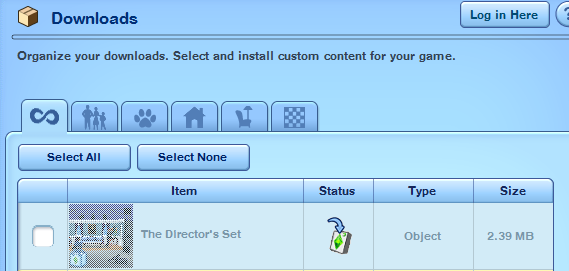
I will be doing ‘The Director’s Set’.
The Sims 3 Store to The Sims 4 Object Conversion Tutorial
1. Once you have found the item or set that you would like to convert hit download to install to your sims 3 game.
It will open the launcher for The Sims 3, as pictured below.
Once you see the item you downloaded go ahead and close The Sims 3 Launcher.
You do not have to  install the item into your Sims 3 game.
0a5a856570d5660d5bfbd16dbe615427
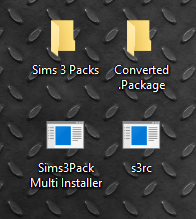
2. Next we need to create two new empty files on our desktop.
– Sims 3 Packs
– Converted .Package
All together we should have the following on our desktop:
d8f9c50aee6e45fed33da30321e95073
 
3. Next we need to move our downloaded Sims3Pack to our new folder.
You will find your download under: Documents > Electronic Arts > The Sims 3 > Downloads
Move your download to the ‘Sims 3 Packs’ folder you created on your desktop.
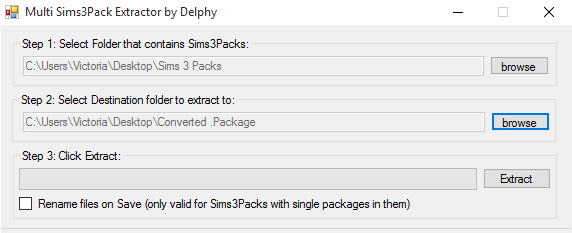
4. Open ‘Sims3Pack Multi Installer’
You will see a window like the following open.
12e2c76b819392c046d098b5f05a4fe5
 
Step 1:
Hit ‘browse’ and find the ‘Sims 3 Packs’ folder you created on your desktop.
Step 2:
Hit ‘browse’ and find the ‘Converted .Package’ folder you created on your desktop.
Rename File Check-box:
If you are download a Sims3Pack with ONE item included(Example: A sims3pack with just a chair) check the ‘Rename Files’ box.
If you are downloading a Sims3Pack that is a SET with multiple items included DO NOT check this box.
When you have both of these paths selected to your folders, hit ‘Extract’.
Now you can Close Sims3Pack Multi Installer.
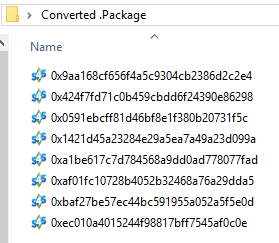
5. Go to the Converted .Package folder you created on your desktop.
You should now have .package files with crazy names like the following:
fc6ff764a58ec2c78e200713abf760c1
 
Each of of theses .package files are an item included in the ‘Directors Set’ I choose to download.
Meaning, that there are 8 items in this particular set.
6. You can now delete the Sims3Pack file inside of the ‘Sims 3 Pack’ folder on your desktop, you will no longer need it.
The Sims 3 Store to The Sims 4 Object Conversion Tutorial
In this section I will be teaching you how to re-compress a .package file with S3RC so that It will be formatted correctly to open with TSR Workshop.
So, lets get started.
1. First be sure that you have downloaded S3RC and it is located on your desktop.
2. Open your ‘Converted .Package’ folder on your desktop.
(Created in Section Two of this Tutorial)
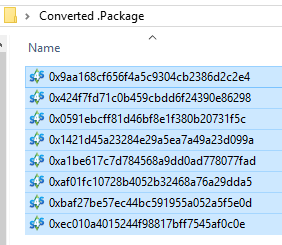
3. Select your .package file or files.
To select multiple files: Click the first item in the list > ‘Hold Shift’ > select the last item in the list.
Once everything is selected it will look like the picture below.
9354f4e494cfedb124a5fee9298679a5
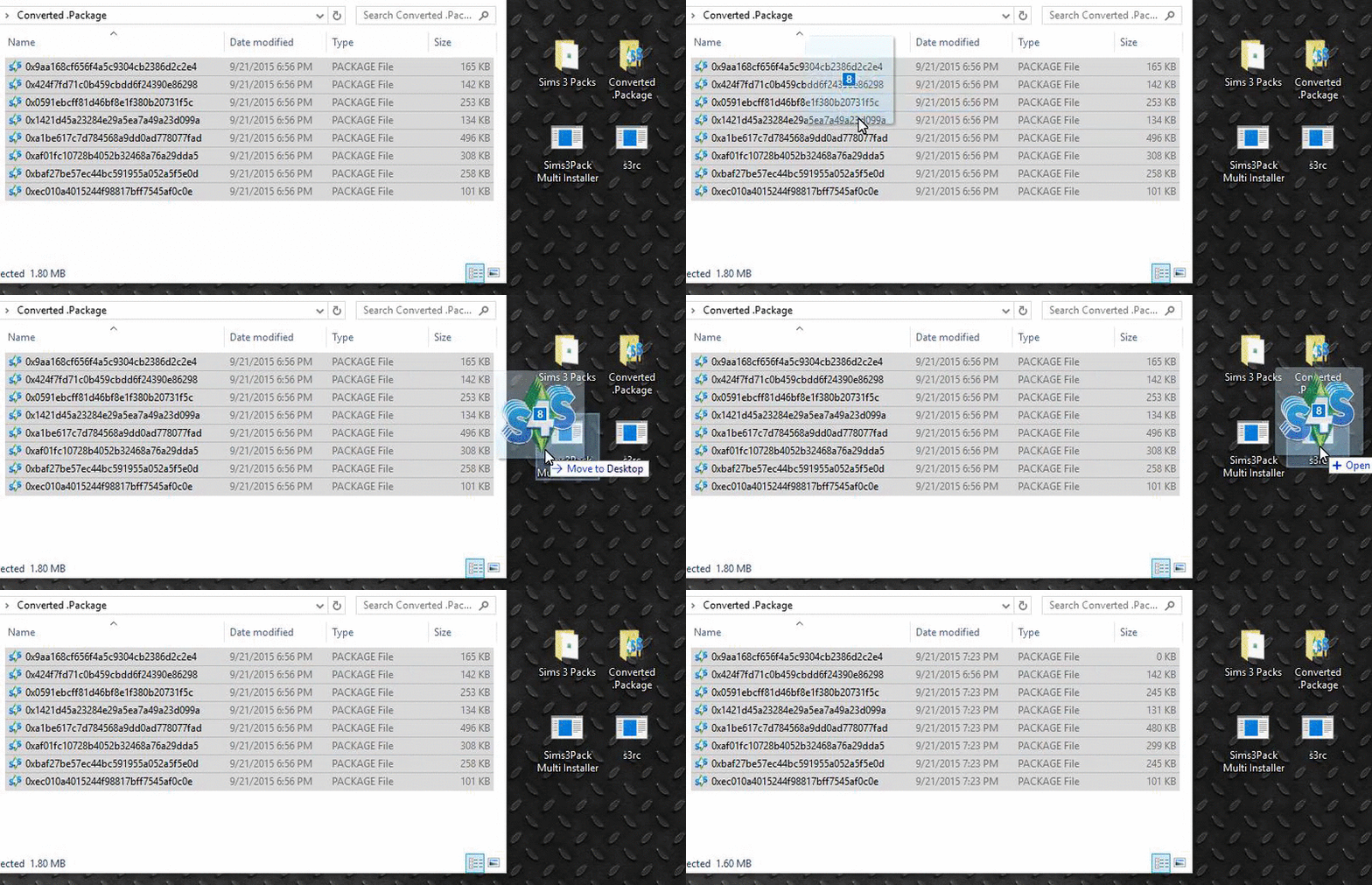
4. Drag and drop your .package files into the S3RC.exe on your desktop.
A Black ‘Command Line Box’ will appear on your screen.
Depending on how many .package files you are re-compressing it may only take a second and ‘flicker’ on the screen, or it may stay up for a few minutes. Just let the box do it’s thing and when it does go away you can Close the Converted .Package folder.
99d996e7b68d96c8cf8503d67c582ed0
The Sims 3 Store to The Sims 4 Object Conversion Tutorial
This section is Optional! This section is meant for those of you that have multiple Sims 3 .package files, meaning you have converted an entire set of items.
 
In this section I will teach you how to open you Sims 3 .package files with S3PE to locate the thumbnail of each of you .package files so you can distinguish which .package is which item.
If you do not have multiple .package files you can skip to SECTION FIVE.
So, Lets get Started.
1. Open S3PE
2. Go up to ‘File’ > ‘Open’
Navigate to your ‘Converted .Package’ folder on your desktop.
‘Open’  the .Package file you would like to check with S3PE.
I Recommend doing them in order starting at the top.
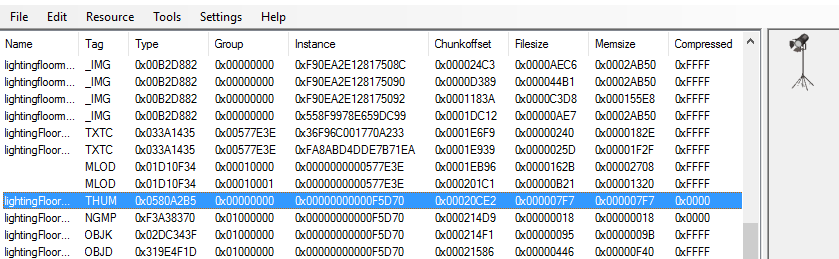
3. Scroll down until you see ‘THUM’, select it.
On the right side of the screen you will now see a thumbnail of the item.
 
314487409fe98e48b7c94df1098b378e
 
4. Go up to ‘File’ > ‘Save As’
‘Select’ the .package file that you have open.
‘Delete’ the old .package name in the save box and type in a description that is helpful to you to distinguish the item.
5. Repeat steps 2-4 for all of your Sims 3 .package files, as desired.
 
The Sims 3 Store to The Sims 4 Object Conversion Tutorial
In this section I will teach you how to open you final Sims 3 .Package file with TSR Workshop.
So, lets get started.
1. ‘Open’ TSR Workshop
2. Click ‘Create New Project’
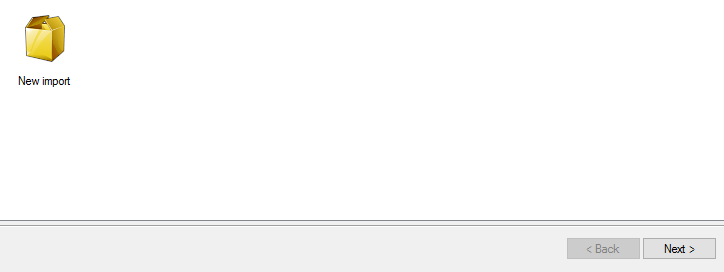
3. Click ‘New Import’ from the Default options then click ‘Next’.
da6b12b29026bbe5ef95122c1181299e
4. On the ‘Import from .package’ page, click ‘Browse’.
705e9a1971c92feb70a78bbdddc039b8
5. Navigate to your ‘Converted .Package’ file on your desktop.
Change the file type to .package, it will be default to TSR .wrk files.
4672e2b6f6eb2017f453274da5fa5765
6. You will now ‘Open’ the desired .package file you would like to import.
A window will pop up asking “Is this a Sims 4 package?” click ‘No’.
Important Note:
In the Projectype line, make sure it says ‘OBJECT’ then click ‘Next’.
In some Sims 3 Store sets ‘CLOTHING’ items are included. I am unable to help with clothing items at this time.
43581c64359e820089ac4bf6bf35ec1b
7. On the page called ‘Project Details’ just click ‘Next’.
This page does not matter since we will not be saving our TSR .wrk files.
8. The last page says ‘Finished’ just click ‘Next’.
Continue to my object conversion tutorial HERE in SECTION ONE, step 9 to finish your conversion.
 

The Sims 4 Spooky Stuff: Videos by Simmers

0

If you still can’t decide should you get The Sims 4 Spooky Stuff or not, there’s a quick way to solve that!

We picked some of the best YouTube videos by Simmers that not only share their opinion and review of the pack, but also show how to put this Pack to a good use!

[vc_video link=’https://www.youtube.com/watch?v=k4ZNYQylpJ4′]

[vc_video link=’https://www.youtube.com/watch?v=3mhDDvFjnxg’]

[vc_video link=’https://www.youtube.com/watch?v=XLagCKkEDfE’]

[vc_video link=’https://www.youtube.com/watch?v=hV0_RwhXrZI’]

[vc_video link=’https://www.youtube.com/watch?v=3S2D7IZD8uM’]

[vc_video link=’https://www.youtube.com/watch?v=z_xXM2k7LT0′]

The Sims 4 Spooky Creations: Spooky Bedroom by SourPatchSimmer!

With the recent release of Spooky Stuff for The Sims 4, simmers around the globe have been working on all kinds of creepy creations! For our first post  SourPatchSimmer has kindly agreed to show us her Spooky Bedroom!

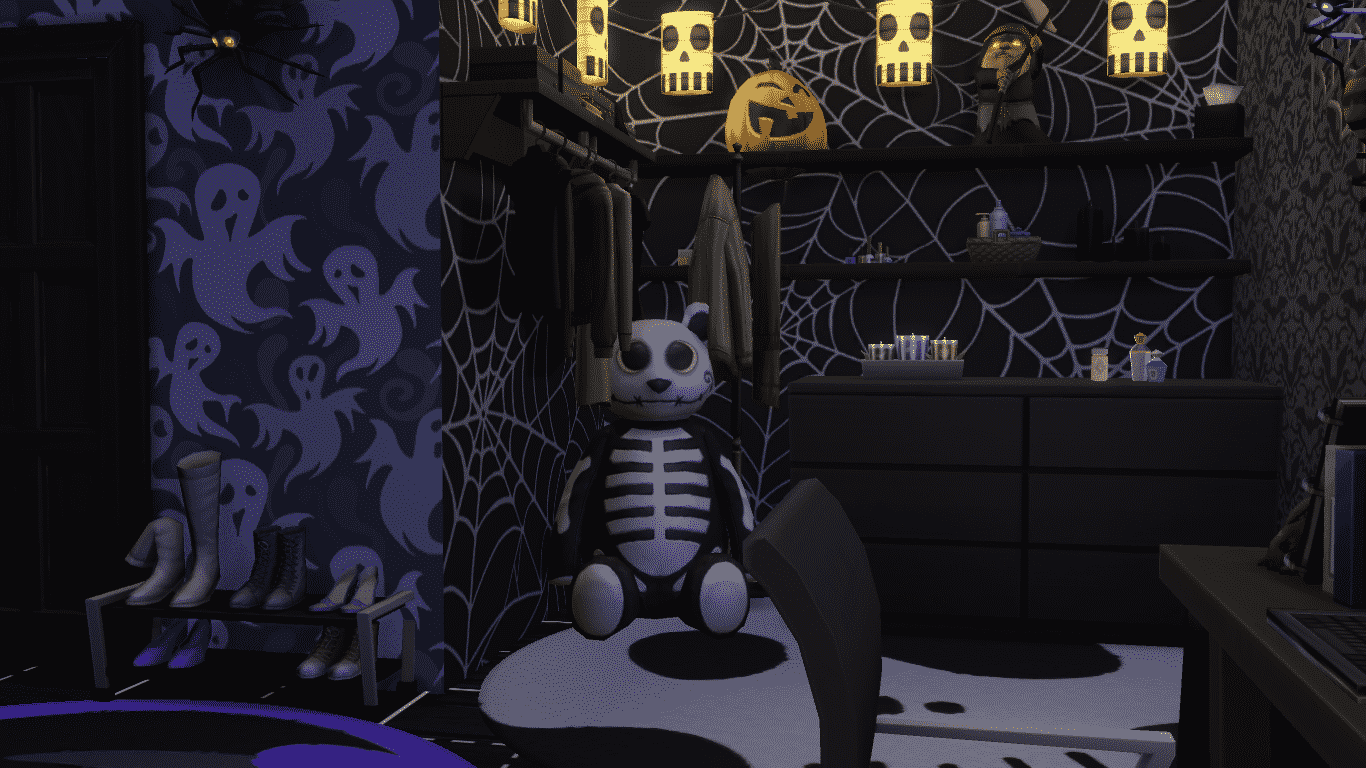
The new stuff pack came with some awesome new build/buy mode items! In this screenshot you can see some of the new wallpapers that SourPatchSimmer has used in this corner of the room, It really adds to the spooky atmosphere, Skelly Bear certainly approves!

We also received lots of spooky decor so you can really kit out your lot for the ultimate Halloween party! I like how she has placed the spiders onto the webs as if they are crawling down the walls. *shudders*

[vc_video link=”https://www.youtube.com/watch?v=7XWQxKa6xUI”]

Here is SourPatchSimmer’s video showing how she created this awesome Spooky Bedroom. She creates regular sims related content on Youtube if you would like to see more of her, including her first impressions of the pack itself, go and check out her channel here!

I hope SourPatchSimmer has inspired you all to get creative with your Spooky Stuff Pack! Want to stay up to date with all the latest Sims 4 news & releases? Be sure to follow The Sims Community on Twitter!

The Sims Video Spotlight: #3

0

scplaylogo

Hi guys, welcome back to another sims video spotlight, and hello October! This week I tried to include some more Autumn and Halloween inspired videos so I hope you enjoy those and that it helps get you in the mood for this lovely season! Please note most of these videos include CC and mods seeing as we don’t have much seasonal content for the Sims 4 yet, but it’s coming I’m sure! *Excited*


The Sims 4 | Autumn Family CAS

By Snow Enchanted

Let’s kick things off with two themed Create-A-Sim videos. The first being an Autumn family, who in my opinion look nice and cozy in their jumpers and hats! I wanted to include this one not only because Snow Enchanted made them very well, but because there is a child involved and it’s not too often I see Create-A-Sim videos that aren’t teens or young adults.

[vc_video link=’https://www.youtube.com/watch?v=53-c4s5uc6A’]

The Sims 4 | Create A Sim: Vampire

By Sparkly

For the second Create A Sim video, we have a vampire inspired sim. This is perfect as Halloween is just at the end of the month now, and Sparkly made this sim so well! She includes a couple of links to the custom content she used, as well as her mod folder – I don’t particularly agree with posting mod folders as I think creators should get their due credit, but the video is great nonetheless.

I would like to note that the intro to this video contains flashing/flickering, so if you are sensitive to flashing lights please skip to 0:35 where it stops and the creation begins.

[vc_video link=’https://www.youtube.com/watch?v=OPhWcpXJX_A’]

The Sims 4 | Room Building: Spooky Living Room

By SimtasticBuilder

Next up we have a wonderfully spooky room build, using items from the new Spooky Stuff pack. I love this room so much, it’s rather eerie yet cozy at the same time and again, perfect for Halloween! SimtasticBuilder has done a brilliant job with this room, which you can download from the gallery.

[vc_video link=’https://www.youtube.com/watch?v=ZDwCmE3oaQc’]

Let’s Play | The Sims 3: Island Paradise

By *StarlightSims*

This video is different to the rest in that it isn’t Autumn or Halloween themed, got to include something for those of you who may not be into Halloween! Island Paradise was one of my favourite Sims 3 expansions and this Let’s Play is very well made and great to watch! It’s a somewhat general play through, so anything can happen.

[vc_video link=’https://www.youtube.com/watch?list=PLQXdo-Zj0Wc7oqVAnnLOK_R9ihi2ssoFG&v=DzZwFMs079E’]

Let’s Play | The Sims 4 :Seasonal Livin’

By Mathesims

Finally we finish this week with a new Let’s Play by Mathesims, focusing on Autumn. He uses a mod that makes Willow Creek look in season so expect this Let’s Play to be a little different to previous ones! I’m loving this so far and Mathesims is rather entertaining to listen to, give this Let’s Play a shot if you’re looking for something unique.

[vc_video link=’https://www.youtube.com/watch?v=zgPIdk0xCTY’]

I hope you enjoyed this week, if you did feel free to comment and let us know what you think or if you’re just as excited for the seasonal changes as I am. As always thank you to everyone who entertains us with your wonderful content, keep simming!

The Sims 4 Spooky Stuff: Throwing a Gold Medal Spooky Party

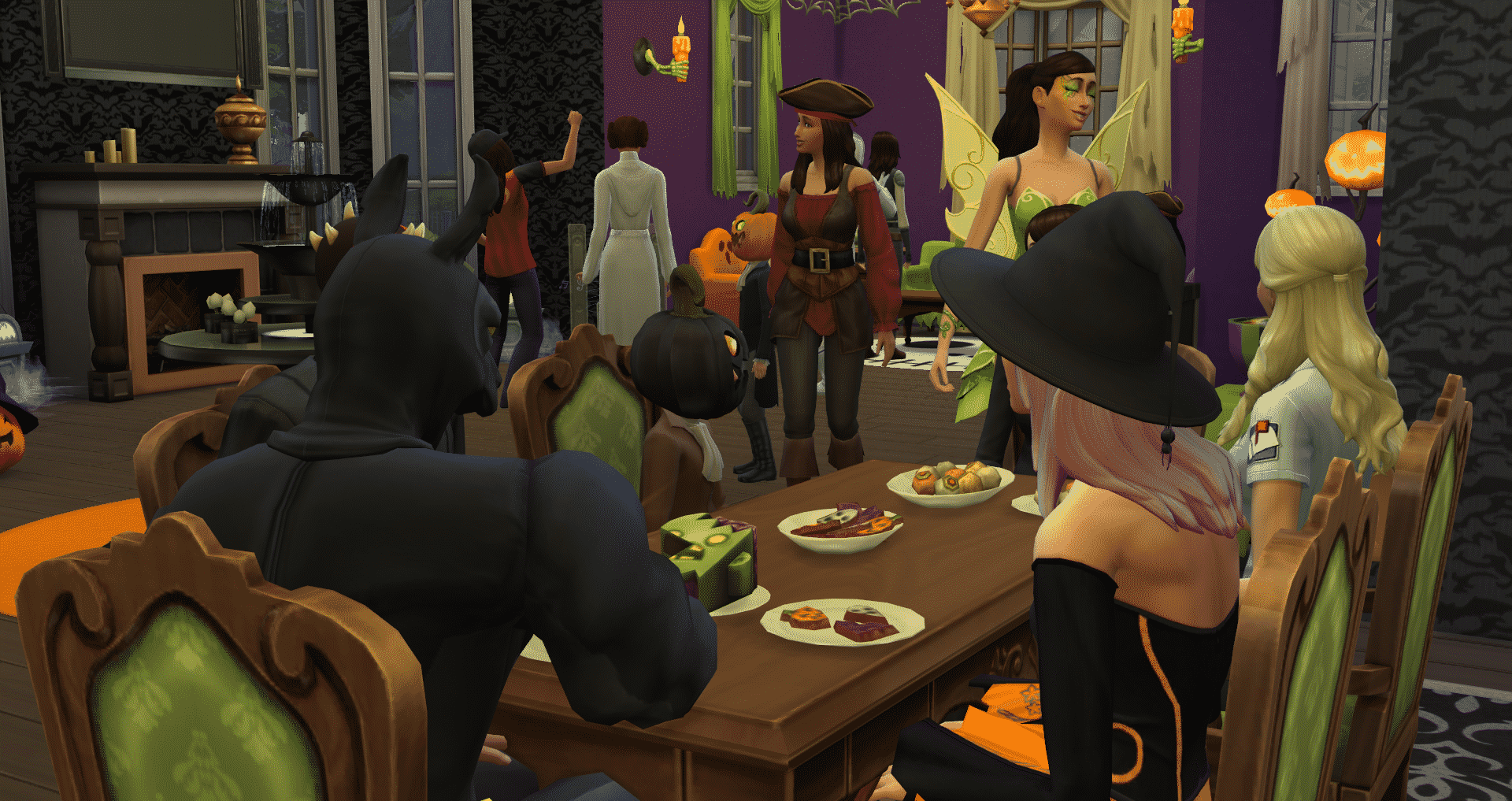
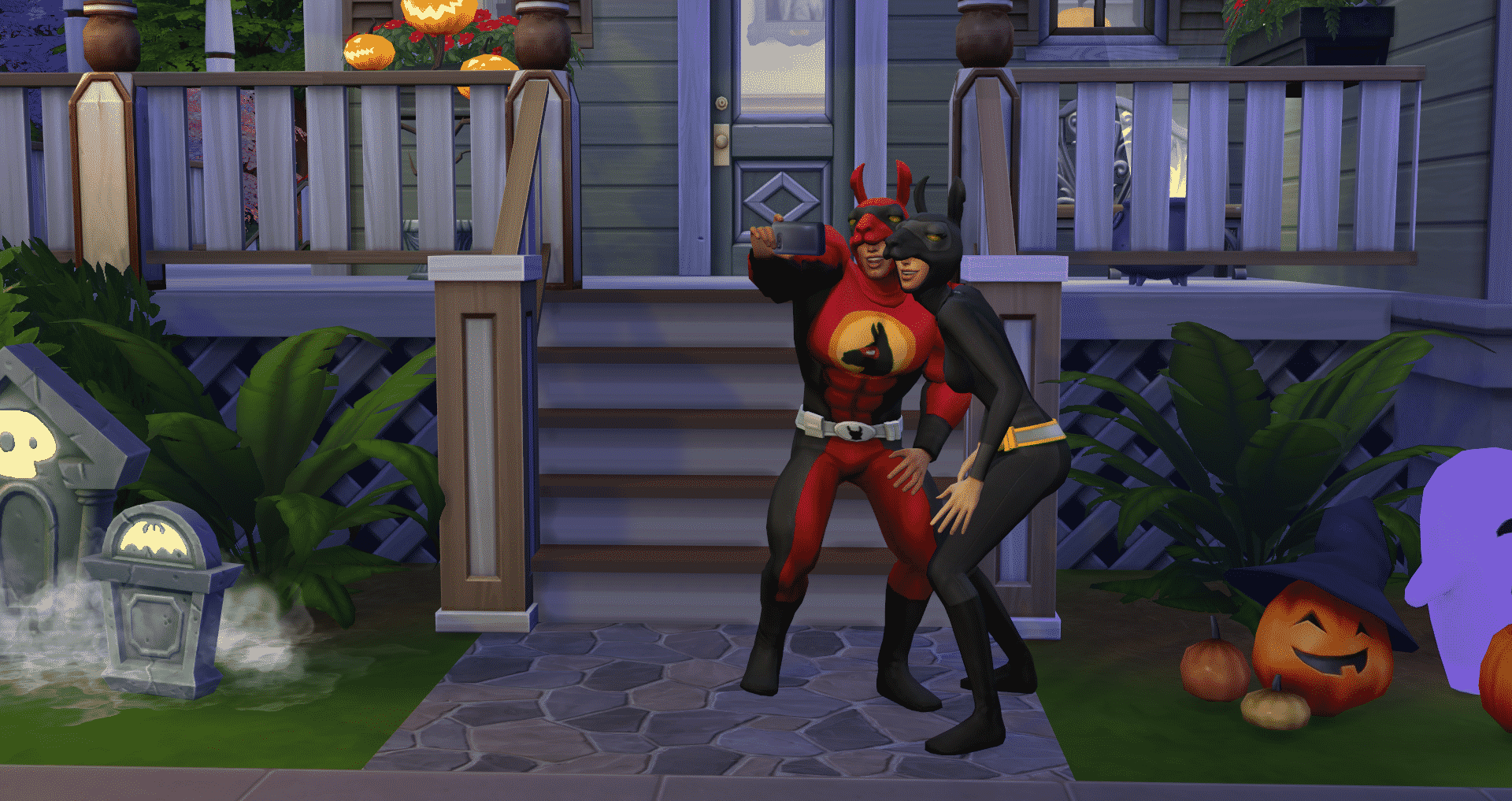
The newest stuff pack to grace our Sim’s lives is Spooky Stuff, a Halloween themed stuff pack that gives us standard stuff pack fare like build/buy mode items as well as CAS items to dress up our Sims. What’s different about this pack is a new party type – a Spooky Party! What’s that? We already have an Incognito Costume Party, you say? Fret not, this party is different and more aweSIM than that one. Because it’s a Spooky Party. Some of us players may not be too concerned about throwing top-notch Gold Medal parties, but for this one it’s kind of important because it unlocks the coveted Super Llama Costume.  In this article I’ll cover some tips on how to throw the best Spooky Party possible, get that Gold Medal, and unlock the Super Llama costume in just one party.

Spooky Party Prep and Goals

As most of us know by now, certain parties require certain objects to be truly successful, like a bar or a certain meal. In order to throw a truly epic Spooky Party, you will need to purchase a few things in buy mode:

  • Bar
  • Stereo
  • Pumpkin Carving Station

10-02-15_5-31-47 PM

These items tie in directly to the goals that need to be completed in order to throw the best party possible. The Spooky Party goals are:

  • Carve Pumpkins (2)
  • Ask for party treats
  • Discuss costumes
  • Dance
  • Perform Mischief Interactions
  • View carved pumpkin
  • Get/Have a drink

10-02-15_5-42-35 PM

The main goal is carve pumpkins as this takes the most time. What is handy is that you can request a carved pumpkin from party guests which counts towards that goal. Ask for party treats and discuss costumes are both friendly social interactions. Perform mischief interactions…well that’s pretty self-explanatory, but the “Trick” interaction is in that category which suits the theme of the party.

10-02-15_5-41-22 PM

It’s also highly recommended to spend the extra Simoleans on getting a caterer and a bartender for your party. Caterers will autonomously serve the three new recipes that came with the pack, assuming they have a high enough cooking skill to do so. The recipes are Spooky Cookies (level 2 cooking skill and costs 22 Simoleans), Cheese Eyeballs (level 3 cooking skill and costs 12 Simoleans) and Zombie Cake (level 4 cooking skill and costs 24 Simoleans).

10-02-15_7-52-25 PM

It may seem redundant to mention this, but decorate, decorate, decorate! There are some really fun, cute items that comes with the pack that really sets the tone for a Spooky Party, so don’t be afraid to use them!

10-02-15_5-35-28 PM


But Fairy Godmother, My Dress!

You have everything set up and decorated, and your Sim’s friends and family are on their way! Your Sim twirls into their costume…and you hate it. Pizza delivery person was SO not what you had in mind. Fear not! You can change your Sim’s costume with a click of a button and it’s really that easy. With this pack, there was a large number of costumes added and the developers did a good job of incorporating existing costumes into the line up. All you need to do is click on your Sim after the party has started, selected “Change Costume” and pick from the number of costumes available. Here’s the full (and rather lengthy) list of costumes available.

Unisex:

  • Llamacorn Mascot
  • Grim Reaper
  • Cheerleader
  • Astronaut
  • Spartan Hoplite
  • Space Ranger
  • Smuggler
  • Pizza Delivery
  • Pirate
  • Mailman
  • Maid
  • Zombie Survivor
  • Villain

Male Only:

  • Luke Skywalker
  • Darth Vader
  • Darth Maul
  • Boba Fett
  • Ninja

Female Only:

  • Fairy of Waters, Meadows, or Forest
  • Aayla Secura
  • Princess Leia
  • Witch of Wood, Night, or Arachnids

10-02-15_7-54-47 PM

Unisex Children’s Costumes

  • Skeleton of Fire, Rot, or Ivory
  • Ser White Pumpkin
  • Ser Orange Pumpkin
  • Ser Green Pumpkin
  • Sausage
  • Grand Master Yoda
  • Pirate of High Seas
  • Pirate of Scurvy Seas

Female Only Children’s Costumes

  • Princess Papaya, Golden Apple, or Blueberry

10-02-15_4-30-27 PM


Pumpkin Carving

Pumpking Carving is introduced with the new gameplay object, the Pumpkin Carving Station. To the chagrin of some, pumpkins are not a new harvestable, but available through the station. Simply plop the station wherever you would like and get to carving! Pumpkin carving ties to the Handiness skill much like the Wood-Working table.

10-01-15_7-11-26 PM

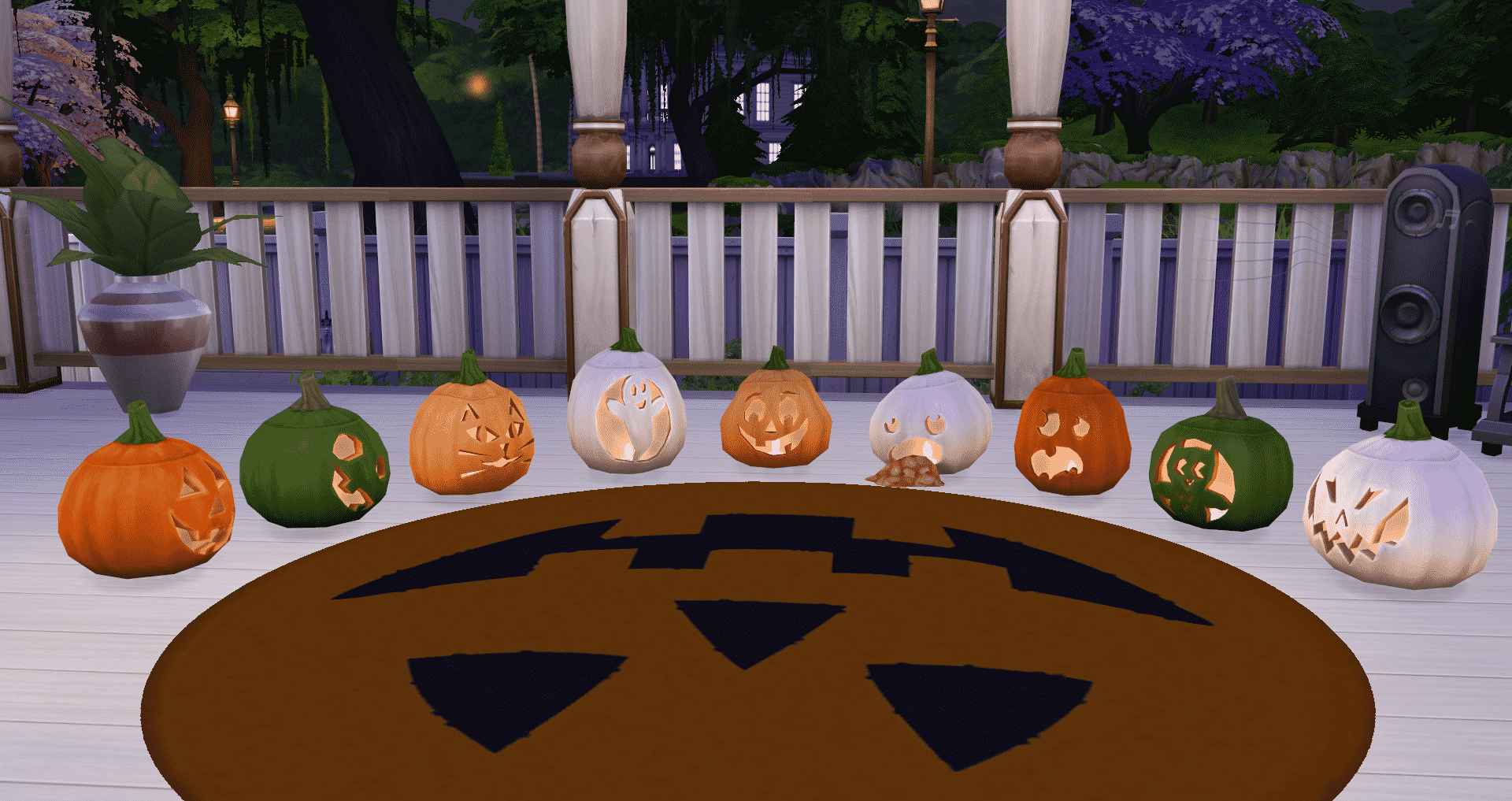
The higher your skill, the more types of pumpkins you can carve. All carvings can be done on an Orange, Pale Orange, Green or White pumpkin and the shapes vary to make it more realistic which was a thoughtful inclusion. Here’s the types of carvings, broken down by Handiness level:

  • 1 – Cat, Classic, Cockeyed
  • 2 – Ghost, Smiling
  • 3 – Owl, Scared
  • 4 – Puking
  • 5 – Wicked
10-01-15_7-08-25 PM
Carvings from Left to Right: Classic, Cockeyed, Cat, Ghost, Smiling, Puking, Scared, Owl, Wicked

There’s another thing to note about being at Handiness level five – the ability to preserve your carved pumpkins for 50 Simoleans. What does this mean? Well, carved pumpkins, just like in real life, have a relatively short expiration date. In the Sims, that date is 4 days and 4 hours after the carving is complete. Preserving the pumpkin eliminates that expiration so you can enjoy  your pumpkin whenever you want.

Handiness level 10 automatically imbibes the current emotion of your Sim into the pumpkin to be enabled whenever you see fit. Simply click on the pumpkin and tell it to enable the Emotional Aura and BAM – you get an emotional buff.

Also, make sure to add a light to your pumpkin. The developers took care to make sure it looks like a votive candle and it looks pretty awesome, in my opinion.


I Got a Gold Medal, Now What?

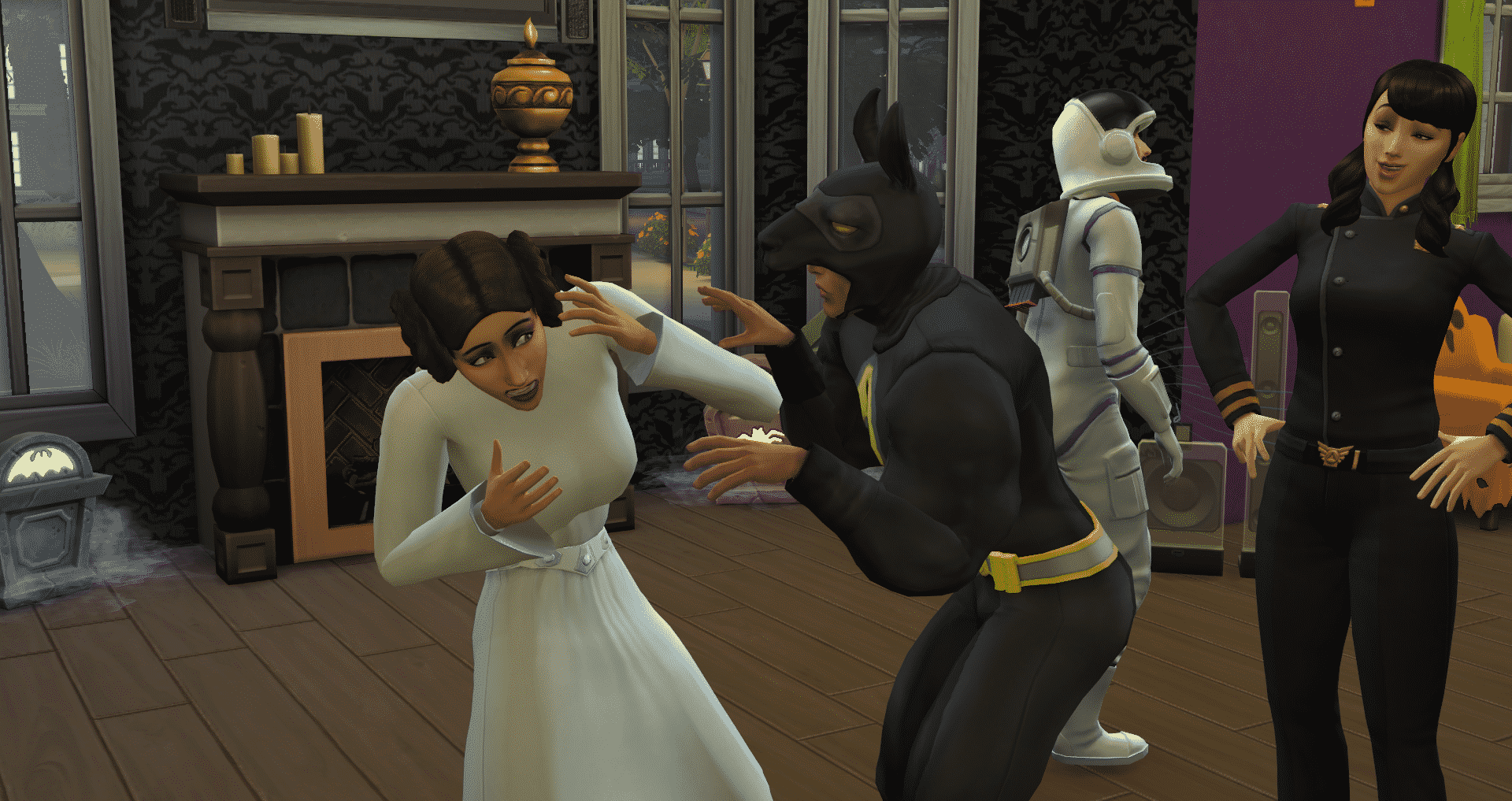
Toss that Super Llama costume on your Sims!

10-01-15_7-18-04 PM

Show us your Spooky Parties and how you have fun with it! Don’t forget to grab a treat out of the bowl on your way out.

10-02-15_7-49-18 PM


The Sims 4 Politics Mod Pack Announcement

Are you ready for more content for your Sims to enjoy? Introducing The Sims 4 Politics Mod Pack! Politics brings three new skills to the game – Protest Leadership, Debating and Influence – as well as a brand new Political career. Oh yeah, and if you have Get to Work installed, it will be active!

The mod adds a new object, a clone of the The Sims 3 Podium Conversion by Cinderellimouse (used with permission), which contains custom interactions used for protests as well as various interactions related to the career. You can also use it to practice skills.

politicsmediumlogo

Protests and Protest Leadership

10-02-15_3-43-20 PM 10-02-15_3-55-47 PM

If you’ve ever played The Sims 3 University Life, you may be familiar with protests. If you’re not, then they’ll be completely new to you. Sims can protest a variety of topics, and when a protest is successful, all Sims in the household* will earn a long Moodlet, depending on the topic. For example, protesting Lack of Friendship will cause Sims to be able to build friendship faster. Your Sim will unlock more topics as they increase their Protest Leadership skill.

(*Because The Sims 4 doesn’t have an open world, it’s not possible to have the protest effect all Sims in the game)

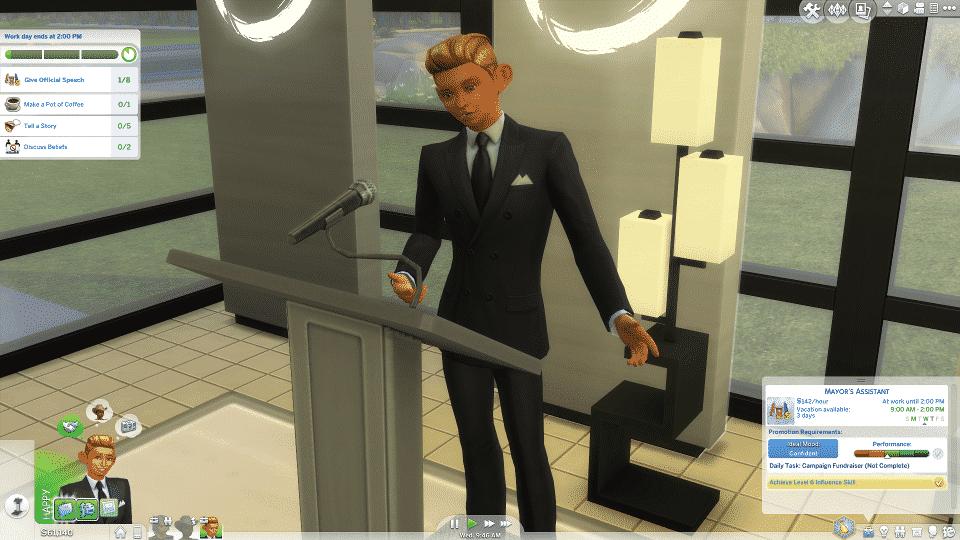
The mod’s protests feature uses The Sims 4’s social events system, so you’ll receive goals to complete in order for your protest to be successful. The main goal, which contributes to a majority of the score, is to have eight Sims “chant” at the same time. There are three interactions on the podium during protests, all of which are named after those in University Life: Rile the Crowd, Lead a Chant and Give Impassioned Speech. Rile the Crowd causes protesters to build towards the Angry emotion. Lead a Chant is the interaction you need to use to complete the main goal, but only Sims who are either already in the Angry emotion or have been riled long enough will take part. Give Impassioned Speech calms Sims down and is mainly used for a minor goal.

There are also four new social interactions associated with protests: Discuss Beliefs, Describe Negative Experiences, Rant About Opponents and Tell Infuriating Story. These interactions increase friendship, but unlike “Friendly” interactions, being in a bad mood (especially Angry) makes them more likely to be successful and being in a positive mood makes it less likely.

If you earn Gold at a protest, all Sims in the household will gain a Moodlet for 24 hours. If Silver, it will only last 4 hours. If you earn no medal, Sims will instead earn a negative Moodlet that does the opposite of what the protest was intended to do, for example, making Bladder decay faster instead of slower.

Sims who aren’t yet skilled enough to lead protests can Rant on the podium to increase their skill.

Debating

10-02-15_4-24-26 PM 10-02-15_4-37-52 PM

Debating has the same benefits as protests. While not as powerful as a Gold level protest, debating is much quicker and doesn’t require as much effort as completing a protest. Sims can debate online using a computer, and with other non-household Sims. Debating online takes an hour, and if successful, will result in a positive Moodlet for 4 hours. If unsuccessful, it will result in a negative Moodlet with the opposite of the intended effect. Debating with individual Sims lasts only the length of telling a story, but will only last 2 hours.

Be warned, however, that the more a Sim successful debates, the less chance there is of the next debate being successful for a certain amount of time. It’s best to wait between debates and not have too many in a row.

The chance of a debate being successful increases as your Sim increases their Debating skill. Being Angry (bonus points if Very Angry) will also increase the chance of it being successful, while being Focused will improve the skill faster.

Besides taking part in debates, Sims can increase their Debating skill using the Practice Debating interaction on the podium.

The topics available for protests and debates are:

  • Boring Activities (Skill Level 3) Gives a +3 Playful Moodlet
  • Distractions (Skill Level 3) Gives a +3 Focused Moodlet
  • Lack of Inspiration (Skill Level 3) Gives a +3 Inspired Moodlet
  • Laziness (Skill Level 3) Gives a +3 Energized Moodlet
  • Fun Need (Skill Level 6) Slows decay of the Fun Need
  • Social Need (Skill Level 6) Slows decay of the Social Need
  • Lack of Friendship (Skill Level 7) Sims will build friendship faster
  • Lack of Romance (Skill Level 7) Sims will build romance faster
  • Bladder Need (Skill Level 8) Slows decay of the Bladder Need
  • Hygiene Need (Skill Level 8) Slows decay of the Hygiene Need
  • Hunger Need (Skill Level 8) Slows decay of the Hunger Need
  • Energy Need (Skill Level 9) Slows decay of the Energy Need
  • Lack of Creative Sims (Skill Level 10) Sims will build all Creative skills at double speed
  • Lack of Mental Sims (Skill Level 10) Sims will build all Mental skills at double speed
  • Lack of Physical Sims (Skill Level 10) Sims will build all Physical skills at double speed
  • Lack of Social Sims (Skill Level 10) Sims will build all Social skills at double speed

Influence Skill

10-02-15_5-09-31 PM

Influence is the main skill used with the new Political career (more information below). This skill unlocks new social interactions that allow you to influence the emotions and actions* of other Sims. It’s simpler than protesting and debating, and doesn’t effect the whole household, but there aren’t any severe negative consequences other than a small relationship drop. Sims with a lower Influence skill can only influence good friends, but they’ll be able to influence more Sims later on.

*Influencing actions (for example, cook, clean, sleep, etc.) uses the Moodlets from the SimRay in Get to Work, and therefore will require Get to Work in order for them to function. These are references in too many parts of the code to create a custom version.

Sims can build the Influence skill by using the Practice Influence interaction on the podium.

Political Career

10-02-15_6-44-23 PM

Last but not least, Politics comes with a brand new career – Political. It uses all three of the skills the mod introduces, but mainly Influence. If you have Get to Work installed and have the new City Hall venue placed in any world, this career will function like those made active with Turbo Careers. Sims in this career will start off as a paid protester, then move into more powerful positions.

If you’ve played the Political career in The Sims 3, you probably know about the Campaign Fundraiser party. Well, guess what? In this mod, it makes a return! Throwing a Campaign Fundraiser is a daily task for Sims who are level 5 or above in the Political career. It functions like a normal House Party, but instead of the usual rewards, it will contribute to the daily task and in turn help increase career performance. Getting a Gold medal will immediately boost the daily task completion to 100%, whereas only getting a Silver will increase it by 50% and Bronze by 25%.

Additional Credits

  • As mentioned above, the podium was converted from The Sims 3 University Life by Cinderellimouse.
  • Thanks to Jovan for the logo.
  • Icons that are not from The Sims 4 base game are converted over from The Sims 3 base game and University Life.

If you have any questions regarding this Mod Pack, make sure you ask them in our THREAD over at Sims Community Social!

The Sims 4: Create A Sim Tag Videos!

Create A Sim: Tags and Challenges!

Us simmers are always trying to improve our Create A Sim skills, even with the addition of custom content sometimes it is hard to detach yourself from making the same ‘ol sims. Tags are an awesome way to get step out of your comfort zone and create something you wouldn’t normally! Here are a few I found:

[vc_video link=”https://www.youtube.com/watch?v=ZBHBfIV-RXU”]

SourPatchSimmer created the Punk Rock Tag! There is a lot of custom content available for this particular style, and the base game comes with some awesome punk clothing too!

[vc_video link=”https://www.youtube.com/watch?v=RpSP4e-HK1Q&feature=youtu.be”]

The First Sim Challenge by KatieGalaxyPlays! For this you will need to find the first sim you ever made and revamp that sim to show how your Create A Sim skills have developed and improved.

[vc_video link=”https://www.youtube.com/watch?v=BObWZ4rn79k”]

The Kawaii Alien Tag by Yunny. Can you create the cutest alien? This is a very pink and girly tag that allows you to go all out on your alien sims!

[vc_video link=”https://www.youtube.com/watch?v=-FIGeLOLiHo”]

The Fire & Ice Tag by Wysidia. This tag entails creating not one but two sims! One inspired by fire and the other ice which makes it good for collaborations with other simmers.

[vc_video link=”https://www.youtube.com/watch?v=vbnpSOaaMzA”]

Recently I had a go at creating my own tag! This is the If Bella Was A Goth Tag. Black lipstick, piercings, tattoo’s the lot I want you make Bella Goth into an actual goth!

[vc_video link=”https://www.youtube.com/watch?v=-RalDi7Bl0M”]

The Mythical Creature Tag by TSimmer & PinkBelle. For this you need to create a sim inspired by a mythical creature, in her video TSimmer created a unicorn!

I Tag You!

We simmers are certainly a creative bunch and there a loads more tags and challenges out there for you guys to tackle! I tag you all to go and give one of these a try, they are a lot of fun! As always don’t forget to credit creators for their ideas, I look forward to seeing what you all come up with!