Via @PeterSimsYT!
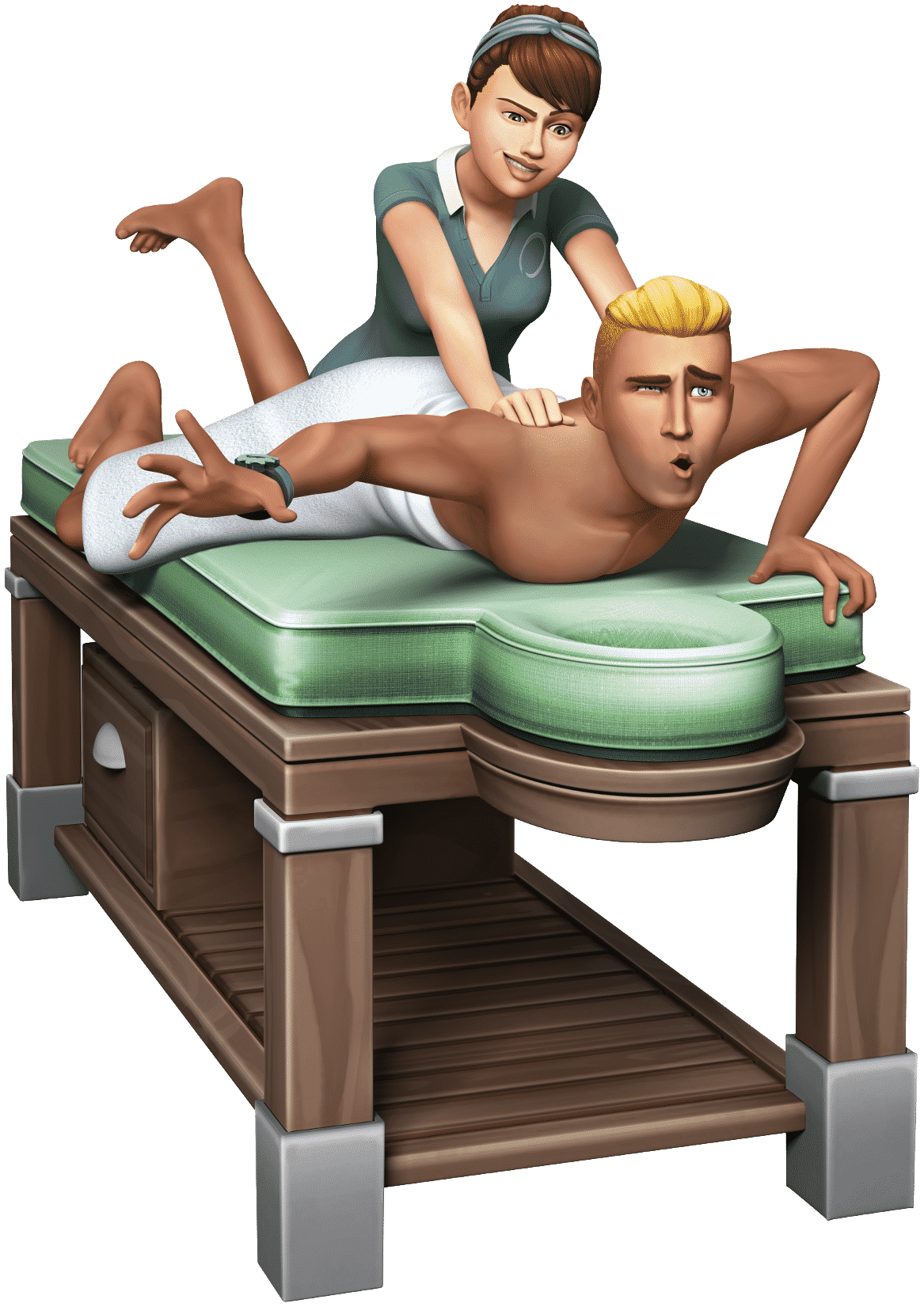


SimGuruSarah was very active on her Twitter! She answered some of the burning questions about The Sims 4 Spa Day Game Pack that we’ve all been wondering about. She confirmed also that we should expect even more info about this pack soon.
.@simcookster @Jacob_Frittata There are Yoga mats in The Sims 4 Spa Day.
— Sarah Holding (@SimGuruSarah) July 1, 2015
.@Weealbet The massage chairs are staffed by an NPC Reflexologist at the venue. And at home your Sims can massage each other. #Sims4SpaDay — Sarah Holding (@SimGuruSarah) July 1, 2015
.@TheSimScraper Children and Adults have fluffy robes to wear at the spa. #Sims4SpaDay
— Sarah Holding (@SimGuruSarah) July 1, 2015
.@SimGeorge1 Yoga is amazing and is really fun to watch! We have low and high skill Yoga poses (and some great failures!) #Sims4SpaDay — Sarah Holding (@SimGuruSarah) July 1, 2015
.@Kenter1993 Children & Adults can use the Sauna & Mud Bath. Massages and Yoga are for Teens+ only #Sims4SpaDay
— Sarah Holding (@SimGuruSarah) July 1, 2015
@BJ_Graceffa TheSims4 Spa Day is $19.99 in the USA. I am not 100% sure about other countries, but it should be similar to Outdoor Retreat. — Sarah Holding (@SimGuruSarah) July 1, 2015
@tazreentasnim @Bunbunnyny Spa Day features pre-built venues you can place in your existing neighborhoods.
— Sarah Holding (@SimGuruSarah) July 1, 2015
@SimGeorge1 Children can use the sauna and take mud baths, but cannot do yoga or get massages. — Sarah Holding (@SimGuruSarah) July 1, 2015
.@CSIMSIE #Sims4SpaDay and the corresponding game update will be adding a Lot Library/Bin similar to TS2 and TS3 for all TS4 players.
— Sarah Holding (@SimGuruSarah) July 1, 2015
.@SimmingFan3000 All of the Spa Items can be used on Spas, Gyms, and residential lots. #Sims4SpaDay — Sarah Holding (@SimGuruSarah) July 1, 2015
.@catloverplayer The aquarium holds up to 6 fish, & works with all of the fish currently in game (and all future fish!) #Sims4SpaDay
— Sarah Holding (@SimGuruSarah) July 1, 2015
.@catloverplayer 1thing I really like about the aquarium is that fish will swim& bottomdwellers(like crayfish) will hang out on the bottom. — Sarah Holding (@SimGuruSarah) July 1, 2015
.@xMystixYT Massage quality is tied to the new Wellness Skill. Your Sims can give and receive both good and bad massages!
— Sarah Holding (@SimGuruSarah) July 1, 2015
@xMystixYT There is no new trait. — Sarah Holding (@SimGuruSarah) July 1, 2015
.@xMystixYT Yoga & Massages provide new buffs, & help Sims reduce tense and uncomfortable buffs. They’re also really fun to watch!
— Sarah Holding (@SimGuruSarah) July 1, 2015
.@xMystixYT There are 6 types of massages: Swedish, Deep Tissue, Sports, Aromatherapy, Stone, & Fertility. #Sims4SpaDay — Sarah Holding (@SimGuruSarah) July 1, 2015
@TheMarshyBear @Iron_Cgull @SimGeorge1 Yes. Spa objects at the venue will be staffed by NPCs.
— Sarah Holding (@SimGuruSarah) July 1, 2015
.@RyeCris16 Sims will spin into their athletic attire (minus shoes!) when doing Yoga. #Sims4SpaDay — Sarah Holding (@SimGuruSarah) July 1, 2015
@SimmingFan3000 There is no new gym equipment, but there are reskins of existing gym equipment that match the Spa Day decor style.
— Sarah Holding (@SimGuruSarah) July 1, 2015
.@SimmingFan3000 There is also a pre-built Gym venue that comes with Spa Day that is built using Spa Day assets (it’s very pretty!) — Sarah Holding (@SimGuruSarah) July 1, 2015
@Jesse3121 There are no new traits or aspirations, sorry.
— Sarah Holding (@SimGuruSarah) July 1, 2015
.@SimCitizenKen There is a New Age radio station in #TheSims4SpaDay — Sarah Holding (@SimGuruSarah) July 1, 2015
.@bafendo @Weealbet Massages alone will not make you flirty, but there is an incense scent that will put you in the mood! #Sims4SpaDay
— Sarah Holding (@SimGuruSarah) July 1, 2015
.@JoJoJet @xMystixYT The fertility massage increases your chances of having twins or triplets. #Sims4SpaDay — Sarah Holding (@SimGuruSarah) July 1, 2015
@KaraMalta_ You can sell Spa items at retail, but there is no Get to Work style gameplay for Spas, sorry.
— Sarah Holding (@SimGuruSarah) July 1, 2015
@Kenter1993 The sauna in The Sims 4 Spa Day has new woohoo animations. It is very different from the Sauna that we had on the TS3 store. — Sarah Holding (@SimGuruSarah) July 1, 2015
@SimmingFan3000 There are new showers that are tileable, but they have walls.
— Sarah Holding (@SimGuruSarah) July 1, 2015
.@rosesrock7 The Sports Massage will decrease the timer for Uncomfortable buffs, and will grant a new Energized buff: Prepped for Fitness — Sarah Holding (@SimGuruSarah) July 1, 2015
@MrCaiu There is no new career in Spa Day, sorry.
— Sarah Holding (@SimGuruSarah) July 1, 2015
@RyeCris16 This pack has TONS of awesome Build content! I hope you enjoy it! Please share your creations with me : )
— Sarah Holding (@SimGuruSarah) July 1, 2015
@Bunbunnyny You can have a retail store that sells spa items, but you can’t run a spa venue.
— Sarah Holding (@SimGuruSarah) July 1, 2015
@Slothlax No new bed, but there are new CAS assets. We have some really awesome Yoga pants!
— Sarah Holding (@SimGuruSarah) July 1, 2015
@luketheplumbob The Yoga fails are just the best! And there are high skill Yoga moves that are really cool too!
— Sarah Holding (@SimGuruSarah) July 1, 2015
.@SimmingFan3000 There are 2 styles of Aquarium in #TheSims4SpaDay
— Sarah Holding (@SimGuruSarah) July 1, 2015
.@laneygolightly @SimGuruGraham Ohhhh, but there is a new death in Spa Day! You’ll have to go find it if you get the game 😉
— Sarah Holding (@SimGuruSarah) July 1, 2015
@Libra_Style The aquariums do not go all the way to the ceiling, but that is a good suggestion!
— Sarah Holding (@SimGuruSarah) July 1, 2015
@Libra_Style There are some awesome new goodies for builders, but you’ll have to stay tuned until we reveal more info : )
— Sarah Holding (@SimGuruSarah) July 1, 2015
.@SimsFairy Sims will build muscle, lose weight, and gain Wellness Skill practicing Yoga.
— Sarah Holding (@SimGuruSarah) July 1, 2015
@TheTruthH8rts No trait or aspiration, sorry. Wellness Skill gain does unlock 2 new recipes (a detox tea and a salad)
— Sarah Holding (@SimGuruSarah) July 1, 2015
.@Reaver There are 2 Sauna models – one made of wood, one of stone. There are 2 Aquarium models, both the same size.
— Sarah Holding (@SimGuruSarah) July 1, 2015
@AnnaWoo99 All venues are open 24/7 in The Sims 4! You can get a massage at 3am if that is what you desire.
— Sarah Holding (@SimGuruSarah) July 1, 2015
@CaikeDL Yoga is a very positive experience in The Sims 4. There are no negative buffs, but Sims with low skill will mess up the poses.
— Sarah Holding (@SimGuruSarah) July 1, 2015
.@BatSimmer You can hire NPC to come to your house&give massages on the table but your Sims will have to staff the chair themselves at home.
— Sarah Holding (@SimGuruSarah) July 2, 2015

Via TheSims.com!
After getting to work in April, we figured your Sims could use even more Zen – and what’s more relaxing than a luxurious spa? The Sims 4 Spa Day Game Pack* is coming later this month!
As you might expect, The Sims 4 Spa Day includes a new type of venue, the Spa. When you get the pack, three new Maxis-made Spas and a new gym will be added to your My Library, to be placed wherever you want. They come in various shapes and sizes, so you can find the Spa that best suits your personality (or, of course, you can make your own).
Once at the Spa, Sims can hang out (and WooHoo!) in a sauna or get a relaxing massage. There are a number of fun new interactive objects for your Sims to enjoy in the Spa, from the massage chair to the mud bath, which we will reveal more about soon. But that’s not all that’s included in the game pack.
Your Sims can also build Wellness skill by giving massages, doing Yoga, and Meditating. The more they take part in these new activities, the better they’ll get at each. Higher Wellness means new Yoga poses, the ability to give superior Massages, and a special Meditation surprise that we don’t want to spoil for you!
We can’t wait to share even more information about The Sims 4 Spa Day with you, so be sure to check out our blogs and social channels as we approach the July 14 release.

Rachybop shared some, what appears to be, official news about The Sims 4 Spa Day Game Pack!
The Sims 4 Spa Day Game Pack, coming late July!
The Sims 4 Spa Day provides an all new type of venue, the Spa (duh!), where your Sims can get a relaxing massage or hang out in the sauna. This pack features several interactive objects, including a new massage chair and the mud bath! Another new addition to help your Sims wind down from their daily stress is building their Wellness skill by taking Yoga classes or learning to meditate – the higher their Wellness skill the more Yoga poses they will be able to do, and the more superior Massages they’ll be able to give.

Back in October 2014, a Sims 4 Survey suggested an Expansion Pack that’s related to Health and Wellness. Today, The Sims Team teased Spa Day who’s name and video both match with the description from the survey.
HEALTH AND WELLNESS
Help your Sims live a healthier and happier life! Participate in all new wellness activities including emotionally soothing massages, mud baths, acupuncture, steam room saunas, and personal training. You’ll also have the opportunity to open and manage a wellness center to spread health and happiness, while earning some extra Simoleons in the process.

This isn’t the first time that surveys like this matched with previous Sims 4 releasements. The survey also shows concepts of Active Careers and Business Owner Expansion Packs (Get to Work), and an even older survey suggested Camping, which was introduced with Outdoor Retreat.
The Sims Facebook uploaded a new teaser video of, what appears to be, a second Game Pack for The Sims 4 called Spa Day!
If only your Sim had a nice, relaxing place to unwind…

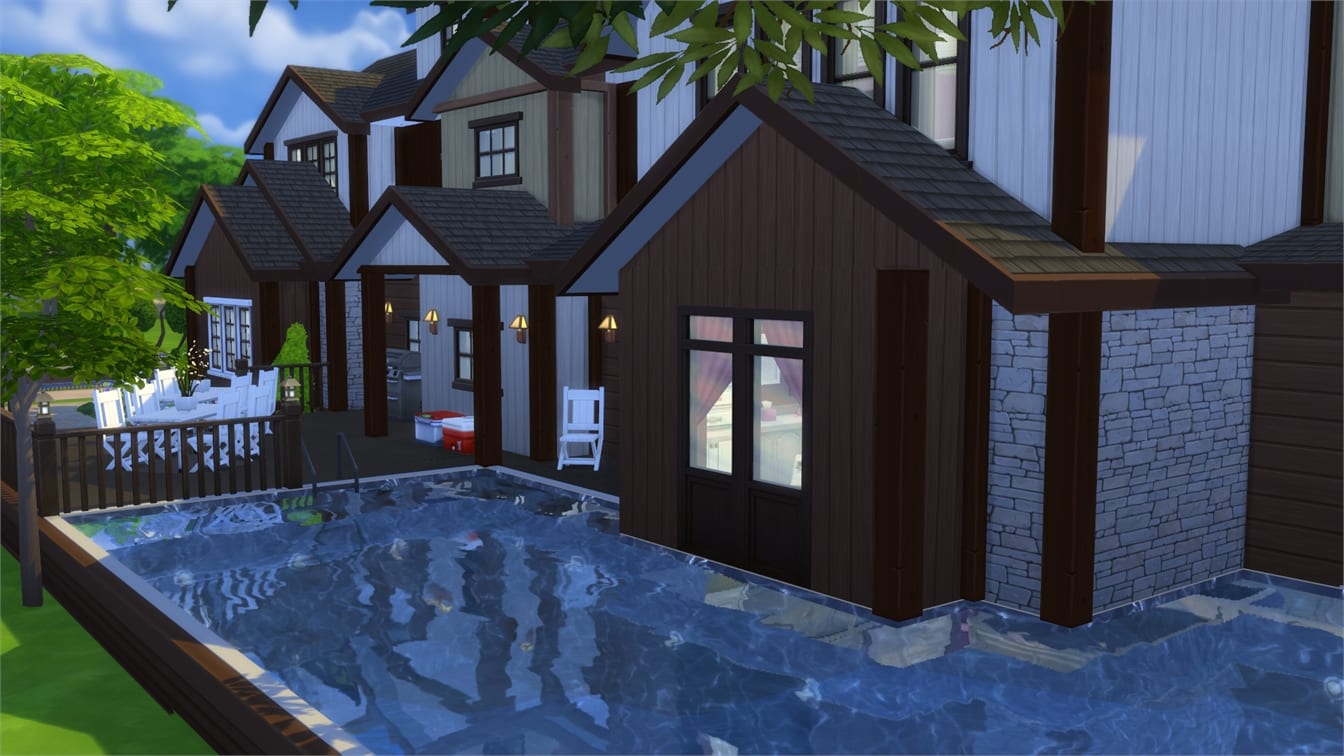
Newcrest Bar (Download Here)
#newcrest #buildnewcrest #bar #night #nightclub #club #modern #boitedenuit #nuit #moderne #classe #colore #eau #bassin #fontaines
Value: §110,378
Size: 30×20
Lot Type: Bar
Required Packs: None


Lilac Beach House (Download Here)
#Lilac #Beach #House #Home #Contemporary #Family #Lila #Vacation #Pool #Deck #Balcony #Pond #NoCC
Value: §207,459
Size: 40×30
Lot Type: Residental
Required Packs: None


Family House 05 (Download Here)
#sims4 #newcrest #willowcreek #oasissprings #traditional #modern #family #house #mansion #brown #white #garden #pool #patio #plant #pond #8bedroom #5bathroom #nocc #stopstealing #gettowork #camping #child #teenager #large #buildnewcrest
Value: §342,866
Size: 40×30
Lot Type: Residental
Required Packs: Outdoor Retreat, Get to Work


Tiny Tiptoes Starter (Download Here)
#starter #starterhouse #starterhome #family #familystarter #tiny #small #little #cute #smalllot #cozy #cosy #lovely #nocc #ccfree #nomoo #newcrest #buildnewcrest #totallysims
Value: §18,192
Size: 20×15
Lot Type: Residental
Required Packs: None


quail Street (Download Here)
#family #roommates #roomates #4bedrooms #4bathrooms #bigkitchen #middleclass #nocc #pretty #traditional #moo #lanscaping #pool #patio #kids #children #buildnewcrest #newcrest #usnewcrest #decorated #surburban #sexy #hot
Value: §287,484
Size: 30×30
Lot Type: Residental
Required Packs: Outdoor Retreat, Get to Work, Luxury Party

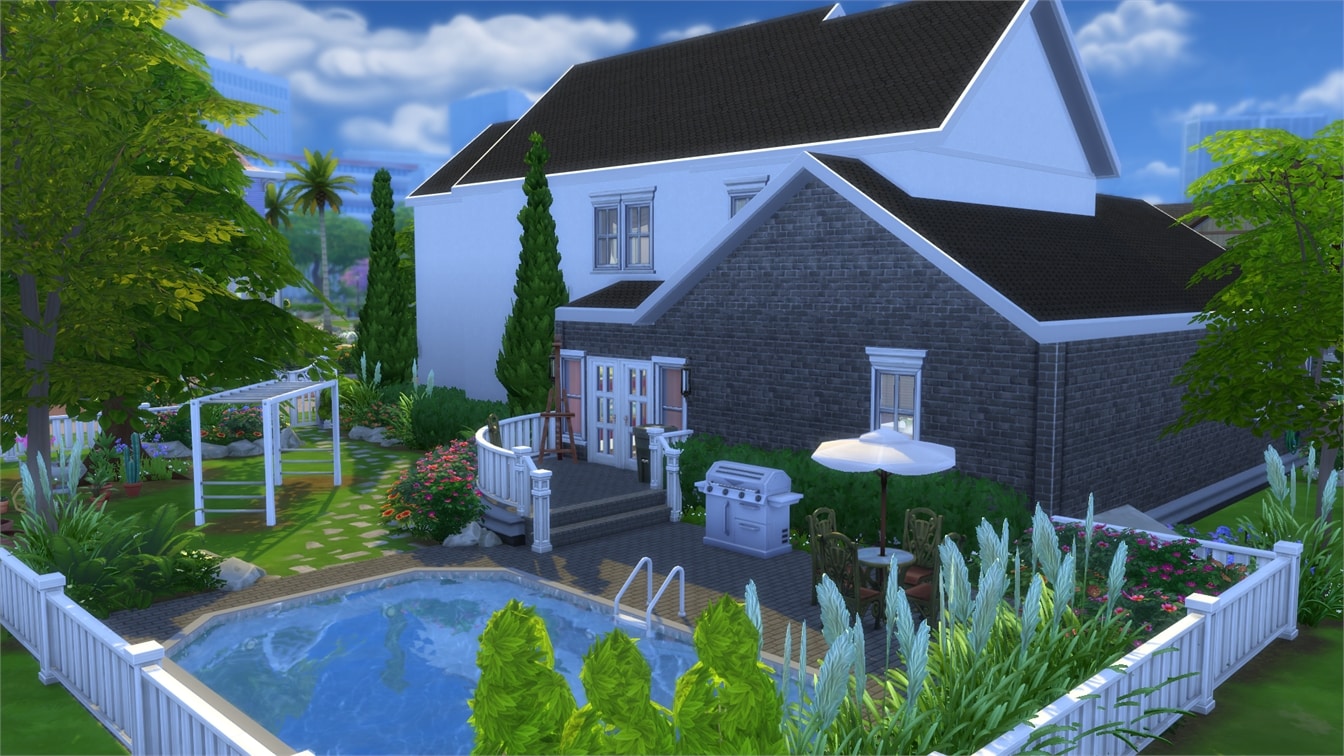
Surreptitiously Stylish (Download Here)
Value: §562,656
Size: 50×50
Lot Type: Residental
Required Packs: Get to Work
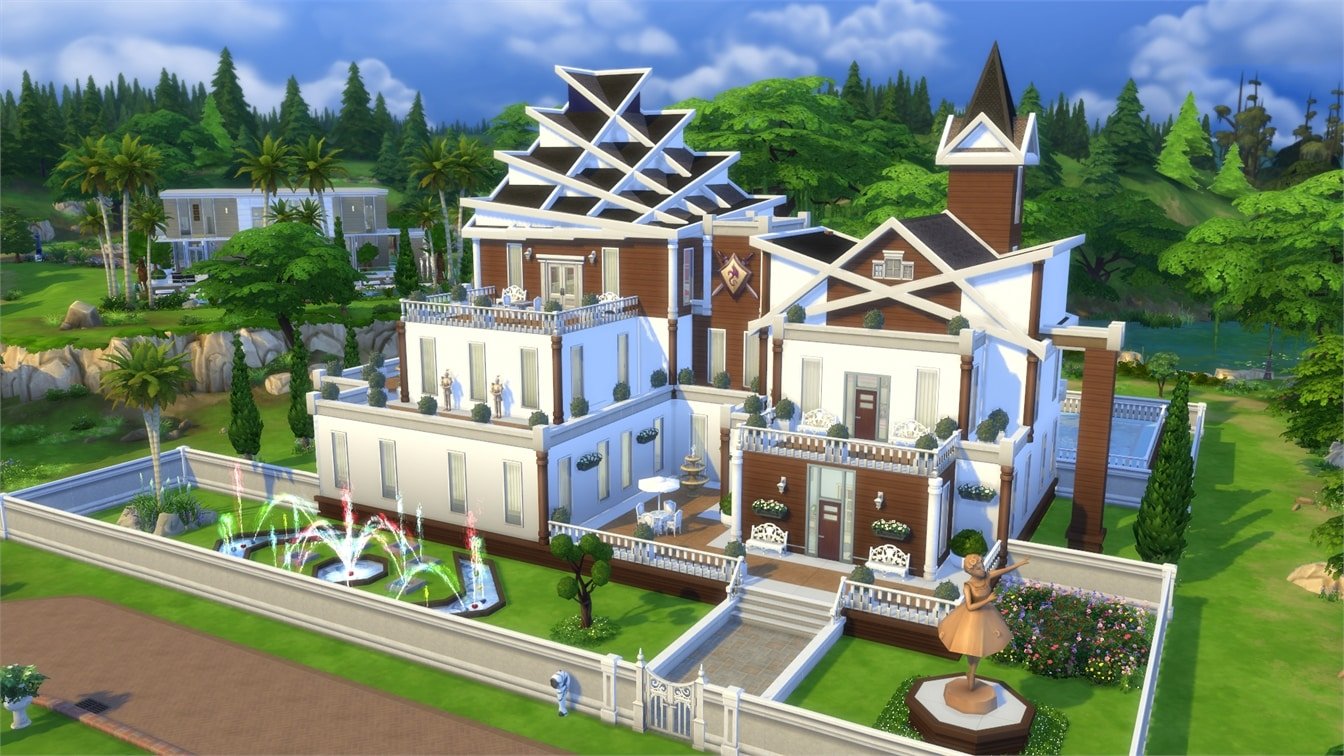


Floras Blumenladen (Download Here)
Floras Blumenladen – Gebaut in 11 Let’s Build Teilen auf YouTube: sims2fans – Viel Spaß! #Flower #Shop #Flora #SimFans #Blumenladen #Geschäft #Store #Blumen #Gärtnerei
Value: §142,816
Size: 30×20
Lot Type: Retail
Required Packs: Get to Work
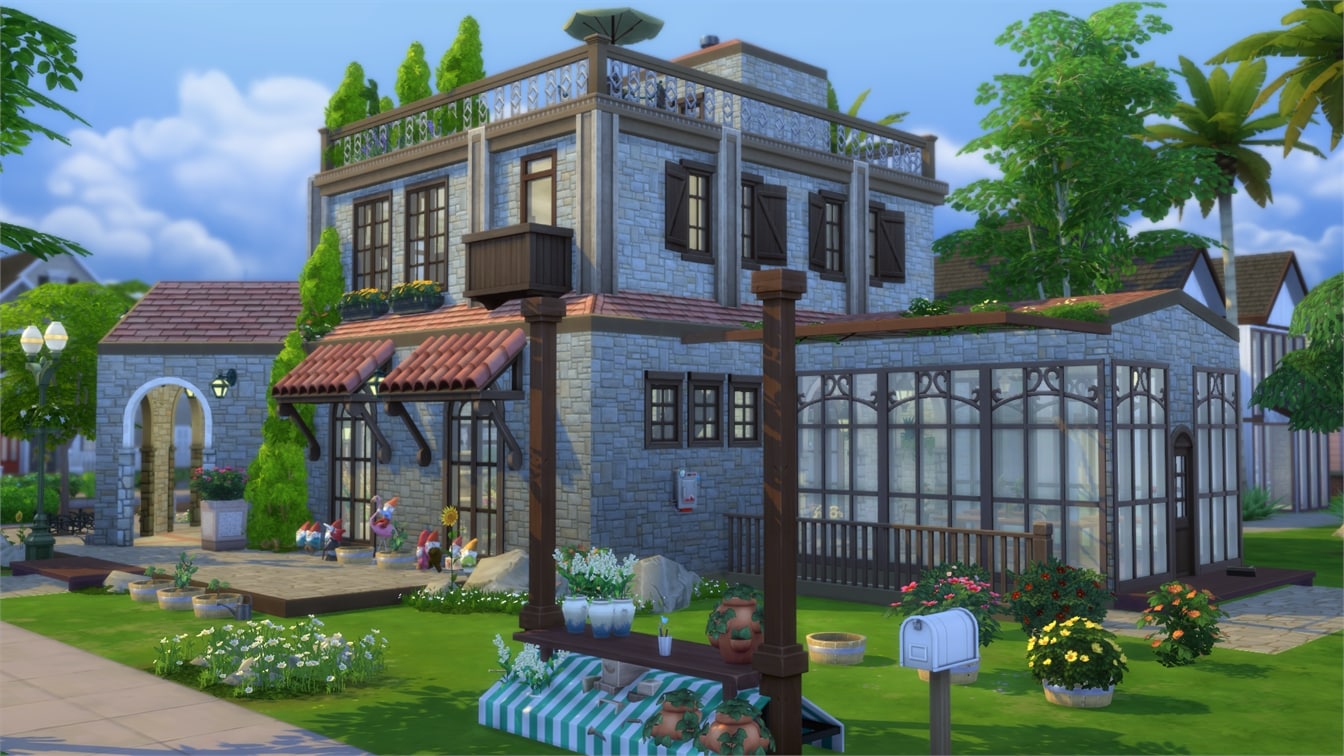

Pharao Alley (Download Here)
Modern Starter Home #modern #cheap #starter #nocc #hot #style #contemporary #color
Value: §18,118
Size: 20×15
Lot Type: Residental
Required Packs: Get to Work
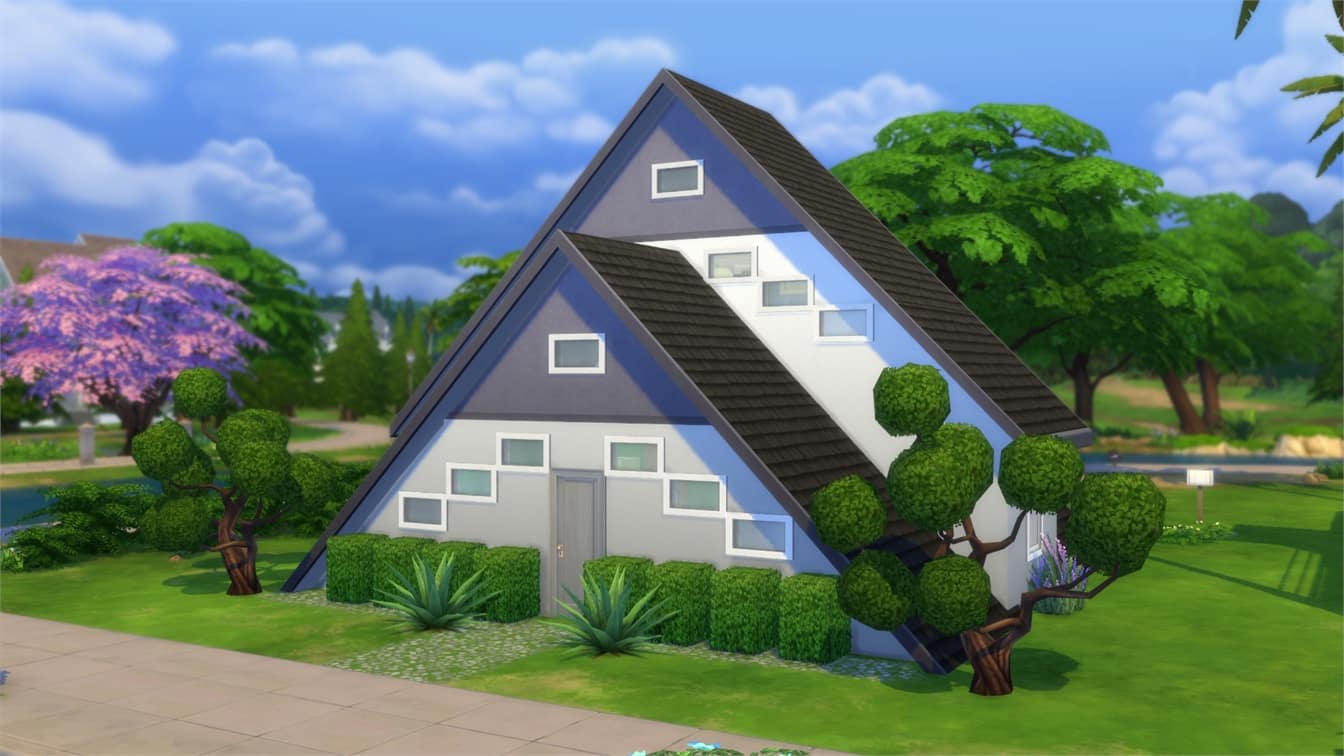

Sims 4 First Look House (Download Here)
This is the first Look house that was shown in the first every Sims 4 trailer enjoy #Sims4 #Sims4Beta #First Look
Value: §71,964
Size: 30×20
Lot Type: Residental
Required Packs: None

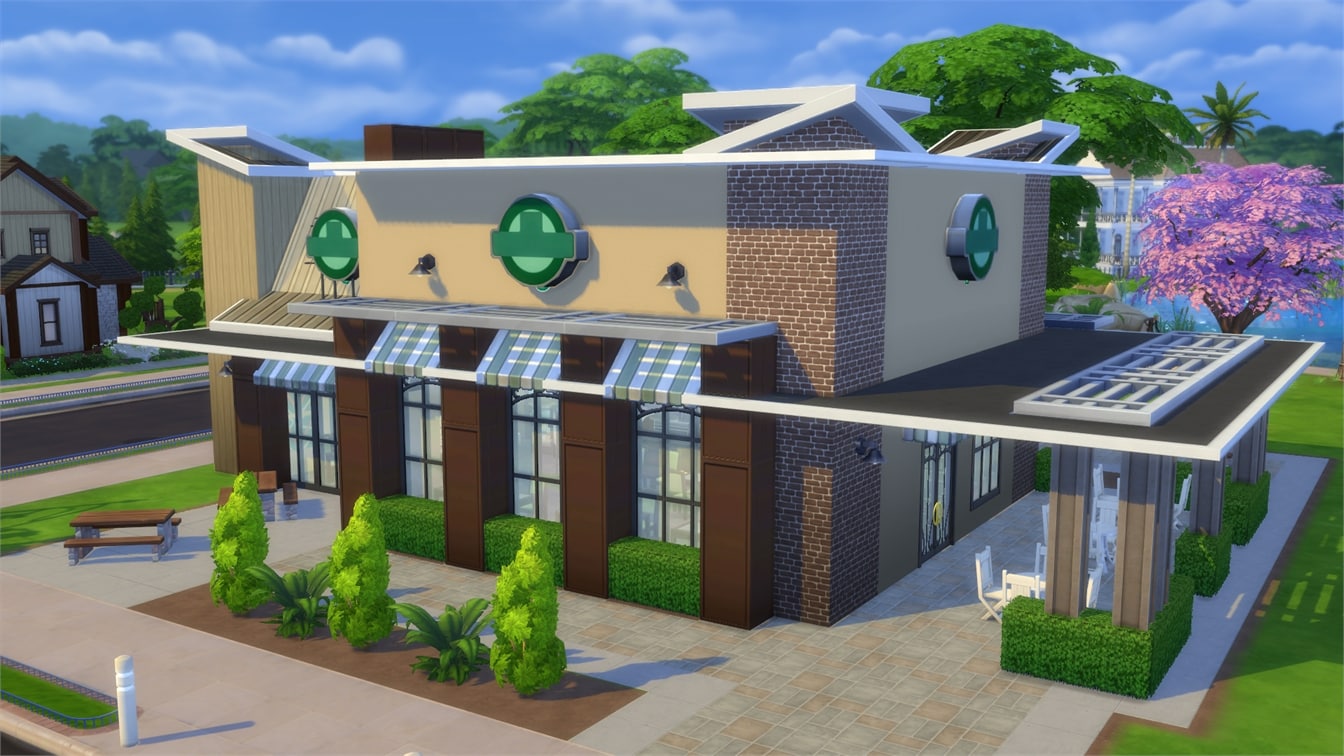
Newcrest Starbucks (Download Here)
This bar lot in #Newcrest is a great Starbucks replica for you and your sims to hangout at.#TheSims4 #BI4Sims #Maxis #EA #Starbucks #CoffeeShop
Value: §105,497
Size: 30×30
Lot Type: Bar
Required Packs: Outdoor Retreat, Get to Work

Karavanehytten (Download Here)
#partyhouse #house #myhome #fitness #pool #poolhouse #garden #familyhouse #danish #black #myhouse #love
Value: §124,228
Size: 30×20
Lot Type: Residental
Required Packs: Get to Work, Perfect Patio


Future Loft + Pool, Farm (Download Here)
This #modern home combines #futuristicarchitecture with #nature. Built around a giant tree, this suspended structure has a stunning fountain on the ground floor a cool #loft on the second floor, an indoor plant #farm and #gardenon the third floor and a rooftop #pool with a #party area and a #hottub. #outdoorretreat #luxuryparty #perfectpatio #BuildNewCrest
Value: §204,188
Size: 30×30
Lot Type: Residental
Required Packs: Outdoor Retreat, Get to Work, Luxury Party, Perfect Patio


Dali’s Exotic Toys & Pets (Download Here)
Inspired by the works of Salvador #Dali, this combination #toy and #pet #store offers a #unique and #fun experience for its owner(s). Demonstrates a new technique using basement spaces with #MOO. Live below the business in #stylish, #modern accomodations. Built on Nookstone in Oasis Springs. Place in build mode. Please do NOT re-upload. #nocc #bryscreations #basementspaces
Value: §142,928
Size: 20×15
Lot Type: Retail
Required Packs: Outdoor Retreat, Get to Work


Issue 4 by Sims Vita
You can read it by clicking the picture below!
You can show off your own Sims creations! Click Here for more info!

Maharaja Manor by kaichen04
It feels very luxurious and detailed, with all kind of amenities. It’s different and has an Arabian Nights Feel. The two-story pool is truly inventive. There are different inside areas, for parties, games and even some hot tub relaxation. The main suite has a walk-in closet.


You can show off your own Sims creations! Click Here for more info!