This Set has been brought to you by The Sims Resource member – Pilar!
Nice bedroom that blends with nature.
Click on the picture below to download this Set!
Click Here for more information on how to install Custom Content!
This Set has been brought to you by The Sims Resource member – Pilar!
Nice bedroom that blends with nature.
Click on the picture below to download this Set!
Click Here for more information on how to install Custom Content!
To get the latest update for SimCity BuildIt just open up the Application on your Android/iOS device.
Hello Mayor! Bring your city to life with the all-new Tokyo Town Update, featuring:• An International Airport – Ship cargo and earn Tokyo Town items• Tokyo Town Buildings – Add flair to your city.• Himeji Castle – Build the Tokyo landmark in your city.• A new Mailbox to receive rewards, gifts, and game update news.• Hot air balloons and blimps that fill the sky!Plus behind-the-scenes improvements on overall gameplay and global trade. Thanks as always for playing.

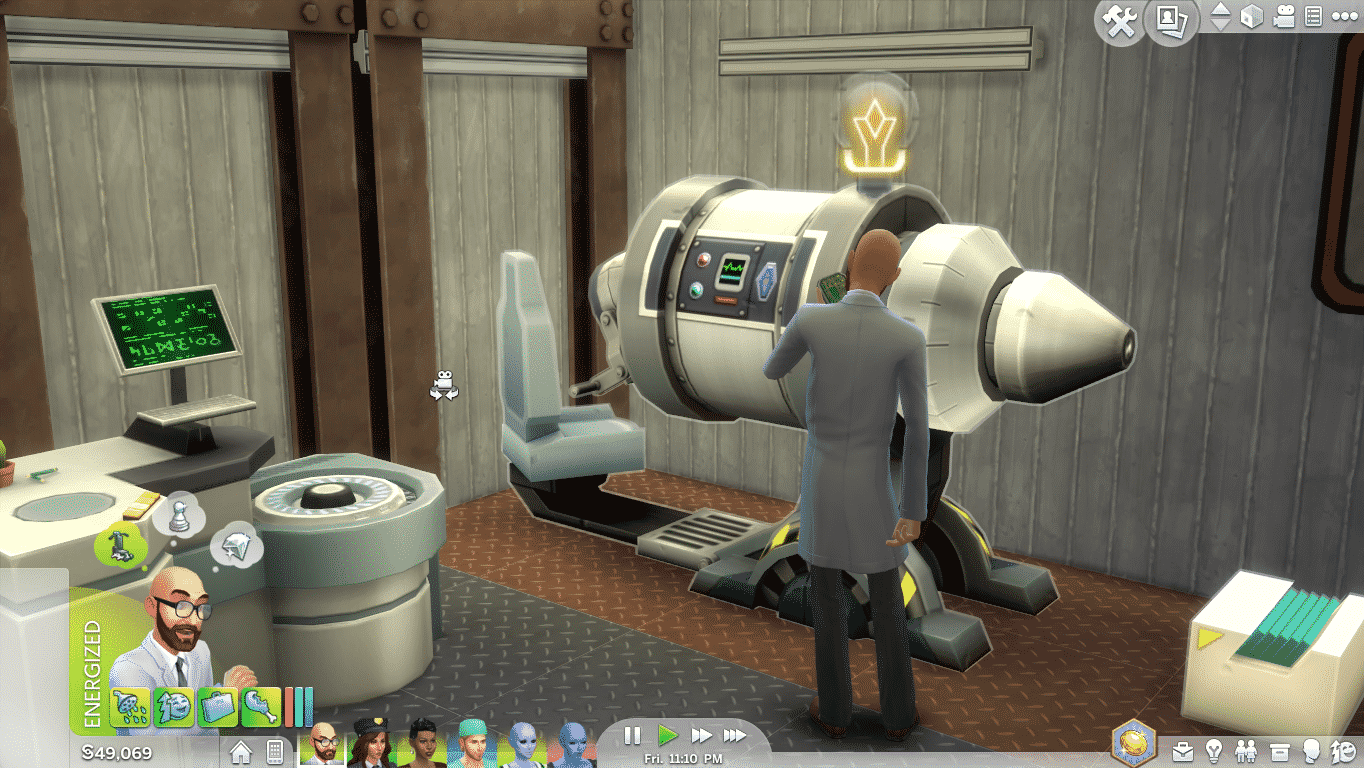
Before the scientist career trailer is released, I thought it would be fun to look back on the previous inventions our sims could… err… invent. While it would be nice to see some of these make a reappearance, new inventions are always welcome, as I’m sure we’ll see soon.
Sims 2 Robotics
Sims 2 Open for Business included the robotics talent badge. With it, your sim was able to invent four types of roverbots to help with everyday life. As long as they were built correctly, that is.

HydroBot: Not only could he put out fires, but he could water your garden as well.
CleanBot: Dirty plates, ash piles, puddles, nothing on the floor was too dirty for this bot to clean.
MunchieBot: Would detect a sim’s low hunger, quickly leave the lot, and bring home something to nourish any grumbly tummies.
SentryBot: The mechanized guard dog of robots that zapped and chased off any unruly visitors.
While these roverbots were all greatly appreciated, they did come with some negatives. They would only travel on the floor they were located, no using stairs or elevators. So if you had multiple floors in your house, you’d need a bot for each. There was also the potential for the bots to break and wreak havoc on your household until fixed. The CleanBot would spew garbage piles, the HydroBot would shoot water puddles, the MunchieBot would bring back spoiled food, and the SentryBot will shock sims randomly leading to angry visitors and lots of tears.
Even so, all these roverbots earned their keep and were worth the time taken to invent.
Sims 3 Inventing
Sims 3 Ambitions debuted the inventing skill, which allowed your sim to create widgets, toys, and more importantly, big inventions. These inventions were nothing like those found in Sims 2, no roverbots here.
Floor Hygienator: When walked over, it would release a puff of scented mist that not only increased a sim’s hygiene, but would frequently give a positive moodlet as well.
Harvester: No longer would gardening take all day, as this allowed you to harvest everything on the lot in one fell swoop. It could also be used on collectibles such as rocks, gems, insects, and more.
Miner: This could be used to create a tunnel system that a sim could use to travel from one lot to another. Sims frequently dug up collectibles while using the miner, and sometimes created explorable tunnels with text-based adventues.
Time Machine: Sims could travel to the past or future leading to any number of results from new family members being added to the household to someone’s career changing. Like the mining tunnels, this was also a text-based adventure.
Full-Fledge Robots
One invention that could be created in both Sims 2 and 3 was a full-fledge robot that became a member of the household. In Sims 2 these were called servos, and in Sims 3 they were called SimBots.
These were the life state of each respective expansion and were treated like a normal member of the household, with some robotic flair. As Get to Work already has aliens as the life state for the pack, it’s hard to say whether or not a robot of this nature will make a return with the science career.
Other Possibilities
The above teaser image released for the science career shows a woman sporting a robotic type helmet of sorts. We’ve seen this type of helmet before in Sims 2 with the Thinking Cap and Noodlesoother. They were aspirtation rewards that increased skill gain and needs respectively. Could something of this nature return in Get to Work?
I don’t know about you, but I’m excited to find out more about the science career and what inventions our sims will be slaving away to create.
This Set has been brought to you by The Sims Resource member – NynaeveDesign!
The unique styling of the Altara collection offers a casual contemporary look that is sure to make a bold statement in your sim’s master bedroom.
The sleek bed features a headboard in black leather. and low profile footboard style frame for a look that your sims will love. Pair it with the matching dresser and shelves for the complete look.Objects in this set:
Bed
Nightstand (Left & Right)
Dresser
Shelves
Mirror
Headboard
Vases & Bowl
Posters (Wall & Freestanding)
Click on the picture below to download this Set!
Click Here for more information on how to install Custom Content!

Hello! My name is Danielle White! I am very excited to begin working with The Sims Community as a tutorial/guide writer. I love the Sims and the multiple aspects of the game, and am super excited to share my knowledge with you and teach you something you might not have known before.
I have a YouTube channel (https://www.youtube.com/channel/UCkcIMENYYO54LAPMygktASg) and I live-stream on Twitch (http://www.twitch.tv/whitey28) when I have a chance.
I am outgoing, active, and family-oriented. My Lifetime Aspiration is to make as many friends as possible.
I am excited to be here and look forward to the fun we can all have together playing this amazing game!
-Whitey28
Via The SimScraper!
Q: With the introduction of Hospitals we see Illnesses make a return, Can our Sims catch these diseases?
A: Sims don’t have to be working in the Doctor career to see illness symptoms. Any Sim can catch an illness; mainly, this is done through physical interactions with other Sims. You will be able to see if your Sim is ill by different buffs they get and by how they look in the game.
Q: Sims can now Deliver Babies, Does this mean Sims around Town will Start having children?
A: As Sims progress through the Doctor career, they will unlock the ability to see pregnant patients and deliver their babies. The Hospital does spawn NPC pregnant Sims as well, so you’ll see them walking around in the game. As a player, if your Sim is pregnant and ready to give birth, you’ll need to select the interaction to give birth at the Hospital.
Q:Can Sims visit the Hospital to see family And have checkups or do they have to work in the medical career?
A: Sims who are not in the Doctor career are not able to visit the Hospital. The only Sims who are able to go to the Hospital while not in the Doctor Sims are pregnant Sims (and their significant other) when they are ready to give birth. If your Sim gets sick, medicine can be ordered by phone or on the computer.
Q: When our Sims go into labor does an NPC Doctor deliver our baby?
A: Yep, when pregnant Sims go into labor, an NPC Doctor will deliver their baby.
Q: The chance to run businesses has returned and it looks great! Will our Sims be Able to run Home Businesses?
A: Retail lots in The Sims 4 Get to Work dictate where Sims can open up a business. Sims can stay at their store and take care of their basic needs as long as they desire but will need to return home for much of the gameplay that’s centered on their household.
Q: With the return of Bakeries can our Sims also Run Restaurants?
A: TheSims 4 Get to Work focuses on opening up a retail business where you can sell anything you can make in the game, from toilet paper to cupcakes. The focus is on selling items, rather than providing services.
Q: Can we sell ANY item?
A: Your Sims can sell anything they can make, as well as a vast majority of the items available in buy mode. Sims who paint on the easel can sell their works of art. Sims who desire to open up a store that only sells furniture, can do so.
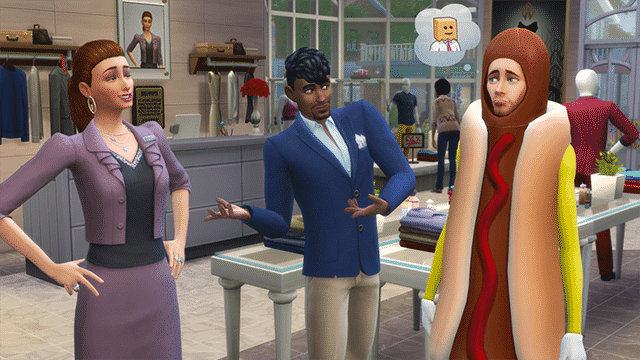
Q: Can we set Employee Uniforms?
A: Absolutely! This is one of my favorite aspects of the retail side of Get to Work.
Q: Will Sims pay for items at the register or do they just take the item?
A: Sims won’t just take the item, no – they’ll be assisted by an employee to purchase items.
Q: How do Mannequins work?
A: You can customize outfits from the clothing in-game and dress up both adult and child mannequins. They can have up to 30 unique outfits assigned to them that customers can try on and purchase.
Q: Will this Pack be introducing any new collectibles?
A: Yes! There are new rocks, flora, and fauna to collect, and they’re out of this world!
Q: In the trailers we see new areas in which are the Hospital and Police department, is this a new world or are Willow creek and Oasis springs having an expansion?
A: Rather than taking your Sims to a new world, The Sims 4 Get to Work integrates new environments into the existing worlds in The Sims 4. The Sims 4 Get to Work also includes an entirely new neighborhood, Magnolia Promenade, which is made up of four new lots, three of which are retail. You can create retail lots in the existing neighborhoods or move existing venues into the new neighborhood. It’s all up to you! You can even live right next door to your retail store.
Q: What can you tell us that we don’t already know about Get to work yet?
A: We’re really excited about the new photography skill in The Sims 4 Get to Work. We’re introducing cool new filters and other modern features such as a Smart Phone camera, the ability to choose between horizontal or vertical shots, a photography studio object to take group shots, and more!
This Set has been brought to you by The Sims Resource member – ShinoKCR!
Bedroom with lots of metal shelfing and glass tops. Also there is a Seating and a Stereo.
– Doublebed (comfort 10) 3 coloroptions
– Bench (3 Coloroptions)
– Dresser (3 Coloroptions)
– Bookshelf (3 Coloroptions) bb.moveobjects on needed
– Shelf (3 Coloroptions)
– Desk (3 Coloroptions)
– Desk Chair (3Coloroptions)
– Sidetable left and right version (3Coloroptions)
– Armchair (2 Colors)
– Loveseat (2 Colors)
– Stereo (recolorable but only 1 Color)
– Wall Clock (recolorable but only 1 Color)
– Mirror (3 Coloroptions)
– Sculpture Battersea Power Station
– Wall Lamp: Conversion from Sims3 (4 Coloroptions)
Click on the picture below to download this Set!
Click Here for more information on how to install Custom Content!
Hi Simmers!
We recently published Under the Spotlight page that showcases one of the greatest and most dedicated Simmers and we want you to be a part of it!
Starting today, anyone who submits for our Community Links page will have an opportunity to get under our Spotlight!
To Submit for our Community Links page, simply scroll down on that page until you see the submit button. Make sure you read the instructions first before submitting!
To be chosen for the Under the Spotlight page you need to show your dedication on your Website/Blog/Channel. We’ll be choosing the next simmer for his/her showcase next week when they’ll have one more week to write all about themselves and their passion for The Sims.
Simmers who already submitted for the Community Links page don’t have to worry as they already have a chance to get Under the Spotlight.
Check out Lifesimmer’s Showcase!
The Sims has announced that Echosmith, New Politics, Big Data and Katy Tiz are featured for the Simlish Soundtrack of The Sims 4 Get To Work!

Update #3: lumialoversims and I have managed to take some screenshots of various The Sims 4 Prototypes before they got taken down.
Update #2: NBTS4 was able to download the videos before they got taken down and they sent them to us. We made a compilation of all the UI Mock-Ups and Designs by Chi Chan in the video down below!
Update: Several hours after this post has been published the original creator of these Concepts and Prototypes took everything down. This means that although you won’t be able to see the Videos or the Interactive Prototypes, you can still check out the screens we took down below! We’ll keep the links below the title of each segment in case the creator decides to bring them back.
Chi Chan, Studio Art Director for Maxis (Electronic Arts Divison) posted up some Concepts and Designs he made for The Sims 4 that he was working on for 4 months.
The Sims 4 (PC) – 4 months.
– Consulted on general art direction for the game (already in production).
– Helped define the look and feel of the UI, including game entry and in-game HUD.
– Steer the visual quality of the 3D environments.
The following screens and description are the property of Chi Chan.
Map Design
These mock-ups were intended to illustrate a fun and tactile interaction with the map screen and giving opportunities to showcase the Sim families.
Game Entry Mock-Up
Pre-viz work to define a dynamic and elegant entry flow into the game.
Character Creator Pre-Viz
This pre-viz was to explore how interactive manipulation could feel in the Character Creator Mode of Sims 4.
Load Screen
Loading screen exploration.
Map Screen Pre-Viz
The existing map view was a 2D representation that had little in the way of the visual flair or dynamism that was needed for a AAA product. My prototype here was to explore how to present the map in a more compelling way.
Build Mode: Tactility and Feedback Pre-Viz
The prototype was to demonstrate an example of how props could be manipulated by the player in a more playful manner- leading to better feedback and richness of interactivity.
Exterior: Visual Bar
Taking existing model assets, polishing them up, and pushing them through a more up-to-date rendering engine; revealing a more deeper and engaging visual target.
Interior: Visual Bar
Same exercise as the exterior, focusing on how lighting can improve the look and feel of interiors.
This Hairstyle has been brought to you by Mod The Sims member – Vampire_aninyosaloh!
I’ve made this new side ponytail with braids for your simmies. It’s a new mesh and it comes in 16 colors.
It’s for female sims from teen to elder and it’s not a replacement. It comes with a custom thumbnail to find it more easily.
Click on the picture below to download this Hairstyle! (Requires MTS Registration)
Click Here for more information on how to install Custom Content!

Roman Aqua (Download Here / Video 1 / Video 2)
Take a dip in the pool or enjoy the outdoor luxury of this classically gorgeous Venue!
Value: §238,723
Size: 40×30
Lot Type: Generic
Semi Paradise (Download Here)
This House is symetrically split in half and each Room on the first split of the House is the same like the one on the second split. Although only 1/2 of this Residental House is unique, it’s neat for Households with more than 4 Sims.
Semi Paradise is a tropical, semi-detached home. Perfect for large households. Enjoy ^_^ Made by #PurpleKachine (also known as Manssom) #NoCC #Modern #Pool #Semi #Paradise #Tropical #moo #moveobjects
Value: §332,215
Size: 50×50
Lot Type: Residental
Gubei day (Download Here)
Both exterior and interior of this Lot match great together!
#noCC #forumpl #creatwlifeinsims #kreat#poland #small #modern
Value: §171,381
Size: 30×20
Lot Type: Residental
Phoenix New Construction (Download Here)
Although this House is not furnished at all, it awaits you to unleash your creativity!
Move-in ready (bathrooms+kitchen). First-floor master suite, bonus room upstairs.
Value: §116,019
Size: 40×30
Lot Type: Residental
The Brown Flower (Download Here)
Don’t want to spend too much time inside this beautiful house? No worries! There are plenty activities for your Sims to enjoy in outside.
This is the #house that all my #Natural rooms inspired me to build. It’s also the #family #home and updated version of my #brown starter. #NoCC #tan #flower #nature #wood #stone #familyhome
Value: §298,641
Size: 40×30
Lot Type: Residental
This Set has been brought to you by tukete!
So I finished work on the conversion of paintings from the Sims 2 in Sims 4.
93 pictures, 152 swatches and hundreds of future interiors … I hope.
At times, it was fun, sometimes difficult, but overall I’m happy. I hope you will too.
Click on the picture below to download this Set!
Click Here for more information on how to install Custom Content!
Via thesims.com!
This month, The Sims is celebrating 15 years of plumbobs, WooHoo, and everything Sims. If you follow @TheSims on Twitter or are a fan of The Sims page on Facebook, you’ve likely seen a good deal of celebratory Fun Facts posts, and learned a bunch of cool stories about the history of the franchise. The first item ever created in The Sims? A toilet. Simoleons? They got their name from the 18th century British slang for sixpence: simons.
But we’re not the only ones thinking back on the franchise – The Sims community has been thinking about their favorite fun facts about the franchise, too! We’d love to hear your fun facts in the comments below, and here are a few to get you started.
AstroX1424 remembers a more quaint time for The Sims, when babies were just a quick peck away. “Fun fact: In The Sims 1, you had a baby as a result of kissing someone.”
Terrylin remembers having a bear of a time in The Sims. “Fun fact: In TS1 Claire the Bear was an actual bear that would steal from your picnic basket or dig in your trash.”
Turns out, The Sims didn’t actually invent the plumbob according to Scobre (or, actually Wikipedia). “Fun fact: Definition of the plumbob: “A plumb-bob or a plummet is a weight, usually with a pointed tip on the bottom, that is suspended from a string and used as a vertical reference line, or plumb-line. It is essentially the vertical equivalent of a “water level”.
icmnfrsh remembered an urban legend that turned out to be true. “Fun Fact/Easter Egg: Nessie the Loch Ness Monster sometimes appeared in the lake in the neighborhood screen back in The Sims. There was also a cheat to make her appear.”
But don’t feel restrained by facts about the games themselves. Some of the facts we’ve seen are more personal than others. For instance,junceda said “My children drove me into The Sims fifteen years ago and I am driving now their children into the Sims (2/3/4) and they are delighted to play the “little people” with their granny!”
Open your Origin program to download the new update!