Home Blog Page 483

The Sims 4 Get to Work: First Day at the Scientist Career

One of the new careers that comes with The Sims 4 Get to Work is the Scientist career. The first level of the Scientist career takes place between 10:00 AM and 7:00 PM. Just like with the other two careers, when it is time to leave for work you will receive a prompt asking whether you want to send them alone or follow them. If you opt to send them alone, it will function just like a regular career. If, however, you choose to go with them, you can control them throughout the work day.

03-30-15_9-48 PM

After a short loading screen, your Sim will arrive at the Science Lab, located in the middle of a dry desert. As soon as the work day starts, your Sim will be assigned goals. Unlike the Detective career, the goals are random and not part of a fixed chain. These goals often involve using science equipment or interacting with co-workers.

The Science Lab contains a wide range of machines which can be used to perform scientific experiments. If your Sim is not carrying any plant samples to experiment with, there is an indoor garden with harvestable plants. If your Sim gets hungry,  there is a snack machine on the second floor. Of course, like all careers lots, this can all be customized with the bb.enablefreebuild cheat.

03-30-15_9-52 PM

At the start of the career, The Chemical Analyzer can be used to create and analyze Elements and Flora. Elements can be created by using the Practice Analysis interaction, whereas Flora can be found in the garden at the Science Lab.

03-30-15_9-58 PM

The Chemistry Lab allows Sims to mix various Serums. At first, only the Synthetic Food Serum is available, which will increase a Sim’s Hunger need. Your Sim can collect ingredients used for Serums from the garden.

03-30-15_10-02 PM

The Invention Constructor is where Sims invent various objects. Not only that, but it even has a built in robot that Sims can interact with. There is also an option to Brainstorm, which can presumably be used to unlock new ideas for inventions.

03-30-15_10-52 PM

At the start of the career, the Microscope can be used to analyze Plant Samples, which can be collected from the garden.
 

The Sims 4 Get to Work: First Day at the Detective Career

One of the new careers that comes with The Sims 4 Get to Work is the Detective career. The first day at the Detective career begins at takes place from 8:00 AM to 5:00 PM on every day from Monday to Friday. When it is time for your Sim to leave for work, you will receive a prompt asking you whether you want to follow them to work or send them alone. If you opt to send them alone, it will function just like a regular career. If, however, you choose to go with them, you can control them throughout the work day.

03-30-15_8-21 PM

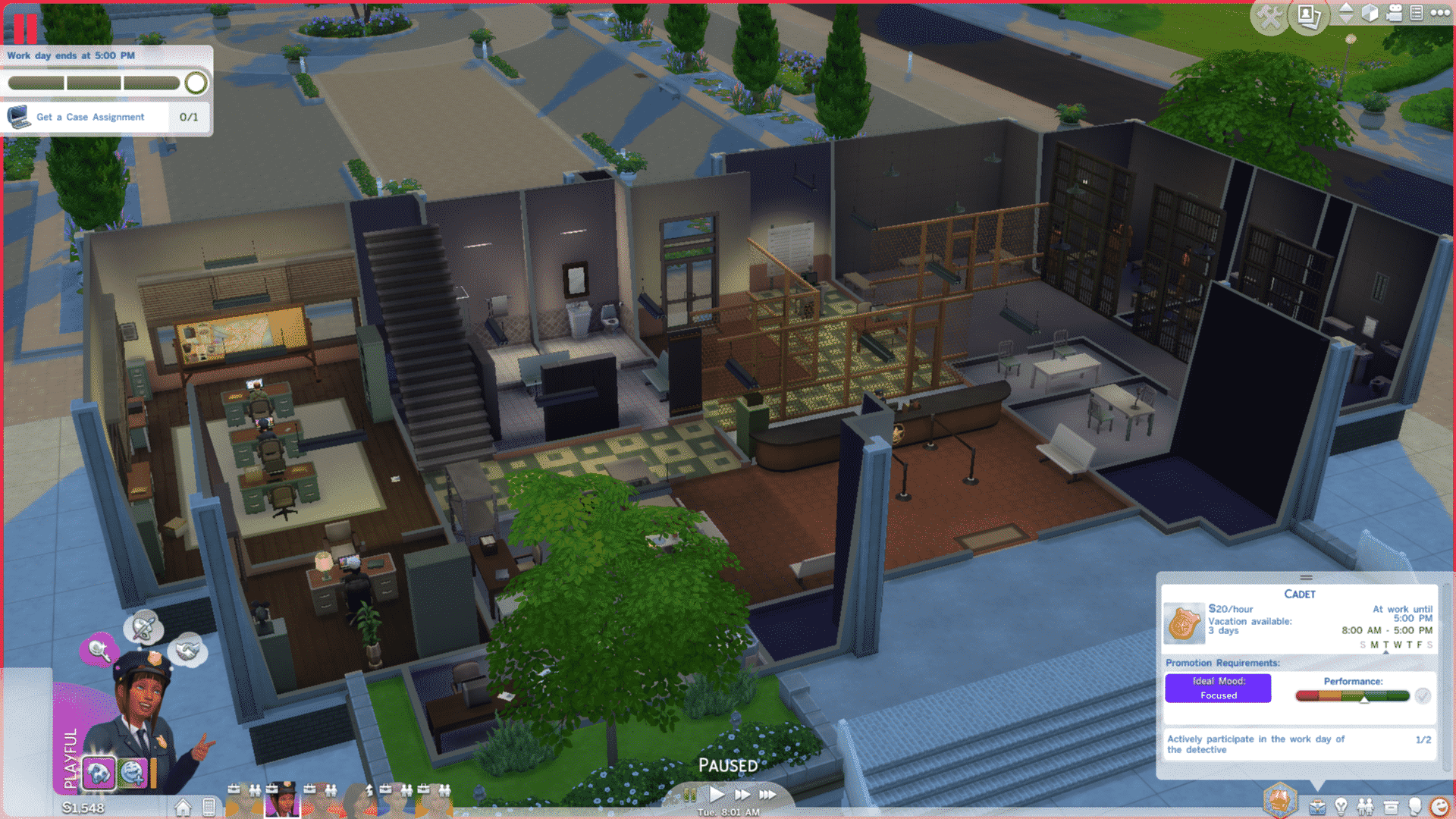
After a short loading screen, your Sim will arrive at the Police Station. By default, it cannot be customized, but using the cheat “bb.freebuildmode” will unlock Build Mode and it will be yours to change as you want. When playing the Detective career with a new Sim for the first time, there will always be a set chain of tasks to follow. The first task is to use the computer to Get a Case Assignment. Afterwards, your Sim will be asked to use the computer to Travel to Crime Scene.

03-30-15_8-25 PM

Your Sim will then be taken to any random occupied residential lot in the game. This career gives you a reason to care about the other houses and households in the game. At the crime scene, you will be asked to Collect Clues, Get Reports from Witnesses and Take Crime Scene Pictures. Once your Sim has completed enough goals, they will be asked to return to Police Station. You can send them back by clicking on them and selecting Return to Police Station.

03-30-15_8-28 PM

On returning to the Police Station, your Sim’s next task will be to analyze the evidence using the Chemical Analyzer. You can do this by clicking on one of the Chemical Analyzers and selecting Analyze Evidence, then selecting a piece of evidence in your inventory from the list. If the first attempt isn’t successful, just try again with a different piece of evidence.

Next, your Sim will be asked to File Crime Scene Evidence at a Computer. This is straightforward: just click the computer and select File Crime Scene Evidence.

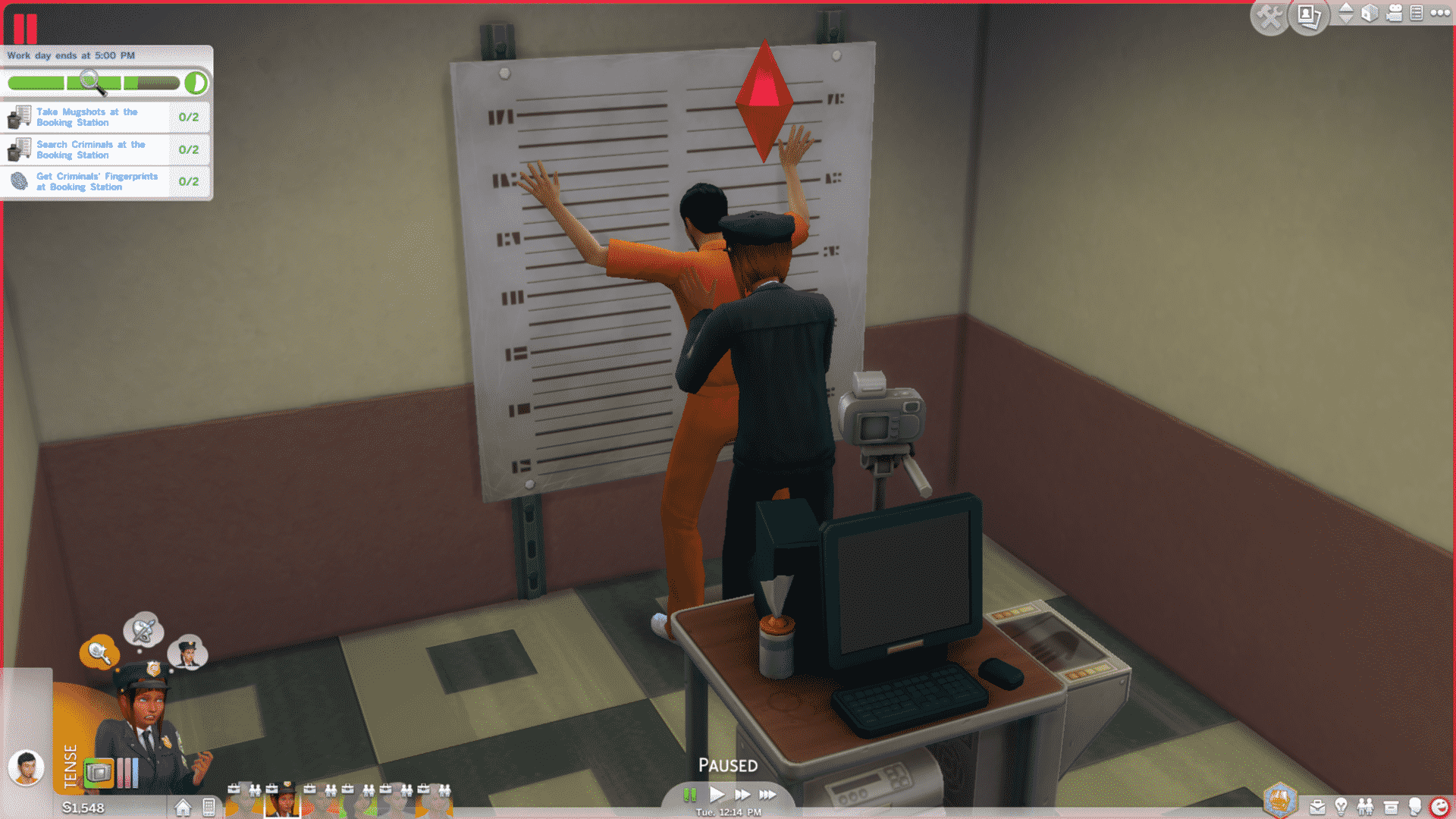
03-30-15_8-31 PMFinally, your Sim will be asked to use the Booking Station to handle existing prisoners at the station. The Booking Station is the object shown in the above screenshot. Your Sim can use it to Take Mugshots, Search Criminals and Get Criminals’ Fingerprints. Once these goals are complete, they will be replaced with random goals such as working out or interaction with co-workers. With your Sim’s remaining time, they can complete these goals to maximize their work day performance.

At the end of the day, your Sim will be send home with pay. It’s time to rest up for next time!

The Sims 4 Get to Work: Interactive Special by SimFans!

Click on the picture below to check out the Interactive Special of new Get to Work Neighborhoods/Areas!

Capture

The Sims 4: CAS CC Lookbook #4

NEWLOOKBOOK5

Hair  / Skin  / Facemask  / Eyebrows / Ear Piercings / Top / Bottoms / Shoes (EA)

NEWLOOKBOOK

Hair / Skin / Skintone / Eyebrows / Outfit / Bracelet / Shoes (EA) / Pose 1 / Pose 2

NEWLOOKBOOK3

Hair / Skin / Skintone / Eyebrows / Lip Piercings / Eyeshadow (EA) / Choker (EA) / Outfit / Stockings / Boots / Pose (Creator deleted their pose pack, sorry!)

Click Here for more information on how to install Custom Content!

Download these Sims on The Gallery here and here.

The Sims 4 Custom Content: Hana Hairstyle

This Hairstyle has been brought to you by CustSims Content!

Click on the picture below to download this Hairstyle!

tumblr_nly8i9OwOB1tki9hco1_1280

Click Here for more information on how to install Custom Content!

The Sims 4 Get to Work available for $29.99 on Best Buy!

1

Click on the picture below to check out this offer!

Capture

Tip: maxout122

The Sims 4 Get to Work Game Guide by Sims Online

2

Sims Online has been working hard to provide you all the information you need for The Sims 4 Get to Work launch next week!

sims-online-logo-medium

This is a guide list specially created to look up extra information about The Sims 4 Get to Work. A number of the guides are still in progress but some of the guides are really helpful to already look into. These are the Retail business guide, Scientist career guide, Baking skill guide and the Photography skill guide.

If you were wondering how to get to Sixam, the Alien World, follow THIS Tutorial!

Bookmark the page because the guides will be finished, complete with images, screenshots and the last missing information in a few weeks.

Click on the picture below to check out The Sims 4 Get to Work Guide!

sims-4-get-to-work-game-guides

The Sims 4 Custom Content: Modular Windows

This Set has been brought to you by The Sims Resource member – mutske!

This modular window set in made specially for SF magazine issue 29. It contains several mudular windows and normal 1×1 tile windows. Make sure that your game is fully patched and up to date for this set to show and work correctly in the game. Have fun playing!

Click on the picture below to download this Set!

w-600h-450-2574044

Click Here for more information on how to install Custom Content!

The Sims 4 Gallery now has over 5 Million Uploads!

0

TS4 2015-03-28 13-42-18-83

The Sims 4 released 7 months ago and since September, Simmers managed to upload over 5 Million creations to The Gallery!

Here’s a breakdown of The Gallery’s full statistics:

gallerystats5mil

You can access The Gallery via The Sims 4 in-game, on Web and even on iOS and Android!

The Sims 4 Custom Content: Bathroom Charms Set

This Set has been brought to you by The Sims Resource member – SIMcredible!

You’ve asked, we brought it 🙂 It’s SIMcredible! Small box of goodies #3 – Your lovely source for living touch supplies ^^ by SIMcredibledesigns.com

Click on the picture below to download this Set!

w-600h-450-2575584

Click Here for more information on how to install Custom Content!

SimCity 2013: Early Prototypes and Visualization by Renaud Ternynck

0

Update: We received an e-mail from Renaud asking to take this content down. In respect to both his work and EA we removed the content that we mentioned in the title. Thanks for your understanding!

Via Renaud Ternynck!

The Sims 4 Tutorial: Basements – Tips & Tricks

1

Probably one of the biggest feature in The Sims 4’s second March Update are the Basements.

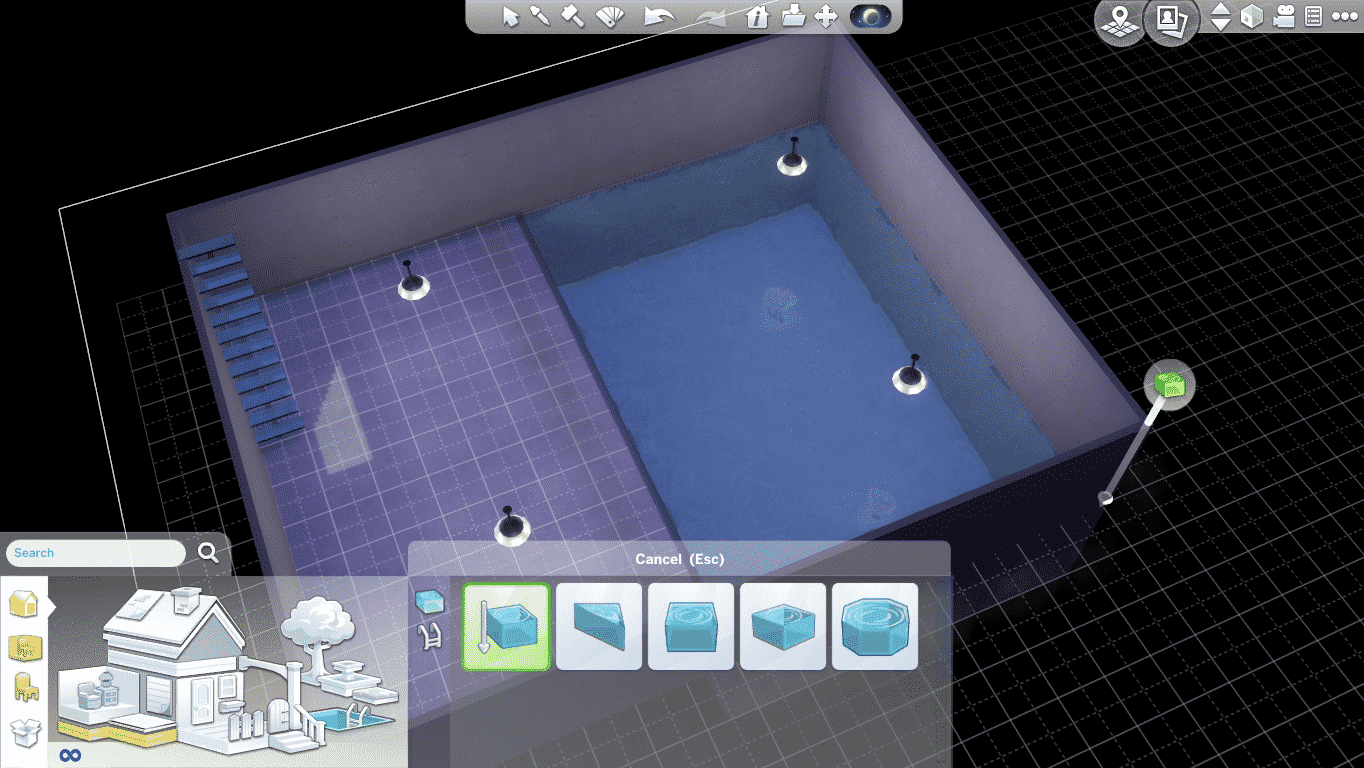
Basements allow you to go 2 Stories deep into the ground and build Rooms and Pools inside!

To begin building Basements, head into the Build Mode and select the Walls and Empty Rooms section. You can also just search for the Basements tool using the Search feature.

TS4 2015-03-26 21-04-25-80

Add stairs so you can connect the ground level with the Basement.

Tips:

  • Basements function just like Rooms. You can move, rotate and push & pull the basement rooms.
  • Make sure you light up the Basement before decorating it!
  • Pools can only be added on the first underground level, but in the second underground level you’re able to add windows on the Pool walls which allows you to create a really cool Pool Lounge!

TS4 2015-03-26 21-05-53-37

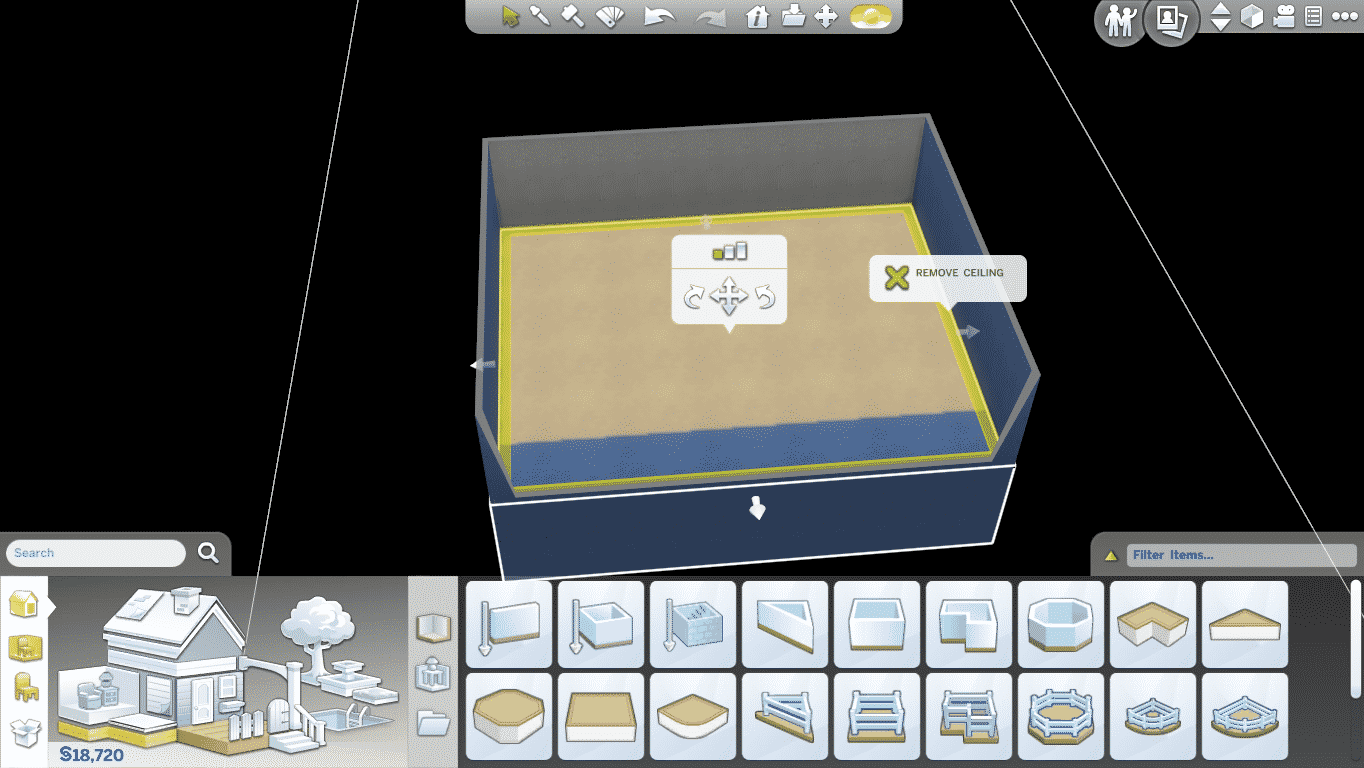
Basements are not just for secret lairs and hidden rooms. You can remove the ceiling by clicking the Basement Room, going up to the Upper Level, selecting the yellow layer around the Room and clicking Remove Ceiling.

TS4 2015-03-26 21-06-30-97 TS4 2015-03-26 21-06-36-96 TS4 2015-03-26 21-06-49-12

This trick also applies for the 2nd underground level, although after you follow all of these steps above you also need to use the Sledgehammer Tool and remove the Ceiling of the 2nd Basement level.

TS4 2015-03-27 21-32-58-38 TS4 2015-03-27 21-33-06-53

Basements don’t have to be built exclusively using the Basements Tool. You can go down to the underground level and simply plop some pre-built Rooms. Make sure you add Stairs after you’re done!

TS4 2015-03-27 22-42-24-07

If you have any more Tips to share, do so in the comment section below!

The Sims 4: Bunny Egg Hunt Challenge!

2

Thanks to the latest The Sims 4 Update, your Sims are able to hunt for Eggs in the upcoming weeks! (Challenge lasts throughout April).

To find all 10 Decorative Eggs, search for the Fallen Logs which will spawn randomly around any Neighborhood. You’ll be prompted to search for Frogs when clicking the Fallen Log, but don’t worry, you’ll either end up with a Frog, an Easter Egg, or both!

03-27-15_9-12 PM-2

You can also find Decorative Eggs by harvesting any type of Plant or by digging a Rock and searching for Treasure!

You’ll be able to keep track of all the Decorative Eggs you’ve collected in the Household Collections window.

TS4 2015-03-27 21-55-24-11

Once you find all 10 Eggs, you’ll receive 100 Simoleons as well the Bun Bun stuffed Bunny Toy that’ll be delivered into your Mailbox. After you Get the Mail you can find Bun Bun in your Household inventory. This Toy can also be bought for 155 Simoleons after you finish the Challenge.

03-27-15_9-26 PM

Each Egg is worth 10 Simoleons.

Once the Challenge is over, you’ll be able to purchase these Decorative Eggs in BuyDebug using the bb.showhiddenobjects cheat.

03-27-15_9-54 PM-2