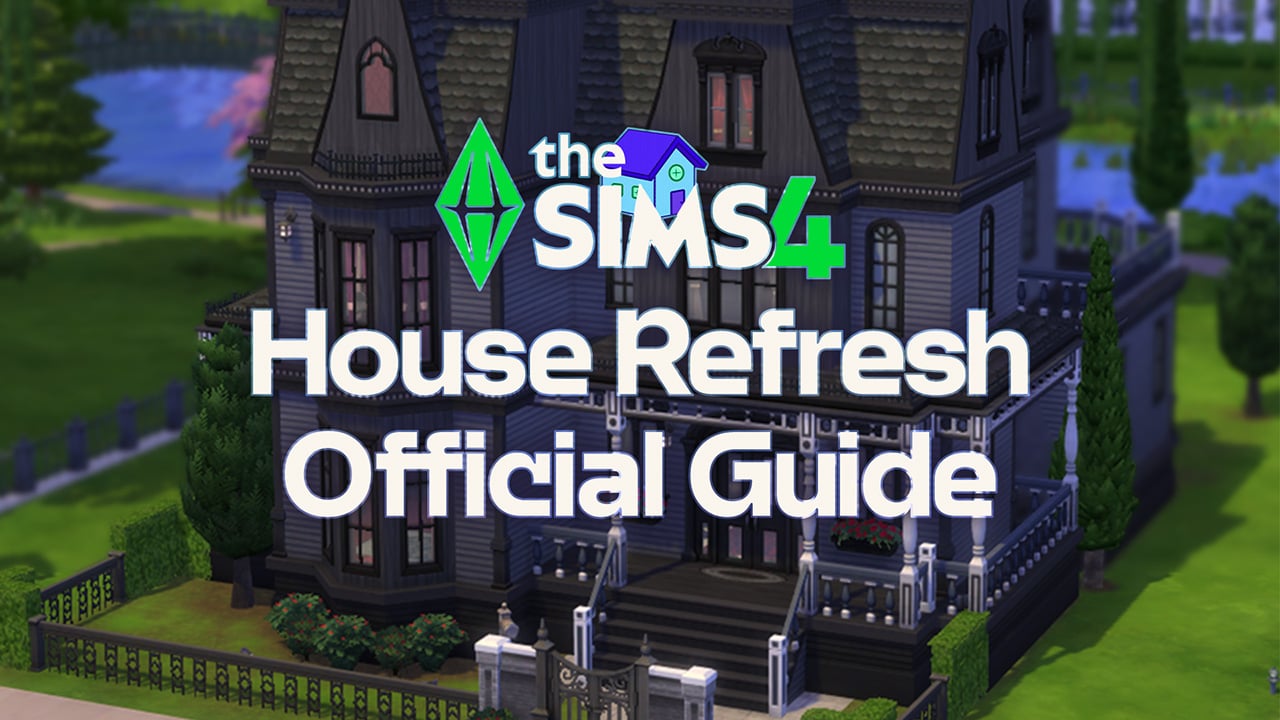
EA releases official details on how the first Sims 4 House Refresh works in the game.
Maxis surprised everyone yesterday when they released their first ever Townie House Refresh for The Sims 4 Base Game. Including several Residental Lots in Oasis Springs and Willow Creek.


Today, the team released an official Frequently Asked Questions blog, detailing how to make the new Houses load up in your game and more.
Table of Contents

Sul Sul, Simmers! My name’s Colin, and I’m a Producer on The Sims 4! Like many of you, I’ve been playing The Sims for a long time. I was first introduced to the series back in 2000, and the rest is history. As such a long-time fan of the franchise, I consider it an honor to contribute to the fantastic legacy of The Sims!
Today I’m excited to share a unique project the team has been working on to enhance your base game experience further and deepen the established lore within our game!
The Sims 4 Base Game Townie Home Refresh
Over the last 10 years, The Sims 4 Base Game has received many Build/Buy Mode updates, some of which include pools, platforms, half walls, new SDX items, and more! The team wanted to breathe new life into some of our most iconic lots, utilizing all these great features that have been added over the years.
These lots were built with the utmost love and care by talented members of The Sims 4 Development Team. Our goal was not to bulldoze the lot and start from scratch, but to honor the existing lot while giving it some updates and modifications that made it fresh and exciting! Some elements will feel new, while other elements pay homage to the original lots.
While updating these homes, each dev received a summary of each sim in the household, including their age, traits, career, and aspirations. Utilizing this information, the team layered in unique decor, skill-building items, and other fun nods to the townies who live in this home. We aimed for these homes (and even the bedrooms) to be immediately recognizable and suit the sims who live there.
Both the Updated and Original Lots will be available in your “My Library folder. Update them all, update some, or keep the original lots – the choice is yours!
We hope you enjoy these new homes and the stories you’ll tell with them!
How to See this Refresh In-Game
We’ve updated all occupied Residential (or Townie) Lots in Willow Creek and Oasis Springs in today’s patch.
Players that start a New Save after this update will automatically see these refreshed lots in Willow Creek and Oasis Springs. If you have an Existing Save, you will not see any updates automatically. But, you can manually place them in an existing save from the “My Library” tab.
To see the Refreshed Lots with a New Save:
- Start a New Game from the Main Menu.
- After creating your household in CAS, go to Willow Creek or Oasis Springs.
- The Refreshed Lots will automatically be in the world for you to enjoy!
To see the Refreshed Lots with an Existing Save:
- Load your Existing Save from the Main Menu.
- Go to Manage Worlds, and then go to Willow Creek or Oasis Springs.
- Click on the “Gallery” tab in the top right corner.
- Click on the “My Library” and filter by “Maxis.” You’ll see all the updated lots here.
- Select the desired lot and click “Place Lot” at the bottom right corner.
- Select the desired lot location and confirm to place the lot.
- Repeat this process for any desired lots you’d like to see updated.

LEFT: BFF House Before Refresh. RIGHT: BFF House After Refresh
The Sims 4 Townie House Refresh: Frequently Asked Questions
I edited a townie lot in an existing save. Will my build be impacted?
- No, your build will not be impacted. Even if you modified the townie home before the update, this update should not impact existing saves.
I created my own lot where a townie lot used to be located in an existing save. Will my build be impacted?
- No, your build will not be impacted. This update should not impact existing saves, even if you built a new lot where a townie lot used to be.
I’m manually placing the lots in an existing save, but when I try to place a lot, the townie household can’t afford the new home.
- If this happens, you can utilize the “Free Real Estate” cheat.
- You can open the cheat menu by pressing “Ctrl + Shift + C” on your PC or holding down all the shoulder buttons on your console controller.
- Type in “testingCheats true”
- Type in “FreeRealEstate On”
- Continue the lot placement as instructed above.
I would like to keep the original homes. How can I keep them in my game?
- In order to see the original homes, you’ll need to manually replace them.
- We’ve added the “Legacy Versions” to your Library for you to place.
With an Existing Save, I see the updated lots in the World View, but they are not updated when I load into them.
- Should this occur, you can do the following:
- Load into the lot and save your game.
- Load back into the World View. You should now see the accurate thumbnail.
- If you are looking for the updated lots in an existing save, they can only be added manually.
What are your thoughts on the first Townie House Refresh in The Sims 4 Base Game? Let us know your thoughts down below!